Access Kubernetes Services Locally with `kubectl port-forward`
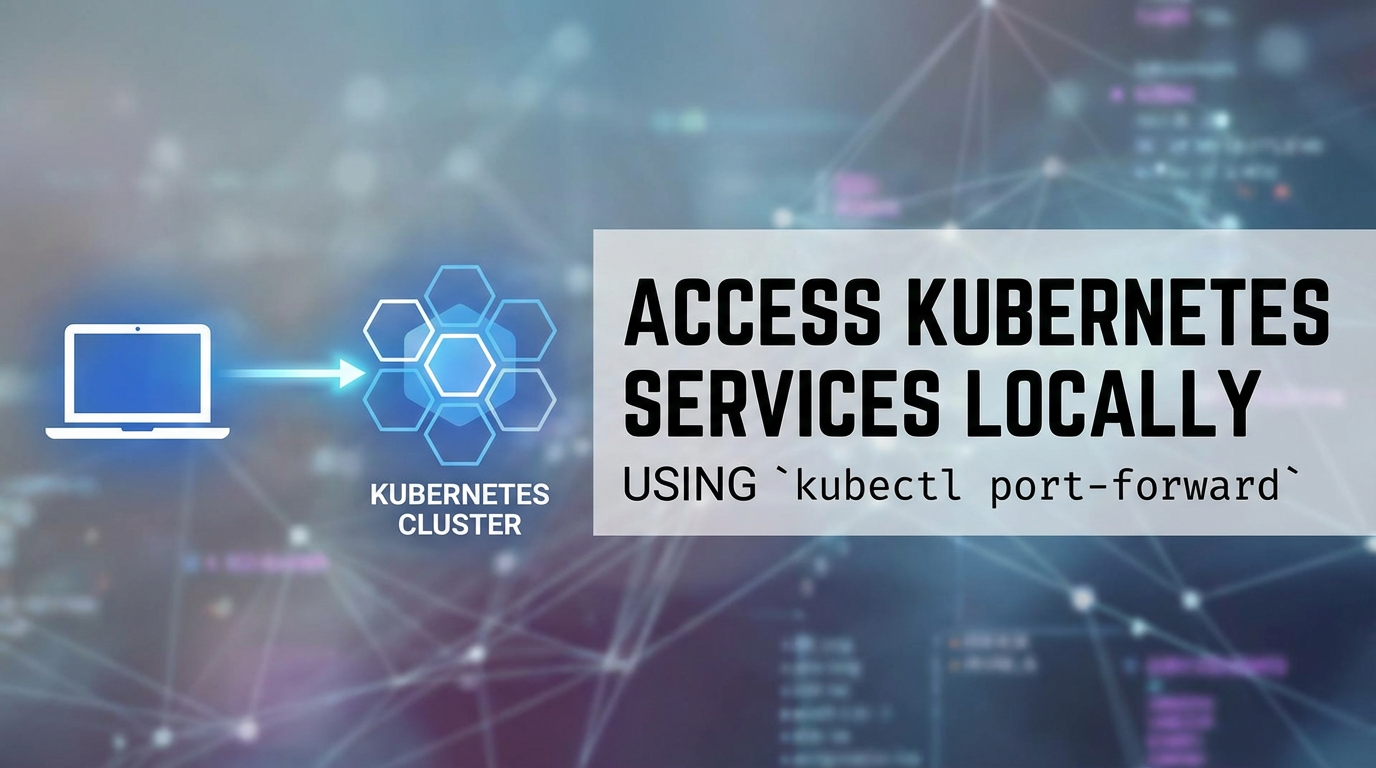


In the vast and intricate cosmos of modern cloud-native development, Kubernetes stands as the undisputed orchestrator, a powerful engine driving the deployment, scaling, and management of containerized applications. Yet, for all its prowess in managing complex, distributed systems in production environments, the developer’s journey often begins much closer to home: on a local workstation. Bridging the chasm between a local development environment and a remote Kubernetes cluster can frequently feel like a formidable challenge, especially when needing to interact with services, databases, or micro-APIs nestled deep within the cluster's network. This is precisely where kubectl port-forward emerges not merely as a utility, but as an indispensable lifeline for developers and operations teams alike.
This comprehensive guide delves deep into the mechanisms, applications, and best practices surrounding kubectl port-forward. We will unravel its inner workings, explore its myriad use cases from local debugging to integrating third-party tools, and dissect its limitations and suitable alternatives. By the end of this journey, you will possess a profound understanding of how this seemingly simple command empowers you to seamlessly connect your local machine to the pulsating heart of your Kubernetes applications, transforming a potentially arduous task into an effortless extension of your development workflow. Furthermore, we will touch upon the broader architectural considerations of managing services and APIs in production, including the strategic role of API gateways, drawing a parallel to how solutions like APIPark elevate API management beyond individual port-forward sessions.
Understanding the Kubernetes Networking Labyrinth: Why Direct Access Isn't Always Simple
Before we plunge into the specifics of kubectl port-forward, it's crucial to grasp the fundamental complexities of networking within a Kubernetes cluster. Kubernetes is designed to host distributed applications, and its networking model reflects this inherent distribution. Unlike a traditional monolithic application running on a single server with easily accessible ports, a Kubernetes application comprises multiple pods, often spread across different nodes, each with its own ephemeral IP address.
At its core, Kubernetes employs a flat networking model where every pod gets its own IP address, and all pods can communicate with each other without Network Address Translation (NAT). This is achieved through a Container Network Interface (CNI) plugin, which implements the Kubernetes networking specification. While this flat network simplifies pod-to-pod communication within the cluster, it simultaneously introduces a layer of abstraction and isolation from the external world, including your local development machine.
Pods: The smallest deployable units in Kubernetes, pods encapsulate one or more containers, storage resources, and a unique network IP address. This IP address is internal to the cluster and generally not directly routable from outside.
Services: To provide a stable endpoint for a dynamic set of pods, Kubernetes introduces the concept of a "Service." A Service is an abstract way to expose an application running on a set of pods as a network service. It provides a stable IP address and DNS name that other pods (or external entities, if configured) can use to access the application, regardless of which specific pod is actually handling the request. There are several types of Services: * ClusterIP: Exposes the Service on an internal IP in the cluster. This type makes the Service only reachable from within the cluster. * NodePort: Exposes the Service on each Node's IP at a static port (the NodePort). A ClusterIP Service is automatically created by the NodePort Service. You can contact the NodePort Service, from outside the cluster, by requesting <NodeIP>:<NodePort>. * LoadBalancer: Exposes the Service externally using a cloud provider's load balancer. This creates an external IP that routes to your Service. * ExternalName: Maps the Service to the contents of the externalName field (e.g., foo.bar.example.com), by returning a CNAME record with that value.
For developers working locally, the most common scenario is to interact with services that are configured as ClusterIP. These services, by design, are not directly accessible from outside the cluster. While NodePort and LoadBalancer types do provide external access, they are often overkill for a temporary debugging session and might involve provisioning external cloud resources or exposing ports on all cluster nodes, which carries security implications and operational overhead.
Furthermore, even if a service is exposed via a NodePort, the IP address you would connect to is that of a Kubernetes worker node. In many development setups, especially when using managed Kubernetes services or remote clusters, direct access to individual node IPs might be restricted by firewalls or network policies. This complex internal dance of IPs, services, and network policies makes direct, ad-hoc access from a local machine a non-trivial task. This is the precise void that kubectl port-forward fills with elegant simplicity, cutting through the layers of abstraction to provide a direct conduit.
What is kubectl port-forward? Unpacking the Core Concept
At its heart, kubectl port-forward is a command-line utility that establishes a secure, temporary, and direct network connection between a port on your local machine and a port on a specific pod or service running within your Kubernetes cluster. Think of it as creating a personalized, ephemeral tunnel – a dedicated bridge that funnels network traffic from your laptop directly into a chosen application component residing within the cluster, completely bypassing the complex ingress and service exposure mechanisms typically used for external access.
This tunneling mechanism operates at the TCP layer, meaning it can forward any TCP-based traffic, be it HTTP, HTTPS, database connections (PostgreSQL, MySQL, MongoDB), custom application protocols, or even SSH. It's not limited to specific application types but rather provides a generic way to extend the cluster's network reach to your local machine for a specific endpoint.
Mechanism Explained: When you execute a kubectl port-forward command, the kubectl client on your local machine initiates a request to the Kubernetes API server. The API server then acts as an intermediary, establishing a secure connection to the target pod or service. This connection leverages the Kubernetes API's ability to exec into a pod or stream data, essentially creating a data pipe. Any traffic sent to the specified local port on your machine is then securely relayed through the kubectl client, through the Kubernetes API server, and finally into the target port within the designated pod or service. Conversely, any traffic originating from that target port is routed back through the same tunnel to your local machine.
Crucially, this tunnel is temporary and local. It exists only for the duration that the kubectl port-forward command is running in your terminal session. Once the command is terminated (e.g., by pressing Ctrl+C or closing the terminal), the tunnel collapses, and the connection is severed. Furthermore, by default, the forwarded port on your local machine is only accessible from localhost (127.0.0.1). This inherent locality makes it a secure tool for development and debugging, as it does not inherently expose your cluster's services to the broader network or the public internet. It merely makes a remote service feel like it's running locally on your machine.
Why is it so powerful? The power of kubectl port-forward lies in its ability to abstract away the intricate network topology of Kubernetes. Developers don't need to worry about internal IP addresses, CNI plugins, or complex routing rules. They simply specify the target (pod or service) and the desired local and remote ports, and kubectl handles the rest. This simplicity significantly accelerates development cycles, enables rapid debugging, and facilitates seamless integration with local development tools that expect to connect to services on localhost. Without it, local development against a remote cluster would often necessitate deploying more complex and potentially less secure external exposure mechanisms, or resorting to cumbersome kubectl exec commands for every interaction.
How kubectl port-forward Works Internally: A Technical Deep Dive
To truly appreciate the elegance and utility of kubectl port-forward, it's beneficial to peer behind the curtain and understand the intricate dance of components that make this temporary tunnel possible. The process involves a coordinated effort between your local kubectl client, the Kubernetes API server, and the Kubelet agent running on the cluster node hosting your target pod.
When you execute a command like kubectl port-forward pod/<POD_NAME> <LOCAL_PORT>:<REMOTE_PORT>, the following sequence of events unfolds:
- Client-Side Request Initiation:
- Your
kubectlclient parses the command. It identifies the target (e.g., a specific pod), the local port you want to open, and the remote port within the pod you want to connect to. - It then constructs an API request to the Kubernetes API server. This request is not a standard HTTP GET or POST for resource manipulation; instead, it's a special request to establish a streaming connection, often using a WebSocket-like protocol over HTTP/2. The endpoint for this is typically
/api/v1/namespaces/{namespace}/pods/{pod}/portforward.
- Your
- Kubernetes API Server as the Intermediary:
- The API server receives your
port-forwardrequest. It authenticates and authorizes your request based on yourkubeconfigand RBAC (Role-Based Access Control) policies. This is a critical security step, ensuring only authorized users can establish such tunnels. - Once authorized, the API server acts as a proxy. It doesn't directly connect to the pod; instead, it delegates this task to the Kubelet agent running on the node where the target pod resides. The API server sends a request to the Kubelet's API, typically on port 10250 or 10255 (if using TLS).
- The API server receives your
- Kubelet's Role in Establishing the Connection:
- The Kubelet, being the agent responsible for managing pods on its node, receives the request from the API server. It verifies that the specified pod exists and is running on its node.
- The Kubelet then uses the container runtime (e.g., containerd, CRI-O, Docker if still used) to establish a connection to the specified port within the target pod's network namespace. Essentially, it performs a local network operation, akin to an
execcommand that opens a network socket inside the container. - Crucially, the Kubelet then establishes a bidirectional stream (like a data pipe) back to the Kubernetes API server.
- Data Tunnel Establishment and Flow:
- Now, a complete, end-to-end data tunnel is established:
Your Local Application <-> LocalkubectlClient <-> Kubernetes API Server <-> Kubelet <-> Target Pod/Service - When your local application attempts to connect to
localhost:<LOCAL_PORT>,kubectlintercepts this traffic. kubectlthen encapsulates this traffic and sends it over the secure stream to the Kubernetes API server.- The API server receives the encapsulated data and relays it to the Kubelet via its stream.
- The Kubelet then injects this data into the specified
REMOTE_PORTof the target pod. - Responses from the pod follow the reverse path back to your local application.
- Now, a complete, end-to-end data tunnel is established:
Difference when Forwarding to a Service vs. a Pod: The primary difference when forwarding to a service/<SERVICE_NAME> versus pod/<POD_NAME> lies in how the API server resolves the target. * To a Pod: When you specify a pod, the API server directly targets that specific pod on its node. If that pod restarts or is rescheduled, the port-forward session will break because the specific pod instance is no longer valid or accessible at its original location. * To a Service: When you specify a service, the API server first resolves the service to one of its backing pods. Kubernetes uses its internal service discovery mechanisms to select an available pod that is a member of that service. The port-forward then targets that chosen pod. This provides a slightly more resilient connection in scenarios where pods might be frequently replaced, as the service abstraction can pick a new healthy pod if the original one becomes unavailable. However, it's still forwarding to a specific pod instance chosen by the service, so if that specific pod restarts, the tunnel still breaks. It doesn't magically load balance across multiple pods; it just picks one.
Ephemeral Nature and Security: This entire mechanism is designed to be ephemeral. No persistent network routes are created, no firewall rules are permanently altered, and no external IP addresses are assigned. The connection exists only as long as the kubectl port-forward process is active. Furthermore, because the default behavior is to bind to 127.0.0.1 on your local machine, the exposed port is generally not accessible to other devices on your local network unless explicitly configured otherwise (using the --address 0.0.0.0 flag, which we'll discuss later). This design makes kubectl port-forward a highly secure tool for individual developers, minimizing the risk of inadvertently exposing internal cluster services.
Understanding these internal workings not only demystifies the command but also provides insight into its behavior, limitations, and potential debugging points should issues arise. It underscores the robust and secure foundation upon which Kubernetes allows developers to interact with their distributed applications.
Basic Usage and Syntax: Your First Steps into the Tunnel
Using kubectl port-forward is remarkably straightforward, requiring just a few pieces of information: the target resource, the local port you wish to use, and the remote port on the target resource. Let's break down the fundamental syntax and provide clear examples.
The general syntax for kubectl port-forward is:
kubectl port-forward <RESOURCE_TYPE>/<RESOURCE_NAME> <LOCAL_PORT>:<REMOTE_PORT> [OPTIONS]
Let's dissect each component:
<RESOURCE_TYPE>: This specifies the type of Kubernetes resource you want to forward to. The most common types arepodandservice. You can also targetdeployment,replicaset, orstatefulset, in which casekubectlwill automatically pick one of the active pods managed by that resource.pod: For a specific pod.service: For a specific service (which then resolves to one of its backing pods).deployment: For a specific deployment (which resolves to one of its pods).
<RESOURCE_NAME>: This is the exact name of the Kubernetes resource you are targeting. For example,my-app-pod-xyz12ormy-app-service.<LOCAL_PORT>: This is the port on your local machine (your workstation) that you want to open. Any traffic sent to this port will be forwarded into the cluster.<REMOTE_PORT>: This is the port within the target pod or service that you want to connect to. This is typically the port your application inside the container is listening on.
Let's look at some practical examples:
Example 1: Forwarding to a Specific Pod
Imagine you have a pod named my-api-pod-5f7b8c9d0-abcde running an API service that listens on port 8080. You want to access this API from your local machine on port 9000.
kubectl port-forward pod/my-api-pod-5f7b8c9d0-abcde 9000:8080
pod/my-api-pod-5f7b8c9d0-abcde: Specifies the target is a pod with this exact name.9000:8080: Means traffic tolocalhost:9000on your machine will be sent to port8080insidemy-api-pod-5f7b8c9d0-abcde.
After running this command, your terminal will show output indicating the forwarding is active, something like:
Forwarding from 127.0.0.1:9000 -> 8080
Forwarding from [::1]:9000 -> 8080
Now, you can open your web browser or use curl on your local machine to access the API:
curl http://localhost:9000/health
This request will be securely tunneled to http://my-api-pod-5f7b8c9d0-abcde:8080/health within the cluster.
Example 2: Forwarding to a Service
Often, it's more convenient to forward to a Kubernetes Service rather than a specific pod, especially if pods are frequently created or destroyed (e.g., due to scaling or rolling updates). If you have a service named my-api-service that exposes pods listening on port 8080, you can forward to it:
kubectl port-forward service/my-api-service 9000:8080
service/my-api-service: Specifies the target is a service with this name.kubectlwill then pick one of the healthy pods backing this service.9000:8080: Same as before, local port 9000 maps to the service's target port 8080.
The behavior is largely the same from your perspective: you access http://localhost:9000 on your local machine. The advantage here is that if the specific pod that kubectl initially connected to gets terminated and a new one starts up, your port-forward might remain active if kubectl can intelligently re-establish the connection to a new healthy pod behind the service. However, it's important to remember that the tunnel is still to a single pod chosen by the service, so if that specific pod restarts, the tunnel will break and need to be re-established.
Example 3: Forwarding to a Deployment
If you want to target any available pod within a deployment, you can specify the deployment directly. This is syntactically sugar for finding one of the deployment's pods and forwarding to it.
kubectl port-forward deployment/my-api-deployment 9000:8080
deployment/my-api-deployment: Specifies the target is a deployment with this name.kubectlwill find an active pod managed by this deployment and forward to it.
Specifying the Namespace
By default, kubectl operates within the currently configured namespace in your kubeconfig. If your target pod or service is in a different namespace, you must specify it using the -n or --namespace flag:
kubectl port-forward -n production service/my-api-service 9000:8080
This command will forward traffic from your local 9000 to port 8080 of my-api-service within the production namespace.
These basic commands form the bedrock of local interaction with Kubernetes services. Mastering them will unlock a significant degree of flexibility and efficiency in your daily development and debugging routines.
Advanced kubectl port-forward Scenarios and Tips: Unlocking Full Potential
While the basic usage of kubectl port-forward is straightforward, its capabilities extend far beyond simple one-to-one port mapping. Understanding advanced scenarios and incorporating practical tips can significantly enhance your productivity and streamline complex development workflows.
1. Forwarding Multiple Ports Simultaneously
Often, a single application or a suite of related services might expose multiple ports (e.g., an application port, an admin port, and a metrics port). kubectl port-forward allows you to tunnel multiple ports in a single command.
Syntax:
kubectl port-forward <RESOURCE_TYPE>/<RESOURCE_NAME> <LOCAL_PORT_1>:<REMOTE_PORT_1> <LOCAL_PORT_2>:<REMOTE_PORT_2> ...
Example: Suppose your my-app-pod listens on port 8080 for its main API and 9090 for metrics. You want to access them locally on 9000 and 9100 respectively.
kubectl port-forward pod/my-app-pod 9000:8080 9100:9090
Now, localhost:9000 will connect to my-app-pod:8080, and localhost:9100 will connect to my-app-pod:9090. This is particularly useful when developing against complex microservice architectures where you might need to interact with several components simultaneously.
2. Specifying the Local Address for Broader Access
By default, kubectl port-forward binds the local port to 127.0.0.1 (localhost). This means only applications running on your machine can access the forwarded port. While this is a security feature, there are scenarios where you might want to access the forwarded port from another machine on your local network (e.g., a colleague's machine during pair programming, or from a virtual machine on your host). You can achieve this using the --address flag.
Syntax:
kubectl port-forward --address <IP_ADDRESS> <RESOURCE_TYPE>/<RESOURCE_NAME> <LOCAL_PORT>:<REMOTE_PORT>
Common Addresses: * 127.0.0.1: The default (localhost). * 0.0.0.0: Binds to all available network interfaces on your machine, making the port accessible from other machines on your local network. Use with caution, as this effectively exposes the port to anyone on your network who can reach your machine's IP address. * A specific IP address: If your machine has multiple network interfaces (e.g., Wi-Fi and Ethernet), you can bind to a specific interface's IP.
Example: To allow other machines on your network to access your forwarded service (on your machine's IP, say 192.168.1.100):
kubectl port-forward --address 0.0.0.0 service/my-api-service 9000:8080
Now, a colleague on the same network could access the service via http://192.168.1.100:9000. Remember the security implications and ensure your local firewall is configured appropriately.
3. Backgrounding the port-forward Process
Running kubectl port-forward typically occupies your terminal. For continuous development, you often want to run it in the background so you can continue using your terminal for other commands.
Methods:
- Using
&(Ampersand) for simple backgrounding:bash kubectl port-forward service/my-api-service 9000:8080 &This will put the process in the background. You can bring it back to the foreground withfgor kill it withkill %<job_number>. - Using
nohupfor more robust backgrounding:nohupallows a command to continue running even after you log out or close the terminal.bash nohup kubectl port-forward service/my-api-service 9000:8080 > /dev/null 2>&1 &This directs standard output and error to/dev/nullto prevent them from cluttering your current directory withnohup.outfiles. You'll need to find the process ID (PID) later to stop it (e.g., usingps aux | grep 'kubectl port-forward'and thenkill <PID>). - Using a separate terminal multiplexer (e.g.,
tmuxorscreen): This is often the cleanest approach. Start atmuxorscreensession, run yourport-forwardcommand, and then detach the session (Ctrl+b dfortmux,Ctrl+a dforscreen). You can reattach later to see the output or stop the process.
4. Targeting a Specific Container within a Multi-Container Pod
If your pod contains multiple containers, and only one of them listens on the target port, kubectl can usually figure it out. However, if multiple containers listen on the same port, or you want to be explicit, you can use the --container flag.
Example: If your my-pod has containers main-app and sidecar-debugger, and the main-app container listens on port 8080:
kubectl port-forward pod/my-pod 9000:8080 --container main-app
This ensures the traffic is routed specifically to the main-app container.
5. Using a Specific Kubeconfig or Context
If you manage multiple Kubernetes clusters or contexts, you might need to explicitly tell kubectl which context or kubeconfig file to use.
Syntax:
kubectl port-forward --kubeconfig /path/to/my/kubeconfig --context my-cluster-context service/my-api-service 9000:8080
Or, more commonly, if your kubeconfig is set up with multiple contexts:
kubectl --context my-cluster-context port-forward service/my-api-service 9000:8080
This is essential for ensuring you're targeting the correct cluster, especially in environments with staging, production, or multiple development clusters.
6. Debugging Common Issues
Error: unable to listen on any of the requested ports: [9000]: The local port9000is already in use by another application on your machine. Choose a different local port or stop the conflicting application.Error: error forwarding port 9000 to pod 12345, unable to find port 8080: The remote port8080is not actually exposed or listened upon by the target container within the pod. Double-check your application's configuration or the Service'stargetPort.Error: pod "my-app-pod" not foundorError: service "my-api-service" not found: The resource name or type is incorrect, or it's in a different namespace than specified. Verify the resource name and ensure you're in the correct namespace (or use the-nflag).- Connection unexpectedly closed/reset: The target pod might have restarted, crashed, or been rescheduled. This is a common occurrence. You'll need to restart the
port-forwardcommand.
By mastering these advanced techniques and being aware of common pitfalls, you can leverage kubectl port-forward to its fullest potential, making your interaction with Kubernetes-deployed applications fluid and efficient.
APIPark is a high-performance AI gateway that allows you to securely access the most comprehensive LLM APIs globally on the APIPark platform, including OpenAI, Anthropic, Mistral, Llama2, Google Gemini, and more.Try APIPark now! 👇👇👇
Use Cases for kubectl port-forward: Bridging the Local-Remote Divide
The versatility of kubectl port-forward makes it an indispensable tool across a myriad of development, testing, and operational scenarios. Its ability to create a secure, direct link to services within a Kubernetes cluster streamlines workflows that would otherwise be cumbersome or require more complex infrastructure. Let's explore some of its most impactful use cases in detail.
1. Local Development and Testing Against Live Cluster Services
This is arguably the most common and powerful use case. Imagine you're developing a new microservice or a frontend application that needs to interact with an existing backend API, a message queue, or a database already deployed in your Kubernetes cluster. Instead of: * Deploying a local version of every dependency (which can be resource-intensive and prone to version mismatches). * Configuring complex VPNs or external ingress rules for temporary access.
You can simply use kubectl port-forward.
Scenario: Developing a new UI component that calls a backend order-api running in Kubernetes.
kubectl port-forward service/order-api 8000:8080
Now, your local UI application can send requests to http://localhost:8000, and those requests will transparently reach the order-api inside the cluster. This allows for rapid iteration and testing of your local code against the most current version of your backend services, minimizing environmental discrepancies between local development and the deployed environment. This eliminates the need for mock servers or maintaining complex local setups for dependencies.
2. Debugging Applications and Introspecting Pod State
When an application misbehaves in a Kubernetes pod, direct access for debugging can be invaluable. kubectl port-forward allows you to connect local debugging tools, profilers, or even simply access an application's internal web interface directly.
Scenario A: Accessing an Application's Admin/Debug UI: Many applications (like Spring Boot apps, Grafana, Prometheus, or custom microservices) expose internal administration dashboards, health endpoints, or metrics scrapers on specific ports. If these are not exposed publicly, port-forward is your go-to.
kubectl port-forward pod/my-app-pod 8080:8080
# Now open http://localhost:8080/admin in your browser
Scenario B: Connecting a Remote Debugger (e.g., Java JDWP, Node.js Inspector): For languages like Java (using JDWP) or Node.js (using its inspector protocol), you can set up remote debugging. If your Java application in a pod is listening for JDWP connections on port 5005:
kubectl port-forward pod/my-java-app-pod 5005:5005
You can then configure your local IDE (e.g., IntelliJ, VS Code) to connect to a remote debugger at localhost:5005, allowing you to step through code running inside the container. This is a game-changer for diagnosing tricky bugs that only manifest in the cluster environment.
3. Direct Database Access
Connecting your local database client, IDE, or ORM tools to a database instance running within Kubernetes is another powerful application. Database services in Kubernetes are typically ClusterIP and not directly exposed externally.
Scenario: Connecting pgAdmin or DBeaver on your laptop to a PostgreSQL instance in Kubernetes. If your PostgreSQL pod (or service) listens on port 5432:
kubectl port-forward service/postgres-service 5432:5432
Now, configure your local database client to connect to localhost:5432 with the appropriate credentials. This allows for direct data inspection, running ad-hoc queries, or schema management without exposing the database publicly.
4. Temporary Ad-Hoc Access and Data Manipulation
Sometimes you just need quick, one-off access to a specific service for a brief period, perhaps to: * Check a specific API endpoint. * Interact with a custom tool running in a pod. * Push or pull some specific data using a local script.
kubectl port-forward provides this immediate, low-friction access without requiring changes to Kubernetes manifests or network configurations. It's perfect for those "just for a minute" tasks.
5. Integrating Local Observability and Monitoring Tools
Many open-source monitoring and observability tools are designed to run locally or require direct network access to the services they monitor. kubectl port-forward can facilitate this integration.
Scenario A: Local Grafana/Prometheus Dashboard: If you have a Prometheus instance collecting metrics in your cluster, and you want to use a local Grafana instance or just browse Prometheus's UI directly:
kubectl port-forward service/prometheus-service 9090:9090
Then, access http://localhost:9090 to view your Prometheus data. Similarly, you could forward a Grafana service to access its dashboards.
Scenario B: Distributed Tracing with Jaeger/Zipkin: If you're running a distributed tracing system like Jaeger or Zipkin in your cluster, you can use port-forward to access their UIs:
kubectl port-forward service/jaeger-query 16686:16686
# Access http://localhost:16686 for Jaeger UI
These use cases highlight how kubectl port-forward acts as a crucial bridge for developers and operators, allowing them to work effectively with remote Kubernetes clusters as if the services were running directly on their local machines. It significantly simplifies the development and debugging loop for cloud-native applications.
Limitations and Alternatives: When to Look Beyond port-forward
While kubectl port-forward is an incredibly powerful and convenient tool for local development and debugging, it's not a silver bullet for all Kubernetes service exposure needs. It has inherent limitations that make it unsuitable for production environments or scenarios requiring high availability, scalability, or robust security features. Understanding these limitations and knowing when to use alternative solutions is crucial for building and operating resilient cloud-native applications.
Limitations of kubectl port-forward:
- Not for Production Traffic: This is the most critical limitation.
kubectl port-forwardis explicitly designed for local, temporary, and developer-centric access. It should never be used to expose production services to external consumers or for inter-service communication within the cluster. Its ephemeral nature, reliance on thekubectlclient, and single-point-of-failure characteristics make it wholly inadequate for production. - Single-Point of Failure: The tunnel relies on a specific pod instance (even when forwarding to a service, it selects one pod). If that pod crashes, restarts, or is rescheduled to another node (e.g., during a node drain, scaling event, or simple application update), the
port-forwardconnection will be severed. You'll need to manually restart the command. This makes it non-resilient. - No Load Balancing or High Availability:
kubectl port-forwardconnects to one pod. It doesn't provide any form of load balancing across multiple replica pods of a service. If the connected pod is overwhelmed, the connection will suffer, even if other pods are available. - Manual Operation: Each
port-forwardsession must be initiated manually. While scripts can automate this, it adds operational overhead compared to declarative service exposure methods. - Limited Scalability: The
kubectlclient and the Kubernetes API server act as a proxy. While efficient for low-volume development traffic, this path is not optimized for high-throughput or high-concurrency production workloads. - Security Considerations for
0.0.0.0: While the default (127.0.0.1) is secure, using--address 0.0.0.0to share access exposes the forwarded port to your local network. This bypasses Kubernetes' native network policies and can inadvertently expose sensitive services if not used carefully and within a controlled network segment. - Protocol Agnostic but TCP-Only: It works for any TCP traffic, but not UDP or other protocols.
Alternatives for Exposing Kubernetes Services:
When kubectl port-forward falls short, especially for production-grade service exposure, Kubernetes offers robust native mechanisms and ecosystem tools.
| Feature / Method | kubectl port-forward |
Kubernetes Service (NodePort) | Kubernetes Service (LoadBalancer) | Ingress Controller (e.g., NGINX, Traefik) | Service Mesh (e.g., Istio, Linkerd) |
|---|---|---|---|---|---|
| Purpose | Local dev/debug, temporary access | Expose service on each node's IP/port, external access | Expose service via external load balancer (cloud-managed) | HTTP/HTTPS routing, layer 7 traffic management | Advanced traffic mgmt, observability, security (mTLS) |
| Access Scope | Local machine (default), Local Network (--address 0.0.0.0) |
Cluster nodes' IPs, external if firewall allows | Public internet via cloud LB | Public internet (HTTP/HTTPS) | Internal (between services), controlled external access |
| Longevity | Temporary (process dependent) | Persistent | Persistent | Persistent | Persistent |
| Load Balancing | None (connects to single pod) | ClusterIP LB (within nodes) | Cloud LB (external), ClusterIP LB (internal) | Layer 7 (HTTP/HTTPS) based on rules | Advanced (circuit breaking, retries, etc.) |
| Scalability | Low | Moderate | High | High | Very High |
| Security | Good (default 127.0.0.1), caution with 0.0.0.0 |
Depends on firewall rules; NodePort is generally open | Cloud provider security groups | RBAC, TLS termination, WAF (with advanced setup) | mTLS, Authorization Policies, Traffic Encryption |
| Complexity | Low | Low | Medium (cloud integration) | Medium (requires Ingress Controller deployment & rules) | High (full service mesh deployment & configuration) |
| Use Cases | Local debugging, dev, ad-hoc access | Basic external access, internal tools | Public-facing apps, APIs | Multiple web apps on one IP, domain-based routing | Microservice advanced routing, A/B testing, observability |
- Kubernetes Services (NodePort, LoadBalancer):
- NodePort: Exposes a service on a static port on each worker node's IP. This means you can access the service from outside the cluster by hitting
<NodeIP>:<NodePort>. It's a simple way to get external access, but it uses ephemeral node IPs and might be blocked by firewalls. It's often used for internal tools or testing where direct IP access is acceptable. - LoadBalancer: This service type automatically provisions a cloud provider's load balancer (e.g., AWS ELB, GCP Load Balancer) and assigns an external IP address to your service. It's the standard way to expose public-facing, highly available services in a cloud environment. The load balancer handles traffic distribution to your pods.
- NodePort: Exposes a service on a static port on each worker node's IP. This means you can access the service from outside the cluster by hitting
- Ingress Controllers:
- For HTTP/HTTPS traffic, Ingress provides a more flexible and robust solution than NodePort or LoadBalancer for exposing multiple services under a single IP address and managing layer 7 routing rules. An Ingress resource (defined declaratively) works in conjunction with an Ingress Controller (e.g., NGINX Ingress Controller, Traefik, GKE Ingress) to provide features like URL-based routing, hostname-based routing, SSL termination, and virtual hosting. It's ideal for exposing web applications and APIs that need external access via domain names.
- Service Mesh (e.g., Istio, Linkerd):
- For advanced scenarios involving complex microservice architectures, a service mesh provides capabilities far beyond basic service exposure. It offers sophisticated traffic management (e.g., A/B testing, canary deployments, circuit breaking), built-in observability (metrics, tracing, logging), and enhanced security features (e.g., mutual TLS, authorization policies). While not primarily for exposing services from the cluster, it heavily influences how services communicate internally and how external traffic is handled once it enters the cluster (e.g., through an Ingress Gateway).
- VPNs / Bastion Hosts:
- For highly secure environments, developers might connect to the cluster's network via a VPN, or access the cluster through a bastion host (a hardened server acting as a jump point). These methods provide broader network access but are more complex to set up and manage compared to
port-forwardfor simple local development.
- For highly secure environments, developers might connect to the cluster's network via a VPN, or access the cluster through a bastion host (a hardened server acting as a jump point). These methods provide broader network access but are more complex to set up and manage compared to
In summary, kubectl port-forward is your quick and dirty tool for developer convenience. For any persistent, load-balanced, secure, and scalable access patterns, especially in production, you must graduate to the more robust Kubernetes-native service types, Ingress, or even a service mesh. Choosing the right tool for the job is paramount for efficient and secure cloud-native operations.
Security Best Practices with kubectl port-forward: Guarding Your Cluster
While kubectl port-forward is invaluable for development, its ability to bypass standard ingress and network policies means it introduces specific security considerations. Misusing it can inadvertently expose sensitive services or data. Adhering to best practices is crucial to mitigate these risks and maintain a secure Kubernetes environment.
- Principle of Least Privilege:
- RBAC (Role-Based Access Control): Ensure that only authorized users or service accounts have the necessary RBAC permissions to perform
port-forwardoperations. Specifically, users needget,list, andcreatepermissions onpods/portforwardresources (orservices/portforward). Restrict these permissions to only those who absolutely need them and for the namespaces they work in. Do not grant broadcluster-adminroles unless strictly necessary. - Minimize Scope: If possible, create custom roles that only allow
port-forwardon specific pods or services rather than across an entire namespace or cluster.
- RBAC (Role-Based Access Control): Ensure that only authorized users or service accounts have the necessary RBAC permissions to perform
- Avoid
--address 0.0.0.0in Untrusted Networks:- By default,
kubectl port-forwardbinds to127.0.0.1(localhost), making the forwarded port accessible only from your local machine. This is the safest default. - Using
--address 0.0.0.0makes the forwarded port accessible from any device on your local network that can reach your machine's IP address. While useful for collaboration or specific debugging, never use this flag on an untrusted or public network (e.g., a coffee shop Wi-Fi). It effectively exposes an internal cluster service to your immediate network segment, potentially bypassing any firewall or security measures you have in place for your machine. - If you must use
0.0.0.0, ensure your local machine's firewall is configured to restrict access to only known, trusted IPs.
- By default,
- Monitor
port-forwardUsage:- Kubernetes audit logs can track
port-forwardrequests to the API server. Regularly review these logs to identify who is initiatingport-forwardsessions, to which resources, and from where. This helps in detecting unauthorized or suspicious activity. - Implement alerts for high volumes of
port-forwardrequests or requests targeting sensitive pods (e.g., database pods, secret management services).
- Kubernetes audit logs can track
- Use Strong Authentication for Kubernetes API:
- The
port-forwardtunnel is established through the Kubernetes API server. Therefore, the security of yourkubeconfigand the credentials it uses (e.g., client certificates, OIDC tokens) is paramount. - Never share your
kubeconfigfile. - Use strong authentication methods, ideally multi-factor authentication (MFA) if your cloud provider or cluster setup supports it for API access.
- Regularly rotate API keys and client certificates.
- The
- Be Mindful of Secrets and Sensitive Data:
- When using
port-forwardto access services that handle sensitive data (databases, secret stores, internal APIs), ensure your local environment is also secure. Aport-forwardsession essentially makes a remote sensitive service locally accessible. If your local machine is compromised, the tunnel could be exploited. - Avoid storing sensitive data obtained via
port-forwardsessions in insecure locations on your local machine.
- When using
- Clean Up
port-forwardSessions:port-forwardsessions are temporary, but they can persist in the background if not properly terminated. Always stopport-forwardcommands when you are finished using them (e.g.,Ctrl+Cin the terminal).- If you've backgrounded a process (
nohupor&), remember to explicitlykillit when no longer needed. Lingeringport-forwardprocesses, especially those using--address 0.0.0.0, represent an unnecessary open door.
- Educate Your Team:
- Ensure all developers and operations personnel understand the security implications of
kubectl port-forwardand adhere to the established best practices. A strong security posture relies on collective awareness and responsible usage.
- Ensure all developers and operations personnel understand the security implications of
By diligently applying these security best practices, you can harness the immense convenience of kubectl port-forward while effectively safeguarding your Kubernetes clusters and the sensitive data they manage. It's a powerful tool, and like any powerful tool, it demands responsible handling.
The Role of APIs and Gateways in the Kubernetes Ecosystem: Beyond the Tunnel
While kubectl port-forward offers an invaluable, granular, and temporary connection for individual developers, it operates at a fundamentally different layer and serves a distinct purpose compared to how services are exposed and managed in a broader, production-ready Kubernetes ecosystem. Here, the concepts of APIs and Gateways become central, orchestrating the public and internal facing interactions of your cloud-native applications.
An API (Application Programming Interface) is the bedrock of modern software integration. In a microservices architecture, which Kubernetes is perfectly suited for, virtually every service exposes an API. These APIs define how different software components communicate with each other – whether it's a frontend application talking to a backend service, one microservice calling another, or third-party systems integrating with your platform. During development, you might use kubectl port-forward to meticulously test these individual apis, verifying their responses and behavior directly from your local environment. This is where the developer iteratively refines the contract of their services, ensuring the apis function as intended.
However, once these apis are ready for prime time – to be consumed by other services, external partners, or end-users – the temporary and direct nature of kubectl port-forward is no longer sufficient. Production environments demand robust, scalable, secure, and centrally managed access points. This is where an API Gateway steps in.
An API Gateway acts as a single entry point for all API requests. It sits in front of your backend services, routing requests to the appropriate service, and handling a multitude of cross-cutting concerns that would be cumbersome or insecure to implement in each individual microservice. These concerns include:
- Authentication and Authorization: Verifying client identities and permissions before forwarding requests.
- Traffic Management: Load balancing, routing, rate limiting, and circuit breaking to ensure service stability.
- Security: API security, input validation, DDoS protection, and TLS termination.
- Monitoring and Analytics: Collecting metrics and logs for performance analysis and troubleshooting.
- Protocol Translation: Converting requests from one protocol to another (e.g., REST to gRPC).
- API Transformation: Modifying requests or responses on the fly.
This transition from local port-forward testing to a full-fledged API Gateway for production highlights the different phases and requirements of the software development lifecycle. Developers use port-forward to efficiently build and debug individual components, ensuring the integrity of their apis. Once stable, these apis are then managed and exposed through a robust gateway infrastructure.
APIPark: Empowering Your API Management with an Open Source AI Gateway
In the evolving landscape of cloud-native applications, especially with the surge of AI-driven services, the capabilities of a modern API gateway have expanded. This is precisely the domain where APIPark, an open-source AI gateway and API management platform, excels. While kubectl port-forward is your local, temporary bridge, APIPark is the sophisticated, production-grade gateway for managing your entire api portfolio, including integrating cutting-edge AI models.
APIPark brings a comprehensive suite of features that address the complexities of managing both traditional REST apis and the new wave of AI models:
- Quick Integration of 100+ AI Models: APIPark provides a unified management system for authentication and cost tracking across a diverse range of AI models. This means that after you've developed and tested your specific
apilogic (perhaps usingkubectl port-forwardto interact with an underlying AI service during local development), APIPark can then efficiently manage its integration and exposure. - Unified API Format for AI Invocation: A significant challenge with AI models is their varied input/output formats. APIPark standardizes the request data format, ensuring that changes in AI models or prompts do not ripple through your application or microservices. This simplifies AI
apiusage and drastically reduces maintenance costs. - Prompt Encapsulation into REST API: One of APIPark's unique capabilities is allowing users to combine AI models with custom prompts to quickly create new REST
apis, such as sentiment analysis or translationapis. This transforms complex AI interactions into easily consumable endpoints, which can then be rigorously tested locally and managed globally through APIPark. - End-to-End API Lifecycle Management: Beyond just routing, APIPark assists with the entire lifecycle of
apis, from design and publication to invocation and decommissioning. It helps regulateapimanagement processes, manages traffic forwarding, load balancing, and versioning of publishedapis – all features thatkubectl port-forwardis explicitly not designed for. - API Service Sharing within Teams: It provides a centralized developer portal to display all
apiservices, fostering discoverability and reuse across different departments and teams. - Performance Rivaling Nginx: Built for high-throughput, APIPark can handle over 20,000 TPS on modest hardware, supporting cluster deployment to manage large-scale traffic, ensuring your production
apis are always responsive. - Detailed API Call Logging and Powerful Data Analysis: Essential for production, APIPark offers comprehensive logging and analytical tools, enabling businesses to trace issues, monitor performance trends, and perform preventive maintenance.
In essence, while kubectl port-forward empowers the individual developer to interact with an api within Kubernetes for development, APIPark provides the sophisticated gateway infrastructure to manage, secure, scale, and monitor that api (and many others, including AI models) for an enterprise's entire consumer base. It bridges the gap from local development to robust, managed production, ensuring your apis are not just functional but also governable and performant in a complex, distributed environment. The journey from a locally forwarded api endpoint to a globally managed one often passes through the capabilities of a platform like APIPark.
The Future of Local Development and Kubernetes: Enduring Relevance
The landscape of cloud-native development is in constant flux, with new tools and methodologies emerging rapidly. However, amidst this evolution, the fundamental challenge of connecting a local developer environment to a remote, distributed Kubernetes cluster remains a constant. While advanced development tools and IDE integrations are becoming more sophisticated, often abstracting away some of the underlying complexities, the core need for direct network access persists.
kubectl port-forward will undoubtedly retain its enduring relevance for several key reasons:
- Simplicity and Ubiquity: Its command-line simplicity and native integration with
kubectlmake it universally accessible and easy to learn. There's no additional daemon to install on the cluster, no complex configurations; it just works. This low barrier to entry ensures its continued use by developers of all experience levels. - Ad-Hoc and Opportunistic Access: Not every interaction with a cluster requires a full-fledged IDE integration or a persistent VPN. For quick checks, one-off debugging tasks, or temporary integrations,
port-forwardis unparalleled in its speed and efficiency. It avoids the overhead of more elaborate solutions. - Security by Default (for Local Access): Its default binding to
localhostprovides a secure channel for individual developers, minimizing the risk of accidental public exposure, a critical consideration in any development environment. - Foundation for More Advanced Tools: Many higher-level development tools and IDE plugins that aim to simplify local-to-cluster connectivity often leverage
kubectl port-forward(or similar underlying mechanisms) as their operational backbone. They provide a more polished user experience, butport-forwardremains the robust, underlying primitive. - Debugging and Troubleshooting: When other, more automated tools fail, or when network issues arise within a Kubernetes cluster,
kubectl port-forwardprovides a direct, low-level way to verify connectivity to specific pods and services, making it an indispensable diagnostic utility for advanced troubleshooting.
As Kubernetes itself continues to evolve, embracing new networking paradigms and extending its reach to edge computing and serverless functions, the need for developers to directly interact with components within these diverse environments will only grow. While companion tools will emerge to streamline and automate these interactions, kubectl port-forward will likely remain a foundational command-line utility, much like curl or ssh, indispensable for its directness and reliability.
The future will likely see more intelligent abstractions built on top of port-forward, allowing developers to define development environments that automatically establish these tunnels. Integrated development experiences will continue to improve, making the cluster feel even more like a local machine. However, the fundamental mechanism that kubectl port-forward provides—a direct, temporary, and secure network conduit—is a timeless requirement for developers navigating the complexities of distributed systems. Its strength lies in its simplicity and its ability to provide a raw, unadulterated connection, making it a permanent fixture in the Kubernetes developer's toolkit.
Conclusion
In the dynamic and often complex world of Kubernetes, where applications are distributed, ephemeral, and shielded by layers of network abstraction, the ability to maintain a strong connection between local development and remote deployments is paramount. kubectl port-forward stands out as a powerful, yet elegantly simple, solution that addresses this critical need. It transforms the daunting task of interacting with services deep within your cluster into a seamless extension of your local workflow.
Throughout this extensive guide, we've journeyed from understanding the intricate networking model of Kubernetes to dissecting the internal mechanics of kubectl port-forward. We've explored its basic syntax, delved into advanced scenarios like forwarding multiple ports and backgrounding processes, and highlighted its indispensable role in local development, debugging, and integrating third-party tools. We've also critically examined its limitations, emphasizing its unsuitability for production traffic, and presented robust alternatives for exposing services in a scalable and secure manner. Furthermore, we've underscored the crucial security best practices required to wield this powerful tool responsibly.
Ultimately, kubectl port-forward is more than just a command; it's a bridge—a temporary, secure, and direct conduit that empowers developers to be intimately connected with their applications running in a Kubernetes cluster. It accelerates debugging cycles, fosters rapid iteration, and simplifies local testing against live dependencies. While it serves the individual developer's immediate needs, the larger picture of managing, securing, and scaling these services in production environments demands comprehensive solutions like API gateways. Tools such as APIPark step in to fill this void, providing the robust infrastructure for managing an organization's entire API portfolio, including advanced AI integrations, ensuring that the services initially developed and debugged with kubectl port-forward can seamlessly transition to a secure, high-performance, and governable production state.
Embrace kubectl port-forward as an essential part of your Kubernetes toolkit. Understand its capabilities, respect its limitations, and apply the best practices outlined, and you will unlock a level of efficiency and control over your cloud-native development that will significantly enhance your productivity and deepen your understanding of your distributed applications.
Frequently Asked Questions (FAQ)
1. What is the primary purpose of kubectl port-forward? The primary purpose of kubectl port-forward is to establish a secure, temporary, and direct connection between a port on your local machine and a port on a specific pod or service running within your Kubernetes cluster. This allows developers to access and interact with internal cluster services as if they were running locally, which is essential for local development, debugging, and testing without exposing services publicly.
2. Is kubectl port-forward suitable for exposing production services? No, kubectl port-forward is not suitable for production services. It is a temporary, local, and manual mechanism designed for developer convenience and debugging. It lacks features crucial for production, such as high availability, load balancing, scalability, and robust, persistent security configurations. For production, Kubernetes offers NodePort, LoadBalancer services, Ingress controllers, or service meshes.
3. What is the difference between forwarding to a Pod versus a Service? When forwarding to a Pod, you are connecting directly to a specific instance of a pod. If that pod restarts or is rescheduled, the connection breaks. When forwarding to a Service, kubectl will first resolve the service to one of its healthy backing pods and then forward to that chosen pod. While this offers slightly more resilience (as the service abstraction can select a new healthy pod if the original fails), the tunnel still connects to a single pod, and if that specific pod restarts, the port-forward session will still be severed.
4. How can I make my port-forward accessible from other machines on my local network? By default, kubectl port-forward binds the local port to 127.0.0.1 (localhost). To make it accessible from other machines on your local network, you can use the --address 0.0.0.0 flag, e.g., kubectl port-forward --address 0.0.0.0 service/my-service 8080:80. However, use this with caution as it exposes the forwarded port to your entire local network, bypassing Kubernetes network policies. Ensure you are on a trusted network and your local firewall is configured appropriately.
5. What happens if the pod I'm forwarding to restarts or crashes? If the target pod restarts, crashes, or is rescheduled to a different node, the kubectl port-forward connection will be immediately terminated. You will typically see an error message in your terminal indicating the connection was closed. To re-establish access, you will need to re-run the kubectl port-forward command, which will then attempt to connect to a new healthy instance of the pod (if forwarding to a service) or the restarted pod.
🚀You can securely and efficiently call the OpenAI API on APIPark in just two steps:
Step 1: Deploy the APIPark AI gateway in 5 minutes.
APIPark is developed based on Golang, offering strong product performance and low development and maintenance costs. You can deploy APIPark with a single command line.
curl -sSO https://download.apipark.com/install/quick-start.sh; bash quick-start.sh

In my experience, you can see the successful deployment interface within 5 to 10 minutes. Then, you can log in to APIPark using your account.

Step 2: Call the OpenAI API.