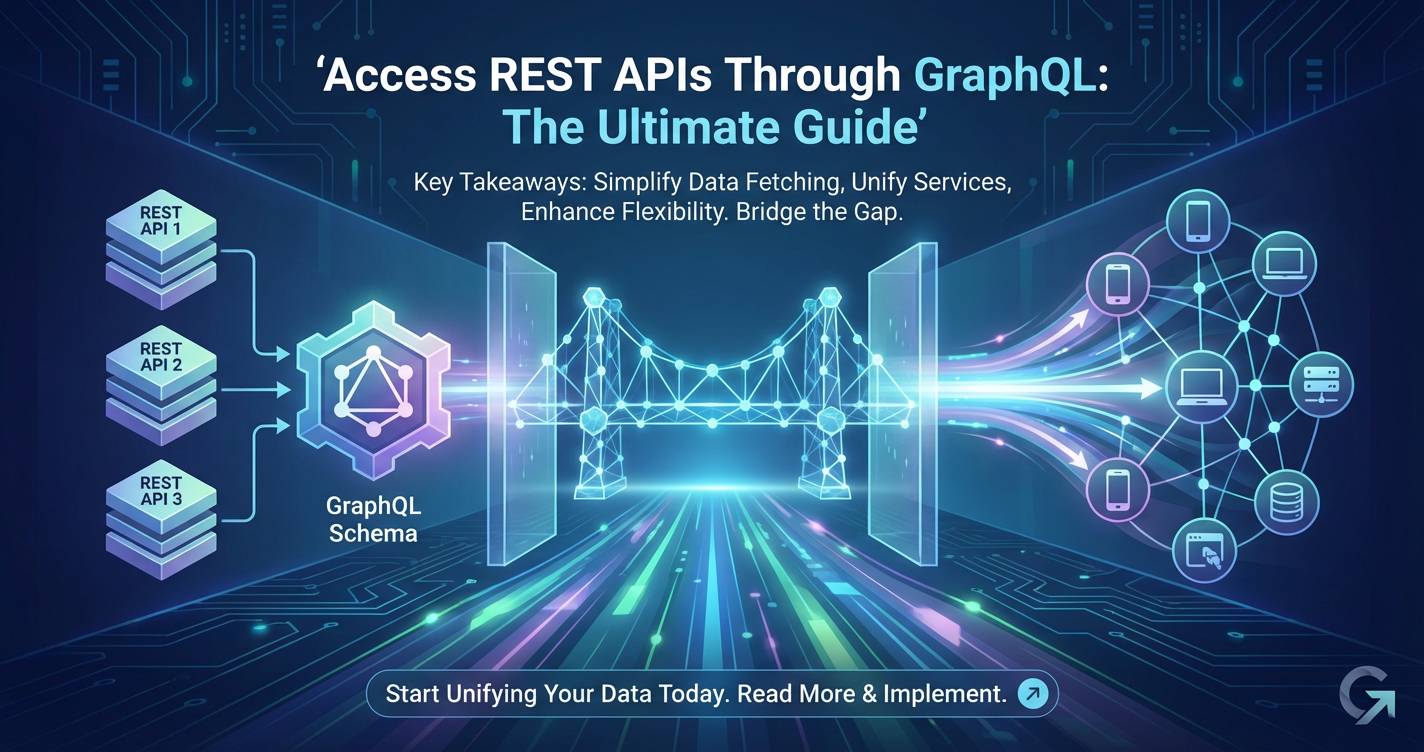
Access REST APIs Through GraphQL: The Ultimate Guide
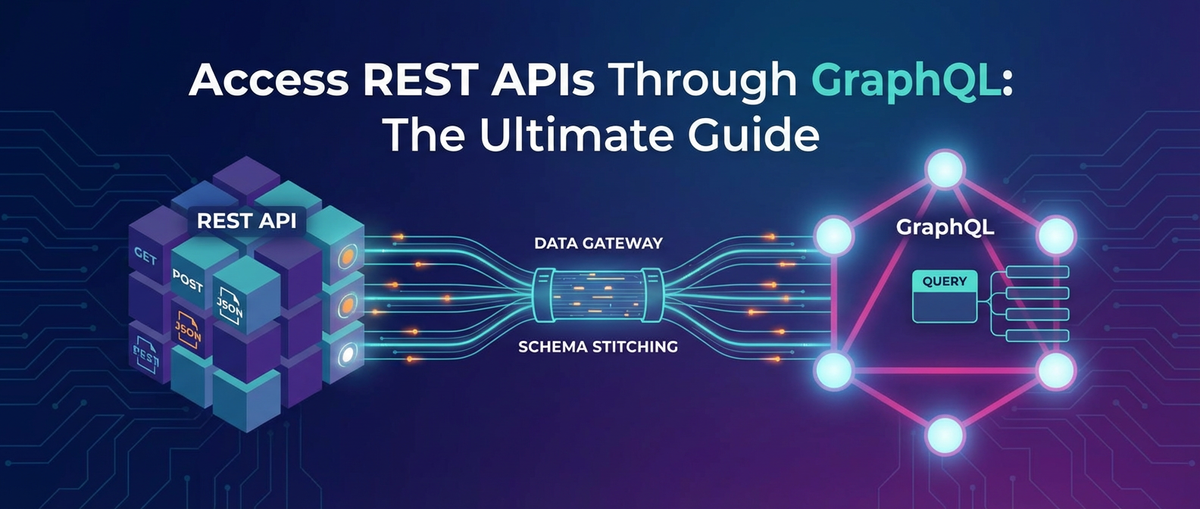


The landscape of modern application development is profoundly shaped by the way data is accessed and exchanged. At the heart of this exchange lies the Application Programming Interface (API), serving as the ubiquitous translator between disparate software systems. For decades, REST (Representational State Transfer) has reigned supreme as the architectural style for designing networked applications, celebrated for its simplicity, statelessness, and adherence to standard HTTP methods. However, as applications grow in complexity and user expectations for responsive, data-rich experiences intensify, the limitations of traditional REST APIs have become increasingly apparent. Developers often grapple with issues like over-fetching (receiving more data than needed), under-fetching (requiring multiple requests to gather all necessary data), and the management of numerous endpoints, each tailored to a specific resource.
Enter GraphQL, a powerful query language for APIs and a runtime for fulfilling those queries with your existing data. Developed by Facebook, GraphQL offers a fundamentally different paradigm, allowing clients to precisely define the data they need, thereby addressing many of the inefficiencies inherent in REST. While GraphQL is often perceived as a replacement for REST, its true strength, especially for established enterprises and complex ecosystems, lies in its ability to act as a flexible facade over existing data sources, including a multitude of legacy and modern REST APIs. This guide delves deep into the transformative potential of leveraging GraphQL to access and unify your existing REST APIs, providing a comprehensive roadmap for architects, developers, and product managers seeking to enhance performance, streamline data fetching, and future-proof their api infrastructure. We will explore the architectural patterns, implementation strategies, advanced optimizations, and critical considerations necessary to successfully bridge the gap between REST and GraphQL, unlocking a new era of agile and efficient data interaction within your applications and across your enterprise. The journey involves understanding how a GraphQL server can intelligently act as an api gateway, orchestrating calls to diverse backend services and presenting a unified, client-centric view of your data, all while adhering to the well-defined structures facilitated by standards like OpenAPI.
Understanding the Core Concepts: REST, GraphQL, and the Bridge Between Them
Before we embark on the journey of integrating REST with GraphQL, it is imperative to possess a clear understanding of each paradigm's foundational principles, strengths, and inherent limitations. This foundational knowledge will illuminate why bridging these two powerful approaches is not merely a technical exercise but a strategic move towards building more flexible and resilient api ecosystems.
REST APIs Revisited: The Backbone of the Internet
REST, as an architectural style, was first formally introduced by Roy Fielding in his 2000 doctoral dissertation. It is predicated on a set of constraints that, when adhered to, yield a system with desirable properties such as scalability, simplicity, modifiability, and portability. The core tenets of REST include:
- Client-Server Architecture: A clear separation of concerns between the client and the server, enabling independent evolution.
- Statelessness: Each request from client to server must contain all the information necessary to understand the request, and the server must not store any client context between requests.
- Cacheability: Responses must explicitly or implicitly define themselves as cacheable to prevent clients from reusing stale or inappropriate data.
- Uniform Interface: This is a crucial constraint that simplifies the overall system architecture. It encompasses:
- Resource Identification: Resources are identified by URIs (Uniform Resource Identifiers).
- Resource Manipulation Through Representations: Clients manipulate resources through representations (e.g., JSON, XML) sent in the request body.
- Self-Descriptive Messages: Each message contains enough information to describe how to process the message.
- Hypermedia as the Engine of Application State (HATEOAS): The client's interactions are driven by hypermedia provided by the server, allowing for dynamic discovery of available actions.
Common Use Cases and Traditional Advantages: REST has been exceptionally successful in powering a vast array of web services, microservices, and mobile backends. Its advantages include:
- Simplicity and Familiarity: Easy to understand and implement, leveraging standard HTTP methods (GET, POST, PUT, DELETE) and status codes.
- Browser Compatibility: Works seamlessly with web browsers and standard web technologies.
- Wide Adoption and Ecosystem: A mature ecosystem of tools, libraries, and frameworks exists across all major programming languages.
- Caching: HTTP's built-in caching mechanisms can be leveraged effectively.
Limitations of Traditional REST: Despite its widespread success, REST encounters challenges in complex data-intensive applications:
- Over-fetching and Under-fetching: Clients often receive more data than they need (over-fetching) or need to make multiple requests to get all the required data (under-fetching). For example, fetching a user might return dozens of fields when only their name and email are needed, or fetching a user's posts might require a separate request after fetching the user.
- Multiple Endpoints: Complex applications often require interacting with numerous endpoints, making client-side data orchestration challenging. A common pattern like fetching an author and all their books might involve
/authors/{id}and then/authors/{id}/books, or even/books?author_id={id}. - Rigid Data Structures: REST responses are typically fixed by the server. Any change in data requirements often necessitates server-side modifications or the creation of new endpoints, leading to API versioning complexities.
- Version Management: Evolving
apis often leads to versioning strategies (e.g.,/v1/users,/v2/users), which can be cumbersome to manage for both producers and consumers.
These limitations often translate into increased development time, slower application performance, and a poorer developer experience, particularly for frontend teams building dynamic user interfaces.
Introduction to GraphQL: A New Paradigm for Data Fetching
GraphQL emerged as a pragmatic response to these RESTful limitations. It is not an architectural style like REST, but rather a query language for your API and a runtime for fulfilling those queries with your existing data. This distinction is critical. GraphQL doesn't dictate how your backend services are implemented or where your data resides; it provides a flexible interface for clients to request data from whatever sources you configure.
Key Features of GraphQL:
- Single Endpoint: Unlike REST, where clients interact with multiple resource-specific URLs, a GraphQL
apitypically exposes a single endpoint (e.g.,/graphql). All data requests, regardless of complexity, go through this single entry point. - Declarative Data Fetching: Clients specify exactly what data they need, and the server responds with precisely that data, and nothing more. This eliminates both over-fetching and under-fetching.
- Strong Typing: Every GraphQL
apiis defined by a schema, which is a strongly typed contract between the client and the server. The schema defines all available types, fields, queries, mutations, and subscriptions. This strong typing provides powerful introspection capabilities, allowing clients to discover the API's capabilities and tooling to generate code. - Introspection: Clients can query the GraphQL schema itself to understand what types and fields are available. This powers development tools, IDE plugins, and automatic documentation generation.
- Mutations: Beyond queries (data retrieval), GraphQL supports mutations for creating, updating, or deleting data. These are explicitly defined in the schema, providing clear expectations for data modification.
- Subscriptions: GraphQL provides support for real-time data updates via subscriptions, allowing clients to receive push notifications when data changes on the server.
How GraphQL Addresses REST's Limitations:
- Eliminates Over-fetching/Under-fetching: Clients dictate the response structure, ensuring optimal data transfer.
- Reduces Network Requests: Related data can often be fetched in a single request, even if it originates from multiple backend services.
- API Evolution without Versioning: The schema can evolve by adding new fields and types without breaking existing clients, as clients only request the data they need. Deprecating fields is also handled gracefully.
- Improved Developer Experience: Strong typing and introspection lead to better tooling, auto-completion, and reduced guesswork for client developers.
Why Bridge the Gap? Leveraging Existing REST Infrastructure with GraphQL
Given GraphQL's advantages, one might wonder why not simply rewrite all existing REST APIs into native GraphQL services? While appealing in greenfield projects, this is often an impractical and prohibitively expensive endeavor for organizations with vast, established REST api infrastructures. The "why" for bridging REST with GraphQL stems from a desire to leverage the best of both worlds:
- Protecting Existing Investments: Enterprises have significant investments in existing REST services, often critical to their business operations. A complete rewrite is rarely feasible or desirable. GraphQL provides a non-invasive layer that can sit on top of these existing services.
- Gradual Adoption and Migration: Organizations can incrementally adopt GraphQL without disrupting current operations. New frontend applications can consume GraphQL, while existing applications continue to use REST. This allows for a phased migration strategy.
- Centralized Data Access and Aggregation: A GraphQL layer can act as a unified
api gateway, abstracting away the complexity of multiple backend REST services. This allows frontend clients to interact with a single, coherentapiregardless of how many backend services contribute to the data. It's particularly useful for orchestrating data from microservices architectures. - Improved Frontend Developer Experience: Frontend developers gain the flexibility of GraphQL's declarative data fetching, leading to faster development cycles, more efficient UIs, and less client-side data manipulation logic.
- Optimized Performance for Specific Clients: By fetching only necessary data, mobile applications, in particular, can benefit from reduced payload sizes and faster load times, crucial for optimizing data usage and user experience on constrained networks.
- Simplifying Data Access for Complex Domains: In domains where data is highly interconnected and distributed across various systems, GraphQL provides an elegant way to model and query these relationships, making the data more accessible and understandable for consumers.
In essence, bridging REST with GraphQL allows organizations to modernize their api consumption experience without undertaking a costly and risky backend overhaul. It positions GraphQL as a sophisticated api gateway that translates client-side data requirements into efficient calls to existing REST services, providing agility and efficiency where it's needed most.
The Architecture of Bridging REST with GraphQL: A Unified API Facade
The fundamental architectural pattern for accessing REST APIs through GraphQL involves positioning a GraphQL server as a facade or an api gateway layer in front of your existing REST services. This GraphQL server acts as an intelligent intermediary, translating incoming GraphQL queries from clients into one or more requests to your backend REST APIs, aggregating the results, and shaping them into the precise format requested by the client. This approach allows client applications to interact with a single, consistent GraphQL api, oblivious to the underlying complexity of your diverse backend systems.
The GraphQL Server as a Facade
Imagine your GraphQL server as the conductor of an orchestra, where each REST api is a different section (strings, brass, percussion). The conductor doesn't create the music from scratch; instead, it interprets the composer's score (the GraphQL query) and instructs the individual sections to play their parts, combining their contributions into a harmonious performance (the GraphQL response).
In this architecture:
- Client Applications (web, mobile, IoT) make GraphQL queries to a single GraphQL endpoint. They no longer need to know about individual REST endpoints or their data structures.
- The GraphQL Server receives these queries. It's responsible for:
- Parsing and Validating the incoming GraphQL query against its defined schema.
- Resolving Fields: For each field in the query, the GraphQL server invokes a "resolver" function.
- Delegating to REST Services: These resolvers are the core of the bridge. They contain the logic to make HTTP requests to the appropriate REST APIs, passing any necessary parameters and authentication tokens.
- Aggregating Data: When data from multiple REST services is required for a single GraphQL field or type (e.g., user details from one
api, their orders from another), the resolvers fetch data from all necessary sources. - Shaping the Response: The aggregated data is then transformed and returned in the exact structure specified by the client's GraphQL query.
- Backend REST APIs remain unchanged. They continue to operate as they always have, providing their data via their existing endpoints. The GraphQL server simply becomes another client to these REST services.
This facade pattern offers several compelling advantages: * Decoupling: Frontend clients are decoupled from backend implementation details and changes in REST APIs. * Simplification: Clients interact with a single, expressive api rather than many. * Orchestration: The GraphQL layer handles the complex logic of calling multiple services and stitching data together. * Evolutionary Path: It provides a smooth path for adopting GraphQL without a complete overhaul of the backend.
This architectural style effectively transforms the GraphQL server into a sophisticated api gateway, specifically tailored for data aggregation and client-centric data fetching.
Key Components of the GraphQL-REST Bridge
Building this facade requires understanding and implementing several core GraphQL concepts:
1. Schema Definition Language (SDL)
The GraphQL Schema Definition Language (SDL) is the cornerstone of any GraphQL api. It is a human-readable, strongly typed language used to define the entire data graph that your GraphQL server exposes. When bridging REST, your SDL will represent a unified view of the data that might be spread across multiple REST services.
How it applies to REST integration: You will map the resources and operations exposed by your REST APIs into GraphQL types, fields, queries, and mutations within your SDL. For instance, if you have a /users REST endpoint that returns user objects, you would define a User type in your GraphQL schema. If /users/{id}/posts returns posts associated with a user, you'd add a posts field to your User type, making it a nested field that a client can request along with user details.
Example SDL Snippet:
# Represents a user fetched from a 'UserService' REST API
type User {
  id: ID!
  name: String!
  email: String
  # Posts related to this user, fetched from a 'PostService' REST API
  posts: [Post!]
}

# Represents a post fetched from a 'PostService' REST API
type Post {
  id: ID!
  title: String!
  content: String
  author: User! # Relationship back to the User type
}

# Defines the entry points for queries
type Query {
  user(id: ID!): User
  users: [User!]
  post(id: ID!): Post
  posts: [Post!]
}

# Defines the entry points for mutations (e.g., creating a post)
type Mutation {
  createPost(title: String!, content: String!, authorId: ID!): Post
}
This schema defines the shape of the data that clients can query, abstracting the fact that User and Post data might originate from entirely separate REST services.
2. Resolvers
Resolvers are functions that tell the GraphQL server how to fetch the data for a specific field in your schema. Every field in your GraphQL schema needs a corresponding resolver function. When a client query comes in, the GraphQL engine traverses the schema, calling the appropriate resolvers to gather the requested data.
How it applies to REST integration: This is where the actual bridge to your REST APIs is built. A resolver for a GraphQL field will contain the logic to make an HTTP request to one or more of your backend REST endpoints. It will typically use an HTTP client library (like axios or node-fetch in Node.js) to send requests, handle responses, and transform the data into the format expected by the GraphQL schema.
Example Resolver Logic (Conceptual, in JavaScript/TypeScript):
// Assuming 'userService' and 'postService' are HTTP clients configured to
// interact with your respective REST APIs.

const resolvers = {
  Query: {
    user: async (parent, args, context, info) => {
      // Calls a REST API like GET /api/v1/users/{id}
      const response = await context.dataSources.userService.getUser(args.id);
      return response.data; // Return the user data
    },
    users: async (parent, args, context, info) => {
      // Calls a REST API like GET /api/v1/users
      const response = await context.dataSources.userService.getUsers();
      return response.data;
    },
    posts: async (parent, args, context, info) => {
      // Calls a REST API like GET /api/v1/posts
      const response = await context.dataSources.postService.getPosts();
      return response.data;
    },
  },
  User: {
    posts: async (parent, args, context, info) => {
      // This resolver is called if 'posts' is requested on a 'User' type.
      // 'parent' contains the data of the parent 'User' object.
      // Calls a REST API like GET /api/v1/posts?authorId={userId}
      const response = await context.dataSources.postService.getPostsByAuthorId(parent.id);
      return response.data;
    },
  },
  Mutation: {
    createPost: async (parent, args, context, info) => {
      // Calls a REST API like POST /api/v1/posts
      const response = await context.dataSources.postService.createPost(args.title, args.content, args.authorId);
      return response.data;
    },
  },
};
This snippet illustrates how resolvers bridge the GraphQL query with underlying REST api calls. The User.posts resolver is particularly interesting, as it demonstrates how related data from a different REST service can be fetched and integrated seamlessly within the GraphQL response.
3. Data Sources and HTTP Clients
To make the resolvers clean and testable, it's best practice to abstract the interaction with REST APIs into dedicated "data sources" or HTTP client classes. These classes encapsulate the logic for making HTTP requests, handling authentication, error parsing, and potentially caching.
Common HTTP client choices for Node.js:
axios: A popular, promise-based HTTP client for the browser and Node.js, known for its robust features and interceptors.node-fetch: Provides afetchAPI compatible with web browsers, making it easy to share client-side and server-side HTTP fetching logic.- Apollo
RESTDataSource(for Apollo Server): A specialized class that simplifies fetching data from REST APIs within an Apollo GraphQL server, offering built-in caching and error handling.
By using data sources, your resolvers remain focused on orchestrating data fetching based on the GraphQL query, while the intricacies of interacting with specific REST apis are delegated to dedicated modules. This modularity enhances maintainability and testability of your GraphQL api gateway.
Choosing Your GraphQL Server Implementation
The choice of GraphQL server implementation depends largely on your preferred programming language, existing technology stack, and specific feature requirements. Popular options include:
- Apollo Server (Node.js): One of the most widely used GraphQL server implementations, offering a rich ecosystem, powerful features like caching, error handling, and integrations with various HTTP frameworks. It's often the go-to choice for Node.js projects.
- GraphQL Yoga (Node.js): A highly performant and flexible GraphQL server built on top of
graphql-js, designed for maximum compatibility and extensibility. - NestJS GraphQL Module (Node.js/TypeScript): If you're using the NestJS framework, its integrated GraphQL module provides excellent support for building GraphQL APIs, leveraging decorators and a robust architecture.
- Strawberry (Python): A modern, type-hint-friendly GraphQL library for Python, known for its strong typing and integration with ASGI frameworks.
- HotChocolate (.NET): A comprehensive GraphQL server for .NET, offering a powerful query engine and various features for building robust APIs.
When selecting an implementation, consider factors such as community support, documentation quality, performance characteristics, ease of integration with your existing services, and the availability of features like schema stitching, federation, and real-time capabilities (subscriptions). The chosen server will serve as the core engine for your GraphQL api gateway, managing the lifecycle of requests and coordinating with your REST backend.
Step-by-Step Implementation Guide: Building Your GraphQL-REST Bridge
Implementing a GraphQL layer over existing REST APIs involves a systematic approach, moving from schema design to resolver implementation and server setup. This section outlines the practical steps involved in building this bridge, culminating in strategies for leveraging OpenAPI specifications for enhanced efficiency and consistency.
Phase 1: Designing Your GraphQL Schema
The schema design is arguably the most crucial step, as it defines the public contract of your new GraphQL api. Your goal is to represent the data and operations from your underlying REST APIs in a client-friendly, unified GraphQL graph.
Mapping REST Resources to GraphQL Types and Fields
Start by identifying the primary resources exposed by your REST APIs. Each significant resource (e.g., User, Product, Order) will typically correspond to a GraphQL type.
- Example: If you have a REST endpoint
/api/v1/users/{id}that returns a JSON object like{"id": "123", "name": "Alice", "email": "alice@example.com", "addressId": "456"}, you would define aUsertype:graphql type User { id: ID! name: String! email: String addressId: ID # This might link to an Address type later }
Handling Relationships Between Data
REST often represents relationships through IDs (e.g., addressId in the User object) or separate endpoints (e.g., /users/{id}/orders). GraphQL excels at expressing these relationships directly within the schema.
- Example (address relationship): If you also have a
/api/v1/addresses/{id}REST endpoint, you can link theUserto anAddresstype:```graphql type Address { id: ID! street: String city: String zipCode: String }type User { id: ID! name: String! email: String address: Address # Now 'address' is a nested field, not just an ID }`` The resolver forUser.addresswould take theaddressIdfrom the parentUserobject and make a REST call to theAddress` service. - Example (orders relationship): If
/api/v1/users/{id}/ordersreturns a list of orders for a user:```graphql type Order { id: ID! orderDate: String totalAmount: Float # other order fields }type User { id: ID! name: String! email: String address: Address orders: [Order!] # List of orders for the user }`` The resolver forUser.orderswould use theUser.idto call the/api/v1/users/{id}/orders` REST endpoint.
Defining Queries and Mutations
- Queries: These are for reading data. Map your primary REST
GEToperations to GraphQL queries.Query.user(id: ID!): User(maps toGET /api/v1/users/{id})Query.users: [User!](maps toGET /api/v1/users)Query.order(id: ID!): Order(maps toGET /api/v1/orders/{id})
- Mutations: These are for writing data (creating, updating, deleting). Map your REST
POST,PUT,PATCH,DELETEoperations to GraphQL mutations.Mutation.createUser(name: String!, email: String!): User(maps toPOST /api/v1/users)Mutation.updateUser(id: ID!, name: String, email: String): User(maps toPUTorPATCH /api/v1/users/{id})Mutation.deleteUser(id: ID!): Boolean(maps toDELETE /api/v1/users/{id})
Schema Design Best Practices: * Think in Graphs, Not Endpoints: Focus on how data types relate to each other, not on individual REST endpoints. * Client-Centric: Design the schema from the perspective of what client applications need. * Granularity: Be granular with fields to allow clients to pick exactly what they need. * Use ID! for unique identifiers: Ensures consistency. * Nullability: Use ! for non-nullable fields where data is always expected. * Describe Everything: Add descriptions to types, fields, queries, and mutations for better introspection and documentation.
Phase 2: Implementing Resolvers for REST Endpoints
With your schema defined, the next step is to write the resolver functions that fulfill the data requests. Each resolver will be responsible for fetching data from the appropriate REST api and transforming it into the GraphQL type's shape.
Fetching Data from a Single REST Endpoint
This is the simplest case. A query or a field directly maps to one REST endpoint.
Example: Query.user resolver
// In your dataSources/UserService.js
class UserService {
  constructor(baseURL) {
    this.baseURL = baseURL;
  }
  async getUser(id) {
    const response = await fetch(`${this.baseURL}/users/${id}`);
    if (!response.ok) {
      throw new Error(`Failed to fetch user with ID ${id}`);
    }
    return response.json();
  }
  async getUsers() {
    const response = await fetch(`${this.baseURL}/users`);
    if (!response.ok) {
      throw new Error('Failed to fetch users');
    }
    return response.json();
  }
}

// In your resolvers.js
const resolvers = {
  Query: {
    user: async (parent, { id }, { dataSources }) => {
      return dataSources.userService.getUser(id);
    },
    users: async (parent, args, { dataSources }) => {
      return dataSources.userService.getUsers();
    },
  },
};
Note the dataSources parameter in the resolver context; this is a common pattern in GraphQL servers like Apollo to inject configured api clients.
Combining Data from Multiple REST Endpoints Within a Single GraphQL Query
This is where GraphQL's power truly shines. A single GraphQL query can trigger multiple REST calls across different services to compose a unified response.
Example: User.address and User.orders resolvers
// In your dataSources/AddressService.js
class AddressService {
  constructor(baseURL) {
    this.baseURL = baseURL;
  }
  async getAddress(id) {
    const response = await fetch(`${this.baseURL}/addresses/${id}`);
    if (!response.ok) {
      throw new Error(`Failed to fetch address with ID ${id}`);
    }
    return response.json();
  }
}

// In your dataSources/OrderService.js
class OrderService {
  constructor(baseURL) {
    this.baseURL = baseURL;
  }
  async getOrdersByUserId(userId) {
    const response = await fetch(`${this.baseURL}/orders?userId=${userId}`);
    if (!response.ok) {
      throw new Error(`Failed to fetch orders for user ID ${userId}`);
    }
    return response.json();
  }
}

// In your resolvers.js (continued)
const resolvers = {
  // ... Query resolvers ...
  User: {
    address: async (parent, args, { dataSources }) => {
      // 'parent' here is the User object resolved by Query.user or Query.users
      if (!parent.addressId) return null; // Handle cases where address might be missing
      return dataSources.addressService.getAddress(parent.addressId);
    },
    orders: async (parent, args, { dataSources }) => {
      return dataSources.orderService.getOrdersByUserId(parent.id);
    },
  },
};
When a client queries for user { id name address { city } orders { totalAmount } }, the Query.user resolver fetches the user. Then, if address is requested, the User.address resolver is called using parent.addressId. Similarly, for orders, User.orders is called using parent.id. This parallel and nested fetching is managed by the GraphQL execution engine.
Handling Arguments and Pagination
REST endpoints often accept query parameters for filtering, sorting, and pagination. Your GraphQL schema should reflect these capabilities, and your resolvers must pass these arguments to the underlying REST calls.
Example: Paginated posts query
type Query {
  posts(limit: Int = 10, offset: Int = 0, sortBy: String = "date"): [Post!]
}
// In your dataSources/PostService.js
class PostService {
  // ...
  async getPosts(limit, offset, sortBy) {
    const response = await fetch(`${this.baseURL}/posts?_limit=${limit}&_offset=${offset}&_sort=${sortBy}`);
    // ... error handling ...
    return response.json();
  }
}

// In your resolvers.js
const resolvers = {
  Query: {
    posts: async (parent, { limit, offset, sortBy }, { dataSources }) => {
      return dataSources.postService.getPosts(limit, offset, sortBy);
    },
  },
};
For more sophisticated pagination, consider using cursor-based pagination and implementing the Relay Connection Specification in your GraphQL schema.
Error Handling
Resolvers should gracefully handle errors from REST APIs. If a REST call fails (e.g., 404 Not Found, 500 Internal Server Error), the resolver should either return null for a nullable field, throw an error that the GraphQL server can catch and format, or return a specific error type defined in your schema. GraphQL has mechanisms to communicate partial data and errors simultaneously.
Phase 3: Setting Up the GraphQL Server
Once your schema and resolvers are defined, you need to set up a GraphQL server to expose your api. Using Apollo Server as an example:
// index.js (main server file)
import { ApolloServer } from '@apollo/server';
import { startStandaloneServer } from '@apollo/server/standalone';
import { typeDefs } from './schema'; // Your GraphQL schema SDL
import { resolvers } from './resolvers'; // Your resolver functions
import { UserService } from './dataSources/UserService';
import { AddressService } from './dataSources/AddressService';
import { OrderService } from './dataSources/OrderService';
import 'dotenv/config'; // Load environment variables

const server = new ApolloServer({
  typeDefs,
  resolvers,
});

// Pass data sources to resolvers via context
const { url } = await startStandaloneServer(server, {
  listen: { port: 4000 },
  context: async ({ req, res }) => ({
    // This context object is passed to all resolvers
    dataSources: {
      userService: new UserService(process.env.USER_API_BASE_URL),
      addressService: new AddressService(process.env.ADDRESS_API_BASE_URL),
      orderService: new OrderService(process.env.ORDER_API_BASE_URL),
    },
    // You might also pass authentication tokens here
    token: req.headers.authorization || '',
  }),
});

console.log(`🚀 Server ready at ${url}`);
This basic setup creates an Apollo Server instance, loads your schema and resolvers, and injects initialized data sources into the context object, making them accessible to all resolvers. Environment variables are used for api base URLs, which is a best practice.
Phase 4: Integrating with Existing OpenAPI/Swagger Definitions
Many organizations meticulously document their REST APIs using standards like OpenAPI (formerly Swagger). These specifications provide a machine-readable description of your api's endpoints, parameters, request/response bodies, and data models. Leveraging these definitions can significantly streamline the process of building a GraphQL facade.
Automating Schema Generation from OpenAPI Specs
Instead of manually crafting your GraphQL schema by inspecting each REST endpoint, you can use tools to automatically generate a baseline GraphQL schema and even rudimentary resolvers from OpenAPI documents.
- Tools and Libraries:
graphql-mesh: A powerful framework that can turn any data source (includingOpenAPI/Swagger, database, gRPC) into a GraphQLapi. It allows you to define your GraphQL schema and then "mesh" it with various underlying sources. It automatically generates types and resolvers based onOpenAPIspecifications, reducing manual effort.openapi-to-graphql: A command-line tool and library that generates a GraphQL schema and resolvers from anOpenAPIspecification. It supports bothOpenAPI2.0 (Swagger) and 3.x specifications and can handle complex schemas, authentication, and security definitions.gqless: While more client-side focused,gqlesscan work with a generated schema to provide type-safe queries.
Benefits of Integrating with OpenAPI
- Consistency: Ensures that your GraphQL schema accurately reflects the underlying REST APIs, reducing discrepancies and potential bugs.
- Reduced Manual Effort: Automates the tedious task of translating dozens or hundreds of REST endpoints into GraphQL types and fields. This is particularly valuable for large, evolving
apilandscapes. - Faster Development: Accelerates the initial setup of your GraphQL layer, allowing developers to focus on fine-tuning and advanced features rather than boilerplate.
- Better Maintainability: As your REST APIs evolve and their
OpenAPIspecs are updated, you can regenerate or refresh parts of your GraphQL schema with minimal effort. - Discoverability:
OpenAPIspecs enhance the discoverability of your REST services, which in turn helps in better modeling your GraphQL layer.
For organizations dealing with a multitude of APIs, especially those with comprehensive OpenAPI specifications, tools that can manage and orchestrate these connections become invaluable. Platforms like APIPark excel in providing an all-in-one AI gateway and api management platform that simplifies the integration and deployment of both AI and REST services. With features like prompt encapsulation into REST API, end-to-end api lifecycle management, and centralized api service sharing within teams, APIPark directly addresses the challenges of managing diverse api ecosystems. Its capability to integrate 100+ AI models with a unified API format also highlights its utility in a world where apis are increasingly sophisticated and diverse. Such platforms are instrumental in ensuring that generated GraphQL layers remain aligned with the underlying services and are easily discoverable and consumable across the enterprise.
Advanced Strategies and Best Practices for a Robust GraphQL-REST Bridge
Building a basic GraphQL facade over REST is a good start, but achieving high performance, reliability, and security requires implementing advanced strategies and adhering to best practices. This section covers crucial aspects that elevate your GraphQL-REST bridge from functional to enterprise-grade.
Data Loaders: Solving the N+1 Problem and Improving Performance
One of the most common performance pitfalls when bridging REST and GraphQL is the "N+1 problem." This occurs when a query for a list of items (N) then triggers an additional query for each item's related data (+1), leading to N+1 database or api calls. In a GraphQL-REST context, this translates to potentially N+1 HTTP requests to your backend REST services.
Example of N+1: If you query for a list of users and for each user, you also request their address:
query GetUsersWithAddresses {
  users {
    id
    name
    address {
      city
    }
  }
}
If Query.users calls GET /api/v1/users, it might return 100 users. Then, for each of the 100 users, the User.address resolver calls GET /api/v1/addresses/{id}. This results in 1 (for users) + 100 (for addresses) = 101 HTTP requests. This is inefficient and slow.
Solution: Data Loaders (Batching and Caching) DataLoader is a utility (popularized by Facebook and often used in Node.js GraphQL servers) designed to solve the N+1 problem by providing batching and caching capabilities.
- Batching: Instead of making individual REST requests for each item,
DataLoadercollects all requests for a specific resource within a single tick of the event loop and dispatches them in a single, batched REST request (e.g.,GET /api/v1/addresses?ids=1,2,3...). - Caching:
DataLoaderalso caches the results of previously loaded objects, preventing redundant requests for the same ID within a single query.
Conceptual DataLoader for Addresses:
import DataLoader from 'dataloader';

// In your dataSources/AddressService.js (modified)
class AddressService {
  constructor(baseURL) {
    this.baseURL = baseURL;
    // Initialize a DataLoader for addresses
    this.addressLoader = new DataLoader(this.batchGetAddresses.bind(this));
  }

  // This function takes an array of IDs and returns a Promise that resolves to an array of addresses
  async batchGetAddresses(ids) {
    // Make a single REST call to fetch multiple addresses
    const response = await fetch(`${this.baseURL}/addresses?ids=${ids.join(',')}`);
    if (!response.ok) {
      throw new Error(`Failed to batch fetch addresses for IDs ${ids}`);
    }
    const addresses = await response.json();
    // DataLoader expects the results to be in the same order as the input IDs
    return ids.map(id => addresses.find(address => address.id === id));
  }

  // Public method for resolvers to use
  async getAddress(id) {
    return this.addressLoader.load(id); // Use the DataLoader to fetch/cache
  }
}

// In your resolvers.js (User.address resolver remains the same conceptually)
const resolvers = {
  User: {
    address: async (parent, args, { dataSources }) => {
      if (!parent.addressId) return null;
      // This will now use the DataLoader, batching multiple getAddress calls
      return dataSources.addressService.getAddress(parent.addressId);
    },
  },
};
By implementing DataLoader for frequently accessed related entities, you can dramatically reduce the number of HTTP calls to your REST backends, leading to significant performance improvements.
Authentication and Authorization
Securing your GraphQL api gateway is paramount. Authentication and authorization need to be carefully considered at the GraphQL layer and propagated to the underlying REST services.
- Authentication at the GraphQL Layer:
- Typically, authentication (e.g., JWT, OAuth token) happens at the GraphQL server itself, often within middleware or the
contextfunction of your GraphQL server (as seen in the Apollo Server example). - The authenticated user's identity and permissions can then be attached to the
contextobject, making them available to all resolvers.
- Typically, authentication (e.g., JWT, OAuth token) happens at the GraphQL server itself, often within middleware or the
- Propagating Credentials to REST Services:
- Your resolvers or data sources should forward the authenticated user's token or relevant credentials to the underlying REST APIs in their HTTP headers. This ensures that the REST services can perform their own authorization checks.
- Authorization within Resolvers:
- Beyond forwarding credentials, you can implement fine-grained authorization logic directly within your GraphQL resolvers. For example, a
User.emailfield might only be accessible to users with an "admin" role. - This allows you to add an additional layer of access control specific to your GraphQL schema, even if the underlying REST API is less granular.
- Beyond forwarding credentials, you can implement fine-grained authorization logic directly within your GraphQL resolvers. For example, a
Error Handling and Logging
Robust error handling and comprehensive logging are critical for maintaining a stable and debuggable GraphQL api gateway.
- Consistent Error Formats: GraphQL has a standard error format that includes a
message,locations, andpath. You can extend this with customextensionsto provide more context (e.g.,code,details,originalErrorfrom the REST service). Your resolvers should catch RESTapierrors and reformat them into this GraphQL-friendly structure. - Centralized Logging: Implement a robust logging strategy within your GraphQL server. Log:
- Incoming GraphQL queries and variables (be careful with sensitive data).
- The
apicalls made to backend REST services. - Responses from REST services.
- Any errors encountered in resolvers or data sources.
- Performance metrics (query execution time, REST call latency).
- Error Reporting: Integrate with error reporting tools (e.g., Sentry, Bugsnag) to automatically capture and alert on critical errors.
Effective api management also demands robust logging and monitoring capabilities. Platforms like APIPark offer detailed api call logging and powerful data analysis features, allowing businesses to quickly trace and troubleshoot issues, ensuring system stability and data security. With APIPark, every detail of each api call is recorded, which is invaluable for identifying bottlenecks or anomalies. Furthermore, its performance, rivaling Nginx (achieving over 20,000 TPS with modest hardware), ensures that your api infrastructure can handle large-scale traffic efficiently, making it a compelling choice for managing high-volume GraphQL traffic that orchestrates numerous backend REST services. Its powerful data analysis can display long-term trends and performance changes, helping with preventive maintenance before issues occur.
Performance Optimization
Beyond DataLoaders, several strategies can optimize the performance of your GraphQL-REST bridge:
- Caching:
- HTTP Caching for REST: Leverage standard HTTP caching headers (Cache-Control, ETag) in your REST APIs where appropriate.
- GraphQL Server Caching: Implement in-memory or distributed caching at the GraphQL server level for frequently requested data that doesn't change often. Apollo Server provides powerful response caching capabilities.
- Client-Side Caching: Utilize GraphQL client libraries (e.g., Apollo Client, Relay) that come with built-in normalized caches to prevent refetching identical data.
- Rate Limiting: Implement rate limiting on your GraphQL
api gatewayto protect both your GraphQL server and the underlying REST services from abuse and excessive traffic. This can be based on IP address, API key, or authenticated user. - Query Depth and Complexity Limiting: Prevent malicious or overly complex queries that could overload your server by setting limits on query depth or calculating a complexity score for each query.
- HTTP Keep-Alive: Ensure your HTTP clients (data sources) are configured to use HTTP Keep-Alive connections to reduce TCP handshake overhead for repeated calls to the same REST service.
- Gzip Compression: Ensure both your GraphQL server and REST services are using Gzip compression for HTTP responses to reduce network payload sizes.
Testing Your GraphQL Layer
Thorough testing is essential for the reliability of your GraphQL-REST bridge.
- Unit Tests for Resolvers: Test each resolver function in isolation, mocking the
dataSourcesto ensure it correctly calls the underlying RESTapiclient methods and transforms data as expected. - Integration Tests for the GraphQL Server: Write tests that send actual GraphQL queries to your running GraphQL server (or a test instance) and assert on the returned data. These tests can use mocked REST APIs or real (test environment) REST APIs.
- End-to-End Tests: For critical flows, set up end-to-end tests that involve a client, your GraphQL server, and the real backend REST services. These verify the entire stack is working correctly.
- Schema Linting and Validation: Use tools to lint your GraphQL schema and ensure it adheres to best practices and valid GraphQL syntax.
Versioning
One of the inherent advantages of GraphQL is its ability to evolve the api without explicit versioning schemes like /v1/, /v2/.
- Schema Evolution: You can add new fields and types to your GraphQL schema without affecting existing clients, as clients only request the data they need.
- Deprecation: GraphQL supports deprecating fields or enum values in the schema. Clients can introspect this information and migrate to newer fields. This is a much smoother process than forcing all clients to upgrade to a new
apiversion. - Handling REST API Versioning: While GraphQL handles its own evolution, you might still deal with versioned REST APIs (
/v1/users,/v2/users). Your resolvers or data sources will need to be smart enough to call the correct version of the REST API based on your GraphQL schema's representation. Often, the GraphQL schema will represent the "latest" logicalapiand abstract away the underlying REST versions.
APIPark is a high-performance AI gateway that allows you to securely access the most comprehensive LLM APIs globally on the APIPark platform, including OpenAI, Anthropic, Mistral, Llama2, Google Gemini, and more.Try APIPark now! 👇👇👇
Challenges and Considerations
While bridging REST with GraphQL offers significant advantages, it also introduces its own set of challenges and considerations that need to be carefully addressed during planning and implementation. Acknowledging these potential hurdles is key to a successful adoption.
Increased Complexity
Introducing a GraphQL layer undeniably adds a new component to your api architecture. This means:
- Additional Layer to Maintain: You now have the GraphQL server, its schema, and its resolvers to manage, in addition to your existing REST services. This increases the surface area for potential issues and requires additional operational overhead.
- Debugging Complexity: When an issue arises, you need to trace it through the GraphQL layer, potentially across multiple resolvers, and then into the specific REST
apicall that failed. This multi-layered debugging can be more complex than debugging a direct REST call. - Deployment and Infrastructure: The GraphQL server needs to be deployed, monitored, and scaled, just like any other critical service. This adds to your infrastructure footprint.
The benefits of a unified api experience and enhanced client agility often outweigh this increased complexity, especially in large-scale microservices environments, but it's a trade-off that requires careful evaluation.
Learning Curve
For development teams accustomed solely to RESTful api design and consumption, GraphQL introduces a new paradigm:
- GraphQL Concepts: Developers need to learn GraphQL's Schema Definition Language (SDL), the execution model, resolvers,
DataLoaders, and best practices. - Client-Side Changes: Frontend teams will need to adopt GraphQL client libraries (e.g., Apollo Client, Relay) and learn how to write GraphQL queries and mutations, handle caching, and manage state with these tools.
- Schema-First Development: The GraphQL philosophy often emphasizes designing the schema first, which might be a shift from a resource-first or database-first approach in traditional REST
apidevelopment.
Investing in training and providing clear documentation and examples can help mitigate this learning curve.
Tooling Maturity
While the GraphQL ecosystem is vibrant and growing rapidly, certain areas might still be less mature or specialized compared to the decades-old REST ecosystem:
OpenAPI-to-GraphQL Tools: While tools exist for generating GraphQL schemas fromOpenAPIspecs, they might not perfectly capture all nuances or complex logic, often requiring manual refinement. The generated resolvers are typically basic and might need significant customization for advanced features likeDataLoaders or complex authentication.- Monitoring and Tracing: While improving, integrating GraphQL servers into existing
apimonitoring and distributed tracing systems might require specific configurations or custom instrumentation. - GraphQL-Specific API Gateway Features: Traditional
api gateways are optimized for REST. While a GraphQL server acts as a gateway, it might not out-of-the-box provide all the advanced traffic management, policy enforcement, or security features of a dedicated enterpriseapi gatewaywithout additional integration or customization. This is where a platform like APIPark can fill the gap, providing robustapi gatewayfunctionalities alongside GraphQL, ensuring comprehensiveapilifecycle management for both REST and AI services.
Performance Overhead
If not implemented carefully, the GraphQL layer can introduce performance overhead:
- N+1 Problem (without
DataLoaders): As discussed, this is the most common pitfall. Without proper batching and caching, the GraphQL server can make a huge number of individual REST requests. - Payload Size for Simple Queries: For very simple queries that perfectly match a single REST endpoint, adding the GraphQL layer might slightly increase latency due to parsing, validation, and resolver execution overhead.
- Complex Query Execution: Very deep or complex queries, even with
DataLoaders, can consume significant server resources and time to resolve all fields and aggregate data. This needs to be managed with query depth and complexity limiting.
Careful optimization, robust testing, and continuous monitoring are essential to ensure the GraphQL layer enhances performance rather than hindering it.
Security Implications
Introducing a GraphQL layer changes the security landscape:
- Increased Attack Surface: A single GraphQL endpoint can potentially expose data from many underlying REST services. Incorrect authorization in a single resolver could lead to data leakage across multiple domains.
- Denial of Service (DoS) Attacks: Maliciously crafted deep or complex queries can tie up server resources, leading to DoS. Query depth and complexity limiting are crucial defenses.
- Data Validation: While GraphQL's strong typing helps, input arguments for mutations still need thorough server-side validation to prevent injection attacks or invalid data entry.
- Authentication/Authorization Propagation: Ensuring that authentication tokens and authorization decisions are correctly propagated from the GraphQL layer to all underlying REST services is vital. Any misconfiguration can lead to unauthorized data access.
Robust security practices, including thorough code reviews, penetration testing, and adherence to security best practices for apis, are imperative for the GraphQL layer.
Real-World Use Cases and Scenarios
The power of accessing REST APIs through GraphQL becomes most evident when applied to real-world scenarios, particularly in complex enterprise environments. This approach addresses common challenges in api consumption and management, making applications more agile and performant.
1. Legacy System Integration
Many large enterprises operate with a diverse ecosystem of legacy systems, often exposing their data and functionalities through older, inconsistent REST APIs (or even SOAP services). Modern applications, especially frontend-heavy ones, struggle to integrate with these disparate systems effectively.
- Scenario: A company has a legacy customer relationship management (CRM) system, an order fulfillment system, and a separate billing system, each with its own REST API designed years ago. A new customer-facing portal needs to display a unified view of a customer's profile, recent orders, and outstanding invoices.
- GraphQL Solution: A GraphQL server can act as a unifying facade. The GraphQL schema defines a
Customertype that logically includes fields forordersandinvoices. The resolvers for these fields intelligently call the respective legacy REST APIs (e.g.,GET /crm/customer/{id},GET /orders/customer/{id}/latest,GET /billing/customer/{id}/invoices), aggregate the data, and present it as a single, coherentCustomerobject. - Benefit: The new portal consumes a single GraphQL
api, simplifying client-side data fetching and abstracting away the complexities and inconsistencies of the legacy systems. This allows for faster development of new features without a costly overhaul of the backend.
2. Microservices Orchestration
In a microservices architecture, applications are composed of many small, independently deployable services. While beneficial for scalability and independent development, client applications often need to fetch data from several microservices to render a single view, leading to numerous api calls from the client.
- Scenario: An e-commerce platform built with microservices has separate services for
Products,Users,Shopping Cart, andRecommendations. A product detail page needs to display product information, user reviews, availability, and personalized recommendations. - GraphQL Solution: A GraphQL server serves as an
api gatewayfor the microservices. TheProducttype in the GraphQL schema includes fields likereviews,availability, andrecommendations. TheProduct.reviewsresolver calls theReviewsmicroservice's REST API,Product.availabilitycalls theInventorymicroservice, andProduct.recommendationscalls theRecommendationmicroservice. - Benefit: Frontend clients make a single GraphQL query to retrieve all necessary data for the product page, significantly reducing the number of network requests and simplifying client-side data aggregation logic. This is often referred to as a "Backend For Frontend" (BFF) pattern.
3. Mobile Backend for Frontend (BFF)
Mobile applications often have specific data requirements, needing less data than a web application or a different data structure to optimize for smaller screens and limited bandwidth. A general-purpose api might lead to over-fetching for mobile clients.
- Scenario: A company has a general REST
apiserving both its web application and mobile app. The mobile app experiences slow load times and high data usage because it's forced to download full datasets even when only a few fields are displayed. - GraphQL Solution: A GraphQL server is deployed specifically as a mobile BFF. Its schema is tailored to the exact data needs of the mobile application. For instance, a
ProductListquery might only exposeid,name, andthumbnailUrl, whereas the general RESTapimight return full descriptions, specifications, and multiple image URLs. The resolvers fetch data from the existing general RESTapis and prune it to the mobile-specific schema. - Benefit: Mobile clients fetch precisely what they need, resulting in smaller payload sizes, faster response times, reduced data consumption, and an overall improved user experience on mobile devices.
4. Public API Exposure for External Developers
Companies often expose apis to third-party developers, partners, or the public. Providing a flexible, well-documented api is crucial for adoption. Traditional REST APIs, with their fixed endpoints, can sometimes be rigid for diverse developer needs.
- Scenario: A software company wants to allow partners to build integrations with its platform, which consists of many internal REST services. Providing direct access to each internal REST service is complex and inconsistent.
- GraphQL Solution: A public GraphQL
apiis exposed as the primary interface for external developers. This GraphQLapiwraps the internal REST services, presenting a unified, intuitive, and strongly typed data graph. Developers can explore the schema using introspection tools and craft custom queries to fetch exactly the data relevant to their specific integration needs. - Benefit: Third-party developers gain immense flexibility, reducing the need for the
apiprovider to constantly create new REST endpoints for every partner's unique data requirement. The self-documenting nature of GraphQL (via introspection) also lowers the barrier to entry for external developers. Furthermore, using a robustapi gatewaysolution, like APIPark, ensures secure and managed access to these public GraphQL APIs, with features likeapiresource access approval, independentapiand access permissions for each tenant, and detailedapicall logging. This provides critical control and visibility over how external partners interact with theapiecosystem.
5. Consolidating Heterogeneous Data Sources
Beyond just REST, modern applications often need to combine data from various sources: REST APIs, databases, gRPC services, third-party SaaS APIs, and even file systems.
- Scenario: A data analytics platform needs to combine user data from a PostgreSQL database, real-time event streams from a Kafka topic (exposed via a gRPC service), and social media data from a third-party REST
api. - GraphQL Solution: A GraphQL server can unify all these disparate data sources. The schema would define types and fields that map to data from each source. Resolvers would then be implemented to fetch data directly from the database, call the gRPC service, or make HTTP requests to the third-party REST
api. - Benefit: Developers building the analytics dashboard interact with a single GraphQL
api, simplifying data integration from highly heterogeneous sources. This allows for complex data relationships to be modeled and queried effortlessly, irrespective of the underlying storage orapitechnology. The GraphQL layer acts as a powerful data virtualization layer, presenting a unified graph of all enterprise data.
In each of these scenarios, the GraphQL-REST bridge acts as an enabler, abstracting complexity, improving developer experience, and optimizing data flow, thereby accelerating application development and enhancing user satisfaction.
The Future of API Access: Evolving Paradigms and API Gateways
The journey from traditional REST APIs to embracing GraphQL as a facade over existing services is a testament to the continuous evolution of how applications communicate and access data. The future of api access is likely to be a hybrid one, characterized by increased flexibility, client-centric design, and intelligent orchestration.
GraphQL's growing adoption is undeniable. Its benefits, particularly for frontend development and data aggregation in microservices environments, have made it a compelling choice for many new projects and for modernizing existing api infrastructures. The ability to precisely request data, reduce over-fetching, and simplify client-side logic positions GraphQL as a powerful solution for the demands of highly interactive and data-intensive applications. Its strong typing and introspection capabilities also foster a robust developer experience, paving the way for better tooling and more efficient workflows.
This evolution does not necessarily mean the demise of REST. REST APIs will continue to be fundamental for many use cases, especially for simple resource management, file transfers, and when the server-defined resource structure aligns well with client needs. The strength of REST lies in its simplicity, widespread tooling, and deep integration with the HTTP protocol. The convergence of api paradigms will likely see GraphQL serving as an intelligent aggregation layer, a "queryable api gateway," sitting atop a foundation of existing REST services, databases, and other data sources. This allows organizations to leverage their existing investments while offering a modern, flexible api experience.
In this evolving landscape, the role of an api gateway becomes even more critical. Traditional api gateways manage traffic, apply policies, handle security, and provide monitoring for numerous backend services. When GraphQL is introduced, it often functions as an api gateway for client interactions, but it also needs to integrate with (or include features of) a robust api management platform to handle cross-cutting concerns effectively.
Here's where a comprehensive platform like APIPark truly shines. APIPark positions itself as an all-in-one AI gateway and api management platform. It is designed not only to manage traditional REST APIs but also to seamlessly integrate and deploy AI services, offering a unified api format for AI invocation and prompt encapsulation into REST API. This future-proofs api management for the age of AI. Furthermore, APIPark provides end-to-end api lifecycle management, from design and publication to invocation and decommission, ensuring regulation of api management processes, traffic forwarding, load balancing, and versioning. For a GraphQL-REST bridge, APIPark's capabilities in detailed api call logging, powerful data analysis, and robust performance (rivaling Nginx) are invaluable. It enables organizations to monitor the performance of their underlying REST services, track GraphQL query patterns, and ensure secure access through features like api resource access approval and independent permissions for tenants. By acting as a central hub for both conventional REST and next-generation AI-driven apis, APIPark embodies the integrated api management solution needed in a world where data access is increasingly diverse and complex, and OpenAPI remains a standard for describing these interfaces.
The continued relevance of OpenAPI as a standard for describing APIs is also a key factor. OpenAPI specifications provide a machine-readable contract for REST APIs, enabling automated tooling, documentation, and client SDK generation. As GraphQL adoption grows, OpenAPI will likely continue to play a vital role in describing the underlying REST services that a GraphQL facade orchestrates. Tools that can translate OpenAPI specs into GraphQL schemas will remain essential, ensuring consistency and reducing manual effort. This synergistic relationship means OpenAPI will not be replaced but rather complemented by GraphQL, each serving distinct yet interconnected purposes in the overall api ecosystem.
In summary, the future of api access will be characterized by: * Client-Centric Flexibility: GraphQL will empower clients to dictate their data needs precisely. * Intelligent Aggregation: API gateways, including GraphQL servers themselves, will play a central role in orchestrating and unifying data from diverse backend services. * Hybrid Architectures: REST will continue to be foundational, with GraphQL often serving as a modern facade. * AI Integration: API management platforms will increasingly cater to AI models and services, standardizing their exposure alongside traditional APIs. * Enhanced Observability and Security: Robust api management tools will be crucial for monitoring, securing, and analyzing complex api ecosystems.
The journey towards building more efficient and adaptable api infrastructures is ongoing, and the strategic integration of GraphQL with existing REST APIs stands as a powerful testament to this evolution.
Conclusion
The decision to access REST APIs through GraphQL represents a significant step forward in modern api management and application development. This ultimate guide has traversed the fundamental concepts of REST and GraphQL, elucidated the architectural patterns for bridging these paradigms, walked through the practical steps of implementation, and delved into advanced strategies for optimization and security. We've explored how a GraphQL server can effectively transform into a sophisticated api gateway, orchestrating calls to numerous backend REST services and presenting a unified, flexible, and client-centric api to consuming applications.
The benefits of this approach are compelling: from drastically reducing over-fetching and under-fetching, to simplifying client-side data orchestration across complex microservices, and providing a powerful, evolving api contract without cumbersome versioning. For organizations with substantial investments in existing REST apis, GraphQL offers a pragmatic and evolutionary path to modernizing their data access layers, protecting legacy assets while embracing next-generation api consumption patterns. This strategy not only improves frontend developer experience and application performance but also empowers teams to build more agile and resilient systems in the face of ever-changing business requirements.
However, adopting GraphQL as a facade over REST is not without its challenges. It introduces a new layer of complexity, requires a learning curve for development teams, and necessitates careful attention to performance optimization, robust error handling, and comprehensive security measures. Solutions like DataLoader for batching and caching are indispensable for mitigating the N+1 problem, while a strong emphasis on authentication propagation, authorization within resolvers, and detailed logging ensures the integrity and observability of the entire api ecosystem.
Furthermore, the integration with OpenAPI specifications presents a powerful opportunity to automate schema generation and maintain consistency, bridging the best practices of REST api documentation with the declarative nature of GraphQL. In this context, comprehensive api management platforms like APIPark play a crucial role. By offering an all-in-one AI gateway and API management solution, APIPark not only simplifies the integration and deployment of diverse REST and AI services but also provides essential governance, monitoring, and security features that are critical for managing complex api landscapes, whether they are direct REST connections or orchestrated through a GraphQL layer. Its emphasis on performance, detailed logging, and api lifecycle management positions it as a key enabler for enterprises navigating the hybrid api future.
In conclusion, accessing REST APIs through GraphQL is a powerful strategy for building high-performance, flexible, and developer-friendly applications. By carefully designing your schema, implementing efficient resolvers, and adhering to best practices, your organization can unlock the full potential of its existing api infrastructure, transforming it into a dynamic, queryable data graph. Embrace this ultimate guide as your roadmap to building a resilient and efficient api ecosystem that serves the demands of today's and tomorrow's digital experiences.
Frequently Asked Questions (FAQs)
1. What is the main advantage of accessing REST APIs through GraphQL? The primary advantage is client-side flexibility and efficiency. Clients can specify exactly what data they need from a single GraphQL endpoint, eliminating over-fetching (receiving too much data) and under-fetching (needing multiple requests for related data) common with traditional REST. This results in smaller payloads, fewer network requests, and simplified client-side data management, especially beneficial for mobile applications and complex UIs.
2. Do I need to rewrite all my existing REST APIs to use GraphQL? No, and that's one of the biggest benefits of this approach. You do not need to rewrite your existing REST APIs. Instead, a GraphQL server acts as an api gateway or facade layer on top of your existing REST services. It translates incoming GraphQL queries into calls to your REST APIs, aggregates the results, and structures them into the client-requested format. This allows for gradual adoption and leverages existing infrastructure investments.
3. How does the GraphQL server handle data from multiple REST APIs for a single query? The GraphQL server uses resolvers to achieve this. Each field in your GraphQL schema has a resolver function. If a GraphQL query requests data that spans multiple REST APIs (e.g., user details from one api and their orders from another), the respective resolvers will intelligently make calls to the appropriate REST services, fetch the necessary data, and then combine it into a single, unified response as defined by the GraphQL schema. Tools like DataLoader are often used to batch and cache these requests for optimal performance.
4. What are the key challenges when implementing a GraphQL-REST bridge? Key challenges include increased architectural complexity (an additional layer to manage), a learning curve for teams new to GraphQL, potential performance overhead if not optimized (e.g., the N+1 problem without DataLoaders), and ensuring robust authentication, authorization, and error handling across both the GraphQL layer and the underlying REST services. Thorough testing and careful design are crucial for mitigating these challenges.
5. How do OpenAPI specifications fit into this architecture? OpenAPI specifications (formerly Swagger) provide a machine-readable description of your REST APIs. These specifications can be highly valuable when building a GraphQL-REST bridge by automating the generation of your GraphQL schema and basic resolvers. Tools like graphql-mesh or openapi-to-graphql can parse OpenAPI definitions to create a starting point for your GraphQL schema, ensuring consistency with your existing REST services and significantly reducing manual effort in the initial setup phase. This makes the OpenAPI standard a powerful asset for accelerating the adoption of GraphQL over existing REST infrastructure.
🚀You can securely and efficiently call the OpenAI API on APIPark in just two steps:
Step 1: Deploy the APIPark AI gateway in 5 minutes.
APIPark is developed based on Golang, offering strong product performance and low development and maintenance costs. You can deploy APIPark with a single command line.
curl -sSO https://download.apipark.com/install/quick-start.sh; bash quick-start.sh

In my experience, you can see the successful deployment interface within 5 to 10 minutes. Then, you can log in to APIPark using your account.

Step 2: Call the OpenAI API.