Async JavaScript & REST API: Best Practices Guide
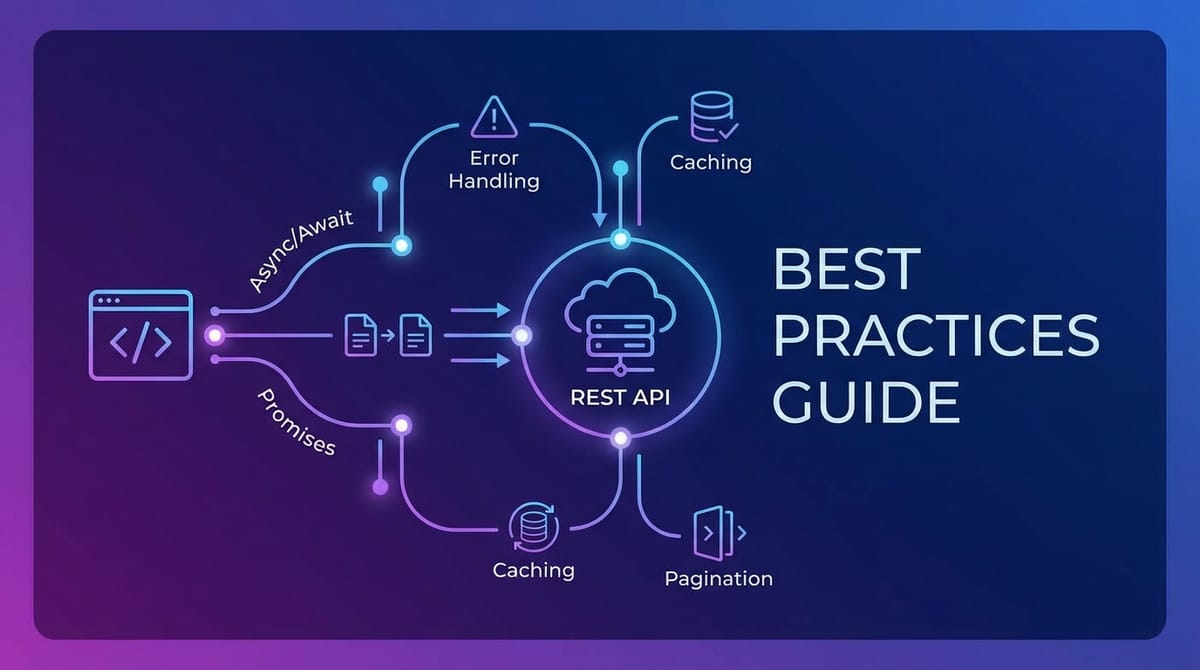


In the rapidly evolving landscape of modern web development, the seamless interaction between client-side applications and server-side services is paramount. This intricate dance is largely orchestrated through two fundamental pillars: Asynchronous JavaScript and REST APIs. Together, they form the bedrock upon which dynamic, responsive, and data-rich user experiences are built. Asynchronous JavaScript empowers the browser to perform operations without freezing the user interface, while RESTful APIs provide a standardized, scalable means for different systems to communicate over HTTP. The synergy between these two technologies is not merely a convenience; it is a necessity for creating robust, high-performance web applications that can handle complex data flows and deliver instant feedback to users.
This comprehensive guide delves into the best practices for leveraging Asynchronous JavaScript in conjunction with REST APIs. We will explore the nuances of asynchronous programming paradigms, from the foundational callbacks to the modern elegance of async/await. Concurrently, we will dissect the architectural principles of REST APIs, understanding how to effectively interact with them, manage data, and ensure security. Our journey will cover critical aspects such as error handling, performance optimization, state management, and the crucial role of API management platforms. By the end of this extensive exploration, developers will possess a deeper understanding and a practical toolkit to build more resilient, efficient, and user-friendly applications that stand the test of time and scale. Mastering these practices is not just about writing code; it's about engineering experiences that delight users and drive business value in the interconnected world of web services.
Understanding Asynchronous JavaScript: The Engine of Responsiveness
The web, by its very nature, is an asynchronous environment. When a user requests data from a server, it's not an instantaneous process. Network latency, server processing times, and potential data volumes mean that these operations can take anywhere from milliseconds to several seconds. If JavaScript, the primary client-side scripting language, were strictly synchronous, the entire user interface would freeze during every data fetch, leading to a frustrating and unusable experience. This fundamental challenge is what Asynchronous JavaScript seeks to address, enabling operations to run in the background without blocking the main execution thread.
The Problem with Synchronous Code
Imagine a JavaScript function that makes a network request to an external api endpoint. If this request were synchronous, the browser would halt all other operations – rendering updates, event listeners, user input processing – until the api call either succeeded or failed. This "blocking" behavior would create a frozen UI, making the application appear unresponsive or crashed. Users would encounter spinning loaders that never resolve, unresponsive buttons, and generally a very poor user experience. The single-threaded nature of JavaScript's execution model means that without asynchronous mechanisms, any long-running task would inevitably block the entire application. This is why understanding and correctly implementing asynchronous patterns is not just a best practice, but a prerequisite for modern web development.
Callbacks: The Foundation of Asynchronicity
Historically, callbacks were the primary mechanism for handling asynchronous operations in JavaScript. A callback is simply a function that is passed as an argument to another function, to be executed later, after the outer function has completed its operation. This pattern allows the outer function to initiate an asynchronous task (like a network request) and then "call back" the provided function with the result once the task is finished.
Consider a simple api call:
function fetchData(url, callback) {
    // Simulate an asynchronous network request
    setTimeout(() => {
        const data = { message: "Data fetched successfully!" };
        callback(null, data); // null for error, data for success
    }, 1000);
}

fetchData("https://example.com/api/data", (error, data) => {
    if (error) {
        console.error("Error fetching data:", error);
    } else {
        console.log("Received data:", data);
    }
});
While callbacks laid the groundwork for non-blocking operations, they quickly presented challenges, particularly when multiple asynchronous tasks needed to be chained together sequentially. This led to a phenomenon notoriously known as "Callback Hell" or the "Pyramid of Doom," where nested callbacks would create deeply indented, hard-to-read, and even harder-to-maintain code. Each nested level introduced new scope management complexities and made error propagation a nightmare. Debugging became a puzzle of tracing multiple execution paths, severely impacting developer productivity and the overall robustness of the codebase. The limitations of callbacks became evident as applications grew in complexity, highlighting the need for more elegant and manageable asynchronous patterns.
Promises: A Cleaner Approach to Asynchronous Operations
Promises emerged as a significant improvement over callbacks, offering a more structured and manageable way to handle asynchronous code. A Promise is an object representing the eventual completion (or failure) of an asynchronous operation and its resulting value. It acts as a placeholder for a value that is not yet known but will be available at some point in the future.
Every Promise can be in one of three mutually exclusive states: 1. Pending: The initial state; the operation has not yet completed. 2. Fulfilled (or Resolved): The operation completed successfully, and the Promise has a resulting value. 3. Rejected: The operation failed, and the Promise has a reason for the failure (an error).
Once a Promise is fulfilled or rejected, it becomes "settled" and its state cannot change again. This immutability is a key advantage, preventing race conditions and unexpected behavior. Promises provide methods to register callbacks for when the asynchronous operation completes or fails:
.then(onFulfilled, onRejected): Used to handle the successful resolution of a Promise (onFulfilled) and optionally its rejection (onRejected). It returns a new Promise, allowing for chaining..catch(onRejected): A more readable way to handle errors, equivalent to.then(null, onRejected)..finally(onFinally): A callback that executes regardless of whether the Promise was fulfilled or rejected, useful for cleanup operations.
Chaining Promises for Sequential Operations: One of the most powerful features of Promises is their ability to be chained. When .then() returns a new Promise, subsequent .then() calls can be appended, creating a sequential flow that avoids the nested indentation of callback hell.
fetch("/techblog/en/api/users")
    .then(response => {
        if (!response.ok) {
            throw new Error(`HTTP error! status: ${response.status}`);
        }
        return response.json();
    })
    .then(users => fetch(`/api/users/${users[0].id}/posts`)) // Fetch posts for the first user
    .then(response => response.json())
    .then(posts => {
        console.log("Posts by the first user:", posts);
    })
    .catch(error => {
        console.error("Error in Promise chain:", error);
    })
    .finally(() => {
        console.log("Promise chain completed.");
    });
Handling Concurrent Operations: Promises also offer static methods to manage multiple asynchronous operations in parallel or with specific conditions:
Promise.all(iterable): Takes an iterable of Promises and returns a single Promise that resolves when all of the Promises in the iterable have resolved, or rejects if any of the Promises in the iterable rejects. The resolved value is an array of the resolved values in the same order as the input Promises. This is ideal when you need to wait for multiple independentrest apicalls to complete before proceeding.Promise.race(iterable): Returns a Promise that resolves or rejects as soon as one of the Promises in the iterable resolves or rejects, with the value or reason from that Promise. Useful when you need the fastest response among several options.Promise.allSettled(iterable): Returns a Promise that resolves after all of the given Promises have either resolved or rejected, with an array of objects describing the outcome of each Promise. UnlikePromise.all, it doesn't short-circuit on rejection, providing full visibility into all operations.Promise.any(iterable): Returns a Promise that resolves as soon as any of the Promises in the iterable resolves, with the value of that Promise. If all of the Promises in the iterable reject, then the returned Promise rejects with anAggregateError.
Promises significantly improved the readability and maintainability of asynchronous code, setting the stage for even more intuitive patterns.
async/await: Syntactic Sugar for Promises
Introduced in ECMAScript 2017, async/await is perhaps the most revolutionary advancement in asynchronous JavaScript, providing a syntax that makes asynchronous code look and behave almost like synchronous code. It's built directly on top of Promises, serving as syntactic sugar that dramatically enhances readability and simplifies complex asynchronous flows.
An async function is a function declared with the async keyword, which inherently returns a Promise. Inside an async function, the await keyword can be used to pause the execution of the function until a Promise settles (either resolves or rejects). When await is encountered, the async function's execution is suspended, allowing other operations in the event loop to proceed. Once the awaited Promise settles, the async function resumes from where it left off, and the await expression evaluates to the resolved value of the Promise. If the Promise rejects, await throws an error, which can be caught using standard try/catch blocks.
Example with async/await:
async function fetchUserDataAndPosts(userId) {
    try {
        const userResponse = await fetch(`/api/users/${userId}`);
        if (!userResponse.ok) {
            throw new Error(`Failed to fetch user: ${userResponse.status}`);
        }
        const user = await userResponse.json();
        console.log("User data:", user);

        const postsResponse = await fetch(`/api/users/${userId}/posts`);
        if (!postsResponse.ok) {
            throw new Error(`Failed to fetch posts: ${postsResponse.status}`);
        }
        const posts = await postsResponse.json();
        console.log("User posts:", posts);

        return { user, posts };
    } catch (error) {
        console.error("Error fetching data:", error.message);
        // Propagate the error or handle it gracefully
        throw error;
    }
}

fetchUserDataAndPosts(123)
    .then(data => console.log("All data fetched:", data))
    .catch(err => console.error("Overall operation failed:", err));
Best Practices for Using async/await:
- Always
awaitinsideasyncfunctions: If you call a Promise-returning function inside anasyncfunction withoutawait, you'll get a Promise object instead of its resolved value, leading to unexpected behavior. - Error Handling with
try/catch: Just like synchronous code,try/catchblocks are the idiomatic way to handle errors thrown by rejected Promises withinasyncfunctions. This makes error handling significantly more intuitive than chained.catch()blocks in complex Promise chains.
Parallel Execution with Promise.all: While await makes sequential code look clean, don't forget Promise.all for parallel operations. Awaiting multiple api calls one after another without dependency can unnecessarily sequentialize execution. ```javascript async function fetchMultipleData() { const [usersResponse, productsResponse] = await Promise.all([ fetch("/techblog/en/api/users"), fetch("/techblog/en/api/products") ]);
const users = await usersResponse.json();
const products = await productsResponse.json();
return { users, products };
} `` 4. **Avoid UnnecessaryasyncFunctions:** Only mark a functionasyncif you intend to useawaitinside it, or if it needs to explicitly return a Promise. 5. **Use for better control flow:**async/await` greatly simplifies loops and conditional logic that involve asynchronous operations, which were cumbersome with raw Promises.
async/await has undeniably transformed how developers write asynchronous JavaScript, making it more approachable, readable, and maintainable. It bridges the gap between the perceived complexity of asynchronous programming and the intuitive flow of synchronous code, enabling the creation of highly responsive and user-friendly web applications that seamlessly interact with rest api endpoints.
Diving into REST APIs: The Language of Web Services
While Asynchronous JavaScript provides the mechanism for non-blocking operations on the client-side, the content and structure of the data exchanged primarily adhere to the principles of REST APIs. REST, an acronym for Representational State Transfer, is an architectural style for distributed hypermedia systems, first introduced by Roy Fielding in his 2000 doctoral dissertation. It is not a protocol or a specific technology, but rather a set of guidelines and constraints for building scalable, stateless, and efficient web services. Understanding REST is crucial for any developer building modern web applications, as it dictates how client applications communicate with server-side resources.
What is a REST API?
At its core, a RESTful api enables communication between different software systems over HTTP. It treats server-side data as "resources" that can be created, read, updated, and deleted (CRUD operations) using standard HTTP methods. The key characteristics that define a RESTful api include:
- Client-Server Architecture: There's a clear separation of concerns between the client (front-end application, mobile app) and the server (backend services). This separation allows both components to evolve independently.
- Statelessness: Each request from the client to the server must contain all the information necessary to understand the request. The server should not store any client context between requests. This means that a client's session state is entirely managed by the client. Statelessness simplifies server design, improves scalability, and enhances reliability.
- Cacheability: Responses from the server can be designated as cacheable or non-cacheable. Clients and intermediaries (proxies) can cache responses to improve performance and reduce server load, provided the data is not sensitive or frequently changing.
- Layered System: A client typically cannot tell whether it is connected directly to the end server or to an intermediary along the way (e.g., a load balancer, proxy, or API gateway). This allows for additional layers of security, performance, and management.
- Uniform Interface: This is the most critical constraint of REST. It simplifies the overall system architecture by ensuring that there is a single, consistent way to interact with all resources, regardless of their underlying implementation. The uniform interface consists of four sub-constraints:
- Identification of Resources: Resources are identified by URIs (Uniform Resource Identifiers). For example,
/usersor/products/123. - Manipulation of Resources Through Representations: Clients interact with resources by exchanging representations (e.g., JSON, XML) of those resources.
- Self-descriptive Messages: Each message includes enough information to describe how to process the message. This often involves using standard HTTP headers (e.g.,
Content-Type,Accept). - Hypermedia as the Engine of Application State (HATEOAS): Resources should contain links to related resources, guiding the client on available actions and transitions. While a powerful concept, HATEOAS is often the least implemented constraint in practical REST APIs due to its complexity.
- Identification of Resources: Resources are identified by URIs (Uniform Resource Identifiers). For example,
Key Principles of REST
To elaborate further on the uniform interface and other principles, let's consider the core tenets that guide the design of a RESTful api:
- Resources as Nouns: In REST, everything is a resource, and resources are identified by their URIs. These URIs should ideally be descriptive, hierarchical, and refer to "nouns" rather than "verbs."
- Good:
/users,/products,/orders/123 - Bad:
/getAllUsers,/createProduct,/deleteOrder/123
- Good:
- HTTP Methods as Verbs: Standard HTTP methods map directly to CRUD operations on resources, providing a clear and predictable way to interact with the
api.GET: Retrieve a resource or a collection of resources. (Read)POST: Create a new resource. (Create)PUT: Update an existing resource entirely, replacing it with the new representation. (Update)PATCH: Apply partial modifications to a resource. (Partial Update)DELETE: Remove a resource. (Delete)
- Statelessness: As mentioned, each request is independent. This means no session data is stored on the server. Any state information needed for a request (e.g., authentication tokens) must be included with every request. This design choice greatly enhances the scalability of the
api, as any server can handle any request without prior context. - Idempotency: An operation is idempotent if making the same request multiple times has the same effect as a single request.
GET,PUT,DELETEare typically idempotent. Requesting/users/123multiple times doesn't change the user.PUTing the same user data multiple times results in the same user state.DELETEing a user multiple times still results in the user being deleted after the first successful call.POSTis generally not idempotent, as repeatedPOSTrequests usually create multiple new resources.
- Response Status Codes: Standard HTTP status codes are used to indicate the outcome of an
apirequest, providing immediate feedback to the client.2xx(Success):200 OK,201 Created,204 No Content.3xx(Redirection):301 Moved Permanently.4xx(Client Error):400 Bad Request,401 Unauthorized,403 Forbidden,404 Not Found,409 Conflict,429 Too Many Requests.5xx(Server Error):500 Internal Server Error,503 Service Unavailable.
Common REST API Structures and Considerations
Designing a robust and user-friendly rest api involves more than just following the basic principles. Developers must also consider practical aspects of how clients will interact with and consume the api.
- Versioning: As an
apievolves, changes might break existing client applications. Versioning allows for backward compatibility, enabling different clients to use different versions of theapi. Common strategies include:- URI Versioning:
/v1/users,/v2/users(simplest, but URIs change). - Header Versioning: Using a custom HTTP header like
X-API-Version: 1orAccept: application/vnd.example.v2+json(cleaner URIs, but more complex for clients).
- URI Versioning:
- Pagination: When dealing with large collections of resources (e.g., thousands of users or products), returning all data in a single response is inefficient and slow. Pagination limits the number of items returned per request.
- Offset-based: Using
offset(number of items to skip) andlimit(number of items to return) query parameters. (/users?offset=10&limit=10) - Cursor-based: Using a pointer (cursor) to a specific item from the previous page, ensuring more stable pagination during concurrent data changes. (
/users?after=abcd-1234&limit=10)
- Offset-based: Using
- Filtering, Sorting, and Searching: Clients often need to retrieve subsets of data.
- Filtering: Query parameters for specific attributes (
/products?category=electronics&price_lt=100). - Sorting: Query parameters for sorting order (
/users?sort_by=name&order=asc). - Searching: A dedicated query parameter for free-text search (
/products?q=smartphone).
- Filtering: Query parameters for specific attributes (
- Authentication and Authorization: Securing access to
apiresources is paramount.- API Keys: Simple tokens often passed in headers or query parameters (less secure for user-specific access).
- OAuth 2.0: A standard for delegated authorization, allowing third-party applications to access user resources without exposing credentials. Ideal for complex multi-party interactions.
- JSON Web Tokens (JWT): Compact, URL-safe means of representing claims to be transferred between two parties. Often used with OAuth 2.0 or as a standalone token for stateless authorization.
- Rate Limiting: To prevent abuse, overload, and ensure fair usage,
rest apis often implement rate limiting, restricting the number of requests a client can make within a certain timeframe. TheRetry-AfterHTTP header is commonly used to inform clients when they can retry a request.
By adhering to these principles and considering common structural patterns, developers can design rest apis that are not only functional but also intuitive, scalable, and maintainable, forming a solid foundation for client-side applications built with Asynchronous JavaScript.
Best Practices for Async JavaScript with REST APIs
The real power of modern web development comes from the seamless integration of Asynchronous JavaScript and REST APIs. However, simply using these technologies isn't enough; mastering best practices is essential for building applications that are performant, reliable, secure, and delightful for users. This section dives deep into the practical guidelines and considerations for effective client-side interaction with RESTful services.
1. Designing for Asynchronous Interaction
When building a user interface that consumes REST APIs, it's crucial to acknowledge the inherent asynchronous nature of network requests. Data fetching is not instantaneous, and users expect a responsive experience.
- Anticipate Network Latency and Server Response Times: Always assume that
apicalls will take time. Design your UI in anticipation of delays. This means avoiding situations where the UI freezes or becomes unresponsive. - Implement Loading Indicators: Visual cues are vital. When an
apicall is in progress, display spinners, skeleton screens, or progress bars. These indicators inform the user that something is happening in the background and prevent them from thinking the application has frozen. They manage user expectations and improve perceived performance. - Disable Interactive Elements: During data submission (e.g., clicking a "Submit" button), disable the button and other relevant input fields. This prevents users from accidentally submitting the same request multiple times or making changes while a previous operation is pending. It reduces the chance of accidental duplicate requests and race conditions.
- Consider Optimistic UI Updates: For operations where the success rate is high and the visual feedback is immediate, you might consider updating the UI before the
apiresponse is received. For instance, if a user "likes" an item, update the like count immediately and then send theapirequest in the background. If theapicall fails, revert the UI change and inform the user. This creates a highly responsive feel, but requires careful error handling and rollback mechanisms. - Debounce and Throttling for Input Fields: For search bars or input fields that trigger
apicalls on key presses, use debouncing (wait for a short period of inactivity before firing theapicall) or throttling (limit the rate ofapicalls over time). This prevents an excessive number of requests to yourrest apias the user types, reducing server load and improving client performance.
2. Effective Error Handling
Even the most robust apis can encounter issues, and network conditions are often unpredictable. Comprehensive error handling is paramount for building resilient applications.
- Client-Side Error Handling:
try/catchwithasync/await: This is the most straightforward way to catch errors fromawaited Promises, including network errors orapiresponses indicating a failure..catch()with Promises: For traditional Promise chains, use.catch()at the end of the chain to gracefully handle any rejections.- Specific Error Types: Differentiate between network errors (e.g., no internet connection), HTTP status errors (e.g., 404 Not Found, 500 Internal Server Error), and
api-specific validation errors (e.g.,apireturning a 400 with a custom error message in the payload).
- User Feedback: Always provide meaningful feedback to the user when an
apicall fails. A generic "Something went wrong" is less helpful than "Failed to load products. Please check your internet connection or try again later." - Graceful Degradation: Design your application to function, albeit with reduced features, even if some
apicalls fail. For example, if a user's profile picture fails to load, display a placeholder instead of breaking the entire profile page. - Retry Mechanisms with Exponential Backoff: For transient network errors or temporary server issues (e.g., 503 Service Unavailable), implementing a retry mechanism can significantly improve reliability. Exponential backoff means waiting increasingly longer periods between retries (e.g., 1s, 2s, 4s, 8s) to avoid overwhelming the server and allow it time to recover. Libraries like
axios-retrycan simplify this. - Centralized Error Logging: For debugging and monitoring, log errors to a centralized service (e.g., Sentry, New Relic). This helps in quickly identifying and resolving issues in production.
3. Optimizing Network Requests
Efficient network usage is critical for performance. Unnecessary or poorly managed api calls can lead to slow loading times, increased data usage, and a poor user experience.
- Caching:
- Browser Caching (HTTP Headers): Leverage standard HTTP caching headers (
Cache-Control,ETag,Last-Modified) configured by yourrest apito allow the browser to cache responses. This means subsequent requests for the same resource might be served directly from the browser's cache, avoiding a round trip to the server. - Client-Side Data Caching: Implement in-memory caches or use state management libraries (e.g., React Query, SWR, Apollo Client for GraphQL) that handle data fetching, caching, and revalidation automatically. These libraries intelligently store
apiresponses, provide hooks to access cached data, and manage stale data revalidation, significantly reducing the number of actual network requests and improving responsiveness. Local Storage or IndexedDB can also be used for persistent client-side caching of less sensitive data.
- Browser Caching (HTTP Headers): Leverage standard HTTP caching headers (
- Batching Requests: If your UI requires multiple pieces of data from different
apiendpoints that are logically related, consider modifying yourrest apito expose a single endpoint that returns all necessary data in one go. This reduces the number of HTTP requests and can improve performance by reducing overhead, although it means a larger single payload. Alternatively, if resources are completely independent,Promise.allallows fetching them concurrently.
Request Cancellation with AbortController: In dynamic Single Page Applications (SPAs), users often navigate quickly or perform actions that render previous api requests obsolete. For example, if a user types into a search bar, a previous search request might still be pending when a new one is initiated. Unnecessary pending requests can lead to race conditions, display stale data, or consume unneeded resources. The AbortController api provides a way to cancel one or more DOM requests as and when desired. ```javascript let controller;async function fetchData(url) { if (controller) { controller.abort(); // Abort previous request } controller = new AbortController(); const signal = controller.signal;
try {
    const response = await fetch(url, { signal });
    if (!response.ok) throw new Error(`HTTP error! status: ${response.status}`);
    const data = await response.json();
    console.log("Data fetched:", data);
} catch (error) {
    if (error.name === 'AbortError') {
        console.log('Fetch aborted');
    } else {
        console.error('Fetch error:', error);
    }
} finally {
    controller = null; // Clear controller after request settles
}
}// Example usage: // fetchData('/api/data/1'); // fetchData('/api/data/2'); // This will abort the first request `` This pattern is crucial for preventing memory leaks in components that unmount whileapi` calls are still pending, and for handling rapidly changing user input.
4. State Management and Data Flow
Integrating api responses into your application's state management system is a critical aspect of building predictable and maintainable applications.
- Centralized State: Use a predictable state management solution (e.g., Redux, Zustand, Vuex, React Context API, Pinia) to store
apidata. This ensures a single source of truth for your application's data, making it easier to track changes and debug. - Data Normalization: For
apiresponses that return nested or redundant data, consider normalizing the data (e.g., usingnormalizrin Redux). This involves flattening nested structures and storing entities in a lookup table by their IDs, preventing duplication and simplifying updates. - When to Refetch vs. Use Cached Data: Establish clear rules for data freshness. For frequently changing data (e.g., real-time notifications), aggressive revalidation might be needed. For static data (e.g., product categories), a longer cache TTL (Time To Live) or manual revalidation might suffice. Libraries like React Query provide powerful mechanisms for managing this automatically.
- Derived State: Instead of storing every possible permutation of data, store the raw
apiresponse and derive computed values or filtered lists from it as needed. This reduces state complexity and potential for inconsistencies.
5. Security Considerations for REST API Consumption
While many security concerns for REST APIs primarily reside on the server side, client-side developers also have a crucial role in ensuring secure interactions.
- Never Hardcode Sensitive
apiKeys: Client-side JavaScript code is inherently viewable by anyone. Embedding sensitiveapikeys (e.g., for third-party services that require private keys) directly in your front-end code is a major security vulnerability. These keys should always be stored securely on the server and used to make requests from the server to the third-partyapi, or proxied through your own backend. - Environment Variables for Configuration: Use environment variables for client-side
apiendpoints and publicapikeys (those intended for public consumption and not needing server-side protection). Tools like Webpack'sDefinePluginorVite's environment variables allow you to inject these values at build time. - Secure Authentication Flows: Implement robust authentication for user-specific
apicalls. OAuth 2.0 and OpenID Connect are industry standards for delegated authorization and authentication, respectively. For simpleapikeys, ensure they are sent over HTTPS to prevent eavesdropping. For token-based authentication (e.g., JWT), store tokens securely (e.g., inHttpOnlycookies to mitigate XSS, or in browser memory for SPAs with careful XSS prevention). - CORS Policies: Understand and configure Cross-Origin Resource Sharing (CORS) correctly on your
rest apiserver. CORS headers (Access-Control-Allow-Origin, etc.) dictate which client domains are permitted to make cross-originapirequests. Misconfigurations can lead toapicalls being blocked by the browser's same-origin policy or, conversely, create security holes by allowing unauthorized domains access. - Client-Side Input Validation (UX, not security): While server-side validation is absolutely mandatory for security, client-side validation provides immediate feedback to the user, improving the user experience and reducing unnecessary
apicalls for invalid data. However, never rely solely on client-side validation for security purposes. - Preventing XSS/CSRF (Client's Role): Though mainly server-side concerns, the client can contribute:
- XSS (Cross-Site Scripting): Ensure all data rendered from
apiresponses is properly sanitized and escaped before being injected into the DOM. Frameworks like React and Vue typically handle basic escaping, but customHTMLor user-generated content requires extra vigilance. - CSRF (Cross-Site Request Forgery): If your
apiuses cookie-based authentication, ensureCSRFtokens are implemented on the server and correctly included in clientPOST/PUT/DELETErequests. UsingSameSitecookies can also help mitigateCSRFattacks.
- XSS (Cross-Site Scripting): Ensure all data rendered from
6. API Management and Tooling
As applications grow and integrate with an increasing number of services, the sheer volume and complexity of api interactions can become overwhelming. This is where robust API management platforms and effective tooling become indispensable, transforming potential chaos into structured, manageable operations.
The lifecycle of an api extends far beyond its initial development. It encompasses design, publication, invocation, monitoring, and eventual decommissioning. Without a centralized system to govern these stages, teams can face challenges such as inconsistent api documentation, security vulnerabilities due to poorly managed access, performance bottlenecks from unoptimized traffic, and a general lack of visibility into api usage and health. This fragmentation can significantly hinder development velocity, introduce security risks, and escalate operational costs.
This is precisely the challenge that platforms like APIPark - Open Source AI Gateway & API Management Platform are designed to solve. APIPark offers an all-in-one AI gateway and api developer portal that streamlines the management, integration, and deployment of both traditional rest apis and modern AI services. It is an open-source solution that helps developers and enterprises bring order and efficiency to their api ecosystems.
APIPark facilitates several critical aspects of api management that directly benefit client-side async JavaScript development:
- Unified API Format and Gateway: APIPark can standardize the request data format across various AI models and
rest apis. This means client applications interact with a consistent interface, regardless of the underlying service, simplifyingasyncintegration code and reducing maintenance when backend services change. The gateway acts as a single entry point, abstracting backend complexity. - End-to-End API Lifecycle Management: From design to publication and monitoring, APIPark provides tools to manage the entire
apijourney. This includes traffic forwarding, load balancing across multiple backend instances (crucial for handling highasyncrequest volumes), and versioning of publishedapis. A well-managedapifrom the backend ensures that client-sideasyncoperations are smooth, predictable, and reliable, minimizing unexpected errors. - Security and Access Control: APIPark enhances security by enabling features like subscription approval for
apiaccess, ensuring callers must be authorized before invokingapis. It supports independentapis and access permissions for different teams or tenants, which is vital for multi-tenant applications consuming diverse backend services. This granular control reduces the risk of unauthorizedapicalls and potential data breaches, which is a significant concern for anyrest apiinteraction. - Performance Monitoring and Analytics: Detailed
apicall logging and powerful data analysis capabilities allow teams to monitor performance, identify bottlenecks, and observe long-term trends. This visibility is invaluable for proactively optimizingapiperformance, directly impacting the responsiveness ofasyncclient applications. If anapistarts to slow down, APIPark's insights can help pinpoint the issue before users experience significant lag. - Developer Portal for Collaboration: A centralized display of all
apiservices within APIPark makes it easy for different departments and teams to discover and use requiredapis. This improves internal collaboration, reduces redundantapidevelopment, and ensures that client developers have easy access to comprehensive documentation and test environments.
Beyond dedicated platforms, developers should also leverage standard api tooling:
- API Documentation: Use tools like OpenAPI (Swagger) to document your
rest api. This provides a machine-readable description of yourapiendpoints, request/response formats, and authentication requirements. Up-to-date and accurate documentation is invaluable for client-side developers, speeding up integration and reducing errors. - API Testing Tools: Tools like Postman, Insomnia, or cURL are essential for testing
rest apiendpoints independently of the client application. They allow developers to quickly construct and send requests, inspect responses, and verifyapibehavior, accelerating debugging and development. - Mock Servers: For front-end development, using mock servers or libraries (e.g.,
json-server,msw) that simulateapiresponses can allow client development to proceed in parallel with backend development, or provide a stable environment for UI testing without relying on a live backend.
By embracing robust api management solutions and a disciplined approach to tooling, organizations can transform their api landscape into a highly efficient, secure, and collaborative ecosystem, underpinning more stable and high-performing async client applications.
7. Testing Async API Interactions
Testing async api interactions is critical to ensure the reliability and correctness of your application. This involves various levels of testing.
- Unit Testing: Focus on testing individual functions or modules that make
apicalls. This typically involves mocking the actual network request (e.g., usingjest.fn(),sinonforfetchor Axios). You test that your functions correctly construct requests, handle differentapiresponses (success, various error codes), and parse data as expected. ```javascript // Example with Jest for mocking fetch global.fetch = jest.fn(() => Promise.resolve({ ok: true, json: () => Promise.resolve({ id: 1, name: 'Test User' }), }) );// Your async function to test async function getUser(id) { const response = await fetch(/api/users/${id}); if (!response.ok) throw new Error('Failed to fetch user'); return response.json(); }test('getUser fetches user data correctly', async () => { const user = await getUser(1); expect(user).toEqual({ id: 1, name: 'Test User' }); expect(fetch).toHaveBeenCalledWith('/api/users/1'); });`` * **Integration Testing:** Verify that different parts of your application (e.g., a component and a data service) correctly interact with mocked or actualapiresponses. These tests might involve rendering a component that fetches data and asserting that the correct loading states, data, and error messages are displayed. * **End-to-End (E2E) Testing:** Simulate real user flows that involveapicalls in a browser environment. Tools like Cypress, Playwright, or Selenium allow you to write tests that navigate through your application, interact with UI elements, and verify thatapicalls are made correctly and the UI updates as expected. E2E tests often involve setting up a mockrest apibackend or stubbing network requests to ensure consistent test results. * **Contract Testing:** Ensures that theapiconsumer (client) andapiprovider (server) adhere to a shared understanding of theapi` contract (data structures, endpoints, expected behaviors). Tools like Pact can help in defining and verifying these contracts, preventing integration issues when either side changes.
APIPark is a high-performance AI gateway that allows you to securely access the most comprehensive LLM APIs globally on the APIPark platform, including OpenAI, Anthropic, Mistral, Llama2, Google Gemini, and more.Try APIPark now! 👇👇👇
Comparison of Asynchronous Patterns
To solidify the understanding of different asynchronous patterns, here's a comparative table outlining their characteristics, advantages, disadvantages, and typical use cases. This table provides a quick reference for choosing the right approach based on the complexity and context of your async operations, especially when interacting with rest apis.
| Feature | Callbacks | Promises | async/await |
|---|---|---|---|
| Concept | Function passed as an argument, executed later. | Object representing eventual completion/failure. | Syntactic sugar over Promises, makes async look sync. |
| Readability | Poor with nested operations ("Callback Hell"). | Better with chaining, but still nested for complex flows. | Excellent, sequential-looking code for complex flows. |
| Error Handling | Manual, often cumbersome (passing error argument). |
Centralized with .catch(). |
Standard try/catch blocks, intuitive. |
| Chaining | Deeply nested, hard to follow sequential logic. | Explicit chaining with .then(), .catch(). |
Implicit chaining (await calls are sequential), easy parallel with Promise.all. |
| Concurrency | Requires custom logic to manage multiple operations. | Promise.all(), Promise.race(), Promise.allSettled(). |
Uses Promise.all() (explicitly), awaits sequentially by default. |
| Debugging | Difficult due to non-linear execution flow. | Improved stack traces, but still challenging with deep chains. | Stack traces more closely resemble synchronous code, easier to debug. |
| Verbosity | Can be compact for single operations, verbose for nested. | Moderate, requires .then()/.catch() methods. |
Less verbose for sequential operations, minimal boilerplate. |
| Control Flow | Hard to manage loops, conditionals, complex logic. | Manageable with helper functions and Promise methods. | Excellent, allows natural if/else, loops with await. |
| Modern Usage | Primarily for legacy code or specific event patterns. | Foundation for async/await, used directly for some concurrency. |
Preferred and Recommended for most new asynchronous code. |
This table clearly illustrates the evolution of asynchronous patterns in JavaScript, with async/await emerging as the most developer-friendly and powerful option for managing complex async interactions with rest apis.
Future Trends and Advanced Topics
The world of web development and api interaction is constantly evolving. While mastering async JavaScript and rest api best practices is foundational, being aware of emerging trends and advanced topics is crucial for staying at the forefront of the industry. These innovations often address limitations of existing approaches or offer new paradigms for data exchange and real-time communication.
GraphQL as an Alternative to REST
While REST remains the dominant api architectural style, GraphQL has gained significant traction as a powerful alternative, particularly for complex client applications. GraphQL is a query language for your api, and a server-side runtime for executing queries using a type system you define for your data.
Key advantages over REST:
- No Over-fetching or Under-fetching: Clients can request exactly the data they need, no more, no less. In REST, a
GETrequest to/usersmight return all user fields, even if the client only needs the name and email. Conversely, fetching a user's posts might require a separateapicall to/users/:id/posts, leading to under-fetching and multiple round-trips. GraphQL solves this by allowing clients to specify data requirements in a single query. - Single Endpoint: A GraphQL
apitypically exposes a single endpoint (e.g.,/graphql), where all data requests (queries, mutations, subscriptions) are sent. This simplifies client-sideapiintegration and management. - Strong Typing: GraphQL's schema definition language (SDL) provides a strongly typed contract between client and server, enabling better validation, auto-completion in IDEs, and more robust
apidevelopment. - Real-time with Subscriptions: GraphQL has built-in support for real-time data streaming through subscriptions, allowing clients to receive updates from the server automatically when data changes.
However, GraphQL also introduces complexities, such as more intricate server-side implementation, potential caching challenges (as standard HTTP caching is less effective), and a steeper learning curve for developers accustomed to REST. Nonetheless, for applications with diverse data needs and frequent UI updates, GraphQL offers compelling benefits.
WebSockets for Real-time APIs
For scenarios requiring true real-time, bi-directional communication, WebSockets are a superior choice compared to traditional REST over HTTP/1.1. While rest apis are request-response based, WebSockets establish a persistent, full-duplex communication channel between a client and a server. Once the connection is open, both parties can send messages at any time without needing to re-establish the connection.
Use cases for WebSockets:
- Chat applications: Instant messaging, group chats.
- Live dashboards: Real-time data updates for analytics, stock prices.
- Collaborative editing: Multiple users editing the same document simultaneously.
- Gaming: Fast-paced multiplayer games.
Implementing WebSockets effectively requires handling connection management, error recovery, and message serialization. Libraries like Socket.IO simplify this process significantly for both client and server. While REST handles most typical data exchange, WebSockets are essential when low-latency, persistent real-time interactions are a core requirement.
Serverless Functions for API Backends
Serverless computing (e.g., AWS Lambda, Google Cloud Functions, Azure Functions) allows developers to build and run api backends without managing servers. Functions are stateless, event-driven, and scale automatically, making them an excellent fit for developing rest api endpoints.
Benefits for API development:
- Automatic Scaling: Functions scale instantly with demand, handling traffic spikes without manual intervention.
- Cost-Effectiveness: You only pay for the compute time consumed when your functions are actually running, making it very economical for variable workloads.
- Reduced Operational Overhead: No servers to provision, patch, or maintain.
- Faster Development: Developers can focus purely on business logic rather than infrastructure.
Serverless functions pair exceptionally well with async JavaScript clients, as they provide highly available and scalable rest api endpoints without the operational complexities of traditional server architectures. They simplify the backend deployment, allowing front-end teams to focus on the client-side experience.
Microservices Architecture
Microservices architecture involves breaking down a large, monolithic application into a collection of smaller, independent services, each running in its own process and communicating with each other (often via rest apis).
Benefits:
- Independent Deployment: Services can be developed, deployed, and scaled independently.
- Technology Heterogeneity: Different services can use different programming languages or databases, allowing teams to choose the best tool for the job.
- Resilience: Failure in one service is less likely to bring down the entire application.
- Scalability: Individual services can be scaled independently based on their specific demand.
While microservices introduce complexities in terms of distributed system management and inter-service communication, they enable highly scalable and resilient rest api backends that can support large, complex async client applications. They demand sophisticated api management, often leveraging api gateways to unify access for client applications.
Staying informed about these advancements empowers developers to choose the most appropriate tools and architectures for their projects, ensuring that their applications remain performant, scalable, and future-proof in the ever-evolving web landscape.
Conclusion
The journey through Asynchronous JavaScript and REST API best practices reveals a profound truth about modern web development: proficiency in these areas is not merely advantageous; it is absolutely indispensable. We've explored the evolution of asynchronous patterns from the foundational callbacks to the elegant async/await, understanding how each iteration has brought us closer to writing more readable, maintainable, and robust non-blocking code. Simultaneously, we've delved into the architectural principles of REST APIs, recognizing them as the standardized language for client-server communication across the web.
The synergy between Asynchronous JavaScript and REST APIs, when guided by best practices, enables the creation of highly responsive, efficient, and user-friendly applications. From meticulous error handling and intelligent network optimization (through caching, debouncing, and request cancellation) to diligent state management and robust security considerations, each practice contributes to building resilient systems. Furthermore, we highlighted the critical role of advanced API management platforms, such as APIPark, in streamlining the entire API lifecycle, from design and deployment to security and performance monitoring, underscoring how such tools enhance developer productivity and ensure the stability of complex API ecosystems.
As the web continues to evolve, embracing emerging trends like GraphQL, WebSockets, and serverless architectures will further extend the capabilities of async JavaScript and rest api interactions. Ultimately, mastering these core technologies and continually adapting to new paradigms is what distinguishes exceptional web development. By diligently applying these best practices, developers can construct applications that not only meet today's demands but are also poised to thrive in the future, delivering unparalleled user experiences and driving innovation in the digital realm.
Frequently Asked Questions (FAQs)
1. What is the main difference between async/await and Promises in JavaScript? async/await is syntactic sugar built on top of Promises. While Promises provide a structured way to handle asynchronous operations with .then() and .catch() chains, async/await makes asynchronous code look and behave more like synchronous code, using try/catch for error handling and a more linear execution flow. async functions always return a Promise, and await can only be used inside an async function to pause execution until a Promise settles.
2. Why is client-side caching important when consuming REST APIs? Client-side caching significantly improves application performance and user experience by reducing the number of redundant network requests. By storing api responses locally (e.g., in memory, browser cache, or local storage), the application can serve data much faster on subsequent requests, minimize network latency, reduce server load, and even provide an offline experience for certain data, leading to a smoother, more responsive application.
3. How can I handle multiple independent REST API requests efficiently with Async JavaScript? For multiple independent rest api requests that can be executed in parallel, use Promise.all(). This method takes an array of Promises and returns a single Promise that resolves only when all input Promises have resolved. If any of the input Promises reject, Promise.all() immediately rejects with the reason of the first Promise that rejected. This allows you to fetch multiple resources concurrently, significantly speeding up data loading.
4. What are the key security considerations for a front-end application consuming a REST API? Key security considerations include never hardcoding sensitive api keys in client-side code, always communicating with the rest api over HTTPS, implementing secure authentication flows (like OAuth 2.0 or JWT), correctly configuring CORS (Cross-Origin Resource Sharing) on the server to prevent unauthorized domain access, and performing proper output sanitization on any api data rendered in the UI to prevent XSS (Cross-Site Scripting) attacks. Client-side input validation is for UX, but server-side validation is crucial for security.
5. When should I consider using an API Management Platform like APIPark? You should consider an api management platform when your application ecosystem becomes complex, involving numerous rest apis or AI services, or when you need to manage access for multiple teams or tenants. Platforms like APIPark provide centralized control over api lifecycle, security (e.g., access approval, authentication), traffic management (e.g., load balancing, rate limiting), versioning, monitoring, and detailed analytics. They streamline api integration, enhance security, improve performance, and foster collaboration among development teams, making your api consumption more reliable and scalable.
🚀You can securely and efficiently call the OpenAI API on APIPark in just two steps:
Step 1: Deploy the APIPark AI gateway in 5 minutes.
APIPark is developed based on Golang, offering strong product performance and low development and maintenance costs. You can deploy APIPark with a single command line.
curl -sSO https://download.apipark.com/install/quick-start.sh; bash quick-start.sh

In my experience, you can see the successful deployment interface within 5 to 10 minutes. Then, you can log in to APIPark using your account.

Step 2: Call the OpenAI API.