Async JavaScript & REST API: Boost Performance


In the intricate tapestry of modern web development, performance isn't just a feature; it's a fundamental expectation. Users demand instantaneous feedback, seamless interactions, and data delivered with a blink-and-you-miss-it speed. At the heart of achieving this lies a profound understanding and skillful application of two pivotal technologies: Asynchronous JavaScript and REST APIs. These two pillars, when synergistically employed, unlock the potential for web applications to process vast amounts of data, interact with complex backend services, and deliver an unparalleled user experience without freezing the interface or frustrating the end-user. This comprehensive exploration delves into the nuances of asynchronous programming in JavaScript, the architecture and power of RESTful APIs, and critically, how their combined might can significantly boost the performance of any web application.
The Synchronous Bottleneck: A Relic of Simpler Times
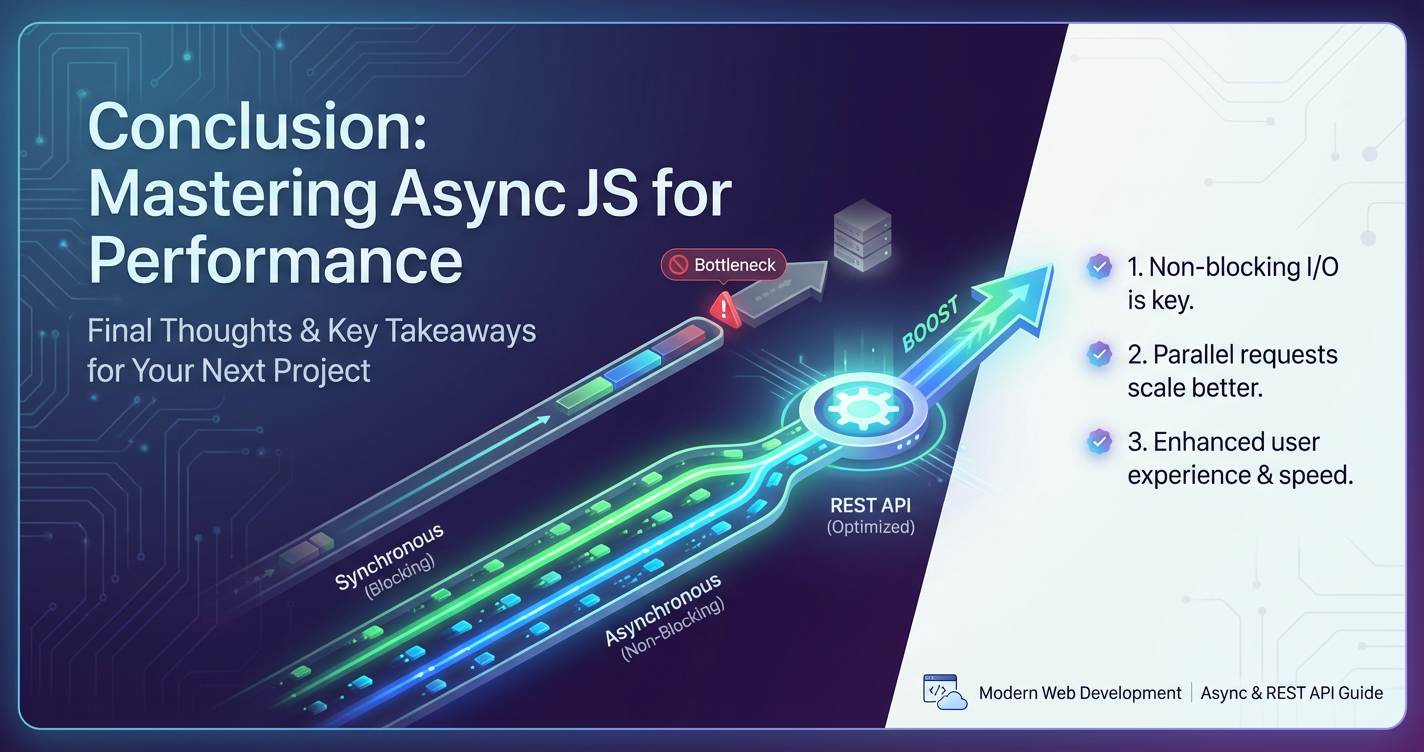
Before we embark on the journey into asynchronous operations, it's crucial to understand the limitations that asynchronous patterns address. JavaScript, by its very nature, is a single-threaded language. This means that at any given moment, it can only execute one task. In a purely synchronous execution model, every operation, from a simple calculation to a complex network request, would run sequentially. Imagine a scenario where your web application needs to fetch user data from a remote server. If this operation were synchronous, the browser's main thread, responsible for rendering the UI, handling user input, and executing all other scripts, would be completely blocked until the data arrived.
This blocking behavior leads to a multitude of user experience nightmares. The application would become unresponsive, appearing "frozen." Buttons wouldn't click, animations would halt, and the entire page would be unusable for the duration of the data fetch – which, over a network, could be seconds, or even longer depending on latency and server load. For a simple static website, this might be tolerable. However, for dynamic, data-intensive applications like social media feeds, e-commerce platforms, or real-time dashboards, such a bottleneck is catastrophic. It directly impacts user satisfaction, engagement, and ultimately, the success of the application. The need to perform long-running operations without halting the user interface gave birth to the various asynchronous patterns we rely on today.
Embracing Asynchronicity: The Heartbeat of Responsive Web Applications
Asynchronous JavaScript is the art of performing tasks in the background without blocking the main execution thread. It allows your application to "fire and forget" certain operations, delegating them to the browser's underlying mechanisms or event loop, and then responding when those operations complete. This paradigm shift transformed web development, enabling dynamic, fluid, and highly interactive user interfaces.
The Evolution of Asynchronous Patterns
The journey of asynchronous JavaScript has seen significant evolution, each step building upon its predecessor, refining syntax, and improving developer experience.
Callbacks: The Dawn of Non-Blocking Operations
The earliest and most fundamental form of asynchronous programming in JavaScript was the callback function. A callback is simply a function passed as an argument to another function, which is then executed inside the outer function at a later point in time, usually when an asynchronous operation completes.
Consider fetching data using an older XMLHttpRequest object:
function fetchData(url, callback) {
    const xhr = new XMLHttpRequest();
    xhr.open('GET', url);
    xhr.onload = function() {
        if (xhr.status === 200) {
            callback(null, JSON.parse(xhr.responseText));
        } else {
            callback(new Error(`HTTP error! status: ${xhr.status}`), null);
        }
    };
    xhr.onerror = function() {
        callback(new Error('Network error!'), null);
    };
    xhr.send();
}

// Usage
fetchData('https://api.example.com/data', (error, data) => {
    if (error) {
        console.error('Error fetching data:', error);
    } else {
        console.log('Data received:', data);
    }
});
While callbacks were revolutionary, they quickly led to a phenomenon known as "callback hell" or the "pyramid of doom." This occurs when multiple nested asynchronous operations make the code deeply indented, difficult to read, and challenging to maintain or debug. Error handling also became cumbersome, as errors had to be propagated through each nested callback.
Promises: A Structured Approach to Asynchronous Operations
Promises emerged as a powerful solution to the callback hell problem, offering a more structured and manageable way to handle asynchronous operations. A Promise is an object representing the eventual completion (or failure) of an asynchronous operation and its resulting value. It has three distinct states:
- Pending: The initial state, neither fulfilled nor rejected.
- Fulfilled (or Resolved): Meaning the operation completed successfully, and the promise has a resulting value.
- Rejected: Meaning the operation failed, and the promise has a reason for the failure (an error).
Promises provide a clear separation of success and failure paths through their .then() and .catch() methods. The .then() method takes up to two arguments: a callback for success and a callback for failure. The .catch() method is a shorthand for .then(null, failureCallback) and is typically used for centralized error handling.
Here’s how fetching data might look with Promises, using the modern fetch API:
fetch('https://api.example.com/users')
    .then(response => {
        if (!response.ok) {
            throw new Error(`HTTP error! status: ${response.status}`);
        }
        return response.json(); // Parses the JSON body of the response
    })
    .then(users => {
        console.log('Users data:', users);
        // Chaining another API call
        return fetch(`https://api.example.com/users/${users[0].id}/posts`);
    })
    .then(response => {
        if (!response.ok) {
            throw new Error(`HTTP error! status: ${response.status}`);
        }
        return response.json();
    })
    .then(posts => {
        console.log('First user\'s posts:', posts);
    })
    .catch(error => {
        console.error('Error in sequence:', error);
    })
    .finally(() => {
        console.log('Fetch operation sequence complete, regardless of success or failure.');
    });
Promises brought significant improvements: flattened nested code, better error handling, and the ability to chain operations seamlessly. They represent a monumental leap in managing asynchronous flow.
Async/Await: Syntactic Sugar for Synchronous-Looking Asynchronous Code
Building upon Promises, the async and await keywords introduced in ECMAScript 2017 (ES8) provide an even more intuitive and readable way to write asynchronous code. They essentially allow you to write asynchronous, promise-based code as if it were synchronous, making it much easier to reason about, especially for developers accustomed to traditional sequential programming paradigms.
- The
asynckeyword is placed before a function declaration, making that function an asynchronous function. Anasyncfunction always returns a Promise. If the function returns a non-Promise value, JavaScript automatically wraps it in a resolved Promise. - The
awaitkeyword can only be used inside anasyncfunction. It pauses the execution of theasyncfunction until the Promise it's waiting for settles (either resolves or rejects). When the Promise resolves,awaitreturns its resolved value. If the Promise rejects,awaitthrows an error, which can be caught using a standardtry...catchblock.
Let's refactor the previous example using async/await:
async function fetchUserDataAndPosts(userId) {
    try {
        const userResponse = await fetch(`https://api.example.com/users/${userId}`);
        if (!userResponse.ok) {
            throw new Error(`HTTP error! status: ${userResponse.status}`);
        }
        const userData = await userResponse.json();
        console.log('User data:', userData);

        const postsResponse = await fetch(`https://api.example.com/users/${userId}/posts`);
        if (!postsResponse.ok) {
            throw new Error(`HTTP error! status: ${postsResponse.status}`);
        }
        const userPosts = await postsResponse.json();
        console.log('User posts:', userPosts);

        return { userData, userPosts };
    } catch (error) {
        console.error('Error fetching data:', error);
        // Optionally rethrow or handle more gracefully
        throw error;
    } finally {
        console.log('User data and posts fetch operation complete.');
    }
}

// Call the async function
fetchUserDataAndPosts(1)
    .then(data => console.log('Successfully fetched all data:', data))
    .catch(err => console.error('Failed to fetch all data:', err));
The clarity and sequential flow of async/await significantly enhance readability and make complex asynchronous workflows much more approachable, especially for developers transitioning from synchronous programming backgrounds. It is the preferred pattern for new asynchronous code in most modern JavaScript applications.
The JavaScript Event Loop: The Engine of Asynchronicity
Understanding the JavaScript event loop is crucial to grasping how asynchronous operations work without blocking. Despite being single-threaded, JavaScript achieves non-blocking I/O through its runtime environment (like a browser or Node.js) and the event loop mechanism.
Here’s a simplified breakdown:
- Call Stack: This is where your synchronous code executes. When a function is called, it's pushed onto the stack. When it returns, it's popped off.
- Web APIs / Node.js C++ APIs: These are features provided by the runtime environment (not JavaScript itself) that handle asynchronous tasks like
setTimeout, DOM events, and HTTP requests (fetch). When you initiate an asynchronous operation, JavaScript hands it over to these APIs and pops it off the call stack immediately. - Callback Queue (Task Queue / Macrotask Queue): When an asynchronous operation (like an HTTP request completing or a
setTimeouttimer expiring) finishes, its associated callback function is placed into the callback queue. - Microtask Queue: A higher-priority queue for Promises (
.then(),.catch(),await). Microtasks are processed before macrotasks after each execution of a task from the call stack, ensuring prompt handling of promise-based operations. - Event Loop: This is the continuous process that monitors the call stack and the queues. If the call stack is empty, the event loop takes the first function from the microtask queue and pushes it onto the call stack. Once the microtask queue is empty, it then takes the first function from the macrotask queue and pushes it onto the call stack. This continuous cycle ensures that the UI remains responsive while asynchronous tasks are being managed in the background.
This intricate dance allows JavaScript to perform long-running tasks like fetching data from a network without freezing the user interface, creating the illusion of concurrency despite its single-threaded nature.
Here's a comparison of these asynchronous patterns:
| Feature | Callbacks | Promises | Async/Await |
|---|---|---|---|
| Readability | Poor (Callback Hell) | Good (Chainable .then()/.catch()) |
Excellent (Synchronous-looking code) |
| Error Handling | Manual, often duplicated, prone to omissions | Centralized .catch() method |
try...catch block, highly intuitive |
| Chaining | Deeply nested functions | Flat chains with .then() |
Linear flow, reads like synchronous code |
| Boilerplate | Moderate to high | Moderate | Low |
| Debugging | Can be challenging due to nested calls | Easier with promise chain stack traces | Simplest due to synchronous-like stack traces |
| Return Value | No direct return, uses arguments | Returns a Promise that resolves to a value | Returns a Promise that resolves to a value (implicitly) |
| Concurrency | Achievable but cumbersome | Promise.all(), Promise.race() |
Promise.all() within async function for concurrent waits |
| Flexibility | Very flexible, but error-prone | Good, well-defined states | Excellent, built on Promises with improved syntax |
REST APIs: The Universal Language of Web Services
While asynchronous JavaScript dictates how our client-side applications operate without blocking, REST APIs define what they interact with on the server-side and how that interaction is structured. REST (Representational State Transfer) is an architectural style for designing networked applications. It's not a protocol or a standard but a set of guiding principles that, when adhered to, result in a system that is scalable, flexible, and easy to maintain.
Core Principles of REST
Developed by Roy Fielding, REST relies heavily on the existing, ubiquitous HTTP protocol. Its core principles include:
- Client-Server Architecture: Clear separation of concerns. The client (e.g., a web browser or mobile app) is responsible for the user interface and user experience, while the server stores and manages data. This separation allows independent evolution of both parts.
- Statelessness: Each request from client to server must contain all the information necessary to understand the request. The server should not store any client context between requests. This makes the system more reliable (no session data to lose) and scalable (any server can handle any request).
- Cacheability: Responses from the server can be designated as cacheable or non-cacheable. Clients can cache responses to improve performance and reduce server load.
- Uniform Interface: This is a crucial principle, simplifying system architecture. It involves four constraints:
- Resource Identification in Requests: Individual resources are identified using URIs (Uniform Resource Identifiers).
- Resource Manipulation Through Representations: Clients interact with resources by sending representations of the resource's state (e.g., JSON or XML).
- Self-descriptive Messages: Each message includes enough information to describe how to process the message.
- Hypermedia as the Engine of Application State (HATEOAS): Resources should include links to related resources, guiding the client on possible next actions. This is often the least implemented principle in practice.
- Layered System: A client cannot ordinarily tell whether it is connected directly to the end server or to an intermediary along the way. Intermediary servers (like proxy servers or
api gateways) can be introduced to enhance scalability, security, and performance. - Code-on-Demand (Optional): Servers can temporarily extend or customize client functionality by transferring executable code.
HTTP Methods (Verbs) as Actions
REST APIs leverage standard HTTP methods to perform operations on resources:
- GET: Retrieves a resource or a collection of resources. It should be idempotent (multiple identical requests have the same effect as a single request) and safe (doesn't modify the server's state).
- POST: Creates a new resource. Often used for submitting data that results in a new entry in a collection. It is neither idempotent nor safe.
- PUT: Updates an existing resource or creates one if it doesn't exist. It is idempotent (sending the same PUT request multiple times will update the resource to the same state each time).
- DELETE: Removes a resource. It is idempotent.
- PATCH: Partially updates an existing resource. Useful for modifying only specific fields without sending the entire resource representation.
Status Codes and Data Formats
- HTTP Status Codes: Servers use standard HTTP status codes (e.g.,
200 OK,201 Created,404 Not Found,500 Internal Server Error) to communicate the outcome of a client's request. - Data Formats: JSON (JavaScript Object Notation) is the de facto standard for data exchange in REST APIs due to its lightweight nature, human readability, and direct mapping to JavaScript objects. XML is another option, though less common today.
REST APIs provide a powerful and standardized way for different systems to communicate, forming the backbone of microservices architectures and distributed applications.
Bridging Async JavaScript and REST APIs for Peak Performance
The true power emerges when asynchronous JavaScript patterns are expertly applied to consume and interact with REST APIs. This combination allows for building highly responsive, data-rich applications.
Efficiently Fetching Data with fetch
The fetch API is the modern, promise-based interface for making network requests, replacing the older XMLHttpRequest. It integrates seamlessly with async/await.
// GET request
async function getUser(id) {
    const response = await fetch(`/api/users/${id}`);
    if (!response.ok) {
        throw new Error(`Error fetching user ${id}: ${response.statusText}`);
    }
    return await response.json();
}

// POST request
async function createUser(userData) {
    const response = await fetch('/api/users', {
        method: 'POST',
        headers: {
            'Content-Type': 'application/json',
            'Authorization': 'Bearer YOUR_TOKEN' // Example for authenticated API
        },
        body: JSON.stringify(userData)
    });
    if (!response.ok) {
        throw new Error(`Error creating user: ${response.statusText}`);
    }
    return await response.json();
}
Using fetch with async/await makes API interactions feel like synchronous function calls, drastically improving the readability and maintainability of code that communicates with backend services.
Concurrent API Calls: Unleashing Parallelism
One of the most significant performance boosts comes from making multiple independent API calls concurrently. Instead of waiting for one call to complete before starting the next, we can initiate them all at once and await their collective resolution. Promise.all() is the perfect tool for this.
Promise.all(iterable): Takes an iterable of Promises and returns a single Promise. This returned Promise fulfills when all of the input Promises have fulfilled, returning an array of their fulfilled values in the same order as the input. It rejects if any of the input Promises reject, with the reason of the first Promise that rejected.
async function fetchDashboardData() {
    try {
        const [users, products, orders] = await Promise.all([
            fetch('/api/users').then(res => res.json()),
            fetch('/api/products').then(res => res.json()),
            fetch('/api/orders').then(res => res.json())
        ]);

        console.log('All data fetched concurrently:');
        console.log('Users:', users);
        console.log('Products:', products);
        console.log('Orders:', orders);

        return { users, products, orders };
    } catch (error) {
        console.error('One of the fetches failed:', error);
        throw error;
    }
}

fetchDashboardData();
This approach significantly reduces the total time required to load a complex dashboard or page that depends on multiple, independent data sources. Other useful Promise static methods include:
Promise.race(iterable): Returns a Promise that fulfills or rejects as soon as one of the Promises in the iterable fulfills or rejects, with the value or reason from that Promise. Useful for scenarios where you need the fastest response among several options.Promise.allSettled(iterable): Returns a Promise that fulfills after all of the given Promises have either fulfilled or rejected, returning an array of objects, each describing the outcome of each Promise (e.g.,{ status: 'fulfilled', value: ... }or{ status: 'rejected', reason: ... }). This is invaluable when you need to know the outcome of all requests, even if some fail, without the entire operation failing immediately.Promise.any(iterable): (ES2021) Returns a Promise that fulfills as soon as one of the Promises in the iterable fulfills, with the value of that Promise. If all of the Promises in the iterable reject, then the returned Promise rejects with anAggregateErrorcontaining an array of all rejection reasons.
Sequential API Calls: When Order Matters
While concurrency is often desirable, there are situations where API calls must happen in a specific sequence, typically when one call's result is a prerequisite for the next. This is where chaining Promises or sequential await calls shine.
async function processOrderWorkflow(orderId) {
    try {
        // Step 1: Fetch order details
        const orderResponse = await fetch(`/api/orders/${orderId}`);
        if (!orderResponse.ok) throw new Error('Failed to fetch order');
        const orderDetails = await orderResponse.json();
        console.log('Order details:', orderDetails);

        // Step 2: Fetch customer details using customerId from orderDetails
        const customerResponse = await fetch(`/api/customers/${orderDetails.customerId}`);
        if (!customerResponse.ok) throw new Error('Failed to fetch customer');
        const customerDetails = await customerResponse.json();
        console.log('Customer details:', customerDetails);

        // Step 3: Update order status (example)
        const updateResponse = await fetch(`/api/orders/${orderId}/status`, {
            method: 'PUT',
            headers: { 'Content-Type': 'application/json' },
            body: JSON.stringify({ status: 'processed' })
        });
        if (!updateResponse.ok) throw new Error('Failed to update order status');
        const updatedOrder = await updateResponse.json();
        console.log('Order status updated:', updatedOrder);

        return { orderDetails, customerDetails, updatedOrder };
    } catch (error) {
        console.error('Order processing failed:', error);
        throw error;
    }
}

processOrderWorkflow(123);
Each await statement ensures that the previous Promise has settled before the next network request is initiated, guaranteeing the correct flow of data and dependencies.
Robust Error Handling Strategies
Effective error handling is paramount for resilient applications. With async/await, standard try...catch blocks provide a familiar and powerful mechanism.
async function safeFetch(url) {
    try {
        const response = await fetch(url);
        if (!response.ok) {
            // Handle HTTP errors (e.g., 404, 500)
            const errorBody = await response.text(); // Get raw error message
            throw new Error(`HTTP Error: ${response.status} - ${errorBody}`);
        }
        return await response.json();
    } catch (error) {
        // Handle network errors (e.g., no internet, DNS issues) or custom errors
        console.error(`Failed to fetch ${url}:`, error.message);
        // Implement retry logic, show user-friendly message, log to server
        // Example: simple retry
        if (error.message.includes('Network') && !url.includes('retry')) {
            console.log('Retrying...');
            return await safeFetch(url + '?retry=true'); // Add a flag to prevent infinite retries
        }
        throw error; // Re-throw to propagate the error if not handled
    }
}

safeFetch('/api/nonexistent')
    .then(data => console.log('Data:', data))
    .catch(err => console.error('Final failure:', err.message));
Beyond basic try...catch, consider:
- Idempotent Retries: For safe operations (like GET, PUT, DELETE), implement retry logic with exponential backoff to handle transient network issues or temporary server unavailability.
- Circuit Breakers: For critical services, a circuit breaker pattern can prevent an application from repeatedly trying to access a failing remote service, giving the service time to recover and saving resources. This is often implemented at the
api gatewaylevel or within microservices. - Graceful Degradation: If a non-critical API call fails, don't break the entire application. Display a partial view or a friendly message indicating that some content is unavailable.
Optimizing Network Requests for Speed
Beyond just making calls asynchronously, several strategies can further optimize the performance of your API interactions:
- Client-Side Caching: The browser's built-in cache (
Cache-Controlheaders,ETag,Last-Modified) can prevent redundant data fetches. For more control,localStorage,sessionStorage, or IndexedDB can be used for application-specific data caching. TheCacheAPI in service workers offers even more powerful offline and caching capabilities. - Server-Side Caching: The backend can cache frequently requested data at various layers (database, application, CDN). This significantly reduces the load on the primary data source and speeds up response times.
- Request Batching/Debouncing/Throttling:
- Batching: Combine multiple small requests into a single larger request, reducing HTTP overhead. For example, instead of fetching users one by one, fetch an array of user IDs.
- Debouncing: Delay the execution of a function until a certain amount of time has passed since the last time it was invoked. Useful for search inputs, where you don't want to hit the
apion every keystroke. - Throttling: Limit the rate at which a function can be called. Useful for scroll events or window resizing, ensuring the
apiisn't overwhelmed by rapid-fire requests.
- Pagination and Lazy Loading: Instead of fetching all records at once, implement pagination to retrieve data in chunks. Lazy loading of content (e.g., images, off-screen components) and data only when needed further optimizes initial load times.
- Compression: Ensure both client and server support
gziporBrotlicompression for HTTP responses, drastically reducing payload size.
APIPark is a high-performance AI gateway that allows you to securely access the most comprehensive LLM APIs globally on the APIPark platform, including OpenAI, Anthropic, Mistral, Llama2, Google Gemini, and more.Try APIPark now! 👇👇👇
The Indispensable Role of an API Gateway in Performance and Management
As web applications grow in complexity, relying on numerous microservices and external APIs, managing these interactions directly from the client becomes cumbersome, insecure, and inefficient. This is precisely where an api gateway becomes an indispensable component in the architecture. An api gateway acts as a single entry point for all client requests, routing them to the appropriate backend services. It is effectively a proxy that sits in front of your APIs, providing a myriad of functionalities that significantly boost performance, security, and manageability.
What is an API Gateway?
An api gateway is a service that centralizes the management of inbound and outbound api traffic. Instead of clients making direct requests to individual microservices (which could be dozens or hundreds), they make a single request to the api gateway, which then handles the orchestration.
Key Benefits of an API Gateway
The performance and operational advantages offered by an api gateway are substantial:
- Request Routing and Load Balancing: The
api gatewaycan intelligently route incoming requests to different backend services based on the request path, headers, or other criteria. It can also distribute traffic across multiple instances of a service (load balancing) to prevent any single instance from becoming overwhelmed, ensuring high availability and responsiveness. This directly enhances performance by spreading the load and minimizing latency. - Authentication and Authorization: Centralizing security at the
api gatewaysimplifies client code and hardens the system. The gateway can handle token validation, user authentication, and authorization checks before forwarding requests to backend services. This offloads these responsibilities from individual microservices, making them leaner and faster, and prevents unauthorized requests from even reaching the backend. - Rate Limiting and Throttling: To prevent abuse, denial-of-service attacks, or simply to ensure fair usage and prevent backend services from being overloaded,
api gateways can enforce rate limits. They can block requests from clients exceeding a defined number of calls within a specific timeframe, protecting the integrity and performance of your backend infrastructure. - Caching: The
api gatewaycan serve as a caching layer for frequently accessed data. By returning cached responses for GET requests, it drastically reduces the load on backend services and slashes response times for clients. This is one of the most direct ways anapi gatewayboosts perceived performance. - Logging, Monitoring, and Analytics: All requests passing through the
api gatewaycan be logged and monitored. This provides a single, comprehensive view ofapiusage, performance metrics (latency, error rates), and potential security threats. These insights are crucial for proactive maintenance, troubleshooting, and making informed decisions about resource allocation and optimization. - Request and Response Transformation: The
api gatewaycan modify requests before they reach backend services and responses before they are sent back to the client. This allows for adapting legacy services to modern client needs, aggregating data from multiple services into a single response, or simplifying complex backendapis for easier client consumption. This simplifies client-side logic, potentially reducing the number ofapicalls and the amount of data processed client-side. - Version Management:
api gateways facilitate rolling out newapiversions by allowing simultaneous exposure of multiple versions, routing traffic based on client headers, or gradually migrating clients to newer versions. This ensures backward compatibility and minimizes disruption. - Circuit Breaking and Retries: As mentioned earlier, implementing circuit breakers at the
api gatewaylevel protects clients from repeatedly hitting failing backend services. Similarly, the gateway can implement intelligent retry mechanisms for transient errors, adding resilience to the system without burdening client applications.
APIPark: An Open-Source Solution for AI and REST API Management
In the evolving landscape of api and AI service management, a robust api gateway is more critical than ever. This is precisely the domain where APIPark shines. APIPark is an open-source AI gateway and API developer portal, designed to streamline the management, integration, and deployment of both traditional REST services and advanced AI models. It offers a comprehensive suite of features that directly address the challenges of performance, security, and scalability in modern distributed systems.
APIPark offers the capability to integrate over 100 AI models with a unified management system for authentication and cost tracking, crucial for developers aiming to leverage AI without getting bogged down in individual API peculiarities. By standardizing the request data format across all AI models, APIPark ensures that changes in underlying AI models or prompts do not disrupt existing applications or microservices. This unique feature simplifies AI usage and significantly reduces maintenance costs, allowing developers to focus on innovation rather than integration complexities. Furthermore, users can quickly combine AI models with custom prompts to create new, specialized APIs, such as sentiment analysis or translation services, effectively encapsulating complex AI logic into simple REST APIs.
For end-to-end API lifecycle management, APIPark assists with everything from design and publication to invocation and decommissioning. It helps regulate API management processes, managing traffic forwarding, load balancing, and versioning of published APIs. This comprehensive approach ensures that APIs are not only performant but also well-governed throughout their lifespan. Teams can easily share API services through a centralized display, fostering collaboration and efficient resource utilization across different departments.
Security is paramount, and APIPark addresses this through independent API and access permissions for each tenant, enabling multi-team environments where applications, data, and security policies are segregated while sharing underlying infrastructure. The platform also includes an optional subscription approval feature, preventing unauthorized API calls and potential data breaches by requiring administrator approval before an API can be invoked.
From a performance perspective, APIPark is engineered for high throughput. With just an 8-core CPU and 8GB of memory, it can achieve over 20,000 TPS (Transactions Per Second), and supports cluster deployment to handle even larger-scale traffic, rivaling the performance of highly optimized proxies like Nginx. This capability ensures that your API infrastructure can handle demanding loads without becoming a bottleneck.
Detailed API call logging records every aspect of each API interaction, allowing businesses to swiftly trace and troubleshoot issues, thereby guaranteeing system stability and data security. Complementing this, powerful data analysis tools provided by APIPark analyze historical call data to display long-term trends and performance changes, empowering businesses to perform preventive maintenance and identify potential issues before they impact users.
Deployable in mere minutes with a single command, APIPark offers an accessible yet powerful solution for managing critical API infrastructure, making it an invaluable tool for developers and enterprises seeking to boost performance and streamline operations.
Advanced Performance Considerations for Highly Demanding Applications
For applications pushing the boundaries of what's possible in the browser, further optimization techniques can unlock even greater performance.
Web Workers: Unleashing True Concurrency
While JavaScript itself is single-threaded, Web Workers provide a way to run scripts in background threads, separate from the main execution thread of the web page. This allows you to perform computationally intensive tasks without blocking the user interface.
Imagine processing a large dataset fetched from an api or performing complex image manipulations. Offloading these tasks to a Web Worker keeps the main thread free and responsive.
// main.js
const worker = new Worker('worker.js');

worker.postMessage({ type: 'processData', data: largeDataSet });

worker.onmessage = function(e) {
    if (e.data.type === 'dataProcessed') {
        console.log('Processed data from worker:', e.data.result);
        // Update UI with processed data
    }
};

worker.onerror = function(error) {
    console.error('Worker error:', error);
};

// worker.js
onmessage = function(e) {
    if (e.data.type === 'processData') {
        const processedResult = processHeavyData(e.data.data); // A CPU-intensive function
        postMessage({ type: 'dataProcessed', result: processedResult });
    }
};

function processHeavyData(data) {
    // Perform complex calculations
    let result = data.map(item => item * 2); // Example: simple operation
    // Simulate heavy work
    for (let i = 0; i < 1000000000; i++) {
        // ...
    }
    return result;
}
Web Workers are powerful for CPU-bound tasks, but they don't have direct access to the DOM or window object. Communication happens via messages (postMessage).
Real-time Communication: WebSockets and Server-Sent Events
For applications requiring real-time updates (e.g., chat applications, live dashboards, stock tickers), traditional REST apis with their request/response cycle might not be efficient enough.
- WebSockets: Provide a full-duplex communication channel over a single, long-lived TCP connection. Once established, both client and server can send messages to each other at any time, significantly reducing latency and overhead compared to repeated HTTP polling.
- Server-Sent Events (SSE): Offer a simpler, unidirectional connection where the server pushes updates to the client. Ideal for scenarios where the client primarily consumes real-time data from the server without needing to send frequent messages back (e.g., news feeds, live scores).
Choosing between these depends on the nature of real-time interaction required.
GraphQL vs. REST: Optimizing Data Fetching
While REST remains widely popular, GraphQL has emerged as an alternative api query language that addresses some of REST's limitations, particularly concerning over-fetching and under-fetching data.
- Over-fetching: With REST, a GET request for a resource often returns the entire resource representation, even if the client only needs a few fields.
- Under-fetching: Conversely, to get all necessary data for a complex UI component, a client might need to make multiple REST
apicalls to different endpoints.
GraphQL allows clients to precisely specify what data they need, joining data from multiple "resources" in a single request. This means fewer network round-trips and smaller payloads, potentially leading to better performance for complex data requirements. However, it also introduces additional complexity on the server-side and has different caching characteristics compared to REST.
Best Practices for High-Performance API Integration
To truly maximize performance, integrating asynchronous JavaScript with REST APIs requires adherence to several best practices:
- Minimize Payload Size:
- Gzip/Brotli Compression: Always ensure your
apiserver is configured to compress responses. - Selectively Fetch Fields: If your
apisupports it (e.g., GraphQL or specific REST query parameters), only request the fields you actually need. - Minimize Redundant Data: Avoid sending data that the client already possesses or can derive.
- Optimize Image/Media Assets: Use appropriate formats, compress images, and consider responsive images.
- Gzip/Brotli Compression: Always ensure your
- Leverage HTTP/2 or HTTP/3:
- These newer HTTP protocols offer significant performance improvements over HTTP/1.1, including multiplexing (allowing multiple requests/responses over a single connection), header compression, and server push. Ensure your web server and
api gatewaysupport them.
- These newer HTTP protocols offer significant performance improvements over HTTP/1.1, including multiplexing (allowing multiple requests/responses over a single connection), header compression, and server push. Ensure your web server and
- Implement ETag and Last-Modified Headers:
- For cacheable resources, use
ETag(entity tag) andLast-Modifiedheaders. The client can send these back in subsequent requests (If-None-Match,If-Modified-Since), allowing the server to return a304 Not Modifiedstatus if the resource hasn't changed, saving bandwidth and processing time.
- For cacheable resources, use
- Monitor and Profile API Performance:
- Use browser developer tools to inspect network requests, measure latency, and identify bottlenecks.
- Implement
apimonitoring tools (like those offered by APIPark through its detailed API call logging and powerful data analysis) to trackapiresponse times, error rates, and throughput in production. This data is invaluable for identifying and resolving performance issues before they impact users.
- Design Resilient and Efficient APIs:
- Predictable Endpoints: Use clear, consistent, and logical URIs.
- Proper HTTP Status Codes: Return appropriate status codes to clearly indicate the outcome of a request.
- Error Messages: Provide clear, developer-friendly error messages when things go wrong.
- Versioning: Plan for
apiversioning from the outset to manage changes gracefully. - Consider Idempotency: Design
apis to be idempotent where possible, simplifying client-side retry logic.
- Secure Your APIs:
- HTTPS Everywhere: Always use HTTPS to encrypt data in transit.
- Authentication & Authorization: Implement robust authentication (e.g., OAuth 2.0, JWT) and fine-grained authorization to protect your resources.
- Input Validation: Sanitize and validate all client input on the server-side to prevent security vulnerabilities. An
api gatewaylike APIPark can centralize many of these security concerns.
Conclusion
The pursuit of superior web application performance is an ongoing journey, but the synergy between asynchronous JavaScript and well-designed REST APIs provides a robust foundation. Asynchronous JavaScript, evolving from callbacks to the elegant async/await syntax, empowers developers to build responsive user interfaces that gracefully handle long-running operations. Concurrently, REST APIs, with their statelessness, cacheability, and adherence to HTTP principles, offer a scalable and maintainable approach to server-side interactions.
By mastering techniques like concurrent api calls with Promise.all, implementing comprehensive error handling, and strategically caching data, developers can significantly reduce perceived latency and enhance the user experience. Furthermore, for complex and distributed systems, the adoption of an api gateway becomes not merely an option but a necessity. Solutions like APIPark exemplify how a dedicated api gateway can centralize critical functions—from authentication and rate limiting to performance monitoring and intelligent routing—thereby offloading responsibilities from individual services, bolstering security, and ultimately elevating the entire application's performance profile to rival industry benchmarks.
The web continues to evolve, demanding more dynamic, real-time, and data-intensive applications. By thoughtfully integrating asynchronous programming paradigms with robust API architectures and leveraging advanced management tools, developers can confidently build high-performance applications that meet and exceed modern user expectations, ensuring fluid interactions and rapid data delivery in an ever-connected world.
Frequently Asked Questions (FAQs)
- What is the main difference between synchronous and asynchronous JavaScript? Synchronous JavaScript executes code line by line, one task at a time, blocking the main thread until each task is completed. Asynchronous JavaScript, conversely, allows tasks (especially long-running ones like network requests) to run in the background without blocking the main thread, enabling the application to remain responsive and interactable. The main thread delegates these tasks to the browser's or Node.js's runtime environment, and then processes their results once they are ready, typically via callback functions, Promises, or async/await.
- Why are
async/awaitpreferred over Promises or callbacks for asynchronous operations? While Promises improved upon callbacks by providing a more structured and chainable way to handle asynchronous operations,async/awaitoffers an even greater leap in readability and maintainability.async/awaitallows asynchronous code to be written and read in a synchronous-looking style, making complex sequential asynchronous workflows much easier to understand, debug, and reason about. It leverages Promises under the hood but abstracts away much of the explicit Promise chaining, integrating seamlessly with standardtry...catchblocks for error handling. - How does an API Gateway contribute to application performance? An
api gatewaysignificantly boosts performance by acting as a central entry point for all API requests. It can perform functions like load balancing (distributing traffic across multiple server instances), caching frequently accessed data (reducing backend load and response times), rate limiting (preventing overloads), and request/response transformation (optimizing data transfer). By offloading these concerns from individual microservices and centralizing traffic management, anapi gatewayensures efficient resource utilization, lower latency, and higher availability. - When should I use
Promise.all()versus sequentialawaitcalls? You should usePromise.all()when you need to fetch multiple independent pieces of data concurrently, and the order in which they resolve does not matter.Promise.all()will resolve only after all the input Promises have resolved, significantly reducing the total time taken compared to fetching them sequentially. Use sequentialawaitcalls when there is a direct dependency between API calls, meaning the result of one API call is required before the next one can be initiated. For example, fetching user details first, then using the user ID to fetch their posts. - What are some common pitfalls to avoid when working with asynchronous JavaScript and REST APIs? Common pitfalls include:
- Ignoring Error Handling: Failing to implement robust
try...catchblocks or.catch()methods can lead to uncaught exceptions that crash your application or leave users in an unknown state. - Blocking the Main Thread: Even with async operations, accidentally performing long-running synchronous tasks or heavy computations on the main thread will still freeze the UI. Use Web Workers for CPU-intensive tasks.
- Callback Hell: Although largely mitigated by Promises and
async/await, poor structure can still lead to deeply nested asynchronous code that is hard to manage. - Inefficient API Design: Over-fetching or under-fetching data with REST APIs can lead to unnecessary network traffic or too many requests. Careful API design and leveraging tools like GraphQL can help.
- Lack of Caching: Neglecting to implement client-side and server-side caching can lead to redundant data fetches and slower response times.
- Ignoring Rate Limiting: Not respecting
apirate limits, or not having anapi gatewayto enforce your own, can lead to yourapibeing blocked or services being overwhelmed.
- Ignoring Error Handling: Failing to implement robust
🚀You can securely and efficiently call the OpenAI API on APIPark in just two steps:
Step 1: Deploy the APIPark AI gateway in 5 minutes.
APIPark is developed based on Golang, offering strong product performance and low development and maintenance costs. You can deploy APIPark with a single command line.
curl -sSO https://download.apipark.com/install/quick-start.sh; bash quick-start.sh

In my experience, you can see the successful deployment interface within 5 to 10 minutes. Then, you can log in to APIPark using your account.

Step 2: Call the OpenAI API.