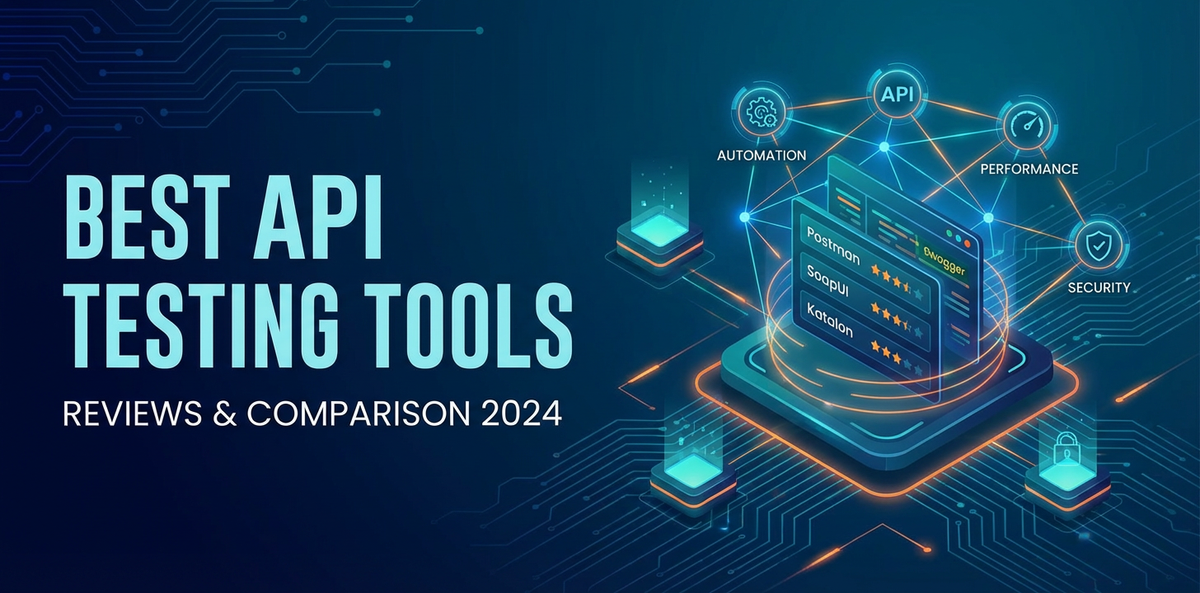
Best API Testing Tools: Reviews & Comparison 2024


In the intricate tapestry of modern software development, Application Programming Interfaces (APIs) have emerged as the foundational threads connecting disparate systems, services, and applications. From mobile apps communicating with backend servers to microservices orchestrating complex business processes, and even the nascent but rapidly evolving world of AI services, APIs are the silent workhorses that enable interoperability and innovation. This pervasive reliance on APIs underscores an inescapable truth: their quality, reliability, and security are paramount. A single faulty API can ripple through an entire ecosystem, disrupting user experiences, causing data inconsistencies, and even leading to significant financial losses. Consequently, the discipline of API testing has transformed from a niche activity into a critical, non-negotiable phase within the software development lifecycle.
The landscape of API development is dynamic, characterized by rapid iteration, the adoption of diverse protocols like REST, SOAP, GraphQL, and gRPC, and the increasing complexity introduced by distributed architectures, serverless functions, and event-driven systems. In this environment, manual testing alone is simply unsustainable. It’s too slow, too prone to human error, and utterly incapable of keeping pace with the velocity of modern development. This is where API testing tools become indispensable, offering the power to automate, scale, and deeply analyze API behavior. They empower development teams to validate functionality, benchmark performance, harden security, and ensure that every api adheres strictly to its contract, often defined by specifications like OpenAPI.
Choosing the right api testing tool or suite of tools is not a trivial decision. The market is saturated with options, each boasting a unique set of features, target users, and underlying philosophies. Some are lightweight and developer-centric, designed for quick ad-hoc requests and initial debugging. Others are robust, enterprise-grade platforms capable of orchestrating complex test scenarios, integrating into continuous integration/continuous deployment (CI/CD) pipelines, and generating comprehensive performance reports. The "best" tool is rarely a universal answer; instead, it's a context-dependent choice, influenced by factors such as team size, technical stack, project complexity, budget constraints, and the specific types of testing required.
This comprehensive guide aims to demystify the world of API testing tools in 2024. We will embark on a detailed exploration of the current trends shaping API testing, delve into various categories of tools, provide in-depth reviews and comparisons of the most prominent players in the market, and offer practical advice on how to select the optimal solutions for your specific needs. Our goal is to equip you with the knowledge necessary to navigate this complex domain, ensuring your APIs are not just functional, but truly robust, performant, and secure, forming the bedrock of reliable and innovative software systems.
The Evolving Landscape of API Testing
The journey of API testing has mirrored the broader evolution of software development itself, moving from siloed, post-development validation to an integrated, continuous practice. In 2024, several macro trends and technological advancements are significantly reshaping how organizations approach api quality assurance, making the selection and utilization of appropriate tools more critical than ever before. Understanding this evolving landscape is the first step towards building a resilient API strategy.
The Rise of Microservices and Distributed Architectures
The shift from monolithic applications to microservices has undeniably been one of the most transformative architectural changes of the last decade. While microservices offer unparalleled benefits in terms of scalability, flexibility, and independent deployability, they introduce a new layer of complexity, primarily through increased inter-service communication via APIs. An application once relying on internal function calls now might make dozens, if not hundreds, of api calls across various services, often managed by an api gateway. This distributed nature means that testing a single feature might require interacting with multiple APIs, each with its own lifecycle, dependencies, and potential failure points.
Consequently, API testing needs to adapt. It’s no longer sufficient to test individual API endpoints in isolation. Testers must now consider the intricate dance of multiple services, ensuring data consistency across boundaries, verifying complex workflows that span several APIs, and managing the challenges of network latency and service outages. This necessitates tools that can orchestrate multi-step scenarios, simulate dependencies, and provide clear visibility into the entire API transaction chain. The emphasis shifts from unit-level API testing to integration and end-to-end testing at the API layer, effectively becoming the backbone of system-level validation.
Shift-Left Testing: Proactive Quality Assurance
The "shift-left" philosophy has gained considerable traction across the software development industry, advocating for moving quality assurance activities earlier in the development lifecycle. For APIs, this means integrating testing not just after development is complete, but during the design and development phases themselves. Developers are increasingly expected to write api tests as part of their coding process, often before the full backend implementation is even finished.
This proactive approach significantly reduces the cost and effort of fixing bugs, as issues are caught when they are easiest to address. Shift-left API testing often involves: * Design-first approach: Defining APIs using specifications like OpenAPI (formerly Swagger) before coding begins. * Contract testing: Ensuring that consumer expectations of an API match the provider's implementation. * Mocking and service virtualization: Creating simulated API responses to allow front-end development and testing to proceed in parallel with backend development, reducing dependency bottlenecks. * Unit and integration tests: Writing granular tests at the code level that validate individual API endpoints and their immediate interactions.
The tools that support this shift-left paradigm are those that integrate seamlessly with developer workflows, support popular programming languages and frameworks, and allow for easy creation and execution of tests from the very beginning.
The Indispensable Role of Automation and CI/CD Integration
In the era of Agile and DevOps, manual API testing is an archaic relic. Automation is not just a luxury; it’s a necessity for achieving rapid release cycles, maintaining code quality, and scaling testing efforts. Automated API tests can be executed quickly and repeatedly, providing immediate feedback to developers and ensuring that new code changes don't introduce regressions.
The ultimate goal for many organizations is to embed API testing directly into their CI/CD pipelines. This means that every code commit can trigger a suite of automated API tests, with failures halting the build or deployment process. Such integration ensures continuous validation, catches issues early, and instills confidence in the release process. Tools that offer robust command-line interfaces (CLIs), flexible reporting formats, and native integrations with popular CI/CD platforms like Jenkins, GitLab CI, GitHub Actions, or Azure DevOps are highly valued in this context. The ability to run tests headless and programmatically is paramount for true automation.
OpenAPI Specifications: The Contractual Core
The OpenAPI Specification (OAS), and its predecessor Swagger, has become the de facto standard for defining RESTful APIs. It provides a language-agnostic, human-readable, and machine-readable interface description for REST APIs, allowing both humans and computers to discover and understand the capabilities of a service without access to source code or additional documentation.
For API testing, OpenAPI specifications are a game-changer. They serve as the definitive contract between API providers and consumers. Testing tools can leverage these specifications in multiple powerful ways: * Test generation: Automatically generating test cases based on the defined endpoints, parameters, request bodies, and expected responses. * Contract validation: Ensuring that the implemented API strictly adheres to its OpenAPI definition. This prevents breaking changes and ensures backward compatibility. * Mocking: Dynamically generating mock servers from OpenAPI definitions, allowing consumers to develop against a simulated API before the actual service is ready. * Documentation: Providing accurate and up-to-date API documentation directly from the specification.
Tools that offer deep integration with OpenAPI specifications are invaluable for maintaining API consistency, streamlining development workflows, and enabling more effective contract testing. They bridge the gap between design, development, and testing, fostering a unified understanding of api behavior across teams.
The Strategic Importance of api gateways
An api gateway acts as a single entry point for all client requests, routing them to the appropriate backend services. It often handles cross-cutting concerns such as authentication, authorization, rate limiting, traffic management, caching, and logging. In modern distributed architectures, an api gateway is not merely a proxy; it’s a critical piece of infrastructure that significantly impacts the performance, security, and manageability of your APIs.
From a testing perspective, the api gateway introduces several considerations: * Performance testing: The gateway itself must be able to handle anticipated traffic loads without becoming a bottleneck. Performance tests often target the gateway directly. * Security testing: The gateway is the first line of defense; its security configurations, such as authentication mechanisms and access policies, need rigorous testing. * Functional testing: Tests must ensure that the gateway correctly routes requests, applies transformations, and enforces policies as expected, without altering the intended functionality of the backend APIs. * Resilience testing: How does the gateway behave under stress, network partitions, or backend service failures?
Tools that can interact with and validate the behavior of APIs behind an api gateway are essential. Furthermore, some advanced api gateway platforms themselves offer monitoring and analytics capabilities that can feed into the testing cycle, providing real-time insights into API health and performance, which can be invaluable for identifying potential issues that might need deeper testing. The evolution of AI services also brings new demands, with specialized AI gateways emerging to manage and standardize calls to diverse AI models. This highlights a convergence where traditional api gateway functions meet the unique needs of AI integration.
This dynamic environment calls for a strategic approach to API testing, one that embraces automation, leverages specifications, integrates with the development lifecycle, and accounts for the complexities introduced by modern architectural patterns. The tools we will explore next are designed to meet these multifaceted challenges, each offering distinct advantages for different testing needs.
Key Categories of API Testing Tools
The vast array of API testing tools available today can be broadly categorized based on their primary function, interface, and target users. Understanding these categories helps in identifying the type of tool best suited for a particular testing requirement.
1. GUI-based Clients for Manual and Exploratory Testing
These tools provide intuitive graphical user interfaces (GUIs) that allow developers and testers to send api requests and inspect responses without writing any code. They are excellent for initial development, debugging, exploratory testing, and quickly verifying API behavior. While primarily manual, many also offer scripting capabilities for basic automation and collection management for organization.
- Characteristics: User-friendly interfaces, visual request builders, response viewers, history logs, environment management, basic scripting.
- Ideal Use Cases: Quick debugging, ad-hoc testing, onboarding new APIs, documenting requests, sharing collections within a team.
- Examples: Postman, Insomnia, Paw/RapidAPI Client.
2. Automation Frameworks/Libraries for Programmatic Testing
These are code-based tools or libraries that integrate directly into a project's codebase, allowing developers and QA engineers to write api tests using familiar programming languages. They offer maximum flexibility, control, and are ideal for integrating into CI/CD pipelines.
- Characteristics: Requires coding knowledge, language-specific, highly customizable, powerful assertion capabilities, integrates with existing test runners.
- Ideal Use Cases: Comprehensive functional testing, unit and integration testing within a development project, complex test data generation, data-driven testing, integration with existing codebases.
- Examples: Rest-Assured (Java), SuperTest (Node.js), Requests (Python), Karate DSL (multi-language/BDD).
3. Performance Testing Tools for Load and Stress Testing
These tools are specifically designed to simulate high volumes of concurrent users and requests to measure an api's response time, throughput, and error rates under various load conditions. They help identify performance bottlenecks and ensure scalability.
- Characteristics: Ability to simulate thousands/millions of users, detailed reporting (response times, errors, throughput), support for various load models (ramp-up, steady state), distributed testing capabilities.
- Ideal Use Cases: Benchmarking API performance, identifying bottlenecks, validating scalability, stress testing, endurance testing.
- Examples: Apache JMeter, K6, LoadRunner, Gatling.
4. Security Testing Tools for Vulnerability Assessment
API security testing tools focus on identifying vulnerabilities in APIs that could be exploited by malicious actors. This includes testing for injection flaws, broken authentication, improper authorization, insecure configurations, and other common API security risks.
- Characteristics: Scan for common vulnerabilities (OWASP API Security Top 10), penetration testing features, fuzzing, authentication/authorization testing, security reporting.
- Ideal Use Cases: Identifying security flaws, ensuring compliance with security standards, penetration testing, DAST (Dynamic Application Security Testing) for APIs.
- Examples: OWASP ZAP, Burp Suite, Postman (with scripting for security scenarios), specialized API security platforms.
5. Contract Testing Tools for OpenAPI Adherence
Contract testing ensures that the agreement (contract) between an API provider and its consumers is upheld. These tools verify that the API's actual behavior matches its OpenAPI specification, preventing unintended breaking changes and ensuring consistency across microservices.
- Characteristics: Consumer-driven contract (CDC) principles, integration with
OpenAPIdefinitions, ability to generate mocks from contracts, clear feedback on contract violations. - Ideal Use Cases: Microservices architectures, ensuring backward compatibility, reducing integration issues, "design-first" API development.
- Examples: Pact, Dredd, Spring Cloud Contract.
6. Mocking/Virtualization Tools for Simulating Dependencies
Mocking and service virtualization tools create simulated versions of dependent APIs or services. This allows development and testing to proceed even when actual dependencies are unavailable, unstable, or costly to access.
- Characteristics: Ability to simulate responses based on requests, configurable delays, error injection, stateful mocks, often generated from
OpenAPIspecifications. - Ideal Use Cases: Decoupling teams, parallelizing development, testing error conditions, reducing reliance on external services, improving test environment stability.
- Examples: WireMock, MockServer, Postman (mock servers),
OpenAPImock generators.
Each category serves a distinct purpose, and in many real-world scenarios, a combination of tools from different categories is employed to achieve comprehensive API quality assurance. For instance, a team might use Postman for initial debugging, Rest-Assured for automated functional tests, JMeter for performance testing, and integrate Dredd for contract validation against their OpenAPI specification. The choice depends on the specific needs at each stage of the API lifecycle.
Detailed Reviews & Comparison of Top API Testing Tools 2024
Navigating the API testing tools market requires a deep dive into the features, strengths, and weaknesses of the leading contenders. Here, we provide detailed reviews of some of the most popular and impactful tools that stand out in 2024, followed by a comparative analysis.
1. Postman
Overview: Postman has cemented its position as arguably the most widely used API development and testing platform globally. What started as a simple Chrome extension for sending HTTP requests has evolved into a comprehensive suite that supports every stage of the API lifecycle, from design and development to testing, documentation, and monitoring. Its intuitive GUI, coupled with powerful underlying capabilities, makes it accessible to both novice developers and seasoned QA professionals. Postman’s strength lies in its ability to cater to individual developers needing a quick request tool, as well as large teams requiring collaborative workspaces, integrated testing, and sophisticated workflows.
Key Features: * User-Friendly Interface: An intuitive and clean UI for constructing and sending requests (GET, POST, PUT, DELETE, etc.), managing headers, query parameters, and request bodies (JSON, XML, form-data). * Collections: Organize API requests into logical groups, which can be shared, documented, and run as a sequence of tests. Collections are fundamental for building comprehensive test suites. * Environments: Manage different configurations (e.g., development, staging, production API endpoints, authentication tokens) by switching between environment variables. * Scripting (Pre-request & Test Scripts): Write JavaScript code to modify requests before they are sent (e.g., generating dynamic data, setting authentication headers) and to validate responses after they are received (e.g., assertions for status codes, data presence, schema validation). This is where its automation power truly shines. * Mock Servers: Create mock API endpoints from collections or OpenAPI schemas, allowing frontend teams to develop against a simulated backend before the actual API is ready. * OpenAPI/Swagger Support: Import and export OpenAPI definitions, generate collections from specifications, and even use specifications for contract testing assertions. * Workspaces & Collaboration: Share collections, environments, and API definitions within teams, facilitating collaborative API development and testing. Access control and versioning are supported. * API Monitoring: Schedule collections to run at regular intervals from different global locations, providing uptime and performance metrics. * Newman (CLI Companion): A command-line collection runner that enables integration with CI/CD pipelines, allowing automated execution of Postman tests without the GUI. * Built-in Code Generator: Generate code snippets for various languages and frameworks, simplifying client-side api integration.
Pros: * Extremely Versatile: Suitable for exploratory, functional, performance (basic), and even security testing (with custom scripts). * Excellent UX/UI: Easy to learn and use, making it approachable for a wide audience. * Strong Collaboration Features: Facilitates team-wide API development and testing workflows. * Rich Ecosystem: Large community, extensive documentation, and a marketplace for integrations. * Comprehensive OpenAPI Support: Integrates well with API design and contract validation workflows.
Cons: * Performance Testing Limitations: While it can do basic load testing, it's not a dedicated high-volume performance testing tool like JMeter or K6. * Advanced Scripting Can Be Complex: For very complex automation scenarios, the JavaScript environment might become cumbersome compared to native programming language frameworks. * Resource Intensive: The desktop application can sometimes consume significant system resources. * Pricing for Teams: While a free tier exists, advanced collaboration and monitoring features require paid plans, which can become costly for larger teams.
Ideal Use Cases: * Rapid API prototyping and debugging. * Functional and regression testing of REST APIs. * Team collaboration on API development and testing. * Generating API documentation. * Early-stage api mocking. * Integration into CI/CD pipelines via Newman for automated regression checks.
2. Insomnia
Overview: Insomnia is another highly popular desktop api client, often seen as a direct competitor to Postman, particularly favored by developers who prefer a minimalist, keyboard-driven interface and a focus on API design. It offers a clean, efficient workspace for crafting HTTP requests, managing environments, and generating code. While it shares many core functionalities with Postman, Insomnia tends to appeal to users who appreciate its open-source nature (for its core features), robust GraphQL support, and strong emphasis on a "design-first" API approach.
Key Features: * Sleek User Interface: A modern, clean, and highly responsive UI that prioritizes efficiency and clarity. * HTTP/REST/GraphQL/gRPC Support: Excellent support for various API protocols, with a particularly strong emphasis on GraphQL request building and schema introspection. * Environment Management: Easily manage environment variables to switch between different api endpoints and configurations. * Request Chaining: Link multiple requests together, using data from one response in subsequent requests, enabling complex workflow testing. * Code Generation: Generate client-side code snippets for numerous programming languages and frameworks. * OpenAPI/Swagger Integration: Import OpenAPI specifications to populate requests and collections, and export Insomnia configurations to OpenAPI. * Plugin System: Extend functionality with a vibrant ecosystem of community-developed plugins. * Git Sync: Directly sync workspaces and collections with Git repositories, facilitating version control and collaborative development. * Vault: Securely store sensitive data like API keys and tokens. * Automated Testing (via Inso CLI): A command-line interface for running Insomnia tests, perfect for CI/CD integration.
Pros: * Developer-Centric Design: Favored by developers for its speed, simplicity, and efficient workflow. * Excellent GraphQL Support: Superior experience for GraphQL API interaction compared to many other tools. * Git Integration: Native Git sync is a significant advantage for version control and team collaboration. * Open-Source Core: The core application is open-source, fostering transparency and community contributions. * Lightweight and Fast: Generally perceived as less resource-intensive than some alternatives.
Cons: * Less Mature Collaboration Features: While it has team features, they might not be as extensive or deeply integrated as Postman's paid offerings. * Fewer Monitoring/Reporting Capabilities: Not as focused on API monitoring or sophisticated reporting as broader platforms. * Learning Curve for Advanced Features: While basic use is simple, leveraging its full power (e.g., request chaining, complex plugins) might require some initial effort.
Ideal Use Cases: * GraphQL API development and testing. * Developers preferring a minimalist, efficient api client. * Teams that heavily rely on Git for version control of API definitions and tests. * Quick debugging and exploratory testing of REST and other APIs. * Integrating API tests into CI/CD pipelines via CLI.
3. SoapUI / ReadyAPI (SmartBear)
Overview: SoapUI, originally developed for SOAP web services, has evolved significantly and is now a powerful, comprehensive open-source tool for testing REST, SOAP, and GraphQL APIs. Its commercial counterpart, ReadyAPI by SmartBear, extends SoapUI's capabilities with advanced features for performance testing, security testing, and mocking, making it an enterprise-grade solution. While SoapUI's interface can feel a bit dated compared to newer tools, its robustness and feature set are undeniable, especially for complex enterprise environments and mixed protocol scenarios.
Key Features (SoapUI OSS): * Multi-Protocol Support: Comprehensive support for SOAP, REST, GraphQL, AMF, JMS, and more. * Functional Testing: Create complex test suites, test cases, and test steps. Supports data-driven testing, assertions, and scripting (Groovy). * Load Testing (Basic): Limited load testing capabilities for basic performance checks. * Security Testing (Basic): Built-in scans for common vulnerabilities like SQL injection and cross-site scripting (XSS). * OpenAPI/WSDL/WADL Import: Easily import API definitions to generate test cases. * Mocking: Create mock services to simulate API behavior, allowing parallel development and testing of dependent systems.
Key Features (ReadyAPI - Commercial): * Advanced Performance Testing (LoadUI Pro): Dedicated load testing module with comprehensive metrics, distributed testing, and detailed reporting. * Enhanced Security Testing (Secure Pro): More extensive security scans, fuzzing, penetration testing capabilities. * Service Virtualization (Virtualize Pro): Advanced mocking capabilities for complex scenarios, stateful mocks, and integration with OpenAPI definitions. * OpenAPI/Swagger-Driven Testing: Strong emphasis on generating and managing tests directly from OpenAPI specifications. * API Monitoring: Integrate with monitoring solutions for continuous API health checks. * Reporting & Analytics: Professional-grade reports and analytics for test results. * CI/CD Integration: Seamless integration with popular CI/CD tools. * Team Collaboration: Features for sharing projects and managing test assets across teams.
Pros: * Comprehensive Feature Set: Covers functional, performance, security, and mocking (especially ReadyAPI). * Robust for Enterprise Use: Designed for complex, mission-critical API testing scenarios. * Strong Support for Multiple Protocols: Excellent for organizations with diverse API ecosystems (SOAP, REST, GraphQL). * OpenAPI Integration: Leverages API definitions for streamlined test creation and validation. * Scripting Flexibility: Groovy scripting provides immense power and customization.
Cons: * Steeper Learning Curve: The UI can feel less intuitive and more complex compared to Postman or Insomnia. * Resource Intensive: Can be demanding on system resources, especially ReadyAPI. * Cost of ReadyAPI: The commercial version is expensive, putting it out of reach for smaller teams or individual developers. * UI Can Feel Dated: The user experience might not be as polished or modern as newer tools.
Ideal Use Cases: * Enterprise-level API testing requiring functional, performance, and security testing. * Organizations with a mix of SOAP and REST APIs. * Teams needing advanced service virtualization and mocking. * Companies requiring professional reporting and deep analytics for API quality. * For thorough OpenAPI definition validation and testing within a structured environment.
4. Apache JMeter
Overview: Apache JMeter is a powerful, open-source Java-based desktop application designed primarily for performance testing, but also capable of functional testing. It can test performance on static and dynamic resources, web dynamic applications, various api services, and more. Its strength lies in its ability to simulate heavy load conditions, generate detailed performance reports, and support a wide array of protocols. While its UI can appear intimidating to newcomers, JMeter's flexibility and extensibility through plugins make it a go-to choice for serious performance engineers.
Key Features: * Protocol Support: HTTP/S, SOAP/REST, FTP, JDBC, LDAP, JMS, TCP, Mail, Native commands, and more. * Performance Testing: Simulate heavy load to test the robustness and analyze the overall performance of APIs and web applications. * Functional Testing: Build test plans with assertions to validate API responses for functional correctness. * Comprehensive Reporting: Generate various listener-based reports (graph results, aggregate reports, summary reports, assertion results) in HTML, XML, or CSV formats. * Extensibility: Highly extensible through a vast plugin ecosystem that adds features like advanced controllers, listeners, and samplers. * Distributed Testing: Supports running tests across multiple machines to simulate even larger loads. * Parameterized Testing: Use variables and CSV data sets for data-driven test scenarios. * Record and Playback: Record HTTP/S requests from browser sessions to quickly create test scripts.
Pros: * Open-Source & Free: No licensing costs, backed by a large community. * Highly Versatile: Excellent for both performance and functional testing of diverse protocols. * Extensible through Plugins: A rich plugin ecosystem enhances its capabilities significantly. * Distributed Testing: Can simulate massive loads by scaling across multiple machines. * Detailed Reporting: Provides in-depth analysis of performance metrics.
Cons: * Steep Learning Curve: The UI and concepts can be challenging for beginners. * Resource Intensive: Being a Java application, it can consume considerable memory and CPU for large test plans. * Limited Collaboration Features: Primarily a single-user desktop application; sharing test plans can be cumbersome. * Not Ideal for API Design/Debugging: Lacks the quick interaction and design-centric features of tools like Postman or Insomnia.
Ideal Use Cases: * Load and stress testing of APIs and web applications. * Performance benchmarking and bottleneck identification. * Endurance testing of API services. * Functional testing for complex, data-driven scenarios, especially when integrated into CI/CD. * Any scenario requiring large-scale, automated performance validation of an api.
5. Karate DSL
Overview: Karate DSL is a relatively newer entrant but has rapidly gained popularity as an open-source tool for API automation testing, performance testing, and even UI automation. What makes Karate unique is its domain-specific language (DSL) built on top of the Gherkin syntax (Behavior-Driven Development - BDD), which allows for writing API tests in a human-readable, scriptless fashion. It’s essentially a single tool that can handle api functional testing, mock servers, and even performance testing, all within the same framework. This unified approach simplifies the testing stack, making it very appealing to development teams.
Key Features: * BDD-Style Syntax: Write tests using a simple, human-readable Gherkin-like syntax (Given, When, Then) that is easy for non-programmers to understand, yet powerful enough for developers. * HTTP/1.1 and HTTP/2 Support: Native support for both protocols, making it future-proof. * api Functional Testing: Robust capabilities for calling APIs, asserting responses (JSON, XML, HTML), and handling complex data scenarios. * api Mocking: Built-in mock server functionality to simulate api responses, useful for contract testing and parallel development. * Test Doubles & Stubbing: Easily create test doubles for external dependencies. * Performance Testing: Re-use functional tests for performance testing with minimal additional configuration (integrates with Gatling). * UI Automation: Capabilities for automating browser interactions, allowing for end-to-end tests that span both API and UI layers. * OpenAPI/Swagger Integration: Automatically generate tests from OpenAPI definitions, facilitating contract testing. * JSON/XML Schema Validation: Powerful assertions for validating response schemas. * Multi-threading: Supports parallel test execution for speed.
Pros: * Simplified Testing Stack: A single tool for functional, performance, mocking, and UI testing. * Human-Readable Syntax: Low learning curve for writing basic tests, making it accessible to QA and BAs. * Excellent for BDD: Integrates naturally with BDD workflows. * Powerful Built-in Assertions: Makes response validation straightforward. * Strong OpenAPI Integration: Great for contract-driven development. * Fast Execution: Designed for speed, especially with parallel execution. * Active Community: Growing community and regular updates.
Cons: * DSL Specificity: While human-readable, it’s a specific DSL, meaning advanced scenarios might require delving into its unique syntax. * Less Granular Control for Performance: While it integrates with Gatling for performance, it might not offer the same deep configuration as JMeter for specific load patterns. * Smaller Ecosystem: Compared to more established Java-based frameworks, its direct integrations might be fewer.
Ideal Use Cases: * Teams adopting a BDD approach to api testing. * Organizations looking for a single tool to cover multiple testing types (functional, performance, mocking). * Projects prioritizing readability and maintainability of API tests. * Contract testing driven by OpenAPI specifications. * Microservices environments where mocking and end-to-end testing across APIs are crucial.
6. Rest-Assured
Overview: Rest-Assured is a popular, open-source Java library specifically designed to simplify the testing of RESTful APIs. For Java developers, it provides a highly fluent and intuitive DSL (Domain Specific Language) that makes writing and maintaining api tests feel like a natural extension of their existing coding practices. It is built on top of the Apache HTTP Client and provides a powerful set of features for sending requests, validating responses, and integrating with popular testing frameworks like JUnit and TestNG. Rest-Assured is the go-to choice for Java-heavy teams looking for robust, programmatic control over their API testing efforts.
Key Features: * Fluent API: Uses a chained method call syntax that reads almost like plain English, making tests highly readable. * HTTP Methods Support: Comprehensive support for all standard HTTP methods (GET, POST, PUT, DELETE, PATCH, OPTIONS). * Response Validation: Powerful assertion capabilities for status codes, headers, body content (JSONPath, XMLPath, Hamcrest matchers), and schema validation. * Request Specification: Easily define common request parameters (base URI, headers, authentication) to be reused across multiple tests. * Authentication Support: Built-in support for various authentication schemes (Basic, Digest, OAuth 1 & 2). * Proxy Support: Configure proxy settings for testing in restricted network environments. * File Upload/Download: Handle file uploads and downloads gracefully. * Serialization/Deserialization: Automatically serialize Java objects to JSON/XML and deserialize responses back into Java objects. * Integration with Test Frameworks: Seamlessly integrates with JUnit, TestNG, and other Java testing frameworks.
Pros: * Developer-Friendly for Java Devs: Extremely intuitive and powerful for Java programmers, leveraging their existing skills. * Highly Flexible & Customizable: Provides granular control over every aspect of an HTTP request and response. * Robust Assertion Capabilities: Powerful JSONPath/XMLPath and Hamcrest matchers for precise data validation. * Excellent for Integration with CI/CD: As a code-based library, it fits perfectly into automated build pipelines. * Active Community & Documentation: Well-maintained with extensive documentation and community support.
Cons: * Java-Specific: Only suitable for teams primarily working in Java or JVM-based languages. * Requires Coding Knowledge: Not suitable for non-technical testers or for quick, ad-hoc API exploration. * Limited UI: No graphical interface for test creation or execution, relying purely on code. * No Built-in Performance/Security: Primarily focused on functional testing; requires integration with other tools for performance or security.
Ideal Use Cases: * Java-centric development teams for functional and regression testing of REST APIs. * Building comprehensive, data-driven API test suites within a Java project. * Integrating API tests into existing Java-based CI/CD pipelines. * Scenarios requiring complex request construction and intricate response validation.
7. K6 (Grafana Labs)
Overview: K6 is a modern, developer-centric load testing tool from Grafana Labs, designed to make performance testing a seamless part of the development workflow. Unlike older tools like JMeter, K6 scripts are written in JavaScript (ES6+), appealing directly to developers who are already familiar with the language. It's built for performance, with a focus on ease of use, strong automation capabilities, and native integration into CI/CD pipelines. K6 positions itself as a tool for "load testing that's pleasant to use," bridging the gap between developers and performance engineers.
Key Features: * JavaScript (ES6+) Scripting: Write expressive test scripts using familiar JavaScript, making it easy for frontend and backend developers to contribute. * High-Performance Engine: Built in Go, K6 is highly efficient and can generate significant load from a single machine. * Metrics & Dashboards: Collects a rich set of performance metrics (response times, throughput, error rates, custom metrics) and integrates seamlessly with Grafana for visualization. * Automation & CI/CD: Designed for automation, with a command-line interface that allows for easy integration into any CI/CD pipeline. * Thresholds & Alerts: Define pass/fail criteria (thresholds) directly in scripts, enabling automated build failures on performance regressions. * Protocol Support: Primarily HTTP/1.1 and HTTP/2, but also supports WebSockets and gRPC (with extensions). * OpenAPI Converter: Tools to convert OpenAPI definitions into K6 scripts for easier test generation. * Cloud Execution: Grafana Cloud K6 offers distributed load generation from multiple geographic locations without managing local infrastructure. * Browser-Level Simulations (via xk6-browser): An experimental extension allowing for limited browser interaction alongside API requests.
Pros: * Developer-Friendly (JavaScript): Lowers the barrier to entry for performance testing for developers. * High Performance: Efficiently generates load, making it suitable for demanding tests. * Excellent CI/CD Integration: Built for automation with robust CLI and thresholding. * Rich Metrics & Grafana Integration: Provides powerful visualization and analysis of performance data. * Modern & Actively Developed: Benefits from continuous improvements and a growing community.
Cons: * JavaScript Only: Limits adoption for teams not proficient in JavaScript. * Primarily Performance Focused: While it can do functional assertions, it's not a general-purpose functional testing tool. * Less Intuitive for Non-Coders: Requires coding, unlike GUI-based tools for functional testing. * Cloud Version Costs: While open-source, the cloud-managed service incurs costs for distributed testing at scale.
Ideal Use Cases: * Teams looking to integrate performance testing deeply into their CI/CD pipelines. * Developers who want to own and write their performance tests using JavaScript. * Microservices architectures needing continuous performance validation. * Applications where identifying performance regressions early is critical. * Organizations that leverage Grafana for monitoring and observability.
8. APIPark: A Unified API Management & AI Gateway Solution
While not a direct API testing tool in the traditional sense, understanding the broader API ecosystem is crucial. APIPark represents a significant evolution in api gateway and API management platforms, especially for organizations grappling with the complexities of integrating both RESTful services and the rapidly expanding landscape of AI models. It acts as an open-source AI gateway and API developer portal, offering an all-in-one solution for managing, integrating, and deploying a diverse set of services.
APIPark's role complements and enhances the API testing process by standardizing API access, providing robust management, and offering deep insights into API behavior. It is an APIPark - Open Source AI Gateway & API Management Platform, designed to streamline the lifecycle of APIs, from design to invocation and decommissioning.
How APIPark Complements API Testing:
- Unified API Format for AI Invocation: APIPark standardizes the request data format across various AI models. This standardization greatly simplifies the process of testing AI-powered APIs, as testers can work with a consistent interface regardless of the underlying AI model. This reduces test case complexity and maintenance.
- Prompt Encapsulation into REST API: The ability to quickly combine AI models with custom prompts to create new REST APIs means that these newly created APIs can then be tested using any of the traditional API testing tools mentioned above. APIPark acts as the factory for these testable endpoints.
- End-to-End API Lifecycle Management: By managing the entire lifecycle, APIPark helps regulate API management processes, manage traffic forwarding, load balancing, and versioning. These are all critical aspects that need to be validated through testing. A well-managed API lifecycle via a platform like APIPark means more consistent and predictable APIs, which are inherently easier to test.
- Detailed API Call Logging and Powerful Data Analysis: APIPark provides comprehensive logging capabilities, recording every detail of each API call. This data is invaluable for troubleshooting failed API tests, understanding unexpected behavior, and validating the correctness of API responses. Its powerful data analysis features can display long-term trends and performance changes, offering insights that can inform further performance or functional testing efforts, helping businesses with preventive maintenance before issues occur.
- Performance Rivaling Nginx: While not a testing tool, its reported high performance (over 20,000 TPS with modest resources) means that the
api gatewayitself is a highly performant component. When testing APIs behind APIPark, performance bottlenecks are less likely to originate from the gateway itself, allowing testing tools like JMeter or K6 to focus on the backend services.
Key Features (Summary relevant to testing context): * Quick Integration of 100+ AI Models: Simplifies testing of diverse AI services. * Unified API Format: Standardizes API interactions for easier test creation. * Prompt Encapsulation into REST API: Creates testable REST endpoints from AI models. * End-to-End API Lifecycle Management: Ensures consistent API behavior for testing. * Performance Rivaling Nginx: Provides a high-performance api gateway infrastructure. * Detailed API Call Logging: Crucial for debugging and validating API tests. * Powerful Data Analysis: Offers insights into API performance and behavior, guiding testing efforts.
APIPark enhances the overall reliability and testability of an organization's API portfolio, serving as a critical piece of infrastructure that supports efficient and effective API testing. By offering a robust api gateway for both traditional REST and new AI services, it ensures that the APIs being tested are managed optimally, consistently, and securely.
Comparison Table of Leading API Testing Tools (2024)
| Feature / Tool | Postman | Insomnia | SoapUI (ReadyAPI) | Apache JMeter | Karate DSL | Rest-Assured (Java) | K6 (Grafana Labs) |
|---|---|---|---|---|---|---|---|
| Primary Use | Functional, Exploratory, Collaboration | Functional, Exploratory, Design-first, GraphQL | Functional, Performance, Security (Ent.) | Performance, Functional | Functional, Mocking, Performance, UI (BDD) | Functional, Integration | Performance, Functional (Developer-centric) |
| Type | GUI + Scripting, Cloud-enabled | GUI + Scripting, Desktop | Desktop, Commercial Enterprise Suite | Desktop (Java), Open Source | Code-based (DSL), Open Source | Code-based (Java Library), Open Source | Code-based (JS), Open Source (Go-engine) |
| Protocols | REST, SOAP, GraphQL, gRPC | REST, SOAP, GraphQL, gRPC | REST, SOAP, GraphQL, JMS, AMF, etc. | HTTP/S, SOAP/REST, FTP, JDBC, etc. | HTTP/S, WebSockets, SOAP (via lib) | HTTP/S (REST) | HTTP/S, WebSockets, gRPC |
OpenAPI Support |
Excellent (Import/Export, Gen Tests) | Excellent (Import/Export, Gen Requests) | Excellent (Import WSDL/OpenAPI) |
Via Plugins/Scripting | Excellent (Gen Tests from OpenAPI) |
Via Libraries (e.g., json-schema-validator) | Good (Converters to K6 scripts) |
| Collaboration | Excellent (Workspaces, Cloud Sync) | Good (Git Sync, Team Workspaces) | Good (Project sharing, Ent. Features) | Limited (Manual sharing of JMX files) | Good (Git-friendly, BDD) | Good (Standard code collaboration) | Good (Git-friendly, CI/CD) |
| Performance Test | Basic (for individual requests) | Basic | Good (LoadUI Pro in ReadyAPI) | Excellent (Primary use) | Good (Integrated with Gatling) | N/A (Focus on functional) | Excellent (Primary use, JS scripting) |
| Security Test | Scripting for basic checks | Scripting for basic checks | Good (Secure Pro in ReadyAPI) | N/A (Requires custom scripts/plugins) | Scripting for basic checks | N/A | N/A |
| Mocking | Built-in Mock Servers | Built-in Mock Servers | Excellent (Virtualize Pro in ReadyAPI) | Via external tools/plugins | Built-in Mock Server | Via external libraries/frameworks | N/A (Focus on load generation) |
| Ease of Use | High (GUI) | High (GUI, Developer-centric) | Medium (Steeper for new users) | Low (Steep learning curve) | Medium (BDD-like syntax) | Medium-High (for Java developers) | Medium-High (for JS developers) |
| Pricing Model | Freemium (Free, Paid Teams/Mon.) | Freemium (Open-source core, Paid Teams) | Open Source (SoapUI), Commercial (ReadyAPI) | Free & Open Source | Free & Open Source | Free & Open Source | Free & Open Source (Paid Cloud Service) |
| CI/CD Integration | Excellent (Newman CLI) | Excellent (Inso CLI) | Good (ReadyAPI CLI) | Excellent (CLI for test execution) | Excellent (Command-line execution) | Excellent (Integrated with build tools) | Excellent (CLI for test execution, Thresholds) |
APIPark is a high-performance AI gateway that allows you to securely access the most comprehensive LLM APIs globally on the APIPark platform, including OpenAI, Anthropic, Mistral, Llama2, Google Gemini, and more.Try APIPark now! 👇👇👇
Factors to Consider When Choosing an API Testing Tool
Selecting the right api testing tool or combination of tools is a strategic decision that can significantly impact the efficiency, quality, and pace of your software development. With the plethora of options available, a systematic approach is essential. Here are the critical factors to consider:
1. Team's Technical Stack and Expertise
The most fundamental consideration is your team's existing skill set and technology preferences. * Programming Language Proficiency: If your team is primarily Java-focused, a library like Rest-Assured will feel natural and highly productive. For JavaScript-savvy teams, K6 or frameworks like SuperTest are excellent choices. Tools like Postman or Insomnia are language-agnostic at the user level, making them accessible to diverse teams. * Familiarity with Test Frameworks: Does your team already use JUnit, TestNG, or similar frameworks? Choosing an API testing library that integrates seamlessly with these can reduce context switching and accelerate adoption. * Comfort with Coding vs. GUI: Does your QA team prefer a graphical interface for building tests, or are they comfortable writing code? GUI-based tools (Postman, Insomnia, SoapUI) are excellent for visual test creation, while code-based tools (Rest-Assured, K6, Karate DSL) offer more flexibility and power for developers.
2. Types of APIs and Protocols
Not all APIs are created equal, and your chosen tool must support the specific protocols and styles your applications use. * RESTful APIs: Most modern tools handle REST APIs exceptionally well, offering robust support for HTTP methods, JSON/XML payloads, and status codes. * SOAP Web Services: If you still deal with legacy SOAP services, tools like SoapUI/ReadyAPI are specifically designed for them, with strong WSDL import capabilities. * GraphQL APIs: Insomnia and Postman offer strong built-in support for GraphQL, including schema introspection and query building. * gRPC/WebSockets/Other Protocols: For these less common (in testing tools context) protocols, specialized libraries or tools with plugin architectures (like JMeter or Postman's extensions) might be necessary. * OpenAPI / Swagger Definitions: If your organization practices API-first design or uses OpenAPI specifications as contracts, prioritize tools that can import these definitions to generate tests, validate adherence, or create mocks. This streamlines contract testing and ensures consistency.
3. Specific Testing Requirements
Determine the primary types of testing you need to perform. Many tools excel in one area but are weak in others. * Functional Testing: Verifying that an api behaves as expected. Almost all tools can do this, but the depth, automation capabilities, and ease of assertion vary. * Regression Testing: Ensuring new changes don't break existing functionality. This demands automation and integration with CI/CD. * Performance/Load Testing: Measuring an api's response under load. Dedicated tools like JMeter or K6 are essential for serious performance analysis. * Security Testing: Identifying vulnerabilities. Specialized security tools (OWASP ZAP, Burp Suite) are best, though some general API tools (ReadyAPI) offer integrated security features. * Contract Testing: Validating that an API adheres to its OpenAPI or other contract specifications. Tools like Karate DSL, Dredd, or specific OpenAPI validators integrated with Postman/Insomnia are key. * Integration Testing: Testing how multiple APIs or services interact. This often requires complex request chaining and scenario orchestration, which tools like Postman collections or code-based frameworks handle well.
4. Integration with CI/CD Pipelines
For true DevOps adoption and continuous quality, API testing must be an integral part of your CI/CD workflow. * Command-Line Interface (CLI): Tools with robust CLIs (Newman for Postman, Inso for Insomnia, K6 CLI, JMeter CLI) are crucial for headless, automated test execution within build pipelines. * Reporting: The tool should generate clear, machine-readable reports (JUnit XML, HTML, JSON) that can be easily parsed by CI/CD systems to indicate test status. * Exit Codes/Thresholds: The ability to define pass/fail criteria directly in tests or scripts (e.g., K6 thresholds) allows the CI/CD pipeline to automatically break builds on failures. * Triggering Mechanisms: Ensure the tool can be triggered by common CI/CD platforms (Jenkins, GitLab CI, GitHub Actions).
5. Collaboration Features
For team environments, sharing, managing, and collaborating on api tests is paramount. * Shared Workspaces/Collections: Platforms like Postman and Insomnia offer dedicated features for team collaboration, allowing easy sharing of requests, environments, and test suites. * Version Control Integration: Direct integration with Git (like Insomnia) or easy integration via file systems for code-based tests (Rest-Assured, Karate DSL) is vital for tracking changes and resolving conflicts. * Access Control: For larger organizations, features to manage user roles and permissions are important for securing test assets.
6. Scalability and Reporting
Consider how the tool performs under growing demands and its ability to provide actionable insights. * Scalability: Can the tool handle the number of APIs, test cases, and load you anticipate? For performance testing, distributed execution capabilities are key. * Reporting: Does it provide clear, comprehensive, and customizable reports that stakeholders (developers, QA, product owners) can understand? Visual dashboards and detailed error logs are crucial. * Metrics: What kind of metrics does it collect (response times, errors, throughput, custom metrics), and how easily can these be integrated with monitoring platforms (e.g., K6 with Grafana)?
7. Cost vs. Features
Budget constraints always play a role. * Open-Source vs. Commercial: Open-source tools (JMeter, SoapUI OSS, Rest-Assured, Karate DSL, K6) offer powerful capabilities at no direct licensing cost, but may require more internal expertise for setup and maintenance. Commercial tools (ReadyAPI, Postman/Insomnia paid tiers) often provide more polished UIs, dedicated support, and advanced features, but come with subscription fees. * Total Cost of Ownership: Beyond licensing, consider the cost of training, infrastructure (for performance testing), and ongoing maintenance.
8. api gateway Interactions and API Management
An often-overlooked but crucial aspect, especially in microservices architectures, is how the testing tools interact with your api gateway and API management strategy. * Gateway Validation: Can your tools effectively test APIs through the api gateway, ensuring all gateway policies (security, rate limiting, routing) are correctly applied without interfering with testing? * API Management Insights: Does your api management platform, like APIPark, provide logs or metrics that can be leveraged to inform or debug your API tests? A robust AI gateway and API management platform can streamline the API lifecycle, ensuring a consistent environment that simplifies testing efforts and provides rich data for analysis. The detailed logging and analysis capabilities of a platform like APIPark can directly aid in troubleshooting and validating API tests.
By systematically evaluating these factors against your specific project and organizational needs, you can make an informed decision and choose the API testing tools that will best serve your goals, fostering a culture of quality and efficiency in your API development lifecycle.
Best Practices in API Testing
Beyond selecting the right tools, the effectiveness of your api testing strategy hinges on adopting a set of best practices. These principles ensure your testing efforts are comprehensive, efficient, maintainable, and ultimately contribute to delivering high-quality, reliable APIs.
1. Embrace the Shift-Left Approach
Integrate API testing early and often throughout the software development lifecycle, not just at the end. * Design-First with OpenAPI: Start by defining your api contract using OpenAPI (or similar specifications). This serves as the single source of truth and allows for parallel development and early test generation. * Developer-Driven Testing: Encourage developers to write API tests as part of their feature development. This catches bugs at the source, where they are cheapest to fix. * Mocking and Virtualization: Use api mocking tools to simulate dependent services. This decouples teams, allows frontend and backend development to proceed concurrently, and enables testing of edge cases (e.g., error responses, timeouts) that might be hard to simulate in real environments.
2. Automate Everything Possible
Manual API testing is slow, error-prone, and not scalable. Prioritize automation at every turn. * Comprehensive Automation: Automate functional, regression, performance, and basic security tests for your APIs. * CI/CD Integration: Integrate your automated API tests into your Continuous Integration/Continuous Delivery (CI/CD) pipelines. Every code commit should trigger relevant API tests, providing immediate feedback. A failing api test should ideally break the build, preventing faulty code from progressing. * Headless Execution: Ensure your chosen tools support command-line execution for seamless CI/CD integration.
3. Version Control for Tests
Treat your API tests as first-class code. * Store in VCS: Keep all API test scripts, collections, and configurations in a version control system (e.g., Git) alongside your application code. * Code Review: Subject API test code to the same rigorous code review process as application code. This ensures quality, readability, and maintainability. * Branching Strategy: Align your test repository's branching strategy with your application code's, ensuring that changes in features or APIs are accompanied by corresponding test updates.
4. Robust Test Data Management
Effective API testing relies heavily on good test data. * Parameterized Tests: Design tests to be data-driven, using external data sources (CSV, JSON, databases) to cover a wide range of scenarios without duplicating test logic. * Realistic Data: Use data that closely mimics real-world scenarios, including valid, invalid, edge case, and boundary values. * Data Generation Tools: Leverage tools or libraries to generate synthetic but realistic test data, especially for large volumes or complex structures. * Data Cleanup: Implement mechanisms to clean up test data after test runs to maintain environment integrity.
5. Clear and Concise Reporting
Test results are only valuable if they are understandable and actionable. * Readable Reports: Generate reports that are easy to interpret for developers, QA engineers, and project managers. HTML reports with clear pass/fail indicators, error messages, and response details are ideal. * Key Metrics: For performance tests, focus on critical metrics like response times, throughput, error rates, and resource utilization. * Integration with Dashboards: Integrate test results with monitoring dashboards (like Grafana, ELK stack) for long-term trend analysis and proactive issue detection. The powerful data analysis capabilities of an API management platform like APIPark can complement this by providing a consolidated view of API usage and performance.
6. Focus on api Contract Testing
Ensure that your APIs adhere to their defined contracts. * OpenAPI Validation: Automatically validate your API implementation against its OpenAPI specification. This prevents breaking changes and ensures consistency between documentation and actual behavior. * Consumer-Driven Contracts (CDC): For microservices, consider implementing CDC to ensure that each service meets the expectations of its consumers, minimizing integration issues.
7. Test for Edge Cases and Negative Scenarios
Don't just test the "happy path." * Error Handling: Thoroughly test how your API handles invalid inputs, missing parameters, incorrect authentication, network errors, and other error conditions. Ensure appropriate error codes and messages are returned. * Boundary Conditions: Test values at the limits of expected ranges. * Performance Under Failure: How does the api behave when dependent services are slow or unavailable? Use mocking to simulate these scenarios.
8. Regular Review and Maintenance of Tests
API tests are living assets and require ongoing care. * Refactor Tests: As APIs evolve, refactor your tests to keep them clean, efficient, and up-to-date. * Remove Duplication: Eliminate redundant tests to reduce maintenance overhead. * Keep Pace with API Changes: Ensure that any api modifications, especially those that adhere to the OpenAPI specification, are immediately reflected in your test suites.
By embedding these best practices into your API development and quality assurance processes, your team can build a robust, scalable, and highly reliable API ecosystem, confidently powering your applications and services.
Conclusion
The role of APIs in driving digital transformation and enabling interconnected systems has never been more critical. From powering mobile applications to orchestrating complex microservices and facilitating the integration of advanced AI models, APIs are the very sinews of modern software. Consequently, the discipline of API testing has evolved from a peripheral activity into an indispensable cornerstone of quality assurance, demanding continuous attention and sophisticated tooling. In 2024, the landscape of API testing tools is rich and diverse, offering solutions tailored to virtually every conceivable need and technical environment.
We've traversed the dynamic terrain of API testing, recognizing the profound impact of microservices, the strategic imperative of shift-left testing, the non-negotiable requirement for automation within CI/CD pipelines, and the central role of OpenAPI specifications in defining and validating api contracts. We also highlighted the crucial function of an api gateway in managing and securing API traffic, an area where innovative platforms like APIPark are making significant strides, particularly in streamlining the management and integration of AI services alongside traditional REST APIs. APIPark's ability to unify AI model invocation, encapsulate prompts into REST APIs, and provide comprehensive logging and analytics greatly enhances the overall testability and reliability of an API ecosystem.
Our deep dive into leading tools like Postman, Insomnia, SoapUI/ReadyAPI, Apache JMeter, Karate DSL, Rest-Assured, and K6 revealed a spectrum of capabilities. From the intuitive GUI-driven exploration and collaboration features of Postman and Insomnia to the enterprise-grade robustness of ReadyAPI, the performance testing prowess of JMeter and K6, and the developer-friendly, BDD-style automation of Karate DSL and Rest-Assured, each tool offers distinct advantages. The "best" tool, as we've emphasized, is not a singular champion but rather a context-dependent choice, shaped by factors such as your team's technical stack, the types of APIs you build, your specific testing requirements (functional, performance, security, contract), and your integration needs within a CI/CD pipeline.
Ultimately, effective API testing transcends mere tool selection. It requires a holistic strategy underpinned by best practices: embracing shift-left principles, prioritizing automation, managing test data meticulously, adopting version control for test assets, and generating clear, actionable reports. By systematically evaluating your needs against the diverse offerings and committing to these best practices, you can cultivate a robust API quality culture that ensures your APIs are not only functional but also resilient, performant, and secure, laying a solid foundation for innovation and user trust. The future of software is API-driven, and the future of API quality is in your hands.
Frequently Asked Questions (FAQs)
Q1: What is the primary difference between functional API testing and performance API testing?
A1: Functional API testing verifies that each api endpoint behaves as expected, returns correct data, handles errors gracefully, and adheres to its OpenAPI contract. It focuses on the correctness of the API's logic and data. Performance API testing, on the other hand, evaluates the API's speed, responsiveness, and stability under various load conditions (e.g., simulating many concurrent users). It measures metrics like response time, throughput, and error rates to identify bottlenecks and ensure scalability.
Q2: Why is OpenAPI (Swagger) important for API testing?
A2: The OpenAPI Specification acts as a universal contract for RESTful APIs. For testing, it's invaluable because it provides a machine-readable blueprint of the API's endpoints, parameters, request/response structures, and authentication methods. This allows testing tools to automatically generate test cases, validate the API's implementation against its documented behavior (contract testing), and even create mock servers for parallel development and testing, significantly streamlining the entire API lifecycle and ensuring consistency.
Q3: Can GUI-based tools like Postman perform automated API testing?
A3: Yes, absolutely. While Postman (and Insomnia) are excellent for manual and exploratory testing with their intuitive GUIs, they also offer powerful scripting capabilities (using JavaScript) for writing automated test assertions and pre-request scripts. More importantly, both tools provide command-line interfaces (Newman for Postman, Inso for Insomnia) that allow these automated test collections to be executed headlessly, making them perfectly suitable for integration into CI/CD pipelines for continuous regression testing.
Q4: What role does an api gateway play in the context of API testing?
A4: An api gateway acts as a central entry point for all API requests, handling cross-cutting concerns like authentication, rate limiting, and routing before requests reach backend services. In testing, it's crucial to test through the api gateway to ensure these policies are correctly applied and don't introduce unexpected behavior or performance bottlenecks. Additionally, platforms like APIPark, an AI gateway and API management platform, can standardize API access, provide comprehensive logging for debugging tests, and ensure a managed environment that simplifies the testing of complex and AI-driven APIs.
Q5: What are the key factors to consider when choosing an API testing tool for a new project?
A5: When selecting an API testing tool, consider several key factors: your team's technical stack and programming language proficiency; the types of APIs and protocols you need to test (REST, SOAP, GraphQL, gRPC, etc.); your specific testing requirements (functional, performance, security, contract, mocking); the tool's ability to integrate seamlessly with your CI/CD pipelines; its collaboration features for team use; its scalability and reporting capabilities; and the balance between cost (open-source vs. commercial) and desired features. Always aim for a tool that aligns with your project's needs and your team's existing skill set.
🚀You can securely and efficiently call the OpenAI API on APIPark in just two steps:
Step 1: Deploy the APIPark AI gateway in 5 minutes.
APIPark is developed based on Golang, offering strong product performance and low development and maintenance costs. You can deploy APIPark with a single command line.
curl -sSO https://download.apipark.com/install/quick-start.sh; bash quick-start.sh

In my experience, you can see the successful deployment interface within 5 to 10 minutes. Then, you can log in to APIPark using your account.

Step 2: Call the OpenAI API.