Blue Green Upgrade GCP: A Step-by-Step Implementation


In the rapidly evolving landscape of modern software development, the ability to deploy new features, critical bug fixes, and performance enhancements with minimal disruption is paramount. Enterprises today cannot afford lengthy downtime or risky deployments that could jeopardize user experience and operational continuity. This pressing need has led to the adoption of sophisticated deployment strategies, among which the blue-green deployment model stands out as a highly effective approach for achieving zero-downtime releases. By creating two identical, but independent, production environments – often referred to as "blue" and "green" – organizations can significantly reduce the inherent risks associated with software updates.
Google Cloud Platform (GCP), with its extensive suite of managed services, robust infrastructure, and powerful networking capabilities, provides an exceptionally fertile ground for implementing blue-green deployments. Its flexible compute options, intelligent load balancing, and integrated monitoring tools offer developers and operations teams the necessary primitives to orchestrate complex traffic shifts with precision and confidence. However, while the concept is straightforward, the actual implementation of a robust blue-green upgrade on GCP requires careful planning, a deep understanding of cloud native principles, and a meticulous, step-by-step execution. This article aims to demystify the process, offering a comprehensive, detailed guide to implementing blue-green upgrades on GCP, ensuring high availability, minimizing deployment risks, and ultimately fostering greater agility in your release cycles. We will explore the foundational principles, dive into practical implementations across various GCP compute services, and discuss advanced considerations to equip you with the knowledge to execute flawless, disruption-free upgrades.
1. Understanding Blue-Green Deployment Principles: The Foundation of Seamless Updates
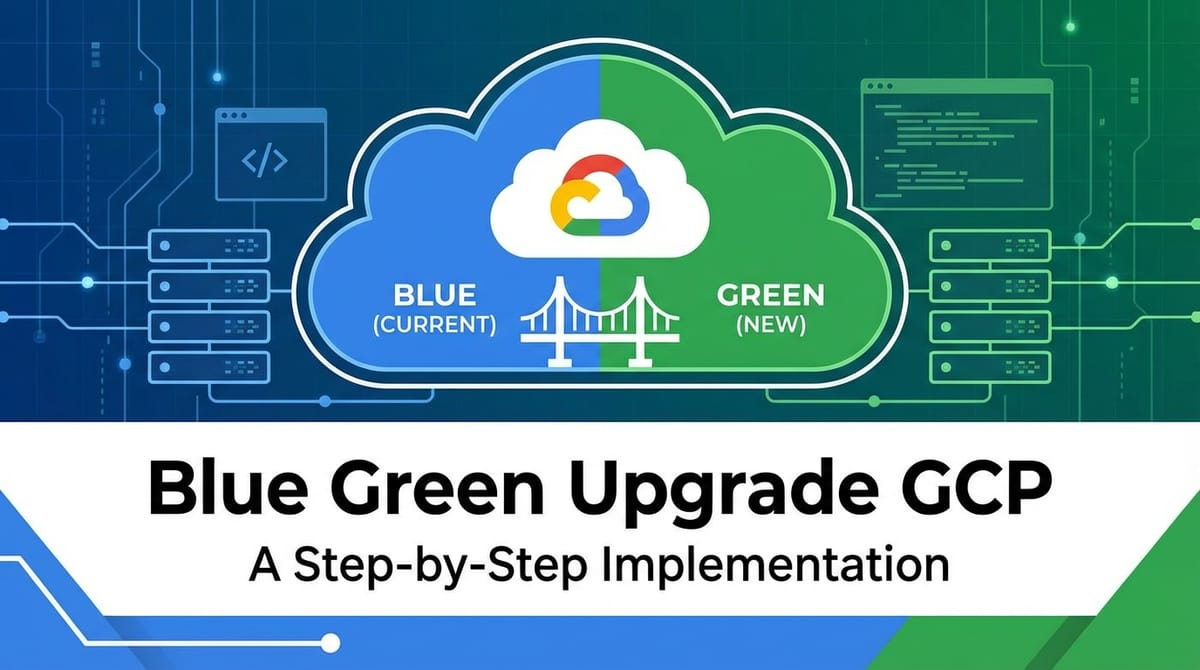
At its core, blue-green deployment is a release strategy that minimizes downtime and risk by running two identical production environments, only one of which is live at any given time. Imagine having two identical twins: one is actively serving your users (the "blue" environment), while the other is standing by (the "green" environment), ready to take over. When a new version of your application needs to be deployed, it is first deployed to the "green" environment. This new environment is thoroughly tested with real-world traffic patterns, but from a controlled, internal perspective, ensuring its stability and functionality before it ever reaches your end-users. Once validated, the traffic is seamlessly switched from "blue" to "green" by simply reconfiguring a load balancer or a DNS entry. Should any unforeseen issues arise after the switch, rolling back is as simple as diverting traffic back to the original "blue" environment, which remains untouched and ready for immediate restoration.
1.1. The Core Concept: Blue, Green, and Traffic Shifting
The "blue" environment represents the current, stable, and live version of your application that is actively serving user requests. It's the tried-and-true system that your customers depend on daily. Conversely, the "green" environment is where your new version, with its latest features, bug fixes, or performance enhancements, is deployed. This environment is built to be an exact replica of the blue one, ensuring parity in infrastructure, configuration, and data, except for the application code itself. The magic happens during the "traffic shifting" phase. Instead of performing an in-place upgrade on the live system, which inherently carries risks of service interruption and potential data corruption, blue-green deployment completely separates the deployment of the new version from its activation.
Traffic shifting is typically orchestrated by a central traffic manager, such as a load balancer or an API gateway. This component is responsible for directing incoming user requests to either the blue or green environment. Initially, all traffic flows to blue. When the green environment is ready and thoroughly tested, the traffic manager is updated to point all new requests to green. This switch is typically instantaneous, providing a near-zero-downtime experience for end-users. The old blue environment is then kept on standby for a period, acting as a safety net for rapid rollback. Once the green environment proves stable over time, the blue environment can be decommissioned or repurposed for the next deployment cycle.
1.2. Advantages: Why Blue-Green Reigns Supreme for Critical Systems
The benefits of adopting a blue-green deployment strategy are profound and far-reaching, especially for mission-critical applications where downtime is simply not an option:
- Zero-Downtime Deployments: This is arguably the most significant advantage. Because the new version is deployed and validated in an isolated environment, the switchover to the new version is almost instantaneous, leading to virtually no downtime for end-users. This translates to uninterrupted service, higher customer satisfaction, and continuous business operations.
- Rapid Rollback Capability: The original "blue" environment remains untouched and fully functional. If any issues, performance degradation, or unexpected bugs surface after the cutover to "green," reverting to the stable "blue" version is as simple and quick as flipping the traffic switch back. This significantly reduces the mean time to recovery (MTTR) and mitigates the impact of failed deployments.
- Reduced Risk and Enhanced Confidence: By isolating the deployment of the new version, the risk of introducing errors into the live production system is drastically reduced. Comprehensive testing can be performed on the "green" environment, mimicking production conditions without affecting live users. This allows development and operations teams to deploy with greater confidence, knowing that a fallback is immediately available.
- Isolated Testing and Staging: The "green" environment effectively serves as a perfect staging environment, identical to production. This allows for realistic testing against the actual infrastructure, network configurations, and even production-like data, identifying potential issues that might not surface in less representative test environments. It can also be used for performance testing, stress testing, and even A/B testing before a full rollout.
- Simplified Deployment Process: While setting up blue-green requires initial investment, the deployment process itself becomes standardized and repeatable. Automation tools can manage the creation, testing, and eventual decommissioning of environments, streamlining the entire release pipeline. This reduces manual errors and increases deployment frequency.
1.3. Disadvantages and Challenges: The Other Side of the Coin
Despite its numerous advantages, blue-green deployment is not without its challenges and considerations that organizations must carefully address:
- Increased Infrastructure Costs: The most apparent drawback is the need to maintain two full production environments simultaneously. This effectively doubles the infrastructure resources (compute, memory, storage, network) required during the deployment cycle, leading to increased cloud costs. While one environment is often scaled down or completely decommissioned after a successful rollout, the temporary duplication can be substantial, especially for large-scale applications.
- State Management and Database Synchronization: Handling stateful applications and managing database schema changes or data migrations is perhaps the trickiest aspect of blue-green deployments. If the new "green" version introduces database schema changes that are incompatible with the "blue" version, or if data is written differently, a simple traffic switch can lead to data inconsistencies or application errors. Strategies like backward-compatible schema changes, dual-writes, or logical replication become crucial and add complexity.
- External Service Integration: If your application heavily relies on external third-party services, APIs, or data sources, ensuring that both blue and green environments interact correctly and consistently with these external dependencies can be challenging. You need to consider whether these external services can handle requests from two separate production environments and how to manage API keys or access tokens across both.
- Complexity in Configuration Management: Keeping the configuration of both environments identical, except for the application version, requires robust configuration management practices, typically through Infrastructure as Code (IaC) tools. Manual drift between environments can undermine the reliability of the blue-green strategy.
- Testing Coverage: While blue-green facilitates isolated testing, it demands extremely comprehensive and automated testing. Any flaw missed during the "green" environment validation will only be discovered after the traffic switch, requiring a potentially costly rollback. End-to-end testing, performance testing, and user acceptance testing become critical.
1.4. Blue-Green vs. Other Deployment Strategies: A Brief Comparison
To fully appreciate blue-green, it's helpful to compare it with other common deployment strategies:
- Rolling Updates: This strategy involves gradually replacing instances of the old version with instances of the new version within a single environment. As new instances come online, old ones are taken down.
- Pros: Resource efficient (no duplication), zero downtime if done correctly.
- Cons: Rollback can be complex and slow (requires rolling back all updated instances), issues can be propagated to users during the update process, limited testing of the fully new environment.
- Canary Deployments: Similar to rolling updates, but more cautious. A small subset of users (the "canaries") is routed to the new version, while the majority still uses the old. If the canary group experiences no issues, the rollout is gradually expanded.
- Pros: Minimized blast radius for issues, real-world testing.
- Cons: Slower rollout, still involves in-place changes, rollback can be intricate, requires sophisticated traffic management.
- Recreate Deployment: The simplest but most disruptive strategy. All instances of the old version are shut down, and then all instances of the new version are deployed.
- Pros: Simple to implement.
- Cons: Significant downtime, high risk.
| Feature / Strategy | Blue-Green Deployment | Rolling Update | Canary Deployment | Recreate Deployment |
|---|---|---|---|---|
| Downtime | Near-Zero | Near-Zero | Near-Zero (for majority) | Significant |
| Rollback Speed | Instantaneous | Slow/Complex | Fast (for canaries) | N/A (requires redeploy) |
| Risk Mitigation | High (isolated test) | Moderate | High (small blast radius) | Low (full outage) |
| Resource Usage | High (duplicate envs) | Low | Moderate | Low |
| Complexity | Moderate to High | Moderate | High | Low |
| Testing | Full new env (prod-like) | Incremental | Real-world, small group | Minimal |
| Best For | Critical apps, high availability | General purpose, minor updates | New features, risk-averse | Non-critical, dev/test |
In summary, blue-green deployment offers an unparalleled balance of high availability, rapid recovery, and comprehensive testing, making it an ideal choice for critical applications where uninterrupted service is paramount. While it demands careful planning and can incur higher infrastructure costs, the peace of mind and operational resilience it provides often outweigh these considerations.
2. Prerequisites and Planning for GCP Blue-Green: Laying the Groundwork
Successfully implementing blue-green deployments on GCP isn't just about technical execution; it's heavily dependent on a solid foundation of architectural patterns, automation, and meticulous planning. Before diving into specific GCP services, it's crucial to prepare your application and infrastructure to be amenable to this strategy. This preparatory phase ensures that your blue and green environments can be replicated reliably, managed effectively, and orchestrated for seamless traffic shifts.
2.1. Application Design for Blue-Green: Building for Resilience
The way your application is designed plays a pivotal role in the feasibility and ease of blue-green deployments. Certain architectural principles greatly facilitate this strategy:
- Statelessness: Ideally, applications should be stateless. This means that no session data or user-specific information is stored directly on the application instances themselves. Instead, state should be externalized to shared, highly available services like managed databases (Cloud SQL, Cloud Spanner), distributed caches (Memorystore for Redis), or external session stores. This allows new instances (in the green environment) to pick up user sessions seamlessly without disruption and simplifies the scaling and replacement of application instances. If state must reside locally, sticky sessions or careful session replication strategies become necessary, adding complexity.
- Externalized Configuration: All environment-specific configurations (database connection strings, API keys, service endpoints, feature flags) should be externalized and managed separately from the application code. GCP's Secret Manager, ConfigMap (for Kubernetes), or even simple environment variables with proper IAM roles are excellent tools for this. This ensures that the same application container image or deployment package can be used across both blue and green environments, with configurations injected at runtime, preventing "it works on my machine" or "it works in blue but not green" scenarios.
- Microservices Architecture: While not strictly mandatory, a microservices architecture inherently lends itself well to blue-green deployments. Each microservice can be deployed and managed independently, allowing for blue-green updates of individual services without affecting the entire application. This reduces the scope of changes and the blast radius of potential issues. However, managing inter-service dependencies and API versioning across blue and green can introduce its own set of challenges, often requiring an API gateway to manage routing and transformations.
- Backward Compatibility: Both new and old versions of your application (and their respective data models) must be able to coexist and function correctly during the transition phase. This is especially critical for API contracts and database schemas. Your "green" environment should ideally be backward compatible with the "blue" environment's data structures, and the "blue" environment should be forward compatible enough to handle any minor changes introduced by "green" if traffic is temporarily split or rolled back.
2.2. Infrastructure as Code (IaC): The Blueprint for Consistency
Manual infrastructure provisioning is prone to errors and inconsistencies, making blue-green deployments unreliable. Infrastructure as Code (IaC) is non-negotiable for blue-green strategies, as it ensures that your blue and green environments are truly identical and reproducible.
- Terraform: HashiCorp Terraform is an industry-standard open-source IaC tool that allows you to define and provision entire cloud infrastructures using a declarative configuration language (HCL). With Terraform, you can script the creation of VPCs, subnets, load balancers, virtual machines, Kubernetes clusters, databases, and all other necessary GCP resources for both your blue and green environments. This guarantees consistency and makes tearing down and rebuilding environments straightforward.
- Cloud Deployment Manager: GCP's native IaC service, Cloud Deployment Manager, allows you to specify all the resources needed for your application in a declarative format using YAML or Python templates. It enables you to create, update, and delete GCP resources in a single, atomic transaction, ensuring environment parity.
- Advantages of IaC:
- Reproducibility: Ensures blue and green environments are exact replicas.
- Version Control: Infrastructure definitions can be stored in Git, allowing for collaboration, history tracking, and easy rollback of infrastructure changes.
- Automation: Automates environment setup and teardown, reducing manual effort and errors.
- Auditability: Provides a clear record of infrastructure changes over time.
2.3. Containerization and Orchestration: The Engine of Flexibility
Containerization and container orchestration are fundamental enablers for blue-green deployments, particularly on GCP.
- Docker: Containerizing your application with Docker encapsulates your application code, runtime, libraries, and dependencies into a portable, isolated unit. This ensures that your application behaves consistently across different environments, from development to production, and critically, between your blue and green environments.
- Kubernetes (GKE): Google Kubernetes Engine (GKE) is a managed Kubernetes service that provides a robust platform for deploying, managing, and scaling containerized applications. Kubernetes' native concepts like Deployments, Services, and Ingresses are perfectly suited for orchestrating blue-green strategies. GKE simplifies the management of clusters, automatic scaling, and updates, making it an ideal choice for complex blue-green scenarios. We will delve into specific GKE implementation later.
2.4. Networking Strategy: The Traffic Director
Effective networking is the cornerstone of blue-green deployment. It's how you direct user traffic to the desired environment without disruption.
- Virtual Private Cloud (VPC): Design your GCP network with a well-structured VPC, subnets, and firewall rules. You might choose to have both blue and green environments within the same VPC for easier internal communication, or in separate VPCs for greater isolation (though this adds networking complexity).
- Load Balancers: GCP offers a variety of load balancers, each with specific use cases. For blue-green, the HTTP(S) Load Balancer is often preferred for external web traffic. It can route traffic to different backend services, allowing you to easily switch between the blue and green backend service groups. For internal traffic, an Internal HTTP(S) Load Balancer or Internal TCP/UDP Load Balancer might be used. The load balancer acts as your central gateway for all incoming requests.
- DNS Management (Cloud DNS): While load balancers handle the immediate traffic switch, ensuring that your DNS records (e.g., A records, CNAMEs) point to the correct load balancer IP is crucial, especially if you're switching between different load balancers or IP addresses for blue and green. Automated DNS updates can be integrated into your deployment pipeline.
- Service Mesh (e.g., Istio on GKE): For advanced traffic management, especially in microservices architectures on GKE, a service mesh like Istio (managed by Anthos Service Mesh on GCP) can be invaluable. It provides fine-grained control over traffic routing, allowing for gradual traffic shifts (canary-like within blue-green), fault injection, and enhanced observability. An API gateway often integrates or works in conjunction with a service mesh for external traffic management.
2.5. Data Migration and Synchronization: The State Challenge
Managing databases and data is often the most complex aspect of blue-green.
- Backward Compatible Schema Changes: Design your database schema changes to be backward compatible. This means the new "green" version can work with the old schema, and the old "blue" version can still function with the new schema (at least for a transition period). This often involves adding new columns or tables rather than altering or removing existing ones.
- Dual-Write Strategy: For critical data that needs to be accessible by both blue and green versions during the transition, consider a dual-write pattern. Both environments write to both the old and new schema/data store. Once the green environment is fully stable, and the old blue environment is decommissioned, the dual-write can be removed.
- Database Replication (Cloud SQL, Spanner): Leverage GCP's managed database services that offer robust replication features. For example, Cloud SQL supports read replicas, and Cloud Spanner is globally distributed and highly consistent. For blue-green, you might temporarily point both blue and green to the same primary database, carefully managing schema migrations to avoid conflicts.
- Eventual Consistency: For some non-critical data, an eventual consistency model might be acceptable. This means data changes might not be instantly visible across both environments but will eventually synchronize.
- Idempotent Operations: Ensure that any data migrations or application operations are idempotent, meaning they can be applied multiple times without causing different results than applying them once. This is critical for recovery and retry mechanisms during deployments.
2.6. Monitoring and Alerting: Your Eyes and Ears
Robust monitoring and alerting are non-negotiable for any deployment strategy, and especially for blue-green. You need to know immediately if the "green" environment is performing as expected or if a rollback is necessary.
- Cloud Monitoring (formerly Stackdriver Monitoring): GCP's native monitoring solution allows you to collect metrics, logs, and events from all your GCP resources. Configure dashboards to compare key performance indicators (KPIs) between blue and green environments (e.g., latency, error rates, CPU utilization, memory usage, request per second for your API endpoints).
- Cloud Logging (formerly Stackdriver Logging): Centralize all your application and infrastructure logs in Cloud Logging. Use log-based metrics and alerts to detect specific error patterns or anomalies unique to the "green" environment.
- Application Performance Monitoring (APM): Integrate APM tools (e.g., Cloud Trace, third-party solutions) to gain deep insights into application performance, identify bottlenecks, and trace requests across microservices.
- Health Checks: Configure comprehensive health checks for your load balancers and instance groups. These checks should not only verify that an instance is running but also that the application within it is truly healthy and responsive.
- Alerting Policies: Set up critical alerts for deviations in KPIs, error thresholds, and unhealthy instances. These alerts should trigger immediate notifications to the operations team for swift action.
2.7. Rollback Strategy: Your Ultimate Safety Net
A blue-green deployment without a clear and tested rollback strategy is incomplete. The primary advantage of blue-green is the ability to revert quickly.
- Automated Rollback: Ideally, the rollback process should be fully automated. If monitoring detects critical issues after the traffic switch, an automated script or a simple command should be able to revert traffic back to the "blue" environment.
- Pre-defined Procedures: Document clear, step-by-step manual rollback procedures for contingencies.
- "Blue" Environment Persistence: Keep the "blue" environment fully operational and monitored for a defined period after the switch, typically until the "green" environment proves unequivocally stable. This period might range from hours to days, depending on the criticality and release cycle of the application.
By diligently addressing these prerequisites and planning considerations, you establish a resilient foundation upon which to build highly reliable and efficient blue-green deployment pipelines on GCP. This careful preparation transforms blue-green from a theoretical concept into a practical, repeatable, and robust strategy for your organization.
3. Choosing Your GCP Compute Service for Blue-Green: Tailoring the Approach
GCP offers a diverse range of compute services, each with unique characteristics that influence how blue-green deployments are implemented. The choice of compute service often dictates the specific mechanisms for environment creation, traffic shifting, and rollback. Understanding these differences is key to selecting the most appropriate strategy for your application.
3.1. Google Kubernetes Engine (GKE): The Cloud-Native Champion
GKE is arguably the most suitable platform for blue-green deployments, especially for containerized, microservices-based applications. Its inherent design principles align perfectly with the blue-green philosophy.
Why GKE is Ideal:
- Declarative Configuration: Kubernetes uses declarative YAML manifests for defining deployments, services, and other resources. This makes it trivial to define both "blue" and "green" versions of your application and their associated resources using Infrastructure as Code principles.
- Service Abstraction: Kubernetes Services provide a stable internal endpoint for your application, abstracting away the underlying pods. An external API gateway or an Ingress resource then routes external traffic to these Services. This abstraction is crucial for blue-green, as you can change which set of pods (blue or green) a Service points to without changing the Service's IP or DNS, thus not affecting client applications.
- Native Rolling Updates: While blue-green is more robust, Kubernetes Deployments inherently support rolling updates, which can be a building block.
- Traffic Management with Ingress and Service Mesh: GKE integrates seamlessly with external HTTP(S) Load Balancers via Ingress, and for advanced scenarios, Istio (managed by Anthos Service Mesh) provides unparalleled traffic control.
Blue-Green Implementation with GKE:
There are several ways to implement blue-green on GKE, ranging from simpler approaches to more sophisticated service mesh-driven strategies.
- Strategy 1: Namespace Isolation (Simpler for Independent Blue/Green Deployments)
- Concept: Deploy the blue environment in one Kubernetes namespace (e.g.,
app-blue) and the green environment in another (e.g.,app-green). Each namespace contains its own Deployment, Service, and potentially Ingress. - Traffic Shift: The external API gateway or Load Balancer (configured via an Ingress resource or standalone GCP HTTP(S) Load Balancer) initially points to the Ingress/Service in the
app-bluenamespace. To switch, you update the Load Balancer/DNS entry to point to the Ingress/Service in theapp-greennamespace. - Pros: Clear isolation, easy to manage, good for completely separate environments.
- Cons: Requires updating external routing configuration, potentially more resource duplication if not carefully managed.
- Details:
- Blue Setup: Deploy
app-v1intoapp-bluenamespace withDeployment,Service, andIngresspointing to this service. - Green Setup: Deploy
app-v2intoapp-greennamespace withDeploymentandService. Do not expose it externally yet via a separate Ingress. Test it internally. - Traffic Switch: Update the main external
Ingressresource. Instead of pointing its backend to theapp-blueservice, modify it to point to theapp-greenservice. This is a single, atomic update on the Ingress resource, which GKE then translates into a Load Balancer configuration change. - Rollback: Revert the Ingress configuration back to
app-blue.
- Blue Setup: Deploy
- Concept: Deploy the blue environment in one Kubernetes namespace (e.g.,
- Strategy 2: Service Selector Update (More Common for In-Cluster Blue/Green)
- Concept: Use a single Kubernetes Service that exposes your application, but control which set of pods it targets.
- Traffic Shift: Instead of having completely separate services and ingresses, you deploy both
app-blueandapp-greenas separate Deployments within the same namespace. The Service then uses labels to select which Deployment's pods it routes traffic to. - Pros: No need to update external routing (Ingress/Load Balancer IP remains constant), faster switchover.
- Cons: Less isolation than separate namespaces, requires careful label management.
- Details:
- Blue Setup: Deploy
app-v1with labelapp: myapp,version: blue. Create aServicewithselector: app: myapp, version: blue. Create anIngresspointing to this service. - Green Setup: Deploy
app-v2with labelapp: myapp,version: green. This Deployment runs alongsideapp-v1but receives no traffic from theServiceyet. Test it internally, perhaps with port-forwarding or a temporary debug service. - Traffic Switch: Update the
Servicedefinition. Change itsselectorfromversion: bluetoversion: green. Kubernetes will automatically update the Service's endpoints to point to the newapp-greenpods. All incoming traffic through theIngresswill now go toapp-green. - Rollback: Revert the
Serviceselector back toversion: blue.
- Blue Setup: Deploy
- Strategy 3: Using a Service Mesh (e.g., Istio with Anthos Service Mesh) for Advanced Traffic Management
- Concept: Leverage Istio's advanced traffic routing capabilities (VirtualServices, Gateways) to precisely control traffic flow between blue and green versions. This allows for granular percentage-based shifting, header-based routing, and sophisticated monitoring.
- Traffic Shift: Both
app-v1(blue) andapp-v2(green) are deployed with distinct labels. An IstioVirtualServicedefines routing rules. Initially, 100% of traffic is routed toapp-v1. To shift, you update theVirtualServiceto direct a percentage (e.g., 10%) toapp-v2, then gradually increase this percentage to 100%. This is effectively a canary deployment within a blue-green framework, offering the best of both worlds. - Pros: Fine-grained traffic control, easy staged rollouts, enhanced observability, dynamic routing without changing Load Balancer/Ingress.
- Cons: Adds significant operational complexity (Istio management), higher learning curve.
- Details:
- Deploy Blue & Green: Deploy
app-v1andapp-v2as separate Kubernetes Deployments (e.g.,myapp-blueandmyapp-green) and expose them via standard Kubernetes Services. - Istio Gateway & VirtualService: Define an Istio
Gatewayto expose your application externally. Create an IstioVirtualServiceassociated with this gateway. Initially, theVirtualServicewill have arouterule sending 100% of traffic to themyapp-blueService. - Traffic Shift: To shift traffic, update the
VirtualServiceYAML. Add a secondrouterule formyapp-greenand adjust theweightproperty for both rules (e.g.,myapp-blue: 90%, myapp-green: 10%). Monitor. Gradually adjust weights untilmyapp-blue: 0%, myapp-green: 100%. - Rollback: Reset weights in the
VirtualServiceback tomyapp-blue: 100%.
- Deploy Blue & Green: Deploy
3.2. Compute Engine (VMs): Managing Instances and Load Balancers
For applications running on traditional virtual machines (VMs) on Compute Engine, blue-green deployment is still highly achievable, though it typically involves more manual orchestration of instance groups and load balancer configurations.
Implementation with Compute Engine:
- Prepare Blue Environment:
- Use Managed Instance Groups (MIGs) for the "blue" environment, ensuring auto-scaling and self-healing.
- Configure an HTTP(S) Load Balancer with a backend service pointing to the blue MIG.
- Ensure robust health checks are in place for the blue MIG.
- Prepare Green Environment:
- Create a new, identical MIG for the "green" environment. This MIG will deploy the new version of your application. Use an Instance Template to define the VM image, startup scripts, and configurations for
app-green. - Create a separate backend service on the same HTTP(S) Load Balancer, pointing to the green MIG. This backend service will initially have 0% traffic routed to it.
- Create a new, identical MIG for the "green" environment. This MIG will deploy the new version of your application. Use an Instance Template to define the VM image, startup scripts, and configurations for
- Internal Testing (Green):
- Before shifting live traffic, ensure the green environment is functional. You can achieve this by configuring a specific route or a separate temporary DNS entry that points to the green backend service for internal testing purposes.
- Gradual Traffic Shift (Optional, or Full Switch):
- Full Switch: Update the Load Balancer's URL map configuration to instantly point 100% of traffic from the "blue" backend service to the "green" backend service. This is a common blue-green approach for VMs.
- Gradual Shift (Canary-like): If your load balancer supports weighted routing across backend services, you can gradually increase the traffic percentage to the green backend service (e.g., 10%, 25%, 50%, 100%). GCP's HTTP(S) Load Balancers can be configured to split traffic by weight across multiple backend services associated with the same URL map.
- Monitor and Validate:
- Closely monitor the "green" environment using Cloud Monitoring for error rates, latency, and resource utilization. Compare metrics between blue and green.
- Full Cutover and Decommission:
- Once "green" is stable, if you did a gradual shift, move to 100%. If you did a full switch, this step is done.
- Decommission the "blue" MIG and its associated backend service after a suitable rollback window.
3.3. Cloud Run: Simplicity for Serverless Blue-Green
Cloud Run is a managed serverless platform for containerized applications. It offers built-in features that make blue-green deployments incredibly simple and efficient, especially for stateless microservices and APIs.
Implementation with Cloud Run:
- Deploy New Revision (Green):
- When you deploy a new container image to a Cloud Run service, it automatically creates a new "revision." This new revision effectively acts as your "green" environment.
- Internal Testing:
- Cloud Run automatically provides a unique URL for each revision. You can use this URL to test the new "green" revision extensively before directing live traffic to it.
- Traffic Management:
- Cloud Run's service configuration allows you to define how traffic is split between different revisions. You can specify a percentage of traffic for each revision.
- Initially, your "blue" revision receives 100% of traffic. To perform a blue-green switch, you update the Cloud Run service to shift 100% of traffic to your "green" revision.
- Canary-like Blue-Green: You can also choose to do a gradual shift by assigning a small percentage (e.g., 5%) to the "green" revision, observe, and then gradually increase it to 100%. This combines the benefits of blue-green and canary.
- Monitor and Validate:
- Leverage Cloud Monitoring and Cloud Logging for Cloud Run to observe the performance and stability of the new revision.
- Rollback:
- If issues arise, simply revert the traffic split in Cloud Run to direct 100% of traffic back to the previous "blue" revision. Old revisions are retained, making rollback instant.
- Decommission Old Revisions:
- Once the new revision is stable, old revisions can be deleted to clean up resources, though Cloud Run manages this efficiently.
3.4. App Engine (Standard/Flexible): Versioning for Blue-Green
Google App Engine, particularly the Standard environment, has historically offered strong support for versioning and traffic splitting, making it a natural fit for blue-green-like deployments.
Implementation with App Engine:
- Deploy New Version (Green):
- When you deploy a new version of your application to App Engine (e.g.,
gcloud app deploy --version=v2), it runs alongside the existing "blue" version (v1).
- When you deploy a new version of your application to App Engine (e.g.,
- Internal Testing:
- Each version gets a unique URL (e.g.,
v2-dot-your-app-id.appspot.com), allowing you to test the "green" version (v2) in isolation.
- Each version gets a unique URL (e.g.,
- Traffic Splitting:
- Using the
gcloud app services set-trafficcommand or the GCP Console, you can allocate traffic percentages to different versions. - To perform a blue-green switch, you would direct 100% of traffic from
v1tov2. - Similar to Cloud Run, you can also do a gradual rollout (canary) by assigning a small percentage of traffic to
v2first.
- Using the
- Monitor and Validate:
- Use App Engine's built-in monitoring and Cloud Monitoring to observe the health and performance of the new version.
- Rollback:
- If issues occur, simply revert the traffic split to send 100% of traffic back to the stable "blue" version (
v1).
- If issues occur, simply revert the traffic split to send 100% of traffic back to the stable "blue" version (
- Delete Old Versions:
- Once the new version is stable, you can delete the old version to save costs and clean up.
Each GCP compute service offers distinct advantages for blue-green deployments. GKE provides the most flexibility and control, especially for complex microservices and advanced traffic patterns. Compute Engine offers a robust solution for traditional VM-based applications. Cloud Run and App Engine provide the highest level of simplicity and automation for serverless and platform-managed environments, making blue-green almost a built-in feature. The choice depends on your application's architecture, operational maturity, and specific requirements.
APIPark is a high-performance AI gateway that allows you to securely access the most comprehensive LLM APIs globally on the APIPark platform, including OpenAI, Anthropic, Mistral, Llama2, Google Gemini, and more.Try APIPark now! 👇👇👇
4. A Step-by-Step Blue-Green Implementation on GKE: A Detailed Example
Let's walk through a concrete example of implementing a blue-green upgrade for a simple web application deployed on Google Kubernetes Engine (GKE). We'll focus on the service selector update strategy for simplicity, then briefly discuss how a service mesh might enhance it.
Scenario: We have a web application (e.g., an Nginx server serving a static page) that we want to upgrade from v1 (blue) to v2 (green) with zero downtime. We'll use a Kubernetes Deployment for our application instances, a Service to expose it internally, and an Ingress to expose it externally via a GCP HTTP(S) Load Balancer.
4.1. Step 1: Prepare the "Blue" Environment (Initial Setup)
First, we establish our stable, live "blue" environment running app:v1.
blue-deployment.yaml
apiVersion: apps/v1
kind: Deployment
metadata:
  name: webapp-blue
  labels:
    app: webapp
    version: blue # Label to identify the blue version
spec:
  replicas: 3
  selector:
    matchLabels:
      app: webapp
      version: blue
  template:
    metadata:
      labels:
        app: webapp
        version: blue
    spec:
      containers:
      - name: webapp
        image: nginx:1.21.6 # Our 'v1' image
        ports:
        - containerPort: 80
        # Placeholder for custom configuration
        env:
        - name: APP_VERSION
          value: "v1 - Blue"
---
apiVersion: v1
kind: Service
metadata:
  name: webapp-service # This service will be stable
  labels:
    app: webapp
spec:
  selector:
    app: webapp
    version: blue # Initially points to blue
  ports:
    - protocol: TCP
      port: 80
      targetPort: 80
  type: ClusterIP # Internal service
Explanation: * Deployment webapp-blue: Defines 3 replicas of our Nginx application using nginx:1.21.6. It's labeled app: webapp and version: blue. * Service webapp-service: This is the critical component. It provides a stable internal IP and DNS name for our application. Initially, its selector is set to app: webapp, version: blue, meaning it will route traffic to the pods created by webapp-blue deployment. This service will not change its name or IP during the blue-green switch; only its selector will.
ingress.yaml
apiVersion: networking.k8s.io/v1
kind: Ingress
metadata:
  name: webapp-ingress
  annotations:
    kubernetes.io/ingress.class: "gce" # Use GCP Load Balancer
    # Optional: For external IP allocation
    # ingress.gcp.kubernetes.io/pre-shared-certs: "your-cert-name"
    # For HTTP-only, remove pre-shared-certs
spec:
  rules:
  - http:
      paths:
      - path: /*
        pathType: ImplementationSpecific
        backend:
          service:
            name: webapp-service # Points to our stable service
            port:
              number: 80
Explanation: * Ingress webapp-ingress: This resource exposes webapp-service externally via a GCP HTTP(S) Load Balancer. Crucially, it points to webapp-service by name, not directly to pods.
Deployment Steps for Blue: 1. Deploy Blue Environment: bash kubectl apply -f blue-deployment.yaml kubectl apply -f ingress.yaml 2. Verify Blue: Wait for the Ingress to provision the GCP Load Balancer (this can take a few minutes). Get the external IP: bash kubectl get ingress webapp-ingress Access the external IP in your browser. You should see the default Nginx welcome page. You can add a custom index.html via a ConfigMap to visually indicate the version. For example, add a ConfigMap and mount it to Nginx.
4.2. Step 2: Develop and Test the "Green" Version (Offline)
Now, we prepare our new v2 application, which will be our "green" environment. We'll use a slightly different Nginx image (e.g., nginx:1.23.4) or an Nginx serving a clearly distinct content.
green-deployment.yaml
apiVersion: apps/v1
kind: Deployment
metadata:
  name: webapp-green
  labels:
    app: webapp
    version: green # Label to identify the green version
spec:
  replicas: 3
  selector:
    matchLabels:
      app: webapp
      version: green
  template:
    metadata:
      labels:
        app: webapp
        version: green
    spec:
      containers:
      - name: webapp
        image: nginx:1.23.4 # Our 'v2' image
        ports:
        - containerPort: 80
        env:
        - name: APP_VERSION
          value: "v2 - Green"
Explanation: * Deployment webapp-green: This is a new Deployment with the nginx:1.23.4 image. It has the labels app: webapp and, critically, version: green. This Deployment runs alongside webapp-blue but is not yet receiving traffic from webapp-service.
Deployment Steps for Green: 1. Deploy Green Environment: bash kubectl apply -f green-deployment.yaml The webapp-green pods will spin up. They are running but not yet accessible via the webapp-service or the webapp-ingress. 2. Internal Testing of Green: You can test the green pods internally without affecting live users. For instance, use kubectl port-forward to access a specific green pod: bash kubectl get pods -l app=webapp,version=green # Pick one pod name, e.g., webapp-green-xxxxxxxx-yyyyy kubectl port-forward webapp-green-xxxxxxxx-yyyyy 8080:80 Then, access http://localhost:8080 in your browser to verify v2. You might also deploy a temporary internal Service just for green to allow internal testers access. * Keyword Integration: This stage is crucial for validating all new functionalities, especially any changes to API endpoints. Ensure that all the new APIs exposed by the v2 application function correctly. If your application components communicate through internal gateways, verify that v2 integrates seamlessly with these internal gateways and that no breaking changes disrupt existing internal API calls. Thorough testing here prevents service disruptions during the traffic switch.
4.3. Step 3: Shift Traffic to "Green"
This is the core of the blue-green switch. We update the webapp-service to point to the green pods.
- Modify
webapp-service: Editwebapp-serviceto change its selector:bash kubectl edit service webapp-serviceChange theselectorsection from:yaml selector: app: webapp version: blueTo:yaml selector: app: webapp version: greenSave and exit the editor.
Explanation: As soon as you save the webapp-service definition, Kubernetes immediately updates the endpoints for webapp-service. The Load Balancer (via Ingress) is still pointing to webapp-service, but now webapp-service is routing all traffic to the webapp-green pods. This switch is nearly instantaneous.
4.4. Step 4: Monitor and Validate "Green" (Post-Switch)
Immediately after the traffic switch, intense monitoring is essential.
- Observe External Access: Refresh your browser at the Ingress external IP. You should now see the
v2(green) content. - Cloud Monitoring & Logging:
- Watch your custom dashboards in Cloud Monitoring for
webapp-greenmetrics (latency, error rates, CPU/memory usage). - Check Cloud Logging for any new errors or anomalies coming from the
webapp-greenpods. - Ensure that all API calls passing through your external gateway are being handled correctly by the new
v2application. Look for any increased error rates or degraded performance metrics associated with thegreenenvironment.
- Watch your custom dashboards in Cloud Monitoring for
- Perform End-to-End Tests: Execute a suite of automated end-to-end tests against the live
greenenvironment to ensure full functionality under production load. - User Feedback: If applicable, monitor user feedback channels for any reported issues.
4.5. Step 5: Full Cutover and Decommission "Blue" or Rollback
Option A: Full Cutover (Green is Stable)
If webapp-green performs flawlessly for a predefined soak period (e.g., 1 hour, 1 day, depending on criticality):
- Decommission Blue: You can now safely delete the
webapp-blueDeployment.bash kubectl delete deployment webapp-blueThewebapp-bluepods will terminate, freeing up resources. Thewebapp-serviceandwebapp-ingressremain unchanged, continuing to servewebapp-green.
Option B: Rollback (Green Has Issues)
If monitoring reveals critical issues in webapp-green after the switch:
- Rollback the Service Selector: Immediately revert the
webapp-serviceselector back toversion: blue.bash kubectl edit service webapp-serviceChange theselectorfromversion: greenback toversion: blue. Save and exit.
Explanation: Traffic is instantly routed back to the stable webapp-blue pods, minimizing the impact of the faulty deployment. You can then debug webapp-green offline without affecting live users, fix the issues, and repeat the process. The "blue" environment acts as your immediate safety net.
4.6. Advanced Traffic Management with a Service Mesh (Brief Mention)
For more sophisticated scenarios, especially in a microservices context where different versions of APIs might interact, a service mesh like Istio (managed by Anthos Service Mesh on GKE) offers granular control. Instead of a full traffic switch, you could use Istio VirtualService definitions to gradually shift traffic.
# Example Istio VirtualService for weighted traffic split
apiVersion: networking.istio.io/v1beta1
kind: VirtualService
metadata:
  name: webapp-virtualservice
spec:
  hosts:
  - "*" # Or your domain
  gateways:
  - webapp-gateway # Your Istio Gateway
  http:
  - route:
    - destination:
        host: webapp-service
        subset: blue # Defined by Istio DestinationRule
      weight: 90
    - destination:
        host: webapp-service
        subset: green # Defined by Istio DestinationRule
      weight: 10
In this Istio example, you'd define DestinationRules for blue and green subsets, and then dynamically adjust the weight in the VirtualService to control the traffic distribution. This allows for fine-grained canary rollouts within a blue-green strategy, directing a small percentage of users to the new API endpoints and observing their experience before a full cutover. This level of control is often managed by a dedicated API gateway when dealing with external consumers, which can offer even more capabilities like rate limiting, authentication, and transformation of API requests.
5. Advanced Considerations and Best Practices: Refining Your Blue-Green Strategy
Moving beyond the basic mechanics, a truly robust blue-green deployment strategy on GCP incorporates a range of advanced considerations and adheres to best practices that enhance reliability, efficiency, and security. These aspects address the complexities of real-world enterprise applications.
5.1. Database Migrations: Navigating the Data Divide
Database schema evolution is often the most intricate challenge in blue-green deployments. A new application version might require changes to the database structure that are incompatible with the old version, or it might introduce new data that the old version cannot interpret.
- Backward Compatible Schema Changes: Prioritize schema changes that are backward compatible. This means the new "green" version can read and write to the existing schema, and the "blue" version can still function (perhaps ignoring new columns or using default values) with the altered schema. Common strategies include:
- Adding New Columns/Tables: Always additive. Old version simply ignores them.
- Renaming Columns: Use a multi-step process: add a new column with the new name, migrate data, dual-write to both, then remove the old column after the blue environment is decommissioned.
- Avoiding Destructive Changes: Never directly drop or fundamentally alter columns/tables that the "blue" version relies on while "blue" is still active.
- Dual-Write Strategy: For critical data, the "green" environment might write to both the old and new schema or data store. This ensures data consistency during the transition. Once "green" is stable and "blue" is decommissioned, the dual-write logic can be removed.
- Logical Replication: Services like Cloud SQL offer logical replication (e.g., PostgreSQL logical replication) which can be used to synchronize data between different database instances, or even for setting up temporary read replicas for the green environment during a phased migration.
- Application-Level Migration: Implement migration scripts at the application level that run before the "green" application fully starts. These scripts should be idempotent and capable of handling partial failures.
- Data Validation: After a schema migration and before the traffic switch, thoroughly validate that the data is consistent and correctly formatted in the new schema for the "green" environment.
5.2. Stateful Applications: Addressing Persistent Challenges
While blue-green is ideal for stateless applications, many enterprise applications are stateful (e.g., message queues, file storage, complex caches, specific session management).
- Externalize State: The primary approach is to externalize state to managed, highly available GCP services that are independent of the compute environments.
- Databases: Cloud SQL, Cloud Spanner, Firestore for structured and unstructured data.
- Caches: Memorystore for Redis or Memcached.
- File Storage: Cloud Storage for large objects and files.
- Message Queues: Cloud Pub/Sub for asynchronous communication.
- Session Affinity/Sticky Sessions: If you must maintain session state on application instances, configure your Load Balancer or API gateway for session affinity (sticky sessions) to ensure a user's requests always go to the same instance within an environment. However, this complicates blue-green switches, as existing user sessions might be tied to the "blue" environment. During a switch, these sessions would need to be gracefully terminated or migrated, which is often difficult. It's generally better to move sessions to an external store.
- Distributed Consensus Systems: For applications relying on distributed consensus or complex state synchronization, blue-green can be very challenging. Careful planning is needed to ensure that new members from the "green" environment can safely join the cluster without disrupting the "blue" members, and vice-versa during a rollback.
5.3. Secrets Management: Protecting Sensitive Information
Sensitive information like API keys, database credentials, and certificates should never be hardcoded or stored directly in version control.
- Cloud Secret Manager: GCP's Secret Manager provides a robust, centralized service for storing and managing sensitive data. Integrate your blue and green environments to retrieve secrets from Secret Manager at runtime using appropriate IAM roles. This ensures secrets are consistent across environments but securely managed and rotated.
- Kubernetes Secrets: For GKE, Kubernetes Secrets can be used, often integrated with Secret Manager using external secrets operators, to inject secrets into pods securely.
5.4. Observability: Seeing Everything, Understanding All
Enhanced observability is crucial for monitoring the health of both blue and green environments and for rapid detection of issues during and after a deployment.
- Comprehensive Logging: Standardize logging formats and ensure all application logs are sent to Cloud Logging. Implement structured logging to make logs easily queryable.
- Distributed Tracing (Cloud Trace): For microservices architectures, distributed tracing (e.g., using OpenTelemetry with Cloud Trace) helps visualize the flow of requests across multiple services, pinpointing bottlenecks or errors unique to the "green" environment.
- Custom Metrics: Beyond standard infrastructure metrics, instrument your application to emit custom metrics that reflect business logic or critical API performance. Send these to Cloud Monitoring.
- Dashboards and Alerts: Create dedicated Cloud Monitoring dashboards that display key metrics for both "blue" and "green" side-by-side, allowing for easy comparison. Configure aggressive alerts for any deviations in "green" after a traffic switch.
5.5. Automated Testing: The Gatekeeper of Quality
Automation is the bedrock of blue-green, and testing automation is its most vital component.
- Unit and Integration Tests: Ensure a comprehensive suite of unit and integration tests run in your CI/CD pipeline before any deployment.
- End-to-End (E2E) Tests: Crucially, run a full suite of E2E tests against the "green" environment before traffic is switched. These tests should simulate real user journeys and validate critical business functionalities.
- Performance and Load Testing: Conduct performance and load tests on the "green" environment to ensure it can handle anticipated production traffic levels without degradation. This identifies resource bottlenecks or architectural flaws before they impact users.
- Automated Rollback Triggers: Integrate your monitoring and alerting systems with your deployment pipeline to trigger an automated rollback if critical metrics (e.g., error rate, latency) cross predefined thresholds after the traffic switch to "green."
5.6. Security Posture: Building a Secure Foundation
Blue-green deployments offer opportunities to enhance security but also introduce new considerations.
- IAM Roles and Permissions: Meticulously configure IAM roles and service accounts with the principle of least privilege for all resources in both environments. Ensure the deployment pipeline itself has only the necessary permissions to create, update, and delete resources.
- Network Policies (GKE): For GKE, implement Kubernetes Network Policies to control traffic flow between pods within the cluster, isolating blue and green deployments if necessary, and restricting ingress/egress.
- Vulnerability Scanning: Integrate container image scanning (e.g., Artifact Analysis) into your CI/CD pipeline to identify vulnerabilities in your application images before they are deployed to either environment.
- Security Audits: Regularly audit configurations, especially for your Load Balancers, Ingress, and any API gateway to ensure they adhere to security best practices.
5.7. Cost Management: Optimizing Resource Usage
Maintaining two full production environments, even temporarily, can incur significant costs.
- Right-Sizing: Ensure both blue and green environments are right-sized for their workload. Don't over-provision resources beyond what's necessary.
- Automated Teardown: Automate the decommissioning of the old "blue" environment as soon as the "green" environment is proven stable and the rollback window has passed.
- Preemptible VMs/Spot Instances (for non-critical parts): For certain non-critical components or batch jobs within your blue/green setup, consider using Preemptible VMs (Compute Engine) or Spot Instances (GKE) to reduce costs, though this comes with the risk of preemption.
- Resource Tags: Use GCP resource tags (labels) to track costs associated with blue vs. green environments, making cost analysis easier.
5.8. Disaster Recovery Integration: A Holistic Approach
Blue-green deployments enhance resilience but are not a substitute for a comprehensive disaster recovery (DR) strategy.
- Regional Redundancy: Design your blue and green environments to be regionally redundant if your DR strategy requires it. This means deploying blue in one region and green in another, or having a hot/cold standby in a different region.
- Backup and Restore: Ensure robust backup and restore procedures are in place for all critical data, independent of the blue-green process. Cloud SQL automatic backups, Cloud Storage object versioning, and database snapshots are crucial.
- RTO/RPO: Blue-green contributes to a low Recovery Time Objective (RTO) for application deployments but must be integrated into a broader DR plan that defines RTO and Recovery Point Objective (RPO) for the entire system in case of a catastrophic regional failure.
5.9. API Management and AI Gateway for Modern Architectures
As applications become more complex, especially with the integration of AI capabilities, managing their exposed APIs becomes a critical concern. In a blue-green scenario, ensuring a consistent and robust API gateway for traffic management and versioning is paramount.
For organizations looking to streamline the management of their APIs, particularly in dynamic environments where application versions are frequently upgraded or new services are introduced, solutions like APIPark offer comprehensive capabilities. As an open-source AI gateway and API management platform, APIPark can play a significant role in ensuring that API consumers experience seamless transitions during blue-green upgrades. It provides a unified API format, prompt encapsulation for AI models, and end-to-end API lifecycle management, which are invaluable for maintaining consistency and control over the APIs exposed by both blue and green environments.
Imagine your "blue" environment exposing a set of APIs, and your "green" environment introduces new APIs or modifies existing ones. APIPark can sit in front of both, acting as the intelligent gateway that: * Routes Traffic: Directs specific API calls to the blue or green backend based on configured rules, supporting fine-grained traffic shifting (e.g., sending all /v2/users API calls to the green environment while /v1/users still goes to blue). * Unifies API Format: If your blue and green environments handle different API formats or AI model invocation patterns, APIPark can normalize these, ensuring that external consumers always interact with a consistent API contract, regardless of the backend version. * Manages Lifecycle: Assists with managing the entire lifecycle of APIs, including design, publication, invocation, and decommission. This helps regulate API management processes, manage traffic forwarding, load balancing, and versioning of published APIs, which is critical during blue-green deployments. * Provides Observability: Offers detailed API call logging and powerful data analysis, allowing you to monitor the health and performance of APIs served by both blue and green environments, providing crucial insights during the post-deployment validation phase.
By leveraging an advanced API gateway like APIPark, you can add an extra layer of intelligence and control over your API traffic, making blue-green deployments for API-driven and AI-integrated applications even smoother and more reliable.
6. Overcoming Common Challenges: Proactive Problem Solving
Even with meticulous planning, blue-green deployments can present common pitfalls. Being aware of these and having strategies to overcome them is key to success.
- Database Schema Evolution: As discussed, this is frequently the biggest hurdle. The solution involves rigorous adherence to backward compatibility, multi-step migration processes (e.g., adding columns, dual-writing, then dropping old columns), and meticulous testing of data integrity. Consider using schema migration tools that understand idempotency and versioning.
- Session Management and Stateful Services: The ideal is to externalize all state. If not possible, explore shared, highly available session stores (like Memorystore for Redis). If sticky sessions are unavoidable, understand that a clean blue-green cutover might require users to re-authenticate or lose their session context. This needs to be communicated to users or mitigated with careful session migration logic.
- Resource Sprawl and Cost Overruns: The temporary doubling of infrastructure costs is inherent. Combat this with aggressive automation for environment teardown, right-sizing resources, and careful budget monitoring. Leverage IaC to ensure only necessary resources are created and deleted promptly.
- Complexity of Configuration and Automation: Initial setup for blue-green can be complex, especially integrating IaC, CI/CD, and monitoring. Break down the problem into smaller, manageable chunks. Start with a simpler blue-green strategy (e.g., service selector on GKE) and gradually introduce more advanced features like service meshes once the team is comfortable. Invest in continuous improvement of your automation scripts.
- Team Coordination and Communication: Blue-green deployments require close collaboration between development, operations, and even product teams. Establish clear communication channels, define roles and responsibilities, and ensure everyone understands the deployment plan, rollback procedures, and monitoring dashboards. Practice deployments in non-production environments to iron out kinks in coordination.
- Long Deployment Times for "Green": If spinning up the "green" environment takes a long time, it prolongs the period of duplicated resources and increases the window for potential divergence. Optimize your build and deployment pipelines (e.g., pre-built container images, faster instance template creation, parallel resource provisioning) to minimize "green" environment creation time.
- External Dependencies: If your application relies on external third-party services, ensure they can handle requests from both blue and green environments during the transition. Consider mock services or sandbox environments for testing the green environment's interactions with these dependencies. Manage API keys and authentication for these external services carefully.
- Network Latency and DNS Caching: While traffic switching via load balancers is fast, DNS caching at various layers (client, ISP, CDN) can cause some users to briefly resolve the old IP, leading to a staggered experience. Setting low TTLs (Time-To-Live) for DNS records can mitigate this, but it’s a factor to be aware of.
By proactively addressing these common challenges, organizations can build a more resilient and effective blue-green deployment strategy on GCP, reducing surprises and enhancing overall operational stability.
Conclusion
Implementing a blue-green upgrade strategy on Google Cloud Platform transforms the often-treacherous journey of software deployment into a smooth, controlled, and confidence-inspiring operation. This powerful paradigm enables organizations to push new features, apply critical updates, and make architectural changes with minimal, if any, disruption to end-users, thereby upholding the highest standards of availability and reliability.
We've traversed the foundational principles of blue-green, understanding its distinct advantages in achieving zero-downtime releases and instant rollbacks, while also acknowledging its associated complexities, particularly regarding infrastructure costs and state management. We then explored the practicalities across GCP's diverse compute landscape, from the container orchestration prowess of GKE to the serverless simplicity of Cloud Run and App Engine, and the traditional flexibility of Compute Engine. A detailed, step-by-step example on GKE illustrated how service selectors, coupled with robust Ingress configuration, can orchestrate a seamless traffic switch.
Crucially, the journey doesn't end with a simple traffic flip. A truly mature blue-green strategy on GCP integrates advanced considerations: meticulous database migration planning, robust secrets management, comprehensive observability, and aggressive test automation. Furthermore, leveraging an intelligent API gateway and API management platform like APIPark can significantly enhance control and consistency, especially for complex API-driven and AI-powered applications, ensuring that external consumers experience no disruption as your backend evolves.
The key takeaways for a successful blue-green implementation on GCP are clear: meticulous planning, a strong embrace of Infrastructure as Code for environment reproducibility, rigorous automation across the CI/CD pipeline, and relentless monitoring with clear rollback procedures. While the initial investment in setup and automation might seem substantial, the long-term benefits of enhanced reliability, accelerated release cycles, and reduced operational stress far outweigh the upfront effort. When executed meticulously, blue-green deployment on GCP transcends being merely a technical strategy; it becomes a cornerstone of business agility and user trust, transforming potentially disruptive updates into seamless evolutions of your digital services.
5 Frequently Asked Questions (FAQs)
1. What is the primary difference between Blue-Green and Canary deployments on GCP? The primary difference lies in the strategy for the old environment. In Blue-Green, the old "blue" environment remains fully operational and untouched, acting as an instant rollback target while the new "green" environment is fully deployed and tested separately. Traffic is then typically switched fully or gradually. In Canary deployments, a small subset of users is routed to the new version (the "canary"), while the majority remains on the old version. The old environment is not kept as a full fallback but is gradually replaced if the canary proves stable. Blue-Green offers a simpler, faster rollback to a known good state, whereas Canary prioritizes minimizing the blast radius of issues by exposing new changes to only a small user group first. Both can leverage GCP's load balancers, Ingress, or service meshes for traffic management, but their fundamental safety nets and rollout patterns differ.
2. How do I manage database schema changes during a blue-green upgrade without data loss on GCP? Managing database schema changes is one of the most challenging aspects. The safest approach involves a multi-phase, backward-compatible strategy: 1. Backward Compatibility: Design new schema changes to be compatible with the old application version (e.g., only add new columns/tables, don't remove or drastically alter existing ones). 2. Schema Migration Tool: Use a database migration tool (like Flyway or Liquibase) to apply schema changes idempotently. 3. Dual-Write (Optional but Recommended): For critical data, have the "green" application write to both the old and new schema during the transition. This ensures both versions can operate simultaneously. 4. Application Code for Both Schemas: Design your "green" application to be able to read from both the old and new schema. 5. Traffic Shift: Once "green" is stable, shift traffic. After a safe period, you can then proceed with "cleanup" migrations (e.g., dropping old columns) that only the "green" version understands. For GCP, consider using managed services like Cloud SQL which offers features like database replication that can be used strategically.
3. What are the key GCP services essential for a successful blue-green deployment? Several GCP services are foundational: * Compute: Google Kubernetes Engine (GKE), Compute Engine (Managed Instance Groups), Cloud Run, or App Engine, depending on your application's architecture. * Networking: HTTP(S) Load Balancer (for external traffic), Internal Load Balancer (for internal traffic), Cloud DNS for domain management, and potentially a Service Mesh like Istio (via Anthos Service Mesh for GKE) for advanced traffic routing. * Infrastructure as Code: Terraform or Cloud Deployment Manager for consistent environment provisioning. * Monitoring & Logging: Cloud Monitoring, Cloud Logging, and Cloud Trace for comprehensive observability and alerting. * Secrets Management: Cloud Secret Manager for securely handling sensitive data. * Storage & Databases: Cloud SQL, Cloud Spanner, Memorystore, Cloud Storage for persistent data and state management. * Container Registry: Artifact Registry for storing Docker images. These services collectively provide the robust platform needed to build, deploy, manage, and observe blue-green environments. An API gateway can also play a pivotal role for external API traffic management.
4. How can APIPark assist in blue-green deployments on GCP? APIPark can act as an intelligent API gateway and management platform that sits in front of your blue and green application environments. It enhances blue-green deployments by: * Unified API Format: Standardizing the request format across different versions of your backend APIs, ensuring consumers always interact with a consistent API. * Traffic Routing: Leveraging its capabilities for traffic forwarding and load balancing to direct specific API calls to either the blue or green environment, enabling fine-grained control over the transition. * API Lifecycle Management: Assisting with versioning, publication, and decommissioning of APIs, ensuring a smooth transition during upgrades. * Observability: Providing detailed API call logging and data analysis, which is crucial for monitoring the health and performance of APIs in both environments during validation. * AI Integration: For applications integrating AI models, APIPark can help manage the invocation and prompt encapsulation for different AI models in blue/green, simplifying the use and maintenance of AI services.
5. What is the impact on cost for blue-green deployments on GCP? The most significant impact on cost is the temporary duplication of resources. During the deployment cycle, you effectively run two full production environments (blue and green) simultaneously. This means you will incur costs for double the compute instances (VMs, GKE pods), memory, and potentially storage and networking for the duration that both environments are active. To mitigate this: * Automate Teardown: Quickly decommission the old "blue" environment once the "green" environment is stable and the rollback window has passed. * Right-Sizing: Ensure both environments are provisioned with the minimum necessary resources. * Cost Monitoring: Utilize GCP's billing reports and resource tags to track and manage costs associated with your blue-green environments. * While the cost can be higher, the benefit of zero-downtime, rapid rollback, and reduced risk often justifies the investment for mission-critical applications.
🚀You can securely and efficiently call the OpenAI API on APIPark in just two steps:
Step 1: Deploy the APIPark AI gateway in 5 minutes.
APIPark is developed based on Golang, offering strong product performance and low development and maintenance costs. You can deploy APIPark with a single command line.
curl -sSO https://download.apipark.com/install/quick-start.sh; bash quick-start.sh

In my experience, you can see the successful deployment interface within 5 to 10 minutes. Then, you can log in to APIPark using your account.

Step 2: Call the OpenAI API.