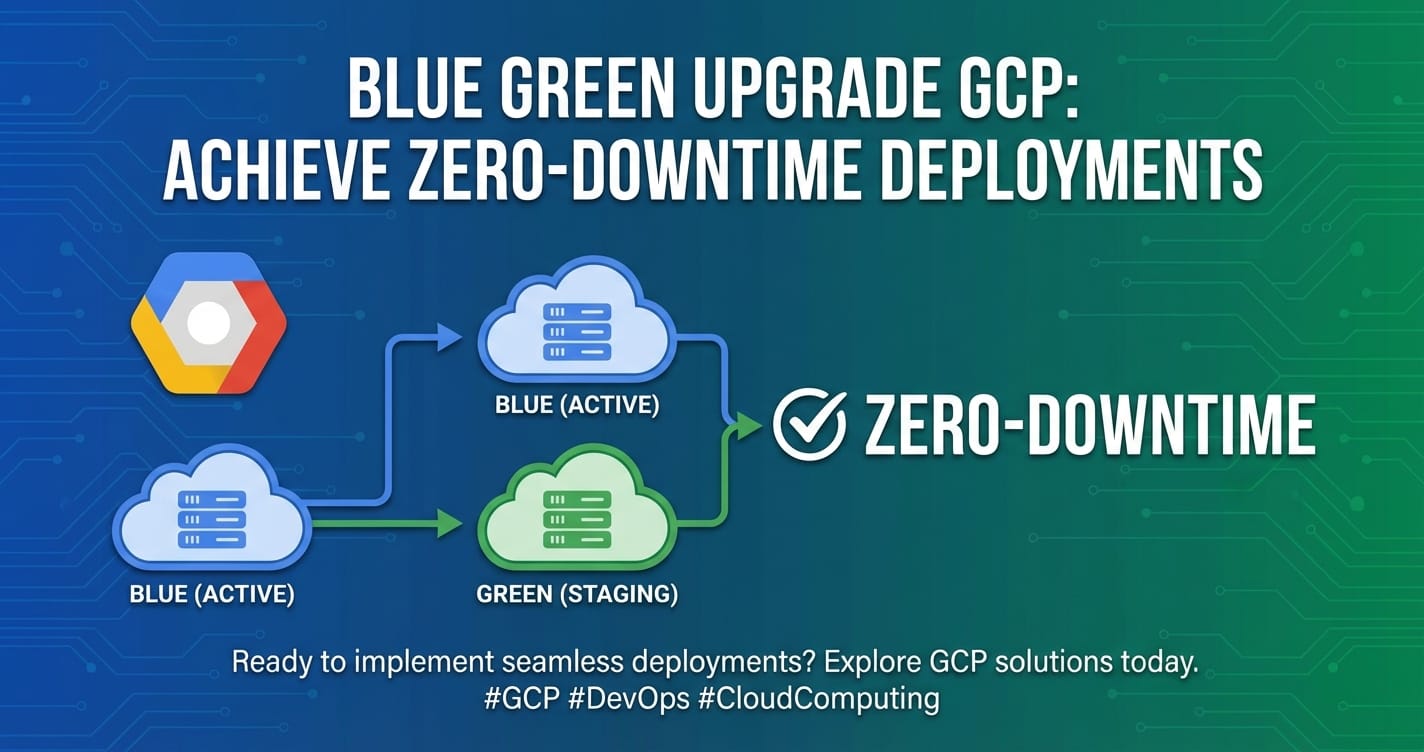
Blue Green Upgrade GCP: Achieve Zero-Downtime Deployments


The digital landscape of the 21st century demands an uncompromising commitment to availability and performance. Users expect services to be perpetually online, responsive, and continuously evolving with new features and improvements. Any disruption, no matter how brief, can translate into lost revenue, diminished brand trust, and a fractured user experience. In this environment, traditional deployment methodologies, often characterized by scheduled downtime and maintenance windows, are no longer viable. The modern imperative is clear: achieve zero-downtime deployments.
Enter Blue/Green deployment, a strategy that has revolutionized how organizations update their applications with minimal risk and maximum uptime. This advanced technique allows for the seamless transition from an old version of an application to a new one, providing an immediate rollback mechanism if issues arise. When combined with the robust, scalable, and highly available infrastructure of Google Cloud Platform (GCP), Blue/Green deployments become not just achievable, but a cornerstone of a resilient, agile, and high-performing operations strategy.
This comprehensive guide delves into the intricacies of implementing zero-downtime Blue/Green deployments on GCP. We will explore the fundamental concepts, dissect the powerful GCP services that enable this approach, walk through detailed implementation patterns, and discuss critical considerations such as data management, traffic routing, and the pivotal role of advanced API management solutions like an api gateway in orchestrating such complex transitions. Our goal is to equip you with the knowledge and actionable insights to confidently deploy and manage your applications with unparalleled reliability and agility in the cloud.
I. The Imperative of Zero-Downtime Deployments: Meeting Modern Expectations
In an era defined by instant gratification and always-on connectivity, the tolerance for service interruptions has plummeted to near zero. From e-commerce platforms processing millions of transactions per hour to streaming services delivering content globally, and from critical financial applications to collaborative productivity tools, every second of downtime carries significant financial, reputational, and operational costs. The global average cost of downtime can range from thousands to millions of dollars per hour, depending on the industry and the scale of the business. Beyond direct financial losses, prolonged outages erode customer trust, drive users to competitors, and can inflict lasting damage on a brand's reputation.
Traditional deployment models, such as "big-bang" releases where an entire application stack is brought down, updated, and then brought back online, are relics of a bygone era. Even simpler rolling updates, while reducing downtime, still introduce an element of risk and can sometimes lead to inconsistent states if not meticulously managed. The drive for continuous delivery (CD) and continuous integration (CI) necessitates a deployment strategy that not only automates the release process but also ensures the application remains fully operational and performant throughout the update cycle. This is where zero-downtime deployments become not just a best practice, but a strategic imperative.
Zero-downtime deployments are designed to eliminate service interruptions during application updates. They achieve this by ensuring that at no point in the deployment process is the entire application unavailable to users. This philosophy underpins several advanced deployment strategies, with Blue/Green being one of the most prominent and effective. The benefits extend far beyond mere availability; they encompass enhanced reliability, faster recovery from potential issues, and a significant boost to developer confidence and productivity. When developers know that a new release can be seamlessly rolled out and instantly rolled back if necessary, they are more empowered to innovate and release features more frequently, accelerating the pace of business transformation.
Google Cloud Platform, with its robust suite of computing, networking, and management services, provides an ideal ecosystem for implementing such sophisticated deployment strategies. Its global infrastructure, highly configurable load balancers, managed services for containers, and comprehensive monitoring tools offer the foundational elements required to build and sustain a zero-downtime deployment pipeline. As we delve deeper, we'll explore how these GCP capabilities can be harnessed to construct a resilient Blue/Green deployment architecture that not only meets but exceeds the stringent demands of modern digital services. The successful execution of such a strategy fundamentally relies on sophisticated traffic management, which is often orchestrated by an api gateway that serves as the entry point for all application traffic, directing it intelligently between old and new environments.
II. Understanding Blue/Green Deployments: A Paradigm Shift in Application Release Management
At its core, a Blue/Green deployment represents a fundamental shift in how we approach releasing new versions of applications. Instead of modifying an existing production environment in place, which carries inherent risks and potential for downtime, Blue/Green creates a completely separate, identical environment for the new application version. This parallel existence allows for meticulous testing and a controlled, low-risk transition.
The Core Concept: Two Identical Environments
The essence of Blue/Green deployment lies in maintaining two distinct, identical production environments, traditionally named "Blue" and "Green." * Blue Environment: This is the currently active production environment, serving live user traffic. It hosts the existing, stable version of your application. * Green Environment: This is the new, inactive production environment. It is where the new version of your application is deployed, configured, and thoroughly tested, isolated from live traffic.
The deployment process unfolds as follows: 1. Preparation: The "Green" environment is provisioned with the same infrastructure configuration as "Blue," ensuring consistency. This might involve identical virtual machines, container clusters, networking setups, and associated services. 2. Deployment to Green: The new version of the application code is deployed to the "Green" environment. This deployment occurs entirely offline from public view, allowing for comprehensive internal validation. 3. Rigorous Testing: Once the new application is live in "Green," an exhaustive suite of tests is performed. This includes functional tests, integration tests, performance tests, security scans, and perhaps even internal user acceptance testing. The critical aspect here is that these tests do not impact the live "Blue" environment whatsoever. 4. Traffic Shift: If the "Green" environment passes all tests and is deemed stable, the critical step of switching live user traffic occurs. This is typically achieved by reconfiguring a load balancer or api gateway to point all incoming requests from the "Blue" environment to the "Green" environment. This switch should be near-instantaneous, ensuring zero downtime. 5. Monitoring and Validation: Immediately after the traffic switch, intense monitoring of the "Green" environment begins. Metrics such as error rates, latency, resource utilization, and application-specific performance indicators are closely watched. 6. Rollback Capability: Crucially, if any unforeseen issues or regressions are detected in "Green" after the traffic shift, an immediate rollback is possible. This involves simply reconfiguring the load balancer or api gateway to point traffic back to the "Blue" environment, which remains fully operational and untouched. This capability is the ultimate safety net. 7. Decommissioning/Reuse: Once "Green" has proven stable for a sufficient period, the "Blue" environment can either be decommissioned (scaled down, deleted) or repurposed to become the new "Green" environment for the next release cycle.
Benefits of Blue/Green Deployments
The advantages of adopting a Blue/Green strategy are manifold, making it a highly attractive option for mission-critical applications:
- Zero Downtime: This is the primary and most significant benefit. Users experience no interruption in service during deployments, as the old environment remains live until the new one is fully validated and ready to take over.
- Rapid Rollback: The ability to instantly revert to the previous stable version by simply redirecting traffic is an unparalleled safety feature. This dramatically reduces the mean time to recovery (MTTR) from deployment failures.
- Reduced Risk: By isolating the new deployment in a separate environment, the risk of introducing bugs or regressions into the live system is significantly mitigated. Extensive testing can occur without impacting production.
- Simplified Testing: QA teams can perform comprehensive testing on a production-like environment before any users are affected, catching issues that might otherwise only appear under live load.
- Consistent Environment: Both Blue and Green environments are typically provisioned using Infrastructure as Code (IaC), ensuring they are identical and reducing configuration drift issues.
- Confidence in Releases: The robust rollback mechanism fosters greater confidence among development and operations teams, encouraging more frequent and less stressful releases.
Comparison with Other Strategies
While Blue/Green is powerful, it's essential to understand how it compares to other common deployment strategies:
- Rolling Updates: In a rolling update, instances of the old application version are incrementally replaced with instances of the new version. This reduces downtime compared to "big-bang" deployments, but if a bug is introduced, it can spread across the entire fleet as instances are updated. Rollback can be slower and more complex, potentially requiring re-deploying the old version across all instances. Blue/Green offers a "big switch" for rollback, which is faster and cleaner.
- Canary Deployments: Canary deployments introduce the new version to a small subset of real users (e.g., 1-5% of traffic) for a defined period, monitoring their experience closely. If successful, the rollout gradually expands. This is excellent for validating new features with real users and detecting performance regressions. While Blue/Green focuses on a complete environment switch, Canary is about gradual user exposure. Often, Blue/Green and Canary can be combined: deploy to Green, perform internal tests, then use Canary techniques within Green (or between Blue and Green with weighted routing) before a full Blue/Green switch.
- A/B Testing: Primarily a marketing or product development technique, A/B testing serves different versions of a feature to different user segments to measure which performs better against specific metrics. It's focused on user behavior and outcomes, not necessarily application version updates, though it can leverage similar traffic routing mechanisms.
The choice of deployment strategy often depends on the application's criticality, the acceptable risk level, and the organizational culture. For applications where zero downtime and immediate rollback are paramount, Blue/Green deployment, often augmented by an api gateway managing granular traffic, stands out as a superior choice.
Prerequisites for Successful Blue/Green
Implementing Blue/Green effectively requires certain foundational capabilities and practices:
- Immutability: Infrastructure components (VMs, containers) should be immutable. Instead of updating existing components, new ones are created from scratch with the new configuration/code.
- Automation: Extensive automation of infrastructure provisioning (IaC), application deployment, testing, and traffic switching is non-negotiable. Manual steps introduce delays and human error.
- Comprehensive Monitoring and Alerting: Real-time visibility into the health and performance of both environments is crucial, especially during the traffic switch and post-deployment validation.
- Robust CI/CD Pipeline: A well-defined and automated CI/CD pipeline is essential to build, test, and deploy applications efficiently to the Green environment.
- Stateless Applications: Ideally, application instances should be stateless to easily scale up/down and replace without data loss. Stateful applications require careful consideration of data persistence and migration strategies.
- Backward-Compatible APIs and Data Models: When new application versions introduce changes to APIs or data models, they must maintain backward compatibility with the existing "Blue" version for a period to ensure seamless transitions and rollbacks. This is where a well-managed api gateway can enforce versioning and compatibility rules.
By understanding these principles and prerequisites, organizations can lay a strong foundation for adopting Blue/Green deployments on GCP, transforming their release cycles into predictable, reliable, and risk-averse operations.
III. The Google Cloud Platform Ecosystem for Blue/Green Deployments
Google Cloud Platform offers a rich, integrated ecosystem of services perfectly suited for orchestrating Blue/Green deployments. Its global infrastructure, managed services, and powerful networking capabilities provide the necessary building blocks for creating highly available, scalable, and resilient application environments. Understanding how these services interact is key to designing an effective Blue/Green strategy.
Compute Services: The Foundation of Your Applications
The choice of compute service often dictates the specific Blue/Green implementation pattern. GCP provides flexible options for various application architectures:
- Compute Engine (CE): GCP's Infrastructure as a Service (IaaS) offering, providing virtual machines (VMs). For Blue/Green, you would typically use Managed Instance Groups (MIGs). MIGs allow you to run multiple identical VMs, automatically scaling and healing them.
- How it supports Blue/Green: You can create two separate MIGs, one for "Blue" and one for "Green," each with its own instance template reflecting the application version. The load balancer then directs traffic to the active MIG.
- Details: Instance templates define the VM configuration (OS image, machine type, disks, startup scripts). You would create a "blue" instance template and a "green" instance template, deploy them into separate MIGs, and manage traffic with a Global External HTTP(S) Load Balancer. This offers granular control over the underlying infrastructure but requires more manual management of VM images and updates compared to container-based approaches.
- Google Kubernetes Engine (GKE): GCP's managed service for Kubernetes, an open-source container orchestration platform. GKE is arguably the most common and robust platform for Blue/Green deployments due to Kubernetes' native support for declarative deployments, services, and advanced traffic management.
- How it supports Blue/Green: Kubernetes Deployments, Services, and Ingress resources are central. You can deploy two separate Kubernetes Deployments (e.g.,
my-app-blueandmy-app-green) each backed by its own Service. An Ingress controller or a dedicated api gateway then routes traffic to the appropriate Service. - Details: GKE simplifies cluster management, auto-upgrades, and scaling. Within GKE, a common Blue/Green pattern involves using distinct Deployment and Service objects for "Blue" and "Green," and then updating the Ingress resource (or a Service Mesh like Istio) to shift traffic between them. This approach naturally aligns with immutable infrastructure principles, as new container images are deployed to new pods.
- How it supports Blue/Green: Kubernetes Deployments, Services, and Ingress resources are central. You can deploy two separate Kubernetes Deployments (e.g.,
- Cloud Run: A fully managed serverless platform for containerized applications. Cloud Run automatically scales your containers up and down, even to zero, and handles all infrastructure management.
- How it supports Blue/Green: Cloud Run has built-in revision management and traffic splitting capabilities. When you deploy a new version, it creates a new "revision." You can then allocate a percentage of traffic to the new revision and gradually increase it, effectively performing a Blue/Green or Canary deployment with minimal configuration.
- Details: This is often the simplest path for stateless microservices. You deploy a new service version, test it, and then use the
gcloud run services update-trafficcommand to route traffic seamlessly. Cloud Run's native features make it highly effective for single-service Blue/Green deployments without the overhead of managing clusters or load balancers directly.
Networking & Traffic Management: The Orchestration Layer
The ability to control and direct traffic precisely is paramount for Blue/Green deployments. GCP's networking services are incredibly powerful and form the backbone of the traffic shift:
- Cloud Load Balancing: GCP offers a suite of highly scalable, global load balancers that are critical for distributing traffic across your "Blue" and "Green" environments.
- Global External HTTP(S) Load Balancer: Ideal for web applications and APIs, it provides a single global IP address and supports features like SSL termination, URL maps for routing, and integration with Managed Instance Groups or Network Endpoint Groups (NEGs). This is the primary mechanism for shifting traffic between Blue and Green environments for internet-facing applications.
- Internal HTTP(S) Load Balancer: For internal microservices communication, allowing Blue/Green deployments within a private network.
- Network Load Balancer (TCP/UDP): For non-HTTP(S) traffic, also supports Blue/Green by switching backend services.
- Details: Load balancers use backend services to define where traffic should be sent. For Blue/Green, you'd have a "blue" backend service and a "green" backend service, and you'd update the load balancer's URL map (or traffic management policies) to direct 100% of traffic to the "green" backend once it's validated.
- VPC Network & Firewall Rules: Your Virtual Private Cloud (VPC) provides a globally distributed, software-defined network. Firewall rules are essential for securing communication within and between your Blue and Green environments, ensuring that only authorized traffic can reach them during testing phases.
- Network Endpoint Groups (NEGs): NEGs specify groups of IP addresses or instance groups that can serve as backends for GCP load balancers.
- How it supports Blue/Green: For GKE, container-native load balancing uses NEGs, allowing the load balancer to directly target Kubernetes pods. This enables fine-grained traffic management and makes the Blue/Green switch highly efficient.
- Details: NEGs decouple the load balancer from specific VM instances or even Kubernetes services directly, providing a more flexible and dynamic way to define backend targets, especially useful for microservices architectures where pods are ephemeral.
- Cloud DNS: Essential for managing domain names and directing traffic. You can update DNS records to point to the new environment's IP, though load balancers are generally preferred for Blue/Green for faster switches and rollback. However, for a fully separate Blue/Green environment with distinct hostnames, Cloud DNS can be part of the strategy.
Data Services: Addressing the State Challenge
While Blue/Green excels at stateless application deployments, stateful components like databases introduce complexity. Careful planning is required:
- Cloud SQL, Firestore, BigQuery: GCP offers managed relational (Cloud SQL), NoSQL (Firestore), and data warehousing (BigQuery) services.
- Database Migration Strategies:
- Backward Compatibility: The simplest approach is to ensure the new application version (Green) is fully backward compatible with the existing database schema used by Blue. This means new columns can be added, but old ones shouldn't be removed or renamed in a way that breaks Blue.
- Dual Write/Read: For more complex changes, the Blue application can write to both the old and new schema structure during a transition period, and then the Green application would read from the new schema. This requires careful orchestration and is often used when a new application version also brings major database schema changes.
- Feature Flags: Can hide new features that require schema changes until the Green deployment is fully rolled out.
- Details: Database migrations are often the trickiest part of Blue/Green. It typically involves a multi-stage release for the database schema itself, ensuring schema evolution is non-breaking. For example, adding new columns, deploying Green, then finally removing old columns after Blue is decommissioned.
Deployment & Automation: The Engine of Agility
Automation is the bedrock of successful Blue/Green deployments, ensuring consistency, speed, and reliability.
- Cloud Build: GCP's CI/CD platform for building, testing, and deploying applications.
- How it supports Blue/Green: Cloud Build pipelines can automate the entire process: fetching code, building container images, running tests, deploying to the "Green" environment, and even triggering the traffic shift (e.g., by updating a load balancer configuration or a Kubernetes Ingress).
- Details: Integrates seamlessly with other GCP services like Artifact Registry (for storing container images) and Source Repositories. You can define multi-stage pipelines to manage the Blue/Green lifecycle.
- Cloud Deploy: A fully managed service for continuous delivery to GKE and Cloud Run.
- How it supports Blue/Green: Cloud Deploy natively supports progressive delivery strategies, including Blue/Green, Canary, and rolling updates. It manages the rollout of application versions across environments, tracks releases, and provides a dashboard for visibility.
- Details: Cloud Deploy simplifies the orchestration of releases across multiple target environments, making it an excellent choice for managing Blue/Green deployments at scale.
- Terraform / Cloud Deployment Manager (IaC): Infrastructure as Code (IaC) is non-negotiable for Blue/Green. It ensures that both your Blue and Green environments are provisioned identically and consistently.
- How it supports Blue/Green: You define your entire infrastructure (VPC, load balancers, MIGs, GKE clusters, etc.) in code. This allows you to easily provision a new "Green" environment from the same codebase as "Blue," minimizing configuration drift.
- Details: Terraform is a widely adopted open-source IaC tool that integrates well with GCP. Cloud Deployment Manager is GCP's native IaC service. Both enable idempotent, repeatable infrastructure provisioning.
Monitoring & Logging: The Eyes and Ears
Visibility into your application's health and performance is critical, especially during and after a Blue/Green transition.
- Cloud Monitoring: Provides insights into the performance, uptime, and overall health of your GCP resources and applications.
- How it supports Blue/Green: Create dashboards and alerts to monitor key metrics for both "Blue" and "Green" environments (e.g., CPU utilization, memory, network I/O, error rates, latency). During the traffic shift, closely observe the "Green" environment's metrics to quickly identify any degradation.
- Details: Define custom metrics and create alerting policies that can trigger notifications or even automated rollbacks if thresholds are breached.
- Cloud Logging: A centralized service for collecting, storing, and analyzing logs from all your GCP resources and applications.
- How it supports Blue/Green: Centralized logging allows for easy comparison of log patterns between "Blue" and "Green" environments. Rapidly diagnose issues by filtering logs from the "Green" environment after traffic has shifted.
- Details: Leverage Log Explorer for powerful querying and create log-based metrics for specific error patterns or application events that can then be visualized in Cloud Monitoring.
- Cloud Trace: A distributed tracing system that helps you understand how requests flow through your application and identify performance bottlenecks.
- How it supports Blue/Green: Trace can help identify if a newly deployed "Green" service is introducing latency or errors in a complex microservices architecture. Compare traces between "Blue" and "Green" paths.
- Cloud Audit Logs: Provides activity logs for administrator actions and data access within your GCP projects, crucial for security and compliance, especially when making significant changes like traffic shifts.
By effectively utilizing these GCP services, organizations can construct a robust, automated, and observable Blue/Green deployment pipeline, ensuring that application updates are delivered seamlessly and reliably. The consistent and programmable nature of GCP makes it an ideal platform for implementing such advanced deployment strategies.
IV. Architectural Patterns for Blue/Green on GCP
Implementing Blue/Green deployments on GCP can take several forms, largely depending on your chosen compute platform and application architecture. Each pattern leverages different GCP services to achieve the core Blue/Green objectives of isolation, testing, and seamless traffic switching.
1. Basic Compute Engine Setup: Instance Groups and Load Balancers
This pattern is suitable for applications deployed on virtual machines, particularly those that are more monolithic or have simpler microservices architectures where each service runs on its own VM instance group.
- Architecture:
- Two Managed Instance Groups (MIGs): One for "Blue" (current production) and one for "Green" (new version). Each MIG uses a distinct instance template that includes the appropriate application version.
- Regional or Global HTTP(S) Load Balancer: This acts as the entry point for user traffic.
- Backend Services: The load balancer has two backend services, one pointing to the "Blue" MIG and one to the "Green" MIG.
- URL Map: The URL map of the load balancer defines how incoming requests are routed to the backend services.
- Implementation Steps:
- Blue Setup:
- Create an instance template for your current application version (
app-v1-template). - Create a Managed Instance Group (
app-blue-mig) usingapp-v1-template. - Create a backend service (
app-blue-backend) for the load balancer, associating it withapp-blue-mig. - Configure an HTTP(S) Load Balancer to route all traffic to
app-blue-backendvia its URL map.
- Create an instance template for your current application version (
- Green Deployment:
- Create a new instance template for your new application version (
app-v2-template). - Create a new Managed Instance Group (
app-green-mig) usingapp-v2-template. Ensure it's provisioned in parallel toapp-blue-migbut not yet receiving live traffic. - Create a new backend service (
app-green-backend) and associate it withapp-green-mig.
- Create a new instance template for your new application version (
- Testing Green:
- Allow internal testers or automated tests to access the
app-green-migdirectly (e.g., via internal IP or a separate internal load balancer/DNS entry), bypassing the public load balancer. This ensures comprehensive testing without affecting live users.
- Allow internal testers or automated tests to access the
- Traffic Shift:
- Once
app-green-migis validated, update the HTTP(S) Load Balancer's URL map configuration. Change the routing rule to direct 100% of the traffic fromapp-blue-backendtoapp-green-backend. This change is typically near-instantaneous.
- Once
- Monitoring & Rollback:
- Continuously monitor
app-green-mig. If issues arise, immediately revert the load balancer's URL map to point back toapp-blue-backend.
- Continuously monitor
- Decommission Blue:
- After
app-green-migproves stable, deleteapp-blue-migand its associated resources to save costs. Theapp-green-migthen becomes the new "Blue" for the next release cycle.
- After
- Blue Setup:
2. GKE-centric Blue/Green: Kubernetes and Service Mesh (Istio)
GKE is a prime candidate for Blue/Green due to its native container orchestration capabilities. For advanced traffic management and microservices architectures, integrating a service mesh like Istio elevates the strategy. This is also where the role of an api gateway becomes highly prominent.
- Architecture:
- GKE Cluster: A highly available Kubernetes cluster.
- Kubernetes Deployments: Two distinct Deployments (e.g.,
my-app-v1-blueandmy-app-v2-green) for the old and new application versions. Each Deployment manages its own set of Pods. - Kubernetes Services: Typically, a single Kubernetes Service (e.g.,
my-app-service) acts as a stable internal endpoint. The Selector for this Service is updated to point to themy-app-v2-greenDeployment. Alternatively, two Services (my-app-blue-serviceandmy-app-green-service) are used. - GCP Ingress or GKE Gateway API: For external HTTP(S) traffic, these integrate with Cloud Load Balancing.
- Istio Service Mesh (Optional but Recommended for advanced cases): Istio's
Gateway,VirtualService, andDestinationRuleresources provide highly granular traffic management, including weighted routing and advanced content-based routing.
- Implementation Steps (without Istio, using Ingress):
- Blue Setup:
- Deploy
my-app-v1asmy-app-blueDeployment and expose it viamy-app-servicewith selectorapp: my-app, version: blue. - Configure a GCP Ingress resource to route external traffic to
my-app-service. The Ingress controller provisions a Cloud Load Balancer.
- Deploy
- Green Deployment:
- Deploy
my-app-v2asmy-app-greenDeployment with selectorapp: my-app, version: green. - Create a temporary
my-app-green-servicethat points only tomy-app-greenpods for internal testing purposes. - Thoroughly test
my-app-greenusing its internal service or direct pod access.
- Deploy
- Traffic Shift:
- Update the
my-app-serviceKubernetes Service to change its selector fromversion: bluetoversion: green. This effectively reroutes all internal and external traffic (via Ingress) to the newmy-app-greenDeployment. This is a very fast switch.
- Update the
- Monitoring & Rollback:
- Monitor
my-app-green. If issues arise, revert the Service selector back toversion: blue.
- Monitor
- Decommission Blue:
- Delete
my-app-blueDeployment oncemy-app-greenis stable.
- Delete
- Blue Setup:
- Implementation Steps (with Istio Service Mesh):
- Blue Setup:
- Deploy
my-app-v1asmy-appDeployment with labelversion: blue. - Create a Kubernetes Service
my-appthat selects pods withapp: my-app. - Define an Istio
VirtualServiceandDestinationRuleformy-app, directing 100% of traffic to thebluesubset. - The Istio Gateway acts as the api gateway for external traffic.
- Deploy
- Green Deployment:
- Deploy
my-app-v2asmy-appDeployment with labelversion: green(co-existing withblue). - Update the
DestinationRuleto define bothblueandgreensubsets.
- Deploy
- Testing Green:
- Istio allows for advanced routing. You can route specific internal user requests (e.g., based on HTTP header) to the
greensubset for isolated testing, without affecting the general public.
- Istio allows for advanced routing. You can route specific internal user requests (e.g., based on HTTP header) to the
- Traffic Shift (weighted routing):
- Gradually shift traffic using the
VirtualService. Start with 1% togreen, then 5%, 20%, 50%, and finally 100%. This allows for a controlled, canary-like Blue/Green transition.
- Gradually shift traffic using the
- Monitoring & Rollback:
- Monitor closely. If issues, quickly revert
VirtualServiceweights back toblue.
- Monitor closely. If issues, quickly revert
- Decommission Blue:
- Once
greenis stable and taking 100% of traffic, scale down or delete theblueDeployment.
- Once
- Role of API Gateway with GKE/Istio: In microservices architectures, especially those involving AI models, a dedicated api gateway is crucial. For example, an AI Gateway or an LLM Gateway like APIPark can sit in front of or integrate with your GKE cluster and Istio. APIPark, as an open-source AI gateway and API management platform, excels at handling unified API formats for AI invocation, prompt encapsulation into REST APIs, and end-to-end API lifecycle management. When performing Blue/Green deployments on GKE, APIPark can manage the ingress traffic to your microservices, providing features like intelligent routing, authentication, rate limiting, and observability. It can be configured to direct traffic to either the "Blue" or "Green" endpoints based on your deployment strategy, offering an additional layer of control and visibility, especially for services that expose AI capabilities. For example, if you're deploying an updated sentiment analysis model, APIPark could manage the traffic to the new model in the "Green" environment, ensuring consistent API invocation and detailed logging.
- Blue Setup:
3. Cloud Run Blue/Green: Native Revision Management
Cloud Run offers the simplest path to Blue/Green for stateless containerized services, leveraging its built-in features.
- Architecture:
- Cloud Run Service: A single Cloud Run service manages multiple revisions.
- Revisions: Each deployment of your container image creates a new immutable revision.
- Traffic Management: Cloud Run's native traffic management features allow you to split traffic between revisions by percentage.
- Implementation Steps:
- Blue Setup:
- Deploy
my-app-v1to Cloud Run. This createsmy-app-revision-1(the "Blue" revision), which receives 100% of traffic.
- Deploy
- Green Deployment:
- Deploy
my-app-v2to the same Cloud Run service. This createsmy-app-revision-2(the "Green" revision). By default, it receives 0% traffic initially.
- Deploy
- Testing Green:
- Cloud Run automatically provides a unique URL for
my-app-revision-2(e.g.,my-app-revision-2---service-id.region.run.app). Use this URL for internal testing and validation without impacting live traffic.
- Cloud Run automatically provides a unique URL for
- Traffic Shift (Gradual or Instant):
- Instant Switch: Once
my-app-revision-2is validated, usegcloud run services update-traffic my-app --to-latest --percent 100to instantly shift all traffic to the "Green" revision. - Gradual (Canary-like) Switch: Use
gcloud run services update-traffic my-app --to-revision my-app-revision-2=10 --to-revision my-app-revision-1=90to send 10% traffic to Green, then gradually increase.
- Instant Switch: Once
- Monitoring & Rollback:
- Monitor
my-app-revision-2. If issues, usegcloud run services update-traffic my-app --to-revision my-app-revision-1=100to instantly revert all traffic back to the "Blue" revision.
- Monitor
- Decommission Blue:
- Cloud Run can automatically manage old revisions. You can manually delete old revisions once they are no longer needed.
- Blue Setup:
4. Data Layer Considerations in Blue/Green
Regardless of the compute platform, managing database schema changes during a Blue/Green deployment requires careful planning to ensure zero downtime and prevent data loss.
- Backward-Compatible Schema Changes: This is the golden rule. When deploying "Green" with a new schema, ensure that the "Blue" application can still operate correctly with the modified schema, and vice-versa if a rollback is needed.
- Example: If adding a new column, the "Green" application might use it, but the "Blue" application must tolerate its presence (or absence if it's a nullable column) without breaking. Do not drop or rename columns that "Blue" relies on until "Blue" is fully decommissioned.
- Multi-Step Database Migrations:
- Deploy Schema Changes for Backward Compatibility: Introduce new columns, add new tables, but keep old ones that "Blue" uses. This usually requires multiple database migrations.
- Deploy Green Application: The new application version uses the newly introduced schema elements.
- Traffic Shift to Green: Now Green is live and uses the new schema.
- Clean Up Old Schema (Post-Blue Decommission): Once "Blue" is fully retired, you can then perform migrations to remove old, unused columns or tables.
- Dual Write Pattern: For significant schema overhauls, the "Blue" application can be modified to write data to both the old and new schema structures. After the "Green" deployment and traffic shift, the "Green" application would read only from the new schema, and the "Blue" application would eventually be decommissioned. This is complex and requires careful orchestration but offers maximum flexibility.
- Feature Flags/Toggles: These can be used to hide new features that depend on new database schema elements until the "Green" environment is fully stable and receiving all traffic. This provides an additional layer of control.
By carefully selecting the appropriate architectural pattern and meticulously planning for data layer changes, organizations can successfully implement robust Blue/Green deployments on GCP, ensuring continuous availability and reliable application updates. The critical role of traffic management, often facilitated by an api gateway or an AI Gateway for specialized workloads, cannot be overstated in these complex transitions.
APIPark is a high-performance AI gateway that allows you to securely access the most comprehensive LLM APIs globally on the APIPark platform, including OpenAI, Anthropic, Mistral, Llama2, Google Gemini, and more.Try APIPark now! 👇👇👇
V. Step-by-Step Implementation Guide: GKE with Cloud Load Balancing
This section provides a detailed, step-by-step guide to implementing a Blue/Green deployment using Google Kubernetes Engine (GKE) and Cloud Load Balancing. This pattern is highly popular for microservices architectures due to GKE's scalability and flexibility, and the robust traffic management offered by GCP's load balancers.
Phase 1: Preparation and Baseline Setup
Before initiating any deployment, a solid foundation is essential.
- Define Application and Dependencies:
- Application: Identify the microservice or application you intend to deploy. For this example, let's assume a simple web application named
my-web-app. - Dependencies: List all external services, databases, queues, or APIs (
my-web-apprelies on). Ensure these dependencies are stable and accessible from both "Blue" and "Green" environments. - Containerization: Ensure your application is containerized (e.g., Docker image) and pushed to a container registry like GCP's Artifact Registry or Google Container Registry (GCR).
- Application: Identify the microservice or application you intend to deploy. For this example, let's assume a simple web application named
- Create GKE Cluster:
- Provision a GKE cluster in your chosen GCP region. For production, consider a multi-zone or regional cluster for high availability.
- Command Example:
bash gcloud container clusters create my-blue-green-cluster \ --region=us-central1 \ --num-nodes=3 \ --machine-type=e2-standard-2 \ --enable-ip-alias # Essential for VPC-native GKE and Network Endpoint Groups (NEGs) - Context: Configure
kubectlto connect to your new cluster.
- Set up CI/CD Pipeline (Cloud Build & Artifact Registry):
- Source Repository: Your application code should be in a version control system (e.g., Cloud Source Repositories, GitHub).
- Cloud Build Trigger: Create a Cloud Build trigger that automatically builds a new Docker image and pushes it to Artifact Registry whenever changes are pushed to your application's repository.
cloudbuild.yamlExample (for building and pushing an image): ```yaml steps:- name: 'gcr.io/cloud-builders/docker' args: ['build', '-t', 'us-central1-docker.pkg.dev/$PROJECT_ID/my-repo/my-web-app:$COMMIT_SHA', '.']
- name: 'gcr.io/cloud-builders/docker' args: ['push', 'us-central1-docker.pkg.dev/$PROJECT_ID/my-repo/my-web-app:$COMMIT_SHA'] images:
- 'us-central1-docker.pkg.dev/$PROJECT_ID/my-repo/my-web-app:$COMMIT_SHA' ```
- Initial "Blue" Deployment:
- Kubernetes Manifests: Create Kubernetes YAML files for your application:
deployment.yaml: Defines your application pods (my-web-app-blue), container image (v1.0), replicas, resource limits, and a labelversion: blue.service.yaml: Defines a stable internal service (my-web-app-service) that targets pods withapp: my-web-appandversion: blue.ingress.yaml: Configures a GCP Ingress resource that maps your public domain (my-app.example.com) tomy-web-app-service. The Ingress controller will provision a Cloud HTTP(S) Load Balancer.
- Deploy "Blue":
bash kubectl apply -f deployment.yaml kubectl apply -f service.yaml kubectl apply -f ingress.yaml - Verification: Confirm that your application is accessible via the external IP address provided by the Ingress and is serving traffic correctly.
- Kubernetes Manifests: Create Kubernetes YAML files for your application:
Phase 2: Deploying the "Green" Environment
This phase involves introducing the new application version without impacting the existing "Blue" environment.
- Build New Application Version:
- Develop and test
my-web-appversionv2.0. - Push changes to your repository, triggering the Cloud Build pipeline to create and push a new Docker image tagged
v2.0(or using theCOMMIT_SHA).
- Develop and test
- Prepare "Green" Kubernetes Manifests:
- Create a new Deployment manifest, e.g.,
deployment-green.yaml. This will be identical todeployment.yamlfrom Phase 1, but with two crucial differences:- Image Version: Update the container image to
v2.0(or the newCOMMIT_SHA). - Version Label: Change the label to
version: green. (e.g.,app: my-web-app,version: green).
- Image Version: Update the container image to
- Important: For the initial Blue/Green switch via Service selector, you typically keep a single Service (
my-web-app-service). Its selector will dynamically switch betweenversion: blueandversion: green. - Alternatively, for advanced scenarios or if using Istio, you might create a separate Service for
green(e.g.,my-web-app-green-service) and manage routing at the Ingress or IstioVirtualServicelevel. For this guide, we'll stick to updating the single service's selector for simplicity and common practice.
- Create a new Deployment manifest, e.g.,
- Deploy "Green" Deployment:
- Apply the
deployment-green.yaml. This will create new pods formy-web-appversionv2.0in your GKE cluster, but they will not yet be serving live traffic, as themy-web-app-serviceis still pointing toversion: blue. bash kubectl apply -f deployment-green.yaml- Verification:
bash kubectl get pods -l app=my-web-app # You should see both blue and green pods
- Apply the
Phase 3: Rigorous Testing of "Green"
This is a critical phase where the new "Green" environment is thoroughly vetted in a production-like setting before any live users are exposed.
- Internal Testing:
- Direct Pod Access (Advanced): For very deep internal testing, you could temporarily expose a
NodePortor usekubectl port-forwardto access a specific "Green" pod. - Dedicated Internal Load Balancer/DNS (Best Practice): For a more robust approach, you might set up an internal load balancer or a temporary DNS entry that points directly to the
my-web-app-greenDeployment's service (if you created a separate one) or a separate Ingress that routes only internal traffic to green. This allows internal QA teams to accessv2.0directly under realistic network conditions. - Host Header Routing (if using Istio/advanced API Gateway): If using a service mesh like Istio or an advanced api gateway like APIPark, you could configure specific routing rules. For instance, requests with a special HTTP header (e.g.,
X-Internal-Test: true) could be routed to thegreenversion, allowing specific users or automated tests to hit the new environment through the same external endpoint. - Testing Scope: Perform functional, integration, performance, security, and user acceptance tests. Ensure all new features work as expected and that existing functionalities remain stable.
- Direct Pod Access (Advanced): For very deep internal testing, you could temporarily expose a
- Automated Tests:
- Integrate automated end-to-end (E2E) tests into your CI/CD pipeline that target the "Green" environment's internal endpoint. These tests should cover critical user flows and API functionalities.
- Ensure all tests pass with acceptable performance metrics.
Phase 4: Traffic Shifting
Once "Green" is validated, it's time to direct live user traffic to it.
- Shift Traffic (Service Selector Update):
- This is the simplest and fastest way to switch traffic in GKE when using a single service that selects pods based on version labels.
- Modify your
service.yaml(or apply a patch) to update theselector.versionfrombluetogreen. - Command Example (patching the service):
bash kubectl patch service my-web-app-service -p '{"spec":{"selector":{"version":"green"}}}' - What happens: The
my-web-app-servicenow immediately stops routing traffic to pods withversion: blueand starts routing to pods withversion: green. The Cloud Load Balancer (managed by Ingress) detects this change in the backend service and updates its health checks and routing rules, typically within seconds. - API Gateway Integration: If you are using an api gateway like APIPark in front of your GKE services, you would update the routing configuration within APIPark to point to the
greenservice endpoint. This gives you centralized control over API traffic, authentication, and other policies during the switch. An AI Gateway would handle this specifically for AI model inference endpoints.
- Gradual Shift (Canary-like Blue/Green with Istio/Load Balancer):
- If you need a more controlled, gradual rollout (similar to Canary, but within the Blue/Green context), you would use Istio's
VirtualServiceor advanced Cloud Load Balancing features (e.g., weighted routing in URL maps for HTTP(S) Load Balancer if targeting two separate backend services/NEGs). - Istio Example (part of
VirtualService): ```yaml spec: hosts:- "my-app.example.com" gateways:
- my-app-gateway http:
- route:
- destination: host: my-web-app-service # or my-web-app-green-service subset: green weight: 10 # 10% traffic to green
- destination: host: my-web-app-service # or my-web-app-blue-service subset: blue weight: 90 # 90% traffic to blue ```
- You would then incrementally increase the
weightforgreenwhile decreasing it forblueuntilgreenreceives 100% of traffic.
- If you need a more controlled, gradual rollout (similar to Canary, but within the Blue/Green context), you would use Istio's
Phase 5: Monitoring and Validation
Post-shift, intense monitoring is critical to confirm the health and performance of the new environment.
- Key Metrics:
- Error Rates: Keep a close eye on HTTP 5xx errors, application-specific errors, and exceptions in Cloud Logging.
- Latency: Monitor request latency (P50, P90, P99) to ensure the new version isn't introducing performance regressions.
- Resource Utilization: CPU, memory, and network I/O for
greenpods and nodes. - Application-Specific Metrics: Business-critical metrics like transaction rates, user sign-ups, etc.
- API Gateway Metrics: If using an api gateway or LLM Gateway like APIPark, monitor its specific metrics for the
greenroutes, such as TPS, average response time, and error counts.
- Dashboards and Alerting:
- Ensure Cloud Monitoring dashboards are set up to display these metrics for both
blueandgreenenvironments. - Configure alerts that trigger notifications (e.g., PagerDuty, Slack) if any critical metric for
greenexceeds predefined thresholds.
- Ensure Cloud Monitoring dashboards are set up to display these metrics for both
- User Feedback: Actively solicit and monitor user feedback channels for any reported issues.
Phase 6: Rollback Strategy
The safety net of Blue/Green: rapid reversion to the previous stable state.
- Immediate Switch Back:
- If any critical issues are detected during the monitoring phase that cannot be quickly hot-fixed, initiate an immediate rollback.
- Command Example (revert service selector):
bash kubectl patch service my-web-app-service -p '{"spec":{"selector":{"version":"blue"}}}' - This instantly redirects all traffic back to the original
my-web-app-bluepods. - API Gateway Rollback: If using an api gateway, update its routing configuration to point back to the
blueendpoints. This ensures that even the external-facing API definitions revert.
- Automated Rollback Triggers (Optional but powerful):
- For highly critical applications, integrate Cloud Monitoring alerts with Cloud Functions or custom automation scripts to automatically trigger a rollback (
kubectl patchcommand) if specific, severe conditions are met (e.g., 5xx error rate spikes above 5% for 60 seconds).
- For highly critical applications, integrate Cloud Monitoring alerts with Cloud Functions or custom automation scripts to automatically trigger a rollback (
Phase 7: Decommissioning "Blue"
Once the "Green" environment has been stable for a predefined period (e.g., 24-72 hours), the "Blue" resources can be safely removed.
- Scale Down/Delete "Blue" Deployment:
bash kubectl delete deployment my-web-app-blue- This scales down and removes the old application pods.
- Cleanup Associated Resources:
- Remove any instance templates or images specifically tied to the old "Blue" version that are no longer needed.
- Ensure any temporary testing resources or configurations are also removed.
- Repurpose for Next Cycle: The
my-web-app-greenDeployment now effectively becomes the new "Blue" for the subsequent release cycle.
This detailed process, especially when fully automated through CI/CD pipelines and infrastructure as code, empowers teams to deploy with confidence, achieving true zero-downtime deployments on Google Kubernetes Engine. The integration of powerful traffic management via Cloud Load Balancing and potentially an advanced api gateway or LLM Gateway further enhances control and reliability throughout the deployment lifecycle.
VI. Advanced Topics and Best Practices in Blue/Green on GCP
While the core principles of Blue/Green deployments are straightforward, mastering the technique for complex, production-grade applications on GCP involves considering several advanced topics and adhering to best practices. These considerations ensure robustness, cost-efficiency, and comprehensive security.
Data Layer Migrations: A Persistent Challenge
As discussed earlier, stateless application components are relatively easy to manage in Blue/Green. However, databases and other stateful services present the trickiest challenges.
- Backward-Compatible Schema Changes (Deep Dive):
- Rule: Any change to the database schema that "Green" introduces must be non-breaking for "Blue."
- Execution:
- Additive Changes First: Add new columns, tables, or indexes. Never drop or rename columns, or change data types in a non-compatible way, that "Blue" is actively using.
- Deploy Green: Deploy
v2(Green) which can now utilize the new schema elements. Bothv1(Blue) andv2can coexist with this schema. - Traffic Shift: Route traffic to
v2. - Grace Period & Decommission Blue: Keep
v1around for a short grace period. Once confidentv2is stable andv1is truly decommissioned, you can proceed to the next step. - Remove Old Schema: Only after
v1is completely gone can you perform migrations to remove deprecated columns or tables thatv1used butv2does not. This is often done in a subsequent release cycle or as a separate operational task.
- Tools: Use database migration tools like Flyway or Liquibase, integrated into your CI/CD pipeline, to manage and apply these schema changes version by version.
- Dual Write Patterns: For scenarios where backward compatibility is highly complex or impossible for a period, a dual-write approach can be used.
- Modify Blue to Dual Write: Before deploying Green, update Blue to write data to both the old and the new (forward-compatible) schema structures.
- Deploy Green: Green is deployed and configured to read and write only to the new schema structure.
- Traffic Shift: Shift traffic to Green.
- Decommission Blue & Stop Dual Write: Once Green is stable, Blue is decommissioned. Then, remove the dual-write logic from the Green application (now the new Blue).
- Complexity: This significantly increases application complexity and requires careful handling of data consistency and potential race conditions. It should be reserved for major schema refactoring.
- Feature Flags / Toggles: These provide an additional layer of control, especially when new features require schema changes. A feature flag can prevent the new code paths from being executed until the deployment is stable and the database changes are fully propagated. This decouples feature release from code deployment.
Observability: Beyond Basic Monitoring
Effective Blue/Green deployments rely heavily on being able to quickly assess the health and performance of both environments.
- Distributed Tracing (Cloud Trace): For microservices architectures, Cloud Trace is invaluable. It allows you to follow a single request across multiple services, identifying bottlenecks or errors introduced by the "Green" version. Comparing traces between "Blue" and "Green" paths can quickly highlight performance regressions.
- Logs Analysis (Cloud Logging): Beyond just collecting logs, leverage Cloud Logging's advanced querying capabilities (e.g., using Log Explorer) to filter logs specifically for the "Green" environment. Create log-based metrics to track specific application events or error types unique to the new deployment.
- Custom Metrics (Cloud Monitoring): Beyond standard infrastructure metrics, instrument your application to expose custom business metrics (e.g., number of successful orders, user session counts). These metrics provide immediate insight into the business impact of the "Green" deployment.
- Real User Monitoring (RUM): For web applications, integrate client-side monitoring to track actual user experience. Are users on the "Green" environment experiencing higher load times or more client-side errors?
Security Considerations
Blue/Green deployments, by creating duplicate environments, introduce specific security considerations.
- IAM Roles and Permissions: Ensure that CI/CD pipelines and deployment service accounts have only the minimum necessary IAM permissions to deploy to "Green" and manage traffic.
- Network Policies (GKE): For GKE, use Kubernetes Network Policies to control traffic between pods. This ensures that the "Green" environment's pods can only communicate with authorized services (e.g., database, other microservices) and not accidentally interfere with "Blue" or other production systems during testing.
- Vulnerability Scanning: Implement automated vulnerability scanning (e.g., using Container Analysis with Artifact Registry) for container images in both "Blue" and "Green" environments. Ensure the "Green" image passes all security checks before deployment.
- Secrets Management: Use GCP Secret Manager to securely store and access sensitive configuration data (API keys, database credentials) for both environments. Ensure secrets are rotated regularly.
Cost Optimization
Maintaining two full production environments, even temporarily, incurs higher infrastructure costs.
- Resource Sizing: Right-size your "Green" environment. If it's primarily for testing before a full switch, it might not need to be as large as "Blue" initially, depending on the test load.
- Automated Cleanup: Rigorously automate the decommissioning of the old "Blue" environment once "Green" is stable. This is crucial for cost control. Leverage Cloud Functions or Cloud Scheduler to trigger cleanup scripts.
- Spot VMs/Preemptible VMs: For non-critical components of the "Green" environment during the testing phase, consider using Spot VMs (Compute Engine) or Preemptible VMs (GKE nodes) to reduce costs, provided your application can tolerate preemption.
Microservices and API Management: The API Gateway's Crucial Role
In modern, distributed microservices architectures, an api gateway is not just an optional component; it's a critical infrastructure layer. Its importance is amplified in Blue/Green deployments.
- Centralized Traffic Control: An api gateway serves as the single entry point for all client requests, abstracting the underlying microservice topology. During a Blue/Green deployment, it's the ideal place to manage traffic routing between the "Blue" and "Green" versions of your services. Instead of manipulating load balancer configurations directly (though the gateway often integrates with them), you update routing rules within the gateway.
- Decoupling Clients from Deployments: The gateway ensures that client applications (mobile apps, web frontends) always call the same stable API endpoint, regardless of which version of the backend microservice (
blueorgreen) is currently serving traffic. This simplifies client development and prevents breaking changes during deployments. - Advanced Routing Capabilities: Many gateways support sophisticated routing policies, such as:
- Weighted Routing: For gradual traffic shifts (Canary-like Blue/Green).
- Header-based Routing: Directing specific requests (e.g., from internal testers, or based on
User-Agent) to the "Green" environment. - Path-based Routing: Routing different API paths to different service versions.
- Policy Enforcement: An api gateway can enforce critical policies like authentication, authorization, rate limiting, and caching, uniformly across both "Blue" and "Green" environments, ensuring consistency.
- Observability: Gateways provide centralized logging, metrics, and tracing for all API traffic, offering a consolidated view of how "Blue" and "Green" services are performing under real load.
- The Rise of AI Gateways and LLM Gateways: As applications increasingly integrate Artificial Intelligence (AI) and Large Language Models (LLMs), specialized gateways are emerging. An AI Gateway or LLM Gateway extends the functionalities of a traditional API Gateway to handle the unique challenges of AI model inference. These challenges include:This is precisely where platforms like APIPark become indispensable. APIPark is an open-source AI gateway and API management platform designed to simplify the management, integration, and deployment of AI and REST services. In the context of Blue/Green deployments, particularly for applications leveraging AI, APIPark can act as a sophisticated AI Gateway or LLM Gateway. It allows you to: * Quickly integrate 100+ AI models: Manage all your AI models centrally. When you perform a Blue/Green deployment of an application that uses an updated AI model (e.g., a new version of a sentiment analysis model deployed to "Green"), APIPark can handle the traffic routing to the specific model version. * Standardize AI Invocation: Ensure that your application consistently calls AI services, regardless of the underlying model version in "Blue" or "Green." This is crucial for seamless transitions and rapid rollbacks without client-side breaking changes. * Manage API Lifecycle: APIPark assists with end-to-end API lifecycle management, including traffic forwarding and load balancing—features directly applicable to shifting traffic between Blue and Green API endpoints. * Performance and Observability: With performance rivaling Nginx and detailed API call logging, APIPark provides the necessary speed and visibility to monitor the health of your AI services during a Blue/Green switch. Its powerful data analysis can help detect performance changes in the "Green" environment before they become critical.By leveraging an advanced api gateway solution like APIPark, organizations can not only streamline their microservices management but also effectively orchestrate Blue/Green deployments for increasingly complex applications that intertwine traditional services with cutting-edge AI capabilities.
- Unified API Formats: Different AI models (from various providers or internal teams) often have inconsistent API specifications. An AI Gateway can normalize these, providing a single, consistent interface to application developers.
- Prompt Management: For LLMs, prompt engineering is crucial. An LLM Gateway can encapsulate prompts, manage versions, and apply pre- and post-processing logic before interaction with the underlying LLM.
- Cost and Usage Tracking: Monitoring usage and associated costs for various AI models becomes complex. A specialized gateway provides centralized tracking.
- Security and Access Control: Ensuring secure access to valuable AI models and managing tenant-specific access.
Infrastructure as Code (IaC): The Cornerstone of Consistency
IaC tools like Terraform or Cloud Deployment Manager are fundamental to Blue/Green. They ensure that your "Blue" and "Green" environments are not just similar, but identical, reducing configuration drift and the "it worked on my machine" problem.
- Declarative Definitions: Define all GCP resources (VPC, subnets, GKE clusters, load balancers, firewall rules, managed instance groups, etc.) in code.
- Version Control: Store your IaC in a version control system (Git) alongside your application code. This provides an auditable history of your infrastructure changes.
- Idempotency: IaC scripts are idempotent, meaning they can be run multiple times without causing unintended side effects. This is vital for consistently provisioning and de-provisioning "Green" environments.
- Automation: Integrate IaC deployment into your CI/CD pipeline, ensuring that infrastructure changes are as automated and repeatable as application code deployments.
By diligently addressing these advanced topics and integrating best practices, organizations can elevate their Blue/Green deployment strategy on GCP from a merely functional process to a highly optimized, secure, and cost-effective operation that drives continuous innovation and superior user experience.
VII. Case Study/Example Table: Deployment Strategy Comparison
To further contextualize the advantages and considerations of Blue/Green deployments, let's compare it against other common strategies, highlighting key differentiating factors. This table serves as a quick reference for choosing the appropriate deployment method based on specific project requirements and risk tolerance.
| Feature/Strategy | Blue/Green Deployment | Canary Deployment | Rolling Update | Big-Bang Deployment |
|---|---|---|---|---|
| Downtime | Zero | Minimal (isolated to affected canary users) | Minimal (service degradation possible during update) | Significant (scheduled maintenance window) |
| Risk Mitigation | Highest (full environment for testing, instant rollback) | High (small user exposure, gradual rollout) | Medium (gradual rollout, but can affect more users) | Lowest (high risk of extended downtime if issues occur) |
| Rollback Speed | Instant (traffic switch) | Medium (revert traffic weights, can be quick) | Slow (redeploying previous version across instances) | Very Slow (redeploying entire old stack) |
| Resource Usage | High (two full production environments temporarily) | Medium (additional instances for canary) | Low (replaces instances one by one) | Low (updates existing instances) |
| Complexity | High (infrastructure setup, data migration) | Medium (traffic splitting logic, monitoring) | Low (native orchestrator features, basic CI/CD) | Low (simple update, but high operational risk) |
| Testing Scope | Comprehensive, isolated production-like environment | Real user traffic on a subset, focused on new features | Basic health checks during update | Pre-production environments only |
| Best For | Critical systems, major releases, needing instant rollback, AI model updates via AI Gateway | New features, A/B testing, minimizing impact of bugs, gradual feature rollout | Minor updates, security patches, continuous delivery | Non-critical applications, internal tools, rare updates |
| GCP Tools | GKE, Cloud Load Balancing, Cloud Run, Cloud Deploy, APIPark | GKE (Istio), Cloud Load Balancing (URL Maps), Cloud Run, Cloud Deploy | GKE (Deployments), Managed Instance Groups | Compute Engine, basic scripts |
| Data Migration | Most challenging; requires backward compatibility or dual writes | Challenging; requires backward compatibility | Challenging; requires backward compatibility | Easier (can take database offline) |
| API Management Role | Critical for traffic routing (e.g., api gateway, LLM Gateway) | Important for granular traffic routing and policy enforcement | Useful for consistent API exposure | Less critical for deployment, but still for API exposure |
This comparison highlights that while Blue/Green deployments incur higher resource costs and initial setup complexity, the benefits of zero downtime and instant rollback for critical applications, especially those managed by sophisticated platforms like an AI Gateway, often outweigh these challenges. Each strategy has its place, and a mature organization may use a combination of these approaches depending on the specific service and change being deployed.
VIII. Conclusion: Embracing Agility and Reliability on GCP
The journey to achieving zero-downtime deployments through Blue/Green strategies on Google Cloud Platform is a testament to the power of modern cloud infrastructure and disciplined engineering practices. In an ever-accelerating digital world, where uptime is paramount and user expectations are relentlessly high, the ability to release new features and critical updates without service interruption is no longer a luxury but a fundamental necessity for competitive advantage.
We have traversed the foundational concepts of Blue/Green deployments, understanding their inherent ability to mitigate risk by creating parallel, identical environments. We've explored the rich tapestry of Google Cloud services—from the versatile Compute Engine and the robust Google Kubernetes Engine to the elegant simplicity of Cloud Run, all underpinned by the intelligent traffic management of Cloud Load Balancing and the powerful automation of Cloud Build and Cloud Deploy. Each of these components plays a pivotal role in constructing a resilient and agile deployment pipeline.
The detailed step-by-step guide for GKE with Cloud Load Balancing illustrated the practical application of these concepts, emphasizing the importance of meticulous planning, rigorous testing, and swift rollback mechanisms. Furthermore, we delved into advanced considerations such as complex data layer migrations, the imperative of comprehensive observability, stringent security practices, and crucial cost optimization strategies.
Perhaps one of the most significant takeaways is the indispensable role of robust API management. In a microservices landscape, where applications communicate predominantly through APIs, an api gateway acts as the crucial orchestrator of traffic, policies, and security. For environments increasingly leveraging artificial intelligence, specialized solutions like an AI Gateway or an LLM Gateway become even more vital, streamlining the integration and management of diverse AI models. Platforms such as APIPark, an open-source AI gateway and API management platform, exemplify how these tools can unify AI model invocation, simplify prompt encapsulation, and ensure end-to-end API lifecycle management, seamlessly integrating with Blue/Green strategies to provide unparalleled control and observability during transitions.
By embracing the principles of immutability, automation, and continuous monitoring, coupled with the strategic use of GCP's services and advanced API management platforms, organizations can confidently move towards a future where deployments are fast, reliable, and entirely invisible to the end-user. This not only enhances the stability and performance of applications but also empowers development teams to innovate faster, delivering continuous value and fostering a culture of agility and excellence. The ultimate outcome is a more reliable, responsive, and competitive digital presence, ready to meet the demands of tomorrow.
IX. Frequently Asked Questions (FAQs)
1. What are the main advantages of Blue/Green deployments?
The primary advantages of Blue/Green deployments include zero downtime for users during application updates, the ability to perform instant rollbacks to the previous stable version if issues arise, and reduced risk due to comprehensive testing in a production-like "Green" environment before it receives live traffic. This strategy significantly enhances reliability, speed of recovery, and overall deployment confidence.
2. How does Blue/Green differ from Canary deployments?
While both are advanced deployment strategies, Blue/Green involves deploying a new application version to a completely separate, identical environment ("Green") and then performing an instantaneous or near-instantaneous traffic switch from the old environment ("Blue") to "Green." In contrast, Canary deployments introduce the new version to a small, controlled percentage of live users, gradually increasing the traffic share as confidence grows. Blue/Green is typically for full environment switches, while Canary focuses on gradual user exposure and risk assessment. However, they can be combined, where a Blue/Green setup can use Canary-like weighted traffic shifts within the "Green" transition.
3. What are the primary challenges of implementing Blue/Green on GCP?
The main challenges include higher resource costs due to maintaining two full production environments concurrently (even if temporarily), complexity in managing database schema changes to ensure backward compatibility and zero downtime for stateful applications, and the need for extensive automation across infrastructure provisioning, application deployment, testing, and traffic switching. Additionally, ensuring comprehensive monitoring and rapid rollback mechanisms is crucial.
4. Can Blue/Green be used for database migrations?
Yes, but database migrations are often the most challenging aspect of Blue/Green deployments. It requires careful planning, typically involving multi-step, backward-compatible schema changes. This means introducing new columns or tables without removing or modifying existing ones that the "Blue" application relies on. For complex changes, patterns like "dual write" might be used, where the old application writes to both old and new schema structures during a transition. The goal is to avoid any breaking changes that would prevent the "Blue" environment from functioning if a rollback is necessary.
5. What role does an API Gateway play in a Blue/Green strategy?
An api gateway is crucial in a Blue/Green strategy, especially for microservices architectures. It serves as the single entry point for all API traffic, allowing centralized control over routing. During a Blue/Green deployment, the API Gateway manages the traffic switch, directing requests from the "Blue" service endpoints to the "Green" ones. Advanced API Gateways, including specialized AI Gateway or LLM Gateway solutions like APIPark, offer features such as weighted routing, header-based routing, authentication, rate limiting, and comprehensive observability. This capability simplifies traffic management, decouples client applications from deployment intricacies, and provides critical visibility and control during the transition, ensuring a seamless and secure experience.
🚀You can securely and efficiently call the OpenAI API on APIPark in just two steps:
Step 1: Deploy the APIPark AI gateway in 5 minutes.
APIPark is developed based on Golang, offering strong product performance and low development and maintenance costs. You can deploy APIPark with a single command line.
curl -sSO https://download.apipark.com/install/quick-start.sh; bash quick-start.sh

In my experience, you can see the successful deployment interface within 5 to 10 minutes. Then, you can log in to APIPark using your account.

Step 2: Call the OpenAI API.