Blue Green Upgrade GCP: Seamless Deployments & Zero Downtime
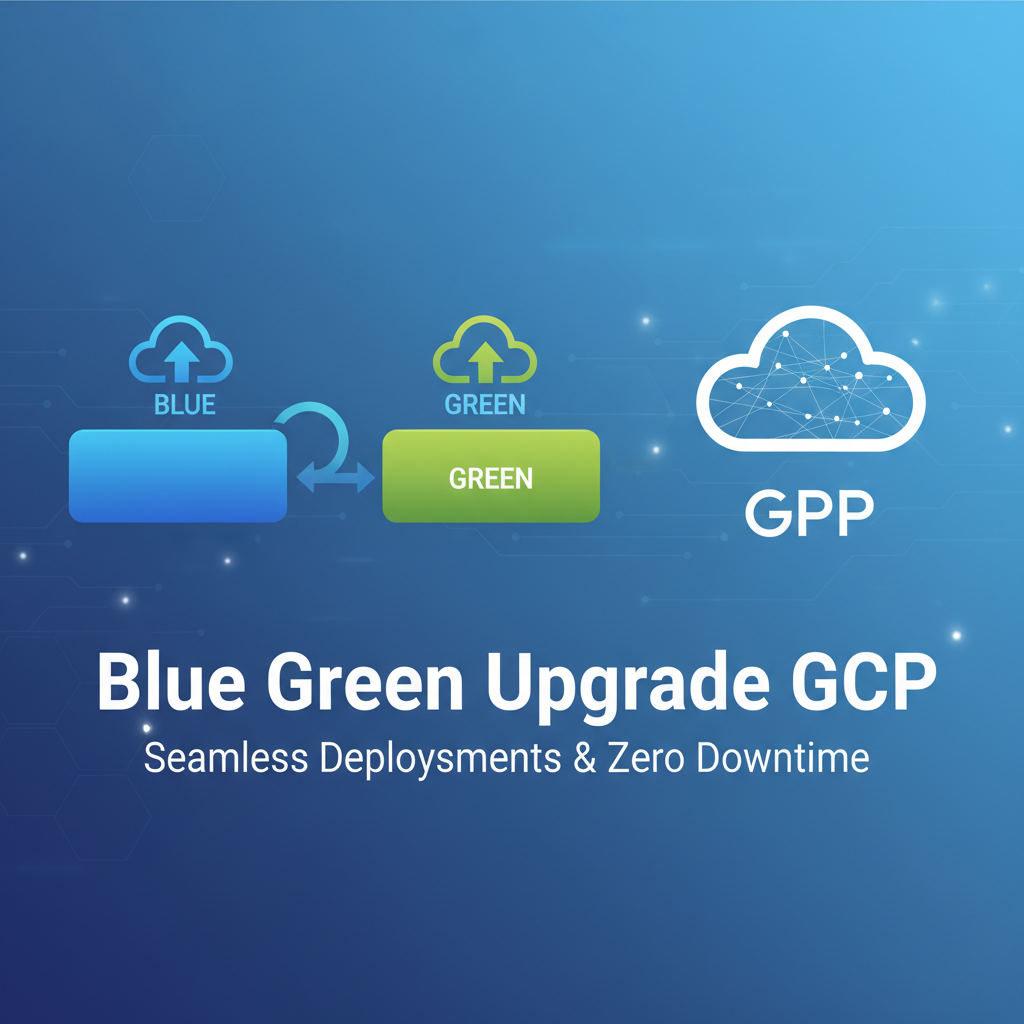


In the fast-paced world of cloud computing, where user expectations for uninterrupted service are at an all-time high, the ability to deploy new application versions without any downtime or service disruption is not merely a desirable feature but a critical necessity. Modern enterprises, from burgeoning startups to established multinational corporations, understand that even a brief outage can translate into significant financial losses, reputational damage, and a tangible erosion of customer trust. The pressure to innovate rapidly while maintaining unwavering reliability has driven the adoption of sophisticated deployment strategies designed to mitigate risk and enhance operational agility. Among these strategies, Blue-Green deployment stands out as a robust, time-tested methodology that promises precisely this: seamless transitions and a coveted state of zero downtime.
Google Cloud Platform (GCP), with its vast array of managed services, global infrastructure, and powerful automation capabilities, provides an exceptionally fertile ground for implementing such advanced deployment patterns. Its inherently scalable and resilient architecture aligns perfectly with the core principles of Blue-Green, offering the tools necessary to provision, test, and switch between environments with precision and confidence. This comprehensive guide will delve deep into the mechanics of Blue-Green upgrades on GCP, exploring various architectural approaches, best practices, and advanced considerations. We will unravel how GCP’s diverse services, from Kubernetes Engine to Cloud Run, can be orchestrated to achieve genuinely seamless deployments, ensuring that your applications, whether they are intricate microservices, a critical api gateway, or a sophisticated LLM Gateway managing AI interactions, remain continuously available and performant, irrespective of ongoing updates. Our goal is to equip you with the knowledge to not just understand, but to master, zero-downtime deployments on GCP, transforming your deployment pipelines into engines of reliability and innovation.
Understanding the Core Principles of Blue-Green Deployment
At its heart, Blue-Green deployment is a strategy designed to reduce downtime and risk by running two identical production environments, one live ("Blue") and one staged ("Green"). This methodology provides a powerful safety net, allowing for new application versions to be thoroughly tested in a production-like setting before they ever impact live users. The beauty of Blue-Green lies in its simplicity of concept and its profound impact on deployment reliability.
The Mechanism of Dual Environments
Imagine your application currently serving users, operating within what we designate as the "Blue" environment. This environment represents the current, stable version of your software. When it's time to deploy a new version, instead of directly modifying or replacing the Blue environment, a completely new, identical "Green" environment is provisioned alongside it. This Green environment is then configured with the updated application code, dependencies, and any necessary infrastructure changes. The critical distinction here is that while the Green environment is being prepared and tested, the Blue environment continues to serve live traffic, completely unaffected by the ongoing deployment process. This parallel existence is the cornerstone of Blue-Green, ensuring that your existing users experience no disruption whatsoever.
The Deployment Lifecycle: A Step-by-Step Walkthrough
The lifecycle of a Blue-Green deployment typically follows a well-defined sequence of operations, each crucial for its successful execution:
- Preparation and Provisioning of the Green Environment: The initial step involves setting up the Green environment. This requires duplicating the infrastructure of the Blue environment, including compute resources (VMs, containers), networking configurations (VPCs, subnets, firewall rules), and any other supporting services. The aim is to create an environment that mirrors Blue as closely as possible, minimizing variables during the transition. For applications like an
api gatewayor anLLM Gateway, this would involve provisioning new instances or containers with the exact specifications, ready to host the updated software. - Deployment of the New Version to Green: Once the Green infrastructure is ready, the new version of your application code is deployed to it. This includes any database schema migrations (handled carefully, as discussed later), updated configuration files, and new binaries or container images. This phase is isolated from live traffic, meaning any deployment issues, misconfigurations, or bugs in the new code will only affect the Green environment, not the live Blue.
- Thorough Testing in the Green Environment: Before any traffic is directed to Green, a comprehensive suite of tests is executed against it. This typically includes:
- Smoke Tests: Basic functionality checks to ensure the application starts correctly and essential services are reachable.
- Integration Tests: Verifying interactions between different components and external services.
- Performance Tests: Assessing the new version's performance under expected load, crucial for high-traffic applications like a central
gateway. - User Acceptance Tests (UAT): Manual or automated tests simulating real user scenarios to ensure the new features behave as expected and that there are no regressions.
- Security Scans: Ensuring the new version adheres to security policies and does not introduce new vulnerabilities. This testing phase is paramount for catching issues before they impact end-users.
- Traffic Switching: Once the Green environment has passed all tests and is deemed stable and ready for production, the moment of truth arrives: switching the live traffic. This is typically achieved by updating a load balancer, DNS records, or
gatewayrouting rules to direct incoming requests from the Blue environment to the Green environment. This switch is often instantaneous or happens over a very short period, making the transition seamless for users. The key is that this switch is reversible. - Monitoring the Green Environment: Immediately after the traffic switch, intense monitoring of the Green environment is crucial. Metrics related to error rates, latency, resource utilization, and business-specific KPIs are closely observed. This vigilance ensures that any unforeseen issues are detected and addressed promptly.
- Decommissioning or Retaining the Blue Environment: If the Green environment operates stably for a predefined period (e.g., hours or days), the Blue environment can either be decommissioned to save resources or retained as a ready-to-roll-back standby. Retaining it provides an immediate fallback if issues emerge later in the Green environment that weren't caught during initial testing.
The Undeniable Advantages of Blue-Green Deployment
The appeal of Blue-Green deployment stems from its significant advantages, which address many traditional pain points of software releases:
- Zero Downtime: This is the most significant benefit. Users experience no interruption in service during the deployment process or the traffic switch. The transition is practically invisible to them.
- Instant Rollback Capability: Should any critical issue arise in the Green environment after the traffic switch, reverting to the stable Blue environment is as simple as flipping the switch back. This provides an incredibly rapid and reliable rollback mechanism, drastically reducing the impact duration of potential outages.
- Simplified Testing in Production-Like Environments: Developers and testers gain the invaluable opportunity to test the new application version in an environment that is functionally identical to production, using realistic data, but without affecting live users. This uncovers issues that might not manifest in staging environments.
- Reduced Risk of Deployment Failures: By isolating the new deployment and providing an instant rollback, the overall risk associated with each release is significantly lowered. The "fear of deployment" can be largely alleviated.
- Cleaner Deployment Process: The clear separation of environments simplifies the deployment script and automation, leading to a more predictable and repeatable process.
Navigating the Challenges: Considerations for Implementation
While Blue-Green offers compelling benefits, its implementation is not without considerations:
- Resource Duplication and Cost: Maintaining two identical production environments inherently means duplicating resources, which can increase infrastructure costs. However, for critical applications, the cost savings from avoiding downtime often outweigh this expense. Strategies for cost optimization, such as quickly de-provisioning the old environment, are vital.
- Stateful Services and Database Migrations: This is often the most complex aspect. For stateless applications (like many microservices or
api gatewayinstances), the switch is straightforward. However, stateful applications, especially those with databases, require careful planning. Database schema changes must be backward compatible so that both Blue and Green environments can operate concurrently, or sophisticated dual-write strategies must be employed. - Complexity in CI/CD Integration: While Blue-Green simplifies the manual deployment process, automating it within a Continuous Integration/Continuous Delivery (CI/CD) pipeline requires sophisticated orchestration. The pipeline needs to manage environment provisioning, deployment, testing, traffic switching, and potential rollbacks.
- Environment Management Overhead: Keeping Blue and Green environments truly identical in configuration and dependencies can be challenging, especially in complex systems. Configuration drift can introduce subtle bugs. Infrastructure as Code (IaC) is crucial here.
Understanding these challenges and planning for them meticulously is key to unlocking the full potential of Blue-Green deployments on GCP. The platform’s robust suite of tools offers elegant solutions to many of these complexities, as we shall explore in the subsequent sections.
Why Google Cloud Platform is an Ideal Landscape for Blue-Green Deployments
Google Cloud Platform (GCP) provides a uniquely powerful and flexible ecosystem for implementing Blue-Green deployment strategies. Its inherent design principles – global scale, managed services, strong automation APIs, and a focus on reliability – align perfectly with the requirements for zero-downtime releases. Leveraging GCP’s capabilities can significantly streamline the complexities of managing dual environments and executing seamless traffic shifts.
GCP's Architectural Strengths for Resilient Deployments
Several core strengths make GCP a premier choice for Blue-Green:
- Global, Highly Available Infrastructure: GCP operates a vast global network of data centers and regions, interconnected by its high-speed fiber optic network. This distributed architecture naturally supports the concept of isolated environments, even across different regions for disaster recovery scenarios. Services are designed for high availability and fault tolerance, which is a prerequisite for any robust production
gatewayor application. - Scalability and Elasticity: GCP services, whether it's Compute Engine, Google Kubernetes Engine (GKE), or Cloud Run, are designed for extreme scalability. This elasticity allows you to easily provision and de-provision the "Green" environment resources on demand, scaling them up for testing and then down or offloading the "Blue" environment post-transition, optimizing resource utilization.
- Managed Services to Reduce Operational Overhead: GCP offers a plethora of managed services (e.g., GKE, Cloud SQL, Cloud Load Balancing, Cloud Run) that abstract away much of the underlying infrastructure management. This reduces the operational burden of maintaining two separate environments, allowing teams to focus more on application logic and less on infrastructure concerns.
- Robust Automation and API-First Design: Almost every GCP service is controllable via comprehensive APIs,
gcloudCLI, and client libraries. This API-first approach is fundamental for building automated CI/CD pipelines that can programmatically provision environments, deploy applications, configure networking, and manage traffic shifts – all essential for effective Blue-Green deployments. - Integrated Monitoring and Observability: GCP's Operations suite (formerly Stackdriver) provides a unified platform for monitoring, logging, tracing, and alerting. Cloud Monitoring, Cloud Logging, and Cloud Trace offer deep insights into application performance and health across both Blue and Green environments, crucial for making informed decisions during traffic shifts and for rapid detection of anomalies in the newly deployed version.
Key GCP Services Enabling Blue-Green Architectures
Let's examine the specific GCP services that are instrumental in constructing Blue-Green deployment pipelines:
- Google Kubernetes Engine (GKE): GKE is a managed Kubernetes service that simplifies the deployment, management, and scaling of containerized applications. Its native constructs like Deployments, Services, and Ingress resources are perfectly suited for managing multiple versions of an application within the same cluster or across different clusters, making it a cornerstone for Blue-Green strategies for containerized workloads, including complex
api gatewayorLLM Gatewaydeployments. - Compute Engine (VMs & Managed Instance Groups - MIGs): For traditional VM-based applications, Compute Engine provides the virtual machine infrastructure. Managed Instance Groups (MIGs) are particularly powerful, allowing you to create and manage groups of identical VMs, scale them automatically, and perform rolling updates or, more relevantly for Blue-Green, deploy new versions to an entirely separate MIG. HTTP(S) Load Balancing can then be used to direct traffic between these MIGs.
- Cloud Run: A fully managed serverless platform for containerized applications. Cloud Run automatically scales based on traffic and allows for elegant traffic splitting between different revisions of a service. This makes it an incredibly simple and cost-effective option for implementing Blue-Green, especially for stateless microservices or specific functions, such as an
LLM Gatewayendpoint. - App Engine: GCP's original Platform as a Service (PaaS) offering, App Engine, supports multiple versions of an application. You can deploy a new version to a separate URL, test it, and then split traffic or migrate 100% of traffic to the new version, embodying the Blue-Green pattern within a highly managed environment.
- Cloud Load Balancing (HTTP(S), Network, Internal): GCP's robust load balancers are central to the traffic shifting mechanism in Blue-Green. The HTTP(S) Load Balancer, in particular, offers advanced capabilities like URL maps and weighted routing, enabling precise control over how traffic is distributed between the Blue and Green environments, allowing for gradual rollouts.
- Cloud DNS: For scenarios where global DNS changes are preferred, Cloud DNS can be used to update A or CNAME records to point to the new Green environment's load balancer IP or hostname. While DNS propagation can introduce latency, it's a viable option for certain architectures.
- Virtual Private Cloud (VPC) & Networking: GCP's Virtual Private Cloud provides a globally distributed software-defined network. This allows for the creation of isolated Blue and Green subnetworks or VPCs, ensuring complete network separation between the environments until traffic is explicitly routed. Firewall rules, routing tables, and shared VPCs facilitate secure and controlled communication.
- Cloud Build & Cloud Deploy: These services are critical for automating the entire Blue-Green workflow. Cloud Build provides CI capabilities for building and testing container images and artifacts. Cloud Deploy, specifically designed for continuous delivery to GKE, Cloud Run, and App Engine, offers features for managing releases, promotions across environments, and orchestrating deployment strategies like Blue-Green, including health checks and approvals.
- Cloud SQL, Firestore, Cloud Spanner: For data storage, GCP offers various managed database services. While Blue-Green simplifies application deployments, database schema migrations and data compatibility across environments remain a significant challenge. These services provide robust backends, but the migration strategy needs careful design (e.g., backward-compatible schemas, dual-writes).
By strategically combining these GCP services, organizations can construct sophisticated, highly automated Blue-Green deployment pipelines that not only achieve zero downtime but also enhance the overall reliability and agility of their software delivery process. The next sections will detail specific architectural patterns using these services.
Implementing Blue-Green on GCP: Detailed Architectural Patterns
Executing a successful Blue-Green deployment requires careful consideration of your application's architecture and the GCP services best suited to support it. Here, we'll explore several detailed architectural patterns, each leveraging different GCP components to achieve seamless, zero-downtime upgrades.
A. Blue-Green Deployments with Google Kubernetes Engine (GKE)
GKE is arguably one of the most powerful platforms on GCP for implementing Blue-Green, especially for microservices architectures. Its native constructs for container orchestration, combined with GCP’s networking capabilities, offer immense flexibility.
Architecture Overview
The most common approach for Blue-Green on GKE involves running two distinct sets of Kubernetes Deployments and Services within either: 1. Two separate GKE clusters: One for Blue, one for Green. This provides the highest level of isolation but also doubles the management overhead and resource cost. 2. Two distinct namespaces within a single GKE cluster: This is often preferred for cost efficiency and simpler management while still offering logical isolation. A single GCP Load Balancer typically fronts the cluster, directing traffic to the appropriate namespace or set of pods.
Let's focus on the single-cluster, dual-namespace approach for its balance of isolation and efficiency.
Key Components:
- GKE Cluster: The managed Kubernetes environment.
- Kubernetes Namespaces: Logical isolation for Blue and Green environments (e.g.,
production-blue,production-green). - Kubernetes Deployments: Manage the desired state of your application's pods (e.g.,
my-app-blue-deployment,my-app-green-deployment). - Kubernetes Services: Define how to access your application pods. For Blue-Green, you might have
my-app-blue-serviceandmy-app-green-service, both backed by their respective Deployments. - GCP HTTP(S) Load Balancer (via Kubernetes Ingress): The primary entry point for external traffic. The Ingress resource, when configured with
gce-ingresscontroller, provisions a GCP HTTP(S) Load Balancer. This Load Balancer is crucial for directing traffic to either the Blue or Green Services.
Step-by-Step Implementation:
- Initial State (Blue Environment Active):
- Your current application (e.g.,
my-appversion 1.0) is deployed to theproduction-bluenamespace. - A
Deployment(my-app-blue-deployment) manages its pods. - A
Service(my-app-blue-service) targets these pods. - An
Ingressresource points tomy-app-blue-service, routing all live traffic to the Blue environment. - Example: If your application serves as an
api gatewayor anLLM Gateway, version 1.0 is handling all incoming API requests.
- Your current application (e.g.,
- Provision and Deploy to Green:
- Create a new namespace,
production-green. - Deploy the new application version (e.g.,
my-appversion 2.0) toproduction-green. This includes:my-app-green-deploymenttargetingmy-app:2.0container images.my-app-green-servicetargeting the pods managed bymy-app-green-deployment.
- Crucially, at this stage, the
Ingressstill points exclusively toproduction-blue. The Green environment is completely isolated from live traffic.
- Create a new namespace,
- Internal Testing of Green:
- Before exposing Green to external users, perform thorough testing. You can set up internal DNS entries or a separate internal
gatewayto route specific test traffic tomy-app-green-service. Alternatively, if your Ingress controller supports it, you can configure a host-based routing rule (e.g.,green.yourdomain.com) that points tomy-app-green-service, allowing internal testers to access the Green environment. This testing should cover functional, performance, and security aspects.
- Before exposing Green to external users, perform thorough testing. You can set up internal DNS entries or a separate internal
- Traffic Shift to Green:
- Once testing is complete, update the
Ingressresource to direct traffic tomy-app-green-service. This is typically achieved by modifying thebackendservice reference in the Ingress definition. - Option 1: Instant Cutover (Simple): Change the
Ingressbackend frommy-app-blue-servicetomy-app-green-service. This results in an immediate switch for all new connections. - Option 2: Weighted Traffic Splitting (Advanced): For more granular control, you can use advanced
Ingressconfigurations (often with third-partygatewaysolutions like Istio'sVirtualServiceor Nginx Ingress Controller's canary deployments) or by directly manipulating the GCP Load Balancer's backend services weights. You would gradually shift traffic, e.g., 10% to Green, then 50%, then 100%. This is often preferred for complex applications, including those that might function as a criticalgateway.
- Once testing is complete, update the
- Monitoring Green:
- Utilize Cloud Monitoring and Cloud Logging to observe the performance and health of the Green environment meticulously. Look for increased error rates, latency spikes, or unusual resource consumption. Set up alerts on critical metrics.
- Rollback Strategy:
- If issues are detected in Green, revert the
Ingressconfiguration to point back tomy-app-blue-service. This provides an instant rollback to the stable previous version.
- If issues are detected in Green, revert the
- Decommission Blue:
- After the Green environment has been stable and serving traffic successfully for a defined period, the
production-bluenamespace, its Deployments, and Services can be safely decommissioned to free up resources. Alternatively, you might keep Blue as a standby for a short period as an extra safety net.
- After the Green environment has been stable and serving traffic successfully for a defined period, the
Pros and Cons of GKE Blue-Green:
- Pros: Highly flexible, robust, excellent for microservices, leverages Kubernetes' powerful orchestration, granular control over deployments and scaling. Ideal for managing diverse services including specialized
LLM Gatewaycomponents alongside standard APIs. - Cons: Higher initial learning curve compared to simpler services, requires deeper Kubernetes knowledge, resource duplication (namespaces within a cluster reduce this compared to separate clusters).
B. Blue-Green Deployments with Compute Engine (VMs & Managed Instance Groups)
For applications traditionally deployed on virtual machines, Compute Engine’s Managed Instance Groups (MIGs) combined with GCP Load Balancers provide a robust Blue-Green mechanism.
Architecture Overview
This pattern involves two distinct Managed Instance Groups (MIGs), each running a different version of your application, fronted by a single GCP HTTP(S) Load Balancer.
Key Components:
- Instance Templates: Define the machine type, boot disk image, and application configuration for your VMs.
- Managed Instance Groups (MIGs): Groups of identical VMs managed by Compute Engine. They can auto-scale and heal. You'll have
blue-migandgreen-mig. - HTTP(S) Load Balancer: The entry point for external traffic, responsible for distributing requests to the backend MIGs.
- Backend Services: Define how the Load Balancer directs traffic to instance groups.
- Health Checks: Crucial for the Load Balancer to determine the health of instances within a MIG before sending traffic.
Step-by-Step Implementation:
- Initial State (Blue Environment Active):
blue-migis active, runningmy-appversion 1.0 (defined byblue-instance-template).- The HTTP(S) Load Balancer’s backend service is configured to send 100% of traffic to
blue-mig.
- Prepare Green Instance Template:
- Create a new
green-instance-templatethat includesmy-appversion 2.0 and any necessary configuration updates. This might involve baking a new custom VM image or using startup scripts to pull the new application code.
- Create a new
- Create and Test Green MIG:
- Create
green-migusinggreen-instance-template. Configure it with the desired number of instances. - Add
green-migto the Load Balancer’s backend service, but initially set its traffic weight to 0%. - Perform internal testing. You can configure a separate, internal Load Balancer pointing to
green-migor access the VMs directly via internal IPs for testing. For a newgatewaydeployment, ensure all routing and API calls function as expected.
- Create
- Traffic Shift to Green:
- Update the HTTP(S) Load Balancer's URL map and backend service configuration to gradually shift traffic from
blue-migtogreen-mig. - This is typically done by adjusting the traffic weights assigned to each backend service:
- Start with 100% Blue, 0% Green.
- Shift to 90% Blue, 10% Green.
- Then 50% Blue, 50% Green.
- Finally, 0% Blue, 100% Green.
- Each step should be followed by a monitoring period.
- Update the HTTP(S) Load Balancer's URL map and backend service configuration to gradually shift traffic from
- Monitoring Green:
- Use Cloud Monitoring to observe instance health, CPU utilization, network traffic, and application-specific metrics from
green-mig. Cloud Logging provides detailed logs from the new application version.
- Use Cloud Monitoring to observe instance health, CPU utilization, network traffic, and application-specific metrics from
- Rollback Strategy:
- If issues arise during the traffic shift, immediately revert the Load Balancer's traffic weights back to 100% Blue, 0% Green. This instantly directs all traffic back to the stable version.
- Decommission Blue:
- Once
green-migis stable and handling all traffic,blue-migcan be deleted to save costs.
- Once
Pros and Cons of Compute Engine Blue-Green:
- Pros: Suitable for traditional VM-based applications, good for applications requiring specific OS configurations or persistent storage, Load Balancer provides fine-grained traffic control. Can be a good fit for specific
api gatewayimplementations that require full OS control. - Cons: More overhead in managing VM images and instance templates compared to containerized approaches, scaling can be less granular than GKE or Cloud Run.
C. Blue-Green Deployments with Cloud Run
Cloud Run offers an incredibly streamlined and serverless approach to Blue-Green deployments, particularly well-suited for stateless microservices, web hooks, or single-purpose API endpoints (e.g., an LLM Gateway function).
Architecture Overview
Cloud Run natively supports revisions and traffic splitting, making it almost an "out-of-the-box" Blue-Green solution. Each deployment creates a new revision, and traffic can be routed between existing revisions.
Key Components:
- Cloud Run Service: The deployable unit.
- Revisions: Immutable snapshots of your Cloud Run service's code and configuration. Each deployment creates a new revision.
- Traffic Management: Cloud Run's built-in feature to split traffic across different revisions.
Step-by-Step Implementation:
- Initial State (Blue Revision Active):
- Your Cloud Run service is running
my-appversion 1.0, deployed asrevision-blue. - 100% of traffic is directed to
revision-blue. - For example, an
LLM Gatewayendpoint handling inference requests is onrevision-blue.
- Your Cloud Run service is running
- Deploy New Green Revision:
- Deploy
my-appversion 2.0 to your Cloud Run service. This automatically creates a newrevision-green. - By default, this new revision will initially receive 0% of the traffic, or you can explicitly specify it upon deployment.
- Deploy
- Test Green Revision:
- Cloud Run provides a unique URL for each revision (e.g.,
revision-green---myservice-abcdef.run.app). Use this URL to perform direct testing ofrevision-greenwithout impacting live users. This is extremely convenient for testing new features or changes to anapi gatewayfunction.
- Cloud Run provides a unique URL for each revision (e.g.,
- Traffic Shift to Green:
- Use the
gcloud run services update-trafficcommand or the Cloud Console to gradually shift traffic fromrevision-bluetorevision-green. - Example sequence:
gcloud run services update-traffic my-service --to revision-green=10 --to revision-blue=90(10% to Green)gcloud run services update-traffic my-service --to revision-green=50 --to revision-blue=50(50% to Green)gcloud run services update-traffic my-service --to revision-green=100(100% to Green,revision-bluewill automatically get 0%)
- Each traffic shift should be followed by a monitoring period.
- Use the
- Monitoring Green:
- Cloud Monitoring provides detailed metrics for each Cloud Run revision, allowing you to compare performance, error rates, and latency between Blue and Green. Cloud Logging aggregates logs from both revisions.
- Rollback Strategy:
- If issues are detected in
revision-greenduring or after the traffic shift, immediately revert traffic back torevision-blueusing theupdate-trafficcommand. Cloud Run retains previous revisions, making rollbacks instant.
- If issues are detected in
- Manage Old Revisions:
- Cloud Run automatically cleans up old revisions after a certain number or age. You can also manually delete them once confident in the new version.
Pros and Cons of Cloud Run Blue-Green:
- Pros: Extremely simple to implement, fully serverless (pay-per-request), no infrastructure to manage, built-in traffic splitting, ideal for stateless microservices and functions, cost-effective. Perfect for rapidly deploying and testing components like an
LLM Gatewayor specific API endpoints. - Cons: Best suited for stateless applications, less control over underlying infrastructure compared to GKE or VMs, cold starts can be a concern for latency-sensitive applications at very low traffic.
D. Blue-Green Deployments with App Engine
App Engine, GCP's original PaaS, also provides native support for versioning and traffic splitting, making it another viable option for Blue-Green deployments, especially for applications already within the App Engine ecosystem.
Architecture Overview
Similar to Cloud Run, App Engine allows you to deploy multiple versions of your application within a single service and then manage traffic distribution among them.
Key Components:
- App Engine Service: The logical grouping for your application.
- Versions: Each deployment creates a new version of your application code and configuration.
- Traffic Splitting: App Engine's feature to direct requests to different versions based on IP address, cookie, or random distribution.
Step-by-Step Implementation:
- Initial State (Blue Version Active):
- Your App Engine service is running
my-appversion 1.0 (let's call itblue-version). - 100% of traffic is directed to
blue-version.
- Your App Engine service is running
- Deploy New Green Version:
- Deploy
my-appversion 2.0. This creates a newgreen-version. - The new version will initially be accessible via its unique version URL (e.g.,
https://green-version-dot-my-service-dot-my-project.appspot.com) but will not receive live traffic.
- Deploy
- Test Green Version:
- Use the unique URL for
green-versionto perform thorough testing. This allows you to validate new features or changes to anapi gatewayrunning on App Engine without affecting your production users.
- Use the unique URL for
- Traffic Shift to Green:
- Go to the App Engine section in the Cloud Console or use the
gcloud app services set-trafficcommand to migrate traffic togreen-version. - You can instantly migrate 100% of traffic or perform a gradual rollout by splitting traffic by IP, HTTP cookie, or random percentages.
- Example:
gcloud app services set-traffic default --splits green-version=0.1,blue-version=0.9(10% to Green)
- Go to the App Engine section in the Cloud Console or use the
- Monitoring Green:
- App Engine provides built-in dashboards, logs, and metrics in Cloud Monitoring and Cloud Logging for each version, allowing you to closely monitor the health and performance of
green-version.
- App Engine provides built-in dashboards, logs, and metrics in Cloud Monitoring and Cloud Logging for each version, allowing you to closely monitor the health and performance of
- Rollback Strategy:
- If issues are found, simply use the
set-trafficcommand or the Cloud Console to revert traffic back toblue-version. App Engine retains previous versions, enabling quick rollbacks.
- If issues are found, simply use the
- Manage Old Versions:
- You can delete old versions through the Cloud Console or
gcloudCLI to reduce costs and clutter once they are no longer needed.
- You can delete old versions through the Cloud Console or
Pros and Cons of App Engine Blue-Green:
- Pros: Very simple for App Engine-based applications, fully managed environment, built-in versioning and traffic splitting, abstracts away infrastructure.
- Cons: Vendor lock-in to App Engine runtime environments, less flexibility for complex infrastructure needs compared to GKE or VMs, cost model can be less predictable for fluctuating workloads.
Table 1: Comparison of Blue-Green Deployment Strategies on GCP
| Feature/Strategy | GKE (Namespaces) | Compute Engine (MIGs) | Cloud Run | App Engine |
|---|---|---|---|---|
| Ideal For | Containerized microservices, complex api gateway / LLM Gateway, custom gateway solutions |
VM-based applications, legacy monoliths, specific OS needs | Stateless microservices, APIs, functions, event-driven, simple LLM Gateway |
App Engine standard/flexible apps, web applications |
| Complexity | Medium to High (Kubernetes learning curve) | Medium (VM image/template management) | Low (serverless, built-in features) | Low (managed platform) |
| Cost | Moderate (resource duplication within cluster) | Moderate (VM duplication) | Low (pay-per-request, minimal idle cost) | Moderate (depends on instance hours) |
| Control | High (Kubernetes config) | Medium (VM OS, dependencies) | Low (fully managed) | Low (fully managed) |
| Traffic Shift | Ingress/Service selector updates, weighted routing via Load Balancer or Istio | Load Balancer backend weights, URL maps | Built-in revision traffic splitting | Built-in version traffic splitting (IP, cookie, random) |
| Rollback | Revert Ingress/Service config, instant | Revert Load Balancer weights, instant | Shift traffic to old revision, instant | Shift traffic to old version, instant |
| Resource Mgmt | Kubernetes Deployments, Services, Namespaces | Instance Templates, Managed Instance Groups | Cloud Run Service, Revisions | App Engine Service, Versions |
| Stateful Apps | Possible but complex (external databases, operators) | Possible but complex (external databases) | Not ideal (stateless by design) | Not ideal (stateless by design) |
Each of these patterns offers a robust way to achieve Blue-Green deployments on GCP. The choice depends on your application's characteristics, existing infrastructure, and team's expertise. Regardless of the chosen path, detailed planning, automation, and vigilant monitoring are non-negotiable for success.
APIPark is a high-performance AI gateway that allows you to securely access the most comprehensive LLM APIs globally on the APIPark platform, including OpenAI, Anthropic, Mistral, Llama2, Google Gemini, and more.Try APIPark now! 👇👇👇
Advanced Considerations for Robust Blue-Green Deployments
While the fundamental mechanics of Blue-Green deployments on GCP provide a strong foundation for zero-downtime upgrades, several advanced considerations are crucial for ensuring the robustness, reliability, and cost-effectiveness of your deployment strategy, especially for complex or high-stakes applications. These include managing data, ensuring observability, and integrating with your CI/CD pipeline.
A. Database Migrations and Data Consistency
Database changes are often the most challenging aspect of any deployment, and Blue-Green is no exception. While switching application code between environments is relatively straightforward, database schema modifications or data migrations require meticulous planning to avoid breaking either the old (Blue) or new (Green) application versions during the transition.
Strategies for Database Changes:
- Backward Compatibility:
- This is the gold standard for Blue-Green database migrations. Design your schema changes to be backward compatible. For example, when adding a new column, make it nullable so that the Blue environment (not aware of the new column) can still function correctly.
- If you need to rename a column or table, first create the new one, then migrate data, then update the application to use the new one, and only after the old environment is decommissioned, drop the old column/table.
- This often involves a multi-step migration process:
- Step 1: Deploy Green with the new database schema that is backward compatible with Blue (e.g., adding nullable columns).
- Step 2: Shift traffic to Green. Both Blue (if retained for rollback) and Green can read from and write to the database.
- Step 3: Once Blue is decommissioned, you can deploy a subsequent release to Green that finalizes the schema changes (e.g., making the new column non-nullable) or removes old, deprecated structures.
- Dual-Write Patterns:
- For more complex data model changes where backward compatibility is difficult, a dual-write approach can be used. Both Blue and Green applications write to both the old and new schema structures.
- This requires careful synchronization and can add complexity to application code but ensures data consistency during the transition. This is particularly relevant for high-volume data operations that might pass through a central
api gatewaybefore hitting the database.
- Transactional DDL (Data Definition Language):
- Where supported by the database (e.g., PostgreSQL), use transactional DDL to ensure that schema changes are atomic. If a migration fails, the transaction is rolled back, preventing a partially updated schema.
- GCP's managed database services like Cloud SQL (for PostgreSQL, MySQL, SQL Server), Cloud Spanner (globally distributed relational database), and Firestore (NoSQL document database) provide robust backends, but the migration logic itself needs to be carefully managed at the application or CI/CD level.
- Ensure your applications connect to Cloud SQL securely using the Cloud SQL Proxy, which handles encryption and secure authentication.
Key Considerations:
- Data Migration Tools: Use schema migration tools (e.g., Flyway, Liquibase, Alembic) integrated into your CI/CD pipeline.
- Pre- and Post-Deployment Hooks: Automate database migration scripts to run at appropriate stages of your Blue-Green pipeline.
- Rollback Strategy for Data: Have a clear plan for rolling back data changes, which is far more complex than code rollbacks. Ideally, data changes are additive and backward-compatible to avoid needing a data rollback.
B. State Management and Session Handling
Stateless applications are ideal for Blue-Green deployments because traffic can be switched without concern for in-flight requests or user sessions. However, many real-world applications maintain state.
Strategies for Stateful Applications:
- Externalize Session State:
- Store user sessions in an external, highly available, and shared state store accessible by both Blue and Green environments.
- GCP offers services like Memorystore for Redis or Memorystore for Memcached for high-performance, managed caching and session storage. This allows users to seamlessly transition from interacting with Blue to Green without losing their session state.
- This is critical for applications that sit behind an
api gatewayand rely on session stickiness.
- Stateless Application Design:
- Whenever possible, design your microservices and
api gatewaycomponents to be stateless. Pass all necessary information (e.g., user authentication tokens, request context) with each request. This greatly simplifies Blue-Green deployments. - For an
LLM Gateway, the individual requests to the underlying LLMs are usually stateless, making Cloud Run or GKE deployments very efficient for such components.
- Whenever possible, design your microservices and
- Client-Side Session Affinity (Sticky Sessions):
- While not ideal for pure Blue-Green (as it defers the switch), some load balancers can be configured for session affinity. However, this complicates immediate cutovers and rollbacks, as existing sessions need to expire before a full switch can occur. Generally, externalizing state is preferred.
C. Comprehensive Monitoring and Observability
Robust monitoring is non-negotiable for any deployment strategy, but it is particularly crucial during a Blue-Green transition. You need to quickly ascertain the health and performance of the Green environment after the traffic switch.
Leveraging GCP Operations Suite:
- Cloud Monitoring:
- Set up dashboards to visualize key metrics for both Blue and Green environments side-by-side.
- Monitor application-level metrics (e.g., request latency, error rates, throughput for the
api gatewayorLLM Gateway), infrastructure metrics (CPU, memory, network I/O), and custom metrics (e.g., number of successful business transactions). - Configure alert policies on critical thresholds. Alerts should fire if Green environment metrics deviate significantly from expected baselines or Blue environment performance.
- Cloud Logging:
- Centralize all application logs, system logs, and load balancer logs in Cloud Logging.
- Use Log Explorer to filter and analyze logs from both environments. Look for new error patterns, unexpected warnings, or changes in log volume immediately after traffic redirection.
- Export logs to BigQuery for deeper analysis or to Cloud Storage for archival.
- Cloud Trace:
- For distributed applications (especially microservices, or requests passing through multiple
gatewaycomponents), Cloud Trace provides end-to-end latency visibility. - Instrument your code (or leverage auto-instrumentation for some runtimes) to trace requests through different services in both Blue and Green. This helps pinpoint performance bottlenecks quickly.
- For distributed applications (especially microservices, or requests passing through multiple
- Cloud Health Checks:
- Ensure your GCP Load Balancers are configured with aggressive health checks that accurately reflect the application's readiness and liveness. This prevents traffic from being sent to unhealthy instances.
By having comprehensive observability in place, you can confidently switch traffic to Green, knowing that any potential issues will be immediately flagged, enabling rapid response or rollback.
D. Automated CI/CD Pipeline Integration
The true power of Blue-Green deployment is realized when it's fully integrated and automated within a Continuous Integration/Continuous Delivery (CI/CD) pipeline. Manual Blue-Green processes are prone to human error and negate many of the benefits.
Orchestrating with Cloud Build and Cloud Deploy:
- Cloud Build:
- Used for the CI phase: fetching source code (from Cloud Source Repositories, GitHub, GitLab, etc.), building application artifacts (e.g., Docker images for GKE/Cloud Run, VM images for Compute Engine), and running unit/integration tests.
- Cloud Build can push container images to Artifact Registry.
- Cloud Deploy:
- GCP's managed continuous delivery service, specifically designed to automate deployments to GKE, Cloud Run, and App Engine.
- Cloud Deploy supports multi-environment promotion and various deployment strategies, including Blue-Green.
- Rollout Stages: Define stages in Cloud Deploy (e.g.,
deploy-to-green,smoke-test-green,shift-traffic,monitor,decommission-blue). - Approval Gates: Integrate manual approval steps (e.g., for traffic shift) if required by your organizational policies.
- Health Check Integration: Cloud Deploy can integrate with Cloud Monitoring for automated health checks and verification before promoting a release.
Example CI/CD Workflow:
- Code Commit: Developer commits code to source control (e.g., Cloud Source Repositories).
- Cloud Build Trigger: A Cloud Build trigger starts the CI pipeline:
- Builds Docker image for
my-app:2.0. - Runs unit and integration tests.
- Pushes image to Artifact Registry.
- Creates a Cloud Deploy release.
- Builds Docker image for
- Cloud Deploy Execution:
- Stage 1: Deploy to Green: Cloud Deploy provisions the Green environment (if not already existing) and deploys
my-app:2.0to it (e.g., a new GKE Deployment/Service inproduction-greennamespace, a new Cloud Run revision, or agreen-mig). - Stage 2: Automated Testing: Triggers automated smoke tests, end-to-end tests against the Green environment (using its dedicated internal
gatewayor direct access). - Stage 3: Manual Approval (Optional): Requires a human to review test results before proceeding.
- Stage 4: Traffic Shift: Updates the GCP Load Balancer, Ingress, or Cloud Run traffic split to gradually or instantly shift traffic to Green.
- Stage 5: Monitoring: Cloud Deploy can wait for health checks from Cloud Monitoring to pass for a defined period.
- Stage 6: Post-Deployment Actions: Decommissions the old Blue environment or prepares it for the next Blue deployment.
- Stage 1: Deploy to Green: Cloud Deploy provisions the Green environment (if not already existing) and deploys
Integrating APIPark for API/LLM Gateway Management:
For organizations heavily relying on API-driven services or leveraging AI models, an api gateway or LLM Gateway is a critical component. Deploying updates to such a gateway itself demands zero downtime. This is where products like APIPark become invaluable in the Blue-Green context.
When deploying complex API services, such as an api gateway managing microservices or an LLM Gateway orchestrating AI models, a robust platform is essential. This is where tools like ApiPark come into play. APIPark offers an open-source AI gateway and API management platform that can be seamlessly integrated into your GCP Blue-Green strategy. For instance, if you are upgrading your core gateway service which APIPark helps you manage, you would use one of the Blue-Green patterns described (GKE, Cloud Run) to deploy the new APIPark instance or components. APIPark's ability to quickly integrate 100+ AI models, standardize API formats, and encapsulate prompts into REST APIs means that the gateway itself becomes a critical application requiring careful, zero-downtime updates. Its performance and detailed logging capabilities are also paramount for the monitoring phase of a Blue-Green deployment. You could deploy a new APIPark instance in your 'Green' GKE namespace or Cloud Run revision, thoroughly test its API routing, AI model invocation, and access controls, and then use the traffic shifting mechanisms of GCP to direct live API traffic to the upgraded APIPark gateway. This ensures that your API consumers, including those interacting with an LLM Gateway functionality managed by APIPark, experience continuous, uninterrupted service.
E. Cost Optimization
Maintaining two parallel environments inherently incurs higher costs due to duplicated resources. However, strategic planning can mitigate this.
Cost-Saving Strategies:
- Short-Lived Blue Environments: Decommission the old "Blue" environment as quickly as confidence in "Green" grows. This minimizes the period of resource duplication.
- Rightsizing: Ensure that both Blue and Green environments are rightsized to their actual needs. Avoid over-provisioning resources if they are not fully utilized.
- Spot VMs/Preemptible Instances: For non-critical components or the Green environment during initial testing (if acceptable to lose instances), consider using Spot VMs on Compute Engine or Preemptible VMs on GKE to reduce costs.
- Serverless First: For appropriate workloads, prioritize Cloud Run or App Engine. Their pay-per-request/instance-hour models can be significantly more cost-effective than always-on VMs or GKE clusters, especially when one environment is idle or receives minimal traffic during a transition.
- Autoscaling: Leverage autoscaling features on GKE, Compute Engine MIGs, and Cloud Run to scale resources up and down based on actual load, preventing unnecessary over-provisioning.
By carefully considering these advanced aspects, organizations can build a Blue-Green deployment strategy on GCP that is not only seamless and achieves zero downtime but also intelligent, observable, automated, and cost-efficient, forming a cornerstone of a robust continuous delivery practice.
Best Practices and Common Pitfalls in GCP Blue-Green Deployments
Achieving truly seamless and zero-downtime deployments through a Blue-Green strategy on GCP requires more than just understanding the technical steps; it demands adherence to best practices and an awareness of common pitfalls. By proactively addressing these, organizations can maximize the benefits of Blue-Green and minimize associated risks.
Best Practices for Success
- Automate Everything Possible:
- Infrastructure as Code (IaC): Use tools like Terraform or Cloud Deployment Manager to define and provision your GCP infrastructure (VPCs, Load Balancers, GKE clusters, MIGs, databases). This ensures that Blue and Green environments are truly identical and prevents configuration drift.
- CI/CD Pipeline: Fully automate the build, test, deploy (to Green), traffic shift, and potential rollback processes using Cloud Build, Cloud Deploy, and relevant scripting. Manual steps are error-prone and slow.
- Testing: Automate smoke tests, integration tests, and performance tests that run against the Green environment before any traffic shift.
- Design for Statelessness:
- Wherever feasible, design your applications and microservices to be stateless. This vastly simplifies Blue-Green deployments, as there's no complex session or in-flight data to manage during a traffic switch. Externalize state to shared, highly available services like Memorystore (Redis/Memcached) or Cloud SQL. This is especially true for any
gatewayservice that needs to scale horizontally.
- Wherever feasible, design your applications and microservices to be stateless. This vastly simplifies Blue-Green deployments, as there's no complex session or in-flight data to manage during a traffic switch. Externalize state to shared, highly available services like Memorystore (Redis/Memcached) or Cloud SQL. This is especially true for any
- Prioritize Backward Compatibility (Especially for Databases):
- Database schema changes are the trickiest part. Always aim for backward-compatible migrations. This ensures that the old "Blue" environment can continue to operate with the database even after "Green" has introduced changes, preventing downtime during the transition.
- Plan for gradual data migrations, potentially using feature flags or dual-write patterns for complex changes.
- Implement Comprehensive Observability:
- Monitor Both Environments: Have dedicated dashboards and alerts for both Blue and Green environments in Cloud Monitoring. Compare their performance side-by-side during the traffic shift.
- Detailed Logging: Aggregate logs from both environments in Cloud Logging. Use structured logging to make analysis easier.
- Distributed Tracing: Leverage Cloud Trace to understand the end-to-end flow and latency of requests through your services, especially in a microservices architecture or when requests pass through multiple layers, including an
api gatewayorLLM Gateway.
- Start Small and Iterate:
- If you're new to Blue-Green, start with a non-critical application or a single microservice. Learn from your experiences before rolling out the strategy to mission-critical systems.
- Practice rollbacks regularly. A good rollback strategy is as important as the deployment itself.
- Have a Clear Rollback Strategy and Practice It:
- Define precise steps for reverting to the Blue environment if issues arise. Ensure that your automated pipeline can trigger a rollback quickly and reliably.
- Regularly test your rollback procedures in lower environments. The ability to revert instantly is a primary benefit of Blue-Green.
- Use Health Checks Effectively:
- Configure robust health checks for your GCP Load Balancers, Kubernetes Services, Managed Instance Groups, or Cloud Run services. These checks should not just verify if the application is running but also if it's truly ready to serve traffic (e.g., connected to the database, external dependencies reachable).
- Smaller, More Frequent Deployments:
- Breaking down large releases into smaller, more frequent deployments reduces the scope of changes in each Green environment, making testing easier and troubleshooting faster. This aligns perfectly with the principles of continuous delivery.
Common Pitfalls to Avoid
- Ignoring Database Compatibility:
- This is the most frequent cause of Blue-Green failures. Deploying a new application version with incompatible database schema changes will inevitably break either the old or new application, leading to downtime or data corruption. Always prioritize backward compatibility.
- Insufficient Testing of the Green Environment:
- Believing that merely deploying to Green is enough. Without thorough, automated, and realistic testing in the Green environment before traffic is shifted, you're merely delaying potential issues rather than preventing them. This includes performance and security testing.
- Assuming Statelessness Where State Exists:
- Not properly managing session state or other application-specific states. If state is local to the instance/pod, switching traffic will break user sessions or disrupt ongoing processes. Externalize state.
- Inadequate Monitoring and Alerting:
- Failing to set up comprehensive, real-time monitoring and alert policies for both environments. If you can't quickly detect issues in Green after a traffic shift, the advantage of instant rollback is diminished because the problem persists longer.
- Manual Traffic Switching:
- While possible, manually updating Load Balancer rules or Cloud Run traffic splits introduces human error, increases the time to switch, and adds unnecessary risk. Automate this step within your CI/CD pipeline.
- Neglecting Resource Cleanup:
- Forgetting to decommission or scale down the old Blue environment after a successful Blue-Green deployment leads to unnecessary infrastructure costs. Integrate cleanup into your automated pipeline.
- Overlooking Dependent Services:
- Blue-Green focuses on your application, but what about its dependencies? Ensure that external services, third-party APIs, or shared
gatewaycomponents can handle the new version's traffic or potential changes. Consider their compatibility.
- Blue-Green focuses on your application, but what about its dependencies? Ensure that external services, third-party APIs, or shared
- Lack of Rollback Practice:
- Having a theoretical rollback plan is not enough. Without practicing it, teams may panic or fumble the process during a real incident, leading to prolonged recovery times.
By diligently adhering to these best practices and consciously avoiding common pitfalls, your organization can harness the full power of Blue-Green deployments on Google Cloud Platform, achieving truly seamless upgrades, maintaining high availability, and significantly boosting your confidence in every release.
Conclusion
The journey towards achieving zero-downtime deployments is a testament to an organization's commitment to reliability, customer satisfaction, and continuous innovation. Blue-Green deployment, when meticulously implemented on Google Cloud Platform, emerges as a remarkably effective strategy to fulfill this promise. We've explored how GCP's robust and scalable services – from the powerful orchestration capabilities of Google Kubernetes Engine to the elegant simplicity of Cloud Run and App Engine, and the granular control offered by Compute Engine with its Managed Instance Groups – provide the perfect ecosystem to construct and manage these dual production environments. Each architectural pattern offers distinct advantages, catering to various application types and operational needs, whether you are deploying a critical api gateway, an advanced LLM Gateway, or a complex microservices application.
The core essence of Blue-Green lies in its ability to isolate new deployments from live traffic, allowing for rigorous testing in a production-like setting. This isolation, coupled with the instant rollback capabilities inherent in the strategy, fundamentally transforms the deployment process from a high-stakes, risky operation into a confident, controlled maneuver. We've delved into the intricacies of managing stateful applications, navigating database migrations with backward compatibility, and the absolute necessity of comprehensive observability through GCP's Operations suite. Furthermore, the integration with automated CI/CD pipelines, leveraging Cloud Build and Cloud Deploy, ensures that these sophisticated deployment patterns become repeatable, efficient, and error-resistant.
The ability to seamlessly upgrade your applications, even pivotal infrastructure components like an api gateway or an LLM Gateway that might be powered by platforms such as ApiPark, without a single moment of service interruption, is not just a technical achievement; it's a strategic advantage. It empowers development teams to release features faster, respond to market demands more quickly, and innovate with greater courage, all while maintaining the highest standards of availability and performance. By embracing the principles and practices outlined in this guide, organizations can leverage Google Cloud Platform to unlock a new era of deployment confidence, ensuring that every upgrade is not just a technical success, but a seamless enhancement to the user experience.
5 Frequently Asked Questions (FAQs) about Blue-Green Upgrade on GCP
1. What is the primary benefit of using Blue-Green deployments on Google Cloud Platform? The primary benefit is achieving zero-downtime deployments. By running two identical environments (Blue for current production, Green for the new version) and switching traffic between them using GCP's load balancing or routing features, users experience no service interruption during the upgrade. This significantly reduces risk, enables instant rollbacks, and enhances user satisfaction, even for critical components like an api gateway or LLM Gateway.
2. How does Blue-Green deployment handle database schema changes and data migrations on GCP? Database changes are often the most complex aspect. The best practice is to design database schema changes to be backward compatible, allowing both the old (Blue) and new (Green) application versions to operate concurrently with the database. This usually involves multi-step migrations (e.g., adding nullable columns first). For more complex scenarios, dual-write patterns can be employed. GCP's managed databases like Cloud SQL provide robust backends, but the migration logic itself must be carefully handled within your CI/CD pipeline, often requiring external tools or custom scripts integrated with Cloud Build.
3. Which GCP services are most suitable for implementing Blue-Green deployments? GCP offers several services ideal for Blue-Green, depending on your application type: * Google Kubernetes Engine (GKE): Excellent for containerized microservices, using namespaces, Deployments, Services, and Ingress for traffic management. * Cloud Run: Simplifies Blue-Green for stateless containerized services with its built-in revision and traffic splitting features. Ideal for serverless api gateway endpoints or an LLM Gateway. * Compute Engine (Managed Instance Groups): Suitable for VM-based applications, using MIGs with HTTP(S) Load Balancers to shift traffic. * App Engine: Provides native versioning and traffic splitting for applications deployed on its PaaS environment. The choice depends on the application's architecture and operational requirements.
4. What are the key monitoring strategies during a Blue-Green deployment on GCP? Comprehensive monitoring is crucial. Utilize GCP's Operations suite: * Cloud Monitoring: Set up dashboards to compare key metrics (e.g., error rates, latency, resource utilization) for both Blue and Green environments in real-time. Configure alerts for any performance degradation or anomalies in the Green environment after traffic is shifted. * Cloud Logging: Centralize all application and infrastructure logs, enabling quick analysis for any new errors or warnings introduced by the new version. * Cloud Trace: For distributed systems, use Cloud Trace to monitor end-to-end request latency and pinpoint issues across microservices in the Green environment. These tools help ensure that any issues in the new gateway or application version are detected immediately.
5. How can I ensure a fast and reliable rollback if the new "Green" deployment on GCP encounters issues? The power of Blue-Green lies in its instant rollback capability. The "Blue" environment (the previous stable version) is kept running or in a ready state. If issues arise in "Green" after traffic has been shifted, you can immediately revert the traffic routing (e.g., by changing the GCP Load Balancer's backend, reverting Kubernetes Ingress rules, or switching Cloud Run/App Engine traffic back to the "Blue" revision/version). This effectively directs all live traffic back to the known stable version within moments, minimizing user impact. It's critical to automate this rollback process within your CI/CD pipeline and practice it regularly.
🚀You can securely and efficiently call the OpenAI API on APIPark in just two steps:
Step 1: Deploy the APIPark AI gateway in 5 minutes.
APIPark is developed based on Golang, offering strong product performance and low development and maintenance costs. You can deploy APIPark with a single command line.
curl -sSO https://download.apipark.com/install/quick-start.sh; bash quick-start.sh

In my experience, you can see the successful deployment interface within 5 to 10 minutes. Then, you can log in to APIPark using your account.

Step 2: Call the OpenAI API.