Boost Performance with Async JavaScript and REST API
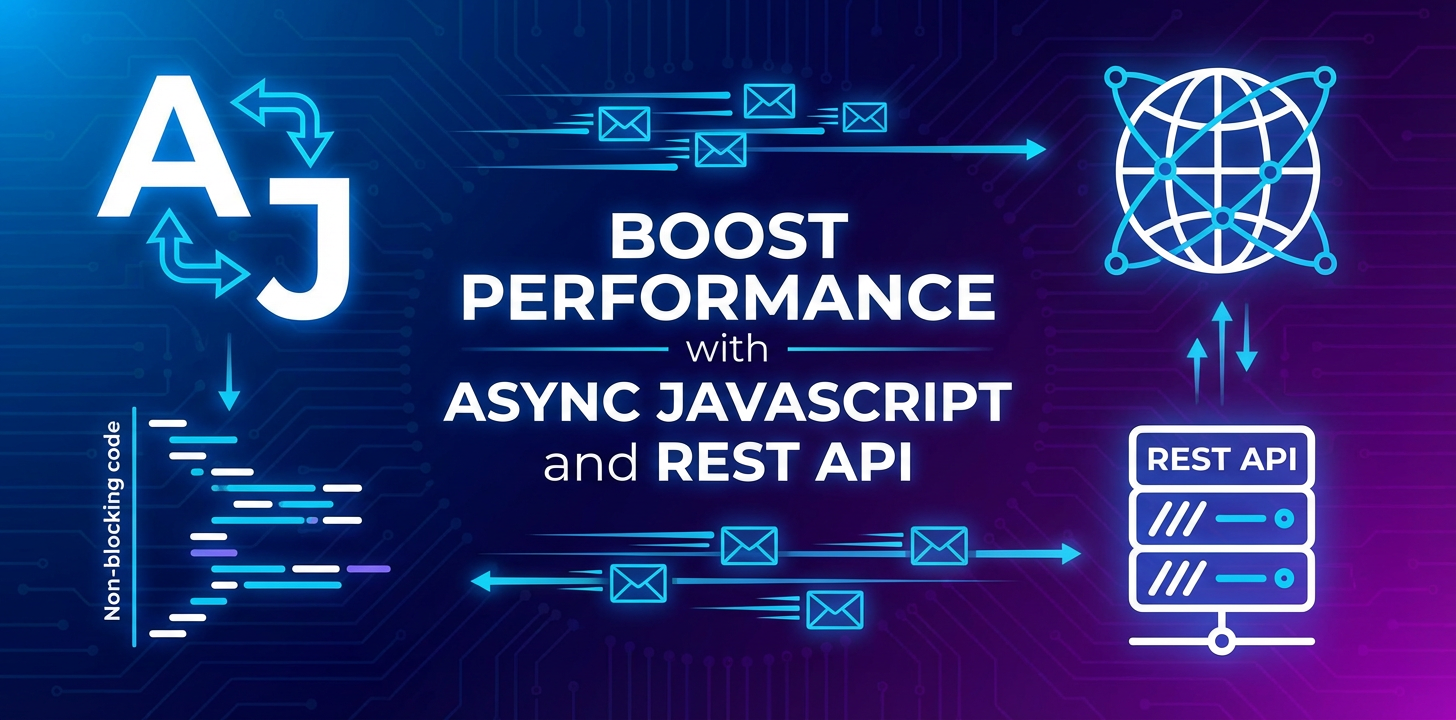


In the relentless pursuit of speed and responsiveness, modern web applications constantly push the boundaries of user experience. Gone are the days when a user would patiently wait for a page to reload after every interaction. Today's digital landscape demands instant feedback, fluid interfaces, and seamless data exchange. At the heart of achieving this elevated performance lie two indispensable technologies: Asynchronous JavaScript and RESTful APIs. This comprehensive exploration delves into how these powerful paradigms synergize to create web applications that are not only blazingly fast but also highly scalable, maintainable, and delightful to interact with. We will journey through the intricacies of asynchronous programming, the architectural elegance of REST APIs, their combined prowess, and the vital role of an api gateway in orchestrating this complex dance for optimal efficiency and control.
The Synchronous Bottleneck: A Relic of the Past
To truly appreciate the transformative power of asynchronous operations, it's crucial to first understand the limitations inherent in synchronous programming models, especially within the context of JavaScript's single-threaded nature. Imagine a bustling restaurant kitchen where only one chef is allowed to work at a time. If that chef needs to chop vegetables, they must complete that entire task before they can even think about putting a pot on the stove, much less serving a customer. This sequential execution, while simple to reason about, quickly becomes a severe bottleneck when tasks involve waiting for external resources.
In the browser environment, JavaScript typically runs on a single main thread. If a piece of code, such as fetching data from a server or performing a complex calculation, takes a significant amount of time, the entire user interface (UI) freezes. The browser becomes unresponsive, clicks don't register, animations halt, and the user is left staring at a static screen, often accompanied by a "not responding" message. This is the synchronous bottleneck in action: every long-running operation blocks the main thread, preventing it from processing user inputs, updating the UI, or executing any other script.
For web applications that frequently interact with external services – like fetching user profiles, loading product catalogs, submitting forms, or streaming media – this blocking behavior is catastrophic for user experience. It leads to frustration, abandonment, and a perception of a slow, clunky application, regardless of how well-designed the visuals might be. The imperative, then, is to devise mechanisms that allow the JavaScript engine to initiate long-running tasks without halting all other operations, ensuring the UI remains fluid and interactive. This is precisely where asynchronous JavaScript steps in, offering a graceful escape from the tyranny of sequential execution.
Unveiling Asynchronous JavaScript: Liberating the Main Thread
Asynchronous JavaScript is the art of performing tasks without blocking the main thread, enabling applications to remain responsive while waiting for operations like network requests, file I/O, or timers to complete. It shifts the paradigm from "wait and then proceed" to "initiate, continue with other tasks, and be notified when the initial task is done." While the JavaScript engine itself remains single-threaded, it leverages mechanisms like the Event Loop to manage and execute asynchronous operations effectively.
The Evolution of Asynchronous Patterns: From Callbacks to Async/Await
The journey of asynchronous JavaScript has seen remarkable evolution, each iteration aiming to improve readability, maintainability, and error handling.
1. Callbacks: The Foundation
Historically, callbacks were the primary way to handle asynchronous operations. A callback function is simply a function passed as an argument to another function, intended to be executed after the primary function has completed its task. For instance, setTimeout takes a callback:
console.log("Start");
setTimeout(function() {
    console.log("This runs after 2 seconds.");
}, 2000);
console.log("End"); // This logs immediately
While foundational, callbacks can quickly lead to "callback hell" or "pyramid of doom" – deeply nested callbacks that become extremely difficult to read, debug, and maintain, especially when dealing with sequential asynchronous operations or complex error handling.
2. Promises: A Structured Approach
Promises revolutionized asynchronous programming by providing a cleaner, more robust way to handle deferred computations and asynchronous errors. A Promise is an object representing the eventual completion or failure of an asynchronous operation and its resulting value. It can be in one of three states:
- Pending: Initial state, neither fulfilled nor rejected.
- Fulfilled (Resolved): The operation completed successfully, and the promise has a resulting value.
- Rejected: The operation failed, and the promise has a reason for the failure (an error).
Promises allow for chaining operations using .then() for success and .catch() for error handling, significantly flattening the nested structure of callbacks. Promise.all() enables parallel execution of multiple independent promises, resolving only when all have successfully completed, or rejecting immediately if any one fails. This is a critical pattern for optimizing performance by fetching multiple data points concurrently from different api endpoints.
function fetchData(url) {
    return new Promise((resolve, reject) => {
        fetch(url)
            .then(response => {
                if (!response.ok) {
                    throw new Error(`HTTP error! status: ${response.status}`);
                }
                return response.json();
            })
            .then(data => resolve(data))
            .catch(error => reject(error));
    });
}

// Example of chaining and parallel execution
Promise.all([
    fetchData('/api/users'),
    fetchData('/api/products')
])
.then(([users, products]) => {
    console.log("Users:", users);
    console.log("Products:", products);
})
.catch(error => {
    console.error("Error fetching data:", error);
});
Promises brought much-needed clarity, but managing sequences of promises could still feel slightly verbose.
3. Async/Await: Syntactic Sugar for Promises
async/await is a modern JavaScript feature introduced in ES2017 that builds on top of Promises, providing a more synchronous-looking syntax for asynchronous code. An async function is a function that implicitly returns a Promise. The await keyword can only be used inside an async function and pauses the execution of that function until the Promise it's waiting on settles (either resolves or rejects).
This makes asynchronous code far more readable and intuitive, resembling traditional synchronous code while retaining all the benefits of non-blocking execution. Error handling is also simplified, as try...catch blocks can be used just like in synchronous code.
async function fetchUserDataAndProducts() {
    try {
        const userResponse = await fetch('/api/users/current');
        if (!userResponse.ok) throw new Error(`User API error! status: ${userResponse.status}`);
        const userData = await userResponse.json();

        const productResponse = await fetch('/api/products/recommended');
        if (!productResponse.ok) throw new Error(`Product API error! status: ${productResponse.status}`);
        const productData = await productResponse.json();

        console.log("Current User Data:", userData);
        console.log("Recommended Products:", productData);
        return { userData, productData };
    } catch (error) {
        console.error("Failed to fetch data:", error);
        throw error; // Re-throw to propagate the error
    }
}

fetchUserDataAndProducts();
async/await is now the preferred way to write asynchronous JavaScript due to its superior readability and maintainability, significantly reducing the cognitive load associated with complex asynchronous flows.
The Event Loop: JavaScript's Concurrency Model
While async/await makes asynchronous code look synchronous, it's crucial to remember that JavaScript itself is single-threaded. The magic behind non-blocking operations is orchestrated by the Event Loop. The Event Loop is a continuously running process that checks if the call stack is empty. If it is, it looks into the message queue (or task queue/callback queue) for any pending tasks (like resolved promises, completed network requests, or timer callbacks) and pushes them onto the call stack for execution.
This mechanism ensures that long-running operations like network requests, which are handled by browser Web APIs (or Node.js C++ APIs), don't block the main JavaScript thread. When fetch() is called, for instance, the browser takes over the network request. The JavaScript engine continues executing other code. Once the fetch() operation completes, its associated callback (the .then() part of the Promise) is placed in the message queue, awaiting its turn to be executed by the Event Loop when the call stack is clear. Understanding the Event Loop demystifies how a single-threaded language can deliver such powerful concurrency and responsiveness.
The Power of REST APIs: The Backbone of Modern Applications
Beyond JavaScript's internal asynchronous capabilities, the way applications communicate with external services is equally vital for performance. This is where RESTful APIs (Representational State Transfer Application Programming Interfaces) come into play. REST is an architectural style for designing networked applications, leveraging standard HTTP methods and principles to facilitate stateless, client-server communication. It has become the de facto standard for building web services due to its simplicity, scalability, and flexibility.
Core Principles of REST
REST APIs adhere to several fundamental principles:
- Client-Server: A clear separation between the client (front-end, mobile app) and the server (back-end service). This separation allows independent development and evolution of each side.
- Stateless: Each request from client to server must contain all the information necessary to understand the request. The server should not store any client context between requests. This improves scalability and reliability.
- Cacheable: Responses from the server should explicitly or implicitly define themselves as cacheable or non-cacheable. This helps prevent clients from making unnecessary requests, significantly improving performance.
- Uniform Interface: This is the most crucial principle, simplifying the overall system architecture. It involves:
- Resource Identification: Each resource (e.g., a user, a product) is identified by a unique URI (Uniform Resource Identifier).
- Resource Manipulation Through Representations: Clients interact with resources by exchanging representations (e.g., JSON, XML) of those resources.
- Self-Descriptive Messages: Each message includes enough information to describe how to process the message.
- Hypermedia as the Engine of Application State (HATEOAS): The server guides the client through the application's state by including hyperlinks in the responses. While not always strictly followed, it's a key part of the REST vision.
Common HTTP Methods and Their Semantics
REST APIs primarily utilize standard HTTP methods to perform operations on resources:
- GET: Retrieves a representation of a resource. (Idempotent and safe)
- POST: Submits data to a specified resource, often creating a new resource. (Not idempotent, not safe)
- PUT: Updates an existing resource or creates one if it doesn't exist at a specific URI. (Idempotent, not safe)
- DELETE: Removes a specified resource. (Idempotent, not safe)
- PATCH: Applies partial modifications to a resource. (Not idempotent, not safe)
Understanding these semantics is vital for designing robust and predictable api interactions. Idempotency, for instance, means that making the same request multiple times will have the same effect as making it once. GET, PUT, and DELETE operations are typically idempotent, which simplifies error handling and retries.
Why REST APIs are Crucial for Modern Applications
- Interoperability: REST's reliance on standard HTTP and universally understood data formats (like JSON) makes it highly interoperable across different platforms, languages, and devices.
- Scalability: The stateless nature of REST allows servers to handle requests independently, making it easier to scale horizontally by adding more servers behind a load balancer.
- Flexibility: The separation of client and server allows development teams to evolve independently. A single backend can serve multiple types of clients (web, mobile, desktop).
- Ecosystem Enablement: REST APIs are fundamental to the microservices architecture, serverless computing, and the integration of third-party services, forming the connective tissue of the modern internet.
The Synergy: How Async JavaScript and REST APIs Drive Performance
The true magic happens when asynchronous JavaScript and REST APIs are combined. This powerful synergy addresses the core performance challenges of modern web applications by allowing efficient data fetching and seamless UI updates.
1. Preventing UI Freezes and Enhancing Responsiveness
The most immediate benefit is the elimination of UI freezes. When an async JavaScript function initiates a fetch() request to a REST api, the network call happens in the background. The main thread is immediately free to handle user input, render animations, and update the DOM. Once the API response arrives, the Promise resolves, and the await keyword (or .then() callback) allows the corresponding code to execute, updating the UI with the newly fetched data without ever interrupting the user's experience. This continuous responsiveness is the cornerstone of a high-performance web application.
2. Parallel Data Fetching
Many modern UIs require data from multiple independent sources to be displayed simultaneously. For example, a user dashboard might need to fetch user profile data, recent activity logs, and notification counts. Synchronously fetching these one after another would be incredibly slow. Asynchronous JavaScript, particularly with Promise.all(), allows these api calls to be initiated in parallel. The browser can make multiple network requests concurrently, significantly reducing the total loading time compared to sequential fetches.
async function loadDashboardData() {
    try {
        const [profile, activity, notifications] = await Promise.all([
            fetch('/api/profile').then(res => res.json()),
            fetch('/api/activity').then(res => res.json()),
            fetch('/api/notifications').then(res => res.json())
        ]);
        // Update UI with all data simultaneously
        displayProfile(profile);
        displayActivity(activity);
        displayNotifications(notifications);
    } catch (error) {
        console.error("Failed to load dashboard data:", error);
        // Display error message to user
    }
}
This pattern drastically cuts down the perceived loading time, as the user only waits for the slowest of the parallel requests, rather than the sum of all their durations.
3. Optimistic UI Updates
Asynchronous operations also enable sophisticated UI patterns like optimistic updates. When a user performs an action that modifies data on the server (e.g., clicking a "like" button, adding an item to a cart), the UI can immediately reflect the expected change before the api call to the server even completes. The actual API call is made asynchronously in the background. If the API call succeeds, the optimistic update is confirmed. If it fails, the UI can gracefully revert the change and inform the user of the error. This creates an illusion of instantaneous response, significantly improving perceived performance and user satisfaction, even if the underlying network latency exists.
4. Lazy Loading Data
Not all data is needed immediately when a page loads. Asynchronous JavaScript and REST APIs facilitate lazy loading, where data is fetched only when it's genuinely required. Examples include:
- Loading more items in an infinite scroll list as the user scrolls down.
- Fetching detailed product information only when a user clicks on a product thumbnail.
- Loading comments for an article only when the user expands the comment section.
This reduces the initial page load time and bandwidth usage, as only essential data is fetched upfront, deferring less critical requests until they are actively demanded by the user's interaction.
Advanced Patterns and Techniques for API-Driven Performance
Beyond the fundamental principles, several advanced patterns and techniques can further optimize the performance of applications heavily reliant on async JavaScript and REST APIs.
1. Throttling and Debouncing API Calls
Frequent user interactions (like typing into a search box or resizing a window) can trigger a flood of api calls if not managed carefully.
- Debouncing: Ensures a function is called only after a specified period of inactivity. For instance, a search API call is only made after the user stops typing for 300 milliseconds, preventing a request for every single keystroke.
- Throttling: Limits the rate at which a function can be called. For example, an API call for infinite scroll might be throttled to execute at most once every 500 milliseconds, even if the user scrolls very rapidly.
Both techniques reduce unnecessary network traffic and server load, enhancing application responsiveness and efficiency.
2. Caching Strategies
Caching is a cornerstone of performance optimization. By storing frequently accessed data closer to the client, applications can avoid repeated expensive api calls.
- Client-Side Caching: The browser can cache responses using
Cache-Controlheaders (e.g.,max-age,no-cache,no-store) andETagheaders for conditional requests. A client can send anIf-None-Matchheader with theETagvalue; if the resource hasn't changed, the server responds with a304 Not Modified, saving bandwidth. - Service Workers: For progressive web apps (PWAs), Service Workers offer powerful control over caching strategies, enabling offline capabilities and instant loading by intercepting network requests and serving cached content.
- Server-Side Caching: An api gateway or an intermediate proxy can cache responses, serving them directly without hitting the backend services for every request. This is particularly effective for static or infrequently updated data, significantly reducing latency and backend load.
3. Web Workers for CPU-Intensive Tasks
While the main thread handles UI and most JavaScript execution, Web Workers provide a way to run JavaScript in a background thread, separate from the main execution thread. This is invaluable for CPU-intensive computations (e.g., complex data processing, image manipulation, heavy encryption) that would otherwise block the UI. By offloading these tasks to a Web Worker, the main thread remains free, ensuring the application stays responsive. Once the worker completes its task, it can post a message back to the main thread with the result.
4. Real-time Communication: SSE and WebSockets
For applications requiring instant, continuous updates beyond what traditional REST APIs offer, Server-Sent Events (SSE) and WebSockets provide solutions:
- Server-Sent Events (SSE): Allows a server to push data to a client over a single, long-lived HTTP connection. It's unidirectional (server-to-client) and ideal for scenarios like news feeds, stock tickers, or live sports scores.
- WebSockets: Provide a full-duplex, two-way communication channel over a single TCP connection. This is perfect for real-time interactive applications like chat, online gaming, or collaborative editing, where both client and server need to send and receive messages frequently and with minimal latency.
While not strictly RESTful, these technologies often complement REST APIs, handling the real-time aspects while REST manages the traditional CRUD operations.
APIPark is a high-performance AI gateway that allows you to securely access the most comprehensive LLM APIs globally on the APIPark platform, including OpenAI, Anthropic, Mistral, Llama2, Google Gemini, and more.Try APIPark now! 👇👇👇
The Indispensable Role of an API Gateway in Performance and Management
As applications grow in complexity, relying on numerous microservices and consuming various internal and external APIs, managing these connections directly from the client or individual backend services becomes unwieldy, inefficient, and insecure. This is where an api gateway emerges as a critical architectural component, acting as a single entry point for all API requests. An API gateway centralizes concerns like security, routing, rate limiting, and analytics, not only streamlining management but also profoundly boosting the overall performance and resilience of the entire API ecosystem.
What is an API Gateway?
An API gateway sits between client applications and a collection of backend services. Instead of clients making requests directly to individual services, they send requests to the API gateway, which then routes them to the appropriate service. It acts as a reverse proxy, traffic manager, and policy enforcement point for all API interactions.
Key Benefits of an API Gateway for Performance and Management
- Centralized Traffic Management and Routing: An API gateway can intelligently route incoming requests to the correct backend service based on URL paths, headers, or other criteria. It can also perform load balancing, distributing requests across multiple instances of a service to prevent overload and ensure high availability, thereby boosting overall system throughput.
- Authentication and Authorization: By centralizing security concerns, the gateway can authenticate incoming requests and authorize access to specific API resources before forwarding them to backend services. This offloads authentication logic from individual services, simplifying their development and ensuring consistent security policies across all APIs.
- Rate Limiting and Throttling: To protect backend services from abuse or excessive traffic, an API gateway can enforce rate limits, allowing only a certain number of requests from a client within a given timeframe. This prevents denial-of-service attacks and ensures fair usage for all consumers.
- Caching: As discussed earlier, an API gateway can implement robust caching strategies for frequently accessed data. By serving cached responses directly, it reduces the load on backend services, minimizes latency, and significantly improves the response time for clients.
- Request and Response Transformation: The gateway can modify requests before forwarding them (e.g., adding headers, transforming data formats) and transform responses before sending them back to the client. This allows backend services to maintain a consistent internal API while presenting a tailored external API to different clients.
- Monitoring and Analytics: A centralized API gateway is a perfect vantage point for collecting comprehensive logs and metrics on all API traffic. This data is invaluable for monitoring API health, identifying performance bottlenecks, understanding usage patterns, and detecting anomalies.
- Protocol Translation: An API gateway can translate between different communication protocols (e.g., REST to gRPC, or even integrating legacy SOAP services), offering clients a unified interface regardless of the backend implementation.
- API Versioning: Managing multiple versions of an API can be complex. An API gateway simplifies this by routing requests to specific versions of backend services based on client-specified version headers or URL prefixes.
Introducing APIPark: An Open Source AI Gateway & API Management Platform
When considering robust API management solutions that embody these principles and go even further, platforms like APIPark stand out. APIPark is an all-in-one, open-source AI gateway and API developer portal designed specifically to help developers and enterprises manage, integrate, and deploy both AI and REST services with remarkable ease and efficiency. Its open-source nature under the Apache 2.0 license fosters transparency and community involvement, while its feature set addresses many of the complex challenges associated with modern API ecosystems.
APIPark offers powerful capabilities that directly contribute to performance and streamlined management:
- Unified API Format for AI Invocation: It standardizes the request data format across various AI models, meaning changes in underlying AI models or prompts won't necessitate application-level code modifications. This simplifies AI usage, reduces maintenance costs, and ensures consistent performance regardless of the AI backend.
- Prompt Encapsulation into REST API: Users can quickly combine AI models with custom prompts to create new APIs, such as sentiment analysis, translation, or data analysis APIs, exposing advanced AI capabilities through a familiar RESTful interface. This empowers developers to integrate AI seamlessly without deep AI expertise.
- End-to-End API Lifecycle Management: From design and publication to invocation and decommission, APIPark provides comprehensive tools. This includes managing traffic forwarding, load balancing (crucial for performance under heavy load), and versioning of published APIs, ensuring a regulated and efficient API management process throughout its entire life.
- Performance Rivaling Nginx: With just an 8-core CPU and 8GB of memory, APIPark can achieve over 20,000 Transactions Per Second (TPS), and supports cluster deployment to handle even larger-scale traffic. This highlights its capability to act as a high-performance api gateway for demanding applications.
- Detailed API Call Logging and Powerful Data Analysis: APIPark records every detail of each API call, enabling businesses to quickly trace and troubleshoot issues. Beyond raw logs, it analyzes historical call data to display long-term trends and performance changes, offering insights for preventive maintenance and continuous optimization – a vital aspect of maintaining a high-performance API ecosystem.
- API Service Sharing within Teams & Independent Tenant Permissions: The platform centralizes the display of all API services, facilitating discovery and usage within an organization. For larger enterprises, it allows the creation of multiple teams (tenants) with independent applications, data, and security policies, while sharing underlying infrastructure to improve resource utilization and reduce operational costs.
Integrating a solution like APIPark into your architecture provides a robust, scalable, and secure foundation for your asynchronous JavaScript applications to interact with RESTful and AI APIs, ensuring peak performance and simplified governance.
Best Practices for Performance Optimization
To truly "boost performance" with async JavaScript and REST APIs, adhering to a set of best practices is crucial. These guidelines help prevent common pitfalls and ensure your applications remain fast and efficient.
1. Minimize API Calls and Data Transfer
- Batching Requests: When possible, combine multiple related API requests into a single, larger request (if your API supports it). This reduces network overhead.
- GraphQL: Consider GraphQL as an alternative to REST for complex data requirements. It allows clients to precisely specify the data they need, preventing over-fetching (getting more data than necessary) and under-fetching (needing multiple requests for related data).
- Sparse Fieldsets (REST): If not using GraphQL, implement mechanisms for clients to request specific fields from a resource using query parameters (e.g.,
/users?fields=id,name,email), reducing payload size. - Pagination: For large datasets, always implement pagination on your REST APIs to avoid transferring an entire database table in one go.
- Compression: Ensure both your client and server support HTTP compression (Gzip, Brotli) for api responses.
2. Optimize API Payloads
- JSON Minimization: Avoid sending unnecessary white space or verbose keys in your JSON responses.
- Binary Formats: For very high-performance, specialized scenarios, consider binary serialization formats (like Protocol Buffers or MessagePack) instead of JSON, although this adds complexity.
3. Implement Robust Error Handling
Asynchronous operations introduce more opportunities for errors (network failures, server errors, data parsing issues). Graceful error handling is paramount for a smooth user experience.
try...catchwithasync/await: Usetry...catchblocks aroundawaitcalls to gracefully handle errors.- Promise
.catch(): Ensure every Promise chain has a.catch()block to prevent unhandled promise rejections. - User Feedback: Always provide meaningful feedback to the user when an API call fails (e.g., "Failed to load data, please try again").
- Retry Mechanisms: For transient network errors, implement exponential backoff retry logic, but with appropriate limits to prevent infinite loops.
4. Leverage HTTP/2 or HTTP/3
Modern HTTP versions like HTTP/2 and HTTP/3 offer significant performance improvements over HTTP/1.1, especially for applications making many concurrent API calls.
- Multiplexing: Allows multiple requests and responses to be sent over a single TCP connection, eliminating head-of-line blocking.
- Header Compression: Reduces the size of HTTP headers.
- Server Push: Allows the server to proactively send resources to the client that it knows the client will need.
Ensure your servers and api gateway (like APIPark) support these newer protocols.
5. Prioritize User Experience with Loading States
While asynchronous operations prevent UI freezes, users still need to know something is happening in the background.
- Loading Spinners/Skeletons: Display visual indicators (spinners, skeleton screens) while data is being fetched to give immediate feedback that an action is in progress.
- Disable UI Elements: Temporarily disable buttons or input fields during API submissions to prevent duplicate requests.
6. Monitor API Performance Continuously
Performance is not a "set it and forget it" task. Regular monitoring is essential.
- Real User Monitoring (RUM): Track API response times and error rates from the perspective of actual users.
- Synthetic Monitoring: Periodically run automated tests against your APIs from various geographic locations to detect performance regressions.
- Server-Side Metrics: Monitor your backend services and api gateway for CPU usage, memory, network I/O, and database query times. Tools like APIPark's detailed logging and data analysis features are invaluable here, providing long-term trends and helping identify issues proactively.
7. Consider Service Discovery and Mesh (for Microservices)
In complex microservices architectures, service discovery (e.g., Consul, Eureka) allows services to find each other dynamically. A service mesh (e.g., Istio, Linkerd) adds a layer for traffic management, observability, and security at the service-to-service communication level, which complements the role of an api gateway by handling internal traffic within the service landscape.
Common Pitfalls and How to Avoid Them
Even with the best intentions, developers can fall into traps when working with asynchronous JavaScript and REST APIs. Awareness of these common pitfalls can save significant debugging time and improve application stability.
1. Callback Hell (Even with Promises)
While Promises and async/await largely solve the classic "pyramid of doom," it's still possible to write overly nested .then() blocks or await calls that lead to complex, hard-to-read code.
Avoid: Deeply nesting .then() blocks when you can chain them or use async/await for sequential operations. Solution: Flatten Promise chains, use async/await for sequential logic, and Promise.all() for parallel operations.
2. Unhandled Promise Rejections
Forgetting to add a .catch() block to a Promise chain or try...catch around await calls means that if an error occurs, the Promise will be rejected but no code will execute to handle it. This can lead to silent failures, unexpected behavior, or even unhandled promise rejection warnings in the console, making debugging a nightmare.
Avoid: Not anticipating and handling every possible error path. Solution: Always include error handling. For global catch-all, use window.addEventListener('unhandledrejection', handler) in browsers or process.on('unhandledRejection', handler) in Node.js, but these should be fallback for unexpected errors, not primary error handling.
3. Over-fetching or Under-fetching Data
- Over-fetching: Requesting more data than the client actually needs, wasting bandwidth and processing power.
- Under-fetching: Needing to make multiple requests to gather all the necessary data for a single UI component, increasing latency.
Avoid: Blindly fetching entire resource objects. Solution: Design APIs that allow clients to specify desired fields (sparse fieldsets), or consider GraphQL for more flexible data querying. If using REST, ensure your API endpoints are granular enough to provide specific data when needed, but also offer endpoints for common combined data requirements.
4. Ignoring Rate Limits
Many public and private APIs enforce rate limits to prevent abuse. Ignoring these can lead to your application being temporarily or permanently blocked.
Avoid: Making excessive, rapid-fire requests. Solution: Implement intelligent retry strategies with exponential backoff and adhere to the Retry-After header if provided by the api. Use a robust api gateway that offers rate limiting features (like APIPark) to manage outbound requests effectively.
5. Security Vulnerabilities
Interacting with APIs introduces security risks if not handled properly.
- Sensitive Data Exposure: Never expose API keys, access tokens, or sensitive user data directly in client-side code.
- Cross-Site Request Forgery (CSRF): Ensure your APIs are protected against CSRF attacks, especially for state-changing operations (POST, PUT, DELETE).
- Cross-Origin Resource Sharing (CORS) Misconfiguration: Incorrect CORS policies can either block legitimate requests or, worse, open your API to malicious cross-origin requests.
- Injection Attacks: Always sanitize and validate user input before sending it to APIs, and ensure backend APIs are protected against SQL injection, XSS, etc.
Avoid: Neglecting security best practices for API communication. Solution: Use an api gateway for centralized security, secure credential management (e.g., environment variables, secret management services), and implement strong authentication and authorization mechanisms (OAuth 2.0, JWT).
6. Poorly Designed API Endpoints
A poorly designed REST API can make it difficult for client applications to interact efficiently, leading to more complex async JavaScript logic.
Avoid: Inconsistent naming, non-standard HTTP method usage, lack of clear resource hierarchy, or returning unhelpful error messages. Solution: Adhere to RESTful principles, use consistent naming conventions, provide clear and informative error messages, and ensure your APIs are well-documented.
Practical Illustrations: Async JavaScript with REST API
To solidify understanding, let's briefly look at how async JavaScript makes practical api interactions more efficient.
Fetching Multiple Resources in Parallel
Consider a social media profile page that needs to display user details, their posts, and their followers simultaneously.
// Assume getJSON is a helper function that fetches a URL and returns its JSON
async function getJSON(url) {
    const response = await fetch(url);
    if (!response.ok) {
        throw new Error(`HTTP error! status: ${response.status} from ${url}`);
    }
    return response.json();
}

async function loadUserProfile(userId) {
    try {
        // Initiate all requests in parallel
        const [userDetails, userPosts, userFollowers] = await Promise.all([
            getJSON(`/api/users/${userId}`),
            getJSON(`/api/users/${userId}/posts`),
            getJSON(`/api/users/${userId}/followers`)
        ]);

        console.log("User Details:", userDetails);
        console.log("User Posts:", userPosts);
        console.log("User Followers:", userFollowers);

        // Here, you would update your UI with the fetched data
        displayUserDetails(userDetails);
        displayPosts(userPosts);
        displayFollowers(userFollowers);

    } catch (error) {
        console.error("Failed to load user profile data:", error);
        // Display an error message to the user
        showErrorMessage("Could not load profile. Please try again.");
    } finally {
        // This block will always execute, regardless of success or failure
        hideLoadingSpinner();
    }
}

// Example usage
document.addEventListener('DOMContentLoaded', () => {
    showLoadingSpinner(); // Show a loading indicator
    loadUserProfile('someUserId');
});

function showLoadingSpinner() { /* ... implementation ... */ }
function hideLoadingSpinner() { /* ... implementation ... */ }
function displayUserDetails(data) { /* ... implementation ... */ }
function displayPosts(data) { /* ... implementation ... */ }
function displayFollowers(data) { /* ... implementation ... */ }
function showErrorMessage(message) { /* ... implementation ... */ }
This snippet demonstrates how Promise.all combined with async/await elegantly handles concurrent API calls. The user only waits for the longest of the three requests, and the UI remains responsive throughout.
Sequential Dependent Requests
Sometimes, one API call depends on the result of another. For example, first fetch a user ID, then fetch details for that user.
async function fetchUserAndTheirRecentOrders(username) {
    try {
        // Step 1: Fetch user by username
        const user = await getJSON(`/api/users?username=${username}`);
        if (!user || user.length === 0) {
            throw new Error(`User with username ${username} not found.`);
        }
        const userId = user[0].id; // Assuming API returns an array

        // Step 2: Fetch orders for that specific user ID
        const orders = await getJSON(`/api/users/${userId}/orders`);

        console.log(`Orders for ${username}:`, orders);
        // Update UI
        displayUserOrders(orders);

    } catch (error) {
        console.error("Error fetching user or orders:", error);
        showErrorMessage(`Failed to retrieve information for ${username}.`);
    }
}

// Example usage
fetchUserAndTheirRecentOrders('john.doe');
Here, await ensures that user data is fully retrieved before attempting to use userId to fetch orders. This sequential dependency is handled cleanly and without blocking the main thread.
API Gateway Feature Comparison Table
To underscore the versatility and importance of an api gateway in managing and enhancing performance for API ecosystems, consider a comparative look at common features:
| Feature Category | Specific Feature | Description | Performance Impact | Management Impact |
|---|---|---|---|---|
| Traffic Management | Request Routing | Directs incoming API requests to the appropriate backend service based on defined rules (e.g., URL path, headers). | Reduces latency by efficiently finding the target service; supports microservices architecture where services are decoupled. | Simplifies client interaction by providing a single endpoint; hides backend complexity; enables seamless migration of services. |
| Load Balancing | Distributes incoming traffic across multiple instances of a backend service to prevent overload and ensure high availability. | Significantly improves throughput and response times during peak loads; prevents single points of failure. | Ensures system resilience and scalability without manual intervention at the client or service level. | |
| Rate Limiting/Throttling | Controls the number of requests a client can make to an API within a given timeframe. | Protects backend services from abuse (DDoS attacks) and ensures fair usage, maintaining stable performance for all legitimate users. | Prevents resource exhaustion on backend services; allows for differentiated service levels (e.g., free vs. premium API access). | |
| Security | Authentication/Authorization | Verifies the identity of API consumers and grants them access rights to specific API resources. | Offloads CPU-intensive authentication processes from backend services, allowing them to focus on core business logic. | Centralizes security policy enforcement, reducing duplication of effort and ensuring consistent security posture across all APIs; simplifies client credential management. |
| IP Whitelisting/Blacklisting | Allows or blocks API access based on the source IP address. | Can improve performance by quickly rejecting unauthorized requests at the edge, reducing processing load on backend services. | Adds a layer of network-level security; useful for restricting API access to known clients or internal networks. | |
| Performance & Cache | API Caching | Stores API responses for a specified duration, serving subsequent identical requests from the cache without hitting backend services. | Dramatically reduces latency for frequently accessed data; significantly decreases load on backend services and database, boosting overall system responsiveness and efficiency. | Simplifies the implementation of caching strategies; ensures cache consistency and invalidation across the API ecosystem. |
| Response Compression | Compresses API responses (e.g., Gzip, Brotli) before sending them to the client. | Reduces data transfer size, leading to faster download times and lower bandwidth consumption for clients, especially on mobile networks. | Automatically optimizes payload delivery without requiring individual services to implement compression logic. | |
| Observability | Monitoring & Analytics | Collects metrics and logs on API usage, performance, errors, and traffic patterns. | Provides data to identify performance bottlenecks and areas for optimization; proactive issue detection can prevent larger outages. | Offers a centralized view of API health and usage; aids in capacity planning, troubleshooting, and understanding user behavior; essential for business insights. |
| Logging & Tracing | Detailed recording of every API call, including request/response bodies, headers, and timings. | Helps pinpoint performance issues within specific API calls or service interactions. | Critical for debugging, auditing, and compliance; provides transparency into API operations. APIPark's detailed logging is a prime example of this. | |
| Developer Experience | Request/Response Transform | Modifies request and response payloads (e.g., changing data formats, adding/removing fields, converting protocols). | Can optimize payload size for specific clients or enable communication with legacy services without modifying the backend. | Allows backend services to maintain stable internal APIs while presenting different external API interfaces to various consumers; facilitates API versioning and backward compatibility. |
| API Versioning | Manages different versions of an API, routing requests to the appropriate backend service version. | Prevents breaking changes for older clients while allowing new features to be rolled out; maintains performance of stable versions without interference from new development. | Streamlines the evolution of APIs; simplifies client migration to newer versions. | |
| Developer Portal (e.g., APIPark) | Provides a self-service platform for developers to discover, subscribe to, and test APIs, along with documentation. | Accelerates integration time for developers, leading to faster adoption and utilization of APIs. | Improves developer productivity and reduces support burden; fosters a thriving API ecosystem. APIPark's open-source nature and comprehensive features embody this. |
The table above clearly illustrates how a well-implemented API gateway contributes to virtually every aspect of performance and management within an API-driven architecture, underscoring its role as a strategic investment for any modern enterprise.
Conclusion: The Path to Unrivaled Web Performance
The journey to building high-performance web applications is a continuous one, but the synergy between Asynchronous JavaScript and REST APIs provides an incredibly robust foundation. By liberating the main thread, intelligently fetching data, and structuring communication efficiently, developers can craft experiences that feel instantaneous and fluid, drastically improving user satisfaction and engagement.
Asynchronous JavaScript, through the elegance of Promises and the readability of async/await, empowers developers to orchestrate complex data flows without sacrificing responsiveness. REST APIs, with their principled approach to client-server communication, offer a scalable and flexible backbone for modern application architectures. Together, they form a formidable pair, enabling parallel processing, optimistic UI updates, and lazy loading strategies that are essential for today's demanding digital landscape.
Furthermore, the strategic implementation of an api gateway transforms a collection of individual services into a cohesive, performant, and securely managed ecosystem. By centralizing crucial functions like routing, security, rate limiting, and caching, an api gateway not only offloads responsibilities from backend services but also provides a vital control point for optimizing the entire API lifecycle. Products like APIPark, an open-source AI gateway and API management platform, exemplify this power, offering advanced capabilities for integrating and managing diverse APIs, including cutting-edge AI models, with unparalleled performance and ease.
Embracing these technologies and best practices means moving beyond merely functional applications to building truly exceptional ones – applications that are not just performant by design but also resilient, scalable, and a pleasure for users to interact with. The future of web performance is asynchronous, API-driven, and intelligently managed.
Frequently Asked Questions (FAQs)
1. What is the main benefit of using Async JavaScript with REST APIs for performance?
The main benefit is preventing the web application's user interface (UI) from freezing. By performing network requests (like fetching data from a REST API) asynchronously, the JavaScript main thread remains free to handle user interactions, animations, and other UI updates. This ensures a smooth, responsive, and seamless user experience, even during long-running data operations.
2. How do Promise.all() and async/await contribute to faster data loading?
Promise.all() allows you to initiate multiple independent REST API calls simultaneously, in parallel. Instead of waiting for each request to complete sequentially, the application waits for all of them to finish concurrently. This drastically reduces the total loading time to that of the slowest request, rather than the sum of all requests. async/await then provides a clean, readable syntax to manage these parallel and sequential asynchronous operations, making the code easier to write and maintain while still leveraging the non-blocking nature of Promises.
3. What is an API Gateway, and why is it important for API performance?
An API Gateway acts as a single entry point for all API requests from clients to your backend services. It's crucial for performance because it centralizes functionalities like load balancing (distributing traffic), caching (serving responses without hitting backend services), rate limiting (protecting against overload), and request/response transformation. By handling these concerns at the edge, it reduces latency, improves throughput, offloads work from backend services, and ensures the overall stability and efficiency of your API ecosystem.
4. Can an API Gateway like APIPark help with both REST APIs and AI model performance?
Yes, absolutely. An advanced API Gateway like APIPark is specifically designed to manage both traditional REST APIs and modern AI service integrations. APIPark, as an AI gateway, provides features like a unified API format for AI invocation, prompt encapsulation into REST APIs, and high-performance routing, allowing you to seamlessly integrate and manage various AI models while applying the same performance, security, and lifecycle management principles you would for any REST API. This standardization and optimization significantly boost the performance and reliability of your AI-powered applications.
5. What are some common pitfalls to avoid when optimizing API performance with Async JavaScript?
Common pitfalls include "callback hell" (overly nested asynchronous code), unhandled Promise rejections (leading to silent errors), over-fetching or under-fetching data (inefficient data transfer), ignoring API rate limits (leading to service blocks), and neglecting security best practices (exposing vulnerabilities). To avoid these, use async/await for cleaner code, always implement comprehensive error handling, design your APIs for efficient data transfer (e.g., with specific fields or GraphQL), adhere to API usage policies, and leverage an API Gateway for centralized security and traffic management.
🚀You can securely and efficiently call the OpenAI API on APIPark in just two steps:
Step 1: Deploy the APIPark AI gateway in 5 minutes.
APIPark is developed based on Golang, offering strong product performance and low development and maintenance costs. You can deploy APIPark with a single command line.
curl -sSO https://download.apipark.com/install/quick-start.sh; bash quick-start.sh

In my experience, you can see the successful deployment interface within 5 to 10 minutes. Then, you can log in to APIPark using your account.

Step 2: Call the OpenAI API.