C# How to Repeatedly Poll an Endpoint for 10 Minutes


In the dynamic landscape of modern software development, applications frequently need to interact with external services and data sources to remain responsive and up-to-date. One of the most common paradigms for achieving this interaction is through the consumption of Application Programming Interfaces, or APIs. While event-driven architectures and real-time push notifications are gaining traction, the traditional method of repeatedly querying an api endpoint – known as polling – remains a fundamental and often indispensable technique for many use cases. Whether you're monitoring the status of a long-running background job, checking for new data arrivals, or simply ensuring a service is alive and responsive, knowing how to implement a robust polling mechanism in C# is a critical skill for any developer.
This extensive guide will embark on a detailed exploration of how to effectively and reliably poll an api endpoint using C# for a specific duration of 10 minutes. We will delve into the core concepts, practical implementations, advanced error handling strategies, performance considerations, and the crucial role of an api gateway in managing these interactions. Our journey will cover everything from basic HTTP requests to sophisticated cancellation tokens, exponential backoff, and the best practices for ensuring your polling logic is not only functional but also resilient, efficient, and a good citizen in the broader ecosystem of networked applications. By the end, you'll possess a profound understanding of how to build polling solutions that are both powerful and pragmatic, capable of handling the complexities of real-world distributed systems.
1. The Genesis of Polling: Understanding Endpoint Interaction in Modern C
Before we dive into the intricacies of C# code, it’s essential to lay a solid foundation by understanding what we mean by an "endpoint," why polling is necessary, and the fundamental tools C# provides for interacting with the web. This groundwork will ensure that our subsequent technical discussions are rooted in a clear conceptual understanding.
1.1 What Exactly is an Endpoint? Deconstructing the API Foundation
At its core, an api endpoint is a specific URL where an api can be accessed by a client application. Think of it as a particular address on the internet where a specific service or resource resides and can be communicated with. When you make a request to an endpoint, you're essentially sending a message to that address, asking for some information or instructing the service to perform an action. For instance, https://api.example.com/users might be an endpoint to retrieve a list of users, while https://api.example.com/orders/status/123 could be an endpoint to check the status of a specific order.
The most prevalent type of api endpoint in today's web is based on the Representational State Transfer (REST) architectural style. RESTful apis use standard HTTP methods (GET, POST, PUT, DELETE) to perform operations on resources, making them intuitive and widely adopted. While other interaction models exist (like GraphQL or WebSockets), our focus for polling will primarily be on these HTTP-based RESTful endpoints, as they are the most common targets for periodic status checks.
1.2 Why Poll? Unpacking the Real-World Use Cases for Repeated Queries
Polling, despite its seemingly simple nature, serves a multitude of critical functions in application development. It’s the go-to mechanism when you need to retrieve updated information from a server at regular intervals. Here are some compelling reasons and scenarios where polling shines:
- Monitoring Asynchronous Operations: Many server-side processes, such as video encoding, large data imports, or complex report generation, can take a significant amount of time to complete. Rather than having the client wait indefinitely (which is impractical and prone to timeouts), the client can initiate the operation and then periodically poll a status endpoint to check its progress or completion.
- Real-time Data Updates (within limits): While not truly "real-time" like WebSockets, polling can simulate near real-time updates for dashboards, stock tickers, or news feeds where slight delays are acceptable. The client repeatedly fetches the latest data, ensuring the displayed information is reasonably current.
- Checking Service Availability/Health: Applications might poll a specific "health check" endpoint of a critical dependency to ensure it's operational before attempting more complex interactions. This proactive monitoring helps in fault detection and graceful degradation.
- Notifications and Alerts: For systems that don't support push notifications, polling can be used to check for new messages, alerts, or system events that require client attention.
- Data Synchronization: In scenarios where client-side data needs to be periodically reconciled with server-side authoritative data, polling provides a straightforward mechanism to fetch updates or synchronize state.
Understanding these use cases highlights why polling, despite its potential drawbacks (which we’ll address), remains a vital tool in a developer’s arsenal. It's often the simplest and most widely supported method for client-server communication when immediate, event-driven updates are not strictly required or feasible.
1.3 The C# Toolkit: Making HTTP Requests with HttpClient
The cornerstone of making web requests in modern C# applications is the HttpClient class, found within the System.Net.Http namespace. Introduced as a more flexible and powerful alternative to older classes like WebRequest, HttpClient is designed for sending HTTP requests and receiving HTTP responses from a resource identified by a URI.
Here’s a quick overview of why HttpClient is our preferred choice:
- Asynchronous Operations:
HttpClientis built from the ground up to support asynchronous operations using theasyncandawaitkeywords. This is paramount for network operations, as it allows your application to remain responsive while waiting for a server response, preventing UI freezes or thread blocking. - Connection Pooling: It efficiently manages underlying TCP connections, reusing them for subsequent requests to the same server. This reduces overhead and improves performance.
- Configurability: You can configure various aspects of requests, such as headers, timeouts, and authentication, with ease.
Let's look at a basic example of making an asynchronous GET request:
using System;
using System.Net.Http;
using System.Threading.Tasks;

public class ApiClient
{
    private static readonly HttpClient _httpClient = new HttpClient(); // Discuss HttpClientFactory later

    public async Task<string> GetEndpointData(string url)
    {
        try
        {
            HttpResponseMessage response = await _httpClient.GetAsync(url);
            response.EnsureSuccessStatusCode(); // Throws an exception if not 2xx status code
            string responseBody = await response.Content.ReadAsStringAsync();
            return responseBody;
        }
        catch (HttpRequestException e)
        {
            Console.WriteLine($"Request exception: {e.Message}");
            return null;
        }
    }
}
This simple snippet showcases the asynchronous nature (await _httpClient.GetAsync(url)), basic error checking (EnsureSuccessStatusCode), and reading the response content. These fundamental building blocks will form the basis of our polling mechanism.
1.4 The Concept of Repetition: Looping for Duration and Delay
At its heart, polling is simply about repeating an action – making an HTTP request – multiple times. In C#, this repetition is typically achieved using loops. However, a crucial aspect of responsible polling is introducing a delay between each request. Firing requests as fast as possible is a recipe for disaster, potentially overwhelming the target server, triggering rate limits, and consuming excessive client-side resources.
The Task.Delay() method is the standard and most efficient way to introduce an asynchronous, non-blocking pause in your polling loop. Unlike Thread.Sleep(), which blocks the current thread, Task.Delay() returns a Task that completes after a specified time, allowing the thread to be released and used for other work while waiting. This is vital for maintaining application responsiveness, especially in GUI applications or server-side services.
Our polling loop will combine these elements: an HTTP request, a check for a cancellation condition, and an asynchronous delay. This structure will enable us to build a controlled and efficient repeated interaction with our target api.
2. Crafting the Core Polling Mechanism in C
With the foundational understanding in place, we can now proceed to construct the core polling logic. This section will guide you through setting up HttpClient for optimal performance, building the asynchronous loop, and handling the responses gracefully.
2.1 Setting Up HttpClient: Best Practices Beyond the Basics
While a simple new HttpClient() works for basic examples, there are crucial considerations for long-running applications that involve repeated api interactions. Incorrect HttpClient usage can lead to socket exhaustion or DNS caching issues.
The HttpClientFactory Approach (Recommended for .NET Core/.NET 5+):
For modern .NET applications (especially ASP.NET Core), the IHttpClientFactory interface is the recommended way to provision HttpClient instances. It manages the lifetime of HttpClient message handlers, which are responsible for underlying HTTP connections, thereby preventing common issues like socket exhaustion.
Here's how you'd typically set it up in Startup.cs or Program.cs:
// In Program.cs (for .NET 6+) or Startup.cs (for .NET Core)
builder.Services.AddHttpClient<MyPollingService>();

// In your service (e.g., MyPollingService.cs)
public class MyPollingService
{
    private readonly HttpClient _httpClient;

    public MyPollingService(HttpClient httpClient)
    {
        _httpClient = httpClient; // HttpClient is injected by the factory
        _httpClient.BaseAddress = new Uri("https://api.example.com/"); // Set a base address
        _httpClient.DefaultRequestHeaders.Add("Accept", "application/json"); // Default headers
    }

    // ... your polling methods will use _httpClient ...
}
Using HttpClientFactory ensures that: 1. Connection Pooling: Underlying connections are efficiently reused. 2. Lifetime Management: HttpClient instances are managed and eventually disposed, preventing socket exhaustion. 3. Configurability: You can name HttpClient instances and apply specific configurations (e.g., Polly policies for resilience) to them.
Singleton HttpClient (Acceptable for console apps, but with caveats):
For simpler console applications where HttpClientFactory might be overkill, a single, long-lived HttpClient instance can be used as a static field. This avoids the socket exhaustion problem associated with new HttpClient() in a loop. However, it can lead to DNS caching issues if the target server's IP address changes during the application's lifetime, as the HttpClient doesn't pick up DNS changes without being recreated. For polling, where the target endpoint is stable, this might be less of an issue, but HttpClientFactory remains the superior approach.
For the purpose of this guide's examples, we might use a simple static HttpClient for brevity, but always consider HttpClientFactory for production-grade services.
2.2 Constructing the Asynchronous Polling Loop with Cancellation
The heart of our polling mechanism is an async loop that respects a predefined duration. We need a way to gracefully stop the polling after 10 minutes. This is where CancellationToken comes into play.
A CancellationToken is a cooperative mechanism for threads or tasks to signal that they should stop their work. CancellationTokenSource creates and manages these tokens. By passing a CancellationToken to our asynchronous operations (like Task.Delay and HttpClient.GetAsync), we enable them to respond to a cancellation request.
Here’s the basic structure:
using System;
using System.Net.Http;
using System.Threading;
using System.Threading.Tasks;

public class EndpointPoller
{
    private readonly HttpClient _httpClient;
    private readonly string _endpointUrl;
    private readonly TimeSpan _pollInterval;

    public EndpointPoller(HttpClient httpClient, string endpointUrl, TimeSpan pollInterval)
    {
        _httpClient = httpClient ?? throw new ArgumentNullException(nameof(httpClient));
        _endpointUrl = endpointUrl ?? throw new ArgumentNullException(nameof(endpointUrl));
        _pollInterval = pollInterval;
    }

    public async Task StartPollingAsync(TimeSpan duration, CancellationToken cancellationToken = default)
    {
        Console.WriteLine($"Starting to poll {_endpointUrl} for {duration.TotalMinutes} minutes...");

        using var cts = CancellationTokenSource.CreateLinkedTokenSource(cancellationToken);
        cts.CancelAfter(duration); // This will automatically cancel after the specified duration

        try
        {
            while (!cts.Token.IsCancellationRequested)
            {
                // 1. Perform the API request
                Console.WriteLine($"[{DateTime.Now:HH:mm:ss}] Polling {_endpointUrl}...");
                HttpResponseMessage response = await _httpClient.GetAsync(_endpointUrl, cts.Token);
                response.EnsureSuccessStatusCode(); // Throws on 4xx/5xx responses
                string content = await response.Content.ReadAsStringAsync();

                Console.WriteLine($"[{DateTime.Now:HH:mm:ss}] Received content: {content.Substring(0, Math.Min(content.Length, 100))}...");

                // 2. Introduce a delay before the next poll
                await Task.Delay(_pollInterval, cts.Token);
            }
        }
        catch (TaskCanceledException ex) when (ex.CancellationToken == cts.Token)
        {
            // This exception indicates our polling duration expired, or an external cancellation was requested.
            Console.WriteLine($"Polling stopped due to cancellation after {duration.TotalMinutes} minutes.");
        }
        catch (HttpRequestException ex)
        {
            Console.WriteLine($"HTTP request error during polling: {ex.Message}");
            // Here you might implement retry logic or more sophisticated error handling
        }
        catch (Exception ex)
        {
            Console.WriteLine($"An unexpected error occurred during polling: {ex.Message}");
        }
        finally
        {
            Console.WriteLine($"Polling process for {_endpointUrl} concluded.");
        }
    }
}
This StartPollingAsync method embodies several key principles: * Duration Control: cts.CancelAfter(duration) is a concise and effective way to set a time limit for the polling. * Cooperative Cancellation: The while (!cts.Token.IsCancellationRequested) condition and passing cts.Token to _httpClient.GetAsync and Task.Delay allow operations to gracefully exit when cancellation is requested. * Asynchronous Nature: All blocking I/O operations (HTTP request, delay) are awaited, ensuring non-blocking execution.
2.3 Handling API Responses and Deserialization
Once an HTTP response is received, the next step is to interpret its status and content.
- Status Codes:
HttpResponseMessage.EnsureSuccessStatusCode()is a convenient method that throws anHttpRequestExceptionif the status code is not in the 200-299 range. For more granular control, you can checkresponse.IsSuccessStatusCodeandresponse.StatusCodedirectly. - Content Reading:
response.Content.ReadAsStringAsync()is used for text-based content (like JSON or XML). For binary data,ReadAsByteArrayAsync()orReadAsStreamAsync()might be more appropriate. - Deserialization: Most modern apis return data in JSON format. You'll typically use
System.Text.Json(built-in in .NET Core/.NET 5+) or Newtonsoft.Json to deserialize the string content into C# objects.
Example JSON deserialization:
using System.Text.Json; // or using Newtonsoft.Json;
// ... inside your polling loop ...
if (response.IsSuccessStatusCode)
{
    string jsonContent = await response.Content.ReadAsStringAsync();
    try
    {
        // Assuming your API returns an object like { "status": "processing", "progress": 50 }
        var apiResponse = JsonSerializer.Deserialize<MyApiResponse>(jsonContent);
        Console.WriteLine($"API Status: {apiResponse?.Status}, Progress: {apiResponse?.Progress}%");
        // You might have logic here to break the loop if status is "completed"
        if (apiResponse?.Status == "completed")
        {
            Console.WriteLine("Operation completed. Stopping polling.");
            cts.Cancel(); // Manually cancel if the condition is met before the duration
        }
    }
    catch (JsonException jsonEx)
    {
        Console.WriteLine($"Failed to deserialize JSON: {jsonEx.Message}");
    }
}
else
{
    Console.WriteLine($"API returned error status: {response.StatusCode}");
}
Where MyApiResponse is a simple C# class:
public class MyApiResponse
{
    public string Status { get; set; }
    public int Progress { get; set; }
    // Add other properties as needed
}
2.4 Introducing Intelligent Delays Between Polls
The _pollInterval TimeSpan in our EndpointPoller constructor dictates how long to wait between successful requests. Choosing the right interval is crucial and depends heavily on the specific api you are interacting with and the acceptable latency for updates.
- Too Short: Polling too frequently can put undue strain on both the client and the server, leading to unnecessary resource consumption, increased network traffic, and potentially triggering server-side rate limits. It's an anti-pattern known as "busy waiting."
- Too Long: Polling too infrequently means updates will be delayed, potentially leading to stale data or slow responsiveness for critical status changes.
Consider these factors when setting your _pollInterval: * API Rate Limits: Most public apis specify rate limits (e.g., 100 requests per minute). Always adhere to these. * Data Volatility: How often does the data at the endpoint actually change? If it changes every 5 minutes, polling every 30 seconds is inefficient. * Business Requirements: What is the maximum acceptable delay for receiving an update?
For example, a TimeSpan.FromSeconds(5) might be reasonable for a moderately active status check.
// Example usage:
// (In a console app's Main method)
var httpClient = new HttpClient(); // For simplicity, in production use HttpClientFactory
var poller = new EndpointPoller(httpClient, "https://api.publicapis.org/entries", TimeSpan.FromSeconds(5));
await poller.StartPollingAsync(TimeSpan.FromMinutes(10));
This establishes the core looping and delay mechanism, ensuring our polling is both persistent and polite.
3. Precision Timing: Enforcing the 10-Minute Polling Requirement
The specific requirement to poll for exactly 10 minutes introduces a need for precise timing and reliable cancellation. While CancellationTokenSource.CancelAfter() handles this elegantly, let's explore the underlying mechanisms and how to integrate them robustly.
3.1 Measuring Elapsed Time with Stopwatch or DateTime.UtcNow
Even with CancelAfter, understanding how to manually track elapsed time can be beneficial, especially for debugging or implementing more complex duration logic.
Stopwatch: This class inSystem.Diagnosticsis ideal for measuring elapsed time with high precision. It's often used for performance profiling.csharp using System.Diagnostics; // ... var stopwatch = Stopwatch.StartNew(); while (stopwatch.Elapsed < duration && !cts.Token.IsCancellationRequested) { // ... polling logic ... } stopwatch.Stop();DateTime.UtcNow: For less precise, but still effective, time tracking, you can useDateTime.UtcNow.csharp var startTime = DateTime.UtcNow; var endTime = startTime.Add(duration); while (DateTime.UtcNow < endTime && !cts.Token.IsCancellationRequested) { // ... polling logic ... }
For our 10-minute requirement, CancellationTokenSource.CancelAfter() is generally the cleanest and most integrated approach, leveraging the existing cancellation infrastructure. The Stopwatch and DateTime methods offer alternative, more manual control if CancellationToken isn't suitable for a particular scenario or if you need to log precise durations of parts of the polling cycle.
3.2 CancellationToken: The Elegant Solution for Time-Based Expiration
As demonstrated in Section 2.2, CancellationToken is the most effective and idiomatic way in C# to manage time-based (or any other trigger-based) cancellation of asynchronous operations.
Let's reiterate the key aspects of its integration for our 10-minute goal:
- Creation:
using var cts = CancellationTokenSource.CreateLinkedTokenSource(cancellationToken);- Using
using varensuresCancellationTokenSourceis properly disposed. CreateLinkedTokenSourceis crucial if yourStartPollingAsyncmethod itself receives an externalCancellationToken. This means your polling can be stopped either by the 10-minute timer or by an external signal. If no external token is needed, simplynew CancellationTokenSource().
- Using
- Setting the Timer:
cts.CancelAfter(duration);- This is where the 10-minute limit is enforced. After
durationhas passed, thects.Tokenwill transition to a canceled state.
- This is where the 10-minute limit is enforced. After
- Checking in the Loop:
while (!cts.Token.IsCancellationRequested)- This condition ensures that the loop iteration will not start if a cancellation has been requested.
- Passing to Awaited Methods:
await _httpClient.GetAsync(_endpointUrl, cts.Token);andawait Task.Delay(_pollInterval, cts.Token);- This is paramount. If
Task.DelayorHttpClient.GetAsyncare executing when the cancellation is requested, they will immediately throw aTaskCanceledException(orOperationCanceledExceptionfor some older APIs), preventing them from running to completion and allowing your loop to exit gracefully.
- This is paramount. If
- Handling
TaskCanceledException:- The
try-catchblock forTaskCanceledExceptionallows you to differentiate between a user-initiated cancellation (or our 10-minute timer) and other exceptions. Thewhen (ex.CancellationToken == cts.Token)clause is an excellent filter to ensure you're catching a cancellation related to your token, not potentially a different one.
- The
This comprehensive use of CancellationToken ensures that your polling operation will reliably stop after 10 minutes, no matter where it is in its execution cycle (during an HTTP request or during the delay).
3.3 Example Code for 10-Minute Polling in Context
Let's refine our EndpointPoller class to specifically highlight the 10-minute duration control and integrate the best practices discussed so far.
using System;
using System.Net.Http;
using System.Text.Json;
using System.Threading;
using System.Threading.Tasks;

public class PollingService
{
    private readonly HttpClient _httpClient;
    private readonly string _endpointUrl;
    private readonly TimeSpan _pollInterval;

    // Represents the structure of the API response we expect
    public class OperationStatusResponse
    {
        public string Id { get; set; }
        public string Status { get; set; } // e.g., "pending", "processing", "completed", "failed"
        public int? Progress { get; set; } // Optional progress percentage
        public string Result { get; set; } // Optional result data upon completion
    }

    /// <summary>
    /// Initializes a new instance of the PollingService.
    /// </summary>
    /// <param name="httpClient">An HttpClient instance (preferably from IHttpClientFactory).</param>
    /// <param name="endpointUrl">The URL of the API endpoint to poll.</param>
    /// <param name="pollInterval">The delay between each poll attempt.</param>
    public PollingService(HttpClient httpClient, string endpointUrl, TimeSpan pollInterval)
    {
        _httpClient = httpClient ?? throw new ArgumentNullException(nameof(httpClient));
        _endpointUrl = endpointUrl ?? throw new ArgumentNullException(nameof(endpointUrl));
        _pollInterval = pollInterval;

        // Ensure HttpClient has a base address set, or the endpointUrl is absolute
        if (_httpClient.BaseAddress == null && !Uri.IsWellFormedUriString(endpointUrl, UriKind.Absolute))
        {
            throw new ArgumentException("HttpClient.BaseAddress must be set or endpointUrl must be absolute.");
        }
    }

    /// <summary>
    /// Starts polling the configured API endpoint for a specified duration.
    /// Polling will stop after the duration, or if an external cancellation is requested,
    /// or if the API indicates a completed/failed status.
    /// </summary>
    /// <param name="totalPollingDuration">The maximum time to poll the endpoint (e.g., 10 minutes).</param>
    /// <param name="externalCancellationToken">An optional external CancellationToken to allow early stopping.</param>
    /// <returns>A Task representing the asynchronous polling operation.</returns>
    public async Task StartPollingForDurationAsync(TimeSpan totalPollingDuration, CancellationToken externalCancellationToken = default)
    {
        Console.WriteLine($"--- Starting Polling Session ---");
        Console.WriteLine($"Target Endpoint: {_endpointUrl}");
        Console.WriteLine($"Poll Interval: {_pollInterval.TotalSeconds} seconds");
        Console.WriteLine($"Maximum Polling Duration: {totalPollingDuration.TotalMinutes} minutes");

        // Create a CancellationTokenSource that automatically cancels after the totalPollingDuration.
        // It's linked to an external CancellationToken if provided, allowing for external stop signals.
        using var linkedCts = CancellationTokenSource.CreateLinkedTokenSource(externalCancellationToken);
        linkedCts.CancelAfter(totalPollingDuration); // Set the 10-minute timer

        int pollAttempt = 0;
        OperationStatusResponse lastStatus = null;

        try
        {
            while (!linkedCts.Token.IsCancellationRequested)
            {
                pollAttempt++;
                Console.WriteLine($"\n[{DateTime.Now:HH:mm:ss}] Polling attempt #{pollAttempt}...");

                try
                {
                    // Perform the HTTP GET request, passing the cancellation token
                    HttpResponseMessage response = await _httpClient.GetAsync(_endpointUrl, linkedCts.Token);
                    response.EnsureSuccessStatusCode(); // Throws HttpRequestException for 4xx/5xx

                    string jsonResponse = await response.Content.ReadAsStringAsync(linkedCts.Token);
                    lastStatus = JsonSerializer.Deserialize<OperationStatusResponse>(jsonResponse,
                        new JsonSerializerOptions { PropertyNameCaseInsensitive = true });

                    if (lastStatus == null)
                    {
                        Console.WriteLine("Warning: API response deserialized to null. Unexpected format?");
                        // Continue polling, but log this.
                    }
                    else
                    {
                        Console.WriteLine($"Status: {lastStatus.Status ?? "N/A"}, Progress: {lastStatus.Progress?.ToString() ?? "N/A"}%");

                        // Check if the operation is complete or has failed (application-specific logic)
                        if (lastStatus.Status?.Equals("completed", StringComparison.OrdinalIgnoreCase) == true)
                        {
                            Console.WriteLine($"Operation '{lastStatus.Id}' reported as 'completed'. Result: {lastStatus.Result ?? "No result data"}");
                            linkedCts.Cancel(); // Signal to stop polling immediately
                        }
                        else if (lastStatus.Status?.Equals("failed", StringComparison.OrdinalIgnoreCase) == true)
                        {
                            Console.WriteLine($"Operation '{lastStatus.Id}' reported as 'failed'. Stopping polling.");
                            linkedCts.Cancel(); // Signal to stop polling immediately
                        }
                    }
                }
                catch (HttpRequestException httpEx)
                {
                    Console.Error.WriteLine($"Error on HTTP request: {httpEx.Message}. Status Code: {httpEx.StatusCode?.ToString() ?? "N/A"}");
                    // Implement retry logic here if desired (see section 4)
                }
                catch (JsonException jsonEx)
                {
                    Console.Error.WriteLine($"Error deserializing API response: {jsonEx.Message}");
                    // Possibly log the raw response content for debugging
                }
                catch (Exception generalEx)
                {
                    Console.Error.WriteLine($"An unexpected error occurred during poll attempt #{pollAttempt}: {generalEx.Message}");
                }

                // If cancellation was requested (either by timer, external signal, or API status), break immediately.
                if (linkedCts.Token.IsCancellationRequested)
                {
                    break;
                }

                // Introduce a delay before the next poll attempt, respecting cancellation.
                Console.WriteLine($"Waiting for {_pollInterval.TotalSeconds} seconds...");
                await Task.Delay(_pollInterval, linkedCts.Token);
            }
        }
        catch (TaskCanceledException ex) when (ex.CancellationToken == linkedCts.Token)
        {
            // This is the expected way for our polling to stop due to the timer or an external cancellation.
            Console.WriteLine($"\nPolling gracefully stopped. Reason: {(externalCancellationToken.IsCancellationRequested ? "External cancellation" : "Maximum duration reached")}");
        }
        catch (Exception ex)
        {
            Console.Error.WriteLine($"\nUnhandled exception in polling loop: {ex.Message}");
        }
        finally
        {
            Console.WriteLine($"--- Polling Session Concluded ---");
            if (lastStatus != null && lastStatus.Status?.Equals("completed", StringComparison.OrdinalIgnoreCase) == true)
            {
                Console.WriteLine("Operation successfully completed within the polling window.");
            }
            else if (lastStatus != null && lastStatus.Status?.Equals("failed", StringComparison.OrdinalIgnoreCase) == true)
            {
                Console.WriteLine("Operation failed within the polling window.");
            }
            else
            {
                Console.WriteLine($"Polling ended, current status: {lastStatus?.Status ?? "Unknown/Not Started"}");
            }
        }
    }
}
This extended example provides a robust framework for polling, incorporating duration control, graceful cancellation, and basic error handling within the loop. The OperationStatusResponse class demonstrates how to interact with typical api responses that provide status updates.
4. Building Resilience: Robustness and Advanced Polling Strategies
While the basic polling mechanism works, real-world network interactions are messy. Connections drop, servers go down, and apis impose rate limits. To make our polling truly production-ready, we need to introduce resilience.
4.1 Error Handling and Retries: Preparing for the Unpredictable
Our current try-catch block for HttpRequestException is a good start, but simply logging an error and continuing might not be sufficient. What if the error is transient (e.g., a brief network glitch or a server restarting)? A single failed request shouldn't necessarily halt the entire 10-minute polling operation.
Basic Retry Logic:
You can wrap the _httpClient.GetAsync call in its own retry loop within the main polling loop.
// Inside StartPollingForDurationAsync, replacing the inner try-catch block:
int maxRetries = 3;
int currentRetry = 0;
bool requestSuccessful = false;

while (currentRetry < maxRetries && !linkedCts.Token.IsCancellationRequested && !requestSuccessful)
{
    try
    {
        HttpResponseMessage response = await _httpClient.GetAsync(_endpointUrl, linkedCts.Token);
        response.EnsureSuccessStatusCode();
        string jsonResponse = await response.Content.ReadAsStringAsync(linkedCts.Token);
        lastStatus = JsonSerializer.Deserialize<OperationStatusResponse>(jsonResponse,
            new JsonSerializerOptions { PropertyNameCaseInsensitive = true });

        Console.WriteLine($"Status: {lastStatus?.Status ?? "N/A"}, Progress: {lastStatus?.Progress?.ToString() ?? "N/A"}%");
        requestSuccessful = true; // Request succeeded, exit retry loop

        // ... Check for "completed"/techblog/en/"failed" status and cancel linkedCts ...
        if (lastStatus.Status?.Equals("completed", StringComparison.OrdinalIgnoreCase) == true ||
            lastStatus.Status?.Equals("failed", StringComparison.OrdinalIgnoreCase) == true)
        {
            linkedCts.Cancel();
        }
    }
    catch (HttpRequestException httpEx)
    {
        currentRetry++;
        Console.Error.WriteLine($"HTTP request failed (attempt {currentRetry}/{maxRetries}): {httpEx.Message}");
        if (currentRetry < maxRetries)
        {
            // Simple fixed retry delay, or consider exponential backoff here
            await Task.Delay(TimeSpan.FromSeconds(2 * currentRetry), linkedCts.Token); // Wait longer on subsequent retries
        }
        else
        {
            Console.Error.WriteLine("Max retries reached. Moving to next main poll interval.");
            // Decide if this permanent failure means stopping the entire polling for 10 minutes.
            // For now, we'll let the main loop continue, but log this significant error.
        }
    }
    catch (JsonException jsonEx)
    {
        Console.Error.WriteLine($"Error deserializing API response: {jsonEx.Message}");
        // This is often not transient, so a retry might not help immediately.
        // You might log the raw response to debug this.
        currentRetry = maxRetries; // Don't retry JSON parsing issues unless you fix the content first
    }
    catch (Exception generalEx)
    {
        Console.Error.WriteLine($"An unexpected error occurred during HTTP request: {generalEx.Message}");
        currentRetry = maxRetries; // General unhandled errors, don't retry immediately
    }
}

if (!requestSuccessful && !linkedCts.Token.IsCancellationRequested)
{
    Console.Error.WriteLine("API request permanently failed after retries. Polling will continue after next interval.");
    // Potentially, if a hard failure occurred (e.g. 401 Unauthorized), you might want to cancel `linkedCts` entirely.
    // This depends on how critical each successful poll is.
}
4.2 Exponential Backoff and Jitter: Being a Good API Citizen
A fixed retry delay is better than no delay, but it has limitations. If many clients hit a struggling server simultaneously, they might all retry at the same fixed interval, creating a "thundering herd" problem that exacerbates the server's load. Exponential backoff addresses this by progressively increasing the wait time between retries after successive failures.
The formula typically looks like: delay = baseDelay * (2 ^ retryAttempt). For example, if baseDelay is 1 second: 1s, 2s, 4s, 8s, etc.
Jitter (randomness) is often added to the backoff to prevent clients from retrying in perfect synchronicity. This helps distribute the load more evenly when the server recovers.
// Example with exponential backoff and jitter
TimeSpan baseRetryDelay = TimeSpan.FromSeconds(1); // Starting delay
Random jitter = new Random();

// ... inside the retry loop, after a failure ...
TimeSpan currentRetryDelay = baseRetryDelay.Multiply(Math.Pow(2, currentRetry - 1));
// Add some jitter: +/- 20% of the delay
int jitterMs = jitter.Next(-(int)(currentRetryDelay.TotalMilliseconds * 0.2), (int)(currentRetryDelay.TotalMilliseconds * 0.2));
TimeSpan finalRetryDelay = currentRetryDelay.Add(TimeSpan.FromMilliseconds(jitterMs));
finalRetryDelay = TimeSpan.FromMilliseconds(Math.Max(500, finalRetryDelay.TotalMilliseconds)); // Ensure minimum delay

Console.WriteLine($"Retrying in {finalRetryDelay.TotalSeconds:F1} seconds...");
await Task.Delay(finalRetryDelay, linkedCts.Token);
For robust, production-grade retry policies, consider using the Polly library (a .NET resilience and transient-fault-handling library). Polly offers fluent APIs for defining policies like retries, circuit breakers, and timeouts, making complex resilience patterns much easier to implement and compose.
4.3 Circuit Breaker Pattern: Preventing Cascade Failures
A common problem with continuous retries (even with backoff) is that a persistently failing api can still consume client resources and keep hammering a down server. The Circuit Breaker pattern, popularized by Michael Nygard in "Release It!", is designed to prevent this.
The pattern works like a real electrical circuit breaker: * Closed: Requests pass through. If failures exceed a threshold, it trips to Open. * Open: Requests immediately fail (fast-fail), preventing calls to the unhealthy service. After a configurable timeout, it transitions to Half-Open. * Half-Open: A limited number of test requests are allowed. If these succeed, the circuit closes. If they fail, it re-opens.
Implementing a circuit breaker from scratch is complex. Again, the Polly library provides an excellent and easy-to-use implementation. By integrating Polly with HttpClientFactory, you can define policies that automatically handle retries and circuit breaking for your polled api endpoints.
// Example using Polly (conceptually, requires setup in Startup.cs with HttpClientFactory)
// In Startup.cs:
// services.AddHttpClient<MyPollingService>()
//     .AddPolicyHandler(HttpPolicyExtensions
//         .HandleTransientHttpError() // Catches common transient HTTP failures
//         .WaitAndRetryAsync(5, retryAttempt => TimeSpan.FromSeconds(Math.Pow(2, retryAttempt))) // Exponential backoff retries
//     )
//     .AddPolicyHandler(HttpPolicyExtensions
//         .HandleTransientHttpError()
//         .CircuitBreakerAsync(3, TimeSpan.FromSeconds(30)) // Open circuit after 3 failures for 30 seconds
//     );

// In your PollingService, you just make the HttpClient call as usual,
// and the policies configured via HttpClientFactory will automatically apply.
HttpResponseMessage response = await _httpClient.GetAsync(_endpointUrl, linkedCts.Token);
// ... the underlying HttpClient will handle retries/circuit breaking ...
This dramatically simplifies client-side resilience logic, allowing the PollingService to focus on its primary task while relying on the HttpClient and its configured policies to handle transient issues and protect against prolonged outages.
4.4 Handling Rate Limiting: Respecting API Boundaries
Many public and private apis enforce rate limits to protect their infrastructure from abuse and ensure fair usage. When you exceed these limits, the api typically responds with a 429 Too Many Requests HTTP status code, often accompanied by a Retry-After header indicating how long you should wait before making another request.
A robust polling client must respect these limits:
- Check for
429: In yourHttpRequestExceptionhandling, specifically checkhttpEx.StatusCode == HttpStatusCode.TooManyRequests. - Read
Retry-After: If present, parse theRetry-Afterheader. It can be aDateTime(absolute time) or aTimeSpan(seconds to wait). - Dynamic Delay: Instead of a fixed retry delay, use the value from
Retry-Afteras your next wait time.
// Inside the HttpRequestException catch block in the retry loop:
if (httpEx.StatusCode == HttpStatusCode.TooManyRequests)
{
    Console.Error.WriteLine($"Rate limit hit (429)! API requested to retry after specific time.");
    var response = httpEx.Response; // Get the actual HttpResponseMessage from the exception
    if (response != null && response.Headers.TryGetValues("Retry-After", out var retryAfterHeaders))
    {
        string retryAfterValue = retryAfterHeaders.FirstOrDefault();
        if (int.TryParse(retryAfterValue, out int secondsToWait))
        {
            Console.WriteLine($"Waiting for {secondsToWait} seconds as per Retry-After header.");
            await Task.Delay(TimeSpan.FromSeconds(secondsToWait), linkedCts.Token);
            currentRetry = 0; // Reset retry counter if we successfully waited
            continue; // Go back and try the request again immediately after the wait
        }
        else if (DateTimeOffset.TryParse(retryAfterValue, out DateTimeOffset retryAfterDate))
        {
            TimeSpan waitTime = retryAfterDate - DateTimeOffset.UtcNow;
            if (waitTime.TotalMilliseconds > 0)
            {
                Console.WriteLine($"Waiting until {retryAfterDate} as per Retry-After header ({waitTime.TotalSeconds:F1}s).");
                await Task.Delay(waitTime, linkedCts.Token);
                currentRetry = 0;
                continue;
            }
        }
    }
    // If no Retry-After header or parsing failed, fall back to exponential backoff
    Console.WriteLine("No Retry-After header found or invalid. Falling back to standard retry delay.");
}
This ensures your client dynamically adapts to the api's rate limits, preventing unnecessary requests and avoiding IP bans.
4.5 Idempotency Considerations for Repeated Requests
While polling often involves GET requests (which are inherently idempotent, meaning making the same request multiple times has the same effect as making it once), there might be scenarios where you poll a POST or PUT endpoint. If retries are involved for these modifying operations, it's crucial that the api endpoint itself is designed to be idempotent.
For example, if you're polling to initiate a payment, and a network error occurs, simply retrying the POST could result in multiple charges. An idempotent api would typically use a unique client-generated request ID to ensure that repeated requests with the same ID are treated as a single logical operation, preventing duplicate side effects. As a client developer, always understand the idempotency guarantees (or lack thereof) of the apis you interact with.
APIPark is a high-performance AI gateway that allows you to securely access the most comprehensive LLM APIs globally on the APIPark platform, including OpenAI, Anthropic, Mistral, Llama2, Google Gemini, and more.Try APIPark now! 👇👇👇
5. Performance, Resource Management, and Best Practices
Developing a polling solution that runs for 10 minutes (or longer) necessitates careful attention to resource management, performance, and overall best practices. Neglecting these aspects can lead to memory leaks, unresponsive applications, or inefficient resource utilization.
5.1 HttpClient Lifecycle and HttpClientFactory: A Deeper Dive
We've touched upon HttpClientFactory as the recommended approach, but let's elaborate on why it's so critical for long-running processes like polling.
The Problem with new HttpClient(): Creating a new HttpClient instance for each request (e.g., inside the polling loop) is an anti-pattern. While HttpClient implements IDisposable, simply using it in a short-lived context often leads to SocketException ("Only one usage of each socket address (protocol/network address/port) is normally permitted"). This happens because the underlying HttpMessageHandler (which manages TCP connections) is not immediately disposed of and released. These connections enter a TIME_WAIT state, eventually exhausting the available socket ports.
The Problem with a Singleton static HttpClient: A single static HttpClient instance avoids socket exhaustion because it reuses connections. However, HttpClient does not automatically update DNS entries. If the IP address of the target api endpoint changes during the lifetime of your application, your static HttpClient will continue trying to connect to the old IP, potentially leading to connection failures or routing issues.
The HttpClientFactory Solution: IHttpClientFactory solves both problems: * It provides named or typed HttpClient instances that leverage shared HttpMessageHandler instances, promoting connection reuse. * These handlers have a configurable lifetime. The HttpClientFactory periodically rotates them, ensuring that DNS changes are eventually picked up without you needing to explicitly recreate the HttpClient or its handler. * It easily integrates with resilience policies (Polly), allowing you to centralize retry, circuit breaker, and timeout logic for all HttpClient instances.
For a polling service, especially one running for an extended duration like 10 minutes (or indefinitely), HttpClientFactory is not just a best practice; it's a necessity for robust and stable operation.
5.2 Asynchronous Programming Deep Dive: ConfigureAwait(false)
You've seen async and await used extensively. These keywords are fundamental to writing non-blocking I/O operations in C#. When you await a Task, the execution context is captured by default. If you're in a UI thread or an ASP.NET request context, this means the continuation (the code after the await) will attempt to resume on that same captured context. This can lead to:
- Deadlocks: If the captured context is waiting for the
Taskto complete, and theTaskneeds that context to resume, you have a classic deadlock. - Performance Overhead: Capturing and restoring the context adds a small overhead.
For library code or general-purpose methods that don't need to interact with a specific UI or ASP.NET context, it's a best practice to use .ConfigureAwait(false) after await.
HttpResponseMessage response = await _httpClient.GetAsync(_endpointUrl, linkedCts.Token).ConfigureAwait(false);
string jsonResponse = await response.Content.ReadAsStringAsync(linkedCts.Token).ConfigureAwait(false);
await Task.Delay(_pollInterval, linkedCts.Token).ConfigureAwait(false);
By adding .ConfigureAwait(false), you signal that the continuation doesn't need to resume on the original context. This can improve performance and, more importantly, prevent deadlocks in library code that might be consumed by different application types (UI, console, web). For a console application, the risk of deadlock is lower, but it's still a good habit for general-purpose async methods.
5.3 Logging and Monitoring: The Eyes and Ears of Your Poller
For any long-running process, comprehensive logging is absolutely vital. You need to know: * When polling started and stopped. * Each poll attempt, including the interval. * Successful responses (status code, maybe partial content). * All errors (HTTP, JSON parsing, general exceptions), including stack traces. * Rate limit hits and Retry-After delays. * Cancellation events (timer expiry, external cancellation).
Logging Libraries: Instead of Console.WriteLine, consider integrating a structured logging library like Serilog, NLog, or the built-in Microsoft.Extensions.Logging (especially if using HttpClientFactory in .NET Core). These libraries allow you to: * Route logs to different sinks (console, file, database, cloud logs). * Filter logs by severity (Debug, Info, Warning, Error, Critical). * Add contextual information to log entries.
Monitoring: For critical polling operations, monitoring tools can provide real-time insights into your application's health and performance. This could involve: * Metrics: Tracking number of successful polls, failed polls, average response time, time spent in retry, number of rate limit hits. * Alerting: Setting up alerts for prolonged periods of errors, consistently slow responses, or unexpected cancellations.
Good logging and monitoring transform a "fire and forget" polling service into a transparent and manageable component of your system.
5.4 Threading and Concurrency (Briefly): Avoiding Pitfalls
While async/await largely abstracts away explicit thread management, it's important to remember that it's designed for I/O-bound operations (like network requests). If your polling loop performs significant CPU-bound work (heavy calculations, complex data processing) after receiving the api response, and you're running on a single thread (like a console app Main method not using Task.Run), you could still block that thread.
If you have such CPU-bound work, consider offloading it to the Thread Pool using Task.Run():
// Inside the polling loop, after receiving JSON response:
string jsonResponse = await response.Content.ReadAsStringAsync(linkedCts.Token).ConfigureAwait(false);

// If Deserialize and subsequent processing is CPU-intensive:
OperationStatusResponse lastStatus = await Task.Run(() =>
{
    // This code runs on a Thread Pool thread
    var result = JsonSerializer.Deserialize<OperationStatusResponse>(jsonResponse,
        new JsonSerializerOptions { PropertyNameCaseInsensitive = true });
    // ... potentially other heavy processing ...
    return result;
}, linkedCts.Token).ConfigureAwait(false); // Pass token to Task.Run as well
This prevents the CPU-intensive work from monopolizing the I/O completion port thread, ensuring your application remains responsive. However, for typical deserialization, Task.Run is often not necessary as System.Text.Json is highly optimized. Use it judiciously for genuinely heavy computations.
6. The Server-Side Perspective and api gateway Integration
So far, our focus has been primarily on the client-side implementation of polling. However, a comprehensive understanding of api interaction, particularly for long-running processes, demands a look at the server-side, and specifically, the role of an api gateway. An api gateway is a critical component in many modern microservice architectures, acting as a single entry point for all client requests.
6.1 Why an api gateway is Crucial for Managing Endpoints
An api gateway stands between your client applications and your backend services, providing a multitude of benefits that enhance security, performance, and manageability of your apis. This becomes particularly relevant when clients are repeatedly polling endpoints.
Key functions and advantages of an api gateway:
- Request Routing: Directs incoming requests to the appropriate backend service, abstracting the complexity of your microservices architecture from clients.
- Authentication and Authorization: Centralizes security. Clients authenticate once with the gateway, and the gateway then handles secure communication with backend services. This simplifies client-side logic and hardens security.
- Rate Limiting and Throttling: Crucially, a gateway can enforce rate limits at the edge, protecting your backend services from being overwhelmed by excessive requests – a direct benefit for managing polling clients. It can handle
429 Too Many Requestsresponses before they even reach your core business logic. - Load Balancing: Distributes incoming traffic across multiple instances of your backend services, ensuring high availability and responsiveness.
- Caching: Can cache responses for frequently requested data, reducing the load on backend services and speeding up response times for clients, which can be beneficial for polling if the data doesn't change rapidly.
- API Versioning: Manages different versions of your apis, allowing seamless transitions and support for older clients.
- Request/Response Transformation: Can modify requests or responses on the fly, tailoring them to client needs or simplifying backend interfaces.
- Centralized Logging and Monitoring: Provides a single point to log all api traffic, offering valuable insights into usage patterns, performance, and potential issues across all services.
- Security Policies: Implements web application firewall (WAF) features, IP whitelisting/blacklisting, and other security measures.
Without an api gateway, each client would need to know about individual backend services, their security mechanisms, and potentially implement its own rate limiting logic. This leads to brittle, complex, and less secure systems. The gateway provides a robust, centralized control plane.
6.2 How an api gateway Impacts Polling Clients
For a client-side polling implementation like ours, interacting with an api gateway instead of directly with a backend service offers significant advantages:
- Predictable Behavior: The gateway enforces consistent rate limits, timeouts, and security policies across all apis. This means our client-side resilience logic (retries, backoff, rate limit handling) can be designed with a more predictable server-side counterpart in mind.
- Protection for Backend: The gateway shields backend services from malformed requests or aggressive polling clients, allowing them to focus on business logic without having to implement defensive mechanisms for every client interaction.
- Improved Reliability: With load balancing, caching, and circuit breaking capabilities, a gateway can make the overall api more reliable from the client's perspective, even if individual backend services experience temporary issues.
- Simplified Client Configuration: The client only needs to know about the gateway's single endpoint, rather than a myriad of backend service URLs.
In essence, an api gateway elevates the quality of the api experience for both the consumer and the provider, fostering a more stable and efficient ecosystem for interactions like repeated polling. It transforms a collection of disparate services into a unified, managed api.
6.3 Introducing APIPark: An Open Source AI Gateway & API Management Platform
For organizations looking to not only consume APIs efficiently but also to manage, secure, and scale their own, particularly in the burgeoning AI landscape, a robust api gateway solution becomes indispensable. This is precisely where platforms like ApiPark offer immense value.
APIPark is an all-in-one AI gateway and API developer portal, open-sourced under the Apache 2.0 license. It is specifically designed to help developers and enterprises manage, integrate, and deploy AI and REST services with ease. When considering polling various endpoints, especially those involving AI models, a gateway like APIPark simplifies many complexities that a raw polling client would otherwise encounter.
For instance, if our C# application were polling an AI service to check the status of a long-running inference job, APIPark could sit in front of that AI model. The benefits would be immediately apparent:
- Unified API Format for AI Invocation: Instead of our polling client needing to adapt to different api structures for various AI models, APIPark standardizes the request and response data format. This means our
OperationStatusResponseclass would remain consistent even if the underlying AI model changes, significantly simplifying client-side logic and maintenance. - Prompt Encapsulation into REST API: APIPark allows combining AI models with custom prompts to create new apis (e.g., a sentiment analysis api). Our C# poller could then interact with this higher-level, custom api endpoint, abstracted from the raw AI model interaction details.
- End-to-End API Lifecycle Management: As our polling solution evolves and interacts with more diverse services, APIPark assists with managing the entire lifecycle of those apis. This includes design, publication, invocation, and even decommissioning, ensuring that the apis we poll are well-governed.
- Performance Rivaling Nginx: For polling at scale, performance is key. APIPark boasts high performance (over 20,000 TPS with modest resources), ensuring that the gateway itself doesn't become a bottleneck when many clients (including our C# poller) are making frequent requests.
- Detailed API Call Logging: APIPark provides comprehensive logging, recording every detail of each api call. If our C# polling client encounters issues (e.g., unexpected responses), the server-side logs from APIPark can offer invaluable insight, allowing businesses to quickly trace and troubleshoot issues without needing to deploy complex client-side debugging tools. This complements our client-side logging perfectly.
- API Service Sharing within Teams: In large organizations, different teams might offer different services that need polling. APIPark centrally displays all api services, making it easy for departments to find and use the required api services, fostering internal api discoverability.
By abstracting the complexities of diverse backend services, particularly in the burgeoning AI domain, and by offering robust management, security, and performance features, a gateway like APIPark makes the task of designing and operating client-side polling solutions considerably more straightforward and reliable. It’s an essential layer that enhances the interaction between our C# poller and the services it aims to monitor.
7. Exploring Alternatives to Polling: When Not to Poll
While polling is a robust and widely applicable technique, it's not always the most efficient or ideal solution. Understanding its alternatives helps you make informed architectural decisions.
7.1 Webhooks / Callbacks: The Server-Driven Push Model
Instead of the client constantly asking "Are we there yet?", webhooks allow the server to say "We're here!" when an event of interest occurs.
- How it Works: The client registers a callback URL (a webhook endpoint) with the server. When a specific event happens on the server (e.g., a long-running operation completes, new data is available), the server sends an HTTP POST request to the client's registered URL, notifying it of the event.
- Advantages:
- Efficiency: Eliminates unnecessary client-side requests, reducing network traffic and server load.
- Real-time: Provides immediate notifications as soon as an event occurs, leading to lower latency.
- Resource Saving: Client doesn't need to keep a polling loop running, freeing up resources.
- Disadvantages:
- Client Exposure: The client needs to expose a public endpoint that the server can reach. This might require NAT, firewall configuration, or tools like ngrok for local development.
- Server Complexity: The server needs to manage webhook registrations, handle delivery attempts, and often implement retry logic for failed deliveries.
- Idempotency: The client's webhook endpoint must be idempotent, as the server might retry sending the webhook notification.
- Security: Securing webhook endpoints (e.g., using shared secrets, signature verification) is crucial.
- Use Cases: Payment processing (Stripe, PayPal notify your system when a payment completes), CI/CD pipelines (GitHub webhooks notify build servers of new commits), general event notifications.
7.2 WebSockets / Server-Sent Events (SSE): Persistent Connections for Real-Time
Both WebSockets and Server-Sent Events (SSE) establish persistent, bidirectional (WebSockets) or unidirectional (SSE) connections between the client and server, allowing for real-time, event-driven communication.
- WebSockets:
- How it Works: After an initial HTTP handshake, a single TCP connection is upgraded to a WebSocket connection, allowing full-duplex, bidirectional communication. Both client and server can send messages at any time.
- Advantages: True real-time, low latency, efficient (low overhead once connection established), bidirectional.
- Disadvantages: More complex server-side implementation and infrastructure (stateful connections), firewall/proxy issues sometimes.
- Use Cases: Chat applications, online gaming, collaborative editing, live dashboards.
- Server-Sent Events (SSE):
- How it Works: The client makes a standard HTTP request, but the server keeps the connection open and continuously streams new data to the client as events occur. It's unidirectional (server-to-client).
- Advantages: Simpler to implement than WebSockets (uses standard HTTP, simpler client-side API), supports automatic reconnection, efficient for one-way event streams.
- Disadvantages: Unidirectional (client can't send messages back on the same connection), not as performant as WebSockets for very high message rates.
- Use Cases: Stock tickers, live sports scores, news feeds, log streaming, single-direction notifications.
7.3 Long Polling: The Hybrid Approach
Long polling is a middle ground between traditional short polling and persistent connections.
- How it Works: The client makes an HTTP request to the server, similar to regular polling. However, if the server doesn't have new data immediately, it holds the connection open until new data becomes available or a server-defined timeout occurs. Once data is sent or the timeout expires, the connection closes, and the client immediately makes a new request.
- Advantages: Reduces the number of "empty" requests compared to short polling, provides near real-time updates without the full complexity of WebSockets/webhooks.
- Disadvantages: Still uses HTTP request/response overhead for each "long poll" cycle, connections are held open on the server (resource intensive), can be complex to implement correctly on both client and server.
- Use Cases: Simulating real-time updates in older browsers or environments where WebSockets are not supported, moderate real-time requirements.
Choosing between polling, webhooks, WebSockets, SSE, or long polling depends on factors like the real-time requirements, infrastructure complexity, network constraints, and the capabilities of both the client and server. For many simple status checks or less critical updates, traditional polling remains a pragmatic and effective choice, particularly when server-side modifications are not feasible.
8. Practical Examples and Code Snippets (Refined)
Let's consolidate some of the discussed concepts into refined, ready-to-use code snippets and a comparison table.
8.1 Core Polling Loop with Cancellation, Basic Error Handling, and Logging
This example demonstrates the PollingService with improved logging using a simple Console.WriteLine facade for clarity. In a real application, replace this with a structured logging library.
using System;
using System.Net.Http;
using System.Text.Json;
using System.Threading;
using System.Threading.Tasks;
using System.Linq; // For FirstOrDefault

public class RobustPollingService
{
    private readonly HttpClient _httpClient;
    private readonly string _endpointUrl;
    private readonly TimeSpan _pollInterval;
    private readonly int _maxRetriesPerAttempt;
    private readonly TimeSpan _baseRetryDelay;
    private readonly Random _jitter = new Random();

    public class OperationStatusResponse
    {
        public string Id { get; set; }
        public string Status { get; set; }
        public int? Progress { get; set; }
        public string Result { get; set; }
        // Add other relevant properties from your API response
    }

    public RobustPollingService(HttpClient httpClient, string endpointUrl, TimeSpan pollInterval, int maxRetriesPerAttempt = 3, TimeSpan? baseRetryDelay = null)
    {
        _httpClient = httpClient ?? throw new ArgumentNullException(nameof(httpClient));
        _endpointUrl = endpointUrl ?? throw new ArgumentNullException(nameof(endpointUrl));
        _pollInterval = pollInterval;
        _maxRetriesPerAttempt = maxRetriesPerAttempt;
        _baseRetryDelay = baseRetryDelay ?? TimeSpan.FromSeconds(1);

        if (_httpClient.BaseAddress == null && !Uri.IsWellFormedUriString(endpointUrl, UriKind.Absolute))
        {
            throw new ArgumentException("HttpClient.BaseAddress must be set or endpointUrl must be absolute.", nameof(endpointUrl));
        }
    }

    public async Task StartPollingForDurationAsync(TimeSpan totalPollingDuration, CancellationToken externalCancellationToken = default)
    {
        LogInfo($"--- Polling Session Started ---");
        LogInfo($"Target: {_endpointUrl}");
        LogInfo($"Interval: {_pollInterval.TotalSeconds:F1}s, Max Duration: {totalPollingDuration.TotalMinutes:F1}m");
        LogInfo($"Retries per poll: {_maxRetriesPerAttempt}, Base Retry Delay: {_baseRetryDelay.TotalSeconds:F1}s");

        using var linkedCts = CancellationTokenSource.CreateLinkedTokenSource(externalCancellationToken);
        linkedCts.CancelAfter(totalPollingDuration);

        int pollAttemptCount = 0;
        OperationStatusResponse finalStatus = null;

        try
        {
            while (!linkedCts.Token.IsCancellationRequested)
            {
                pollAttemptCount++;
                LogInfo($"\n[{DateTime.Now:HH:mm:ss}] Initiating poll attempt #{pollAttemptCount}...");

                bool currentPollSuccessful = await ExecuteSinglePollAttemptWithRetries(linkedCts.Token);

                if (currentPollSuccessful)
                {
                    // Assuming ExecuteSinglePollAttemptWithRetries updates 'finalStatus' or you fetch it here.
                    // For this simplified example, let's assume it returned true on success.
                    // A more robust design would return the deserialized object.
                    // If we need finalStatus, we'd need to modify the method signature
                    // For now, let's just re-fetch it or assume previous fetch updated some shared state for logging.
                    // Let's modify ExecuteSinglePollAttemptWithRetries to return the status directly.
                    finalStatus = await GetCurrentStatusFromEndpoint(linkedCts.Token); // Simple re-fetch after success
                    if (finalStatus != null)
                    {
                        LogInfo($"API Status: {finalStatus.Status ?? "N/A"}, Progress: {finalStatus.Progress?.ToString() ?? "N/A"}%");
                        if (finalStatus.Status?.Equals("completed", StringComparison.OrdinalIgnoreCase) == true)
                        {
                            LogSuccess($"Operation '{finalStatus.Id ?? "N/A"}' COMPLETED. Result: {finalStatus.Result ?? "No result data"}");
                            linkedCts.Cancel(); // Success, stop polling
                        }
                        else if (finalStatus.Status?.Equals("failed", StringComparison.OrdinalIgnoreCase) == true)
                        {
                            LogError($"Operation '{finalStatus.Id ?? "N/A"}' FAILED. Stopping polling.");
                            linkedCts.Cancel(); // Failure, stop polling
                        }
                    }
                }
                else
                {
                    LogWarning("Current poll attempt (with retries) ultimately failed. Continuing to next interval.");
                    // Depending on criticality, you might want to `linkedCts.Cancel()` here for hard failures.
                }

                if (linkedCts.Token.IsCancellationRequested)
                {
                    break; // Exit loop immediately if cancellation requested (by timer, external, or status)
                }

                LogInfo($"Waiting {_pollInterval.TotalSeconds:F1} seconds before next poll...");
                await Task.Delay(_pollInterval, linkedCts.Token).ConfigureAwait(false);
            }
        }
        catch (TaskCanceledException ex) when (ex.CancellationToken == linkedCts.Token)
        {
            LogInfo($"\nPolling gracefully concluded due to: {(externalCancellationToken.IsCancellationRequested ? "External cancellation" : "Maximum duration reached")}");
        }
        catch (Exception ex)
        {
            LogError($"\nAn unhandled exception occurred during polling: {ex.Message}");
        }
        finally
        {
            LogInfo($"--- Polling Session Ended ---");
            if (finalStatus != null)
            {
                LogInfo($"Final reported status: {finalStatus.Status ?? "N/A"}");
            }
        }
    }

    private async Task<bool> ExecuteSinglePollAttemptWithRetries(CancellationToken cancellationToken)
    {
        for (int retryAttempt = 0; retryAttempt <= _maxRetriesPerAttempt; retryAttempt++)
        {
            if (cancellationToken.IsCancellationRequested) return false;

            try
            {
                // Note: ConfigureAwait(false) used for all awaits in library methods
                HttpResponseMessage response = await _httpClient.GetAsync(_endpointUrl, cancellationToken).ConfigureAwait(false);

                // Handle rate limiting specifically
                if (response.StatusCode == System.Net.HttpStatusCode.TooManyRequests)
                {
                    if (response.Headers.TryGetValues("Retry-After", out var retryAfterHeaders))
                    {
                        string retryAfterValue = retryAfterHeaders.FirstOrDefault();
                        if (int.TryParse(retryAfterValue, out int secondsToWait))
                        {
                            LogWarning($"Rate limit hit (429)! API requested to wait {secondsToWait} seconds.");
                            await Task.Delay(TimeSpan.FromSeconds(secondsToWait), cancellationToken).ConfigureAwait(false);
                            retryAttempt = -1; // Reset retry counter and try again immediately after wait
                            continue; // Go to next loop iteration for immediate re-attempt
                        }
                    }
                    LogWarning("Rate limit hit, but no valid 'Retry-After' header. Applying backoff.");
                }

                response.EnsureSuccessStatusCode(); // Throws for other 4xx/5xx

                string jsonResponse = await response.Content.ReadAsStringAsync(cancellationToken).ConfigureAwait(false);
                // We're just checking for successful request here. Deserialization happens outside this retry block typically,
                // or you'd return the deserialized object. For this example, we consider HTTP success enough.

                return true; // HTTP request successful
            }
            catch (HttpRequestException httpEx)
            {
                LogError($"HTTP Request Error (retry {retryAttempt}/{_maxRetriesPerAttempt}): {httpEx.Message}. Status: {httpEx.StatusCode?.ToString() ?? "N/A"}");
            }
            catch (Exception ex)
            {
                LogError($"Unexpected error during HTTP request (retry {retryAttempt}/{_maxRetriesPerAttempt}): {ex.Message}");
            }

            if (retryAttempt < _maxRetriesPerAttempt)
            {
                TimeSpan currentRetryDelay = _baseRetryDelay.Multiply(Math.Pow(2, retryAttempt));
                int jitterMs = _jitter.Next(-(int)(currentRetryDelay.TotalMilliseconds * 0.2), (int)(currentRetryDelay.TotalMilliseconds * 0.2));
                TimeSpan finalRetryDelay = currentRetryDelay.Add(TimeSpan.FromMilliseconds(jitterMs));
                finalRetryDelay = TimeSpan.FromMilliseconds(Math.Max(500, finalRetryDelay.TotalMilliseconds)); // Min 0.5s delay

                LogInfo($"Applying backoff: Waiting for {finalRetryDelay.TotalSeconds:F1} seconds...");
                await Task.Delay(finalRetryDelay, cancellationToken).ConfigureAwait(false);
            }
        }
        return false; // All retries failed
    }

    private async Task<OperationStatusResponse> GetCurrentStatusFromEndpoint(CancellationToken cancellationToken)
    {
        try
        {
            HttpResponseMessage response = await _httpClient.GetAsync(_endpointUrl, cancellationToken).ConfigureAwait(false);
            response.EnsureSuccessStatusCode();
            string jsonResponse = await response.Content.ReadAsStringAsync(cancellationToken).ConfigureAwait(false);
            return JsonSerializer.Deserialize<OperationStatusResponse>(jsonResponse, new JsonSerializerOptions { PropertyNameCaseInsensitive = true });
        }
        catch (Exception ex)
        {
            LogError($"Failed to get/deserialize status outside of main retry loop: {ex.Message}");
            return null;
        }
    }


    // Simple logging helpers
    private void LogInfo(string message) => Console.WriteLine($"[INFO] {message}");
    private void LogWarning(string message) => Console.WriteLine($"[WARN] {message}");
    private void LogError(string message) => Console.Error.WriteLine($"[ERROR] {message}");
    private void LogSuccess(string message) => Console.WriteLine($"[SUCCESS] {message}");
}
This RobustPollingService integrates: * Time-based cancellation: The 10-minute limit. * External cancellation: Allows stopping the poller from outside. * Per-poll retries: For transient network/server issues. * Exponential backoff with jitter: For respectful retries. * Rate limit handling: Responds to 429 with Retry-After. * Basic logging: To track progress and issues. * ConfigureAwait(false): For performance and deadlock avoidance.
8.2 Using HttpClientFactory with the Polling Service
To use the RobustPollingService in a .NET Core / .NET 5+ application, you'd typically register it with HttpClientFactory.
In Program.cs (for .NET 6+) or Startup.cs (for .NET Core):
using Microsoft.Extensions.DependencyInjection;
using Microsoft.Extensions.Hosting;
using System;
using System.Net.Http;
using System.Threading.Tasks;

public class Program
{
    public static async Task Main(string[] args)
    {
        // Build the host for dependency injection and HttpClientFactory
        var host = Host.CreateDefaultBuilder(args)
            .ConfigureServices(services =>
            {
                services.AddHttpClient<RobustPollingService>(client =>
                {
                    client.BaseAddress = new Uri("https://api.example.com/"); // Set base address for the API
                    client.DefaultRequestHeaders.Add("Accept", "application/json");
                    // Configure other default headers or timeouts
                })
                // Optional: Add Polly policies here for HttpClientFactory managed instances
                // .AddPolicyHandler(GetRetryPolicy())
                // .AddPolicyHandler(GetCircuitBreakerPolicy());
                ;

                // If RobustPollingService were not directly consuming HttpClient via constructor,
                // you might register it as a singleton. But here, it is directly consuming the typed HttpClient.
                // services.AddSingleton<RobustPollingService>(); // Not needed if AddHttpClient<T> creates it
            })
            .Build();

        // Get the polling service instance from the dependency injection container
        var poller = host.Services.GetRequiredService<RobustPollingService>();

        // Now, start polling (e.g., against a mock endpoint for demonstration)
        // In a real app, you might start this as a background service.
        await poller.StartPollingForDurationAsync(TimeSpan.FromMinutes(10), CancellationToken.None);

        // A mock implementation of an API endpoint for testing:
        // You'd replace this with your actual API endpoint URL.
        // For local testing, you could run a simple mock server.
    }

    // Example Polly policies (requires Polly NuGet package)
    // private static IAsyncPolicy<HttpResponseMessage> GetRetryPolicy()
    // {
    //     return HttpPolicyExtensions
    //         .HandleTransientHttpError() // Handles HttpRequestException, 5xx, 408
    //         .WaitAndRetryAsync(3, retryAttempt => TimeSpan.FromSeconds(Math.Pow(2, retryAttempt)));
    // }

    // private static IAsyncPolicy<HttpResponseMessage> GetCircuitBreakerPolicy()
    // {
    //     return HttpPolicyExtensions
    //         .HandleTransientHttpError()
    //         .CircuitBreakerAsync(2, TimeSpan.FromSeconds(30)); // Break after 2 failures for 30 seconds
    // }
}
8.3 Table: Comparison of Endpoint Interaction Strategies
To provide a clear overview, here's a comparison of polling and its alternatives:
| Feature/Strategy | Polling (Short Polling) | Long Polling | Webhooks / Callbacks | WebSockets / SSE |
|---|---|---|---|---|
| Model | Client asks (pull) | Client asks, server holds (pull-push hybrid) | Server tells (push) | Server tells (push) |
| Latency | High (depends on poll interval) | Moderate (immediate on event, or timeout) | Low (immediate on event) | Very Low (true real-time) |
| Efficiency | Low (many empty requests) | Moderate (fewer empty requests) | High (only sends on event) | High (persistent, low overhead) |
| Complexity | Low (client) / Low (server) | Moderate (client) / Moderate (server) | Moderate (client for exposing endpoint) / High (server) | High (client) / High (server) |
| Resource Use | Client: Consistent CPU/network. Server: Many small requests. | Client: Held connections. Server: Many held connections. | Client: Low (passive listener). Server: Event-driven. | Client: Persistent connection. Server: Persistent connections. |
| Firewall/NAT | Generally fine | Generally fine | Client needs publicly accessible endpoint | Can sometimes be an issue (port 80/443 typically fine) |
| Use Cases | Status checks, infrequent updates, simple integrations | Near real-time updates for moderate volume | Asynchronous notifications, event-driven systems | Real-time chat, dashboards, gaming, live data streams |
| Idempotency | Important for non-GET requests | Important for server processing | Critical for client-side event handlers | Less of an issue as messages are typically unique |
This table serves as a quick reference for architectural decisions, highlighting when our robust C# polling solution is appropriate and when other methods might offer superior benefits. For scenarios requiring monitoring existing, unmodifiable apis for a fixed duration, the polling approach detailed in this guide remains a powerful and practical tool.
Conclusion: Mastering Resilient Endpoint Polling in C
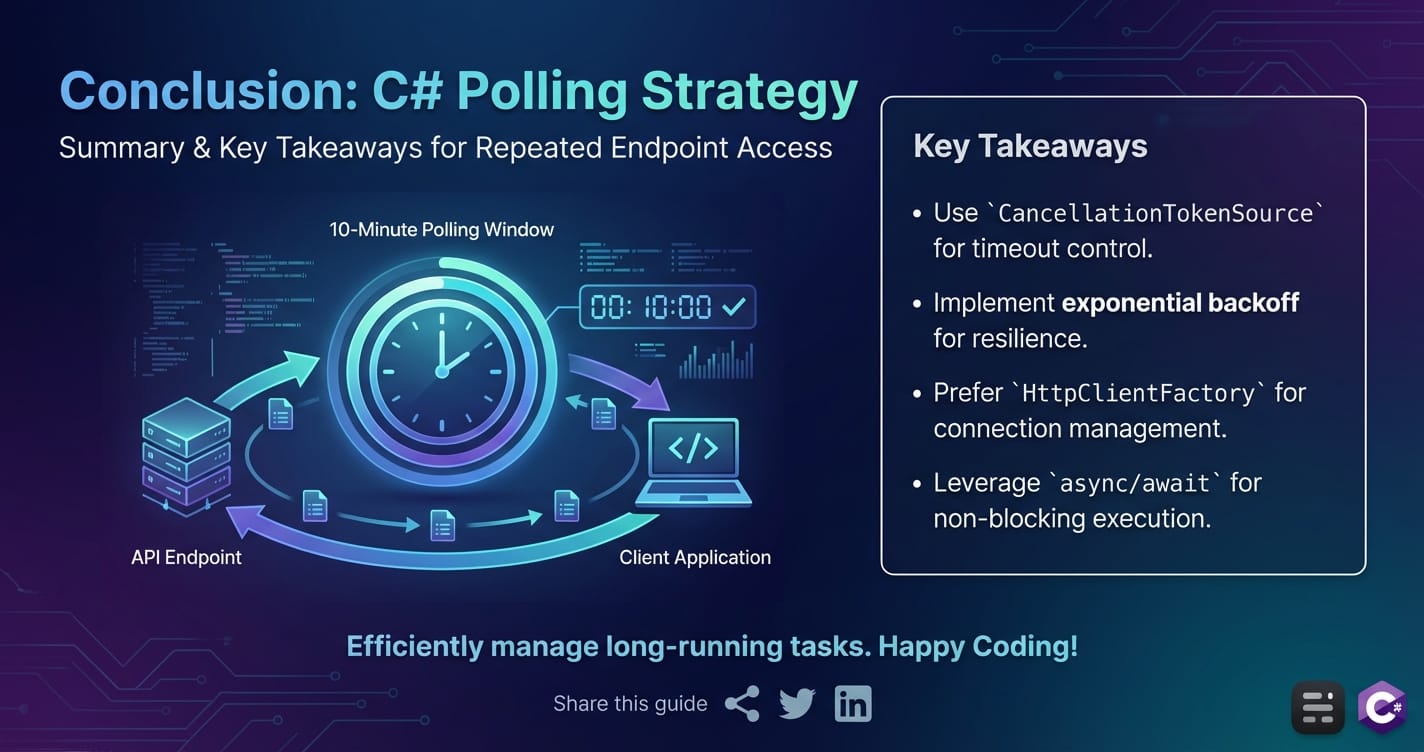
The journey through implementing a C# solution to repeatedly poll an api endpoint for 10 minutes has been a comprehensive exploration of modern api interaction. We began by establishing the fundamental concepts of endpoints and the critical role of HttpClient in C# for making web requests. Our core implementation showcased the power of asynchronous programming, Task.Delay for respectful intervals, and CancellationToken for precise, graceful duration control – a non-negotiable for a fixed 10-minute polling window.
Beyond the basics, we delved into the crucial aspects of building resilient systems. This included robust error handling, the strategic use of retries with exponential backoff and jitter to be a good api citizen, and adapting to dynamic server-side constraints like rate limits using the Retry-After header. We also emphasized best practices such as leveraging HttpClientFactory for efficient connection management and using ConfigureAwait(false) for optimal asynchronous performance, alongside the absolute necessity of thorough logging for long-running operations.
Crucially, we expanded our perspective to the server-side, understanding the indispensable role of an api gateway in orchestrating and protecting backend services. We saw how a gateway centralizes concerns like security, rate limiting, and routing, ultimately simplifying the client-side polling logic and enhancing the reliability of api interactions. In this context, products like ApiPark stand out by providing an open-source, AI-focused gateway solution that streamlines complex api management, offering a unified facade and robust governance for diverse services, including those often targeted by polling clients.
Finally, we explored alternative interaction patterns like webhooks, WebSockets, SSE, and long polling, providing a framework for deciding when polling is the right tool and when a push-based model might be more efficient. While these alternatives offer superior real-time capabilities, the simplicity, broad compatibility, and client-side control of traditional polling ensure its continued relevance for many monitoring, status-checking, and data synchronization tasks, particularly when interacting with existing apis without server-side modification capabilities.
By mastering the techniques and understanding the underlying principles outlined in this guide, C# developers are now equipped to build sophisticated, robust, and considerate polling solutions that reliably interact with api endpoints for specified durations, ensuring their applications remain informed and functional in an interconnected world.
Frequently Asked Questions (FAQ)
1. What is the primary difference between Task.Delay() and Thread.Sleep() in C# for polling?
The primary difference lies in how they handle threads. Thread.Sleep(milliseconds) is a blocking call that pauses the current thread for the specified duration. This makes the thread unavailable for any other work and can freeze user interfaces or block server requests. In contrast, await Task.Delay(milliseconds) is a non-blocking asynchronous operation. It returns a Task that completes after the delay, allowing the current thread to be released back to the thread pool and perform other work while waiting. When the delay completes, a continuation is scheduled to run, typically on a thread pool thread, picking up where it left off. For any I/O-bound operation like polling, Task.Delay() is always the preferred method to maintain application responsiveness and efficiency.
2. Why is CancellationToken so important for a 10-minute polling duration, and how does CancelAfter() work?
CancellationToken provides a cooperative mechanism for stopping long-running or repeated operations like polling. For a fixed duration, CancellationTokenSource.CancelAfter(TimeSpan duration) is invaluable because it automatically requests cancellation after the specified time has elapsed, without needing manual timer management. When the CancelAfter method is called, an internal timer is started. Once the timer expires, the IsCancellationRequested property of the CancellationToken (obtained from CancellationTokenSource.Token) becomes true, and any registered callbacks are invoked. Crucially, if this token is passed to cancellable async methods like Task.Delay() or HttpClient.GetAsync(), those methods will immediately throw a TaskCanceledException (or OperationCanceledException) when cancellation is requested, allowing the polling loop to exit gracefully and promptly, even if it's currently waiting for an HTTP response or a delay.
3. What is exponential backoff with jitter, and why should I use it when polling an API?
Exponential backoff is a retry strategy where the time between retries progressively increases after each consecutive failure. For example, delays might be 1 second, then 2 seconds, then 4 seconds, etc. This prevents repeatedly hammering a struggling service. Jitter is the addition of a small, random amount of time to each backoff delay. This randomness is crucial to prevent the "thundering herd" problem, where many clients failing simultaneously and then retrying at the exact same exponential intervals can create synchronized spikes in traffic, overwhelming a recovering server. Using exponential backoff with jitter makes your polling client more resilient, more polite to the api server, and helps the server recover more smoothly by distributing retry attempts over time.
4. When should I use IHttpClientFactory instead of just creating a new HttpClient()?
You should use IHttpClientFactory for almost all modern .NET applications, especially long-running services or web applications (ASP.NET Core). Creating new HttpClient() for each request can lead to socket exhaustion because the underlying HttpMessageHandler and its TCP connections are not immediately released, entering a TIME_WAIT state. While a static HttpClient instance solves socket exhaustion by reusing connections, it suffers from DNS caching issues, meaning it won't pick up changes to the target server's IP address if the DNS entry changes during the application's lifetime. IHttpClientFactory solves both problems by efficiently managing pooled HttpMessageHandler instances with configurable lifetimes, ensuring both connection reuse and eventual DNS updates, while also providing hooks for integrating resilience policies like Polly.
5. How does an API Gateway, like APIPark, benefit my C# polling client?
An API gateway acts as a single, central entry point for all client requests, offering numerous benefits even for a simple C# polling client. For example, a gateway can enforce rate limits and apply throttling to protect backend services from being overwhelmed by frequent polling requests, providing a consistent experience for your client. It can also provide centralized authentication and authorization, simplifying your client's security concerns. Products like ApiPark, specifically designed as an AI gateway and API management platform, further enhance this by standardizing API formats for diverse AI models, providing robust API lifecycle management, detailed call logging for troubleshooting, and high performance. By interacting with a well-managed gateway, your C# polling client benefits from a more reliable, secure, and predictable API ecosystem, allowing your client-side code to focus solely on its core polling logic rather than myriad infrastructure concerns.
🚀You can securely and efficiently call the OpenAI API on APIPark in just two steps:
Step 1: Deploy the APIPark AI gateway in 5 minutes.
APIPark is developed based on Golang, offering strong product performance and low development and maintenance costs. You can deploy APIPark with a single command line.
curl -sSO https://download.apipark.com/install/quick-start.sh; bash quick-start.sh

In my experience, you can see the successful deployment interface within 5 to 10 minutes. Then, you can log in to APIPark using your account.

Step 2: Call the OpenAI API.