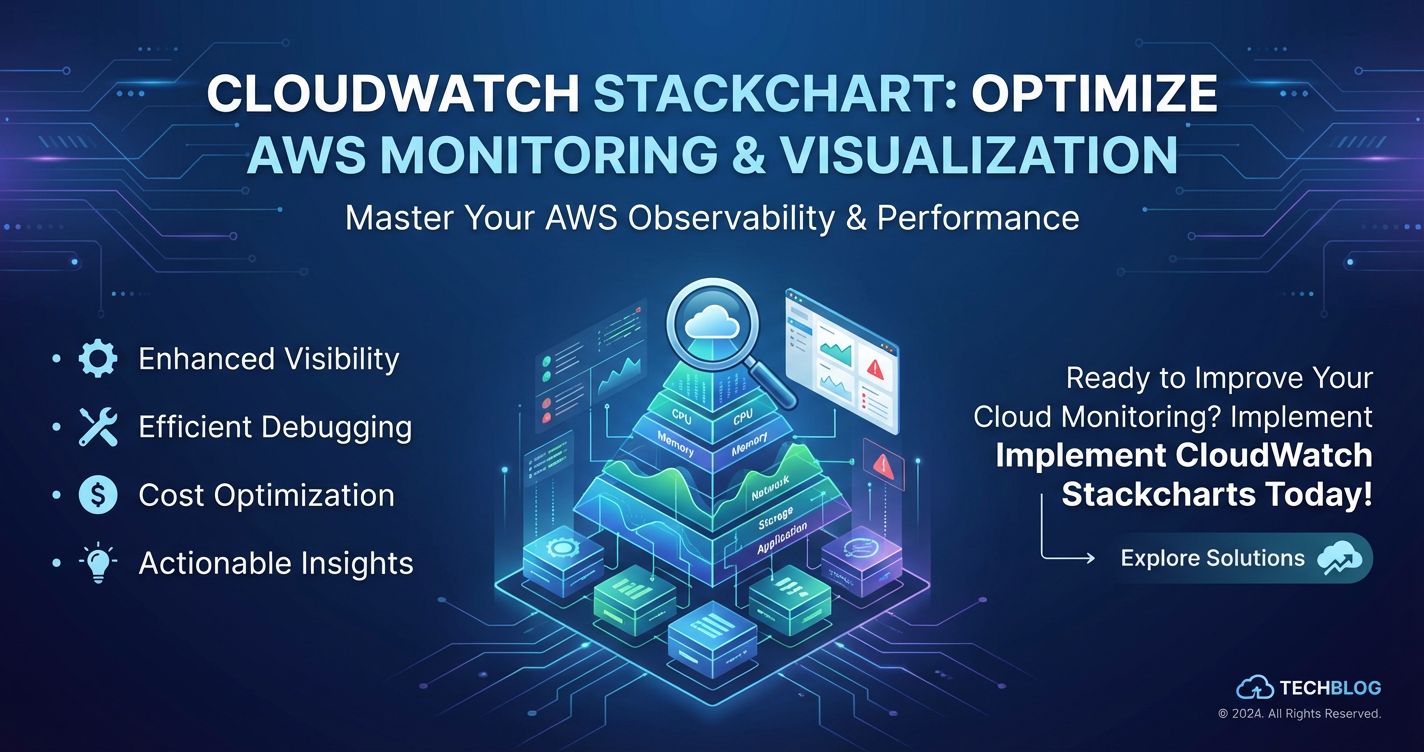
CloudWatch Stackchart: Optimize AWS Monitoring & Visualization


The landscape of modern cloud infrastructure is a dynamic and intricate tapestry, woven with interconnected services, microservices, and specialized components. In this ever-evolving environment, ensuring the health, performance, and reliability of applications and underlying resources is not merely a best practice; it is an absolute imperative. At the heart of AWS's observability toolkit lies Amazon CloudWatch, a robust monitoring and management service that provides comprehensive insights into resource utilization, application performance, and operational health. While CloudWatch offers a plethora of features, from metric collection and log aggregation to alarms and event rules, one of its most powerful yet sometimes underutilized visualization capabilities is the Stackchart.
Stackcharts, within the CloudWatch dashboard framework, transform raw metric data into intuitive, segmented visual representations, offering an unparalleled view into the distribution and composition of operational metrics over time. This capability becomes especially critical in complex architectures, where understanding the contribution of individual components to an aggregated metric can unlock profound insights into system behavior, identify bottlenecks, and inform optimization strategies. From traditional infrastructure monitoring to the cutting-edge demands of API Gateway and LLM Gateway management, and even the intricate details of the Model Context Protocol, CloudWatch Stackcharts provide a foundational layer of visibility essential for operational excellence.
This extensive guide will delve deep into the world of CloudWatch Stackcharts, exploring their fundamental principles, practical applications, and advanced techniques. We will illuminate how these powerful visualizations can be leveraged to optimize AWS monitoring, enhance problem-solving, and drive proactive operational management across a diverse range of use cases, including those involving sophisticated API management platforms and AI service integrations. By the end, you will possess a comprehensive understanding of how to harness Stackcharts to gain superior control and insight into your AWS deployments, ensuring robust performance and efficient resource utilization.
Understanding AWS CloudWatch: The Foundation of Observability
Before diving specifically into Stackcharts, it's crucial to solidify our understanding of Amazon CloudWatch itself, as Stackcharts are but one facet of its broad capabilities. CloudWatch is not merely a monitoring tool; it's a comprehensive observability service designed to collect monitoring and operational data in the form of logs, metrics, and events. It provides a unified view of AWS resources, applications, and services running on AWS, and even on-premises servers. This unified perspective is vital for maintaining a healthy and performant cloud environment.
The Pillars of CloudWatch: Metrics, Logs, and Events
- Metrics: CloudWatch collects and tracks a vast array of metrics, which are time-ordered sets of data points. These can be standard AWS service metrics (e.g., EC2 CPU utilization, S3 request counts, Lambda invocation duration) or custom metrics published by your applications. Metrics are fundamental for understanding resource performance and utilization. They provide quantitative data that, when visualized, reveal trends, anomalies, and operational insights. Each metric is uniquely defined by a name, a namespace, and one or more dimensions. Dimensions are key-value pairs that help you categorize and filter metrics, allowing for granular analysis—a feature that is particularly potent when constructing Stackcharts.
- Logs: CloudWatch Logs enables you to centralize logs from all your systems, applications, and AWS services into a single, highly scalable service. This includes logs from EC2 instances, AWS Lambda functions, CloudTrail, Route 53, and many more. Centralized logging is indispensable for troubleshooting, security analysis, and compliance auditing. CloudWatch Logs Insights allows for interactive searching and analysis of log data, while log metric filters can be used to extract numerical values from log events and transform them into CloudWatch metrics, which can then be visualized and alarmed upon.
- Events: CloudWatch Events (now integrated with Amazon EventBridge) delivers a near real-time stream of system events that describe changes in AWS resources. You can use simple rules to match events and route them to one or more target functions or streams, such as AWS Lambda functions, Amazon SNS topics, or even external SaaS applications. This allows for automated responses to operational changes, enabling proactive management and self-healing architectures.
Together, these three pillars form the bedrock of observability within AWS, providing the raw data from which powerful insights can be derived. CloudWatch dashboards then serve as the canvas for visualizing this data, and Stackcharts emerge as an exceptionally effective brushstroke for painting a clear picture of complex resource distribution and behavior.
Diving Deep into CloudWatch Stackchart: A Granular Perspective
A Stackchart in CloudWatch is a specialized type of area graph that displays the contribution of multiple data series to a total over time. Unlike a traditional line graph that might show several lines independently, a Stackchart "stacks" these lines on top of each other, where the height of each colored segment at any given point represents the value of a specific dimension, and the total height represents the aggregated sum of all dimensions. This visual design is particularly effective for understanding the composition of a metric and how that composition changes over time.
What Makes Stackcharts Indispensable?
The true power of Stackcharts lies in their ability to provide a compositional view of your metrics. Consider a scenario where you are monitoring the total number of requests coming into an API Gateway. A simple line graph might show the total request count, which is useful for overall traffic trends. However, a Stackchart can go much further by breaking down those total requests by, for example, individual API endpoints, HTTP methods (GET, POST, PUT), or even different client IDs. This immediate visual segmentation offers several key benefits:
- Identifying Contributors: Quickly pinpoint which dimensions or components are contributing most to a particular metric at any given time. Is one specific Lambda function suddenly responsible for a surge in invocations? Is a particular API endpoint experiencing an unusually high error rate compared to others? Stackcharts make these contributions immediately obvious.
- Understanding Proportions and Distribution: Gain insight into the relative proportions of different components. For instance, you could see how CPU utilization is distributed across various EC2 instance types, or how traffic is split between different versions of a service. This is invaluable for resource allocation and capacity planning.
- Spotting Shifts and Trends: Observe how the distribution changes over time. A sudden shift in the stack composition could indicate a new traffic pattern, a deployment issue, or a change in user behavior. For instance, if an LLM Gateway is suddenly receiving a disproportionate number of requests for a specific AI model, a Stackchart would highlight this shift instantly.
- Pinpointing Outliers and Anomalies: While anomaly detection overlays are available for individual metrics, a Stackchart can help reveal an outlier dimension that is driving an overall metric's anomaly. If overall network egress is spiking, a Stackchart showing egress by instance might immediately identify the culprit.
How Stackcharts Differ from Other Visualizations
While CloudWatch offers various graph types (line, stacked area, bar, pie, number, gauge, scatter, table), Stackcharts (specifically "Stacked area" graphs in CloudWatch) stand out for their ability to visualize part-to-whole relationships over time.
- Line Graphs: Good for showing trends of individual metrics but less effective for comparing the composition of multiple related metrics.
- Bar Charts: Excellent for comparing discrete values at a single point in time or over a short period, but not ideal for long-term compositional trends.
- Pie Charts: Show proportions at a single point in time, lacking the temporal dimension critical for operational monitoring.
- Stackcharts (Stacked Area Graphs): Uniquely combine the trend-over-time aspect with the compositional breakdown, making them superior for scenarios where understanding how a total is composed of its parts and how that composition changes is paramount.
By leveraging Stackcharts, operators and developers can move beyond aggregate numbers to grasp the underlying dynamics of their cloud environments, leading to more informed decisions and proactive problem resolution.
Practical Application: Building and Interpreting CloudWatch Stackcharts
Creating effective CloudWatch Stackcharts involves selecting the right metrics, applying appropriate dimensions, and understanding how to interpret the resulting visualizations. This section provides a practical guide to constructing and deciphering these powerful graphs.
Step-by-Step Guide to Creating Stackcharts
- Navigate to CloudWatch Dashboards: From the AWS Management Console, search for CloudWatch and select "Dashboards" from the left-hand navigation pane.
- Create or Edit a Dashboard: You can either create a new dashboard or edit an existing one. Dashboards are highly customizable collections of widgets.
- Add a New Widget: Click "Add widget" (or the "+" icon) and choose "Line" or "Number" for the widget type. While the label is "Line," the configuration options allow you to select "Stacked area" as the graph type.
- Select Metrics:
- Click "Metrics" to browse available metrics.
- Navigate through the namespaces (e.g.,
AWS/EC2,AWS/Lambda,AWS/API Gateway). - Choose the specific metric you want to visualize (e.g.,
CPUUtilizationfor EC2,Invocationsfor Lambda,Countfor API Gateway).
- Add Dimensions for Stacking: This is the crucial step for creating a Stackchart.
- When you select a metric, CloudWatch often presents various dimensions by which that metric can be filtered or grouped.
- For example, for
AWS/EC2 | CPUUtilization, you might see dimensions likeInstanceId,InstanceType,AutoScalingGroupName. To create a Stackchart showing CPU utilization by InstanceId, select "By InstanceId" or choose individualInstanceIds. CloudWatch will automatically sum them by default when multiple are selected. - Similarly, for
AWS/API Gateway | Count, you could select "By API Name, Method, Resource" to see requests broken down by specific API endpoints and methods. - Crucially: For a stacked area graph, you need to select multiple series that share the same metric but differ by a dimension. CloudWatch will then display these as stacked areas.
- Configure Graph Options:
- After adding metrics, navigate to the "Graph options" tab.
- Under "Graph type," select "Stacked area." This transforms the individual lines into stacked segments.
- Adjust other settings like "Time range" (e.g., 1 hour, 3 days, custom), "Statistic" (Average, Sum, Maximum, Minimum, SampleCount), and "Period" (1 minute, 5 minutes, 1 hour). For Stackcharts, "Sum" or "Average" can be highly informative depending on what you want to represent (e.g., total invocations vs. average CPU utilization).
- Save Widget and Dashboard: Give your widget a meaningful title, then add it to the dashboard and save the dashboard.
Choosing Appropriate Metrics and Dimensions
The effectiveness of a Stackchart hinges on selecting the right metric and the right dimensions to stack by. Here are some common examples:
- EC2 CPU Utilization by InstanceId: Shows how CPU load is distributed across your individual EC2 instances. Great for identifying overloaded or underutilized instances.
- Lambda Invocations by Function Name: Visualizes which Lambda functions are being invoked most frequently, and how their invocation patterns change. Essential for understanding serverless workload distribution.
- API Gateway Requests by Method and Resource: Breaks down the total request volume by HTTP method (GET, POST) and specific API paths. Invaluable for understanding traffic patterns on your API Gateway.
- S3 Requests by Operation: Illustrates the types of operations (e.g.,
GetObject,PutObject,ListObjects) being performed on an S3 bucket. Useful for understanding data access patterns. - Custom Metrics: If you're pushing custom metrics from your application (e.g.,
OrderCountbyRegion,UserLoginAttemptsbyAuthenticationProvider), Stackcharts can visualize the contribution of each dimension to the total.
Understanding Data Aggregation and Resolution
CloudWatch metrics are aggregated based on the chosen period and statistic. When creating a Stackchart, remember:
- Statistic: If you choose
Sum, the stack represents the total sum of all dimension values at each point in time. If you chooseAverage, it will stack the average values. For resource utilization,Averagemight be more intuitive for individual components, butSumoften makes more sense for cumulative metrics likeCountorInvocations. - Period: This dictates the granularity of the data points. A 1-minute period provides high resolution for real-time monitoring, while a 1-hour period smooths out short-term fluctuations for longer-term trends. The period impacts how "jagged" or "smooth" your Stackchart appears.
Advanced Features: Anomaly Detection Overlay and Metric Math
CloudWatch Stackcharts can be further enhanced:
- Anomaly Detection Overlay: While typically applied to individual metrics, you can layer an anomaly detection band on the total metric (the sum of your stacked dimensions) to visually identify when the aggregate behavior deviates from its learned baseline.
- Metric Math Expressions: For more complex scenarios, CloudWatch Metric Math allows you to perform calculations on multiple metrics to create new time series. For instance, you could use metric math to calculate the error rate percentage for each API Gateway endpoint (e.g.,
(4xx_Errors + 5xx_Errors) / Total_Requests * 100) and then stack these derived percentages by endpoint, though this would typically be for individual lines rather than a direct stack of percentages as they don't sum to a meaningful total. More effectively, you could stack the raw counts of different error types or successful requests if you're trying to see the composition of total responses.
By mastering these practical aspects, you can construct and interpret Stackcharts that provide deeply meaningful insights, transforming raw data into actionable intelligence for your AWS operations.
Optimizing AWS Monitoring with Stackcharts: Core Strategies
CloudWatch Stackcharts offer a versatile tool for optimizing monitoring across various facets of your AWS environment. Their ability to dissect aggregate metrics into their constituent parts provides clarity essential for robust operational health.
Resource Utilization: Granular Insights for Efficiency
Monitoring resource utilization is fundamental to both performance and cost optimization. Stackcharts excel here by breaking down aggregated resource metrics.
- Compute (EC2, Lambda, ECS/EKS):
- EC2 CPU Utilization by Instance ID: Instantly identify which instances are hogging CPU or are consistently underutilized. This can inform scaling decisions or resource rightsizing.
- Lambda Concurrent Executions by Function Name: Visualize which functions are consuming the most concurrency, helping prevent throttling and optimize
ReservedConcurrencysettings. - ECS/EKS CPU/Memory Utilization by Service/Pod: Understand the resource footprint of individual microservices within your containerized environment, crucial for efficient cluster management.
- Storage (S3, EBS, RDS):
- S3 Bucket Size by Prefix/Object Type (using custom metrics): While not directly available as a default dimension, pushing custom metrics for S3 object types can allow you to stack storage consumption, identifying which data categories are growing fastest.
- EBS Volume IOPS/Throughput by Volume ID: See which specific EBS volumes are facing high I/O demands, potentially indicating a need for higher-performance tiers or better application design.
- RDS Database Connections by DB Instance: Monitor connection distribution across read replicas or different database instances.
Application Performance Monitoring (APM): Deeper Dive into Service Health
For applications, especially those built on microservices or serverless architectures, performance is paramount. Stackcharts help diagnose performance issues at a component level.
- Latency Distribution: For services that emit custom latency metrics (e.g.,
ServiceLatencyfor different internal API calls), a Stackchart can show which sub-components are contributing most to overall transaction latency. - Error Rates by Service/Function: If your application is composed of multiple Lambda functions or microservices, a Stackchart showing
5xx ErrorsbyFunctionNameorServiceEndpointprovides an immediate visual of which component is failing. - Throughput by Endpoint/Client: Understand which parts of your application are handling the most load, essential for capacity planning and identifying hot spots.
Cost Optimization: Identifying Waste and Drivers
While CloudWatch isn't a direct cost management tool, the insights it provides, especially through Stackcharts, can significantly inform cost optimization efforts.
- Underutilized Resources: Stackcharts showing consistently low CPU or memory utilization across a group of instances or functions can highlight resources that are over-provisioned and can be scaled down or eliminated.
- Cost Drivers (indirectly): By visualizing resource consumption (e.g., Lambda invocations, S3 requests, DynamoDB read/write units) by different dimensions (e.g., environment, application), you can infer which parts of your infrastructure are driving the most costs, enabling targeted optimization.
- Data Transfer Out by Service: Identify services or regions responsible for high data egress costs, which are often a significant, hidden cost component.
Security Posture: Uncovering Anomalous Access Patterns
While dedicated security services like GuardDuty and Security Hub are crucial, CloudWatch (and Stackcharts) can complement them by surfacing unusual operational patterns that might indicate security concerns.
- API Calls by User/Role (CloudTrail + Custom Metrics): By processing CloudTrail logs and extracting user/role information for specific API calls (e.g.,
DeleteObject,StopInstances), you can create custom metrics that can be stacked. This helps visualize who is performing sensitive actions and identify unusual activity. - Network In/Out by IP Address (for known threats): While difficult to stack directly for arbitrary IPs, for known external IP ranges or internal service IPs, you could use custom metrics to monitor traffic patterns, looking for unexpected spikes from unusual sources.
Operational Health: Proactive Monitoring and Problem Solving
Stackcharts are invaluable for maintaining overall operational health and responding effectively to incidents.
- Service Quotas and Limits: For services with API call limits (e.g., AWS Config, Trusted Advisor), monitoring the
CallCountmetric, potentially stacked by API operation, can help you proactively manage usage before hitting limits. - Log Pattern Analysis (via Log Metrics): Extract numerical values from your CloudWatch Logs (e.g., count of
ERRORmessages, number of failed login attempts) and create custom metrics. Stacking these by component (e.g.,microservice_name) can give you a quick overview of which parts of your application are generating the most log noise or errors. - Queue Depths by Queue: For message queues like SQS, a Stackchart of
ApproximateNumberOfMessagesVisiblebyQueueNamecan quickly show which queues are building up backlogs, indicating potential processing bottlenecks.
By strategically deploying CloudWatch Stackcharts across these core areas, organizations can move from reactive troubleshooting to proactive monitoring, gaining a profound understanding of their AWS environment's behavior and composition.
Stackcharts in the Context of API Gateways and Modern Architectures
Modern cloud architectures heavily rely on APIs for inter-service communication and exposing functionalities to external clients. This paradigm has further evolved with the advent of Large Language Models (LLMs), giving rise to specialized LLM Gateway solutions. In this complex API-driven ecosystem, effective monitoring is paramount, and CloudWatch Stackcharts play a crucial role.
AWS API Gateway Monitoring: A Deep Dive
AWS API Gateway is a fully managed service that makes it easy for developers to create, publish, maintain, monitor, and secure APIs at any scale. Given its critical role as the front door to many applications, comprehensive monitoring is non-negotiable. CloudWatch provides a wealth of metrics for API Gateway, and Stackcharts enhance their utility significantly.
- Default Metrics for API Gateway:
- Latency: The end-to-end latency of API requests.
- Count: The total number of API requests received.
- 4XXError: Client-side errors (e.g., invalid input).
- 5XXError: Server-side errors (e.g., backend issues, integration errors).
- CacheHitCount / CacheMissCount: For cached API responses.
- IntegrationLatency: Latency between API Gateway and the backend integration (e.g., Lambda, EC2).
- ThrottledCount: Requests rejected due to rate limits.
- Using Stackcharts for API Gateway:
- Request Count by Method and Resource: Create a Stackchart that breaks down the
Countmetric byMethodandResourcepath. This immediately shows which API endpoints are receiving the most traffic and how that traffic is distributed across different HTTP verbs. For example, if you have/usersand/productsendpoints, you can see the proportion of GETs, POSTs, and PUTs for each. This is invaluable for identifying popular endpoints, potential bottlenecks, or unexpected traffic patterns. - Error Rates by API Stage or Method: Visualize
4XXErroror5XXErrormetrics, stacked byMethodorResource. This allows you to quickly pinpoint which specific API operations are experiencing the highest error rates. A sudden spike in 5XX errors for a particularPOST /ordersendpoint, for instance, would be immediately evident, signaling an issue with the order processing backend. - Latency Distribution Across Integrations: If you have an API Gateway with multiple backend integrations (e.g., one method integrating with Lambda, another with an EC2 instance), you can create custom metrics or use
IntegrationLatencyand stack them by their corresponding dimensions. This helps identify which backend integration is introducing the most latency. - Throttled Requests by API Key or Usage Plan: If you're using API Keys and Usage Plans to manage client access, you can create custom metrics from API Gateway access logs to track throttled requests by specific API Keys. A Stackchart of
ThrottledCountbyUsagePlanIdorApiKeyIdwould reveal which clients are hitting their rate limits most often.
- Request Count by Method and Resource: Create a Stackchart that breaks down the
The Rise of LLM Gateways: A New Frontier for Monitoring
The proliferation of Large Language Models (LLMs) has introduced a new layer of complexity to application architectures. An LLM Gateway serves as an abstraction layer between client applications and various LLM providers (e.g., OpenAI, Anthropic, custom fine-tuned models). Its role typically includes:
- Unified API Interface: Providing a consistent API for interacting with different LLMs.
- Request Routing: Directing prompts to the appropriate LLM based on policy, cost, performance, or capability.
- Authentication & Authorization: Managing access to LLM services.
- Rate Limiting & Throttling: Controlling usage to prevent abuse and manage costs.
- Caching: Storing responses for common prompts to improve latency and reduce costs.
- Observability: Collecting metrics and logs specific to LLM interactions.
- Cost Management: Tracking token usage and costs across different models.
Monitoring an LLM Gateway is critical due to: * High Costs: LLM inferences can be expensive, making cost tracking and optimization paramount. * Performance Sensitivity: Latency in LLM responses can significantly impact user experience. * Context Management: Ensuring proper handling of conversational context is vital for coherent AI interactions. * Provider Diversity: Managing and monitoring interactions with multiple external LLM providers.
How CloudWatch Stackcharts Help Monitor LLM Gateways:
If your LLM Gateway is built on AWS services (e.g., Lambda, EC2, ECS, or even an AWS API Gateway acting as a front-end), CloudWatch Stackcharts become indispensable for its observability:
- Requests by LLM Provider/Model: Push custom metrics for each request, tagged with the
LLMProvider(e.g.,openai,anthropic) andModelName(e.g.,gpt-4,claude-3). A Stackchart ofLLMInvocationCountbyLLMProviderandModelNamewould instantly show which models are being used most, allowing for cost and performance analysis. - Token Usage by Application/User: If your LLM Gateway tracks token consumption, push
InputTokensandOutputTokensas custom metrics, dimensioned byApplicationIdorUserId. Stackcharts can then visualize token usage distribution, identifying heavy users or applications. - Latency Distribution by Model/Prompt Type: Monitor the
ResponseLatencyof your LLM Gateway, stacked byModelNameorPromptCategory. This can reveal if specific models or complex prompt types are consistently introducing higher latencies. - Error Rates by LLM Provider: Track
LLMProviderErrorCount(e.g., rate limits, invalid requests from the LLM provider side), stacked byLLMProvider. This helps identify issues with specific external LLM services. - Cache Hit/Miss Ratio: If your LLM Gateway implements caching, track
CacheHitCountandCacheMissCountas custom metrics. A Stackchart of these can show the effectiveness of your caching strategy.
Managing Model Context Protocol (MCP)
The Model Context Protocol (MCP) refers to a standardized way for applications to interact with LLMs, particularly concerning the management of conversational context. As LLMs are stateless, maintaining a history of previous turns in a conversation—the "context"—is crucial for coherent and continuous interactions. MCP aims to define how this context is passed, managed, and potentially retrieved, often involving strategies like prompt engineering, summarization, or external memory systems.
Monitoring services that implement MCP is essential for: * Context Coherence: Ensuring the LLM receives and processes the correct context. * Token Limits: Managing the size of the context window to stay within LLM token limits and control costs. * Performance: The overhead of context management (e.g., retrieving context from a database, performing summarization) can impact latency. * Cost Efficiency: Minimizing redundant context passing or overly long contexts.
Stackcharts for Visualizing MCP-Related Metrics:
If your services handle the Model Context Protocol, CloudWatch Stackcharts can offer vital insights:
- Context Window Usage by Application: If your MCP implementation tracks the
ContextTokenCount(the number of tokens used for context in each prompt), stack this metric byApplicationIdorConversationType. This shows which applications or conversational flows are consuming the most context tokens, providing data for optimization. - Context Retrieval Latency by Storage Type: If context is retrieved from different storage mechanisms (e.g., DynamoDB, Redis, S3), push
ContextRetrievalLatencyas a custom metric, dimensioned byStorageType. A Stackchart can show which storage option is contributing most to context-related latency. - Successful vs. Failed Context Updates: Track
ContextUpdateSuccessCountandContextUpdateFailCountas custom metrics, stacked together. This provides an immediate visual of the reliability of your context management system. - Prompt Length Distribution by Context Strategy: If you employ different strategies for context (e.g., "full history," "summarized," "vector search"), push
EffectivePromptLength(total tokens sent to LLM) dimensioned byContextStrategy. A Stackchart can compare the token efficiency of different context management approaches.
By integrating these specialized metrics and leveraging Stackcharts, operators can gain unprecedented visibility into the often opaque world of LLM interactions, ensuring the performance, cost-efficiency, and reliability of their AI-powered applications.
APIPark is a high-performance AI gateway that allows you to securely access the most comprehensive LLM APIs globally on the APIPark platform, including OpenAI, Anthropic, Mistral, Llama2, Google Gemini, and more.Try APIPark now! 👇👇👇
Advanced CloudWatch Stackchart Techniques and Integrations
Beyond basic metric visualization, CloudWatch Stackcharts can be integrated with advanced techniques and other AWS services to create a truly comprehensive and automated monitoring solution.
Cross-Account and Cross-Region Monitoring
In larger enterprises, it's common to have resources spread across multiple AWS accounts (e.g., development, staging, production) and multiple AWS Regions for resilience and global reach. Centralized monitoring is crucial in such distributed environments.
- Cross-Account Observability: AWS CloudWatch supports cross-account observability, allowing you to monitor metrics, logs, and traces from multiple source accounts within a central monitoring account. This involves configuring a "monitoring account" and "source accounts." Once set up, you can create dashboards in the monitoring account that aggregate metrics from all linked source accounts. A Stackchart in the monitoring account could, for example, show
Lambda Invocationsstacked byAWS_Account_IDandFunctionName, giving you a panoramic view of serverless activity across your entire organization. - Cross-Region Aggregation: Similarly, metrics from different regions can be brought into a single dashboard. This is particularly useful for geographically dispersed applications where you need to compare performance or utilization across regions. A Stackchart could visualize
API Gateway Request Countstacked byRegionandAPI Name, helping identify regional traffic patterns or performance disparities.
These capabilities enable a unified operational view, simplifying incident response and strategic planning across complex organizational structures.
Programmatic Dashboard Creation for Infrastructure as Code (IaC)
Manually creating and maintaining dashboards through the AWS Console can become tedious and error-prone, especially for large infrastructures or frequent deployments. Infrastructure as Code (IaC) principles can be applied to CloudWatch dashboards, including those with Stackcharts.
- AWS CloudFormation: You can define CloudWatch dashboards as JSON or YAML templates in CloudFormation. This allows you to version-control your dashboards, replicate them across environments, and deploy them automatically alongside your infrastructure. For Stackcharts, you define the
metricWidgetproperties, specifying themetrics,period,stat,label, and importantly, thestackedproperty set totrueunderview. - AWS Cloud Development Kit (CDK): For developers who prefer programming languages, CDK allows you to define your AWS resources using familiar languages like Python, TypeScript, Java, or C#. CDK provides constructs for CloudWatch dashboards and widgets, simplifying the creation of complex dashboards with Stackcharts through code.
- AWS CLI/SDKs: For simpler automation or scripting, the AWS Command Line Interface (CLI) or various AWS SDKs (Python Boto3, JavaScript, etc.) can be used to programmatically create, update, and retrieve dashboard definitions.
IaC for dashboards ensures consistency, reduces manual effort, and integrates monitoring directly into your CI/CD pipelines.
Integrating with Other AWS Services
CloudWatch is designed to integrate seamlessly with a multitude of other AWS services, extending its monitoring and visualization capabilities.
- Amazon EventBridge: Metrics, alarms, and other CloudWatch events can trigger EventBridge rules. This enables powerful automation workflows. For instance, if a Stackchart reveals an unusual spike in
5XXErrorfor an API Gateway, an associated alarm can trigger an EventBridge rule to invoke a Lambda function for automated remediation or send a notification to a specific team's chat channel. - Amazon SNS (Simple Notification Service): CloudWatch alarms frequently use SNS topics to send notifications (email, SMS, HTTP endpoint) when a metric breaches a threshold. This ensures that relevant personnel are immediately alerted to critical issues detected through your Stackcharts.
- Amazon QuickSight: For advanced business intelligence (BI) and deeper data exploration beyond the operational focus of CloudWatch dashboards, you can export CloudWatch Logs to S3 and then analyze them with Amazon QuickSight. QuickSight offers more sophisticated data visualization options and statistical analysis, allowing you to correlate operational metrics (potentially influenced by Stackcharts) with business performance indicators.
Custom Metrics: Expanding Observability Horizons
While AWS provides a wealth of default metrics, real-world applications often require highly specific business or application-level metrics that are not covered by standard offerings. CloudWatch allows you to publish custom metrics, which can then be visualized using Stackcharts.
- Publishing Custom Metrics: You can use the AWS SDKs or CLI to publish custom metrics to CloudWatch. For example, an application could emit
OrderProcessedCount(dimensioned byProductCategory) orLLMTokenCost(dimensioned byModelNameandUserID). - Application-Specific Indicators: Beyond technical metrics, custom metrics allow you to monitor key business performance indicators (KPIs) within CloudWatch. For an LLM Gateway, you might track
SuccessfulPromptGenerationsvs.FailedPromptGenerations(stacked), orAverageContextWindowSizefor different conversational bots. - Log-Based Metrics: You can also extract numerical values from your application logs (streamed to CloudWatch Logs) using metric filters. For instance, if your logs contain
[INFO] Transaction ID: XYZ processed successfully in 123ms, you could create a metric filter to count successful transactions or extract the123msas a custom latency metric. These log-derived metrics can then be stacked by relevant log dimensions (e.g.,service_name).
By leveraging custom metrics, Stackcharts can move beyond infrastructure monitoring to provide deep insights into the behavior and performance of your unique applications and business processes. This is especially vital for complex platforms like an LLM Gateway where application-specific metrics related to models, context, and user interaction are paramount.
Enhancing API Management with Complementary Solutions: Introducing APIPark
The discussion around monitoring API Gateways, LLM Gateways, and the Model Context Protocol highlights the increasing complexity of managing modern API-driven and AI-powered services. While CloudWatch Stackcharts provide invaluable observability, they often work best when complemented by robust API management platforms that streamline the API lifecycle, from design to deployment and beyond. This is where solutions like APIPark come into play.
Modern enterprises face significant challenges in managing a growing portfolio of APIs, especially those integrating with rapidly evolving AI models. These challenges include:
- Diverse AI Models: Integrating and managing multiple AI models from different providers with varying APIs and authentication schemes.
- API Standardization: Ensuring a consistent interface for applications consuming these diverse AI services.
- Prompt Engineering: Encapsulating complex prompt logic and context management within reusable API services.
- Full Lifecycle Management: Governing APIs through their entire lifespan, including versioning, publication, and deprecation.
- Team Collaboration: Enabling different teams and tenants to discover, use, and manage API resources efficiently and securely.
- Performance and Security: Ensuring APIs are performant, reliable, and protected from unauthorized access or malicious attacks.
- Visibility and Analytics: Gaining deep insights into API usage, performance, and potential issues.
APIPark - Open Source AI Gateway & API Management Platform emerges as a comprehensive solution designed to address these challenges head-on. As an open-source AI gateway and API developer portal licensed under Apache 2.0, APIPark empowers developers and enterprises to effortlessly manage, integrate, and deploy both AI and traditional REST services.
Visit APIPark's official website to learn more about its capabilities.
Here’s how APIPark's key features complement robust monitoring solutions like CloudWatch and enhance the management of API-driven services, including those utilizing LLMs and MCP:
- Quick Integration of 100+ AI Models: APIPark simplifies the complex task of integrating various AI models under a unified management system for authentication and cost tracking. This means that instead of direct, disparate integrations for each AI model, your applications interact with APIPark. The traffic and interactions processed by APIPark then become a unified source of metrics that CloudWatch can collect and visualize with Stackcharts, showing usage per integrated AI model.
- Unified API Format for AI Invocation: By standardizing the request data format across all AI models, APIPark ensures that changes in underlying AI models or prompts do not disrupt consuming applications. This consistency simplifies the monitoring process as well; metrics collected (e.g., request count, latency) are consistently formatted regardless of the backend AI, making Stackcharts that break down usage by specific AI models even more valuable. This unified approach inherently simplifies the implementation of the Model Context Protocol by providing a consistent interface for context passing.
- Prompt Encapsulation into REST API: APIPark allows users to combine AI models with custom prompts to create new, specialized APIs (e.g., sentiment analysis, translation). These new APIs, exposed through APIPark, generate their own specific metrics (e.g.,
SentimentAnalysisAPI.Invocations,TranslationAPI.Latency). CloudWatch Stackcharts can then visualize the usage and performance of these custom AI APIs, breaking them down by their prompt configurations or underlying AI models, offering granular insights into the AI services you have created. - End-to-End API Lifecycle Management: From design to publication, invocation, and decommission, APIPark provides tools to manage the entire API lifecycle. This structured management ensures that APIs are versioned, load-balanced, and properly regulated. CloudWatch Stackcharts can then be used to monitor different API versions or stages managed by APIPark, visualizing traffic distribution and performance metrics to ensure smooth transitions and identify issues early.
- API Service Sharing within Teams: APIPark's centralized display of all API services fosters collaboration and efficient discovery. When teams utilize these shared services, APIPark can emit metrics detailing consumption by
TeamorApplication. CloudWatch Stackcharts can then visualize these metrics, showing how API usage is distributed across different internal teams, aiding in resource allocation and chargeback models. - Independent API and Access Permissions for Each Tenant: APIPark supports multi-tenancy, allowing for independent applications, data, and security policies for different teams or customers. This enables fine-grained control and security. Metrics collected (e.g.,
RequestCount,ErrorRate) can be dimensioned byTenantID, making it possible to create CloudWatch Stackcharts that visualize API usage and performance broken down by each tenant, ensuring fair resource usage and identifying tenant-specific issues. - API Resource Access Requires Approval: The subscription approval feature enhances security by preventing unauthorized API calls. When requests are routed through APIPark, metrics related to approved vs. pending vs. rejected subscriptions can be pushed to CloudWatch. Stackcharts could then visualize the state of access requests, providing an audit trail and insights into access patterns.
- Performance Rivaling Nginx: APIPark's high performance (over 20,000 TPS with modest resources) ensures that the API gateway itself isn't a bottleneck. While APIPark is handling the traffic, its performance metrics (e.g.,
GatewayLatency,TPS) can be monitored by CloudWatch, and Stackcharts can show how these metrics distribute across its internal components or instances, ensuring the gateway remains responsive under load. - Detailed API Call Logging: APIPark provides comprehensive logging, capturing every detail of each API call. These detailed logs can be streamed to CloudWatch Logs. From there, CloudWatch Logs Insights can be used for detailed troubleshooting, and log metric filters can extract specific numerical patterns to create custom metrics. These custom metrics, like
FailedAuthAttemptsbySourceIPorLLMTokenCountbyAPIKey, can then be brilliantly visualized using CloudWatch Stackcharts. - Powerful Data Analysis: APIPark analyzes historical call data to display long-term trends and performance changes, which can be seen as a higher-level aggregation. This complements CloudWatch's granular, real-time monitoring. The insights from APIPark's analysis can guide where to set up specific CloudWatch alarms and which metrics to focus on in your Stackcharts for preventive maintenance.
In essence, APIPark acts as a powerful orchestrator for your APIs, especially for AI and LLM services, providing structured management, performance, and comprehensive data collection. CloudWatch, with its sophisticated Stackcharts, then takes this rich data generated by APIPark and transforms it into actionable, compositional insights. Together, they form a symbiotic relationship, offering a complete solution for managing, securing, optimizing, and observing your modern, API-driven architectures. The data APIPark provides about API Gateway, LLM Gateway operations, and the implementation of the Model Context Protocol becomes the perfect raw material for CloudWatch Stackcharts to illuminate.
Security and Compliance Considerations with CloudWatch
While CloudWatch is primarily a monitoring service, it plays a critical role in an organization's overall security and compliance posture. Proper configuration and utilization of CloudWatch, including its Stackcharts, can enhance visibility into security-related events and aid in meeting regulatory requirements.
IAM Roles and Permissions for CloudWatch Access
Controlling access to CloudWatch data and functionalities is paramount.
- Principle of Least Privilege: Grant only the necessary permissions to users, roles, and services that interact with CloudWatch. For instance, a developer might need
cloudwatch:GetMetricDataandcloudwatch:ListMetricsto view dashboards and metrics, but notcloudwatch:PutMetricData(to publish custom metrics) unless they are specifically building new monitoring solutions. - Granular Permissions: IAM policies can be very granular, allowing access to specific CloudWatch namespaces, metric dimensions, or even individual dashboards. This ensures that sensitive operational data is only accessible to authorized personnel. For example, you might restrict viewing of a Stackchart showing API Gateway traffic by client ID to only security and networking teams.
- Separation of Duties: Implement roles that separate the ability to configure monitoring (e.g., create alarms, publish metrics) from the ability to interpret and respond to monitoring data.
Data Retention Policies
CloudWatch metrics, logs, and events have default retention periods, but these can often be customized to meet specific compliance or analytical needs.
- Metrics Retention: CloudWatch stores metric data for 15 months at varying resolutions. While you can't indefinitely extend the native CloudWatch metric retention, for long-term archival and analysis (e.g., for compliance audits stretching back years), you might stream CloudWatch metrics or aggregated data to S3 and then use other services like Athena or QuickSight.
- Logs Retention: CloudWatch Logs allows you to set custom retention periods for log groups, ranging from "Never Expire" to specific durations (e.g., 1 day, 1 year, 10 years). For compliance frameworks like HIPAA, PCI DSS, or GDPR, retaining logs for extended periods is often a requirement. Regularly review and adjust log retention policies to balance compliance needs with storage costs.
- Event Retention: EventBridge events have a short retention period by default, but you can archive them to S3 or send them to CloudWatch Logs for longer-term storage if necessary.
Compliance Frameworks (GDPR, HIPAA, PCI DSS)
CloudWatch assists with compliance in several ways:
- Audit Trails (CloudTrail Integration): CloudWatch Logs is the primary destination for AWS CloudTrail logs, which record API calls and related events in your AWS account. By analyzing CloudTrail logs in CloudWatch, you can track who did what, when, and from where, providing crucial audit trails for compliance. Stackcharts built from log-based metrics can visualize unusual access patterns or administrative activities.
- Security Monitoring: CloudWatch Alarms and Stackcharts can be configured to detect deviations from normal behavior that might indicate a security breach. For example, a Stackchart showing failed login attempts to your API Gateway by source IP or user could trigger an alarm if a threshold is breached, indicating a brute-force attack. Similarly, monitoring for unusual data transfer out (egress) using Stackcharts by destination IP could help detect data exfiltration.
- Resource Configuration Changes: By monitoring AWS Config changes via CloudWatch Events, you can ensure that your resources remain compliant with your defined security policies.
- Data Protection: While CloudWatch itself does not process sensitive data from applications in raw form (it processes metadata and metrics), the logs it collects can contain sensitive information. Ensure that log data containing PII (Personally Identifiable Information) or PHI (Protected Health Information) is appropriately masked, encrypted, and governed by strict access controls and retention policies in CloudWatch Logs.
- Operational Resilience: Compliance often requires demonstrating operational resilience and the ability to recover from failures. Stackcharts help monitor the health and performance of systems, providing evidence of continuous monitoring and the ability to quickly identify and resolve issues, which contributes to a robust compliance posture.
By thoughtfully configuring IAM, managing data retention, and integrating with other AWS security services, CloudWatch becomes an indispensable component of your organization's security and compliance strategy, offering the visibility needed to identify, respond to, and prevent potential threats and regulatory violations.
Cost Optimization with CloudWatch and Stackcharts
Effective cost management is a continuous endeavor in the cloud, and CloudWatch, particularly with its Stackchart visualizations, is an invaluable ally in this journey. While CloudWatch is not a billing tool, its detailed operational insights empower you to make informed decisions that directly impact your AWS spend.
Monitoring Usage Patterns to Right-Size Resources
One of the most significant advantages of CloudWatch is its ability to reveal actual resource utilization, which is critical for rightsizing.
- Identify Over-provisioned Instances/Functions: A Stackchart showing
CPUUtilizationorMemoryUtilizationacross a group of EC2 instances, RDS instances, or Lambda functions can quickly highlight resources that are consistently running at very low utilization. For example, if a cluster of EC2 instances shows individual stack segments rarely exceeding 20% CPU, it suggests you could consolidate workloads onto fewer, smaller instances. - Scale Down Idle Resources: Stackcharts visualizing
RequestCountfor API Gateway endpoints orInvocationsfor Lambda functions can help identify services that are rarely or never used. If a Stackchart for a particular function or API endpoint consistently shows a flat line at zero, it's a strong candidate for deactivation or removal, eliminating unnecessary costs. - Optimize Auto Scaling Policies: By understanding the actual load distribution and patterns through Stackcharts (e.g.,
Requestsstacked byAutoScalingGroup), you can fine-tune Auto Scaling policies. This ensures that resources scale up precisely when needed and scale down aggressively when demand subsides, avoiding both over-provisioning and performance bottlenecks.
Identifying Idle or Underutilized Services
Beyond individual instances, CloudWatch can help spot entire services or components that are not delivering value commensurate with their cost.
- Unused Databases or Storage: Look for Stackcharts of
DatabaseConnectionsorRead/WriteIOPSfor RDS instances, orGetObject/PutObjectfor S3 buckets, where the activity is minimal or non-existent over extended periods. These might indicate forgotten or decommissioned resources still accruing costs. - Inefficient Data Transfer: Data transfer costs, especially egress, can be substantial. Use Stackcharts to visualize
BytesOutput(network egress) from EC2 instances orDataTransferOutfor specific services, stacked by IP address, region, or service type. This can reveal unexpected data flows or unnecessary transfers across regions/Availability Zones, prompting architectural adjustments to reduce costs.
Understanding CloudWatch Pricing Models
Optimizing CloudWatch costs themselves is also important. CloudWatch pricing is based on several factors:
- Metrics: Charged per metric based on the number of custom metrics, or metrics from other AWS services beyond a free tier. High-resolution metrics (1-second data points) are more expensive.
- Alarms: Charged per alarm.
- Logs: Charged for ingestion, archival, and data scanned by Logs Insights.
- Dashboards: Charged per dashboard beyond a free tier.
- Synthetics/RUM/Contributor Insights: Have their own pricing models based on runs, data ingested, etc.
Strategies for cost-effective CloudWatch usage: * Be Selective with Custom Metrics: Only publish custom metrics that provide actionable insights. Avoid creating too many high-resolution custom metrics if 1-minute resolution is sufficient. * Optimize Log Ingestion: Use log filtering at the source (e.g., configuring EC2 instance logs to only send error messages) to reduce the volume of logs ingested into CloudWatch Logs. Implement appropriate log retention policies to avoid indefinite storage costs. * Consolidate Alarms and Dashboards: Review and remove redundant or unused alarms and dashboards. For Stackcharts, ensure each widget provides unique value. * Utilize Log Metric Filters Wisely: Instead of creating a custom metric for every single log pattern, use Log Metric Filters to extract only the most critical or high-value metrics from logs that you already need to ingest.
By consciously applying these cost optimization strategies, informed by the detailed insights provided by CloudWatch Stackcharts, organizations can significantly reduce their AWS expenditure while maintaining a robust and effective monitoring posture. This strategic use of monitoring data transforms it from a pure operational overhead into a powerful tool for financial stewardship and efficiency.
Best Practices for CloudWatch Stackcharts
To maximize the utility and effectiveness of CloudWatch Stackcharts, adopting a set of best practices is essential. These guidelines will help you create meaningful, actionable visualizations that drive better operational outcomes.
- Start Simple, Iterate and Refine: Don't try to create the perfect dashboard with dozens of complex Stackcharts on day one. Begin with a few key metrics and dimensions that represent critical aspects of your application or infrastructure. Observe their behavior, gather feedback, and then iteratively refine your Stackcharts, adding more detail or adjusting dimensions as new questions arise. This iterative approach prevents analysis paralysis and ensures your dashboards evolve with your needs.
- Combine with Alarms for Proactive Alerts: Stackcharts are fantastic for retrospective analysis and trend identification, but they are reactive without alarms. For any critical metric visualized by a Stackchart (especially the aggregated total or crucial individual segments), configure CloudWatch Alarms. For example, if your Stackchart shows API Gateway
5XXErrorcodes by method, set an alarm on the sum of those 5XX errors. If a particular segment (e.g., errors fromPOST /users) becomes critical, consider setting a more specific alarm on that dimension's metric. This ensures you're proactively notified when an issue emerges, rather than discovering it by chance on a dashboard. - Use Meaningful Names and Descriptions: Dashboards and widgets should have clear, concise titles that accurately describe their content. For Stackcharts, ensure the metric labels and dimension aliases are intuitive. Instead of just
m1,m2, useAPI Gateway Requests - Prod,LLM Invocations - GPT-4. Good naming conventions are crucial for team collaboration and quick interpretation, especially when you're under pressure during an incident. - Focus on Actionable Insights: Every Stackchart should serve a purpose. Ask yourself: "What decision or action would I take based on what this Stackchart shows me?" If a chart is consistently flat, unchanging, or doesn't lead to any operational insight, it might be clutter. For instance, a Stackchart showing
CPUUtilizationfor 100 identical microservices might be too noisy. Instead, focus on the top N contributors or stack by a more aggregated dimension likeServiceTypeto reveal actionable patterns. - Regularly Review and Update Dashboards: Your infrastructure and application needs are constantly evolving. What was a critical metric last month might be less relevant today. Regularly (e.g., monthly or quarterly) review your CloudWatch dashboards. Remove outdated widgets, add new ones for recently deployed services or features, and adjust time ranges or statistics to ensure they remain relevant and useful. This also includes refining your Stackchart dimensions as new application insights emerge.
- Educate Teams on Interpretation: CloudWatch Stackcharts, while intuitive, require a certain level of understanding to interpret correctly. Provide training or documentation for your development, operations, and even business teams on how to read and use the dashboards. Explain what each color segment represents, how to identify trends, and what constitutes an anomaly. This empowers your entire organization to leverage monitoring data effectively. For complex scenarios like LLM Gateway monitoring, explaining how context tokens or model usage translates into the stacked areas is vital.
By adhering to these best practices, you can transform your CloudWatch dashboards from mere data repositories into dynamic, insightful tools that drive efficiency, accelerate problem resolution, and foster a culture of proactive operational excellence. Stackcharts, when used thoughtfully, are not just visualizations; they are narratives of your cloud environment's health and performance.
Conclusion
In the intricate and rapidly evolving landscape of cloud computing, comprehensive observability is no longer a luxury but a fundamental necessity. Amazon CloudWatch stands as the bedrock of monitoring within AWS, offering a powerful suite of tools to collect, analyze, and act upon operational data. Among these tools, the CloudWatch Stackchart emerges as an exceptionally potent visualization, transforming complex metric data into clear, segmented insights into the composition and distribution of your resource utilization and application performance.
Throughout this extensive exploration, we have delved into the mechanics of Stackcharts, from their fundamental principles and construction to their practical applications across diverse AWS services. We've highlighted how these visualizations are indispensable for granular analysis of resource consumption, for dissecting application performance, and for informing strategic decisions related to cost optimization and security.
Crucially, we've examined the profound relevance of Stackcharts in modern architectures, particularly in the context of API Gateway and the burgeoning domain of LLM Gateway management. In an era where AI-driven services are becoming ubiquitous, understanding the usage, performance, and context management (via Model Context Protocol) of these systems is paramount. CloudWatch Stackcharts provide the unique ability to break down aggregated metrics by specific API endpoints, LLM providers, model names, or even context handling strategies, offering unprecedented visibility into the often-opaque world of AI interactions.
Furthermore, we've seen how solutions like APIPark - Open Source AI Gateway & API Management Platform complement CloudWatch monitoring by providing a robust platform for managing the entire API lifecycle, from integrating diverse AI models to ensuring unified API formats and detailed logging. APIPark generates the rich, structured data that CloudWatch Stackcharts then brilliantly transform into actionable operational intelligence.
By mastering advanced techniques such as cross-account monitoring, programmatic dashboard creation, and the strategic use of custom metrics, organizations can elevate their CloudWatch capabilities to create a truly holistic and automated monitoring ecosystem. Adhering to best practices—like starting simple, combining with alarms, focusing on actionable insights, and regularly reviewing dashboards—ensures that these powerful visualizations remain relevant, reliable, and instrumental in driving operational excellence.
Ultimately, CloudWatch Stackcharts empower operators, developers, and architects to move beyond mere aggregate numbers. They enable a deep understanding of what constitutes a total, how that composition changes, and why certain operational patterns emerge. This journey towards proactive and intelligent observability, illuminated by the vivid narratives of Stackcharts, is not just about identifying problems; it's about anticipating them, optimizing performance, controlling costs, and fostering an environment of continuous improvement and innovation across your AWS deployments. Embrace the power of the Stackchart, and unlock a new dimension of insight into your cloud infrastructure.
Frequently Asked Questions (FAQs)
Q1: What is a CloudWatch Stackchart, and how does it differ from a regular line graph?
A1: A CloudWatch Stackchart (or Stacked Area graph) is a visualization that displays the contribution of multiple data series to a total over time. Unlike a regular line graph, which shows each series as an independent line, a Stackchart "stacks" these series on top of each other. The height of each colored segment at any given point in time represents the value of a specific dimension or metric, and the total height of the stack represents the sum of all those contributions. This design is particularly useful for understanding the composition of a metric and how individual components contribute to the overall trend over time, making it easy to identify which parts are growing or shrinking relative to the whole.
Q2: How can CloudWatch Stackcharts help monitor AWS API Gateway performance and usage?
A2: CloudWatch Stackcharts are highly effective for monitoring AWS API Gateway by visualizing key metrics broken down by relevant dimensions. For instance, you can create a Stackchart to show the Count (total requests) metric broken down by Method (GET, POST, PUT) and Resource path (e.g., /users, /products). This instantly reveals which API endpoints and methods are receiving the most traffic and how that traffic is distributed. Similarly, you can stack 4XXError or 5XXError metrics by Method and Resource to quickly pinpoint specific API operations that are experiencing the highest client-side or server-side error rates, enabling rapid troubleshooting and performance optimization.
Q3: Why are Stackcharts particularly useful for monitoring LLM Gateways and the Model Context Protocol?
A3: For LLM Gateways and services implementing the Model Context Protocol, Stackcharts provide crucial visibility into complex, often opaque, AI interactions. An LLM Gateway typically abstracts multiple AI models and providers. A Stackchart can visualize LLMInvocationCount by ModelName or LLMProvider, showing which models are being used most frequently. For the Model Context Protocol, which manages conversational state and token limits, Stackcharts can show ContextTokenCount (tokens used for context) by ApplicationID or ConversationType, revealing which applications are consuming the most context tokens. They can also track ContextUpdateSuccessCount vs. ContextUpdateFailCount stacked together. This helps in understanding usage patterns, optimizing costs, managing token limits, and diagnosing performance issues specific to AI model interactions and context handling.
Q4: How can I use CloudWatch Stackcharts for cost optimization in my AWS environment?
A4: Stackcharts indirectly aid cost optimization by providing granular insights into resource utilization and usage patterns. You can use them to: 1. Identify Over-provisioned Resources: Stackcharts showing CPUUtilization or MemoryUtilization across a group of EC2 instances or Lambda functions can highlight consistently low utilization, suggesting opportunities to scale down or consolidate resources. 2. Spot Underutilized Services: A Stackchart of RequestCount for API Gateway endpoints or Invocations for Lambda functions showing minimal activity over time can indicate services that are idle and could be decommissioned. 3. Analyze Cost Drivers: By visualizing resource consumption (e.g., Lambda invocations, DynamoDB read/write units) by different dimensions (e.g., application, environment), you can pinpoint which components are driving the most costs, enabling targeted optimization efforts. This helps move from generic billing reports to actionable operational insights for cost reduction.
Q5: Can I programmatically create CloudWatch dashboards with Stackcharts, and why is this a good practice?
A5: Yes, you can programmatically create CloudWatch dashboards, including those with Stackcharts, using Infrastructure as Code (IaC) tools like AWS CloudFormation, AWS Cloud Development Kit (CDK), or the AWS CLI/SDKs. This is an excellent practice because: 1. Consistency: It ensures that your monitoring dashboards are consistent across different environments (dev, staging, production) and projects. 2. Version Control: Dashboards can be version-controlled alongside your application code, allowing for easy rollback and tracking of changes. 3. Automation: Dashboards can be automatically deployed as part of your CI/CD pipeline, ensuring that new services or features always come with their corresponding monitoring views. 4. Efficiency: It reduces manual effort and the potential for human error in configuring complex dashboards, especially those with numerous Stackcharts and custom metrics. This accelerates incident response and reduces operational overhead.
🚀You can securely and efficiently call the OpenAI API on APIPark in just two steps:
Step 1: Deploy the APIPark AI gateway in 5 minutes.
APIPark is developed based on Golang, offering strong product performance and low development and maintenance costs. You can deploy APIPark with a single command line.
curl -sSO https://download.apipark.com/install/quick-start.sh; bash quick-start.sh

In my experience, you can see the successful deployment interface within 5 to 10 minutes. Then, you can log in to APIPark using your account.

Step 2: Call the OpenAI API.