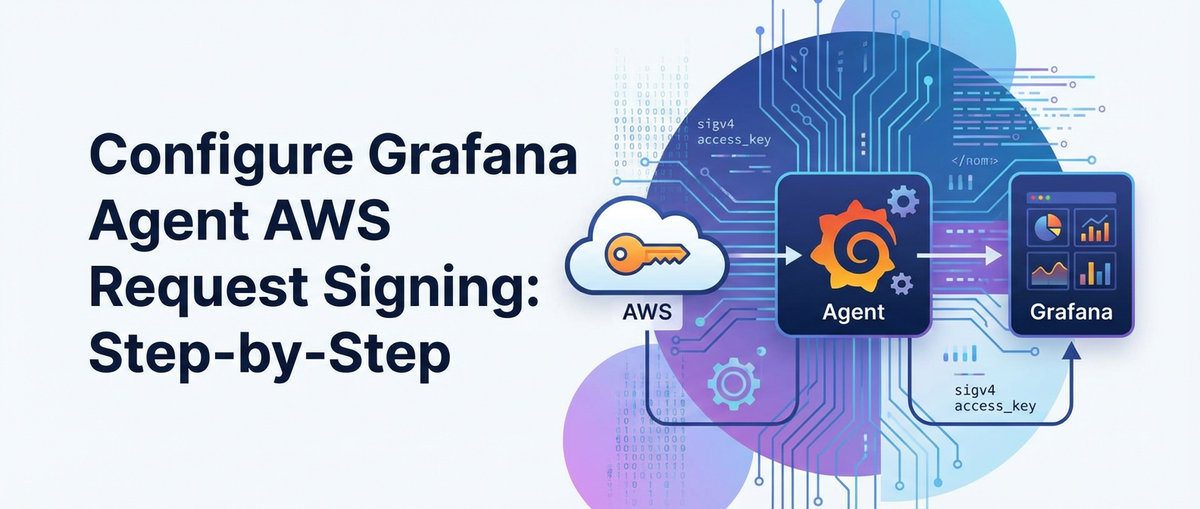
Configure Grafana Agent AWS Request Signing: Step-by-Step


In the intricate landscape of modern cloud infrastructure, where services are distributed, ephemeral, and constantly evolving, ensuring secure and reliable data ingestion is paramount. For organizations leveraging Amazon Web Services (AWS) alongside observability platforms like Grafana, the Grafana Agent stands as a critical component, bridging the gap between your applications and the monitoring ecosystem. This powerful agent is adept at collecting metrics, logs, and traces from diverse sources and relaying them to various destinations, including AWS services like CloudWatch, S3, and OpenSearch Service. However, merely sending data isn't enough; the integrity and confidentiality of this data during transit are non-negotiable. This is precisely where AWS Request Signing, specifically Signature Version 4 (SigV4), becomes indispensable.
This comprehensive guide delves into the nuances of configuring Grafana Agent for AWS Request Signing. We will embark on a detailed, step-by-step journey, uncovering the fundamental principles of SigV4, exploring the various methods to authenticate Grafana Agent with AWS, and providing practical configuration examples that ensure your observability data is not only collected efficiently but also transmitted securely. By the end of this article, you will possess a profound understanding of how to fortify your Grafana Agent deployments, safeguarding your critical operational insights against unauthorized access and tampering. This isn't just about ticking a security box; it's about building a robust, resilient, and trustworthy observability pipeline that forms the bedrock of informed decision-making in your AWS environment.
The Indispensable Role of AWS Request Signing (SigV4) in Cloud Security
Before we delve into the practical configuration of Grafana Agent, it's crucial to first grasp the fundamental security mechanism underpinning nearly all programmatic interactions with AWS services: AWS Request Signing, primarily through Signature Version 4 (SigV4). In an environment where every interaction with a cloud service endpoint is essentially an API call, verifying the identity of the requester and the integrity of the request itself becomes a paramount concern. SigV4 addresses this by providing a cryptographically secure method for authenticating requests made to AWS. Without proper signing, any attempt to interact with an AWS API will be rejected, regardless of the permissions associated with the credentials.
What is Signature Version 4 (SigV4)?
SigV4 is a protocol that AWS uses to authenticate and authorize all requests made to its services. It's not merely a simple username and password system; it's a sophisticated cryptographic process designed to provide both authentication (proving who you are) and integrity (ensuring the request hasn't been tampered with). When a client application, such as Grafana Agent, wants to interact with an AWS service (e.g., put an object into an S3 bucket or send metrics to CloudWatch), it must first sign the request. This signing process involves several key steps:
- Canonical Request Creation: The client first constructs a "canonical request" by standardizing various components of the HTTP request, including the HTTP method (GET, PUT, POST), the canonical URI, canonical query string, canonical headers, and the hashed payload. This standardization ensures that both the sender and receiver calculate the same hash.
- String-to-Sign Generation: From the canonical request, a "string to sign" is created. This string incorporates metadata about the signing process, such as the algorithm used (AWS4-HMAC-SHA256), the request date, the AWS region, the AWS service being called, and the hash of the canonical request. This string serves as the input for the cryptographic signing.
- Signing Key Calculation: A unique "signing key" is derived from your AWS secret access key, the request date, the target AWS region, and the service name. This hierarchical key derivation process adds an extra layer of security, as the actual secret access key is never directly used for signing the individual request.
- Signature Calculation: Finally, the derived signing key is used with the "string to sign" and a cryptographic hashing algorithm (HMAC-SHA256) to produce the final "signature." This signature is a unique cryptographic hash that proves the authenticity and integrity of the request.
- Adding Signature to Request: The calculated signature, along with other authentication parameters (like your access key ID, signing algorithm, and credentials scope), is then added to the HTTP request, typically in the
Authorizationheader.
When the AWS service receives this signed request, it independently performs the same signing process using the provided access key ID and its own knowledge of the secret access key (or temporary session token). If the signature it calculates matches the one provided in the request, the request is deemed authentic and untampered with. Only then does AWS proceed to evaluate the request against the associated IAM permissions to determine if the requester is authorized to perform the requested action. This intricate process ensures that every interaction with an AWS service is secured from impersonation and data manipulation, forming the backbone of cloud security.
Why is SigV4 Necessary for Grafana Agent?
Grafana Agent, in its mission to collect and forward observability data, frequently interacts with various AWS services. Consider these common scenarios:
- Sending Metrics to CloudWatch: Grafana Agent can be configured to scrape Prometheus metrics and send them directly to AWS CloudWatch. Each
PutMetricDataAPI call to CloudWatch must be signed. - Archiving Logs to S3: For long-term log storage or further processing, Grafana Agent can push logs to an Amazon S3 bucket. Every
PutObjectAPI call to S3 needs to be authenticated via SigV4. - Exporting Traces to AWS OpenSearch Service (or X-Ray): If Grafana Agent is collecting traces, these might be forwarded to an OpenSearch domain (which supports SigV4 for secure access) or even AWS X-Ray.
- Interacting with AWS Secrets Manager or Systems Manager Parameter Store: If Grafana Agent needs to retrieve configuration details or sensitive credentials from these services, those
GetSecretValueorGetParameterAPI calls also require SigV4.
In each of these instances, Grafana Agent acts as an AWS client. Without correctly implementing SigV4, any attempt by the agent to communicate with these AWS services will result in an Access Denied or SignatureDoesNotMatch error, effectively crippling your observability pipeline. Therefore, understanding and properly configuring AWS Request Signing is not an optional enhancement but a fundamental requirement for Grafana Agent's successful operation within an AWS environment. It ensures that the critical data your agent collects is delivered securely and reliably to its intended AWS destination, maintaining the integrity of your monitoring and logging infrastructure.
Grafana Agent: A Versatile Observability Collector
The Grafana Agent is a lightweight, purpose-built binary that's designed to collect and send observability data (metrics, logs, and traces) to Grafana Cloud or compatible open-source systems such as Prometheus, Loki, and Tempo. It’s built on components from popular open-source projects like Prometheus, Promtail, and OpenTelemetry Collector, consolidating their functionalities into a single, highly efficient package. This consolidation significantly simplifies deployment and management, reducing the operational overhead typically associated with running multiple agents for different data types.
Modes of Operation: Metrics, Logs, and Traces
Grafana Agent's versatility stems from its ability to operate in distinct modes, each tailored for a specific type of observability data:
- Metrics Mode (Prometheus-compatible): In metrics mode, the Grafana Agent functions similarly to a Prometheus server, albeit in a more streamlined fashion. It can discover targets, scrape Prometheus-compatible metrics endpoints, and then
remote_writethese metrics to a Prometheus-compatible remote storage system, such as Grafana Cloud Metrics, an Mimir instance, or even AWS CloudWatch. This mode is exceptionally powerful for collecting high-cardinality time-series data from applications, Kubernetes clusters, and infrastructure components. It supports service discovery mechanisms like Kubernetes, EC2, and many others, allowing it to dynamically adapt to changes in your environment. - Logs Mode (Loki-compatible): When operating in logs mode, the Grafana Agent leverages components inspired by Promtail. Its primary function is to gather logs from various sources, such as local files, systemd journal, Kubernetes pod logs, or even Windows event logs. It can then apply label processing, filtering, and transformation before
remote_writeing these structured logs to a Loki instance (Grafana Cloud Logs, or your self-hosted Loki) or even storing them in AWS S3 for archival and further analysis. This mode is critical for providing granular visibility into application behavior, system events, and security audit trails. - Traces Mode (OpenTelemetry-compatible): In traces mode, the Grafana Agent integrates components from the OpenTelemetry Collector. It can receive traces in various formats (Jaeger, Zipkin, OTLP) from instrumented applications. Once received, it can process these traces, sample them, batch them, and then export them to compatible trace storage backends like Grafana Tempo, Jaeger, or distributed tracing services within AWS such as AWS X-Ray or OpenSearch Service. Tracing is essential for understanding the end-to-end flow of requests across distributed microservices, helping to identify performance bottlenecks and service dependencies.
Why Consolidate with Grafana Agent?
The decision to use Grafana Agent often comes down to several compelling advantages:
- Simplified Deployment: Instead of deploying and managing separate binaries for Prometheus
node_exporter,Promtail, and an OpenTelemetry Collector, you deploy a single agent. This reduces the number of components to configure, monitor, and troubleshoot. - Reduced Resource Consumption: Being a single binary, it can often run more efficiently than multiple separate agents, leading to lower CPU and memory footprint, especially in containerized environments.
- Unified Configuration: A single configuration file or set of files manages all data types, making it easier to maintain consistency and apply best practices across your observability pipeline.
- Streamlined Updates: Upgrading your observability collection infrastructure becomes simpler, as you only need to update one binary.
- Cloud-Native Design: It is built with cloud-native principles in mind, offering robust service discovery, resilience, and integration with Kubernetes and other cloud orchestrators.
By consolidating these functions, Grafana Agent empowers organizations to build comprehensive, efficient, and cost-effective observability pipelines, ensuring that all critical operational data is captured and delivered to the right destinations, including secure AWS endpoints. This consolidation, coupled with secure AWS request signing, forms a powerful combination for modern cloud monitoring.
The Imperative for AWS Request Signing with Grafana Agent
Having established what AWS Request Signing (SigV4) is and the multifaceted capabilities of Grafana Agent, the critical link between the two becomes evident. Grafana Agent is designed to be a highly flexible data mover, capable of pushing data to a wide array of destinations. When those destinations reside within the AWS ecosystem, the fundamental security principles of AWS dictate that every interaction must be authenticated and authorized. Without this handshake, data cannot be securely ingested into services like CloudWatch, S3, or OpenSearch.
Let's explore the specific scenarios where Grafana Agent's robust data collection capabilities intersect with the stringent security requirements of AWS, underscoring why SigV4 configuration is not merely an option but a mandatory aspect of a secure and functional observability pipeline.
Scenarios Demanding SigV4 for Grafana Agent
Grafana Agent frequently interacts with AWS services, each interaction typically translating into an API call that requires signing:
- Metrics to Amazon CloudWatch:
- Use Case: You're collecting critical system metrics (CPU, memory, disk I/O) or application-specific metrics using Grafana Agent's metrics mode. You want to centralize these metrics within AWS CloudWatch for unified monitoring, alerting, and dashboarding alongside other AWS service metrics.
- API Interaction: Grafana Agent will make
PutMetricDataAPI calls to the CloudWatch service endpoint. - SigV4 Requirement: Every
PutMetricDatarequest must be signed. Without it, CloudWatch will reject the data, leading to gaps in your monitoring.
- Logs to Amazon S3 for Archival and Analysis:
- Use Case: Your applications generate voluminous logs, which Grafana Agent (in logs mode) collects from various sources. For long-term archival, cost-effective storage, or integration with AWS analytics services like Athena or EMR, you decide to stream these logs to an S3 bucket.
- API Interaction: Grafana Agent will perform
PutObjectAPI calls to an S3 bucket. - SigV4 Requirement: S3, being one of AWS's foundational services, enforces strict SigV4 authentication for all
PutObjectoperations. An unsigned request means your logs will never reach S3.
- Traces to AWS X-Ray or Amazon OpenSearch Service:
- Use Case: You're using Grafana Agent's traces mode to collect distributed traces from your microservices. These traces are crucial for debugging and performance analysis. You might want to send them to AWS X-Ray for integrated tracing within AWS, or to an Amazon OpenSearch Service domain for custom indexing and visualization.
- API Interaction: For X-Ray, it would involve calls to the X-Ray
PutTraceSegmentsAPI. For OpenSearch Service, depending on the ingestion method, it could be bulk indexing API calls to the OpenSearch endpoint. - SigV4 Requirement: Both X-Ray and OpenSearch Service require SigV4 for secure
apiaccess, ensuring that only authenticated agents can contribute tracing data.
- Fetching Credentials or Configuration from AWS Secrets Manager/Parameter Store:
- Use Case: Grafana Agent itself might need to fetch sensitive configuration parameters or database credentials from AWS Secrets Manager or AWS Systems Manager Parameter Store to configure its own internal components (e.g., connecting to a specific database for metrics).
- API Interaction:
GetSecretValueorGetParameterAPI calls. - SigV4 Requirement: These sensitive data retrieval operations are heavily guarded by SigV4 to prevent unauthorized disclosure of credentials.
The Security Implications: Why It Matters Beyond Just "Working"
While ensuring that Grafana Agent "works" by successfully sending data to AWS is the immediate goal, the deeper implications of using SigV4 extend to fundamental security postures:
- Data Integrity: SigV4 guarantees that the data being sent has not been tampered with in transit. The signature is calculated over the entire request payload and headers, meaning any alteration would invalidate the signature, leading to rejection by AWS. This is critical for observability data, where anomalies or missing information could lead to misdiagnosis of operational issues.
- Authentication and Authorization: By requiring a cryptographic signature generated from valid AWS credentials, SigV4 authenticates the Grafana Agent as a legitimate entity. AWS then uses IAM policies associated with those credentials to authorize whether the agent has the necessary permissions (e.g.,
s3:PutObject,cloudwatch:PutMetricData) to perform the requested action. This prevents unauthorized entities from injecting malicious or erroneous data into your AWS services. - Compliance: Many industry regulations and compliance frameworks (e.g., GDPR, HIPAA, PCI DSS) mandate strong authentication and data integrity for sensitive data. Properly configured SigV4 helps meet these requirements by providing auditable and cryptographically verifiable access to cloud resources.
- Operational Reliability: A secure and authenticated data pipeline is a reliable one. Issues arising from authentication failures can be quickly identified and resolved, preventing prolonged data outages that compromise your ability to monitor and respond to incidents.
In essence, configuring AWS Request Signing for Grafana Agent is not merely a technical step; it's a strategic decision to embed robust security practices into your observability architecture. It ensures that the vital data flowing from your infrastructure and applications into AWS remains secure, trustworthy, and actionable, thereby bolstering your overall cloud security posture.
Prerequisites for a Seamless Grafana Agent AWS Request Signing Configuration
Before embarking on the actual configuration steps, it's essential to ensure that your environment is properly set up. Addressing these prerequisites will streamline the process and prevent common pitfalls, ensuring a smooth and secure integration between Grafana Agent and AWS services. These foundational elements lay the groundwork for effective SigV4 implementation.
1. AWS Identity and Access Management (IAM) Setup
IAM is the cornerstone of security in AWS. Correctly configuring IAM roles or users is the most critical prerequisite. The principle of least privilege should always guide your IAM policy creation.
- IAM User (for non-EC2/ECS/EKS deployments):
- If Grafana Agent is running on an on-premises server, a VM outside AWS, or a non-AWS container platform, you will likely need to create an IAM user.
- Create a dedicated IAM user: Avoid using root account credentials.
- Generate Access Keys: Create an
access_key_idandsecret_access_keyfor this user. Store these securely and never embed them directly into public code repositories. - Attach a Custom IAM Policy: This policy should grant only the necessary permissions for Grafana Agent to interact with the specific AWS services it needs. For example:
- For CloudWatch Metrics:
cloudwatch:PutMetricData - For S3 Logs:
s3:PutObject,s3:AbortMultipartUpload,s3:ListMultipartUploads - For X-Ray Traces:
xray:PutTraceSegments - Example Policy Snippet (for S3 and CloudWatch):
json { "Version": "2012-10-17", "Statement": [ { "Effect": "Allow", "Action": [ "s3:PutObject", "s3:AbortMultipartUpload", "s3:ListMultipartUploads" ], "Resource": "arn:aws:s3:::your-log-bucket-name/*" }, { "Effect": "Allow", "Action": "cloudwatch:PutMetricData", "Resource": "*" } ] }
- For CloudWatch Metrics:
- IAM Role (for EC2 instances, ECS tasks, EKS pods):
- This is the recommended and most secure approach for Grafana Agent running within AWS compute services.
- Create an IAM Role: Define a role (e.g.,
GrafanaAgentServiceRole). - Configure Trust Policy: The trust policy for this role should allow the relevant AWS service (e.g.,
ec2.amazonaws.com,ecs-tasks.amazonaws.com,eks.amazonaws.com) to assume the role. - Attach the Custom IAM Policy: Similar to the IAM user, attach a policy with the least necessary permissions for Grafana Agent.
- Assign the Role: Assign this IAM role to your EC2 instance profile, ECS task definition, or EKS service account. AWS will automatically provide temporary credentials (via the instance metadata service or OIDC for EKS) to Grafana Agent, eliminating the need to manage long-lived access keys.
2. Grafana Agent Installation
Ensure Grafana Agent is installed and running on the target machine or within your containerized environment. This guide assumes you have a basic working installation.
- Download and Install: Download the appropriate binary for your operating system from the official Grafana Agent releases page, or use container images (e.g.,
grafana/agent). - Basic Configuration File: Start with a basic
agent-config.yamlfile, even if it's empty, as we'll be populating it with AWS-specific configurations. - Service Management: Ensure you have a method to manage the Grafana Agent process (e.g.,
systemdservice, Kubernetes Deployment/DaemonSet).
3. Basic AWS Understanding
Familiarity with fundamental AWS concepts will significantly aid the configuration process:
- AWS Regions: Understanding which AWS region your services (S3 buckets, CloudWatch, etc.) reside in, as Grafana Agent will need to specify this.
- Service Endpoints: Knowledge of how AWS services expose their APIs and how to interact with them.
- S3 Buckets: If storing logs in S3, you need an existing S3 bucket with appropriate permissions.
- CloudWatch Namespaces/Dimensions: Understanding how CloudWatch organizes metrics.
4. Network Connectivity
- Outbound Access: Ensure that the machine or container running Grafana Agent has outbound network connectivity to the AWS service endpoints it needs to communicate with (e.g.,
s3.<region>.amazonaws.com,monitoring.<region>.amazonaws.com). - Proxy Configuration (if applicable): If your environment requires an HTTP proxy for outbound traffic, ensure Grafana Agent is configured to use it. This is typically done via environment variables (
HTTP_PROXY,HTTPS_PROXY,NO_PROXY).
5. Time Synchronization
- NTP (Network Time Protocol): It's critically important that the system running Grafana Agent has its clock accurately synchronized with Network Time Protocol (NTP). SigV4 relies heavily on timestamps, and a significant clock skew (even a few minutes) between your agent and AWS can cause signature mismatches and request rejections. Most operating systems are configured with NTP by default, but it's worth verifying, especially in custom environments.
By meticulously addressing these prerequisites, you lay a solid foundation for successfully configuring AWS Request Signing for your Grafana Agent. This proactive approach minimizes troubleshooting efforts and enhances the overall security and reliability of your observability data pipeline.
APIPark is a high-performance AI gateway that allows you to securely access the most comprehensive LLM APIs globally on the APIPark platform, including OpenAI, Anthropic, Mistral, Llama2, Google Gemini, and more.Try APIPark now! 👇👇👇
Step-by-Step Configuration Guide for Grafana Agent AWS Request Signing
With the prerequisites in place, we can now dive into the practical configuration of Grafana Agent to securely interact with AWS services using Signature Version 4. This section will walk you through the essential components of the Grafana Agent configuration file, focusing on how to specify AWS credentials and target AWS endpoints.
The core idea is that when Grafana Agent is configured to send data to an AWS service and is provided with valid AWS credentials, it automatically handles the SigV4 signing process internally. You don't explicitly write SigV4 logic in the agent's configuration; you simply provide the necessary authentication context.
Step 1: Understanding Grafana Agent Configuration Structure for AWS
Grafana Agent uses a YAML configuration file (typically agent-config.yaml) to define its behavior. For AWS interactions, the relevant sections will depend on whether you're sending metrics, logs, or traces.
- Metrics (Prometheus
remote_write): Uses themetricsblock.yaml metrics: configs: - name: default scrape_configs: - job_name: my-app static_configs: - targets: ['localhost:8080'] remote_write: - url: https://aps-workspaces.us-east-1.amazonaws.com/workspaces/ws-xxxx/api/v1/remote_write # AWS authentication goes here for AMP # For CloudWatch, it's a different setup - Logs (Loki
remote_writeor S3 export): Uses thelogsblock.yaml logs: configs: - name: default positions: filename: /tmp/positions.yaml scrape_configs: - job_name: systemd_journal journal: path: /var/log/journal max_age: 12h remote_write: - url: https://logs-prod-us-east-1.grafana.net/loki/api/v1/push # AWS authentication for Loki is not direct, but if using S3 # Or if using S3 directly (newer agent versions) # s3: # buckets: # - name: your-log-bucket # region: us-east-1 # # AWS authentication goes here - Traces (OpenTelemetry
receivers,exporters): Uses thetracesblock.yaml traces: configs: - name: default receivers: otlp: protocols: grpc: http: exporters: otlp: endpoint: tempo-us-east-1.grafana.net:443 # If exporting to AWS OpenSearch Service or X-Ray directly, # you'd configure an AWS-aware exporter here.
For interactions with specific AWS services like S3 or CloudWatch, Grafana Agent provides dedicated configuration blocks or integrates with AWS SDKs to handle authentication automatically when credentials are provided.
Step 2: Configuring AWS Credentials
This is the most crucial step for enabling AWS Request Signing. Grafana Agent supports several methods for providing AWS credentials, similar to how the AWS SDKs operate. It typically follows the standard AWS credentials chain, looking for credentials in this order:
- Environment Variables:
AWS_ACCESS_KEY_ID,AWS_SECRET_ACCESS_KEY,AWS_SESSION_TOKEN(for temporary credentials). - Shared Credentials File:
~/.aws/credentials(or$AWS_SHARED_CREDENTIALS_FILE). - Shared Config File:
~/.aws/config(for profile settings, roles, regions). - IAM Roles for EC2 Instances / ECS Tasks / EKS Pods: Through the instance metadata service or OIDC.
For remote_write configurations, especially to services like Amazon Managed Service for Prometheus (AMP) or direct S3/CloudWatch integrations, you'll specify aws_auth configuration blocks.
Method A: Using IAM Roles (Recommended for AWS deployments)
This is the most secure and preferred method when Grafana Agent runs on an EC2 instance, within an ECS task, or an EKS pod. You assign an IAM role to the underlying compute resource. Grafana Agent, like other AWS SDK-based applications, will automatically discover and use the temporary credentials provided by the instance metadata service (IMDS) or OIDC for EKS.
No explicit credential configuration is needed in agent-config.yaml for this method. You just need to ensure the compute resource has the correct IAM role attached.
Example IAM Role Configuration (Conceptual, as it's outside agent-config.yaml):
# IAM Role Trust Policy for EC2
{
  "Version": "2012-10-17",
  "Statement": [
    {
      "Effect": "Allow",
      "Principal": {
        "Service": "ec2.amazonaws.com"
      },
      "Action": "sts:AssumeRole"
    }
  ]
}

# IAM Policy (attached to the role)
{
    "Version": "2012-10-17",
    "Statement": [
        {
            "Effect": "Allow",
            "Action": [
                "s3:PutObject",
                "s3:AbortMultipartUpload",
                "s3:ListMultipartUploads"
            ],
            "Resource": "arn:aws:s3:::your-log-bucket-name/*"
        },
        {
            "Effect": "Allow",
            "Action": "cloudwatch:PutMetricData",
            "Resource": "*"
        }
    ]
}
Once this role is attached to your EC2 instance or configured for your ECS task/EKS pod's service account, Grafana Agent will automatically assume the role and sign requests.
Method B: Using Access Keys in Configuration (Less Secure, for specific cases)
While not recommended for long-lived credentials, you might need to specify access_key_id and secret_access_key directly in the agent-config.yaml for testing, specific development environments, or on-premises deployments where IAM roles aren't an option. Always use environment variables or a shared credentials file over direct embedding in the config file if possible.
When embedded, sensitive details like secret_access_key are often stored encrypted or in a secrets management system and then injected at runtime.
# Example for a metrics remote_write to AMP, using direct AWS credentials
metrics:
  configs:
    - name: default
      remote_write:
        - url: https://aps-workspaces.us-east-1.amazonaws.com/workspaces/ws-xxxx/api/v1/remote_write
          aws_auth:
            region: us-east-1
            access_key_id: YOUR_AWS_ACCESS_KEY_ID
            secret_access_key: YOUR_AWS_SECRET_ACCESS_KEY
            # session_token: YOUR_AWS_SESSION_TOKEN # Only if using temporary credentials
Method C: Using a Named Profile from Shared Credentials File
This method is useful when you manage multiple AWS credentials profiles on a single machine (e.g., in ~/.aws/credentials or ~/.aws/config).
# Example for logs S3 export using a named profile
logs:
  configs:
    - name: default
      s3:
        buckets:
          - name: your-log-bucket
            region: us-east-1
            aws_auth:
              profile: grafana-agent-profile
              # No need for access_key_id/secret_access_key here,
              # they are read from the profile.
Your ~/.aws/credentials file would look like:
[grafana-agent-profile]
aws_access_key_id = AKIAIOSFODNN7EXAMPLE
aws_secret_access_key = wJalrXUtnFEMI/K7MDENG/bPxRfiCYEXAMPLEKEY
Method D: Using Environment Variables
For access_key_id and secret_access_key, you can set them as environment variables before starting Grafana Agent. This is a good practice as it keeps credentials out of your configuration files.
export AWS_ACCESS_KEY_ID=YOUR_AWS_ACCESS_KEY_ID
export AWS_SECRET_ACCESS_KEY=YOUR_AWS_SECRET_ACCESS_KEY
export AWS_REGION=us-east-1 # For default region resolution
grafana-agent -config.file=agent-config.yaml
If these environment variables are set, Grafana Agent will automatically pick them up and use them for aws_auth where profile or explicit access_key_id/secret_access_key are not specified in the config.
Step 3: Implementing Request Signing in Grafana Agent Configuration Examples
Now let's look at specific configurations for different AWS services. Grafana Agent internally handles the SigV4 details once the aws_auth block (or environment variables/IAM role) is correctly set.
Example 1: Sending Prometheus Metrics to Amazon Managed Service for Prometheus (AMP)
AMP is a Prometheus-compatible service that requires SigV4 for remote write endpoints.
# agent-config.yaml
metrics:
  configs:
    - name: default
      scrape_configs:
        - job_name: my-app-metrics
          static_configs:
            - targets: ['localhost:9090'] # Replace with your actual target
          metrics_path: /metrics
          honor_labels: true
          # A longer scrape interval for demonstration, adjust as needed
          scrape_interval: 15s

      remote_write:
        - url: https://aps-workspaces.us-east-1.amazonaws.com/workspaces/ws-XXXXXXX/api/v1/remote_write
          # Replace ws-XXXXXXX with your actual AMP workspace ID
          # Replace us-east-1 with your AMP region
          name: amp_remote_write
          queue_config:
            capacity: 25000
            max_samples_per_send: 500
            batch_send_deadline: 5s
            min_backoff: 30ms
            max_backoff: 5s
            max_retries: 10

          aws_auth:
            region: us-east-1 # The AWS region where your AMP workspace is located
            # If using IAM roles, these are NOT needed.
            # If using direct credentials (less secure), uncomment and provide:
            # access_key_id: YOUR_AWS_ACCESS_KEY_ID
            # secret_access_key: YOUR_AWS_SECRET_ACCESS_KEY
            # If using a named profile:
            # profile: grafana-agent-profile
Explanation: * The remote_write block specifies the URL of your AMP workspace's remote write endpoint. * The aws_auth nested block tells Grafana Agent to use AWS authentication. * region is mandatory as it's part of the SigV4 calculation. * Grafana Agent will check for credentials in the standard AWS chain (IAM role first, then env vars, then shared files, then explicit access_key_id). If found, it will automatically sign the requests to AMP.
Example 2: Sending Logs to an Amazon S3 Bucket
Grafana Agent's logs mode can be configured to export logs to S3. Note that direct S3 log exports were introduced in later versions of Grafana Agent.
# agent-config.yaml
logs:
  configs:
    - name: default
      positions:
        filename: /tmp/grafana-agent-positions.yaml # Stores read positions
      target_config:
        sync_period: 10s
      scrape_configs:
        - job_name: my-app-logs
          static_configs:
            - targets: ['localhost']
              labels:
                job: my-app
                __path__: /var/log/my-app/*.log # Collects logs from this path
          pipeline_stages:
            - docker: {} # Example stage if processing docker logs

      # Configure S3 export
      s3:
        buckets:
          - name: your-log-archive-bucket # Your S3 bucket name
            region: us-east-1             # The bucket's region
            path_prefix: grafana-agent-logs/ # Optional prefix for objects
            upload_interval: 1m           # How often to upload new files
            max_buffer_size: 10MB         # Max size before uploading
            max_retries: 5
            compression: gzip             # Optional compression

            aws_auth:
              region: us-east-1 # Must match the bucket region
              # As before, credentials handled by IAM role, env vars, or explicit
              # profile: grafana-agent-profile
              # access_key_id: YOUR_AWS_ACCESS_KEY_ID
              # secret_access_key: YOUR_AWS_SECRET_ACCESS_KEY
Explanation: * The s3 block within logs.configs configures the S3 export. * buckets specifies the target S3 bucket and its region. * The nested aws_auth block provides the necessary context for Grafana Agent to sign PutObject requests to the S3 endpoint.
Example 3: Sending Metrics to Amazon CloudWatch
While AMP is often preferred for Prometheus metrics, direct export to CloudWatch is also possible for specific use cases. This involves using the cloudwatch_metrics component (or similar integrations). Grafana Agent can achieve this through its OpenTelemetry Collector integration or a custom remote_write adapter. For simplicity, let's assume a conceptual cloudwatch_exporter component as part of the agent's extended functionality, or via OpenTelemetry Collector.
A more common pattern for CloudWatch is to use the OpenTelemetry Collector within Grafana Agent (traces mode) to push metrics.
# agent-config.yaml
traces: # Using traces block to leverage OpenTelemetry Collector components
  configs:
    - name: default
      receivers:
        otlp:
          protocols:
            grpc:
            http:

      processors:
        batch:
          send_batch_size: 10000
          timeout: 10s

      exporters:
        awscloudwatch: # This assumes an AWS CloudWatch exporter is available
          namespace: "GrafanaAgent/Metrics"
          region: us-east-1
          # The aws_auth configuration would go here for the exporter
          aws_auth:
            region: us-east-1
            # profile: grafana-agent-profile
            # access_key_id: YOUR_AWS_ACCESS_KEY_ID
            # secret_access_key: YOUR_AWS_SECRET_ACCESS_KEY

      service:
        pipelines:
          metrics:
            receivers: [otlp]
            processors: [batch]
            exporters: [awscloudwatch]
Explanation: * This example conceptually shows how an awscloudwatch exporter (similar to awsxray or awsemf) within the OpenTelemetry Collector portion of Grafana Agent would leverage aws_auth. * The aws_auth block specifies the region and credentials for signing PutMetricData requests to CloudWatch.
Step 4: Validation and Troubleshooting
After configuring Grafana Agent, it's crucial to validate that it's successfully signing requests and sending data to AWS.
- Check Grafana Agent Logs:
- Look for messages indicating successful
remote_writeoperations, S3 uploads, or exporter activity. - Crucially, look for errors related to authentication, authorization, or signature mismatches (e.g., "SignatureDoesNotMatch", "Access Denied", "InvalidAccessKeyId"). These indicate an issue with your AWS credentials or IAM policy.
- Increase log verbosity if needed (e.g.,
-log.level=debugor-log.level=infowhen starting the agent).
- Look for messages indicating successful
- Verify Data in AWS:
- CloudWatch: Check your CloudWatch metrics namespace for new metrics.
- S3: Verify that new objects are appearing in your S3 bucket (check object creation times).
- AMP: Check your Grafana dashboards connected to AMP or query AMP directly to ensure metrics are being ingested.
- X-Ray/OpenSearch Service: Look for traces or indexed logs/metrics in your respective service.
- Common Troubleshooting Steps:
- IAM Policy: Double-check that your IAM user or role has the exact permissions required for the specific AWS service and actions. The principle of least privilege means you might miss a crucial action.
- Region Mismatch: Ensure the
regionconfigured in Grafana Agent'saws_authblock matches the region of the target AWS service (e.g., S3 bucket region, AMP workspace region). A mismatch will cause signature errors. - Credentials Expiry: If using temporary credentials (e.g., from STS or assume role), ensure they haven't expired. IAM roles on EC2 instances automatically handle rotation, but manually managed temporary credentials require re-obtaining.
- Clock Skew: As mentioned in prerequisites, verify your system's time synchronization. Significant clock skew will cause SigV4 failures.
- Network Connectivity: Confirm that Grafana Agent can reach the AWS service endpoints. Use
telnetorcurlfrom the agent's host to the service endpoint URL (e.g.,telnet s3.us-east-1.amazonaws.com 443). - Proxy Issues: If you use an HTTP proxy, ensure Grafana Agent is correctly configured to use it (via
HTTP_PROXY,HTTPS_PROXYenvironment variables, or specific agent configuration options if available).
By meticulously following these steps and thoroughly validating your setup, you can ensure that your Grafana Agent is securely transmitting your valuable observability data to AWS, leveraging the power of AWS Request Signing to maintain data integrity and authentication.
Advanced Considerations and Best Practices for AWS Request Signing
Beyond the basic configuration, several advanced considerations and best practices can further enhance the security, efficiency, and reliability of your Grafana Agent deployments interacting with AWS. Implementing these principles ensures a robust and maintainable observability pipeline in a dynamic cloud environment.
Fine-Tuning IAM Policies with Least Privilege
The principle of least privilege is paramount. Instead of granting broad permissions, tailor your IAM policies to allow only the absolute minimum actions required by Grafana Agent.
- Resource-Level Permissions: Whenever possible, restrict actions to specific resources.
- Instead of
s3:PutObjectonarn:aws:s3:::*, usearn:aws:s3:::your-specific-bucket/*. - For CloudWatch,
cloudwatch:PutMetricDatagenerally needsResource: "*", but you can restrict it further if you are defining custom namespaces via conditions.
- Instead of
- Conditional Access: Use IAM policy conditions (e.g.,
aws:SourceVpce,aws:SourceIp) to restrict where calls can originate from, adding an extra layer of defense. - Regular Review: Periodically review and audit IAM policies associated with Grafana Agent to ensure they remain appropriate and haven't accumulated unnecessary permissions over time.
Utilizing VPC Endpoints for Enhanced Security and Performance
If your Grafana Agent is running within an Amazon Virtual Private Cloud (VPC), consider using VPC endpoints for AWS services (Interface Endpoints for most services like CloudWatch, S3 Gateway Endpoints for S3).
- Security: VPC endpoints allow your Grafana Agent to communicate with AWS services without traversing the public internet. This reduces exposure to internet-borne threats and keeps traffic within the AWS private network, which is often a compliance requirement.
- Performance: Private connectivity can sometimes offer lower latency and higher throughput compared to public internet routes, especially for high-volume data ingestion.
- Cost: For S3, using a Gateway Endpoint is free, while Interface Endpoints incur hourly charges and data processing fees. Weigh the benefits against costs.
To use VPC endpoints, Grafana Agent typically doesn't require special configuration as long as DNS resolution within your VPC is correctly configured to resolve AWS service endpoints to their private IP addresses via the VPC endpoint. Ensure your IAM policies attached to the VPC endpoint (if applicable) allow Grafana Agent to access it.
Cross-Account Access with IAM Roles
For more complex organizational structures where Grafana Agent in one AWS account needs to send data to an AWS service in another account (e.g., a centralized observability account), you can leverage IAM roles for cross-account access.
- Create a Role in the Target Account: This role (e.g.,
GrafanaAgentIngestionRole) will have permissions to the target AWS service (e.g.,s3:PutObjecton the centralized S3 bucket). Its trust policy will allow the source account's Grafana Agent role to assume it.json # Trust Policy for GrafanaAgentIngestionRole in TARGET_ACCOUNT { "Version": "2012-10-17", "Statement": [ { "Effect": "Allow", "Principal": { "AWS": "arn:aws:iam::SOURCE_ACCOUNT_ID:role/GrafanaAgentSourceRole" }, "Action": "sts:AssumeRole" } ] } - Modify the Source Account's Role: The IAM role used by Grafana Agent in the source account needs
sts:AssumeRolepermission to assume the role in the target account. - Configure Grafana Agent: In
agent-config.yaml, configureaws_authto specify therole_arnof the target account's role. Grafana Agent will automatically assume this role before signing requests.
metrics:
  configs:
    - name: default
      remote_write:
        - url: https://aps-workspaces.us-east-1.amazonaws.com/workspaces/ws-XXXXXXX/api/v1/remote_write
          aws_auth:
            region: us-east-1
            role_arn: arn:aws:iam::TARGET_ACCOUNT_ID:role/GrafanaAgentIngestionRole
            # Grafana Agent will use its *current* credentials to assume this role.
            # No need for access_key_id/secret_access_key if running on EC2/ECS/EKS with IAM role.
Monitoring Grafana Agent Itself
While Grafana Agent is collecting data, it's equally important to monitor the agent's health and performance.
- Internal Metrics: Grafana Agent exposes its own metrics endpoint (Prometheus format, usually on port
8080by default). Scrape these metrics with another Grafana Agent or a local Prometheus instance. Monitor metrics likeagent_build_info,agent_go_goroutines,agent_wal_samples_appended_total,agent_remote_write_queue_health, etc. - Logs: Configure Grafana Agent to send its own logs to Loki or an S3 bucket, allowing you to troubleshoot its operations, including any AWS authentication failures.
- Alerting: Set up alerts for agent failures, high resource utilization, or
remote_writequeue backlogs, which could indicate issues with data ingestion or AWS service connectivity.
Secure Storage and Rotation of Credentials
If you must use access_key_id and secret_access_key directly (though less preferred than IAM roles):
- Secrets Management: Never hardcode credentials in your configuration files or source code. Use a dedicated secrets management solution like AWS Secrets Manager, AWS Systems Manager Parameter Store (with SecureString), HashiCorp Vault, or Kubernetes Secrets (encrypted at rest). Grafana Agent can often be configured to retrieve credentials from these sources, or you can inject them as environment variables at runtime through your CI/CD pipeline.
- Rotation: Implement a robust credential rotation strategy. Long-lived access keys are a security risk. Regularly rotate your IAM user access keys (every 90 days is a common recommendation). If using temporary credentials via IAM roles, this is handled automatically.
By incorporating these advanced considerations and adhering to best practices, you can build a highly secure, resilient, and manageable observability infrastructure with Grafana Agent in your AWS environment. This holistic approach ensures that not only is your data securely signed and transmitted, but the entire data pipeline operates efficiently and reliably.
The Broader Landscape of API Security and Management: Introducing APIPark
While Grafana Agent's primary function is to securely transmit observability data to AWS services using mechanisms like SigV4, it operates within a much larger ecosystem of API interactions. Every connection to an AWS service, whether for metrics, logs, or traces, is essentially an api call, protected by robust authentication and authorization. However, organizations often manage a diverse portfolio of APIs beyond AWS's internal ones: custom microservices, third-party integrations, and increasingly, specialized api gateway solutions for AI models. This is where the concepts of broader API management and the role of a dedicated gateway become profoundly relevant.
The security and governance challenges for these external and internal custom APIs are equally, if not more, complex than those faced by Grafana Agent interacting with AWS. How do you ensure consistent authentication, traffic management, and lifecycle governance for dozens or hundreds of different API endpoints? How do you provide a unified access point, enforce rate limits, and monitor usage across varied services? This is the domain where platforms like APIPark offer a comprehensive solution.
Beyond Internal AWS Calls: The Need for an AI Gateway and API Management Platform
Consider a scenario where your applications need to consume not just AWS services, but also custom APIs built by your development teams, or external AI models for sentiment analysis, content generation, or data summarization. Each of these APIs might have its own authentication scheme, data format, and deployment specifics. Managing this sprawl manually can quickly become overwhelming, leading to:
- Inconsistent Security: Different APIs might have varying authentication standards, creating security vulnerabilities.
- Developer Friction: Developers spend more time understanding disparate API contracts and integration methods.
- Governance Gaps: Lack of centralized control over API access, usage, and versioning.
- Operational Complexity: Difficulties in monitoring, troubleshooting, and scaling numerous independent API services.
An api gateway acts as a single entry point for all API calls, abstracting away the complexities of the backend services. It provides a layer of security, traffic management, and observability that is crucial for modern distributed architectures. For applications leveraging AI, an "AI Gateway" specifically addresses the unique challenges of integrating Large Language Models (LLMs) and other AI services.
APIPark: An Open Source AI Gateway & API Management Platform
This is precisely where APIPark - Open Source AI Gateway & API Management Platform distinguishes itself. While Grafana Agent is focused on secure data ingestion into AWS, APIPark provides a powerful gateway for managing all your other APIs, especially those involving AI models. It’s an all-in-one solution that helps developers and enterprises manage, integrate, and deploy AI and REST services with ease, released under the Apache 2.0 license.
Imagine a situation where your Grafana Agent is sending application logs to S3, and those logs contain data that needs to be analyzed by an AI model for anomaly detection. Your application code would then call an API to interact with that AI model. This is where APIPark steps in, acting as the intelligent api gateway for that AI interaction.
APIPark’s core value proposition revolves around simplifying the integration and management of diverse APIs, particularly in the rapidly evolving AI landscape. It achieves this through several key features:
- Quick Integration of 100+ AI Models: APIPark offers the capability to integrate a vast array of AI models with a unified management system for authentication and cost tracking. This means you don't need to learn the specific
apifor each AI provider; APIPark normalizes it. - Unified API Format for AI Invocation: It standardizes the request data format across all AI models. This is revolutionary because changes in underlying AI models or prompts do not affect your application or microservices, significantly simplifying AI usage and reducing maintenance costs.
- Prompt Encapsulation into REST API: Users can quickly combine AI models with custom prompts to create new, specialized APIs. For instance, you could define a "sentiment analysis"
apiby combining an LLM with a specific prompt, making it easily consumable by your applications. - End-to-End API Lifecycle Management: From design and publication to invocation and decommissioning, APIPark assists with managing the entire lifecycle of APIs. It helps regulate API management processes, manage traffic forwarding, load balancing, and versioning of published APIs, similar to how AWS API Gateway manages its external APIs.
- API Service Sharing within Teams: The platform allows for the centralized display of all API services, making it easy for different departments and teams to find and use the required API services, fostering collaboration and reuse.
- Independent API and Access Permissions for Each Tenant: APIPark enables the creation of multiple teams (tenants), each with independent applications, data, user configurations, and security policies. This enhances security and isolation while sharing underlying infrastructure.
- API Resource Access Requires Approval: For sensitive APIs, APIPark allows for the activation of subscription approval features, ensuring that callers must subscribe to an
apiand await administrator approval before they can invoke it, preventing unauthorized API calls and potential data breaches. - Performance Rivaling Nginx: With optimized architecture, APIPark can achieve over 20,000 TPS on modest hardware, supporting cluster deployment to handle large-scale traffic, ensuring high availability and responsiveness for your APIs.
- Detailed API Call Logging and Powerful Data Analysis: Similar to how Grafana Agent provides observability data, APIPark provides comprehensive logging for every
apicall, allowing businesses to quickly trace and troubleshoot issues. It also analyzes historical call data to display long-term trends and performance changes, enabling proactive maintenance.
In summary, while Grafana Agent diligently secures the "southbound" flow of observability data to AWS, APIPark secures and manages the "northbound" and "east-west" flow of api interactions, particularly for custom and AI services. Both are integral pieces of a comprehensive, secure, and observable cloud infrastructure. APIPark’s open-source nature, coupled with its robust feature set, makes it an attractive choice for organizations looking to streamline their api strategy and securely integrate the power of AI into their applications.
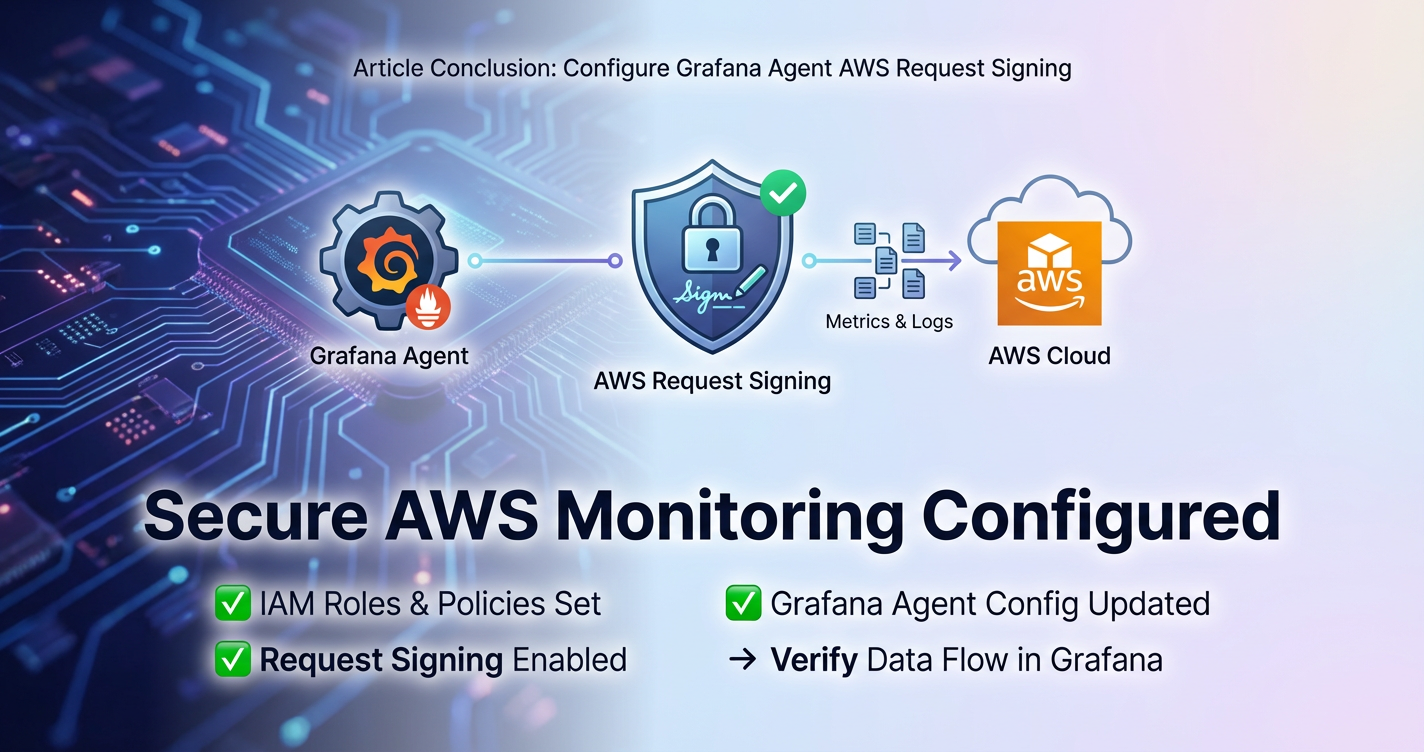
Conclusion
The journey of configuring Grafana Agent for AWS Request Signing is one that inextricably links the principles of robust observability with the unwavering demands of cloud security. Throughout this comprehensive guide, we have dissected the intricate mechanisms of AWS Signature Version 4 (SigV4), understanding its critical role in authenticating and ensuring the integrity of every programmatic interaction with AWS services. We've explored how Grafana Agent, in its versatile forms—collecting metrics, logs, and traces—becomes an AWS client, necessitating the meticulous application of SigV4 to reliably and securely deliver its valuable data payloads.
From the foundational steps of setting up least-privilege IAM roles and users to the detailed configuration examples for pushing data to Amazon Managed Service for Prometheus (AMP), S3, and CloudWatch, we've emphasized that SigV4 is not merely a technical hurdle but a fundamental enabler of trust in your cloud data pipeline. The choice of authentication method, be it the highly recommended IAM roles for EC2/ECS/EKS, or the careful management of access keys, profoundly impacts the security posture of your entire monitoring infrastructure. Validation and troubleshooting, as highlighted, are not afterthoughts but integral parts of ensuring a continuous and secure flow of operational insights.
Furthermore, we ventured beyond Grafana Agent's direct AWS interactions to consider the broader landscape of API security and management. We touched upon advanced considerations like VPC endpoints, cross-account access, and robust credential management, all designed to harden your cloud operations. In this context, the discussion naturally evolved to platforms like APIPark, an open-source AI gateway and API management platform. APIPark serves as a powerful api gateway that complements Grafana Agent by providing a unified, secure, and governable solution for managing all other API interactions—especially those involving the burgeoning world of AI models—which are distinct from Grafana Agent's internal AWS API calls but equally critical to a holistic cloud strategy.
Ultimately, mastering Grafana Agent AWS Request Signing is about building confidence: confidence that your observability data is not compromised in transit, confidence that only authorized entities are interacting with your AWS services, and confidence that your operational decisions are based on accurate and secure information. By diligently implementing the steps and best practices outlined in this guide, you are not just configuring an agent; you are fortifying the very foundations of your cloud infrastructure, enabling secure, reliable, and intelligent operations in the ever-evolving AWS ecosystem.
FAQ
Here are 5 frequently asked questions about configuring Grafana Agent AWS Request Signing:
1. What is the primary purpose of AWS Request Signing (SigV4) when Grafana Agent sends data to AWS? The primary purpose of AWS Request Signing (Signature Version 4 or SigV4) is to cryptographically authenticate and ensure the integrity of every request made to AWS services. When Grafana Agent sends metrics to CloudWatch, logs to S3, or traces to OpenSearch Service, each interaction is an API call that must be signed. This process verifies the identity of the requester (Grafana Agent) and guarantees that the request has not been tampered with during transit, preventing unauthorized access, data injection, and maintaining the overall security and trustworthiness of your observability data pipeline. Without proper SigV4, AWS services will reject the requests as unauthorized.
2. What is the most secure and recommended method for providing AWS credentials to Grafana Agent? The most secure and recommended method for providing AWS credentials to Grafana Agent, especially when it is running on an EC2 instance, within an ECS task, or an EKS pod, is to use IAM roles. By attaching an IAM role with the necessary permissions to the underlying compute resource, Grafana Agent can automatically obtain temporary, frequently rotated credentials from the AWS Instance Metadata Service (IMDS) or through OIDC for EKS. This eliminates the need to hardcode or manually manage long-lived access_key_id and secret_access_key pairs, significantly reducing the risk of credential compromise.
3. My Grafana Agent is failing to send data to S3 with a "SignatureDoesNotMatch" error. What are the common causes? A "SignatureDoesNotMatch" error indicates that the signature calculated by AWS for your request does not match the one provided by Grafana Agent. Common causes include: * Incorrect Credentials: The access_key_id or secret_access_key used is invalid, expired, or doesn't match the associated IAM entity. * Region Mismatch: The AWS region specified in Grafana Agent's configuration (e.g., aws_auth.region) does not match the actual region of the target S3 bucket or service endpoint. * Clock Skew: The system clock on the machine running Grafana Agent is significantly out of sync with AWS's servers. SigV4 relies heavily on timestamps, and even a few minutes of skew can cause signature mismatches. * IAM Policy Issues: While less likely for SignatureDoesNotMatch and more for "Access Denied," ensure the IAM policy explicitly grants s3:PutObject (and related s3:AbortMultipartUpload, s3:ListMultipartUploads for multipart uploads) permissions to the specific S3 bucket.
4. Can Grafana Agent automatically handle cross-account AWS access for sending data? Yes, Grafana Agent can automatically handle cross-account AWS access. This is achieved by configuring the aws_auth block within Grafana Agent's configuration to specify a role_arn in the target AWS account. The IAM role assumed by Grafana Agent in its source account must have sts:AssumeRole permissions to assume this role in the target account. Grafana Agent will then use the temporary credentials obtained from assuming the target account's role to sign requests to the AWS services in that target account. This is a common pattern for centralized observability architectures.
5. How does a platform like APIPark relate to Grafana Agent's AWS Request Signing? While Grafana Agent focuses on securely sending observability data to AWS services using SigV4, APIPark addresses the broader challenge of securely managing and exposing other APIs. APIPark is an open-source AI gateway and API management platform that acts as a gateway for custom microservices and, critically, for integrating and standardizing access to various AI models. So, if Grafana Agent is sending application logs to an S3 bucket, and a separate application then needs to call an AI model to process those logs, APIPark would sit in front of that AI model, providing unified authentication, rate limiting, and an API management layer. Both Grafana Agent's AWS SigV4 and APIPark contribute to a comprehensive, secure api ecosystem, but they operate on different sets of API interactions: Grafana Agent for internal AWS service calls, and APIPark for external or custom service APIs, especially in the AI domain.
🚀You can securely and efficiently call the OpenAI API on APIPark in just two steps:
Step 1: Deploy the APIPark AI gateway in 5 minutes.
APIPark is developed based on Golang, offering strong product performance and low development and maintenance costs. You can deploy APIPark with a single command line.
curl -sSO https://download.apipark.com/install/quick-start.sh; bash quick-start.sh

In my experience, you can see the successful deployment interface within 5 to 10 minutes. Then, you can log in to APIPark using your account.

Step 2: Call the OpenAI API.