Configuring Your csecstaskexecutionrole for AWS ECS
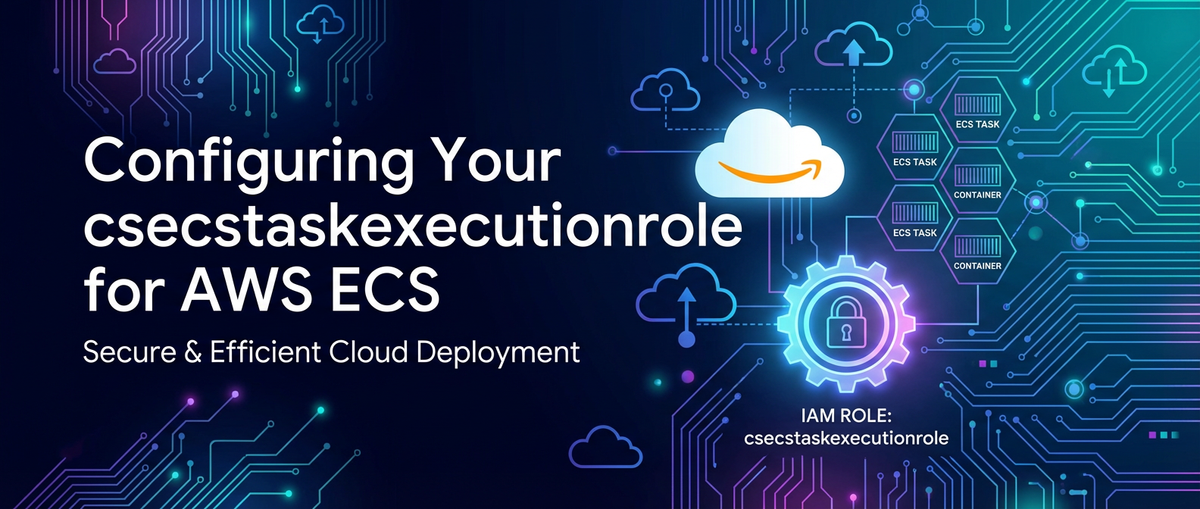


In the dynamic landscape of modern cloud computing, containerization has emerged as a transformative paradigm, offering unparalleled agility, scalability, and efficiency for deploying applications. At the heart of this revolution on Amazon Web Services (AWS) lies the Elastic Container Service (ECS), a fully managed container orchestration service that simplifies the deployment, management, and scaling of Docker containers. However, the true power and security of an ECS environment hinge on a meticulously configured Identity and Access Management (IAM) framework. Among the myriad IAM components, the ecsTaskExecutionRole stands as a foundational pillar, acting as the operational linchpin for your ECS tasks to function correctly and securely. Without a precise understanding and proper configuration of this role, your containerized applications risk encountering a spectrum of operational failures, from inability to pull images to logging data black holes, or even more critically, becoming vectors for security vulnerabilities.
This exhaustive guide embarks on a deep dive into the ecsTaskExecutionRole, dissecting its core responsibilities, outlining the critical permissions it necessitates, and providing a step-by-step blueprint for its creation and refinement. We will navigate the intricacies of AWS IAM principles, explore common pitfalls, and illuminate best practices to ensure your ECS tasks operate with optimal performance, ironclad security, and seamless integration across the AWS ecosystem. From image retrieval to secret management and log streaming, every facet of this essential role will be meticulously examined, empowering you to architect a robust and resilient container infrastructure on AWS. Understanding the nuances of this role is not merely a technical exercise; it is an investment in the operational integrity and security posture of your entire containerized application portfolio.
Understanding AWS ECS and IAM Fundamentals
Before delving into the specifics of the ecsTaskExecutionRole, it's crucial to establish a solid understanding of both AWS ECS and the fundamental principles of AWS Identity and Access Management (IAM). These two services are inextricably linked, with IAM providing the security backbone that allows ECS to operate effectively.
AWS ECS: Orchestrating Your Containers
AWS ECS is a highly scalable, high-performance container orchestration service that supports Docker containers. It allows you to run applications in a serverless compute environment using AWS Fargate or on a cluster of Amazon EC2 instances that you manage. The service handles the heavy lifting of container management, including task scheduling, scaling, and monitoring.
To truly appreciate the role of ecsTaskExecutionRole, let's quickly recap the core components of ECS:
- Clusters: A logical grouping of tasks or container instances. You can have multiple clusters to isolate different applications or environments.
- Container Instances: EC2 instances that run the ECS agent and register with a cluster. If using Fargate, AWS manages the underlying infrastructure, so you don't directly interact with container instances.
- Task Definitions: A blueprint for your application, describing one or more containers that form your application. It specifies details like Docker image, CPU and memory allocation, port mappings, and crucial IAM roles.
- Tasks: An instantiation of a task definition. A task represents a running container (or set of containers) on a container instance or Fargate.
- Services: Define how many copies of a task definition to run and maintain in a cluster, enabling features like load balancing, auto-scaling, and rolling updates.
The power of ECS lies in its ability to abstract away much of the underlying infrastructure complexity, allowing developers to focus on writing code. However, for this abstraction to work, the ECS service itself, and the agents running within it, need specific permissions to interact with other AWS services on your behalf. This is where IAM comes into play.
AWS IAM Refresher: The Gatekeeper of Your Cloud
AWS IAM is a web service that helps you securely control access to AWS resources. It's the cornerstone of security in AWS, allowing you to manage who is authenticated (signed in) and authorized (has permissions) to use resources. Without a robust IAM strategy, your cloud environment can become a significant security liability.
Key IAM concepts relevant to ECS:
- Users: IAM entities that represent a person or service that interacts with AWS.
- Groups: Collections of IAM users. You can attach policies to a group, and all users in the group inherit those permissions.
- Roles: IAM identities that you can create in your account that have specific permissions. Roles are meant to be assumed by trusted entities, such as AWS services (like ECS), EC2 instances, or other AWS accounts. Unlike users, roles do not have credentials (password or access keys) associated with them permanently; temporary credentials are provided when a role is assumed.
- Policies: JSON documents that define permissions. They specify what actions are allowed or denied on which AWS resources, and under what conditions. Policies can be managed (AWS-managed or customer-managed) or inline.
Crucial Distinction: Task Execution Role vs. Task Role
Within ECS, it's vital to differentiate between two primary types of IAM roles associated with tasks:
- ECS Task Execution Role (
ecsTaskExecutionRole): This is the focus of our article. It grants permissions to the ECS agent (or Fargate infrastructure) to perform actions on your behalf to launch and manage the task. These actions include pulling container images, sending container logs to CloudWatch, and pulling secrets from AWS Secrets Manager or Systems Manager Parameter Store. This role is specified in the task definition underexecutionRoleArn. - ECS Task Role (
taskRoleArn): This role grants permissions to the application running inside your container. For example, if your application needs to write data to an S3 bucket, read from a DynamoDB table, or interact with an AWS Lambda function, those permissions would be defined in the task role. This role ensures that your application adheres to the principle of least privilege, only having access to the AWS resources it explicitly needs to perform its business logic.
Understanding this distinction is paramount. The ecsTaskExecutionRole is about enabling the ECS platform to get your task up and running, while the taskRoleArn is about enabling your application within that running task to perform its work. Misconfiguring one can often be confused with the other, leading to frustrating debugging sessions. Always apply the principle of least privilege, granting only the minimum necessary permissions to each role to reduce the attack surface.
Deep Dive into the ecsTaskExecutionRole
The ecsTaskExecutionRole is a critical IAM role that the ECS agent, or the Fargate infrastructure, assumes to carry out necessary operations on your behalf. Unlike the task role, which governs the permissions of your application code, the ecsTaskExecutionRole is concerned with the underlying infrastructure operations required to get your container running and integrated with essential AWS services. Its proper configuration is non-negotiable for any ECS deployment, whether you're utilizing EC2 launch types or the serverless Fargate.
What it is and Why it's Necessary
At its core, the ecsTaskExecutionRole is an IAM role that allows the ECS container agent and the Fargate data plane to make API calls to AWS services. These calls are fundamental to the lifecycle management of an ECS task, from its initial provisioning to its ongoing operation. Without this role, or if its permissions are insufficient, the ECS service would be unable to perform its primary functions, leading to tasks failing to start, logs not appearing, or secrets remaining inaccessible.
The necessity of this role stems from the managed nature of ECS. AWS handles much of the complexity, but it needs your explicit permission (via this role) to perform actions in your account. This adheres to the shared responsibility model, where AWS manages the security of the cloud, and you are responsible for security in the cloud, including defining appropriate IAM permissions.
Core Responsibilities and Associated Permissions
The ecsTaskExecutionRole shoulders several crucial responsibilities. Each responsibility translates into a set of specific IAM permissions that must be granted within the role's policy document. Let's break down these core areas:
1. Pulling Container Images
One of the most fundamental tasks for any container orchestration service is to retrieve the container images specified in your task definition. The ecsTaskExecutionRole facilitates this, primarily from Amazon Elastic Container Registry (ECR), AWS's managed Docker container registry.
- Permissions for ECR:
ecr:GetAuthorizationToken: Allows the ECS agent to obtain an authentication token required to access ECR. This is typically applied to all resources (*).ecr:BatchCheckLayerAvailability: Checks the availability of image layers in ECR.ecr:GetDownloadUrlForLayer: Retrieves the URL for downloading a specific image layer.ecr:BatchGetImage: Fetches details and manifest for specified images.- Resource-level permissions: For
BatchCheckLayerAvailability,GetDownloadUrlForLayer, andBatchGetImage, it's best practice to limit these actions to specific ECR repository ARNs (e.g.,arn:aws:ecr:region:account-id:repository/my-app). While theAmazonECSTaskExecutionRolePolicymanaged policy uses*for simplicity, custom policies should be more restrictive.
- From Docker Hub or other public registries: If you are pulling images from public registries like Docker Hub that require authentication, you would typically store the credentials in AWS Secrets Manager and grant the
ecsTaskExecutionRolepermissions to retrieve those secrets (discussed next). The ECS agent then uses these credentials to authenticate with the external registry.
2. Sending Container Logs to CloudWatch
For effective monitoring and troubleshooting, the logs generated by your application containers must be collected and stored. AWS CloudWatch Logs is the standard destination for ECS container logs. The ecsTaskExecutionRole is responsible for enabling this log stream.
- Permissions for CloudWatch Logs:
logs:CreateLogGroup: Allows the creation of a CloudWatch Log Group if it doesn't already exist.logs:CreateLogStream: Permits the creation of a Log Stream within a Log Group. Each task instance typically creates its own log stream.logs:PutLogEvents: Enables the ECS agent to send log events from the containers to the respective Log Stream.- Resource-level permissions: For
CreateLogGroup,CreateLogStream, andPutLogEvents, you should ideally restrict these actions to specific CloudWatch Log Group ARNs (e.g.,arn:aws:logs:region:account-id:log-group:/ecs/my-app:*). This ensures that tasks can only write to designated log groups, enhancing security and preventing accidental writes to unrelated log destinations.
- Discussion on log group naming conventions: It's common practice to define log groups with a consistent naming scheme, often derived from the service or task name (e.g.,
/ecs/my-application). This consistency aids in managing resource-level permissions effectively.
3. Referencing Secrets from AWS Secrets Manager and AWS Systems Manager Parameter Store
Many applications require sensitive configuration data, such as database credentials, API keys, or private certificates. AWS Secrets Manager and AWS Systems Manager Parameter Store are secure, managed services for storing such data. The ecsTaskExecutionRole is essential for securely injecting these secrets into your container environment during task startup.
- Permissions for Secrets Manager:
secretsmanager:GetSecretValue: Allows the ECS agent to retrieve the value of a specific secret.- Resource-level permissions: Crucially, this action should be restricted to the ARN of the specific secrets your task needs (e.g.,
arn:aws:secretsmanager:region:account-id:secret:my-database-credentials-xxxxxx). Granting access to all secrets (*) is a significant security risk.
- Permissions for Systems Manager Parameter Store:
ssm:GetParameters: Allows retrieval of specified parameters.ssm:GetParametersByPath: If you organize parameters by path, this retrieves parameters under a specific path.- Resource-level permissions: Similar to Secrets Manager, restrict access to the ARN of the specific parameters or parameter paths (e.g.,
arn:aws:ssm:region:account-id:parameter/my-app/config/*).
- KMS Decryption (if applicable): If your secrets or parameters are encrypted using AWS Key Management Service (KMS) customer-managed keys (CMKs), the
ecsTaskExecutionRolewill also needkms:Decryptpermissions on the relevant KMS key.kms:Decrypt: Permission on the KMS key ARN (e.g.,arn:aws:kms:region:account-id:key/your-kms-key-id).
Secure injection of sensitive data is a cornerstone of cloud security. By using Secrets Manager or Parameter Store with appropriately scoped ecsTaskExecutionRole permissions, you avoid embedding sensitive information directly into your container images or task definitions, significantly reducing exposure.
4. Registering Tasks with Service Discovery (Optional but Common)
AWS Cloud Map provides service discovery for cloud resources. When used with ECS, tasks can automatically register themselves with Cloud Map, allowing other services to discover them by name.
- Permissions for Service Discovery:
servicediscovery:RegisterInstance: Allows the task to register itself as an instance within a Cloud Map service.servicediscovery:DeregisterInstance: Allows the task to deregister itself.- Resource-level permissions: These should be scoped to the specific Cloud Map service ARN (e.g.,
arn:aws:servicediscovery:region:account-id:service/srv-xxxxxx).
5. Interacting with Load Balancers (Primarily for EC2 Launch Type)
While the ecsTaskExecutionRole isn't directly responsible for creating or managing load balancers, in EC2 launch types, it might have indirect interaction, particularly if a custom ECS Agent role is used, which might subsume some functionalities. However, for standard ECS service integration with Application Load Balancers (ALB) or Network Load Balancers (NLB), the ECS Service Role (a separate role specifically for the ECS service itself, not the task execution) is typically responsible for registering and deregistering tasks with target groups. It's an important distinction to avoid confusion. The execution role's main interaction here is ensuring the task starts up successfully so the service role can then register it.
6. Placement Constraints and Service Connect (Newer Features)
For advanced placement strategies or leveraging newer features like Service Connect, the underlying ECS agent might require additional permissions.
- Service Connect: This feature simplifies service networking for ECS applications. While the primary permissions related to network configuration are handled internally by AWS, ensuring the
ecsTaskExecutionRoleis up-to-date with AWS-managed policies (or custom policies reflecting equivalent permissions) is essential. TheecsTaskExecutionRoleensures the task's network interface can be configured correctly to participate in the Service Connect mesh.
By methodically addressing each of these responsibilities and granting only the necessary permissions, you construct a secure and functional ecsTaskExecutionRole that underpins the reliability of your ECS deployments. This meticulous approach significantly reduces the potential attack surface and ensures compliance with security best practices.
Creating and Attaching the ecsTaskExecutionRole
Creating the ecsTaskExecutionRole involves defining its trusted entity and attaching appropriate permission policies. This process can be accomplished through the AWS Management Console, the AWS Command Line Interface (CLI), or, ideally, via Infrastructure as Code (IaC) tools like AWS CloudFormation or Terraform. Managing IAM resources with IaC is highly recommended for consistency, repeatability, and version control, which are critical for maintaining a robust and auditable cloud environment.
Step-by-Step Guide: AWS Management Console
While IaC is preferred for production, the console provides an excellent way to understand the process.
- Navigate to IAM Console: Log in to the AWS Management Console and navigate to the IAM service.
- Create Role: In the left-hand navigation pane, choose "Roles," then click "Create role."
- Select Trusted Entity:
- Under "Select type of trusted entity," choose "AWS service."
- Under "Use case," search for "Elastic Container Service" and select "ECS Task." This automatically sets the correct trust policy.
- Click "Next."
- Attach Permissions Policies:
- In the "Add permissions" section, search for
AmazonECSTaskExecutionRolePolicy. This is an AWS-managed policy that provides the common permissions needed for theecsTaskExecutionRole. While convenient for getting started, it's generally overly broad for production environments and should be replaced or supplemented with more specific custom policies (as we'll discuss in the next section). - Select this policy and click "Next."
- In the "Add permissions" section, search for
- Name and Review:
- Provide a meaningful "Role name," such as
ecsTaskExecutionRole-MyServiceorecsTaskExecutionRole-General. - Add a "Description" (e.g., "Allows ECS tasks to pull images, send logs, and retrieve secrets").
- Add tags as appropriate for organization and cost allocation.
- Review the details, especially the "Trust policy" and "Permissions policies."
- Click "Create role."
- Provide a meaningful "Role name," such as
Step-by-Step Guide: AWS CLI
For automation and scripting, the AWS CLI is invaluable.
First, define the Trust Policy (which allows the ECS service to assume this role) in a JSON file, e.g., trust-policy.json:
{
  "Version": "2012-10-17",
  "Statement": [
    {
      "Effect": "Allow",
      "Principal": {
        "Service": "ecs-tasks.amazonaws.com"
      },
      "Action": "sts:AssumeRole"
    }
  ]
}
Then, use the CLI commands:
# 1. Create the IAM role with the trust policy
aws iam create-role \
    --role-name ecsTaskExecutionRole-MyService \
    --assume-role-policy-document file://trust-policy.json \
    --description "Allows ECS tasks to pull images, send logs, and retrieve secrets"

# 2. Attach the AWS-managed policy (for quick start, but customize later)
aws iam attach-role-policy \
    --role-name ecsTaskExecutionRole-MyService \
    --policy-arn arn:aws:iam::aws:policy/service-role/AmazonECSTaskExecutionRolePolicy

# 3. (Optional) Attach a custom policy if you have one defined in a JSON file
# aws iam put-role-policy \
#     --role-name ecsTaskExecutionRole-MyService \
#     --policy-name MyCustomECSPolicy \
#     --policy-document file://my-custom-ecs-policy.json
Step-by-Step Guide: AWS CloudFormation
For infrastructure as code (IaC), CloudFormation is the preferred method for managing AWS resources, including IAM roles. This example creates the role and attaches the AWS-managed policy. In a real-world scenario, you'd likely define your custom AWS::IAM::Policy resources.
Resources:
  ECSTaskExecutionRole:
    Type: AWS::IAM::Role
    Properties:
      RoleName: ecsTaskExecutionRole-MyService
      AssumeRolePolicyDocument:
        Version: '2012-10-17'
        Statement:
          - Effect: Allow
            Principal:
              Service: ecs-tasks.amazonaws.com
            Action: sts:AssumeRole
      ManagedPolicyArns:
        - arn:aws:iam::aws:policy/service-role/AmazonECSTaskExecutionRolePolicy
      Description: Allows ECS tasks to pull images, send logs, and retrieve secrets

  # Example of a custom policy (recommended over directly using managed policy)
  # ECSTaskExecutionCustomPolicy:
  #   Type: AWS::IAM::Policy
  #   Properties:
  #     PolicyName: MyServiceECSTaskExecutionCustomPolicy
  #     PolicyDocument:
  #       Version: '2012-10-17'
  #       Statement:
  #         - Effect: Allow
  #           Action:
  #             - ecr:GetAuthorizationToken
  #             - ecr:BatchCheckLayerAvailability
  #             - ecr:GetDownloadUrlForLayer
  #             - ecr:BatchGetImage
  #           Resource: '*' # Should be restricted to specific ECR repos
  #         - Effect: Allow
  #           Action:
  #             - logs:CreateLogGroup
  #             - logs:CreateLogStream
  #             - logs:PutLogEvents
  #           Resource: !Sub 'arn:aws:logs:${AWS::Region}:${AWS::AccountId}:log-group:/ecs/my-app:*'
  #         - Effect: Allow
  #           Action: secretsmanager:GetSecretValue
  #           Resource: !Sub 'arn:aws:secretsmanager:${AWS::Region}:${AWS::AccountId}:secret:my-secret-id'
  #     Roles:
  #       - !Ref ECSTaskExecutionRole
Trusted Entities and the Trust Policy
The AssumeRolePolicyDocument (or "Trust policy" in the console) is a crucial part of any IAM role. It defines who (which entity) is allowed to assume the role. For the ecsTaskExecutionRole, the trusted entity must be ecs-tasks.amazonaws.com. This service principal indicates that the AWS ECS service is authorized to assume this role on your behalf. If this trust policy is incorrect or missing, the ECS agent will not be able to assume the role, and your tasks will fail to start, typically with an "Access Denied" error related to assuming the role.
{
  "Version": "2012-10-17",
  "Statement": [
    {
      "Effect": "Allow",
      "Principal": {
        "Service": "ecs-tasks.amazonaws.com"
      },
      "Action": "sts:AssumeRole"
    }
  ]
}
Once the ecsTaskExecutionRole is created, you must specify its ARN in the executionRoleArn parameter of your ECS task definition. This links the task definition to the IAM role, enabling the ECS agent to perform its required functions during the task lifecycle.
Refining Permissions: The Principle of Least Privilege
While using the AmazonECSTaskExecutionRolePolicy managed policy is a convenient way to get an ecsTaskExecutionRole up and running quickly, it is almost never the recommended approach for production environments. AWS managed policies are designed to cover a broad range of use cases and, as such, often grant more permissions than your specific tasks actually require. Adhering to the principle of least privilege is paramount for cloud security, meaning you should grant only the minimum necessary permissions for a role to perform its intended function. This significantly reduces the attack surface and mitigates potential damage in the event of a compromise.
Why Custom Policies are Crucial
Custom policies allow you to tailor the exact permissions granted to your ecsTaskExecutionRole, aligning them precisely with the needs of your application and environment. This fine-grained control offers several advantages:
- Enhanced Security: By limiting permissions to only what's essential, you prevent unintended access to other resources in your AWS account. For instance, if your task only pulls images from one specific ECR repository, the execution role shouldn't have access to all ECR repositories.
- Improved Auditability: Custom policies make it easier to understand exactly what each role can and cannot do, simplifying security audits and compliance checks.
- Reduced Blast Radius: In the unlikely event of a security breach involving your
ecsTaskExecutionRole, the impact would be confined to the resources explicitly allowed by your custom policy, rather than potentially exposing all resources permitted by a broader managed policy. - Preventing Misconfigurations: Explicitly defining resources helps catch errors early. If a resource ARN is incorrect, the policy will fail, prompting correction, whereas a wildcard
*might mask such issues until runtime.
Granular Control: Resource-level Permissions and Conditional Policies
The cornerstone of least privilege with IAM policies lies in using resource-level permissions and conditional policies.
- Resource-level Permissions: Instead of specifying
Resource: "*"(which means "all resources of this type"), you should always strive to specify the Amazon Resource Name (ARN) of the exact resource(s) that the role needs to interact with.- Example for ECR:
json { "Effect": "Allow", "Action": [ "ecr:GetAuthorizationToken", "ecr:BatchCheckLayerAvailability", "ecr:GetDownloadUrlForLayer", "ecr:BatchGetImage" ], "Resource": [ "arn:aws:ecr:region:account-id:repository/my-frontend-app", "arn:aws:ecr:region:account-id:repository/my-backend-service" ] }Note thatecr:GetAuthorizationTokenis typically granted on*because it's a global action, but other ECR actions can and should be scoped to specific repositories. - Example for CloudWatch Logs:
json { "Effect": "Allow", "Action": [ "logs:CreateLogGroup", "logs:CreateLogStream", "logs:PutLogEvents" ], "Resource": "arn:aws:logs:region:account-id:log-group:/ecs/my-application:*" }The:*at the end of the log group ARN allows access to all log streams within that specific log group. - Example for Secrets Manager:
json { "Effect": "Allow", "Action": "secretsmanager:GetSecretValue", "Resource": [ "arn:aws:secretsmanager:region:account-id:secret:prod/my-app/db-credentials-XXXXXX", "arn:aws:secretsmanager:region:account-id:secret:prod/my-app/api-key-YYYYYY" ] }It is imperative to list each specific secret ARN to prevent unauthorized access to other secrets.
- Example for ECR:
- Conditional Policies: IAM policies can include conditions that specify when a policy statement is in effect. While less common for the
ecsTaskExecutionRoleitself (which is typically assumed by theecs-tasksservice principal), conditions can add an extra layer of security. For instance, you could specify conditions based on the source VPC or a tag on the resource, although this adds complexity. A simple yet powerful condition often used with roles isaws:SourceArnoraws:SourceAccount, which ensures the request originates from a specific AWS resource or account.
Example Scenarios for Customization
Let's look at how you might customize an ecsTaskExecutionRole for a typical microservice.
Scenario: An ECS task for a ProductService needs to: 1. Pull its Docker image from my-company/product-service ECR repository. 2. Send logs to /ecs/product-service CloudWatch Log Group. 3. Retrieve a database password from prod/product-service/db-password in Secrets Manager. 4. Retrieve an api gateway endpoint URL from /prod/product-service/api-endpoint in Systems Manager Parameter Store. 5. All secrets and parameters are encrypted with a custom KMS key arn:aws:kms:region:account-id:key/product-service-key.
Custom Policy Example:
{
  "Version": "2012-10-17",
  "Statement": [
    {
      "Effect": "Allow",
      "Action": "ecr:GetAuthorizationToken",
      "Resource": "*"
    },
    {
      "Effect": "Allow",
      "Action": [
        "ecr:BatchCheckLayerAvailability",
        "ecr:GetDownloadUrlForLayer",
        "ecr:BatchGetImage"
      ],
      "Resource": "arn:aws:ecr:region:account-id:repository/my-company/product-service"
    },
    {
      "Effect": "Allow",
      "Action": [
        "logs:CreateLogGroup",
        "logs:CreateLogStream",
        "logs:PutLogEvents"
      ],
      "Resource": "arn:aws:logs:region:account-id:log-group:/ecs/product-service:*"
    },
    {
      "Effect": "Allow",
      "Action": "secretsmanager:GetSecretValue",
      "Resource": "arn:aws:secretsmanager:region:account-id:secret:prod/product-service/db-password-XXXXXX"
    },
    {
      "Effect": "Allow",
      "Action": "ssm:GetParameters",
      "Resource": "arn:aws:ssm:region:account-id:parameter/prod/product-service/api-endpoint"
    },
    {
      "Effect": "Allow",
      "Action": "kms:Decrypt",
      "Resource": "arn:aws:kms:region:account-id:key/product-service-key"
    }
  ]
}
This custom policy is significantly more secure than simply attaching AmazonECSTaskExecutionRolePolicy.
Tools for Policy Validation
AWS provides tools to help you validate and refine your IAM policies:
- IAM Policy Simulator: This web-based tool allows you to test the effects of IAM policies by simulating real-world scenarios. You can select an IAM entity (user, group, or role), choose specific AWS API actions, and specify resources, then see whether the simulated actions are allowed or denied. This is incredibly useful for validating your custom
ecsTaskExecutionRolepolicies before deployment. - IAM Access Analyzer: This service helps identify unintended access to your external resources. It analyzes resource-based policies in your account to identify resources that are accessible from outside your account. While it primarily focuses on external access, understanding its reports can highlight overly broad policies even for internal access, prompting further refinement.
- CloudTrail: AWS CloudTrail records API calls made in your AWS account. When troubleshooting permission issues, examining CloudTrail logs for
Access Deniedevents can pinpoint exactly which action was denied and on which resource, providing invaluable clues for correcting your policies.
By diligently applying the principle of least privilege through custom policies and leveraging AWS's validation tools, you can build a highly secure and functional ecsTaskExecutionRole that meets the specific operational needs of your ECS tasks without compromising your overall security posture.
Integrating with API Management and Gateways
The ecsTaskExecutionRole primarily governs the underlying operations of the ECS agent, ensuring tasks can be provisioned, logged, and configured. However, in modern microservices architectures, applications running within these ECS tasks frequently need to interact with various Application Programming Interfaces (APIs), whether they are internal services, external third-party APIs, or sophisticated api gateway solutions. While the ecsTaskExecutionRole doesn't directly call these APIs, its robust configuration creates the foundational environment that enables secure and efficient api interactions for your containerized applications.
How ECS Tasks Interact with APIs
Your application code, residing within an ECS task, will often need to:
- Call internal microservices: This could be other ECS services, Lambda functions, or services hosted on EC2.
- Integrate with external APIs: Think of payment gateways, data providers, or social media APIs.
- Expose its own API endpoints: Making the ECS task itself a provider of an API, typically fronted by a load balancer.
The permissions for your application to make these api calls are generally managed by the ECS Task Role (as distinct from the ecsTaskExecutionRole). For example, if your application needs to retrieve data from an S3 bucket or invoke a Lambda function, the Task Role would grant those permissions. However, the ecsTaskExecutionRole plays an indirect but crucial part by ensuring the task starts, has network connectivity, and can pull any necessary sidecar containers (e.g., an api gateway proxy) that facilitate api communication.
API Gateways in the ECS Context
API gateways are vital components in modern API architectures, acting as a single entry point for a group of microservices. They can handle traffic management, security policies, caching, request routing, and API versioning. In the context of ECS, API gateways serve various purposes:
- AWS API Gateway as a Frontend: AWS
API Gatewaycan be used to expose your ECS services to the internet or other internal clients. For instance, anAPI Gatewaycan route requests to an Application Load Balancer (ALB), which then distributes traffic to your ECS tasks. TheecsTaskExecutionRoleensures that your ECS tasks are successfully launched and registered as targets with the load balancer (via the ECS Service Role), allowing theAPI Gatewayto effectively route requests to them. In this scenario, theAPI Gatewayacts as a crucialapimanagement layer, abstracting the underlying microservice implementation. - Internal API Gateways/Service Meshes: Within a complex microservices landscape running on ECS, you might employ internal
api gatewaysolutions or service meshes (like AWS App Mesh, Istio, or Envoy as a sidecar proxy) to manage inter-service communication. These solutions provide features such as traffic management, observability, and security forapicalls between services. TheecsTaskExecutionRolebecomes relevant here by:- Pulling Sidecar Containers: If your
api gatewayor service mesh uses sidecar proxies (e.g., an Envoy proxy container alongside your application container), theecsTaskExecutionRoleis responsible for pulling these sidecar images from ECR. - Network Configuration: It ensures the task's network interfaces are correctly configured to allow traffic to flow through these proxies for inter-service
apicalls.
- Pulling Sidecar Containers: If your
- Managed APIs and External Integrations: When your applications need to interact with a multitude of external
apis, anapi gatewaycan centralize authentication, authorization, and rate limiting. TheecsTaskExecutionRoleensures the foundational environment is ready for your application (with itsTask Role) to make these calls.
Introducing APIPark: An Open Source AI Gateway & API Management Platform
For organizations that leverage sophisticated api gateway solutions for their microservices, whether to manage internal api calls or expose external endpoints, the foundational infrastructure laid by correctly configured ECS roles is paramount. Platforms like APIPark, an open-source AI gateway and API management platform, provide robust capabilities for integrating and managing a diverse range of APIs, including AI models. While the ecsTaskExecutionRole focuses on the underlying ECS agent operations, a well-managed api gateway ensures secure, efficient, and scalable interaction with these services from within or outside your containerized environment.
APIPark facilitates this by offering features like quick integration of 100+ AI models, unified API format for AI invocation, and end-to-end API lifecycle management, all of which benefit from a stable and securely configured ECS environment. For instance, if you are building an AI-powered microservice on ECS that needs to interact with various AI models managed through APIPark, the ecsTaskExecutionRole would ensure your service can pull the necessary container images (e.g., if APIPark itself is deployed as a container or if your service uses a client library that it needs to pull from ECR). Subsequently, your application's Task Role would grant permissions to securely communicate with the APIPark api gateway to invoke AI models. APIPark acts as a central hub, simplifying API usage and reducing maintenance costs, while detailed API call logging and powerful data analysis features offer insights into performance and security. Deploying APIPark is made simple with a quick-start script, enabling rapid integration into your existing infrastructure. This synergy between foundational AWS services like ECS and specialized platforms like APIPark creates a powerful ecosystem for managing and deploying modern applications.
In essence, while the ecsTaskExecutionRole doesn't directly handle API traffic, it underpins the entire ECS environment, ensuring that tasks can start, connect to networks, and access resources necessary for API interaction, thereby indirectly enabling robust api management through solutions like APIPark and others.
APIPark is a high-performance AI gateway that allows you to securely access the most comprehensive LLM APIs globally on the APIPark platform, including OpenAI, Anthropic, Mistral, Llama2, Google Gemini, and more.Try APIPark now! 👇👇👇
Common Configuration Pitfalls and Troubleshooting
Despite its critical nature, configuring the ecsTaskExecutionRole can be a source of frustration due to subtle permission misconfigurations or a lack of understanding of its scope. Identifying and resolving these issues efficiently is key to maintaining a smooth ECS deployment. This section outlines the most common pitfalls and provides practical troubleshooting advice.
1. Insufficient Permissions: The Most Prevalent Issue
By far, the most frequent problem encountered with the ecsTaskExecutionRole is insufficient permissions. This manifests in various ways, often leading to tasks failing to start or exhibiting unexpected behavior.
- Symptoms:
- Tasks stuck in
PENDINGorPROVISIONINGstate for an extended period, eventually failing to start. - Container logs showing "Access Denied" errors related to ECR, CloudWatch, or Secrets Manager.
- Specific
errormessages like "CannotPullContainerError," "ResourceInitializationError: failed to invoke ECR," "Unable to create LogStream," or "Unable to retrieve secret."
- Tasks stuck in
- Diagnosis:
- ECS Task Events: Check the "Events" tab for your ECS service in the AWS Console. This often provides high-level error messages indicating the cause of task failures.
- Container Agent Logs: For EC2 launch types, SSH into the container instance and inspect the ECS agent logs (e.g.,
/var/log/ecs/ecs-agent.log). For Fargate, these logs are not directly accessible, but specific task errors will be propagated to the ECS service events and CloudWatch. - AWS CloudTrail: This is your most powerful diagnostic tool. Filter CloudTrail events for actions taken by the
ecs-tasks.amazonaws.comservice principal, or specifically by the ARN of yourecsTaskExecutionRole. Look forAccessDeniedevents. The event details will pinpoint exactly which action was denied on which resource, providing the precise missing permission. - IAM Policy Simulator: Use the IAM Policy Simulator to test your role's permissions against specific actions and resources. This can help confirm if your policy allows the required operations.
- Resolution: Based on the diagnosis, add the necessary
ActionandResourceto yourecsTaskExecutionRolepolicy. Remember to follow the principle of least privilege.
2. Overly Permissive Roles: A Security Risk
While insufficient permissions prevent functionality, overly permissive roles pose a significant security risk. Using * for both Action and Resource in a production environment is highly discouraged.
- Symptoms: No direct operational symptoms, but a significant security audit finding.
- Diagnosis:
- IAM Access Analyzer: Regularly run IAM Access Analyzer to identify public or cross-account access granted by your policies. While not directly for
ecsTaskExecutionRoleinternal permissions, it helps foster a culture of strict permission management. - Manual Policy Review: Periodically review all IAM policies attached to your
ecsTaskExecutionRoleto ensure they only grant necessary permissions.
- IAM Access Analyzer: Regularly run IAM Access Analyzer to identify public or cross-account access granted by your policies. While not directly for
- Resolution: Refine your custom policies to use resource-level permissions wherever possible.
3. Trust Policy Errors
The trust policy determines who can assume the IAM role. If this is misconfigured, the ECS agent won't even be able to begin its work.
- Symptoms: Tasks failing immediately with errors indicating the role cannot be assumed or is invalid. Often seen as "InvalidParameterException: Could not find IAM role" or "ClientException: You are not authorized to perform this operation."
- Diagnosis:
- Check the
AssumeRolePolicyDocumentof yourecsTaskExecutionRole. Ensure thePrincipalis{ "Service": "ecs-tasks.amazonaws.com" }and theActionissts:AssumeRole. - Verify the
executionRoleArnin your task definition is correct and points to the ARN of yourecsTaskExecutionRole.
- Check the
- Resolution: Correct the trust policy or the ARN specified in the task definition.
4. KMS Key Access Denied
If your secrets in Secrets Manager or parameters in Systems Manager Parameter Store are encrypted with AWS Key Management Service (KMS) customer-managed keys (CMKs), the ecsTaskExecutionRole needs explicit kms:Decrypt permission on that specific KMS key.
- Symptoms: Tasks fail to retrieve secrets/parameters, showing "KMS Access Denied" or similar encryption-related errors in logs.
- Diagnosis:
- Check the IAM policy of your
ecsTaskExecutionRolefor thekms:Decryptaction. - Verify that the
Resourceforkms:Decryptspecifies the correct KMS key ARN. - Check the Key Policy of the KMS key itself to ensure the
ecsTaskExecutionRoleis allowed to use the key for decryption.
- Check the IAM policy of your
- Resolution: Add
kms:Decryptpermission to theecsTaskExecutionRolepolicy, specifying the correct KMS key ARN.
5. CloudWatch Logs Not Appearing
Logs are essential for debugging, and their absence can be misleading.
- Symptoms: Your containers are running, but no logs appear in the expected CloudWatch Log Group or Log Stream.
- Diagnosis:
- Permissions: First, check if the
ecsTaskExecutionRolehaslogs:CreateLogGroup,logs:CreateLogStream, andlogs:PutLogEventspermissions on the correctResource(Log Group ARN). - Log Group Existence: Manually verify if the CloudWatch Log Group specified in your task definition's
logConfigurationexists. If not, theCreateLogGrouppermission is crucial. - Log Driver Configuration: Ensure your task definition's
logConfigurationis correctly set up with theawslogsdriver, specifying thelog-group,awslogs-region, andawslogs-stream-prefix. - Network Access: Ensure your ECS tasks have network access (via security groups and VPC configuration) to the CloudWatch Logs service endpoint. If using a private VPC, a VPC endpoint for CloudWatch Logs might be required.
- Permissions: First, check if the
- Resolution: Correct permissions, verify log driver configuration, and check network connectivity to CloudWatch Logs.
6. ECR Pull Failures
Inability to pull container images is a very common startup failure.
- Symptoms: "CannotPullContainerError," "ImageNotFoundException," or authentication errors when tasks try to start.
- Diagnosis:
- Permissions: Verify
ecr:GetAuthorizationToken,ecr:BatchCheckLayerAvailability,ecr:GetDownloadUrlForLayer,ecr:BatchGetImagepermissions on theecsTaskExecutionRole. Ensureecr:GetAuthorizationTokenhas*resource, and others are scoped to the correct ECR repository ARN. - ECR Repository Policy: Check the resource-based policy on the ECR repository itself. It might explicitly deny access.
- Image Tag/Digest: Confirm the image URI and tag/digest in your task definition are correct and the image actually exists in ECR.
- Network Access: Ensure your ECS tasks have network access (security groups, NACLs, routing) to the ECR service endpoints. For private VPCs, a VPC endpoint for ECR is highly recommended.
- Permissions: Verify
- Resolution: Correct IAM policy, ECR repository policy, or network configuration.
By systematically approaching these common issues with the right diagnostic tools, you can swiftly identify and rectify ecsTaskExecutionRole misconfigurations, ensuring your ECS tasks launch and operate as intended. A proactive approach to policy validation and regular audits can prevent many of these problems from arising in the first place.
Best Practices for ecsTaskExecutionRole Management
Effective management of the ecsTaskExecutionRole extends beyond mere functionality; it encompasses security, efficiency, and maintainability. Adhering to a set of best practices ensures that your containerized environment on AWS ECS is not only operational but also resilient, secure, and easy to manage in the long term.
1. Principle of Least Privilege (Reiterate and Emphasize)
This cannot be overstated. Always grant only the absolute minimum permissions required for the ecsTaskExecutionRole to perform its duties. * Actionable Advice: Start with a policy that has no permissions, then add only the specific actions (ecr:, logs:, secretsmanager:, ssm:, kms:) that are demonstrably necessary. If a permission isn't explicitly required for the ECS agent to function (e.g., your application needs S3 access, but the agent doesn't need to push logs to S3 directly), do not include it in the ecsTaskExecutionRole. Instead, place application-specific permissions in the Task Role.
2. Use Custom Policies Over AWS-Managed Policies for Production
While AmazonECSTaskExecutionRolePolicy is convenient for learning or quick prototypes, it's generally too broad for production. * Actionable Advice: Create your own customer-managed IAM policies. These policies should explicitly list the required actions and, crucially, restrict them to specific resources using ARNs. This is your primary defense against over-privileging your roles. * Example: Instead of ecr:*, specify ecr:GetAuthorizationToken, ecr:BatchCheckLayerAvailability, etc. Instead of Resource: "*", use Resource: "arn:aws:ecr:region:account-id:repository/your-repo".
3. Leverage Resource-level Permissions
This is a direct application of the least privilege principle. * Actionable Advice: For every action, strive to define the specific resources (ECR repositories, CloudWatch Log Groups, Secrets Manager secrets, SSM parameters, KMS keys) that the ecsTaskExecutionRole can interact with. Avoid wildcard * resources unless absolutely necessary (e.g., ecr:GetAuthorizationToken typically needs * for its resource scope, but this is an exception).
4. Manage IAM Roles and Policies with Infrastructure as Code (IaC)
Manually creating IAM roles and policies in the console is prone to errors, inconsistency, and makes auditing difficult. * Actionable Advice: Use tools like AWS CloudFormation, Terraform, or AWS CDK to define your ecsTaskExecutionRole and its associated policies. * Benefits: Version control, repeatability, easy deployment across environments (dev, staging, prod), simplified audits, and reduced human error. * Process: Store your IaC templates in a Git repository, review changes via pull requests, and deploy through automated CI/CD pipelines.
5. Regular Audits and Reviews
IAM policies are not static; as your applications evolve, so too should their permissions. * Actionable Advice: * Scheduled Reviews: Establish a schedule (e.g., quarterly) to review all IAM roles and their attached policies. Involve security teams in this process. * Use IAM Access Analyzer: Regularly run IAM Access Analyzer to identify unintended access. While it primarily focuses on external access, its insights can inform internal policy tightening. * Monitor CloudTrail: Continuously monitor AWS CloudTrail logs for AccessDenied events. These logs provide real-time insights into attempted unauthorized actions, signaling potential issues with your policies or malicious activity. Set up CloudWatch alarms for AccessDenied events.
6. Monitor Logs and Metrics
Proactive monitoring can help identify permission issues before they impact users. * Actionable Advice: * CloudWatch Logs for ECS: Ensure container logs are successfully pushed to CloudWatch. If logs are missing, it's often a ecsTaskExecutionRole issue. * CloudWatch Metrics: Monitor ECS service events and task states. Alarms for tasks failing to start or cycling repeatedly can indicate underlying ecsTaskExecutionRole problems. * GuardDuty: AWS GuardDuty continuously monitors for malicious activity and unauthorized behavior. While not directly for ecsTaskExecutionRole misconfigurations, it provides an overarching security layer that can detect if a compromised role is being misused.
7. Version Control Policies
Treat your IAM policies as critical code assets. * Actionable Advice: Store your custom IAM policy documents (or their IaC definitions) in a version control system (like Git). This allows you to track changes, revert to previous versions, and understand the history of your permissions, which is invaluable for troubleshooting and compliance.
8. Use AWS Organizations and SCPs for Broad Guardrails
For larger organizations, AWS Organizations and Service Control Policies (SCPs) can provide high-level guardrails across multiple accounts. * Actionable Advice: While SCPs don't grant permissions, they can deny them. You could use an SCP to globally restrict sensitive actions that should never be performed by an ecsTaskExecutionRole, even if a specific account's IAM policy accidentally grants it. This creates a powerful second line of defense.
By systematically implementing these best practices, you can establish a secure, efficient, and well-governed environment for your containerized applications on AWS ECS, ensuring that your ecsTaskExecutionRole is a strength, not a vulnerability.
Advanced Scenarios and Considerations
Beyond the fundamental setup and best practices, several advanced scenarios and considerations can further optimize the security, performance, and operational efficiency of your ecsTaskExecutionRole in complex AWS ECS deployments. These aspects often come into play as your container adoption matures or when dealing with specific compliance requirements.
1. Fargate vs. EC2 Launch Types
The ecsTaskExecutionRole behaves slightly differently and has varying levels of criticality depending on the ECS launch type you choose.
- Fargate Launch Type: For tasks launched on Fargate, the
ecsTaskExecutionRoleis mandatory. Fargate is a serverless compute engine, meaning AWS manages the underlying EC2 instances, and you don't interact with them. The Fargate infrastructure needs theecsTaskExecutionRoleto perform all necessary operations, such as pulling images, sending logs, and injecting secrets on your behalf. Without it, or with insufficient permissions, Fargate tasks will simply fail to start. This role is fundamental to the Fargate operational model. - EC2 Launch Type: For tasks launched on EC2 instances (where you manage the cluster of EC2 instances), the
ecsTaskExecutionRoleis still crucial but not strictly "mandatory" in the same way. In theory, you could set up the EC2 instance's IAM instance profile with broad permissions that allow the ECS agent (running on the EC2 instance) to perform these actions. However, this is a severe anti-pattern. TheecsTaskExecutionRoleallows for fine-grained, task-specific permissions, isolating the privileges of each task's agent operations from the underlying EC2 instance. Best practice dictates using theecsTaskExecutionRolefor EC2 launch types just as you would for Fargate, ensuring that the container agent operations for each task are governed by its specific task execution role rather than a broad instance profile. This enhances security and adheres to the principle of least privilege.
2. Private VPC Endpoints for Enhanced Security and Performance
By default, when your ECS tasks need to communicate with AWS services like ECR, CloudWatch Logs, Secrets Manager, or SSM Parameter Store, they often do so over the public internet, even if they are within a private subnet (via a NAT Gateway). For enhanced security, reduced data transfer costs, and lower latency, you can configure AWS PrivateLink VPC Endpoints.
- How it works: A VPC endpoint allows your ECS tasks in a private VPC to privately connect to supported AWS services without requiring an internet gateway, NAT device, VPN connection, or AWS Direct Connect connection. Traffic stays within the AWS network.
ecsTaskExecutionRoleimplications: While the VPC endpoint itself has its own endpoint policy, theecsTaskExecutionRolestill needs the necessary permissions (ecr:*,logs:*,secretsmanager:*,ssm:*) to interact with the respective services. The presence of a VPC endpoint simply changes the network path, not the IAM authorization mechanism.- Actionable Advice: For production workloads with stringent security or compliance requirements, or when data ingress/egress costs are a concern, consider implementing VPC endpoints for all relevant AWS services that your
ecsTaskExecutionRoleinteracts with. Ensure your security groups for the ECS tasks and the VPC endpoints allow the necessary inbound/outbound traffic.
3. Service Connect
AWS ECS Service Connect simplifies service discovery, traffic management, and network configuration for microservices within an ECS cluster. It creates a dedicated network mesh for your services, reducing the need for traditional load balancers for inter-service communication.
ecsTaskExecutionRoleimplications: When you enable Service Connect in your ECS service, the ECS agent will perform additional network configuration tasks. While AWS typically manages the specific IAM permissions for these internal Service Connect operations, it's crucial that yourecsTaskExecutionRoleis correctly configured for the foundational tasks (image pulling, logging, secrets). If Service Connect requires any specific permissions for the agent to perform actions on your behalf (e.g., interacting with network interfaces for the proxy), these would be covered by theecsTaskExecutionRole(often implicitly if using AWS-managed policies or explicitly if deriving custom ones from AWS guidance). Always refer to the latest AWS documentation for any Service Connect-specific IAM requirements.
4. Third-Party Registries and Custom Credential Providers
While ECR is the preferred image registry for ECS, some organizations use third-party registries (e.g., Docker Hub, Artifactory, GitLab Container Registry).
ecsTaskExecutionRoleimplications: If these registries require authentication, you would store the credentials (username/password or token) securely in AWS Secrets Manager. TheecsTaskExecutionRolewould then needsecretsmanager:GetSecretValuepermissions on that specific secret. Additionally, you might use a custom credential provider for more complex authentication schemes. TheecsTaskExecutionRolewould need permissions to execute any Lambda functions or access any resources involved in that custom provider.- Actionable Advice: Ensure credentials are never hardcoded. Always use Secrets Manager, and grant the
ecsTaskExecutionRolethe least privilege access to those secrets.
5. Cross-Account ECR Pulls
In larger organizations using multiple AWS accounts (e.g., separate development, staging, production accounts), you might have ECR repositories in one account (e.g., a "Shared Services" account) and run ECS tasks in another.
ecsTaskExecutionRoleimplications: To pull images from a cross-account ECR repository, theecsTaskExecutionRolein the consumer account needs permissions similar to a same-account pull (ecr:GetAuthorizationToken,ecr:BatchCheckLayerAvailability, etc.). Crucially, the ECR repository policy in the producer account must explicitly grant permission to theecsTaskExecutionRoleof the consumer account.- Actionable Advice:
- Consumer Account (
ecsTaskExecutionRole): Grant permissions to the specific ECR repository ARN in the producer account. - Producer Account (ECR Repository Policy): Add a statement to the ECR repository's resource policy allowing the
arn:aws:iam::CONSUMER_ACCOUNT_ID:role/ecsTaskExecutionRole-Nameto perform ECR actions on that repository.
- Consumer Account (
By considering these advanced scenarios and meticulously adjusting your ecsTaskExecutionRole and surrounding infrastructure (VPC endpoints, ECR policies), you can build highly secure, scalable, and operationally robust containerized applications on AWS ECS that meet diverse enterprise requirements.
Conclusion
The ecsTaskExecutionRole stands as an indispensable component in the architecture of any AWS ECS deployment, serving as the trusted identity that empowers the ECS agent to perform a multitude of critical operations on your behalf. From securely pulling container images and streaming application logs to CloudWatch, to safely injecting sensitive credentials from Secrets Manager and System Manager Parameter Store, this role is the operational backbone ensuring your containerized applications can initialize and function correctly. Without its meticulous configuration, tasks would simply fail to launch, leaving your services inert and your development efforts in vain.
We've embarked on a comprehensive journey, dissecting the fundamental responsibilities of the ecsTaskExecutionRole, meticulously outlining the precise IAM permissions required for each, and providing detailed guidance on its creation via the AWS Console, CLI, and Infrastructure as Code. The paramount importance of adhering to the principle of least privilege has been a recurring theme, emphasizing the necessity of custom, resource-level policies over overly broad AWS-managed ones. This not only bolsters your security posture by significantly reducing the attack surface but also enhances auditability and reduces the blast radius in the unlikely event of a security compromise.
Furthermore, we explored the nuanced interplay between the ecsTaskExecutionRole and the broader API management ecosystem. While the ecsTaskExecutionRole ensures the foundational environment is primed, platforms like APIPark, an open-source AI gateway and API management platform, step in to provide robust capabilities for integrating, managing, and securing the actual API interactions that your applications perform. From managing AI models to ensuring end-to-end API lifecycle governance, these api gateway solutions thrive on a stable and securely configured ECS infrastructure, demonstrating how foundational AWS services and specialized platforms collaborate to create powerful cloud-native solutions.
The path to a resilient ECS environment is also paved with the ability to diagnose and troubleshoot common pitfalls, from insufficient permissions and trust policy errors to log and image pull failures. Equipped with diagnostic tools like CloudTrail and the IAM Policy Simulator, you are now better prepared to swiftly identify and rectify these challenges. Ultimately, by embracing best practices such as Infrastructure as Code, continuous auditing, and judicious use of resource-level permissions, you can transform the ecsTaskExecutionRole from a potential headache into a robust and reliable enabler of your container orchestration strategy.
In an era where cloud security and operational efficiency are paramount, a deep understanding and meticulous configuration of the ecsTaskExecutionRole is not merely a technical detail; it is a strategic imperative. It lays the groundwork for secure, scalable, and high-performing containerized applications, enabling your organization to harness the full potential of AWS ECS and innovate with confidence.
Appendix: ecsTaskExecutionRole Permissions Overview Table
To provide a concise reference, the following table summarizes common ecsTaskExecutionRole actions, their required IAM permissions, and recommended resource-level restrictions.
| Action Category | Required IAM Permissions | Recommended Resource Restrictions | Notes |
|---|---|---|---|
| Container Image Pull | ecr:GetAuthorizationToken |
* (Global action, often applies to all regions/accounts) |
Grants access to obtain ECR authentication token. |
ecr:BatchCheckLayerAvailability |
arn:aws:ecr:region:account-id:repository/your-repository-name |
Checks availability of image layers. | |
ecr:GetDownloadUrlForLayer |
arn:aws:ecr:region:account-id:repository/your-repository-name |
Retrieves URL to download a specific image layer. | |
ecr:BatchGetImage |
arn:aws:ecr:region:account-id:repository/your-repository-name |
Fetches image manifest and details. | |
| CloudWatch Logs | logs:CreateLogGroup |
arn:aws:logs:region:account-id:log-group:/ecs/your-log-group-name:* (or arn:aws:logs:region:account-id:* if creating new groups) |
Allows creation of log groups. If log group already exists, this permission is not needed for that specific action, but good for robust setup. |
logs:CreateLogStream |
arn:aws:logs:region:account-id:log-group:/ecs/your-log-group-name:* |
Allows creation of log streams within a specified log group. | |
logs:PutLogEvents |
arn:aws:logs:region:account-id:log-group:/ecs/your-log-group-name:* |
Sends log events to a log stream. | |
| Secrets Management | secretsmanager:GetSecretValue |
arn:aws:secretsmanager:region:account-id:secret:your-secret-name-XXXXXX |
Retrieves the value of a specific secret. Crucial to list specific secret ARNs. |
| Parameter Store | ssm:GetParameters |
arn:aws:ssm:region:account-id:parameter/your-parameter-name or arn:aws:ssm:region:account-id:parameter/your-path/* |
Retrieves specific parameters. Restrict by exact name or path prefix. |
ssm:GetParametersByPath |
arn:aws:ssm:region:account-id:parameter/your-path/* |
Retrieves parameters under a specific hierarchy. | |
| KMS Decryption (if used) | kms:Decrypt |
arn:aws:kms:region:account-id:key/your-kms-key-id |
Required if secrets or parameters are encrypted with customer-managed KMS keys. Also ensure the KMS Key Policy allows the ecsTaskExecutionRole. |
| Service Discovery | servicediscovery:RegisterInstanceservicediscovery:DeregisterInstance |
arn:aws:servicediscovery:region:account-id:service/your-service-id |
If using AWS Cloud Map for service discovery, allows tasks to register and deregister themselves. |
| Trust Policy | sts:AssumeRole |
{"Service": "ecs-tasks.amazonaws.com"} (in Principal block of AssumeRolePolicyDocument) |
Defines which entity (the ECS service) is allowed to assume this role. This is part of the role definition itself, not a separate policy. |
This table serves as a quick reference, but always consult the official AWS documentation for the most up-to-date and specific permission requirements.
5 FAQs about ecsTaskExecutionRole
1. What is the fundamental difference between ecsTaskExecutionRole and Task Role in AWS ECS?
The ecsTaskExecutionRole grants permissions to the ECS agent (or Fargate infrastructure) to perform actions on your behalf to launch and manage the task. These actions include essential operations like pulling container images from ECR, sending container logs to CloudWatch, and retrieving secrets from AWS Secrets Manager or Systems Manager Parameter Store. It's about getting the task running and connected to the core AWS services it needs. In contrast, the Task Role (taskRoleArn) grants permissions to the application code running inside your container. If your application needs to interact with other AWS services, such as reading from an S3 bucket, writing to a DynamoDB table, or invoking a Lambda function, those permissions would be defined in the Task Role. This separation ensures that the foundational operations are distinct from the application's business logic permissions, adhering to the principle of least privilege for each component.
2. Why should I use a custom policy instead of the AmazonECSTaskExecutionRolePolicy managed policy for my ecsTaskExecutionRole in production?
While AmazonECSTaskExecutionRolePolicy provides a quick way to get started, it is an AWS-managed policy designed to cover a broad range of use cases and, as such, often grants more permissions than your specific ECS tasks actually require. In production, this "over-privileging" poses a significant security risk by increasing the potential attack surface. A custom policy allows you to implement the principle of least privilege, explicitly defining only the precise actions and resources (using specific ARNs) that your ecsTaskExecutionRole needs to function. This granular control enhances security, improves auditability, reduces the potential impact of a security breach, and ensures better compliance with security standards.
3. What are the most common reasons for an ecsTaskExecutionRole to cause task startup failures, and how can I troubleshoot them?
The most common reasons for ecsTaskExecutionRole-related task startup failures include: * Insufficient Permissions: Missing ecr:, logs:, secretsmanager:, ssm:, or kms: permissions for necessary actions. * Incorrect Trust Policy: The AssumeRolePolicyDocument does not correctly specify ecs-tasks.amazonaws.com as the trusted entity. * Incorrect Role ARN: The executionRoleArn in the task definition points to a non-existent or incorrect role. * KMS Key Access Denied: If secrets are KMS-encrypted, the role lacks kms:Decrypt permissions or the KMS key policy doesn't allow the role. To troubleshoot, primarily use AWS CloudTrail to filter events for AccessDenied from the ecs-tasks.amazonaws.com service principal, which will pinpoint the exact missing permission. Also, check ECS service events, container agent logs (for EC2 launch type), and use the IAM Policy Simulator to validate your role's permissions.
4. How does ecsTaskExecutionRole interact with API Gateway solutions like APIPark?
The ecsTaskExecutionRole doesn't directly interact with API Gateway solutions in the sense of making API calls to them. Its role is more foundational: it ensures that the ECS task environment is correctly set up so that your application (using its separate Task Role) can then interact with API Gateway solutions. For instance, the ecsTaskExecutionRole ensures the task can pull necessary container images (e.g., if you're deploying APIPark as a container or if your application uses an API client library image), set up logging, and retrieve any secrets required for API communication (e.g., API keys to authenticate with APIPark or other api gateway endpoints). A properly configured ecsTaskExecutionRole creates a stable and secure underlying infrastructure, allowing API Gateway platforms like APIPark to effectively manage, secure, and monitor the actual api traffic and AI model integrations for your applications running on ECS.
5. Is the ecsTaskExecutionRole mandatory for both Fargate and EC2 launch types in AWS ECS?
The ecsTaskExecutionRole is mandatory for tasks launched on AWS Fargate. Since Fargate is a serverless compute engine, AWS manages the underlying infrastructure, and the Fargate data plane needs this specific role to perform all necessary operations (like image pulls, log streaming, secret injection) on your behalf. Without it, Fargate tasks will fail to start. For EC2 launch types, while you could technically configure the EC2 instance's instance profile with broad permissions, it is highly recommended and best practice to use the ecsTaskExecutionRole. This allows for granular, task-specific permissions, isolating the privileges required for task agent operations from the underlying EC2 host, thereby significantly enhancing security and adhering more closely to the principle of least privilege.
🚀You can securely and efficiently call the OpenAI API on APIPark in just two steps:
Step 1: Deploy the APIPark AI gateway in 5 minutes.
APIPark is developed based on Golang, offering strong product performance and low development and maintenance costs. You can deploy APIPark with a single command line.
curl -sSO https://download.apipark.com/install/quick-start.sh; bash quick-start.sh

In my experience, you can see the successful deployment interface within 5 to 10 minutes. Then, you can log in to APIPark using your account.

Step 2: Call the OpenAI API.