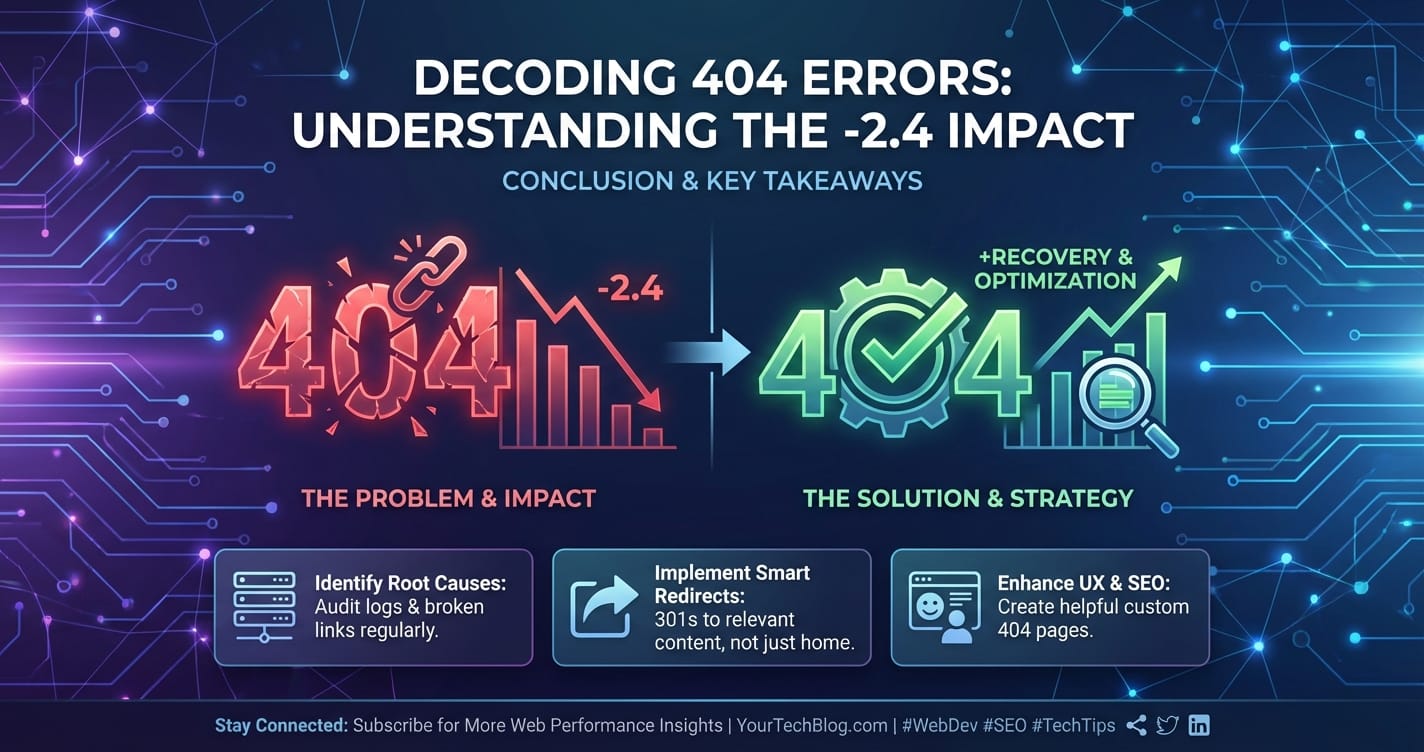
Decoding 404 Errors: Understanding the -2.4 Impact



In the vast, interconnected expanse of the internet, where information flows ceaselessly and services interact at lightning speed, few digital encounters are as universally recognized, yet often misunderstood, as the dreaded "404 Not Found" error. It's a digital dead end, a signpost indicating that the server, while perfectly capable of communicating, simply cannot locate the resource requested by the client. For users, it's a momentary frustration, a hiccup in their online journey. For website owners, developers, and businesses, however, a cascade of 404 errors represents far more than a minor inconvenience; it signifies a tangible, measurable, and often profoundly negative "impact" on their digital presence, user experience, and ultimately, their bottom line.
The subtitle, "Understanding the -2.4 Impact," is not merely an arbitrary figure but a conceptual representation, an abstract quantification of the multifaceted degradation that persistent or critical 404 errors inflict. Imagine a holistic "website health score" or "business vitality index" that continuously monitors the efficacy and reliability of an online service. Each significant 404 event, particularly those affecting key pathways or high-value content, contributes to a deduction from this score. This cumulative erosion of trust, discoverability, and operational efficiency can, over time, manifest as a significant negative shift – a drop of 2.4 points or more – signaling a substantial decline in performance, engagement, and potential revenue. It encompasses direct financial losses from abandoned transactions, the subtle yet pervasive damage to brand reputation, the frustrating inefficiencies experienced by internal teams, and the long-term penalties imposed by search engines.
This comprehensive exploration aims to meticulously dissect the anatomy of the 404 error, delve into its numerous origins, and, most importantly, illuminate the profound, often hidden, negative repercussions it generates. We will move beyond the superficial understanding of a "broken link" to uncover how these seemingly innocuous errors can undermine SEO efforts, erode user trust, and introduce significant operational friction within complex digital ecosystems, including those managed by sophisticated API gateways and AI gateways. By comprehending the full spectrum of this "negative impact," businesses and developers can move from simply reacting to these errors to proactively implementing robust strategies for their prevention, detection, and swift resolution, safeguarding their digital assets and ensuring a seamless, reliable experience for every user and every API interaction.
The Anatomy of a 404 Error: More Than Just a Missing Page
At its core, a 404 error is an HTTP status code, specifically falling within the 4xx series, which denotes client errors. This means the problem originated from the client's request rather than a server-side malfunction (like a 500 Internal Server Error). When your web browser (the client) sends a request to a server for a specific resource—be it a webpage, an image, a document, or an API endpoint—the server understands the request perfectly fine. It acknowledges that you asked for something, but after searching its directories, databases, or mapped routes, it simply cannot find what you're looking for. The resource is absent. It's like asking a librarian for a specific book title, and they confirm they understand the title but cannot locate the book on any shelf.
Understanding this fundamental aspect is crucial because it immediately differentiates a 404 from other common HTTP errors. A 401 Unauthorized error, for example, means the server understands the request but requires authentication. A 403 Forbidden means the server understands and found the resource, but you lack the necessary permissions to access it. A 500 Internal Server Error, conversely, indicates a problem on the server's side preventing it from fulfilling the request, regardless of whether the resource exists. The 404 is uniquely about the non-existence of the requested resource at the specified URL.
The causes of 404 errors are numerous and varied, often stemming from a confluence of human error, system changes, and sometimes, external factors. One of the most common culprits is broken links. These can be internal links within your own website that point to a page that has been moved or deleted without proper redirection. They can also be external links from other websites, directories, or social media posts that were created when the page existed but now lead to a dead end because the content was removed or the URL changed. Typographical errors, whether made by users manually typing a URL or by content creators incorrectly linking, are another frequent cause, leading requests to non-existent paths.
Beyond simple link rot, content management system (CMS) changes frequently introduce 404s. Migrating a website to a new CMS, reorganizing URL structures, or even updating plugins can alter permalinks or delete pages inadvertently, leaving behind a trail of outdated links. Similarly, deleted or moved pages without implementing proper redirects are a prime offender. If a product goes out of stock permanently, an old blog post becomes irrelevant, or a service offering changes, simply deleting the page without telling browsers and search engines where the content has gone (via a 301 Permanent Redirect) is an open invitation for 404s. Incorrect server configuration can also play a role, where the web server or an API gateway might not be properly mapped to the backend files or services, leading to resource resolution failures. In the context of API-driven applications, if an API endpoint is deprecated or moved without updating the client applications or the routing rules within an api gateway, requests will inevitably hit a 404.
Furthermore, expired content or content that was only temporarily available can become a source of 404s once its lifespan is over. In more nefarious scenarios, malicious attacks or URL manipulation attempts might probe for non-existent pages, although these are typically less impactful in terms of user experience unless they lead to legitimate content being inaccessible. For complex architectures leveraging an AI Gateway or a general gateway to route requests to various microservices or AI models, a 404 can indicate a deeper issue: perhaps the backend service is offline, the routing rule is misconfigured, or the specific AI model or function requested through the AI Gateway is no longer available. Understanding these nuances is the first step in addressing the broader negative impacts these errors can create.
The Multifaceted Impact of 404 Errors: Quantifying the -2.4 Degradation
The "404 Not Found" error, while a technical indicator, reverberates across multiple dimensions of a digital presence, creating a cumulative negative impact that can be conceptually understood as the "-2.4 degradation." This isn't a universally accepted metric, but a framework to understand how various detrimental effects—from user frustration to technical inefficiencies and lost revenue—combine to significantly diminish a website's or application's value and performance. Each point of this hypothetical scale represents a decline in overall health, trust, or profitability, and sustained or critical 404s can easily push a system down by 2.4 points or more. Let’s dissect these facets.
User Experience (UX) Degradation: The Frustration Quotient
When a user encounters a 404 page, their immediate reaction is often frustration. They clicked a link or typed a URL with an expectation of finding specific information, a product, or a service. Instead, they are met with a dead end. This breakage in the user journey is far from trivial. It directly contributes to:
- Increased Bounce Rates: Users are likely to leave your site immediately upon hitting a 404, especially if the error page is generic and unhelpful. This means lost opportunities for engagement, conversion, and repeat visits.
- Negative Brand Perception: Repeated encounters with 404s signal neglect and unprofessionalism. Users start to question the reliability and trustworthiness of your brand. This subtle erosion of trust can be incredibly damaging in competitive markets where user confidence is paramount. Imagine a prospect trying to access your product features page and consistently encountering 404s; their perception of your product's stability or your company's attention to detail will plummet.
- Loss of User Flow and Conversion Potential: If a 404 occurs in a critical path—such as a product page, a checkout step, a contact form, or an API documentation link for developers—it can directly interrupt a conversion funnel. A potential customer trying to purchase an item, a lead attempting to download an ebook, or a developer seeking API specifications will simply abandon the process. Each such abandonment is a lost opportunity, directly impacting revenue. For developers integrating with services through an
API Gateway, a 404 on a critical endpoint can halt their development, leading to frustration and potentially choosing a competitor's API.
Search Engine Optimization (SEO) Penalties: The Invisible Hand of Deterioration
Beyond the immediate user experience, 404 errors have profound and long-lasting implications for a website's search engine visibility and ranking. Search engine bots, like Googlebot, continuously crawl the web to discover and index new content. When they encounter 404s, several negative effects cascade:
- Crawl Budget Wastage: Every website has a "crawl budget," which is the number of pages search engine bots will crawl on your site within a given timeframe. If a significant portion of your crawl budget is spent on encountering and processing 404 errors, these bots are not discovering new, valuable content. This is a direct inefficiency, preventing your important pages from being indexed or updated promptly.
- Loss of Link Equity (Link Juice): Inbound links from other reputable websites are a cornerstone of SEO, passing "link equity" or "link juice" that helps improve your site's authority and rankings. If an external website links to a page on your site that now returns a 404, that valuable link equity is completely lost. It's like having a valuable asset disappear without a trace. Over time, a high number of broken inbound links can significantly degrade your domain authority.
- Lower Ranking Potential and Reduced Discoverability: While a few 404s won't instantly sink your site, a pattern of numerous, persistent 404 errors signals to search engines that your website is poorly maintained, unreliable, or contains a lot of deprecated content. This can lead to a general de-prioritization of your site in search results. Furthermore, pages that should be ranking for specific keywords might become undiscoverable if their URLs are broken.
- "Soft 404s" are Even More Insidious: A "soft 404" occurs when a server returns a 200 OK status code for a page that actually doesn't exist or is empty, rather than a 404. Search engines can detect these and treat them as 404s, but they are harder to find and fix because they don't immediately appear as errors in standard server logs or webmaster tools.
Direct Business Losses: The Tangible Cost of Absence
The theoretical impacts of UX and SEO translate directly into tangible financial losses for businesses.
- Lost Sales and Conversions: As mentioned, any interruption in the customer journey can lead to abandonment. If a user cannot find a product page, a service description, or the "add to cart" button due to a 404, that sale is lost. For e-commerce businesses, a high volume of 404s on product pages can represent a significant drain on potential revenue.
- Wasted Marketing and Advertising Spend: Imagine running a pay-per-click (PPC) campaign or a social media ad campaign directing traffic to a specific landing page, only for that page to return a 404. Every click costs money, and if those clicks lead to a dead end, your advertising budget is effectively being thrown away. This is a direct and measurable financial loss.
- Increased Support Costs: Frustrated users who can't find what they need often resort to contacting customer support. Each support ticket, email, or phone call diverted to resolving basic navigation issues or explaining why a page isn't working represents a cost in terms of staff time, resources, and reduced efficiency for addressing genuine customer problems.
- Opportunity Cost of Lost Engagement: Beyond direct sales, 404s prevent users from engaging with your content, signing up for newsletters, following social media, or otherwise deepening their relationship with your brand. These are lost opportunities that contribute to long-term business growth.
Technical Overhead and Resource Waste: The Burden on Operations
Behind the scenes, 404 errors create operational inefficiencies and consume valuable technical resources.
- Server Log Clutter: Server logs are essential for monitoring system health and diagnosing issues. A high volume of 404 entries can clutter these logs, making it significantly harder for operations teams to identify genuine server errors, security threats, or critical performance bottlenecks. This "noise" obscures the signal.
- Monitoring Overhead: Identifying, tracking, and resolving 404s requires dedicated monitoring efforts, either through manual checks, automated tools, or log analysis. This consumes developer and operations time that could be spent on more productive tasks.
- Bandwidth Consumption: While minimal per instance, serving custom 404 pages to millions of requests can still consume bandwidth, which, though often negligible for small sites, adds up in large-scale operations. More importantly, the system resources used to process the request and determine the 404 status are also wasted.
- API Gateway and AI Gateway Resilience: For systems relying heavily on an
api gatewayorAI Gatewayto orchestrate microservices and AI models, a 404 at this layer can indicate deeper issues. It might mean a backend service has gone offline, an API version has been retired, or a routing rule is incorrectly configured. Diagnosing these errors in a distributed system adds complexity and overhead, requiring sophisticated logging and tracing capabilities to pinpoint the exact point of failure. A well-configuredgatewayshould ideally prevent user-facing 404s by graceful degradation or intelligent routing, but configuration errors within thegatewayitself can be a direct source of these issues.
This multitude of negative effects, from the intangible erosion of trust to the quantifiable loss of sales and wasted resources, collectively illustrates the profound "−2.4 impact" of 404 errors. It's a constant drain on a website's health, subtly but persistently pulling down its performance metrics, reputational standing, and financial viability. Recognizing this comprehensive impact is the first crucial step towards building resilient digital platforms.
Identifying and Monitoring 404 Errors: The Sentry at the Digital Gates
To effectively mitigate the "–2.4 impact" of 404 errors, the initial and perhaps most crucial step is to reliably identify where and when they occur. This requires a combination of proactive monitoring, reactive analysis, and the strategic deployment of various tools tailored to different parts of your digital infrastructure, from traditional websites to complex api gateway deployments. Without a clear picture of the problem, any attempted solution is akin to shooting in the dark.
Essential Tools and Techniques for Detection
- Google Search Console (GSC) / Bing Webmaster Tools: These are indispensable for website owners. Under the "Crawl Errors" or "Pages" sections (specifically "Not found"), you'll find a detailed list of URLs that search engine bots attempted to crawl but resulted in a 404. GSC also allows you to submit sitemaps, which helps search engines understand your site's structure and can highlight discrepancies if a sitemap points to non-existent pages. This provides an excellent overview of how search engines perceive your site's broken links.
- Website Crawlers (e.g., Screaming Frog SEO Spider, Ahrefs Site Audit, SEMrush Site Audit): These powerful tools simulate a search engine bot, systematically crawling your entire website (or a specified portion) to identify broken internal and external links. They generate comprehensive reports listing all 404s, often indicating the source pages that contain the broken links. This allows for a targeted approach to fixing internal linking structures. For large sites, these are invaluable for bulk analysis.
- Server Log Analysis: Every time a client requests a resource, your web server records the interaction in its logs. These logs contain HTTP status codes for each request. By analyzing these logs, you can identify all instances of 404 errors, including those from non-human visitors (bots, malicious probes) and those that might not be detected by client-side JavaScript or search console. Tools like Loggly, Splunk, or even simple grep commands can be used for this purpose. This is particularly insightful for high-traffic sites or API endpoints managed by an
API Gateway, where direct server access and detailed logs are available. - Web Analytics (e.g., Google Analytics, Matomo): While not designed specifically for 404 detection, web analytics platforms can be configured to track 404 pages. By setting up custom reports that look for specific page titles (e.g., "Page Not Found") or URLs that typically signify a 404, you can see how many users are encountering these errors, their source, and their subsequent behavior (e.g., immediate exit). This provides a user-centric view of the problem.
- Real User Monitoring (RUM) Tools (e.g., Sentry, New Relic, Datadog RUM): RUM tools collect data directly from actual user sessions, providing insights into performance and errors experienced by real visitors. They can report on client-side JavaScript errors, network request failures, and page load issues, including instances where users encounter 404s. This offers a ground-level perspective on the user experience.
- API Monitoring Tools: For applications built on microservices or relying heavily on APIs, specialized API monitoring tools are essential. These tools track the health, performance, and availability of individual API endpoints. They can alert you to API endpoints returning 404s, indicating that a service is unavailable, an endpoint has been deprecated, or the routing within your
API Gatewayis misconfigured. These tools often integrate with anAPI Gatewayto provide detailed request/response logs, latency metrics, and error rates specifically for API traffic.
Proactive vs. Reactive Monitoring: The Art of Anticipation
Effective 404 management combines both proactive and reactive strategies:
- Proactive Monitoring: This involves setting up automated alerts for high volumes of 404s, regularly scheduled crawls of your website, and continuous monitoring of critical API endpoints. The goal is to identify issues before they significantly impact users or SEO. This includes monitoring
API Gatewaylogs for increases in 404s on specific routes, indicating a problem with a backend service or a change in its availability. - Reactive Analysis: When a 404 is detected, thorough analysis is required to understand its root cause. Is it a broken internal link? A missing file? A deleted page? Or an
AI Gatewayrouting request to a non-existent AI model? The depth of investigation determines the effectiveness of the fix.
Prioritization: Not All 404s Are Created Equal
Given the potential volume of 404 errors on a large site, it's crucial to prioritize. Focus your efforts on:
- High-Traffic Pages: 404s on pages that receive a lot of organic or paid traffic will have the biggest immediate negative impact on users and revenue.
- Critical Paths: Pages within conversion funnels (product pages, checkout pages), primary navigation links, or essential API endpoints (e.g., authentication, core data retrieval) are paramount. A 404 in such a path is far more damaging than one on an obscure, rarely visited archival page.
- Inbound Link Sources: Identify which 404s are being generated by valuable inbound links from other reputable sites. Fixing these helps reclaim lost link equity.
Leveraging API Monitoring in Complex Architectures
In modern, distributed architectures, especially those leveraging an AI Gateway or a general api gateway to manage connections to numerous backend services and AI models, the gateway itself becomes a critical point of monitoring. A 404 originating from an API Gateway could signify:
- Misconfigured Routing: The
gatewayisn't correctly forwarding the request to the intended backend service or AI model. - Backend Service Unavailability: The service the
gatewayis supposed to route to is down, unresponsive, or has been decommissioned. - Incorrect Endpoint Versioning: The
gatewayis trying to access an old or non-existent version of an API endpoint. - Resource Not Found within the Gateway: If the
AI Gatewayitself provides services (e.g., prompt encapsulation, specific AI model invocations), the requested "resource" might be an internal function that isn't found.
This is precisely where platforms like APIPark offer immense value. As an all-in-one AI gateway and API management platform, APIPark provides detailed API call logging and powerful data analysis. This allows developers and operations teams to meticulously trace every API call, identify where requests are failing, and understand the context of any 404 errors. By providing comprehensive insights into traffic forwarding, load balancing, and API versioning, APIPark helps pinpoint whether the 404 is due to an internal gateway misconfiguration or an issue with a specific backend service or AI model. This granular level of monitoring is indispensable for maintaining the resilience and reliability of complex API ecosystems and effectively countering the "–2.4 impact" of 404 errors in an API-driven world.
APIPark is a high-performance AI gateway that allows you to securely access the most comprehensive LLM APIs globally on the APIPark platform, including OpenAI, Anthropic, Mistral, Llama2, Google Gemini, and more.Try APIPark now! 👇👇👇
Strategies for Resolution and Prevention: Building a Resilient Digital Foundation
Successfully combating the pervasive "–2.4 impact" of 404 errors requires a dual approach: immediate resolution of existing issues and the implementation of robust long-term prevention strategies. This ensures not only that current problems are fixed but also that the likelihood of future occurrences is significantly reduced, fostering a more stable and reliable digital environment.
Immediate Fixes: Putting Out the Fires
When a 404 error is identified, especially on a high-priority page or API endpoint, swift action is crucial.
- 301 Redirects (Permanent): This is the most common and effective solution for moved or permanently deleted content. A 301 redirect tells browsers and search engines that a page has permanently moved to a new URL. This preserves valuable link equity (SEO "juice") and seamlessly guides users to the correct location. It's critical to map old, broken URLs to their most relevant new counterparts. For instance, if a product page for an old model is archived, redirect it to the category page or a newer model's page. Do not redirect all 404s to the homepage, as this creates a "soft 404" problem for search engines and frustrates users who might be looking for something specific.
- 302 Redirects (Temporary): Less commonly used for 404s, a 302 redirect indicates a temporary move. If a resource is briefly unavailable or moved for a short period, a 302 might be appropriate. However, for genuinely missing resources, a 301 is almost always preferred for SEO benefits.
- Correcting Broken Internal Links: Use website crawler tools (as mentioned in the previous section) to identify all internal links pointing to 404s. Systematically update these links to point to the correct, existing URLs. This improves user navigation and internal link equity flow.
- Restoring Deleted Content (If Appropriate): In some cases, content might have been deleted accidentally or prematurely. If the content is still relevant and valuable, the simplest fix might be to restore the page at its original URL.
- Reviewing API Gateway Routes: For API-driven applications, if a 404 is detected from an
API Gateway, the first step is to check its routing configuration. Ensure that thegateway's rules correctly map incoming requests to the current, active backend services and API versions. A slight typo in a path, an outdated service name, or an incorrect version number can all lead to 404s. Similarly, for anAI Gateway, verify that the requested AI models or encapsulated prompts are correctly registered and accessible.
Long-Term Prevention: Building a Fortified Digital Infrastructure
Prevention is always better than cure. Establishing robust processes and utilizing the right tools can drastically reduce the occurrence of 404 errors.
Content Management Best Practices:
- Regular Content Audits: Periodically review your website's content inventory. Identify outdated, irrelevant, or low-quality pages. For any page that is to be removed, always implement a 301 redirect to a relevant alternative.
- Proper URL Structures: Design logical, consistent, and user-friendly URL structures from the outset. Avoid unnecessary parameters, session IDs, or overly complex hierarchies that are prone to breakage.
- Implement Redirects Before Content Moves/Deletes: Make redirects a mandatory step in any content lifecycle management process. Before a page is deprecated, moved, or deleted, ensure its redirect is in place and tested.
Development and Deployment Workflows:
- Automated Link Checking in CI/CD Pipelines: Integrate link checking tools into your continuous integration/continuous deployment (CI/CD) pipelines. This can automatically scan for broken links in new code deployments or content updates before they go live, catching potential 404s proactively.
- Staging Environment Testing: Always test new features, content changes, or platform migrations thoroughly in a staging environment. Verify that all links, internal and external, function correctly and that no existing content has been inadvertently broken.
- Version Control for Content and API Endpoints: Treat your content and API definitions with the same rigor as your code. Use version control systems to track changes, ensuring that all modifications are documented and reversible. For APIs, maintain clear versioning strategies (e.g.,
/v1/users,/v2/users) and properly deprecate older versions, redirecting or guiding users to the newer ones.
Robust API Gateway Configuration:
The API Gateway plays a pivotal role in preventing 404s, especially in microservices architectures.
- Centralized API Lifecycle Management: A robust
API Gatewaylike APIPark helps manage the entire lifecycle of APIs, from design and publication to invocation and decommission. This platform ensures that API management processes are regulated, traffic forwarding and load balancing are correctly configured, and API versioning is handled gracefully. By providing a unified system for managing active API resources, it dramatically reduces the chances of an API endpoint "disappearing" without proper handling, thereby mitigating 404s arising from service unavailability or misconfiguration. - Graceful Error Handling: Implement intelligent error handling within the
gateway. If a backend service is temporarily unavailable, thegatewayshould ideally return a more specific error (e.g., 503 Service Unavailable) or route to a fallback service, rather than a generic 404. This provides better diagnostics and a less jarring experience for the client. - API Service Sharing and Independent Permissions: APIPark's features like "API Service Sharing within Teams" and "Independent API and Access Permissions for Each Tenant" streamline API discovery and access. This organized approach minimizes situations where developers are pointed to non-existent APIs or have incorrect access, thus reducing 404s stemming from authorization or discovery issues.
- Prompt Encapsulation and Unified AI Invocation: For AI-specific services, APIPark’s capability to integrate over 100 AI models with a unified API format and to encapsulate prompts into REST APIs simplifies AI usage and maintenance. This standardization ensures that changes in underlying AI models or prompts do not break existing applications, thereby preventing 404s that might occur if a specific AI model or its invocation method were to change or become unavailable without proper abstraction.
Custom 404 Pages: Turning a Negative into a Positive
Even with the best prevention, some 404s are inevitable (e.g., user typos, outdated external links). A well-designed custom 404 page can significantly reduce the "–2.4 impact" by:
- Maintaining Brand Consistency: A custom 404 page should match your website's overall design and branding, providing a sense of familiarity rather than a jarring, generic error.
- User-Friendly Messaging: Instead of just "Not Found," explain politely what happened and offer helpful next steps.
- Providing Navigation and Search: Include a search bar, links to your homepage, popular categories, sitemap, or contact page. Guide the user back into your site.
- Offering a Call to Action: Encourage users to report the broken link, which can be an invaluable source of feedback.
- Embedding Engaging Content: Some sites add humor, relevant blog posts, or even small interactive elements to turn a negative experience into a slightly positive one.
By proactively addressing the various sources of 404 errors and implementing a comprehensive set of resolution and prevention strategies, including the strategic use of advanced API management platforms like APIPark, organizations can significantly mitigate the "–2.4 impact" and cultivate a more reliable, user-friendly, and SEO-optimized digital presence.
Advanced Considerations & Future Proofing: Beyond Basic Error Handling
While addressing the immediate causes and implementing standard prevention techniques are crucial, the landscape of web development and API management is constantly evolving. Future-proofing your digital infrastructure against 404 errors requires considering advanced scenarios and embracing emerging technologies, particularly in the realm of AI Gateway and sophisticated API Gateway functionalities.
Soft 404s: The Silent Killers of SEO
We touched upon soft 404s earlier, but their insidious nature warrants further discussion. A soft 404 occurs when a server returns a 200 OK HTTP status code (implying the page exists and is fine) for content that is, in reality, either completely empty, extremely sparse, or clearly non-existent from a user's perspective. For example, a page that returns a 200 status but simply displays "No results found" for a specific query might be interpreted as a soft 404 by search engines.
The problem with soft 404s is twofold: 1. Difficulty in Detection: They don't appear in standard 404 error reports, making them harder to identify through traditional means. Google Search Console often flags them, but manual investigation is usually needed. 2. Crawl Budget Waste (Aggravated): Search engines waste even more crawl budget on soft 404s because they spend time processing and analyzing a page that they think is valid, only to later determine it's not. This is more taxing than a true 404, where the server immediately signals non-existence.
Prevention for Soft 404s: Ensure that if a page truly has no content or is non-existent, it returns a proper 404 (or 410 Gone for permanently removed content). If a page has dynamic content that sometimes results in "no results," ensure there's enough other static, useful content on the page (e.g., related articles, general navigation) to prevent it from being flagged as soft 404. Consider implementing specific internal redirects for empty dynamic pages to more relevant existing content.
Handling External Links: Beyond Your Control, Not Beyond Your Influence
You have direct control over your internal links and redirects. However, external websites linking to your content are largely out of your direct influence. If a popular external site links to a page on your site that now returns a 404, you're losing valuable link equity and potentially traffic.
Strategies for External Broken Links: * Regular Backlink Audits: Use SEO tools (Ahrefs, SEMrush) to regularly monitor your backlink profile. Identify broken inbound links (those pointing to 404s on your site). * Implement 301 Redirects: For high-value broken backlinks, implement a 301 redirect from the old, non-existent URL to the most relevant live page on your site. This reclaims the lost link equity. * Outreach: In some cases, if the linking site is highly authoritative and the link is critical, you might consider reaching out to the webmaster of the external site and politely requesting they update the link. This is often a last resort due to the time commitment involved.
Monitoring API Endpoints Specifically: The Gateway's Eye
For organizations operating sophisticated API ecosystems, the health of individual API endpoints is paramount. An API Gateway is the crucial intermediary here, and its monitoring capabilities are key to preventing user-facing 404s that originate deeper within the system.
- Proactive Health Checks: The
API Gatewayshould constantly monitor the health of the backend services it routes to. If a service becomes unresponsive or returns errors, thegatewayshould be configured to divert traffic, return a graceful error (e.g., 503 Service Unavailable), or even dynamically remove the unhealthy service from its routing table, rather than letting requests hit a 404. - Detailed Metrics and Alerts: A good
API Gatewayprovides granular metrics on endpoint performance, latency, and error rates. Setting up alerts for spikes in 404s on specific endpoints allows operations teams to respond immediately to service degradations or decommissioning events. - Traffic Management and Versioning: Leveraging the
API Gatewayfor robust traffic management (load balancing, circuit breakers) and API versioning ensures that even as backend services evolve, older or non-existent endpoints are handled predictably, preventing abrupt 404s. This is an area where platforms like APIPark excel, offering end-to-end API lifecycle management to regulate API management processes and handle traffic forwarding, load balancing, and versioning of published APIs. This comprehensive approach is essential for preventing 404s in dynamic, microservice environments.
The Role of AI in Error Prediction and Prevention: The Intelligent Gateway
The emergence of AI and machine learning is opening new avenues for proactive error management, particularly for AI Gateway solutions.
- Predictive Analytics: An
AI Gatewaywith integrated analytics can learn patterns in API usage, service health, and traffic fluctuations. It could potentially predict service degradation or an impending 404-inducing event based on historical data and real-time anomalies. For example, if a certain AI model typically shows performance degradation before failing, theAI Gatewaycould preemptively reroute traffic or trigger alerts. - Intelligent Routing and Fallbacks: Advanced
AI Gatewayfunctionalities could dynamically adjust routing based on service health and predicted availability, automatically shifting traffic away from services prone to 404s or directing requests to fallback AI models if the primary one is unresponsive. - Automated Remediation Suggestions: Leveraging AI, a
gatewaycould not only identify 404s but also suggest root causes (e.g., "backend service X is down," "route Y is misconfigured based on recent changes") and even suggest automated remediation steps, significantly reducing resolution time. This aligns with the "powerful data analysis" capabilities of APIPark, which analyzes historical call data to display long-term trends and performance changes, helping businesses with preventive maintenance before issues occur.
Continuous Improvement: The Iterative Nature of Error Management
Managing 404 errors is not a one-time task but an ongoing process. Digital environments are fluid; content changes, URLs evolve, and APIs are updated. Therefore, a commitment to continuous monitoring, regular audits, and iterative improvement is essential. Regularly review your 404 reports, analyze the root causes, refine your prevention strategies, and update your custom 404 pages based on user feedback and analytics. This iterative approach ensures that your digital infrastructure remains resilient and effectively minimizes the "–2.4 impact" over the long term.
| 404 Error Type/Cause | Impact Area(s) | Primary Resolution/Prevention Strategy | Relevant Tools/Technologies |
|---|---|---|---|
| Broken Internal Links | UX, SEO | Regular content audits, automated link checking, internal redirects | Website Crawlers (Screaming Frog), CMS tools, CI/CD pipelines |
| Moved/Deleted Pages (No Redirect) | UX, SEO, Business Losses | Implement 301 redirects before content changes, content lifecycle management | Server config (Apache, Nginx), CDN settings, API Gateway |
| User Typos in URLs | UX, Brand Perception | User-friendly custom 404 page with navigation/search, common typo redirects | Custom error pages, web analytics |
| Backend Service Unavailable (API) | UX, Business Losses, Technical | API Gateway health checks, graceful error handling, service discovery | API Monitoring Tools, API Gateway (e.g., APIPark), Service Mesh |
| Misconfigured API Gateway Route | UX, Business Losses, Technical | Strict API Gateway configuration management, versioning, automated testing | API Gateway (e.g., APIPark), API testing tools, CI/CD pipelines |
| Soft 404s | SEO, Technical | Correct HTTP status codes (404/410), content validation, clear error messages | Google Search Console, Server log analysis, RUM tools |
| Expired Content / Deprecated API | UX, SEO, Technical | Content lifecycle management, API deprecation policy, 301/410 redirects | CMS tools, API Gateway (e.g., APIPark), developer portals |
| Broken Inbound External Links | SEO (Link Equity) | Backlink audits, strategic 301 redirects, (limited) outreach | SEO tools (Ahrefs, SEMrush), server logs |
| Non-existent AI Model/Function | UX, Technical | AI Gateway unified invocation, prompt encapsulation, service discovery | AI Gateway (e.g., APIPark), AI model registries, API monitoring |
This table concisely illustrates the interconnections between different types of 404 errors, their impact, and the multifaceted strategies required for a truly resilient digital ecosystem.
Conclusion: The Imperative of Zero 404s for Digital Prosperity
The "404 Not Found" error, often dismissed as a minor technical glitch, is in reality a pervasive digital malady with far-reaching consequences that collectively contribute to a significant "–2.4 impact" on any online entity. From the immediate frustration of a user encountering a dead end to the long-term erosion of search engine visibility and the direct loss of revenue, the ripple effects of persistent 404s are profound and multifaceted. This negative impact accumulates across user experience degradation, SEO penalties, tangible business losses, and increased technical overhead, subtly but surely undermining the very foundations of digital prosperity.
As we have meticulously explored, the origins of 404 errors are diverse, ranging from simple typographical mistakes and broken links to complex misconfigurations within sophisticated API Gateway and AI Gateway architectures. Identifying these errors requires a vigilant, multi-pronged approach, leveraging tools from traditional web crawlers and search console reports to advanced server log analysis and specialized API monitoring platforms. Without a clear and comprehensive understanding of where and why these errors occur, any attempt at resolution is merely a shot in the dark, leading to wasted resources and continued frustration.
The imperative, therefore, is to move beyond reactive fixes towards proactive prevention. This involves cultivating meticulous content management practices, integrating automated link checking into development workflows, and, crucially, architecting robust API Gateway solutions. Platforms like APIPark exemplify this proactive paradigm, offering end-to-end API lifecycle management, detailed call logging, powerful data analysis, and unified AI invocation, which are indispensable for maintaining the integrity of complex API ecosystems and mitigating the incidence of 404 errors stemming from service unavailability or misconfiguration. By ensuring that API endpoints are consistently available, correctly routed, and properly versioned, such platforms are foundational in preventing the digital dead ends that diminish user trust and operational efficiency.
Ultimately, effective 404 error management is not merely about debugging; it's about safeguarding brand reputation, optimizing user journeys, preserving SEO authority, and ensuring business continuity. It is a continuous commitment to digital excellence, an iterative process of monitoring, analyzing, and refining. By understanding the true weight of the "–2.4 impact" and implementing comprehensive strategies for detection, resolution, and prevention, organizations can transform potential digital liabilities into pillars of reliability and trust, fostering a seamless, efficient, and prosperous online experience for every user and every API interaction.
Frequently Asked Questions (FAQ)
1. What does "404 Not Found" actually mean, and how is it different from other errors? A 404 Not Found error is an HTTP status code indicating that the server successfully communicated with the client but could not find the specific resource (like a webpage or API endpoint) requested at the given URL. It's a client-side error (4xx series), meaning the client's request was understood but the resource itself is absent. This differs from errors like 403 Forbidden (resource found but access denied), 401 Unauthorized (authentication required), or 500 Internal Server Error (a server-side problem preventing the request from being fulfilled).
2. Why is a 404 error considered to have a "-2.4 impact" on my website or business? The "-2.4 impact" is a conceptual framework to quantify the cumulative negative effects of 404 errors. It represents a significant degradation across multiple aspects: * User Experience: Frustration, bounce rates, negative brand perception. * SEO: Wasted crawl budget, lost link equity, lower search rankings. * Business Losses: Lost sales/conversions, wasted advertising spend, increased support costs. * Technical Overhead: Cluttered logs, monitoring burden, resource waste. These combined factors significantly diminish a website's or application's value, performance, and revenue potential, leading to a substantial drop in overall "digital health."
3. What are the most common causes of 404 errors, and how can I fix them? Common causes include broken internal/external links, deleted or moved pages without redirects, typographical errors in URLs, and incorrect server or API gateway configurations. To fix them: * 301 Redirects: Implement permanent redirects for moved or deleted content to guide users and search engines to the new location. * Correct Internal Links: Use website crawlers to identify and update broken links on your own site. * Restore Content: If content was deleted accidentally, restore it. * Check API Gateway Configuration: Verify that your API Gateway routes are correctly mapped to active backend services and API versions. Prevention involves regular content audits, robust URL structures, and integrating link checking into development workflows.
4. How can an API Gateway or AI Gateway help prevent and manage 404 errors in complex systems? An API Gateway acts as a central control point for all API traffic, making it crucial for 404 management. Platforms like APIPark can: * Lifecycle Management: Regulate API design, publication, versioning, and decommissioning, ensuring resources don't disappear without proper handling. * Intelligent Routing & Load Balancing: Ensure requests are always directed to healthy, available backend services or AI models. * Detailed Logging & Analytics: Provide granular insights into API call failures, helping quickly diagnose whether a 404 is from a misconfigured route or an unresponsive backend. * Unified AI Invocation: Standardize AI model integration, preventing 404s due to changes in underlying AI services. By centralizing control and providing deep visibility, an API Gateway significantly reduces the incidence and diagnostic time for 404 errors in microservices and AI-driven architectures.
5. Besides fixing the errors, what else should I do when users encounter a 404 page? Even with the best prevention, some 404s are unavoidable. Design a user-friendly, branded custom 404 page that: * Explains the situation politely. * Maintains your brand's look and feel. * Provides clear navigation options (e.g., links to homepage, popular pages, search bar). * Offers a call to action (e.g., "Report this broken link" or "Contact us"). This turns a negative experience into an opportunity to re-engage the user and maintain a positive brand perception.
🚀You can securely and efficiently call the OpenAI API on APIPark in just two steps:
Step 1: Deploy the APIPark AI gateway in 5 minutes.
APIPark is developed based on Golang, offering strong product performance and low development and maintenance costs. You can deploy APIPark with a single command line.
curl -sSO https://download.apipark.com/install/quick-start.sh; bash quick-start.sh

In my experience, you can see the successful deployment interface within 5 to 10 minutes. Then, you can log in to APIPark using your account.

Step 2: Call the OpenAI API.