Decoding JWTs: Your Ultimate Guide to jwt.io


In the intricate tapestry of modern web development and distributed systems, the secure and efficient exchange of information is paramount. As applications evolve from monolithic structures to nimble microservices and embrace the power of diverse APIs, the challenge of maintaining stateless authentication and authorization grows increasingly complex. Enterprises and developers alike seek robust, scalable solutions that not only verify user identities but also secure the channels through which sensitive data flows. It is within this critical landscape that JSON Web Tokens (JWTs) have emerged as a foundational technology, offering a compact, URL-safe means of representing claims to be transferred between two parties.
However, understanding, implementing, and, crucially, debugging JWTs can be a daunting task. Their encoded nature often obscures the underlying data and cryptographic intricacies, leading to potential misconfigurations or security vulnerabilities if not handled with precision. This is where jwt.io steps in – a widely recognized, invaluable online tool that serves as a beacon for developers, security engineers, and curious minds alike. It demystifies the structure of JWTs, allowing for effortless decoding, verification, and even generation, transforming an otherwise opaque string into a clear, human-readable format.
This ultimate guide aims to embark on an exhaustive journey through the world of JWTs. We will dissect their fundamental components, explore their multifaceted applications, and, most importantly, provide an in-depth exploration of jwt.io. From deciphering the header and payload to comprehending the cryptographic signature that underpins their security, we will leave no stone unturned. Furthermore, we will delve into the critical security considerations surrounding JWT implementation, offering best practices to mitigate common vulnerabilities. In a world increasingly reliant on interconnected services, where every API call needs to be authenticated and authorized, understanding JWTs and mastering jwt.io is not merely advantageous, but indispensable. We will also touch upon how robust API gateway solutions, such as APIPark, enhance the management and security of these tokens in complex API ecosystems, ensuring a seamless and secure experience from the edge to the backend.
Chapter 1: The Foundation – Understanding JWTs
At its core, a JSON Web Token (JWT) represents a compact and self-contained method for securely transmitting information between parties as a JSON object. This information, often referred to as "claims," can be verified and trusted because it is digitally signed. The JWT standard, formally defined in RFC 7519, provides a precise blueprint for how these tokens are structured and processed, ensuring interoperability across a multitude of platforms and programming languages. Unlike traditional session tokens that merely serve as an identifier for server-side stored session data, JWTs carry the user's identity and permissions directly within the token itself, enabling a stateless authentication model that is particularly well-suited for distributed systems and microservices architectures.
1.1 What is a JWT? (JSON Web Token)
A JWT is fundamentally a string composed of three distinct, Base64url-encoded parts, separated by dots (.): the Header, the Payload, and the Signature. This structure allows for a token that is both compact enough to be easily transmitted via URL, POST parameter, or inside an HTTP header, and self-contained, meaning it holds all necessary information about the user or the transaction without needing to query a database for every request.
The distinction between JWTs and traditional session tokens is crucial for understanding their widespread adoption. In a traditional session-based system, after a user logs in, the server generates a session ID and stores it, often in a database or in-memory cache, linking it to the user's information. This session ID is then sent back to the client, typically as a cookie, which the client includes in subsequent requests. The server must then look up this session ID to retrieve the user's context for every incoming request. This stateful approach can become a bottleneck in large-scale, distributed environments, as it introduces a dependency on a shared session store and complicates scaling efforts.
JWTs, on the other hand, embrace a stateless paradigm. When a user authenticates, the server generates a JWT containing claims about the user (e.g., user ID, roles, expiration time) and signs it with a secret key. This JWT is then sent to the client, which stores it (e.g., in local storage, session storage, or an HTTP-only cookie). For subsequent requests, the client simply attaches the JWT, usually in the Authorization header as a Bearer token. The server, upon receiving a request, can immediately verify the token's signature using its secret key (or public key for asymmetric algorithms) to ensure its integrity and authenticity. Once verified, the server can extract the claims from the payload without needing to consult a database, thereby offloading the burden of session management. This statelessness significantly enhances the scalability of applications, as any server instance can validate a JWT independently, making it ideal for load-balanced environments and microservices where a client might interact with multiple backend services.
Common use cases for JWTs primarily revolve around Authorization and Information Exchange:
- Authorization: This is the most prevalent use case. Once a user is logged in, each subsequent request will include the JWT. This allows the user to access routes, services, and resources that are permitted with that token. Because of its self-contained nature and the ability for an API gateway or individual microservices to quickly verify its authenticity, JWTs are highly efficient for controlling access to protected API endpoints.
- Information Exchange: JWTs can also be used to securely transmit information between parties. Because JWTs are signed, you can be sure the senders are who they say they are. Additionally, as the signature is calculated using the header and payload, you can also verify that the content hasn't been tampered with. This makes them suitable for scenarios where a piece of information needs to be securely passed between different components of a system, or even between different systems.
1.2 The Anatomy of a JWT: Header, Payload, Signature
A JWT is comprised of three parts, separated by dots (.): Header.Payload.Signature
Each part is Base64url-encoded, which makes the token URL-safe by ensuring that characters like +, /, and = (which have special meanings in URLs) are replaced with -, _, and omitted, respectively.
1.2.1 The Header (typ, alg)
The header typically consists of two fields: typ (Type) and alg (Algorithm). These fields declare what kind of token it is and what cryptographic algorithm was used to sign it.
typ(Type): This parameter specifies the type of the token. For JWTs, this value is almost always "JWT". This helps the receiving application to quickly identify that it is dealing with a JSON Web Token and process it accordingly. While technically optional, it is practically always included for clarity and compatibility.- Example:
"typ": "JWT"
- Example:
alg(Algorithm): This parameter identifies the cryptographic algorithm used for signing the JWT. This is a crucial security parameter, as it dictates how the signature is generated and, consequently, how it should be verified. The choice of algorithm profoundly impacts the token's security, and a mismatch or weak algorithm can expose the system to significant vulnerabilities.The Header, when Base64url-encoded, forms the first part of the JWT. For example, a header like{"alg": "HS256", "typ": "JWT"}would be encoded into a string likeeyJhbGciOiJIUzI1NiIsInR5cCI6IkpXVCJ9.- Common Algorithms:
- HMAC with SHA-256 (HS256): This is a symmetric algorithm, meaning the same secret key is used for both signing and verifying the token. It's widely used due to its simplicity and efficiency. The
HSstands for "Hash-based Message Authentication Code," and256indicates the use of SHA-256 hashing algorithm. For this to be secure, the secret key must be kept absolutely confidential and be sufficiently long and random. - RSA with SHA-256 (RS256): This is an asymmetric algorithm, utilizing a public/private key pair. The private key is used to sign the token, and the corresponding public key is used to verify the signature. This is particularly useful in scenarios where multiple services need to verify tokens signed by a central authentication service, but only the authentication service has access to the private key. For example, an API gateway might use a public key to verify tokens issued by an identity provider, without ever seeing the private key. RSA provides stronger security guarantees against certain types of attacks, especially in multi-party systems, but comes with a slight performance overhead compared to symmetric algorithms.
- Elliptic Curve Digital Signature Algorithm (ECDSA) with SHA-256 (ES256): Another asymmetric algorithm that uses elliptic curve cryptography. ECDSA generally offers similar levels of security to RSA with smaller key sizes, leading to potentially faster signature generation and verification, and smaller token sizes. It's gaining popularity for its efficiency and strong cryptographic properties.
- HMAC with SHA-256 (HS256): This is a symmetric algorithm, meaning the same secret key is used for both signing and verifying the token. It's widely used due to its simplicity and efficiency. The
- Common Algorithms:
1.2.2 The Payload (Claims)
The payload of a JWT contains the "claims" – statements about an entity (typically, the user) and additional metadata. These claims are essentially key-value pairs that encode information which the token issuer (e.g., an authentication server) wants to convey to the token receiver (e.g., an API service). It's crucial to remember that the payload is only Base64url-encoded, not encrypted. This means anyone with the token can easily decode the payload and read its contents. Therefore, sensitive information that requires confidentiality should never be placed directly in the JWT payload.
Claims are categorized into three main types: Registered Claims, Public Claims, and Private Claims.
iss(Issuer): Identifies the principal that issued the JWT. For example,"iss": "your-auth-server.com". This claim is important for the receiving application to verify that the token originated from a trusted source.sub(Subject): Identifies the principal that is the subject of the JWT. This is typically the user ID or a unique identifier for the entity the token represents. It should be unique within the context of the issuer. For example,"sub": "user12345".aud(Audience): Identifies the recipients that the JWT is intended for. Each principal intended to process the JWT MUST identify itself with a value in the audience claim. If the principal processing the claim is not identified with a value in theaudclaim when the claim is present, then the JWT MUST be rejected. This is critical for preventing tokens from being misused across different services. For example,"aud": ["api.example.com", "other-service.com"].exp(Expiration Time): Identifies the expiration time on or after which the JWT MUST NOT be accepted for processing. The value must be a NumericDate, representing the number of seconds from 1970-01-01T00:00:00Z UTC (Unix epoch time). This is a cornerstone of JWT security, preventing tokens from being valid indefinitely and limiting the window of opportunity for attackers to misuse compromised tokens. Short expiration times, coupled with refresh tokens, are a common security pattern.nbf(Not Before Time): Identifies the time before which the JWT MUST NOT be accepted for processing. Likeexp, it's a NumericDate. This claim is less frequently used but can be valuable for delaying the activation of a token.iat(Issued At Time): Identifies the time at which the JWT was issued. This claim can be used to determine the age of the JWT. It's also a NumericDate. Useful for logging and auditing purposes, and can sometimes be used in conjunction withexpto calculate token lifetime.jti(JWT ID): Provides a unique identifier for the JWT. The value MUST be assigned in a manner that ensures that there is a negligible probability that the same value will be accidentally assigned to a different JWT. This claim can be used to prevent replay attacks and for token blacklisting purposes. If a token is compromised, itsjtican be added to a blacklist, ensuring it can no longer be used.- Public Claims: These are custom claims defined by JWT users, but they should be defined in the IANA "JSON Web Token Claims" registry or be a URI that contains a collision-resistant name space. This means you can add any application-specific claims you need, but you should choose names that are unlikely to clash with other claims. For instance, if you need to include a
roleclaim, you could define it ashttps://example.com/jwt_claims/roleto ensure its uniqueness, althoughroleis commonly used directly without a namespace.- Example:
"name": "Jane Doe"or"https://example.com/role": "admin"
- Example:
- Private Claims: These are custom claims created to share information between parties that agree to use them. They are not registered, publicly defined, or collision-resistant. Essentially, any key-value pair not covered by Registered or Public Claims falls into this category. They are extremely flexible for conveying application-specific data.
- Example:
"company": "Acme Inc."or"department": "Engineering"
- Example:
Registered Claims: These are a set of predefined claims that are neither mandatory nor recommended but provide a set of useful, interoperable claims. They are defined in the JWT specification and are primarily designed to ensure predictability and avoid collisions.Here's a table summarizing the common Registered Claims:
| Claim | Name | Description | Type | Example Value | Importance for Security |
|---|---|---|---|---|---|
iss |
Issuer | Identifies the principal that issued the JWT. | String | https://auth.apipark.com |
High (Trust Source) |
sub |
Subject | Identifies the principal that is the subject of the JWT. (e.g., user ID) | String | user_12345 |
High (User Identity) |
aud |
Audience | Identifies the recipients that the JWT is intended for. | String/Array | ["api.example.com"] |
High (Prevents Misuse) |
exp |
Expiration Time | The time on or after which the JWT MUST NOT be accepted for processing (Unix timestamp). | NumericDate | 1678886400 (March 15, 2023) |
Critical (Token Lifetime) |
nbf |
Not Before Time | The time before which the JWT MUST NOT be accepted for processing (Unix timestamp). | NumericDate | 1678882800 (March 15, 2023) |
Moderate (Delayed Activation) |
iat |
Issued At Time | The time at which the JWT was issued (Unix timestamp). | NumericDate | 1678882800 (March 15, 2023) |
Moderate (Auditing) |
jti |
JWT ID | A unique identifier for the JWT. Used for replay prevention and blacklisting. | String | a7b8c9d0e1f2g3h4i5j6k7l8m9n0 |
High (Replay Prevention) |
Best practices for payload design emphasize minimalism. Include only the necessary information to perform authentication and authorization decisions. Overloading the payload with excessive or rarely used data increases token size, which can impact performance, especially over slow networks. More critically, as mentioned, never store highly sensitive or confidential information in the payload, as it can be easily decoded.
The payload, when Base64url-encoded, forms the second part of the JWT. For instance, a payload like {"sub": "user123", "name": "John Doe", "iat": 1516239022, "exp": 1516242622} would be encoded into a string like eyJzdWIiOiJ1c2VyMTIzIiwibmFtZSI6IkpvaG4gRG9lIiwiaWF0IjoxNTE2MjM5MDIyLCJleHAiOjE1MTYyNDI2MjJ9.
1.2.3 The Signature
The signature is the cryptographic heart of the JWT. Its primary purpose is to verify that the sender of the JWT is who it claims to be and to ensure that the message hasn't been tampered with along the way. Without a valid signature, a JWT is merely a Base64url-encoded string of data with no integrity or authenticity guarantees.
The signature is created by taking the Base64url-encoded header, the Base64url-encoded payload, and a secret key (for symmetric algorithms) or a private key (for asymmetric algorithms). These three components are combined in a specific way and then run through the cryptographic algorithm specified in the header (alg field).
The general process for creating the signature is as follows: 1. Take the Base64url-encoded Header. 2. Take the Base64url-encoded Payload. 3. Concatenate these two parts with a dot in between: Base64url(Header) + "." + Base64url(Payload). This forms the "signing input." 4. Apply the cryptographic algorithm (e.g., HS256, RS256) to the signing input, using the secret key (for HS256) or private key (for RS256/ES256). 5. Base64url-encode the resulting cryptographic hash or signature to form the final Signature component of the JWT.
- Symmetric Algorithms (e.g., HS256): In symmetric cryptography, the same secret key is used for both signing and verifying the token. The server that issues the JWT uses the secret key to sign it, and any API service or
gatewaythat receives the token uses the exact same secret key to verify the signature. The security of an HS256-signed JWT hinges entirely on the secrecy of this key. If the secret is compromised, an attacker can forge valid JWTs, impersonating users or gaining unauthorized access.- Formula:
HMACSHA256(Base64url(Header) + "." + Base64url(Payload), secret)
- Formula:
- Asymmetric Algorithms (e.g., RS256, ES256): Asymmetric cryptography involves a public/private key pair. The private key, known only to the issuer, is used to sign the token. The corresponding public key is then shared with anyone who needs to verify the token. The public key can be distributed widely without compromising security, as it can only verify signatures, not create them. This is especially advantageous in distributed systems where a central identity provider issues tokens, and many different services (e.g., microservices, an API gateway) need to independently verify these tokens without sharing the highly sensitive private key.
- Formula (simplified):
RSASSA-PKCS1-V1_5-SHA256(Base64url(Header) + "." + Base64url(Payload), private_key)
- Formula (simplified):
The signature's role in security is paramount. It ensures: * Integrity: Any attempt to tamper with the header or payload after the token has been issued will result in an invalid signature. The verifier will detect this mismatch, rejecting the token and preventing malicious modifications. For instance, if an attacker tried to change a user's role from "guest" to "admin" in the payload, the server would calculate a new signature based on the modified payload. This new signature would not match the original signature embedded in the token, leading to rejection. * Authenticity: By successfully verifying the signature with a known secret or public key, the receiver can be confident that the token was indeed issued by a trusted entity that possesses the corresponding signing key. This prevents unauthorized parties from forging tokens and impersonating legitimate users.
In essence, the signature binds the header and payload together cryptographically, creating a tamper-proof and verifiable token. Without a robust signature verification process, the entire security model of JWTs collapses, highlighting why developers and security professionals must pay meticulous attention to key management and algorithm selection.
Chapter 2: The Practical Tool – Deeper Dive into jwt.io
While the theoretical understanding of JWT structure and cryptography is essential, the practical implementation and, more crucially, the debugging of JWTs can often be challenging. The Base64url encoding obfuscates the human-readable content, making it difficult to quickly inspect a token's claims or verify its signature without specialized tools. This is precisely the gap that jwt.io fills, serving as an indispensable resource for anyone working with JSON Web Tokens.
2.1 What is jwt.io and Why is it Essential?
jwt.io is a widely recognized, free, and publicly accessible online tool designed to simplify the process of encoding, decoding, and verifying JSON Web Tokens. It provides an intuitive graphical user interface (GUI) that transforms complex, encoded JWT strings into an easily digestible format, laying bare its components: the header, the payload (claims), and the signature status.
Its essentiality stems from several key benefits:
- Debugging: When an application encounters issues with JWTs – perhaps a token isn't being accepted, or claims appear to be missing –
jwt.iooffers an immediate diagnostic window. Developers can paste the problematic token and instantly see its decoded contents, identify malformed claims, or understand why a signature might be failing. This drastically reduces debugging time and effort. - Learning and Understanding: For newcomers to JWTs,
jwt.ioserves as an excellent educational aid. By experimenting with different headers, payloads, and secrets, users can observe in real-time how the token structure changes and how the signature is generated and verified. This hands-on approach solidifies theoretical knowledge. - Verification: The tool allows users to input a token and a secret (for symmetric algorithms) or a public key (for asymmetric algorithms) to check the validity of the signature. This is crucial for confirming that a token has not been tampered with and was indeed issued by a trusted source.
- Generation: For testing purposes or generating sample tokens for demos,
jwt.ioallows users to construct a JWT from scratch, specifying the header algorithm, payload claims, and a secret. This facilitates rapid prototyping and testing without needing to write custom code.
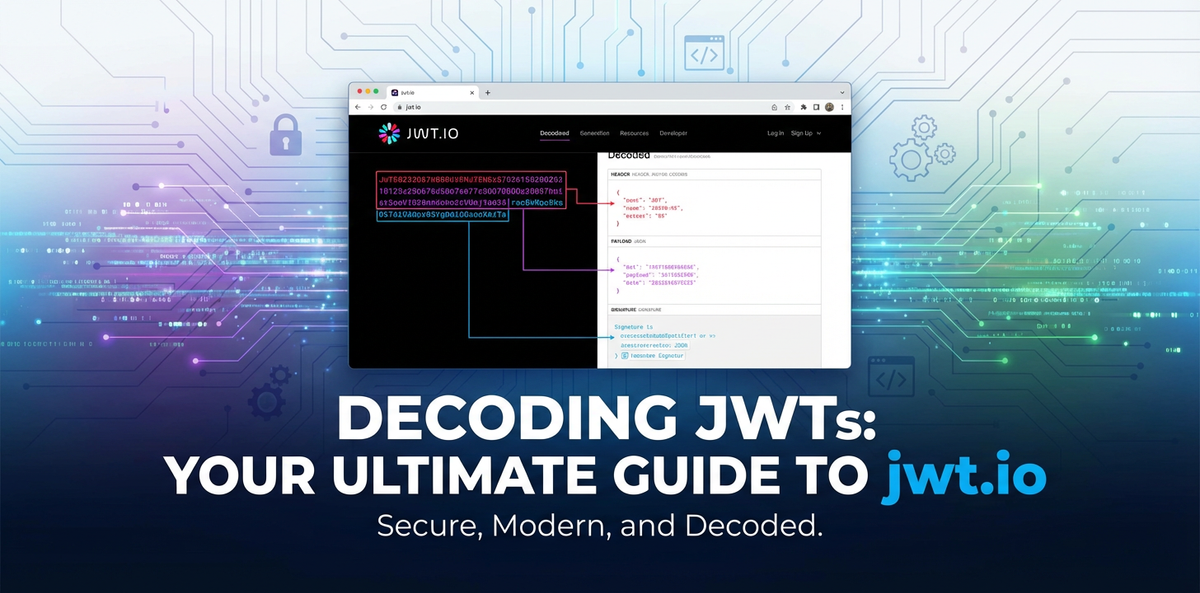
The user interface of jwt.io is remarkably straightforward, typically divided into three main panes: 1. Encoded: On the left, a large text area where the encoded JWT string is pasted or displayed. 2. Decoded: In the middle, separate collapsible sections for the Header and Payload, presenting their JSON contents in a human-readable format. 3. Verify Signature: On the right, an area to input the secret or public key and observe the signature verification status. There are also options to select different algorithms for signing.
This clean layout allows for quick visual inspection and interaction, making jwt.io a go-to utility for millions of developers worldwide.
2.2 Decoding JWTs with jwt.io
Decoding a JWT with jwt.io is arguably its most frequently used feature and is remarkably simple.
Step-by-step guide on pasting a JWT: 1. Navigate to jwt.io: Open your web browser and go to https://jwt.io/. 2. Locate the "Encoded" panel: On the left side of the page, you'll see a large text area, often pre-filled with an example JWT. 3. Paste your JWT: Copy the JWT string you wish to decode (e.g., from an API response header or application logs) and paste it into this "Encoded" text area, overwriting any existing content. 4. Instant Decoding: As soon as you paste the token, jwt.io automatically parses and decodes the header and payload. The middle panel will instantly populate with the JSON representations of your token's header and payload.
Visual representation of Header, Payload: In the "Decoded" panel, you will see two distinct sections:
- Header: This section displays the JSON object containing the
alg(algorithm) andtyp(type) claims, as discussed in Chapter 1. For example, you might see:json { "alg": "HS256", "typ": "JWT" }This immediately tells you which algorithm was declared for signing and that it's a JWT. - Payload: This section shows the JSON object containing all the claims about the subject (user), permissions, and any other data stored within the token. You'll see the registered claims like
sub,iss,exp,iat, as well as any custom public or private claims. For example:json { "sub": "1234567890", "name": "John Doe", "admin": true, "iat": 1516239022, "exp": 1678886400 }
Understanding the parsed data and interpreting common claims: jwt.io makes it easy to quickly scan through these JSON objects. You can see: * sub: Who the token is for (e.g., a user ID). * name / admin: Any custom information about the user or their roles/permissions within the application. * iat: When the token was issued. * exp: When the token will expire. This is particularly useful for checking if a token is still valid or if its expiration is too far in the future (a potential security risk) or too soon. jwt.io often highlights expired tokens or those close to expiration, making it easy to spot issues.
This immediate, clear display of claims is invaluable for developers trying to ensure that their API endpoints are receiving the correct user context and permissions, or for security analysts verifying the contents of an intercepted token.
2.3 Verifying Signatures with jwt.io
While decoding reveals the content, signature verification is where the actual security check happens. It determines whether the token's content has been tampered with and whether it originates from a legitimate issuer. jwt.io provides a dedicated section for this crucial step.
The "Verify Signature" section: On the right-hand side of jwt.io, below the algorithm selection dropdown, you'll find the "Verify Signature" section. This area is critical for validating the integrity and authenticity of the JWT.
Inputting the secret (for symmetric algorithms): If your JWT was signed with a symmetric algorithm like HS256, you need to provide the exact same secret key that was used to sign the token by the issuer. 1. Select the correct algorithm: Ensure the dropdown menu (e.g., "algorithm") at the top right is set to the correct signing algorithm (e.g., HS256). jwt.io usually infers this from the header, but it's good to double-check. 2. Enter the secret: In the text area labeled "Your Secret", paste the secret key. This key is typically a string of characters. 3. Observe the status: Immediately below the secret input, jwt.io will display a message.
Understanding the "Signature Verified" / "Invalid Signature" messages: * "Signature Verified" (in green): This is the desired outcome. It means that the token's signature, when recalculated using the provided secret and the token's header and payload, matches the signature embedded in the token. This confirms that: * The token has not been altered since it was signed. * The token was indeed signed by someone who possesses the correct secret key. * "Invalid Signature" (in red): This indicates a problem. It means the recalculated signature does not match the token's signature. Possible reasons include: * Incorrect Secret: You've provided the wrong secret key. This is a common mistake. * Tampering: The header or payload of the token has been altered after it was signed. An attacker might have tried to modify claims, leading to a signature mismatch. * Algorithm Mismatch: The token was signed with a different algorithm than the one you've selected (or provided a key for) in jwt.io. * Corrupted Token: The token string itself might be malformed or truncated.
Using public keys (for asymmetric algorithms) – RSA, ECDSA: For asymmetric algorithms like RS256 or ES256, you won't use a "secret." Instead, you'll use the public key corresponding to the private key used for signing. 1. Select the correct algorithm: Choose the appropriate asymmetric algorithm (e.g., RS256) from the dropdown. 2. Enter the public key: The "Your Secret" text area will typically change to "Public Key". Paste the public key here, usually in PEM format (e.g., starting with -----BEGIN PUBLIC KEY----- and ending with -----END PUBLIC KEY-----). 3. Verify: jwt.io will then perform the verification using the provided public key. The "Signature Verified" or "Invalid Signature" message will appear, conveying the same integrity and authenticity checks as with symmetric keys.
Practical implications of signature verification (preventing tampering): The ability to verify signatures easily with jwt.io is invaluable for developers implementing API security. If an API endpoint or an API gateway reports an "Invalid Token" error, jwt.io can quickly help diagnose whether the issue is related to an incorrect secret being used, a misconfiguration of the signing algorithm, or genuine token tampering attempts. For example, when setting up an API gateway like APIPark to protect your services, you would configure it with the appropriate public key (or symmetric secret) to automatically validate all incoming JWTs. If a token fails validation, APIPark would reject the request at the edge, preventing potentially malicious traffic from reaching your backend services.
2.4 Generating JWTs with jwt.io
Beyond decoding and verifying, jwt.io also allows users to generate JWTs from scratch. This feature is particularly useful for:
- Testing: Developers can create custom tokens with specific claims (e.g., an
adminrole, an expiredexpclaim) to test how their APIs or application logic handles different token states and permissions. This helps in writing robust unit and integration tests. - Demos and Prototyping: Quickly generate valid tokens for demonstrations, proof-of-concept projects, or when experimenting with new authentication flows without needing to set up a full authentication server.
- Learning: It reinforces the understanding of how claims, header parameters, and secrets contribute to the final token string.
How to manually craft a JWT: 1. Modify the Header: In the "Decoded" panel, click on the "Header" section. You can directly edit the JSON to change the alg (algorithm) or typ parameters. For example, switch from HS256 to RS256 if you intend to use an asymmetric key. 2. Modify the Payload: Similarly, click on the "Payload" section and edit the JSON to add, remove, or change claims. You can add custom claims like {"user_id": "unique-id-123", "role": "editor"} and observe how the "Encoded" token on the left updates in real-time. 3. Input the Secret/Key: In the "Verify Signature" panel, enter the desired secret for symmetric algorithms or the private key (in PEM format) for asymmetric algorithms. As you type, jwt.io will recalculate and display the "Encoded" token on the left.
By interactively modifying these components, users can instantly see the generated JWT string and test its validity. This dynamic feedback loop is incredibly powerful for learning and rapid development.
2.5 Best Practices and Caveats when using jwt.io
While jwt.io is an indispensable tool, its public nature necessitates adherence to stringent security practices to prevent inadvertent data exposure.
- NEVER paste sensitive data (secrets, private keys) into public online tools. This is the cardinal rule. Any data pasted into a public web application's input field could potentially be logged, cached, or intercepted, even if the site claims not to store it.
- Secrets: Your application's JWT signing secret (for HS256) is a highly sensitive credential. If it falls into the wrong hands, an attacker can forge any token and gain unauthorized access to your system. Pasting it into
jwt.ioexposes it. - Private Keys: Similarly, for asymmetric algorithms (RS256, ES256), the private key used for signing must remain strictly confidential. Its compromise allows for token forgery.
- Confidential Payload Data: While JWT payloads are only encoded, not encrypted, they often contain personal identifiable information (PII) or other data that, while not cryptographic secrets, should not be exposed to the public. Never paste tokens containing such information into
jwt.io.
- Secrets: Your application's JWT signing secret (for HS256) is a highly sensitive credential. If it falls into the wrong hands, an attacker can forge any token and gain unauthorized access to your system. Pasting it into
- Use
jwt.iofor publicly available or non-sensitive tokens only. Limit the use ofjwt.ioto tokens that are already publicly exposed (e.g., an example token from a documentation page) or those containing dummy, non-sensitive data created purely for testing or learning. For real application tokens, especially those from production or staging environments, exercise extreme caution. - Local tools or custom scripts for sensitive environments. For debugging and verification in sensitive environments (e.g., production, HIPAA/PCI compliant systems), always prefer:
- Local
jwtlibraries: Most programming languages have robust JWT libraries that allow you to programmatically decode and verify tokens within your local development environment or secure servers. - Command-line tools: Several command-line utilities (e.g.,
jwt-cliin Node.js,pyjwtin Python) offer similar decoding and verification capabilities without exposing data to the internet. - Custom scripts: Write small, purpose-built scripts that perform the necessary JWT operations directly on your secure machines.
- Local
By adhering to these best practices, you can leverage the immense utility of jwt.io without compromising the security posture of your applications and the confidentiality of your credentials. Remember, convenience should never come at the cost of security.
Chapter 3: Security Considerations and Best Practices with JWTs
While JWTs offer significant advantages in modern authentication and authorization, their power comes with a responsibility to implement them securely. Misconfigurations or oversight can introduce critical vulnerabilities, potentially leading to unauthorized access, data breaches, and system compromise. A deep understanding of common attack vectors and the implementation of robust security practices are non-negotiable for anyone deploying JWTs.
3.1 Common JWT Vulnerabilities
Several well-documented vulnerabilities plague JWT implementations if developers are not careful. Awareness of these is the first step towards prevention.
algNone Vulnerability (CVE-2015-2922): Perhaps one of the most infamous JWT vulnerabilities. Thealgheader parameter, as discussed, specifies the algorithm used to sign the token. An attacker might modify thealgparameter to "none", indicating that the token is unsigned. If the server's verification library is poorly implemented and trusts thisalgvalue, it might bypass signature verification entirely, treating the unsigned token as valid. An attacker could then craft an arbitrary token payload, setalgto "none", and send it to the server, gaining unauthorized access with any desired claims (e.g.,admin: true).- Mitigation: Always validate the
algparameter against an explicit whitelist of acceptable algorithms. Never allow "none" unless explicitly intended for specific, highly constrained scenarios (which is almost never recommended for security-sensitive tokens). Libraries should default to rejecting "none" and require specific configuration to accept it.
- Mitigation: Always validate the
- Brute-forcing Secrets: This vulnerability applies to JWTs signed with symmetric algorithms (like HS256). If the secret key used for signing is weak, short, or easily guessable (e.g., "password," "123456", dictionary words), an attacker can easily brute-force or dictionary attack the secret. Once the secret is discovered, the attacker can forge any JWT, impersonate users, and gain full control.
- Mitigation: Use cryptographically strong, long, and random secrets. Secrets should be at least 32 bytes (256 bits) for HS256 and stored securely, ideally in environment variables, hardware security modules (HSMs), or dedicated secret management services, not directly in source code. Rotate secrets regularly.
- Token Replay Attacks: A replay attack occurs when an attacker intercepts a legitimate JWT and resubmits it to the server to gain unauthorized access. If a token is valid for a long period, even if it's securely signed, its compromise can give an attacker prolonged access. The lack of a unique identifier (
jti) or short expiration (exp) makes tokens susceptible.- Mitigation:
- Short Expiration (
exp): JWTs should have short expiration times, typically minutes or hours, rather than days or weeks. This limits the window of opportunity for replay attacks. - Unique ID (
jti): Implement thejticlaim to uniquely identify each token. Maintain a blacklist (or "revocation list") on the server wherejtis of compromised or logged-out tokens are stored. Any token with ajtipresent in the blacklist should be rejected, even if its signature is valid and it's not expired. - Refresh Tokens: Pair short-lived access tokens with longer-lived refresh tokens. Access tokens expire quickly, minimizing replay risk. Refresh tokens are used to obtain new access tokens and should be single-use, rotated, and stored more securely.
- Short Expiration (
- Mitigation:
- Insecure Key Management: The security of JWTs fundamentally relies on the confidentiality and integrity of the signing keys (secrets or private keys). If these keys are compromised due to poor storage, weak access controls, or improper handling, the entire JWT security model collapses.
- Mitigation:
- Store keys securely: Use dedicated secret management solutions (e.g., HashiCorp Vault, AWS Secrets Manager, Azure Key Vault), environment variables, or HSMs. Avoid hardcoding keys in source code or committing them to version control.
- Restrict access: Implement strict access controls (least privilege) for systems and personnel accessing signing keys.
- Key Rotation: Regularly rotate signing keys. For asymmetric keys, maintain a
JWKS(JSON Web Key Set) endpoint to allow clients (like API gateways) to automatically fetch the latest public keys.
- Mitigation:
- Sensitive Data in Payload: As previously emphasized, JWT payloads are Base64url-encoded, not encrypted. This means anyone with access to the token can easily decode and read its contents. Placing highly sensitive information (e.g., passwords, personally identifiable information (PII) that shouldn't be publicly visible) in the payload directly exposes it.
- Mitigation: Never include confidential or sensitive data in the JWT payload. The payload should only contain information necessary for authorization and user context that is acceptable for public exposure (i.e., known to the user already or non-sensitive). If confidentiality is required for claims, consider using JSON Web Encryption (JWE) in conjunction with JWT, or store sensitive data server-side and reference it via a non-sensitive claim in the JWT.
- Cross-Site Scripting (XSS) and Cross-Site Request Forgery (CSRF): While not direct JWT vulnerabilities, how JWTs are stored and managed on the client-side can make an application susceptible to XSS or CSRF attacks.
- XSS: If JWTs are stored in
localStorageorsessionStorage, an XSS attack (where an attacker injects malicious client-side script) can easily access and steal these tokens. Once stolen, the attacker can use the JWT to impersonate the user. - CSRF: If JWTs are stored in cookies (especially non-HTTPOnly cookies), they can be vulnerable to CSRF, where an attacker tricks a user's browser into sending a request with their authentication token to a malicious site.
- Mitigation:
- XSS:
- Store JWTs in
HttpOnlycookies. These cookies are inaccessible to client-side JavaScript, mitigating XSS risks. However, this reintroduces CSRF vulnerability. - Alternatively, store JWTs in
localStoragebut implement robust XSS prevention measures across the entire application (e.g., strict Content Security Policies, proper output encoding).
- Store JWTs in
- CSRF:
- If using
HttpOnlycookies, implement anti-CSRF tokens (synchronizer tokens) in yourAPIs. The client receives a CSRF token from the server, includes it in subsequent requests (e.g., in a custom header), and the server validates it. - For tokens in
localStorage, CSRF is generally not a direct concern as the browser doesn't automatically attachlocalStorageitems to requests.
- If using
- Always use HTTPS/TLS for all communication to prevent man-in-the-middle attacks that could steal tokens.
- XSS:
- XSS: If JWTs are stored in
3.2 Implementing Secure JWTs
Beyond understanding vulnerabilities, actively implementing best practices is key to building robust, secure JWT-based systems.
- Strong Secrets/Keys:
- Symmetric Keys: Generate long, cryptographically random strings (e.g., 32-64 bytes for HS256/HS512). Never use hardcoded, dictionary, or easily guessable values. Utilize secure random number generators provided by your programming language's cryptographic libraries.
- Asymmetric Keys: Use robust key generation utilities (e.g.,
opensslfor RSA/ECDSA keys). Ensure keys are of sufficient length (e.g., 2048+ bits for RSA). - Key Storage: Secrets and private keys must be stored in secure locations, isolated from the application code. This typically means environment variables, dedicated secret management services (like HashiCorp Vault, AWS Secrets Manager, Azure Key Vault), or Hardware Security Modules (HSMs) for highly sensitive applications. Avoid storing them in configuration files that might be checked into version control.
- Appropriate Algorithms:
- Preference for Asymmetric (RS256, ES256) in Distributed Systems: For microservices architectures or when multiple services need to verify tokens issued by a central authentication authority (like an API gateway verifying tokens from an OAuth provider), asymmetric algorithms are generally preferred. They allow the public key to be widely distributed without compromising the private key.
- Careful Use of Symmetric (HS256): HS256 is perfectly secure when the secret key can be securely shared and kept confidential between all parties that need to sign and verify. This is often suitable for simpler, monolithic applications or specific microservices where a single authority manages all tokens internally.
- Avoid Weak or Deprecated Algorithms: Steer clear of older, less secure hashing algorithms (e.g., HS1) or those with known vulnerabilities. Always consult up-to-date cryptographic recommendations.
- Short Expiration Times (
exp):- Limit Token Lifespan: Set expiration times for access tokens to be short – typically between 5 minutes and 1 hour. This significantly reduces the window for an attacker to exploit a compromised token.
- Combine with Refresh Tokens: For persistent user sessions, implement a refresh token mechanism. When an access token expires, the client uses a longer-lived refresh token (which should be single-use and rotated) to obtain a new, short-lived access token. Refresh tokens are often stored more securely (e.g., in
HttpOnlycookies) and validated with stricter rules, potentially requiring user re-authentication or additional factors.
- Token Revocation:
- Blacklisting (
jti): For scenarios requiring immediate token invalidation (e.g., user logout, password change, suspicious activity), use thejti(JWT ID) claim. Upon revocation, thejtiis added to a server-side blacklist (e.g., a Redis cache), and all subsequent requests with thatjtiare rejected. - Short Expiration + Refresh Tokens: This implicitly handles revocation by expiring tokens quickly. If a user logs out, the refresh token is revoked, preventing new access tokens from being issued.
- Consider Trade-offs: True instant revocation for every token can reintroduce statefulness (the need to check a blacklist for every request), which negates some benefits of stateless JWTs. Balance immediate revocation needs with performance and scalability.
- Blacklisting (
- HTTPS Only:
- Encrypt All Traffic: Always transmit JWTs exclusively over HTTPS (TLS/SSL). This encrypts the entire communication channel, protecting the token from interception by man-in-the-middle attacks. Without HTTPS, an attacker could easily sniff tokens from network traffic. This is a fundamental web security requirement for any authenticated API.
- Store Tokens Securely: The client-side storage of JWTs is a contentious topic with trade-offs.
- HTTP-only Cookies:
- Pros: Inaccessible to client-side JavaScript, significantly reducing XSS risk for token theft.
- Cons: Susceptible to CSRF attacks if not coupled with anti-CSRF tokens. Cookies are automatically sent with every request to the domain, making cross-domain
APIcalls tricky without careful configuration.
- Local Storage vs. Session Storage:
- Pros: Accessible to JavaScript, easy to manage programmatically. Not sent automatically with every request, giving more control. Generally not vulnerable to CSRF.
- Cons: Highly vulnerable to XSS attacks, as malicious scripts can easily read tokens.
- Best Practices for SPA/Mobile Apps:
- For Single Page Applications (SPAs),
localStorageis often used due to its flexibility, but requires robust XSS protection on the application itself. - For mobile applications, secure storage mechanisms provided by the OS (e.g., Android KeyStore, iOS Keychain) are generally preferred.
- Mitigation for
localStorage: Implement strong Content Security Policies (CSPs), sanitize all user inputs, and use secure coding practices to prevent XSS. - Consider the Backend For Frontend (BFF) pattern where a dedicated backend for your frontend handles JWTs, abstracting the client from direct token management.
- For Single Page Applications (SPAs),
- HTTP-only Cookies:
- Validate ALL Claims:
- Don't Just Trust the Signature: Beyond verifying the cryptographic signature, it is absolutely critical for the receiving API or API gateway to validate all relevant claims within the payload.
- Check
iss: Verify that the token was issued by a trusted entity. - Check
aud: Ensure the token is intended for your service. Reject tokens meant for other services. - Check
exp: Always ensure the token has not expired. - Check
nbf: If present, ensure the token's activation time has passed. - Check
jti: If using a blacklist, verify thejtiis not revoked. - Sanitize Custom Claims: Treat all claims, especially custom ones, as untrusted input. Validate their types and values according to your application's business logic. For example, if a
roleclaim is expected to be an array of strings, ensure it actually is.
- Rate Limiting:
- Protect Authentication Endpoints: Implement rate limiting on your authentication endpoints to prevent brute-force attacks against user credentials. If an attacker can make unlimited login attempts, they might eventually guess passwords.
- Protect Token-based API Endpoints: While JWTs themselves make brute-forcing harder (due to cryptographic signatures), rate limiting on protected API endpoints can still deter abuse and denial-of-service attempts.
- Refresh Tokens:
- Security for Long Sessions: As mentioned, refresh tokens are essential for balancing short-lived access tokens with long user sessions. They should be longer-lived but managed with greater care:
- One-time Use: Ideally, refresh tokens should be single-use. When a refresh token is used, a new refresh token (and access token) is issued, and the old refresh token is immediately invalidated. This prevents replay if a refresh token is intercepted.
- Revocation: Implement robust revocation for refresh tokens (e.g., database lookup, immediate invalidation upon logout).
- Storage: Store refresh tokens in more secure, HTTP-only, secure cookies, or in encrypted device storage for mobile apps. Avoid
localStorage. - Scope: Limit the scope and privileges of refresh tokens to only be able to issue new access tokens, not access user data directly.
- Security for Long Sessions: As mentioned, refresh tokens are essential for balancing short-lived access tokens with long user sessions. They should be longer-lived but managed with greater care:
Implementing these security measures diligently will significantly enhance the resilience of your JWT-based authentication and authorization system, safeguarding your applications and user data in the dynamic api landscape.
APIPark is a high-performance AI gateway that allows you to securely access the most comprehensive LLM APIs globally on the APIPark platform, including OpenAI, Anthropic, Mistral, Llama2, Google Gemini, and more.Try APIPark now! 👇👇👇
Chapter 4: JWTs in the API Ecosystem
The rise of microservices, cloud-native architectures, and the pervasive need for secure inter-service communication has firmly cemented JWTs as a cornerstone technology in the API ecosystem. Their stateless, self-contained nature aligns perfectly with the demands of scalable, distributed systems, enabling efficient authentication and authorization across a multitude of services and applications.
4.1 JWTs and APIs: A Natural Fit
The relationship between JWTs and APIs is symbiotic. Modern RESTful APIs, by design, are often stateless. This means that each request from a client to an API should contain all the information necessary for the server to process it, without relying on any previous requests or server-side session state. JWTs inherently support this paradigm:
- Statelessness for Scalability: When a client sends a JWT, the API server can verify the token's authenticity and extract all necessary authorization information directly from its payload. This eliminates the need for the API server to query a session database or cache for every request. This statelessness is crucial for horizontal scaling: any instance of an API service can handle any request, as long as it has access to the public key (or shared secret) to verify the JWT. Load balancers can distribute requests across identical service instances without complex session stickiness.
- Decoupled Services: In a microservices architecture, a single user request might traverse multiple backend services. With JWTs, a token issued by an authentication service can be passed along to various resource services. Each service can independently verify the token using the shared public key, making authorization decisions based on the claims (e.g., user roles, permissions) within the token, without needing to communicate back to the original authentication service for every check. This reduces inter-service communication overhead and strengthens service autonomy.
- Common Flow: The typical interaction flow in an API ecosystem involves:
- Authentication Request: A client (e.g., a web application, mobile app) sends user credentials (username/password) to an authentication API.
- JWT Issuance: Upon successful authentication, the authentication API generates a JWT, signs it with its private key (or secret), and sends it back to the client.
- Resource API Calls: For subsequent requests to protected resource APIs, the client includes the JWT in the
Authorizationheader, typically as aBearertoken (e.g.,Authorization: Bearer <your-jwt>). - Token Verification: The resource API (or an API gateway in front of it) intercepts the request, extracts the JWT, verifies its signature, checks claims (
exp,iss,aud, etc.), and then proceeds to fulfill the request if the token is valid and authorized. This process is highly efficient and decentralized.
4.2 The Role of API Gateways
In complex API ecosystems, especially those built on microservices, an API gateway becomes an indispensable component. It acts as a single entry point for all client requests, abstracting the underlying complexity of the backend services. Critically, an API gateway plays a pivotal role in handling JWTs, providing centralized security enforcement and streamlining the interaction between clients and backend APIs.
- What is an API Gateway? An API gateway is a single entry point for a group of microservices or APIs. It handles request routing, composition, and protocol translation. It can also provide cross-cutting concerns such as authentication, authorization, rate limiting, caching, logging, and monitoring, offloading these responsibilities from individual backend services. It acts as the frontline defender and orchestrator for your API landscape.
- How API Gateways Handle JWTs: API gateways are perfectly positioned to perform centralized JWT validation and authorization, thereby significantly enhancing security and simplifying backend service logic.
- Authentication and Authorization Offloading: Instead of each individual microservice having to implement its own JWT validation logic, the API gateway can handle this centrally. When a request arrives with a JWT, the gateway intercepts it. It then performs the full suite of JWT validations:
- Decoding the token.
- Verifying the signature using the configured secret or public key.
- Validating registered claims (e.g.,
exp,iss,aud). - Checking custom claims for basic authorization (e.g., ensuring
role: adminfor specific routes). This offloads a significant amount of boilerplate code and security concerns from downstream services, allowing them to focus purely on business logic.
- Token Validation at the Gateway Edge: By validating JWTs at the very edge of your network, the API gateway acts as a powerful shield. Invalid or expired tokens are rejected immediately, preventing malicious or unauthorized traffic from even reaching your backend services. This reduces the attack surface and conserves backend resources.
- Policy Enforcement Based on JWT Claims: Beyond simple validation, an API gateway can use the claims within the JWT payload to enforce various policies:
- Route-based Authorization: Route requests to specific services or endpoints based on user roles or permissions extracted from the JWT. For instance, only users with
adminrole in their JWT might access/adminAPIs. - Rate Limiting: Apply different rate limits based on user tiers (e.g.,
premiumusers get higher limits thanfreeusers, as indicated by a claim in the JWT). - Data Transformation/Enrichment: The gateway might add or modify headers for backend services based on JWT claims, e.g., adding a
X-User-IDheader derived from thesubclaim.
- Route-based Authorization: Route requests to specific services or endpoints based on user roles or permissions extracted from the JWT. For instance, only users with
- Logging and Monitoring: The gateway can log JWT validation attempts, successful authentications, and authorization failures, providing a centralized audit trail for security and operational monitoring.
- Traffic Forwarding and Load Balancing: After successful JWT validation, the gateway routes the request to the appropriate backend service, potentially performing load balancing across multiple instances of that service.
- Authentication and Authorization Offloading: Instead of each individual microservice having to implement its own JWT validation logic, the API gateway can handle this centrally. When a request arrives with a JWT, the gateway intercepts it. It then performs the full suite of JWT validations:
- Benefits for Modern Microservices Architectures:
- Decoupling: Backend services are decoupled from authentication and authorization concerns.
- Consistent Security: Ensures a consistent security posture across all APIs by centralizing policy enforcement.
- Improved Performance: Reduces latency by rejecting invalid tokens early and caching public keys for verification.
- Simplified Development: Developers of backend services don't need to write repetitive JWT validation logic.
APIPark - Open Source AI Gateway & API Management Platform is an excellent example of such a robust API gateway and management solution. It's designed to manage, integrate, and deploy both AI and REST services with ease, serving as a critical gateway for modern applications. For instance, APIPark offers centralized authentication and can perform automatic JWT validation at the edge. This means that all incoming requests with JWTs are first verified by APIPark for integrity, expiration, and audience before being routed to the appropriate backend service or AI model. This capability not only offloads security tasks from individual services but also ensures a consistent security policy across your entire API estate, whether it's traditional REST APIs or cutting-edge AI models. APIPark's features, such as end-to-end API lifecycle management, performance rivaling Nginx (over 20,000 TPS on an 8-core CPU), and detailed API call logging, highlight its role in providing a secure, high-performance, and manageable API infrastructure where JWTs can be effectively managed and protected. By providing a unified API format for AI invocation and prompt encapsulation into REST API, APIPark ensures that all interactions, including those secured by JWTs, adhere to robust security and management standards.
4.3 Real-world Scenarios and Use Cases
JWTs are versatile and find application across a wide array of modern architectural patterns and security protocols.
- Microservices Communication: In a microservices architecture, a request often flows through several services. When a user authenticates, an authentication service issues a JWT. This JWT is then passed along with the request from the API gateway to Service A, which might then call Service B, and so on. Each service can independently verify the JWT (using the same public key or shared secret) to authorize the request based on the claims within. This eliminates the need for complex inter-service authentication mechanisms and maintains statelessness across the entire request chain.
- Single Sign-On (SSO): JWTs are fundamental to SSO implementations. When a user logs into one application (the Identity Provider or IdP), a JWT (often an
id_tokenin OpenID Connect) is issued. This token contains claims about the user and the issuer. Other applications (Service Providers or SPs) can then trust this token to authenticate the user without requiring them to log in again. The SPs simply verify the JWT's signature against the IdP's public key and check the audience claim to ensure the token is intended for them. - OAuth 2.0 and OpenID Connect (OIDC): JWTs are core components of these widely adopted authentication and authorization frameworks.
- OAuth 2.0 Access Tokens: While OAuth 2.0 doesn't mandate JWTs for access tokens, they are commonly used. A JWT
access_tokenallows a resource server (e.g., an API) to immediately authorize requests without a round trip to the authorization server, as all necessary authorization scopes and user identifiers are embedded within the token. - OpenID Connect ID Tokens: OIDC, built on top of OAuth 2.0, uses JWTs as
id_tokens. Theid_tokenis specifically designed to convey user identity information (likesub,name,email) from the authorization server to the client. This token is cryptographically signed, ensuring the identity information is authentic and hasn't been tampered with.
- OAuth 2.0 Access Tokens: While OAuth 2.0 doesn't mandate JWTs for access tokens, they are commonly used. A JWT
- Serverless Functions Authorization: Serverless platforms (e.g., AWS Lambda, Azure Functions, Google Cloud Functions) often rely on API gateways (like AWS API Gateway) to expose functions via HTTP endpoints. JWTs are a natural fit for authorizing access to these functions. An API gateway can be configured to validate incoming JWTs before invoking a serverless function, passing the decoded claims to the function for fine-grained authorization logic. This provides a scalable and cost-effective way to secure serverless workloads without running dedicated authentication servers.
In each of these scenarios, JWTs provide a compact, verifiable, and efficient mechanism for carrying authenticated and authorized information, making them an indispensable tool in the modern API landscape.
Chapter 5: Advanced Topics and Future Trends
Beyond the foundational understanding and practical application of JWTs, the broader JSON Web Security (JWS) framework encompasses several related standards that extend the capabilities of JWTs, offering solutions for encryption, key management, and more sophisticated cryptographic operations. Exploring these advanced topics provides a deeper appreciation for the versatility and potential of this ecosystem.
5.1 JWE (JSON Web Encryption)
While JWTs (specifically JSON Web Signatures, or JWS) provide integrity and authenticity through digital signatures, they do not offer confidentiality. As we've extensively discussed, the payload of a JWT is merely Base64url-encoded and can be easily decoded by anyone who intercepts the token. This limitation makes JWTs unsuitable for carrying truly sensitive information that must remain secret. This is precisely where JSON Web Encryption (JWE) comes into play.
- When to Use JWE (Confidentiality): JWE is used when the content of the token (the claims) needs to be kept confidential, meaning only the intended recipient should be able to read it. Unlike JWS, which only guarantees that the data hasn't been tampered with and comes from a trusted source, JWE ensures that the data itself is unreadable to unauthorized parties.
- Example Use Cases: Transferring sensitive PII (e.g., social security numbers, medical records) between systems, securely passing configuration secrets, or conveying information that, if exposed, could pose a significant security risk.
- Difference between JWS (Signature) and JWE (Encryption):
- JWS (JSON Web Signature): Focuses on integrity and authenticity. It uses digital signatures or MACs (Message Authentication Codes) to ensure the token hasn't been altered and originated from a trusted sender. The content is encoded, not encrypted.
- JWE (JSON Web Encryption): Focuses on confidentiality. It encrypts the content, making it unreadable to anyone without the decryption key. It can also include integrity checks (authentication tags) to ensure the encrypted data hasn't been tampered with.
- Structure and Components: A JWE token has a more complex structure than a JWS, typically consisting of five Base64url-encoded parts, separated by dots:
Header.EncryptedKey.InitializationVector.Ciphertext.AuthenticationTagThe complexity of JWE means it's used less frequently than JWS. It introduces overhead in terms of size and processing, so it should only be employed when genuine confidentiality is a requirement for the token's claims. For the vast majority of authorization scenarios, a signed-only JWT (JWS) is sufficient, with sensitive data stored server-side and referenced by a non-sensitivejtiorsubclaim.- Header: A JSON object that specifies the cryptographic algorithms used for both key encryption (
alg) and content encryption (enc), along with other parameters. - Encrypted Key: The Content Encryption Key (CEK), which is used to encrypt the actual payload, is itself encrypted using a separate algorithm (specified by
algin the header) and an encryption key (either symmetric or asymmetric) known to the recipient. - Initialization Vector (IV): A random, non-repeating value used in conjunction with a secret key for encryption to ensure that identical plaintext blocks encrypt to different ciphertext blocks.
- Ciphertext: The actual encrypted payload (the confidential claims).
- Authentication Tag: An integrity check value generated during encryption. It's used by the recipient to verify that the ciphertext hasn't been tampered with.
- Header: A JSON object that specifies the cryptographic algorithms used for both key encryption (
5.2 JWK (JSON Web Key)
Managing cryptographic keys, especially public keys in asymmetric cryptography, can be challenging in distributed systems. How do all the API services or API gateways (like APIPark) that need to verify JWTs reliably obtain the public key corresponding to the private key used by the issuer? This is where JSON Web Key (JWK) and JSON Web Key Set (JWKS) come in.
- Purpose: Representing Cryptographic Keys: A JWK is a JSON data structure that represents a cryptographic key. It provides a standardized way to describe public or private keys (e.g., RSA, EC, symmetric keys) along with their properties, such as key type, algorithm, key ID, and usage.
- Example JWK for an RSA public key:
json { "kty": "RSA", "e": "AQAB", "n": "...", // Modulus (Base64url-encoded) "alg": "RS256", "use": "sig", "kid": "my-key-id-1" }
- Example JWK for an RSA public key:
- JWK Sets for Key Rotation: In real-world systems, cryptographic keys need to be rotated regularly for security hygiene. When a key is rotated, the old key might still be needed for a period to verify tokens signed with it, while new tokens are signed with the new key. This transition period requires verifiers to have access to multiple keys. A JSON Web Key Set (JWKS) is a JSON object that contains an array of JWKs. It's typically exposed via a publicly accessible HTTP endpoint (e.g.,
/.well-known/jwks.json).- How it works: An issuer (e.g., an OAuth 2.0 authorization server) publishes its public signing keys in a JWKS endpoint. Each key in the set has a
kid(Key ID) claim. When a JWT is issued, its header includes thekidof the key used to sign it. Verifiers (like an API gateway) can then fetch the JWKS from the endpoint, find the public key matching thekidin the token's header, and use that specific public key to verify the token's signature. This mechanism greatly simplifies key rotation and distribution for asymmetric JWTs.
- How it works: An issuer (e.g., an OAuth 2.0 authorization server) publishes its public signing keys in a JWKS endpoint. Each key in the set has a
- Integration with OIDC Discovery Endpoints: JWKS endpoints are a crucial part of OpenID Connect Discovery. An OIDC "Discovery Endpoint" (often
/.well-known/openid-configuration) provides metadata about the identity provider, including ajwks_urifield. Thisjwks_uripoints directly to the IdP's JWKS endpoint, enabling clients and resource servers to automatically discover and fetch the necessary public keys forid_tokenandaccess_tokenvalidation.
5.3 Key Rotation Strategies
Regular key rotation is a fundamental security practice, minimizing the impact of a potential key compromise and enhancing cryptographic hygiene. It's especially critical for JWT signing keys.
- Why it's Important:
- Limited Exposure: Reduces the window of time an attacker has to exploit a compromised key.
- Mitigation: If a key is compromised, only tokens signed with that specific key (and not yet expired) are at risk, and new tokens can be signed with a fresh, uncompromised key.
- Compliance: Many regulatory frameworks and security best practices mandate regular key rotation.
- Methods:
- Staged Rollout (Grace Period):
- When a new key is generated, the old key is not immediately deactivated.
- For a "grace period," the system might sign new tokens with the new key, but still accept and verify tokens signed with the old key.
- Verifiers (like an API gateway) would attempt verification with the new public key first, and if that fails, try the old public key (if still deemed valid).
- After the grace period, the old key is fully deprecated, and only the new key is used for both signing and verification. This method ensures smooth transitions without invalidating currently active tokens signed with the old key.
- Short-Lived Keys:
- This strategy combines key rotation with short-lived tokens. If tokens expire quickly (e.g., every 5-15 minutes), then even if a key is compromised, its impact is naturally limited by the token's short validity.
- New keys can be rolled out more frequently without needing complex grace periods if token lifespans are extremely short.
- JWKS Endpoints (for Asymmetric Keys):
- This is the most robust and elegant solution for asymmetric key rotation in distributed systems.
- The issuer maintains a JWKS endpoint with an array of active public keys, each with a unique
kid. - When a new key is introduced, it's added to the JWKS. When an old key is deprecated, it's removed.
- Verifiers (e.g., API gateway, microservices) are configured to periodically fetch the JWKS from the
jwks_uri. They cache the keys and use the appropriate key (identified bykidin the JWT header) to verify incoming tokens. This automates key distribution and rotation.
- Staged Rollout (Grace Period):
5.4 The Evolution of API Security
While JWTs provide a strong foundation for authentication and authorization, the landscape of API security is constantly evolving. Reliance solely on JWTs might not be sufficient for all scenarios, and a holistic approach often involves combining JWTs with other security mechanisms.
- Beyond JWTs: Mutual TLS (mTLS): Mutual TLS is a security protocol that ensures both the client and the server authenticate each other using X.509 digital certificates. In the context of APIs, this means that not only does the client verify the server's identity, but the server also verifies the client's identity before establishing a secure connection.
- When to use: mTLS provides strong "client certificate-based authentication" at the network layer, ensuring that only trusted client applications (not just authenticated users) can access an API. This is particularly valuable for highly sensitive APIs, machine-to-machine communication, or where compliance requires robust client authentication.
- Combination with JWTs: mTLS can complement JWTs. mTLS can establish the identity of the client application, and then the JWT within the request can establish the identity and authorization of the user making the request through that client application.
- API Keys (When Appropriate): For simpler scenarios, or when client applications don't represent a specific user, traditional API keys still have a place. An API key is a secret token that a client provides to access an API.
- When to use: Typically used for identifying and authenticating a project or application rather than an individual user. Common for rate limiting, usage tracking, and basic access control for public or semi-public APIs where the client application itself is the principal.
- Limitations: API keys offer no inherent user-level authentication or fine-grained authorization (unless combined with other mechanisms). They are often long-lived and require careful management to prevent compromise. They are generally not suitable for user-facing authentication or high-security applications where user identity and specific permissions are critical.
- The Continuous Challenge of Securing API Interactions: The sheer complexity and interconnectedness of modern applications mean that API security is not a one-time setup but an ongoing challenge. New attack vectors emerge, and existing ones evolve. Therefore, a comprehensive API security strategy must involve:
- Threat Modeling: Regularly analyze potential threats to your APIs.
- Vulnerability Scanning and Penetration Testing: Proactively identify weaknesses.
- Continuous Monitoring: Track API traffic, detect anomalies, and respond to incidents in real-time.
- Secure Development Lifecycle: Integrate security considerations at every stage of the software development process.
- Regular Audits and Compliance Checks: Ensure adherence to industry standards and regulations.
The judicious selection and implementation of these advanced security mechanisms, in combination with a strong understanding of JWTs and tools like jwt.io, are vital for building a resilient and trustworthy API ecosystem capable of withstanding the ever-present threats in the digital landscape. Solutions like APIPark, acting as a central API gateway, are instrumental in orchestrating these diverse security measures, providing a unified platform for managing access, validating tokens, and enforcing policies across all your APIs, from simple REST services to complex AI models.
Conclusion
Our extensive exploration into the world of JSON Web Tokens (JWTs) has illuminated their fundamental importance in the landscape of modern web and API security. From their compact, self-contained structure to their role in enabling stateless authentication, JWTs have fundamentally reshaped how applications handle identity and authorization in distributed systems. We’ve dissected the header, payload, and the critical cryptographic signature, understanding how each component contributes to the token's integrity and authenticity. The inherent scalability, coupled with their ease of transmission, has made JWTs an indispensable tool for microservices and cloud-native architectures.
Crucially, we've navigated the practical utility of jwt.io, showcasing its power as an unparalleled debugging and learning tool. It demystifies the opaque nature of encoded tokens, providing developers and security professionals with a clear window into a token's claims and signature validity. However, this power comes with a significant caveat: the imperative to exercise extreme caution with sensitive data on public online tools. The robust security of any JWT implementation hinges not just on the specification itself, but on diligent adherence to best practices, meticulous key management, appropriate algorithm selection, and a constant vigilance against common vulnerabilities like the alg "none" attack or brute-forcing weak secrets.
Furthermore, we've seen how JWTs are not isolated entities but integral components of a larger API ecosystem. The rise of sophisticated API gateways, such as APIPark, exemplifies how centralized platforms are leveraging JWTs to streamline authentication, enforce granular authorization policies, and provide comprehensive management across diverse APIs, including the burgeoning field of AI services. These gateways act as the first line of defense, performing crucial JWT validation at the network edge, thereby enhancing the overall security posture and operational efficiency of the entire API infrastructure.
In an era defined by interconnected applications and the constant flow of data between services, the ability to securely verify user identities and authorize access to resources is paramount. JWTs provide a powerful mechanism to achieve this, but their effective and secure deployment demands a deep understanding of their mechanics and potential pitfalls. By mastering jwt.io for debugging and learning, and by diligently implementing the security best practices outlined in this guide, developers and organizations can confidently build and maintain resilient and trustworthy API ecosystems. The future of secure API interactions will continue to evolve, integrating advanced concepts like JWE and mTLS, but a solid grasp of JWTs will remain a foundational skill for navigating this dynamic landscape.
Frequently Asked Questions (FAQs)
1. What is the main difference between JWT and traditional session tokens? The main difference lies in their statefulness. Traditional session tokens are essentially identifiers that refer to session data stored on the server side (stateful). Each request requires the server to look up this session data. JWTs, on the other hand, are self-contained and carry all necessary user and authorization claims directly within the token itself. They are signed by the server and validated by the client, making them stateless. This statelessness improves scalability, as any server can validate a JWT without needing to query a shared session store.
2. Is it safe to store sensitive user data directly in a JWT payload? No, it is generally not safe to store sensitive user data directly in a JWT payload. JWT payloads are only Base64url-encoded, not encrypted. This means anyone who obtains the token can easily decode its payload and read its contents. Sensitive information, such as passwords, personal identification numbers, or confidential business data, should never be placed in a JWT payload. If confidentiality is required for claims, JSON Web Encryption (JWE) should be considered, or sensitive data should be stored server-side and referenced by a non-sensitive claim in the JWT.
3. What is the 'alg' header parameter in a JWT and why is it important for security? The 'alg' (algorithm) header parameter specifies the cryptographic algorithm used to sign the JWT. It's crucial for security because it dictates how the token's signature is generated and, consequently, how it should be verified. If the alg parameter is manipulated by an attacker (e.g., changed to "none" for an unsigned token) and the server doesn't properly validate it against a whitelist of acceptable algorithms, it can lead to severe vulnerabilities where an attacker can forge tokens. Always validate the alg parameter rigorously on the server-side.
4. How does an API Gateway like APIPark enhance JWT security in a microservices architecture? An API gateway like APIPark acts as a centralized entry point for all client requests, enabling it to perform robust JWT validation at the network edge before requests reach individual microservices. It can offload authentication and authorization tasks, verifying the token's signature, checking its expiration, issuer, and audience claims, and even enforcing fine-grained authorization policies based on token claims. This centralizes security enforcement, reduces boilerplate code in backend services, and prevents invalid or malicious tokens from reaching sensitive backend resources, thereby significantly enhancing overall API security and operational efficiency.
5. What are the recommended practices for storing JWTs on the client-side (e.g., in a web browser)? Storing JWTs on the client-side involves trade-offs between security and convenience. The most secure methods generally involve: * HTTP-only cookies: These are inaccessible to client-side JavaScript, mitigating XSS risks for token theft. However, they are vulnerable to CSRF attacks if not protected with anti-CSRF tokens. * Secure storage mechanisms: For mobile applications, platform-specific secure storage (e.g., iOS Keychain, Android Keystore) is recommended. Using localStorage or sessionStorage makes tokens susceptible to XSS attacks, as malicious scripts can easily read them. If localStorage is used, robust XSS prevention measures (e.g., Content Security Policy, input sanitization) are absolutely critical. It's also recommended to use short-lived access tokens with refresh tokens, where refresh tokens are stored more securely than access tokens.
🚀You can securely and efficiently call the OpenAI API on APIPark in just two steps:
Step 1: Deploy the APIPark AI gateway in 5 minutes.
APIPark is developed based on Golang, offering strong product performance and low development and maintenance costs. You can deploy APIPark with a single command line.
curl -sSO https://download.apipark.com/install/quick-start.sh; bash quick-start.sh

In my experience, you can see the successful deployment interface within 5 to 10 minutes. Then, you can log in to APIPark using your account.

Step 2: Call the OpenAI API.