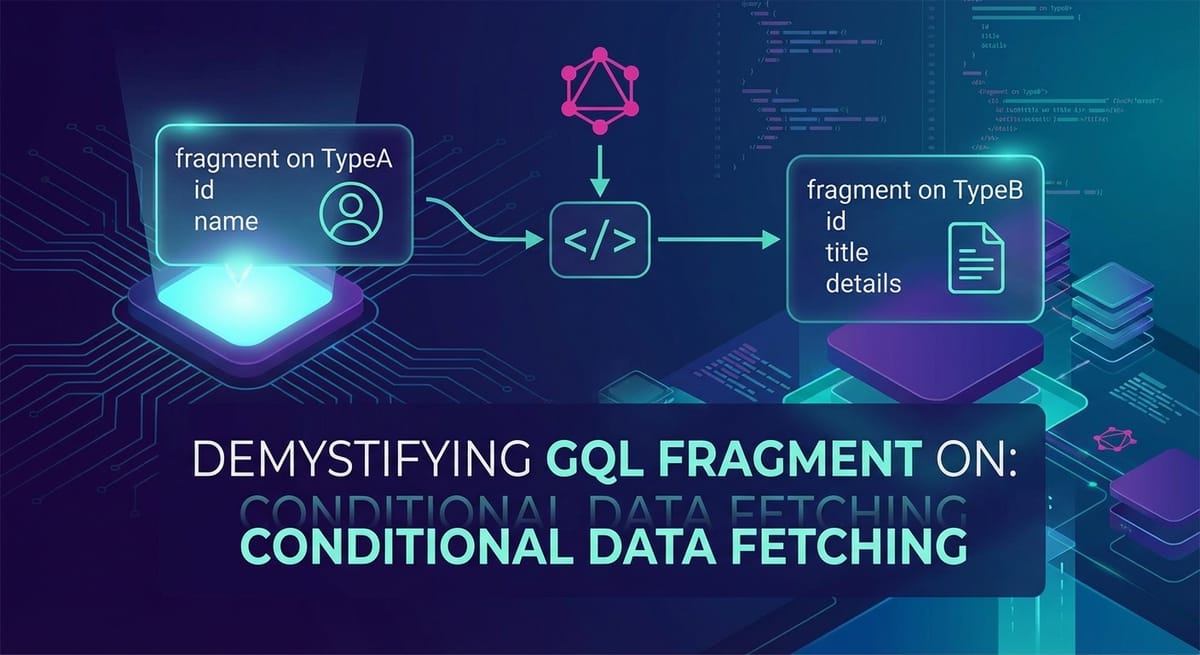
Demystifying `gql fragment on`: Conditional Data Fetching


In the rapidly evolving landscape of web development, the demand for dynamic, responsive, and efficient data fetching mechanisms has never been higher. Modern applications, particularly those with rich user interfaces, often grapple with the challenge of retrieving diverse data structures based on varying conditions, user interactions, or even the intrinsic nature of the data itself. Traditional RESTful APIs, while foundational, can sometimes lead to issues like over-fetching or under-fetching, necessitating multiple round trips or complex client-side logic to piece together disparate data. This is where GraphQL emerges as a paradigm-shifting solution, offering a powerful and flexible approach to data retrieval, allowing clients to specify precisely what data they need, no more, no less.
However, even within GraphQL's expressive query language, scenarios arise where the structure of the data requested is not static but rather contingent on the type of object being returned. Imagine a social media feed displaying various types of content: a text post, an image gallery, a video, or an article link. Each of these content types possesses unique fields and attributes. A simple, uniform query would either fail to retrieve all necessary information for each type or force the client to request fields that are null for certain types, leading to unnecessary data transfer and processing. This complex interplay of polymorphic data types introduces a critical need for conditional data fetching, a challenge elegantly addressed by GraphQL's fragment on construct. This article embarks on a comprehensive journey to demystify gql fragment on, exploring its fundamental principles, demonstrating its practical applications, delving into advanced use cases, and highlighting how it revolutionizes the way developers approach conditional data fetching, ultimately leading to more robust, efficient, and maintainable applications. We will uncover how this seemingly subtle feature profoundly impacts API interaction, development workflows, and the overall performance of GraphQL-powered systems, all while considering the critical role of the API gateway in managing these sophisticated interactions.
Understanding GraphQL Fragments: Building Blocks of Efficient Queries
Before diving into the specifics of fragment on, it's imperative to establish a solid understanding of what GraphQL fragments are and why they are such a pivotal feature in the GraphQL ecosystem. At its core, a GraphQL fragment is a reusable unit of a GraphQL query. It allows you to define a set of fields that you can then include in multiple queries or other fragments, promoting code reuse, improving readability, and enhancing the modularity of your GraphQL operations. Think of fragments as subrouties or functions for your data selection logic, enabling you to encapsulate common data patterns.
The primary motivation behind using fragments stems from the DRY (Don't Repeat Yourself) principle. In larger applications, you often find yourself querying the same set of fields for a particular object type across different parts of your application. For instance, if you have a User type, you might always want to fetch id, name, and profilePictureUrl whenever you display user information, whether it's in a comment section, a profile page, or a user list. Without fragments, you would have to meticulously type out these three fields every single time you query a User object. This not only makes your queries verbose but also introduces a significant maintenance burden. If you decide to add a status field to your standard user display, you'd have to update every single query where User fields are fetched. Fragments elegantly solve this problem by allowing you to define a UserFields fragment once and then spread it into any query that needs those fields. This centralization dramatically simplifies updates and ensures consistency across your application's data requirements, making your GraphQL API interactions much cleaner and more manageable.
Basic Fragment Syntax and Usage
The syntax for defining a fragment is straightforward. You declare it using the fragment keyword, followed by a name for the fragment, and then on the specific GraphQL type it applies to. Inside the curly braces, you list the fields you want to include.
fragment UserFields on User {
  id
  name
  email
  profilePictureUrl
}

query GetUserProfile {
  user(id: "123") {
    ...UserFields
    bio
  }
}

query GetTeamMembers {
  team(id: "abc") {
    members {
      ...UserFields
      role
    }
  }
}
In this example, UserFields is defined once. Then, in GetUserProfile and GetTeamMembers queries, ...UserFields is used to spread all the fields defined in the fragment into the respective User objects. This makes the queries more concise and highlights the specific additional fields required for each context. Moreover, fragments can also contain nested fields and even other fragments, allowing for complex, hierarchical data structures to be composed from smaller, reusable parts. This layering capability makes fragments incredibly powerful for building scalable and maintainable GraphQL queries in complex applications, streamlining the interaction with your GraphQL API.
Inline Fragments: A Close Relative
While traditional fragments are defined separately and then referenced, GraphQL also offers "inline fragments." Inline fragments serve a similar purpose but are defined directly within the selection set of a query or another fragment. They are primarily used when you want to specify a selection of fields that are only applicable to a specific type within a polymorphic field (like an interface or a union), without needing to define a named, reusable fragment.
query GetSearchResults {
  search(query: "GraphQL") {
    __typename
    ... on Book {
      title
      author
      isbn
    }
    ... on Article {
      headline
      publisher
      publicationDate
    }
  }
}
In this example, the search field could return different types of results, such as Book or Article. The inline fragments ... on Book and ... on Article allow us to specify fields that are unique to each type directly within the search query. This is a crucial precursor to understanding gql fragment on because it demonstrates the concept of selecting fields conditionally based on the runtime type of an object. While inline fragments are convenient for one-off conditional selections, named fragments (including those with on TypeName) offer superior reusability and organization for more complex or frequently occurring polymorphic data requirements. The distinction lies in their reusability and how they contribute to the overall modularity and clarity of your GraphQL queries, ultimately impacting how efficiently your API is consumed.
The Core Concept: gql fragment on for Type Conditions
The true power and sophistication of GraphQL fragments come to the forefront when dealing with polymorphic data structures. Modern applications frequently encounter scenarios where a field can return different types of objects, each with its own unique set of attributes. This is common with GraphQL Interface and Union types. For instance, consider a feed on a social media platform that can display TextPost, ImagePost, VideoPost, or PollPost objects. While all these might share common fields like id, timestamp, and author, each also possesses distinct fields. A TextPost has content, an ImagePost has imageUrl and caption, a VideoPost has videoUrl and duration, and a PollPost has question and options. The challenge is to construct a single, efficient GraphQL query that can fetch the correct, type-specific fields for whatever object happens to appear in the feed, without over-fetching or requiring multiple separate requests to the API.
This is precisely the problem that gql fragment on (often simply referred to as "type conditions" on fragments) is designed to solve. It allows you to define a fragment that applies only when the object it's being spread into is of a specific type (or a type that implements a specific interface). By leveraging this mechanism, clients can request all necessary fields for all possible types that a polymorphic field might return, letting the GraphQL server intelligently provide only the relevant data based on the actual type of each object in the response. This capability is fundamental to building resilient and efficient GraphQL clients that can handle diverse data structures returned by the API.
Detailed Explanation of on TypeName Syntax
The on TypeName part of a fragment definition specifies the type condition under which that fragment's fields are valid and should be selected. When you define fragment MyFragment on MyType { ... }, you are stating that MyFragment can only be spread into objects that are of type MyType or objects that implement MyType if MyType is an interface.
Let's revisit our social media feed example with a GraphQL schema:
interface FeedItem {
  id: ID!
  timestamp: String!
  author: User!
}

type TextPost implements FeedItem {
  id: ID!
  timestamp: String!
  author: User!
  content: String!
}

type ImagePost implements FeedItem {
  id: ID!
  timestamp: String!
  author: User!
  imageUrl: String!
  caption: String
}

type VideoPost implements FeedItem {
  id: ID!
  timestamp: String!
  author: User!
  videoUrl: String!
  duration: Int!
}

type Query {
  feed: [FeedItem!]!
}
Here, FeedItem is an interface. TextPost, ImagePost, and VideoPost are concrete types that implement this interface. Now, if we want to query the feed, we need to fetch common fields for all FeedItems, plus specific fields for each type. This is where fragment on shines:
fragment CommonFeedItemFields on FeedItem {
  id
  timestamp
  author {
    id
    name
  }
}

fragment TextPostDetails on TextPost {
  content
}

fragment ImagePostDetails on ImagePost {
  imageUrl
  caption
}

fragment VideoPostDetails on VideoPost {
  videoUrl
  duration
}

query GetHomeFeed {
  feed {
    __typename # Crucial for client-side type identification
    ...CommonFeedItemFields
    ...TextPostDetails
    ...ImagePostDetails
    ...VideoPostDetails
  }
}
In GetHomeFeed, each item in the feed array will first select the __typename (which tells the client what concrete type the object is at runtime) and the CommonFeedItemFields. Then, for each item, depending on its __typename, the GraphQL server will include the fields specified in TextPostDetails, ImagePostDetails, or VideoPostDetails fragments. If an item is a TextPost, it will receive content. If it's an ImagePost, it will receive imageUrl and caption, and so on. Fields from fragments that do not match the object's runtime type will simply not be included in the response. This mechanism ensures that the client receives only the data relevant to the specific type of object, dramatically reducing unnecessary data transfer and simplifying client-side rendering logic. This highly efficient approach is a cornerstone of modern API design with GraphQL.
Real-World Scenarios for Conditional Data Fetching
The applications of gql fragment on are vast and impactful across various domains of application development, moving beyond simple feed examples to complex data interactions.
- Searching for Different Types of Results: A universal search bar might return results that could be
User,Product,Service, orDocument. Each of these types has a unique set of fields that would be relevant for display in a search results list.fragment onallows a single search query to intelligently fetchprofilePicture,biofor aUser;price,thumbnail,categoryfor aProduct;description,contactfor aService; andtitle,snippet,lastModifiedfor aDocument. The client can then render appropriate components based on the__typenameand the available fields, significantly streamlining the search API interaction. - Displaying Various Content Blocks on a Page: Consider a flexible content management system (CMS) where pages are composed of different "blocks" or "components." A page might have a
HeroSection, aTextBlock, anImageGallery, aCallToAction, or aTestimonialSection. Each of these blocks, while part of aPageContentinterface, would require entirely different data.fragment onenables a single GraphQL query for a page to retrieve all necessary fields for each block type. The frontend then dynamically renders the correct component using the__typenameto match the data with the corresponding React, Vue, or Angular component. This pattern is foundational for building highly modular and configurable UIs, backed by a flexible API. - Handling Different Event Types in a Feed/Timeline: In an activity feed for a project management tool, events could be
TaskCreatedEvent,CommentAddedEvent,FileUploadedEvent, orMemberJoinedEvent. While all events share common data likeactorandtimestamp, they each have distinct contextual details. ATaskCreatedEventmight needtaskNameandassignee, aCommentAddedEventneedscommentText, and aFileUploadedEventneedsfileNameandfileSize.fragment onallows you to fetch all these specific details within one query for the activity feed, empowering the client to display rich, type-specific event cards without making multiple waterfall API calls.
Deep Dive into Union Types vs. Interface Types
Understanding the distinction between GraphQL Union types and Interface types is crucial for effectively leveraging fragment on. Both enable polymorphism, but they do so in slightly different ways, impacting how you design your schema and write your fragments.
- Interface Types: An interface in GraphQL defines a set of fields that any type implementing that interface must include. It's a contract. For example, the
FeedIteminterface ensures that any type implementing it (likeTextPost,ImagePost) will at least haveid,timestamp, andauthor. When you usefragment on InterfaceType, you are asserting that the object being queried implements that interface. The fields defined directly under the interface (e.g.,...on FeedItem { id, timestamp }) are always available, regardless of the concrete type, because they are part of the contract. The more specific...on ConcreteType { ... }fragments then fetch additional fields unique to the concrete type. Interfaces are excellent for shared behavior and fields across related types. - Union Types: A union type in GraphQL is similar to a C++ union or a discriminated union in other languages. It declares that a field can return one of several distinct types, but these types do not necessarily share any common fields or implement any common interface. For example, a
SearchResultunion might beUser | Product | Article.UserandProducthave no inherent common fields besides perhaps anid(which is common across many types anyway). When querying a union type, you must use type-specific fragments (or inline fragments) because there are no guaranteed common fields.```graphql union SearchResult = User | Product | Articletype Query { search(query: String!): [SearchResult!]! }query GlobalSearch { search(query: "laptop") { __typename ... on User { id name profilePictureUrl } ... on Product { id name price imageUrl } ... on Article { id title author publishedAt } } } ```
In this GlobalSearch query, because SearchResult is a union, there are no common fields to query directly on SearchResult. You must immediately use ... on User, ... on Product, etc., to specify what fields to fetch for each possible type. The __typename field remains indispensable for client-side type discrimination.
The choice between unions and interfaces depends on whether the polymorphic types share a common set of fields and behaviors. Interfaces enforce a contract, making them suitable when types have common attributes. Unions are for when the types are fundamentally different but can appear in the same context. In both cases, fragment on provides the essential mechanism to conditionally fetch data, allowing for highly flexible and type-aware GraphQL queries that optimize your API interactions.
Advanced Use Cases and Best Practices for gql fragment on
While the basic application of gql fragment on for conditional data fetching is transformative, mastering its advanced capabilities and adopting best practices can unlock even greater efficiency and maintainability for complex applications. Moving beyond simple one-level type conditions, developers often encounter scenarios requiring nested polymorphic structures or sophisticated client-side management of fragments.
Nested Fragments with Type Conditions
The power of fragments is compounded by their ability to be nested. This also applies to fragments with type conditions. Consider a scenario where a MediaPost (an ImagePost or VideoPost) can have an Attachment, which itself could be either a Document or an AudioFile.
interface Post {
  id: ID!
  content: String
}

type ImagePost implements Post {
  id: ID!
  content: String
  imageUrl: String!
  attachment: Attachment
}

type VideoPost implements Post {
  id: ID!
  content: String
  videoUrl: String!
  attachment: Attachment
}

interface Attachment {
  id: ID!
  fileName: String!
}

type Document implements Attachment {
  id: ID!
  fileName: String!
  fileType: String!
  size: Int!
}

type AudioFile implements Attachment {
  id: ID!
  fileName: String!
  duration: Int!
  codec: String!
}

query GetComplexPosts {
  posts {
    __typename
    ... on ImagePost {
      imageUrl
      attachment {
        __typename
        ... on Document {
          fileType
          size
        }
        ... on AudioFile {
          duration
          codec
        }
      }
    }
    ... on VideoPost {
      videoUrl
      attachment {
        __typename
        ... on Document {
          fileType
          size
        }
        ... on AudioFile {
          duration
          codec
        }
      }
    }
  }
}
In this complex query, we are nesting fragment on conditions. For each Post that is an ImagePost or VideoPost, we conditionally fetch its specific media URL. Then, for its attachment field, which itself is polymorphic (an Attachment interface), we again use fragment on to fetch fields specific to Document or AudioFile. This demonstrates how fragment on can be applied recursively to handle deep, varied data structures within a single GraphQL API call, allowing for highly granular and efficient data selection.
Structuring Fragments for Large Applications
In large-scale applications, managing a multitude of fragments can become challenging. Adopting a structured approach is crucial for maintaining clarity and preventing naming collisions.
- Collocation with Components: A popular best practice, especially in React applications, is to collocate GraphQL fragments with the UI components that consume them. This means placing the fragment definition alongside the component definition in the same file. This pattern makes it immediately clear which data a component needs and ensures that when a component is refactored or moved, its data requirements (its fragment) move with it. For example, a
UserProfileCardcomponent would definefragment UserProfileCard_user on User { ... }. The naming conventionComponentName_typeNamehelps prevent collisions and indicates the fragment's intended use. This approach significantly improves the developer experience and the maintainability of GraphQL API integration. - Fragment Libraries/Global Fragments: For truly universal fragments (e.g.,
UserBasicInfothat includesid,name), it might make sense to define them in a central "fragment library" or a shared directory. These fragments are often used across many different parts of the application and represent common data entities. However, be cautious not to create too many "global" fragments, as they can become a dumping ground and lose their specific context. The balance lies in identifying truly universal data needs versus context-specific ones. - Using Query Directives with Fragments (Less Common for Type Conditions): While
fragment oninherently deals with type-based conditions, GraphQL also provides@include(if: Boolean)and@skip(if: Boolean)directives for more arbitrary conditional field inclusion. These directives can be applied to fields or fragments (includingfragment ondefinitions, although less frequently) to conditionally include or exclude parts of a query based on runtime variables. For example, if you wanted to fetch anattachmentonly if ashowAttachmentsvariable is true:graphql query GetPostsWithOptionalAttachment($showAttachments: Boolean!) { posts { __typename ... on ImagePost { imageUrl attachment @include(if: $showAttachments) { __typename ... on Document { fileType } } } } }Whilefragment onhandles polymorphism, directives handle boolean logic, offering another layer of flexibility in tailoring GraphQL API requests.
Performance Implications and Optimizing Queries
Using gql fragment on is generally beneficial for performance because it prevents over-fetching. By specifying fields only for the relevant types, you ensure that the server only sends the data that the client explicitly needs. However, there are nuances to consider:
- Complexity of the Query: A query with many nested
fragment ondefinitions, especially across numerous possible types, can still be complex for the GraphQL server to resolve. The server needs to iterate through each item, determine its concrete type, and then select the appropriate fields. While this is efficient on the network, the server-side computation can still be significant if resolvers for each type are inefficient. Monitoring server-side performance and resolver execution times is crucial for identifying bottlenecks. This is where a sophisticated API gateway with robust logging and monitoring capabilities becomes indispensable. - Network Latency vs. Server Computation: The primary gain from
fragment onis reducing data transfer size and the number of HTTP requests. For applications with high network latency or limited bandwidth, this is a huge win. The server does more work up front, but the client receives a single, optimally sized payload. The trade-off is often worthwhile, especially for mobile clients. - Client-Side Caching: GraphQL clients like Apollo Client and Relay are highly optimized for caching. Fragments play a key role here. When data is received, the client's cache normalizes it based on
idand__typename. Fragments help ensure that all necessary fields for a given entity type are fetched and cached together, making subsequent reads from the cache faster. However, if fragments are too granular or inconsistent, it can lead to cache misses or difficulties in updating cached data.
Considerations for Schema Design
Effective use of fragment on heavily relies on a well-designed GraphQL schema.
- Meaningful Interfaces and Unions: Design interfaces and unions that accurately reflect the polymorphic nature of your data. If types truly share common fields and behavior, use an interface. If they are conceptually grouped but distinct, use a union. A clear schema reduces ambiguity and makes writing fragments intuitive.
- Include
__typename: Always request__typenameon polymorphic fields. This field is automatically provided by GraphQL and is indispensable for client-side applications to correctly identify the type of object received and render the appropriate UI components. Without__typename, the client wouldn't know which type-specific fragment's data to expect, leading to potential rendering errors. - Consistency in Naming: Maintain consistent naming conventions for fields across types where it makes sense. For example, if multiple types have a "name," use
nameconsistently rather thanfullNamein one type andpersonNamein another. This simplifies fragments and improves overall schema readability, which directly impacts how easily developers can interact with your GraphQL API.
By following these advanced practices, developers can harness the full potential of gql fragment on to build highly efficient, flexible, and maintainable GraphQL applications that are capable of managing complex data fetching requirements with elegance and precision.
APIPark is a high-performance AI gateway that allows you to securely access the most comprehensive LLM APIs globally on the APIPark platform, including OpenAI, Anthropic, Mistral, Llama2, Google Gemini, and more.Try APIPark now! 👇👇👇
Integration with API Management: The Role of the API Gateway
While GraphQL fragments provide powerful client-side flexibility and optimize data fetching at the query language level, the underlying API infrastructure still relies on robust API gateway solutions to manage, secure, and optimize these requests. A sophisticated gateway acts as the front door to your backend services, intercepting all client API calls, including complex GraphQL queries that leverage fragments and type conditions. Without a resilient and intelligent API gateway, even the most meticulously crafted GraphQL queries can face performance bottlenecks, security vulnerabilities, or operational complexities.
Platforms like APIPark excel in this domain, providing an open-source AI gateway and API management platform that can handle the complexities of both traditional REST and modern GraphQL endpoints. APIPark is designed to help developers and enterprises manage, integrate, and deploy AI and REST services with ease, offering features that are directly relevant to the efficient operation of GraphQL-based systems. Whether it's unifying API formats, managing the entire lifecycle of APIs, or ensuring high performance, a sophisticated gateway is crucial for seamless operation, especially when dealing with the dynamic nature of GraphQL queries involving fragments and type conditions. The gateway layer becomes the critical enforcement point and observability hub for your entire API ecosystem.
Benefits of a Robust API Gateway for GraphQL
Integrating a powerful API gateway into your GraphQL architecture offers a multitude of benefits that extend beyond what GraphQL alone can provide, ensuring a comprehensive and secure API strategy.
- Authentication and Authorization at the Gateway Level: Even though GraphQL schemas define permissions at a granular field level, enforcing authentication and authorization at the API gateway provides an essential first line of defense. The gateway can validate tokens, enforce access policies, and even perform user authentication before the request ever reaches the GraphQL server. This offloads security concerns from the GraphQL service itself, making it more focused on data resolution logic. APIPark, for instance, supports independent API and access permissions for each tenant, ensuring that only authorized callers can invoke specific API services after an approval process, preventing unauthorized API calls and potential data breaches.
- Rate Limiting and Throttling: Complex GraphQL queries, especially those with deep nested fragments, can be resource-intensive for the backend. A gateway can effectively implement rate limiting and throttling policies to prevent abuse, protect backend services from overload, and ensure fair usage among consumers. This is vital for maintaining the stability and performance of your API, particularly in scenarios with high traffic or malicious attempts.
- Caching Strategies (with Nuance for GraphQL): While caching GraphQL queries with variables and fragments can be more intricate than caching static REST endpoints, an API gateway can still play a role. For read-heavy, less dynamic parts of your GraphQL API, the gateway can implement partial or full response caching. More advanced gateways might leverage GraphQL query introspection to understand the query and cache parts of it, or cache the results of frequently executed queries. APIPark's performance rivaling Nginx suggests it has the underlying capabilities to manage high-volume traffic and potentially support such caching mechanisms.
- Tracing and Monitoring of Complex GraphQL Requests: Understanding the performance and behavior of GraphQL queries, especially those leveraging intricate fragments, is crucial for debugging and optimization. An API gateway provides a central point for collecting detailed metrics, logs, and traces for every incoming request. This includes recording the full query, variables, and response times. APIPark offers detailed API call logging, recording every detail of each API call, allowing businesses to quickly trace and troubleshoot issues, ensuring system stability and data security. This granular visibility is invaluable for identifying slow resolvers, network issues, or client-side query inefficiencies that might arise even with well-designed fragments.
- Unified Logging and Analytics: Beyond individual request tracing, a gateway aggregates all API call data, providing a holistic view of API usage, performance trends, and error rates. APIPark provides powerful data analysis capabilities, analyzing historical call data to display long-term trends and performance changes. This helps businesses with preventive maintenance, capacity planning, and understanding how their APIs are being consumed, regardless of whether they are REST or GraphQL endpoints with complex fragment logic.
- Managing Multiple Backend Services (Microservices Architecture): In a microservices architecture, a single GraphQL API often acts as an aggregation layer (a "GraphQL federation" or "schema stitching" gateway) that queries multiple underlying services. An API gateway can sit in front of this GraphQL layer (or even incorporate it), providing routing, load balancing, and circuit breaking capabilities to ensure resilience and efficient distribution of requests across various backend microservices that contribute data to the GraphQL schema. This becomes paramount when fragments on different types are resolved by different backend services. APIPark, with its ability to integrate 100+ AI models and manage the entire lifecycle, implicitly supports such distributed architectures by providing a unified management plane.
The synergy between GraphQL's expressive query language and a powerful API gateway is undeniable. While GraphQL empowers clients to define their data needs with precision, the API gateway ensures that these requests are handled securely, efficiently, and observably at the infrastructure level. This combination allows organizations to build highly performant, scalable, and resilient API ecosystems capable of supporting the most demanding modern applications. The initial deployment of APIPark, quickly achievable in just 5 minutes with a single command line, demonstrates its commitment to ease of integration and immediate value for managing diverse API landscapes.
Practical Example: A Dynamic Notification System
To solidify our understanding, let's walk through a detailed practical example: a dynamic notification system where different types of notifications require different data to be displayed effectively.
Scenario Description
Imagine a notification feed where users receive various alerts: * New Message Notification: Indicates a new message from another user. * Friend Request Notification: Informs about a new friend request. * System Alert Notification: Broadcasts important system-wide messages.
Each notification type has common fields like id, timestamp, readStatus, and recipient. However, the specific details required for rendering each notification differ significantly.
GraphQL Schema Definition
First, let's define our GraphQL schema for this system. We'll use an interface to define common fields and then types to specify the unique fields for each notification.
# --- Schema Definition for Dynamic Notifications ---

# Interface for all notification types, defining common fields.
interface Notification {
  id: ID!
  timestamp: String! # ISO 8601 formatted datetime string
  readStatus: Boolean!
  recipient: User!
}

# Concrete type for a new message notification.
type NewMessageNotification implements Notification {
  id: ID!
  timestamp: String!
  readStatus: Boolean!
  recipient: User!
  sender: User!       # The user who sent the message
  messageSnippet: String! # A short snippet of the message content
}

# Concrete type for a friend request notification.
type FriendRequestNotification implements Notification {
  id: ID!
  timestamp: String!
  readStatus: Boolean!
  recipient: User!
  requester: User!    # The user who sent the friend request
  isPending: Boolean! # Indicates if the request is still pending
}

# Concrete type for a system alert notification.
type SystemAlertNotification implements Notification {
  id: ID!
  timestamp: String!
  readStatus: Boolean!
  recipient: User!
  severity: AlertSeverity! # e.g., INFO, WARNING, CRITICAL
  message: String!        # The full message of the system alert
}

# Enum for system alert severity.
enum AlertSeverity {
  INFO
  WARNING
  CRITICAL
}

# Basic User type, used across notifications.
type User {
  id: ID!
  name: String!
  avatarUrl: String
}

# The root Query type to fetch notifications.
type Query {
  notifications(userId: ID!, limit: Int = 10): [Notification!]!
}
This schema defines a Notification interface that all notification types implement, ensuring id, timestamp, readStatus, and recipient are always present. Then, NewMessageNotification, FriendRequestNotification, and SystemAlertNotification add their unique fields.
Constructing the GraphQL Query with gql fragment on
Now, let's write a single GraphQL query that can fetch a list of notifications for a user, intelligently retrieving the correct, type-specific fields for each.
# Fragments for common User fields, to be reused.
fragment UserBasicInfo on User {
  id
  name
  avatarUrl
}

# Fragment for fields common to ALL notification types.
fragment CommonNotificationFields on Notification {
  id
  timestamp
  readStatus
  recipient {
    ...UserBasicInfo # Include basic recipient info
  }
}

# Fragment for fields specific to NewMessageNotification.
fragment NewMessageNotificationDetails on NewMessageNotification {
  sender {
    ...UserBasicInfo # Include basic sender info
  }
  messageSnippet
}

# Fragment for fields specific to FriendRequestNotification.
fragment FriendRequestNotificationDetails on FriendRequestNotification {
  requester {
    ...UserBasicInfo # Include basic requester info
  }
  isPending
}

# Fragment for fields specific to SystemAlertNotification.
fragment SystemAlertNotificationDetails on SystemAlertNotification {
  severity
  message
}

# The main query to fetch a user's notifications.
query GetUserNotifications($userId: ID!) {
  notifications(userId: $userId) {
    __typename # Essential for client-side type identification
    ...CommonNotificationFields
    ...NewMessageNotificationDetails
    ...FriendRequestNotificationDetails
    ...SystemAlertNotificationDetails
  }
}
In this query: 1. We define UserBasicInfo for reusable user fields. 2. CommonNotificationFields captures fields available on the Notification interface, ensuring they're always fetched. 3. Then, we define type-specific fragments (NewMessageNotificationDetails, etc.) using on TypeName to list fields unique to each concrete notification type. 4. The GetUserNotifications query uses __typename (critical for client-side logic) and then spreads all these fragments into the notifications field.
The GraphQL server will process this query, determine the actual type of each notification object, and only include the fields from the relevant type-specific fragments in the response.
Expected Data Response Example
Let's assume a user with userId: "user123" has the following notifications: one new message, one friend request, and one system alert.
Query Variables:
{
  "userId": "user123"
}
Expected GraphQL Response:
{
  "data": {
    "notifications": [
      {
        "__typename": "NewMessageNotification",
        "id": "notif1",
        "timestamp": "2023-10-26T10:00:00Z",
        "readStatus": false,
        "recipient": {
          "id": "user123",
          "name": "Alice",
          "avatarUrl": "https://example.com/avatars/alice.jpg"
        },
        "sender": {
          "id": "user456",
          "name": "Bob",
          "avatarUrl": "https://example.com/avatars/bob.jpg"
        },
        "messageSnippet": "Hey, check out this new feature!"
      },
      {
        "__typename": "FriendRequestNotification",
        "id": "notif2",
        "timestamp": "2023-10-26T10:30:00Z",
        "readStatus": false,
        "recipient": {
          "id": "user123",
          "name": "Alice",
          "avatarUrl": "https://example.com/avatars/alice.jpg"
        },
        "requester": {
          "id": "user789",
          "name": "Charlie",
          "avatarUrl": "https://example.com/avatars/charlie.jpg"
        },
        "isPending": true
      },
      {
        "__typename": "SystemAlertNotification",
        "id": "notif3",
        "timestamp": "2023-10-26T11:00:00Z",
        "readStatus": true,
        "recipient": {
          "id": "user123",
          "name": "Alice",
          "avatarUrl": "https://example.com/avatars/alice.jpg"
        },
        "severity": "CRITICAL",
        "message": "Maintenance window scheduled for tonight at 2 AM UTC."
      }
    ]
  }
}
As you can observe from the response, the GraphQL server accurately determined the __typename for each notification object and only returned the fields specified in the relevant type-specific fragments. For example, NewMessageNotification objects receive sender and messageSnippet, but not requester or severity. This demonstrates the efficiency and precision of gql fragment on in action.
How a Frontend Component Might Consume This Data
On the client side (e.g., using React with Apollo Client), the data can be consumed and rendered dynamically:
import React from 'react';
import { useQuery, gql } from '@apollo/client';

// Define the GraphQL query using the fragments
const GET_USER_NOTIFICATIONS_QUERY = gql`
  fragment UserBasicInfo on User {
    id
    name
    avatarUrl
  }

  fragment CommonNotificationFields on Notification {
    id
    timestamp
    readStatus
    recipient {
      ...UserBasicInfo
    }
  }

  fragment NewMessageNotificationDetails on NewMessageNotification {
    sender {
      ...UserBasicInfo
    }
    messageSnippet
  }

  fragment FriendRequestNotificationDetails on FriendRequestNotification {
    requester {
      ...UserBasicInfo
    }
    isPending
  }

  fragment SystemAlertNotificationDetails on SystemAlertNotification {
    severity
    message
  }

  query GetUserNotifications($userId: ID!) {
    notifications(userId: $userId) {
      __typename
      ...CommonNotificationFields
      ...NewMessageNotificationDetails
      ...FriendRequestNotificationDetails
      ...SystemAlertNotificationDetails
    }
  }
`;

const NotificationCard = ({ notification }) => {
  const renderDetails = () => {
    switch (notification.__typename) {
      case 'NewMessageNotification':
        return (
          <>
            <p>From: {notification.sender.name}</p>
            <p className="message-snippet">{notification.messageSnippet}</p>
          </>
        );
      case 'FriendRequestNotification':
        return (
          <>
            <p>From: {notification.requester.name}</p>
            <p>{notification.isPending ? 'Request pending' : 'Request accepted'}</p>
          </>
        );
      case 'SystemAlertNotification':
        return (
          <>
            <p>Severity: <span className={`severity-${notification.severity.toLowerCase()}`}>{notification.severity}</span></p>
            <p>{notification.message}</p>
          </>
        );
      default:
        return <p>Unknown notification type.</p>;
    }
  };

  return (
    <div className={`notification-card ${notification.readStatus ? 'read' : 'unread'}`}>
      <h3>Notification ({notification.__typename.replace('Notification', '')})</h3>
      <p>ID: {notification.id}</p>
      <p>Timestamp: {new Date(notification.timestamp).toLocaleString()}</p>
      {renderDetails()}
    </div>
  );
};

const NotificationFeed = ({ userId }) => {
  const { loading, error, data } = useQuery(GET_USER_NOTIFICATIONS_QUERY, {
    variables: { userId },
  });

  if (loading) return <p>Loading notifications...</p>;
  if (error) return <p>Error: {error.message}</p>;

  return (
    <div className="notification-feed">
      <h2>Your Notifications</h2>
      {data.notifications.length === 0 ? (
        <p>No new notifications.</p>
      ) : (
        data.notifications.map((notif) => (
          <NotificationCard key={notif.id} notification={notif} />
        ))
      )}
    </div>
  );
};

export default NotificationFeed;
This frontend component demonstrates how the __typename field, explicitly requested in the GraphQL query, becomes the lynchpin for dynamic rendering. Based on notification.__typename, the NotificationCard component intelligently renders the appropriate UI elements and displays the correct type-specific data fetched via gql fragment on. This pattern of declarative data fetching combined with conditional rendering is a hallmark of modern GraphQL application development, resulting in highly flexible and efficient user interfaces that interact seamlessly with the underlying API.
Potential Pitfalls and How to Avoid Them
While gql fragment on is a powerful tool, like any advanced feature, it comes with potential pitfalls if not used judiciously. Awareness of these challenges and adopting preventative measures is key to building robust and scalable GraphQL applications.
Overly Complex Queries Leading to Performance Issues
The very flexibility offered by fragments and type conditions can, paradoxically, lead to overly complex queries. When developers define numerous nested fragments across many possible types, the resulting query can become very large. While the network efficiency is generally improved by avoiding multiple round trips, the server's task of resolving such a query can become computationally intensive. Each fragment, especially those on interfaces or unions, requires the GraphQL server to potentially check the type and then execute its corresponding resolvers. If the resolvers themselves are inefficient (e.g., performing N+1 queries to a database for each item), the overall server-side execution time can skyrocket.
How to avoid: * Monitor Server Performance: Implement robust tracing and logging on your GraphQL server (e.g., using Apollo Server's tracing or integrating with tools like Datadog, New Relic). This allows you to identify slow resolvers and bottlenecks in complex queries. An API gateway like APIPark, with its detailed API call logging and powerful data analysis, is critical for gaining this deep insight into query performance. * Optimize Resolvers: Ensure your resolvers are as efficient as possible. Use dataloader for batching and caching to mitigate N+1 problems. * Limit Query Depth: In some cases, you might need to enforce maximum query depth limits at the API gateway or GraphQL server level to prevent overly complex requests from consuming excessive resources, especially from public APIs. * Client-Side Review: Periodically review client-side queries to ensure they are not requesting unnecessary data, even if it's conditional.
Schema Evolution and Fragment Resilience
GraphQL schemas are living entities that evolve over time. Fields might be added, deprecated, or even removed. When a schema changes, fragments defined on the client side need to be resilient to these changes. If a fragment requests a field that is no longer part of the schema, it can lead to validation errors or runtime issues.
How to avoid: * Use Tools for Schema Validation: Integrate GraphQL schema validation into your CI/CD pipeline. Tools like graphql-codegen or eslint-plugin-graphql can validate client-side queries and fragments against your current schema, catching breaking changes early. * Deprecation Strategy: When removing fields, use GraphQL's @deprecated directive. This warns client developers about upcoming changes, allowing them to update their fragments proactively before the field is fully removed from the API. * Versioning (with caution): While GraphQL generally avoids explicit versioning, for truly breaking changes, you might need to deploy a new version of your GraphQL API or use feature flags to gradually roll out changes. A robust API gateway can help manage different versions of your API endpoints and route traffic accordingly.
Client-Side Complexity in Managing Many Fragments
As an application grows, the number of distinct fragments can become substantial. Managing these fragments, ensuring they are correctly imported, used, and kept up-to-date across a large codebase, can introduce client-side complexity. This is particularly true if fragments are scattered without a clear organizational strategy.
How to avoid: * Collocation with Components: As mentioned earlier, collocating fragments with the UI components that use them is a highly effective strategy for organization and discoverability. * Naming Conventions: Adhere to strict naming conventions (e.g., ComponentName_typeName_fragmentName) to make fragments easily identifiable and to prevent naming collisions in large projects. * Code Generation: Utilize GraphQL code generation tools (e.g., graphql-codegen) to automatically generate TypeScript or Flow types for your queries and fragments. This ensures type safety and can help manage fragment definitions by centralizing their generation from .graphql files, reducing manual errors and client-side boilerplate.
Fragment Collisions
While less common with well-named fragments, it is possible for two fragments with the same name but different field selections to exist in a codebase, leading to unexpected behavior or build errors if not properly managed by the client library or build system.
How to avoid: * Unique Naming: Enforce unique naming conventions for all fragments across your project. Code generation tools often enforce this by prefixing fragment names based on their file paths or component names. * Scoped Fragments: If you're using a system like Relay, fragments are naturally scoped to components, which largely mitigates collision issues. For Apollo, careful naming and organization are key.
By proactively addressing these potential pitfalls, developers can harness the immense power of gql fragment on to build highly efficient, flexible, and maintainable applications without succumbing to the complexities that can arise from advanced API features. The combination of well-structured queries, robust client-side practices, and a capable API gateway forms the foundation of a resilient GraphQL ecosystem.
Conclusion
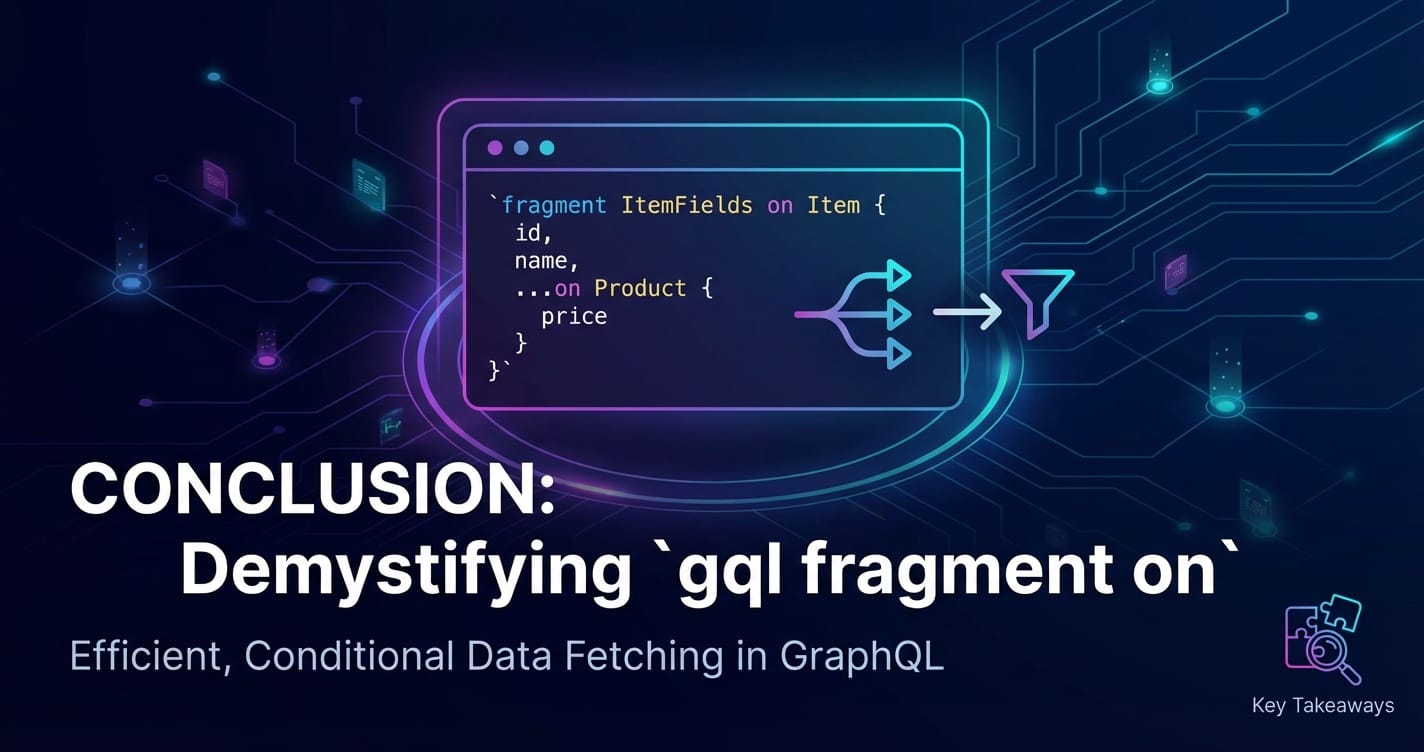
The journey through gql fragment on reveals it to be far more than just a syntax quirk; it is a cornerstone of building highly efficient, flexible, and maintainable GraphQL applications, particularly when navigating the complexities of polymorphic data. We've seen how this powerful feature elegantly solves the challenge of conditional data fetching, allowing clients to precisely declare their data requirements based on the runtime type of an object. This capability fundamentally transforms how developers design queries, moving away from rigid, one-size-fits-all data requests towards a declarative, type-aware approach.
From simple reusable field sets to intricate nested type conditions across Union and Interface types, fragment on empowers developers to construct lean, precise GraphQL queries. This not only significantly reduces network payloads by eliminating over-fetching but also simplifies client-side rendering logic, as components receive exactly the data they need, already shaped for their specific requirements. The meticulous crafting of fragments, guided by best practices such as collocation with components and robust naming conventions, is crucial for managing complexity in large-scale applications and ensuring the resilience of API interactions as schemas evolve.
Furthermore, we underscored the indispensable role of a robust API gateway in complementing GraphQL's advanced features. While gql fragment on optimizes client-server data exchange at the query language layer, solutions like APIPark provide the critical infrastructure for managing, securing, and observing these sophisticated API requests. An API gateway acts as the crucial control plane, enforcing security policies, managing traffic, providing deep insights into API performance through detailed logging and analytics, and ultimately ensuring the stability and scalability of your entire API ecosystem. Whether it's protecting against abuse, optimizing performance, or providing a unified management experience for diverse APIs, the synergy between advanced GraphQL features and a powerful API gateway is what truly defines a modern, resilient, and high-performing data architecture.
In essence, embracing gql fragment on is about embracing efficiency, modularity, and a more declarative way of thinking about data. It represents a significant leap forward in API design, enabling developers to build richer, more dynamic user experiences with greater ease and confidence. As the landscape of application development continues to evolve, the ability to fetch data conditionally and precisely will remain a key differentiator, and gql fragment on stands ready as the powerful tool to meet that demand.
Frequently Asked Questions (FAQs)
1. What is the primary purpose of gql fragment on?
The primary purpose of gql fragment on is to enable conditional data fetching based on the runtime type of an object in GraphQL. When a field in your GraphQL schema can return different types of objects (e.g., an interface or a union), gql fragment on allows you to specify which fields to fetch for each specific possible type. This prevents over-fetching (requesting fields that don't exist for a given type) and under-fetching (not getting enough information for a specific type), leading to more efficient API interactions and leaner network payloads.
2. What's the difference between a standard fragment and gql fragment on (a type-conditioned fragment)?
A standard fragment (e.g., fragment UserFields on User { id name }) defines a reusable set of fields for a specific GraphQL type. It can be spread into any selection set where that type is expected. A gql fragment on (or type-conditioned fragment, e.g., fragment MyDetails on MySpecificType { detailField }) is similar, but it's specifically designed to be used within a polymorphic field (one that returns an interface or a union type). It tells the GraphQL server to include its defined fields only if the object being resolved is of MySpecificType (or implements MySpecificType if it's an interface). This allows for dynamic field selection based on the object's actual type.
3. When should I use Union types versus Interface types in my GraphQL schema when planning for gql fragment on?
You should use an Interface type when the polymorphic types share a common set of fields and behaviors. For example, if TextPost, ImagePost, and VideoPost all have id, timestamp, and author, they should implement a Post or FeedItem interface. Fragments defined on the interface will always be included, and then gql fragment on concrete types can fetch additional specific fields. You should use a Union type when the polymorphic types are distinct and do not necessarily share any common fields. For example, a SearchResult union might return User, Product, or Article, which are fundamentally different entities. With unions, you must use gql fragment on for each possible member type, as there are no guaranteed common fields to query directly on the union.
4. How does __typename relate to gql fragment on?
The __typename field is a meta-field automatically provided by GraphQL that returns the name of the object's concrete type at runtime (e.g., "NewMessageNotification", "User", "Product"). When you use gql fragment on for conditional data fetching, the __typename field is absolutely crucial for the client-side application. The client uses __typename to determine which specific type of object it has received in the response. This allows the client to correctly interpret the type-specific fields that were fetched by gql fragment on and render the appropriate UI component or apply the correct business logic. It's highly recommended to always include __typename when querying polymorphic fields with gql fragment on.
5. How does an API Gateway like APIPark enhance the usage of GraphQL with fragments?
An API gateway like APIPark plays a crucial role in managing GraphQL interactions, even with efficient fragment usage. While gql fragment on optimizes the query language, the API gateway provides the infrastructure layer for security, performance, and observability. It can enforce authentication and authorization, apply rate limiting to prevent abuse from complex fragment-heavy queries, and offer detailed logging and analytics for every GraphQL API call, helping to monitor performance and troubleshoot issues. Moreover, an API gateway can help manage traffic, load balance requests across various backend services (especially relevant in microservices architectures where different fragments might resolve to different services), and ensure overall API stability and scalability. APIPark, as an open-source AI gateway and API management platform, provides these critical capabilities, unifying the management of both traditional REST and modern GraphQL endpoints.
🚀You can securely and efficiently call the OpenAI API on APIPark in just two steps:
Step 1: Deploy the APIPark AI gateway in 5 minutes.
APIPark is developed based on Golang, offering strong product performance and low development and maintenance costs. You can deploy APIPark with a single command line.
curl -sSO https://download.apipark.com/install/quick-start.sh; bash quick-start.sh

In my experience, you can see the successful deployment interface within 5 to 10 minutes. Then, you can log in to APIPark using your account.

Step 2: Call the OpenAI API.