Developing Kubernetes Controllers to Watch for CRD Changes
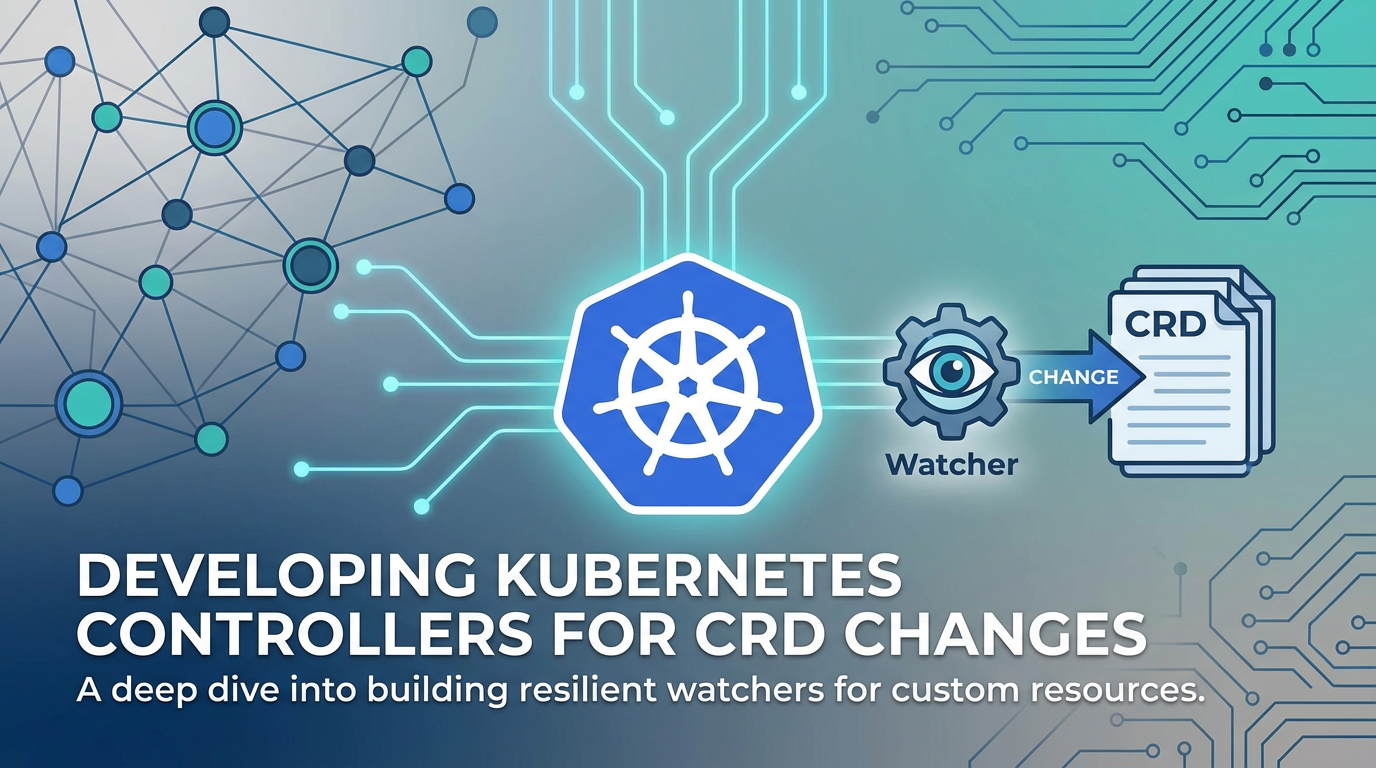


Kubernetes, at its core, is an orchestrator of containers, but its true power lies in its extensibility. It provides a robust, declarative platform that allows users to define not only what resources should exist but also how those resources should behave and interact within a distributed system. This extensibility is largely facilitated by Custom Resource Definitions (CRDs) and the accompanying Kubernetes Controllers. For developers and system architects venturing beyond the standard set of Kubernetes objects, mastering the art of developing custom controllers to watch for changes in CRDs is a fundamental skill. It’s the gateway to tailoring Kubernetes to specific domain needs, integrating complex applications, and automating operational tasks that are unique to an organization's ecosystem.
The journey into custom Kubernetes controllers is one of deep understanding of the Kubernetes api server, its event model, and the reconciliation loop pattern. It involves crafting Go-based applications that extend the Kubernetes control plane, effectively turning Kubernetes into an application-specific operating system. This extensive guide will delve into the intricacies of designing, implementing, and deploying Kubernetes controllers, focusing specifically on their ability to monitor and react to modifications in custom resources defined by CRDs. We will explore the architectural patterns, development frameworks, and best practices that ensure robust, scalable, and maintainable custom controllers.
The Foundation of Extensibility: Custom Resources and the Kubernetes API
Kubernetes operates on a principle of declarative configuration. Users declare their desired state, and Kubernetes works tirelessly to achieve and maintain that state. This paradigm is powerfully extended through Custom Resources (CRs) and Custom Resource Definitions (CRDs).
Understanding Custom Resources (CRs) and Custom Resource Definitions (CRDs)
Before diving into controllers, it's crucial to grasp what CRDs and CRs represent. A Custom Resource Definition (CRD) is a powerful mechanism that allows you to define new, unique types of resources within your Kubernetes cluster. Think of it as schema definition for your own custom objects. Just as Kubernetes natively understands Deployment, Pod, Service, or ConfigMap, once you define a CRD, your cluster will begin to understand your custom resource type. These custom types are then referred to as Custom Resources (CRs). A CR is an actual instance of a custom type defined by a CRD, much like a Deployment is an instance of the Deployment resource type.
For example, if you're building an api management system on Kubernetes, you might define a CRD called APIGatewayRule. An instance of APIGatewayRule would then be a CR. This CR would specify configuration details for a particular api gateway rule, such as the path to match, the backend service to route to, and authentication requirements. This allows developers to interact with these domain-specific configurations using standard Kubernetes tools like kubectl, applying, updating, and deleting them just like any other Kubernetes object.
The beauty of CRDs lies in their ability to seamlessly integrate custom objects into the existing Kubernetes ecosystem. They are stored in etcd, the same consistent and highly available key-value store that backs all other Kubernetes objects, and they are exposed through the standard Kubernetes api server. This means that once a CRD is registered, the Kubernetes api server will serve and validate instances of your custom resource, making them first-class citizens of the cluster.
The Central Role of the Kubernetes API Server
The Kubernetes api server is the heart of the Kubernetes control plane. It exposes the Kubernetes api, which is a RESTful interface through which all communication with the cluster takes place. Whether you're using kubectl, a client library like client-go, or another component of the control plane, all interactions go through the api server. This server is not just a passive repository of data; it's an active component responsible for:
- Serving the API: Providing the RESTful endpoints for all Kubernetes objects, including CRs.
- Authentication and Authorization: Ensuring that only authorized users and service accounts can access and modify resources.
- Admission Control: Intercepting requests to the api server before persistence to
etcdto perform validation or mutation, allowing for powerful policy enforcement and defaults. - Validation: Ensuring that resource definitions conform to their schemas, a critical function for CRDs which rely on OpenAPI v3 schema for robust validation.
- Persisting State: Storing the desired state of all objects in
etcd. - Event Generation: Emitting events whenever a resource changes (created, updated, deleted), which is fundamental for controllers to react to.
For custom controllers, the api server acts as the primary gateway to the cluster's state. Controllers don't directly access etcd; instead, they communicate exclusively with the api server, leveraging its robust mechanisms for data access, consistency, and security. This abstraction simplifies controller development and ensures they operate within the secure and well-defined boundaries of the Kubernetes ecosystem.
The comprehensive description of the Kubernetes API is provided via the OpenAPI specification (formerly Swagger). This machine-readable specification allows client libraries in various languages to be automatically generated, simplifying the process of interacting with the Kubernetes api. It also enables robust validation and documentation, ensuring that custom resources, once defined by a CRD, adhere to a clear and consistent contract. This adherence to OpenAPI standards is critical for the interoperability and maintainability of custom resources within the broader Kubernetes ecosystem.
The Incessant Watcher: Understanding Kubernetes Controllers
At the core of Kubernetes' automation capabilities are its controllers. These are control loops that continuously observe the actual state of the cluster through the Kubernetes api and attempt to move it towards the desired state, as specified by the user.
Defining a Kubernetes Controller: The Reconciliation Loop
A Kubernetes controller is essentially a program that tracks at least one Kubernetes resource type. Its primary function is to implement a reconciliation loop (also known as a control loop or an operator pattern). This loop performs the following sequence of actions:
- Observe the Current State: The controller continuously monitors the cluster for changes to specific resource types (e.g., Pods, Deployments, or, in our case, Custom Resources). It does this by watching the Kubernetes api server for events (creation, update, deletion).
- Determine the Desired State: The desired state is defined by the resource specifications (e.g., a Deployment's replica count, a CR's configuration parameters).
- Compare and Reconcile: The controller compares the observed current state with the declared desired state. If there's a discrepancy, it takes action to bridge the gap.
- Act to Achieve Desired State: This action could involve creating new resources (e.g., a controller creating Pods for a Deployment), updating existing ones, deleting unnecessary ones, or interacting with external systems.
- Update Status: After performing its actions, the controller often updates the
statusfield of the watched resource to reflect the current operational state, providing feedback to the user and other controllers.
This loop runs indefinitely. If the cluster drifts from its desired state due to failures, scaling events, or manual intervention, the controller will detect the deviation and work to correct it. This self-healing and self-managing capability is what makes Kubernetes so powerful and resilient.
Standard Kubernetes Controllers
Many built-in Kubernetes features are implemented as controllers:
- Deployment Controller: Watches
Deploymentobjects and creates/updates/deletesReplicaSetsandPodsto match the desired state (e.g., rolling updates, scaling). - Service Controller: Watches
Serviceobjects and createsEndpointsto reflect the backend Pods that match the service selector. - Node Controller: Watches
Nodeobjects to ensure nodes are healthy and takes action if they become unavailable. - Job Controller: Watches
Jobobjects and createsPodsto run tasks to completion.
These examples illustrate the ubiquitous nature of the controller pattern within Kubernetes. Each controller specializes in managing a specific set of resources, ensuring the cluster operates as intended.
Why Develop Custom Controllers? Extending Kubernetes' Domain Expertise
While the built-in controllers cover a broad range of general-purpose orchestration tasks, real-world applications often have unique operational requirements that go beyond these standard capabilities. This is precisely where custom controllers, paired with CRDs, shine.
Addressing Unique Application Needs
Consider a complex microservices application that relies on a specific type of database, a custom caching layer, or integration with external cloud services. While you can deploy these components using standard Deployments and Services, managing their lifecycle, scaling, backups, and disaster recovery often requires custom logic that Kubernetes doesn't natively understand.
For instance, an application might need a "Database" resource that, when created, automatically provisions a database instance in an external cloud provider, sets up users, creates schemas, and injects connection secrets into consuming applications. A custom controller can watch for Database CRs and orchestrate all these complex, multi-step processes.
Automating Domain-Specific Operations
Custom controllers allow you to encode operational knowledge directly into the Kubernetes control plane. Instead of writing custom scripts or relying on manual interventions, you define your operational logic within a controller. This transforms implicit knowledge (how to operate X) into explicit, automated behavior within Kubernetes.
Examples include:
- Operator for a specific database (e.g., Postgres Operator): Watches
PostgresCRs and manages the entire lifecycle of a PostgreSQL cluster, including provisioning, scaling, backups, failovers, and upgrades. - Traffic Management Controller: Watches
IngressRoute(a custom resource from a tool like Traefik or Contour) and configures api gateway routing rules based on these CRs. - Machine Learning Model Deployment: A controller could watch
MLModelCRs, automatically provision GPU resources, deploy inference servers, and integrate them into a serving gateway. - Backup and Restore Automation: A controller that watches
BackupScheduleCRs and periodically triggers backup operations for specific application data.
By developing custom controllers, you empower your developers and operations teams to interact with complex systems using a simple, declarative Kubernetes api. This significantly reduces operational burden, increases reliability, and standardizes deployment and management practices across your organization. It truly extends Kubernetes' control plane, making it an expert in your specific domain.
Interacting with the Kubernetes API: The Controller's Lifeline
For a custom controller to effectively monitor and react to CRD changes, it must have a robust and efficient way to interact with the Kubernetes api server. This interaction is primarily managed through client libraries and specific patterns for watching resources.
The client-go Library: Your Gateway to Kubernetes
The most common client library for Go-based Kubernetes controllers is client-go. This library provides idiomatic Go interfaces for interacting with the Kubernetes api. It handles the complexities of:
- API Requests: Constructing and sending HTTP requests to the Kubernetes api server.
- Authentication: Using
kubeconfigfiles, service accounts, or other authentication mechanisms to secure communication. - Serialization/Deserialization: Converting Go structs to and from JSON/YAML for api objects.
- Error Handling: Providing structured errors for various api responses.
While you could theoretically make raw HTTP calls to the api server, client-go dramatically simplifies the development process by abstracting away these low-level details. It provides high-level clients for each api group (e.g., core/v1, apps/v1, your custom api group mygroup.example.com/v1).
Informers, Listers, and Event Handlers: The Watch Mechanism
Directly polling the Kubernetes api server for changes to resources is inefficient and can overload the server, especially in large clusters. To address this, client-go provides a sophisticated mechanism based on Informers, Listers, and Event Handlers. This pattern is crucial for building performant and scalable controllers.
- SharedInformerFactory: This is the entry point for creating informers. It manages a cache for all watched resources and ensures that multiple controllers or components within a single process can share the same informer, reducing redundant api calls and memory consumption.
- Informers (
Informer<T>):- An informer is responsible for maintaining an up-to-date, local, in-memory cache of objects of a specific type (e.g.,
Deployment,Pod, or your customAPIGatewayRuleCRs). - It achieves this by first performing a full
Listoperation on the api server to populate its cache. - After the initial
List, it establishes aWatchconnection to the api server. The api server pushesADD,UPDATE, andDELETEevents to the informer whenever a change occurs for the watched resource type. - Upon receiving an event, the informer updates its local cache and then queues the object for processing by registered event handlers.
- This design pattern is incredibly efficient. Instead of controllers making individual api calls, they query a local cache, which is kept consistent by the informer's single api
ListandWatchstream.
- An informer is responsible for maintaining an up-to-date, local, in-memory cache of objects of a specific type (e.g.,
- Listers (
Lister<T>):- A lister is an interface that allows your controller to query the informer's local cache.
- Since the cache is local and in-memory,
ListandGetoperations via a lister are extremely fast and do not hit the Kubernetes api server. - Controllers use listers to retrieve the desired state from their watched CRs and to query the current state of other Kubernetes resources they manage (e.g., a custom controller managing
Deploymentobjects would use aDeploymentLister).
- Event Handlers (
ResourceEventHandler):- Event handlers are callback functions that your controller registers with an informer.
- They are invoked by the informer when it detects a change:
OnAdd(obj interface{}): Called when a new object is added to the cluster.OnUpdate(oldObj, newObj interface{}): Called when an existing object is modified.OnDelete(obj interface{}): Called when an object is deleted.
- Within these handlers, the controller typically queues the key (namespace/name) of the changed object into a work queue. This decouples event processing from the reconciliation logic, allowing for concurrent processing and graceful error handling.
This informer-lister-handler pattern forms the backbone of almost all production-grade Kubernetes controllers. It ensures that controllers are responsive to changes, efficient in their api interactions, and resilient to transient network issues between the controller and the Kubernetes api server. The Kubernetes api server itself can be seen as the ultimate gateway for all these events, channeling them efficiently to the interested controllers.
Anatomy of a Custom Resource Definition (CRD): Defining Your Domain
A robust custom controller begins with a well-defined Custom Resource Definition. The CRD is the blueprint for your custom objects, establishing their structure, validation rules, and how they integrate into the Kubernetes system.
Structure of a CRD YAML
A CRD is a Kubernetes api object itself, defined in YAML (or JSON). Here's a typical structure:
apiVersion: apiextensions.k8s.io/v1
kind: CustomResourceDefinition
metadata:
  name: apigatewayrules.apipark.com # format: <plural>.<group>
spec:
  group: apipark.com # Your API group
  versions:
    - name: v1 # Your API version
      served: true
      storage: true
      schema:
        openAPIV3Schema: # Defines the schema for your custom resource's spec
          type: object
          properties:
            apiVersion:
              type: string
            kind:
              type: string
            metadata:
              type: object
            spec:
              type: object
              x-kubernetes-preserve-unknown-fields: true # Allows unknown fields if strict validation is not needed
              properties:
                host:
                  type: string
                  description: The hostname for the API gateway rule.
                path:
                  type: string
                  description: The path prefix to match for routing.
                serviceName:
                  type: string
                  description: The name of the backend Kubernetes Service.
                servicePort:
                  type: integer
                  description: The port of the backend Service.
                authRequired:
                  type: boolean
                  default: false
                  description: Whether authentication is required for this rule.
            status:
              type: object
              x-kubernetes-preserve-unknown-fields: true # For controller-managed status
              properties:
                phase:
                  type: string
                  enum: ["Pending", "Ready", "Error"]
                  description: The current phase of the API Gateway Rule.
                message:
                  type: string
                  description: A human-readable message about the current state.
      subresources: # Optional: Enable /status and /scale subresources
        status: {}
  scope: Namespaced # Or "Cluster" if the resource is cluster-wide
  names:
    plural: apigatewayrules
    singular: apigatewayrule
    kind: APIGatewayRule
    shortNames:
      - agr
Let's break down the key fields:
apiVersionandkind: Standard Kubernetes metadata, indicating this is aCustomResourceDefinitionofapiextensions.k8s.io/v1API version.metadata.name: The full name of the CRD, which must be in the format<plural>.<group>. This is how Kubernetes identifies your CRD.spec.group: The API group for your custom resources (e.g.,apipark.com). This groups related CRDs and helps avoid naming collisions.spec.versions: A list of versions for your custom resource. Each version can have its own schema.name: The version name (e.g.,v1alpha1,v1).served:trueif this version should be exposed via the Kubernetes api server.storage:truefor exactly one version, indicating which version should be used for storing the resource inetcd.schema.openAPIV3Schema: This is arguably the most critical part. It defines the structure and validation rules for your custom resource'sspecandstatusfields using the OpenAPI v3 schema format. This ensures that anyAPIGatewayRuleCR submitted to the api server adheres to the specified structure. It allows for detailed validation, type checking, and default value assignment, preventing malformed custom resources from entering the system.x-kubernetes-preserve-unknown-fields: A useful field that allows the api server to store unknown fields. This is often used forspecandstatusto provide flexibility, though for strict validation, it can be omitted.
spec.subresources: Allows enabling/statusand/scalesubresources. The/statussubresource is highly recommended for controllers, as it allows updates to thestatusfield without requiring a full object update, preventing race conditions.spec.scope: Defines whether the custom resource isNamespaced(like Pods) orCluster(like Nodes).spec.names: Defines various forms of the resource name forkubectland api interaction:plural: The plural form (e.g.,apigatewayrules).singular: The singular form (e.g.,apigatewayrule).kind: The PascalCased kind (e.g.,APIGatewayRule), used inapiVersion+kindcombinations.shortNames: Optional, shorter aliases forkubectlcommands (e.g.,agr).
By carefully crafting your CRD's schema with openAPIV3Schema, you establish a strong contract for your custom resources. This contract, described by OpenAPI, is then used by the Kubernetes api server for validation, ensuring data integrity and predictability for your custom controller.
Designing Your Custom Controller: The Brains of the Operation
Once your CRD is defined, the next step is to design the custom controller that will bring it to life. This involves thinking about the core logic, state management, and how to handle various operational scenarios.
The Reconciliation Loop: Your Controller's Core Logic
As discussed, the reconciliation loop is the heart of a controller. When an event (add, update, delete) for your custom resource (e.g., APIGatewayRule) is picked up by the informer and pushed into the work queue, the controller retrieves the item from the queue and executes its Reconcile function.
Inside the Reconcile function, the logic generally follows these steps:
- Fetch the Custom Resource: Retrieve the
APIGatewayRuleCR from the informer's cache using its namespace and name. If it's not found (e.g., deleted between queuing and processing), ignore it. - Determine Desired State: Based on the
specof theAPIGatewayRuleCR, determine what other Kubernetes resources (e.g.,Deployment,Service,Ingress, or even another api gateway configuration) need to exist or be configured. - Fetch Current State: Query the Kubernetes api (via listers for cached objects, or direct client calls for uncached or external objects) to get the actual state of the resources that should be managed by this
APIGatewayRule. - Compare and Act:
- Creation: If the desired resources don't exist, create them.
- Update: If they exist but their configuration doesn't match the desired state, update them.
- Deletion: If they exist but are no longer required by the
APIGatewayRule(e.g., a field in the CRDspecwas removed), delete them.
- Update CR Status: After successfully performing actions, update the
statusfield of theAPIGatewayRuleCR itself to reflect its current state (e.g.,phase: Ready,message: "API Gateway rule active"). This provides vital feedback to users and other system components. - Error Handling and Requeue: If any errors occur during the reconciliation, log them and re-queue the item with an exponential backoff. This ensures that transient errors (like network issues or temporary resource unavailability) don't permanently halt reconciliation for that particular resource.
State Management: Keeping Track of What You've Done
Controllers need to manage state, not in an internal database, but primarily through Kubernetes objects themselves.
- Custom Resource
Spec: This is the desired state provided by the user. The controller reads this. - Custom Resource
Status: This is where the controller writes its actual state and operational feedback. It's crucial for users to understand what the controller is doing and if it's successful. When building custom controllers, always design thestatusfield of your CRDs carefully, anticipating the information users and other systems will need. - Owned Resources (Owner References): When a controller creates other Kubernetes resources (e.g., a
DeploymentandServicefor anAPIGatewayRule), it should establish an owner reference. This ensures that if theAPIGatewayRuleis deleted, its owned resources are automatically garbage collected by Kubernetes. This is a powerful feature for clean resource management.
Error Handling and Retries: Building Resilient Controllers
Controllers operate in a distributed, often unreliable environment. Robust error handling is paramount:
- Transient Errors: Network glitches, temporary api server unavailability, or resource contention are common. Controllers should use exponential backoff when re-queueing items after transient errors. This prevents overwhelming the api server and allows the system to recover.
- Permanent Errors: If an error is persistent (e.g., invalid configuration in the
spec), the controller should log the error, update the CR'sstatusto reflect the error, and perhaps not re-queue the item indefinitely. Manual intervention or a change in thespecwould then be required to resolve it. - Partial Failures: The reconciliation loop should be designed to handle scenarios where some operations succeed while others fail. It should ideally be able to pick up where it left off on the next reconciliation attempt.
Idempotency: The Golden Rule
Every action taken by your controller within the reconciliation loop must be idempotent. This means applying the same operation multiple times should have the same effect as applying it once.
For example, when creating a Deployment: * If the Deployment doesn't exist, create it. * If it already exists, do nothing (or update it if its spec needs to change).
Idempotency simplifies controller logic and makes it resilient to multiple reconciliation calls for the same resource, which can happen due to various events or re-queues. It ensures that the controller can always converge to the desired state, regardless of how many times its Reconcile function is called.
Testing Strategies: Ensuring Reliability
Thorough testing is critical for custom controllers.
- Unit Tests: Test individual functions and logic components in isolation.
- Integration Tests: Test the controller's interaction with a mock Kubernetes api server or a local test cluster (e.g.,
envtestprovided by Kubebuilder). This validates the reconciliation logic and api calls. - End-to-End (E2E) Tests: Deploy the controller and its CRDs to a real Kubernetes cluster (e.g., Kind, Minikube, or a staging cluster) and verify its behavior from a user's perspective by creating, updating, and deleting CRs and observing the resulting changes in the cluster.
A well-designed controller is not just functional; it's resilient, observable, and thoroughly tested, ensuring it can operate reliably in production environments.
Setting Up Your Development Environment: Tools of the Trade
Developing Kubernetes controllers, especially in Go, is significantly streamlined by a set of powerful tools and frameworks.
Go Language Fundamentals
Kubernetes itself is written in Go, and client-go, Kubebuilder, and Operator SDK are all Go-based. Thus, a strong understanding of Go is essential. Key Go concepts for controller development include:
- Go Modules: For dependency management.
- Structs and Interfaces: For defining api objects and controller logic.
- Goroutines and Channels: For concurrency, although
client-goand frameworks handle much of this. - Error Handling: Idiomatic Go error patterns.
Ensure your Go environment is set up correctly (Go 1.16+ is typically recommended for modern Kubernetes development).
Kubebuilder and Operator SDK: Frameworks for Speed
Building a controller from scratch with just client-go is possible but highly complex, requiring significant boilerplate for informers, work queues, event handlers, RBAC, and more. This is where frameworks like Kubebuilder and Operator SDK come into play.
Both frameworks provide scaffolding and code generation to jumpstart controller development. They abstract away much of the boilerplate, allowing developers to focus on the core reconciliation logic.
Here's a brief comparison:
| Feature/Aspect | Kubebuilder | Operator SDK |
|---|---|---|
| Origin | Part of Kubernetes SIG API Machinery | Initially developed by Red Hat |
| Focus | Core scaffolding for API and controller development | Comprehensive operator lifecycle management |
| Underlying Tools | Uses controller-runtime library |
Built on controller-runtime and operator-lib |
| Code Generation | Generates Go structs, CRDs, controller boilerplate | Similar Go scaffolding, adds Ansible/Helm operators |
| Opinionated | Less opinionated on deployment/lifecycle | More opinionated, strong focus on OLM, Ansible, Helm |
| Community | Active Kubernetes community | Strong Red Hat and broader community |
| Use Case | Ideal for Go-based controllers, direct API interaction | Good for Go, but also for existing Ansible playbooks or Helm charts to manage resources |
For this guide, we'll primarily consider Kubebuilder as it provides a direct and widely adopted path for Go-based controller development from the ground up, focusing directly on the CRD-controller interaction. Operator SDK is also an excellent choice, especially if you plan to integrate with Operator Lifecycle Manager (OLM) or leverage non-Go operators.
Local Development Environment: Minikube / Kind
To develop and test your controller locally without needing a full-blown cloud cluster, tools like Minikube or Kind are indispensable.
- Minikube: A tool that runs a single-node Kubernetes cluster inside a VM on your local machine. It supports various hypervisors (Docker, VirtualBox, KVM, etc.).
- Kind (Kubernetes in Docker): A tool for running local Kubernetes clusters using Docker containers as "nodes." It's excellent for local multi-node cluster testing and CI/CD pipelines.
These tools allow you to quickly deploy your CRDs, run your controller (either locally or inside the cluster), and observe its behavior against a real Kubernetes api server. They simplify the iterative development cycle by providing a controlled and reproducible environment.
APIPark is a high-performance AI gateway that allows you to securely access the most comprehensive LLM APIs globally on the APIPark platform, including OpenAI, Anthropic, Mistral, Llama2, Google Gemini, and more.Try APIPark now! 👇👇👇
Step-by-Step: Developing a Simple CRD and Controller with Kubebuilder
Let's walk through the process of creating a basic custom resource and controller using Kubebuilder. We'll build a controller for an APIGatewayRule CRD that, when created, ensures a corresponding Deployment and Service exist to represent a simple backend and an Ingress rule to expose it.
This example will demonstrate how a controller watches for changes to its CRD, then interacts with other Kubernetes resources based on the CRD's specification.
Prerequisites
- Go installed (v1.16+)
- Docker installed (for building controller images)
kubectlinstalled- Kubebuilder installed (
go install sigs.k8s.io/kubebuilder/cmd/kubebuilder@latest) - A local Kubernetes cluster (Minikube or Kind) running
1. Project Initialization
First, create a new Kubebuilder project.
# Create a project directory
mkdir apigateway-controller && cd apigateway-controller

# Initialize the project
# This creates boilerplate for your controller, including a Makefile, Dockerfile, etc.
# --domain: Your API group domain
# --repo: Your Go module path (e.g., github.com/your-username/apigateway-controller)
kubebuilder init --domain apipark.com --repo github.com/your-username/apigateway-controller
This command generates a basic project structure, including a Makefile, Dockerfile, main.go, and config/ directory for deployment manifests.
2. Defining the Custom Resource (API)
Next, define your custom api group and version, and generate the Go types for your APIGatewayRule CRD.
# Create an API for APIGatewayRule in group apipark.com, version v1
kubebuilder create api --group apipark --version v1 --kind APIGatewayRule
This command: * Creates api/v1/apigatewayrule_types.go: This file contains the Go struct definitions for your APIGatewayRule's Spec and Status. * Creates controllers/apigatewayrule_controller.go: This is where the core reconciliation logic will live. * Updates config/crd/kustomization.yaml and other configuration files.
Now, edit api/v1/apigatewayrule_types.go to define the desired Spec and Status fields for your APIGatewayRule.
// api/v1/apigatewayrule_types.go
package v1

import (
    metav1 "k8s.io/apimachinery/pkg/apis/meta/v1"
)

// APIGatewayRuleSpec defines the desired state of APIGatewayRule
type APIGatewayRuleSpec struct {
    // Host is the hostname for the API gateway rule.
    Host string `json:"host"`
    // Path is the path prefix to match for routing.
    Path string `json:"path"`
    // BackendService is the name of the backend Kubernetes Service.
    BackendService string `json:"backendService"`
    // BackendPort is the port of the backend Service.
    BackendPort int32 `json:"backendPort"`
    // Replicas is the desired number of backend service replicas.
    // +kubebuilder:default:=1
    Replicas *int32 `json:"replicas,omitempty"`
}

// APIGatewayRuleStatus defines the observed state of APIGatewayRule
type APIGatewayRuleStatus struct {
    // INSERT ADDITIONAL STATUS FIELD - define observed state of cluster
    // Important: Run "make" to regenerate code after modifying this file
    // Phase indicates the current phase of the API Gateway Rule (e.g., Pending, Ready, Error).
    // +kubebuilder:validation:Enum=Pending;Ready;Error
    Phase string `json:"phase,omitempty"`
    // Message provides a human-readable message about the current state.
    Message string `json:"message,omitempty"`
    // BackendDeploymentName is the name of the deployment created by the controller.
    BackendDeploymentName string `json:"backendDeploymentName,omitempty"`
    // BackendServiceName is the name of the service created by the controller.
    BackendServiceName string `json:"backendServiceName,omitempty"`
    // IngressName is the name of the ingress created by the controller.
    IngressName string `json:"ingressName,omitempty"`
}

// +kubebuilder:object:root=true
// +kubebuilder:subresource:status
// +kubebuilder:printcolumn:name="Host",type="string",JSONPath=".spec.host",description="API Gateway Host"
// +kubebuilder:printcolumn:name="Path",type="string",JSONPath=".spec.path",description="API Gateway Path"
// +kubebuilder:printcolumn:name="Phase",type="string",JSONPath=".status.phase",description="Status phase"
// +kubebuilder:printcolumn:name="Age",type="date",JSONPath=".metadata.creationTimestamp"

// APIGatewayRule is the Schema for the apigatewayrules API
type APIGatewayRule struct {
    metav1.TypeMeta   `json:",inline"`
    metav1.ObjectMeta `json:"metadata,omitempty"`

    Spec   APIGatewayRuleSpec   `json:"spec,omitempty"`
    Status APIGatewayRuleStatus `json:"status,omitempty"`
}

// +kubebuilder:object:root=true

// APIGatewayRuleList contains a list of APIGatewayRule
type APIGatewayRuleList struct {
    metav1.TypeMeta `json:",inline"`
    metav1.ListMeta `json:"metadata,omitempty"`
    Items           []APIGatewayRule `json:"items"`
}

func init() {
    SchemeBuilder.Register(&APIGatewayRule{}, &APIGatewayRuleList{})
}
After modifying the types, regenerate the manifests:
make manifests
This command updates the CRD YAML in config/crd/bases/apipark.com_apigatewayrules.yaml with the openAPIV3Schema reflecting your Go struct definitions.
Now, you can deploy your CRD to the cluster:
make install
You should see your CRD registered:
kubectl get crd | grep apigatewayrules
# Output: apigatewayrules.apipark.com             2023-10-26T10:00:00Z
3. Implementing the Controller Logic
The core logic resides in controllers/apigatewayrule_controller.go. The Reconcile method is where you implement the reconciliation loop.
// controllers/apigatewayrule_controller.go
package controllers

import (
    "context"
    "fmt"
    "time"

    appsv1 "k8s.io/api/apps/v1"
    corev1 "k8s.io/api/core/v1"
    netv1 "k8s.io/api/networking/v1"
    "k8s.io/apimachinery/pkg/api/errors"
    metav1 "k8s.io/apimachinery/pkg/apis/meta/v1"
    "k8s.io/apimachinery/pkg/runtime"
    "k8s.io/apimachinery/pkg/types"
    "k8s.io/apimachinery/pkg/util/intstr"
    ctrl "sigs.k8s.io/controller-runtime"
    "sigs.k8s.io/controller-runtime/pkg/client"
    "sigs.k8s.io/controller-runtime/pkg/controller/controllerutil"
    "sigs.k8s.io/controller-runtime/pkg/log"

    apiparkv1 "github.com/your-username/apigateway-controller/api/v1" // Update with your actual repo
)

// APIGatewayRuleReconciler reconciles an APIGatewayRule object
type APIGatewayRuleReconciler struct {
    client.Client
    Scheme *runtime.Scheme
}

// +kubebuilder:rbac:groups=apipark.com,resources=apigatewayrules,verbs=get;list;watch;create;update;patch;delete
// +kubebuilder:rbac:groups=apipark.com,resources=apigatewayrules/status,verbs=get;update;patch
// +kubebuilder:rbac:groups=apipark.com,resources=apigatewayrules/finalizers,verbs=update
// +kubebuilder:rbac:groups=apps,resources=deployments,verbs=get;list;watch;create;update;patch;delete
// +kubebuilder:rbac:groups=core,resources=services,verbs=get;list;watch;create;update;patch;delete
// +kubebuilder:rbac:groups=networking.k8s.io,resources=ingresses,verbs=get;list;watch;create;update;patch;delete

// Reconcile is part of the main kubernetes reconciliation loop which aims to
// move the current state of the cluster closer to the desired state.
// TODO(user): Modify Reconcile to be controller-runtime about writing logic that
// handles the request coming from the controller-runtime.
func (r *APIGatewayRuleReconciler) Reconcile(ctx context.Context, req ctrl.Request) (ctrl.Result, error) {
    log := log.FromContext(ctx)

    // 1. Fetch the APIGatewayRule instance
    apigatewayrule := &apiparkv1.APIGatewayRule{}
    err := r.Get(ctx, req.NamespacedName, apigatewayrule)
    if err != nil {
        if errors.IsNotFound(err) {
            // Request object not found, could have been deleted after reconcile request.
            // Return and don't requeue
            log.Info("APIGatewayRule resource not found. Ignoring since object must be deleted")
            return ctrl.Result{}, nil
        }
        // Error reading the object - requeue the request.
        log.Error(err, "Failed to get APIGatewayRule")
        return ctrl.Result{}, err
    }

    // Set initial status if not already set
    if apigatewayrule.Status.Phase == "" {
        apigatewayrule.Status.Phase = "Pending"
        apigatewayrule.Status.Message = "Initializing APIGatewayRule"
        if err := r.Status().Update(ctx, apigatewayrule); err != nil {
            log.Error(err, "Failed to update APIGatewayRule status")
            return ctrl.Result{}, err
        }
        return ctrl.Result{Requeue: true}, nil // Requeue to process the new status
    }

    // 2. Define desired Deployment
    deployment := r.desiredDeployment(apigatewayrule)
    // Set APIGatewayRule instance as the owner and controller
    if err := controllerutil.SetControllerReference(apigatewayrule, deployment, r.Scheme); err != nil {
        log.Error(err, "Failed to set controller reference for Deployment")
        return ctrl.Result{}, err
    }

    // Check if the Deployment already exists
    foundDeployment := &appsv1.Deployment{}
    err = r.Get(ctx, types.NamespacedName{Name: deployment.Name, Namespace: deployment.Namespace}, foundDeployment)
    if err != nil && errors.IsNotFound(err) {
        log.Info("Creating a new Deployment", "Deployment.Namespace", deployment.Namespace, "Deployment.Name", deployment.Name)
        err = r.Create(ctx, deployment)
        if err != nil {
            log.Error(err, "Failed to create new Deployment", "Deployment.Namespace", deployment.Namespace, "Deployment.Name", deployment.Name)
            apigatewayrule.Status.Phase = "Error"
            apigatewayrule.Status.Message = fmt.Sprintf("Failed to create Deployment: %v", err)
            _ = r.Status().Update(ctx, apigatewayrule)
            return ctrl.Result{}, err
        }
        // Deployment created successfully - don't requeue, the deployment controller will create pods
    } else if err != nil {
        log.Error(err, "Failed to get Deployment")
        return ctrl.Result{}, err
    } else {
        // Update existing Deployment if its spec changed
        if !reflect.DeepEqual(deployment.Spec, foundDeployment.Spec) {
            log.Info("Updating existing Deployment", "Deployment.Namespace", foundDeployment.Namespace, "Deployment.Name", foundDeployment.Name)
            foundDeployment.Spec = deployment.Spec
            err = r.Update(ctx, foundDeployment)
            if err != nil {
                log.Error(err, "Failed to update Deployment", "Deployment.Namespace", foundDeployment.Namespace, "Deployment.Name", foundDeployment.Name)
                apigatewayrule.Status.Phase = "Error"
                apigatewayrule.Status.Message = fmt.Sprintf("Failed to update Deployment: %v", err)
                _ = r.Status().Update(ctx, apigatewayrule)
                return ctrl.Result{}, err
            }
        }
    }

    // 3. Define desired Service
    service := r.desiredService(apigatewayrule)
    if err := controllerutil.SetControllerReference(apigatewayrule, service, r.Scheme); err != nil {
        log.Error(err, "Failed to set controller reference for Service")
        return ctrl.Result{}, err
    }

    // Check if the Service already exists
    foundService := &corev1.Service{}
    err = r.Get(ctx, types.NamespacedName{Name: service.Name, Namespace: service.Namespace}, foundService)
    if err != nil && errors.IsNotFound(err) {
        log.Info("Creating a new Service", "Service.Namespace", service.Namespace, "Service.Name", service.Name)
        err = r.Create(ctx, service)
        if err != nil {
            log.Error(err, "Failed to create new Service", "Service.Namespace", service.Namespace, "Service.Name", service.Name)
            apigatewayrule.Status.Phase = "Error"
            apigatewayrule.Status.Message = fmt.Sprintf("Failed to create Service: %v", err)
            _ = r.Status().Update(ctx, apigatewayrule)
            return ctrl.Result{}, err
        }
    } else if err != nil {
        log.Error(err, "Failed to get Service")
        return ctrl.Result{}, err
    } else {
        // Update existing Service if its spec changed
        if !reflect.DeepEqual(service.Spec.Selector, foundService.Spec.Selector) || !reflect.DeepEqual(service.Spec.Ports, foundService.Spec.Ports) {
            log.Info("Updating existing Service", "Service.Namespace", foundService.Namespace, "Service.Name", foundService.Name)
            foundService.Spec.Selector = service.Spec.Selector
            foundService.Spec.Ports = service.Spec.Ports
            err = r.Update(ctx, foundService)
            if err != nil {
                log.Error(err, "Failed to update Service", "Service.Namespace", foundService.Namespace, "Service.Name", foundService.Name)
                apigatewayrule.Status.Phase = "Error"
                apigatewayrule.Status.Message = fmt.Sprintf("Failed to update Service: %v", err)
                _ = r.Status().Update(ctx, apigatewayrule)
                return ctrl.Result{}, err
            }
        }
    }

    // 4. Define desired Ingress
    ingress := r.desiredIngress(apigatewayrule)
    if err := controllerutil.SetControllerReference(apigatewayrule, ingress, r.Scheme); err != nil {
        log.Error(err, "Failed to set controller reference for Ingress")
        return ctrl.Result{}, err
    }

    // Check if the Ingress already exists
    foundIngress := &netv1.Ingress{}
    err = r.Get(ctx, types.NamespacedName{Name: ingress.Name, Namespace: ingress.Namespace}, foundIngress)
    if err != nil && errors.IsNotFound(err) {
        log.Info("Creating a new Ingress", "Ingress.Namespace", ingress.Namespace, "Ingress.Name", ingress.Name)
        err = r.Create(ctx, ingress)
        if err != nil {
            log.Error(err, "Failed to create new Ingress", "Ingress.Namespace", ingress.Namespace, "Ingress.Name", ingress.Name)
            apigatewayrule.Status.Phase = "Error"
            apigatewayrule.Status.Message = fmt.Sprintf("Failed to create Ingress: %v", err)
            _ = r.Status().Update(ctx, apigatewayrule)
            return ctrl.Result{}, err
        }
    } else if err != nil {
        log.Error(err, "Failed to get Ingress")
        return ctrl.Result{}, err
    } else {
        // Update existing Ingress if its spec changed
        if !reflect.DeepEqual(ingress.Spec, foundIngress.Spec) {
            log.Info("Updating existing Ingress", "Ingress.Namespace", foundIngress.Namespace, "Ingress.Name", foundIngress.Name)
            foundIngress.Spec = ingress.Spec
            err = r.Update(ctx, foundIngress)
            if err != nil {
                log.Error(err, "Failed to update Ingress", "Ingress.Namespace", foundIngress.Namespace, "Ingress.Name", foundIngress.Name)
                apigatewayrule.Status.Phase = "Error"
                apigatewayrule.Status.Message = fmt.Sprintf("Failed to update Ingress: %v", err)
                _ = r.Status().Update(ctx, apigatewayrule)
                return ctrl.Result{}, err
            }
        }
    }

    // 5. Update APIGatewayRule status
    apigatewayrule.Status.Phase = "Ready"
    apigatewayrule.Status.Message = "Deployment, Service, and Ingress are configured."
    apigatewayrule.Status.BackendDeploymentName = deployment.Name
    apigatewayrule.Status.BackendServiceName = service.Name
    apigatewayrule.Status.IngressName = ingress.Name
    if err := r.Status().Update(ctx, apigatewayrule); err != nil {
        log.Error(err, "Failed to update APIGatewayRule status")
        return ctrl.Result{}, err
    }

    log.Info("Reconciliation complete for APIGatewayRule", "Name", apigatewayrule.Name)
    return ctrl.Result{}, nil
}

// desiredDeployment creates the desired Deployment object for the APIGatewayRule
func (r *APIGatewayRuleReconciler) desiredDeployment(agr *apiparkv1.APIGatewayRule) *appsv1.Deployment {
    labels := map[string]string{
        "app":        agr.Name + "-backend",
        "controller": "apigatewayrule",
    }
    replicas := int32(1)
    if agr.Spec.Replicas != nil {
        replicas = *agr.Spec.Replicas
    }

    return &appsv1.Deployment{
        ObjectMeta: metav1.ObjectMeta{
            Name:      fmt.Sprintf("%s-backend", agr.Name),
            Namespace: agr.Namespace,
            Labels:    labels,
        },
        Spec: appsv1.DeploymentSpec{
            Replicas: &replicas,
            Selector: &metav1.LabelSelector{
                MatchLabels: labels,
            },
            Template: corev1.PodTemplateSpec{
                ObjectMeta: metav1.ObjectMeta{
                    Labels: labels,
                },
                Spec: corev1.PodSpec{
                    Containers: []corev1.Container{{
                        Name:  "backend",
                        Image: "nginx:latest", // Example backend image
                        Ports: []corev1.ContainerPort{{
                            ContainerPort: 80, // Nginx default port
                            Name:          "http",
                        }},
                    }},
                },
            },
        },
    }
}

// desiredService creates the desired Service object for the APIGatewayRule
func (r *APIGatewayRuleReconciler) desiredService(agr *apiparkv1.APIGatewayRule) *corev1.Service {
    labels := map[string]string{
        "app":        agr.Name + "-backend",
        "controller": "apigatewayrule",
    }

    return &corev1.Service{
        ObjectMeta: metav1.ObjectMeta{
            Name:      fmt.Sprintf("%s-service", agr.Name),
            Namespace: agr.Namespace,
            Labels:    labels,
        },
        Spec: corev1.ServiceSpec{
            Selector: labels,
            Ports: []corev1.ServicePort{{
                Protocol:   corev1.ProtocolTCP,
                Port:       agr.Spec.BackendPort,
                TargetPort: intstr.FromInt(80), // Nginx default port
                Name:       "http",
            }},
        },
    }
}

// desiredIngress creates the desired Ingress object for the APIGatewayRule
func (r *APIGatewayRuleReconciler) desiredIngress(agr *apiparkv1.APIGatewayRule) *netv1.Ingress {
    pathType := netv1.PathTypePrefix
    return &netv1.Ingress{
        ObjectMeta: metav1.ObjectMeta{
            Name:      fmt.Sprintf("%s-ingress", agr.Name),
            Namespace: agr.Namespace,
            Labels: map[string]string{
                "app":        agr.Name,
                "controller": "apigatewayrule",
            },
        },
        Spec: netv1.IngressSpec{
            Rules: []netv1.IngressRule{
                {
                    Host: agr.Spec.Host,
                    IngressRuleValue: netv1.IngressRuleValue{
                        HTTP: &netv1.HTTPIngressRuleValue{
                            Paths: []netv1.HTTPIngressPath{
                                {
                                    Path:     agr.Spec.Path,
                                    PathType: &pathType,
                                    Backend: netv1.IngressBackend{
                                        Service: &netv1.IngressServiceBackend{
                                            Name: fmt.Sprintf("%s-service", agr.Name),
                                            Port: netv1.ServiceBackendPort{
                                                Number: agr.Spec.BackendPort,
                                            },
                                        },
                                    },
                                },
                            },
                        },
                    },
                },
            },
        },
    }
}

// SetupWithManager sets up the controller with the Manager.
func (r *APIGatewayRuleReconciler) SetupWithManager(mgr ctrl.Manager) error {
    return ctrl.NewControllerManagedBy(mgr).
        For(&apiparkv1.APIGatewayRule{}).
        Owns(&appsv1.Deployment{}).   // Watch for changes in Deployments owned by APIGatewayRule
        Owns(&corev1.Service{}).      // Watch for changes in Services owned by APIGatewayRule
        Owns(&netv1.Ingress{}).       // Watch for changes in Ingresses owned by APIGatewayRule
        Complete(r)
}
Key parts of the Reconcile function:
- Fetching the CR:
r.Get(ctx, req.NamespacedName, apigatewayrule)retrieves theAPIGatewayRuleobject that triggered the reconciliation. - Desired State Functions: Helper functions (
desiredDeployment,desiredService,desiredIngress) are used to construct the target Kubernetes objects based on theAPIGatewayRule'sspec. This keeps theReconcilefunction cleaner. - Owner Reference:
controllerutil.SetControllerReferenceis crucial. It sets theAPIGatewayRuleas the owner of theDeployment,Service, andIngress. This ensures that when anAPIGatewayRuleis deleted, these dependent resources are automatically cleaned up by Kubernetes' garbage collector. - Create/Update Logic: For each managed resource, the controller attempts to
Getit.- If
errors.IsNotFound(err): The resource doesn't exist, sor.Create()it. - If no error and
reflect.DeepEqualshows a difference: The resource exists but itsspechas drifted, sor.Update()it.
- If
- Status Update: After successful operations,
r.Status().Update()is called to reflect the current state of theAPIGatewayRule, making the controller's progress visible. - Error Handling and Requeue: If an error occurs, the function returns
ctrl.Result{}, err, which tellscontroller-runtimeto re-queue the item with an exponential backoff. SetupWithManager: This function tells Kubebuilder what resources your controllerFor(the primary CRD) and what resources itOwns(secondary resources it manages). This configures the informers to watch for relevant changes.
4. Running the Controller
You can run the controller locally outside the cluster for development:
make run
Or, deploy it to your Kubernetes cluster:
# Build the Docker image for your controller
make docker-build IMG=your-dockerhub-username/apigateway-controller:v1.0.0

# Push the image
docker push your-dockerhub-username/apigateway-controller:v1.0.0

# Deploy the controller to the cluster
make deploy IMG=your-dockerhub-username/apigateway-controller:v1.0.0
After deployment, you should see a new Pod for your controller running in the apigateway-controller-system namespace.
5. Testing with a Custom Resource
Now, create an instance of your APIGatewayRule CR:
# config/samples/apipark_v1_apigatewayrule.yaml (or create a new file)
apiVersion: apipark.com/v1
kind: APIGatewayRule
metadata:
  name: my-first-rule
  namespace: default
spec:
  host: myapp.example.com
  path: /api/v1/users
  backendService: my-user-service
  backendPort: 8080
  replicas: 2 # Now supported by the controller
Apply this CR:
kubectl apply -f config/samples/apipark_v1_apigatewayrule.yaml
Observe your controller logs (kubectl logs -f -n apigateway-controller-system <controller-pod-name>). You should see it creating the Deployment, Service, and Ingress.
Verify the created resources:
kubectl get apigatewayrule my-first-rule -o yaml
kubectl get deployment my-first-rule-backend
kubectl get service my-first-rule-service
kubectl get ingress my-first-rule-ingress
The APIGatewayRule's status field should now reflect "Ready" and list the names of the managed resources. If you modify the host or path in the APIGatewayRule and re-apply, the controller will detect the change and update the Ingress accordingly. If you delete the APIGatewayRule, the owned Deployment, Service, and Ingress will also be automatically deleted.
This example demonstrates the full cycle: defining a custom resource using a CRD (with OpenAPI validation), implementing a controller to watch for changes to that CRD via the Kubernetes api, and then reconciling the cluster state by managing other Kubernetes resources.
Advanced Concepts and Best Practices
Developing custom controllers goes beyond basic CRUD operations. Robust, production-ready controllers require consideration of advanced topics and adherence to best practices.
Owner References and Garbage Collection: Automated Cleanup
As seen in the example, controllerutil.SetControllerReference is critical. It establishes a parent-child relationship between your custom resource (the owner) and the resources your controller creates (the dependents). Kubernetes' garbage collector then automatically deletes the dependent resources when the owner is removed. This prevents resource leakage and simplifies cleanup. Always ensure your controller sets owner references for all resources it manages.
Finalizers: Graceful Deletion
Sometimes, when a custom resource is deleted, your controller needs to perform cleanup operations before the resource is actually removed from etcd. For example, it might need to: * De-provision an external cloud resource (e.g., a database, an S3 bucket). * Perform a final backup. * Notify an external system.
This is where finalizers come in. 1. When a CR is marked for deletion, Kubernetes adds a deletion timestamp to its metadata. 2. If the CR has finalizers, Kubernetes does not delete the object immediately. 3. Your controller observes the deletion timestamp and the presence of its finalizer. 4. It then executes the necessary cleanup logic. 5. Once cleanup is complete, the controller removes its finalizer from the CR. 6. Only after all finalizers are removed does Kubernetes finally delete the object.
Finalizers ensure that critical cleanup tasks are performed reliably, even in the face of controller restarts or failures.
Webhooks: Enhancing CRD Behavior and Validation
Kubernetes admission webhooks (Mutating and Validating) allow you to intercept api requests to the Kubernetes api server before they are persisted to etcd. These are powerful extensions for CRDs:
- Mutating Admission Webhooks: Can modify (mutate) the incoming request. For CRDs, this is useful for:
- Setting default values that aren't easily expressed in the OpenAPI schema.
- Injecting sidecar containers into pods managed by your CR.
- Automatically adding labels or annotations.
- Validating Admission Webhooks: Can reject (validate) incoming requests. This allows for:
- Complex validation logic that cannot be expressed purely with OpenAPI v3 schema (e.g., cross-field validation, validation against other cluster resources or external systems).
- Ensuring specific policies are adhered to before a CR is created or updated.
Webhooks are typically implemented as separate services (often running alongside your controller) that expose an HTTP endpoint. The Kubernetes api server sends api requests to these webhook services, which then return a decision (allow/deny, with optional mutations). Kubebuilder and Operator SDK provide excellent support for generating and managing webhooks.
Multiple Controllers for a Single CRD: When and Why
While typically one controller manages one CRD, there are scenarios where multiple controllers might react to the same CRD:
- Separation of Concerns: A primary controller might handle core resource provisioning, while a secondary controller handles monitoring, metrics, or integration with a specific external system.
- Feature Flags/Gradual Rollout: Different versions of a controller can run, each handling a subset of features or specific CR instances based on labels or annotations.
- Complex Workflows: A CR might represent a multi-stage workflow, with different controllers responsible for transitioning the CR through different phases.
When using multiple controllers, careful coordination is required to avoid race conditions and conflicting updates, often relying on status fields, conditions, or eventing mechanisms to signal state.
Event Handling and Backoffs: Efficient Processing
The controller-runtime library (used by Kubebuilder and Operator SDK) provides a robust work queue with built-in exponential backoff. This ensures that: * Events are processed eventually, even if initial attempts fail. * The api server is not hammered by constant retries for persistent errors. * The controller doesn't get stuck on a single problematic resource, allowing other resources to be reconciled. Customize your backoff limits and retry strategies based on the nature of your controller's operations.
Performance Considerations: Scaling Your Controller
For controllers operating in large clusters or managing a high volume of custom resources, performance is key: * Informers and Caching: Leverage client-go's informers and listers heavily to minimize direct api server calls. This reduces load on the api server and improves controller responsiveness. * Resource Throttling: The client-go library allows configuring a RateLimiter for api requests. Configure this appropriately to prevent your controller from becoming an api server bottleneck. * Efficient Reconciliation: Design your Reconcile function to be as fast as possible. Avoid lengthy computations or blocking api calls. * Leader Election: In high-availability setups, ensure your controller uses leader election (often built into controller frameworks) to prevent multiple controller instances from reconciling the same resources simultaneously, which could lead to race conditions. * Horizontal Scaling: For extremely high-volume scenarios, design your controller to be horizontally scalable, potentially partitioning its workload across multiple instances if a single instance cannot keep up.
The Kubernetes API as a "Gateway"
It's worth reiterating that the Kubernetes api server acts as the primary gateway for all interactions within the cluster's control plane. Your custom controller, by leveraging the api server's robust eventing and persistence mechanisms, effectively extends this gateway to include your custom domain objects. This centralized, well-defined api enables a loosely coupled, highly distributed system where components (like your controller) can independently observe and react to changes, contributing to the overall desired state of the cluster.
Monitoring and Observability for Controllers
A production-ready controller isn't just about functionality; it's about being observable. When something goes wrong, you need to know quickly and have the tools to diagnose the issue.
Structured Logging
Use structured logging (e.g., controller-runtime/pkg/log) to emit logs in a machine-readable format (like JSON). This allows for easy parsing, filtering, and aggregation by log management systems (e.g., Elasticsearch, Loki). Include contextual information in your logs, such as the Kind, Namespace, and Name of the custom resource being reconciled, and any relevant errors.
log.Info("Reconciling APIGatewayRule", "namespace", req.Namespace, "name", req.Name)
// ...
log.Error(err, "Failed to create Deployment", "Deployment.Namespace", deployment.Namespace, "Deployment.Name", deployment.Name)
Metrics (Prometheus)
Expose metrics from your controller in a Prometheus-compatible format. Key metrics to consider include: * Reconciliation Duration: How long each reconciliation loop takes. * Reconciliation Success/Failure Rate: Track successful versus failed reconciliations. * Work Queue Depth: How many items are pending in the work queue. * Custom Resource Status: Specific metrics related to the state of your custom resources (e.g., count of Ready vs. Error APIGatewayRules).
Kubebuilder and Operator SDK automatically provide some built-in metrics, and you can easily add custom ones.
Tracing
For complex controllers that interact with multiple internal or external systems, distributed tracing (e.g., OpenTelemetry) can provide invaluable insights into the flow of execution and identify performance bottlenecks. While often more advanced, it can be crucial for debugging interactions with external APIs or services.
Event Recording
Kubernetes has a built-in event system. Controllers can record Kubernetes events (e.g., Normal, Warning) associated with custom resources to provide human-readable feedback on what the controller is doing. These events can be viewed using kubectl describe <crd-kind>/<crd-name>.
For example, your controller could emit an event like: * Normal: DeploymentCreated - Successfully created Deployment for APIGatewayRule 'my-first-rule' * Warning: FailedToCreateService - Could not create Service: <error message>
This provides a clear audit trail and helps users understand controller actions without digging through logs.
Deployment and Life Cycle Management of Controllers
Once your controller is developed, it needs to be deployed and managed within the Kubernetes cluster.
Packaging as a Docker Image
Controllers are typically deployed as containerized applications. You'll build a Docker image that contains your compiled Go binary. The Dockerfile generated by Kubebuilder usually sets up a multi-stage build, resulting in a small, efficient final image.
# Build the manager binary
FROM golang:1.20 as builder
WORKDIR /workspace
COPY go.mod go.sum ./
RUN go mod download
COPY . .
RUN CGO_ENABLED=0 GOOS=linux GOARCH=amd64 go build -a -o manager main.go

# Use a minimal base image for the final container
FROM gcr.io/distroless/static:nonroot
WORKDIR /
COPY --from=builder /workspace/manager .
USER 65532:65532

ENTRYPOINT ["/techblog/en/manager"]
Deploying with Deployments and Service Accounts
Your controller will run as a standard Kubernetes Deployment. This Deployment will: * Specify the controller's Docker image. * Define resource requests and limits. * Attach a ServiceAccount to the controller Pod. This ServiceAccount will be linked to Roles and RoleBindings (or ClusterRoles and ClusterRoleBindings) that grant the necessary api permissions for the controller to watch and manage its custom resources and any other Kubernetes resources it interacts with (Deployments, Services, Ingresses, etc.). Kubebuilder automatically generates these RBAC manifests.
apiVersion: rbac.authorization.k8s.io/v1
kind: ClusterRole
metadata:
  name: manager-role
rules:
- apiGroups:
  - apipark.com
  resources:
  - apigatewayrules
  verbs:
  - create
  - delete
  - get
  - list
  - patch
  - update
  - watch
# ... and other rules for Deployment, Service, Ingress, etc.
Upgrade Strategies
Upgrading controllers should follow best practices for Kubernetes applications: * Rolling Updates: Use Deployment objects for your controller to ensure zero downtime upgrades. * CRD Versioning: If your CRD schema changes, introduce new versions (e.g., v2). Use conversion webhooks to automatically convert old CR versions to new ones during api interactions, ensuring backward compatibility. * Controller Versioning: Ensure your controller is compatible with the CRD versions it supports. Old controllers should gracefully handle new CRD versions if possible, or you might need a staged rollout.
Handling Migrations for CRD Versions
When you introduce new versions of your CRD (e.g., v2), you'll need a migration strategy: * Nondestructive Changes: If the changes are additive or backward-compatible, a new CRD version with a conversion webhook might suffice. * Destructive Changes: If your v2 schema fundamentally changes how your controller operates or requires data migration, you might need a more involved approach: * Side-by-side controllers: Run v1 and v2 controllers simultaneously, with v1 only reconciling v1 CRs and v2 reconciling v2 CRs. * Migration tool: A one-off job or a separate "migrator" controller that reads v1 CRs, transforms their data, and creates v2 CRs. * Manual migration: For simpler cases, instruct users to manually convert v1 CRs to v2.
Careful planning for CRD evolution is paramount to avoid breaking existing installations and ensure a smooth upgrade path for users.
Challenges and Pitfalls in Controller Development
While powerful, developing Kubernetes controllers comes with its own set of challenges.
Race Conditions
Controllers are inherently asynchronous and distributed. Multiple events can arrive out of order, or multiple controller instances might try to reconcile the same resource simultaneously. * Solutions: Design for idempotency, use optimistic locking (managed by client-go through resource versions), and ensure leader election if multiple controller replicas are running. Updates to the status subresource (/status) also help minimize conflicts during updates.
Reconciliation Loops That Don't Converge
A common pitfall is a controller that gets stuck in an infinite loop, continuously trying and failing to reach the desired state, or simply oscillating between states. * Solutions: Rigorous testing, careful error handling with backoffs, and ensuring that the Reconcile function eventually reaches a stable state and doesn't re-queue unnecessarily. If a permanent error occurs, the controller should mark the resource Error and stop re-queuing it until the user intervenes.
Permissions Issues (RBAC)
Insufficient or overly broad RBAC permissions can lead to controllers failing to perform their duties or, conversely, having too much power. * Solutions: Follow the principle of least privilege. Only grant the ServiceAccount the minimum permissions required for the controller to function. Regularly audit and review RBAC rules. Tools like kubebuilder help generate appropriate boilerplate RBAC.
Complexity Creep
As controllers evolve, their logic can become overly complex, attempting to manage too many different resource types or integrate too many external systems. * Solutions: Keep controllers focused on a single domain or responsibility. Break down complex problems into smaller, more manageable controllers (potentially coordinated through status fields). Leverage existing Kubernetes building blocks (Deployments, Services, etc.) rather than reinventing them.
Debugging Challenges
Debugging distributed systems can be difficult. * Solutions: Invest heavily in observability (logging, metrics, events). Use a good IDE with debugging capabilities for local development. Utilize local development tools like Minikube or Kind for faster iteration.
APIPark Integration and API Management in the Kubernetes Ecosystem
While our focus has been on developing Kubernetes controllers to manage custom resources internally, the broader context of modern cloud-native applications often involves extensive interaction with external APIs. Many controllers, especially those managing domain-specific applications, will need to communicate with external services or expose their own functionality via APIs. This is where comprehensive API management becomes crucial.
Imagine a sophisticated custom controller that provisions and manages AI inference services based on MLModel CRs. This controller might need to interact with various external AI model registries, data storage solutions, or even billing apis. Furthermore, the AI inference services it deploys will need to expose their functionality through a well-managed api gateway to consuming applications.
In this context, an AI api gateway and management platform like APIPark offers significant value. While not directly involved in developing the Kubernetes controller itself, APIPark can serve as a vital component in the overall architecture where your controllers operate.
APIPark provides a unified api gateway and API developer portal that is open-sourced under the Apache 2.0 license. It's designed to help developers and enterprises manage, integrate, and deploy AI and REST services with ease. A controller might, for instance, configure upstream services in APIPark's api gateway based on the Service objects it creates, ensuring that the services managed by the controller are discoverable, secure, and performant when exposed externally.
Here's how APIPark could complement a Kubernetes ecosystem with custom controllers:
- Unified API Format: If your controller manages various microservices or AI models, APIPark can standardize the request data format across all AI models, ensuring that changes in underlying AI models or prompts do not affect the application or microservices, simplifying api usage and maintenance.
- API Lifecycle Management: The controller handles the Kubernetes-native lifecycle of your custom resources. APIPark, in turn, can manage the external lifecycle of the APIs exposed by the services your controller creates, including design, publication, invocation, and decommission.
- Traffic Management: If your controller manages multiple versions of a service, APIPark's capabilities (like traffic forwarding and load balancing) can be configured by the controller to route traffic appropriately, acting as the intelligent gateway for external consumers.
- Security and Access Control: A controller ensures Kubernetes-native security (RBAC). APIPark extends this to the api layer, providing robust authentication, authorization, and subscription approval features, preventing unauthorized external api calls.
- Monitoring and Analytics: While your controller provides internal observability, APIPark offers detailed API call logging and powerful data analysis for external api traffic, giving a comprehensive view of how your services are being consumed.
By integrating solutions like APIPark, custom Kubernetes controllers can focus on orchestrating resources within the cluster, while external api management concerns (like exposure, security, and usage tracking) are handled by a specialized, high-performance api gateway. This separation of concerns leads to a more robust, scalable, and manageable overall system architecture.
Conclusion
Developing Kubernetes controllers to watch for Custom Resource Definition (CRD) changes is a profound way to extend the capabilities of Kubernetes itself. By defining domain-specific objects with CRDs and implementing Go-based controllers, you transform Kubernetes from a generic container orchestrator into a highly specialized platform tailored to your unique application needs and operational workflows.
We've covered the fundamental concepts, from the declarative nature of Kubernetes and the central role of the Kubernetes api server as a universal gateway, to the detailed anatomy of CRDs and the indispensable reconciliation loop pattern. We delved into the practical aspects of using tools like Kubebuilder, leveraging client-go's informers and listers for efficient api interaction, and defining robust CRD schemas with OpenAPI validation. Furthermore, we explored advanced topics such as finalizers for graceful deletion, webhooks for powerful admission control, and critical considerations for observability and deployment.
The ability to create custom controllers empowers organizations to encapsulate complex operational knowledge into automated, self-healing systems that seamlessly integrate with the Kubernetes ecosystem. It allows for the declarative management of virtually any resource, whether internal to the cluster or external, paving the way for true cloud-native application development and operational excellence. As your Kubernetes footprint grows and your application landscape becomes more intricate, mastering custom controller development will be an invaluable skill, allowing you to unlock the full potential of Kubernetes as an extensible and intelligent control plane.
Frequently Asked Questions (FAQs)
1. What is the primary difference between a Custom Resource (CR) and a Custom Resource Definition (CRD)? A Custom Resource Definition (CRD) is the schema or blueprint that defines a new, custom resource type within Kubernetes. It tells Kubernetes what properties this new resource type will have, its validation rules (often using OpenAPI v3 schema), and how it will be named. A Custom Resource (CR) is an actual instance of that custom resource type, much like a Pod is an instance of a Pod definition. You create CRDs once to define the type, and then you can create many CRs (instances) based on that definition.
2. Why do I need a custom controller if I can define my resources with CRDs? CRDs only define the schema and allow Kubernetes to store and validate your custom objects via the api server. They do not imbue your custom resources with any behavior or intelligence. A custom controller is the active component that watches for changes to your CRs and implements the logic to reconcile the desired state (defined in the CR's spec) with the actual state of the cluster or external systems. Without a controller, your CRs would be passive data objects, unable to effect any change in your environment.
3. What is the role of client-go Informers and Listers in controller development? Informers and Listers in client-go are crucial for efficient and scalable controller development. An Informer establishes a watch connection to the Kubernetes api server, performs an initial listing of resources, and then continuously receives events (add, update, delete) to maintain a local, in-memory cache of these resources. This prevents the controller from constantly polling the api server. A Lister provides a fast, read-only interface to query this local cache, allowing the controller to retrieve resource objects without making network calls to the api server. This pattern significantly reduces api server load and improves controller performance.
4. How does a custom controller handle errors and ensure resilience? A robust custom controller incorporates several mechanisms for error handling and resilience. It uses exponential backoff when re-queuing items after transient errors, preventing it from overwhelming the api server and allowing the system time to recover. It implements idempotency, meaning that applying an operation multiple times has the same effect as applying it once, which makes the controller resilient to repeated reconciliations. For critical cleanup tasks during deletion, finalizers ensure that the controller can perform necessary actions before a resource is finally removed. Additionally, comprehensive logging, metrics, and event recording provide observability to quickly diagnose and address issues.
5. How can platforms like APIPark complement my Kubernetes custom controllers? While Kubernetes custom controllers manage resources within the cluster, platforms like APIPark focus on managing the exposure and consumption of APIs externally. Your controllers might deploy microservices or AI models that expose APIs. APIPark, acting as an AI api gateway and management platform, can then be configured (potentially by your controller itself) to manage these external APIs. It provides features like unified api formats, lifecycle management, traffic routing, security, and analytics for the APIs that your custom controller's managed services expose. This allows your controllers to focus on Kubernetes orchestration while APIPark handles external api governance, providing a comprehensive solution for both internal and external service management.
🚀You can securely and efficiently call the OpenAI API on APIPark in just two steps:
Step 1: Deploy the APIPark AI gateway in 5 minutes.
APIPark is developed based on Golang, offering strong product performance and low development and maintenance costs. You can deploy APIPark with a single command line.
curl -sSO https://download.apipark.com/install/quick-start.sh; bash quick-start.sh

In my experience, you can see the successful deployment interface within 5 to 10 minutes. Then, you can log in to APIPark using your account.

Step 2: Call the OpenAI API.