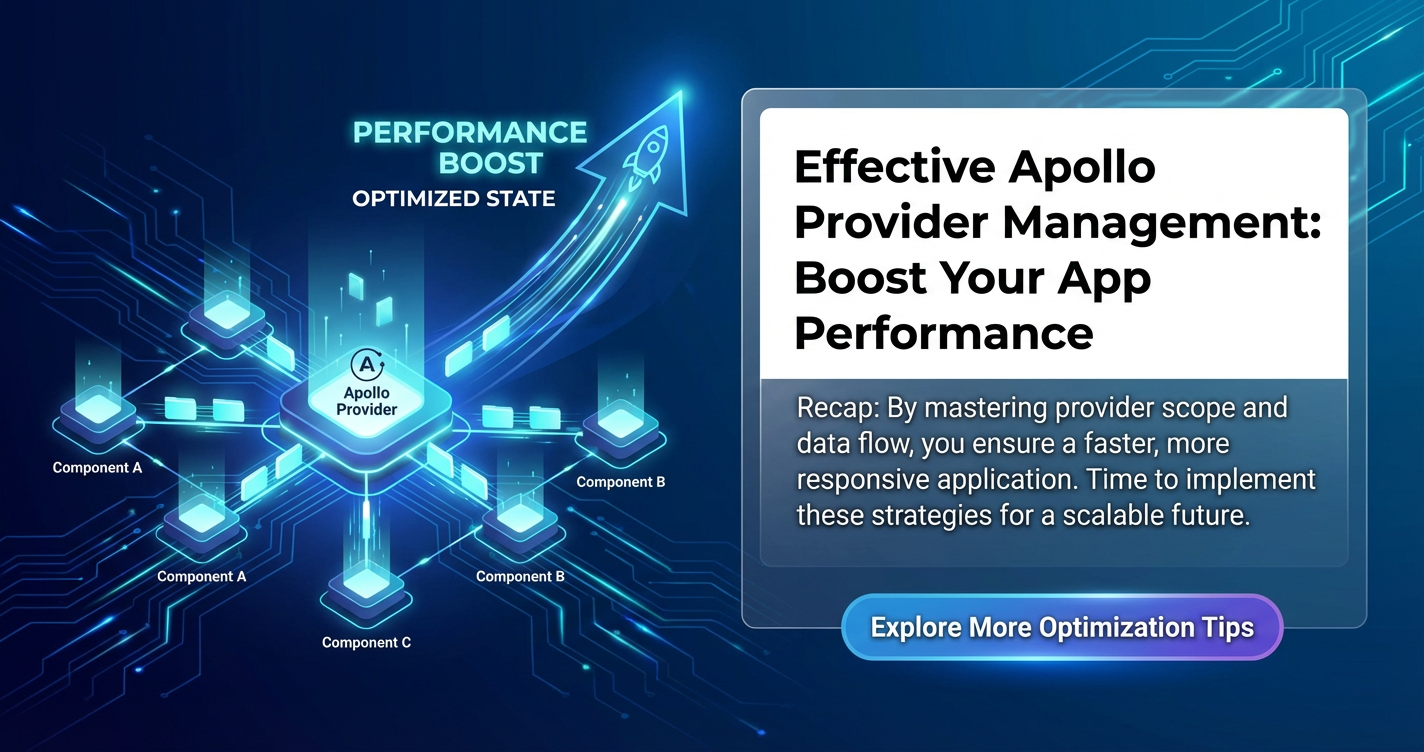
Effective Apollo Provider Management: Boost Your App Performance


In the rapidly evolving landscape of modern web development, building data-intensive applications requires robust and efficient state management solutions. GraphQL, with its powerful querying capabilities, has emerged as a preferred choice for many, and Apollo Client stands as its most popular implementation for the front end. At the heart of any successful Apollo Client integration lies the ApolloProvider, a crucial component that makes the Apollo Client instance available to every part of your React component tree. However, simply wrapping your application with ApolloProvider is merely the first step. Effective management of this provider, encompassing everything from client configuration to advanced caching, authentication, error handling, and interaction with backend services through an API gateway, is paramount for building high-performance, scalable, and maintainable applications. This comprehensive guide will delve deep into the intricacies of Apollo Provider management, offering strategies and insights to significantly boost your application's performance and developer experience.
The Foundation: Understanding ApolloProvider and Its Significance
The ApolloProvider component, typically imported from @apollo/client, serves as the bridge between your React application and the Apollo Client instance. By placing it at the root of your application, it leverages React's Context API to make the Apollo Client accessible to any descendant component. This means that any component within its subtree can then utilize Apollo Client's hooks (like useQuery, useMutation, useSubscription) to interact with your GraphQL API. Without the ApolloProvider correctly configured and positioned, your components would have no way to access the client, fetch data, or manage the cache, rendering Apollo Client features unusable.
The significance of ApolloProvider extends beyond mere accessibility. It encapsulates the entire Apollo Client configuration, which includes critical elements such as the URI of your GraphQL API, network links for handling requests and responses, and the in-memory cache responsible for storing and normalizing data. A well-managed ApolloProvider ensures that all parts of your application consistently interact with the same, optimally configured Apollo Client instance, leading to predictable data flow, efficient caching, and a cohesive user experience. Misconfigurations at this level can cascade into widespread performance bottlenecks, data inconsistencies, and difficult-to-debug issues, underscoring the importance of a thoughtful approach to its setup and ongoing management.
Crafting the Apollo Client Instance: A Deep Dive into Configuration
Before ApolloProvider can do its job, you need a meticulously configured ApolloClient instance. This instance is the brain of your data operations, and its configuration directly impacts your application's performance, security, and responsiveness. The primary components of an ApolloClient instance are the uri (or link) and the cache.
The uri parameter points to your GraphQL API endpoint, specifying where Apollo Client should send its requests. While straightforward for simple setups, complex applications often require a more sophisticated link chain. An ApolloLink is a powerful primitive that allows you to customize the flow of GraphQL operations. For example, an HttpLink handles standard HTTP requests, but you can prepend other links to it to implement various functionalities. An AuthLink, for instance, can attach authentication tokens to every outgoing request, ensuring that your API gateway and backend services can properly authorize the user. This is crucial for securing sensitive data and operations, preventing unauthorized access, and maintaining the integrity of your application. Moreover, an ErrorLink can catch and handle network or GraphQL errors centrally, providing a robust mechanism for displaying user-friendly messages, logging issues, or triggering specific actions like token refreshes.
The cache is arguably the most critical component for application performance. Apollo Client uses an InMemoryCache by default, which stores GraphQL query results in a normalized, in-memory graph. This normalization process is key: instead of storing duplicate data for the same entity, it stores a single, canonical representation. When subsequent queries request parts of this data, Apollo Client can often fulfill them directly from the cache without making a network request, dramatically reducing loading times and network traffic. However, the default InMemoryCache might not be sufficient for all applications. Customizing the cache involves defining typePolicies to control how specific types and fields are stored, merged, and identified. For example, you might need to specify a custom keyFields array for a type if its default id field isn't unique or if you have multiple ID-like fields. Advanced configurations might also involve implementing optimistic updates, where the UI immediately reflects the expected result of a mutation before the server responds, providing a snappier user experience. This involves sophisticated management of the cache, ensuring that temporary data changes are correctly applied and then overwritten or rolled back based on the actual server response.
import { ApolloClient, InMemoryCache, HttpLink, ApolloProvider, from } from '@apollo/client';
import { setContext } from '@apollo/client/link/context';
import { onError } from '@apollo/client/link/error';
import React from 'react';
import ReactDOM from 'react-dom/client';
import App from './App';

// 1. HTTP Link: Specifies the GraphQL API endpoint.
const httpLink = new HttpLink({
  uri: 'https://your-graphql-api.com/graphql', // Replace with your actual GraphQL API endpoint
});

// 2. Auth Link: Attaches authorization headers to requests.
const authLink = setContext((_, { headers }) => {
  // Get the authentication token from local storage if it exists
  const token = localStorage.getItem('token');
  // Return the headers to the context so httpLink can read them
  return {
    headers: {
      ...headers,
      authorization: token ? `Bearer ${token}` : '',
    }
  };
});

// 3. Error Link: Handles GraphQL and network errors.
const errorLink = onError(({ graphQLErrors, networkError }) => {
  if (graphQLErrors) {
    graphQLErrors.forEach(({ message, locations, path }) =>
      console.error(
        `[GraphQL error]: Message: ${message}, Location: ${locations}, Path: ${path}`,
      )
    );
    // You could also implement more sophisticated error handling, e.g.,
    // redirecting to a login page if a specific error code indicates an expired token.
  }
  if (networkError) {
    console.error(`[Network error]: ${networkError.message}`);
    // Potentially trigger UI notification for network issues
  }
});

// Combine links in order: error -> auth -> http
const link = from([errorLink, authLink, httpLink]);

// 4. Cache: Configured for in-memory storage with type policies.
const cache = new InMemoryCache({
  typePolicies: {
    // Example: Custom key fields for a 'User' type if 'id' isn't sufficient
    User: {
      keyFields: ['userId'], // Use 'userId' instead of 'id' for identifying User objects
    },
    // Example: Merging logic for pagination (e.g., concatenate results)
    Query: {
      fields: {
        allPosts: {
          keyArgs: false, // Treat 'allPosts' as a single field regardless of arguments
          merge(existing, incoming, { args }) {
            // Simple concatenation for pagination; adjust for more complex logic (e.g., cursor-based)
            if (!incoming) return existing;
            if (!existing) return incoming;
            const newRefs = incoming.items.filter(
              incomingRef => !existing.items.some(
                existingRef => existingRef.__ref === incomingRef.__ref
              )
            );
            return {
              ...incoming,
              items: [...existing.items, ...newRefs],
              // Ensure totalCount, pageInfo, etc., are updated from incoming if available
            };
          },
        },
      },
    },
  },
});

// 5. Create the Apollo Client instance.
const client = new ApolloClient({
  link: link,
  cache: cache,
  // Optional: Default options for queries/mutations
  defaultOptions: {
    watchQuery: {
      fetchPolicy: 'cache-and-network', // Fetch from cache first, then network
      errorPolicy: 'all', // Report both GraphQL and network errors
    },
    query: {
      fetchPolicy: 'network-only', // Always fetch from network for one-off queries
      errorPolicy: 'all',
    },
    mutate: {
      errorPolicy: 'all',
    },
  },
});

// 6. Render the application wrapped in ApolloProvider.
const root = ReactDOM.createRoot(document.getElementById('root') as HTMLElement);
root.render(
  <React.StrictMode>
    <ApolloProvider client={client}>
      <App />
    </ApolloProvider>
  </React.StrictMode>
);
This comprehensive setup ensures that your Apollo Client instance is robust, secure, and optimized for various data interactions, forming a solid foundation for your ApolloProvider.
Advanced Provider Strategies: Single vs. Multiple Apollo Client Instances
While most applications can thrive with a single ApolloClient instance shared via ApolloProvider, certain complex scenarios might warrant the use of multiple instances. Understanding when and how to implement these strategies is crucial for maintaining performance and avoiding unnecessary complexity.
Single Apollo Client Instance: The Standard Approach
For the vast majority of applications, a single ApolloClient instance is the ideal and recommended approach. This instance, configured once at the application's entry point, serves all data fetching and caching needs.
Benefits: * Unified Cache: All operations leverage the same InMemoryCache, ensuring data consistency across the entire application. When data changes (e.g., via a mutation), the cache is updated, and all components observing that data automatically re-render. This significantly simplifies state management and reduces the chances of stale data being displayed. * Simplified Debugging: With a single source of truth for data interactions, debugging becomes much easier. The Apollo DevTools can effectively visualize the cache state, network requests, and overall data flow. * Reduced Overhead: Maintaining one client instance consumes fewer resources compared to multiple, avoiding redundant network links, caches, and associated memory usage. * Centralized Configuration: All ApolloLinks (authentication, error handling, retries), cache policies, and default options are managed in one place, leading to a more maintainable codebase.
When to use: * Applications interacting with a single GraphQL API. * Applications where global data consistency and a unified cache are paramount. * Most common web and mobile applications.
Multiple Apollo Client Instances: When to Break the Mold
While less common, there are legitimate reasons to employ multiple ApolloClient instances. This typically occurs when your application needs to interact with entirely separate GraphQL APIs or when specific performance and isolation requirements dictate it.
Scenarios for Multiple Clients: 1. Interacting with Multiple Independent GraphQL APIs: If your application consumes data from two or more distinct GraphQL APIs that are completely unrelated (e.g., one for user management and another for a separate analytics service), each with its own schema, endpoints, and potentially authentication requirements, using separate Apollo Client instances can be beneficial. Each client would point to a different uri and manage its own cache, preventing cross-contamination and simplifying debugging for each independent domain. 2. Separate Cache Requirements: In rare cases, you might have specific data that you want to cache entirely separately from your main application data, perhaps due to different persistence strategies or strict data isolation needs. A separate client with its own InMemoryCache would achieve this. 3. Different Authentication Schemes: If different parts of your application require distinct authentication mechanisms for different GraphQL APIs (e.g., one section uses OAuth, another uses API keys), separate clients allow for custom AuthLink configurations without complicating the primary client's setup.
Implementing Multiple Clients with ApolloProvider: When using multiple clients, you can still leverage ApolloProvider by selectively applying them to different parts of your component tree.
import { ApolloClient, InMemoryCache, HttpLink, ApolloProvider } from '@apollo/client';
import React from 'react';
import UserManagementApp from './UserManagementApp';
import AnalyticsDashboard from './AnalyticsDashboard';

// Client for User Management API
const userManagementClient = new ApolloClient({
  uri: 'https://user-api.com/graphql',
  cache: new InMemoryCache(),
  // ... other links for auth, error, etc., specific to user management
});

// Client for Analytics API
const analyticsClient = new ApolloClient({
  uri: 'https://analytics-api.com/graphql',
  cache: new InMemoryCache(),
  // ... other links specific to analytics, potentially different auth
});

const App = () => (
  <div>
    <h1>Main Application</h1>
    {/* Wrap UserManagementApp with its specific ApolloProvider */}
    <ApolloProvider client={userManagementClient}>
      <UserManagementApp />
    </ApolloProvider>

    <hr />

    {/* Wrap AnalyticsDashboard with its specific ApolloProvider */}
    <ApolloProvider client={analyticsClient}>
      <AnalyticsDashboard />
    </ApolloProvider>
  </div>
);

// If a component needs to choose between clients dynamically,
// you can define a custom hook or pass the client as a prop.
// For example:
// const useUserClient = () => useApolloClient(userManagementClient);
// const useAnalyticsClient = () => useApolloClient(analyticsClient);
// This would be less common, as the provider context typically handles it.
Considerations for Multiple Clients: * Increased Complexity: Managing multiple client instances undeniably adds complexity. Debugging becomes harder as you need to differentiate which client is making which request and managing which cache. * Cache Inconsistency: Data shared across different API domains but managed by separate caches can lead to inconsistencies if not carefully managed. You lose the automatic global consistency provided by a single cache. * Resource Usage: Each client instance consumes memory and network resources independently. While often negligible, it's a factor to consider for resource-constrained environments.
Table: Single vs. Multiple Apollo Client Instances
| Feature/Consideration | Single Apollo Client Instance | Multiple Apollo Client Instances |
|---|---|---|
| Use Case | Most common applications, single GraphQL API. | Multiple independent GraphQL APIs, distinct caching needs. |
| Cache Management | Unified, global cache; automatic data consistency. | Separate caches; potential for data inconsistency if not careful. |
| Configuration | Centralized, easier to manage AuthLinks, ErrorLinks. |
Decentralized, specific configurations per client. |
| Performance | Optimized for single API; less overhead. | More overhead (multiple caches, links); potential for isolated performance. |
| Debugging | Easier with Apollo DevTools; single source of truth. | More complex; need to track which client is responsible. |
| Complexity | Low to Moderate. | Moderate to High. |
| Data Isolation | Less isolated within the cache graph. | High isolation between different API domains. |
| Authentication | Single AuthLink for all requests. |
Per-client AuthLink for distinct authentication schemes. |
In conclusion, while multiple ApolloClient instances offer flexibility for highly segmented architectures, a single, well-configured ApolloClient wrapped by ApolloProvider remains the most robust and maintainable choice for the vast majority of applications. Only introduce additional clients when a clear architectural benefit outweighs the increased complexity.
Safeguarding Your Data: Authentication and Authorization Patterns
Authentication and authorization are critical layers of security for any application interacting with an API. Effective Apollo Provider management includes robust strategies to handle user identity and permissions. The AuthLink is the cornerstone for integrating these security concerns directly into your Apollo Client's request pipeline.
Implementing Authentication with AuthLink
The most common pattern for authentication involves obtaining an access token (e.g., a JWT) after a user logs in and then attaching this token to every subsequent GraphQL request. The setContext function from @apollo/client/link/context is perfect for this.
import { ApolloClient, InMemoryCache, HttpLink, ApolloProvider, from } from '@apollo/client';
import { setContext } from '@apollo/client/link/context';

const httpLink = new HttpLink({ uri: 'https://your-graphql-api.com/graphql' });

const authLink = setContext((_, { headers }) => {
  // Retrieve the token from a secure storage mechanism (e.g., localStorage, session storage, or a more secure cookie)
  const token = localStorage.getItem('accessToken');
  return {
    headers: {
      ...headers,
      authorization: token ? `Bearer ${token}` : '', // Attach token as a Bearer token
    }
  };
});

const client = new ApolloClient({
  link: authLink.concat(httpLink), // AuthLink must come before HttpLink
  cache: new InMemoryCache(),
});

// ... ApolloProvider usage
This setup ensures that before any GraphQL operation is sent over HTTP, the authLink intercepts it, retrieves the current authentication token, and injects it into the Authorization header. Your backend API gateway or GraphQL server can then validate this token to verify the user's identity and grant or deny access based on their roles and permissions. This centralized approach within the Apollo Client configuration prevents boilerplate code in individual components and maintains a consistent security posture.
Handling Token Refresh
Access tokens often have a limited lifespan for security reasons. When a token expires, requests will fail. A sophisticated authentication pattern involves token refreshing, where a new access token is obtained using a refresh token, ideally without requiring the user to log in again. This can be implemented within an ApolloLink chain using a combination of onError and ApolloLink.split or a custom link.
import { ApolloClient, InMemoryCache, HttpLink, ApolloProvider, from, ApolloLink } from '@apollo/client';
import { setContext } from '@apollo/client/link/context';
import { onError } from '@apollo/client/link/error';
import { RetryLink } from '@apollo/client/link/retry';

const httpLink = new HttpLink({ uri: 'https://your-graphql-api.com/graphql' });

const authLink = setContext((_, { headers }) => {
  const token = localStorage.getItem('accessToken');
  return {
    headers: {
      ...headers,
      authorization: token ? `Bearer ${token}` : '',
    }
  };
});

// This link will be used to send refresh token request
const refreshHttpLink = new HttpLink({ uri: 'https://your-auth-server.com/refresh-token' });

const errorLink = onError(({ graphQLErrors, networkError, operation, forward }) => {
  if (graphQLErrors) {
    for (let err of graphQLErrors) {
      if (err.extensions && err.extensions.code === 'UNAUTHENTICATED' || err.message.includes('expired token')) {
        // Token expired, attempt to refresh
        const refreshToken = localStorage.getItem('refreshToken');
        if (!refreshToken) {
          // No refresh token, redirect to login
          console.error("No refresh token found, redirecting to login.");
          // window.location.href = '/login'; // Example: redirect
          return;
        }

        // Use a separate HTTP link for refresh token requests to avoid circular dependencies
        return new ApolloLink((refreshOperation, refreshForward) => {
          refreshOperation.setContext({
            headers: {
              authorization: `Bearer ${refreshToken}`,
            },
          });
          return refreshForward(refreshOperation).map(response => {
            // Assuming the refresh API returns a new accessToken
            const newAccessToken = response.data?.refreshToken?.accessToken;
            if (newAccessToken) {
              localStorage.setItem('accessToken', newAccessToken);
              // Retry the original operation with the new token
              operation.setContext({
                headers: {
                  ...operation.getContext().headers,
                  authorization: `Bearer ${newAccessToken}`,
                },
              });
              return forward(operation);
            } else {
              // Refresh failed, redirect to login
              console.error("Token refresh failed, redirecting to login.");
              // window.location.href = '/login'; // Example: redirect
              return; // Stop further processing for this error path
            }
          });
        }).request({ query: REFRESH_TOKEN_MUTATION }).toPromise();
      }
    }
  }

  if (networkError) {
    console.error(`[Network error]: ${networkError.message}`);
  }
});

// A simple retry link can be added after error handling for transient network issues
const retryLink = new RetryLink({
  delay: {
    initial: 300,
    max: Infinity,
    jitter: true
  },
  attempts: {
    max: 5,
    retryIf: (error, _operation) => !!error && error.message.includes("Network error")
  }
});

const link = from([
  errorLink, // Error handling first to catch token expiration
  authLink,  // Then attach token
  retryLink, // Then retry mechanism
  httpLink   // Finally, send over HTTP
]);

const client = new ApolloClient({
  link: link,
  cache: new InMemoryCache(),
});

// ... ApolloProvider usage
Note: The token refresh logic within the onError link is simplified for illustration. A more robust solution might involve a dedicated authLink that handles token refreshing, potentially using a queue for concurrent requests while a refresh is in progress, to prevent multiple simultaneous refresh attempts. Libraries like apollo-link-token-refresh can provide more comprehensive solutions.
Authorization (Role-Based Access Control)
While authentication identifies the user, authorization determines what that user is allowed to do. This is primarily handled on the backend by your GraphQL server or API gateway after the authentication token has been validated. The GraphQL schema itself can be designed with directives (@auth, @hasRole) or resolver-level logic to enforce permissions.
From the Apollo Client perspective, authorization often manifests as: * Error Handling: The errorLink catches FORBIDDEN or UNAUTHORIZED GraphQL errors, allowing the UI to display appropriate messages or redirect the user. * UI Elements: Components can conditionally render based on the user's roles or permissions, which might be fetched as part of the initial user data query or stored in a reactive variable in the cache.
By integrating authentication and authorization securely within the ApolloProvider's ApolloLink chain, you ensure that your application's interactions with the backend API are consistently secure and compliant with access policies, a crucial aspect of responsible API management.
Robustness through Error Handling and Retries
No application is immune to errors. Network issues, server outages, malformed requests, or application logic bugs can all lead to failures. Effective Apollo Provider management includes a comprehensive strategy for error handling and retries, ensuring a resilient user experience and providing developers with clear insights into issues.
Centralized Error Handling with onError Link
The onError link is the most powerful tool for global error management within Apollo Client. It allows you to intercept both GraphQL errors (errors returned from the GraphQL server, often due to validation failures, business logic errors, or unauthorized access) and network errors (issues like connection failures, timeouts, or invalid HTTP responses).
import { onError } from '@apollo/client/link/error';

const errorLink = onError(({ graphQLErrors, networkError }) => {
  if (graphQLErrors) {
    graphQLErrors.forEach(({ message, locations, path, extensions }) => {
      console.error(
        `[GraphQL Error]: Message: ${message}, Location: ${locations}, Path: ${path}, Code: ${extensions?.code || 'N/A'}`,
      );
      // Example: Display a user-friendly toast notification
      // toast.error(`Error: ${message}`);

      // Example: Specific handling for an UNAUTHENTICATED error
      if (extensions?.code === 'UNAUTHENTICATED') {
        console.warn('User is unauthenticated. Please log in again.');
        // Potentially clear local storage and redirect to login page
        // localStorage.clear();
        // window.location.href = '/login';
      }
    });
  }

  if (networkError) {
    console.error(`[Network Error]: ${networkError.message}`);
    // Example: Display a generic network error message
    // toast.error('A network error occurred. Please check your connection.');

    // Specific handling for common network issues
    if (networkError.message === 'Failed to fetch') {
      console.warn('Server is unreachable or CORS issue.');
    }
  }
});
This centralized errorLink allows you to: * Log Errors: Send detailed error reports to an external logging service (e.g., Sentry, Bugsnag). * User Feedback: Present clear, concise, and user-friendly error messages in the UI. Instead of cryptic technical errors, users see actionable information. * Side Effects: Trigger specific actions based on error types, such as redirecting to a login page for authentication failures, re-fetching data, or showing maintenance banners for server issues. * Distinguish Error Types: Differentiate between GraphQL errors (which usually imply a successful request but an application-level problem) and network errors (which indicate a communication failure).
Implementing Retries for Transient Errors
Some errors are transient, meaning they are temporary and might resolve themselves on a subsequent attempt (e.g., momentary network fluctuations, server overload). The RetryLink from @apollo/client/link/retry is invaluable for automatically retrying failed operations, enhancing the robustness of your application without user intervention.
import { RetryLink } from '@apollo/client/link/retry';
import { HttpLink, from } from '@apollo/client';

const retryLink = new RetryLink({
  delay: {
    initial: 300, // Initial delay before first retry
    max: 3000,    // Maximum delay between retries
    jitter: true  // Add random jitter to delay to prevent thundering herd
  },
  attempts: {
    max: 5,       // Maximum number of retry attempts
    retryIf: (error, _operation) => {
      // Retry only for network errors or specific server-side errors (e.g., 5xx status codes)
      if (error?.networkError) {
        // Retry if it's a network error
        return true;
      }
      if (error?.graphQLErrors) {
        // Check for specific GraphQL errors that might be retryable (e.g., server internal errors)
        return error.graphQLErrors.some(gqlError => gqlError.extensions?.code === 'SERVER_ERROR');
      }
      return false; // Do not retry for other errors
    }
  }
});

const httpLink = new HttpLink({ uri: 'https://your-graphql-api.com/graphql' });

// Ensure retryLink comes before httpLink in the chain
const link = from([retryLink, httpLink]);

// ... ApolloClient configuration
By strategically combining onError for handling all errors and RetryLink for automatically recovering from transient failures, your ApolloProvider creates a much more resilient and user-friendly application. Users are less likely to encounter abrupt failures, and developers gain better visibility into persistent issues that require immediate attention. This proactive error management is a hallmark of high-quality software.
The Power of Caching: Optimizing Data Retrieval and Consistency
The InMemoryCache is a cornerstone of Apollo Client's performance capabilities. By intelligently storing and normalizing GraphQL query results, it drastically reduces network requests and accelerates data retrieval. Effective Apollo Provider management leverages the cache to its fullest potential, ensuring both performance and data consistency.
InMemoryCache Fundamentals: Normalization and Eviction
At its core, InMemoryCache works by normalizing your GraphQL data. Instead of storing query results exactly as they come from the server, it breaks down the data into individual objects (entities) and stores them in a flat key-value store. Each entity is given a unique identifier (typically __typename + id or _id). When a new query brings in data for an already cached entity, the cache updates only the changed fields, rather than overwriting the entire object. This prevents data duplication and ensures that all parts of your UI referencing the same entity automatically reflect the latest changes.
Cache Eviction: While beneficial, an ever-growing cache can consume significant memory. Apollo Client doesn't have an automatic garbage collection mechanism for entities that are no longer referenced by any active query. You can manually evict entities using client.cache.evict({ id: 'User:123' }) or client.cache.modify to remove specific fields. For more advanced use cases, Apollo offers cache-persistor to persist the cache to local storage or other storage mechanisms, allowing for faster cold starts.
Customizing Cache Behavior with typePolicies
The default caching behavior is often sufficient, but for complex data models, typePolicies are essential for fine-grained control. They allow you to define how specific types and fields should be handled.
1. keyFields: By default, Apollo uses id or _id to generate a unique key for an entity. If your type uses a different field (e.g., userId, slug) as its primary identifier, you must specify it with keyFields.
const cache = new InMemoryCache({
  typePolicies: {
    User: {
      keyFields: ['userId'], // Use 'userId' instead of default 'id'
    },
    Product: {
      keyFields: ['sku'], // Use 'sku' for products
    },
  },
});
2. fields: This policy allows you to customize how individual fields within a type are read from and written to the cache, and how arguments affect their caching.
- Custom Merging for Pagination: This is a very common and powerful use case. When fetching paginated lists (e.g.,
allPosts), you typically want to concatenate the new results with the existing ones, rather than replacing the entire list.typePolicies.Query.fieldswith amergefunction handles this.typescript const cache = new InMemoryCache({ typePolicies: { Query: { fields: { allPosts: { // `keyArgs: false` means arguments (like `first`, `after`) don't create separate cache entries for 'allPosts'. // Instead, we merge them into a single list. keyArgs: false, merge(existing = [], incoming) { // Assuming 'incoming' is an array of items return [...existing, ...incoming]; }, }, // For a more complex pagination with `pageInfo` object feed: { keyArgs: ['type', 'status'], // Only these args create separate entries merge(existing = { edges: [], pageInfo: null }, incoming) { return { ...incoming, // Take latest pageInfo and other non-edges fields from incoming edges: [...existing.edges, ...incoming.edges], }; }, }, }, }, }, });This example ensures that when you fetch more posts, they are appended to the existing list in the cache, creating a seamless infinite scrolling or "load more" experience. - Disabling Field Caching: For fields that are expensive to compute or change frequently and don't benefit from caching, you can set
readandmergeto return the incoming value directly.
Reactive Variables: Local State in the Cache
Reactive variables provide a lightweight, Apollo Client-integrated way to manage local client-side state, similar to global React state or Zustand. They are outside the normalized cache but integrate seamlessly with the cache's update mechanisms. You can use them for UI state (e.g., modals, themes) or even for filtering cached data without making new network requests.
import { makeVar } from '@apollo/client';

// Define a reactive variable for theme preference
const themeVar = makeVar('light');

// In a component, you can read and update it:
// const theme = useReactiveVar(themeVar);
// themeVar('dark');

// You can also include reactive variables in GraphQL queries using @client directive:
// const GET_THEME = gql`
//   query GetTheme {
//     theme @client
//   }
// `;
// const { data } = useQuery(GET_THEME); // data.theme will reflect themeVar's value
Reactive variables offer a powerful way to manage local state that needs to interact with or influence your GraphQL data, providing flexibility beyond the strict normalization rules of InMemoryCache.
Cache Invalidation and Refetching
While automatic updates from mutations are common, sometimes you need to explicitly invalidate or refetch data. * client.refetchQueries: Useful after a mutation that affects multiple lists or related data. * client.cache.modify: Directly update cache entries. * client.cache.evict: Remove a specific entity from the cache. * client.resetStore(): Wipes the entire cache and refetches all active queries. Often used after logout.
By mastering InMemoryCache and its customization options through typePolicies and reactive variables, you can significantly enhance your application's performance by minimizing network round-trips, ensuring data consistency, and providing a snappy user experience. This deep understanding of caching is vital for effective Apollo Provider management.
APIPark is a high-performance AI gateway that allows you to securely access the most comprehensive LLM APIs globally on the APIPark platform, including OpenAI, Anthropic, Mistral, Llama2, Google Gemini, and more.Try APIPark now! 👇👇👇
Seamless Integration: Apollo and the API Gateway
The efficiency and security of your Apollo-powered application are not solely dependent on client-side configurations. The architecture of your backend, particularly the presence and configuration of an API gateway, plays an equally critical role. An API gateway acts as a single entry point for all client requests, sitting between your client application (which uses ApolloProvider) and your various backend services (GraphQL server, REST APIs, microservices).
The Essential Role of an API Gateway
An API gateway performs a multitude of functions that are crucial for modern, scalable, and secure applications: * Request Routing: It directs incoming requests to the appropriate backend service, abstracting the microservices architecture from the client. Your Apollo Client only needs to know the gateway's URL, not the individual URLs of dozens of backend services. * Authentication and Authorization: The API gateway can handle initial authentication checks, token validation, and authorization decisions before forwarding requests to backend services. This offloads security concerns from individual services and provides a centralized security layer. * Rate Limiting and Throttling: It protects your backend services from abuse and overload by limiting the number of requests a client can make within a given period. This is vital for maintaining service stability and preventing DDoS attacks. * Load Balancing: Distributes incoming traffic across multiple instances of your backend services, ensuring high availability and optimal resource utilization. * Caching: The API gateway can implement caching at the edge, storing responses to frequently requested data. This can dramatically reduce the load on your GraphQL server and accelerate data delivery to the Apollo Client. * Request/Response Transformation: It can modify request and response payloads, adapting them to the needs of different clients or integrating legacy APIs. For a GraphQL client, this might involve exposing a unified GraphQL endpoint that federates data from multiple underlying REST or GraphQL services. * Logging and Monitoring: Centralized logging of all API calls provides a single point for auditing, troubleshooting, and performance analysis. This is essential for understanding how your application interacts with its backend and identifying potential bottlenecks. * Cross-Origin Resource Sharing (CORS) Management: The API gateway can manage CORS policies, simplifying client-side development and enhancing security.
For an Apollo-driven application, a well-configured API gateway means that the ApolloClient instance (configured within ApolloProvider) only needs to point to a single, stable endpoint. All the complexities of microservices, load balancing, and security are handled transparently by the gateway, making the client-side simpler and more robust.
Boosting Performance and Security with an API Gateway
Performance Enhancements: * Reduced Latency: By consolidating multiple backend calls into a single gateway endpoint, an api gateway can reduce the number of round trips required by the client. Even if your Apollo Client sends one GraphQL query, the api gateway might intelligently fetch data from multiple microservices in parallel, aggregate it, and then send a single response back. * Edge Caching: Caching at the api gateway level is incredibly powerful. If the same GraphQL query (or a portion of it) is requested frequently by different clients, the api gateway can serve it directly from its cache, bypassing the GraphQL server entirely. This offloads your backend, reduces database load, and provides near-instantaneous responses. * Load Balancing and Scalability: As traffic grows, the api gateway ensures that requests are evenly distributed, preventing any single backend service from becoming a bottleneck. This allows your application to scale horizontally more efficiently.
Security Enhancements: * Centralized Authentication: Instead of each microservice implementing its own authentication logic, the api gateway can handle it once. This reduces the attack surface and ensures consistent security policies. * Threat Protection: An api gateway can implement Web Application Firewall (WAF) functionalities, protect against SQL injection, XSS, and other common web vulnerabilities before requests even reach your backend services. * Traffic Monitoring and Anomaly Detection: By observing all incoming api traffic, the api gateway can detect unusual patterns (e.g., sudden spikes in failed authentication attempts) and alert administrators or automatically block malicious api calls.
Introducing APIPark: An Open-Source Solution for AI Gateway & API Management
For organizations seeking robust and scalable API management solutions, platforms like ApiPark offer comprehensive capabilities. APIPark, an open-source AI gateway and API management platform, excels at unifying various AI models and REST services behind a single, intelligent gateway. This not only simplifies the integration and invocation of complex backend services but also enhances performance through features like unified API formats, prompt encapsulation, and high-throughput capabilities. An api gateway like APIPark can act as a sophisticated proxy, ensuring that your Apollo client interactions with your backend apis are secure, efficient, and well-managed, streamlining the entire api lifecycle from design to deployment. Its ability to quickly integrate over 100+ AI models and standardize their invocation formats is particularly beneficial for modern applications that increasingly rely on AI services, providing a seamless experience for developers and end-users alike. By centralizing api traffic management, security, and performance optimization, APIPark significantly contributes to the overall effectiveness of your Apollo-powered application's backend infrastructure.
Server-Side Rendering (SSR) and Static Site Generation (SSG) with Apollo
For modern web applications, initial load performance and search engine optimization (SEO) are critical. Server-Side Rendering (SSR) and Static Site Generation (SSG) address these concerns by pre-rendering your React components on the server, sending fully formed HTML to the client. Apollo Client is fully compatible with both, but requires specific setup within your ApolloProvider context.
The SSR Flow with Apollo Client
The general flow for SSR with Apollo Client involves: 1. Server-side Data Fetching: Before rendering the component tree, the server executes all GraphQL queries needed by the components. 2. Server-side Rendering: The components are rendered into HTML using the fetched data. 3. State Hydration: The fetched data (Apollo cache state) is serialized and sent along with the HTML to the client. 4. Client-side Hydration: On the client, the ApolloClient is initialized with the pre-fetched state, and React hydrates the pre-rendered HTML, making the application interactive.
Implementation Steps: * Create a new ApolloClient instance for each request on the server. This is crucial because each request might have different authentication tokens or require a distinct cache to avoid data leakage between users. * Use getDataFromTree or renderToStringWithData (for older versions) to await all GraphQL queries. These utilities traverse the React component tree and execute all useQuery hooks. * Extract the cache state. After rendering, use client.extract() to get the current state of the Apollo cache. * Inject the state into the HTML. Serialize the extracted state and embed it into the HTML document, typically in a <script> tag. * Rehydrate on the client. On the client-side, initialize ApolloClient with the pre-fetched state using the restore() method or by passing it directly to InMemoryCache.
// On the server (e.g., in a Next.js `getServerSideProps` or Express handler)
import { ApolloClient, InMemoryCache, HttpLink, ApolloProvider } from '@apollo/client';
import { getDataFromTree } from '@apollo/client/react/ssr';
import { renderToString } from 'react-dom/server';
import App from './App'; // Your root React component

async function renderAppWithData(Component, req) {
  // 1. Create a new ApolloClient instance for each request
  const client = new ApolloClient({
    ssrMode: true, // Crucial for SSR to tell Apollo to fetch data on server
    link: new HttpLink({
      uri: 'https://your-graphql-api.com/graphql',
      headers: {
        // Pass auth headers from request for server-side auth
        authorization: req.headers.authorization || '',
      },
    }),
    cache: new InMemoryCache(),
  });

  // 2. Wrap your app with ApolloProvider and await all data fetching
  const AppWithApollo = (
    <ApolloProvider client={client}>
      <Component />
    </ApolloProvider>
  );

  // Use getDataFromTree to execute all GraphQL queries
  await getDataFromTree(AppWithApollo);

  // 3. Render the app to HTML
  const html = renderToString(AppWithApollo);

  // 4. Extract the cache state
  const initialState = client.extract();

  return { html, initialState };
}

// On the client (e.g., in your main `index.tsx` or Next.js `_app.tsx`)
import { ApolloClient, InMemoryCache, HttpLink, ApolloProvider } from '@apollo/client';
import React from 'react';
import ReactDOM from 'react-dom/client';
import App from './App';

// Get the pre-fetched state from the server (e.g., window.__APOLLO_STATE__)
const initialState = window.__APOLLO_STATE__; // Assuming it's injected globally

const client = new ApolloClient({
  ssrForceFetchDelay: 100, // Optional: useful for older browsers that might not process the initial state fast enough
  link: new HttpLink({ uri: 'https://your-graphql-api.com/graphql' }),
  cache: new InMemoryCache().restore(initialState || {}), // 5. Rehydrate cache
});

const root = ReactDOM.createRoot(document.getElementById('root') as HTMLElement);
root.render(
  <ApolloProvider client={client}>
    <App />
  </ApolloProvider>
);
This elaborate dance ensures that users receive a fully rendered page quickly, improving perceived performance and SEO, while the client-side takes over seamlessly without re-fetching data already available in the cache.
Static Site Generation (SSG)
SSG takes SSR a step further by pre-rendering pages at build time instead of on each request. This results in incredibly fast page loads as the client receives static HTML and JavaScript, with minimal server overhead. Frameworks like Next.js and Gatsby excel at SSG.
With SSG, the Apollo Client setup is similar to SSR, but the data fetching happens once during the build process. * Next.js getStaticProps: You'd initialize an Apollo Client instance within getStaticProps, fetch data, extract the cache, and return it as props. * Gatsby: Gatsby has its own gatsby-plugin-apollo that integrates the SSR/SSG process more directly.
Key Difference: The client instance for SSG during build time does not need per-request headers (like authorization) unless the static content is user-specific (which defeats the purpose of "static" for common SSG setups). The ssrMode: true option is still relevant to ensure all queries complete before the page is considered "rendered."
While setting up SSR/SSG with Apollo Client adds complexity, the benefits in terms of initial page load speed, core web vitals, and SEO ranking are substantial, making it a worthwhile investment for performance-critical applications. Effective ApolloProvider management extends to these pre-rendering contexts, demanding careful client instantiation and state management.
Testing Your Apollo Provider: Ensuring Reliability
A well-managed ApolloProvider and its underlying ApolloClient instance are only as good as their test coverage. Thorough testing ensures that your data fetching logic, cache interactions, authentication flows, and error handling mechanisms work as expected, leading to a more reliable and maintainable application.
Unit Testing Components with MockedProvider
MockedProvider from @apollo/client/testing is the go-to utility for unit testing React components that use Apollo Client hooks. It allows you to simulate GraphQL responses without making actual network requests, providing complete control over the data returned and any potential errors.
import { render, screen, waitFor } from '@testing-library/react';
import { MockedProvider } from '@apollo/client/testing';
import { gql } from '@apollo/client';
import UserProfile from './UserProfile'; // A component using useQuery
import '@testing-library/jest-dom';

const GET_USER_PROFILE = gql`
  query GetUserProfile($id: ID!) {
    user(id: $id) {
      id
      name
      email
    }
  }
`;

const mocks = [
  {
    request: {
      query: GET_USER_PROFILE,
      variables: { id: '123' },
    },
    result: {
      data: {
        user: {
          id: '123',
          name: 'John Doe',
          email: 'john.doe@example.com',
          __typename: 'User',
        },
      },
    },
  },
];

describe('UserProfile component', () => {
  it('renders user data correctly', async () => {
    render(
      <MockedProvider mocks={mocks} addTypename={false}>
        <UserProfile userId="123" />
      </MockedProvider>
    );

    // Initial loading state
    expect(screen.getByText(/loading/i)).toBeInTheDocument();

    // Wait for the data to be rendered
    await waitFor(() => expect(screen.getByText('John Doe')).toBeInTheDocument());
    expect(screen.getByText('john.doe@example.com')).toBeInTheDocument();
  });

  it('handles error state', async () => {
    const errorMocks = [
      {
        request: {
          query: GET_USER_PROFILE,
          variables: { id: '123' },
        },
        error: new Error('Failed to fetch user'),
      },
    ];

    render(
      <MockedProvider mocks={errorMocks} addTypename={false}>
        <UserProfile userId="123" />
      </MockedProvider>
    );

    await waitFor(() => expect(screen.getByText(/error/i)).toBeInTheDocument());
    expect(screen.getByText(/failed to fetch user/i)).toBeInTheDocument();
  });
});
MockedProvider is indispensable for isolating components and testing their UI behavior under various data conditions (loading, success, error, no data) without relying on a live backend API.
Integration Testing with an Actual Apollo Client
While MockedProvider is great for unit tests, you'll also need integration tests to verify that your full ApolloClient setup—including AuthLink, ErrorLink, and InMemoryCache policies—works correctly with a real or mock GraphQL server.
Strategies for Integration Tests: 1. In-memory GraphQL Server: For robust integration tests, you can set up a lightweight, in-memory GraphQL server using libraries like graphql-tools or msw (Mock Service Worker). This server can respond to actual queries, allowing you to test your Apollo Client's HttpLink and caching logic. 2. Test Environment Backend: Point your ApolloClient to a dedicated test environment backend. This is closer to a real-world scenario but can be slower and less predictable. 3. End-to-End (E2E) Testing: Tools like Cypress or Playwright can interact with your deployed application (which uses ApolloProvider and ApolloClient) and simulate user flows, ensuring everything works from the user's perspective.
Example: Testing AuthLink with an in-memory server (using msw for network interception)
// src/mocks/handlers.ts
import { graphql } from 'msw';

export const handlers = [
  graphql.query('GetUserProfile', (req, res, ctx) => {
    const { id } = req.variables;
    const token = req.headers.get('authorization');

    if (!token || !token.startsWith('Bearer valid-token')) {
      return res(
        ctx.errors([{ message: 'Unauthorized', extensions: { code: 'UNAUTHENTICATED' } }])
      );
    }

    if (id === '123') {
      return res(
        ctx.data({
          user: {
            id: '123',
            name: 'Jane Doe',
            email: 'jane.doe@example.com',
            __typename: 'User',
          },
        })
      );
    }
    return res(ctx.data({ user: null }));
  }),
  // ... other queries/mutations
];

// src/mocks/server.ts
import { setupServer } from 'msw/node';
import { handlers } from './handlers';
export const server = setupServer(...handlers);


// In your test file (e.g., AuthLink.test.ts)
import { ApolloClient, InMemoryCache, HttpLink, ApolloProvider } from '@apollo/client';
import { setContext } from '@apollo/client/link/context';
import { render, screen, waitFor } from '@testing-library/react';
import { gql } from '@apollo/client';
import React from 'react';
import { server } from '../mocks/server'; // MSW server
import '@testing-library/jest-dom';

// A simple component to test auth
const TestComponent = () => {
  const GET_USER = gql`
    query GetUser {
      user(id: "123") {
        id
        name
      }
    }
  `;
  const { loading, error, data } = useQuery(GET_USER);

  if (loading) return <div>Loading...</div>;
  if (error) return <div>Error: {error.message}</div>;
  return <div>Hello, {data.user.name}!</div>;
};

describe('AuthLink integration', () => {
  let client;

  beforeAll(() => server.listen());
  afterEach(() => {
    server.resetHandlers();
    localStorage.clear();
  });
  afterAll(() => server.close());

  beforeEach(() => {
    const httpLink = new HttpLink({ uri: 'http://localhost/graphql' }); // MSW intercepts this URL
    const authLink = setContext((_, { headers }) => {
      const token = localStorage.getItem('accessToken');
      return {
        headers: {
          ...headers,
          authorization: token ? `Bearer ${token}` : '',
        }
      };
    });
    client = new ApolloClient({
      link: authLink.concat(httpLink),
      cache: new InMemoryCache(),
    });
  });

  it('sends auth token with request', async () => {
    localStorage.setItem('accessToken', 'valid-token'); // Set token before rendering

    render(
      <ApolloProvider client={client}>
        <TestComponent />
      </ApolloProvider>
    );

    await waitFor(() => expect(screen.getByText(/hello, jane doe!/i)).toBeInTheDocument());
  });

  it('shows error if no auth token is present', async () => {
    render(
      <ApolloProvider client={client}>
        <TestComponent />
      </ApolloProvider>
    );

    await waitFor(() => expect(screen.getByText(/error: unauthorized/i)).toBeInTheDocument());
  });
});
By combining MockedProvider for focused component testing and more comprehensive integration tests with tools like MSW, you can ensure that your ApolloProvider and all its configured links and cache policies are working harmoniously, providing a stable and predictable data layer for your application. This meticulous approach to testing is a cornerstone of effective Apollo Provider management.
Performance Optimization Techniques
Beyond robust configuration, active optimization techniques are essential to squeeze every bit of performance out of your Apollo-powered application. Effective Apollo Provider management includes strategies to minimize network overhead, optimize rendering, and ensure data efficiency.
1. Batching Queries
GraphQL allows for multiple queries in a single request, but often, individual useQuery hooks in different components will trigger separate network calls. Query batching combines multiple GraphQL operations (queries and mutations) into a single HTTP request. This significantly reduces network overhead, especially in applications with many small components fetching data concurrently.
To enable batching, you need to use BatchHttpLink or ApolloLink.split with a custom batching link in your Apollo Client setup:
import { ApolloClient, InMemoryCache, ApolloProvider } from '@apollo/client';
import { BatchHttpLink } from '@apollo/client/link/batch-http';

// Create a batching HTTP link
const batchHttpLink = new BatchHttpLink({
  uri: 'https://your-graphql-api.com/graphql',
  batchMax: 10, // Max number of operations to batch together
  batchInterval: 20, // Max wait time (ms) before sending batch
});

const client = new ApolloClient({
  link: batchHttpLink, // Use the batching link
  cache: new InMemoryCache(),
});

// ... ApolloProvider usage
This configuration within your ApolloProvider ensures that multiple useQuery calls that happen almost simultaneously will be sent as a single batched request to your GraphQL API, dramatically reducing the number of network round-trips and improving perceived loading times.
2. Debouncing and Throttling Network Requests
For user interactions that might trigger frequent data fetches (e.g., search autocomplete, real-time filters), debouncing or throttling network requests can prevent overwhelming your backend and improve responsiveness. While Apollo Client hooks don't have built-in debouncing, you can achieve it by managing the variables passed to useQuery.
import React, { useState, useEffect } from 'react';
import { useQuery, gql } from '@apollo/client';
import { useDebounce } from 'use-debounce'; // A common debounce hook library

const SEARCH_PRODUCTS = gql`
  query SearchProducts($query: String!) {
    products(query: $query) {
      id
      name
    }
  }
`;

const ProductSearch = () => {
  const [searchTerm, setSearchTerm] = useState('');
  const [debouncedSearchTerm] = useDebounce(searchTerm, 500); // Debounce for 500ms

  const { loading, error, data } = useQuery(SEARCH_PRODUCTS, {
    variables: { query: debouncedSearchTerm },
    skip: !debouncedSearchTerm, // Skip query if debounced term is empty
  });

  const handleInputChange = (event) => {
    setSearchTerm(event.target.value);
  };

  return (
    <div>
      <input type="text" value={searchTerm} onChange={handleInputChange} placeholder="Search products..." />
      {loading && debouncedSearchTerm && <div>Loading...</div>}
      {error && <div>Error: {error.message}</div>}
      {data && (
        <ul>
          {data.products.map((product) => (
            <li key={product.id}>{product.name}</li>
          ))}
        </ul>
      )}
    </div>
  );
};
By debouncing the searchTerm, the useQuery hook only executes after the user has paused typing for 500ms, significantly reducing the number of api calls.
3. Smart fetchPolicy Usage
fetchPolicy dictates how Apollo Client interacts with its cache and network for each query. Choosing the right policy is critical for performance. * cache-first (default for useQuery): Tries to read from cache first. If data is in cache, returns it. Otherwise, makes a network request. Best for data that doesn't change frequently. * cache-and-network: Returns data from cache immediately (if available) then makes a network request to update the cache and potentially re-render. Provides a fast initial UI. * network-only: Always makes a network request, bypassing the cache entirely. Useful for highly sensitive or real-time data where cache staleness is unacceptable. * no-cache: Similar to network-only but also doesn't write the response to the cache. Use with caution as it misses out on cache benefits. * cache-only: Only reads from the cache. Never makes a network request. Useful for data known to be in the cache (e.g., after a mutation or initial load).
Set default fetchPolicy for your entire ApolloClient in the ApolloProvider's configuration, and override it on a per-hook basis as needed.
const client = new ApolloClient({
  // ...
  defaultOptions: {
    watchQuery: {
      fetchPolicy: 'cache-and-network', // Default for all watchQuery/useQuery hooks
    },
    query: {
      fetchPolicy: 'network-only', // Default for one-off client.query calls
    },
  },
});
4. Avoiding N+1 Problems in GraphQL Resolvers
While technically a backend optimization, the "N+1 problem" directly impacts your Apollo Client's perceived performance. It occurs when a GraphQL resolver for a list of items then makes a separate database query for each item's nested data. For example, fetching 10 posts and then 10 separate queries for each post's author. This results in N+1 database calls.
Solving this often involves using a DataLoader library on the backend. DataLoader batches and caches requests to backend services, ensuring that even if multiple resolvers request the same data, only one batched call is made to the database or downstream API. This is crucial for keeping your GraphQL API performant and directly benefits your Apollo Client, which then receives faster responses. A well-designed api gateway can also contribute by performing aggregations or pre-fetching to mitigate N+1 issues at the gateway level if the backend services themselves are problematic.
By diligently applying these optimization techniques, you can ensure that your ApolloProvider manages your data interactions with maximum efficiency, leading to a faster, more responsive, and ultimately more satisfying user experience.
Monitoring and Debugging Apollo Applications
Even with the most meticulous Apollo Provider management, issues will inevitably arise. Robust monitoring and effective debugging tools are indispensable for identifying, diagnosing, and resolving problems quickly, ensuring the continuous high performance of your application.
Apollo DevTools: Your Best Friend
The Apollo Client DevTools is a browser extension (available for Chrome and Firefox) that provides an unparalleled view into your Apollo-powered application. It integrates directly with your ApolloProvider and offers several critical panels: * Queries: Shows all active and inactive useQuery hooks, their current data, loading state, and any associated errors. You can inspect the GraphQL query string, variables, and the exact response. This is invaluable for understanding what data your components are trying to fetch and what they are receiving. * Mutations: Lists all mutations that have been executed, their variables, and the resulting changes. You can also re-run mutations from the DevTools, aiding in testing and debugging. * Cache: This is perhaps the most powerful panel. It displays the entire normalized InMemoryCache in a tree-like structure. You can browse through individual entities, inspect their fields, and see how they relate to other cached data. This helps in diagnosing cache invalidation issues, stale data, or incorrect keyFields configurations. You can also manually modify the cache directly from the DevTools to test different scenarios. * Variables: Shows the reactive variables and their current values, helping debug local client-side state managed by Apollo.
Regularly using Apollo DevTools during development and when investigating bug reports is a habit every Apollo developer should cultivate. It provides a real-time, interactive window into the heart of your data layer, directly showing how your ApolloProvider is managing the client's state and interactions.
Network Inspection
Beyond Apollo DevTools, your browser's built-in network tab is crucial for debugging the actual HTTP requests and responses. * HTTP Requests: Verify that GraphQL queries and mutations are being sent with the correct headers (especially Authorization for your AuthLink), variables, and payload. Check the HTTP status codes (200 OK for GraphQL success, 4xx/5xx for network/server errors). * Response Payloads: Inspect the raw GraphQL response to see if the data structure matches your expectations and to quickly identify backend errors (which often come back with a 200 OK status but include an errors array in the JSON payload). * Timing: Analyze request timings to identify slow queries or network latency. This can help pinpoint if a performance issue is client-side (e.g., slow rendering), network-side, or backend-side. A slow api gateway response can also be identified here, prompting investigation into its configuration or underlying services.
Logging and Monitoring Services
For production environments, proactive monitoring and logging are paramount. * Backend Logging: Ensure your GraphQL server and any underlying microservices (and especially your API gateway) generate comprehensive logs for every incoming request, outgoing response, and internal error. This allows you to trace a specific GraphQL operation from the client through the api gateway to the relevant backend services. * Client-side Error Reporting: Integrate services like Sentry, Bugsnag, or LogRocket to automatically capture and report client-side errors, especially those caught by your onError link. This provides real-time alerts for critical issues and detailed stack traces for debugging. * Performance Monitoring: Tools like Lighthouse (for front-end performance), Datadog, or Prometheus (for backend and infrastructure monitoring) can track key metrics (response times, error rates, cache hit ratios) and alert you to performance regressions or availability issues. Monitoring your api gateway's performance is crucial, as it's the first point of contact for all client requests.
By combining the granular insights from Apollo DevTools, the raw data from network inspection, and the proactive alerting of logging and monitoring services, you can establish a robust debugging and observability pipeline for your Apollo-powered application, ensuring that issues are identified and resolved before they significantly impact user experience. This holistic approach is the final pillar of effective Apollo Provider management.
Conclusion: Mastering Apollo Provider for Peak Performance
Effective Apollo Provider management is far more than a simple wrapper around your application; it's a strategic approach to building high-performance, resilient, and maintainable GraphQL client applications. From the foundational configuration of your ApolloClient instance, encompassing ApolloLink chains for authentication and error handling, to the intricate dance of InMemoryCache policies and the sophisticated integration with SSR/SSG, every decision directly impacts your application's responsiveness, security, and developer experience.
We've explored the nuances of single versus multiple client instances, understood the critical role of AuthLink and ErrorLink in safeguarding data and providing graceful error recovery, and delved deep into the power of InMemoryCache for optimizing data retrieval and consistency. Crucially, we highlighted how a robust API gateway, such as ApiPark, serves as an indispensable intermediary, abstracting backend complexity, enhancing security through centralized API management, and boosting performance through edge caching and load balancing. By understanding and implementing these strategies, your Apollo Client not only efficiently communicates with your GraphQL API but also becomes a more reliable and secure component of your overall architecture.
Furthermore, we emphasized the importance of rigorous testing with MockedProvider and integration strategies, alongside leveraging powerful debugging tools like Apollo DevTools and comprehensive monitoring solutions. These practices ensure that the intricate machinery orchestrated by your ApolloProvider operates flawlessly, allowing developers to quickly pinpoint and resolve issues. By embracing these principles, you empower your applications to deliver exceptional user experiences, characterized by speed, reliability, and security, truly boosting your app's performance and setting a high standard for modern web development.
Frequently Asked Questions (FAQ)
- What is the primary role of
ApolloProviderin a React application? TheApolloProvideris a React component that makes an instance ofApolloClientavailable to every component in its descendant tree via React's Context API. This allows any child component to interact with your GraphQL API using Apollo Client hooks (e.g.,useQuery,useMutation) for data fetching, caching, and state management. It acts as the central hub for all GraphQL operations within your application. - When should I consider using multiple
ApolloClientinstances instead of a single one? While a singleApolloClientinstance is sufficient and recommended for most applications, multiple instances might be beneficial if your application interacts with several entirely independent GraphQL APIs (e.g., distinct domains with different schemas and authentication requirements). Another less common scenario could be when you need completely separate cache management strategies or distinct authentication flows for different parts of your application that cannot be handled by a singleApolloLinkchain. However, be aware that this increases complexity and can lead to cache inconsistencies if not managed carefully. - How do
AuthLinkandErrorLinkcontribute to effectiveApolloProvidermanagement?AuthLinkcentralizes authentication by automatically attaching authorization tokens (like JWTs) to every outgoing GraphQL request, ensuring secure communication with your backend API.ErrorLinkprovides a centralized mechanism for catching and handling both GraphQL errors (from the server) and network errors (from the client's connection). Together, they enhance security, provide robust error recovery, allow for user-friendly error messages, and facilitate debugging, making your application more resilient and maintainable. - What is the role of an API Gateway in an Apollo-powered application, and how does it enhance performance? An API gateway acts as a single entry point for all client requests, sitting between your Apollo Client application and your backend services. It enhances performance by offloading crucial functions like request routing, load balancing, API security (authentication/authorization), rate limiting, and most significantly, edge caching. By caching frequently requested GraphQL responses at the gateway level, it reduces the load on your GraphQL server, minimizes network latency, and delivers data to the Apollo Client much faster, leading to improved user experience and backend scalability.
- How can I effectively debug Apollo Client-related issues in my application? The primary tool for debugging Apollo Client is the Apollo Client DevTools browser extension (for Chrome and Firefox). It provides insights into active queries, mutations, and the entire normalized
InMemoryCachestate. Beyond DevTools, leverage your browser's network tab to inspect raw HTTP requests and responses for network-level issues. For production environments, integrate client-side error reporting services (e.g., Sentry) and comprehensive backend logging and monitoring (e.g., Datadog, Prometheus) to capture and analyze errors and performance metrics across your entire API infrastructure, including your API gateway.
🚀You can securely and efficiently call the OpenAI API on APIPark in just two steps:
Step 1: Deploy the APIPark AI gateway in 5 minutes.
APIPark is developed based on Golang, offering strong product performance and low development and maintenance costs. You can deploy APIPark with a single command line.
curl -sSO https://download.apipark.com/install/quick-start.sh; bash quick-start.sh

In my experience, you can see the successful deployment interface within 5 to 10 minutes. Then, you can log in to APIPark using your account.

Step 2: Call the OpenAI API.