FastAPI: How to Map a Single Function to Two Routes
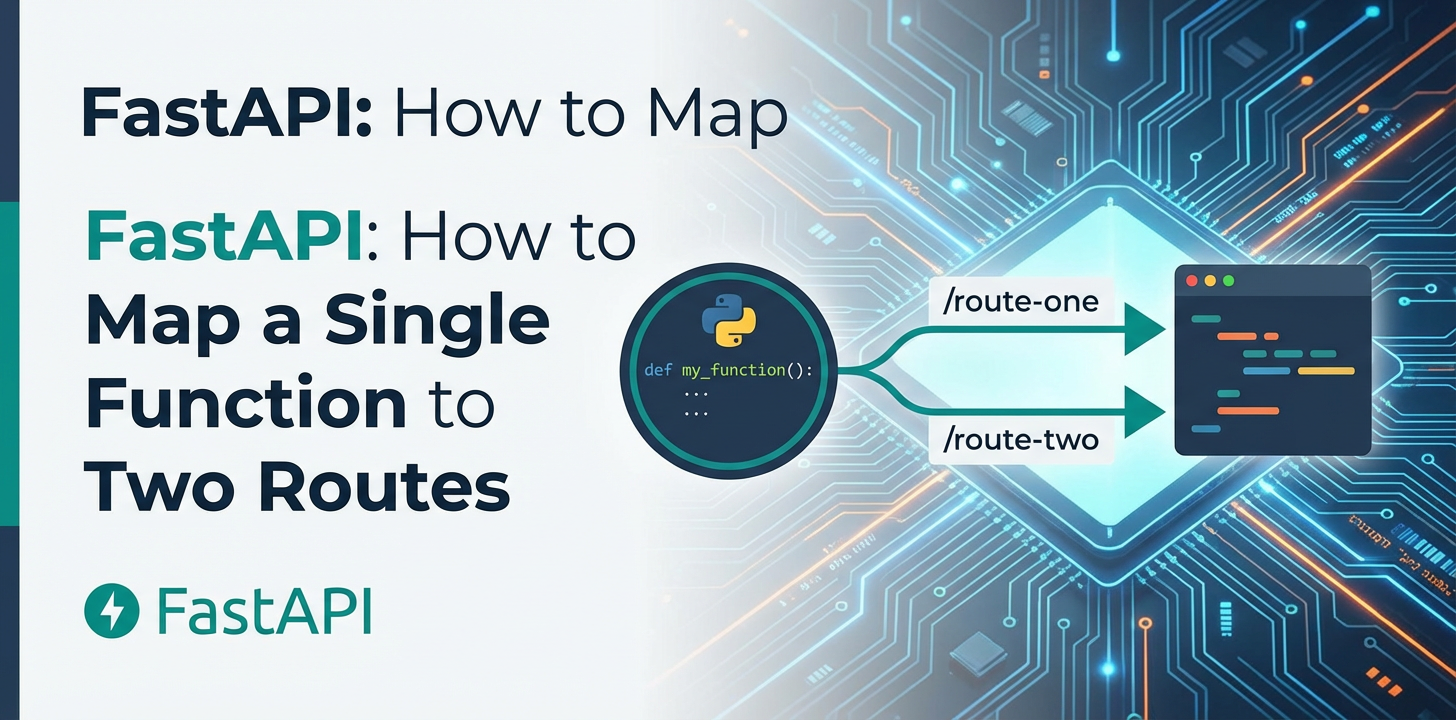


In the dynamic and ever-evolving landscape of modern web development, creating robust, efficient, and scalable APIs is paramount. FastAPI, a high-performance web framework for building APIs with Python 3.7+ based on standard Python type hints, has rapidly emerged as a favorite among developers for its speed, ease of use, and automatic interactive API documentation (thanks to OpenAPI). While the fundamental concept of mapping a single route to a function is straightforward, there are numerous scenarios where the elegance and utility of mapping a single function to multiple routes become indispensable. This article will delve deep into the various methods and best practices for achieving this in FastAPI, exploring the "why" behind such architectural decisions, the practical implementation details, and the broader implications for API design and management, including how tools like APIPark can streamline complex API landscapes.
Introduction: The Flexibility of FastAPI Routing
FastAPI’s core strength lies in its intuitive and powerful routing mechanism. Developers define path operations using Python decorators, which clearly link an HTTP method and a URL path to a specific Python function. This declarative approach, coupled with automatic data validation and serialization provided by Pydantic, makes building high-quality APIs a remarkably pleasant experience. However, real-world API development often presents challenges that extend beyond simple one-to-one route-to-function mappings.
Consider a situation where you have a core piece of business logic encapsulated within a Python function. This function might, for instance, retrieve user details from a database. Now, imagine your API needs to expose this same logic through different URL paths. Perhaps for legacy reasons, an old endpoint /api/v1/users/{user_id} still needs to function, while a new, cleaner endpoint /users/{user_id} is being introduced. Or perhaps a resource can be accessed by both its primary identifier and an alias, such as /products/{product_id} and /items/{item_sku} where both ultimately resolve to the same internal retrieval logic. In such cases, duplicating the function code for each route is inefficient, difficult to maintain, and prone to inconsistencies. The elegant solution is to map both (or more) routes to the same underlying function. This not only promotes code reuse and maintainability but also ensures a single source of truth for the logic associated with that operation.
This article will comprehensively cover the techniques FastAPI offers to achieve this flexible routing, from the most direct decorator-based approaches to more advanced programmatic methods. We will dissect each technique with detailed code examples, discuss their advantages and disadvantages, and provide insights into when to employ each strategy. Furthermore, we will explore the impact of such routing patterns on OpenAPI documentation, API versioning, and the overall developer experience, ultimately touching upon how these granular routing decisions fit into a broader api management strategy.
Understanding FastAPI's Core Routing Mechanism
Before we dive into mapping multiple routes, it's crucial to solidify our understanding of how FastAPI handles basic routing. FastAPI builds upon Starlette, a lightweight ASGI framework, to provide its routing capabilities. When you define a path operation, you're essentially telling FastAPI: "When an HTTP request of this method (GET, POST, PUT, DELETE, etc.) arrives at this specific URL path, execute this Python function."
Let's look at a simple example:
from fastapi import FastAPI

app = FastAPI()

@app.get("/techblog/en/items/{item_id}")
async def read_item(item_id: int):
    """
    Retrieves details for a specific item identified by its ID.
    This is a basic example of a single route mapped to a single function.
    """
    return {"item_id": item_id, "description": "This is a single item"}

if __name__ == "__main__":
    import uvicorn
    uvicorn.run(app, host="0.0.0.0", port=8000)
In this snippet: * app = FastAPI() initializes the FastAPI application. * @app.get("/techblog/en/items/{item_id}") is a decorator that registers the read_item function to handle GET requests sent to the /items/{item_id} path. The {item_id} part is a path parameter, meaning item_id will be captured from the URL and passed as an argument to the function. * async def read_item(item_id: int): defines the path operation function. FastAPI automatically validates item_id as an integer due to the type hint.
This fundamental pattern is the building block for all routing in FastAPI. The power and flexibility come from how these decorators can be combined and managed.
The "Why" Behind Mapping a Single Function to Multiple Routes
Before we explore the "how," let's articulate the compelling reasons for wanting to map a single function to multiple routes. Understanding these use cases will help you make informed decisions about your API's architecture.
1. API Versioning (Backward Compatibility)
Perhaps the most common reason is maintaining backward compatibility during API evolution. As your API matures, you might introduce new versions (e.g., v2). However, existing clients might still rely on v1 endpoints. To avoid breaking these clients while migrating to new paths or structures, you can map both the old and new versioned routes to the same underlying function, at least temporarily.
- Example:
- Old endpoint:
/api/v1/products/{product_id} - New endpoint:
/api/v2/products/{product_id} - Both might initially call the same
get_product_detailsfunction.
- Old endpoint:
This strategy allows for a smooth transition period, giving clients time to upgrade to the new API version without immediate disruption. It's a critical component of a robust api lifecycle management strategy.
2. Aliases and Semantic Alternatives
Sometimes, a resource might be logically addressable through different names or classifications. For instance, a "user" could also be referred to as a "profile" in certain contexts. Mapping both /users/{user_id} and /profiles/{profile_id} to the same function provides a user-friendly way to access the identical resource without code duplication.
- Example:
/articles/{article_slug}/posts/{post_slug}- Both routes could lead to the same function
get_content_by_slug.
This improves the discoverability and usability of your API by catering to varied mental models of your users.
3. Deprecation and Transition Paths
Similar to versioning, when deprecating an old endpoint, you might want to keep it operational for a grace period while redirecting users to a new, preferred path. Mapping both the deprecated and new path to the same function ensures that the logic remains consistent, and you can easily add logging or warnings to the deprecated route to encourage migration.
- Example:
/old-endpoint/data/new-endpoint/information- Both routes call
retrieve_common_data.
This provides a controlled way to sunset endpoints while minimizing impact.
4. Search Engine Optimization (SEO) for Public APIs (Less Common for Internal APIs)
While less common for internal enterprise APIs, for public-facing APIs that might be indexed or discoverable, having canonical URLs and redirects is important for SEO. However, mapping multiple semantic paths to a single handler can ensure that even if different URLs are accessed, the underlying data retrieval and presentation logic remain unified, preventing content duplication issues if the API responses are directly consumable by search engines.
5. Consolidating Similar Operations
If two seemingly different paths eventually perform the exact same backend operation and return identical data structures, it's a strong candidate for mapping to a single function. This prevents "action at a distance" where changes in one part of the code might inadvertently affect another, unrelated (but functionally identical) piece.
- Example:
/admin/status/healthcheck- Both routes could trigger the
get_application_statusfunction.
This keeps your codebase DRY (Don't Repeat Yourself) and makes future maintenance significantly easier.
By understanding these motivations, you can better appreciate the following technical solutions and apply them judiciously in your FastAPI projects.
Method 1: Multiple Decorators on a Single Function (The Simplest Approach)
The most direct and often preferred way to map a single function to multiple routes in FastAPI is by applying multiple path operation decorators directly to the function definition. FastAPI allows you to stack decorators, and each one will register the function for the specified path and HTTP method.
Implementation Details
Let's illustrate this with an example where we want to access user details via both a /users/{user_id} path and a /profiles/{profile_id} path, both invoking the same underlying logic.
from fastapi import FastAPI, HTTPException

app = FastAPI()

# In a real application, this would be a database call
fake_users_db = {
    "john_doe": {"name": "John Doe", "email": "john.doe@example.com"},
    "jane_smith": {"name": "Jane Smith", "email": "jane.smith@example.com"}
}

@app.get("/techblog/en/users/{username}")
@app.get("/techblog/en/profiles/{username}") # Applying a second decorator
async def get_user_or_profile(username: str):
    """
    Retrieves user details based on a given username,
    accessible via both '/users/{username}' and '/profiles/{username}'.
    This function demonstrates the simplest way to map one function to multiple routes.
    """
    if username not in fake_users_db:
        raise HTTPException(status_code=404, detail="User not found")
    return fake_users_db[username]

@app.get("/techblog/en/")
async def root():
    """
    A simple root endpoint to confirm the application is running.
    """
    return {"message": "Welcome to the FastAPI application!"}

if __name__ == "__main__":
    import uvicorn
    # To run: uvicorn your_file_name:app --reload
    uvicorn.run(app, host="0.0.0.0", port=8000)
Explanation of the Code
from fastapi import FastAPI, HTTPException: We importFastAPIto create our application instance andHTTPExceptionfor handling cases where a user is not found.app = FastAPI(): Initializes the FastAPI application.fake_users_db: A simple dictionary simulating a database for demonstration purposes.@app.get("/techblog/en/users/{username}"): This is the first path operation decorator. It tells FastAPI to listen forGETrequests on the path/users/{username}.@app.get("/techblog/en/profiles/{username}"): This is the crucial second decorator. It tells FastAPI to also listen forGETrequests on the path/profiles/{username}. Both decorators are applied to the sameget_user_or_profilefunction.async def get_user_or_profile(username: str):: This is the single function containing the business logic. It takes ausername(which will be extracted from either/users/{username}or/profiles/{username}) as a path parameter.- Error Handling: The function includes a basic check to see if the username exists in our
fake_users_db. If not, it raises anHTTPExceptionwith a 404 status code, which FastAPI automatically converts into a proper HTTP response. - Running the application: The
if __name__ == "__main__":block allows you to run the application directly usinguvicorn.
Advantages
- Simplicity and Readability: This method is incredibly straightforward. It's immediately clear from looking at the function definition that it responds to multiple paths.
- DRY (Don't Repeat Yourself): The core logic is defined only once, reducing the chances of errors and inconsistencies.
- Automatic OpenAPI Documentation: FastAPI will automatically generate OpenAPI documentation for both routes, clearly showing that they share the same response schema and parameters. This is a significant benefit for API consumers.
- Easy to Refactor: If the underlying logic needs to change, you only modify one function.
Disadvantages
- Verbosity for Many Routes: If a single function needs to be mapped to a very large number of routes (e.g., ten or more), the stack of decorators above the function can become quite long and visually cumbersome.
- Limited Flexibility for Route-Specific Logic: While the core logic is shared, if you need slightly different behavior or different response models based on which specific route was hit, this method doesn't naturally provide a way to differentiate within the function without inspecting
request.url(which is generally discouraged for routing decisions within a function). However, for purely identical behavior, it's perfect.
This method is ideal for most common scenarios where you need direct aliases or versioning for a small to moderate number of routes, and the logic for each route is identical.
Method 2: Using APIRouter with Multiple Decorators
For larger applications, or when you want to organize your API into modular, independent sections, FastAPI's APIRouter is an indispensable tool. An APIRouter allows you to group related path operations, path parameters, dependencies, and configurations. You can then "mount" these routers onto your main FastAPI application. The good news is that APIRouters support the same multiple-decorator pattern as the main FastAPI app instance.
Implementation Details
Let's refactor the previous user/profile example using APIRouter. This not only maps a single function to two routes but also demonstrates how to structure your application more effectively.
from fastapi import APIRouter, FastAPI, HTTPException

# Simulate a database for users
fake_users_db = {
    "john_doe": {"name": "John Doe", "email": "john.doe@example.com"},
    "jane_smith": {"name": "Jane Smith", "email": "jane.smith@example.com"}
}

# Create an APIRouter instance
user_router = APIRouter(
    prefix="/techblog/en/entities",  # All routes defined in this router will be prefixed with /entities
    tags=["Users & Profiles"], # Tags for OpenAPI documentation
    responses={404: {"description": "Entity not found"}}, # Common response for this router
)

@user_router.get("/techblog/en/users/{username}")
@user_router.get("/techblog/en/profiles/{username}")
async def get_user_or_profile_from_router(username: str):
    """
    Retrieves user details via an APIRouter, accessible through
    /entities/users/{username} and /entities/profiles/{username}.
    This showcases modular routing with shared function logic.
    """
    if username not in fake_users_db:
        raise HTTPException(status_code=404, detail="User or Profile not found")
    return fake_users_db[username]

# Main FastAPI application
app = FastAPI()

# Include the router into the main application
app.include_router(user_router)

@app.get("/techblog/en/")
async def root():
    """
    A simple root endpoint for the main application.
    """
    return {"message": "Welcome to the modular FastAPI application!"}


if __name__ == "__main__":
    import uvicorn
    # To run: uvicorn your_file_name:app --reload
    uvicorn.run(app, host="0.0.0.0", port=8000)
Explanation of the Code
from fastapi import APIRouter, FastAPI, HTTPException: We importAPIRouterin addition toFastAPIandHTTPException.user_router = APIRouter(...): We create an instance ofAPIRouter.prefix="/techblog/en/entities": This is a crucial argument. Any path defined withinuser_routerwill have/entitiesprepended to it. So,/users/{username}becomes/entities/users/{username}.tags=["Users & Profiles"]: This helps organize the documentation in the interactive OpenAPI UI (Swagger UI/ReDoc), grouping related endpoints.responses={404: {"description": "Entity not found"}}: You can define common responses for all routes within a router.
@user_router.get("/techblog/en/users/{username}"): Noticeuser_router.getinstead ofapp.get. We use the router's decorator.@user_router.get("/techblog/en/profiles/{username}"): The second decorator, also fromuser_router, mapping to the same function.async def get_user_or_profile_from_router(username: str):: The function logic remains identical.app.include_router(user_router): This line is essential. It mounts theuser_routeronto the mainappinstance, making all its defined routes available.
Advantages
- Modularity and Organization:
APIRouters are excellent for structuring larger applications, separating concerns, and making your codebase more manageable. - Prefixing: The
prefixargument automatically handles URL namespaces, preventing path collisions and ensuring consistent URL structures for a group of related endpoints. - Shared Dependencies, Tags, and Responses: You can define common dependencies, tags, and responses at the router level, reducing repetition across multiple path operations within that router.
- Scalability: For very large APIs, you can organize your routers into separate files, making development and maintenance by multiple teams more efficient.
Disadvantages
- Slightly More Boilerplate: Compared to directly using
app.get, there's a little more setup involved with creating and including the router. However, the benefits in terms of organization quickly outweigh this for medium to large projects. - Potential for Deep Nesting: If not managed well, including routers within other routers (though possible) can sometimes lead to complex path structures that are harder to reason about.
Using APIRouter with multiple decorators is the recommended approach for any FastAPI application beyond the simplest examples, especially when you anticipate growth or require a clear separation of concerns. It provides a robust and scalable way to manage your API routes, including those that map to shared functions.
Method 3: Programmatic Routing with app.add_api_route()
While decorators are concise and readable for static routes, there are situations where you might need to register routes programmatically. This means adding routes dynamically, perhaps based on configuration files, database entries, or during runtime based on certain conditions. FastAPI provides the app.add_api_route() method (and router.add_api_route() for APIRouters) for this purpose.
This method is particularly useful when: * You need to generate a large number of routes based on external data. * The exact paths are not known at coding time but are determined dynamically. * You need fine-grained control over route registration that decorators might not directly offer.
Implementation Details
Let's illustrate how to use add_api_route() to map our user retrieval function to multiple paths.
from fastapi import FastAPI, HTTPException
from typing import Callable, List

app = FastAPI()

fake_users_db = {
    "john_doe": {"name": "John Doe", "email": "john.doe@example.com"},
    "jane_smith": {"name": "Jane Smith", "email": "jane.smith@example.com"}
}

async def get_user_details(username: str):
    """
    The core function to retrieve user details. This function
    is registered programmatically to multiple routes.
    """
    if username not in fake_users_db:
        raise HTTPException(status_code=404, detail="User not found")
    return fake_users_db[username]

def register_user_routes(app_instance: FastAPI, handler_function: Callable, paths: List[str]):
    """
    A helper function to programmatically register a single handler function
    to multiple specified paths.
    """
    for path in paths:
        app_instance.add_api_route(
            path=path,
            endpoint=handler_function,
            methods=["GET"], # Specify HTTP methods (e.g., GET, POST, PUT)
            summary=f"Retrieve User/Profile by Username via {path}", # Custom summary for OpenAPI
            response_model=dict, # Define the response model for documentation
            tags=["Dynamic User Routes"] # Tags for OpenAPI documentation
        )

# Define the paths for our user details function
user_paths = ["/techblog/en/dynamic/users/{username}", "/techblog/en/dynamic/profiles/{username}", "/techblog/en/legacy/people/{username}"]

# Register the routes programmatically
register_user_routes(app, get_user_details, user_paths)

@app.get("/techblog/en/")
async def root():
    """
    Root endpoint for the application.
    """
    return {"message": "Welcome to the programmatic FastAPI application!"}

if __name__ == "__main__":
    import uvicorn
    # To run: uvicorn your_file_name:app --reload
    uvicorn.run(app, host="0.0.0.0", port=8000)
Explanation of the Code
from fastapi import FastAPI, HTTPExceptionandfrom typing import Callable, List: Standard imports, withCallableandListfor type hinting our helper function.async def get_user_details(username: str):: This is our core business logic function, identical to previous examples. Notice there are no decorators directly above it.def register_user_routes(...): This helper function encapsulates the logic for registering routes.- It takes
app_instance(ourFastAPIapp),handler_function(ourget_user_details), and apathslist. - It iterates through each
pathin thepathslist. app_instance.add_api_route(...): This is where the magic happens.path: The URL path string.endpoint: The Python function that will handle requests to this path. Crucially, we pass ourget_user_detailsfunction here.methods=["GET"]: A list of HTTP methods this route should respond to.summary,response_model,tags: These are arguments that correspond to parameters you'd normally provide in decorator arguments, allowing for rich OpenAPI documentation generation.
- It takes
user_paths = [...]: We define a list of paths that should all map toget_user_details. This demonstrates how paths could originate from a configuration or database.register_user_routes(app, get_user_details, user_paths): We call our helper function to register all the routes.
Advantages
- Dynamic Route Generation: The primary benefit is the ability to define and register routes at runtime, which is incredibly powerful for content management systems, plugin architectures, or microservices that need to adapt their exposed apis based on external factors.
- Centralized Configuration: All route definitions can be managed from a single list or data structure, making it easy to see and modify all paths linked to a function.
- Programmatic Control: Offers the most control over every aspect of route registration, including advanced OpenAPI metadata.
- Reduced Decorator Clutter: If you have many paths for one function, this prevents a long list of decorators above the function, keeping the function definition cleaner.
Disadvantages
- Less Declarative: The link between a function and its routes is no longer immediately visible in the function definition itself, which can slightly reduce readability for simple cases. You have to look at the
add_api_routecalls. - More Boilerplate for Simple Cases: For just two or three routes, using multiple decorators is more concise.
add_api_routeintroduces more code. - Type Hinting for
endpoint: While FastAPI is smart, if you are doing very complex programmatic endpoint assignments, ensuring correct type hinting for theendpointmight require more careful planning than decorator-based approaches.
app.add_api_route() is a powerful tool best reserved for scenarios where the dynamic nature of route generation is a significant advantage, or when the number of routes mapped to a single function becomes unwieldy for decorators.
APIPark is a high-performance AI gateway that allows you to securely access the most comprehensive LLM APIs globally on the APIPark platform, including OpenAI, Anthropic, Mistral, Llama2, Google Gemini, and more.Try APIPark now! 👇👇👇
Method 4: Advanced Considerations and Design Patterns
While the methods above cover the direct ways to map a single function to multiple routes, a good API design also involves understanding related concepts and alternative patterns.
Path Parameters and Conditional Logic
Sometimes, what appears to be a need for multiple routes can actually be handled by a single route with a more flexible path parameter and conditional logic inside the function.
Consider if you wanted /items/by-id/{id} and /items/by-sku/{sku}. Instead of two routes, you could have /items/{identifier_type}/{value} and then use if identifier_type == "by-id": inside your function.
from fastapi import FastAPI, HTTPException

app = FastAPI()

@app.get("/techblog/en/items/{identifier_type}/{value}")
async def get_item_by_flexible_identifier(identifier_type: str, value: str):
    """
    Retrieves an item based on a flexible identifier type (e.g., 'id' or 'sku').
    This is an alternative to multiple static routes if the core logic is similar
    and requires differentiation based on a path segment.
    """
    if identifier_type == "by-id":
        # Logic to fetch by ID
        try:
            item_id = int(value)
            return {"message": f"Fetching item by ID: {item_id}"}
        except ValueError:
            raise HTTPException(status_code=400, detail="ID must be an integer")
    elif identifier_type == "by-sku":
        # Logic to fetch by SKU
        return {"message": f"Fetching item by SKU: {value}"}
    else:
        raise HTTPException(status_code=400, detail="Invalid identifier type. Use 'by-id' or 'by-sku'.")

if __name__ == "__main__":
    import uvicorn
    uvicorn.run(app, host="0.0.0.0", port=8000)
When to use this: * When the "multiple routes" are logically very similar and differ only by a classification within the URL path, leading to slightly different internal logic. * When you want to reduce the number of explicit route definitions in your code.
When not to use this: * When the "routes" are semantically distinct and would normally have separate, fixed paths (e.g., /users vs. /profiles). * When the internal logic branches significantly, making the function hard to read and maintain. In such cases, multiple dedicated routes are clearer. * For versioning, it's generally better to use explicit versioned routes.
Route Order and Conflicts
When defining multiple routes, especially with path parameters, the order of definition can sometimes matter if paths overlap. FastAPI (and Starlette) processes routes in the order they are defined. More specific routes should ideally be defined before more general ones to ensure they are matched correctly.
For example, /items/all should be defined before /items/{item_id} if all is a literal string that you want to capture, otherwise /items/{item_id} might capture all as an item_id.
When mapping a single function to two distinct routes (e.g., /users/{username} and /profiles/{username}), order typically doesn't matter because the paths are unambiguous. Conflicts arise more often with different functions or when path parameters could greedily match literal segments.
OpenAPI Documentation and operation_id
FastAPI automatically generates comprehensive OpenAPI (Swagger) documentation. When a single function is mapped to multiple routes, FastAPI will create separate entries in the documentation for each route. By default, it derives an operation_id from the function name. If you have many functions with generic names and rely on them for client code generation, this can sometimes lead to conflicts or less descriptive names.
You can explicitly set the operation_id in the decorator or add_api_route method to provide unique and descriptive identifiers for each route, even if they share the same underlying function.
from fastapi import FastAPI

app = FastAPI()

@app.get("/techblog/en/items/legacy/{item_id}", operation_id="get_item_legacy")
@app.get("/techblog/en/items/current/{item_id}", operation_id="get_item_current")
async def get_item(item_id: str):
    return {"item_id": item_id}
This ensures that tools consuming your OpenAPI spec will have clear, distinct identifiers for each path operation, even if they point to the same Python function internally.
HTTP Methods and Specificity
Remember that path operation decorators (e.g., @app.get, @app.post) are specific to HTTP methods. If you map a function to two routes, and one route should only allow GET while the other allows GET and POST (though this would be unusual for a single "read" function), you'd need to be careful with the decorators or methods parameter in add_api_route. Typically, a single function mapped to multiple routes implies the same set of allowed HTTP methods for those paths, reflecting the core operation the function performs.
Best Practices for Multiple Routes to a Single Function
When employing the techniques discussed, adhering to certain best practices will ensure your API remains maintainable, understandable, and robust.
- Prioritize Clarity Over Cleverness: While programmatic routing offers immense power, for straightforward aliasing or versioning, multiple decorators are usually the clearest choice. Opt for the simplest solution that meets your requirements.
- Consistent Naming and Semantics: Ensure that even if different routes point to the same function, their paths convey a logical meaning to API consumers. Avoid arbitrary or misleading path names. For instance,
/users/{user_id}and/customers/{customer_id}pointing to the same function are acceptable ifusersandcustomersare interchangeable terms in your domain. - Comprehensive OpenAPI Documentation: Leverage FastAPI's automatic documentation generation.
- Use
summary,description,tags, andresponse_modelarguments in your decorators oradd_api_routecalls. - For very similar routes, clearly state in the description that they serve the same purpose or one is a legacy endpoint.
- Consider using unique
operation_idfor each route if client code generation is important. - This is where a well-structured OpenAPI specification shines, providing clarity for API consumers.
- Use
- Testing All Routes: Crucially, when mapping a single function to multiple routes, ensure you write tests for each exposed route. Even if the underlying function is identical, the routing itself needs to be verified. This confirms that all intended paths correctly invoke the function.
- Consider HTTP Redirects for Deprecation: For routes that are truly deprecated and you want to force clients to use a new path, an HTTP 301 (Moved Permanently) or 308 (Permanent Redirect) redirect might be more appropriate than mapping to the same function. This tells clients to update their calls. Mapping to the same function is better when you need to support both paths indefinitely or for a long grace period, or if the "aliases" are semantically equivalent.
- Avoid Overuse: Don't map a single function to multiple routes if the underlying logic truly diverges significantly. If a function starts needing extensive
if/elsestatements to handle different behaviors based on the incoming route, it's often a signal that distinct functions and distinct routes would be clearer. - Refactor When Logic Diverges: If two routes initially mapped to the same function, but over time their specific requirements or data processing needs begin to differ, don't hesitate to refactor. Create separate functions for each route when the shared logic becomes too thin or cumbersome to maintain.
Performance Considerations
For the methods discussed (multiple decorators and add_api_route), the performance impact of mapping a single function to multiple routes in FastAPI is negligible. FastAPI's routing mechanism is highly optimized. Once the application starts, it builds an efficient internal routing table. Whether a function is referenced once or multiple times in this table doesn't significantly affect request processing time. The overhead is primarily during application startup, which is a one-time cost. The focus should be on code clarity, maintainability, and correct API design rather than micro-optimizations in this area.
Managing API Complexity: From Multiple Routes to API Gateways
While mapping a single function to multiple routes effectively addresses code reuse and specific routing needs within a single FastAPI application, the overall complexity of API management can rapidly escalate, especially in larger ecosystems with numerous microservices, diverse internal and external consumers, and evolving requirements. This is where the broader concept of an api gateway becomes critically important.
As your FastAPI application grows, or as you integrate it with other services (including powerful AI models), you might encounter challenges like:
- API Versioning Across Services: Managing
v1,v2, etc., not just for a single route but for entire sets of APIs. - Authentication and Authorization: Centralizing security policies across all your APIs.
- Rate Limiting and Throttling: Protecting your backend services from abuse.
- Request/Response Transformation: Adapting payloads for different consumers or older clients.
- Monitoring and Analytics: Gaining insights into API usage, performance, and errors.
- Load Balancing and Traffic Management: Distributing requests efficiently across multiple instances of your services.
- Developer Portal: Providing a single, self-service hub for API consumers to discover, subscribe to, and test your APIs.
These challenges extend far beyond what a single FastAPI application is designed to handle on its own. This is precisely the domain where an api gateway excels. An api gateway acts as a single entry point for all client requests, routing them to the appropriate backend services. It decouples the client from the microservices architecture, providing a layer where common concerns like security, monitoring, and routing logic can be centrally managed.
Introducing APIPark: An Open Source AI Gateway & API Management Platform
For organizations dealing with a proliferation of APIs, particularly those integrating Large Language Models (LLMs) and other AI services, an advanced api gateway like APIPark offers a comprehensive solution. APIPark is an all-in-one AI gateway and API developer portal, open-sourced under the Apache 2.0 license, designed to simplify the management, integration, and deployment of both AI and REST services.
While your FastAPI application handles the granular mapping of routes to functions, APIPark steps in at a higher level, providing a robust infrastructure to manage your entire API ecosystem. Let's explore how APIPark addresses the challenges of API complexity, complementing your FastAPI development:
- Quick Integration of 100+ AI Models: Imagine your FastAPI application needing to interact with various AI models. APIPark unifies the management of authentication and cost tracking for a diverse range of AI models, making it easy for your backend to leverage powerful AI capabilities without direct, complex integrations.
- Unified API Format for AI Invocation: One of the biggest headaches in working with multiple AI models is their differing API formats. APIPark standardizes the request data format, ensuring that changes in underlying AI models or prompts do not ripple through your FastAPI application or microservices. This drastically simplifies AI usage and reduces maintenance costs, allowing your FastAPI functions to call AI services through a consistent interface provided by APIPark.
- Prompt Encapsulation into REST API: With APIPark, you can quickly combine AI models with custom prompts to create new, specialized APIs (e.g., sentiment analysis, translation, data analysis). This means your FastAPI application doesn't need to know the intricate details of prompt engineering; it simply calls a well-defined REST API exposed by APIPark, which then handles the AI invocation.
- End-to-End API Lifecycle Management: From design to publication, invocation, and decommission, APIPark assists with the entire API lifecycle. It helps regulate API management processes, manage traffic forwarding, load balancing, and versioning of published APIs. This is crucial when you have multiple versions of your FastAPI service, or when you're directing traffic based on criteria.
- API Service Sharing within Teams: APIPark centralizes the display of all API services, making it effortless for different departments and teams to discover and use required API services. This fosters collaboration and prevents "shadow IT" where teams build redundant services.
- Independent API and Access Permissions for Each Tenant: For multi-tenant architectures, APIPark enables the creation of multiple teams, each with independent applications, data, user configurations, and security policies, all while sharing underlying applications and infrastructure to optimize resource utilization.
- API Resource Access Requires Approval: Enhancing security, APIPark allows for subscription approval features. Callers must subscribe to an API and await administrator approval before invocation, preventing unauthorized access and potential data breaches.
- Performance Rivaling Nginx: With optimized performance, APIPark can achieve over 20,000 TPS on modest hardware, supporting cluster deployment to handle large-scale traffic. This ensures your API gateway doesn't become a bottleneck as your services scale.
- Detailed API Call Logging and Powerful Data Analysis: APIPark provides comprehensive logging of every API call, essential for tracing, troubleshooting, and auditing. Furthermore, it analyzes historical call data to display trends and performance changes, empowering businesses with preventive maintenance and informed decision-making.
By deploying APIPark with a single command (curl -sSO https://download.apipark.com/install/quick-start.sh; bash quick-start.sh), you can rapidly establish a robust api gateway layer that complements the internal routing capabilities of your FastAPI applications. It transforms the challenge of managing a complex array of APIs into a streamlined, secure, and performant operation, especially valuable in the era of pervasive AI integration. While your FastAPI application excels at mapping a single function to multiple routes for internal logic, APIPark provides the overarching framework to manage these routes, versions, and interactions at an enterprise scale, bridging the gap between internal service development and external api consumption.
Comparison of Methods and Use Cases
To summarize the various methods for mapping a single function to multiple routes, let's look at a comparative table that highlights their key characteristics and ideal use cases.
| Feature / Method | Multiple Decorators (FastAPI/APIRouter) | Programmatic (add_api_route()) |
Path Parameters & Conditionals (Alternative) |
|---|---|---|---|
| Readability for few routes | Excellent (direct and declarative) | Moderate (requires looking at registration logic) | Moderate (logic within function can become complex) |
| Readability for many routes | Can become verbose with many decorators | Excellent (paths can be in a list/config) | Good (single route definition) |
| Modularity (APIRouter) | Excellent (integrates well with APIRouter) | Excellent (works with router.add_api_route()) |
Excellent (integrates well with APIRouter) |
| Dynamic Route Generation | Not directly supported | Excellent (ideal for routes from config/DB) | Limited (dynamic values, not dynamic paths) |
| OpenAPI Documentation | Automatic, clear entries for each route. operation_id can be set. |
Programmatically configurable (summary, tags, operation_id). |
Single entry for the route. Description must explain parameter variations. |
| Control over Route Details | Good (path, methods, summary, tags) | Excellent (full control over all APIRoute parameters) |
Good (path parameter validation) |
| Use Cases | - Aliasing (e.g., /users & /profiles)- Simple versioning - Deprecation with grace period |
- Large-scale, data-driven route generation - Plugin architectures - A/B testing route variations |
- Semantically similar operations with slight internal variations - Reducing explicit route count for very similar paths |
| Complexity of Setup | Low | Medium to High (requires helper function/loop) | Medium (requires careful conditional logic) |
| Maintainability | High (clear, direct mapping) | High (if registration logic is well-structured) | Moderate (can degrade with complex internal logic) |
| Performance Impact | Negligible | Negligible | Negligible |
This table provides a quick reference to help you choose the most appropriate method based on your project's specific needs, size, and complexity.
Conclusion: Crafting Flexible and Maintainable FastAPI APIs
Mapping a single function to multiple routes in FastAPI is a powerful technique that underpins flexible, maintainable, and backward-compatible API designs. Whether you're handling API versioning, creating semantic aliases, managing deprecation lifecycles, or dynamically generating routes, FastAPI provides elegant solutions.
We've explored the directness of applying multiple decorators to a function, the organizational benefits of using APIRouter for modularity, and the dynamic capabilities of programmatic routing with app.add_api_route(). Each method serves distinct purposes and offers specific advantages, allowing developers to choose the best tool for the job. Adhering to best practices, such as clear documentation, robust testing, and thoughtful refactoring, ensures that these powerful routing patterns contribute to a well-structured and evolving API landscape.
Ultimately, the goal is to build APIs that are not only performant but also intuitive for consumers and manageable for developers. As your API ecosystem expands, especially with the integration of complex services like AI models, the internal routing logic within your FastAPI application becomes one layer of a larger system. Tools like APIPark then step in as a crucial api gateway, offering comprehensive management, security, monitoring, and integration capabilities that elevate your API strategy to an enterprise level. By mastering FastAPI's flexible routing and understanding the role of external api management platforms, you can craft robust, scalable, and future-proof APIs that drive innovation and deliver value.
Frequently Asked Questions (FAQ)
1. Why would I want to map a single function to multiple routes in FastAPI?
You would want to do this primarily for code reuse and maintainability. Common reasons include: * API Versioning: Supporting an older /v1/users route while introducing a new /v2/users route that uses the same underlying logic. * Aliasing: Providing alternative, semantically equivalent paths to the same resource (e.g., /products/{id} and /items/{sku}). * Deprecation: Allowing a grace period for old routes while encouraging migration to new ones, without duplicating core logic. This approach ensures a single source of truth for your business logic, making updates and bug fixes more efficient.
2. What's the simplest way to map one function to multiple routes in FastAPI?
The simplest way is to apply multiple path operation decorators directly above the function definition. For example:
@app.get("/techblog/en/path-one")
@app.get("/techblog/en/path-two")
async def shared_function():
    return {"message": "Hello from shared logic!"}
FastAPI will register the shared_function to handle GET requests for both /path-one and /path-two.
3. How does mapping a single function to multiple routes affect OpenAPI documentation?
FastAPI automatically generates comprehensive OpenAPI documentation for each registered route. When a single function is mapped to multiple routes, FastAPI will create a separate entry in the documentation (like Swagger UI or ReDoc) for each of those routes. Each entry will show the correct path, HTTP method, and reflect the parameters and response model of the shared function. You can use the operation_id argument in your decorators or add_api_route() calls to provide unique, descriptive identifiers for each specific route in the OpenAPI spec if needed for client code generation.
4. When should I use APIRouter for this pattern, and when should I use app.add_api_route()?
APIRouterwith multiple decorators is ideal for organizing your application into modular components. Use it when you want to group related endpoints (some of which might share functions) under a common prefix or with shared dependencies/tags. It significantly improves code structure for medium to large applications.app.add_api_route()(orrouter.add_api_route()) is best suited for programmatic and dynamic route generation. Use it when the exact routes are not known at coding time but are determined at runtime, from a configuration file, or a database. It offers the most control over route registration details. For simple, static mappings, multiple decorators are generally clearer.
5. Can I use path parameters (e.g., {item_id}) when mapping a function to multiple routes?
Yes, absolutely. All methods discussed fully support path parameters. For example:
@app.get("/techblog/en/users/{username}")
@app.get("/techblog/en/profiles/{username}")
async def get_details(username: str):
    return {"requested_username": username}
In this case, the username parameter will be correctly extracted from either /users/john_doe or /profiles/jane_smith and passed to the get_details function. FastAPI's robust type hint processing and validation work seamlessly across all registered paths for a given function.
🚀You can securely and efficiently call the OpenAI API on APIPark in just two steps:
Step 1: Deploy the APIPark AI gateway in 5 minutes.
APIPark is developed based on Golang, offering strong product performance and low development and maintenance costs. You can deploy APIPark with a single command line.
curl -sSO https://download.apipark.com/install/quick-start.sh; bash quick-start.sh

In my experience, you can see the successful deployment interface within 5 to 10 minutes. Then, you can log in to APIPark using your account.

Step 2: Call the OpenAI API.