FastAPI: Map a Single Function to Two Routes
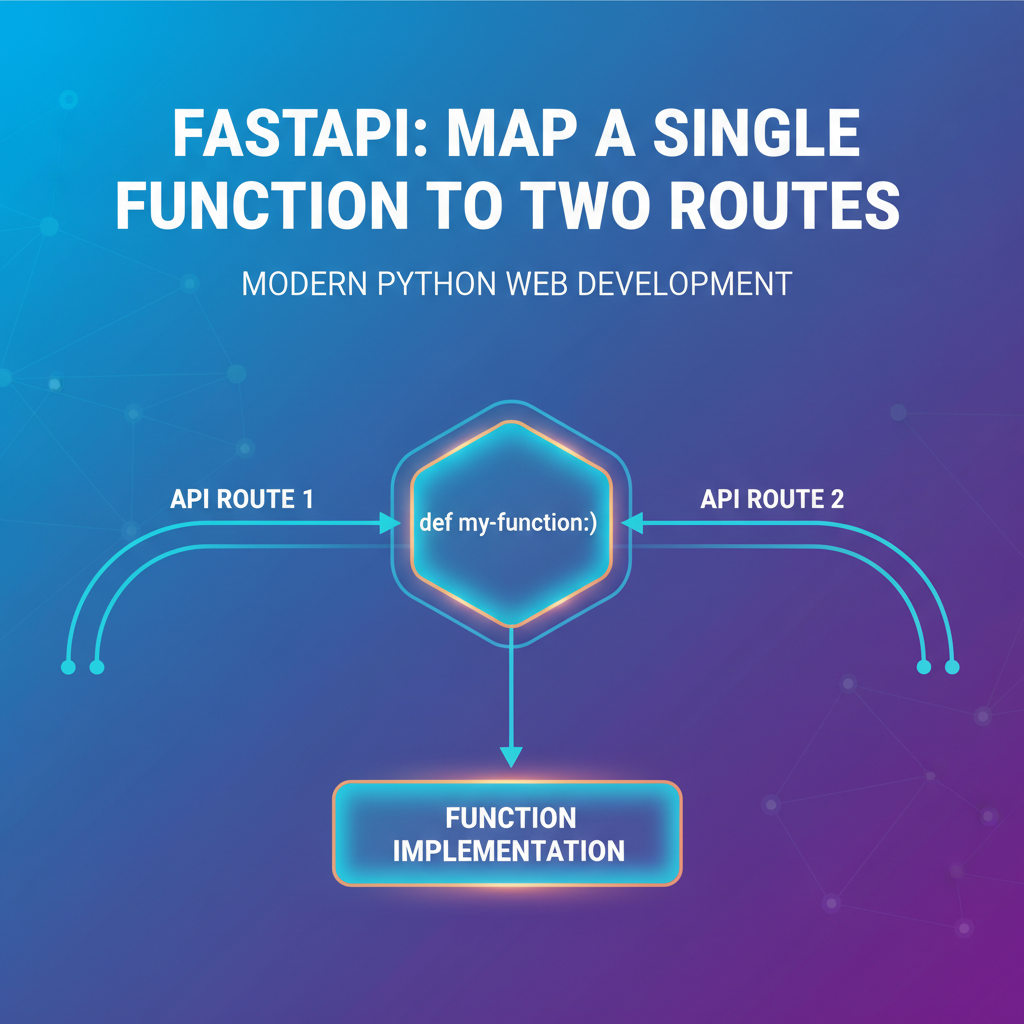


In the vast and rapidly evolving landscape of web development, building robust, scalable, and maintainable Application Programming Interfaces (APIs) is paramount. Python, with its clean syntax and powerful libraries, has cemented its place as a top choice for backend development. Among the pantheon of Python web frameworks, FastAPI has emerged as a particularly compelling option, celebrated for its exceptional performance, ease of use, and automatic generation of interactive API documentation (thanks to OpenAPI and JSON Schema). It's a framework that empowers developers to craft high-performance APIs with minimal effort, leveraging modern Python features like type hints to ensure data validation, serialization, and deserialization out of the box.
One of the less-often discussed but incredibly powerful features within FastAPI's routing mechanism is its inherent ability to map a single path operation function to multiple distinct URL routes. This capability might seem subtle at first glance, but its implications for API design, maintainability, and evolution are profound. Imagine a scenario where you've built a function that retrieves a list of users. Initially, this function might be accessible via /users. However, as your API matures, you might need to introduce versioning, perhaps making the new endpoint /v1/users, or you might want to provide an alternative, semantically different route like /list-all-users for specific client applications or for backward compatibility with older systems. Instead of duplicating the entire user retrieval logic across multiple functions, each serving a different route, FastAPI offers an elegant solution: simply decorate the same function with multiple path operation decorators.
This seemingly straightforward approach underpins a philosophy of code reusability, adherence to the DRY (Don't Repeat Yourself) principle, and a significant reduction in potential for errors arising from code duplication. By centralizing the core logic for a specific operation within a single function, developers can ensure consistency across all exposed endpoints that perform that operation. This article will embark on a comprehensive journey to explore the "why" and "how" of mapping a single function to multiple routes in FastAPI. We will delve into the myriad benefits this feature offers, scrutinize its practical applications through detailed code examples, and discuss best practices to ensure your APIs remain clean, efficient, and future-proof. Our goal is to equip you with the knowledge to leverage this powerful FastAPI feature to its fullest, enabling you to design more flexible and resilient APIs that can gracefully adapt to changing requirements and evolving client needs.
The Core Principle of FastAPI Routing: A Foundation for Flexibility
Before we dive into the intricacies of mapping a single function to multiple routes, it’s crucial to firmly grasp the fundamental principles of how FastAPI handles routing. FastAPI is built on Starlette for the web parts and Pydantic for the data parts, making it incredibly fast and developer-friendly. Its design philosophy centers around modern best practices, providing a high-performance web framework for building APIs exclusively with Python 3.7+ and standard Python type hints. This combination allows for automatic generation of OpenAPI schemas, which in turn power the interactive API documentation (Swagger UI and ReDoc).
At its heart, routing in FastAPI is about associating a specific HTTP method and URL path with a Python function, known as a path operation function. When a client sends an HTTP request to your FastAPI application, the framework inspects the request's HTTP method (e.g., GET, POST, PUT, DELETE) and its URL path (e.g., /items/, /users/123). It then attempts to match these against the registered routes in your application.
The primary mechanism for registering these routes is through path operation decorators. These decorators are functions that you place directly above your Python functions, instructing FastAPI on which HTTP method and path that function should handle. For instance, to create an endpoint that retrieves data, you would typically use @app.get():
from fastapi import FastAPI

# Initialize the FastAPI application instance
app = FastAPI()

# Define a path operation function for a GET request to the root path
@app.get("/techblog/en/")
async def read_root():
    """
    Handles GET requests to the root endpoint.
    Returns a simple welcome message.
    """
    return {"message": "Welcome to the FastAPI Application!"}

# Define a path operation function for a GET request to '/items/{item_id}'
# This route includes a path parameter 'item_id' which is expected to be an integer.
@app.get("/techblog/en/items/{item_id}")
async def read_item(item_id: int):
    """
    Retrieves details for a specific item identified by its ID.
    The item_id is automatically validated as an integer due to type hints.
    """
    return {"item_id": item_id, "description": f"This is item number {item_id}"}
In these examples, @app.get("/techblog/en/") and @app.get("/techblog/en/items/{item_id}") are path operation decorators. They implicitly create a one-to-one mapping: one decorator, one function, one route. When a request hits /, read_root is executed. When a request hits /items/123, read_item is executed with item_id set to 123.
FastAPI supports all standard HTTP methods with corresponding decorators: * @app.get() for retrieving data. * @app.post() for creating new data. * @app.put() for updating existing data completely. * @app.delete() for removing data. * @app.patch() for partially updating data. * @app.options(), @app.head(), @app.trace(), @app.websocket() for other specific use cases.
Each of these decorators can take various parameters to customize the route's behavior and its documentation, such as response_model, status_code, tags, summary, and description. These parameters contribute significantly to the rich, automatically generated OpenAPI documentation that is a hallmark of FastAPI.
The elegance of FastAPI's routing lies in its declarative nature. You declare what your endpoints do and what kind of data they expect and return, and FastAPI handles the underlying machinery of request parsing, validation, and response generation. This approach dramatically reduces boilerplate code and boosts developer productivity.
Now, consider a situation where the same underlying operation needs to be exposed through different URL paths. For instance, you might have an existing api that uses /users, but for a new client, or for future-proofing, you decide that /v1/users is a more appropriate and explicit endpoint. Without FastAPI's multiple route mapping capability, a common (and less ideal) solution would be to create two separate functions, perhaps read_users_legacy() and read_users_v1(), both containing identical or nearly identical logic. This immediately introduces code duplication, making your api harder to maintain and increasing the risk of inconsistencies if a bug fix or feature update is applied to one function but forgotten in the other. This is precisely the problem that mapping a single function to multiple routes elegantly solves, aligning perfectly with the principles of efficient and maintainable API development.
Why Map a Single Function to Multiple Routes? Use Cases and Benefits
The capability to map a single function to multiple routes in FastAPI is far more than a mere syntactic trick; it's a powerful tool for building flexible, robust, and maintainable APIs. While seemingly simple, its strategic application can significantly enhance your API's design, improve developer experience, and streamline the evolution of your services over time. Let's delve into the compelling reasons and practical scenarios where this feature shines, along with the substantial benefits it confers.
1. Code Reusability and the DRY Principle
At its core, mapping a single function to multiple routes is an embodiment of the "Don't Repeat Yourself" (DRY) principle. This foundational software engineering principle advocates for reducing repetition of information, particularly logic, within a system. When you have two or more routes that perform the exact same operation and return the same type of data, duplicating the function's code is an anti-pattern.
Consider an api that provides access to a list of items. You might initially expose this through /items/. Later, as part of a larger system or microservice architecture, another service might prefer to refer to these as "products" and request them via /products/. Both endpoints should, ideally, call the same underlying logic that fetches and formats the item/product data. By applying multiple decorators to a single function, you centralize this logic. Any bug fix, performance optimization, or feature enhancement to this core function automatically applies to all associated routes, ensuring consistency and significantly reducing the maintenance burden.
Example: Instead of:
# Inefficient approach with duplicated logic
@app.get("/techblog/en/items/")
async def read_items():
    # Complex logic to fetch items
    return {"data": ["item1", "item2"]}

@app.get("/techblog/en/products/")
async def read_products():
    # Identical complex logic to fetch items/products
    return {"data": ["item1", "item2"]}
You achieve:
# Efficient approach with shared logic
@app.get("/techblog/en/items/")
@app.get("/techblog/en/products/")
async def read_items_or_products():
    # Single source of truth for complex logic to fetch items/products
    return {"data": ["item1", "item2"]}
This consolidation not only makes the codebase cleaner but also drastically reduces the surface area for bugs and inconsistencies.
2. Seamless API Versioning
API versioning is a critical aspect of API lifecycle management, especially for public-facing or widely consumed APIs. It allows developers to introduce breaking changes or new features without immediately forcing all existing clients to update, thus maintaining backward compatibility. One common strategy for versioning is URL path versioning, where the version number is embedded directly in the api endpoint (e.g., /v1/users, /v2/users).
Mapping a single function to multiple routes is particularly powerful here. When you're ready to introduce a new version of an api endpoint that, for a period, will still perform the same operation as the old one (e.g., while clients migrate), you can simply add a new versioned decorator to the existing function. This allows both /users (legacy) and /v1/users (new) to coexist and serve the exact same logic. When /v2/users eventually comes along with breaking changes, you can then create a new function for v2 and remove the /v1/users decorator from the older function, or direct it to a new, updated v1 function if v1 also changes but not breakingly with v2. This approach facilitates a smooth transition phase, minimizing disruption for api consumers.
Example:
@app.get("/techblog/en/users/") # Legacy endpoint
@app.get("/techblog/en/v1/users/") # Current version endpoint
async def get_all_users():
    # Logic to fetch users
    return [{"id": 1, "name": "Alice"}, {"id": 2, "name": "Bob"}]
Clients calling /users/ will continue to work, while new clients can immediately start using /v1/users/. Both hit the same underlying api logic.
3. Semantic Clarity and Enhanced User Experience
Sometimes, different names for an api endpoint can make more sense in different contexts or for different types of users/integrations, even if the underlying operation is identical. For instance, an internal team might prefer /search-products for an endpoint that searches products, while an external partner might find /find-products or simply /products/search more intuitive.
By offering multiple semantically distinct routes that point to the same function, you provide greater flexibility and clarity for your api consumers. This can improve the user experience of your api by making it easier to discover and understand, without increasing the complexity of your backend implementation. It's about providing aliases that cater to varied preferences or domain-specific language without duplicating the core functionality.
4. Backward Compatibility
Maintaining backward compatibility is crucial for long-lived APIs, especially those with many clients or a large user base. When an API needs to evolve, it often introduces new endpoints or changes the behavior of existing ones. However, immediately deprecating and removing old endpoints can break existing client applications, leading to significant disruption and a poor developer experience.
Mapping a single function to multiple routes provides an elegant way to support legacy endpoints indefinitely or for an extended transition period. You can introduce a new, preferred route while keeping the old route operational, both powered by the same function. This guarantees that older clients continue to function as expected, buying you time for clients to migrate to the new api endpoint at their own pace. You can even mark the old route as deprecated in your OpenAPI documentation to guide developers towards the newer alternative.
5. Development and Testing Agility
During the development phase, or for specific diagnostic purposes, you might want to temporarily expose a piece of logic via an additional route without altering the primary api path. For example, a debugging endpoint /debug-health-check could temporarily point to the same function as /health, allowing for specific testing without exposing '/health' itself to certain types of traffic or logging. This provides agility in development and testing cycles, enabling quick experimentation and verification without complex refactoring.
6. Centralized Maintainability
The single most significant benefit from an operational standpoint is centralized maintainability. When an operation's logic resides in one place, updates, bug fixes, or performance enhancements only need to be applied once. This dramatically simplifies the maintenance process, reduces the likelihood of introducing new bugs, and ensures that all routes serving that operation behave consistently. This is invaluable in complex applications with many endpoints and a large development team. It adheres to the principle of "one source of truth," which is critical for scalable software development.
In summary, the ability of FastAPI to map a single path operation function to multiple routes is a sophisticated feature that offers immense practical value. It promotes clean code, simplifies api versioning, enhances flexibility for api consumers, and significantly reduces the overhead associated with maintaining complex api ecosystems. By strategically employing this feature, developers can build more resilient, adaptable, and easier-to-manage APIs that stand the test of time and evolving requirements.
Implementing Multiple Routes for a Single Function in FastAPI
Having understood the compelling reasons behind mapping a single function to multiple routes, let's now dive into the practical implementation details within FastAPI. The process is remarkably straightforward, leveraging the declarative nature of FastAPI's decorators. We'll explore the primary method of using multiple decorators, discuss how path and query parameters are handled, and touch upon other essential considerations like dependencies and documentation.
The Simplest Approach: Multiple Decorators
The most common and idiomatic way to map a single function to multiple routes in FastAPI is by simply applying multiple path operation decorators directly above the function definition. Each decorator specifies a unique URL path and an HTTP method, but all point to the same underlying asynchronous (or synchronous) Python function.
Let's illustrate this with a foundational example. Imagine you have an api that manages a collection of "items." You want clients to be able to access the list of items using both /items/ and /products/ as valid endpoints, with both returning the same data structure.
from fastapi import FastAPI, status
from typing import List, Dict, Any

# Initialize the FastAPI application
app = FastAPI(
    title="Multi-Route API Example",
    description="Demonstrates mapping a single function to multiple routes.",
    version="1.0.0"
)

# In-memory "database" for demonstration purposes
fake_database: List[Dict[str, Any]] = [
    {"id": 1, "name": "Laptop", "price": 1200.0, "category": "Electronics"},
    {"id": 2, "name": "Keyboard", "price": 75.0, "category": "Electronics"},
    {"id": 3, "name": "Desk Chair", "price": 250.0, "category": "Furniture"},
]

@app.get(
    "/techblog/en/items/",
    tags=["Inventory"],
    summary="Get all items in the inventory",
    description="Retrieves a complete list of all items currently available.",
    status_code=status.HTTP_200_OK
)
@app.get(
    "/techblog/en/products/",
    tags=["Inventory"],
    summary="Get all products (alias for items)",
    description="An alternative endpoint to fetch all products, acting as an alias for /items/.",
    status_code=status.HTTP_200_OK
)
async def read_all_inventory_items():
    """
    This function serves as the single source of truth for fetching
    all items/products from our simulated inventory database.
    """
    print(f"Request received for inventory list via: {app.url_path_for('read_all_inventory_items')}")
    return {"data": fake_database, "count": len(fake_database)}

# Run this with: uvicorn your_file_name:app --reload
# Then access:
# - http://127.0.0.1:8000/items/
# - http://127.00.1:8000/products/
# Both will execute the 'read_all_inventory_items' function.
In this example, both @app.get("/techblog/en/items/") and @app.get("/techblog/en/products/") decorate the read_all_inventory_items function. When a GET request is made to /items/, FastAPI executes read_all_inventory_items. The exact same occurs when a GET request is made to /products/. This is the simplest and most direct application of mapping a single function to multiple routes. Notice how we've also included tags, summary, and description in each decorator. While the underlying function is the same, these decorator parameters allow you to provide distinct documentation for each route, even if they point to the same api logic. This is crucial for maintaining clarity in your OpenAPI documentation.
Handling Path Parameters
When your routes involve path parameters (e.g., /items/{item_id}), it's essential that the path parameter names and types are consistent across all decorators mapping to the same function. FastAPI uses these type hints in the function signature to perform automatic data validation and conversion.
from fastapi import FastAPI, HTTPException, status
from typing import Dict, Any, Optional

app = FastAPI()

fake_database: Dict[int, Dict[str, Any]] = {
    1: {"name": "Laptop", "price": 1200.0},
    2: {"name": "Keyboard", "price": 75.0},
}

@app.get(
    "/techblog/en/items/{item_id}",
    tags=["Inventory"],
    summary="Get item by ID",
    description="Retrieves details for a specific item using its unique identifier.",
    status_code=status.HTTP_200_OK
)
@app.get(
    "/techblog/en/products/{product_id}", # Note: parameter name MUST match 'item_id' in function
    tags=["Inventory"],
    summary="Get product by ID (alias)",
    description="An alternative endpoint to fetch product details. Uses item_id as product_id.",
    status_code=status.HTTP_200_OK
)
@app.get(
    "/techblog/en/catalog/{item_id}/details", # Another route, same parameter
    tags=["Catalog"],
    summary="Get catalog item details",
    description="Detailed view for a catalog item, identified by item_id.",
    status_code=status.HTTP_200_OK
)
async def get_single_item(item_id: int): # The path parameter must be named 'item_id'
    """
    Retrieves a single item's details from the database.
    Raises 404 if the item is not found.
    """
    if item_id not in fake_database:
        raise HTTPException(status_code=404, detail=f"Item with ID {item_id} not found.")
    return {"item": fake_database[item_id], "requested_id": item_id}
In this example, notice that even though one path is /products/{product_id}, the function signature explicitly uses item_id: int. FastAPI expects the parameter names in the path to match the parameter names in the function signature. If you had /products/{pid} and get_single_item(item_id: int), it would result in an error because the pid from the path cannot be mapped to item_id. So, for clarity and correctness, ensure consistent parameter naming between the route definition and the function signature. If /products/{product_id} is used in the decorator, then the function parameter must also be product_id.
Correction for the path parameter naming:
from fastapi import FastAPI, HTTPException, status
from typing import Dict, Any, Optional

app = FastAPI()

fake_database: Dict[int, Dict[str, Any]] = {
    1: {"name": "Laptop", "price": 1200.0},
    2: {"name": "Keyboard", "price": 75.0},
}

@app.get(
    "/techblog/en/items/{item_id}",
    tags=["Inventory"],
    summary="Get item by ID",
    description="Retrieves details for a specific item using its unique identifier.",
    status_code=status.HTTP_200_OK
)
@app.get(
    "/techblog/en/products/{item_id}", # Correct: parameter name must match 'item_id' in function
    tags=["Inventory"],
    summary="Get product by ID (alias)",
    description="An alternative endpoint to fetch product details. Uses the same item_id parameter.",
    status_code=status.HTTP_200_OK
)
@app.get(
    "/techblog/en/catalog/{item_id}/details", # Another route, same parameter
    tags=["Catalog"],
    summary="Get catalog item details",
    description="Detailed view for a catalog item, identified by item_id.",
    status_code=status.HTTP_200_OK
)
async def get_single_item(item_id: int): # The path parameter is consistently named 'item_id'
    """
    Retrieves a single item's details from the database.
    Raises 404 if the item is not found.
    """
    if item_id not in fake_database:
        raise HTTPException(status_code=404, detail=f"Item with ID {item_id} not found.")
    return {"item": fake_database[item_id], "requested_id": item_id}
This ensures that item_id is consistently recognized and passed to the get_single_item function, regardless of which route is invoked.
Query Parameters and Request Body
Similar to path parameters, query parameters and request bodies are handled uniformly by the function signature. FastAPI inspects the function's parameters, identifies which ones are query parameters (by default, any parameter not specified in the path and without a default value, or explicitly with Query()), and which constitute the request body (typically Pydantic models). These are then automatically extracted and validated, irrespective of which of the mapped routes was used.
from fastapi import FastAPI, Query, status
from pydantic import BaseModel
from typing import Optional, List

app = FastAPI()

class ItemSearchCriteria(BaseModel):
    min_price: Optional[float] = None
    max_price: Optional[float] = None
    category: Optional[str] = None

@app.post(
    "/techblog/en/search/",
    tags=["Search"],
    summary="Search for items",
    description="Searches items based on provided criteria (price range, category)."
)
@app.post(
    "/techblog/en/find-items/",
    tags=["Search"],
    summary="Find items (alias for search)",
    description="An alternative endpoint to find items, using the same search logic as /search/."
)
async def search_inventory(
    search_query: Optional[str] = Query(None, min_length=3, max_length=50, description="Text to search in item names."),
    criteria: ItemSearchCriteria # Request body
):
    """
    Performs a simulated search on the inventory based on a query string and structured criteria.
    """
    results = []
    # Simulate database search logic
    if search_query:
        results.append(f"Searching for '{search_query}'...")
    if criteria.min_price:
        results.append(f"Min price: {criteria.min_price}")
    if criteria.max_price:
        results.append(f"Max price: {criteria.max_price}")
    if criteria.category:
        results.append(f"Category: {criteria.category}")

    if not results:
        return {"message": "No search criteria provided."}
    return {"search_results": results, "query": search_query, "criteria": criteria.dict()}
In this scenario, whether the request comes through /search/ or /find-items/, the search_query query parameter and the criteria request body (parsed into an ItemSearchCriteria Pydantic model) will be correctly handled by the search_inventory function.
HTTP Methods
While this feature is most commonly used for mapping multiple routes to the same HTTP method (e.g., two GET routes), it's important to note that you generally wouldn't map a single function to different HTTP methods for different routes if the underlying "action" is truly different. For example, GET /resource and POST /resource perform fundamentally distinct operations (retrieve vs. create).
However, you can use multiple decorators to specify that a single function should handle multiple HTTP methods for the same path, although this is less common for "mapping to multiple routes" and more about "handling multiple methods for one logical resource."
@app.get("/techblog/en/status/")
@app.post("/techblog/en/status/") # Less common to map different methods like this unless it's a specific use case
async def get_or_post_status():
    """
    Retrieves or updates status. (Example, real-world use cases might differ)
    """
    return {"status": "OK", "method": "GET or POST"}
Typically, if you need different HTTP methods, you'd have different functions, each dedicated to its RESTful purpose (e.g., read_status() for GET, update_status() for POST). The focus of mapping a single function to multiple routes is primarily for identical logical operations accessible via different paths, typically with the same HTTP method.
Response Models and Status Codes
The response_model and status_code arguments are often specified directly within the path operation decorator. When using multiple decorators, if these are specified, they will apply to the specific route defined by that decorator. If they are not specified in the decorator, they can be defined at the function level. However, to ensure consistency and clarity, it's often best to define response_model and status_code in the first or primary decorator, or ensure all decorators on the same function define compatible values, as the function's internal logic will produce a single type of response.
from fastapi import FastAPI, status
from pydantic import BaseModel
from typing import List

app = FastAPI()

class Message(BaseModel):
    content: str
    code: int = 200

@app.get(
    "/techblog/en/messages/",
    status_code=status.HTTP_200_OK,
    response_model=List[Message] # This response model will apply to /messages/
)
@app.get(
    "/techblog/en/v1/messages/",
    status_code=status.HTTP_200_OK,
    response_model=List[Message] # And this one to /v1/messages/
)
async def get_messages():
    """
    Retrieves a list of standard messages.
    """
    return [
        {"content": "Hello from API!", "code": 200},
        {"content": "Another message.", "code": 200}
    ]
Here, both routes are expected to return a list of Message objects with a 200 OK status.
Dependencies
FastAPI's powerful Dependency Injection system works seamlessly with functions mapped to multiple routes. Any dependencies defined in the function signature using Depends() will be resolved and injected before the function is executed, regardless of which route was invoked. This is incredibly beneficial as it means your authentication, authorization, database session management, or other shared logic needs to be defined only once.
from fastapi import FastAPI, Depends, HTTPException, status
from pydantic import BaseModel
from typing import Optional, Dict, Any

app = FastAPI()

# --- Models ---
class CurrentUser(BaseModel):
    id: int
    username: str
    roles: List[str]

# --- In-memory user data for dependency simulation ---
fake_users_db: Dict[int, CurrentUser] = {
    1: CurrentUser(id=1, username="admin_user", roles=["admin", "editor"]),
    2: CurrentUser(id=2, username="guest_user", roles=["viewer"]),
}

# --- Dependency Function ---
async def get_current_user(user_id: int = 1) -> CurrentUser: # Default to user 1 for simplicity
    """
    Simulates fetching the current authenticated user.
    In a real app, this would involve JWT, OAuth2, etc.
    Raises HTTPException if user is not found.
    """
    if user_id not in fake_users_db:
        raise HTTPException(
            status_code=status.HTTP_401_UNAUTHORIZED,
            detail="Authentication required: User not found"
        )
    return fake_users_db[user_id]

# --- Path Operation Function with Dependency and Multiple Routes ---
@app.get(
    "/techblog/en/secure-data/",
    tags=["Security"],
    summary="Access secure data (version 1)",
    description="Requires authentication to retrieve sensitive information.",
    status_code=status.HTTP_200_OK
)
@app.get(
    "/techblog/en/v1/secure-info/", # An alternative, versioned route
    tags=["Security"],
    summary="Access secure information (v1 alias)",
    description="Versioned endpoint for secure data, requires authentication.",
    status_code=status.HTTP_200_OK
)
async def access_secure_resource(current_user: CurrentUser = Depends(get_current_user)):
    """
    This function processes requests for secure data.
    The 'current_user' dependency ensures that only authenticated users
    can reach this point.
    """
    return {
        "message": f"Welcome, {current_user.username}! You have access to secure data.",
        "user_id": current_user.id,
        "user_roles": current_user.roles
    }
Here, get_current_user is a dependency that will be executed for both /secure-data/ and /v1/secure-info/. This consistency simplifies security implementation and ensures that all entry points to a specific operation are guarded by the same access controls.
Tags, Summary, Description, and OpenAPI Documentation
When you apply multiple decorators, each decorator can optionally have its own tags, summary, and description. FastAPI's OpenAPI documentation generator (used by Swagger UI and ReDoc) will create separate entries for each unique route path, even if they point to the same underlying function. This allows for fine-grained control over how your API is documented, providing specific context for each access point.
For example, /items/ might have a summary of "Get all inventory items," while /products/ (pointing to the same function) might have "Get all products (legacy alias)." This distinction is invaluable for guiding api consumers through your api's evolution.
In conclusion, implementing multiple routes for a single function in FastAPI is a powerful and elegant solution for managing api endpoints. By using multiple decorators, ensuring consistent path parameter naming, and leveraging FastAPI's dependency injection system, developers can create highly reusable, maintainable, and well-documented APIs that gracefully handle versioning, aliases, and backward compatibility concerns. This capability is a cornerstone of building modern, adaptable api services.
Advanced Considerations and Best Practices for Multi-Route Functions
While mapping a single function to multiple routes in FastAPI offers significant benefits, a thoughtful approach is essential to leverage this feature effectively without introducing new complexities. Beyond the basic implementation, there are several advanced considerations and best practices that can ensure your multi-route functions contribute to a well-designed, maintainable, and robust API.
1. Naming Conventions for Routes and Functions
Clarity is paramount in API design. When employing multiple routes for a single function, careful naming is crucial to avoid confusion:
- Route Names: Each route (
/items/,/products/,/v1/users/) should have a clear, descriptive name that reflects its specific purpose or context. If one route is an alias or a legacy path, its name should subtly suggest that (e.g.,/legacy-users). - Function Names: The Python function itself (e.g.,
read_all_inventory_items,get_single_item) should be named to reflect the core operation it performs, irrespective of the various routes that call it. It should capture the essence of the underlying business logic. For example,get_resource_by_idis better thanget_item_product_catalog_entry.
This distinction helps both developers working on the backend and consumers of the api understand the intent and behavior of each endpoint.
2. Documentation and OpenAPI Specification
FastAPI automatically generates an OpenAPI (Swagger) specification for your API, which powers the interactive documentation UI. When a single function is mapped to multiple routes:
- Separate Route Entries: The OpenAPI document will list each unique route (
/items/,/products/, etc.) as a distinct path operation. This means your Swagger UI or ReDoc will show separate entries for each, which is generally desirable. - Shared Operation ID (Default): By default, FastAPI generates an
operationIdfor each path operation based on the function name. If multiple routes point to the same function, they will share the sameoperationId. While this technically works, it can sometimes be less intuitive for tools that process the OpenAPI spec, asoperationIdis meant to be unique across all operations.- Best Practice: To explicitly control
operationIdor differentiate documentation more granularly, you can specifyoperation_idin each decorator:python @app.get("/techblog/en/items/", operation_id="getAllItems") @app.get("/techblog/en/products/", operation_id="getAllProductsAlias") async def read_all_inventory_items(): ...
- Best Practice: To explicitly control
- Distinct Summaries and Descriptions: As demonstrated earlier, each decorator can have its own
summaryanddescription. Leverage this feature to provide specific, context-rich documentation for each route, even if they execute the same function. This is vital for communicating the nuances of aliased or versionedapiendpoints to your consumers. - Tags: Use
tagsto group related operations in the documentation. For multi-route functions, the same tags will typically apply to all decorators, ensuring these related routes appear together.
3. Middleware and Error Handling
- Middleware Application: Middleware in FastAPI (and Starlette) operates at the request/response level, before routing decisions are fully made and before path operation functions are executed. This means any middleware you apply to your
appwill process requests regardless of which specific route eventually maps to your function. This is a consistent and expected behavior. - Exception Handling: Similarly, global exception handlers registered with
@app.exception_handler()will catch exceptions raised from any path operation function, irrespective of which route was hit. This ensures uniform error responses across all your API endpoints. If you need specific error handling for a particular route, it's generally handled within the function itself before raising a more generic HTTP exception.
4. Robust Testing Strategies
When a single function serves multiple routes, your testing strategy should reflect this. * Coverage: Ensure you write tests for each exposed route. While the underlying logic is the same, each route represents a distinct entry point. You must verify that: * Each route path correctly triggers the function. * Path parameters are correctly parsed from each route. * Query parameters and request bodies are correctly handled by each route. * The expected response (status code, body) is returned by each route. * Test Client: FastAPI's TestClient is ideal for this. You can make requests to /items/, /products/, etc., and assert that the outcomes are identical for equivalent inputs.
from fastapi.testclient import TestClient
from main import app # Assuming your FastAPI app is in main.py

client = TestClient(app)

def test_read_all_inventory_items_via_items():
    response = client.get("/techblog/en/items/")
    assert response.status_code == 200
    assert response.json()["count"] == 3 # Example assertion

def test_read_all_inventory_items_via_products():
    response = client.get("/techblog/en/products/")
    assert response.status_code == 200
    assert response.json()["count"] == 3 # Should be same as /items/
5. Security Considerations
Security, including authentication and authorization, is implemented at the function level (often via dependencies). Because the same function is executed for all mapped routes, the security measures applied to that function will inherently apply to all its routes. This simplifies security management, as you only need to secure the core logic once. For example, if a function requires an authenticated user, all routes pointing to it will automatically inherit that requirement through the Depends injection.
6. Performance Implications
The performance overhead of mapping a single function to multiple routes is negligible. FastAPI's routing mechanism is highly optimized. Once a route match is made, the framework simply calls the associated Python function. Whether that function has one decorator or multiple makes virtually no difference to the runtime performance of the function's execution or the routing lookup. The core logic runs only once.
7. When NOT to Use This Feature
Despite its advantages, there are scenarios where mapping a single function to multiple routes is not the ideal solution:
- Divergent Logic: If the "shared" logic is only a small portion, and the routes primarily diverge in input validation, output transformation, or side effects (e.g., logging different events, calling different external services), then it's better to have separate functions. You can still abstract the genuinely shared logic into a separate utility function that both distinct path operation functions call. This maintains clarity and prevents a single function from becoming overly complex and handling too many responsibilities.
- Different Request/Response Schemas: If one route is
/v1/users/returningList[UserV1]and/v2/users/returningList[UserV2](whereUserV1andUserV2are significantly different Pydantic models), then having two separate functions is clearer. While you could try to dynamically determine theresponse_modelwithin a single function based on the route, this quickly becomes messy and counteracts FastAPI's declarative benefits. - Fundamentally Different Operations: If two routes represent fundamentally different operations that merely happen to share some internal helper logic, they should have distinct path operation functions. For example,
GET /calculate-averageandGET /get-summight both use an internalprocess_numbershelper, but their top-level API concerns are different.
By carefully considering these advanced points, you can ensure that your use of multi-route functions in FastAPI is both effective and aligned with sound software engineering principles, contributing to an API that is not only powerful but also elegant and easy to manage.
APIPark is a high-performance AI gateway that allows you to securely access the most comprehensive LLM APIs globally on the APIPark platform, including OpenAI, Anthropic, Mistral, Llama2, Google Gemini, and more.Try APIPark now! 👇👇👇
Beyond Simple Decorators: Programmatic Routing and Routers
While applying multiple decorators directly to a function is the most common and readable way to map a single function to multiple routes, FastAPI offers additional mechanisms for structuring and defining routes that can indirectly support this pattern, or offer more programmatic control when needed. These include APIRouter for modularity and app.add_api_route() for explicit, programmatic route definition.
APIRouter: Modular API Organization
For larger FastAPI applications, organizing routes directly under the main app instance can lead to a monolithic structure. APIRouter addresses this by allowing you to define groups of related routes in separate, modular files. Each APIRouter instance can have its own prefix, tags, dependencies, and responses, which are then inherited by the path operations defined within it.
The good news is that mapping a single function to multiple routes works seamlessly within an APIRouter context. You simply apply the multiple decorators to your function, just as you would with the main app instance. The router then centralizes the registration of these routes.
Let's illustrate with an example:
# In a file named 'users_router.py'
from fastapi import APIRouter, HTTPException, status
from pydantic import BaseModel
from typing import List, Dict, Any, Optional

# Define a Pydantic model for User
class User(BaseModel):
    id: int
    name: str
    email: str
    is_active: bool = True

# In-memory database for users
fake_users_db: Dict[int, User] = {
    1: User(id=1, name="Alice Johnson", email="alice@example.com"),
    2: User(id=2, name="Bob Smith", email="bob@example.com", is_active=False),
    3: User(id=3, name="Charlie Brown", email="charlie@example.com"),
}

# Initialize an API Router for user-related endpoints
users_router = APIRouter(
    prefix="/techblog/en/users",  # All routes in this router will be prefixed with /users
    tags=["Users"],   # All routes in this router will share the "Users" tag
    responses={404: {"description": "User Not Found"}}
)

# Shared function for retrieving a list of users
@users_router.get(
    "/techblog/en/",
    summary="Get all users",
    description="Retrieve a list of all registered users in the system."
)
@users_router.get(
    "/techblog/en/list/", # An alternative path within the /users prefix
    summary="List all users (alias)",
    description="An alternative endpoint to list all users, aliased to /users/."
)
async def get_all_users(skip: int = 0, limit: int = 100) -> List[User]:
    """
    Retrieves a paginated list of users.
    """
    return list(fake_users_db.values())[skip : skip + limit]

# Shared function for retrieving a single user by ID
@users_router.get(
    "/techblog/en/{user_id}",
    summary="Get user by ID",
    description="Fetch a single user's details by their unique ID."
)
@users_router.get(
    "/techblog/en/profile/{user_id}", # Another alternative path within the /users prefix
    summary="Get user profile by ID (alias)",
    description="Fetch a user's profile details by ID, aliased to /users/{user_id}."
)
async def get_single_user(user_id: int) -> User:
    """
    Fetches a specific user. Raises 404 if user is not found.
    """
    if user_id not in fake_users_db:
        raise HTTPException(status_code=404, detail=f"User with ID {user_id} not found.")
    return fake_users_db[user_id]
# In your main 'main.py' application file
from fastapi import FastAPI
from users_router import users_router # Import the router

app = FastAPI(
    title="Main Application API",
    description="Main application for user management and more."
)

# Include the users router in the main application
app.include_router(users_router)

# Example of another root-level endpoint
@app.get("/techblog/en/")
async def root():
    return {"message": "Welcome to the API!"}
When you run main.py with Uvicorn, you will be able to access: * /users/ * /users/list/ * /users/1 * /users/profile/1
All these endpoints will correctly invoke the functions defined in users_router.py, demonstrating that multiple decorators work perfectly within the modular APIRouter structure. This approach not only facilitates multiple routes for a single function but also enhances the overall organization and maintainability of large-scale api services.
Programmatic Route Definition: app.add_api_route()
While decorators are the preferred and most readable way to define routes in FastAPI, there might be niche scenarios where you need to add routes programmatically at runtime or have very complex, dynamically generated routing logic. For these cases, FastAPI provides the app.add_api_route() method.
This method allows you to explicitly define a route by passing the path, the path operation function (a callable), the HTTP methods, and other parameters that you would typically pass to a decorator.
You can achieve the "single function, multiple routes" pattern programmatically by calling app.add_api_route() multiple times with different paths but the same path operation callable:
from fastapi import FastAPI
from typing import Callable, Any, Dict

app = FastAPI()

def my_shared_data_fetcher() -> Dict[str, Any]:
    """
    A simple function containing shared logic for data fetching.
    """
    return {"data": "This data is accessible via multiple programmatic routes."}

# Programmatically add the first route
app.add_api_route(
    path="/techblog/en/programmatic-data/",
    endpoint=my_shared_data_fetcher,
    methods=["GET"],
    summary="Get programmatic data",
    tags=["Programmatic"]
)

# Programmatically add a second route, pointing to the same function
app.add_api_route(
    path="/techblog/en/dynamic-info/",
    endpoint=my_shared_data_fetcher,
    methods=["GET"],
    summary="Get dynamic information (programmatic alias)",
    tags=["Programmatic"]
)

@app.get("/techblog/en/")
async def root():
    return {"message": "Welcome to the API, explore programmatic routes!"}
In this example, both /programmatic-data/ and /dynamic-info/ will execute my_shared_data_fetcher().
Why is this less common? * Readability: Decorators are generally much more readable and visually associate the route with the function directly. * Boilerplate: add_api_route() often requires more lines of code and can feel more verbose for simple route definitions. * Type Hinting Benefits: While endpoint takes any callable, using decorators allows FastAPI to leverage your function's type hints more declaratively for input parsing and OpenAPI generation directly from the function signature.
However, add_api_route() offers ultimate flexibility for very advanced use cases, such as creating routes dynamically based on configuration files or external sources at application startup. For the vast majority of "single function, multiple routes" scenarios, especially for static, known routes, the multiple decorator approach is highly preferred for its clarity and conciseness.
Both APIRouter and app.add_api_route() provide powerful ways to manage and define your api routes. While APIRouter aids in modularity and scales the decorator approach, add_api_route() offers a lower-level programmatic control when truly dynamic routing is required. Understanding these options completes your toolkit for designing sophisticated and adaptable APIs with FastAPI.
Integrating with External Services and API Management
Building a powerful backend with FastAPI and leveraging its routing capabilities for efficiency and flexibility is a significant achievement. However, in today's interconnected digital landscape, an API rarely exists in isolation. It often interacts with databases, message queues, other microservices, and external third-party APIs. As your FastAPI api ecosystem grows, managing these interactions and the entire lifecycle of your APIs becomes increasingly complex, especially when dealing with various services, authentication, and diverse api protocols, including the rapidly expanding domain of AI services.
This is where API management platforms and AI gateways play a pivotal role. They provide a layer of abstraction and control over your APIs, enhancing their security, performance, and overall governance. For developers and enterprises looking to streamline the management, integration, and deployment of both traditional REST services and emerging AI services, solutions that offer comprehensive API lifecycle management are invaluable.
Consider a scenario where your FastAPI application, expertly designed with multi-route functions, needs to: * Integrate with various AI models (e.g., for natural language processing, image recognition) to enrich data. * Enforce granular access controls and rate limiting for different consumers. * Monitor API usage, performance, and detect anomalies across multiple services. * Publish your APIs to an internal or external developer portal for easy discovery and consumption. * Standardize the way different api calls are made and authenticated, especially when dealing with a mix of internal, external, and AI-powered services.
Managing all these concerns manually for every api can quickly become overwhelming, diverting valuable developer resources from core product development.
This is precisely where APIPark comes into play. APIPark is an open-source AI gateway and API management platform, licensed under Apache 2.0, designed to tackle these very challenges. It's built to simplify the management, integration, and deployment of both traditional RESTful services (like those you build with FastAPI) and cutting-edge AI services.
Imagine you've built a FastAPI api that provides a product catalog, intelligently using multi-route functions for versioning (e.g., /v1/products/, /v2/products/) and aliases (/items/). Now, you want to add a feature where product descriptions are automatically translated or summarized using an AI model. APIPark can significantly streamline this process.
Here's how APIPark can complement your FastAPI development:
- Quick Integration of 100+ AI Models: If your FastAPI service needs to interact with various AI models, APIPark provides a unified management system. Instead of your FastAPI service directly managing different
apikeys, invocation formats, and rate limits for each AI provider, APIPark acts as a central proxy. It standardizes authentication and can track costs across diverse AI models, whether they are from OpenAI, Google AI, or custom models. This means your FastAPIapionly needs to communicate with APIPark, simplifying its internal logic. - Unified API Format for AI Invocation: A common pain point when integrating AI models is their disparate
apiformats. APIPark standardizes the request data format across all AI models. This means your FastAPI application doesn't have to change its code if you swap out one AI translation model for another, or if a prompt needs to be updated. APIPark handles the transformation, ensuring your application remains decoupled from specific AI model implementations. - Prompt Encapsulation into REST API: One of APIPark's powerful features is the ability to quickly combine AI models with custom prompts to create new REST APIs. For instance, you could configure APIPark to expose an endpoint
/ai/sentiment-analysiswhich, when called, takes a piece of text, routes it to a configured AI model with a specific prompt (e.g., "Analyze the sentiment of the following text: {text}"), and returns the result. Your FastAPIapican then simply call thisAPIPark-managed endpoint without needing to know the underlying AI model details or prompt engineering. This essentially turns complex AI logic into simple, consumable REST APIs, which can then be seamlessly integrated into your FastAPI services or exposed to other applications. - End-to-End API Lifecycle Management: Beyond AI, APIPark helps with managing the entire lifecycle of all your APIs, including those built with FastAPI. This encompasses design, publication, invocation, and decommissioning. It helps regulate API management processes, manage traffic forwarding, load balancing, and versioning of published APIs. This is especially useful when you have multiple versions of your FastAPI
apiendpoints (as managed by multi-route functions), allowing you to precisely control access and direct traffic. - API Service Sharing within Teams: For organizations with multiple development teams or departments, APIPark offers a centralized display of all API services. This makes it easy for different teams to find and use the required API services, promoting internal reuse and reducing redundant development efforts.
- Performance Rivaling Nginx: Performance is critical for any
apigateway. APIPark boasts impressive performance, capable of achieving over 20,000 Transactions Per Second (TPS) with just an 8-core CPU and 8GB of memory, and supports cluster deployment for large-scale traffic. This ensures that adding APIPark as a layer does not become a bottleneck for your high-performance FastAPIapis. - Detailed API Call Logging and Data Analysis: APIPark provides comprehensive logging for every API call, enabling businesses to quickly trace and troubleshoot issues, ensure system stability, and maintain data security. Its powerful data analysis capabilities then analyze historical call data to display long-term trends and performance changes, helping with preventive maintenance. This is crucial for understanding how your FastAPI
apis are being consumed and performing in production.
By integrating apis developed with frameworks like FastAPI with an API management solution like APIPark, developers gain a comprehensive toolkit that enhances efficiency, security, and data optimization. It bridges the gap between crafting elegant backend services and managing them effectively within a complex, evolving api ecosystem, especially one that increasingly incorporates sophisticated AI capabilities. This holistic approach ensures that your well-designed FastAPI apis are not only performant and maintainable but also well-governed and easily integrated into the broader digital infrastructure.
Practical Demonstration with a Larger Example: User & Product Management
To truly cement the understanding of mapping a single function to multiple routes, let's construct a more comprehensive FastAPI application. This example will cover various aspects, including path parameters, query parameters, Pydantic models for request/response, and even a simple dependency, demonstrating how these elements interact gracefully when a function serves multiple endpoints. We'll simulate a user and product management api.
from fastapi import FastAPI, Depends, HTTPException, status, Query
from pydantic import BaseModel
from typing import List, Dict, Optional

# Initialize the FastAPI application
app = FastAPI(
    title="User & Product Management API",
    description="A demonstration API showcasing multi-route functions for user and product management.",
    version="1.0.0"
)

# --- Models ---
# Pydantic model for a User
class User(BaseModel):
    id: int
    name: str
    email: str
    is_active: bool = True

# Pydantic model for a Product
class Product(BaseModel):
    id: int
    name: str
    description: Optional[str] = None
    price: float
    is_available: bool = True

# --- In-memory "database" (for demonstration purposes) ---
# Simulating user data storage
fake_users_db: Dict[int, User] = {
    1: User(id=1, name="Alice Wonderland", email="alice@example.com", is_active=True),
    2: User(id=2, name="Bob The Builder", email="bob@example.com", is_active=False),
    3: User(id=3, name="Charlie Chaplin", email="charlie@example.com", is_active=True),
    4: User(id=4, name="Diana Prince", email="diana@example.com", is_active=True),
}

# Simulating product data storage
fake_products_db: Dict[int, Product] = {
    101: Product(id=101, name="Quantum Laptop X", description="Next-gen computing device.", price=2500.0, is_available=True),
    102: Product(id=102, name="Ergo Mechanical Keyboard", price=150.0, is_available=True),
    103: Product(id=103, name="Sonic Headphones Pro", description="Immersive audio experience.", price=300.0, is_available=False),
    104: Product(id=104, name="Smartwatch Alpha", price=200.0, is_available=True),
}

# --- Dependencies ---
# A simple dependency to simulate an authenticated user context (e.g., an admin)
# In a real application, this would involve JWT tokens, OAuth2, etc.
async def get_current_active_user(user_id_param: Optional[int] = Query(None, description="Simulate an authenticated user by ID.")) -> User:
    """
    Dependency to simulate an authenticated active user.
    If no user_id_param is provided, it defaults to a conceptual "system" user,
    or you could raise an HTTPException. For simplicity, we'll check if a user_id_param is provided.
    """
    if user_id_param is None:
        raise HTTPException(
            status_code=status.HTTP_401_UNAUTHORIZED,
            detail="Authentication required: Please provide a user_id_param for simulation."
        )

    if user_id_param not in fake_users_db:
        raise HTTPException(
            status_code=status.HTTP_401_UNAUTHORIZED,
            detail=f"User with ID {user_id_param} not found for authentication."
        )

    current_user = fake_users_db[user_id_param]
    if not current_user.is_active:
        raise HTTPException(
            status_code=status.HTTP_403_FORBIDDEN,
            detail=f"User {current_user.name} (ID: {user_id_param}) is not active and cannot perform this action."
        )
    return current_user

# --- Shared Function with Multiple Routes: User Listing ---
@app.get(
    "/techblog/en/v1/users/",
    tags=["Users"],
    summary="Retrieve all users (v1)",
    description="Provides a list of all registered users in the system, with optional filtering for active status and pagination.",
    response_model=List[User],
    status_code=status.HTTP_200_OK
)
@app.get(
    "/techblog/en/users-list/",
    tags=["Users"],
    summary="List all users (alias)",
    description="An alternative endpoint to fetch all users. Consider using /v1/users/ for versioned API access.",
    response_model=List[User],
    status_code=status.HTTP_200_OK
)
async def list_all_users(
    skip: int = Query(0, ge=0, description="Number of items to skip for pagination."),
    limit: int = Query(100, gt=0, le=200, description="Maximum number of items to return."),
    active_only: bool = Query(False, description="If true, only return active users.")
) -> List[User]:
    """
    Retrieves a paginated and optionally filtered list of users from the database.
    """
    users = list(fake_users_db.values())
    if active_only:
        users = [user for user in users if user.is_active]
    return users[skip : skip + limit]

# --- Shared Function with Multiple Routes: Single User Details ---
@app.get(
    "/techblog/en/v1/users/{user_id}",
    tags=["Users"],
    summary="Get user by ID (v1)",
    description="Fetches a single user's details using their unique integer ID.",
    response_model=User,
    status_code=status.HTTP_200_OK
)
@app.get(
    "/techblog/en/user-profile/{user_id}",
    tags=["Users"],
    summary="Get user profile (alias)",
    description="An alternative endpoint to get a user's profile details by ID.",
    response_model=User,
    status_code=status.HTTP_200_OK
)
async def get_single_user_details(user_id: int) -> User:
    """
    Retrieves a single user's details. Raises 404 if the user is not found.
    """
    if user_id not in fake_users_db:
        raise HTTPException(status_code=404, detail=f"User with ID {user_id} not found.")
    return fake_users_db[user_id]

# --- Shared Function with Multiple Routes: Product Listing ---
@app.get(
    "/techblog/en/v1/products/",
    tags=["Products"],
    summary="Retrieve all products (v1)",
    description="Provides a list of all products in the catalog, with optional filtering for availability and pagination.",
    response_model=List[Product],
    status_code=status.HTTP_200_OK
)
@app.get(
    "/techblog/en/items-catalog/",
    tags=["Products"],
    summary="List all items (alias)",
    description="An alternative endpoint to fetch all items. Consider using /v1/products/ for versioned API access.",
    response_model=List[Product],
    status_code=status.HTTP_200_OK
)
async def list_all_products(
    skip: int = Query(0, ge=0, description="Number of items to skip for pagination."),
    limit: int = Query(100, gt=0, le=200, description="Maximum number of items to return."),
    available_only: bool = Query(False, description="If true, only return available products.")
) -> List[Product]:
    """
    Retrieves a paginated and optionally filtered list of products from the database.
    """
    products = list(fake_products_db.values())
    if available_only:
        products = [product for product in products if product.is_available]
    return products[skip : skip + limit]

# --- Shared Function with Multiple Routes: Single Product Details ---
@app.get(
    "/techblog/en/v1/products/{product_id}",
    tags=["Products"],
    summary="Get product by ID (v1)",
    description="Fetches a single product's details using their unique integer ID.",
    response_model=Product,
    status_code=status.HTTP_200_OK
)
@app.get(
    "/techblog/en/product-details/{product_id}",
    tags=["Products"],
    summary="Get product details (alias)",
    description="An alternative endpoint to get product details by ID.",
    response_model=Product,
    status_code=status.HTTP_200_OK
)
async def get_single_product_details(product_id: int) -> Product:
    """
    Retrieves a single product's details. Raises 404 if the product is not found.
    """
    if product_id not in fake_products_db:
        raise HTTPException(status_code=404, detail=f"Product with ID {product_id} not found.")
    return fake_products_db[product_id]

# --- Admin Function (with Dependency) ---
@app.get(
    "/techblog/en/admin/users/{target_user_id}/status",
    tags=["Admin"],
    summary="Check target user's status (Admin access required)",
    description="Allows an authenticated and active user (acting as admin) to check the active status of any specified target user.",
    response_model=User,
    status_code=status.HTTP_200_OK
)
async def get_target_user_status_by_admin(
    target_user_id: int,
    current_admin_user: User = Depends(get_current_active_user)
) -> User:
    """
    Checks the active status of a target user, provided the requester is an active user (simulated admin).
    """
    if target_user_id not in fake_users_db:
        raise HTTPException(status_code=404, detail=f"Target user with ID {target_user_id} not found.")

    # In a real application, you'd also verify if current_admin_user has an explicit "admin" role.
    # For this example, 'get_current_active_user' merely confirms activity status.

    return fake_users_db[target_user_id]
To run this example: 1. Save the code as main.py. 2. Install FastAPI and Uvicorn: pip install fastapi uvicorn pydantic 3. Run from your terminal: uvicorn main:app --reload 4. Open your browser and navigate to http://127.0.0.1:8000/docs to see the interactive API documentation (Swagger UI).
You will observe the following in the Swagger UI:
- Users Tag:
/v1/users/(GET) and/users-list/(GET) will appear as separate entries, both providing the list of users, but with distinct descriptions./v1/users/{user_id}(GET) and/user-profile/{user_id}(GET) will also appear as separate entries, fetching a single user's details.
- Products Tag:
/v1/products/(GET) and/items-catalog/(GET) for listing products./v1/products/{product_id}(GET) and/product-details/{product_id}(GET) for getting single product details.
- Admin Tag:
/admin/users/{target_user_id}/status(GET) demonstrating a function secured by a dependency.
This comprehensive example vividly illustrates how mapping a single function to multiple routes, combined with FastAPI's other powerful features, enables you to build clean, maintainable, and flexible APIs. You have clear versioned endpoints, legacy aliases, and consistent data handling, all powered by single, well-defined functions. This approach is fundamental to designing robust api services that can adapt and scale gracefully.
Tabular Comparison of FastAPI Routing Methods
To provide a clear summary and context for when to choose different routing strategies, let's present a tabular comparison of the various methods available in FastAPI for defining API endpoints. This table highlights the primary use case, code organization, and suitability of each approach, especially in relation to the topic of mapping a single function to multiple routes.
| Feature / Method | Single Decorator (Standard) | Multiple Decorators (Same Function) | APIRouter for Modularity |
app.add_api_route() (Programmatic) |
|---|---|---|---|---|
| Primary Use Case | Standard 1:1 route mapping. | Serving identical logic via multiple distinct URL paths. | Organizing large APIs into modular, reusable components. | Highly dynamic route generation, advanced runtime control. |
| Code Redundancy | Low | Very Low (DRY principle ensures single source of truth for logic). | Low (for routes within a router). | Low (if shared callable is used). |
| Maintainability | High | Very High (centralized logic makes updates easy). | High (promotes separation of concerns). | Medium (can be verbose, harder to trace dynamic routes). |
| Readability | Excellent (direct association). | Excellent (clear intent, logical grouping). | High (well-structured, easy to navigate). | Lower (abstracts route definition from function). |
| Ease of Implementation | Very High | High (just add more decorators). | High (standard pattern for scaling). | Medium (more verbose setup). |
| OpenAPI Docs Visibility | 1 entry per path. | Multiple entries (1 per path), often sharing operationId (can be overridden). |
Organizes routes by prefix/tag within the docs. | Flexible, but requires explicit parameter definition. |
| Path Parameters | Fully supported. | Supported, but parameter names must match function signature. | Fully supported within router scope. | Supported, defined explicitly. |
| Query/Body Parameters | Fully supported. | Fully supported (handled by function signature). | Fully supported. | Supported, defined explicitly. |
| Dependency Injection | Fully supported. | Fully supported (applies to the shared function). | Fully supported within router scope. | Fully supported. |
| Ideal Scenarios | Most common API endpoints. | API versioning, aliases for legacy routes, semantic variations. | Large projects, microservices, team collaboration. | Runtime route generation, complex integrations, specific frameworks requiring programmatic setup. |
| Example Code | @app.get("/techblog/en/items/") |
@app.get("/techblog/en/items/") @app.get("/techblog/en/products/") |
router = APIRouter(...) @router.get("/techblog/en/users/") |
app.add_api_route("/techblog/en/data", func, methods=["GET"]) |
This table underscores that while the standard single decorator is sufficient for most individual routes, the multiple decorator approach is a powerful extension for specific, common design patterns like versioning and aliasing. APIRouter provides the necessary structure to scale these patterns, and app.add_api_route() offers the ultimate programmatic control for highly dynamic or specialized needs. Choosing the right method based on your API's requirements and scale is key to building an efficient, maintainable, and developer-friendly api.
Conclusion: The Power of Unified Endpoints in FastAPI
FastAPI, with its asynchronous capabilities, Pydantic-based data validation, and automatic OpenAPI documentation, has undeniably transformed the landscape of Python api development. It empowers developers to build high-performance, maintainable, and self-documenting web services with remarkable efficiency. Among its many elegant features, the ability to map a single path operation function to multiple distinct URL routes stands out as a testament to its design flexibility and practicality.
Throughout this comprehensive exploration, we've delved deep into the rationale behind this feature, uncovering its profound benefits. From fostering code reusability and adhering strictly to the DRY principle, to providing an elegant solution for API versioning, backward compatibility, and enhancing semantic clarity for api consumers, the advantages are clear. By centralizing core business logic within a single function, developers can significantly reduce redundancy, minimize the risk of inconsistencies, and streamline the maintenance process – crucial aspects for any evolving api ecosystem.
We've walked through detailed implementation examples, demonstrating how effortlessly multiple @app.get(), @app.post(), or other HTTP method decorators can be stacked above a single function. We examined the consistent handling of path and query parameters, the seamless integration with FastAPI's robust dependency injection system, and how OpenAPI documentation adapts to present these unified endpoints clearly. Furthermore, we discussed advanced considerations, emphasizing the importance of thoughtful naming conventions, comprehensive testing strategies, and understanding when this powerful feature might not be the optimal choice. The modularity offered by APIRouter and the programmatic control of app.add_api_route() provide additional layers of flexibility for scaling your api and handling complex routing scenarios.
As APIs grow in number and complexity, and as the integration of advanced capabilities like AI becomes commonplace, the need for robust api governance and management solutions becomes paramount. Platforms like APIPark complement the strengths of FastAPI by offering an open-source AI gateway and API management platform that simplifies the lifecycle of both REST and AI services. By offloading concerns such as unified AI invocation, lifecycle management, traffic control, and detailed analytics to a dedicated platform, developers can focus on building core business logic within their FastAPI apis, knowing that the overarching api infrastructure is well-managed and scalable.
In essence, FastAPI's capability to map a single function to multiple routes is more than just a convenience; it's a fundamental tool for crafting resilient, adaptable, and developer-friendly apis. By mastering this and other features, you equip yourself to build web services that are not only performant and reliable but also elegant in their design and capable of evolving gracefully alongside your project's needs. The journey of api development is continuous, but with FastAPI, you have a powerful companion to navigate its complexities with confidence and creativity.
Frequently Asked Questions (FAQ)
1. What is the primary benefit of mapping a single function to multiple routes in FastAPI?
The primary benefit is enhanced code reusability and adherence to the DRY (Don't Repeat Yourself) principle. By centralizing the logic for a specific operation in one function, you avoid duplicating code across different endpoints. This simplifies maintenance, reduces the likelihood of bugs, and ensures consistent behavior across all routes that perform the same underlying action, which is particularly useful for api versioning and creating aliases.
2. How do I implement this feature in FastAPI?
You implement it by applying multiple path operation decorators (e.g., @app.get(), @app.post()) directly above the same asynchronous (or synchronous) Python function. Each decorator specifies a unique URL path, and all decorated paths will execute that single function when requested with the specified HTTP method. For example:
@app.get("/techblog/en/items/")
@app.get("/techblog/en/products/")
async def get_all_items():
    return {"message": "List of items/products"}
3. Can I use different path parameters for each route mapped to the same function?
No, the path parameter names must be consistent across all decorators for a single function. FastAPI maps parameters from the URL path to the function's arguments by name. If you define a path as /products/{product_id} and another as /items/{item_id} for the same function, the function signature must use one consistent name, e.g., async def get_details(item_id: int):. All decorators must use {item_id} in their path for this function.
4. How does FastAPI's OpenAPI documentation handle multiple routes for a single function?
FastAPI generates a separate entry in the OpenAPI specification (and thus in Swagger UI/ReDoc) for each unique route path, even if they point to the same underlying function. You can specify different summary, description, and operation_id parameters for each decorator to provide distinct documentation for each route, guiding api consumers on their specific context or purpose (e.g., one being a legacy route and another a current version).
5. When should I avoid mapping a single function to multiple routes?
You should avoid this pattern if the "shared" logic is minimal, and the routes primarily differ in their input validation, output transformation, side effects, or require fundamentally different request/response schemas. In such cases, it's generally clearer and more maintainable to have separate path operation functions that might call a common internal utility function for truly shared logic, rather than trying to cram divergent concerns into a single function.
🚀You can securely and efficiently call the OpenAI API on APIPark in just two steps:
Step 1: Deploy the APIPark AI gateway in 5 minutes.
APIPark is developed based on Golang, offering strong product performance and low development and maintenance costs. You can deploy APIPark with a single command line.
curl -sSO https://download.apipark.com/install/quick-start.sh; bash quick-start.sh

In my experience, you can see the successful deployment interface within 5 to 10 minutes. Then, you can log in to APIPark using your account.

Step 2: Call the OpenAI API.