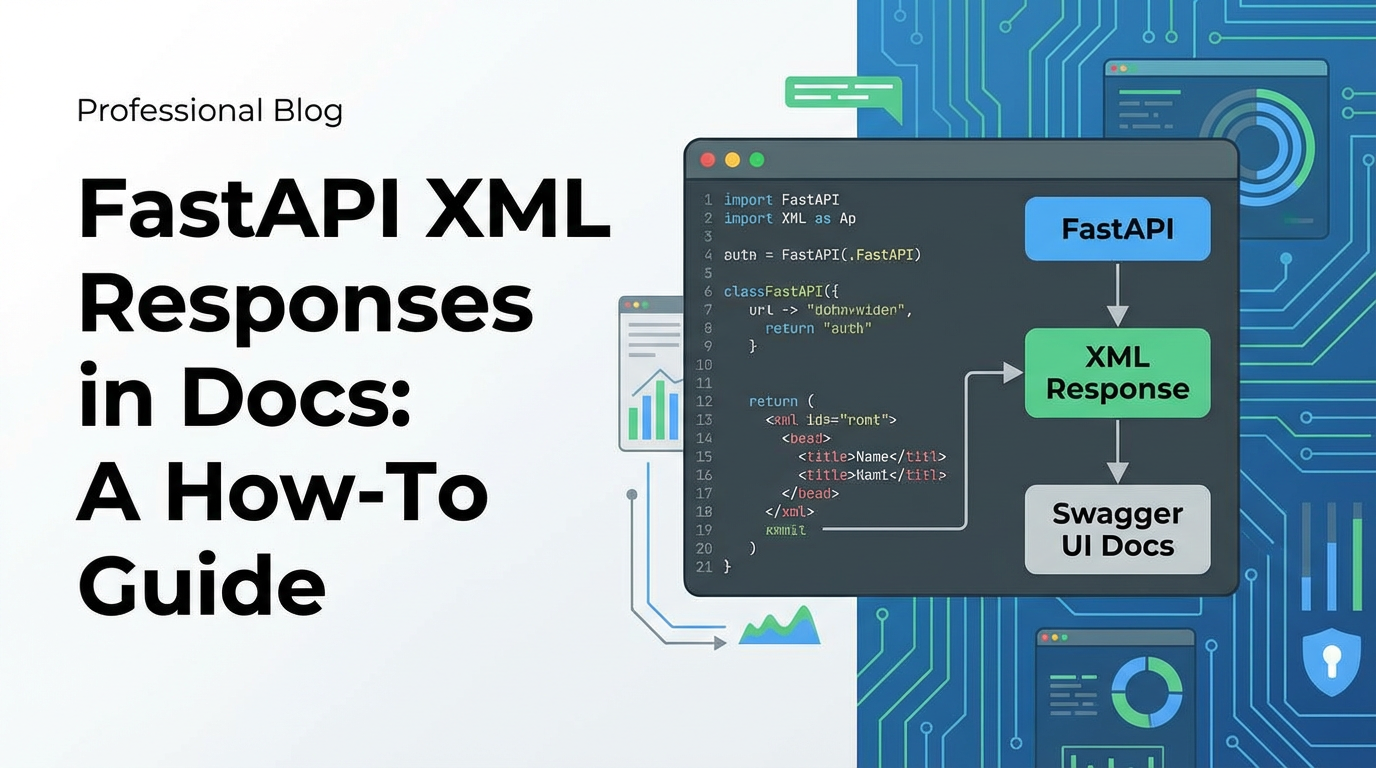
FastAPI XML Responses in Docs: A How-To Guide


Introduction: Navigating the Heterogeneous Landscape of API Responses
In the vast and ever-evolving universe of Application Programming Interfaces (APIs), JSON has undoubtedly emerged as the lingua franca, its lightweight structure and human-readable format making it the go-to choice for modern web services. However, the api ecosystem is far from monolithic. There remains a significant, often critical, demand for APIs that communicate using XML. Whether driven by the necessity to integrate with legacy enterprise systems, adhere to stringent industry-specific standards (like SOAP, some financial protocols, or certain B2B integrations), or simply cater to a client base that predates the JSON era, the ability to serve XML responses remains a vital skill for any API developer.
FastAPI, renowned for its incredible speed, intuitive design, and automatic OpenAPI documentation generation, has rapidly become a developer favorite for building robust and high-performance apis. It seamlessly handles JSON serialization and validation through Pydantic models, offering a streamlined development experience. Yet, when the requirement shifts from JSON to XML, developers often find themselves at a crossroads, pondering how to elegantly integrate XML responses while preserving FastAPI's inherent advantages, particularly its stellar OpenAPI documentation capabilities. The challenge isn't just about sending an XML string; it's about doing so robustly, with validation, and ensuring that the automatically generated OpenAPI specification accurately reflects the XML structure, guiding consumers to interact with your api correctly.
This comprehensive guide aims to demystify the process of generating and, crucially, documenting XML responses within FastAPI. We will embark on a detailed journey, starting from the fundamental principles of FastAPI's response handling, delving into the intricacies of XML serialization, exploring various libraries, and ultimately focusing on pydantic-xml as the most FastAPI-native solution. Our objective is not merely to provide code snippets, but to cultivate a deep understanding of why certain approaches are preferred, how they interact with FastAPI's OpenAPI generation, and how to implement them to create perfectly documented, production-ready apis that confidently serve XML. By the end of this guide, you will possess the knowledge and practical skills to seamlessly integrate XML responses into your FastAPI projects, ensuring your APIs are not only functional but also impeccably documented for any consumer, regardless of their preferred data format.
Unpacking FastAPI's Core: Speed, Structure, and the OpenAPI Promise
FastAPI stands as a modern web framework that has captivated developers with its promise of building APIs that are both fast to code and fast in execution. Built upon Starlette for web parts and Pydantic for data parts, it cleverly leverages Python's type hints to offer unparalleled developer experience. This foundation enables several of FastAPI's most compelling features, which are directly relevant to our discussion of XML responses.
At its heart, FastAPI's efficiency stems from its asynchronous nature, allowing it to handle concurrent requests with remarkable prowess. But beyond raw speed, its true genius lies in its reliance on Pydantic models. Pydantic, a data validation and settings management library using Python type annotations, empowers FastAPI to:
- Automatic Request Body Validation: Incoming JSON request bodies are automatically parsed and validated against your defined Pydantic models. If the data doesn't conform, FastAPI generates clear, concise error messages, preventing malformed data from ever reaching your business logic.
- Automatic Response Body Serialization: When your endpoint function returns a Pydantic model instance or a dictionary that can be converted into one, FastAPI automatically serializes it into a JSON response. This eliminates boilerplate code for manual serialization and ensures consistent
apioutput. - Automatic
OpenAPISchema Generation: Perhaps one of FastAPI's most celebrated features is its seamless integration withOpenAPI(formerly Swagger). By leveraging type hints and Pydantic models, FastAPI automatically generates anOpenAPIschema for yourapi. This schema is then used to power the interactive documentation UIs like Swagger UI and ReDoc, providing a live, up-to-date, and interactive reference for yourapiconsumers. This automatic documentation is a game-changer for developer experience, significantly reducing the effort required to maintainapidocumentation and ensuring it always aligns with theapi's actual implementation.
The default behavior of FastAPI, due to the prevalence of JSON in modern web development, is heavily skewed towards JSON. When you define a response_model for an endpoint using a Pydantic model, FastAPI assumes the response will be JSON and generates the corresponding JSON schema in the OpenAPI documentation. This works flawlessly for the majority of use cases. However, as established, the world isn't exclusively JSON. There are critical scenarios where XML remains a non-negotiable requirement.
The need for XML often arises from specific historical contexts, such as:
- Legacy System Integration: Many older enterprise systems, particularly in finance, government, or manufacturing sectors, were built with SOAP
apis or other XML-centric technologies. To interact with these systems, your modern FastAPIapimight need to speak their language. - Industry Standards: Certain industries have adopted XML as a mandatory data exchange format. For example, some EDI (Electronic Data Interchange) or specific B2B transaction protocols still heavily rely on XML.
- SOAP Web Services: While REST has largely superseded SOAP for new development, a vast number of existing SOAP web services are still in production. If your FastAPI
apiacts as an intermediary or needs to mimic a SOAP-like interface for specific clients, XML becomes essential.
When faced with these requirements, simply returning a string of XML content is technically possible, but it bypasses all the benefits FastAPI offers in terms of validation and, critically, OpenAPI documentation. The challenge then becomes how to achieve this XML output while harnessing FastAPI's powerful validation and OpenAPI generation capabilities, ensuring that the XML structure is clearly defined and discoverable for anyone consuming your api. This is where we begin to explore the mechanisms FastAPI provides for custom responses and how we can extend them to embrace XML with grace and precision.
The Conundrum of XML in FastAPI: Beyond the JSON Default
While FastAPI excels at JSON, its native environment, introducing XML into the mix presents a unique set of challenges that require a thoughtful approach. The framework's default behavior is to treat Pydantic models as blueprints for JSON serialization. When you return a Pydantic object or a dictionary from a path operation, FastAPI, by default, will use starlette.responses.JSONResponse to convert this Python object into a JSON string and set the Content-Type header to application/json. This streamlined process is highly efficient and covers the vast majority of modern api development needs.
However, for XML, this default mechanism is insufficient. If you simply return a Python dictionary that you expect to be rendered as XML, FastAPI will still attempt to serialize it as JSON. The core problem lies in the fact that Python dictionaries do not inherently possess the hierarchical and attribute-rich structure of XML in a way that FastAPI can automatically interpret for XML serialization. Unlike JSON, which has a direct mapping to Python dictionaries and lists, XML has more complex structural elements like attributes, mixed content, and specific element ordering that dictionaries alone cannot represent unambiguously without additional metadata or explicit instructions.
To overcome this, we first need to understand starlette.responses.Response. FastAPI, being built on Starlette, inherits its robust response handling. The Response class is the fundamental building block for all HTTP responses in Starlette and FastAPI. It allows for complete control over the response body, media_type (which becomes the Content-Type header), and status code.
A rudimentary way to return XML is to manually construct an XML string and then use the Response class directly:
from fastapi import FastAPI
from starlette.responses import Response

app = FastAPI()

@app.get("/techblog/en/items/xml-raw", tags=["XML Responses"])
async def get_raw_xml_item():
    xml_content = """<?xml version="1.0" encoding="UTF-8"?>
<item>
    <id>123</id>
    <name>XML Raw Item</name>
</item>"""
    return Response(content=xml_content, media_type="application/xml")
In this example, we explicitly provide the XML content as a string and, critically, set the media_type to "application/xml". This tells the client (and api gateways, if configured) that the response body contains XML data. While this approach works for simple, static XML, it comes with significant drawbacks:
- No Pydantic Validation/Serialization: You lose all the benefits of Pydantic. There's no automatic validation of the data structure before creating the XML, nor is there any automatic serialization from Python objects to XML. You're responsible for constructing the XML string perfectly.
- No
OpenAPIDocumentation: FastAPI cannot infer the structure of the XML from a raw string. Consequently, theOpenAPIdocumentation for this endpoint will simply state that it returnsapplication/xml, without providing any schema or example of what that XML looks like. This leavesapiconsumers guessing about the expected structure, undermining one of FastAPI's core strengths. - Error-Prone and Hard to Maintain: Manually crafting XML strings is tedious, highly susceptible to typos, and becomes a maintenance nightmare for complex or evolving XML structures.
To truly integrate XML seamlessly, we need an XML serialization library that can bridge the gap between Python objects (preferably Pydantic models for consistency with FastAPI) and valid XML strings. Several libraries exist in the Python ecosystem, each with its own strengths and approaches:
lxml: A powerful and feature-rich library for processing XML and HTML. It offers full XPath and XSLT support and is highly performant as it's built on C libraries. However, it's a low-level library, meaning you often work with XML trees directly, which can be verbose for simple serialization tasks.xmltodict: Excellent for converting XML to Python dictionaries and vice-versa. It provides a simple, direct mapping, but might struggle with more complex XML features like attributes and namespaces in a Pydantic-friendly way.dicttoxml: A straightforward library for converting Python dictionaries to XML strings. It's easy to use but lacks the deep integration with Pydantic andOpenAPIschema generation that would be ideal for FastAPI.pydantic-xml: This library is a game-changer for FastAPI developers dealing with XML. It extends Pydantic models to define XML structures, allowing you to use Pydantic's familiar syntax for data validation and automatically generating XML from model instances. Crucially, it's designed to play nicely with FastAPI, even providing a customXMLResponseclass that integrates withresponse_modelandOpenAPIdocumentation.
Given FastAPI's Pydantic-centric philosophy, pydantic-xml emerges as the most natural and robust choice. It allows us to define our XML structures using Pydantic models, gaining all the benefits of validation, type hinting, and, most importantly, automatic OpenAPI schema generation for our XML responses. This approach transforms the conundrum of XML into an elegant solution, bringing XML responses on par with their JSON counterparts in the FastAPI ecosystem.
Step-by-Step Guide: Implementing XML Responses in FastAPI
Implementing XML responses effectively in FastAPI involves moving beyond raw string manipulation and embracing libraries that can serialize Python objects into XML, ideally while leveraging FastAPI's Pydantic integration for validation and documentation. This section will guide you through different approaches, culminating in the recommended method using pydantic-xml.
Part 1: Basic XML Response with Raw String (Illustrative)
As a starting point, let's revisit the most basic method: returning a pre-formatted XML string. While not recommended for complex or dynamic data, it serves to illustrate the fundamental concept of setting the media_type.
Installation: No specific library beyond FastAPI is needed for this.
Code Example:
from fastapi import FastAPI, APIRouter
from starlette.responses import Response

app = FastAPI(title="FastAPI XML Responses Demo")

# Create an APIRouter for better organization
xml_router = APIRouter(prefix="/techblog/en/xml", tags=["XML Responses - Basic"])

@xml_router.get("/techblog/en/item-raw")
async def get_raw_xml_item():
    """
    Returns a simple, hardcoded XML response.
    Note: This method provides no validation or automatic OpenAPI documentation for the XML structure.
    """
    xml_content = """<?xml version="1.0" encoding="UTF-8"?>
<root>
    <data>Hello from raw XML!</data>
    <timestamp>2023-10-27T10:00:00Z</timestamp>
</root>"""
    return Response(content=xml_content, media_type="application/xml")

app.include_router(xml_router)
Explanation: This method directly instantiates starlette.responses.Response with the content argument being your pre-built XML string and media_type explicitly set to "application/xml". When a client requests this endpoint, they will receive the exact XML string, and their browser or api client will interpret it as XML. The Content-Type header will correctly be application/xml.
Limitations: As discussed, this approach is severely limited. There's no data validation, no dynamic content generation based on Python objects, and most importantly, FastAPI cannot infer the structure for OpenAPI documentation. The Swagger UI will simply show a response type of application/xml without any schema details, leaving api consumers in the dark about the expected data structure. This should only be used in very niche cases where the XML content is truly static and simple, or when dynamic XML generation and documentation are not a concern.
Part 2: Using a Dictionary and an XML Serialization Library (Improved, but still not ideal for docs)
To make XML dynamic, we need to convert Python data structures (like dictionaries) into XML strings. For this, libraries like dicttoxml are handy.
Installation:
pip install dicttoxml
Code Example:
from fastapi import FastAPI, APIRouter
from starlette.responses import Response
from dicttoxml import dicttoxml
from datetime import datetime

app = FastAPI(title="FastAPI XML Responses Demo")

xml_router_dict = APIRouter(prefix="/techblog/en/xml-dict", tags=["XML Responses - Dict Conversion"])

@xml_router_dict.get("/techblog/en/item")
async def get_xml_item_from_dict():
    """
    Returns an XML response generated from a Python dictionary using dicttoxml.
    This provides dynamic content but still lacks automatic OpenAPI schema for XML.
    """
    data = {
        "product": {
            "id": 456,
            "name": "Super Widget",
            "price": 29.99,
            "availability": True,
            "tags": ["electronics", "gadget", "sale"],
            "details": {
                "weight_kg": 0.5,
                "manufacturer": "Acme Corp"
            }
        },
        "generated_at": datetime.now().isoformat()
    }
    # Convert dictionary to XML bytes, then decode to string
    # root element name 'root' is default, can be customized
    xml_bytes = dicttoxml(data, custom_root='ProductResponse', attr_type=False)
    xml_content = xml_bytes.decode('utf-8')

    return Response(content=xml_content, media_type="application/xml")

app.include_router(xml_router_dict)
Explanation: Here, we define a standard Python dictionary representing our data. We then use dicttoxml to convert this dictionary into an XML string. attr_type=False prevents dicttoxml from adding type="str", type="bool" attributes which are often undesired in API responses. The custom_root argument allows us to specify the top-level XML element. Finally, we return this string with the correct media_type.
Advantages over Raw String: * Dynamic Content: Data can be generated dynamically based on application logic or database queries. * Easier Data Management: Working with Python dictionaries is generally more convenient than string concatenation for XML.
Limitations: While better, this method still doesn't fully integrate with FastAPI's OpenAPI documentation generation for the XML structure itself. The response_model parameter cannot directly consume the output of dicttoxml in a way that generates an XML schema. The OpenAPI docs will again show application/xml without a detailed schema. For true OpenAPI integration and type safety, we need a Pydantic-native solution.
Part 3: Advanced XML Responses with pydantic-xml (Recommended Approach)
This is the most powerful and recommended approach for handling XML responses in FastAPI, as it fully leverages Pydantic for defining XML structures, validation, and crucially, automatic OpenAPI schema generation.
Introduction to pydantic-xml: pydantic-xml is an extension for Pydantic that allows you to define XML structures using Pydantic models. It introduces specific field types and configurations to map Python model fields to XML elements, attributes, and text content. This means you can define your XML contract using familiar Pydantic syntax and get: * Type Hinting & Validation: All the benefits of Pydantic's data validation apply to your XML structures. * Automatic Serialization: Model instances are automatically serialized into valid XML strings. * OpenAPI XML Schema Generation: When used with FastAPI's response_model, pydantic-xml models translate into accurate XML schemas within your OpenAPI documentation.
Installation:
pip install pydantic-xml
Detailed Code Example with pydantic-xml:
Let's define a slightly more complex XML structure to demonstrate various features like attributes, nested elements, and lists.
from fastapi import FastAPI, APIRouter
from pydantic import Field, BaseModel
from pydantic_xml import BaseXmlModel, attr, element, XMLResponse
from typing import List, Optional
from datetime import datetime

app = FastAPI(title="FastAPI XML Responses Demo with pydantic-xml")

xml_pydantic_router = APIRouter(prefix="/techblog/en/xml-pydantic", tags=["XML Responses - pydantic-xml"])

# Define an XML model for a single 'Tag' element
class Tag(BaseXmlModel, tag="tag"):
    value: str = element(name="value") # XML element <value>...</value>
    category: Optional[str] = attr() # XML attribute category="..."

# Define an XML model for a 'Product'
class Product(BaseXmlModel, tag="product"):
    # Fields mapped to XML elements
    id: int = element()
    name: str = element()
    price: float = element()
    is_available: bool = element(name="available") # Map 'is_available' to XML element <available>
    description: Optional[str] = element(default="No description provided.")

    # Nested list of XML elements
    tags: List[Tag] = element(tag="tags", default_factory=list) # Enclosed by <tags>...</tags>

    # Nested element
    details: 'ProductDetails' = element(tag="details")

# Define a nested XML model for 'ProductDetails'
class ProductDetails(BaseXmlModel, tag="details"):
    weight_kg: float = element(name="weightKg") # Map to <weightKg>
    manufacturer: str = element()
    manufacturing_date: datetime = element(name="mfgDate")

# Define the overall response structure
class ProductResponse(BaseXmlModel, tag="ProductResponse"): # Root element for the response
    request_id: str = attr(name="requestId") # XML attribute requestId="..."
    product: Product = element()
    generated_at: datetime = element(name="generatedAt")

@xml_pydantic_router.get(
    "/techblog/en/product/{product_id}",
    response_model=ProductResponse, # Crucial for OpenAPI XML schema generation
    response_class=XMLResponse, # Tells FastAPI to use our custom XML response class
    summary="Retrieve product details as XML using pydantic-xml",
    description="Fetches comprehensive product information and returns it in a structured XML format. "
                "This endpoint demonstrates `pydantic-xml` integration for robust XML responses and "
                "accurate OpenAPI documentation."
)
async def get_product_as_xml(product_id: int):
    """
    Fetches product details by ID and returns them as XML, leveraging `pydantic-xml`
    for serialization and OpenAPI schema generation.
    """
    # Simulate fetching data from a database or service
    if product_id == 123:
        product_data = Product(
            id=product_id,
            name="Deluxe Smart Gadget",
            price=199.99,
            is_available=True,
            description="An advanced gadget for modern living.",
            tags=[
                Tag(value="electronics", category="main"),
                Tag(value="smart_home", category="feature")
            ],
            details=ProductDetails(
                weight_kg=0.3,
                manufacturer="Tech Innovations Inc.",
                manufacturing_date=datetime(2023, 1, 15, 12, 30, 0)
            )
        )
        response_obj = ProductResponse(
            request_id=f"req-{product_id}-{datetime.now().timestamp():.0f}",
            product=product_data,
            generated_at=datetime.now()
        )
        return response_obj # FastAPI will use XMLResponse to serialize this

    # Handle not found scenario
    # While FastAPI defaults to JSON for errors, we could also define XML error models
    # and return them via XMLResponse. For simplicity, we'll let FastAPI handle default JSON error here.
    from fastapi import HTTPException
    raise HTTPException(status_code=404, detail="Product not found.")

app.include_router(xml_pydantic_router)
Explanation:
BaseXmlModel: This is the base class frompydantic-xmlthat your XML-aware Pydantic models should inherit from. Thetagargument inBaseXmlModel(tag="...")specifies the XML element name for that model.element()andattr():element(): Used for fields that should be serialized as XML elements. You can specify annameargument (e.g.,element(name="available")) to map a Python field name to a different XML element name.attr(): Used for fields that should be serialized as XML attributes of the parent element. Again,namecan be used for mapping.
- Nested Models: You can nest
BaseXmlModels just like regular Pydantic models. This allows for defining complex, hierarchical XML structures. Forward references (e.g.,'ProductDetails') are handled automatically by Pydantic. - Lists of Elements: A
Listtype hint combined withelement()for the list container (e.g.,tags: List[Tag] = element(tag="tags", default_factory=list)) correctly represents a collection of XML elements within a parent container element. XMLResponse: This is the custom response class provided bypydantic-xml. When you setresponse_class=XMLResponsein your path operation decorator, FastAPI will use this class to serialize yourpydantic-xmlmodel instance into an XML string and set theContent-Typeheader toapplication/xml.response_model: This is the critical part forOpenAPIdocumentation. By settingresponse_model=ProductResponse, you tell FastAPI (andpydantic-xml) that the expected successful response will conform to theProductResponseXML model.pydantic-xmlthen intercepts this and ensures that theOpenAPIschema generated for this endpoint correctly describes the XML structure, including elements, attributes, and their types.
When you run this FastAPI application and navigate to /docs, you will see that the OpenAPI specification for the /xml-pydantic/product/{product_id} endpoint now correctly details the XML response structure. It will provide an example XML response and a schema that outlines all the elements, attributes, and their types, exactly as defined in your pydantic-xml models. This brings the XML response documentation on par with FastAPI's JSON documentation capabilities, offering a truly robust and developer-friendly solution.
APIPark is a high-performance AI gateway that allows you to securely access the most comprehensive LLM APIs globally on the APIPark platform, including OpenAI, Anthropic, Mistral, Llama2, Google Gemini, and more.Try APIPark now! 👇👇👇
Documenting XML Responses in OpenAPI with FastAPI
One of FastAPI's most celebrated features is its automatic generation of interactive OpenAPI documentation (Swagger UI and ReDoc). This significantly boosts developer experience by providing up-to-date, explorable API contracts. When dealing with XML responses, ensuring this documentation accurately reflects your XML structures is paramount. This is where the synergy between FastAPI's response_model, response_class, and pydantic-xml truly shines.
The Role of response_model and response_class
As seen in the pydantic-xml example, these two parameters in the path operation decorator are central to documenting XML:
response_model: This parameter tells FastAPI what Pydantic model to expect as the successful response data. When you setresponse_model=ProductResponse(whereProductResponseis apydantic-xml.BaseXmlModel), FastAPI, in conjunction withpydantic-xml, knows to:- Validate the outgoing data against this model.
- Generate a detailed schema for this model in the
OpenAPIspecification. Forpydantic-xmlmodels, this schema is specifically tailored to describe XML structures.
response_class: This parameter explicitly tells FastAPI whichResponseclass to use for serializing theresponse_modelinstance. By settingresponse_class=XMLResponse(frompydantic_xml.response), you instruct FastAPI to use theXMLResponseclass to convert yourProductResponseobject into an XML string and set theContent-Typeheader toapplication/xml. Without this, FastAPI would default toJSONResponse, attempting to serialize yourpydantic-xmlmodel as JSON.
Together, these two parameters ensure that your api not only sends back correct XML but also publishes an accurate OpenAPI representation of that XML.
How pydantic-xml Models Translate to OpenAPI XML Schemas
pydantic-xml is specifically designed to extend Pydantic's schema generation capabilities for XML. When FastAPI processes a pydantic-xml.BaseXmlModel as a response_model, it doesn't just generate a generic JSON schema. Instead, pydantic-xml provides hooks that allow the OpenAPI specification to include specific XML serialization rules.
In the generated OpenAPI specification (you can view the raw JSON at /openapi.json), for an application/xml response type, you will find: * A schema object that describes the data types and structure, similar to JSON schemas. * Critically, an xml object within the schema for elements and attributes. This xml object specifies: * name: The XML element name. * attribute: A boolean indicating if it's an attribute. * wrapped: Indicates if a collection is wrapped in an outer element. * namespace: For XML namespaces (if defined).
This granular detail ensures that tools parsing your OpenAPI spec (like code generators or other api management platforms) understand not just the data types, but also their exact XML representation.
Providing Custom Examples with the responses Parameter
While response_model is great for defining the schema, sometimes you want to provide specific, human-readable example XML responses directly in the documentation. This is especially useful for complex structures or to illustrate different scenarios. FastAPI's responses parameter in the path operation decorator allows for this level of customization.
The responses parameter takes a dictionary where keys are HTTP status codes (e.g., 200, 404) and values are dictionaries defining the response for that status code. Within these response definitions, you can specify content with different media_types and provide examples.
Let's enhance our pydantic-xml example to include an explicit XML example in the OpenAPI documentation:
from fastapi import FastAPI, APIRouter
from pydantic import Field, BaseModel
from pydantic_xml import BaseXmlModel, attr, element, XMLResponse
from typing import List, Optional
from datetime import datetime

# ... (Previous pydantic-xml models: Tag, ProductDetails, Product, ProductResponse) ...

app = FastAPI(title="FastAPI XML Responses Demo with pydantic-xml")
xml_pydantic_router = APIRouter(prefix="/techblog/en/xml-pydantic", tags=["XML Responses - pydantic-xml"])

# Example XML content for documentation
xml_example_content = """<?xml version="1.0" encoding="UTF-8"?>
<ProductResponse requestId="req-123-1678901234">
    <product>
        <id>123</id>
        <name>Deluxe Smart Gadget</name>
        <price>199.99</price>
        <available>true</available>
        <description>An advanced gadget for modern living.</description>
        <tags>
            <tag category="main">
                <value>electronics</value>
            </tag>
            <tag category="feature">
                <value>smart_home</value>
            </tag>
        </tags>
        <details>
            <weightKg>0.3</weightKg>
            <manufacturer>Tech Innovations Inc.</manufacturer>
            <mfgDate>2023-01-15T12:30:00</mfgDate>
        </details>
    </product>
    <generatedAt>2023-10-27T15:30:00.000000</generatedAt>
</ProductResponse>"""


@xml_pydantic_router.get(
    "/techblog/en/product/{product_id}",
    response_model=ProductResponse,
    response_class=XMLResponse,
    summary="Retrieve product details as XML using pydantic-xml",
    description="Fetches comprehensive product information and returns it in a structured XML format. "
                "This endpoint demonstrates `pydantic-xml` integration for robust XML responses and "
                "accurate OpenAPI documentation.",
    responses={
        200: {
            "description": "Successful retrieval of product details in XML format.",
            "content": {
                "application/xml": {
                    "examples": {
                        "example1": {
                            "summary": "Typical Product Response",
                            "value": xml_example_content
                        }
                    }
                }
            }
        },
        404: {
            "description": "Product not found.",
            "content": {
                "application/json": { # FastAPI's default for errors is JSON
                    "example": {
                        "detail": "Product not found."
                    }
                }
            }
        }
    }
)
async def get_product_as_xml(product_id: int):
    # ... (Same implementation as before) ...
    if product_id == 123:
        product_data = Product(
            id=product_id,
            name="Deluxe Smart Gadget",
            price=199.99,
            is_available=True,
            description="An advanced gadget for modern living.",
            tags=[
                Tag(value="electronics", category="main"),
                Tag(value="smart_home", category="feature")
            ],
            details=ProductDetails(
                weight_kg=0.3,
                manufacturer="Tech Innovations Inc.",
                manufacturing_date=datetime(2023, 1, 15, 12, 30, 0)
            )
        )
        response_obj = ProductResponse(
            request_id=f"req-{product_id}-{datetime.now().timestamp():.0f}",
            product=product_data,
            generated_at=datetime.now()
        )
        return response_obj

    from fastapi import HTTPException
    raise HTTPException(status_code=404, detail="Product not found.")

app.include_router(xml_pydantic_router)
Key additions in the responses dictionary:
200Status Code: We define the expected successful response.description: A human-readable description of the response.content: This dictionary maps media types to their content definitions."application/xml": We specifically target the XML media type."examples": This nested dictionary allows for multiple examples."example1": A key for our example."summary": A short description for the example."value": The actual raw XML string serving as the example. This will be displayed beautifully in Swagger UI.
404Status Code: We also define a 404 error response, noting that FastAPI typically returns JSON for errors, and provide a JSON example for consistency in documentation.
By leveraging response_model, response_class, and the responses parameter, you can achieve a truly comprehensive and accurate OpenAPI documentation for your XML-returning FastAPI endpoints. This level of detail is invaluable for developers integrating with your api, drastically reducing ambiguity and accelerating development cycles. A well-documented api is often the hallmark of a high-quality api, and FastAPI empowers you to achieve this even for complex requirements like XML responses.
Real-World Scenarios and Best Practices for XML APIs
Integrating XML responses into FastAPI isn't just about the technical implementation; it's about addressing real-world api design challenges and adhering to best practices that ensure robustness, flexibility, and security.
Content Negotiation: Serving Both JSON and XML
In many modern api designs, it's desirable to serve multiple representation formats (like JSON and XML) from the same endpoint, based on the client's preference. This is achieved through content negotiation, where the client indicates its preferred media type via the Accept HTTP header.
FastAPI, being built on Starlette, provides easy access to request headers. We can inspect the Accept header and return the appropriate response class and content.
from fastapi import FastAPI, APIRouter, Request, HTTPException
from pydantic import Field
from pydantic_xml import BaseXmlModel, attr, element, XMLResponse
from pydantic import BaseModel # For JSON response model
from starlette.responses import JSONResponse # Explicit JSON response class
from typing import List, Optional
from datetime import datetime

# ... (Previous pydantic-xml models: Tag, ProductDetails, Product, ProductResponse) ...

# Define a Pydantic model for JSON response (can be similar to XML model structure)
class ProductJson(BaseModel):
    id: int
    name: str
    price: float
    is_available: bool = Field(alias="available")
    description: Optional[str] = None
    tags: List[dict] = Field(default_factory=list) # simplified for JSON
    details: 'ProductDetailsJson'
    request_id: str = Field(alias="requestId")
    generated_at: datetime = Field(alias="generatedAt")

class ProductDetailsJson(BaseModel):
    weight_kg: float = Field(alias="weightKg")
    manufacturer: str
    manufacturing_date: datetime = Field(alias="mfgDate")


app = FastAPI(title="FastAPI XML/JSON Content Negotiation")
content_negotiation_router = APIRouter(prefix="/techblog/en/products", tags=["Content Negotiation"])

@content_negotiation_router.get(
    "/techblog/en/{product_id}",
    summary="Retrieve product details in JSON or XML based on Accept header",
    description="This endpoint dynamically serves product details as either JSON or XML. "
                "Clients should specify their preference using the `Accept` header (e.g., `application/json` or `application/xml`)."
)
async def get_product_negotiated(product_id: int, request: Request):
    # Simulate fetching data
    if product_id != 123:
        raise HTTPException(status_code=404, detail="Product not found.")

    # Prepare common data structure
    product_data_common = {
        "id": product_id,
        "name": "Adaptive Multi-Tool",
        "price": 79.99,
        "is_available": True,
        "description": "A versatile tool for every situation.",
        "tags": [
            {"value": "hardware", "category": "tool"},
            {"value": "outdoor", "category": "use"}
        ],
        "details": {
            "weight_kg": 0.8,
            "manufacturer": "VersaCraft Solutions",
            "manufacturing_date": datetime(2023, 5, 20, 9, 0, 0)
        }
    }

    # Enrich with response-specific data
    request_id_val = f"req-{product_id}-{datetime.now().timestamp():.0f}"
    generated_at_val = datetime.now()

    # Determine desired response format based on Accept header
    accept_header = request.headers.get("Accept", "application/json") # Default to JSON

    if "application/xml" in accept_header:
        # Construct pydantic-xml model
        product_xml_model = Product(
            id=product_data_common["id"],
            name=product_data_common["name"],
            price=product_data_common["price"],
            is_available=product_data_common["is_available"],
            description=product_data_common["description"],
            tags=[Tag(value=t["value"], category=t["category"]) for t in product_data_common["tags"]],
            details=ProductDetails(
                weight_kg=product_data_common["details"]["weight_kg"],
                manufacturer=product_data_common["details"]["manufacturer"],
                manufacturing_date=product_data_common["details"]["manufacturing_date"]
            )
        )
        response_obj_xml = ProductResponse(
            request_id=request_id_val,
            product=product_xml_model,
            generated_at=generated_at_val
        )
        return XMLResponse(content=response_obj_xml.to_xml(), media_type="application/xml")
    else: # Default or if "application/json" is preferred
        # Construct Pydantic BaseModel for JSON
        response_obj_json = ProductJson(
            id=product_data_common["id"],
            name=product_data_common["name"],
            price=product_data_common["price"],
            available=product_data_common["is_available"], # Use alias
            description=product_data_common["description"],
            tags=product_data_common["tags"],
            details=ProductDetailsJson(
                weightKg=product_data_common["details"]["weight_kg"], # Use alias
                manufacturer=product_data_common["details"]["manufacturer"],
                mfgDate=product_data_common["details"]["manufacturing_date"] # Use alias
            ),
            requestId=request_id_val, # Use alias
            generatedAt=generated_at_val # Use alias
        )
        return JSONResponse(content=response_obj_json.model_dump(by_alias=True), media_type="application/json")

app.include_router(content_negotiation_router)
Note on OpenAPI Documentation for Content Negotiation: When an endpoint can return multiple media types, FastAPI's OpenAPI generation automatically lists them. You typically define the response_model for the primary or most common response type, and then use the responses parameter (as shown in the previous section) to document alternative media types and their schemas/examples. This ensures that the documentation comprehensively covers all possible output formats.
Error Handling: Consistent XML Error Responses
While FastAPI's default error responses are JSON, for apis primarily serving XML, it makes sense to also return error messages in XML format for consistency. You can define pydantic-xml models for common error structures and use XMLResponse within custom exception handlers.
# Define an XML error model
class ErrorXmlResponse(BaseXmlModel, tag="Error"):
    code: str = element()
    message: str = element()
    details: Optional[str] = element(default=None)

# Custom exception handler for HTTPException to return XML
from fastapi import Request
from starlette.responses import PlainTextResponse
from fastapi.exceptions import HTTPException as FastAPIHTTPException

@app.exception_handler(FastAPIHTTPException)
async def http_exception_xml_handler(request: Request, exc: FastAPIHTTPException):
    accept_header = request.headers.get("Accept", "application/json")
    if "application/xml" in accept_header:
        error_model = ErrorXmlResponse(
            code=str(exc.status_code),
            message=exc.detail,
            details="See documentation for error details."
        )
        return XMLResponse(content=error_model.to_xml(), status_code=exc.status_code)
    else:
        # Fallback to default JSON error or plain text
        return JSONResponse(
            content={"detail": exc.detail, "code": exc.status_code},
            status_code=exc.status_code
        )

# Example: raise HTTPException in a path operation
@app.get("/techblog/en/xml-error-test", tags=["XML Error Handling"])
async def get_xml_error_test():
    """
    Endpoint to test custom XML error responses.
    """
    raise HTTPException(status_code=400, detail="Invalid request parameters provided.")
This exception handler ensures that if a client prefers XML (via the Accept header) and a HTTPException is raised, they receive an XML error response.
Integration with API Gateways and Overall API Strategy
When building robust apis, especially those catering to diverse client needs like both JSON and XML, the intricacies of api management extend beyond just the endpoint implementation. Platforms like api gateways play a crucial role in managing these varied interfaces, ensuring security, performance, and consistent service delivery.
An api gateway acts as a single entry point for all api calls, routing requests to the appropriate backend services, applying policies (like authentication, rate limiting, and logging), and often performing transformations. For instance, an advanced api gateway like APIPark not only handles traffic routing, load balancing, and comprehensive API lifecycle management but can also provide unified api formats and robust security. When you have backend services generating XML and others generating JSON, an api gateway can standardize these outputs or handle content negotiation at a higher level, abstracting away some of the complexities from the individual microservices. This consolidation simplifies the developer experience for consumers and centralizes api governance. Moreover, APIPark's ability to integrate 100+ AI models and encapsulate prompts into REST APIs further demonstrates its flexibility in handling diverse service types, which might involve various data formats behind the scenes. Its powerful data analysis and detailed api call logging features are also invaluable when dealing with potentially complex api interactions involving multiple data formats.
Security Considerations: Beware of XXE and Other XML Vulnerabilities
XML, by its nature, introduces certain security risks that developers must be aware of, especially when parsing incoming XML. While our focus here is on generating XML responses, understanding these vulnerabilities is crucial for a complete api security posture, as the same XML structures might be used in requests.
The most notorious XML vulnerability is XML External Entity (XXE) injection. XXE attacks occur when an XML parser processes XML input containing references to external entities, which can be used to: * Access local files: By referencing file:///etc/passwd or similar paths. * Perform Server-Side Request Forgery (SSRF): By referencing remote URLs. * Launch Denial of Service (DoS) attacks: By referencing internal entities recursively (billion laughs attack).
While pydantic-xml focuses on serialization, if your FastAPI application also accepts XML input (e.g., using pydantic_xml.RootXmlModel for request bodies), you must ensure that your XML parsing libraries are configured securely to prevent XXE. Most modern Python XML parsers, like those used by lxml (which pydantic-xml might internally rely on), offer options to disable DTD (Document Type Definition) processing or external entity resolution by default. Always ensure your parsing configuration explicitly disables these features if they are not absolutely necessary.
Other potential XML-related concerns include: * XPath Injection: If you're building queries based on user input for XML documents. * Large XML Payloads: Similar to JSON, excessively large XML payloads can lead to DoS. api gateways like APIPark can help mitigate this with size limits.
By adhering to these best practices, from robust content negotiation to diligent security measures and leveraging api gateways for holistic api management, you can build FastAPI apis that confidently and securely handle XML responses in diverse production environments.
Advanced Topics and Troubleshooting for XML Responses in FastAPI
Having mastered the fundamentals of generating and documenting XML responses, let's delve into some advanced topics and practical troubleshooting tips that can further refine your FastAPI XML apis.
Namespace Handling in pydantic-xml
XML namespaces are crucial for avoiding naming conflicts when combining XML documents from different vocabularies. They are especially common in enterprise integrations. pydantic-xml provides elegant ways to handle namespaces directly within your models.
You can define namespaces at the model level using the ns argument in BaseXmlModel and reference them in fields.
from pydantic_xml import BaseXmlModel, element, attr, ns
from typing import Optional

# Define a namespace
MY_NAMESPACE = "http://example.com/products/v1"
COMMON_NAMESPACE = "http://example.com/common"

# Declare model with default namespace
class ItemDetails(BaseXmlModel, tag="details", ns=MY_NAMESPACE):
    weight_kg: float = element(tag="weight", ns=MY_NAMESPACE)
    manufacturer: str = element(ns=MY_NAMESPACE)
    # Field from a different namespace
    common_id: Optional[str] = element(tag="commonId", ns=COMMON_NAMESPACE)

# Root model using declared namespaces
class ProductWithNamespace(BaseXmlModel, tag="product", ns=MY_NAMESPACE,
                           nsmap={
                               "my": MY_NAMESPACE,
                               "common": COMMON_NAMESPACE
                           }):
    id: int = element(ns=MY_NAMESPACE)
    name: str = element(ns=MY_NAMESPACE)
    details: ItemDetails = element(ns=MY_NAMESPACE)
    # An attribute without a namespace
    status: str = attr(name="status")

# Example usage (not a FastAPI endpoint, just for demonstration of XML output)
product_ns_instance = ProductWithNamespace(
    id=789,
    name="Namespace Gadget",
    status="active",
    details=ItemDetails(
        weight_kg=1.2,
        manufacturer="GlobalTech",
        common_id="C001"
    )
)

# print(product_ns_instance.to_xml(skip_declaration=True)) # skip_declaration for cleaner output in demo

# Expected XML output (simplified):
# <my:product xmlns:my="http://example.com/products/v1" xmlns:common="http://example.com/common" status="active">
#     <my:id>789</my:id>
#     <my:name>Namespace Gadget</my:name>
#     <my:details>
#         <my:weight>1.2</my:weight>
#         <my:manufacturer>GlobalTech</my:manufacturer>
#         <common:commonId>C001</common:commonId>
#     </my:details>
# </my:product>
When used as a response_model with XMLResponse, pydantic-xml will correctly embed these namespace declarations in the OpenAPI schema, providing precise documentation for api consumers. This is crucial for interoperability with systems that rigorously enforce XML schema definitions (XSD).
XML Schema Definition (XSD) Integration
For highly structured apis, especially in B2B contexts, it's common to define api contracts using XML Schema Definition (XSD) files. These files provide a formal, machine-readable definition of the XML structure, including data types, element cardinalities, and hierarchies.
While pydantic-xml doesn't directly generate XSDs from its models (it generates OpenAPI XML schemas, which are conceptually similar but for OpenAPI context), you can leverage existing tools or libraries to:
- Generate
pydantic-xmlmodels from XSD: Tools exist that can parse an XSD file and generate corresponding Pydantic (orpydantic-xml) models. This allows you to start from an existing XSD contract and build your FastAPI models. Libraries likexsdatacan be very useful for this. - Validate generated XML against XSD: If you have an external XSD and want to ensure your
pydantic-xmlgenerated output is compliant, you can uselxmlto parse the generated XML string and validate it against the XSD. This provides an extra layer of confidence, especially in strict integration scenarios.
# Example of XSD validation (requires lxml and an actual XSD file)
from lxml import etree

def validate_xml_against_xsd(xml_content: str, xsd_path: str):
    try:
        xml_doc = etree.fromstring(xml_content.encode('utf-8'))
        xsd_doc = etree.parse(xsd_path)
        xsd_schema = etree.XMLSchema(xsd_doc)
        xsd_schema.assertValid(xml_doc)
        print("XML is valid against XSD.")
        return True
    except etree.XMLSyntaxError as e:
        print(f"XML Syntax Error: {e}")
        return False
    except etree.DocumentInvalid as e:
        print(f"XML Validation Error: {e}")
        return False

# You would generate XML using pydantic-xml, then pass it to this function
# validate_xml_against_xsd(my_product_xml_string, "path/to/my_schema.xsd")
This kind of validation, typically performed in integration tests or pre-deployment checks, ensures that your FastAPI api consistently produces XML that conforms to agreed-upon external standards.
Performance Considerations
While Python is often perceived as slower than compiled languages, FastAPI and pydantic-xml are highly optimized. However, XML serialization can be more CPU-intensive than JSON serialization, especially for very large or complex structures, due to its richer feature set (attributes, namespaces, DTDs, etc.).
- Profiling: If you encounter performance bottlenecks, use Python's profiling tools (e.g.,
cProfile,py-spy) to identify where time is being spent. - Library Choice:
lxmlis generally the fastest XML library in Python due to its C bindings.pydantic-xmloften leverageslxmlinternally. - Avoid Redundant Serialization: Don't serialize to XML multiple times if the content is static or can be cached.
API GatewayOptimization: For extreme loads, anapi gatewaycould potentially handle caching of XML responses or even format conversions if configured with advanced policies, offloading work from your FastAPI service.
Debugging XML Issues
Debugging XML responses usually involves checking three key areas:
- XML Syntax Errors: Ensure the generated XML is well-formed. Use online XML validators or
lxml.etree.fromstringin a Python console to quickly check for syntax issues.pydantic-xmlgenerally produces well-formed XML, but custom string manipulations might introduce errors. - Schema Mismatches: If the client complains about an invalid XML structure, compare your
pydantic-xmlmodel definition with the client's expected schema (or your XSD). Pay close attention to:- Element names: Case sensitivity matters.
- Attributes vs. Elements: Ensure fields are correctly mapped using
attr()orelement(). - Namespaces: Are they correctly declared and applied?
- Cardinality: Are lists of elements (
List) handled as expected?
- Content-Type Header: Always verify that your FastAPI endpoint is returning
Content-Type: application/xml. Browser developer tools or tools like Postman/Insomnia are excellent for inspecting HTTP headers. If it'sapplication/json, you've likely missedresponse_class=XMLResponseor have a content negotiation issue. OpenAPIDocumentation: Check the/docsor/redocinterfaces. Does the generated XML schema reflect what you intend? Does the example XML match your expectations? Inconsistencies here often point to misconfigurations in yourpydantic-xmlmodels orresponse_modelusage.
By understanding these advanced concepts and having a robust troubleshooting strategy, you can confidently build, deploy, and maintain FastAPI apis that effectively communicate using XML, meeting even the most stringent integration requirements. The detailed control offered by pydantic-xml and FastAPI's flexible response handling ensures that your apis are not only functional but also impeccably documented and maintainable.
Conclusion: Mastering XML with FastAPI for a Comprehensive API Strategy
The journey through integrating XML responses into FastAPI, from the basic string manipulation to the sophisticated capabilities offered by pydantic-xml, underscores the framework's remarkable flexibility and the power of its underlying components. While JSON remains the dominant force in modern api development, the imperative to support XML persists across various industries and legacy systems. This guide has demonstrated that FastAPI, far from being exclusively a JSON api framework, is perfectly capable of handling XML with the same elegance, type safety, and comprehensive documentation that developers have come to expect.
We began by acknowledging the widespread preference for JSON but quickly moved to understand the critical scenarios where XML becomes a non-negotiable requirement. The core challenge lies in moving beyond simply returning raw XML strings to a system that leverages FastAPI's strengths: Pydantic-based validation and automatic OpenAPI documentation. The pydantic-xml library emerged as the undisputed champion for this task, providing a FastAPI-native solution that bridges the gap between Python objects and complex XML structures. By defining XML contracts using familiar Pydantic syntax, developers gain robust data validation, effortless serialization, and, most importantly, accurate and detailed XML schemas in their OpenAPI documentation. This ensures that api consumers, regardless of their preferred data format, have a clear and machine-readable contract for interaction.
Furthermore, we explored essential real-world scenarios, such as implementing content negotiation to serve both JSON and XML from a single endpoint, providing consistent XML error responses, and integrating apis with broader api gateway strategies. The mention of APIPark highlighted how an advanced api gateway can streamline the management of such diverse api formats and lifecycle concerns, offering benefits that extend beyond the individual service. We also delved into advanced topics like XML namespaces, XSD integration, and crucial security considerations like XXE injection, equipping you with the knowledge to build secure and standards-compliant XML apis.
The ability to proficiently handle XML responses within FastAPI not only broadens the applicability of your apis but also reinforces a fundamental principle of good api design: adaptability. By mastering these techniques, you are not just writing code; you are crafting inclusive, well-documented, and resilient apis that can communicate effectively across the entire spectrum of integration requirements. Embrace the power of FastAPI and pydantic-xml to build truly comprehensive apis that serve diverse needs with confidence and clarity. The future of api development demands versatility, and with the tools and knowledge shared here, you are well-prepared to meet that demand.
Frequently Asked Questions (FAQ)
1. Why would I still need to use XML when JSON is so prevalent in modern APIs?
While JSON is the de facto standard for many modern web apis due to its simplicity and lightweight nature, XML remains crucial for several reasons. It's often required for integration with legacy enterprise systems (e.g., in finance, healthcare, or government sectors), adherence to specific industry standards (like some financial protocols or SOAP web services), or in B2B integrations where strict XML Schema Definition (XSD) compliance is mandated. These scenarios often involve older systems that predate JSON's widespread adoption or require XML's more robust features for complex data structures and validation.
2. What is the easiest way to return XML from FastAPI, and what are its limitations?
The simplest way is to directly return a raw XML string using starlette.responses.Response(content=xml_string, media_type="application/xml"). This method is straightforward for static or very simple XML. However, it bypasses FastAPI's Pydantic validation and automatic OpenAPI documentation generation. This means you lose type safety, dynamic content generation from Python objects, and the OpenAPI (Swagger UI/ReDoc) will not display any detailed schema for your XML, making it harder for api consumers to understand the expected structure. For robust solutions, a more integrated approach is recommended.
3. How do I ensure my XML responses are accurately documented in OpenAPI (Swagger UI)?
To achieve accurate OpenAPI documentation for XML responses in FastAPI, you should use pydantic-xml. Define your XML structures using pydantic-xml.BaseXmlModel classes. Then, in your FastAPI path operation, specify this model with response_model=YourXmlModel and set response_class=pydantic_xml.response.XMLResponse. pydantic-xml will then ensure that FastAPI generates a detailed XML schema within your OpenAPI specification, complete with elements, attributes, and their types, which will be visible in Swagger UI.
4. Can FastAPI handle both JSON and XML responses for the same endpoint based on client preference?
Yes, FastAPI can elegantly handle content negotiation. You can inspect the client's Accept HTTP header (available via the Request object in your path operation) to determine their preferred media type (e.g., application/json or application/xml). Based on this, you can then return either a starlette.responses.JSONResponse or a pydantic_xml.response.XMLResponse with the appropriate content. For OpenAPI documentation, you would use the responses parameter in your path operation decorator to describe both JSON and XML response types, including examples for each.
5. What are the key security considerations when working with XML in APIs?
The most critical security concern when dealing with XML is XML External Entity (XXE) injection. If your FastAPI application accepts XML input (not just generates it), poorly configured XML parsers can be exploited to read sensitive files, make unauthorized network requests (SSRF), or launch denial-of-service attacks. It's crucial to use XML parsing libraries that, by default, disable DTD processing and external entity resolution, or explicitly configure them to do so. Other considerations include XPath injection (if dynamically building XML queries from user input) and handling excessively large XML payloads, which an api gateway can help mitigate.
🚀You can securely and efficiently call the OpenAI API on APIPark in just two steps:
Step 1: Deploy the APIPark AI gateway in 5 minutes.
APIPark is developed based on Golang, offering strong product performance and low development and maintenance costs. You can deploy APIPark with a single command line.
curl -sSO https://download.apipark.com/install/quick-start.sh; bash quick-start.sh

In my experience, you can see the successful deployment interface within 5 to 10 minutes. Then, you can log in to APIPark using your account.

Step 2: Call the OpenAI API.