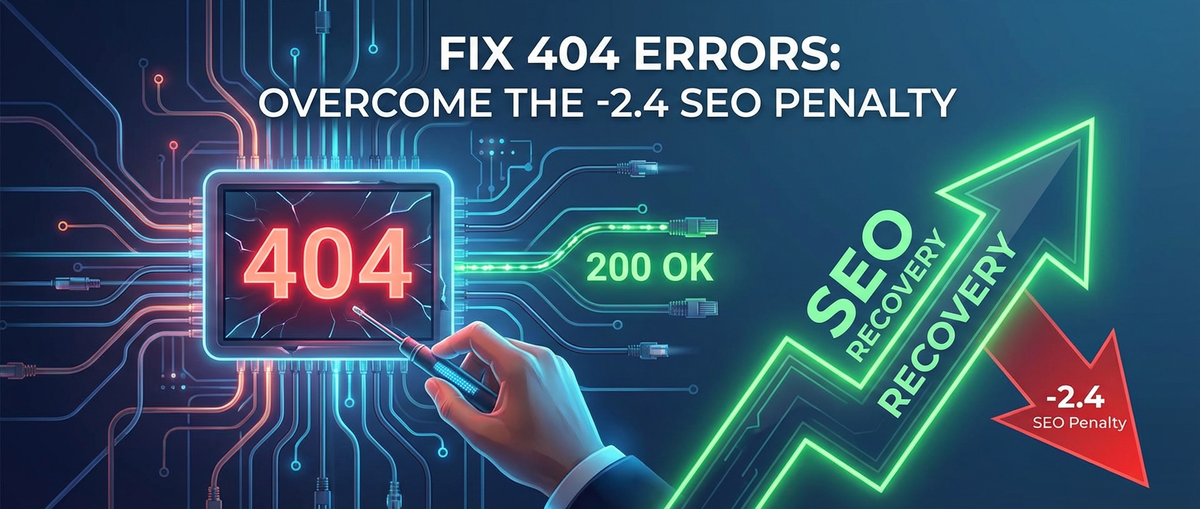
Fix 404 Errors: Overcome the -2.4 SEO Penalty


APIPark is a high-performance AI gateway that allows you to securely access the most comprehensive LLM APIs globally on the APIPark platform, including OpenAI, Anthropic, Mistral, Llama2, Google Gemini, and more.Try APIPark now! 👇👇👇
Fix 404 Errors: Overcome the SEO Penalty
In the vast, interconnected expanse of the internet, where billions of web pages vie for attention, few experiences are as universally frustrating as encountering a "404 Not Found" error. For a user, it's a digital dead end – a broken promise that the information they sought was just beyond their reach. For website owners and digital marketers, however, a cascade of 404 errors represents something far more insidious: a silent erosion of trust, user experience, and, perhaps most critically, search engine optimization (SEO) performance. While the exact numerical " -2.4 SEO Penalty" might be a conceptual representation rather than a hard-coded Google algorithm deduction, the cumulative impact of unchecked 404s on a website's visibility, authority, and ranking potential is undeniably severe. This comprehensive guide delves into the intricate world of 404 errors, dissecting their causes, exposing their SEO implications, and furnishing you with a robust arsenal of strategies to detect, rectify, and ultimately prevent them, transforming potential pitfalls into pathways for digital growth.
The Digital Dead End: Unpacking the Nature of 404 Errors
A 404 error is an HTTP status code, specifically signaling "Not Found." It's the server's way of politely informing a browser (or a search engine crawler) that while the server itself is functioning and online, the specific resource (web page, image, file, etc.) requested at that particular URL simply doesn't exist. This isn't an error indicating server downtime; rather, it's a message about the unavailability of the requested content at that designated location. Understanding this distinction is crucial for effective troubleshooting.
The causes of 404 errors are manifold, ranging from simple human oversight to complex system migrations. One of the most common culprits is the deletion of a page without implementing a proper redirect. Imagine a product page that goes out of stock permanently, or an old blog post deemed irrelevant; if these pages are simply removed from the server, any existing links pointing to them will suddenly become broken, resulting in a 404. Similarly, URL changes without corresponding redirects are a frequent source of errors. A minor tweak to a slug, a restructure of directories, or a complete overhaul of a website's navigation can all lead to legions of 404s if not meticulously managed.
Another significant contributor is broken internal links. As websites grow, content gets updated, and pages are moved or deleted, it's easy for internal links within the site to become outdated. A link from an old pillar page to a now-deleted sub-topic, or a navigation menu item pointing to a non-existent category, will consistently generate 404s for users and crawlers alike. The problem is compounded by broken external links (backlinks). While you have no direct control over external websites linking to yours, if they link to a page that no longer exists on your site, that incoming traffic will hit a 404, and more importantly, the valuable "link equity" or "link juice" from that backlink will be lost.
Typographical errors are surprisingly common. A simple typo in a URL entered by a user or inadvertently created in a link can lead to a 404. Furthermore, server misconfigurations can sometimes trigger false 404s, where content actually exists but the server incorrectly reports its absence. Less common but equally disruptive are issues stemming from DNS propagation problems or CDN (Content Delivery Network) inconsistencies, though these typically manifest as broader site accessibility issues rather than isolated 404s. For large, complex websites, particularly those built on microservices or utilizing headless content management systems, the challenge of avoiding 404s is amplified. In such architectures, content might be delivered via various API endpoints. If an API is misconfigured, or a resource within an API call isn't properly handled, it can lead to a 404 on the frontend. This highlights the critical role of robust API Gateway solutions, like APIPark, which can centralize the management, routing, and monitoring of these intricate API interactions, thereby mitigating the risk of 404s stemming from the backend. Effective API management ensures that all requested resources are correctly identified and served, or appropriate redirects are managed at the gateway level.
Ultimately, a 404 error, regardless of its origin, signals a disconnect between expectation and reality. For the user, it’s a roadblock to their journey. For the website owner, it’s a red flag indicating a potential problem that, if ignored, can have far-reaching and detrimental consequences for their digital presence and search engine performance.
The Silent SEO Killer: The Cumulative Impact of 404s on Search Rankings
The notion of a " -2.4 SEO Penalty" for 404 errors, while not a precise algorithmic deduction from Google, aptly illustrates the significant and multifaceted negative impact these errors have on a website's search engine performance. Google and other search engines strive to provide users with the most relevant and highest-quality results. A website riddled with 404 errors directly undermines this goal, sending a flurry of negative signals that collectively drag down its SEO rankings.
1. Wasted Crawl Budget: Search engines allocate a "crawl budget" to each website, which is the number of pages a bot will crawl within a given timeframe. When search engine spiders, like Googlebot, encounter 404 errors, they waste valuable crawl budget attempting to access non-existent pages. This means less time and fewer resources are available to crawl and discover your important, existing content. For large sites, especially those with thousands or tens of thousands of pages, this can be a critical issue. If Googlebot consistently hits dead ends, it might reduce its crawling frequency or even deprioritize your site, impacting the indexation of new content and updates to existing pages.
2. Erosion of Link Equity (Link Juice): Backlinks are a cornerstone of SEO, acting as "votes of confidence" from other websites. Each quality backlink passes "link equity" to your site, boosting its authority and ranking potential. When a backlink points to a page that returns a 404 error, that valuable link equity is effectively lost. It's as if the "vote" never counted. Over time, if numerous valuable backlinks point to broken pages, your site's overall link profile weakens, directly affecting its ability to rank for competitive keywords. This isn't just about losing new link equity; it's about potentially undermining years of link-building efforts.
3. Deteriorated User Experience Signals: Search engines increasingly rely on user experience (UX) metrics to assess a website's quality. When users repeatedly land on 404 pages, their experience sours rapidly. They're more likely to "bounce" back to the search results to find a working link, leading to a high bounce rate. They spend less time on your site (low dwell time). These negative UX signals – high bounce rates, short session durations, and potential abandonment of your site – communicate to search engines that your website is not satisfying user intent. Such signals can significantly impact your rankings, as Google aims to promote sites that offer a seamless and helpful user journey.
4. Reduced Indexability and Discoverability: If a search engine crawler can't find a page, it can't index it. This is obvious for the 404 page itself. However, the problem extends further. If internal links to other valuable pages on your site pass through a 404, those linked pages might become less discoverable or even isolated from the main content architecture. This fragmentation can prevent important content from being properly indexed or understood within the context of your site's overall topic authority.
5. Trust and Authority Degradation: A website consistently presenting 404 errors projects an image of neglect and unreliability. Both users and search engines perceive such sites as less trustworthy and authoritative. This degradation of trust can have a long-term impact, making it harder to rank for new content, attract high-quality backlinks, and build a loyal audience.
It's also important to distinguish between "hard" 404s (where the server explicitly returns a 404 or 410 status code) and "soft" 404s. A soft 404 occurs when a server returns an HTTP status code of 200 (OK) for a page that, to a human, clearly looks like a 404 (e.g., a custom page saying "Page Not Found" but still sending a 200 code). Search engines are sophisticated enough to detect soft 404s and will treat them as actual 404s, incurring the same negative consequences. In fact, soft 404s can sometimes be worse because they confuse crawlers into believing content exists where it doesn't, wasting even more crawl budget trying to process what appears to be a real page. For pages that are genuinely gone and have no suitable replacement, a 410 "Gone" status code is often preferable to a 404, as it explicitly tells search engines that the resource is permanently removed and they should stop checking it.
In essence, while there might not be a direct "-2.4" penalty, the aggregate effect of these factors – wasted crawl budget, lost link equity, poor user experience, reduced indexability, and diminished authority – paints a clear picture: unchecked 404 errors are a silent SEO killer, capable of severely hampering a website's organic search performance and long-term digital success.
Identifying 404 Errors: A Detective's Toolkit
Before you can fix 404 errors, you first need to find them. This requires a systematic approach using a combination of powerful tools and regular auditing practices. Identifying these digital dead ends is the crucial first step in restoring your website's health and reclaiming lost SEO potential.
1. Google Search Console (GSC) - The Essential Starting Point: Google Search Console is an indispensable, free tool provided by Google that offers direct insights into how Google views your site. Its "Not Found" report (previously under "Crawl Errors") is typically the first place to check for 404s. * Accessing the Report: Log into GSC, navigate to "Indexing" > "Pages". Here you'll find a summary of indexed and not indexed pages. Scroll down to "Why pages aren't indexed" and look for entries like "Not found (404)" or "Soft 404." * Analyzing the Data: GSC lists the URLs that Googlebot attempted to crawl but couldn't find. It often provides information on "Linked from" pages, indicating where Googlebot discovered the broken link (either internally on your site or externally). This insight is critical for prioritizing fixes, as broken internal links are within your direct control, and valuable external links might warrant outreach. * Validation: After fixing a 404, you can request validation in GSC, prompting Google to recrawl those URLs and confirm the fix. This speeds up the removal of the 404 from the report.
2. Website Audit Tools - Deep Dives and Comprehensive Scans: Dedicated SEO auditing tools can perform deep crawls of your entire website, identifying not just 404s but a host of other SEO issues. These tools simulate a search engine crawler, following all internal and external links. * Screaming Frog SEO Spider: This desktop-based crawler is a favorite among SEO professionals. It can crawl small to very large sites, listing all URLs, their status codes, and where they are linked from. You can export reports to easily filter for 404s (HTTP Status Code: 404). It also identifies broken internal and external links, allowing you to quickly pinpoint the source of the problem. * Ahrefs Site Audit: As part of the broader Ahrefs suite, its Site Audit tool offers a comprehensive report on various SEO health metrics, including 404 errors. It prioritizes issues, making it easier to tackle the most impactful problems first. Ahrefs also provides insights into backlinks pointing to your 404s, highlighting lost link equity. * SEMrush Site Audit: Similar to Ahrefs, SEMrush's Site Audit tool provides a detailed overview of website health, flagging 404s, broken links, and other technical SEO issues. It offers actionable recommendations for fixes. * Moz Pro Site Crawl: Moz's tool identifies 4xx errors, along with other crawl issues, and helps prioritize them based on severity and impact.
3. Server Log Analysis - The Raw Data Approach: Server logs record every request made to your web server, including the status code returned. Analyzing these logs provides the most granular view of 404 errors, capturing all requests, not just those discovered by Google or specific audit tools. * How it works: Each time a browser or bot requests a resource, your server logs the request, the IP address, the user agent, the requested URL, and the HTTP status code. Filtering these logs for "404" status codes will show you every instance of a "Not Found" error. * Benefits: This method can reveal 404s triggered by users manually typing incorrect URLs, requests from bots other than Googlebot, or even unusual patterns that might indicate malicious activity. For high-traffic sites, log analysis tools (like ELK Stack – Elasticsearch, Logstash, Kibana, or specialized log analyzers) are essential for processing the sheer volume of data.
4. Regular Internal Link Audits - Proactive Maintenance: While external tools are great for identifying existing problems, regularly auditing your internal linking structure is a proactive way to prevent new 404s from emerging. * Manual Checks: For smaller sites, manually clicking through your navigation and key internal links can reveal issues. * Content Management System (CMS) Tools: Many CMS platforms (WordPress, Shopify, etc.) have plugins or built-in functionalities to check for broken links within your content. * Scheduled Audits: Integrate internal link audits into your content update workflow. Whenever you move or delete a page, immediately update all internal links pointing to it.
5. User Feedback and Monitoring - Your Eyes and Ears: Sometimes, your users are the first to encounter a new 404. * Error Reporting Forms: Implement a simple form on your custom 404 page that allows users to report the broken link. * Analytics Tools: Google Analytics can show you which non-existent pages users are landing on, especially if your custom 404 page is configured to send a specific event or page title. Look for sudden spikes in traffic to URLs that don't exist. * Customer Service Feedback: Train your customer service team to document and report instances of 404 errors mentioned by users.
By combining these identification methods, you can gain a comprehensive understanding of where 404 errors exist on your site, why they are occurring, and which ones pose the most significant threat to your SEO and user experience. This diagnostic phase is non-negotiable for anyone serious about maintaining a healthy and high-ranking website.
The Strategic Fix: A Step-by-Step Guide to Resolution
Once you've identified the prevalence and nature of 404 errors on your website, the next crucial step is to strategically fix them. This isn't just about making the errors disappear; it's about preserving link equity, improving user experience, and signaling to search engines that your site is well-maintained and authoritative. The approach varies depending on the cause and significance of each 404.
1. Prioritization: Not All 404s Are Created Equal: Before diving into fixes, it's essential to prioritize. Not every 404 needs immediate attention, but some are far more damaging than others. * High-Traffic 404s: Pages that historically received a lot of traffic or are currently being accessed frequently (check GSC or server logs) should be addressed first. These impact user experience most directly. * 404s with Valuable Backlinks: Use tools like Ahrefs or SEMrush to identify 404 pages that have high-authority backlinks pointing to them. Fixing these preserves crucial link equity. * Internal 404s on High-Value Pages: If a 404 exists on a core page, pillar content, or an important landing page, it warrants immediate attention due to its impact on user flow and crawl efficiency. * Soft 404s: These can be particularly insidious because they confuse search engines. Address them by ensuring they return a proper 404 or 410 status code.
2. The Cornerstone Solution: 301 Redirects: For pages that have moved, changed URLs, or been replaced by new, relevant content, a 301 (permanent) redirect is the optimal solution. It tells browsers and search engines that the old URL has permanently moved to a new location and passes nearly all of the original page's link equity to the new URL. * When to Use: * Content has been moved to a new URL. * Two or more URLs lead to the same content (e.g., /page.html and /page). Choose one canonical URL and redirect the others. * Your site has changed domains. * An old page is replaced by a highly relevant, updated version. * Implementation Methods: * .htaccess (Apache Servers): For Apache servers, you can add Redirect 301 /old-page.html /new-page.html or RewriteRule ^old-page.html$ /new-page.html [R=301,L] to your .htaccess file. For multiple redirects or a full site migration, RewriteCond %{HTTP_HOST} ^olddomain\.com$ [NC] RewriteRule ^(.*)$ http://www.newdomain.com/$1 [L,R=301] can be used. * Nginx Servers: For Nginx, you'd add rewrite ^/old-page.html$ /new-page.html permanent; to your server block configuration. * CMS Plugins: Most content management systems (WordPress, Shopify, etc.) have plugins or built-in features for managing 301 redirects, simplifying the process for non-technical users. For example, WordPress plugins like "Rank Math" or "Yoast SEO" offer redirect managers. * Server-Side Scripting (PHP, ASP.NET): Developers can implement 301 redirects programmatically within their application logic, which is common for dynamic URLs. * APIPark Integration: For complex microservices architectures where URLs might be dynamically routed or content fetched via APIs, an API Gateway like APIPark can play a crucial role. APIPark can be configured to manage redirects at the gateway level, ensuring that requests for outdated API endpoints or content resources are seamlessly routed to their new locations, preventing 404s before they even reach the frontend application. This is especially vital for sites that leverage an LLM Gateway or AI Gateway to serve dynamic or AI-generated content, where URLs might change frequently based on underlying model updates or content policies.
3. The Permanent Removal: 410 Gone: If a page is truly gone forever, has no equivalent replacement, and holds no significant link equity, a 410 "Gone" status code is often more appropriate than a 404 or a 301. * When to Use: * A promotional page for a limited-time offer that has expired and will never return. * Content that has been deliberately and permanently removed from your site without any relevant replacement. * Benefits: A 410 explicitly tells search engines that the page is permanently gone and they should stop attempting to crawl it. This can lead to faster de-indexing compared to a 404, which suggests the page might return. * Implementation: Similar to 301s, 410s can be implemented via .htaccess (Redirect 410 /old-gone-page.html), Nginx (return 410;), or server-side scripting.
4. Fixing Internal Links: A Meticulous Cleanup: Beyond redirecting, it's crucial to update all internal links on your site that point to old, broken URLs. * Audit and Replace: Use your website audit tools (Screaming Frog, Ahrefs) to identify internal links pointing to 404s. Go through your content and navigation, updating these links to the correct, existing URLs. * Why it Matters: Even with a 301 redirect, cleaning up internal links is best practice. It reduces the number of hops a user or crawler has to make, improves site architecture, and signals a well-maintained site.
5. Broken Backlink Outreach: Reclaiming Lost Link Equity: For valuable external backlinks pointing to your 404s, direct outreach can be highly effective. * Identify Valuable Backlinks: Use tools like Ahrefs or SEMrush to find high-authority domains linking to your broken pages. * Contact Webmasters: Politely reach out to the linking website's owner or editor, informing them of the broken link and providing them with the correct, updated URL to point to. Frame it as helping them improve their user experience.
6. Custom 404 Pages: Making a Good Impression from a Bad Situation: Even with the best efforts, some users will inevitably encounter a 404. A well-designed custom 404 page can mitigate frustration and guide users back into your site. * Key Elements: * Clear Message: "Page Not Found" or similar, in plain language. * Helpful Tone: Apologetic but constructive. * Branding: Maintain your site's design, colors, and logo. * Search Bar: Allow users to search for what they were looking for. * Links to Popular Content: Guide users to your homepage, popular articles, categories, or contact page. * Call to Action: Encourage reporting the broken link. * Avoid "Soft 404s": Ensure your custom 404 page returns a proper 404 status code (not 200 OK).
Table: 404 Error Resolution Strategies at a Glance
| Strategy | HTTP Status Code | When to Use | Benefits | Considerations |
|---|---|---|---|---|
| 301 Redirect | 301 (Permanent) | Page moved permanently, new relevant content exists. | Passes ~90-99% link equity, preserves SEO value, maintains user flow. | Requires a relevant target page. Excessive redirects can slightly slow page load. |
| 410 Gone | 410 (Permanent) | Page permanently removed, no suitable replacement. | Explicitly tells search engines to de-index quickly, reduces crawl budget waste for truly gone content. | Use sparingly; ensure content is indeed gone forever. Irreversible SEO signal. |
| Fix Internal Link | N/A | Your site links to a 404. | Improves site architecture, reduces internal crawl errors, enhances user navigation. | Meticulous process, especially for large sites. Important even with 301s in place. |
| Backlink Outreach | N/A | High-value external links point to a 404. | Recovers lost link equity, maintains domain authority. | Requires communication and cooperation from other webmasters. |
| Custom 404 Page | 404 (Not Found) | Always have one as a fallback. | Improves user experience, reduces bounce rate to search results, guides users back into the site. | Must return a true 404 status code to avoid "soft 404" issues. Design for helpfulness, not just aesthetics. |
| Consolidation | 301 (Permanent) | Multiple old, low-value pages relate to a single new page. | Consolidates link equity, creates a stronger resource, simplifies content management. | Ensure the new target page genuinely encapsulates the value of the old pages. |
By systematically applying these resolution strategies, you can not only eliminate existing 404 errors but also recover lost SEO value, improve user satisfaction, and strengthen your website's overall performance in search engine rankings.
Proactive Prevention: Building a Resilient Website Against 404s
While fixing existing 404 errors is reactive and essential, a truly robust SEO strategy incorporates proactive measures to prevent these digital dead ends from appearing in the first place. Building a resilient website involves integrating best practices into your content, development, and maintenance workflows, ensuring that your digital footprint remains clean, accessible, and search engine-friendly.
1. Regular and Automated Audits: The most effective way to prevent a backlog of 404s is to catch them early. * Scheduled Crawls: Configure your chosen website audit tool (Screaming Frog, Ahrefs, SEMrush) to run a full site crawl on a regular basis – weekly for large, dynamic sites, monthly for smaller, static ones. Automate reports to be sent to relevant team members. * Google Search Console Monitoring: Make checking the "Not Found" report in GSC a routine task for your SEO team. Subscribe to email alerts for new critical issues. * Uptime Monitoring with Status Code Checks: Utilize uptime monitoring services that not only check if your site is online but also if specific key pages return the correct HTTP status code. Some services can alert you to 404s on critical URLs.
2. Robust Content Management Best Practices: The way you manage your content directly impacts the likelihood of 404s. * Strategic URL Structure: Plan your URLs carefully from the outset. Use descriptive, keyword-rich, and static URLs that are unlikely to change. Avoid excessively long or dynamic URLs with unnecessary parameters. * Content Lifecycle Planning: Before deleting or moving any piece of content, have a clear plan. Will it be redirected? Will it be consolidated? Who needs to be informed? Implement a formal process for content retirement. * Internal Linking Strategy: When creating new content, actively seek opportunities to link to existing relevant pages. Conversely, when existing pages are moved or removed, ensure all internal links pointing to them are updated. A strong internal linking structure not only aids navigation but also helps search engines understand your site's hierarchy and topic clusters. * Version Control for URLs: In collaborative environments or for large sites, maintain a clear record of URLs, especially when changes are made. This ensures transparency and accountability.
3. Integration with Development and Deployment Workflows: Developers often make changes that unintentionally create 404s. Bridging the gap between development and SEO teams is critical. * SEO Requirements in Development Sprints: Ensure that SEO considerations, particularly concerning URL structures and redirects, are explicitly included in development specifications for new features, site redesigns, or content migrations. * Staging Environment Testing: Before deploying any major changes to a live site, thoroughly test for broken links in a staging environment. This allows you to catch and fix issues before they impact real users and search rankings. * Redirect Maps for Migrations: For major site migrations (e.g., domain changes, CMS overhauls), create a comprehensive redirect map before going live. This map should list every old URL and its corresponding new URL, ensuring a smooth transition. Automate the generation of these redirect rules as much as possible. * APIPark's Role in Modern Architectures: In modern, API-driven architectures, where content might be dynamically generated or served through various backend services, the risk of misconfigured endpoints leading to 404s is higher. An API Gateway like APIPark can be instrumental here. By acting as a central control point, APIPark ensures consistent routing, versioning, and health checks of all your APIs. If a backend service changes its endpoint, APIPark can manage the api redirects seamlessly, preventing frontend 404s. Furthermore, its ability to quickly integrate and manage numerous AI models means that if you're leveraging an AI Gateway or an LLM Gateway for dynamic content generation (perhaps even with a powerful model like Claude), APIPark provides the necessary governance to ensure stable content delivery, reducing error states at the API level. Adherence to a Model Context Protocol (MCP) or similar internal standards, managed and enforced by an API Gateway, can standardize how content is requested and delivered, further mitigating 404 risks in highly dynamic, AI-powered applications.
4. Educate Your Team: Ensure everyone involved in content creation, publishing, and website development understands the importance of URLs, internal linking, and the impact of 404s on SEO. * Training Sessions: Conduct regular training for content creators on best practices for internal linking and URL management. * Documentation: Create clear, accessible documentation outlining the process for creating, updating, and retiring content, with a strong emphasis on preventing 404s.
5. Proactive Backlink Monitoring: While you can't control external sites, you can monitor your backlink profile to identify new links that might point to nonexistent pages. * Backlink Audit Tools: Regularly use tools like Ahrefs or SEMrush to check new backlinks. If you spot a high-authority site linking to a non-existent page, reach out quickly to request an update.
By embedding these proactive measures into your website management and development lifecycle, you move beyond merely reacting to 404 errors. You build a resilient, future-proof website that consistently delivers a positive user experience, maintains its link equity, and strengthens its standing in search engine results, safeguarding your site from the cumulative "SEO penalty" that unchecked 404s invariably bring.
The Holistic View: Beyond the Error Code
Understanding and fixing 404 errors is far more than a technical exercise; it's a fundamental aspect of maintaining a healthy, user-friendly, and SEO-optimized website. The " -2.4 SEO penalty," while a conceptual figure, powerfully underscores the cumulative damage that unchecked broken links inflict on a site's visibility, authority, and overall digital performance. Every 404 encountered by a user or a search engine bot is a missed opportunity – a signal of disorganization, a leakage of precious link equity, and a potential deterrent to future engagement.
Our journey through the landscape of 404s has revealed their diverse origins, from simple typos and deleted content to complex migrations and underlying API misconfigurations. We've explored the significant SEO repercussions, including wasted crawl budget, diminished link equity, negative user experience signals, and reduced indexability. Crucially, we've equipped you with a comprehensive toolkit for identification, leveraging Google Search Console, professional audit tools, server log analysis, and even invaluable user feedback.
The strategic resolution methods, ranging from the indispensable 301 redirect and the decisive 410 gone status code to meticulous internal link cleanup and proactive backlink outreach, provide a roadmap for repair. Furthermore, the emphasis on a well-designed custom 404 page serves as a final safety net, transforming a potential dead end into a helpful redirection.
Perhaps most importantly, we've highlighted the power of prevention. By integrating robust content management practices, strategic URL planning, and seamless collaboration between SEO and development teams, sites can significantly reduce the incidence of 404s. In an increasingly dynamic web landscape, where content is often served via intricate API networks and even generated by advanced AI models, the role of an API Gateway like APIPark becomes paramount. APIPark's capabilities, from managing LLM Gateway connections and various AI Gateway instances to ensuring adherence to a theoretical Model Context Protocol (MCP) for content delivery, offer a crucial layer of governance for sophisticated, modern websites. By centralizing API management and ensuring the health of all integrated services, including those powered by models like Claude, APIPark directly contributes to the prevention of 404 errors stemming from backend complexities.
Ultimately, a website free from the pervasive threat of 404 errors is a website that speaks volumes about its owner's commitment to quality, user satisfaction, and long-term digital success. By diligently applying the strategies outlined in this guide, you can not only fix existing issues but also cultivate a digital environment that is resilient, authoritative, and primed for sustained growth in the ever-evolving search engine landscape. The effort invested in eradicating these digital dead ends is a direct investment in your website's future, ensuring that every click leads to content, every user finds what they seek, and every search engine crawler finds a path, not a penalty.
Frequently Asked Questions (FAQs)
1. What exactly is a "404 Not Found" error and how does it differ from a server down error? A 404 "Not Found" error is an HTTP status code indicating that the server is working correctly, but the specific page or resource requested at that URL does not exist. It's a client-side error, meaning the browser requested something that isn't there. In contrast, a server down error (e.g., 500 Internal Server Error, 503 Service Unavailable) means the server itself is not functioning correctly or is temporarily overloaded, preventing it from processing the request at all. A 404 confirms the server is online and actively reporting the content's absence.
2. Why are 404 errors considered bad for SEO, and what is the " -2.4 SEO Penalty"? While the "-2.4 SEO Penalty" is a conceptual figure rather than a literal Google algorithm deduction, 404 errors are detrimental to SEO because they waste crawl budget, cause loss of valuable link equity, lead to poor user experience (high bounce rates, low dwell time), and signal to search engines that a site is poorly maintained. Collectively, these factors significantly reduce a website's authority, trustworthiness, and ability to rank, leading to a cumulative negative impact on its organic search performance.
3. What's the best way to fix a 404 error, and when should I use a 301 redirect versus a 410 "Gone" status? The best way to fix a 404 depends on the situation. For a page that has moved or been replaced by highly relevant new content, a 301 (Permanent) Redirect is ideal as it passes most of the old page's link equity to the new URL. If a page is permanently gone and has no suitable replacement, using a 410 (Gone) status code is preferable. It explicitly tells search engines the page is removed and they should stop crawling it, which can lead to faster de-indexing compared to a 404. For internal broken links, you should also update the link directly.
4. How often should I check my website for 404 errors, and what tools should I use? The frequency of checks depends on your website's size and how often you update content. For large, dynamic sites, a weekly or bi-weekly check is advisable, while smaller, static sites might get by with monthly audits. Essential tools include: * Google Search Console (GSC): For "Not Found" reports as Google sees them. * Website Audit Tools: Such as Screaming Frog SEO Spider, Ahrefs Site Audit, or SEMrush Site Audit for comprehensive crawls. * Server Log Analysis: For a granular view of all 404 requests. * Uptime Monitoring Services: To detect 404s on critical pages immediately.
5. Can a well-designed custom 404 page help with SEO, and what should it include? A well-designed custom 404 page won't directly boost your rankings, but it significantly mitigates the negative user experience of landing on a broken link, which indirectly supports SEO. It should: * Clearly state "Page Not Found" in a helpful tone. * Maintain your website's branding and design. * Include a search bar to help users find what they were looking for. * Provide links to your homepage, popular content, categories, or contact page. * Most importantly, ensure it actually returns a 404 HTTP status code (not a 200 OK, which creates a "soft 404" that confuses search engines).
🚀You can securely and efficiently call the OpenAI API on APIPark in just two steps:
Step 1: Deploy the APIPark AI gateway in 5 minutes.
APIPark is developed based on Golang, offering strong product performance and low development and maintenance costs. You can deploy APIPark with a single command line.
curl -sSO https://download.apipark.com/install/quick-start.sh; bash quick-start.sh

In my experience, you can see the successful deployment interface within 5 to 10 minutes. Then, you can log in to APIPark using your account.

Step 2: Call the OpenAI API.