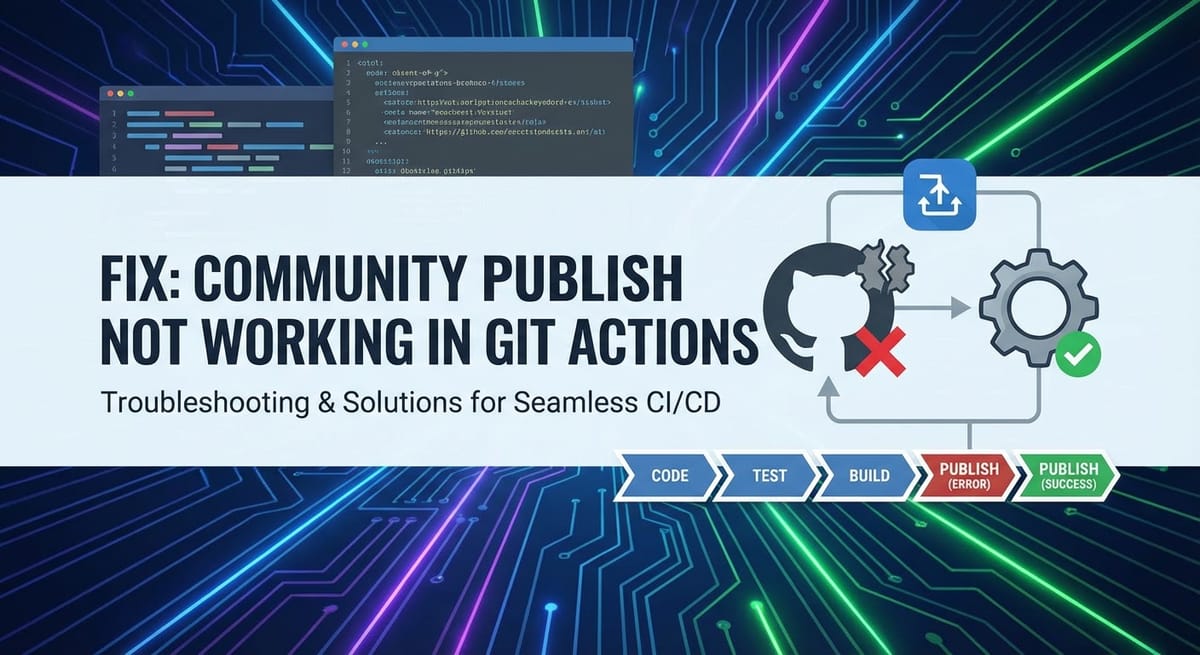
Fix Community Publish Not Working in Git Actions


Introduction: The Promise and Peril of Automated Publishing
In the fast-paced world of software development, Continuous Integration and Continuous Delivery (CI/CD) pipelines have become indispensable tools. They automate the tedious, error-prone tasks of building, testing, and deploying software, allowing development teams to focus on innovation rather than manual operations. Among the myriad capabilities offered by CI/CD platforms, GitHub Actions stands out for its deep integration with GitHub repositories, providing a powerful, flexible, and event-driven automation framework. A cornerstone of modern CI/CD is the ability to "publish" artifacts, packages, documentation, or releases to a broader audience or an external Open Platform—a process often referred to as "Community Publish." This could involve anything from pushing a new package version to npm or PyPI, deploying a static website to GitHub Pages, or releasing a Docker image to a public registry. The very essence of open-source collaboration and efficient enterprise distribution often hinges on the smooth operation of these publishing workflows.
However, the journey from a successfully merged pull request to a widely available public release is not always seamless. Developers frequently encounter frustrating roadblocks when their "Community Publish" workflows in Git Actions mysteriously fail. These failures can manifest in various forms: authentication errors preventing access to external services, network timeouts halting uploads midway, incorrect configurations leading to malformed artifacts, or subtle permission issues that block the final deployment. The complexity arises from the interaction between GitHub Actions' execution environment, sensitive credentials, and the diverse requirements of numerous external APIs and gateway services that constitute these publishing targets. Debugging these issues requires a systematic approach, a deep understanding of Git Actions' internal mechanisms, and an appreciation for the intricacies of interacting with third-party Open Platforms.
This comprehensive guide is designed to equip developers with the knowledge and strategies needed to diagnose and resolve the most common issues plaguing "Community Publish" workflows in Git Actions. We will delve into the underlying architecture, explore typical failure points, provide detailed troubleshooting steps, and outline best practices to prevent future disruptions. Our aim is to demystify the process, transforming the frustration of a failed publish into a clear path towards resolution, ensuring that your valuable contributions reliably reach their intended communities. We will also touch upon the broader context of managing APIs and gateways, recognizing that the reliability of any "Community Publish" process is inherently linked to the stability and accessibility of the services it interacts with, especially when dealing with complex enterprise scenarios or building your own Open Platform solutions.
Understanding "Community Publish" in the Git Actions Ecosystem
Before we can effectively troubleshoot, it's crucial to establish a clear understanding of what "Community Publish" encompasses within the context of Git Actions. This term is deliberately broad, reflecting the multitude of ways projects disseminate their output. Fundamentally, it refers to any Git Actions workflow step that takes a generated artifact (e.g., a compiled binary, a software package, documentation, a container image) and makes it accessible to a wider audience, typically outside the immediate GitHub repository.
The Diverse Landscape of "Community Publish" Targets
The destinations for these published artifacts are varied, each with its own set of protocols, authentication mechanisms, and potential pitfalls:
- Package Registries:
- NPM (Node Package Manager): For JavaScript and TypeScript libraries, publishing involves packaging the code and pushing it to the npm registry. This often requires an
NPM_TOKENand configuring a.npmrcfile within the workflow. - PyPI (Python Package Index): Python packages are built as source distributions or wheels and uploaded to PyPI. Authentication typically uses an
API_TOKENconfigured in~/.pypircor directly via command-line arguments. - Maven Central (Java): Java artifacts are published to Maven repositories, often requiring GPG signing and specific
settings.xmlconfigurations. - NuGet (C#/.NET): .NET packages are pushed to NuGet galleries, usually with an
API_KEY. - Go Modules: While often decentralized, publishing to proxy servers or using Go's module system often involves tagging and repository access.
- RubyGems (Ruby): Ruby libraries are packaged as gems and pushed to RubyGems.org.
- NPM (Node Package Manager): For JavaScript and TypeScript libraries, publishing involves packaging the code and pushing it to the npm registry. This often requires an
- Container Registries:
- Docker Hub: The most common registry for Docker images, requiring Docker login credentials.
- GitHub Container Registry (GHCR): Tightly integrated with GitHub, allowing image storage alongside repositories, often leveraging
GITHUB_TOKENfor authentication. - AWS ECR, Google Container Registry (GCR), Azure Container Registry (ACR): Cloud-specific registries that require cloud provider credentials and specific
docker logincommands.
- Static Site Hosting:
- GitHub Pages: Publishing documentation or static websites directly from a repository branch (e.g.,
gh-pagesbranch) or adocsfolder. This often involves pushing generated content back to a specific branch. - Vercel, Netlify, Render: Third-party hosting services that can be integrated with Git Actions for automated deployments, typically using their specific deployment APIs and
API_KEYs.
- GitHub Pages: Publishing documentation or static websites directly from a repository branch (e.g.,
- Release Artifacts and Assets:
- GitHub Releases: Attaching compiled binaries, installers, or other files directly to a GitHub release tag, making them downloadable from the repository's release page. This leverages the GitHub API itself.
- Cloud Storage (S3, GCS, Azure Blob Storage): Storing large artifacts or backups on cloud object storage services, requiring cloud provider authentication.
- Documentation Platforms:
- Publishing generated documentation (e.g., Sphinx, Jekyll, Hugo output) to dedicated documentation hosting services or a custom Open Platform.
The Architecture of a Git Actions Publish Workflow
At its core, a "Community Publish" workflow in Git Actions follows a predictable pattern, regardless of the target:
- Trigger: An event, such as a push to the
mainbranch, a new tag being created, or a pull request being merged, initiates the workflow. - Runner Provisioning: GitHub Actions provisions a virtual machine (a "runner"), either GitHub-hosted (e.g.,
ubuntu-latest,windows-latest) or self-hosted, with a clean environment. - Checkout: The repository's code is checked out onto the runner.
- Setup Environment: Necessary tools and language runtimes (e.g., Node.js, Python, Docker) are installed or configured using
setup-*actions. - Build/Package: The project is built, compiled, tested, and packaged into the final artifact(s) destined for publication.
- Authentication: The workflow authenticates with the target Open Platform or service. This is a critical step, often involving sensitive credentials passed via GitHub Secrets. This authentication usually happens against the target service's API or through a dedicated gateway.
- Publish/Deploy: The prepared artifact(s) are uploaded or deployed to the designated external service. This is typically done via command-line tools (e.g.,
npm publish,twine upload,docker push) or dedicated Git Actions. - Post-Publish Actions: (Optional) Steps like sending notifications, updating release notes, or performing cleanup.
The reliability of this entire chain depends on each link functioning correctly. Failures can occur at any stage, but given the external interaction, steps 6 and 7—authentication and the actual publish—are most susceptible to issues, as they involve crossing the boundary from the controlled Git Actions environment to a potentially volatile external Open Platform or API gateway.
The Anatomy of a Git Actions Workflow for Publishing
To effectively troubleshoot, a detailed understanding of the components that constitute a Git Actions workflow is paramount. Each element plays a crucial role, and misconfigurations in any one can lead to a publishing failure.
Workflow Definition (.yml)
All Git Actions workflows are defined in YAML files located in the .github/workflows/ directory of your repository. These files specify the logic, triggers, and steps for your automation.
name: A human-readable name for your workflow.on: Defines the events that trigger the workflow (e.g.,push,pull_request,release). For publishing,pushto specific branches orcreateontagsare common.yaml on: push: branches: - main # Publish on push to main release: types: [published] # Publish when a release is publishedenv: Defines environment variables available to all jobs in the workflow. These can be used for configuration values that are not sensitive.jobs: A workflow consists of one or more jobs that run in parallel by default. Each job runs on a fresh instance of the specified runner.runs-on: Specifies the type of runner (e.g.,ubuntu-latest,windows-latest, or a custom label for self-hosted runners).steps: A sequence of tasks to be executed within a job. Each step can be a shell command, a reusable action, or a composite action.uses: Specifies a reusable action (e.g.,actions/checkout@v3,actions/setup-node@v3). Pinning to a specific version (e.g.,@v3) is crucial for stability.run: Executes a shell command (e.g.,npm install,npm publish).name: A descriptive name for the step, useful for logging.with: Inputs to an action.env: Environment variables specific to that step.
Secrets Management
Publishing workflows almost invariably require sensitive data, such as API keys, tokens, or passwords, to authenticate with external services. GitHub provides a secure way to store these as "Secrets" in your repository or organization settings.
- Accessing Secrets: Secrets are accessed within workflows using the
secretscontext, e.g.,secrets.NPM_TOKEN. - Security Best Practices:
- Never hardcode secrets: Always use GitHub Secrets.
- Principle of Least Privilege: Grant only the necessary permissions (scopes) to your tokens.
- Rotate secrets: Regularly change
APIkeys and tokens. - Avoid logging secrets: GitHub Actions automatically redacts secrets from logs, but careful coding prevents accidental exposure.
GITHUB_TOKEN: A special, temporary token automatically generated for each workflow run. Its permissions are scoped to the repository and can be configured usingpermissionsat the job or workflow level. It's often used for interacting with the GitHubAPIitself, like creating releases or pushing to branches.
Runners (GitHub-hosted vs. Self-hosted)
The environment in which your workflow steps execute is defined by the runner.
- GitHub-hosted Runners:
- Managed by GitHub, offering a clean, pre-installed environment for common operating systems and tools.
- Ephemeral: A new VM is spun up for each job.
- Convenient, but may not have specific software or network configurations required for niche publishing targets.
- Limited egress IP ranges, which can be an issue with strict firewalls on target
Open Platforms.
- Self-hosted Runners:
- You provide and manage the infrastructure (VMs, containers).
- Offers complete control over the environment, including installed software, network configuration, and hardware specifications.
- Ideal for workflows requiring specific system configurations, access to internal networks, or specialized hardware.
- Requires more maintenance and security considerations.
Environment Variables
Environment variables are a flexible way to pass data between steps and configure commands.
- Workflow-level
env: Available to all jobs. - Job-level
env: Available to all steps within a specific job. - Step-level
env: Available only to that particular step. - Contexts: GitHub Actions provides several contexts (e.g.,
github,env,secrets,steps,runner,job) that expose useful information. For example,github.refprovides the Git ref that triggered the workflow.
By meticulously reviewing these components, developers can often pinpoint the source of publishing failures. The interaction between these elements—a workflow defining the logic, secrets providing authentication, and the runner executing commands against an external API or gateway—forms a complex but understandable system.
Common Symptoms of a Failing "Community Publish"
When a "Community Publish" workflow fails, the immediate challenge is often deciphering the cryptic error messages or understanding why a seemingly successful workflow didn't yield the expected public artifact. Recognizing common symptoms is the first step towards accurate diagnosis.
- Workflow Fails with Generic Errors (e.g., "Process exited with code 1"):
- Symptom: The workflow job fails, but the logs simply show a non-zero exit code without clear diagnostic information. This often happens when a shell command within a
runstep fails without printing a specific error message tostdoutorstderr. - Implication: The underlying issue could be almost anything, from an incorrect command syntax to a fundamental problem with the publishing tool or environment.
- Symptom: The workflow job fails, but the logs simply show a non-zero exit code without clear diagnostic information. This often happens when a shell command within a
- Authentication Failures (e.g., "Unauthorized", "Access Denied", "401"):
- Symptom: The workflow successfully builds the artifact, but fails specifically during the upload or deployment step. Log messages explicitly mention
Authentication failed,Unauthorized,401 HTTP error,Access denied, orInvalid credentialswhen interacting with the target Open Platform's API or gateway. - Implication: This is a strong indicator of problems with the
APItoken, username/password, or other credentials used to access the external service. This could mean the secret is incorrect, expired, or has insufficient permissions.
- Symptom: The workflow successfully builds the artifact, but fails specifically during the upload or deployment step. Log messages explicitly mention
- Network Timeouts or Connection Errors:
- Symptom: The workflow hangs during an upload or connection attempt, eventually failing with messages like
Connection timed out,Network unreachable,Could not connect to host,SSL handshake failed, or5xx HTTP errorsthat point to server-side issues. - Implication: The Git Actions runner is unable to establish or maintain a stable connection with the target
Open Platform. This might be due to firewalls, proxies, DNS issues, or temporary unavailability of the remote service.
- Symptom: The workflow hangs during an upload or connection attempt, eventually failing with messages like
- Permission Denied Errors (e.g., "Forbidden", "403", "Insufficient scope"):
- Symptom: Similar to authentication failures, but the error explicitly states
Forbidden,403 HTTP error,Insufficient scope,Permission denied, orRepository access denied. The credentials might be valid, but they lack the necessary authorization to perform the requested action (e.g., writing to a specific registry, creating a release). - Implication: The
APItoken orGITHUB_TOKENused has limited permissions. It successfully authenticated but was then rejected because it wasn't authorized to modify the resource it attempted to touch on the targetgatewayorOpen Platform.
- Symptom: Similar to authentication failures, but the error explicitly states
- Resource Not Found (e.g., "404", "File not found", "No such package"):
- Symptom: The workflow indicates that a specific file, package, or resource could not be found by the publishing tool or the target
Open Platform. This might appear as404 Not Found,Artifact not found, orPackage does not exist. - Implication: The path to the artifact being published is incorrect, the artifact wasn't built successfully, or the target
APIendpoint URL is malformed.
- Symptom: The workflow indicates that a specific file, package, or resource could not be found by the publishing tool or the target
- Incorrect Package Versions or Artifact Issues:
- Symptom: The workflow completes successfully, but the published artifact on the
Open Platformis either the wrong version, corrupted, or simply not present. Alternatively, the publishing tool reportsPackage already existsorInvalid version format. - Implication: Problems occurred during the build process, the versioning logic in the workflow is flawed, or the publishing command is incorrectly specifying the artifact or version.
- Symptom: The workflow completes successfully, but the published artifact on the
- Partial Uploads or Corrupted Data:
- Symptom: The workflow seemingly completes, but the artifact on the
Open Platformis incomplete, has zero size, or is reported as corrupted upon download or use. - Implication: Intermittent network issues, unexpected termination of the upload process, or issues with the integrity of the data stream during transmission to the external
gateway.
- Symptom: The workflow seemingly completes, but the artifact on the
By carefully observing the specific error messages and the stage at which the workflow fails, developers can quickly narrow down the potential causes, paving the way for targeted and efficient troubleshooting. The logs provided by Git Actions are your primary source of truth, and learning to interpret them is a critical skill for resolving these publishing challenges.
APIPark is a high-performance AI gateway that allows you to securely access the most comprehensive LLM APIs globally on the APIPark platform, including OpenAI, Anthropic, Mistral, Llama2, Google Gemini, and more.Try APIPark now! 👇👇👇
Deep Dive into Root Causes and Comprehensive Troubleshooting
Resolving "Community Publish" failures requires a systematic approach, often involving a deep dive into several interconnected areas. We will categorize common root causes and provide detailed troubleshooting steps for each.
Category 1: Authentication and Authorization Issues
These are arguably the most frequent culprits behind publishing failures, stemming from incorrect, expired, or insufficiently permissioned credentials when interacting with an external API or gateway.
1.1 Incorrect or Expired Secrets/Tokens
Many publishing targets require some form of API token or Personal Access Token (PAT) for authentication.
- GitHub Tokens (
GITHUB_TOKEN):- Problem: The default
GITHUB_TOKENhas limited permissions. By default, forpull_requesttriggers, it has read-only access, which prevents publishing. Forpushtriggers, it often haswriteaccess to contents, but not necessarily topackagesorreleaseswithout explicit configuration. - Troubleshooting:
- Check Workflow Permissions: Explicitly set permissions in your workflow or job:
yaml permissions: contents: write # For pushing to a branch (e.g., gh-pages), or creating releases packages: write # For publishing to GitHub Container Registry or npm registry on GitHub # You can also use "id-token: write" for OIDC - Verify
GITHUB_TOKENusage: Ensure you're not trying to useGITHUB_TOKENfor an external service that requires a different token type. - Token Expiration: The
GITHUB_TOKENis short-lived for each workflow run, so expiration is not typically an issue here, but its permissions are paramount.
- Check Workflow Permissions: Explicitly set permissions in your workflow or job:
- Problem: The default
- Personal Access Tokens (PATs) for GitHub or External Services:
- Problem: PATs for GitHub might have expired, been revoked, or have insufficient scopes (permissions). PATs for external services (e.g., npm, PyPI, Docker Hub
APIkeys) can also expire, be incorrect, or be configured improperly in GitHub Secrets. - Troubleshooting:
- Verify GitHub Secret Name: Double-check that the secret name in your workflow (
secrets.MY_TOKEN) exactly matches the name configured in your repository or organization secrets. Typos are common. - Check Token Validity and Expiration:
- For GitHub PATs: Go to GitHub
Settings -> Developer settings -> Personal access tokensto verify its status, scopes, and expiration date. Generate a new one if necessary, ensuring appropriate scopes (e.g.,repo,write:packages,write:discussion,workflow). - For external
APIkeys/tokens: Log in to the respective service (npm, Docker Hub, PyPI, etc.) and check yourAPIkey/token status. Regenerate if expired or suspected compromised.
- For GitHub PATs: Go to GitHub
- Test Token Locally: If possible, try using the token locally to authenticate with the target service to isolate if the problem is with the token itself or the Git Actions environment.
- Log Redaction: Remember GitHub Actions automatically redacts secrets from logs. If you try to
echoa secret, it will appear as***. To debug issues with tokens, ensure they are being used in the command, not just displayed.
- Verify GitHub Secret Name: Double-check that the secret name in your workflow (
- Problem: PATs for GitHub might have expired, been revoked, or have insufficient scopes (permissions). PATs for external services (e.g., npm, PyPI, Docker Hub
- GitHub Apps & OpenID Connect (OIDC):
- Problem: OIDC provides short-lived, verifiable credentials directly from GitHub to cloud providers, removing the need for long-lived cloud
APIkeys as GitHub secrets. Misconfiguration of the trust policy between GitHub and the cloud provider can cause issues. - Troubleshooting:
- Verify Trust Relationship: Ensure the cloud provider (e.g., AWS IAM Role, Azure AD App Registration) has a trust policy configured to accept OIDC tokens from
token.actions.githubusercontent.com. - Check OIDC Subject: The
subclaim in the OIDC token must match the expected value in your cloud provider's trust policy (e.g.,repo:octo-org/octo-repo:ref:refs/heads/main). - Workflow Configuration: Ensure your workflow requests the
id-token: writepermission and correctly uses theactions/configure-aws-credentialsor similar action.
- Verify Trust Relationship: Ensure the cloud provider (e.g., AWS IAM Role, Azure AD App Registration) has a trust policy configured to accept OIDC tokens from
- Problem: OIDC provides short-lived, verifiable credentials directly from GitHub to cloud providers, removing the need for long-lived cloud
1.2 Insufficient Permissions
Even with valid credentials, if the associated identity lacks the necessary permissions on the target Open Platform or repository, publishing will fail.
- Repository Permissions (for
GITHUB_TOKEN):- Problem: If you're using
GITHUB_TOKENto push to agh-pagesbranch, create a GitHub release, or publish to GHCR, the token's default permissions might be insufficient. - Troubleshooting: Explicitly set
permissionsin your workflow.yaml permissions: contents: write # For pushing to branches or creating releases packages: write # For GitHub Package Registry / GHCR # For publishing a GitHub Page to a custom domain, you might need pages: write and id-token: write
- Problem: If you're using
- Target
Open PlatformPermissions:- Problem: The
APIkey or token used for npm, PyPI, Docker Hub, etc., might be associated with an account that doesn't havewriteaccess to the specific package or image namespace you're trying to publish to. For example, a user account might have permission to publish new packages but not update existing ones owned by an organization, or vice-versa. - Troubleshooting:
- Review Account Roles: Log in to the target service (npmjs.com, pypi.org, Docker Hub) and verify the roles and permissions of the account associated with your
APItoken. Ensure it haspublishorwriteaccess to the specific package/image. - Organization vs. User Scopes: Be aware if the token is scoped to a personal user account or an organization. Publishing to an organization's namespace often requires organizational level permissions.
- Review Account Roles: Log in to the target service (npmjs.com, pypi.org, Docker Hub) and verify the roles and permissions of the account associated with your
- Problem: The
- Runner Permissions (Self-hosted):
- Problem: For self-hosted runners, underlying OS user permissions might restrict access to certain directories or network resources needed for publishing.
- Troubleshooting: Ensure the user account running the
actions-runnerservice has the necessary file system and network permissions.
Category 2: Network and Connectivity Problems
The journey of an artifact from the Git Actions runner to an external Open Platform often traverses the internet, making it susceptible to network-related issues.
2.1 Firewall and Proxy Restrictions
- Problem (GitHub-hosted Runners): GitHub-hosted runners have a dynamic range of egress IP addresses. If your target
Open Platformor an internalgatewayhas a strict firewall allowing connections only from known IPs, Git Actions might be blocked. - Problem (Self-hosted Runners): If your self-hosted runner is behind a corporate firewall or proxy, it might prevent outbound connections to external publishing targets.
- Troubleshooting:
- GitHub Egress IPs: GitHub publishes a list of IP ranges for Actions runners (available in the GitHub
metaAPI endpoint). If your target service allows IP whitelisting, you might need to add these ranges. However, this is often impractical due to their dynamic nature. - Self-hosted Proxy Configuration:
- Environment Variables: Configure
HTTP_PROXY,HTTPS_PROXY, andNO_PROXYenvironment variables for your runner. - Docker
daemon.json: If publishing Docker images, ensure Docker daemon is configured to use the proxy. - Tool-specific Proxy: Some tools (like
npmorpip) have their own proxy configuration settings. Add steps to your workflow to configure these (e.g.,npm config set proxy ...).
- Environment Variables: Configure
curlTest: Add acurl -v <target_api_endpoint>step to your workflow to test connectivity and see detailed network information, including proxy usage and SSL handshake details.
- GitHub Egress IPs: GitHub publishes a list of IP ranges for Actions runners (available in the GitHub
2.2 Rate Limiting by Target Open Platform/API
- Problem: External services often impose rate limits on
APIrequests to prevent abuse and ensure stability. Rapid, successive publish attempts or large numbers of artifacts can trigger these limits, resulting in429 Too Many Requestserrors. - Troubleshooting:
- Check
APIDocumentation: Consult the documentation of the targetOpen Platformfor itsAPIrate limits. - Implement Backoff/Retry: If publishing multiple items, build retry logic (e.g., exponential backoff) into your publishing script or action.
- Caching: Use
actions/cachefor build artifacts to avoid re-uploading unchanged components. - Consolidate Publish Operations: If possible, publish multiple artifacts in a single, larger operation rather than many small ones.
- GitHub Rate Limits: Be aware that GitHub's own
APIalso has rate limits. If your workflow interacts heavily with the GitHubAPI(e.g., creating many releases, fetching many issues), this could be a factor.
- Check
2.3 DNS Resolution Issues
- Problem: The runner might be unable to resolve the hostname of the target publishing service. This is rare for GitHub-hosted runners but can occur with misconfigured self-hosted runners or specific network conditions.
- Troubleshooting:
nslookup/dig: Add a step to your workflow to runnslookup <target_hostname>ordig <target_hostname>to verify DNS resolution from the runner's perspective.ping: A simpleping <target_hostname>can also reveal basic connectivity issues.
2.4 Temporary Outages of External Services
- Problem: Sometimes, the publishing target itself (npm, Docker Hub, a cloud provider's API gateway) might be experiencing an outage or maintenance.
- Troubleshooting:
- Check Status Pages: Always consult the official status page of the target
Open Platform(e.g., status.npmjs.com, status.docker.com, GitHub Status). - Retry Later: If an outage is confirmed, simply re-running the workflow after the service is restored is often the solution.
- Check Status Pages: Always consult the official status page of the target
Category 3: Workflow and Configuration Misalignments
Even if authentication and network are flawless, errors in your workflow definition or the environment setup can prevent successful publishing.
3.1 Incorrect Workflow Syntax
- Problem: YAML indentation errors, incorrect action inputs, or typos in commands can lead to workflow failures.
- Troubleshooting:
- YAML Linting: Use a YAML linter (many IDEs have built-in support) to check for syntax errors.
- GitHub Actions Editor: Use GitHub's built-in workflow editor, which provides syntax highlighting and validation.
- Review Action Documentation: Always refer to the official documentation for the actions you're using (e.g.,
actions/checkout,docker/build-and-push-action) to ensure correctwithparameters and usage. - Verbose Logging: Add
runsteps toechovariables or debug command outputs to trace the flow.
3.2 Missing or Incorrect Dependencies/Tools
- Problem: The runner environment might lack a required tool (e.g.,
git,npm,python,docker) or have an incompatible version of it. - Troubleshooting:
setup-*Actions: Use specificactions/setup-node@v3,actions/setup-python@v4,docker/login-action@v2to ensure the correct versions of tools are installed and configured in the PATH.whichandversionCommands: Addrunsteps to check: ```yaml- name: Check Node.js version run: node -v
- name: Check npm version run: npm -v
- name: Check if Docker is installed run: which docker ```
- Tool Installation: For less common tools, you might need
apt-get install,yum install, orbrew installsteps within your workflow.
3.3 Artifact Pathing and Build Output Issues
- Problem: The publishing command might not find the artifact because the build process didn't output it to the expected location, or the runner doesn't have read access to it.
- Troubleshooting:
- Inspect Filesystem: Add
runsteps to explore the runner's file system: ```yaml- name: Show current directory run: pwd
- name: List files in build directory run: ls -laR dist/ # or whatever your build output directory is ```
- Build Output Verification: Ensure your build step successfully creates the artifact. Check its size and integrity.
actions/upload-artifact/actions/download-artifact: If artifacts are passed between jobs, ensure these actions are used correctly with matching names and paths.
- Inspect Filesystem: Add
3.4 Branch Protection Rules
- Problem: If your publishing workflow involves pushing back to a protected branch (e.g., updating a
gh-pagesbranch), branch protection rules might prevent theGITHUB_TOKENfrom pushing directly. - Troubleshooting:
- Review Repository Settings: Go to
Repository Settings -> Branches -> Branch protection rules. - Allow Force Pushes (Cautiously): If necessary, temporarily allow force pushes for administrators, or, preferably, use a dedicated PAT with
workflowscope for such operations ifGITHUB_TOKENis insufficient. - Exempt
GITHUB_TOKEN: Some rules allow specific apps orGITHUB_TOKENto bypass certain checks.
- Review Repository Settings: Go to
Category 4: Platform-Specific Nuances and Integrations
Each Open Platform has its peculiarities. General troubleshooting covers much, but specific platforms demand tailored attention.
4.1 Package Managers (npm, PyPI, Maven, NuGet)
npm:.npmrcconfiguration: Ensureregistryand_authTokenare correctly set up, often by an action likeactions/setup-nodeor manually. ```yaml- name: Setup .npmrc run: | echo "/techblog/en//registry.npmjs.org/:_authToken=${{ secrets.NPM_TOKEN }}" > ~/.npmrc ```
package.jsonfields:name,version,privatestatus.
PyPI:~/.pypircor direct arguments:twineoften uses~/.pypircforrepositoryandusername/password(orAPItoken). ```yaml- name: Build and publish run: | pip install build twine python -m build twine upload --repository pypi -u token -p ${{ secrets.PYPI_API_TOKEN }} dist/* ```
setup.py/pyproject.tomlcorrectness.
- Maven/Gradle:
settings.xmlfor repository and server credentials.- GPG signing for releases.
4.2 Container Registries (Docker Hub, GHCR, AWS ECR)
- Login Credentials:
- Use
docker/login-action@v2for easy setup: ```yaml- name: Log in to Docker Hub uses: docker/login-action@v2 with: username: ${{ secrets.DOCKER_USERNAME }} password: ${{ secrets.DOCKER_PASSWORD }} ```
- For GHCR,
username: ${{ github.actor }}andpassword: ${{ secrets.GITHUB_TOKEN }}. - For cloud registries (ECR, GCR), use provider-specific login actions (
aws-actions/amazon-ecr-login@v1).
- Use
- Image Tagging: Ensure images are correctly tagged before pushing (e.g.,
docker tag my-image:latest my-registry/my-image:latest). - Manifest List Issues: When building multi-arch images, ensure
docker buildx imagetools createis used correctly to push manifest lists.
4.3 Static Site Generators (GitHub Pages, Vercel, Netlify)
- Build Output: Ensure the static site generator (Jekyll, Hugo, etc.) outputs files to the expected directory (
_site,public,dist). - Deployment Actions: Use specific actions like
peaceiris/actions-gh-pages@v3for GitHub Pages. - CNAMEs/Custom Domains: If using a custom domain, ensure the
CNAMEfile is in the root of your published content and DNS records are correct. - Vercel/Netlify
APIs: These platforms often provide their own CLI tools that integrate withAPItokens for deployment.
4.4 Custom Open Platform Deployments
In some sophisticated enterprise environments, organizations might develop their own internal "community publish" targets. These could be internal package registries, artifact repositories, or custom deployment gateways designed to manage specific internal service releases or AI model deployments. In such scenarios, the Git Actions workflow interacts with these custom Open Platforms through their exposed APIs. The troubleshooting principles remain similar (authentication, network, configuration), but the specifics of the API endpoint, authentication protocol, and deployment method would be unique to the internal platform.
When an organization extends beyond simple third-party service publishing and aims to build its own robust Open Platform or manage a complex ecosystem of internal and external APIs, ensuring reliable and secure interaction becomes paramount. This is especially true if the "community" involves multiple teams or external partners consuming internal services. In such scenarios, where managing diverse APIs, securing access, and unifying invocation protocols are critical, an advanced gateway solution can dramatically simplify operations and enhance reliability.
Consider APIPark – an Open Source AI Gateway and API Management Platform. While Git Actions workflows orchestrate the deployment process, APIPark excels at managing the underlying APIs themselves, particularly for organizations that are building their own Open Platform for AI or REST services. It provides a unified management system for APIs, streamlining integration, authentication, and cost tracking across various models or services. For any enterprise looking to manage an internal gateway for APIs, encapsulate prompts into REST APIs, or provide secure, audited access to a 'community' of developers (internal or external), APIPark offers an end-to-end lifecycle management solution that ensures consistency, security, and performance. Its ability to create independent APIs and access permissions for each tenant makes it ideal for managing shared resources in a multi-team environment, echoing the principles of secure, controlled 'community' access to critical services. Understanding the capabilities of such platforms helps contextualize the broader challenges of API and gateway management in any publishing context, even if Git Actions directly interact with different endpoints. The robust management features of a platform like APIPark can serve as a highly reliable foundation for the custom Open Platforms that your Git Actions might interact with for specialized community publishing needs, abstracting away much of the complexity of direct API calls and ensuring a secure, well-managed gateway for all interactions.
Table: Common Git Actions Publishing Errors and Solutions
| Error Message/Symptom | Likely Root Cause(s) | Troubleshooting Steps | Relevant Git Actions Concepts |
|---|---|---|---|
Authentication failed / Unauthorized / 401 |
Expired/incorrect token, insufficient api scopes. |
Check secret value, token expiration, api scopes, repository permissions. Verify target gateway permissions. |
Secrets, api tokens, GITHUB_TOKEN, PATs, OIDC. |
Network error / Connection refused / Timeout |
Firewall, proxy, DNS issue, target service outage. | ping/curl target api endpoint from runner. Check Open Platform status page. Review proxy settings for self-hosted. |
Runner environment, network configuration. |
Resource not found / 404 |
Incorrect artifact path, wrong api endpoint URL. |
Verify build output path. Check api endpoint documentation. Use ls -laR in workflow to inspect filesystem. |
Workflow steps, artifact paths, api endpoint configuration. |
Rate limit exceeded / 429 |
Too many api requests to target Open Platform. |
Implement exponential backoff. Check api documentation for limits. Use actions/cache where possible. |
api rate limits, caching. |
Permission denied / 403 |
Repository or target platform permissions. | Ensure GITHUB_TOKEN has correct write permissions. Verify publishing user/token has write access to target registry/Open Platform. |
Permissions, secrets, api scopes. |
YAML parsing error / bad indentation |
Workflow syntax error. | Use a YAML linter. Double-check .github/workflows/*.yml for correct indentation and syntax. |
Workflow syntax. |
Command not found / Missing dependency |
Required tool/package not installed or in PATH. | Add actions/setup-node, actions/setup-python, etc., with correct versions. Verify PATH environment variable. |
Runner environment, setup actions. |
Invalid package version / Already exists |
Version conflict, incorrect versioning strategy. | Review semantic versioning strategy. Check if package already exists on target Open Platform. Implement version validation. |
Publishing strategy, api interaction. |
Best Practices for Reliable "Community Publish" Workflows
Beyond troubleshooting, adopting a set of best practices can significantly enhance the reliability, security, and maintainability of your "Community Publish" workflows, minimizing future failures.
- Principle of Least Privilege for Tokens/Secrets:
- When creating
APItokens or PATs for external services, grant only the absolute minimum permissions (scopes) required for the publishing operation. For example, a token for publishing a package likely needs onlywrite:packagesandread:packages, notrepooradminaccess. This limits the blast radius if a token is compromised. - For
GITHUB_TOKEN, explicitly definepermissionsin your workflow to match the needs of each job, rather than relying on default behaviors that might be too broad or too restrictive.
- When creating
- Regularly Rotate Secrets:
- Set expiration dates for all
APItokens and PATs. Even if a token is not compromised, regular rotation adds a layer of security. - Automate secret rotation where possible, especially for critical production pipelines.
- Set expiration dates for all
- Utilize OpenID Connect (OIDC) for Cloud Provider Authentication:
- For publishing to cloud-native services (AWS S3, ECR; Azure Blob Storage, ACR; Google Cloud Storage, GCR), favor OIDC over long-lived cloud
APIkeys stored as GitHub Secrets. OIDC provides ephemeral, short-lived credentials directly from GitHub Actions to your cloud provider, greatly reducing the risk of credential leakage. This is a more secure and robust method for authentication, bypassing the need to manage sensitiveAPIkeys directly within GitHub.
- For publishing to cloud-native services (AWS S3, ECR; Azure Blob Storage, ACR; Google Cloud Storage, GCR), favor OIDC over long-lived cloud
- Pin Action Versions:
- Always use specific versions of actions (e.g.,
actions/checkout@v3,docker/build-and-push-action@v4) instead of floating tags like@latestor@main. This ensures reproducibility and prevents unexpected breakage due to upstream changes in actions. Regularly update pinned versions after testing.
- Always use specific versions of actions (e.g.,
- Implement Robust Testing (Unit, Integration, End-to-End):
- Prior to Publish: Ensure your CI pipeline includes comprehensive unit and integration tests that run before any publishing step. A publish workflow should ideally only trigger if all preceding tests pass.
- Pre-publish Validation: For critical artifacts, consider adding steps that validate the package or image before pushing it to the public registry. For example, a
docker scanornpm auditmight be run. - Staging/Pre-release Environments: For complex deployments, publish to a staging or pre-release
Open Platformfirst, allowing for manual or automated checks before promoting to the actual community-facing endpoint.
- Add Comprehensive Logging and Error Handling:
- Verbose Logging: When troubleshooting, increase verbosity of commands (e.g.,
npm publish --dry-run --loglevel verbose). Even in production, ensure sufficient logging to understand what's happening. - Contextual Error Messages: If writing custom scripts for publishing, ensure they provide clear, actionable error messages rather than generic failures.
- Conditional Steps: Use
ifconditions to run specific cleanup or notification steps only upon success or failure. continue-on-error: Usecontinue-on-error: truefor non-critical steps to allow the workflow to proceed for further diagnosis, but be cautious with this on critical publish steps.
- Verbose Logging: When troubleshooting, increase verbosity of commands (e.g.,
- Monitor External Service Status:
- Make it a habit to check the status pages of critical external
Open Platforms (npm, PyPI, Docker Hub, cloud providers) if you suspect an outage or degraded performance. Integrate status checks into your alerting if feasible.
- Make it a habit to check the status pages of critical external
- Automate Dependency Updates:
- Keep your project's dependencies (including tools used by the workflow) up-to-date to benefit from bug fixes and security patches. Tools like Dependabot can automate this process. However, test updates thoroughly before deploying to production.
- Clear Artifact Strategy and Naming Conventions:
- Define a clear strategy for versioning your packages and artifacts. Use semantic versioning (e.g.,
v1.2.3). - Establish consistent naming conventions for packages, images, and release assets to avoid conflicts and confusion on the
Open Platform.
- Define a clear strategy for versioning your packages and artifacts. Use semantic versioning (e.g.,
- Documentation:
- Document your publishing workflows, including expected inputs (secrets, environment variables), outputs, and any specific requirements or nuances of the target
Open Platform. This is invaluable for onboarding new team members and for future troubleshooting.
- Document your publishing workflows, including expected inputs (secrets, environment variables), outputs, and any specific requirements or nuances of the target
By diligently applying these best practices, teams can build a more resilient and secure publishing pipeline, transforming "Community Publish" from a potential point of failure into a consistent and reliable part of their CI/CD strategy. A well-managed workflow, coupled with robust external API and gateway interactions, is the hallmark of a mature development process, whether for open-source contributions or enterprise-level deployments to an Open Platform.
Creating a Reproducible Environment for Debugging
One of the most effective strategies for troubleshooting "Community Publish" issues is to create a reproducible debugging environment. This helps isolate the problem, reduce iteration time, and prevent accidental changes to your live workflow or Open Platforms.
Using Local Git Actions Runner Emulators (e.g., act)
Tools like act (https://github.com/nektos/act) allow you to run your Git Actions workflows locally using Docker. This can be immensely powerful for debugging issues that manifest within the runner's environment.
- How it helps:
- Rapid Iteration: You can test changes to your workflow file, scripts, and environment variables without pushing to GitHub for every small change, saving time and GitHub Actions minutes.
- Environment Inspection: You can easily inspect the runner's file system, environment variables, and installed tools during a local run.
- Network Debugging: Test network connectivity from a local environment that mirrors your self-hosted runner, or simulate network conditions.
- Secret Testing: While
actcan handle secrets, be extremely cautious not to expose sensitive production secrets during local debugging. Use dummy values or a separate testing account/token.
- Usage Example (Simplified):
- Install
act. cdinto your repository.- Run
act -j <job-name> --container-args "-e DOCKER_USERNAME=myuser -e DOCKER_PASSWORD=mypass" --secret NPM_TOKEN=my-npm-token. - You can specify the job you want to run, pass environment variables, and provide secrets.
- Install
Creating Minimal Reproducible Examples (MREs)
When a complex workflow fails, try to boil it down to the simplest possible scenario that still exhibits the problem.
- Steps:
- Create a new, temporary workflow file (e.g.,
.github/workflows/debug-publish.yml). - Start with only the essential steps: checkout, setup (if needed), and the failing publish step.
- Remove all non-essential logic, conditional statements, or unrelated jobs.
- Use dummy or simplified artifacts if the build process is long.
- Gradually reintroduce complexity until the issue reappears. This helps pinpoint exactly which step or configuration is causing the failure when interacting with the external
APIorgateway. - For authentication issues, use a dedicated test
APItoken on theOpen Platformif available, not your production credentials.
- Create a new, temporary workflow file (e.g.,
Using dump Commands for Environment Variables and Context
GitHub Actions provides contexts that contain a wealth of information about the current run. You can dump these contexts to the logs to understand the runner's state.
- Environment Variables: ```yaml
- name: Dump all environment variables run: printenv # For Linux/macOS # or: Get-ChildItem Env: # For PowerShell on Windows ```
- GitHub Context: ```yaml
- name: Dump GitHub context run: echo "${{ toJson(github) }}" ```
- Secrets Context (use with extreme caution):
- While GitHub redacts secrets, you can temporarily (and very carefully) use this if you need to confirm if a secret is available to a step, rather than its value. For example,
echo "${{ toJson(secrets) }}"would show keys but redacted values. Never log actual secret values. - Better approach: confirm secret presence by checking if an environment variable derived from a secret is set: ```yaml
- name: Check if NPM_TOKEN is present run: | if [ -z "$NPM_TOKEN" ]; then echo "NPM_TOKEN is not set!" exit 1 else echo "NPM_TOKEN is present (value redacted)" fi env: NPM_TOKEN: ${{ secrets.NPM_TOKEN }} ```
- While GitHub redacts secrets, you can temporarily (and very carefully) use this if you need to confirm if a secret is available to a step, rather than its value. For example,
By combining these debugging techniques, you can effectively narrow down the scope of the problem, understand the runner's execution environment, and quickly iterate on solutions to fix those pesky "Community Publish" failures, ensuring reliable interaction with any Open Platform through its API or gateway.
Conclusion: Mastering the Art of Automated Publishing
The ability to reliably publish artifacts, packages, or deployments to an Open Platform is a critical component of modern software development, fostering community engagement and enabling efficient delivery. While Git Actions provides a robust framework for automating these "Community Publish" workflows, the inherent complexity of interacting with diverse external APIs and gateway services means that failures are an inevitable, albeit frustrating, part of the development lifecycle.
This comprehensive guide has navigated the intricate landscape of Git Actions publishing, dissecting common pitfalls from authentication and network issues to configuration errors and platform-specific nuances. We've emphasized a systematic troubleshooting methodology, urging developers to meticulously examine workflow logs, verify credentials, scrutinize network connectivity, and validate every aspect of their workflow configuration. The importance of understanding the fundamental API interactions that underpin any publishing activity cannot be overstated, whether it's pushing to a public registry like npm or deploying to a custom internal Open Platform.
Furthermore, we've highlighted the crucial role of best practices in preventing these issues from arising in the first place. Adopting principles such as least privilege for secrets, regular rotation of API keys, leveraging OIDC for enhanced security, and implementing thorough testing are not merely recommendations but essential safeguards for maintaining a resilient and secure CI/CD pipeline. These practices ensure that your publishing workflows are not only functional but also robust against vulnerabilities and unexpected disruptions.
In scenarios where organizations build their own sophisticated Open Platforms or manage a complex ecosystem of internal and external services, the challenges of API and gateway management become even more pronounced. Solutions like APIPark emerge as invaluable tools, providing a unified platform to manage, secure, and streamline the interaction with diverse APIs, including those powering AI models or critical REST services. While Git Actions orchestrates the how of publishing, platforms like APIPark ensure the what—the underlying services and APIs—are managed effectively, reliably serving as a secure gateway for any community, internal or external.
Ultimately, mastering "Community Publish" in Git Actions is an art that blends technical acumen with methodical debugging and proactive best practices. By embracing the strategies outlined in this guide, developers can transform the frustration of failure into the satisfaction of a seamless, automated delivery process, ensuring that their valuable contributions consistently reach their intended audiences on any Open Platform.
Frequently Asked Questions (FAQs)
1. My Git Actions workflow fails with "Unauthorized" or "401" when publishing. What's the first thing I should check? The immediate priority is to check your authentication token or API key. Verify that the GitHub Secret name in your workflow exactly matches the configured secret. Ensure the token itself is correct, hasn't expired, and has the necessary permissions (scopes) on the target Open Platform. For GitHub-related actions, explicitly define permissions like contents: write or packages: write in your workflow YAML.
2. How can I debug network connectivity issues from a GitHub-hosted runner? You can add run steps in your workflow to perform basic network diagnostics. Use curl -v <target_api_endpoint> to test connectivity and see verbose output including SSL handshake details. For DNS issues, nslookup <hostname> or dig <hostname> can help. Remember that GitHub-hosted runners have dynamic egress IP ranges, so firewall rules on the target Open Platform might be a factor if it's whitelisting specific IPs.
3. What's the difference between GITHUB_TOKEN and a Personal Access Token (PAT) for publishing? GITHUB_TOKEN is a temporary, short-lived token generated by GitHub for each workflow run, with permissions scoped to the repository the workflow is running in. Its permissions can be configured directly in the workflow YAML. A PAT is a long-lived token you create manually in your GitHub settings, with broader, user-defined scopes. Use GITHUB_TOKEN whenever its permissions are sufficient (e.g., publishing to GitHub Releases, GHCR). Use a PAT when interacting with external services that require a specific API key or when GITHUB_TOKEN's permissions are insufficient for advanced GitHub API interactions. Always store PATs as GitHub Secrets.
4. My workflow successfully runs, but the published package or image isn't the correct version or is missing on the target Open Platform. What could be wrong? This often points to issues in the build or packaging steps, or the versioning logic. First, use ls -laR in your workflow to inspect the build output directory and confirm the artifact exists at the expected path and has the correct name/version. Second, review your versioning strategy (e.g., semantic versioning) and ensure it's correctly applied to the package/image during the build and publish commands. Double-check that the publishing command is targeting the correct file and API endpoint.
5. How can I make my "Community Publish" workflows more secure? Prioritize the principle of least privilege by granting tokens only the minimum necessary API scopes. Regularly rotate your secrets and API keys. For cloud provider authentication, transition from long-lived API keys to OpenID Connect (OIDC) for ephemeral credentials. Always pin your GitHub Actions to specific versions (@v3 instead of @latest) to prevent unexpected changes. Finally, consider using advanced API management platforms like APIPark if you're building your own Open Platform or managing a complex array of internal and external APIs, as they provide centralized security, access control, and robust gateway management capabilities.
🚀You can securely and efficiently call the OpenAI API on APIPark in just two steps:
Step 1: Deploy the APIPark AI gateway in 5 minutes.
APIPark is developed based on Golang, offering strong product performance and low development and maintenance costs. You can deploy APIPark with a single command line.
curl -sSO https://download.apipark.com/install/quick-start.sh; bash quick-start.sh

In my experience, you can see the successful deployment interface within 5 to 10 minutes. Then, you can log in to APIPark using your account.

Step 2: Call the OpenAI API.