Fixing 502 Bad Gateway in Python API Call Code
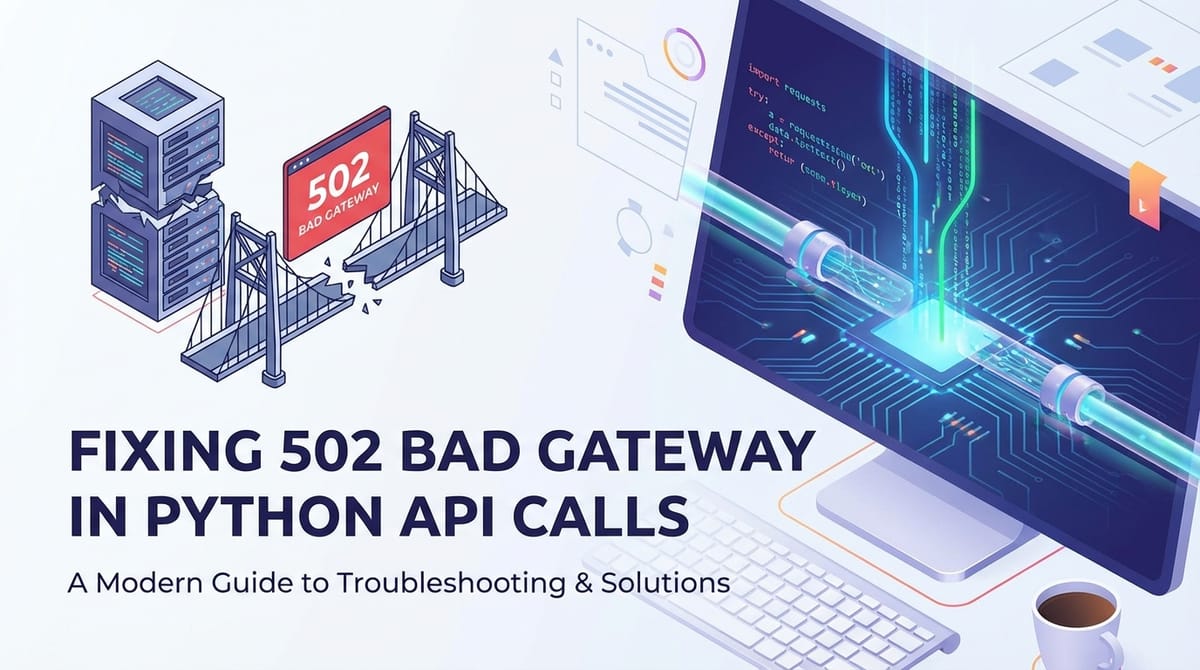


The dreaded "502 Bad Gateway" error is a common nemesis for developers working with distributed systems and microservices, particularly when making API calls from Python applications. It signifies an issue not with the client's request itself, nor directly with the ultimate destination server, but rather with an intermediary server acting as a proxy or gateway. This intermediary, unable to get a valid response from the upstream server, passes on this generic yet frustrating message. For Python developers integrating with various services or building their own api backends, understanding the root causes and systematic troubleshooting of a 502 error is paramount for maintaining robust and reliable applications.
This comprehensive guide will delve deep into the anatomy of the 502 Bad Gateway error within the context of Python API calls. We will explore its common manifestations, distinguish it from similar HTTP 5xx errors, and provide a systematic framework for diagnosing and resolving the problem. From inspecting your Python code and network configurations to scrutinizing api gateway settings and backend server logs, we will cover every layer of the modern api stack. Furthermore, we'll discuss proactive measures and best practices, including the role of robust api gateway solutions, to prevent these issues from derailing your development and production environments. By the end of this article, you will be equipped with the knowledge and tools to confidently tackle 502 errors and ensure your Python api integrations run smoothly.
Understanding the 502 Bad Gateway Error
At its core, the 502 Bad Gateway error is an HTTP status code, specifically defined as "Bad Gateway". It indicates that one server on the internet received an invalid response from another server it was trying to access while acting as a gateway or proxy. Imagine a conversation where you ask a receptionist (the proxy/gateway) for information, and the receptionist tries to get it from a colleague (the upstream server). If the colleague gives an incomprehensible or erroneous response, the receptionist can't fulfill your request and tells you, "Bad Gateway." This doesn't mean you asked the wrong question (your Python API call was likely valid) and it doesn't mean the receptionist is broken, but rather that there's a problem in the communication between the receptionist and the colleague.
This error is crucial to understand because it immediately tells you where to focus your troubleshooting efforts: on the connection between the proxy and the actual application server, or on the application server itself. It's not a client-side error (like a 400 Bad Request or 404 Not Found) and it's not a general internal server error (like a 500 Internal Server Error) which would imply the ultimate destination server failed internally. A 502 explicitly points to an intermediary failing to receive a valid response from an upstream server.
How 502 Manifests in Python API Calls
When your Python application makes an api call using libraries like requests, a 502 error will typically manifest as an exception or a response object with a status code of 502.
Example of a 502 error in Python using requests:
import requests
import logging

logging.basicConfig(level=logging.INFO, format='%(asctime)s - %(levelname)s - %(message)s')

try:
    response = requests.get('http://your-service-proxy/api/data', timeout=10)
    response.raise_for_status() # Raises HTTPError for bad responses (4xx or 5xx)
    logging.info(f"API call successful: {response.json()}")
except requests.exceptions.HTTPError as e:
    if e.response.status_code == 502:
        logging.error(f"502 Bad Gateway error received: {e.response.text}")
        logging.error(f"Request URL: {e.response.url}")
        logging.error(f"Headers: {e.response.request.headers}")
    else:
        logging.error(f"HTTP error occurred: {e}")
except requests.exceptions.ConnectionError as e:
    logging.error(f"Connection error occurred: {e}")
except requests.exceptions.Timeout as e:
    logging.error(f"Request timed out: {e}")
except Exception as e:
    logging.error(f"An unexpected error occurred: {e}")
In this scenario, e.response.status_code would be 502. The e.response.text might contain a generic gateway error page generated by the proxy (e.g., Nginx, Apache, or a cloud api gateway), which often provides minimal insight. This is why deeper investigation beyond the Python client is always necessary.
Distinguishing 502 from Other HTTP 5xx Errors
While all 5xx errors indicate a server-side problem, their nuances guide troubleshooting:
- 500 Internal Server Error: This is the most generic server-side error. It means the server encountered an unexpected condition that prevented it from fulfilling the request. It points directly to an issue within the ultimate destination server's application code or its immediate environment, not an intermediary
gatewayissue. - 503 Service Unavailable: This indicates that the server is currently unable to handle the request due to temporary overloading or maintenance of the server. The implication is that the service might become available again after some delay. This often comes from a load balancer or
gatewaywhen the backend services are explicitly marked as unhealthy or are not responding due to being overloaded. - 504 Gateway Timeout: Similar to 502, but with a specific cause: the
gatewayor proxy did not receive a timely response from the upstream server. The upstream server took too long to respond, rather than responding with something invalid. This typically suggests performance bottlenecks or long-running operations on the backend. - 502 Bad Gateway: As discussed, the
gatewayreceived an invalid response. This could mean the upstream server crashed, sent malformed headers, or the connection was abruptly closed.
Understanding these distinctions is the first critical step in efficient debugging. A 502 error specifically tells you to investigate the communication channel and the upstream server's immediate state, often separate from its core application logic.
Common Causes of 502 Bad Gateway in Python API Ecosystems
When a Python api call hits a 502, it's usually not the Python code making the call that's at fault, but rather the ecosystem surrounding the target api. This ecosystem typically involves a client (your Python code), potentially one or more api gateways or proxies, and finally, the upstream server hosting the actual api logic. Pinpointing the exact cause requires examining each link in this chain.
1. Upstream Server Issues
The most frequent culprit behind a 502 is the upstream server itself—the final destination where your Python API call is supposed to be processed. The gateway receives an "invalid" response because the upstream server either fails to respond correctly or at all.
- Application Crashes or Freezes: The Python application running on the upstream server might have crashed due to an unhandled exception, out-of-memory errors, or other critical failures. If the application isn't running, the
gatewaywill try to connect but will find no active service listening on the designated port, resulting in a connection refused or an immediate termination of the connection, which thegatewayinterprets as an invalid response.- Example: A Flask or Django
apiprocess suddenly stops due to a fatal error, like a database connection failure or an attempt to access a non-existent file.
- Example: A Flask or Django
- Application Not Started: A simple but common oversight is that the upstream application serving the
apimight not have been started or failed to start correctly after a deployment or server reboot. Thegatewaytries to forward the request to an empty port. - Overloaded Upstream Server: If the upstream server is experiencing extremely high traffic or resource contention (CPU, memory, disk I/O), it might become unresponsive or start rejecting connections. The
gatewayattempts to establish a connection but either times out or receives an abrupt connection reset, leading to a 502.- Scenario: A Python web server like Gunicorn or uWSGI configured with too few worker processes cannot handle the incoming request volume, causing a backlog and eventual failure to respond to the
gateway.
- Scenario: A Python web server like Gunicorn or uWSGI configured with too few worker processes cannot handle the incoming request volume, causing a backlog and eventual failure to respond to the
- Incorrect Application Configuration: The upstream application might be listening on the wrong port or IP address, or its internal configuration prevents it from correctly processing requests forwarded by the
gateway.- Example: The Python
apiserver is configured to listen only on127.0.0.1:8000, but thegatewayis trying to connect to192.168.1.100:8000.
- Example: The Python
- Database or External Service Dependencies: If the upstream Python
apirelies on an external database, caching service, or anotherapithat is itself unavailable or failing, the Pythonapimight crash or respond with an error that thegatewaycannot properly interpret.- Consideration: A database connection pool exhausting its limits can cause the Python backend to fail when trying to handle new requests.
2. Proxy or API Gateway Configuration Issues
Many modern api architectures involve an intermediary api gateway or reverse proxy (like Nginx, Apache HTTP Server, HAProxy, or cloud-based api gateway services) between the client and the upstream server. This layer is often where 502 errors originate due to misconfiguration or resource limitations.
- Incorrect
proxy_passor Upstream Definition: Thegatewayneeds to know where to forward requests. If theproxy_passdirective (in Nginx) or equivalent configuration points to an incorrect IP address, port, or hostname for the upstream server, thegatewaywon't be able to find or connect to the actualapi.- Nginx Example:
proxy_pass http://incorrect-ip-or-port:8000;
- Nginx Example:
gatewayTimeouts: Theapi gatewayhas its own timeout settings for how long it will wait for a response from the upstream server. If the upstream server takes longer than this configured timeout, thegatewaywill terminate the connection and return a 502 (or sometimes a 504, depending on the specificgatewayand its interpretation of "invalid response" vs. "timeout").- Nginx Directives:
proxy_connect_timeout,proxy_send_timeout,proxy_read_timeout. Ifproxy_read_timeoutis too low, a slow backend can trigger a 502.
- Nginx Directives:
- Firewall or Security Group Restrictions: A firewall (either on the
gatewayserver, the upstream server, or in between) might be blocking the connection attempts from thegatewayto the upstream server's port. This prevents thegatewayfrom ever reaching theapi, leading to a connection refused and thus a 502. - DNS Resolution Problems: If the
gatewayuses a hostname to locate the upstream server, and there's a problem with DNS resolution (e.g., DNS server is down, incorrect DNS entry, stale cache), thegatewaywon't be able to resolve the upstream server's IP, leading to a connection failure and 502. - Resource Exhaustion on
gateway: While less common than upstream issues, theapi gatewayitself can be overloaded. If it runs out of available file descriptors, memory, or CPU, it might fail to properly proxy requests, leading to 502s. - SSL/TLS Handshake Issues: If the
gatewayis configured to connect to the upstream server via HTTPS, but there are certificate mismatches, handshake failures, or incorrect SSL/TLS configurations, thegatewaymight fail to establish a secure connection, resulting in a 502.
Enhancing API Gateway Resilience and Monitoring with APIPark:
A sophisticated api gateway acts as a central control point for all api traffic, and its robust configuration and monitoring capabilities are crucial for preventing and quickly diagnosing 502 errors. A solution like APIPark - an open-source AI gateway and API management platform - offers comprehensive API lifecycle management. By providing features such as detailed api call logging, powerful data analysis, and unified api format for invocation, APIPark can significantly reduce the occurrence of gateway-related 502 issues. Its ability to manage traffic forwarding, load balancing, and versioning ensures that requests are reliably routed to healthy upstream services, and its diagnostic tools offer deep visibility into the performance and health of integrated apis, making troubleshooting much more efficient.
3. Network Issues
Sometimes, the problem lies in the underlying network infrastructure connecting the gateway to the upstream server.
- Intermittent Connectivity: Flaky network connections, faulty cables, misconfigured switches, or issues with network interface cards (NICs) can cause connections to drop or become unstable between the
gatewayand the upstream server. - Routing Problems: Incorrect routing tables or issues with network peering can prevent packets from reaching the upstream server from the
gateway, leading to connection failures. - Load Balancer Issues: If there's a load balancer between the
gatewayand multiple upstream servers, and the load balancer incorrectly marks all backend servers as unhealthy or fails to properly distribute traffic, it can lead to 502s as thegatewaytries to reach a non-existent or unresponsive target.
4. Docker/Containerization Specifics
In modern containerized environments, 502 errors can introduce additional layers of complexity.
- Incorrect Port Mappings: When deploying an
apiin a Docker container, you must ensure that the container's internal port (where the application listens) is correctly mapped to a host port that thegatewaycan access. Misconfiguration here means thegatewaytries to connect to a host port that isn't forwarding traffic to the container.- Docker Compose Example: If your app listens on 8000 inside the container, but you expose
80:8080, thegatewaytrying to connect to port 8000 on the host will fail.
- Docker Compose Example: If your app listens on 8000 inside the container, but you expose
- Docker Network Modes: Different Docker network modes (bridge, host, overlay) affect how containers communicate. If the
gatewayand the upstreamapicontainers are in different networks, or if the network configuration prevents communication, you'll encounter connection failures.- Troubleshooting Tip: Ensure containers that need to communicate are on the same user-defined bridge network, and use service names for inter-container communication if within Docker Compose or Kubernetes.
- Container Health Checks Failing: Orchestration tools like Kubernetes use health probes to determine if a container is healthy. If these probes fail, the container might be restarted or taken out of rotation, leading to a temporary (or persistent) 502 if the
gatewayroutes traffic to an unhealthy instance.
By understanding these diverse potential causes, you can approach the troubleshooting process with a more informed and systematic methodology.
Systematic Troubleshooting Steps for 502 Bad Gateway
When faced with a 502 error in your Python api calls, a methodical approach is key. Jumping to conclusions can waste valuable time. This section outlines a systematic set of steps, moving from client-side observations to deep dives into server and gateway configurations.
Phase 1: Initial Checks and Client-Side Observations
Start with the simplest checks and gather as much information as possible from your Python client application.
- Verify the API Endpoint: Double-check the URL your Python code is calling. Even a minor typo (e.g.,
httpinstead ofhttps, incorrect path segment) can lead to unexpectedgatewaybehavior or routing to a non-existent service.- Action: Print the full URL being requested in your Python code:
logging.info(f"Requesting URL: {url}").
- Action: Print the full URL being requested in your Python code:
- Test with
curlor Postman: Try making the exact sameapicall from outside your Python application using a tool likecurlor Postman.curl -v http://your-service-proxy/api/data- Why: This helps determine if the issue is specific to your Python code's environment/libraries or a broader problem with the
apiendpoint itself. Acurloutput will often provide more verbose HTTP headers and potentially more informative error messages than a generic 502 from arequestsexception. Ifcurlalso gets a 502, the problem is likely further up the chain.
- Check Network Connectivity:
- Ping the
gateway: From the machine running your Python code, can you ping the IP address or hostname of theapi gatewayor proxy?ping your-api-gateway.com. - Check DNS Resolution: Ensure your system can resolve the
gateway's hostname to an IP address.nslookup your-api-gateway.comordig your-api-gateway.com. - Why: Basic network connectivity and DNS resolution are fundamental. If these fail, no
apicall can succeed.
- Ping the
- Review Python Client Code for Timeouts and Error Handling:
- Are you setting timeouts? If not, your client might wait indefinitely while the
gatewaytimes out first, leading to a 502. Explicit timeouts are crucial. - Is your error handling robust? Ensure you catch
requests.exceptions.HTTPError(for 5xx codes),requests.exceptions.ConnectionError, andrequests.exceptions.Timeoutto get specific feedback. - Example (reiterated for emphasis):
python import requests try: response = requests.get('http://your-service-proxy/api/data', timeout=5) # 5-second timeout response.raise_for_status() print("Success!") except requests.exceptions.Timeout: print("Request timed out on the client side.") except requests.exceptions.HTTPError as err: if err.response.status_code == 502: print(f"502 Bad Gateway from client: {err.response.text}") else: print(f"Other HTTP error: {err}") except requests.exceptions.ConnectionError: print("Failed to connect to the server.")
- Are you setting timeouts? If not, your client might wait indefinitely while the
Phase 2: Investigating the Gateway/Proxy Server
If the initial checks suggest the problem isn't with your Python client or basic connectivity, the next logical step is to examine the api gateway or proxy server that handles the incoming requests and forwards them upstream.
- Check
gateway/Proxy Server Status:- Is the
gatewayservice running? For Nginx:sudo systemctl status nginxorsudo service nginx status. For otherapi gatewaysolutions, check their specific service status. - Are there any recent restarts or deployments? Sometimes a faulty deployment or configuration change can bring down the
gatewayor cause issues.
- Is the
- Examine
gatewayLogs (CRITICAL STEP): This is often where you'll find the most illuminating details.- Access Logs: Show incoming requests to the
gateway. Look for the 502 status code and the specific request that generated it.- Nginx Example:
/var/log/nginx/access.log
- Nginx Example:
- Error Logs: These logs provide much more detail about why the
gatewayreturned a 502. Look for messages like "connect() failed (111: Connection refused)", "upstream timed out", "upstream prematurely closed connection", "no live upstream", "connection reset by peer".- Nginx Example:
/var/log/nginx/error.log
- Nginx Example:
- What to look for: Time stamps (correlate with your Python
apicall), client IP, upstream server IP/port, and the specific error message from thegateway.
- Access Logs: Show incoming requests to the
- Review
gatewayConfiguration Files:proxy_passor Upstream Definition: Verify that thegatewayis configured to forward requests to the correct IP address and port of your upstream Pythonapiserver.- Timeout Settings: Check
proxy_connect_timeout,proxy_send_timeout,proxy_read_timeout(for Nginx) or equivalent settings for othergateways. If these are too low, thegatewaymight be timing out before the upstream server can respond.- Example of potentially problematic Nginx timeouts:
nginx proxy_read_timeout 60s; # Adjust if backend is slow proxy_connect_timeout 60s; proxy_send_timeout 60s;
- Example of potentially problematic Nginx timeouts:
- Buffer Settings: In some cases,
gatewaybuffer settings (e.g.,proxy_buffers,proxy_buffer_sizein Nginx) can contribute to 502s if the upstream response is very large and the buffers are insufficient. - SSL/TLS Configuration: If your
gatewaycommunicates with the upstream via HTTPS, ensure the SSL/TLS configuration (certificates, protocols) is correct and compatible. - Action: After making changes, always reload or restart the
gatewayservice (e.g.,sudo systemctl reload nginx).
- Check Firewall Rules (
gatewayto Upstream):- Ensure that no firewall (on the
gatewayhost, the upstream host, or an intermediate network firewall) is blocking traffic on the port the upstreamapiis listening on. - Linux example (on
gatewayhost):sudo ufw statusorsudo iptables -L. - Cloud example: Check security group rules or network ACLs.
- Ensure that no firewall (on the
Phase 3: Diagnosing the Upstream Server
If the gateway logs point to issues communicating with the upstream server (e.g., "connection refused," "upstream timed out"), the focus shifts to the server hosting your Python api.
- Verify Upstream Application Status:
- Is the Python
apiapplication running? For Gunicorn:ps aux | grep gunicorn. For Flask/Django dev server:ps aux | grep python. - Is it listening on the correct port?
sudo netstat -tulnp | grep <port_number>(e.g.,8000). - Action: If not running, attempt to start it and observe any errors during startup.
- Is the Python
- Examine Upstream Application Logs:
- Application Logs: Your Python
api(e.g., Flask, Django, FastAPI) should have its own logs. Look for exceptions, error messages, or unhandled crashes that occurred around the time of the 502 error. These logs are often the most verbose and specific about why the application failed. - Web Server Logs (e.g., Gunicorn, uWSGI): If your Python
apiruns behind a WSGI server, check its logs. These might show worker processes crashing, timeouts, or specific binding errors. - System Logs: Check
syslog,journalctl, or other system logs for any low-level errors (e.g., out-of-memory, disk full) that might have impacted your application. - Location: Common locations include
/var/log/, or specific directories defined in your application/WSGI server configuration.
- Application Logs: Your Python
- Check Upstream Server Resources:
- CPU Usage:
top,htop. Is the CPU consistently at 100%? - Memory Usage:
free -h. Is the server running out of memory? This can lead to application crashes or system instability. - Disk I/O:
iostat. Are disk operations heavily bottlenecked? - Network I/O:
iftop,nload. Is there excessive network traffic that might be saturating the NIC? - Why: Resource exhaustion can make an application unresponsive or crash, leading to a 502 from the
gateway.
- CPU Usage:
- Test Upstream Application Directly (Bypass
gateway):- If possible, try making an
apicall directly to the upstream server's IP and port from within thegatewayserver or another trusted host, bypassing thegatewayconfiguration entirely. curl http://upstream-ip:upstream-port/api/data- Why: If this direct call also fails, you've confirmed the problem is with the upstream
apiapplication itself. If it succeeds, the issue is definitely with thegateway's configuration or its network path to the upstream.
- If possible, try making an
- Database/External Service Connectivity (from upstream):
- If your Python
apidepends on a database or other external services, ensure the upstream server can connect to them. - Example: Try connecting to the database from the upstream server's command line. Check database server logs for connection errors or query issues.
- If your Python
- Container-Specific Checks (if applicable):
- Docker Logs:
docker logs <container_id_or_name>for your Pythonapicontainer. - Container Status:
docker ps. Is the containerUp? Is it constantly restarting? - Port Mappings: Verify correct
docker run -pordocker-compose portsmappings. - Container Network: Use
docker inspect <container_id>to check its network configuration and IP address. - Kubernetes Pods:
kubectl get pods,kubectl describe pod <pod_name>,kubectl logs <pod_name>. Check events for crash loops or health probe failures.
- Docker Logs:
Table: 502 Bad Gateway Troubleshooting Checklist
| Step | Category | Description | Action/Command Examples | Expected Outcome/Indicators |
|---|---|---|---|---|
| 1. Client-Side Checks | ||||
| 1.1 Verify API Endpoint | Python Code | Ensure the URL in your Python script is exactly correct. | print(f"Calling URL: {url}") |
URL is as expected. |
1.2 Test with curl/Postman |
External Tool | Bypass Python client, make direct request to the gateway/proxy. |
curl -v http://your-gateway.com/api/endpoint |
Same 502 error (indicates gateway/upstream issue) or different error/success (indicates Python client issue). |
| 1.3 Check Network Connectivity | Network | Ping the gateway/proxy hostname/IP. Check DNS resolution. |
ping your-gateway.com, nslookup your-gateway.com |
Successful pings, correct IP resolution. |
| 1.4 Client Timeouts/Error Handling | Python Code | Ensure requests calls have explicit timeout and comprehensive try-except blocks. |
requests.get(url, timeout=5) |
Client code handles errors gracefully, provides specific feedback (e.g., "Request timed out on client side" vs. "502 Bad Gateway"). |
| 2. Gateway/Proxy Server Checks | ||||
| 2.1 Gateway Service Status | Gateway Server |
Confirm the api gateway or proxy service (e.g., Nginx, Apache) is running. |
sudo systemctl status nginx |
Service is "active (running)". |
2.2 Examine Gateway Logs |
Gateway Server |
Review access.log for 502 status, and error.log for upstream connection issues. |
tail -f /var/log/nginx/error.log |
Specific error messages: "connection refused," "upstream timed out," "prematurely closed connection." Correlate timestamps. |
2.3 Review Gateway Configs |
Gateway Server |
Verify proxy_pass (Nginx) or equivalent points to correct upstream IP/port. Check proxy_read_timeout and other timeout values. |
/etc/nginx/sites-available/your-config |
Correct upstream address, adequate timeout settings. |
2.4 Check Firewall (Gateway) |
Gateway Server |
Ensure no firewall is blocking outbound connections from the gateway to the upstream server's port. |
sudo ufw status, sudo iptables -L |
Outbound traffic to upstream port is allowed. |
| 3. Upstream Application Server Checks | ||||
| 3.1 Upstream App Status | Upstream Server | Confirm your Python api application (e.g., Gunicorn, Flask app) is running and listening on the expected port. |
ps aux | grep gunicorn, sudo netstat -tulnp | grep 8000 |
Application process is active, listening on correct port. |
| 3.2 Examine Upstream App Logs | Upstream Server | Review your Python application's logs for crashes, exceptions, or errors at the time of the 502. Also check WSGI server logs (Gunicorn, uWSGI). | tail -f /var/log/your-app/app.log |
Specific application-level errors, unhandled exceptions, or service restarts. |
| 3.3 Check Upstream Resources | Upstream Server | Monitor CPU, Memory, Disk I/O. | top, free -h, iostat |
Adequate system resources, no signs of exhaustion leading to application unresponsiveness. |
| 3.4 Test Upstream Directly | Upstream Server / Gateway |
From the gateway host, curl directly to the upstream IP and port, bypassing the gateway configuration. |
curl http://upstream-ip:8000/api/endpoint |
Successful response (implies gateway configuration issue) or error (implies upstream app issue). |
| 3.5 External Dependencies | Upstream Server | Verify connectivity and health of databases, message queues, or other external services the upstream api relies on. |
Test database connection from server, check external service dashboards. | All external dependencies are operational and reachable. |
| 3.6 Container-Specific Checks | Docker/Kubernetes | docker logs/kubectl logs for the api container, docker ps/kubectl get pods for status, port mappings, network configuration. |
docker logs my-api-container, kubectl describe pod my-api-pod |
Container is healthy, correct port mappings, inter-container communication is working. |
By meticulously following this checklist, you can systematically narrow down the potential causes of a 502 Bad Gateway error and identify the exact component failing in your api ecosystem.
APIPark is a high-performance AI gateway that allows you to securely access the most comprehensive LLM APIs globally on the APIPark platform, including OpenAI, Anthropic, Mistral, Llama2, Google Gemini, and more.Try APIPark now! 👇👇👇
Preventive Measures and Best Practices
While robust troubleshooting is essential, an even better approach is to prevent 502 Bad Gateway errors from occurring in the first place. Implementing best practices across your Python api development and deployment lifecycle can significantly reduce the frequency and impact of these frustrating issues.
1. Robust Error Handling and Logging
Effective logging is your first line of defense and diagnosis. When an issue occurs, detailed logs help you understand the context, sequence of events, and precise error messages.
- Comprehensive Application Logging: Implement structured logging in your Python
apiapplication using libraries likelogging. Log at different levels (DEBUG, INFO, WARNING, ERROR, CRITICAL). Crucially, ensure that unhandled exceptions are caught and logged with full stack traces.- Best Practice: Include request IDs in logs to trace requests across multiple services.
- Centralized Log Management: Use a centralized logging solution (e.g., ELK Stack, Splunk, Datadog, or cloud-native solutions) to aggregate logs from your Python
api, WSGI server,api gateway, and system. This makes it much easier to correlate events across different components when troubleshooting a 502. - Meaningful Error Messages: While you shouldn't expose internal server details to the client, ensure your
apiresponds with clear, consistent error messages and appropriate HTTP status codes when it can respond. If it crashes,gatewaywill step in with a 502, but for logical errors, yourapishould be informative.
2. Comprehensive Monitoring and Alerting
Proactive monitoring allows you to detect issues before they escalate into widespread 502 errors or impact users significantly.
- Application Metrics: Monitor key metrics of your Python
apiapplication: CPU usage, memory consumption, request latency, error rates, number of active connections, and garbage collection statistics. Tools like Prometheus withclient_pythonorstatsdcan gather these. gatewayMetrics: Monitor the health and performance of yourapi gateway. This includes request counts, error rates (especially 5xx errors), latency, and resource utilization (CPU, memory). Nginx provides modules for this, and cloudapi gateways offer built-in monitoring.- System Metrics: Keep an eye on the underlying server infrastructure: disk space, network I/O, and general system health.
- Alerting: Configure alerts for critical thresholds (e.g., sustained high 502 rates, sudden drops in
apisuccess rates, high CPU/memory usage, low disk space) to notify your team via Slack, email, PagerDuty, etc. This enables rapid response.
3. Load Testing and Capacity Planning
Understanding how your Python api and its infrastructure behave under load is crucial for preventing 502s caused by overloading.
- Regular Load Testing: Simulate realistic user traffic using tools like Locust, JMeter, or K6. Identify performance bottlenecks in your Python
api, WSGI server, and database. - Capacity Planning: Based on load test results and anticipated growth, plan your infrastructure capacity. Ensure your servers,
api gateways, and databases have sufficient resources (CPU, RAM, network bandwidth) to handle peak loads. - Scalability: Design your Python
apifor horizontal scalability. Use container orchestration (Docker Swarm, Kubernetes) and auto-scaling groups to automatically adjust the number ofapiinstances based on demand.
4. Utilize a Reliable API Gateway Solution
A robust and well-configured api gateway is not just a proxy; it's a critical component for managing, securing, and monitoring your apis, significantly contributing to the prevention of 502 errors.
- Centralized Management: Platforms like APIPark offer end-to-end API lifecycle management, which includes design, publication, invocation, and decommission. This helps standardize
apidefinitions, ensures consistent routing, and reduces the chance of misconfigurations that lead to 502s. - Traffic Management: API gateways provide advanced traffic management features like load balancing, throttling, and circuit breaking. These mechanisms distribute requests intelligently across multiple upstream instances, prevent individual services from being overwhelmed, and isolate failing services. APIPark, for instance, helps regulate API management processes, manage traffic forwarding, load balancing, and versioning of published APIs, preventing a single point of failure from cascading into a system-wide outage.
- Security:
API gateways enforce security policies such as authentication, authorization, and rate limiting. By managing access permissions and requiring approval forapiresource access, they prevent malicious or excessive calls that could destabilize your backend services. - Unified Monitoring and Analytics: Many
api gateways provide built-in monitoring, logging, and analytics capabilities. APIPark, for example, offers detailedapicall logging and powerful data analysis, allowing businesses to quickly trace and troubleshoot issues in API calls and display long-term trends and performance changes. This proactive insight helps with preventive maintenance before issues occur, directly mitigating the chances of hitting a 502.
5. Implement Retries with Exponential Backoff
For transient network issues or temporary upstream unavailability, retrying api calls can often resolve the issue without manual intervention.
- Retry Logic: Implement retry mechanisms in your Python client code, especially for
apicalls that are idempotent (can be safely called multiple times without side effects). - Exponential Backoff: Instead of retrying immediately, wait for progressively longer periods between retries (e.g., 1s, 2s, 4s, 8s). This prevents overwhelming an already struggling upstream service.
- Python Library Example: The
tenacitylibrary provides elegant decorators for implementing retry logic with exponential backoff.
- Python Library Example: The
- Jitter: Add a small random delay to the backoff time (jitter) to prevent a "thundering herd" problem where many clients retry simultaneously.
6. Introduce Circuit Breakers
A circuit breaker pattern helps prevent a client from continuously making requests to a service that is known to be failing, thereby giving the failing service time to recover and preventing resource exhaustion on the client side.
- How it Works: When a service fails repeatedly, the circuit breaker "trips," and subsequent calls immediately fail without attempting to contact the upstream service. After a configurable "cool-down" period, it allows a few test requests to see if the service has recovered before fully closing the circuit again.
- Python Libraries: Libraries like
pybreakercan implement this pattern. - Benefit: Prevents cascading failures and reduces the load on a struggling
api, indirectly reducing the chances of thegatewayseeing an invalid response (502) or timeout (504).
7. Idempotent API Design
Design your api endpoints to be idempotent whenever possible. An idempotent operation is one that can be applied multiple times without changing the result beyond the initial application.
- Example: A
DELETErequest is generally idempotent. Calling it multiple times on the same resource has the same effect as calling it once (the resource remains deleted). APOSTrequest, however, is typically not idempotent, as repeated calls might create duplicate resources. - Benefit: If a 502 (or 504) occurs and your client retries an idempotent operation, you don't have to worry about unintended side effects like duplicate data creation. This simplifies client-side retry logic.
By integrating these preventive measures and best practices into your development and operations workflows, you can build a more resilient api ecosystem around your Python applications, significantly reducing the occurrence of 502 Bad Gateway errors and improving overall system stability.
Advanced Scenarios: Microservices and Kubernetes
In complex microservices architectures orchestrated by platforms like Kubernetes, 502 errors can have additional layers of complexity due to the dynamic nature of containerized environments and the multiple layers of networking and service discovery.
Microservices Considerations
- Service Mesh: In a service mesh (e.g., Istio, Linkerd), an
apicall might traverse multiple proxies (sidecars) before reaching its destination. A 502 could originate from any of these sidecars if an upstream service (another microservice) fails to respond correctly.- Troubleshooting: Check the logs of the service mesh control plane and individual sidecar proxies. Distributed tracing (e.g., Jaeger, Zipkin) becomes invaluable here to visualize the entire request path and pinpoint where the error occurs.
- Inter-service Communication: When microservices communicate with each other, they often rely on internal load balancers or service discovery mechanisms. A 502 could indicate issues with a downstream service, which then propagates up the chain.
- Solution: Implement robust health checks, retries, and circuit breakers between microservices themselves, not just at the edge
api gateway.
- Solution: Implement robust health checks, retries, and circuit breakers between microservices themselves, not just at the edge
- Data Consistency: In a distributed system, a 502 can lead to partial failures. Ensure your system design accounts for eventual consistency or uses distributed transactions where necessary to maintain data integrity.
Kubernetes Specifics
Kubernetes introduces its own set of components that can contribute to 502 errors:
- Ingress Controller: In Kubernetes, an Ingress Controller (e.g., Nginx Ingress, Traefik, GKE Ingress) acts as the edge
api gateway. A 502 error often means the Ingress Controller couldn't reach the backend Kubernetes Service or Pods.- Troubleshooting:
- Ingress Controller Logs: Check the logs of the Ingress Controller Pods. They will often show the reason for the 502 (e.g., "upstream connection refused," "read timeout").
- Ingress Resource Configuration: Verify the
Ingressresource correctly points to theServicename and port. - Service and Endpoint Status: Check the
ServiceandEndpointobjects:kubectl get svc <service_name>,kubectl get ep <service_name>. Ensure theServicehas activeEndpoints(i.e., running Pods).
- Troubleshooting:
- Kubernetes Services: A
Servicein Kubernetes abstracts the underlying Pods. If theServiceselector is incorrect or no Pods match the selector, theServicewill have no active endpoints, and the Ingress Controller won't be able to route traffic, leading to a 502.- Action: Ensure labels on your Pods match the
selectordefined in yourService.
- Action: Ensure labels on your Pods match the
- Pod Health: Individual Pods (running your Python
api) might be unhealthy.- Liveness Probes: If a liveness probe fails, Kubernetes will restart the Pod. If the Pod takes too long to start or crashes immediately, the
Servicemight temporarily have no healthy Pods. - Readiness Probes: A readiness probe indicates if a Pod is ready to receive traffic. If it fails, the Pod is removed from the
Service's endpoints. If all Pods for aServiceare unready, the Ingress Controller will return a 502. - Troubleshooting:
kubectl get pods,kubectl describe pod <pod_name>,kubectl logs <pod_name>. Look forCrashLoopBackOff,Evicted, orReadiness probe failedevents.
- Liveness Probes: If a liveness probe fails, Kubernetes will restart the Pod. If the Pod takes too long to start or crashes immediately, the
- Network Policies: Kubernetes network policies can restrict communication between Pods. If a policy inadvertently blocks traffic from the Ingress Controller Pods to your
apiPods, it will result in a connection refused and a 502. - Resource Limits: If your Pods hit their CPU or memory limits (
resources.limits), they can be throttled or OOM-killed, leading to unresponsiveness or crashes, which an upstreamgatewaywill perceive as an invalid response.
Debugging 502s in these environments requires combining the general troubleshooting steps with a deep understanding of the specific orchestration platform's components and their interactions. Kubernetes events, kubectl describe, and kubectl logs become indispensable tools for peering into the health and status of your distributed Python apis.
Conclusion
The 502 Bad Gateway error, while a broad and often frustrating message, is a powerful indicator that guides developers toward systemic issues within their api ecosystem. For Python developers, understanding that this error typically points to a problem between an intermediary gateway and the upstream api server is the first crucial step in efficient debugging. From application crashes and misconfigured proxies to network glitches and container-specific eccentricities, the causes are varied, yet amenable to systematic diagnosis.
By meticulously following a structured troubleshooting approach—starting with client-side observations, progressing to api gateway logs and configurations, and finally delving into the upstream Python api's health and logs—you can isolate and rectify the root cause. Furthermore, adopting preventive measures such as robust logging, comprehensive monitoring, load testing, and strategic use of reliable api gateway solutions like APIPark can significantly reduce the frequency of these errors. APIPark's capabilities in api lifecycle management, traffic control, and detailed analytics offer a proactive shield against the very issues that often manifest as 502s, ensuring smoother operations and a more resilient api landscape.
Ultimately, mastering the art of fixing and preventing 502 Bad Gateway errors transforms a daunting challenge into an opportunity to build more stable, scalable, and reliable Python api applications. Equipped with this comprehensive knowledge, you are now better prepared to navigate the complexities of modern api architectures and ensure your services remain available and performant.
Frequently Asked Questions (FAQ)
1. What is the fundamental difference between a 502 Bad Gateway and a 504 Gateway Timeout error? A 502 Bad Gateway error means the gateway or proxy server received an invalid response from the upstream server. This could be due to the upstream server crashing, sending malformed data, or abruptly closing the connection. In contrast, a 504 Gateway Timeout error means the gateway or proxy server did not receive any response at all from the upstream server within the configured timeout period. The upstream server simply took too long to process the request. While both indicate issues with the upstream, 502 often points to an immediate failure or malformed communication, whereas 504 points to performance bottlenecks or prolonged unresponsiveness.
2. My Python requests call sometimes gets a 502, but other times it works. What could be causing this intermittent behavior? Intermittent 502 errors often point to transient issues with the upstream server or network, or resource contention. Common culprits include: * Temporary Overload: The upstream Python api server might be sporadically overloaded, causing it to drop connections or respond slowly, leading to a 502. * Resource Spikes: Brief spikes in CPU, memory, or network usage on the upstream server can lead to temporary unresponsiveness. * Unstable Network: Flaky network connectivity between the gateway and the upstream server. * Race Conditions/Deadlocks: Rare application-level issues in your Python api that only manifest under specific load conditions. * Asymmetric Scaling: An api gateway or load balancer might route traffic to an upstream instance that hasn't fully started or is momentarily unhealthy. Debugging intermittent issues requires continuous monitoring and careful correlation of gateway and upstream logs during the times the errors occur.
3. How can API gateway solutions like APIPark help in preventing 502 Bad Gateway errors? A robust api gateway like APIPark can significantly prevent 502 errors through several key features: * Load Balancing & Traffic Management: APIPark intelligently distributes requests across multiple healthy upstream api instances, preventing single points of failure and overloading. * Centralized Configuration: It ensures consistent and correct routing configurations, reducing the chance of misconfigured proxy_pass directives. * Health Checks: It performs continuous health checks on upstream services, removing unhealthy instances from the routing pool before they can cause 502s. * Monitoring & Analytics: APIPark provides detailed api call logging and powerful data analysis, offering proactive insights into api performance and health, allowing for early detection and resolution of issues before they become 502s. * API Lifecycle Management: It helps manage the entire lifecycle of APIs, ensuring that published apis are stable and well-behaved, thus reducing internal application errors that can lead to 502s.
4. I'm running my Python api in Docker/Kubernetes, and I'm seeing 502 errors. Where should I look first? When using Docker or Kubernetes, your primary focus should be on the container's health and its interaction with the orchestrator's networking components. Start by checking: * Container Logs: docker logs <container_id_or_name> or kubectl logs <pod_name> for your Python api application. Look for crashes, unhandled exceptions, or startup failures. * Container Status: docker ps or kubectl get pods. Is the container/pod in a Running state? Is it restarting (CrashLoopBackOff)? * Port Mappings/Service Configuration: Verify that the container's internal port is correctly mapped to the host, or that your Kubernetes Service and Ingress resources correctly target your Pods on the right ports. * Readiness/Liveness Probes (Kubernetes): Check kubectl describe pod <pod_name> for any failing readiness or liveness probes, which can cause Pods to be taken out of rotation, leading to 502s from the Ingress. * Ingress Controller Logs: If using Kubernetes, check the logs of your Ingress Controller (e.g., Nginx Ingress Controller) for specific errors when trying to reach your Service's backend.
5. How critical is client-side retry logic and exponential backoff when dealing with potential 502 errors? Client-side retry logic with exponential backoff is highly critical for making your Python api calls resilient to transient 502 errors and other network/server glitches. Transient issues (like a brief network hiccup or a quick api restart) can often be resolved by simply retrying the request after a short delay. Exponential backoff prevents a "thundering herd" problem where many clients retry simultaneously, which could overwhelm a recovering service. By progressively increasing the wait time between retries, you give the struggling upstream api or gateway a chance to recover, improving the overall reliability of your system without requiring immediate human intervention. This strategy significantly reduces the visible impact of intermittent 502s on end-users.
🚀You can securely and efficiently call the OpenAI API on APIPark in just two steps:
Step 1: Deploy the APIPark AI gateway in 5 minutes.
APIPark is developed based on Golang, offering strong product performance and low development and maintenance costs. You can deploy APIPark with a single command line.
curl -sSO https://download.apipark.com/install/quick-start.sh; bash quick-start.sh

In my experience, you can see the successful deployment interface within 5 to 10 minutes. Then, you can log in to APIPark using your account.

Step 2: Call the OpenAI API.