Fixing openssl s_client not showing cert with -showcert
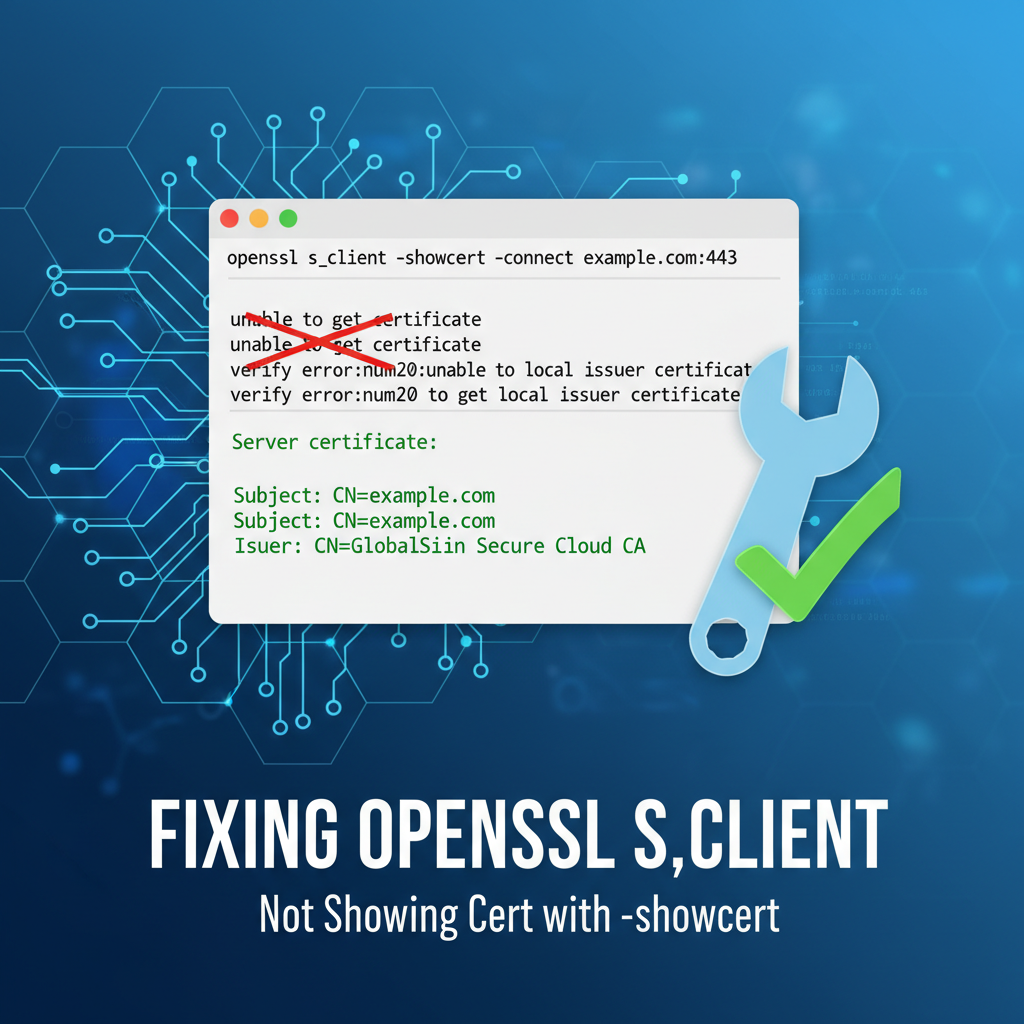


APIPark is a high-performance AI gateway that allows you to securely access the most comprehensive LLM APIs globally on the APIPark platform, including OpenAI, Anthropic, Mistral, Llama2, Google Gemini, and more.Try APIPark now! 👇👇👇
Fixing openssl s_client Not Showing Cert with -showcert: A Comprehensive Deep Dive into SSL/TLS Debugging for API Ecosystems
In the intricate world of modern internet communication, where security is paramount, the Secure Sockets Layer/Transport Layer Security (SSL/TLS) protocols stand as the bedrock of trust and data integrity. Developers, system administrators, and cybersecurity professionals frequently rely on command-line tools to diagnose connectivity and encryption issues. Among these, openssl s_client is an indispensable utility, serving as a powerful diagnostic client for establishing TLS connections, inspecting certificates, and troubleshooting encrypted communication channels. However, a common and often perplexing challenge arises when using openssl s_client with the -showcert option: the expected certificate chain, vital for validating the server's identity, simply doesn't appear.
This lack of visible certificate information can be a source of significant frustration, especially when working with sensitive api endpoints, configuring an api gateway, or ensuring the robust security of critical web services. It indicates a fundamental breakdown in the server's presentation of its cryptographic identity or a misinterpretation by the client. The implications are broad, ranging from potential security vulnerabilities to operational disruptions, particularly for applications heavily reliant on secure api interactions.
This extensive guide aims to unravel the mysteries behind openssl s_client -showcert failures. We will embark on a detailed journey, dissecting the inner workings of SSL/TLS handshakes, exploring the myriad of reasons why certificates might not display, and providing a step-by-step, in-depth troubleshooting methodology. Our exploration will cover server-side misconfigurations, client-side anomalies, network interferences, and the subtle nuances of command-line usage. Furthermore, we will contextualize these challenges within the broader landscape of api security and management, highlighting how a robust api gateway platform can play a crucial role in mitigating such issues and ensuring the integrity of an entire api ecosystem. By the end of this guide, you will possess a profound understanding and a powerful toolkit to effectively diagnose and resolve this elusive problem, strengthening your ability to manage and secure your digital infrastructure.
Understanding openssl s_client and the Essence of -showcert
Before diving into troubleshooting, it's essential to grasp the fundamental role of openssl s_client and what the -showcert option is designed to achieve. openssl s_client acts as a generic SSL/TLS client, allowing you to establish an encrypted connection to a remote host and port, mimicking how a web browser or an application client would connect. Its primary utility lies in inspecting the details of the TLS handshake, verifying certificates, and testing various TLS protocol versions and cipher suites.
When you execute a command like openssl s_client -connect example.com:443, the utility initiates a TLS handshake with example.com on port 443. This handshake is a meticulously choreographed sequence of messages exchanged between the client and the server, establishing parameters for the secure connection. A critical part of this handshake involves the server presenting its digital certificate, which serves as its cryptographic identity card. This certificate, issued by a trusted Certificate Authority (CA), binds the server's public key to its domain name, proving its authenticity.
The -showcert option specifically instructs openssl s_client to display all certificates received from the server during the TLS handshake. This isn't just the server's primary (leaf) certificate, but crucially, the entire certificate chain that the server presents. A complete chain typically consists of:
- The Leaf Certificate (End-Entity Certificate): This is the server's own certificate, identifying
example.com. - Intermediate Certificate(s): These certificates link the leaf certificate back to a trusted root CA. There can be one or more intermediate certificates in a chain, each signed by the next one up.
- The Root Certificate (Optional, but sometimes sent): The self-signed certificate of the trusted root CA. While often not explicitly sent by the server (as clients are expected to have a local copy in their trust store), its absence doesn't necessarily indicate a problem if the intermediates are correctly presented.
The ability to view this full chain is paramount for debugging. It allows you to confirm that the server is correctly configured to send all necessary intermediate certificates, enabling the client to build a valid trust path back to a root CA it implicitly trusts. Without the full chain, a client (whether openssl s_client, a web browser, or an api client) cannot verify the server's identity, leading to connection errors like "certificate not trusted" or, in our specific scenario, the -showcert option failing to display anything meaningful. This verification process is fundamental for securing any api endpoint and ensuring that an api gateway can securely proxy requests without encountering trust issues.
Delving into the TLS Handshake: Where Certificates Are Exchanged
To truly understand why -showcert might fail, we must appreciate the exact moment and mechanism through which certificates are exchanged during the TLS handshake. This elaborate sequence is designed to establish a secure, encrypted tunnel for communication.
- ClientHello: The client initiates the connection by sending a
ClientHellomessage. This message announces the client's capabilities, including the highest TLS protocol version it supports, a list of cipher suites it prefers, compression methods, and crucial extensions like Server Name Indication (SNI). - ServerHello: The server responds with a
ServerHellomessage, selecting the mutually preferred TLS version, cipher suite, and compression method. It also includes a server-generated random number. - Certificate: This is where our focus lies. The server then sends its
Certificatemessage, which contains its public key certificate (the leaf certificate) and often, the entire chain of intermediate certificates necessary to establish trust. Crucially, the server decides what certificates to send here. If it's misconfigured, it might send only the leaf certificate, an incomplete chain, or even no certificate at all if it's operating in a mode that doesn't require server authentication (rare for public services). - ServerKeyExchange (Optional): If the chosen cipher suite requires additional server-side key exchange parameters (e.g., for Diffie-Hellman ephemeral key exchange), the server sends this message.
- CertificateRequest (Optional): If the server requires client authentication (mutual TLS), it sends a
CertificateRequestmessage to the client. This is common in secureapiecosystems, especially when anapi gatewayneeds to authenticate specific client applications. - ServerHelloDone: The server signals that it has finished its part of the initial handshake.
- ClientKeyExchange: The client generates its pre-master secret (or uses the server's key exchange parameters) and encrypts it using the server's public key (from the certificate).
- Certificate (Optional): If the server requested client authentication, the client sends its own certificate chain.
- CertificateVerify (Optional): The client signs a hash of the handshake messages using its private key, proving it owns the certificate presented.
- ChangeCipherSpec: Both client and server exchange
ChangeCipherSpecmessages, indicating that all subsequent communication will be encrypted using the newly negotiated keys. - Finished: Both sides send a
Finishedmessage, which is encrypted and authenticated. This is the final verification that the handshake was successful and secure.
If openssl s_client -showcert isn't displaying certificates, it means one of two primary things: either the server isn't sending the Certificate message at all, or it's sending an empty or malformed one that openssl cannot parse, or openssl itself isn't correctly configured to receive or display it due to client-side factors. Understanding this handshake sequence is the first critical step in debugging.
Common Scenarios Where -showcert Fails: A Deep Dive into Causes
The failure of openssl s_client -showcert to display certificates can stem from a diverse array of issues, encompassing server-side configurations, client-side environment problems, network interferences, and even subtle command-line usage errors. Pinpointing the exact cause requires a systematic approach.
1. Server-Side Misconfigurations: The Usual Suspect
The vast majority of -showcert failures trace back to how the target server is configured to present its SSL/TLS certificates.
- Missing or Incomplete Intermediate Certificates: This is, arguably, the most prevalent issue. Many CAs issue certificates through an intermediate CA, not directly from their root. For a client to trust the server's leaf certificate, it must be able to construct a "chain of trust" from the leaf, through one or more intermediate certificates, all the way back to a root CA that the client already trusts. If the server only sends its leaf certificate and omits the necessary intermediate certificates,
openssl s_client(and any other client) cannot build this chain. It might receive a certificate but won't be able to verify it fully, and in someopensslversions or specific failure modes,-showcertmight not print anything for an untrustworthy or incomplete chain, or it might print the leaf but fail to display the "Certificate chain" section as expected. For criticalapiendpoints, ensuring the complete chain is sent is non-negotiable.- Detailed Impact: When intermediates are missing, clients might complain about "unable to get local issuer certificate" or "certificate not trusted." While
-showcertmight technically receive the leaf, the context of a full chain for verification is missing, leading to unexpected output behaviors or a perceived "absence" of certs.
- Detailed Impact: When intermediates are missing, clients might complain about "unable to get local issuer certificate" or "certificate not trusted." While
- Incorrect Certificate Chain Order: Even if all certificates (leaf, intermediates) are present, their order matters. The server must present them in a specific sequence: the leaf certificate first, followed by its signing intermediate, then that intermediate's signing intermediate, and so on, until the root or the final intermediate signed by a root. An incorrect order can confuse clients, leading them to fail in building the trust path.
- Server Not Sending Certificates At All: In rare cases, a server might be misconfigured not to send any certificates. This could happen if SSL/TLS is enabled but the certificate file paths are incorrect, permissions are wrong, or the server software itself is not correctly loaded with the certificates. This is an extreme misconfiguration, usually leading to immediate connection failures rather than just a missing
-showcertoutput. - Expired or Revoked Certificates: While
-showcertshould still display expired or revoked certificates, their presence immediately flags them as invalid. However, if the server is so poorly configured that it's serving a revoked certificate thatopensslflags with a very high severity, it might alter how the output is presented or terminate the connection prematurely before full display. - Misconfigured
api gateway: If the target is anapi gatewayproxying requests to a backend service, theapi gatewayitself must be correctly configured with its own certificates to present to clients. Furthermore, if theapi gatewayis responsible for client-side certificate authentication or re-encrypting connections to backend services, any misconfiguration in its SSL/TLS settings can propagate or manifest as issues perceived by the client interacting with theapi gateway. For instance, anapi gatewaymight present an incorrect certificate if it's routing based on SNI and its virtual host configuration is flawed, or if it's configured to terminate TLS but its own certificate chain is incomplete. Solutions like APIPark, designed as a robustapi gateway, offer comprehensive API lifecycle management including secure configurations, aiming to minimize such misconfigurations.
2. Client-Side Anomalies: Your Local Environment
Sometimes, the problem isn't the server but how openssl s_client is behaving on your local machine.
- Outdated
opensslVersion: Older versions ofopensslmight have bugs, different default behaviors, or lack support for newer TLS features or certificate formats. While unlikely to prevent-showcertentirely, it can lead to cryptic errors or incomplete output. - Trust Store Issues (Missing Root CAs): While the
-showcertoption primarily displays what the server sends, the verification process also relies on the client's local trust store of root CAs. Ifopensslcan't verify the chain back to a trusted root (even if the chain is presented), it might output verification errors that precede or obscure the certificate display. Using-CAfileor-CApathexplicitly can help diagnose if the local trust store is the issue. - Permissions Problems: Ensure the
opensslbinary and any necessary configuration files have appropriate read/execute permissions.
3. Network and Firewall Interference: The Intermediaries
The network path between your client and the server is fraught with potential points of failure.
- Firewall Blockage: Firewalls (both client-side and server-side) can block TLS traffic on port 443 (or any other custom port), preventing the handshake from completing. If the initial TCP handshake fails,
openssl s_clientwon't even reach the TLS handshake stage to receive certificates. - Proxy Servers: If you're behind a corporate proxy, it might intercept and re-encrypt TLS traffic (SSL interception/inspection). In such scenarios, the proxy presents its own certificate to your
opensslclient, not the target server's. If the proxy's certificate isn't trusted by your client, or if the proxy itself has issues, you'll see problems.-showcertwould then display the proxy's certificate, or nothing if the proxy connection itself fails. - Network Connectivity Issues: Basic network problems like DNS resolution failures, routing issues, or high packet loss can disrupt the TLS handshake, leading to timeouts or incomplete data reception. If the connection drops before the server sends its certificate,
-showcertwill naturally show nothing. - Load Balancers: Similar to
api gateways, load balancers often terminate TLS. If the load balancer is misconfigured, it might present an incorrect certificate or an incomplete chain, or fail to pass through SNI information correctly.
4. Command-Line Usage Errors: The Simple Mistakes
Sometimes the simplest mistakes are the hardest to spot.
- Incorrect Hostname or Port: A typo in the hostname or port number will obviously lead to connection failure or connection to the wrong server, which might not be configured for TLS or have the expected certificate.
- Missing
-servernamefor SNI: Server Name Indication (SNI) is a TLS extension that allows a client to specify the hostname it's trying to connect to at the start of the TLS handshake. This is crucial for servers hosting multiple TLS-enabled websites (virtual hosts) on the same IP address and port. If you connect to an IP address directly or omit-servernamewhen it's required, the server might present a default certificate (which might not be the one you expect) or even fail to present any certificate if it cannot determine the correct virtual host. This is a common pitfall, especially when testingapiservices deployed on shared infrastructure. - Conflicting Options: While less common, combining certain
openssl s_clientoptions in contradictory ways could lead to unexpected behavior. Always review themanpage for specific options.
Understanding these underlying causes is the foundation for effective troubleshooting. The next section will detail a systematic approach to diagnose and resolve these issues.
Diagnosing the Problem: A Step-by-Step Troubleshooting Guide
When openssl s_client -showcert fails to deliver, a systematic diagnostic approach is essential. This section outlines a comprehensive guide to uncover the root cause.
1. Initial Checks and Basic Connectivity Verification
Before delving into complex TLS specifics, ensure the basics are covered.
- Verify Basic Network Connectivity:
ping example.com: Checks DNS resolution and basic ICMP reachability.nslookup example.comordig example.com: Confirms DNS resolution for the target hostname. Ensure it resolves to the correct IP address.telnet example.com 443: Attempts to establish a raw TCP connection to the target port. Iftelnetfails to connect (e.g., "Connection refused" or "No route to host"), the problem is at the network layer, before TLS even begins. If it connects, you'll see a blank screen, indicating the port is open and listening.
- Double-Check
openssl s_clientCommand Syntax:- Even seasoned professionals make typos. Ensure the hostname, port, and options like
-showcertare correctly typed. - A typical command for initial testing:
openssl s_client -showcert -connect example.com:443
- Even seasoned professionals make typos. Ensure the hostname, port, and options like
- Check
opensslVersion:openssl version: An outdated version might exhibit unexpected behavior. While unlikely to be the primary cause for-showcertnot working, it's good practice to ensure you're using a reasonably current version (e.g., OpenSSL 1.1.1 or 3.x).
2. Deep Dive with s_client Options: Extracting More Information
openssl s_client offers a plethora of options that can provide granular insights into the TLS handshake and certificate reception.
- Essential:
-servernamefor SNI:- Command:
openssl s_client -showcert -servername example.com -connect example.com:443 - Purpose: This is critical for virtual hosting. If a server hosts multiple domains on the same IP address, it uses SNI to determine which certificate to present. Omitting
-servernamecan lead the server to present a default certificate, or no certificate at all if it cannot identify the intended host. Always include-servernamematching the hostname you are connecting to, especially when dealing with modern web services andapiendpoints.
- Command:
- Verbose Output:
-debug,-state,-trace:-debug: Provides hex dumps of all bytes sent and received during the TLS handshake. This is extremely verbose and primarily useful for protocol-level debugging, but it can confirm if any certificate data is being sent by the server.-state: Shows the SSL state transitions during the handshake. This can help identify at which specific stage the handshake fails or gets stuck.-trace: An even more detailed version of-state, showing every single record exchanged and its type.- Command Example:
openssl s_client -showcert -servername example.com -connect example.com:443 -debug -state -trace(use these selectively, as output is immense).
- Forcing TLS Protocol Versions:
- Command Examples:
openssl s_client -showcert -servername example.com -connect example.com:443 -tls1_2openssl s_client -showcert -servername example.com -connect example.com:443 -tls1_3
- Purpose: Some servers might be misconfigured for specific TLS versions, or an old client might attempt to use a deprecated version. Forcing a known good version (like TLS 1.2 or 1.3) can help isolate if protocol negotiation is the issue.
- Command Examples:
- Detailed Verification Output:
-verify_return_error: This flag tellsopensslto return a non-zero exit code if certificate verification fails, and often provides more verbose error messages about why the verification failed (e.g., "unable to get local issuer certificate," "certificate has expired"). While-showcertdisplays what's received, verification determines trustworthiness. If verification fails severely enough, it might implicitly affect-showcert's output presentation.-verify_depth N: Sets the maximum certificate chain depth to verify. Useful for diagnosing issues with very long or unusual certificate chains.- Command Example:
openssl s_client -showcert -servername example.com -connect example.com:443 -verify_return_error
- Specifying Trust Anchors:
-CAfile /path/to/my_root_ca.pemor-CApath /path/to/ca_certs_dir: If you suspect issues with your system's default trust store, or if you're dealing with self-signed certificates or private CAs (common in enterpriseapienvironments), you can explicitly provide the root/intermediate CA certificatesopensslshould trust. This helps isolate if the server's certificate chain is valid but not trusted by your client's default store, versus the server not sending a complete chain at all.
3. Analyzing the Output (or Lack Thereof)
- Successful Output: A successful
openssl s_client -showcertrun will typically display:- Connection information (negotiated protocol, cipher).
- The
Certificate chainsection, listing the leaf certificate, followed by intermediate(s), and potentially the root, each with itsSubject,Issuer,Validity, andPublic Keydetails. - Verification status (e.g.,
Verify return code: 0 (ok)).
- What to Look For When It Fails:
- Empty
Certificate chainsection: Ifopensslconnects but this section is completely absent, it strongly suggests the server is not sending any (or an incomplete/unparsable) certificate chain. This is the core problem we are addressing. - Error Messages:
unable to get local issuer certificate: The server sent a certificate, butopensslcouldn't find a path to a trusted root CA. This often means missing intermediate certificates on the server or an untrusted CA.certificate has expired/certificate is not yet valid: The server sent an invalid certificate.tlsv1 alert protocol versionorhandshake failure: Indicates a mismatch in TLS versions or cipher suites.no peer certificate available: The server explicitly did not send a certificate.read_rand_bytes: (null): Sometimes seen with olderopensslversions or strange network conditions, often indicates a complete failure to negotiate the handshake.
- Connection Refused/Timeout: If you don't even get to the TLS handshake, it's a network/firewall issue.
- Empty
4. Using Other Tools for Cross-Verification
Comparing openssl's output with other tools can often shed light on whether the problem is client-specific or server-wide.
curl -v(Very Verbose):- Command:
curl -v https://example.com/api/endpoint - Purpose:
curlalso performs TLS handshakes and verifies certificates. The-v(verbose) option shows the certificate chain, peer certificate details, and verification status. Ifcurlshows the certificate, butopenssl s_clientdoesn't, it might point to a specificopensslconfiguration issue or a nuanced difference in how they handle certificate parsing. If both fail, it strongly suggests a server-side problem. This is a common tool for testingapiendpoints.
- Command:
- Web Browser Developer Tools:
- Navigate to
https://example.comin a browser. Most browsers have a "lock icon" or "certificate information" section that displays the full certificate chain. If the browser displays the certs, butopenssldoesn't, investigateopensslfurther (especially SNI or local trust store). If the browser also complains about untrusted certificates, the server's chain is almost certainly misconfigured.
- Navigate to
- Online SSL Checkers (e.g., SSL Labs by Qualys):
- These services scan your server's SSL/TLS configuration externally and provide a detailed report, including the presented certificate chain, intermediates, trust paths, and common misconfigurations. A report showing an "incomplete chain" or "missing intermediate" is a definitive diagnosis for server-side issues.
nmap --script ssl-cert:- Command:
nmap --script ssl-cert -p 443 example.com - Purpose: This
nmapscript connects to the SSL port and extracts certificate information, including the chain. It can be a quick way to get an external perspective on what the server is presenting.
- Command:
By systematically applying these diagnostic steps and comparing results across different tools, you can accurately identify whether the failure of openssl s_client -showcert is due to a server misconfiguration, a client-side anomaly, or network interference.
Resolving Server-Side Certificate Chain Issues: The Core Solution
Once diagnostics point to a server-side certificate chain problem, the focus shifts to correcting the server's SSL/TLS configuration. This is by far the most common reason for openssl s_client -showcert failing.
1. Understanding Certificate Chains: The Trust Path
A digital certificate chain is a hierarchical structure that establishes trust. It consists of:
- Leaf Certificate (End-Entity Certificate): Your server's specific certificate for
example.com. Signed by an Intermediate CA. - Intermediate Certificate(s): One or more certificates that bridge the gap between your leaf certificate and a trusted Root CA. Each intermediate signs the certificate below it.
- Root Certificate: A self-signed certificate issued by a highly trusted Certificate Authority (CA) (e.g., DigiCert, Sectigo, Let's Encrypt's ISRG Root X1). These are typically pre-installed in client trust stores.
The server's responsibility is to present the leaf certificate and all necessary intermediate certificates during the TLS handshake. Clients, upon receiving this chain, will attempt to follow the path upwards from the leaf, verifying each signature, until they reach a root certificate they already trust. If any intermediate is missing, or the order is incorrect, the chain of trust is broken, and verification fails.
2. Correcting Misconfigurations in Popular Web Servers
The method for configuring the certificate chain varies slightly depending on the web server or api gateway software in use. The goal is always the same: concatenate the leaf and intermediate certificates into a single file in the correct order.
- Apache HTTP Server:
- Apache typically uses two directives for certificates:
SSLCertificateFileandSSLCertificateChainFile(or sometimes,SSLCACertificateFile). SSLCertificateFile: This should point to your leaf certificate (e.g.,server.crt).SSLCertificateChainFile: This should point to a file containing all intermediate certificates, typically concatenated together in the correct order (from the one that signed your leaf, up towards the root). If your CA provided afullchain.pemor similar, it often contains the leaf and intermediates, in which caseSSLCertificateFilecan point tofullchain.pemandSSLCertificateChainFilemight not be needed, or point to only the intermediates ifSSLCertificateFileis just the leaf.- Recommended Approach: Obtain a
fullchain.pemfrom your CA (or construct it) that contains your leaf certificate followed by all intermediate certificates. Then, pointSSLCertificateFileto thisfullchain.pem. If only the leaf is inserver.crtand intermediates are inca-bundle.crt, thenSSLCertificateFile /path/to/server.crtandSSLCertificateChainFile /path/to/ca-bundle.crt. - Example (httpd.conf or SSL config file):
apache SSLCertificateFile /etc/ssl/certs/example.com.crt SSLCertificateKeyFile /etc/ssl/private/example.com.key SSLCertificateChainFile /etc/ssl/certs/example.com_intermediate.crt # OR if using a fullchain.pem: # SSLCertificateFile /etc/ssl/certs/fullchain.pem # SSLCertificateKeyFile /etc/ssl/private/example.com.key - After making changes, always test configuration (
apachectl configtestorhttpd -t) and reload/restart Apache.
- Apache typically uses two directives for certificates:
- Nginx:
- Nginx simplifies this by typically using a single file for the leaf and intermediate certificates.
ssl_certificate: This directive should point to a single file that contains your leaf certificate followed by all intermediate certificates, in order. This is often referred to as a "full chain" file.ssl_certificate_key: Points to your private key.- How to create
fullchain.pem: Concatenate your leaf certificate and intermediate certificates (often provided asdomain.crtandca_bundle.crtor similar by CAs):bash cat example.com.crt intermediate1.crt intermediate2.crt > fullchain.pemEnsure the order is correct:leaf -> intermediate_that_signed_leaf -> next_intermediate. - Example (nginx.conf or server block):
nginx server { listen 443 ssl; server_name example.com; ssl_certificate /etc/nginx/ssl/fullchain.pem; # Contains leaf + intermediates ssl_certificate_key /etc/nginx/ssl/example.com.key; # ... other SSL settings ... } - After making changes, test Nginx configuration (
nginx -t) and reload/restart Nginx.
- Other Servers/Services (e.g., Tomcat, Node.js, Load Balancers,
api gateway):- The principle remains the same: provide the server with its leaf certificate and all intermediate certificates.
- Tomcat: In
server.xml, the<Connector>element usescertificateFile(leaf),certificateKeyFile(key), andcertificateChainFile(intermediates). - Node.js/Express: When using
https.createServer(), thecertoption should contain the leaf andcaoption an array of intermediates. Often, concatenating all intocertworks. - Load Balancers/Reverse Proxies/
api gateways: Platforms like HAProxy, Envoy, or anapi gatewaylike APIPark will have specific configuration options for their front-facing TLS termination. Always consult their documentation for the precise way to upload and configure full certificate chains. A robustapi gatewaylike APIPark simplifies this by providing a unified interface for certificate management, reducing the chances of misconfiguration that could lead to missing certs inopenssl s_clientoutput.
3. Verifying the Corrected Chain
After making server-side changes, it's crucial to verify the fix immediately.
- Re-run
openssl s_client:openssl s_client -showcert -servername example.com -connect example.com:443- You should now see the complete
Certificate chainsection, including your leaf certificate and all intermediate certificates, followed byVerify return code: 0 (ok).
- Check with Online SSL Tools: Use an online SSL checker (e.g., SSL Labs) to perform an external scan. It will confirm the chain completeness and correctness, ensuring that your server is presenting the full chain to the wider internet.
- Check Server Logs: Review the server's error logs (e.g., Apache
error_log, Nginxerror.log) for any SSL-related warnings or errors that might indicate an issue with certificate loading or parsing.
By carefully configuring the server to send the complete and correctly ordered certificate chain, you directly address the most common cause of openssl s_client -showcert failing to display the full trust path, ensuring robust api communication and secure web services.
Resolving SNI Issues: The Virtual Host Dilemma
Server Name Indication (SNI) is a critical TLS extension that addresses a long-standing limitation in HTTP where multiple websites (virtual hosts) could share the same IP address but only one could be served over HTTPS because the server didn't know which certificate to present until after the TLS handshake (and certificate presentation) had already begun.
What is SNI and Why is it Necessary?
With SNI, the client includes the hostname it wishes to connect to in the ClientHello message during the very first stage of the TLS handshake. This allows the server, if it hosts multiple domains on the same IP and port (e.g., www.example.com and api.example.com both on 192.0.2.1:443), to select and present the correct certificate corresponding to that hostname before any encrypted data is exchanged.
Without SNI, if a server hosts domainA.com and domainB.com on the same IP address, it would only be able to present one default certificate. If a client trying to reach domainB.com received the certificate for domainA.com, it would result in a certificate name mismatch error. This is particularly relevant for api deployments where multiple api services might share infrastructure behind a single IP address, possibly managed by an api gateway.
How openssl s_client Handles SNI (and its Default Behavior)
By default, openssl s_client does not send the SNI extension in its ClientHello message when you only provide an IP address or if the hostname provided with -connect is just used for DNS resolution and not explicitly flagged as the SNI hostname.
This is a common pitfall:
- Command without SNI (potential issue):
openssl s_client -showcert -connect 192.0.2.1:443- In this case,
opensslwill connect to the IP, but it won't tell the server which hostname it expects. The server might then send a default certificate, or if it strictly requires SNI and has no default, it might not send any certificate at all, leading to ouropenssl s_client -showcertfailure.
- In this case,
- Command with hostname in
-connect(better, but not guaranteed SNI):openssl s_client -showcert -connect example.com:443- While
opensslwill resolveexample.comto an IP, whether it automatically addsexample.comas the SNI hostname depends on theopensslversion and internal logic. It's safer to be explicit.
- While
The Indispensable -servername Flag
To explicitly instruct openssl s_client to send the SNI extension with the desired hostname, you must use the -servername flag.
- Correct Command with SNI:
openssl s_client -showcert -servername example.com -connect example.com:443- Here,
example.comis used for DNS resolution and also explicitly sent as the SNI hostname.
- Here,
- Connecting to an IP with SNI:
openssl s_client -showcert -servername example.com -connect 192.0.2.1:443- This command connects to the specific IP address but still tells the server that you are requesting the certificate for
example.com. This is incredibly useful for testing in environments where you might connect to a load balancer's IP, but need the certificate for a specific backendapiservice.
- This command connects to the specific IP address but still tells the server that you are requesting the certificate for
Common Pitfalls and How to Verify
- Omitting
-servername: As discussed, this is the most frequent cause of SNI-related-showcertissues. Always include it if you suspect virtual hosting. - Mismatched
servernameandconnecthostnames: Whileopensslcan connect to an IP (-connect 192.0.2.1) while requesting an SNI hostname (-servername example.com), ensure theexample.comis actually hosted on192.0.2.1. If you connect tofoo.combut specify-servername bar.com, you'll likely get the certificate forbar.com(iffoo.comandbar.comshare an IP and support SNI). This can be a valid test case, but understand its implications. - Server Misconfiguration: Even with
-servername, the server itself might not be correctly configured for SNI (e.g., incorrectserver_namein Nginx,ServerAliasin Apache, or virtual host setup in anapi gateway).
How to verify SNI is being sent:
Use the -debug option and look for the ClientHello message. Within the hex dump, you should be able to identify the SNI extension containing your specified hostname. While tedious, it's the definitive proof. Easier still, if -showcert suddenly works after adding -servername, that's a strong confirmation.
By correctly employing the -servername flag, you ensure that your openssl s_client client communicates its intended target hostname to the server, allowing the server to present the appropriate certificate and resolving a common cause of missing certificate output, especially crucial for a complex api environment.
Network and Firewall Considerations: The Invisible Barriers
Even if your server's certificates are perfectly configured and your openssl command is flawless, network impediments can silently sabotage the TLS handshake, leading to an empty -showcert output. These issues manifest as connection failures or timeouts before any certificate data can be exchanged.
1. Port 443 Blockage
- Client-Side Firewall: Your local machine's firewall (e.g., Windows Defender Firewall,
ufwon Linux, macOS firewall) might be blocking outgoing connections on port 443 (or whatever custom port yourapiendpoint uses). - Intermediate Firewalls: Corporate firewalls, cloud security groups (AWS Security Groups, Azure Network Security Groups, Google Cloud Firewall Rules), or ISP-level firewalls can block inbound connections to the server or outbound connections from your client.
- Server-Side Firewall: The server's own firewall (e.g.,
iptables,firewalld) might not be configured to allow inbound connections on the TLS port. - Diagnosis:
telnet example.com 443: A quick test. If it hangs or gives "Connection refused," a firewall is highly likely the culprit.- Check your local firewall rules.
- Consult network administrators for corporate firewalls.
- Verify cloud security group/firewall rules for the target server.
2. Proxy Servers and SSL Interception
- Transparent Proxies: Some corporate networks employ transparent proxies that intercept all HTTP/S traffic. For HTTPS, they perform SSL interception (also known as SSL inspection or "Man-in-the-Middle"). The proxy decrypts the traffic, inspects it, and then re-encrypts it with its own dynamically generated certificate before sending it to your client. Your
openssl s_clientwould then receive the proxy's certificate, not the original server's. - Explicit Proxies: If you're behind an explicit HTTP/S proxy, you need to configure
opensslto use it. This is typically done via environment variables (http_proxy,https_proxy) or by explicitly configuring theopensslproxy parameters. If not configured,opensslwill try to connect directly, which might be blocked by the network. - Diagnosis:
- If
-showcertdisplays a certificate, but it's for an unexpected issuer (e.g., "Company Proxy CA") rather than your expected CA (e.g., "Let's Encrypt"), you're likely behind an SSL-intercepting proxy. - Try
curl -v -x http://proxy.example.com:8080 https://example.com(replace with your proxy details). - Consult your network team to understand proxy configurations.
- If
3. Network Address Translation (NAT) and Load Balancers
- NAT: If your server is behind NAT, ensure the port forwarding is correctly configured from the public IP/port to the internal server's IP/port.
- Load Balancers: As discussed, load balancers frequently terminate TLS. If the load balancer itself has a misconfigured certificate chain or is not correctly passing traffic to backend servers, it can cause issues. The
openssl s_clientcommand would be talking to the load balancer, not directly to your application server. Anyapi gatewayconfiguration behind a load balancer must also be robust. - Diagnosis:
- Confirm the external IP/port resolves and routes to the correct internal service.
- Check load balancer logs and configurations for SSL settings and backend health checks.
4. DNS Resolution Issues
- If
example.comresolves to an incorrect IP address (e.g., an old server, a non-existent IP, or an IP that doesn't host the service), the connection will fail. - Diagnosis:
nslookup example.comordig example.comto confirm correct IP resolution.- Check
etc/hostsfile for any overrides.
5. Router and Network Device Malfunctions
- Faulty routers, switches, or other network devices can cause packet loss, retransmissions, or connection resets, disrupting the sensitive TLS handshake process.
- Diagnosis:
- Use
tracerouteortracertto map the network path and identify potential bottlenecks or failures. - Monitor network device health and logs.
- Use
By systematically examining and eliminating network and firewall-related issues, you ensure that openssl s_client has an unobstructed path to the target server, allowing the TLS handshake to proceed naturally and for certificates to be successfully exchanged and displayed. This groundwork is essential for securing any api endpoint or api gateway deployment.
Advanced Debugging Techniques
When basic troubleshooting doesn't yield answers, more advanced techniques become necessary to peer deeper into the TLS handshake and underlying network activity.
1. Packet Capturing with Wireshark/tcpdump
This is the ultimate low-level diagnostic tool for network protocols, including TLS.
- How it works: Wireshark (GUI) or
tcpdump(CLI) capture raw network packets passing through a network interface. You can filter these packets to focus specifically on the TLS handshake. - What to look for:
- ClientHello: Check for the SNI extension and the list of supported cipher suites and TLS versions.
- ServerHello: Check the selected TLS version and cipher suite.
- Certificate Message: Crucially, observe the
Certificatemessage sent by the server. You can expand it in Wireshark to see the full certificate chain it presents. If this message is missing, empty, or incomplete in the packet capture, then the server is definitively not sending the full chain. - Alerts: Look for any
TLSv1.x Alertmessages, which indicate errors during the handshake.
- Example
tcpdumpcommand:sudo tcpdump -i eth0 -s 0 -w tls_capture.pcap host example.com and port 443(then opentls_capture.pcapin Wireshark). - Value: This provides undeniable evidence of what data is actually exchanged over the wire, bypassing any client-side
opensslinterpretation issues. It's invaluable for pinpointing whether the server is sending certificates or not.
2. Analyzing Server-Side Logs
Your web server (Apache, Nginx) or api gateway often logs SSL/TLS-related errors.
- Apache: Check
error_logfor messages related tomod_ssl,SSLCertificateFile,SSLCertificateKeyFile, orSSLCertificateChainFileloading errors. SetLogLevel debugin your Apache configuration for more verbose output during testing. - Nginx: Check
error.log. Look for[emerg]or[alert]messages related tossl_certificateorssl_certificate_keyfiles. Nginx is usually quite strict about certificate file integrity and permissions. Increaseerror_loglevel todebugfor detailed TLS handshake messages. api gatewayLogs: If you're connecting to anapi gateway, check its specific logs. Platforms like APIPark, which offer detailed API call logging and performance analysis, can provide valuable insights into certificate negotiation and any issues encountered when theapi gatewayinteracts with clients or backend services. These logs can highlight misconfigurations or trust issues from theapi gateway's perspective.- Value: Server-side logs confirm how the server perceives its own certificate configuration and any errors it encounters while trying to establish TLS connections or load certificate files.
3. Setting Up a Test Server or Isolating the Issue
If the problem is elusive, try to replicate it in a controlled environment.
- Local Test Server: Set up a simple web server (e.g., Nginx, Python's
http.serverwithsslmodule) on your local machine. Configure it incorrectly (e.g., omit intermediates) and then correctly. Test withopenssl s_clientagainst your local server. This helps you understand expected behaviors and verify your diagnostic approach. - Isolate Components: If the target is behind a complex setup (load balancer ->
api gateway-> backend server), try to connectopenssl s_clientdirectly to each component (if possible, by-passing the load balancer orapi gatewaytemporarily). This helps isolate where the certificate chain breakdown occurs. For example, connect directly to theapi gateway's internal IP, then directly to the backend service. - Value: Controlled environments or isolation help eliminate variables and focus debugging efforts on specific components or configurations.
By employing these advanced techniques, you can move beyond surface-level symptoms and precisely pinpoint the root cause of openssl s_client -showcert failures, even in complex api environments.
The Broader Context: API Security and Management with an API Gateway
The ability to accurately diagnose SSL/TLS certificate issues with tools like openssl s_client is not merely an academic exercise; it's a fundamental skill for maintaining the security and reliability of modern web services, especially within the context of api ecosystems. Every api call, from mobile applications consuming cloud services to microservices communicating internally, relies heavily on TLS for data encryption and server authentication. A failure in certificate presentation, as highlighted by openssl s_client -showcert, directly undermines this trust foundation.
In a world increasingly powered by interconnected apis, ensuring consistent, secure, and performant api delivery is paramount. This is precisely where an api gateway platform plays a transformative role. An api gateway acts as a central entry point for all api requests, providing a robust layer of abstraction, security, and management between api clients and backend services. It consolidates many cross-cutting concerns, including authentication, authorization, rate limiting, logging, and crucially, SSL/TLS termination and certificate management.
Consider a scenario where openssl s_client -showcert fails when connecting to an api service. If this service is exposed directly, the troubleshooting involves deep diving into its individual web server configuration. However, if this service is behind an api gateway, the initial point of contact for openssl s_client would be the api gateway itself. The api gateway would be responsible for presenting its own SSL/TLS certificate chain to the client. A failure here points to the api gateway's configuration rather than the backend service. This centralization simplifies troubleshooting by consolidating TLS configurations to a single, well-defined control point.
This is where a product like APIPark demonstrates its value. APIPark is an open-source AI gateway and API management platform, designed to help developers and enterprises manage, integrate, and deploy AI and REST services with ease. It offers a comprehensive solution for the entire API lifecycle, from design and publication to invocation and decommission. Within APIPark's ecosystem, the meticulous configuration of SSL/TLS certificates for its own front-facing interface and potentially for secure communication with backend services becomes a streamlined process.
APIPark's features inherently mitigate many of the causes of openssl s_client -showcert failures by providing:
- Unified API Format and Management: By standardizing
apiinvocation and providing end-to-endapilifecycle management, APIPark ensures that underlyingapiservices are exposed consistently and securely. This includes enforcing security policies, which would encompass proper certificate handling. - Centralized Security Policies: An
api gatewaylike APIPark can enforce security policies across all managedapis. This means that a consistent and complete certificate chain is expected and managed from a single point, reducing the likelihood of individual backend services being misconfigured and thus preventingopenssl s_clientissues at the client-api gatewayinterface. - Detailed API Call Logging: APIPark provides comprehensive logging capabilities, recording every detail of each
apicall. If anopenssl s_clientconnection fails, these logs can offer critical server-side insights into the TLS handshake process, potential certificate errors from theapi gateway's perspective, or upstream issues with backendapis, accelerating diagnosis. - Performance and Reliability: With performance rivaling Nginx and support for cluster deployment, APIPark ensures a highly available
apiinfrastructure. This robust foundation minimizes network-related and server overload issues that could disrupt TLS handshakes and lead toopenssl s_clientfailures. - Simplified Deployment: Being quickly deployable in just 5 minutes with a single command line, APIPark allows teams to establish a secure and managed
apienvironment rapidly, focusing onapidevelopment rather than intricate infrastructure details that often lead to certificate misconfigurations.
By abstracting away the complexities of individual service deployments and centralizing api governance, platforms like APIPark foster an environment where SSL/TLS certificate issues are less common from the client's perspective, and when they do occur, they are easier to trace and rectify through the api gateway's robust management and logging features. The investment in a strong api gateway is an investment in api reliability, security, and reduced troubleshooting overhead across the entire digital landscape.
Best Practices for SSL/TLS Configuration
Preventing the issues that lead to openssl s_client -showcert failures is always better than reacting to them. Adhering to SSL/TLS best practices is crucial for maintaining a secure and reliable api ecosystem.
- Always Provide the Full Certificate Chain:
- Server Configuration: Ensure your web servers (Apache, Nginx, etc.) or
api gatewayare configured to send the leaf certificate and all necessary intermediate certificates in the correct order. Use thefullchain.pemmethod for Nginx orSSLCertificateChainFilefor Apache. - Verification: Regularly use
openssl s_client -showcert -servername yourdomain.com -connect yourdomain.com:443and online SSL checkers (like Qualys SSL Labs) to verify that your server is indeed presenting the complete chain.
- Server Configuration: Ensure your web servers (Apache, Nginx, etc.) or
- Automate Certificate Renewal:
- Avoid Expiration: Expired certificates are a common cause of service outages and "certificate has expired" errors. Use tools like Let's Encrypt with
certbotfor automated certificate issuance and renewal. Manyapi gatewaysolutions also integrate with certificate management systems.
- Avoid Expiration: Expired certificates are a common cause of service outages and "certificate has expired" errors. Use tools like Let's Encrypt with
- Use Strong Cipher Suites and TLS Versions:
- Modern Protocols: Configure your servers to only support modern TLS versions (TLS 1.2 and TLS 1.3). Deprecate TLS 1.0 and TLS 1.1 due to known vulnerabilities.
- Strong Ciphers: Choose strong, modern cipher suites that offer Perfect Forward Secrecy (PFS) and authenticated encryption (AEAD modes like GCM). Avoid weak or outdated ciphers.
- Review Regularly: TLS best practices evolve. Periodically review your cipher suite and protocol configurations against industry recommendations (e.g., Mozilla SSL Configuration Generator).
- Implement Server Name Indication (SNI) Correctly:
- If you host multiple domains on a single IP address, ensure your server (or
api gateway) is properly configured for SNI to present the correct certificate for each virtual host. - Always use
-servernamewhen testing withopenssl s_clientagainst SNI-enabled hosts.
- If you host multiple domains on a single IP address, ensure your server (or
- Secure Private Keys:
- Permissions: Your private key files (
.key) should have very restrictive permissions (read-only for root/owning user, no public access). - Storage: Store private keys securely, ideally in hardware security modules (HSMs) or encrypted vaults, especially for production
apideployments.
- Permissions: Your private key files (
- Regularly Audit Configurations:
- Security Scans: Periodically run vulnerability scanners and security audits against your
apiendpoints andapi gatewayto identify any misconfigurations or weaknesses in your SSL/TLS setup. - Change Management: Implement strict change management procedures for SSL/TLS certificate and configuration updates to prevent accidental errors.
- Security Scans: Periodically run vulnerability scanners and security audits against your
- Monitor
apiEndpoints andapi gatewayHealth:- Set up monitoring for your
apiendpoints to detect certificate expiration, connectivity issues, or TLS handshake failures proactively. Manyapi gatewayplatforms, including APIPark, provide powerful monitoring and data analysis tools to trackapihealth and performance. This helps with preventive maintenance before issues occur.
- Set up monitoring for your
- Understand Certificate Types:
- Know the difference between domain-validated (DV), organization-validated (OV), and extended validation (EV) certificates. Choose the appropriate type based on your
apiand organizational security requirements.
- Know the difference between domain-validated (DV), organization-validated (OV), and extended validation (EV) certificates. Choose the appropriate type based on your
By diligently following these best practices, you can establish a robust, secure, and reliable SSL/TLS foundation for your api services, significantly reducing the occurrence of "openssl s_client not showing cert with -showcert" and other related certificate trust issues.
Table: Common openssl s_client Flags for SSL/TLS Debugging
This table summarizes essential openssl s_client flags discussed in this guide, providing a quick reference for targeted troubleshooting.
| Flag | Description | Primary Use Case |
|---|---|---|
-connect host:port |
Establishes a TLS connection to the specified host and port. | Basic connection, fundamental for any test. |
-showcert |
Displays the entire certificate chain sent by the server during the TLS handshake. | Confirming server sends full chain, identifying missing intermediates. |
-servername hostname |
Sends the Server Name Indication (SNI) extension with hostname in the ClientHello message. |
Crucial for virtual hosting, ensuring the server presents the correct certificate for a specific domain. |
-debug |
Dumps raw hex data of all bytes sent and received during the TLS handshake. | Low-level protocol debugging, verifying SNI presence, confirming any data received. |
-state |
Shows the SSL state transitions during the handshake process. | Identifying at which stage the handshake fails or stalls. |
-trace |
Provides even more verbose output than -state, showing every record exchanged. |
Extremely detailed handshake analysis, for expert debugging. |
-tls1_2, -tls1_3 |
Forces the use of a specific TLS protocol version (TLS 1.2 or TLS 1.3). | Diagnosing protocol version negotiation issues or compatibility problems. |
-verify_return_error |
Instructs openssl to return a non-zero exit code on verification failure and provides verbose verification error messages. |
Detailed diagnosis of why certificate verification failed (e.g., untrusted issuer, expiration). |
-CAfile path/to/ca.pem |
Specifies a file containing trusted CA certificates to use for peer verification. | Overriding system trust store, testing with custom CAs or self-signed certificates. |
-CApath /path/to/ca_dir |
Specifies a directory containing trusted CA certificates (each in a separate file, hashed). | Similar to -CAfile, useful for managing multiple CA certificates. |
-prexit |
Prints the entire certificate chain and other information before exiting, regardless of verification status. Useful when you just want to see what was sent. | Ensuring output even if verification fails immediately after receiving certs. |
-no_ign_eof |
Prevents openssl from ignoring EOF errors, which can sometimes provide more context for connection termination. |
Diagnosing abrupt connection closures. |
Conclusion
The frustration of openssl s_client -showcert failing to display the expected certificate chain is a common rite of passage for anyone delving into the complexities of SSL/TLS. This seemingly minor issue often belies deeper problems ranging from server-side misconfigurations to subtle network interferences or even basic command-line oversights. The comprehensive troubleshooting journey outlined in this guide, from initial connectivity checks to advanced packet capturing, equips you with the knowledge and tools to dissect and resolve these elusive challenges.
We've illuminated the critical role of the complete certificate chain, the nuances of the TLS handshake, and the absolute necessity of the SNI extension for modern api ecosystems. We've also underscored how a robust api gateway like APIPark can significantly simplify api management, including security configurations, thereby reducing the prevalence of such certificate-related issues and accelerating diagnosis through centralized logging and control.
Ultimately, mastering the art of debugging SSL/TLS with openssl s_client is more than just fixing a command; it's about safeguarding the integrity and trust of your digital communications. By applying a systematic approach, understanding the underlying protocols, and adhering to best practices, you can ensure that your api endpoints, web services, and api gateway deployments remain secure, reliable, and transparently verifiable. The path to a bulletproof api infrastructure is paved with meticulous attention to such details, ensuring that trust, once established, remains unbroken.
Frequently Asked Questions (FAQs)
1. Why is it so important for a server to send the full certificate chain? The full certificate chain (leaf certificate + all intermediate certificates) is crucial for clients to build a complete "chain of trust" back to a root Certificate Authority (CA) they implicitly trust. Without the full chain, the client cannot verify that the server's certificate was legitimately issued by a trusted entity. This leads to verification errors like "certificate not trusted" or "unable to get local issuer certificate," rendering the TLS connection insecure or unusable for an api client.
2. What is SNI, and why do I need to use -servername with openssl s_client? SNI (Server Name Indication) is a TLS extension that allows a client to specify the hostname it's trying to connect to at the start of the TLS handshake. This is vital for servers that host multiple TLS-enabled websites or api services on a single IP address (virtual hosting). If you don't use -servername (e.g., openssl s_client -servername api.example.com -connect api.example.com:443), the server might not know which certificate to present, potentially sending a default one or no certificate at all.
3. My openssl s_client -showcert shows certificates, but still reports "Verify return code: 21 (unable to verify the first certificate)". What does this mean? This specific error ("unable to verify the first certificate") typically means that while the server did send its leaf certificate, and potentially some intermediates, openssl couldn't find a path from the presented chain to any trusted root CA in its local trust store. This often points to: * Missing intermediates on the server: The server sent an incomplete chain, and your client couldn't find the missing intermediate(s) locally. * Untrusted Root CA: The certificate chain correctly leads to a root CA, but that specific root CA is not present or trusted in your client's openssl trust store. * Corrupted trust store: Less common, but possible. You should re-verify the server's full chain using an online SSL checker and ensure your openssl client's trust store is up-to-date or explicitly provide CAs with -CAfile.
4. Can an api gateway help prevent these openssl s_client issues? Absolutely. An api gateway like APIPark centralizes api management, including SSL/TLS termination. By configuring certificates correctly on the api gateway (which is the client's first point of contact), you ensure a consistent and complete certificate chain is presented to all api clients. This reduces the risk of individual backend services having misconfigured certificates and simplifies troubleshooting to a single, well-managed component. Its logging features also help diagnose issues faster if they occur.
5. What's the difference between ssl_certificate and ssl_trusted_certificate in Nginx, and which one should contain the full chain for openssl s_client -showcert to work? In Nginx, ssl_certificate (or ssl_certificate in the http block for default) should point to a file containing the leaf certificate followed by all intermediate certificates in the correct order (the "fullchain"). This is the chain that Nginx will present to clients during the TLS handshake, and it's what openssl s_client -showcert will display. ssl_trusted_certificate (or ssl_client_certificate) is used for a different purpose: it specifies the trusted Certificate Authorities (CAs) when Nginx itself acts as a client or requires client certificate authentication (mutual TLS). For openssl s_client -showcert to function correctly from the client's perspective, ensure your ssl_certificate file is complete and correctly ordered.
🚀You can securely and efficiently call the OpenAI API on APIPark in just two steps:
Step 1: Deploy the APIPark AI gateway in 5 minutes.
APIPark is developed based on Golang, offering strong product performance and low development and maintenance costs. You can deploy APIPark with a single command line.
curl -sSO https://download.apipark.com/install/quick-start.sh; bash quick-start.sh

In my experience, you can see the successful deployment interface within 5 to 10 minutes. Then, you can log in to APIPark using your account.

Step 2: Call the OpenAI API.