Form Data within Form Data JSON: Mastering Nested Structures
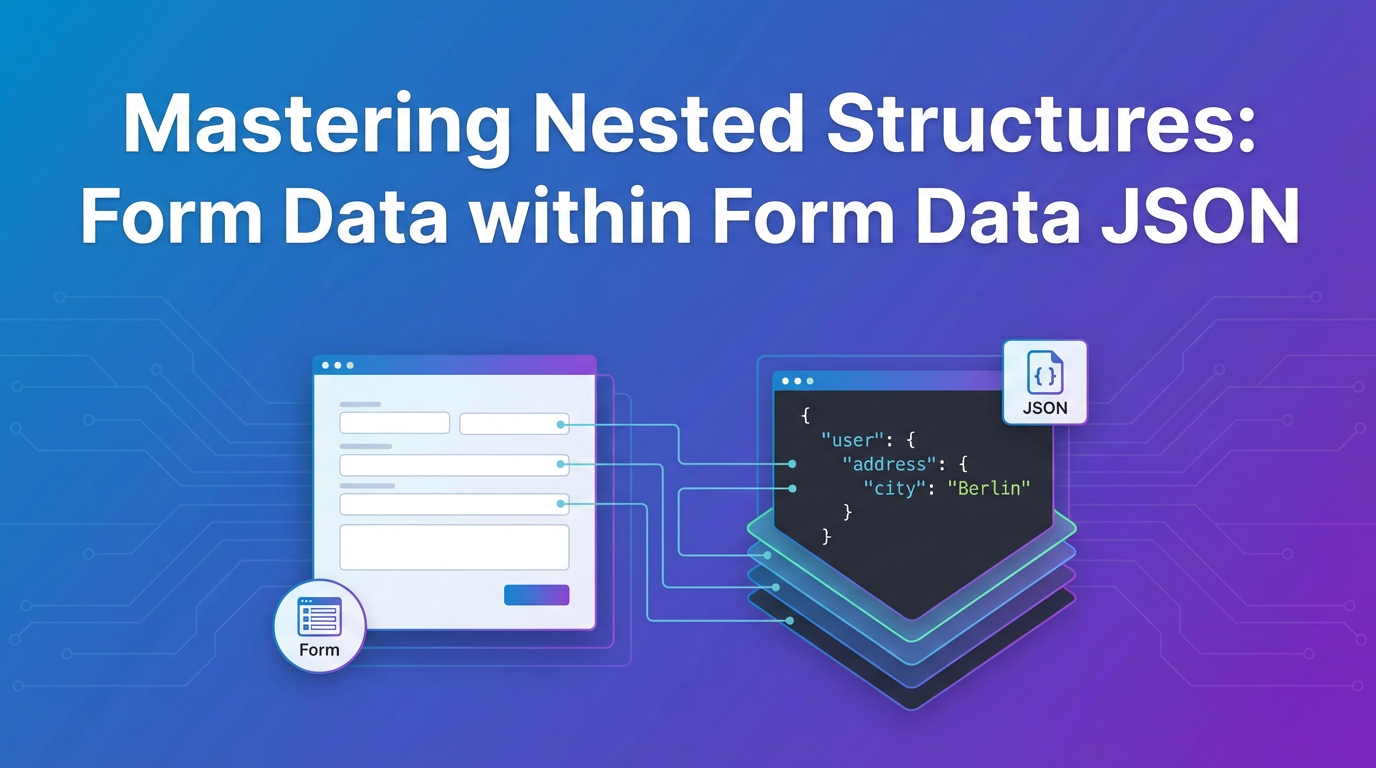


In the intricate landscape of modern web development, the exchange of data stands as a cornerstone of functionality. Applications, from the simplest contact forms to the most sophisticated enterprise systems, continuously send and receive information. While the fundamental principles of data transmission over HTTP have remained constant, the complexity of the data itself has evolved dramatically. Today, developers frequently grapple with deeply nested structures, where a single logical entity might comprise a mosaic of various data types, including plain text, numbers, dates, and even binary files. This evolution has given rise to challenging scenarios, such as embedding complex JSON payloads directly within traditional form data, a technique that, while seemingly unconventional, offers powerful solutions for specific use cases. Mastering "Form Data within Form Data JSON" requires a nuanced understanding of HTTP protocols, data serialization, API design principles, and the expressive power of specifications like OpenAPI. This comprehensive exploration will delve into the intricacies of this fascinating data paradigm, unraveling its mechanics, highlighting its practical applications, outlining the challenges it presents, and providing robust strategies for its effective implementation within a modern API ecosystem.
The proliferation of single-page applications (SPAs), mobile applications, and microservices architectures has driven a continuous demand for more flexible and efficient data exchange formats. JSON (JavaScript Object Notation) has emerged as the de facto standard for structuring and transmitting data due to its human-readable format, language independence, and inherent ability to represent complex hierarchical relationships. However, JSON alone falls short when it comes to handling file uploads – a common requirement in many applications, from profile picture updates to document submissions. This is where multipart/form-data enters the picture, a robust content type designed specifically for transmitting heterogeneous data, including files. The convergence point, where the structured elegance of JSON meets the file-handling prowess of multipart/form-data, creates the specific scenario we aim to master: the embedding of a JSON string representing complex nested data within a multipart/form-data request. This technique allows developers to send rich, structured data alongside binary assets in a single, atomic API call, streamlining operations and simplifying client-server interactions. Understanding how to correctly construct, transmit, parse, and document such requests is paramount for building resilient, scalable, and maintainable APIs.
This article will systematically unpack the layers of this challenging yet rewarding topic. We will begin by revisiting the fundamentals of HTTP data transmission, distinguishing between various content types and their traditional applications. Following this, we will explore the core concepts of form data (application/x-www-form-urlencoded and multipart/form-data) and JSON in isolation, laying the groundwork for their eventual combination. The heart of our discussion will then focus on the practical mechanisms for embedding JSON payloads within multipart/form-data requests, including client-side construction and server-side parsing strategies across popular programming languages and frameworks. A significant portion will be dedicated to designing and documenting these complex APIs using OpenAPI, ensuring that their structure is clearly communicated and easily consumable by client developers. Finally, we will delve into advanced considerations, including security implications, performance optimizations, and the role of API gateways in managing these sophisticated API interactions, culminating in a holistic understanding that empowers developers to confidently implement and leverage nested data structures in their API designs.
Understanding the Fundamentals of HTTP Data Transmission
Before we delve into the intricacies of combining form data and JSON, it's crucial to establish a solid foundation in how data is transmitted over HTTP. The Hypertext Transfer Protocol (HTTP) serves as the backbone of data communication on the web, defining how messages are formatted and transmitted, and how web servers and browsers should respond to various commands. At its core, HTTP is a stateless protocol, meaning each request from a client to a server is treated as an independent transaction, disconnected from any previous or subsequent requests. However, within these independent transactions, a vast array of data can be conveyed, each with its own characteristics and optimal transmission method.
HTTP requests are composed of several key components: a method (e.g., GET, POST, PUT, DELETE), a Uniform Resource Identifier (URI), headers, and an optional message body. The message body is where the actual data payload resides for methods like POST and PUT, which are primarily used for sending data to the server to create or update resources. The Content-Type header plays a critical role in specifying the media type of the message body, informing the server how to interpret and parse the incoming data. This seemingly simple header is the gateway to understanding the diverse ways data can be structured and transmitted.
Traditional Form Data: application/x-www-form-urlencoded
The most historical and straightforward method for transmitting data from HTML forms is through application/x-www-form-urlencoded. When a standard HTML form is submitted without any special encoding attributes, the browser defaults to this content type for POST requests. The data is encoded as a string of key-value pairs, where keys and values are separated by an equals sign (=), and each pair is delimited by an ampersand (&). Crucially, both keys and values are URL-encoded, meaning special characters (like spaces, &, =, etc.) are replaced with their percent-encoded equivalents (e.g., a space becomes %20).
For example, if a form contains fields username and password, a submission might look like: username=john.doe%40example.com&password=secret%21
This format is exceptionally simple and lightweight, making it suitable for transmitting small amounts of unstructured data. It's universally supported by web servers and browsers, making it a reliable choice for basic data submission. However, its simplicity comes with significant limitations. It's inherently flat, struggling to represent complex or nested data structures without resorting to cumbersome naming conventions (e.g., user.address.street=...). Furthermore, it is entirely unsuitable for binary data such as images, videos, or documents, as URL encoding binary data would be highly inefficient and prone to corruption. The overhead of encoding and decoding large binary payloads in this manner would be prohibitive, making it an impractical choice for modern applications that frequently involve multimedia uploads.
File Uploads and Heterogeneous Data: multipart/form-data
To address the shortcomings of application/x-www-form-urlencoded, particularly regarding file uploads and the transmission of mixed data types, multipart/form-data was introduced. This content type is specified when an HTML form includes an enctype="multipart/form-data" attribute, especially when it contains an <input type="file"> element. Unlike its x-www-form-urlencoded counterpart, multipart/form-data does not encode the entire message body into a single string. Instead, it divides the message body into multiple "parts," each representing a separate form field or file.
Each part within a multipart/form-data request is delineated by a unique "boundary string," which is a sequence of characters that does not appear within any of the parts themselves. This boundary string is specified in the Content-Type header, for example: Content-Type: multipart/form-data; boundary=----WebKitFormBoundary7MA4YWxkTrZu0gW
Within each part, additional headers are typically included to describe the content of that specific part. The most common header is Content-Disposition, which usually includes the name of the form field (e.g., name="username") and, for file uploads, the filename (e.g., filename="profile.jpg"). Optionally, a Content-Type header can also be specified for individual parts, allowing a part to declare its own media type (e.g., Content-Type: image/jpeg for an uploaded image, or Content-Type: application/json for a JSON payload, which is central to our discussion).
This multi-part structure makes multipart/form-data exceptionally versatile. It can efficiently handle: * Text fields: Simple key-value pairs, much like x-www-form-urlencoded, but without URL encoding for values. * File uploads: Binary data is sent directly in its raw form, making it efficient for images, documents, and other large files. * Multiple files: Several files can be uploaded within a single request, each as its own part. * Mixed data types: Text fields and files can be combined in the same request, providing a unified mechanism for complex submissions.
The robust nature of multipart/form-data makes it indispensable for any web application that requires users to upload files alongside other descriptive data. However, for highly structured, deeply nested data that doesn't involve files, its verbosity and parsing overhead can be overkill. This is where JSON shines.
The Rise of JSON: application/json
JSON (JavaScript Object Notation) has become the ubiquitous standard for data interchange in modern web applications and APIs. Unlike form data, JSON is primarily designed for structured, hierarchical data. It represents data in a human-readable text format, using key-value pairs and ordered lists of values (arrays). Its syntax is derived from JavaScript object literal syntax, making it incredibly natural for JavaScript-based frontends to consume and generate.
A simple JSON object looks like this:
{
  "name": "John Doe",
  "age": 30,
  "isStudent": false,
  "courses": ["History", "Math"],
  "address": {
    "street": "123 Main St",
    "city": "Anytown",
    "zipCode": "12345"
  }
}
The power of JSON lies in its ability to easily represent complex, nested data structures. Objects can contain other objects, and arrays can contain objects, enabling the modeling of intricate relationships and hierarchies that are common in application domains. When JSON is used as the message body in an HTTP request, the Content-Type header is set to application/json.
The advantages of JSON are numerous: * Readability: Its syntax is clear and concise, making it easy for humans to understand and debug. * Language Agnostic: Parsers and generators for JSON exist in virtually every programming language, facilitating interoperability between diverse systems. * Efficiency: For structured data, JSON is often more compact than XML and generally faster to parse than multipart/form-data for non-file content. * Nested Structures: Its native support for nesting makes it ideal for representing complex objects and arrays without cumbersome encoding schemes.
The primary limitation of application/json is its inability to natively handle binary data like files. While it's technically possible to base64-encode binary data and embed it within a JSON string, this approach significantly increases the payload size (by about 33%), consumes more memory on both client and server, and adds considerable CPU overhead for encoding and decoding. Therefore, for direct file uploads, multipart/form-data remains the superior choice.
This foundational understanding sets the stage for appreciating why the blend of these distinct content types—specifically, embedding JSON within multipart/form-data—becomes not just desirable, but often essential, in modern API design. It's a pragmatic solution born out of the need to combine the best attributes of both worlds: the structured richness of JSON for complex metadata and the efficient binary handling of multipart/form-data for files.
The Confluence: Form Data and JSON
The preceding section highlighted the individual strengths and weaknesses of form data (especially multipart/form-data) and JSON. While JSON excels at representing complex, nested data structures, it struggles with binary file transmission. Conversely, multipart/form-data is purpose-built for efficient file uploads and heterogeneous data, but its structure can be cumbersome for highly organized, non-file metadata. The inherent limitations of each format individually often lead developers to a critical juncture: how to send richly structured, potentially deeply nested data alongside one or more binary files in a single, atomic API request. The answer lies in the elegant confluence of these two formats: embedding a JSON payload as one of the parts within a multipart/form-data request.
Why Mix Them? The Driving Scenarios
The decision to combine JSON and multipart/form-data isn't arbitrary; it's driven by specific, common use cases in application development. Modern applications frequently require users to submit a variety of information simultaneously, where some data is textual and highly structured, while other components are binary.
Consider these compelling scenarios:
- User Profile Updates with Avatars: A user wants to update their profile. This might involve changing their name, email, contact preferences, address (a nested object), and uploading a new profile picture. Sending the name, email, and preferences as individual
x-www-form-urlencodedfields would be simple, but the address, being a structured object, would be awkward. The profile picture must be sent viamultipart/form-data. By embedding aJSONobject containing all the structured textual data (name, email, preferences, address) as one part, and the profile picture as another part, the entire update can be performed with a single, coherentAPIcall. - Complex Document Submissions: Imagine an application for loan applications or legal filings. A user needs to submit personal details (e.g., income, employment history, family members—all potentially deeply nested), along with scanned copies of identification, bank statements, and utility bills. Each document is a file, best handled by
multipart/form-data. The personal details, however, form a complex data model that is best represented and validated asJSON. Attempting to flatten thisJSONstructure into simpleform datawould be error-prone and difficult to manage. - Content Management Systems (CMS) with Media: A content creator is publishing a new article. The article itself has a title, body, author, tags (an array), publication date, and perhaps a nested
SEOmetadata object. Alongside the article content, they might upload a featured image, several inline images, or even an accompanying video. Here, the article's structured data is perfectly suited forJSON, while the media files necessitatemultipart/form-data. A singleAPIendpoint that accepts both simultaneously greatly simplifies the content creation workflow. APIs Interacting with Heterogeneous Sources: In some enterprise integration scenarios, anAPImight need to receive data from a legacy system that expectsform datafor certain fields, while also needing to incorporate new, complex data structures that are most efficiently transmitted asJSON. This hybrid approach allows for flexible integration and adaptation.
These examples underscore a recurring theme: the need for a unified API endpoint that can accept both complex structured data and binary files in a single request. This approach reduces the number of API calls, simplifies client-side logic, and ensures atomicity for related data submissions.
Mechanism: JSON as a Part of multipart/form-data
The core mechanism for achieving this blend is deceptively simple: treat the JSON payload as just another "part" within the multipart/form-data message. When constructing the multipart/form-data request, in addition to the parts for files and simple text fields, a dedicated part is created specifically for the JSON string.
Let's break down the structure and headers involved:
- Outer
Content-TypeHeader: The primaryContent-Typeheader for the entire HTTP request must bemultipart/form-data, along with its uniqueboundarystring.Content-Type: multipart/form-data; boundary=----MyUniqueBoundary12345 - Individual Part Delimitation: Each part of the request begins with the
boundarystring, prefixed with two hyphens (--). The final boundary is followed by two additional hyphens (----MyUniqueBoundary12345--). - The JSON Part's Headers: This is where the magic happens. For the part intended to carry the
JSONpayload, two critical headers are set within that specific part:Content-Disposition: This header defines thenameof the field. Thisnameis what the server will use to identify and extract theJSONstring. Whilefilenameis often used for actual files, it's not strictly necessary for aJSONstring part, though some client libraries might add it by default (e.g.,filename="blob"orfilename="data.json"). The crucial aspect is thenameattribute.Content-Disposition: form-data; name="metadata"Content-Type: This is absolutely vital. Within theJSONpart itself, itsContent-Typeheader should be explicitly set toapplication/json. This header informs the server-side parser that the data within this specific part should be interpreted as aJSONstring, allowing for correct deserialization.Content-Type: application/json
- The JSON Payload: Immediately following the
Content-Typeheader for theJSONpart, the actualJSONstring is placed. This string must be a validJSONrepresentation of the desired data structure, potentially including nested objects and arrays.
Illustrative Example of a multipart/form-data request with an embedded JSON part:
POST /api/v1/resource
Host: example.com
Content-Type: multipart/form-data; boundary=----MyUniqueBoundary12345
Content-Length: [calculated-length]

----MyUniqueBoundary12345
Content-Disposition: form-data; name="file_upload"; filename="document.pdf"
Content-Type: application/pdf

[...binary content of document.pdf...]
----MyUniqueBoundary12345
Content-Disposition: form-data; name="metadata"
Content-Type: application/json

{
  "title": "Quarterly Report Q3",
  "author": "Jane Doe",
  "tags": ["report", "finance", "Q3"],
  "department": {
    "name": "Accounting",
    "id": "ACC-001"
  },
  "submissionDate": "2023-09-30T14:30:00Z"
}
----MyUniqueBoundary12345--
In this example: * The entire request is multipart/form-data. * One part (name="file_upload") contains a PDF file. * Another part (name="metadata") contains a JSON string. Note its specific Content-Type: application/json, signaling to the server that its content is a JSON payload.
Server-Side Parsing Implications
On the server side, receiving such a request requires specialized multipart/form-data parsing libraries or middleware. Traditional form data parsers might simply treat the entire content of the JSON part as a plain string. A robust multipart parser will:
- Identify Boundaries: First, it will parse the overall
Content-Typeheader to extract theboundarystring. - Separate Parts: It will then use the
boundaryto split the entire request body into individual parts. - Process Each Part: For each part, it will:
- Read its internal
Content-Dispositionheader to determine the fieldnameand if it's a file (viafilename). - Crucially, read its internal
Content-Typeheader. If this header isapplication/json, the parser knows that the body of that specific part is aJSONstring. - If it's a file, it will typically save the file to a temporary location or stream it.
- If it's the
JSONpart, it will extract the string and then proceed to parse that string using aJSONparser (e.g.,JSON.parse()in JavaScript,json.loads()in Python) into a native data structure (object, dictionary, etc.).
- Read its internal
This dual-layer parsing—first for multipart/form-data structure, then for JSON content within a specific part—is the key to successfully handling "Form Data within Form Data JSON." It allows developers to leverage the best of both worlds, enabling APIs that are both versatile for mixed data and robust for structured content. The complexity introduced by this dual parsing mechanism necessitates careful client-side construction and robust server-side implementation, which we will explore in subsequent sections.
Mastering Nested Structures within JSON
While the embedding of JSON within multipart/form-data addresses the challenge of sending files alongside structured data, the true power of JSON lies in its native ability to represent complex, deeply nested structures. This capability is fundamental to modeling real-world entities and their relationships in a way that is intuitive, expressive, and easily consumable by modern applications. Mastering these nested structures is not merely about syntax; it's about adhering to design principles that ensure clarity, consistency, and maintainability, even as data models grow in complexity.
The Power of JSON Nesting
JSON allows for arbitrary levels of nesting, meaning objects can contain other objects, and arrays can contain objects or other arrays, creating hierarchical data representations. This is a significant advantage over flat key-value formats for several reasons:
- Modeling Real-World Relationships: Real-world entities are rarely flat. A
Userobject might have anAddressobject, which in turn has aStreet,City, andZipCode. AProductmight haveSpecifications(an object) andReviews(an array of objects).JSONnaturally maps to these relational models, making the data structure logically consistent with the domain it represents.json { "orderId": "ORD-2023-12345", "customer": { "id": "CUST-001", "name": "Alice Wonderland", "contact": { "email": "alice@example.com", "phone": "555-1234" } }, "items": [ { "productId": "PROD-001", "name": "Laptop Pro", "quantity": 1, "price": 1200.00, "options": { "color": "Silver", "storage": "512GB SSD" } }, { "productId": "PROD-002", "name": "Wireless Mouse", "quantity": 1, "price": 25.00 } ], "shippingAddress": { "street": "101 Fictional Lane", "city": "Imagination City", "state": "CA", "zip": "90210" } }In thisOrderexample,customerandshippingAddressare nested objects,itemsis an array of objects, and each item can have its ownoptionsobject. This rich structure is far more expressive than a flat list of keys. - Encapsulation and Cohesion: Related data can be grouped together within a nested object, improving data cohesion. For instance, all details related to a customer's address are encapsulated within an
addressobject, rather than scatteringaddressStreet,addressCity,addressZipas top-level fields. This makes the data easier to reason about, validate, and manipulate. - Reduced Ambiguity: Nested structures reduce ambiguity in field names. Instead of
customerNameanddeliveryName, you havecustomer.nameanddelivery.name, clearly indicating the context of each name field. - Flexibility and Extensibility: Adding new fields to a nested object (e.g.,
customer.contact.fax) is often less disruptive than adding new top-level fields, especially when dealing with schema evolution andAPIversioning.
Design Principles for Nested JSON
While powerful, arbitrary nesting without guiding principles can lead to unmanageable APIs. Thoughtful design is essential:
- Clarity and Readability: The structure of your
JSONshould be intuitive and reflect the logical relationships in your domain. Avoid overly clever or obscure nesting patterns. A well-designedJSONstructure should be understandable at a glance. Use meaningful, descriptive keys (e.g.,firstNameinstead offn). - Consistency: Maintain consistent naming conventions (e.g.,
camelCasefor keys,ISO 8601for dates) throughout yourAPI. If anaddressobject appears in one part of yourAPI, it should have the same structure and field names if it appears elsewhere. This consistency reduces cognitive load forAPIconsumers and simplifies client-side data mapping. - Minimizing Redundancy: While nesting helps avoid flat names, be mindful of truly redundant data. If a
customer IDis present in the top-levelorderobject, and also in thecustomersub-object, consider if both are truly necessary or if one can be derived. Redundancy can increase payload size and lead to data inconsistency issues. - Balancing Depth vs. Flat Structures: This is a crucial trade-off. Deep nesting (many levels of objects within objects) can accurately model complex hierarchies but can also make
JSONharder to parse, validate, and query. Extremely flat structures, while simple, can obscure relationships and lead to lengthy, unwieldy field names. The goal is to find a balance:- Favor shallow nesting where possible: Aim for 2-3 levels of nesting for common data types.
- Nest when relationships are clear: Use nesting when a clear "has-a" relationship exists (e.g.,
order has-a customer,customer has-a address). - Consider flattening when arrays of primitives are involved:
tags: ["report", "finance"]is better thantags: [{"value": "report"}, {"value": "finance"}]. - Performance: Deeply nested
JSONmight slightly increase parsing time, especially on resource-constrained devices, although modernJSONparsers are highly optimized. More critically, deep nesting can lead to more complex querying logic in database and application layers.
Challenges of Deep Nesting
While JSON nesting offers immense power, it's not without its challenges, especially when structures become excessively deep:
- Increased Complexity for Client and Server-Side Parsing: Each layer of nesting adds a step to the traversal logic. Client-side code needs to navigate
data.customer.contact.emailinstead ofdata.customerEmail. While modern languages handle this well, extremely deep paths can become cumbersome to write and maintain, leading to "null pointer" or "undefined property" errors if any intermediate level is missing. - Potential for Performance Overhead: While typically negligible for moderately sized
JSON, extremely large and deeply nestedJSONpayloads can impose a higher CPU load during serialization and deserialization compared to flatter structures. This is particularly relevant for high-throughputAPIs or on constrained environments. - Maintainability Issues: As data models evolve, modifying deeply nested structures can have cascading effects. Changes at a lower level might impact multiple higher levels, requiring extensive refactoring on both client and server. Clear
APIdocumentation and strong versioning strategies become even more critical. OpenAPISpecification Considerations for Deeply Nested Schemas: Documenting deeply nestedJSONinOpenAPI(formerly Swagger) can be challenging. WhileOpenAPIschemas are perfectly capable of defining complex structures, ensuring that human readers and automated tools (like client generators) correctly interpret and represent these depths requires careful articulation. Misinterpretations can lead to incorrectAPIusage or validation failures. Detailed examples and clear descriptions within theOpenAPIdocument become essential.
Mastering nested JSON structures is an art and a science. It involves leveraging the full expressive power of JSON to accurately model complex domains, while simultaneously adhering to design principles that prioritize clarity, consistency, and maintainability. When combined with the file-handling capabilities of multipart/form-data, as explored in the previous section, it forms a robust foundation for building sophisticated and efficient APIs capable of handling the most diverse data requirements.
APIPark is a high-performance AI gateway that allows you to securely access the most comprehensive LLM APIs globally on the APIPark platform, including OpenAI, Anthropic, Mistral, Llama2, Google Gemini, and more.Try APIPark now! 👇👇👇
Practical Implementations and Scenarios
Having understood the theoretical underpinnings of combining JSON within multipart/form-data and mastering nested JSON structures, it's time to bridge theory with practice. This section will walk through the practical implementation details, covering both client-side construction and server-side processing, along with illustrative use cases that demonstrate the utility of this approach.
Client-Side Implementation: Constructing the Request
The client-side involves correctly preparing the FormData object in JavaScript, especially when dealing with a JSON payload that needs its own Content-Type header within the multipart request.
JavaScript FormData API
Modern web browsers provide the FormData interface, which allows clients to construct a set of key-value pairs representing form fields and their values, similar to how an HTML form would send data. This object is specifically designed to be used with XMLHttpRequest or the Fetch API for sending multipart/form-data requests.
The basic usage of FormData is straightforward:
const formData = new FormData();

// Appending simple text fields
formData.append('username', 'john.doe');
formData.append('age', '30');

// Appending a file
const fileInput = document.getElementById('profilePicture');
if (fileInput.files.length > 0) {
    formData.append('avatar', fileInput.files[0], fileInput.files[0].name);
}
Appending JSON Strings to FormData Objects
The crucial step for our scenario is appending the JSON payload. Instead of appending a JavaScript object directly (which would be serialized as [object Object] or similar), we must stringify the JSON object first and then append it. The second critical detail is to specify the Content-Type for this particular part.
The FormData.append() method has an overload that accepts a Blob or File object. By creating a Blob with the JSON string and specifying application/json as its type, we effectively set the Content-Type header for that specific part within the multipart/form-data request.
// Example: Complex user metadata as a JavaScript object
const userMetadata = {
    firstName: "Alice",
    lastName: "Smith",
    contact: {
        email: "alice@example.com",
        phone: "555-5678"
    },
    preferences: ["newsletter", "promotions"],
    settings: {
        darkMode: true,
        language: "en-US"
    }
};

// Stringify the JSON object
const jsonString = JSON.stringify(userMetadata);

// Create a Blob from the JSON string with application/json content type
const jsonBlob = new Blob([jsonString], { type: 'application/json' });

// Append the Blob to FormData, giving it a field name (e.g., 'userData')
formData.append('userData', jsonBlob); // You can optionally add a filename here, e.g., 'userData.json'
When sending this formData object using the Fetch API:
fetch('/api/v1/users', {
    method: 'POST',
    body: formData // The browser automatically sets Content-Type: multipart/form-data with boundary
})
.then(response => response.json())
.then(data => console.log('Success:', data))
.catch(error => console.error('Error:', error));
Important Note: When using the Fetch API with a FormData object as the body, do not manually set the Content-Type header to multipart/form-data. The browser will automatically set the correct Content-Type header, including the necessary boundary string, when a FormData object is passed as the body. If you manually set it, you risk overriding the browser's behavior and potentially omitting the boundary, leading to an unparseable request on the server.
Server-Side Processing: Parsing the Request
Server-side processing involves using appropriate libraries or frameworks to parse the incoming multipart/form-data request, identify the JSON part, and then deserialize its content.
Node.js / Express Example (with multer)
In Node.js with the Express framework, multipart/form-data requests are not parsed by default. Middleware like multer is commonly used to handle file uploads and other multipart fields.
// Install: npm install express multer
const express = require('express');
const multer = require('multer');
const app = express();
const upload = multer(); // Initialize multer without disk storage for our example

app.post('/api/v1/users', upload.fields([
    { name: 'avatar', maxCount: 1 }, // For the file part
    { name: 'userData', maxCount: 1 } // For the JSON part
]), (req, res) => {
    // req.files will contain uploaded files (e.g., req.files.avatar[0])
    // req.body will contain text fields, but the JSON part needs special handling

    // Find the 'userData' part from req.body (which multer processes as a text field initially)
    const userDataString = req.body.userData;

    if (!userDataString) {
        return res.status(400).send('User data is required.');
    }

    try {
        // Attempt to parse the string as JSON
        const userData = JSON.parse(userDataString);
        console.log('Parsed User Data:', userData);
        console.log('User Name:', userData.firstName);
        console.log('User Contact Email:', userData.contact.email); // Accessing nested data

        // Process the uploaded avatar file if it exists
        if (req.files && req.files.avatar) {
            const avatarFile = req.files.avatar[0];
            console.log('Avatar File:', avatarFile.originalname);
            // In a real app, save the file to storage
        }

        res.status(200).json({ message: 'User data and avatar processed successfully', userData: userData });

    } catch (error) {
        console.error('Error parsing user data JSON:', error);
        res.status(400).send('Invalid JSON format for user data.');
    }
});

const PORT = 3000;
app.listen(PORT, () => {
    console.log(`Server running on port ${PORT}`);
});
Correction/Refinement for multer: multer can actually distinguish parts based on their Content-Type. However, when appending a Blob with type: 'application/json' from the client, multer might still present it as a string in req.body if it's treated as a normal text field, requiring JSON.parse(). If you configure multer with a specific field type to handle JSON, it might attempt to parse it automatically, but explicit parsing is safer and clearer. The example above explicitly uses JSON.parse which is robust. The key is that multer successfully extracts the part as a string.
Python / Flask Example
In Python with Flask, request.files handles file uploads, and request.form handles other form fields. The JSON part, being treated as a regular text field, will appear in request.form.
# Install: pip install Flask
from flask import Flask, request, jsonify
import json

app = Flask(__name__)

@app.route('/api/v1/users', methods=['POST'])
def create_user_with_avatar():
    if 'userData' not in request.form:
        return jsonify({"error": "User data is required"}), 400

    userData_string = request.form['userData']
    try:
        userData = json.loads(userData_string) # Parse the JSON string
        print("Parsed User Data:", userData)
        print("User Name:", userData['firstName'])
        print("User Contact Email:", userData['contact']['email']) # Accessing nested data

        if 'avatar' in request.files:
            avatar_file = request.files['avatar']
            print("Avatar File:", avatar_file.filename)
            # In a real app, save the file: avatar_file.save(f'/path/to/uploads/{avatar_file.filename}')

        return jsonify({"message": "User data and avatar processed successfully", "userData": userData}), 200

    except json.JSONDecodeError as e:
        print("Error parsing user data JSON:", e)
        return jsonify({"error": "Invalid JSON format for user data"}), 400
    except KeyError as e:
        print(f"Missing key in JSON data: {e}")
        return jsonify({"error": f"Missing required field in user data: {e}"}), 400

if __name__ == '__main__':
    app.run(debug=True)
In both examples, the pattern is similar: extract the JSON string from the appropriate form field (req.body.userData or request.form['userData']), then use the language's native JSON parsing capabilities (JSON.parse or json.loads) to deserialize it into an accessible data structure. Robust error handling for JSON parsing failures is crucial.
Real-World Use Cases
The practical implications of mastering "Form Data within Form Data JSON" are vast and impactful across various domains:
- Comprehensive User Profile Management:
- Client: A user fills out a web form to update their personal information, including basic fields (name, email), a nested address object (street, city, state, zip), an array of preferences, and uploads a new profile picture. The client-side JavaScript serializes the personal, address, and preferences data into a single
JSONobject. APIRequest: Amultipart/form-datarequest is sent, containing one part for theJSONstring (e.g.,name="profileData", Content-Type: application/json) and another part for the profile picture file (e.g.,name="avatar", Content-Type: image/jpeg).- Server: The
APIendpoint parses themultipartrequest, extracts theJSONstring, deserializes it to validate and update user records in a database, and saves the avatar file to an object storage service.
- Client: A user fills out a web form to update their personal information, including basic fields (name, email), a nested address object (street, city, state, zip), an array of preferences, and uploads a new profile picture. The client-side JavaScript serializes the personal, address, and preferences data into a single
- Product Catalog Updates with Multiple Images:
- Client: An e-commerce admin panel allows an editor to update a product listing. This involves modifying product details (name, description, price, nested specifications like dimensions and weight, an array of features), and uploading several new images for the product gallery.
APIRequest: TheAPIcall ismultipart/form-data, with oneJSONpart (e.g.,name="productDetails") for all the structured text data, and multiple file parts (e.g.,name="galleryImage1",name="galleryImage2") for the product images.- Server: The server parses the
JSONto update the product's database entry and processes each image file, resizing them and storing them in an asset management system, associating them with the product.
- Complex Transaction or Order Submissions:
- Client: A financial application requires a user to submit a loan application. This involves a primary
JSONobject containing the applicant's personal details, employment history (an array of nested objects), financial assets, and liabilities. Additionally, the user might need to upload supporting documents like pay stubs or bank statements. APIRequest: A singlemultipart/form-datarequest carries the intricateJSONpayload (e.g.,name="applicationData") and all necessary file attachments (e.g.,name="paystub", filename="payslip.pdf").- Server: The
APIvalidates theJSONdata against a strict schema, initiates a workflow for processing the loan, and stores the supporting documents securely, potentially triggering OCR processing on them.
- Client: A financial application requires a user to submit a loan application. This involves a primary
These scenarios illustrate that the combination of form data and JSON is not merely a technical curiosity but a practical necessity for building robust, feature-rich APIs that cater to the diverse data submission needs of modern applications. The ability to manage both structured, nested metadata and binary files within a single API call significantly enhances the efficiency and elegance of API design.
OpenAPI Specification for Nested Form Data JSON
Designing and implementing APIs that handle complex data structures, especially the hybrid approach of JSON within multipart/form-data, is only half the battle. The other, equally critical, half is clear and comprehensive documentation. This is where OpenAPI Specification (OAS), formerly known as Swagger Specification, becomes indispensable. OpenAPI provides a standard, language-agnostic interface for describing RESTful APIs, making them discoverable and understandable by both humans and machines. For complex API endpoints like those discussed, a well-defined OpenAPI document is the ultimate source of truth, guiding client developers and enabling automated tooling.
The Role of OpenAPI
OpenAPI plays a pivotal role in the API lifecycle:
- Documentation: It generates interactive
APIdocumentation (e.g., Swagger UI), allowing developers to explore endpoints, understand parameters, and try out requests directly in their browser. - Client Generation: Tools can automatically generate
APIclient libraries in various programming languages from anOpenAPIspecification, saving development time and reducing errors. - Server Stub Generation: Similarly, server-side stubs can be generated, providing a starting point for
APIimplementation. - Testing and Validation:
OpenAPIdefinitions can be used to validate incoming requests against defined schemas, ensuring data integrity and correctAPIusage, a capability often leveraged byAPI gateways. - Design-First Approach: Encourages
APIdesigners to think through theAPIcontract before implementation, leading to more consistent and robustAPIs.
For an API that accepts multipart/form-data with an embedded JSON payload, a precise OpenAPI definition is non-negotiable. It must clearly articulate the expected structure of both the multipart request itself and the nested JSON content.
Specifying multipart/form-data in OpenAPI
In OpenAPI (versions 3.0.0 and above), the requestBody object is used to describe the data sent by the client in an HTTP request. To define a multipart/form-data request, you would specify the content field with multipart/form-data as a media type:
paths:
  /api/v1/users:
    post:
      summary: Create a new user with profile data and avatar
      requestBody:
        required: true
        content:
          multipart/form-data:
            schema:
              type: object
              properties:
                avatar:
                  type: string
                  format: binary
                  description: User's profile picture (JPEG, PNG, or GIF)
                # ... other simple form fields if any ...
              required:
                - avatar # Example: avatar is required
Within the schema for multipart/form-data, each part of the multipart request is represented as a property of the object. * Files: For file uploads, the type is string and the format is binary. This tells OpenAPI tools that this property expects raw binary data. * Simple text fields: For plain text fields (e.g., username, age), type would typically be string or integer.
Specifying the JSON Part within multipart/form-data
This is the nuanced part. The JSON payload, although semantically an object, is transmitted as a string within one of the multipart/form-data parts. Therefore, its OpenAPI definition within the multipart/form-data schema needs to reflect this:
paths:
  /api/v1/users:
    post:
      summary: Create a new user with profile data and avatar
      requestBody:
        required: true
        content:
          multipart/form-data:
            schema:
              type: object
              properties:
                avatar:
                  type: string
                  format: binary
                  description: User's profile picture (JPEG, PNG, or GIF)
                userData:
                  type: string # The JSON payload itself is transmitted as a string
                  # Use description to clearly state it's JSON and reference its structure
                  description: |
                    A JSON string containing the user's detailed profile information.
                    Example:
                    ```json
                    {
                      "firstName": "Alice",
                      "lastName": "Smith",
                      "contact": {
                        "email": "alice@example.com",
                        "phone": "555-5678"
                      },
                      "preferences": ["newsletter", "promotions"]
                    }
                    ```
                  # To define the actual structure of the JSON string for validation/generation:
                  # This is where it gets tricky. OpenAPI tools don't universally
                  # support nested schemas for string-formatted JSON parts directly.
                  # A common approach is to use `x-` extensions or refer to a separate schema
                  # with clear documentation.
                  # For example, using a combination of `description` and `externalDocs`:
                  # externalDocs:
                  #   description: Detailed schema for user profile data
                  #   url: "#/components/schemas/UserProfileData"
                  # Or, for some tools, a direct 'schema' might work:
                  # schema:
                  #   $ref: '#/components/schemas/UserProfileData' # This might not be rendered correctly by all tools as content of string.

                  # A more robust and widely compatible approach is to define the
                  # expected JSON schema separately and refer to it in the description,
                  # or as a content example with a clear explanation that it's a stringified JSON.

              required:
                - avatar
                - userData
            encoding: # This part is crucial for defining the Content-Type of the JSON part
              userData:
                contentType: application/json # Explicitly state the Content-Type of the 'userData' part
              avatar:
                contentType: image/jpeg # Example: explicitly define Content-Type for the file
The encoding object under multipart/form-data is key here. It allows you to specify encoding information for individual parts of a multipart request. By setting contentType: application/json for the userData property, we precisely instruct clients and API documentation tools that this specific part should contain a JSON string with that respective Content-Type header internally.
Defining the Nested JSON Structure
While type: string for the userData property describes how the data is transmitted, it doesn't describe the structure of the JSON string itself. To fully document the nested JSON, you need a separate OpenAPI schema definition and then refer to it.
components:
  schemas:
    UserProfileData:
      type: object
      properties:
        firstName:
          type: string
          description: User's first name
        lastName:
          type: string
          description: User's last name
        contact:
          type: object
          properties:
            email:
              type: string
              format: email
            phone:
              type: string
          required:
            - email
        preferences:
          type: array
          items:
            type: string
            enum: ["newsletter", "promotions", "updates"]
      required:
        - firstName
        - lastName
        - contact

# Back in the requestBody for multipart/form-data
paths:
  /api/v1/users:
    post:
      summary: Create a new user with profile data and avatar
      requestBody:
        required: true
        content:
          multipart/form-data:
            schema:
              type: object
              properties:
                avatar:
                  type: string
                  format: binary
                  description: User's profile picture (JPEG, PNG, or GIF)
                userData:
                  type: string
                  description: |
                    A JSON string containing the user's detailed profile information.
                    Refer to the `UserProfileData` schema for its exact structure.
                  example: '{ "firstName": "Alice", "lastName": "Smith", "contact": { "email": "alice@example.com" }, "preferences": ["newsletter"] }'
                  # Some tools allow this to directly link to the schema, but behavior varies.
                  # A clear description and example are often the most reliable way.

            encoding:
              userData:
                contentType: application/json
              avatar:
                contentType: image/jpeg
This combination (a type: string in the multipart schema, with an explicit encoding.contentType: application/json, and a reference to a detailed UserProfileData schema in the description and example for the JSON part) provides the most comprehensive and widely compatible way to document this complex API pattern.
Table: Key OpenAPI Definitions for multipart/form-data with Nested JSON
OpenAPI Element |
Context | Description | Example |
|---|---|---|---|
requestBody.content |
Overall requestBody |
Specifies the media types consumed by the operation. | content: { multipart/form-data: { ... } } |
mediaType: multipart/form-data |
Within content |
Indicates the request body is a multipart/form-data payload. |
multipart/form-data: |
schema.type: object |
Under multipart/form-data |
Describes the overall structure of the multipart fields. Each field is a property. |
schema: { type: object, properties: { ... } } |
properties.filePart |
Individual file field within schema |
Defines a file upload part. | file: { type: string, format: binary, description: '...' } |
properties.jsonPart |
Individual JSON string field within schema |
Defines the part that contains the JSON payload. Crucially, its type is string as it's transmitted as a string. |
metadata: { type: string, description: 'JSON object for metadata' } |
encoding |
Under multipart/form-data |
Provides serialization rules for specific properties in the multipart body, overriding defaults. |
encoding: { metadata: { ... } } |
encoding.jsonPart.contentType |
For the JSON string part in encoding |
Critical: Specifies the Content-Type header for this specific part within the multipart message, informing the server it's JSON. |
metadata: { contentType: application/json } |
components.schemas.YourJsonSchema |
Global components section |
Defines the detailed, nested structure of the JSON payload. Referred to in the description or example of the jsonPart. |
UserProfileData: { type: object, properties: { firstName: { ... } } } |
Validating OpenAPI Definitions
After creating an OpenAPI definition, it's crucial to validate it. Tools like Spectral or online OpenAPI validators can check for syntax errors and adherence to OpenAPI best practices. This ensures that the specification is not only syntactically correct but also clear and unambiguous for API consumers and automated tools. A well-validated OpenAPI document prevents confusion and reduces integration effort.
The Role of an API Gateway
An API gateway sits between clients and backend services, acting as a single entry point for all API requests. In the context of complex requests involving "Form Data within Form Data JSON," an API gateway plays an even more critical role:
- Schema Validation: Many
API gateways can leverageOpenAPIdefinitions to perform real-time schema validation on incoming requests. This means that before amultipart/form-datarequest with an embeddedJSONpayload even reaches your backend service, thegatewaycan validate:- The overall
multipartstructure. - The presence and type of file parts (
format: binary). - The presence of the
JSONstring part (type: string). - Crucially, if the
gatewayis sophisticated enough, it might also be able to parse theJSONstring within themultipartpart and validate it against the referencedUserProfileDataschema, providing an early rejection for malformed data.
- The overall
- Request Routing and Transformation:
Gateways can route requests to different backend services based on theAPIpath and headers. They can also perform transformations, such as extracting theJSONpayload and passing it as a structured object to a different service, or converting file streams. - Security and Rate Limiting:
API gateways enforce security policies (authentication, authorization), apply rate limiting, and protect against commonAPIthreats. This is especially important forAPIs accepting file uploads, which can be vectors for various attacks. - Unified
APIManagement: For organizations managing numerousAPIs, including bothRESTandAIservices, a robustAPI gatewayprovides a unified platform. It simplifies the management ofAPIlifecycle, from design and publication to monitoring and deprecation. For instance, platforms like APIPark, an open-source AIgatewayandAPImanagement platform, are designed to handle such complexities. They not only aid in defining API schemas withOpenAPIbut also manage traffic, enforce security, and streamline the entireAPIlifecycle, ensuring that evenAPIs with nested form data JSON structures are consistently governed and performant.
By carefully defining OpenAPI specifications and leveraging the capabilities of an API gateway, developers can ensure that their complex APIs are well-documented, secure, and maintainable, forming a robust foundation for modern application development.
Advanced Considerations and Best Practices
Mastering "Form Data within Form Data JSON" extends beyond basic implementation and documentation; it encompasses a suite of advanced considerations and best practices that ensure APIs are robust, secure, performant, and maintainable in the long term. These aspects are crucial for building enterprise-grade solutions that can withstand real-world demands and evolve with changing business requirements.
Error Handling and Validation
Robust error handling and validation are paramount for any API, but they become even more critical when dealing with complex, multi-part requests.
- Server-Side Validation: Never trust client-side validation alone. The server must perform comprehensive validation on all incoming data:
multipartStructure Validation: Ensure all expected parts (files,JSONpayload) are present and correctly formatted. CheckContent-Typeheaders for each part.JSONSchema Validation: After extracting theJSONstring from itsmultipartpart and parsing it, validate the resultingJSONobject against a predefined schema. This ensures data types, required fields, and structural integrity (e.g., nested objects have expected properties). Libraries likejsonschemain Python orajvin Node.js are excellent for this.- File Validation: For uploaded files, validate file types (e.g., only allow JPEG/PNG for avatars), file sizes (prevent excessively large uploads), and potentially scan for malicious content (though this might involve external services).
- Clear Error Messages: When validation fails, provide clear, actionable error messages that inform the client precisely what went wrong. Distinguish between errors in the
multipartstructure, malformedJSON, or invalid data within theJSONpayload. Use appropriate HTTP status codes (e.g.,400 Bad Requestfor invalid input,413 Payload Too Largefor oversized files).
Security Implications
APIs that accept file uploads and complex JSON payloads are inherently more vulnerable to various security risks if not properly secured.
- File Upload Vulnerabilities:
- Malicious File Types: Attackers might try to upload executable files or scripts disguised as legitimate images. Strictly validate file extensions and, more importantly, file magic numbers (first few bytes) to confirm actual file types.
- Large Files/Denial of Service (DoS): Unrestricted file sizes can lead to resource exhaustion (disk space, memory, bandwidth). Implement strict size limits on all file uploads.
- Path Traversal: If file saving logic constructs paths from user-provided filenames, attackers could manipulate
filename(e.g.,../../../etc/passwd) to write files outside intended directories. Always sanitize filenames and use secure, canonical paths for storage.
- JSON Injection Risks: If the parsed
JSONdata is directly used in database queries (especially SQL queries), it can lead to SQL injection. Always use parameterized queries or ORMs. Similar risks exist for NoSQL databases if queries are constructed from unvalidatedJSONinput. - Cross-Site Scripting (XSS): If any part of the
JSONdata is later rendered in a web interface without proper sanitization (e.g., user-provided comments), it can lead to XSS attacks. Always escape or sanitize user-generated content before rendering. - Authentication and Authorization: Ensure that only authenticated and authorized users can access
APIendpoints that accept sensitive data or file uploads. This is a fundamental layer of defense, often managed efficiently by anAPI gateway. - Rate Limiting: Protect against brute-force attacks and resource exhaustion by implementing rate limiting on
APIendpoints, especially those that consume significant server resources (like file uploads). AnAPI gatewayis ideal for enforcing this at the edge.
Performance Optimization
Handling multipart/form-data with embedded JSON, especially for large files, can be resource-intensive. Optimizations are necessary for high-performance APIs.
- Efficient Parsing Libraries: Use battle-tested, highly optimized libraries for
multipartparsing (e.g.,multerin Node.js,Werkzeugin Python/Flask, Spring'sMultipartFilein Java). These libraries are designed for performance and correct handling of edge cases. - Stream Processing for Large Files: Instead of loading entire files into memory before processing, stream them directly to storage (e.g., a file system or object storage like S3). This prevents memory overflows for very large files. Modern
multipartparsers often support streaming. - Gzip Compression: While
multipart/form-dataitself is not easily compressible across boundaries,JSONpayloads can benefit from Gzip compression. MostAPI gateways and web servers can automatically apply Gzip compression forapplication/jsoncontent types. However, if theJSONis insidemultipart/form-data, themultipartbody itself would be compressed, which might not be as efficient as compressing a pureJSONpayload, but it's often handled transparently by HTTP compression. - Asynchronous Processing: For computationally intensive tasks (e.g., image resizing, virus scanning of uploaded files, complex
JSONdata processing), offload them to background workers or message queues to keep theAPIresponse fast and the main thread free.
Versioning APIs
Changes in nested structures, especially in JSON payloads, can break existing client applications. Thoughtful API versioning strategies are essential.
- Semantic Versioning: Follow semantic versioning (
MAJOR.MINOR.PATCH) for yourAPIs. Backward-incompatible changes (e.g., removing a required field from a nestedJSONobject) should result in aMAJORversion increment. - Versioning Approaches: Common approaches include:
- URL Versioning:
GET /v1/users,GET /v2/users. Simple but "pollutes" URLs. - Header Versioning:
Accept: application/vnd.example.v1+json. Cleaner but less discoverable. - Query Parameter Versioning:
GET /users?version=1. Not recommended for publicAPIs due to caching issues.
- URL Versioning:
- Backward Compatibility: Strive for backward compatibility for
MINORversion changes. This means adding optional fields toJSONstructures, but not removing or renaming required ones. When breaking changes are unavoidable, introduce a newAPIversion and provide a clear deprecation schedule for older versions. - Documentation: Always update
OpenAPIdocumentation to reflectAPIversions and changes in schemas.
The Value of API Management Platforms
For enterprises and even rapidly growing startups, managing a portfolio of APIs that include such complex data structures can quickly become overwhelming. This is where API management platforms become indispensable. They offer a centralized solution for governing the entire API lifecycle.
- Centralized Management: Platforms provide a single pane of glass for all
APIs, simplifying discovery, access, and governance. - Unified Invocation Formats & Prompt Encapsulation: Especially for
AIservices, these platforms can standardize data formats across differentAImodels, reducing integration overhead. They can even encapsulate complexAIprompts into simpleREST APIs. - Lifecycle Management: From design, through publication and invocation, to eventual decommissioning,
APImanagement platforms regulate the entireAPIlifecycle. They help manage traffic forwarding, load balancing, and versioning of publishedAPIs. - Security & Access Control: They enforce granular access permissions, requiring subscriptions and approvals for
APIaccess, which prevents unauthorized calls and potential data breaches. They also offer detailed call logging for auditing and troubleshooting. - Performance & Analytics: High-performance
gatewaycapabilities ensure low-latencyAPIcalls, even under heavy load, often rivaling dedicated web servers. Comprehensive data analysis on historical call data helps in performance monitoring and preventive maintenance.
Platforms like APIPark, an open-source AI gateway and API management solution, exemplify these benefits. By integrating with APIPark, organizations can streamline the management of APIs that handle intricate data structures like "Form Data within Form Data JSON." APIPark facilitates the quick integration of over 100+ AI models, offering unified API formats and prompt encapsulation into REST APIs, which is incredibly useful for modern AI-driven applications. Its robust gateway capabilities provide performance rivaling Nginx, support cluster deployment for large-scale traffic, and offer detailed API call logging and powerful data analysis features. Furthermore, APIPark allows for independent API and access permissions for each tenant, enabling secure service sharing within teams, making it a powerful tool for enhancing efficiency, security, and data optimization across development, operations, and business functions.
By thoughtfully implementing these advanced considerations and leveraging robust API management platforms, developers can not only master the technical challenges of "Form Data within Form Data JSON" but also build APIs that are resilient, secure, high-performing, and easily consumable throughout their entire lifecycle.
Conclusion
The journey through "Form Data within Form Data JSON: Mastering Nested Structures" has unveiled a powerful yet often intricate pattern in modern API design. We began by establishing a clear understanding of the fundamental HTTP data transmission mechanisms, distinguishing between the flat simplicity of application/x-www-form-urlencoded, the file-handling versatility of multipart/form-data, and the structural elegance of application/json. The core insight emerged from the recognition that each of these content types, while potent in its own right, possesses distinct limitations when faced with the holistic requirements of modern applications. Specifically, the challenge of submitting both richly structured, potentially deeply nested metadata and binary files in a single, atomic API call necessitates a hybrid approach.
Our exploration detailed the precise mechanics of embedding a JSON payload as a distinct part within a multipart/form-data request. We delved into the crucial client-side construction using JavaScript's FormData API, emphasizing the importance of stringifying the JSON object and explicitly setting its internal Content-Type to application/json. Complementing this, we examined server-side parsing strategies across popular languages and frameworks, highlighting the two-stage parsing process required to correctly extract and deserialize the embedded JSON. The ability of JSON to represent deeply nested data was then explored, underscoring its power in modeling complex real-world entities while also cautioning against the pitfalls of excessive nesting.
A significant portion of our discussion focused on the critical role of OpenAPI Specification in documenting these complex APIs. We meticulously outlined how to describe multipart/form-data requests, how to represent the JSON string part (using type: string in the multipart schema combined with encoding.contentType: application/json), and how to refer to a separate OpenAPI schema definition for the detailed structure of the nested JSON. This rigorous documentation ensures that APIs are clear, discoverable, and easily consumable by client developers and automated tooling.
Finally, we ventured into advanced considerations and best practices, covering robust error handling and validation, crucial security implications (including file upload vulnerabilities and JSON injection risks), and performance optimization techniques for high-throughput APIs. The importance of API versioning for managing evolving data structures was stressed, and the transformative role of API gateways in centralizing management, enforcing security, and optimizing performance for such complex APIs was highlighted, with a natural mention of APIPark as an exemplary open-source solution.
In essence, mastering "Form Data within Form Data JSON" is not merely a technical trick; it is a sophisticated solution that enables APIs to handle a vast array of real-world data submission requirements with elegance and efficiency. It demands a holistic understanding of data formats, API design principles, robust implementation, and comprehensive documentation. By embracing these best practices and leveraging powerful tools like OpenAPI and API management platforms, developers can confidently build API ecosystems that are not only capable of processing the most intricate nested data structures but are also secure, scalable, and maintainable for the challenges of tomorrow.
Frequently Asked Questions (FAQ)
1. What is "Form Data within Form Data JSON" and why would I use it?
"Form Data within Form Data JSON" refers to the technique of embedding a JSON string as one of the parts within a multipart/form-data HTTP request. You would use this when you need to send both complex, structured (potentially nested) data and one or more binary files (like images, documents) in a single API call. This combines the file-uploading capabilities of multipart/form-data with the structured data representation power of JSON, providing a unified and atomic submission mechanism. Common use cases include user profile updates with an avatar and detailed metadata, or complex document submissions with structured application data and supporting files.
2. How do I construct this type of request on the client side (e.g., in JavaScript)?
On the client side, you typically use the FormData API. You stringify your JavaScript object into a JSON string using JSON.stringify(). Then, you create a Blob from this JSON string, explicitly setting its type to application/json. Finally, you append this Blob to your FormData object with a specific field name. When sending this FormData object with fetch or XMLHttpRequest, the browser automatically sets the Content-Type header to multipart/form-data with the correct boundary.
Example:
const myData = { name: "John", details: { age: 30 } };
const jsonBlob = new Blob([JSON.stringify(myData)], { type: 'application/json' });
const formData = new FormData();
formData.append('data', jsonBlob);
formData.append('file', myFileInput.files[0]);
fetch('/api/endpoint', { method: 'POST', body: formData });
3. How do I parse "Form Data within Form Data JSON" on the server side?
Server-side parsing requires a multipart/form-data parsing library or middleware. This library will first break down the request into its individual parts. For each part, it will read its Content-Disposition header to identify the field name and potentially filename, and crucially, its internal Content-Type header. When the Content-Type is application/json for a specific part (e.g., name="data"), the server extracts its content as a string and then uses the language's native JSON parsing function (e.g., JSON.parse() in Node.js, json.loads() in Python) to deserialize it into a usable data structure. For other parts (e.g., name="file"), it will handle them as binary file streams.
4. How do I document this complex API using OpenAPI Specification?
In OpenAPI (v3.0+), you define the request body with content: multipart/form-data. Within the schema for this multipart type, you define each part as a property. For file parts, you set type: string and format: binary. For the JSON payload, you set type: string (because it's transmitted as a string). Crucially, you use the encoding object to specify contentType: application/json for this JSON string part. For the actual nested JSON structure, you should define a separate schema under components/schemas and reference it in the description or example of the JSON string part to provide detailed documentation.
5. What are the key security considerations when using nested JSON within form data, especially with file uploads?
Key security considerations include: * File Upload Vulnerabilities: Strictly validate file types (using magic numbers, not just extensions), impose size limits to prevent DoS attacks, and securely handle file paths to prevent path traversal attacks. Consider integrating virus scanning for uploaded files. * JSON Injection: Always sanitize and validate the parsed JSON data before using it in database queries or other backend operations to prevent SQL injection, NoSQL injection, or other data manipulation attacks. Use parameterized queries/ORMs. * XSS (Cross-Site Scripting): If any parsed data from the JSON payload is rendered on a web interface, ensure it's properly escaped or sanitized to prevent XSS. * Authentication and Authorization: Implement robust authentication and authorization checks at the API gateway or backend service to ensure only legitimate users can submit such complex data. * Rate Limiting: Protect against abuse and resource exhaustion by applying rate limits to these API endpoints, especially those that process large files or complex data.
🚀You can securely and efficiently call the OpenAI API on APIPark in just two steps:
Step 1: Deploy the APIPark AI gateway in 5 minutes.
APIPark is developed based on Golang, offering strong product performance and low development and maintenance costs. You can deploy APIPark with a single command line.
curl -sSO https://download.apipark.com/install/quick-start.sh; bash quick-start.sh

In my experience, you can see the successful deployment interface within 5 to 10 minutes. Then, you can log in to APIPark using your account.

Step 2: Call the OpenAI API.