Google Ingress Intel Map: Essential Tips for Agents


The world of Ingress is a vibrant, dynamic battleground, constantly shifting beneath our feet. For every agent, whether a freshly activated recruit or a battle-hardened veteran, the Ingress Intel Map is not just a tool; it is the eye in the sky, the strategic command center, and the beating heart of their faction's operations. Without a deep understanding and proficient use of the Intel Map, an agent is effectively blind, unable to predict enemy movements, identify crucial targets, or contribute meaningfully to their faction's global struggle for control. This comprehensive guide delves into the intricate layers of the Google Ingress Intel Map, offering essential tips, advanced strategies, and critical insights to empower every agent to master their virtual battlefield and elevate their gameplay to an unparalleled level.
From the moment an agent chooses their allegiance, either the enlightened pursuit of humanity's evolution or the resistance's defense of human will, they are plunged into a persistent alternate reality game where location data, strategic planning, and communal effort are paramount. The Intel Map, accessible via web browser, serves as the primary lens through which this reality is observed and manipulated. It displays every portal, link, and control field across the globe, overlaid on real-world geography, providing an unprecedented level of real-time intelligence. Understanding its nuances, its capabilities, and its limitations is not merely beneficial; it is absolutely indispensable for success in Ingress. This article aims to transform your use of the Intel Map from a casual glance into a strategic weapon, guiding you through its basic functionalities, advanced tactical applications, and the subtle art of interpretation that separates good agents from great ones. Prepare to unlock the full potential of your intel, for the fate of the world often hinges on the clarity of your vision.
The Ingress Intel Map: Your Eye in the Sky
At its core, the Google Ingress Intel Map is a sophisticated geographical interface that renders the entire Ingress game world. Unlike the in-game scanner, which provides a localized view of portals within a short radius, the Intel Map offers a global perspective, allowing agents to zoom out to continental scales or drill down to individual portal details in a specific neighborhood. This vast canvas of information is what empowers agents to move beyond reactive gameplay to proactive, strategic planning. For the uninitiated, the map can appear daunting – a cacophony of lines, colored shapes, and glowing dots. However, with a systematic approach, one can quickly decipher its visual language and harness its immense power.
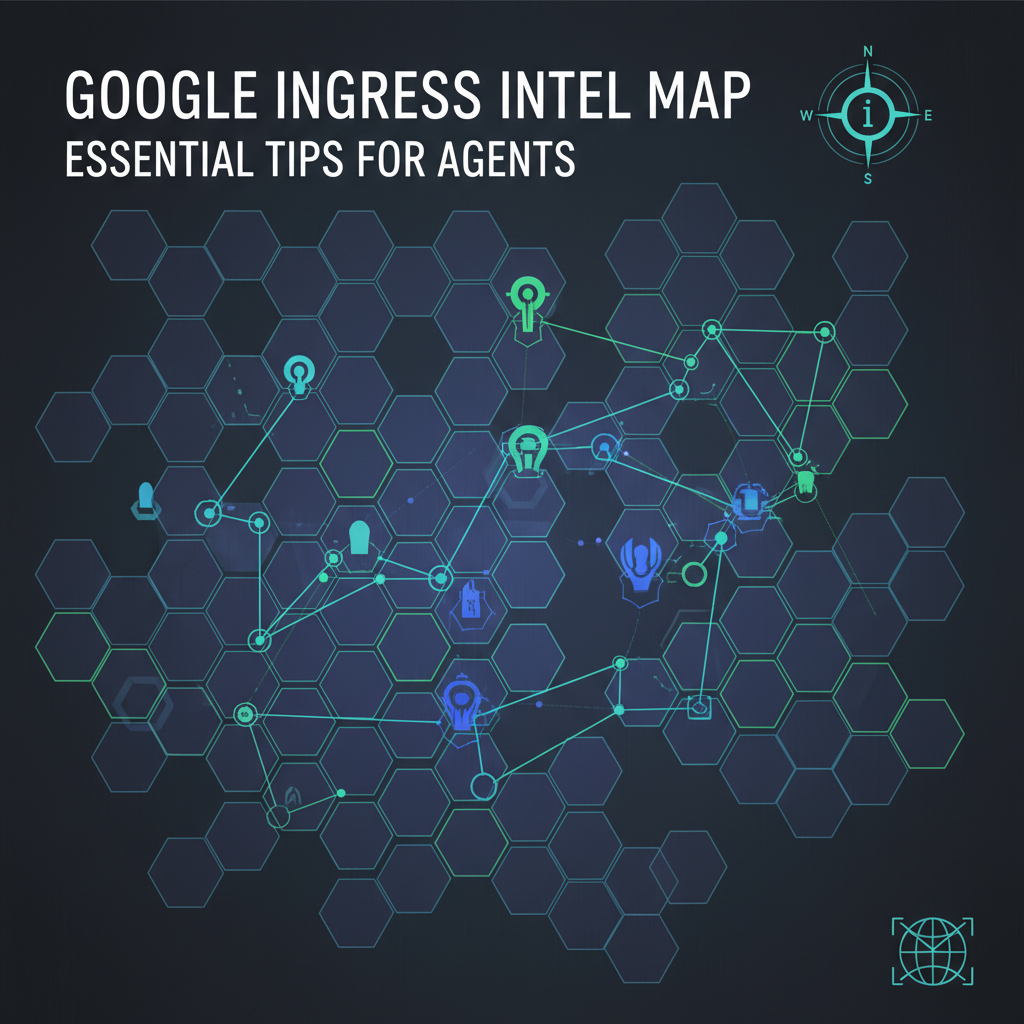
The map displays portals as glowing circles, colored either green (Enlightened), blue (Resistance), or grey (neutral). The size and intensity of these glows provide an immediate indication of the portal's level and resonator count. Links, depicted as colored lines connecting portals, represent pathways of captured mind units. Control Fields, the ultimate objective of Ingress, are vast triangles formed by three linked portals, coloring the enclosed geographical area with the controlling faction's hue and generating Mind Units (MUs). The sheer volume of information presented simultaneously—portal status, link density, field coverage, and even the last known activity of opposing agents—makes the Intel Map an incredibly rich data source. It is through this interface that agents identify targets, plan their routes, coordinate with teammates, and witness the ebb and flow of the global struggle for Shaper energy. Without this bird's-eye view, strategic coordination would be impossible, and the game would devolve into a series of isolated skirmishes rather than the grand, faction-wide conflict it truly is. Mastering the Intel Map is the first step towards truly understanding and influencing the larger game.
Fundamental Intel Map Operations for New Agents
For agents just stepping into the expansive world of Ingress, the Intel Map can initially feel overwhelming. However, a few fundamental operations and an understanding of its visual language will quickly make it an invaluable tool. Learning to navigate efficiently is paramount before delving into more complex strategies.
Navigating the Digital Battlefield: Zooming, Panning, and Basic Filters
The most basic interactions involve zooming and panning. Much like Google Maps, you can scroll your mouse wheel or use the +/- buttons on the map interface to zoom in and out, revealing more or less detail. Panning is achieved by clicking and dragging the map with your mouse. Practice these movements to quickly zero in on areas of interest or pull back for a broader strategic overview.
Beyond navigation, the Intel Map offers essential filters that allow agents to customize what information is displayed. These filters are crucial for decluttering the map and focusing on specific objectives. You can typically find filter options in a sidebar or overlay menu. Common filter categories include:
- Portal Status: Show only neutral portals, or only portals owned by a specific faction. This is incredibly useful when hunting for AP (Action Points) or identifying weak enemy positions.
- Links and Fields: Toggle the visibility of links and control fields. Sometimes, a dense network of links can obscure underlying portals; temporarily hiding them can help identify specific targets.
- Portal Level: Filter portals by their level (L1-L8). This helps agents find high-level portals for farming specific gear or low-level portals to upgrade.
- Activity: Show recent activity, such as captures, attacks, or deploys, providing insights into where agents have been active.
By selectively applying these filters, a new agent can transform a chaotic visual into a focused strategic display tailored to their immediate needs, making the vastness of the Intel Map much more manageable and actionable.
Deciphering the Visual Language: Portal Status, Links, and Fields
The Intel Map communicates a wealth of information through its visual cues. Understanding these at a glance is critical for rapid assessment and decision-making.
- Portals:
- Color: Green signifies Enlightened control, Blue signifies Resistance control, and Grey signifies a neutral portal.
- Glow Intensity/Size: A brighter, larger glow generally indicates a higher-level portal with more resonators deployed. A dim, small glow often means a low-level or decaying portal.
- Resonators: Zooming in close reveals the individual resonators surrounding a portal. Their color indicates their health (white/bright for full health, fading to orange/red for damaged). The number of resonators visible (1 to 8) shows how many are deployed.
- Mods: Small icons around the portal indicate deployed mods (e.g., Shields, Heat Sinks, Multi-hacks, Force Amps, Turrets). Hovering over them often reveals more detail.
- Links:
- Color: Links match the color of the controlling faction (green or blue).
- Thickness: While not officially documented to scale with health or strength, thicker lines can sometimes be perceived for very long links, drawing attention.
- Direction: Links always originate from one portal and terminate at another.
- Control Fields:
- Color: Matches the controlling faction's color (green or blue), covering the geographical area enclosed by three linked portals.
- Mind Units (MUs): Fields contribute to a faction's global score by capturing Mind Units. The larger the area and population density within the field, the more MUs it generates.
By internalizing these visual cues, new agents can quickly assess the tactical situation in any given area. A cluster of high-level enemy portals with numerous shields indicates a strong defensive position, while a swath of neutral portals presents an opportunity for rapid AP gain. Similarly, dense enemy links might signify a potential field operation or a significant blocking network that needs to be dismantled. This immediate visual feedback is the foundation upon which all advanced Intel Map strategies are built.
Advanced Intel Map Strategies for Experienced Agents
For veteran agents, the Intel Map transcends a mere display; it becomes a sophisticated strategic workbench, a canvas for plotting dominance, and a crystal ball for anticipating the enemy's next move. Mastery here is not just about seeing the game, but about understanding its flows, predicting its currents, and ultimately, directing its tides.
Planning Field Operations: The Art of Global Domination
Fielding is the ultimate objective in Ingress, the primary mechanism for accumulating Mind Units (MUs) and contributing to your faction's global score. Planning large, impactful fields requires meticulous use of the Intel Map.
- Identifying Anchor Portals: The success of any major field operation hinges on strong, strategically located anchor portals. These are typically high-level portals with powerful shields, located in areas that are either difficult for the enemy to access quickly or are far enough apart to create massive fields. The Intel Map allows agents to scout potential anchors across vast distances, evaluating their defensibility, accessibility, and proximity to other key portals. Look for portals that are relatively isolated from dense enemy clusters, or those that can be reinforced quickly if attacked. Consideration should also be given to whether an anchor portal is easily accessible by multiple agents for simultaneous deployment and linking.
- Calculating Link Paths and Order: Once potential anchors are identified, the next step is to determine the optimal linking strategy. The Intel Map's drawing tools (often enhanced by third-party scripts like IITC) are indispensable here. Agents can visualize potential links, identify existing enemy links that would block their plan, and determine the most efficient order of linking. When planning large fields, the order of links is critical: outer links must be established first to form the perimeter, followed by internal links that might strengthen the field or create additional, smaller fields within the main one. Agents must also consider key constraints such as the maximum number of outgoing links from a portal (8) and the requirement for a clear line of sight. Any existing enemy link intersecting a planned link path must be cleared before the operation can proceed. This often involves coordinating with agents on the ground to target specific blocking links.
- Predicting Opponent Moves: The Intel Map is not just a snapshot of the present; it's a historical record and a predictive tool. By observing patterns of enemy activity—where they deploy, where they attack, when they are most active—experienced agents can begin to predict their movements and intentions. If a cluster of enemy links suddenly appears in a previously neutral area, it might indicate a nascent field operation. If a key enemy anchor portal receives heavy shielding and upgrades, it's likely being prepped for a large field. Monitoring the Intel Map for these subtle shifts allows agents to formulate counter-strategies, deploy blocking links preemptively, or rally their forces to dismantle emerging threats before they materialize. This requires constant vigilance and an understanding of enemy faction's common strategies in your area.
- Coordination with Teammates: Large-scale field operations are rarely solo endeavors. The Intel Map becomes a shared whiteboard for faction collaboration. Screenshots, shared links to specific map views, and real-time discussions around Intel Map observations are essential. Agents might assign specific portals to teammates for linking, upgrading, or clearing. For operations spanning multiple cities or even countries, the Intel Map is the central hub for coordination, ensuring everyone is working towards a unified objective, understands their role, and has access to the most current strategic picture. Effective communication, often via secure messaging platforms, is intrinsically linked to Intel Map analysis, allowing agents to combine their individual observations into a powerful, collective intelligence.
Resource Management: Optimizing Your Gameplay
Beyond grand field operations, the Intel Map is a fundamental tool for individual agent efficiency and resource management, ensuring you're always equipped and ready for action.
- Locating Uncaptured Portals for AP (Action Points): For newer agents, or veterans looking to quickly gain levels, identifying neutral (grey) portals is a high priority. The Intel Map, with its filtering capabilities, can quickly highlight all uncaptured portals in a region. This allows agents to plan efficient routes to maximize AP gain through captures, deploys, and first links. By observing clusters of grey portals, agents can identify "AP farms" where they can rapidly accumulate points.
- Finding High-Density Areas for Farming: Even at max level, agents constantly need gear: XMPs, Resonators, Shields, Keys. High-density portal clusters, particularly those owned by your faction, are ideal for "farming" gear through hacking. The Intel Map helps identify these areas, allowing agents to plan visits to these locations. By using filters for portal level and faction ownership, agents can target areas rich in high-level friendly portals, which are more likely to yield valuable items. These locations are often parks, city centers, or historical districts.
- Identifying Specific Portal Levels for Gear: Certain items drop more frequently from specific portal levels. For instance, higher-level resonators and XMPs drop from higher-level portals. If an agent needs a specific type of shield (e.g., Very Rare Shields), they might focus on farming L6+ portals. The Intel Map's portal level filter helps agents quickly pinpoint these specific portal types, ensuring their farming runs are productive and targeted.
Defensive Strategies: Protecting Your Territory
Defense in Ingress is a continuous, often thankless, but absolutely vital task. The Intel Map is your early warning system and strategic blueprint for protecting your faction's gains.
- Monitoring Enemy Activity: Vigilance is key. By constantly monitoring the Intel Map, particularly in areas near your faction's key anchors or large fields, agents can detect enemy movements. Look for portals being attacked (resonators decaying, shields disappearing), new enemy links appearing, or opposing agents' last known activity points. Many third-party Intel Map tools enhance this by highlighting recent changes, making it easier to spot threats. Rapid response to an attack can often save a portal or field before it's completely destroyed.
- Identifying Vulnerable Portals: Not all portals are created equal in terms of defensibility. The Intel Map helps agents identify portals that are particularly vulnerable to attack. These include:
- Low-level portals (easy to take down).
- Portals with few or no shields (especially if in a high-traffic area).
- Portals with decaying resonators (signifying they haven't been visited in a while and are losing health naturally).
- Portals forming crucial links or anchors for large fields.
- Isolated portals that are easy for an enemy agent to quickly approach and destroy without much resistance. By identifying these vulnerabilities, agents can prioritize their defensive efforts, either by physically reinforcing the portals (upgrading, deploying shields, recharging) or by deploying blocking links to prevent enemies from linking them into larger fields.
- Planning Counter-Attacks and Blocking Links: When an enemy attack is detected, the Intel Map facilitates the planning of counter-attacks. Agents can identify the most critical portals the enemy is targeting and coordinate with teammates to recharge, re-shield, or physically defend them. Equally important is the strategy of deploying blocking links. If an enemy is attempting to build a large field, strategically placing a single link that intersects their planned field path can effectively "block" their operation, forcing them to dismantle the blocking link first. The Intel Map allows agents to precisely identify where such blocking links can be most effectively placed to maximize disruption with minimal effort.
Offensive Strategies: Dismantling the Opposition
Offense is often the most exhilarating part of Ingress, and the Intel Map is the ultimate weapon in an agent's arsenal for dismantling enemy strongholds and projecting faction power.
- Identifying Enemy Fields/Links to Take Down: The most satisfying offensive action is often the destruction of a massive enemy control field. The Intel Map immediately highlights these green or blue triangles across the landscape. Agents can zoom in to identify the three anchor portals of an enemy field. Taking down even a single portal forming part of a field will collapse the entire structure, yielding significant AP and denying the enemy MUs. Beyond fields, identifying long, critical enemy links—especially those that might be part of an enemy's larger field plan or are blocking your own—becomes a priority. The Intel Map clearly shows these vulnerabilities.
- Prioritizing Targets: With countless enemy portals and links, agents need to prioritize their offensive actions. The Intel Map helps in this by allowing agents to assess the impact of their attacks.
- High MU Fields: Targeting large fields that generate millions of MUs is a high-impact action, severely impacting the enemy's global score.
- Key Anchors: Destroying an enemy's highly shielded anchor portal can destabilize their regional control and open up opportunities for your faction to field.
- Blocking Links: Clearing enemy links that prevent your faction's field operations is often a tactical necessity, even if they don't yield massive AP.
- Dense Clusters: Attacking high-level enemy portal clusters provides substantial AP from destroying resonators and links, and clears the way for your faction to establish dominance. The Intel Map allows for this cost-benefit analysis, guiding agents to attack where they can inflict the most damage or gain the most strategic advantage.
- Efficient AP Gain Routes: For agents focused on leveling up, attacking enemy portals is a prime source of AP. The Intel Map helps plan efficient "smash runs." By identifying clusters of enemy portals, agents can map out routes that maximize the number of portals they can attack and destroy within a given timeframe, minimizing travel time and maximizing AP gain. This often involves targeting areas with many linked, low-shielded enemy portals, as they are easier to take down quickly.
Tools and Enhancements for the Intel Map
While the default Ingress Intel Map provides a robust foundation, the community has developed powerful enhancements that significantly augment its capabilities, turning a basic map into an unparalleled strategic dashboard. The most prominent of these is IITC (Ingress Intel Total Conversion).
IITC - Ingress Intel Total Conversion
IITC is a browser extension or userscript that completely overhauls the default Intel Map. It's not an official Niantic product, but it is widely used by the Ingress community due to the incredible depth of information and utility it adds.
- Layering and Custom Data Display: IITC's greatest strength lies in its ability to add layers of custom information. Beyond the standard portals, links, and fields, IITC can display:
- Portal Health: A clear numerical percentage of each resonator's health.
- Link Length and Potential MU: Showing the precise length of links and the potential Mind Units of nascent fields.
- Drawing Tools: Agents can draw paths, fields, and markers directly onto the map for planning operations, which can then be shared with teammates.
- Statistics and Summaries: IITC provides comprehensive statistics for the visible map area, such as total portals, links, fields, MUs, and even a breakdown by faction. This is invaluable for quick strategic assessments.
- Mission Display: Overlaying community-created missions on the map.
- Player Tracker (limited): Shows the last known location of agents (both friendly and enemy) based on their actions, offering insights into activity patterns.
- Plugins and Customization: IITC boasts a vast ecosystem of plugins developed by the community. These plugins add even more specialized functionalities, such as:
- Portal Info fields: Detailed information on portal mods, last capture, owner, etc.
- Highlighter plugins: To highlight portals by various criteria (e.g., decaying portals, portals needing keys, portals with specific mods).
- Link Planner tools: Advanced field and link planning, often with optimization algorithms.
- Farm management tools: Identifying optimal farming routes. The sheer customizability of IITC means that every agent can tailor their Intel Map experience to their specific needs, from casual scouting to orchestrating multi-agent mega-fields.
Ethical Considerations and Niantic's Stance
It is crucial to address the ethical implications and Niantic's official stance regarding third-party tools like IITC. Niantic's Terms of Service generally prohibit the use of "unauthorized third-party software that intercepts, 'mines,' or otherwise collects information from or through the Services." While IITC functions by enhancing the browser-based Intel Map (which is publicly accessible), it technically falls into a grey area.
- Risk of Account Suspension: Niantic has, in the past, issued warnings or temporary suspensions to players using tools that they deem violate their ToS, especially if those tools are perceived to give an unfair advantage by scraping data in an unauthorized manner. While direct use of IITC is generally not targeted for bans as aggressively as, say, GPS spoofing, agents should be aware of the inherent risk.
- Data Security: Using browser extensions always carries a slight security risk. Agents should only install IITC from trusted, well-known sources (like the official IITC project pages) to avoid malicious software.
- Fair Play: The spirit of Ingress emphasizes "boots on the ground" gameplay. While Intel Map tools enhance strategic planning, over-reliance on them without physical interaction with the game world can detract from the intended experience. The ethical line often comes down to whether a tool provides information that an agent could eventually gather manually, but faster, or if it provides truly "hidden" data. IITC generally falls into the former category, primarily presenting publicly available data more efficiently.
Most veteran agents use IITC judiciously, recognizing its power while respecting the spirit of the game. It remains an invaluable resource for serious Ingress play, but agents must exercise caution and judgment.
A Comparative Look: Default Intel Map vs. IITC Enhanced Intel Map
To illustrate the stark difference in utility, here's a comparative table:
| Feature/Functionality | Default Ingress Intel Map | IITC Enhanced Intel Map |
|---|---|---|
| Basic Navigation | Zoom, pan, locate portals | Same, but often smoother and faster loading |
| Portal Status | Color (Faction), relative size/glow (Level/Health) | Detailed health percentages, precise resonator counts, owner, last capture, precise mod details |
| Links & Fields | Color, visibility toggle | Color, length, estimated MU, age, clear visibility of blocking links |
| Data Filters | Basic filters (Faction, Level, Activity) | Extensive filters (Health, Mods, Age, Keys, specific agent activity, custom criteria) |
| Strategic Planning | Mental mapping, screenshots, external tools | Integrated drawing tools (paths, fields, polygons), advanced link planners, estimated AP/MU from planned actions |
| Statistical Overview | None | Comprehensive statistics for visible area (portals, links, fields, MUs, resonator levels) |
| Agent Activity | Last known location on portal actions | More detailed activity logs, often with timestamps and types of actions |
| Customization | None | Extensive, via numerous community-developed plugins and user scripts |
| Real-time Updates | Regular updates, sometimes with slight delay | Near real-time data refresh from Niantic's API, often faster |
| Ease of Use (Initial) | Very easy for beginners | Moderate learning curve due to plugin ecosystem and advanced features |
| Ethical/Legal Status | Official, fully sanctioned by Niantic | Third-party, in a "grey area" regarding Niantic's ToS, use with caution |
This table clearly demonstrates why many experienced agents consider IITC an indispensable companion to their Ingress journey, transforming their Intel Map experience from functional to formidable.
APIPark is a high-performance AI gateway that allows you to securely access the most comprehensive LLM APIs globally on the APIPark platform, including OpenAI, Anthropic, Mistral, Llama2, Google Gemini, and more.Try APIPark now! 👇👇👇
Collaboration and Communication through Intel
Ingress is inherently a team game. While individual agents can make significant contributions, the most impactful operations—especially large fields and strategic take-downs—require seamless collaboration. The Intel Map is the central nervous system for this collective effort.
The Role of the Intel Map in Team Play
- Shared Understanding of the Battlefield: When agents communicate, referring to "the portal at the main park entrance" or "that field over the city," these discussions are grounded in the shared visual reference of the Intel Map. It provides a common operational picture for everyone involved, ensuring that all team members understand the current state of play, the location of key objectives, and the disposition of forces (both friendly and enemy). This shared understanding is vital for avoiding misunderstandings and ensuring coordinated actions.
- Facilitating Complex Operations: Imagine coordinating a multi-agent field operation that spans several counties. Without the Intel Map, it would be impossible to assign specific roles, identify blocking links across vast distances, or ensure agents are in the right place at the right time. The map allows designated "Intel Operators" to direct agents on the ground, guiding them to specific portals, instructing them on link order, and notifying them of changes in the battle space.
- Post-Operation Analysis: After an operation, successful or not, the Intel Map provides a valuable tool for debriefing. Agents can review what happened, identify successes, pinpoint where things went wrong, and learn for future endeavors. Analyzing enemy counter-moves on the Intel Map can reveal patterns and strategies that can be anticipated and countered next time.
Sharing Intel Effectively
The ability to share Intel Map views and data is crucial for effective team coordination.
- Direct Map Links: The Intel Map's URL dynamically updates with your current zoom level and coordinates. Sharing this URL with teammates allows them to immediately jump to the exact same view you are seeing, which is incredibly useful for directing attention to specific areas or portals.
- Screenshots and Annotations: For more specific instructions or to highlight particular details, screenshots of the Intel Map, often annotated with arrows, circles, and text using image editing software, are commonly shared in team chats. This is especially useful for quickly pointing out specific blocking links or target portals.
- IITC Drawing Layers: As mentioned, IITC's drawing tools allow agents to create overlays of planned links, fields, and notes. These drawing layers can often be exported and shared with other IITC users, providing a living, collaborative planning document directly on the map. This is a powerful feature for complex operations, allowing multiple agents to contribute to a shared strategic plan.
- Dedicated Intel Operators: In larger, more organized factions, specific agents may take on the role of "Intel Operators." These agents spend significant time monitoring the Intel Map, analyzing data, communicating with agents on the ground, and acting as the faction's central nervous system. They are often equipped with advanced Intel tools and have a deep understanding of strategic gameplay.
Using External Communication Platforms for Planning
While the Intel Map is the visual canvas, external communication platforms are the verbal glue that holds team operations together.
- Secure Messaging Apps: Apps like Telegram, Signal, or Discord are commonly used by Ingress factions for real-time communication. These platforms allow for group chats, sharing of Intel Map links and screenshots, and voice communication during operations. Encryption is often a consideration for sensitive tactical discussions.
- Faction-Specific Tools: Some larger factions develop their own internal tools or platforms that integrate with their Intel Map strategies. These might include custom dashboards, mission assignment systems, or even databases of portal keys.
- Voice Chat during Operations: For critical, fast-moving operations, voice chat (e.g., via Discord or in-game comms, though in-game comms are less secure and reliable for large groups) is invaluable. Intel Operators can provide real-time instructions, and agents on the ground can report immediate observations or challenges, allowing for quick adjustments to the plan based on the dynamic battlefield.
The synergy between the visual information on the Intel Map and the dynamic communication on external platforms is what truly unlocks the potential for large-scale, coordinated faction play, allowing groups of agents to act as a single, unified strategic entity.
The Evolving Landscape of Ingress and Data Management
The world of Ingress, like any live-service game, is not static. Niantic constantly introduces updates, new anomalies, and game mechanics that can shift the strategic meta. This dynamic environment necessitates adaptable agents who can not only use the Intel Map but also understand how to integrate new information and potentially leverage external data. This is where advanced data management concepts, and even platforms designed to handle diverse data streams, begin to intersect with the world of Ingress strategy.
Imagine a highly organized faction that wishes to push the boundaries of intel analysis. They might want to: 1. Integrate anomaly-specific data: Track real-time scores, specific anomaly zone statuses, and agent concentrations during global events. 2. Analyze historical data trends: Look at long-term patterns of enemy activity, portal decay rates, or field uptime to predict future strategic vulnerabilities or opportunities. 3. Combine game data with external intelligence: Merge Intel Map data with weather patterns, local event calendars (which might indicate portal accessibility or agent presence), or even traffic information to optimize agent deployment. 4. Develop custom tactical dashboards: Create tailored interfaces that combine all relevant strategic information in one place, going beyond what even IITC can offer.
To achieve such ambitious data integration and analysis, factions would effectively be building their own sophisticated intelligence platforms. This requires the ability to collect, process, and present data from various sources in a unified and accessible manner. This is precisely where a robust gateway and API management platform becomes relevant, even in a speculative context for highly advanced Ingress operations.
Consider a scenario where a faction wants to create a personalized, real-time strategy dashboard. They might be pulling data from various sources: publicly available Ingress data feeds (if Niantic offered more structured access), internal logs from their agents (e.g., portal key inventories, field plans), and external geographical or event data. Managing these diverse data streams, ensuring secure access, and standardizing their format for analysis is a significant challenge. This is where a product like APIPark could theoretically be utilized.
APIPark - Open Source AI Gateway & API Management Platform APIPark is an all-in-one AI gateway and API developer portal that is open-sourced under the Apache 2.0 license. It's designed to help developers and enterprises manage, integrate, and deploy AI and REST services with ease. For a faction looking to build advanced intel tools, APIPark could serve as a powerful gateway to orchestrate various data inputs. Its capabilities for unified API format for AI invocation and prompt encapsulation into REST API could, for example, allow an intel team to feed raw Intel Map data (perhaps extracted via permitted means or processed screenshots through OCR) into an AI model for anomaly detection or predictive analysis. Such an approach, while highly advanced for most agents, demonstrates the ultimate potential of leveraging an Open Platform like APIPark to manage complex data workflows.
Imagine a faction leader wanting to integrate real-time anomaly scores with their internal field planning tools. APIPark could manage the various "APIs" (even if some are custom internal data feeds) required to pull this information, standardize it, and then expose it through a single, consistent interface for their custom dashboard. Its features like end-to-end API lifecycle management would help regulate how these internal intel APIs are developed, published, and used by various sub-teams, ensuring consistency and security. The API service sharing within teams feature would allow different specialized intel groups (e.g., one focused on fielding, another on anomaly tracking) to access relevant data streams centrally. Furthermore, for ensuring that only authorized agents or systems can access sensitive intel, API resource access requires approval, which is a crucial security layer.
While this might seem far-fetched for the average agent, it illustrates how, as games like Ingress evolve and as the desire for deeper analytical insights grows, the principles of robust data management, secure access, and intelligent integration—the very core offerings of an API management platform like APIPark—become increasingly relevant. The Intel Map provides the raw canvas, but platforms like APIPark could theoretically offer the sophisticated infrastructure needed to build truly next-generation intelligence systems for elite-level play and strategic analysis in a data-rich environment.
Common Pitfalls and How to Avoid Them
Even with the most advanced tools and strategies, agents can fall victim to common pitfalls that undermine their Intel Map usage and strategic effectiveness. Awareness of these traps is the first step towards avoiding them.
Information Overload
The Intel Map, especially when enhanced with tools like IITC and numerous plugins, can present an overwhelming amount of information. This richness, while powerful, can quickly lead to paralysis by analysis.
- Symptoms: Staring at the map for long periods without making a decision, feeling overwhelmed by the sheer number of links, fields, and portal details, or constantly changing filters without a clear objective.
- How to Avoid:
- Define Your Objective First: Before opening the Intel Map, ask yourself: "What am I trying to achieve?" (e.g., "Find neutral portals for AP," "Scout for enemy fields," "Locate a key to X portal").
- Use Filters Judiciously: Apply only the filters necessary for your current objective. If you're looking for neutral portals, hide all green and blue ones. If you're planning a field, hide all but the most critical links.
- Focus on Relevant Areas: Don't try to digest the entire world map at once. Zoom into your area of interest and expand outwards only when necessary.
- Take Breaks: Step away from the map if you feel overwhelmed. A fresh perspective can often clarify things.
Over-reliance on Intel vs. Boots-on-the-Ground
The Intel Map is a powerful planning tool, but Ingress remains a game that requires physical presence. Over-reliance on the map without understanding the real-world implications can lead to frustration and failed operations.
- Symptoms: Planning routes that go through private property, uncrossable rivers, or dangerous areas; assuming portal accessibility based solely on the map; underestimating travel time due to terrain or traffic; getting surprised by real-world obstacles.
- How to Avoid:
- Scout in Person: For critical operations or new areas, physically visit the location beforehand to confirm portal accessibility, identify potential obstacles (fences, locked gates, poor cell reception), and assess the safety of the area.
- Combine with Local Knowledge: Leverage your own knowledge of the area, or consult with local agents who have on-the-ground experience.
- Use Street View: Google Street View (accessible via the Intel Map for many locations) can provide a crucial visual check of portal surroundings, helping to identify potential real-world barriers without needing to visit in person.
- Trust Your Gut: If a plan looks too good to be true on the map, it often is in reality.
Security and Privacy Concerns
Using the Intel Map, especially with third-party tools, brings inherent security and privacy considerations that agents must be mindful of.
- Sharing Location Data: While the Intel Map does not directly expose your real-time location (it only shows the last known location of your scanner based on your actions), screenshots or shared links can inadvertently reveal sensitive information about your current location if you're zoomed in to where you are physically standing.
- Exposing Faction Secrets: Careless sharing of Intel Map views or planning documents can inadvertently reveal strategic plans to the enemy. Drawing tools and shared links from IITC, if not handled securely, could be intercepted.
- Third-Party Tool Risks: As mentioned earlier, using browser extensions from untrusted sources can expose your browser to malware or allow your data to be harvested.
- How to Avoid:
- Be Mindful of What You Share: When sharing screenshots or map links, ensure you are only revealing the necessary information and not your personal location or sensitive unexecuted plans.
- Use Secure Communication Channels: Always use encrypted messaging apps for faction communication, especially when discussing strategic intel.
- Verify Third-Party Tools: Only install IITC and its plugins from their official, well-vetted sources. Regularly check for updates and security advisories.
- Assume Compromise: Operate with the mindset that enemy agents might eventually gain access to some of your intel. Avoid relying on secrecy alone; build adaptability into your plans.
- Niantic Account Security: Ensure your Google account linked to Ingress is secured with two-factor authentication. The Intel Map relies on your logged-in Niantic account.
By diligently avoiding these common pitfalls, agents can ensure their use of the Intel Map remains effective, secure, and conducive to a positive Ingress experience. The map is a tool for empowerment, but like any powerful tool, it demands respect and responsible handling.
Future of Intel Map Usage
The world of Ingress is in constant flux, mirroring the real-world technological advancements it incorporates. As Niantic continues to evolve the game, the role and utility of the Intel Map are likely to adapt and expand. Predicting the exact future is challenging, but several trends suggest how Intel Map usage might develop for agents.
Predictions on Game Development
- Enhanced Real-time Information: While the current Intel Map provides near real-time data, future iterations might offer even more granular, immediate updates on portal status, resonator health, and agent activity. Imagine a true live-feed, almost like a tactical overlay, especially during large-scale anomaly events. This would significantly reduce the need for constant refreshes and provide an even more dynamic battlefield view.
- More Integrated Strategic Tools: Niantic might eventually integrate some of the most popular third-party Intel Map functionalities directly into the official map, recognizing their value to agents. This could include basic drawing tools, more advanced filtering options, or even simplified statistical summaries, making strategic planning more accessible without resorting to unofficial plugins.
- Augmented Reality Overlays: As AR technology advances, a future Intel Map could potentially offer AR overlays that project the game's energy flows, links, and fields directly onto the real world through a device's camera. While the current in-game scanner offers a basic version, a dedicated AR Intel Map app could provide a much richer, more immersive strategic view that bridges the digital and physical worlds more seamlessly.
- AI-Driven Insights: As AI becomes more ubiquitous, future game development might include AI companions or features that can analyze Intel Map data to suggest optimal routes, identify vulnerable enemy targets, or even predict enemy movements based on historical patterns. This could democratize advanced strategic planning, making sophisticated analysis accessible to a wider range of agents.
Agent Creativity and Adaptability
Regardless of how Niantic evolves the official Intel Map, the ingenuity and adaptability of the Ingress agent community will undoubtedly continue to drive innovation in its use.
- Custom Tooling and Dashboards: As seen with the speculative discussion around APIPark, highly organized factions might continue to develop their own custom dashboards and analytical tools, leveraging the Intel Map's data (through authorized means or sophisticated interpretation) and integrating it with other data sources. These tools could incorporate machine learning models for predictive analytics, resource optimization algorithms, or advanced visualization techniques to gain an edge.
- Collaborative Intelligence Networks: The future could see even more sophisticated, distributed intelligence networks among agents, where individual observations and Intel Map analyses are pooled and processed centrally to generate actionable insights for the entire faction. This moves beyond simple information sharing to true collective intelligence synthesis.
- Adaptive Strategies: As game mechanics change, agents will adapt their Intel Map usage. New portal types, new attack/defense items, or new field decay mechanics will all require agents to reinterpret the Intel Map's data and devise new strategies for offense, defense, and resource management. The core skill will remain the ability to extract meaning from the visual information and translate it into effective action.
The Google Ingress Intel Map, in its current form, is a testament to the power of location-based gaming and strategic visualization. Its future, whether driven by official updates or community innovation, promises an even richer, more dynamic, and potentially more intelligent experience for agents navigating the perpetual struggle for humanity's fate. The agents who truly master its complexities will always be at the forefront of the global Ingress war.
Conclusion
The Google Ingress Intel Map is far more than a simple game interface; it is the ultimate strategic weapon in an agent's arsenal, a window into the dynamic, global conflict that defines Ingress. From identifying nascent opportunities for new recruits seeking their first AP to orchestrating multi-continental mega-fields for seasoned veterans, the Intel Map provides the essential intelligence needed to make informed decisions, coordinate with teammates, and ultimately, secure victory for one's chosen faction.
We have traversed the fundamental operations, dissecting the visual language of portals, links, and fields. We've delved into advanced strategies for planning field operations, optimizing resource management, and executing both robust defensive and aggressive offensive maneuvers. The power of community-developed tools like IITC has been highlighted, transforming the Intel Map into an unparalleled strategic dashboard, while also acknowledging the ethical considerations and Niantic's stance on such enhancements. Crucially, we've explored the importance of collaboration, recognizing that the Intel Map serves as the central nervous system for faction-wide communication and strategic alignment, even extending into hypothetical advanced data management scenarios for which platforms like APIPark could offer solutions for complex data integration. Finally, we've addressed common pitfalls, ensuring agents can navigate the map's complexities without succumbing to information overload or neglecting the vital "boots-on-the-ground" reality of Ingress.
As the game continues to evolve, the ability to interpret, analyze, and act upon the vast amounts of data presented by the Intel Map will remain a core skill. Agents who invest the time and effort to truly master this tool will find themselves empowered to not only participate in the global struggle but to genuinely influence its outcome. So, open your Intel Map, zoom out, and behold the battlefield. The future of humanity, or its evolution, is quite literally at your fingertips. Go forth, agent, and make your mark.
Frequently Asked Questions (FAQs)
1. What is the Ingress Intel Map and why is it important for agents? The Ingress Intel Map is a web-based interface that provides a global, real-time view of the Ingress game world. It displays all portals, links, and control fields overlaid on real-world geography. It's crucial because it allows agents to plan strategies beyond their immediate scanner range, identify targets, monitor enemy activity, coordinate with teammates, and understand the larger strategic picture of the game, which is impossible with the in-game scanner alone.
2. Is using third-party tools like IITC (Ingress Intel Total Conversion) safe or allowed? IITC significantly enhances the functionality of the Intel Map, adding advanced filters, drawing tools, and detailed statistics. While widely used by the Ingress community, it is a third-party tool and exists in a "grey area" regarding Niantic's Terms of Service, which generally prohibit unauthorized software. While direct bans specifically for IITC are rare, agents should be aware of the inherent risk and only install it from trusted sources. Always prioritize your account security and use such tools responsibly.
3. How can I use the Intel Map to plan large field operations? Planning large fields requires meticulous use of the Intel Map. First, identify strong, defensible anchor portals across a wide area. Use drawing tools (available in IITC) to visualize potential links and fields, identifying any existing enemy links that would block your plan. Determine the optimal linking order and coordinate with teammates to execute the plan, assigning specific portals for linking, upgrading, or clearing. Constant monitoring for enemy activity is also key.
4. What are some common pitfalls to avoid when using the Intel Map? Common pitfalls include information overload (getting overwhelmed by too much data, which can be avoided by focusing on specific objectives and judiciously using filters), over-reliance on Intel vs. boots-on-the-ground (assuming real-world accessibility from the map alone, which should be mitigated by scouting or using Street View), and security/privacy concerns (carelessly sharing sensitive intel or using untrusted third-party tools, which can be avoided by using secure communication channels and verifying tool sources).
5. How does the Intel Map contribute to team play and collaboration? The Intel Map is fundamental to team play by providing a shared operational picture for all agents, ensuring everyone understands the current strategic situation. It facilitates complex, multi-agent operations by allowing Intel Operators to direct agents on the ground, assign tasks, and coordinate movements. Agents can share map links, screenshots, and even collaborative drawing layers (via IITC) in secure communication platforms, enabling real-time strategic discussions and post-operation analysis, fostering a unified and effective faction effort.
🚀You can securely and efficiently call the OpenAI API on APIPark in just two steps:
Step 1: Deploy the APIPark AI gateway in 5 minutes.
APIPark is developed based on Golang, offering strong product performance and low development and maintenance costs. You can deploy APIPark with a single command line.
curl -sSO https://download.apipark.com/install/quick-start.sh; bash quick-start.sh

In my experience, you can see the successful deployment interface within 5 to 10 minutes. Then, you can log in to APIPark using your account.

Step 2: Call the OpenAI API.