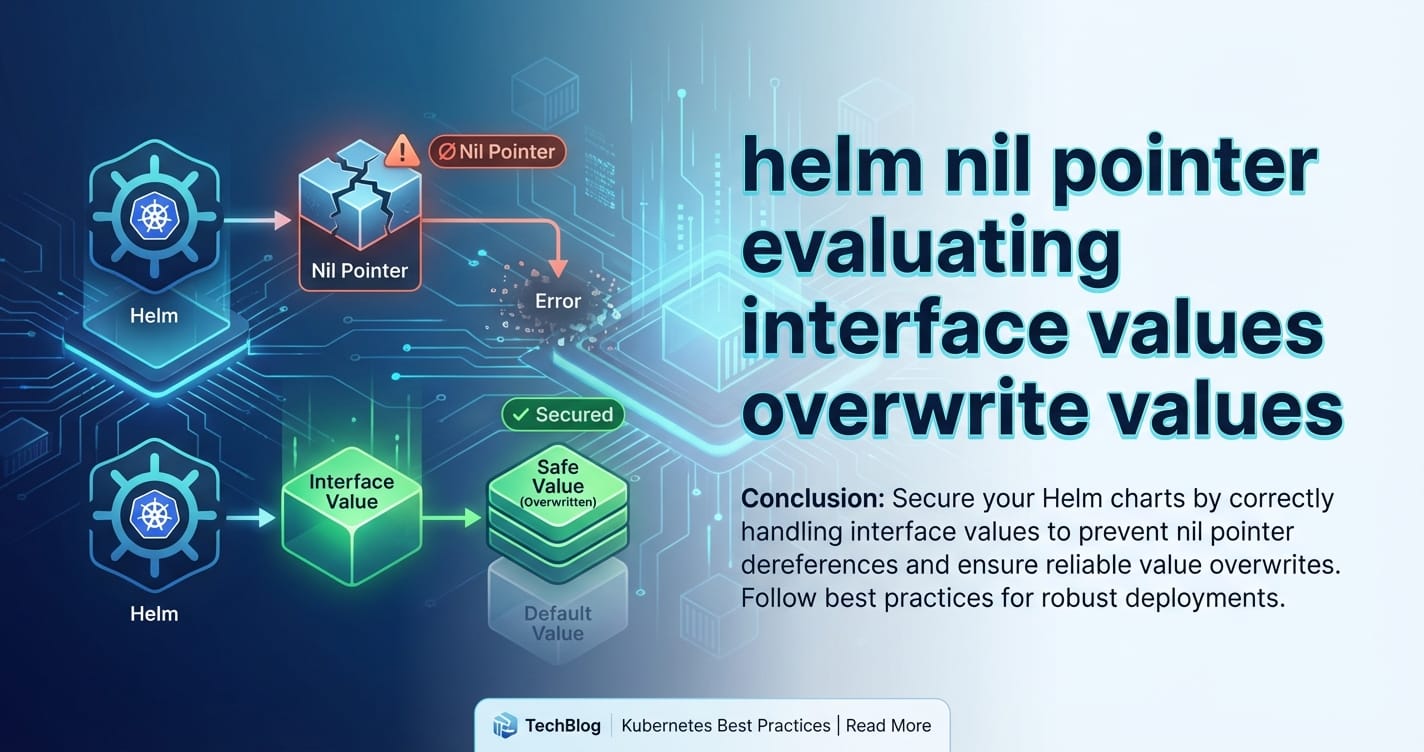
helm nil pointer evaluating interface values overwrite values


In the intricate world of Kubernetes, Helm has emerged as the de facto package manager, simplifying the deployment and management of complex applications. Its power lies in its robust templating engine, which allows users to define parameterized Kubernetes manifests. However, with great power comes great complexity, and seasoned Helm users often encounter cryptic errors that can halt deployments and confound even the most experienced developers. Among these, the error message "nil pointer evaluating interface values overwrite values" stands out as a particularly vexing adversary, frequently leading to frustration and extended debugging sessions.
This comprehensive guide aims to dissect this notorious error, shedding light on its underlying causes, providing detailed scenarios where it commonly arises, and offering practical strategies, best practices, and debugging techniques to effectively prevent and resolve it. By understanding Helm's internal mechanics, particularly its interaction with Go's interface{} types and value merging logic, we can transform this seemingly opaque error into a predictable challenge. Moreover, we will explore how robust Helm chart design and meticulous attention to value handling are crucial for maintaining stable and efficient deployments, especially for critical infrastructure like API gateways, which often benefit from sophisticated configuration management.
The Foundation: Understanding Helm's Templating and Value Precedence
Before we can effectively tackle the "nil pointer evaluating interface values overwrite values" error, it's imperative to establish a firm understanding of how Helm processes templates and manages values. Helm charts are essentially a collection of YAML templates and predefined values, which are then rendered into Kubernetes manifests. The core of Helm's templating capability is powered by the Go template engine, augmented by Sprig functions, which provide a rich set of utilities for data manipulation, string operations, and flow control.
The Go Template Engine and Data Context
At its heart, a Helm template is a Go template. These templates operate within a specific data context, which is typically represented by a Go map[string]interface{}. When you refer to {{ .Values.someKey }}, you are accessing the Values object within this context, which itself is a map. The interface{} type in Go is a powerful concept that allows variables to hold values of any type, provided they implement the interface's methods. In the context of Helm, this means that Values can hold anything from strings, integers, booleans, to nested maps and arrays, all stored as interface{}. This flexibility is a double-edged sword: it allows for highly dynamic configurations but also introduces potential pitfalls when types are implicitly assumed or when nil values are encountered.
Helm's Value Precedence: A Layered Cake
Helm's value system is designed to be highly configurable, allowing users to override default settings at various stages. This hierarchical approach, often referred to as value precedence, is critical to understand. When Helm renders a chart, it merges values from several sources in a specific order, with later sources overriding earlier ones. The typical order of precedence, from lowest to highest, is:
- Chart
values.yaml: Thevalues.yamlfile located within the chart's root directory defines the default configuration. These are the baseline settings that the chart maintainers expect to be used in most scenarios. It's crucial for this file to be well-structured and to provide sensible defaults for all configurable parameters, preventing many common errors related to missing values. - Parent Chart
values.yaml(for subcharts): If your chart is a subchart, itsvalues.yamlcan be overridden by the parent chart'svalues.yamlunder the subchart's key. This allows the parent chart to dictate configurations for its dependencies. helm install -forhelm upgrade -f: Users can provide one or more custom YAML files using the-fflag. These files typically contain environment-specific configurations that override or extend the chart's defaults. The files are processed in the order they are provided, with later files taking precedence over earlier ones. This mechanism is frequently used for staging or production environment overrides.helm install --setorhelm upgrade --set: Individual values can be overridden directly on the command line using the--setflag. This is useful for making small, ad-hoc adjustments without creating an entire values file. However, for complex nested structures or multiple overrides, this method can become cumbersome and error-prone. It's important to note that--setperforms a shallow merge, meaning it replaces entire sub-sections if they are maps, rather than merging individual keys within them, which can lead to unintended overwrites if not used carefully.helm install --set-string: Similar to--set, but specifically designed to ensure values are treated as strings, which can prevent type conversion issues, particularly with values that might be interpreted as numbers or booleans (e.g., "0", "false").helm install --set-file: Allows setting a value from the contents of a file, useful for injecting secrets or large configuration blocks directly.helm install --version: Specifies a particular version of the chart to deploy, ensuring consistency across environments.
When Helm merges these value layers, it generally performs a "deep merge" for maps, meaning it recursively merges keys within nested dictionaries. However, if a key in a higher-precedence source defines a non-map type (like a string, integer, or null) where a lower-precedence source defined a map, the higher-precedence source's value will replace the entire map, not merge into it. This distinction is paramount and is often a direct contributor to the "nil pointer" error. Understanding this merging behavior is the first step towards diagnosing and preventing the infamous error.
Deconstructing the "nil pointer evaluating interface values overwrite values" Error
The error message "nil pointer evaluating interface values overwrite values" is a mouthful, but each component provides a clue to its origin. Let's break it down:
- "nil pointer": In programming, a "nil pointer" (or null pointer) signifies that a variable, which is expected to point to a memory address containing an object or value, is instead pointing to nothing. When a program tries to access properties or methods of an object through a nil pointer, it results in a runtime error, often a "panic" in Go. In Helm's context, this typically means a template is attempting to access a field or property of a value that is
nil(ornullin YAML terms) where it expects a structured object (like a map or a list). - "evaluating interface values": As discussed, Go templates operate on
interface{}values. This part of the error indicates that Helm's Go templating engine is in the process of evaluating one of these genericinterface{}types. The issue arises because aninterface{}variable, although capable of holding any type, can also holdnil. When it holdsnil, and the template tries to treat it as a concrete type (e.g., a map) and access its sub-keys, the "nil pointer" error manifests. - "overwrite values": This phrase is perhaps the most deceptive, as it doesn't directly mean you explicitly used an "overwrite" function. Instead, it refers to the process by which Helm's value precedence system merges values. When a higher-precedence
valuessource provides anilor an incompatible type for a key that was previously defined as a map in a lower-precedence source, thenil(or incompatible type) "overwrites" the entire structure. Subsequently, when the template attempts to access sub-keys of this now-nil(or incompatible) value, the "nil pointer" error occurs.
In essence, the error means: "I was trying to evaluate a value, which at some point became nil (likely due to a merge operation), and now I'm trying to access a field within that nil value, which is impossible."
Common Scenarios Leading to the Error
Understanding the theoretical breakdown is one thing, but seeing the error in action provides concrete context. Here are the most frequent scenarios where "nil pointer evaluating interface values overwrite values" rears its head:
Scenario 1: Merging a nil or null Map with an Existing Map
This is arguably the most common cause. You have a values.yaml that defines a complex nested structure, but then an override file or a --set flag inadvertently sets a parent key to null or nil, or simply omits it where it's expected.
Example chart/values.yaml:
config:
  logging:
    level: "INFO"
    format: "json"
  database:
    host: "localhost"
    port: 5432
Example Template chart/templates/deployment.yaml:
apiVersion: apps/v1
kind: Deployment
metadata:
  name: my-app
spec:
  template:
    spec:
      containers:
        - name: my-container
          image: my-image:latest
          env:
            - name: LOG_LEVEL
              value: "{{ .Values.config.logging.level }}"
            - name: DB_HOST
              value: "{{ .Values.config.database.host }}"
Problematic Override (override.yaml): Imagine you accidentally create an override.yaml that looks like this, intending to disable some config section, but inadvertently setting the entire config key to null:
config: null
Or, even more subtly, you might think you're just not setting config, but an empty file or a typo in --set could result in a similar outcome.
When you run helm upgrade -f override.yaml my-release ./chart, Helm merges override.yaml with values.yaml. Since config: null in override.yaml has higher precedence, it overwrites the entire config map from values.yaml, effectively making .Values.config nil. Then, in deployment.yaml, when the template engine tries to evaluate {{ .Values.config.logging.level }}, it attempts to access logging on a nil config object, leading to the "nil pointer" error.
Scenario 2: Type Mismatches During Merging
Helm's templating engine is flexible, but it's not immune to type confusion, especially when null or empty strings are involved. If a value is expected to be a map, but an override provides a scalar value (like a string, boolean, or number) or null, a type mismatch can occur during the deep merge process.
Example chart/values.yaml:
service:
  annotations:
    prometheus.io/scrape: "true"
    prometheus.io/port: "8080"
Example Template chart/templates/service.yaml:
apiVersion: v1
kind: Service
metadata:
  name: my-service
  annotations:
    {{- toYaml .Values.service.annotations | nindent 4 }}
spec:
  # ...
Problematic Override (override.yaml):
service:
  annotations: "disabled"
Here, values.yaml expects service.annotations to be a map. However, override.yaml sets service.annotations to a string "disabled". When Helm merges, service.annotations becomes "disabled". In service.yaml, toYaml .Values.service.annotations will operate on the string "disabled", and then nindent 4 will work on the string representation. This specific example might not cause a nil pointer directly, but if a subsequent template tried to access {{ .Values.service.annotations.someKey }}, it would error because "disabled" is not a map. A more direct cause for the nil pointer would be if annotations was set to null and then a template tried to access {{ .Values.service.annotations.someKey }}.
Consider another more direct type mismatch: chart/values.yaml
myApp:
  resources:
    limits:
      cpu: 100m
      memory: 128Mi
chart/templates/deployment.yaml
apiVersion: apps/v1
kind: Deployment
metadata:
  name: my-app
spec:
  template:
    spec:
      containers:
        - name: app
          resources:
{{ toYaml .Values.myApp.resources | nindent 12 }}
Problematic Override (override.yaml):
myApp:
  resources: 500 # Intending to set a default resource value, but as an integer
Here, myApp.resources in values.yaml is a map. In override.yaml, it's an integer 500. When merged, .Values.myApp.resources becomes 500. toYaml 500 will output 500, which is valid YAML. But if you had another template trying to access .Values.myApp.resources.limits.cpu, this would trigger the nil pointer because 500 is not a map.
Scenario 3: Conditional Logic Failing to Initialize a Value
Complex templates, especially those utilizing _helpers.tpl files for reusable snippets, can sometimes fall into this trap. If a conditional block (e.g., {{- if .Values.enableFeature }}) is intended to define a map or a structured output, but the condition is false, the block might render nothing or an empty string, effectively making the resulting value nil or an empty string where a map is expected.
Example chart/_helpers.tpl:
{{- define "mychart.env_vars" -}}
{{- if .Values.extraEnv }}
- name: CUSTOM_VAR
  value: "{{ .Values.extraEnv.customVarValue }}"
{{- end }}
{{- end }}
Example Template chart/templates/deployment.yaml:
apiVersion: apps/v1
kind: Deployment
metadata:
  name: my-app
spec:
  template:
    spec:
      containers:
        - name: my-container
          image: my-image:latest
          env:
{{- include "mychart.env_vars" . | nindent 12 }}
Problematic values.yaml (or override):
extraEnv:
  customVarValue: "default"
# Missing 'enableFeature' or set to false
If .Values.extraEnv is defined but enableFeature is not, the template mychart.env_vars might be intended to conditionally create environment variables. However, if the logic inside _helpers.tpl or the main template relies on a parent structure that isn't always present, or if it produces an empty output, this can lead to issues. For instance, if _helpers.tpl was designed to return a YAML map of environment variables but instead returned null or an empty string, and a subsequent part of the template tried to merge this with an existing map, or access keys from it, the nil pointer would appear. This is especially true for include statements that are then fromYaml parsed.
Let's refine this to a direct nil pointer cause: chart/_helpers.tpl:
{{- define "mychart.configMapMount" -}}
{{- if .Values.config.mountEnabled }}
mountPath: "/techblog/en/etc/config"
name: my-config
{{- end }}
{{- end }}
chart/templates/deployment.yaml:
apiVersion: apps/v1
kind: Deployment
metadata:
  name: my-app
spec:
  template:
    spec:
      containers:
        - name: my-container
          image: my-image:latest
          volumeMounts:
            - {{ include "mychart.configMapMount" . | nindent 14 }}
      volumes:
        - name: my-config
          configMap:
            name: my-configmap
chart/values.yaml:
config:
  # mountEnabled: true  <-- If this is missing or false
If config.mountEnabled is false or missing, the include "mychart.configMapMount" will return an empty string. The nindent 14 will then operate on an empty string. The volumeMounts list will then have an empty string as one of its elements, which is invalid YAML when a map is expected. Helm's YAML parser, when trying to interpret this, might encounter a situation where it expects a map or an object, finds an empty string, and during type conversion or merging, throws a nil pointer. While not always directly nil pointer evaluating interface values overwrite values, it's a common related issue stemming from conditional output.
Scenario 4: Misuse of toYaml and fromYaml
The toYaml and fromYaml functions are powerful for manipulating YAML structures within templates. However, they can also be sources of error if not used carefully, especially when dealing with potentially nil inputs or invalid YAML strings.
If toYaml is applied to a nil value, it typically results in an empty string or null. If this output is then fed into fromYaml, and fromYaml expects a valid YAML map but receives null or an empty string, it might return nil, which could then trigger a nil pointer if subsequent operations try to access fields on that nil result.
Example chart/values.yaml:
appConfig:
  data:
    key1: value1
    key2: value2
Example Template chart/templates/configmap.yaml:
apiVersion: v1
kind: ConfigMap
metadata:
  name: app-config
data:
  config.yaml: |
    {{- .Values.appConfig.data | toYaml | nindent 4 }}
Problematic Override (override.yaml):
appConfig:
  data: null # Intentionally set data to null
Here, appConfig.data becomes null. toYaml null will produce null (as a YAML string). When this is used in the ConfigMap, the config.yaml data will contain null. This itself might be valid, but if another template or application reads this ConfigMap and expects a structured YAML object but finds null, it could lead to application-level errors or if Helm internally attempts to merge values back from toYaml | fromYaml operations, a nil pointer can occur during that internal process. The key is ensuring that toYaml and fromYaml are always operating on valid, non-nil structured data when subsequent operations depend on that structure.
Best Practices for Preventing the "nil pointer" Error
Preventing the "nil pointer evaluating interface values overwrite values" error requires a defensive and explicit approach to Helm chart authoring. By anticipating potential nil values and gracefully handling them, you can build more robust and resilient charts.
1. Defensive Templating with default, hasKey, empty, and required
These Sprig functions are your best friends in preventing nil pointer errors.
default: Always provide a default value for keys that might be missing ornull. This ensures that your templates always have a valid value to work with.Bad:value: "{{ .Values.config.logging.level }}"(Ifconfig.logging.levelis missing, error) Good:value: "{{ .Values.config.logging.level | default "INFO" }}"(Provides "INFO" iflevelis missing ornull)For maps, providing a default empty map ({}) is crucial: Bad:yaml env: {{- range $key, $value := .Values.myConfig.envVars }} # Error if myConfig.envVars is null - name: {{ $key }} value: {{ $value | quote }} {{- end }}Good:yaml env: {{- range $key, $value := .Values.myConfig.envVars | default dict }} # `dict` creates an empty map - name: {{ $key }} value: {{ $value | quote }} {{- end }}empty: Checks if a value is "empty" (e.g.,nil,false,0, empty string, empty map, empty array). It's a versatile function for guarding against various empty states.helm {{- if not (empty .Values.service.annotations) }} annotations: {{- toYaml .Values.service.annotations | nindent 4 }} {{- end }}This ensures that theannotationsblock is only rendered if.Values.service.annotationsis notnil, not an empty map, and not an empty string.required: For values that are absolutely essential for your chart to function, use therequiredfunction to fail early and explicitly with a helpful error message.helm apiVersion: apps/v1 kind: Deployment metadata: name: my-app spec: template: spec: containers: - name: my-container image: "{{ required "A valid image must be specified for the container" .Values.image }}"This will immediately stop Helm rendering if.Values.imageis missing ornull, providing a clear error message.
hasKey: Checks if a map contains a specific key. Useful for conditional logic where you only want to process a section if a key exists.```helm {{- if hasKey .Values "ingress" }} {{- if .Values.ingress.enabled }} apiVersion: networking.k8s.io/v1 kind: Ingress
... ingress definition ...
{{- end }} {{- end }} `` This pattern first checks if theingressmap itself exists, then checksingress.enabled. This is more robust than directly checkingif .Values.ingress.enabledwhich would fail if.Values.ingresswasnil`.
2. Structured values.yaml and Explicit nulls
Maintain a well-structured values.yaml with clear default values for all parameters. If a section is truly optional, and you anticipate it might be explicitly set to null in an override, define it as null in your default values.yaml to make its optional nature clear.
Example values.yaml:
# Default values for mychart.
# This is a YAML-formatted file.
# Declare variables to be passed into your templates.

replicaCount: 1

image:
  repository: nginx
  tag: stable
  pullPolicy: IfNotPresent

service:
  type: ClusterIP
  port: 80

# Ingress is an optional component.
# If ingress.enabled is false or missing, no ingress will be created.
# If ingress is explicitly set to null in an override, the chart handles it gracefully.
ingress:
  enabled: false
  className: ""
  annotations: {} # Default to an empty map, not null
  host: "chart-example.local"
  path: "/techblog/en/"
  pathType: ImplementationSpecific

# Optional database connection details.
# This section can be overridden or set to null if no database is required.
database:
  host: "database-service"
  port: 5432
  user: "admin"
  password: "" # Use "" for no password, or manage as a secret.

# External API integration is optional.
# If 'api' is null, the integration logic should gracefully skip.
api: null
Notice how ingress.annotations defaults to {}, not null. This ensures that even if no annotations are provided, the annotations map still exists, preventing a nil pointer if a template tries to iterate over it or add to it. For api: null, it clearly signals that this section might not be present and templates should check for its existence.
3. Careful Use of toYaml and fromYaml
When using toYaml and fromYaml, always be mindful of their inputs and expected outputs.
- Validate input for
toYaml: Ensure the value you're passing totoYamlis what you expect. If it might benil, usedefaultorifconditions to guard it.
Validate output for fromYaml: After fromYaml, the result could be nil if the input string was empty or null. Always check the result before accessing its fields.```helm {{- $someYamlString := .Values.myConfigMapData | default "" }} {{- $configData := fromYaml $someYamlString }} {{- if $configData }}
Process $configData as a map
{{- end }} ```
4. Leveraging Named Templates in _helpers.tpl
For complex, reusable YAML blocks, define named templates in _helpers.tpl. Ensure these templates always produce valid YAML fragments, even if they're empty. If a template is meant to output a map, ensure it outputs an empty map ({}) if no data is present, rather than an empty string or nil.
Bad _helpers.tpl (might produce empty string):
{{- define "mychart.volumeMounts" -}}
{{- if .Values.storage.enabled }}
- name: data
  mountPath: /data
{{- end }}
{{- end }}
If .Values.storage.enabled is false, this returns an empty string. If this is then used in a list of volumeMounts, it can cause parsing errors.
Good _helpers.tpl (always produces valid list item):
{{- define "mychart.volumeMounts" -}}
{{- if .Values.storage.enabled }}
- name: data
  mountPath: /data
{{- end }}
{{- end }}
This is a tricky one. The correct approach depends on how you use it. If you're building a list, you need to ensure the {{- if }} block always produces a valid list item or nothing at all, making sure the nindent or surrounding list structure handles the empty string gracefully. Often, it's better to guard the inclusion of the entire helper:
volumeMounts:
{{- if .Values.storage.enabled }}
{{ include "mychart.singleVolumeMount" . | nindent 2 }}
{{- end }}
And mychart.singleVolumeMount would just output:
name: data
mountPath: /data
This way, the volumeMounts list is only populated if storage.enabled is true, avoiding empty strings in a list where maps are expected.
5. Prioritize Linting and Testing
helm lint: Always runhelm linton your charts. While it might not catch allnilpointer issues directly, it helps identify syntax errors and potential problems in your templates andvalues.yaml.helm template --debug --dry-run: This is your most powerful debugging tool. It renders the templates locally and prints the generated Kubernetes manifests to stdout, including any errors. By inspecting the output, you can often pinpoint exactly where anilvalue is being introduced or where a template is trying to access a non-existent field. Use--debugto get more verbose output, including the values used.- Unit Testing: Consider using tools like
helm unittestorct(chart testing) to write automated tests for your Helm charts. These tools allow you to define variousvalues.yamlscenarios and assert that the rendered manifests are correct and error-free. This is invaluable for preventing regressions.
6. Understand Helm's Merge Behavior
Revisit the value precedence and merging section periodically. Remember that scalar values or null in a higher-precedence values file replace entire maps defined in lower-precedence files. Be very explicit with your --set commands, ensuring you only target the specific key you intend to change. If you need to deeply merge, provide a full override.yaml file instead of relying on multiple --set flags for complex structures.
APIPark is a high-performance AI gateway that allows you to securely access the most comprehensive LLM APIs globally on the APIPark platform, including OpenAI, Anthropic, Mistral, Llama2, Google Gemini, and more.Try APIPark now! 👇👇👇
A Practical Table: Handling Optional Values in Helm Templates
To summarize various defensive templating techniques, here's a table illustrating how to handle common scenarios where values might be missing or null:
| Scenario | Problem | Bad Practice Example | Good Practice Example | Explanation |
|---|---|---|---|---|
| Missing Scalar Value | .Values.key is nil |
value: {{ .Values.key }} |
value: {{ .Values.key | default "default_val" }} |
The default function provides a fallback if key is missing or null, preventing a rendering error. |
| Missing Map | .Values.map.subKey fails if map is nil |
{{ .Values.map.subKey }} |
{{ ( .Values.map | default dict ).subKey }} |
default dict ensures that map is at least an empty map, allowing subKey to be accessed without a nil pointer. |
| Optional Map Block | Render block only if map exists | {{- if .Values.map.subKey }} (if map is nil) |
{{- if .Values.map }} then {{- if .Values.map.subKey }} |
First check if the parent map map exists before trying to access its sub-keys, especially if the whole block depends on map being present. |
| Optional List Iteration | Iterating over nil list |
{{- range .Values.list }} |
{{- range .Values.list | default list }} |
default list ensures that if .Values.list is nil or missing, an empty list is provided, preventing an iteration error. |
| Required Value | Must be present, fail if missing | value: {{ .Values.mandatoryKey }} |
value: {{ required "mandatoryKey is missing" .Values.mandatoryKey }} |
The required function provides an immediate, explicit error message if the value is missing or null, guiding the user to fix their values.yaml. |
| Conditional YAML Block | Block renders nothing or invalid YAML if condition is false | {{- if .Values.feature.enabled }} (if block emits nothing) |
{{- if .Values.feature.enabled }} (ensure block emits valid YAML, or guard parent structure) |
If a helper or block is meant to be part of a larger YAML structure, ensure it either renders a valid YAML fragment (e.g., an empty map or list item) or is entirely omitted by guarding its inclusion. |
Merging Map with null |
An override sets a map to null |
override.yaml: someMap: null (template access someMap.key) |
Ensure template uses default dict for someMap or if someMap |
Even if someMap is null from an override, defensive templating in the chart can prevent nil pointers by treating it as an empty map or skipping logic dependent on its existence. |
Debugging Strategies When the Error Strikes
Even with the best practices, errors can still occur. When "nil pointer evaluating interface values overwrite values" appears, having a systematic debugging approach is crucial.
- Read the Error Message Carefully: The Helm error message often provides the exact line number and file where the problem occurred (e.g.,
at <.Values.config.logging.level>: nil pointer evaluating interface {}). This is your starting point. Navigate to that specific line in your template. - Inspect the Context at the Error Line:
- What variable is being accessed? In
{{ .Values.config.logging.level }}, thenilpointer is likely for.Values.config.logging. - What type is expected? The template expects
loggingto be a map so it can accesslevel. - What is its actual value? This is the core question.
- What variable is being accessed? In
- Use
helm template --debug --dry-runExtensively:- Run your
helm templatecommand with all relevant-fand--setflags. - Examine the generated YAML output around the line where the error occurred. Look for discrepancies. Is a map missing? Is a string present where a map should be? Is there a
nullwhere you expect a value? - The
--debugflag adds--valuesoutput, which shows the final merged values that Helm used to render the templates. This is immensely helpful in understanding if yourvalues.yamloverrides are merging as expected or if something is being overwritten tonull.
- Run your
- Simplify the Chart: If the chart is very complex, try to isolate the problematic template and
values.yamlsection. Create a minimal chart that reproduces the error. This can help pinpoint the exact interaction causing the issue. - Review Value Overrides: Carefully re-examine all
values.yamlfiles and--setflags used in yourhelm install/upgradecommand. Pay close attention to any keys that might be implicitly or explicitly setting a map tonullor a scalar value. - Consult Helm Documentation and Community: The official Helm documentation is a fantastic resource. If you're stuck, searching the Helm GitHub issues or Kubernetes community forums can often reveal similar problems and solutions.
Inject toYaml and printf into Templates: Temporarily modify your templates to print the values of suspicious variables at different stages.```helm
In templates/deployment.yaml, near the error line:
{{- / DEBUG: Inspecting config object /}} {{- printf "DEBUG: .Values.config is: %v\n" .Values.config | trimSuffix "\n" }} {{- printf "DEBUG: Type of .Values.config is: %T\n" .Values.config | trimSuffix "\n" }} {{- if .Values.config }} {{- printf "DEBUG: .Values.config.logging is: %v\n" .Values.config.logging | trimSuffix "\n" }} {{- printf "DEBUG: Type of .Values.config.logging is: %T\n" .Values.config.logging | trimSuffix "\n" }} {{- end }} value: "{{ .Values.config.logging.level }}" # Original problematic line `` This allows you to see the exact value and Go type of the variable just before the error, helping you confirm if it'snil` or an unexpected type. Remember to remove these debug statements afterward.
The Broader Context: Why Robust Helm Charts Matter for Modern Infrastructure
The meticulous attention required to prevent "nil pointer" errors in Helm charts might seem like an arcane technical detail, but its importance extends far beyond just avoiding deployment failures. In today's landscape of microservices, cloud-native applications, and the burgeoning field of AI, stable and predictable infrastructure deployments are paramount. Platforms like APIPark, an open-source AI gateway and API management platform, exemplify why this level of reliability is critical.
APIPark is designed to simplify the management, integration, and deployment of both AI and REST services. It offers features like quick integration of over 100 AI models, a unified API format for AI invocation, prompt encapsulation into REST APIs, and end-to-end API lifecycle management. Such a powerful platform, managing critical API traffic and AI model interactions, demands an underlying infrastructure that is not only performant but also incredibly stable and reliably deployable.
This is precisely where well-crafted Helm charts come into play. APIPark itself can be quickly deployed in just 5 minutes with a single command, often leveraging Helm charts for its Kubernetes deployments. The ability to deploy APIPark consistently across various environments, from development to production, with predictable configurations, directly impacts its effectiveness. Imagine trying to integrate 100+ AI models, manage traffic, and track costs if the API gateway itself is prone to intermittent deployment failures due to a "nil pointer" error in its Helm chart configuration. Such an issue would disrupt API service sharing within teams, hinder independent API and access permissions for each tenant, and ultimately undermine the platform's promise of enhanced efficiency and security.
Preventing "nil pointer evaluating interface values overwrite values" and similar Helm errors ensures that the foundational layer for tools like APIPark is rock-solid. It guarantees that configuration values, whether for resource limits, ingress settings, or feature toggles, are applied as intended, without unexpected null values disrupting critical services. A stable Helm deployment ensures that APIPark's performance rivals Nginx, its detailed API call logging functions flawlessly, and its powerful data analysis capabilities operate on a consistently provisioned base.
By embracing defensive templating, rigorous testing, and a deep understanding of Helm's mechanics, developers and operations teams contribute directly to the overall stability and reliability of the entire application ecosystem. This allows platforms like ApiPark to focus on their core mission: empowering developers and enterprises to manage, integrate, and deploy AI and REST services with ease, rather than battling with infrastructure deployment inconsistencies. The subtle art of Helm chart design, therefore, becomes a cornerstone of modern, enterprise-grade cloud infrastructure.
Conclusion
The "nil pointer evaluating interface values overwrite values" error in Helm charts is a common stumbling block, but it is by no means an insurmountable one. By delving into the intricacies of Helm's Go templating engine, understanding its value precedence rules, and recognizing the specific scenarios that give rise to this error, we can arm ourselves with the knowledge to prevent it.
The adoption of defensive templating techniques – utilizing default, hasKey, empty, and required functions – along with meticulous values.yaml structuring and thorough testing with helm lint and helm template --debug, are not mere suggestions but essential practices for crafting robust Helm charts. These practices ensure that your deployments are predictable, resilient, and less prone to unexpected runtime panics.
In an era where infrastructure reliability underpins the success of complex applications and AI-driven platforms like APIPark, mastering Helm's nuances is more crucial than ever. A well-designed Helm chart guarantees that critical services are deployed consistently, perform optimally, and remain agile in the face of evolving configurations. By taking the time to understand and mitigate errors like the "nil pointer evaluating interface values overwrite values", we contribute to building a more stable, efficient, and trustworthy cloud-native ecosystem.
Frequently Asked Questions (FAQs)
1. What does "nil pointer evaluating interface values overwrite values" fundamentally mean? This error means that Helm's Go templating engine attempted to access a property or field of a variable that was nil (or null in YAML). The "overwrite values" part indicates that this nil value likely resulted from Helm's value merging process, where a higher-precedence values source set a previously existing map or object to null, effectively replacing it, and then the template tried to access its sub-fields.
2. How can I quickly debug this error when it occurs? The most effective immediate step is to use helm template --debug --dry-run <release-name> <chart-path> -f <your-values-files.yaml>. The --debug flag will show the merged values and the exact line in your template where the error occurred. You can then insert temporary printf statements or toYaml calls in your template to inspect the values and their types just before the error line to confirm which variable is nil.
3. What are the most common causes of this specific Helm error? The most common causes include: * An override values.yaml file or --set flag setting a complex map structure to null or a scalar value. * A template attempting to access a key within a map that does not exist and has not been guarded by default or if conditions. * Conditional logic in _helpers.tpl or main templates that might produce an empty string or nil where a structured YAML object is expected. * Type mismatches during value merging, where a map is replaced by a non-map type.
4. What are the key best practices to prevent "nil pointer" errors in Helm charts? Key best practices include: * Defensive Templating: Always use default for optional values (e.g., | default dict for maps, | default list for lists, | default "string" for scalars). * Existence Checks: Employ if hasKey .Values "key" and if not (empty .Values.key) to guard blocks that depend on optional values. * Required Values: Use required "Error message" .Values.key for mandatory configuration parameters to fail early with clear feedback. * Structured values.yaml: Provide sensible defaults, including empty maps ({}) or empty lists ([]) for optional structured data, rather than null. * Thorough Testing: Regularly use helm lint and helm template --debug --dry-run to catch issues before deployment, and consider automated unit tests for charts.
5. Why is it important to prevent these errors for platforms like APIPark? For platforms such as ApiPark, which manage critical API traffic, AI model integrations, and sensitive data, stable and predictable deployments are paramount. A "nil pointer" error in a Helm chart could lead to deployment failures, configuration inconsistencies, or even service outages, directly impacting API availability, AI model performance, security policies, and cost tracking. Robust Helm charts ensure that APIPark's underlying infrastructure is consistently provisioned, allowing it to reliably deliver its core value proposition of efficient, secure, and integrated API management.
🚀You can securely and efficiently call the OpenAI API on APIPark in just two steps:
Step 1: Deploy the APIPark AI gateway in 5 minutes.
APIPark is developed based on Golang, offering strong product performance and low development and maintenance costs. You can deploy APIPark with a single command line.
curl -sSO https://download.apipark.com/install/quick-start.sh; bash quick-start.sh

In my experience, you can see the successful deployment interface within 5 to 10 minutes. Then, you can log in to APIPark using your account.

Step 2: Call the OpenAI API.