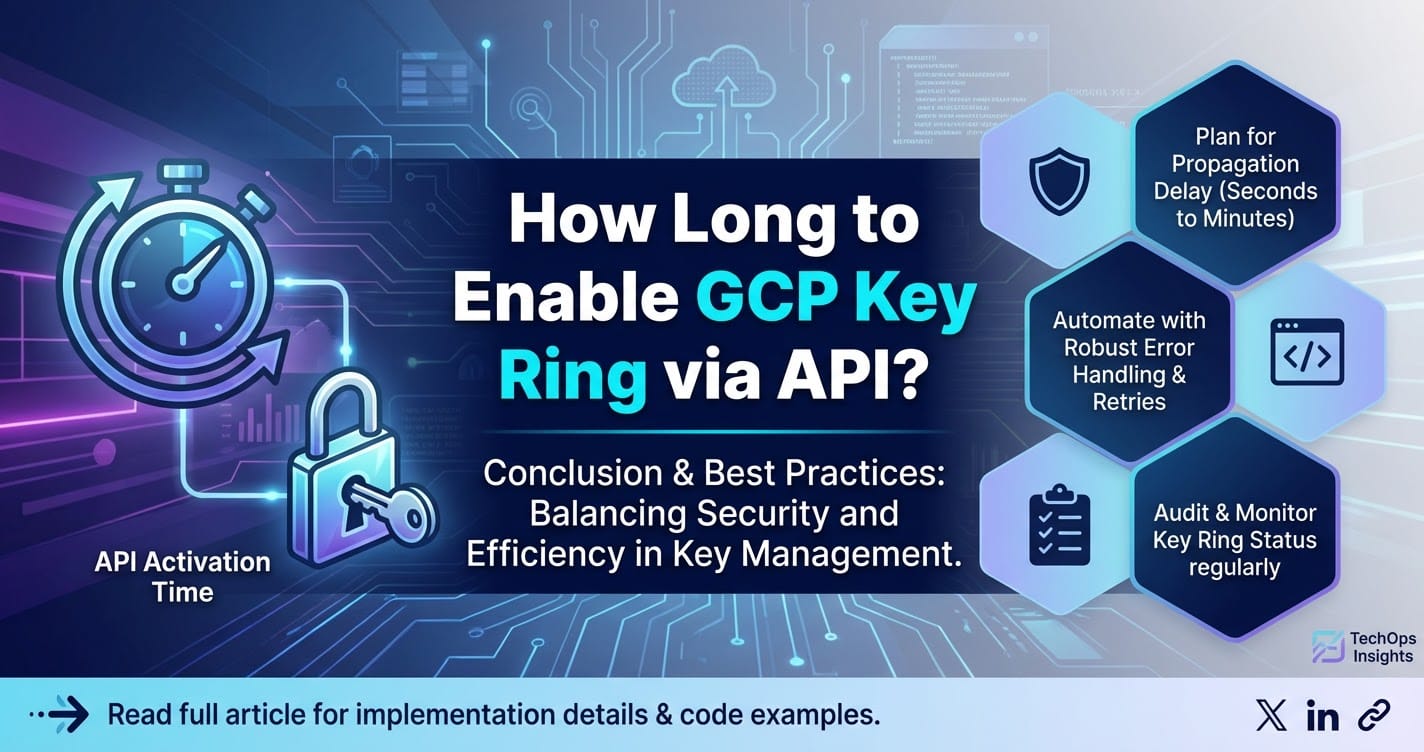
How Long to Enable GCP Key Ring via API?



In the intricate landscape of modern cloud infrastructure, security is not merely an afterthought but a foundational pillar. At the heart of a robust cloud security posture lies effective key management, a discipline that dictates how cryptographic keys are generated, stored, used, and destroyed. Google Cloud Platform (GCP) offers its Key Management Service (KMS) as a fully managed solution to help organizations secure their data with cryptographic keys. Within KMS, Key Rings serve as fundamental organizational units, providing a logical grouping for related cryptographic keys. While the visual console offers a straightforward path to create these resources, the true power of cloud management, particularly for enterprises scaling their operations or implementing Infrastructure as Code (IaC) principles, resides in the API.
Developers and system administrators frequently turn to programmatic interfaces for provisioning, configuration, and monitoring tasks. This reliance on APIs introduces a crucial question, especially in performance-sensitive environments: "How long does it take to enable a GCP Key Ring via API?" The perception of "instantaneous" for cloud resource provisioning can often mask underlying complexities and potential latencies that, while typically minimal, can become significant in large-scale automated deployments or when orchestrating dependent services. Understanding the nuances of API-driven Key Ring creation—from the moment an API request is sent to the confirmation of resource availability—is critical for designing resilient, efficient, and predictable cloud architectures.
This comprehensive exploration will delve into the technical underpinnings of GCP Key Ring creation via API, dissecting the typical lifecycle of such a request. We will examine the factors that influence the enablement time, ranging from network conditions and GCP's internal service orchestration to regional considerations and API quotas. Furthermore, we will differentiate between perceived and actual latency, offering insights into how to measure and optimize the provisioning process. By the end, readers will possess a profound understanding of what transpires behind the scenes when a Key Ring is brought to life through an API call, equipping them with the knowledge to manage their cloud cryptographic assets with greater confidence and precision. This deep dive aims to demystify the "how long" question, providing a detailed perspective invaluable for developers, security architects, and operations teams operating within the GCP ecosystem.
Understanding GCP Key Management Service (KMS) and Key Rings
Before we dissect the timing of API-driven Key Ring creation, it's essential to establish a solid understanding of what GCP KMS is and the role Key Rings play within it. GCP KMS is a cornerstone of cloud security, offering a centralized, cloud-hosted solution for managing cryptographic keys. It provides a secure and highly available mechanism to generate, store, and use encryption keys across various GCP services and even for applications running outside Google Cloud. This managed service abstracts away the complexities of underlying hardware security modules (HSMs) and ensures compliance with various regulatory standards, making it an indispensable tool for protecting sensitive data.
At its core, KMS allows users to manage different types of keys, including symmetric encryption keys (used for data at rest), asymmetric signing keys (for digital signatures), and keys specifically designed for Hybrid Transactional/Analytical Processing (HTAP) workloads. It integrates seamlessly with other GCP services, such as Cloud Storage, BigQuery, and Compute Engine, enabling customer-managed encryption keys (CMEK) to provide an additional layer of control over data encryption. With KMS, organizations can enforce strict key access policies, monitor key usage through Cloud Audit Logs, and ensure that their cryptographic assets adhere to the principle of least privilege, thereby significantly enhancing their overall security posture.
A Key Ring within GCP KMS is a logical grouping of cryptographic keys. It is not a key itself, but rather a container designed to organize keys that share a common purpose, application, or lifecycle. Imagine a digital keyring for your physical keys; similarly, a Key Ring holds multiple cryptographic keys, making it easier to manage permissions and policies across a related set of keys. Each Key Ring is associated with a specific GCP project and a specific GCP region. This regional scope is crucial, as keys within a Key Ring are physically stored and operated within that chosen region, ensuring data residency requirements are met and minimizing latency for applications running in the same region.
The primary importance of Key Rings stems from their organizational and security benefits. From an organizational perspective, they allow for clear segregation of keys. For instance, an organization might create a "production-web-app-keys" Key Ring for all keys used by its production web application, and a separate "dev-database-keys" Key Ring for keys securing development databases. This logical grouping vastly simplifies management, especially as the number of cryptographic keys grows. From a security standpoint, Key Rings enable more granular access control. Instead of assigning IAM roles to individual keys, which can become cumbersome, administrators can apply IAM policies at the Key Ring level. This means that if a developer needs access to all keys related to a specific application, they can be granted permission to the entire Key Ring, streamlining access management while maintaining security best practices. Moreover, Key Rings facilitate the enforcement of consistent key rotation policies and lifecycle management for groups of keys, ensuring that cryptographic hygiene is maintained efficiently across related assets. The creation of a Key Ring is therefore a foundational step in establishing a well-organized and secure key management strategy within GCP.
The Power of API for GCP Resource Management
While the GCP Console provides an intuitive graphical interface for creating and managing resources like Key Rings, relying solely on manual operations becomes impractical, error-prone, and inefficient as cloud environments scale in complexity and size. This is precisely where the API (Application Programming Interface) steps in, transforming resource management from a manual chore into an automated, scalable, and repeatable process. The power of API for GCP resource management, including the provisioning of Key Rings, is multifaceted and forms the backbone of modern cloud operations.
Firstly, automation stands as the most compelling advantage of using APIs. Infrastructure as Code (IaC) tools like Terraform, Pulumi, and Crossplane, along with CI/CD pipelines, leverage APIs to declaratively define, provision, and update cloud infrastructure. Instead of manually clicking through a web interface, a Key Ring's existence, location, and associated policies can be described in a version-controlled configuration file. This allows for automated deployments, ensuring consistency across development, staging, and production environments, and significantly reducing the risk of human error or configuration drift. For example, when spinning up a new application environment, an automated script can provision all necessary KMS Key Rings and keys without any manual intervention, ensuring that cryptographic assets are ready before the application even deploys.
Secondly, APIs enable scalability. Imagine an organization needing to manage hundreds or even thousands of Key Rings across multiple projects and regions. Performing these operations manually would be a gargantuan task, not only time-consuming but also highly susceptible to inconsistencies. With APIs, scripts can iterate through lists of required resources, creating or updating them in bulk with predictable outcomes. This capability is vital for large enterprises, multi-tenant architectures, or organizations that frequently provision and de-provision environments for testing or development. The ability to manage resources at scale via API ensures that key management operations can keep pace with the dynamic demands of a growing cloud footprint.
Thirdly, APIs foster repeatability and consistency. Manual processes are inherently inconsistent; even highly trained operators can make slight variations in configurations. APIs, by executing predefined code, ensure that every Key Ring created or configured follows the exact same specification every single time. This consistency is paramount for security and compliance, as it guarantees that all cryptographic assets adhere to organizational policies and regulatory requirements. It simplifies auditing and troubleshooting, as the expected state of infrastructure is programmatically defined.
Finally, APIs facilitate integration. Developers can integrate GCP KMS operations directly into custom applications, internal tools, or third-party platforms. This allows for a deeper level of control and customization than what a generic console might offer. For instance, a custom application might need to dynamically create a Key Ring and keys for a new client tenant, or an internal security dashboard might need to query the status of all Key Rings across the organization. These scenarios are only possible through programmatic interaction via API.
GCP provides various ways to interact with its APIs: * RESTful API Endpoints: Directly sending HTTP requests to Google's API endpoints. This offers the most granular control but requires careful construction of requests and parsing of responses. * Client Libraries: Google provides official client libraries for popular programming languages (Python, Java, Go, Node.js, C#, Ruby, PHP). These libraries wrap the REST API calls, abstracting away the complexities of HTTP requests, authentication, and error handling, making it much easier for developers to interact with GCP services. * gcloud CLI: While a command-line interface, gcloud essentially wraps API calls, providing a user-friendly command structure that ultimately invokes the underlying REST APIs.
Regardless of the chosen method, authentication and authorization are critical. Most API interactions leverage Service Accounts, which are special types of Google accounts used by applications or virtual machines. These service accounts are granted specific IAM roles that dictate what actions they are permitted to perform on GCP resources, such as creating Key Rings. OAuth 2.0 is used for authentication, with service account keys generating access tokens that are then used to authorize API requests. This robust authentication and authorization framework ensures that only authorized entities can perform operations, even when interacting programmatically. The shift towards API-driven management is not just a convenience; it is a fundamental paradigm shift that enables agility, security, and scalability in cloud computing.
Deconstructing the GCP Key Ring Creation API Call
To truly understand the "how long" question, we must deconstruct what happens when an API call is made to create a GCP Key Ring. This isn't just about sending a command; it's a multi-stage process involving client-server communication, internal GCP service orchestration, and resource provisioning.
The primary method for creating a Key Ring programmatically in GCP KMS is typically through the projects.locations.keyRings.create method within the KMS API. If you're using a client library, this would translate to a specific function call, for example, client.create_key_ring(...) in Python.
Let's break down the components and what they entail:
- The API Endpoint and Method:
- The KMS API is exposed via a RESTful endpoint, typically
https://cloudkms.googleapis.com. - The specific method invoked is generally a
POSTrequest to a URL pattern like:POST https://cloudkms.googleapis.com/v1/{parent=projects/*/locations/*}/keyRings?keyRingId={key_ring_id} parent: This crucial parameter specifies the GCP project and the desired region (location) where the Key Ring will reside. It follows the formatprojects/YOUR_PROJECT_ID/locations/YOUR_GCP_REGION. For instance,projects/my-gcp-project/locations/us-central1. This implicitly tells GCP where to provision the resource and which regional control plane to interact with.keyRingId: This is the unique identifier you assign to your new Key Ring within that project and location. It must be unique within the specified parent resource and adhere to naming conventions (e.g., lowercase letters, numbers, hyphens).- The request body for
createKeyRingis usually very simple, often an empty JSON object{}or one containing minimal metadata, as a Key Ring itself is primarily a container with few inherent properties beyond its name and location.
- The KMS API is exposed via a RESTful endpoint, typically
- Client-Side Preparation and Network Transmission:
- Authentication: Before the request leaves your client, an access token must be obtained. If using service accounts, this involves exchanging service account credentials (e.g., a JSON key file or environment variables pointing to an ADC) for a short-lived OAuth 2.0 access token from Google's authentication servers. This token is then included in the
Authorizationheader of your API request. This step itself introduces a small, but measurable, latency. - Request Construction: The client library or your custom code constructs the HTTP POST request, serializing the parameters and headers according to the API specification.
- Network Latency: The constructed request is then sent over the internet to the GCP API gateway. This leg of the journey is subject to standard network latency, which depends on the geographical distance between your client and Google's nearest API ingress point, the quality of your internet connection, and any intermediate network devices (proxies, firewalls).
- Authentication: Before the request leaves your client, an access token must be obtained. If using service accounts, this involves exchanging service account credentials (e.g., a JSON key file or environment variables pointing to an ADC) for a short-lived OAuth 2.0 access token from Google's authentication servers. This token is then included in the
- GCP API Gateway and Internal Processing:
- API Gateway Processing: Upon reaching Google's infrastructure, the request first hits an API gateway. This gateway performs initial validation, routing, and rate-limiting checks. It verifies the authenticity and authorization of your access token against the specified IAM policies.
- Internal Service Orchestration: Once validated, the request is routed to the internal KMS service component responsible for managing Key Rings in the specified region. This component then orchestrates the actual creation process. This involves:
- Resource Allocation: While a Key Ring is logical, its metadata (name, parent, creation timestamp, etc.) needs to be stored in GCP's highly distributed and replicated internal databases.
- Consistency Checks: The system performs checks to ensure the
keyRingIdis indeed unique within the specified parent and that all prerequisite conditions are met (e.g., the project and location exist and are active). - Metadata Updates: The new Key Ring entry is written to the KMS control plane's persistent storage, ensuring its durable existence. This involves database writes across multiple replicas for high availability and consistency.
- Event Publication: Internal events might be published to other GCP services, such as Cloud Audit Logs, indicating the successful creation of the resource.
- API Response and Client-Side Confirmation:
- Once the internal creation process is complete and the metadata is persisted, the KMS service returns an HTTP
200 OKor201 Createdstatus code along with a response body containing details of the newly created Key Ring (e.g., its full resource name). - This response travels back through the GCP API gateway and over the internet to your client.
- Your client-side code receives and processes this response, confirming the operation's success. The time taken from sending the initial request to receiving this final confirmation is what we perceive as the "enablement time."
- Once the internal creation process is complete and the metadata is persisted, the KMS service returns an HTTP
For a Key Ring, which is fundamentally a metadata construct and not a compute-intensive operation like generating complex cryptographic material for a new key version, the internal processing within GCP is remarkably efficient. The primary bottlenecks often lie in the client-side authentication, network latency, and the overhead of API gateway processing. The actual provisioning of the Key Ring itself, once the request reaches the KMS service, is typically very fast, often measured in milliseconds.
APIPark is a high-performance AI gateway that allows you to securely access the most comprehensive LLM APIs globally on the APIPark platform, including OpenAI, Anthropic, Mistral, Llama2, Google Gemini, and more.Try APIPark now! 👇👇👇
Factors Influencing Enablement Time
While creating a GCP Key Ring via API often feels instantaneous, a closer look reveals several factors that can influence the actual enablement time. These factors range from network conditions to GCP's internal service health, and understanding them is crucial for setting realistic expectations and optimizing automated workflows.
- GCP Region Selection: The choice of GCP region for your Key Ring can subtly affect latency. While Google's global network is highly optimized, there can be slight variations in the load or operational characteristics of different regional control planes. More significantly, the physical distance between your API client and the chosen GCP region's API endpoint will directly impact network latency. If your client is in Europe and you're provisioning a Key Ring in
us-central1, the round-trip time (RTT) for the API call will inherently be longer than if you were provisioning ineurope-west1. While this difference might be negligible for a single call, it can accumulate in high-volume, sequential provisioning tasks. Moreover, certain regions might experience higher demand or specific maintenance windows, potentially leading to marginal increases in processing time, though this is rare for core KMS services. - API Request Volume and Throttling: GCP APIs, including KMS, have quotas to prevent abuse and ensure fair resource allocation. These quotas define the maximum number of API requests your project or organization can make within a specific time frame (e.g., requests per second, requests per day). If your automated scripts are making a very high volume of KMS API calls concurrently or in rapid succession, you might encounter quota limits. When a quota is exceeded, GCP will throttle your requests, returning
429 Too Many Requestsor similar errors. Your client-side code would then need to implement retry mechanisms with exponential backoff, which introduces significant delays as calls are retried after increasing intervals. While Key Ring creation itself might not hit these limits frequently, aggressive creation of cryptographic keys within Key Rings could. - Network Conditions: The quality and characteristics of the network path between your API client and the GCP API endpoint are a primary determinant of latency.
- Client-Side Internet Connection: A slow, unreliable, or congested internet connection on your end will directly translate to longer API call times.
- Geographical Distance: As mentioned, greater physical distance increases RTT.
- Intermediate Network Devices: Firewalls, proxies, VPNs, and corporate network infrastructure can introduce additional hops and processing delays, adding milliseconds (or even seconds, in poorly configured scenarios) to each API call. These devices might perform deep packet inspection, TLS handshake interception, or simply add their own processing overhead.
- DNS Resolution: The time taken to resolve
cloudkms.googleapis.comto an IP address can also contribute a small fraction of the overall latency, especially if DNS servers are slow or distant.
- GCP Service Health and Load: While Google Cloud is known for its high availability and reliability, no system is entirely immune to issues. In rare circumstances, a specific GCP region or even the KMS service itself might experience elevated load, temporary outages, or internal maintenance activities. These events, though infrequent, can lead to increased API latency or even temporary failures. Monitoring the GCP Status Dashboard is crucial for identifying such system-wide issues that could impact your provisioning times.
- Authentication and Authorization Overhead: The process of authenticating your API request and verifying your permissions adds a small, but measurable, overhead.
- Token Generation: If your client needs to fetch a new OAuth 2.0 access token (e.g., from a service account key file), this involves a network round-trip to Google's authentication servers.
- IAM Policy Evaluation: GCP's Identity and Access Management (IAM) system must evaluate your service account's roles and permissions against the requested operation (
keyRings.create). This is a highly optimized process but still consumes a minimal amount of time for each request. Any misconfiguration in IAM permissions will result in an immediate403 Forbiddenerror, preventing the operation entirely rather than delaying it.
- Complexity of Operations (Indirectly Relevant): While Key Ring creation itself is a simple metadata operation, the overall "enablement" of a secure key management system often involves creating cryptographic keys within the Key Ring, defining key policies, and integrating with other services. These subsequent operations, especially key creation which involves cryptographic material generation, can take slightly longer. If your automated script creates a Key Ring and then immediately attempts to create multiple keys within it, the total time for the entire provisioning sequence will naturally be higher.
For organizations managing a vast array of APIs, including those interacting with cloud services like GCP KMS, robust API management becomes paramount. Platforms such as APIPark offer comprehensive solutions for API lifecycle management, security, and performance monitoring, ensuring that even complex cloud API integrations are streamlined and efficient. By providing unified API formats, prompt encapsulation, and detailed logging, APIPark helps developers and enterprises maintain control and visibility over their API landscape, including interactions with critical services like GCP KMS. This capability is vital for mitigating some of the API-related delays and issues discussed, by ensuring that the client-side API calls themselves are managed optimally.
In summary, while the core act of creating a Key Ring through the API is remarkably fast within GCP's internal systems, external factors like network conditions, API quotas, and the client-side setup can collectively introduce observable delays. Understanding these variables empowers developers and operators to design more resilient and performant automation strategies.
Typical vs. Worst-Case Scenarios and Measurement
When discussing "how long" an API operation takes, it's crucial to distinguish between the typical, expected performance and the rarer, but possible, worst-case scenarios. For GCP Key Ring creation via API, the typical experience is one of near-instantaneous provisioning. However, understanding the outliers and how to measure performance provides a more complete picture.
Expected Timeframe
Generally, the creation of a GCP Key Ring via API is completed within 1 to 5 seconds. In many cases, it's even faster, often around 1-2 seconds from the moment your API request is sent to the receipt of a successful response. This rapid turnaround is due to several factors: * Metadata Operation: A Key Ring is primarily a logical container. Its creation doesn't involve complex, compute-intensive cryptographic operations like generating large prime numbers or performing extensive disk I/O for key material. Instead, it largely involves updating metadata within GCP's distributed database systems. * Optimized Control Plane: GCP's control plane for services like KMS is designed for low latency and high throughput. It's purpose-built to handle a massive volume of resource creation and management requests efficiently. * Eventual Consistency: While the API confirms success quickly, the internal replication of this metadata across all underlying systems for full eventual consistency might take slightly longer, but this process happens asynchronously in the background and doesn't block the API response.
What if it takes longer? Troubleshooting Steps
While 1-5 seconds is typical, if you observe Key Ring creation times consistently exceeding this, especially moving into the tens of seconds or even minutes, it warrants investigation. Here are common troubleshooting steps:
- Check API Response for Errors: The first place to look is the API response itself. Is it a
200 OKor201 Created? Or are you getting an error code like403 Forbidden(permission issue),429 Too Many Requests(quota limit),5xx(server-side error), or a network-related error? The error message often provides direct clues. - Review GCP Logs (Cloud Audit Logs): Every administrative activity in GCP, including Key Ring creation, is logged in Cloud Audit Logs. You can filter logs for
cloudkms.googleapis.com/KeyRingService.CreateKeyRingoperations within your project. The logs will show the exact timestamp of the request and its completion status. Look for any errors or warnings associated with the operation. - Verify IAM Permissions: Ensure the service account or user making the API call has the necessary IAM permissions, specifically
cloudkms.adminor a custom role withcloudkms.keyRings.createpermission at the project or folder level. Incorrect permissions will result in a403 Forbiddenerror, preventing creation. - Check Network Conditions:
- Perform a
pingortraceroutetocloudkms.googleapis.comto check network latency from your client. - Temporarily bypass any local proxies or VPNs if possible, to see if they are introducing delays.
- Test the API call from a different network or a GCP Compute Engine instance in the same region as the Key Ring to isolate network issues.
- Perform a
- GCP Status Dashboard: Consult the GCP Status Dashboard to check for any reported outages or performance degradation in the KMS service or the specific region you are targeting.
- Idempotency and Retries: If transient network issues or temporary service glitches cause an API call to fail, robust automation scripts should implement retry mechanisms, ideally with exponential backoff. Key Ring creation operations are idempotent: if you try to create a Key Ring with the same
keyRingIdin the same location multiple times, the first successful attempt will create it, and subsequent attempts will either return the existing resource or a409 Conflicterror (indicating it already exists), without creating a duplicate. This property simplifies retry logic.
How to Measure
Accurate measurement helps in baselining performance and identifying deviations.
- Client-Side Timers: The most straightforward way is to measure the elapsed time in your client-side code:
python import time # ... setup KMS client ... start_time = time.time() # Call client.create_key_ring(...) # ... handle response ... end_time = time.time() elapsed_time = end_time - start_time print(f"Key Ring creation took {elapsed_time:.2f} seconds.")This measures the full round-trip time, including client-side setup, network, and GCP processing. - Cloud Monitoring and Cloud Trace: For more sophisticated environments, GCP's native monitoring tools provide deeper insights:
- Cloud Monitoring: You can monitor API call latencies for
cloudkms.googleapis.comthrough Cloud Monitoring. Metrics likeserviceruntime.googleapis.com/api/request_latenciescan be filtered by method (CreateKeyRing) to observe average and percentile latencies over time. - Cloud Trace: For individual requests, Cloud Trace provides a detailed timeline of how an API call is processed within Google's infrastructure, showing the time spent at various stages (API gateway, internal service components). This is incredibly useful for pinpointing where latency is introduced.
- Cloud Monitoring: You can monitor API call latencies for
Illustrative Latency Comparison Table
To put the Key Ring creation time into perspective, it's helpful to compare it with other common KMS operations. This demonstrates that Key Ring creation is generally one of the faster provisioning tasks.
| KMS Operation | Typical Latency Range (API) | Notes |
|---|---|---|
| Create Key Ring | 1-5 seconds | Primarily metadata creation, highly efficient. |
| Create Cryptographic Key | 2-10 seconds | Involves key material generation (potentially complex) and storage, might be slightly longer than Key Ring. |
| Encrypt/Decrypt (small data) | <100ms | Real-time cryptographic operations, optimized for very low latency for high-volume data processing. |
| Rotate Key | 5-15 seconds | Involves creating new key versions and updating internal pointers; doesn't immediately destroy old version. |
| Destroy Key Version | Seconds to minutes (scheduled) | Initiates a destruction schedule; API confirms success quickly, but physical deletion occurs after a grace period. |
This table clearly illustrates that while Key Ring creation is not strictly "zero-second," it is designed to be a very fast operation within the KMS ecosystem, significantly quicker than operations involving actual cryptographic transformations or key material generation. The bulk of any observed delay is likely attributable to factors outside of GCP's immediate internal processing of the Key Ring metadata.
Best Practices for Automating Key Ring Management
Automating the management of GCP Key Rings via API is not just about writing a script; it's about establishing a robust, secure, and efficient pipeline that adheres to best practices. This ensures not only speed but also compliance, reliability, and maintainability of your cryptographic infrastructure.
1. Leverage Infrastructure as Code (IaC)
The single most impactful best practice for API-driven Key Ring management is to embrace Infrastructure as Code (IaC). Tools like Terraform, Pulumi, or GCP's native Deployment Manager allow you to define your Key Rings and other KMS resources declaratively.
- Declarative Management: Instead of writing imperative scripts that dictate how to create a Key Ring, IaC describes what the desired state of your infrastructure should be. The IaC tool then figures out the necessary API calls to achieve that state.
- Version Control: IaC configurations are stored in version control systems (e.g., Git). This provides an audit trail of all changes, allows for peer review, and enables easy rollback to previous states if issues arise.
- Consistency Across Environments: Define your Key Rings once, and deploy them consistently across development, staging, and production environments with minor parameter variations. This eliminates configuration drift and ensures a standardized security posture.
- Dependency Management: IaC tools can manage dependencies between resources. For example, ensuring a Key Ring is provisioned before any cryptographic keys attempt to associate with it.
2. Implement Robust Error Handling and Retries
API interactions are inherently prone to transient errors, such as network glitches, temporary service unavailability, or quota limits. Your automation scripts must be resilient.
- Identify Transient Errors: Differentiate between permanent errors (e.g.,
403 Forbiddendue to insufficient permissions) and transient errors (e.g.,5xxserver errors,429 Too Many Requests). - Exponential Backoff for Retries: For transient errors, implement an exponential backoff strategy. This involves retrying the API call after progressively longer delays (e.g., 1s, 2s, 4s, 8s, up to a maximum number of retries). This prevents overwhelming the API with immediate retries and increases the chance of success as the underlying issue resolves.
- Comprehensive Logging: Log all API call failures, including the error code, message, and timestamp. This is crucial for debugging and post-mortem analysis. Integrate with GCP Cloud Logging for centralized log management.
3. Adhere to the Principle of Least Privilege for IAM
Security is paramount when managing cryptographic assets. Ensure that the entities (typically service accounts) making API calls to create and manage Key Rings have only the minimum necessary permissions.
- Specific IAM Roles: Instead of granting overly broad roles like
OwnerorEditor, use granular roles. For Key Ring creation, theroles/cloudkms.adminrole at the project or folder level provides permissions for managing Key Rings and keys. If more fine-grained control is needed, create a custom IAM role that specifically includescloudkms.keyRings.createand any other required permissions. - Dedicated Service Accounts: Use dedicated service accounts for specific automation tasks (e.g.,
kms-provisioner@your-project-id.iam.gserviceaccount.com). This improves auditability and limits the blast radius if a service account is compromised. - Short-Lived Credentials: If you must use service account keys, protect them rigorously. Better yet, leverage mechanisms like Workload Identity Federation or managed instance service accounts for Compute Engine/GKE to avoid managing raw key files.
4. Implement Comprehensive Monitoring and Alerting
Proactive monitoring of your KMS infrastructure and API interactions is critical for identifying issues before they impact operations.
- Monitor API Latency and Errors: Use GCP Cloud Monitoring to create dashboards that track
serviceruntime.googleapis.com/api/request_latenciesandserviceruntime.googleapis.com/api/request_countforcloudkms.googleapis.comservice. Filter by method (CreateKeyRing) and track error rates. - Set Up Alerts: Configure alerts in Cloud Monitoring to notify you (via email, PagerDuty, Slack, etc.) if:
- Key Ring creation API calls start failing consistently.
- API latency for KMS operations exceeds predefined thresholds.
- KMS API quota usage approaches its limits.
- Audit Log Monitoring: Monitor Cloud Audit Logs for unexpected or unauthorized Key Ring creation or modification activities.
5. Develop a Strategic Regional Deployment Plan
Consider your Key Ring deployment strategy across different GCP regions.
- Data Residency: Ensure Key Rings are created in regions that satisfy data residency requirements for your data.
- Application Proximity: Place Key Rings in the same regions as the applications that will use the keys within them to minimize latency for encryption/decryption operations.
- Disaster Recovery (DR): For critical applications, design a multi-region strategy. This might involve replicating data and keys across different regions, though KMS Key Rings themselves are regional resources and not globally replicated. You would typically create separate Key Rings in each region for DR purposes.
By integrating these best practices into your automated Key Ring management workflows, organizations can ensure that their cryptographic infrastructure is not only provisioned efficiently but also securely, compliantly, and resiliently. The power of API, when harnessed with a thoughtful strategy, transforms key management from a potential bottleneck into a robust enabler of cloud security.
Conclusion
The question "How long to enable GCP Key Ring via API?" ultimately points to a fundamental aspect of cloud infrastructure automation: understanding the true performance characteristics of programmatic resource provisioning. As we've thoroughly explored, the act of creating a GCP Key Ring through an API call is, in most typical scenarios, a remarkably swift operation, generally completing within 1 to 5 seconds. This speed is primarily attributable to the fact that a Key Ring is a logical, metadata-driven construct within GCP's highly optimized and distributed Key Management Service, rather than a resource requiring extensive physical provisioning or complex cryptographic computations.
However, the journey from an API request leaving your client to a confirmed success response is influenced by a confluence of factors. Network latency, geographical distance to the chosen GCP region, potential API throttling due to high request volumes, the health and load of GCP services, and the overhead of authentication and authorization all play a role in shaping the observed enablement time. While the internal processing within GCP for a Key Ring creation is near-instantaneous, these external and environmental variables can introduce measurable delays.
For developers and operations teams committed to building robust and scalable cloud environments, understanding these nuances is invaluable. It enables the design of more resilient automation scripts that incorporate proper error handling, exponential backoff for retries, and accurate performance measurement. Leveraging Infrastructure as Code principles, adhering strictly to the principle of least privilege in IAM, and implementing comprehensive monitoring and alerting mechanisms are not merely good practices but essential components of an effective API-driven key management strategy. Moreover, for those managing a complex ecosystem of APIs across various cloud services and applications, dedicated API management platforms can significantly streamline these interactions, ensuring both efficiency and security in the orchestration of critical cloud resources.
In essence, while the technical answer to "how long" is "usually a few seconds," the deeper understanding reveals a landscape where precise timing is less about the inherent complexity of the Key Ring itself and more about the intricate dance between client, network, and cloud services. By mastering this interaction, organizations can confidently manage their cryptographic assets programmatically, securing their data and fortifying their presence in the cloud. Continuous vigilance, informed by data and best practices, remains the cornerstone of maintaining a strong security posture in the ever-evolving digital frontier.
Frequently Asked Questions (FAQ)
1. Is Key Ring creation via API always instantaneous in GCP? No, while Key Ring creation is typically very fast (1-5 seconds), it's not strictly instantaneous. The actual time depends on several factors, including network latency between your client and GCP, current API load, and the specific GCP region chosen. The core operation within GCP is rapid, but external variables can introduce minor delays.
2. What are the most common reasons for delays when creating a Key Ring via API? The most common reasons for delays include client-side network issues (slow internet, firewalls, VPNs), geographical distance to the GCP region, Google Cloud's API quota limits (leading to throttling and retries), and, in rare cases, elevated load or temporary issues within the GCP Key Management Service itself.
3. Can I create a Key Ring across multiple regions with a single API call? No, a GCP Key Ring is a regional resource. You must specify a single GCP region (e.g., us-central1 or europe-west1) when creating a Key Ring. If you need Key Rings in multiple regions for disaster recovery or data residency, you must make a separate API call for each region.
4. What IAM permissions are needed to create a Key Ring via API? To create a Key Ring via API, the service account or user making the call typically needs the cloudkms.admin role at the project or folder level. Alternatively, a custom IAM role with the specific cloudkms.keyRings.create permission granted would suffice, adhering to the principle of least privilege.
5. How does APIPark relate to managing GCP API calls for resources like Key Rings? APIPark is an open-source AI gateway and API management platform that helps organizations manage, integrate, and deploy various APIs. While it doesn't directly provision GCP Key Rings, it can play a crucial role in managing the API calls you make to GCP. For instance, if your internal applications or automation tools are orchestrating numerous cloud API calls (including those for KMS), APIPark can provide centralized management, unified API formats, performance monitoring, and detailed logging for these interactions, ensuring your API workflows are efficient, secure, and observable.
🚀You can securely and efficiently call the OpenAI API on APIPark in just two steps:
Step 1: Deploy the APIPark AI gateway in 5 minutes.
APIPark is developed based on Golang, offering strong product performance and low development and maintenance costs. You can deploy APIPark with a single command line.
curl -sSO https://download.apipark.com/install/quick-start.sh; bash quick-start.sh

In my experience, you can see the successful deployment interface within 5 to 10 minutes. Then, you can log in to APIPark using your account.

Step 2: Call the OpenAI API.