How to Access Arguments Passed to Helm Upgrade
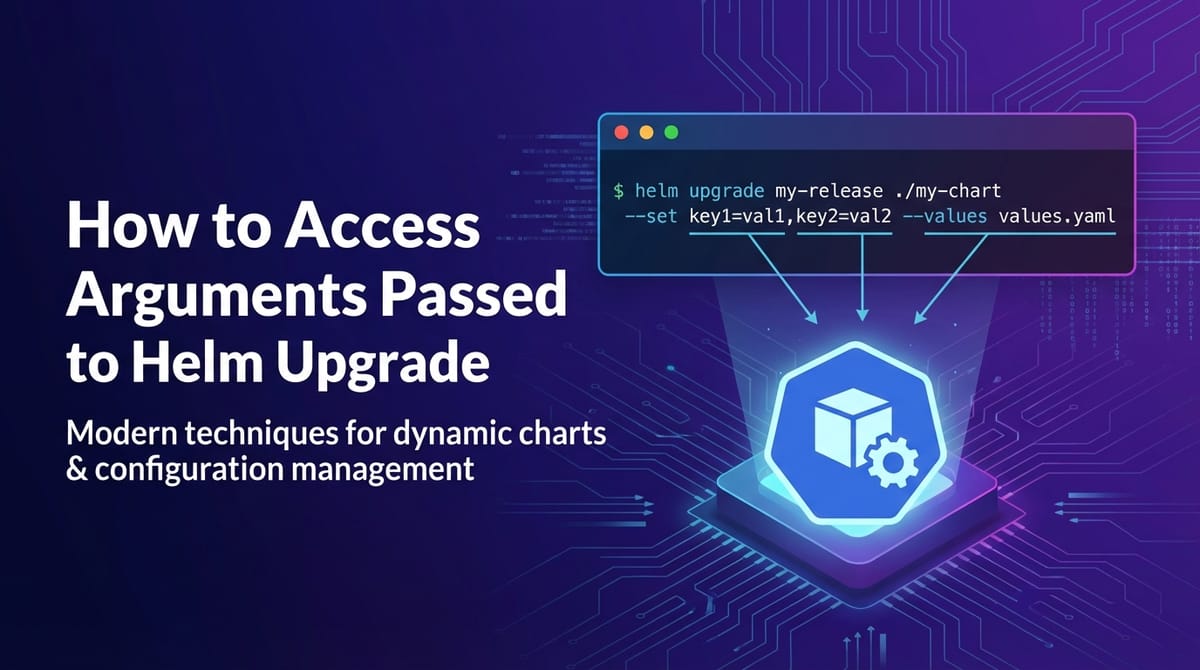


This article dives deep into the intricate process of understanding and accessing the arguments passed during a helm upgrade operation. While Helm is a powerful package manager for Kubernetes, providing robust capabilities for deploying and managing applications, the ephemeral nature of command-line arguments can sometimes pose challenges for auditing, debugging, and maintaining consistency. This comprehensive guide will explore various strategies, from inspecting Helm's release history to leveraging version control and CI/CD pipelines, ensuring you gain a profound understanding of your deployed configurations. We will also touch upon best practices for managing these arguments and naturally integrate the concept of an API gateway within the Helm ecosystem, highlighting how powerful platforms like APIPark can be effectively managed with these techniques.
Navigating the Helm Ecosystem: Understanding helm upgrade and its Configuration Footprint
Helm has become an indispensable tool in the Kubernetes landscape, simplifying the deployment and management of applications. It acts as a package manager, allowing developers and operators to define, install, and upgrade even the most complex Kubernetes applications using charts – curated bundles of pre-configured Kubernetes resources. A cornerstone of Helm's utility is the helm upgrade command, which enables the seamless evolution of applications by applying new versions of charts or updated configurations to existing releases without downtime. This command is pivotal for continuous deployment strategies, facilitating everything from minor patch updates to significant architectural overhauls.
However, the power of helm upgrade comes with its own set of challenges, particularly when it comes to understanding and auditing the precise arguments that were passed during an upgrade operation. Unlike persistent configuration files stored on a file system, command-line arguments are transient by nature. Once the helm upgrade command is executed, the raw command-line arguments themselves are typically not stored directly within the Kubernetes cluster or within Helm's release metadata in an easily retrievable format. Instead, Helm processes these arguments, merges them with default chart values and any specified value files, and then renders the final Kubernetes manifests, which are subsequently applied to the cluster. This transformation means that while the effect of the arguments is visible in the deployed resources, the original input can be elusive.
The need to access or infer these arguments arises from several critical operational and development scenarios. For instance, imagine a situation where a deployed application exhibits unexpected behavior after an upgrade. To diagnose the issue, an engineer might need to verify the exact configuration parameters that were applied. Was a specific feature flag enabled? Was a resource limit incorrectly set? Without knowing the arguments passed to helm upgrade, tracing back the root cause can become a time-consuming and frustrating endeavor. Similarly, for auditing and compliance purposes, organizations often require a clear record of all configuration changes and the rationale behind them. Reproducing a specific environment or troubleshooting a problem in a development setup also necessitates knowing the precise arguments used to configure the production or staging environment.
This guide will dissect the mechanisms Helm uses to manage configurations and explore practical, real-world strategies to effectively access, infer, or reconstruct the arguments that underpinned a helm upgrade operation. We will move beyond simply inspecting the final state of Kubernetes resources to understand how to recover the intent behind the deployment, ensuring greater control, transparency, and maintainability of your Kubernetes-managed applications. By mastering these techniques, you can transform the challenge of ephemeral arguments into a manageable aspect of your Helm-driven deployment workflow, contributing to a more robust and predictable infrastructure.
The Foundations of helm upgrade: A Deep Dive into Configuration Inputs
Before we can effectively discuss how to access arguments passed to helm upgrade, it's crucial to thoroughly understand how Helm processes and consumes configuration data. The helm upgrade command is designed to be highly flexible, allowing users to define and override chart values through various mechanisms. These inputs are not simply strung together; Helm employs a specific hierarchy and merging strategy to arrive at the final set of values that dictate the rendered Kubernetes manifests. Grasping this hierarchy is fundamental to comprehending where to look for clues about the original arguments.
At its core, helm upgrade modifies an existing release. A Helm release is a single instance of a chart deployed to a Kubernetes cluster. When you run helm upgrade <RELEASE_NAME> <CHART_PATH_OR_NAME>, Helm retrieves the previous release's configuration, processes any new inputs, and applies the resulting changes.
The primary ways to pass arguments and configuration values to helm upgrade include:
- Chart's Default
values.yaml: Every Helm chart typically contains avalues.yamlfile that defines the default configuration parameters for the application. These defaults serve as the baseline for any deployment. If no other values are provided, these are the ones Helm will use. This file is part of the chart package itself. - Explicit Value Files via
--values(or-f): One of the most common and recommended ways to manage environment-specific or customized configurations is through external YAML files. You can specify one or more such files using the--valuesflag:bash helm upgrade my-app my-chart --values production-values.yaml --values overrides.yamlHelm will merge these files from left to right, with later files overriding values defined in earlier ones. This allows for a layered approach, whereproduction-values.yamlmight contain general production settings, andoverrides.yamlmight contain specific adjustments for a particular deployment instance. These files are external to the chart and are typically managed in version control alongside your deployment scripts. - Individual Value Overrides via
--set: For quick, ad-hoc, or small-scale overrides, the--setflag is invaluable. It allows you to specify individual key-value pairs directly on the command line:bash helm upgrade my-app my-chart --set service.port=8080 --set image.tag=v1.2.3The--setflag uses a dot notation for nested values. For instance,service.portrefers to theportkey within theservicesection of yourvalues.yaml. This is a powerful, albeit sometimes verbose, way to make precise adjustments. However, it's generally discouraged for large sets of values due to readability and maintainability concerns, especially in automated scripts. - Specialized
--setVariants:--set-string: This flag is used when you need to ensure a value is treated as a string, even if it looks like a number or a boolean. For example, if an environment variable should strictly be "007" rather than interpreted as the number 7.bash helm upgrade my-app my-chart --set-string agent.id="007"--set-json: For passing complex JSON structures directly as a value.bash helm upgrade my-app my-chart --set-json 'config.features={"featureA":true,"featureB":false}'--set-file: Allows you to set a value from the content of a file, useful for large blocks of text like certificates or configuration files.bash helm upgrade my-app my-chart --set-file config.data=./my-config.txt
- Reusing Previous Values via
--reuse-values: When performing anhelm upgrade, if you don't explicitly provide new values via--valuesor--set, Helm, by default, will use the values from the previous successful release. The--reuse-valuesflag explicitly reinforces this behavior, ensuring that if you're only changing the chart version but not the configuration, the existing configuration is preserved. This is a common practice when simply rolling out a new version of the application without altering its setup. - Resetting Values via
--reset-values: Conversely,--reset-valuesinstructs Helm to ignore the values from the previous release and instead use only the values provided in the current command (via--values,--set, etc.) along with the chart's defaults. This effectively "resets" the configuration to a new baseline, which can be useful for starting fresh or for specific migration scenarios.
Helm's Value Merging Strategy
Understanding the order of precedence in which Helm applies these values is crucial:
- Values defined in the chart's
values.yamlare the lowest precedence. - Values from files specified with
--valuestake precedence overvalues.yaml(later files override earlier ones). - Values set directly with
--set(and its variants) take the highest precedence, overriding anything defined invalues.yamlor--valuesfiles. - The
--reuse-valuesand--reset-valuesflags modify how the previous release's values are incorporated into this hierarchy.--reuse-valuesessentially makes the previous release's values act like a--valuesfile with higher precedence than the chart's defaults but lower than any new--valuesor--set.--reset-valuescompletely omits the previous release's values from the merge process.
This intricate system ensures that operators have granular control over their deployments. However, it also means that the final deployed configuration is a composite of potentially many inputs, making the original helm upgrade command's arguments a critical piece of the puzzle for complete transparency. The following sections will detail how to piece together this puzzle despite the ephemeral nature of the command-line inputs.
The Elusive Nature of helm upgrade Arguments: Why Direct Access is Challenging
The immediate challenge in accessing arguments passed to helm upgrade stems from a fundamental design principle: Helm acts as a rendering and deployment engine, not a persistent command logger. When you execute helm upgrade, the command-line interface (CLI) client performs several key actions:
- Retrieves Chart: It fetches the specified Helm chart (from a local path, a repository, or a URL).
- Gathers Values: It collects all configuration values from the chart's
values.yaml, any--valuesfiles, and--setflags, and merges them according to Helm's precedence rules. It also considers the values from the previous release, depending on--reuse-valuesor--reset-values. - Renders Templates: Using the combined values, it renders the Go templates within the chart into raw Kubernetes YAML manifests. This is the stage where placeholders like
.Values.image.tagare replaced with their actual computed values. - Applies Manifests: The rendered manifests are then sent to the Kubernetes API server for application or update.
- Records Release State: Finally, Helm records the state of the release in its internal storage (typically a Kubernetes Secret or ConfigMap within the cluster), including the final computed values that were used to render the manifests, but not the original command-line arguments themselves.
This last point is crucial. Helm stores the outcome of the configuration process, not the inputs that led to that outcome. The exact string of --set flags or the paths to the --values files are consumed during the CLI execution and are not directly persisted as part of the release record. The rationale behind this design choice is efficiency and focus. Helm's primary role is to manage the lifecycle of applications on Kubernetes, and storing every single command-line permutation for every upgrade could introduce significant overhead and complexity without directly serving the core function of deployment management.
Consider an analogy: when you compile a program, the compiler takes source code files and command-line flags (like optimization levels or include paths). After compilation, you get an executable binary. The executable contains the result of the compilation (the machine code), but it doesn't embed the original compiler flags or the paths to the source files that were used to build it. To know those, you'd typically look at the build script or the version control system where the source code and build instructions are stored.
Similarly, within the Kubernetes cluster, the resources created or updated by Helm (Deployments, Services, ConfigMaps, Secrets, etc.) reflect the final state dictated by the merged values. You can inspect these resources to see the effective configuration (e.g., the image tag in a Deployment, the content of a ConfigMap). However, you cannot directly query a Kubernetes resource or a Helm release object to retrieve the exact helm upgrade command string that brought it into existence.
This "ephemeral input" characteristic necessitates indirect approaches to reconstruct or infer the arguments. We must look for evidence in various places: Helm's release history (which provides computed values), external version control systems, CI/CD pipeline logs, and the deployed Kubernetes resources themselves. The subsequent sections will meticulously detail these strategies, transforming the challenge of transient arguments into a solvable problem through systematic investigation and robust operational practices.
Method 1: Inspecting Helm Release History – Peeking at the Computed Values
While Helm doesn't directly store the helm upgrade command-line arguments, it does keep a detailed history of each release, including the final, merged values that were used for each revision. This history is an invaluable resource for understanding the configuration applied during an upgrade, even if it doesn't give you the exact --set flags.
Helm stores its release information, including chart metadata, status, and the values used for rendering, in Kubernetes Secrets or ConfigMaps within the namespace where Helm is deployed (or the namespace of the release if Helm v2's Tiller was used, or the namespace of the release for Helm v3). Each upgrade creates a new revision of the release, with the previous revisions preserved for rollbacks and auditing.
Using helm history
The helm history command provides a high-level overview of all past revisions for a given release:
helm history <RELEASE_NAME> --namespace <NAMESPACE>
Example Output:
REVISION    UPDATED                     STATUS      CHART               APP VERSION DESCRIPTION
1           Mon Jan  1 10:00:00 2023    superseded  my-chart-0.1.0      1.0.0       Install complete
2           Tue Jan  2 11:00:00 2023    superseded  my-chart-0.1.1      1.0.1       Upgrade complete
3           Wed Jan  3 12:00:00 2023    deployed    my-chart-0.1.1      1.0.1       Upgrade complete
This output tells you when each revision occurred, its status, and the chart version used. The DESCRIPTION field often provides clues if a descriptive message was passed with --description. While useful, helm history doesn't directly show values.
Using helm get values
The helm get values command is your primary tool for retrieving the merged configuration values for a specific release revision. This command fetches the values stored by Helm for a particular release revision after all merges (defaults, --values files, --set flags) have been applied.
helm get values <RELEASE_NAME> --namespace <NAMESPACE> [--revision <REVISION_NUMBER>] [-a]
- If you omit
--revision, it defaults to the currently deployed revision. - The
-a(or--all) flag is particularly useful as it shows all values, including those that were explicitly set and those that came from the chart'svalues.yamlor previous releases. Without-a, it only shows values that differ from the chart's defaultvalues.yamlfor that specific chart version.
Example:
Let's say your my-chart has a default values.yaml like this:
image:
  repository: nginx
  tag: latest
service:
  port: 80
And you performed an upgrade like this:
helm upgrade my-app my-chart --namespace dev --set image.tag=v1.2.3 --values custom-ports.yaml
Where custom-ports.yaml contains:
service:
  port: 8080
If you then run helm get values my-app --namespace dev -a:
image:
  repository: nginx
  tag: v1.2.3
service:
  port: 8080
This output precisely reflects the merged values. You can deduce that image.tag was explicitly overridden to v1.2.3 and service.port to 8080. The image.repository value comes from the chart's default values.yaml because it wasn't overridden.
Limitations of helm get values:
- Computed Values, Not Raw Arguments: The most significant limitation is that
helm get valuesshows you the final computed values after Helm's merging logic. It does not tell you whether a specific value came from--set, a--valuesfile, or the chart's defaultvalues.yaml. For example, if you runhelm upgrade my-app my-chart --set image.tag=v1.2.3,helm get valueswill showimage.tag: v1.2.3. If you instead usedhelm upgrade my-app my-chart --values my-image-tag.yamlwheremy-image-tag.yamlcontainsimage.tag: v1.2.3,helm get valueswill show the exact same output. You can't distinguish the origin of the override from this output alone. - No Command String: This command does not provide the actual
helm upgradecommand string that was executed. - Encapsulated Secrets: If values were supplied as Kubernetes Secrets,
helm get valueswill usually show the name of the Secret or a reference to it, but not its sensitive content (unless you're operating with extreme privileges and specifically targeting the raw Secret data, which is generally discouraged for security reasons).
Despite these limitations, helm get values is an indispensable first step. It gives you the "what" of the configuration, which is often sufficient for basic troubleshooting or verification. When coupled with knowledge of the chart's default values.yaml and a good understanding of your project's values file management (e.g., in version control), you can often infer the original arguments with reasonable accuracy.
Using helm get manifest
To see the actual Kubernetes resources that Helm rendered and applied, you can use helm get manifest:
helm get manifest <RELEASE_NAME> --namespace <NAMESPACE> [--revision <REVISION_NUMBER>]
This command outputs the full YAML manifests that were sent to the Kubernetes API server for a particular release revision. By examining these manifests, you can confirm the exact state of your deployments, services, config maps, etc., including any values that were injected into them. This is useful for:
- Verifying resource creation: Ensure all expected resources were created.
- Inspecting specific settings: Check environment variables, resource limits, image tags, or other configuration specifics directly in the deployed resources.
- Debugging template issues: If
helm get valuesshows correct values but the deployed resources look wrong,helm get manifesthelps you see what Helm actually rendered.
Example: If image.tag was set to v1.2.3, you would expect to see image: my-repo/my-app:v1.2.3 within the spec.template.spec.containers section of a Deployment resource in the helm get manifest output.
Combining helm get values and helm get manifest provides a comprehensive view of the resulting configuration and its application within the cluster. However, to truly "access" the arguments, we often need to look outside the live cluster environment.
Method 2: Version Control for Value Files – The Definitive Source of Truth
The most robust and reliable method for understanding the arguments passed to helm upgrade lies outside the Kubernetes cluster itself: version control systems. By integrating your Helm value files and deployment scripts into a system like Git, you create an immutable, auditable, and easily accessible record of every configuration change. This approach adheres to the principles of GitOps, where Git repositories become the single source of truth for declarative infrastructure and applications.
The Power of Git for Helm Configurations
When you use Helm, you typically manage configurations in a few key locations: 1. Chart values.yaml: This file lives within the Helm chart itself. If you're using public charts, these are often maintained upstream. If you're building custom charts, your chart's values.yaml should be version-controlled alongside the chart templates. 2. Environment-Specific Value Files: These are external YAML files (--values production-values.yaml, staging-overrides.yaml) that contain settings specific to different environments or deployment scenarios. These files are critical to version control. 3. Deployment Scripts: Any shell scripts, CI/CD pipeline definitions, or automation playbooks that execute the helm upgrade command. These scripts specify which --values files are used and which --set arguments are provided. These scripts must also be version-controlled.
By placing all these components under version control (e.g., in a Git repository), you gain several profound advantages:
- Historical Record: Every commit in Git represents a point in time where the configuration was modified. You can easily view the exact content of any
values.yamlfile or deployment script at any past state. - Auditability: Who made what change, when, and why (via commit messages)? This is invaluable for compliance, security audits, and understanding the evolution of your infrastructure.
- Reproducibility: To recreate an environment or debug an issue, you can simply check out the specific commit that represents that configuration and run the associated
helm upgradecommand. This ensures consistency and eliminates "it worked on my machine" scenarios. - Collaboration: Teams can work together on configurations, using standard Git workflows (branches, pull requests, code reviews) to manage changes and ensure quality.
- Rollback Capability: If an upgrade introduces problems, you can quickly revert to a previous working configuration by checking out an older commit and performing another
helm upgrade.
Best Practices for Version-Controlling Helm Arguments
To maximize the benefits of version control, consider the following best practices:
- Dedicated Configuration Repository: Maintain a separate Git repository (or a well-defined structure within a larger monorepo) specifically for your Helm charts, value files, and deployment scripts. This separation keeps configuration concerns distinct from application source code, although in a true GitOps model, both are often linked.
- Avoid Excessive
--seton the Command Line: While--setis convenient for quick tests, it should be minimized in production deployment scripts. Instead, prefer--valuesfiles. This keeps your configuration declarative and makes the intent clearer, as all changes are contained within version-controlled files rather than ephemeral command-line arguments in CI logs. If--setmust be used (e.g., for dynamically generated, non-sensitive values like a build ID), ensure the full command is logged by your CI/CD system. - Sensitive Information Handling: Never commit sensitive information (passwords, API keys, certificates) directly into Git, even if the repository is private. Use Kubernetes Secrets, external Secret management systems (like HashiCorp Vault), or Helm's own
secretsplugin. Helm charts can refer to existing Secrets, or values can be injected at runtime from a Secret manager. The reference to the secret (e.g.,secretName: my-api-key-secret) is what gets version-controlled, not the secret content itself. - Leverage Git History Commands:
git log: To see who committed what and when.git blame <file>: To see who last modified each line in a file.git diff <commit1> <commit2> <file>: To see the exact changes between two versions of a value file. This is immensely powerful for auditing configuration changes.
Clear File Naming and Structure: Organize your value files logically. A common pattern is: . ├── charts/ │ └── my-app/ │ └── values.yaml # Default chart values ├── environments/ │ ├── dev/ │ │ └── my-app-values.yaml │ ├── staging/ │ │ └── my-app-values.yaml │ └── prod/ │ └── my-app-values.yaml └── deploy/ ├── dev-deploy.sh ├── staging-deploy.sh └── prod-deploy.sh Or, if using an overlay pattern (which is very common with Helm): . ├── base-values.yaml # Common values across environments ├── environments/ │ ├── dev/ │ │ └── values.yaml # Dev-specific overrides │ ├── staging/ │ │ └── values.yaml # Staging-specific overrides │ └── prod/ │ └── values.yaml # Prod-specific overrides └── scripts/ └── deploy.sh # A generic script that takes env as argument The deploy.sh script might look something like this: ```bash #!/bin/bash ENV=$1 RELEASE_NAME="my-app-${ENV}" NAMESPACE="${ENV}" CHART_PATH="./charts/my-app"
Merge base values with environment-specific overrides
helm upgrade "$RELEASE_NAME" "$CHART_PATH" \ --install \ --namespace "$NAMESPACE" \ --values base-values.yaml \ --values "environments/${ENV}/values.yaml" `` In this setup,git diffonenvironments/prod/values.yaml` provides a direct insight into configuration changes for production.
Example: Using Git to Track helm upgrade Arguments
Let's assume you have a Git repository for your deployment configurations.
Initial Commit (First Deployment): environments/prod/values.yaml:
replicaCount: 3
image:
  tag: v1.0.0
Deployment script: helm upgrade my-app ./charts/my-app --values environments/prod/values.yaml
Second Commit (Upgrade): You change environments/prod/values.yaml:
replicaCount: 5
image:
  tag: v1.1.0
featureFlags:
  newFeature: true
And then run: helm upgrade my-app ./charts/my-app --values environments/prod/values.yaml
Now, to understand what arguments were "passed" for the upgrade that resulted in v1.1.0, you simply examine the git diff for environments/prod/values.yaml between the two commits. This clearly shows that replicaCount changed from 3 to 5, image.tag from v1.0.0 to v1.1.0, and featureFlags.newFeature was added as true.
This method provides the most comprehensive and auditable record. While helm get values shows you the resultant configuration on the cluster, version control shows you the source inputs that generated that configuration, including the exact value files and even the command that was intended to be run if your CI/CD scripts are also version controlled. For any serious production environment, version control of Helm configurations is non-negotiable.
APIPark is a high-performance AI gateway that allows you to securely access the most comprehensive LLM APIs globally on the APIPark platform, including OpenAI, Anthropic, Mistral, Llama2, Google Gemini, and more.Try APIPark now! 👇👇👇
Method 3: CI/CD Pipelines as the Definitive Source of Truth
In modern development and operations, CI/CD (Continuous Integration/Continuous Deployment) pipelines are the backbone of application delivery. When it comes to Helm deployments, these pipelines are not just automation tools; they often serve as the definitive source of truth for exactly what command-line arguments were passed during an helm upgrade operation. This is because, in a well-structured pipeline, every deployment action is typically triggered by a version-controlled script and executed in a logged environment.
How CI/CD Pipelines Capture Arguments
A typical CI/CD pipeline for deploying a Helm chart might involve several stages:
- Checkout Code: The pipeline checks out the application code and the Helm chart/configuration repository from Git.
- Build/Package: Application images are built, and sometimes Helm charts are packaged (
helm package). - Prepare Configuration: Relevant
values.yamlfiles are selected, or dynamic values (like image tags from the build) are generated. - Execute Helm Command: The
helm upgradecommand is executed. - Log Output: The entire output of the CI/CD job, including the
helm upgradecommand itself and its console output, is logged and stored by the CI/CD system.
Leveraging CI/CD Logs
The logs generated by your CI/CD system (e.g., Jenkins, GitLab CI, GitHub Actions, CircleCI, Azure DevOps Pipelines, Argo CD, Flux CD) are a treasure trove of information. For each deployment job, you can usually:
- View the Full Command: Most CI/CD systems will display the exact
helm upgradecommand that was executed, including all--valuesflags and--setarguments. This is the closest you'll get to directly "accessing" the arguments. - Inspect Environment Variables: If values were passed via environment variables (e.g.,
MY_VAR=value helm upgrade...), these will often be visible in the job's environment setup logs, provided they are not masked as secrets. - Examine Script Content: The build script or pipeline definition itself (which is version-controlled) will show how the
helm upgradecommand was constructed. This reveals the logic behind argument selection. - Audit Trail: CI/CD systems provide a clear audit trail of who triggered a deployment, when it happened, and which specific commit initiated the change.
Example: GitHub Actions for Helm Deployment
Consider a GitHub Actions workflow (.github/workflows/deploy.yaml) that deploys an application via Helm:
name: Deploy to Kubernetes

on:
  push:
    branches:
      - main
    paths:
      - 'charts/**'
      - 'environments/**'

jobs:
  deploy:
    runs-on: ubuntu-latest
    steps:
    - name: Checkout repository
      uses: actions/checkout@v3

    - name: Set up Helm
      uses: azure/setup-helm@v3

    - name: Deploy to Staging
      env:
        KUBE_CONFIG_DATA: ${{ secrets.KUBE_CONFIG_STAGING }}
      run: |
        echo "$KUBE_CONFIG_DATA" > /tmp/kubeconfig
        export KUBECONFIG=/tmp/kubeconfig

        # Define variables for release
        RELEASE_NAME="my-app-staging"
        NAMESPACE="staging"
        CHART_PATH="./charts/my-app"
        VALUES_FILE_BASE="./environments/base-values.yaml"
        VALUES_FILE_STAGING="./environments/staging/values.yaml"
        IMAGE_TAG="${GITHUB_SHA::7}" # Example of dynamic value

        echo "--- Running Helm Upgrade ---"
        helm upgrade "${RELEASE_NAME}" "${CHART_PATH}" \
          --install \
          --namespace "${NAMESPACE}" \
          --values "${VALUES_FILE_BASE}" \
          --values "${VALUES_FILE_STAGING}" \
          --set image.tag="${IMAGE_TAG}" \
          --set replicaCount=2 \
          --history-max 5
        echo "--- Helm Upgrade Complete ---"
If a deployment issue arises, you would navigate to the GitHub Actions workflow run for that specific push, find the "Deploy to Staging" step, and inspect its logs. The exact helm upgrade command, including IMAGE_TAG (which would be resolved to a specific commit SHA) and the fixed replicaCount=2, would be clearly visible in the logs. The paths to VALUES_FILE_BASE and VALUES_FILE_STAGING are also explicit.
Integration with APIPark: Managing an AI Gateway with CI/CD
This approach is particularly powerful when deploying complex infrastructure components like an api gateway. For instance, if you are deploying APIPark, an open source AI Gateway and API management platform, using Helm, your CI/CD pipeline would manage its entire lifecycle.
APIPark requires various configurations, such as: * Database connection details (as Kubernetes Secrets referenced by Helm). * Number of API gateway instances (replicaCount). * Logging levels. * Specific api routing rules or gateway configuration. * External open platform integrations.
All these parameters would be supplied to helm upgrade via --values files or --set flags within your CI/CD script.
Example values.yaml for APIPark (excerpt):
apipark:
  replicaCount: 3
  image:
    tag: v1.2.0
  database:
    host: apipark-db.default.svc.cluster.local
    port: 5432
    userSecretName: apipark-db-credentials
  gateway:
    logLevel: INFO
    # ... other API gateway specific configurations
  auth:
    jwtSecret: my-jwt-secret-name
Your CI/CD pipeline script would then use:
helm upgrade apipark apipark-chart \
  --namespace apipark-system \
  --values ./environments/prod/apipark-values.yaml \
  --set apipark.image.tag=${BUILD_IMAGE_TAG} \
  --set apipark.gateway.logLevel=${PRODUCTION_LOG_LEVEL}
The logs from this CI/CD job would provide the precise apipark.image.tag and apipark.gateway.logLevel that were applied, alongside the path to apipark-values.yaml. This granular traceability is essential for debugging, performance tuning, and ensuring that your API gateway functions as expected within your open platform architecture.
Advantages of CI/CD as Source of Truth:
- Completeness: Captures the entire command, including dynamic variables.
- Auditability: Linked to user actions and specific code commits.
- Automation: Reduces human error and ensures consistency.
- Troubleshooting: Provides direct evidence for configuration-related issues.
The only caveat is the retention policy of your CI/CD system. Ensure that logs are retained for a sufficient period to support your auditing and troubleshooting requirements. By combining version control of deployment scripts with robust CI/CD logging, you establish an unparalleled mechanism for accessing and understanding helm upgrade arguments.
Method 4: Inspecting Kubernetes API Resources – The End State Configuration
While Helm doesn't store the raw arguments, the ultimate effect of those arguments is manifested directly in the Kubernetes resources deployed on your cluster. Therefore, by directly querying the Kubernetes API, you can inspect the final, applied configuration. This method is particularly useful for debugging current issues on a live cluster where immediate access to CI/CD logs or version control might be restricted or if you simply want to verify the current state.
When Helm renders templates and applies them, it creates or updates standard Kubernetes resources like Deployments, StatefulSets, ConfigMaps, Secrets, Services, Ingresses, and so on. Each of these resources contains a spec section that defines its desired state, which is a direct reflection of the values provided to helm upgrade.
Using kubectl get and kubectl describe
The kubectl command-line tool is your gateway to the Kubernetes API. You can use it to fetch the YAML or JSON representation of any resource and examine its configuration.
- Identify the Relevant Resources: First, you need to know which Kubernetes resources are managed by your Helm release. You can use
helm get manifest <RELEASE_NAME>(as discussed in Method 1) to get a list of all resources. Common resources to inspect include:- Deployments/StatefulSets/DaemonSets: To check image tags, replica counts, environment variables, resource limits (CPU/memory), command-line arguments passed to containers.
- ConfigMaps: For application configuration files or key-value pairs.
- Secrets: For sensitive data (though actual content requires
jsonpathor decoding). - Services/Ingresses: To verify ports, hostnames, and routing rules.
- Retrieve Resource Details:
kubectl get <resource_type> <resource_name> -n <namespace> -o yaml: This command fetches the full YAML definition of the specified resource.bash kubectl get deployment my-app -n dev -o yamlIn the output, you can navigate tospec.template.spec.containers[0].imageto see the exact image tag,spec.template.spec.containers[0].envfor environment variables, orspec.replicasfor the replica count. These values were derived from the Helm arguments.kubectl describe <resource_type> <resource_name> -n <namespace>: This provides a human-readable summary of the resource, including its events, which can be useful for troubleshooting. While less detailed than-o yaml, it's good for a quick overview.bash kubectl describe configmap my-app-config -n devThis might show the data within the ConfigMap, which was likely passed via a Helm value (e.g.,config.data).
Advanced Inspection with jsonpath
For extracting specific values from Kubernetes resources programmatically, jsonpath is an incredibly powerful tool. It allows you to query the YAML/JSON output for precise fields.
Example: Getting image tag from a deployment:
kubectl get deployment my-app -n dev -o jsonpath='{.spec.template.spec.containers[0].image}'
# Output: my-repo/my-app:v1.2.3
Example: Getting an environment variable:
kubectl get deployment my-app -n dev -o jsonpath='{.spec.template.spec.containers[0].env[?(@.name=="MY_ENV_VAR")].value}'
# Output: some-value-from-helm-arg
Example: Getting replica count:
kubectl get deployment my-app -n dev -o jsonpath='{.spec.replicas}'
# Output: 3
By querying these deployed resources, you are effectively seeing the "final product" of your Helm arguments. If helm get values indicated image.tag: v1.2.3, kubectl get deployment ... -o jsonpath='{.spec.template.spec.containers[0].image}' should confirm my-repo/my-app:v1.2.3. Discrepancies here might point to issues in Helm's templating, Kubernetes controller behavior, or even a different chart being applied.
Caveats and Limitations:
- Derived, Not Original: Like
helm get values,kubectlcommands show the derived state, not the original CLI arguments. You seeimage: my-repo/my-app:v1.2.3, but not whetherv1.2.3came from--set image.tag=v1.2.3or avalues.yamlfile. - Post-Processing: Some values might be further processed by Kubernetes itself (e.g., secrets mounted as files, or default values applied by Admission Controllers).
- Secrets Management: While you can inspect Secrets, their content is base64 encoded. You'd need to decode it (
echo <encoded_value> | base64 --decode) to see the actual sensitive data, which should be done with extreme caution due to security implications. - Complex Logic: For very complex Helm charts with intricate
_helpers.tplfiles and conditional logic, simply inspecting the final Kubernetes resources might not fully reveal why a particular value ended up there. It shows what is there, but not necessarily the full decision path.
Despite these limitations, direct Kubernetes API inspection is a vital tool for immediate verification and troubleshooting. It confirms the actual configuration running in the cluster, acting as the ultimate arbiter of truth regarding the deployed application's state as configured by Helm. It complements the other methods by providing the final outcome that all helm upgrade arguments were aimed at achieving.
Method 5: Custom Helm Hooks and Plugins – Advanced Logging and Interception
For those with highly specific auditing or introspection requirements, or scenarios where standard methods don't suffice, custom Helm hooks and plugins offer more advanced, albeit complex, avenues to "access" or log helm upgrade arguments. This approach moves beyond passive observation to actively influencing or intercepting the Helm execution flow.
Helm Hooks for Pre/Post-Upgrade Actions
Helm hooks allow you to execute certain actions at specific points in a release's lifecycle (e.g., before an install, after an upgrade, before a delete). While hooks primarily interact with Kubernetes resources, you could design a hook to log information about the Helm upgrade itself.
The challenge is that hooks are part of the chart and are rendered after the values have been processed. Therefore, a hook won't directly see the raw --set arguments. However, a hook can access the final merged values that Helm uses to render the chart.
Conceptual Hook for Logging Values:
You could create a Kubernetes Job within your chart, configured as a post-upgrade hook. This Job's container could: 1. Access Helm Values: Mount a ConfigMap containing selected Release.Values (using toYaml or toJson in a template). 2. Log to External System: Have the container's entrypoint script or application parse these values and send them to an external logging system (e.g., Splunk, Elasticsearch, a custom audit service).
Example (templates/post-upgrade-logger-job.yaml):
{{- if .Values.enableAuditLogging }}
apiVersion: batch/v1
kind: Job
metadata:
  name: {{ include "my-chart.fullname" . }}-post-upgrade-logger-{{ .Release.Revision }}
  labels:
    {{- include "my-chart.labels" . | nindent 4 }}
  annotations:
    "helm.sh/hook": post-upgrade
    "helm.sh/hook-delete-policy": before-hook-creation,hook-succeeded
spec:
  template:
    metadata:
      labels:
        {{- include "my-chart.selectorLabels" . | nindent 8 }}
    spec:
      restartPolicy: OnFailure
      containers:
        - name: logger
          image: busybox # Or a custom image with logging capabilities
          command: ["sh", "-c"]
          args:
            - |
              echo "Helm Release Values for {{ .Release.Name }} (Revision {{ .Release.Revision }}):"
              # Access specific values using .Values.<key>
              echo "Image Tag: {{ .Values.image.tag }}"
              echo "Replica Count: {{ .Values.replicaCount }}"
              echo "Full Values YAML:"
              echo '{{ toYaml .Values | nindent 14 }}'
              # In a real scenario, you'd send this to an external logger.
              # curl -X POST -H "Content-Type: application/json" -d "$(toYaml .Values)" http://audit-service/log
          env:
            - name: HELM_RELEASE_NAME
              value: "{{ .Release.Name }}"
            - name: HELM_RELEASE_REVISION
              value: "{{ .Release.Revision | toString }}"
      # Service account might be needed for external calls
      # serviceAccountName: audit-logger-sa
{{- end }}
This hook would execute after every upgrade (if enableAuditLogging is true) and print or transmit the merged values. This allows you to centralize auditing of effective configurations.
Helm Plugins for CLI Extension
Helm's plugin system allows users to extend the Helm CLI with custom commands. A plugin executes as a separate process and has access to its own command-line arguments. While a plugin can't directly intercept the helm upgrade command executed outside of itself, you could create a wrapper plugin.
Conceptual Wrapper Plugin:
Imagine a plugin named helm audit-upgrade that you would use instead of helm upgrade:
helm audit-upgrade <RELEASE_NAME> <CHART_PATH> --values <FILE> --set <KEY>=<VALUE> ...
This audit-upgrade plugin's script (e.g., plugin.sh) could: 1. Capture its own arguments: The plugin script receives all arguments passed to helm audit-upgrade. 2. Log the arguments: It logs the exact command string and all its arguments to a desired location (local file, external service, Kubernetes ConfigMap/Secret). 3. Execute the real helm upgrade: It then reconstructs and executes the actual helm upgrade command with the captured arguments.
Example plugin.sh snippet:
#!/bin/bash

# Log the full command string
echo "audit-upgrade command: helm audit-upgrade $@" >> /var/log/helm-audit.log

# Log individual arguments (for structured logging)
for i in "$@"; do
  echo "ARG: $i" >> /var/log/helm-audit.log
done

# Now execute the actual helm upgrade command
# Note: You need to parse arguments carefully to pass them correctly
# This is a simplified example, real parsing would be more complex
helm upgrade "$@" # This would pass ALL arguments directly to helm upgrade
                  # A more robust plugin would parse and selectively forward.
Benefits: * Precise Argument Capture: This is the only method that can reliably capture the exact command-line arguments, including --set values, as they were initially provided. * Centralized Logging: Arguments can be logged to a consistent, auditable location. * Custom Logic: The plugin can embed arbitrary logic for validation, transformation, or integration with other systems.
Drawbacks: * Requires Adoption: Users must remember to use helm audit-upgrade instead of helm upgrade. If they forget, the logging is bypassed. * Increased Complexity: Developing and maintaining a robust Helm plugin requires careful handling of argument parsing and forwarding. * Maintenance Overhead: The plugin needs to be deployed and updated across all environments where Helm is used.
This advanced method is most suitable for organizations with stringent security, compliance, or debugging requirements that cannot be met by simpler approaches. It represents a proactive strategy to intercept and store the arguments rather than inferring them post-factum.
Use Cases for Accessing helm upgrade Arguments and Best Practices
Understanding how to access or infer arguments passed to helm upgrade is not merely an academic exercise; it has profound practical implications for managing robust, reliable, and auditable Kubernetes environments. Let's explore some key use cases and then consolidate best practices for effective Helm argument management.
Key Use Cases
- Debugging and Troubleshooting:
- "Why is my app behaving like this?": An application might be misbehaving after an upgrade. By retrieving the exact configuration values (via
helm get values) or even the fullhelm upgradecommand (from CI/CD logs), you can quickly verify if a feature flag was incorrectly set, a resource limit was too low, or an environment variable was misconfigured. - Reproducing Issues: To isolate and fix a bug, developers often need to reproduce the exact environment where the bug occurred. Knowing the
helm upgradearguments (especially value files from version control) allows for precise recreation of the problematic configuration in a development or staging cluster.
- "Why is my app behaving like this?": An application might be misbehaving after an upgrade. By retrieving the exact configuration values (via
- Auditing and Compliance:
- Security Audits: For regulatory compliance (e.g., SOC 2, HIPAA, GDPR), organizations often need to demonstrate a clear audit trail of all configuration changes. Accessing Helm arguments provides concrete evidence of what was deployed and by whom (when linked to CI/CD triggers and Git commits).
- Change Management: In enterprises, configuration changes typically require approvals. The ability to point to the exact
helm upgradecommand or version-controlled value files, along with associated Git pull requests, fulfills these change management requirements.
- Ensuring Consistency and Standardisation:
- Environment Parity: Developers often strive for environment parity between dev, staging, and production. By consistently using version-controlled value files and CI/CD pipelines, you ensure that the same set of arguments (or intentionally varied arguments) are applied across environments, reducing discrepancies.
- Onboarding New Team Members: When new team members join, they can quickly understand how applications are configured by reviewing the version-controlled
values.yamlfiles and deployment scripts.
- Rollbacks and Disaster Recovery:
- Safe Rollbacks: If a new deployment introduces critical issues, knowing the exact arguments from a previous stable release (via
helm historyand version control) allows for a confident rollback to a known good state. - Rebuilding from Scratch: In a disaster recovery scenario, if a cluster needs to be rebuilt, having all
helm upgradecommands and value files in version control is crucial for quickly re-deploying the entire application stack.
- Safe Rollbacks: If a new deployment introduces critical issues, knowing the exact arguments from a previous stable release (via
- Performance Tuning and Optimization:
- Resource Allocation: If an application is underperforming, inspecting the
helm get valuesoutput for resource limits (requestsandlimitsfor CPU/memory) orreplicaCountcan reveal if the application is underscaled or under-resourced. - Configuration Impact: Different configurations can have varying performance characteristics. Understanding which configurations were applied allows for A/B testing or comparing performance across different parameter sets.
- Resource Allocation: If an application is underperforming, inspecting the
Best Practices for Managing Helm Arguments
To mitigate the challenges of ephemeral arguments and harness Helm's full power, adopt these best practices:
- Embrace GitOps:
- Version Control Everything: Store all Helm charts, custom
values.yamlfiles (for different environments), and deployment scripts (including CI/CD pipeline definitions) in Git. This is the single most important practice. - Atomic Commits & Clear Messages: Ensure commits are small, focused, and have descriptive messages explaining the why behind the change. Link commits to issue trackers (e.g., Jira tickets).
- Review Process: Implement code reviews (Pull Requests) for all configuration changes, just like application code.
- Version Control Everything: Store all Helm charts, custom
- Prioritize
--valuesFiles Over--set:- Declarative Configuration: Use dedicated YAML files (e.g.,
base-values.yaml,production-values.yaml) with--valuesfor most configuration overrides. This makes configurations readable, maintainable, and easily version-controlled. - Reserve
--setfor Edge Cases: Use--setsparingly, mainly for very dynamic, non-sensitive values (likeimage.tagderived from a build ID) that cannot easily reside in a static file, or for quick, temporary local testing.
- Declarative Configuration: Use dedicated YAML files (e.g.,
- Structure Value Files Logically:
- Layered Overrides: Adopt a clear strategy for merging value files (e.g.,
base-values.yamlthenenvironment-specific.yamltheninstance-specific.yaml). This promotes reuse and reduces duplication. - Keep it DRY: Don't repeat yourself. Use common
base-values.yamlfiles and only override what's necessary in environment-specific files.
- Layered Overrides: Adopt a clear strategy for merging value files (e.g.,
- Leverage CI/CD Pipelines:
- Automate All Deployments: Ensure all
helm upgradecommands are executed through your CI/CD pipeline. Manual deployments should be strictly avoided in production. - Log Everything: Configure your CI/CD system to log the full
helm upgradecommand, its output, and any relevant environment variables. Ensure these logs are retained for an adequate period. - Build Reproducibility: Make sure your pipeline uses specific chart versions, image tags, and configuration file versions (e.g., pinned Git commits or immutable image tags) to ensure deployments are reproducible.
- Automate All Deployments: Ensure all
- Sensitive Data Management:
- Never Commit Secrets to Git: Use Kubernetes Secrets, external Secret management systems (like HashiCorp Vault), or tools like
helm secretsto manage sensitive data. Refer to secrets by name in yourvalues.yamlor directly inject them at deploy time if using a Secret manager. - Mask Secrets in Logs: Ensure your CI/CD system masks sensitive data in logs to prevent accidental exposure.
- Never Commit Secrets to Git: Use Kubernetes Secrets, external Secret management systems (like HashiCorp Vault), or tools like
- Document Your Deployment Strategy:
- READMEs: Provide clear
README.mdfiles in your chart repositories and configuration repositories explaining the chart's purpose, configuration options, and deployment instructions. - Architectural Diagrams: Illustrate how different Helm charts interact and how configurations flow through your system.
- READMEs: Provide clear
By diligently adhering to these best practices, you can establish a robust framework for managing Helm deployments, making the "elusive nature" of helm upgrade arguments a non-issue and enhancing your overall operational efficiency and security.
APIPark and Helm Management: An Open Platform Example
Consider a sophisticated open platform solution like APIPark, an AI gateway and comprehensive api management platform. Deploying APIPark effectively involves configuring numerous parameters, from database connections and scaling factors to api routing rules and gateway security policies. All these configurations are naturally expressed as values within a Helm chart.
A typical Helm-based deployment of APIPark would involve:
- Chart Defaults: The APIPark Helm chart's
values.yamlwould provide sensible defaults for its components (e.g.,gatewayreplicas, default ports, embedded database options for quick setup). - Base Overrides: A
base-values.yamlfor APIPark might set common parameters like external database connection strings (referencing Kubernetes Secrets), general logging levels, or resource limits appropriate for a typical enterprise setup. - Environment-Specific Overrides:
production-apipark-values.yamlwould override base settings for production, perhaps increasingreplicaCountfor thegatewaypods, setting higher resource limits, enabling specificapisecurity policies, or integrating with an external identity provider. - Dynamic Values: During a CI/CD pipeline run, the exact image tag for the APIPark
AI gatewaymight be dynamically injected via--set apipark.image.tag=${BUILD_IMAGE_TAG}to ensure the latest tested version is deployed.
Table: Illustrative APIPark Helm Arguments and Their Management
Configuration Parameter (helm get values output) |
Example Value | How it's Typically Provided to helm upgrade |
Why Accessing it is Important |
|---|---|---|---|
apipark.replicaCount |
5 |
environments/prod/values.yaml (--values) |
Ensure high availability for the API gateway. |
apipark.image.tag |
v1.3.0-build123 |
CI/CD script (--set) |
Verify specific version of APIPark deployed for debugging. |
apipark.database.host |
db.example.com |
base-values.yaml (--values) |
Confirm correct database endpoint connectivity. |
apipark.gateway.logLevel |
ERROR |
environments/prod/values.yaml (--values) |
Ensure production logging is optimized, not overly verbose. |
apipark.auth.jwtSecretRef |
apipark-jwt-secret |
base-values.yaml (--values) |
Verify the correct Kubernetes Secret for JWT authentication. |
apipark.features.aiIntegration |
true |
environments/prod/values.yaml (--values) |
Confirm AI gateway features are enabled. |
apipark.resourceLimits.cpu |
2000m |
base-values.yaml (--values) |
Ensure adequate CPU for performance-critical api traffic. |
apipark.network.api.port |
80 |
base-values.yaml (--values) |
Verify the API gateway is listening on the expected port. |
apipark.admin.username |
admin |
base-values.yaml (--values) |
Confirm the default admin username. |
apipark.ingress.host |
apipark.mycorp.com |
environments/prod/values.yaml (--values) |
Verify external access hostname for the API gateway. |
By carefully managing these parameters through version-controlled Helm value files and deploying via a robust CI/CD pipeline, organizations can achieve a high degree of control and transparency over their APIPark deployment. Any discrepancy can be quickly traced back to the specific helm upgrade command, its input value files, and the Git commit that triggered the change. This proactive approach ensures that your powerful AI Gateway is always running with the intended configuration, supporting a reliable and efficient open platform for your api and AI services.
Conclusion: Mastering Helm Arguments for Robust Kubernetes Operations
Navigating the complexities of Helm deployments, particularly understanding the arguments passed to helm upgrade, is a critical skill for anyone managing applications on Kubernetes. While the command-line arguments themselves are transient, the comprehensive strategies outlined in this guide provide multiple pathways to effectively access, infer, or reconstruct the configuration intent behind every deployment.
We've delved into the foundational mechanisms of how Helm processes values, from the chart's defaults to explicit --values files and --set overrides, highlighting Helm's specific merging hierarchy. This understanding forms the bedrock for any successful investigation. We then explored practical methods: * helm get values and helm get manifest: These commands offer an immediate view into the final merged configuration and the rendered Kubernetes resources on the cluster, serving as an essential first step for verification and debugging. * Version Control (Git): Emphasized as the definitive source of truth, Git repositories for value files and deployment scripts provide an immutable, auditable, and reproducible history of all configuration changes, embodying the principles of GitOps. * CI/CD Pipelines: These automated workflows act as living logs, capturing the exact helm upgrade commands, including dynamically generated arguments, and providing a comprehensive audit trail linked to specific code commits and user actions. * Kubernetes API Inspection (kubectl): Directly querying deployed resources offers a granular view of the application's actual state within the cluster, serving as the ultimate verification point. * Custom Helm Hooks and Plugins: For advanced scenarios requiring active interception or custom logging, these methods provide powerful, albeit more complex, solutions to capture arguments directly.
The inherent "AI-like" quality of some advanced systems, such as an AI Gateway like APIPark, often necessitates meticulous configuration management. APIPark, as an open platform for api management and AI integration, relies heavily on precise configurations for its performance, security, and functionality. By applying the techniques discussed – especially version-controlling APIPark's Helm values and deploying via a well-logged CI/CD pipeline – organizations can ensure their AI Gateway is always optimally configured, scalable, and fully auditable. This structured approach to argument management empowers developers and operations teams to maintain consistency, troubleshoot effectively, ensure compliance, and confidently scale their Kubernetes-based services.
Ultimately, mastering the art of accessing helm upgrade arguments transforms what could be a black box into a transparent, controllable, and predictable process. It moves you from reactive troubleshooting to proactive management, fostering greater confidence and reliability in your Kubernetes deployments.
Frequently Asked Questions (FAQs)
Q1: What is the primary difference between --set and --values when passing arguments to helm upgrade?
A1: The primary difference lies in their scope, format, and recommended usage. * --values (or -f): This flag allows you to specify one or more YAML files that contain your configuration overrides. It's ideal for managing large, complex, or environment-specific configurations because it promotes declarative setup, readability, and version control. Helm merges these files from left to right, with later files overriding values in earlier ones. This is the preferred method for production deployments and maintaining consistency. * --set: This flag allows you to pass individual key-value pairs directly on the command line using dot notation (e.g., --set image.tag=v1.2.3). It's useful for quick ad-hoc changes, testing, or dynamically injecting small, non-sensitive values (like a build ID from a CI/CD pipeline). However, it can become cumbersome and error-prone for many values, and it's less readable in CI/CD logs compared to referencing a dedicated values.yaml file.
Q2: Why doesn't Helm directly store the helm upgrade command's arguments for easy retrieval?
A2: Helm's design philosophy focuses on managing the state of releases on Kubernetes, not on logging the commands that produced that state. When helm upgrade runs, it processes all inputs (default values, --values files, --set flags) and merges them into a single, final set of values. It then renders Kubernetes manifests based on these merged values and applies them to the cluster. Helm stores this final merged configuration within its release history (in Kubernetes Secrets or ConfigMaps). Storing every raw command string for every upgrade could introduce significant overhead and complexity without directly serving Helm's core function of deployment orchestration. The expectation is that the user's version control system and CI/CD logs will provide the audit trail for the commands themselves.
Q3: What is the most reliable way to know the exact arguments used for a specific helm upgrade?
A3: The most reliable and recommended way is to leverage a combination of version control (Git) and CI/CD pipeline logs. 1. Version Control: Ensure all your Helm chart values.yaml files and environment-specific override files are stored in Git. This provides an auditable history of what configuration data was intended to be used. Also, version control your CI/CD scripts that execute helm upgrade. 2. CI/CD Logs: Your CI/CD system (e.g., GitHub Actions, GitLab CI, Jenkins) will log the precise helm upgrade command that was executed, including all --values flags and --set arguments. By linking a deployment in your CI/CD system to a specific Git commit, you get the full picture of the command and the underlying configuration files.
Q4: Can I use helm get values to see sensitive information like passwords that were passed via --set?
A4: helm get values will show you the merged values, but if sensitive data was injected as a Kubernetes Secret (either by referring to an existing secret in values.yaml or by having Helm create a secret from a value), helm get values will typically show the name of the secret or a reference to it, not the sensitive content itself. Helm itself does not store unencrypted sensitive data in its release records. For security reasons, you should never pass raw sensitive data directly via --set on the command line or commit it to values.yaml in version control. Always use Kubernetes Secrets or external Secret management solutions, and refer to them within your Helm charts.
Q5: How can APIPark, as an API Gateway, benefit from careful Helm argument management?
A5: As an AI Gateway and api management platform, APIPark has numerous configuration parameters that directly impact its performance, security, and functionality. Careful Helm argument management ensures: * Consistent Deployment: API gateway instances are configured identically across environments (dev, staging, production) by using version-controlled values.yaml files. * Scalability: Parameters like replicaCount for the gateway pods or resource limits (cpu, memory) can be precisely controlled via arguments, ensuring APIPark can handle varying api traffic loads. * Security: Configuration of api security policies, authentication mechanisms, and external secret references (e.g., for JWT secrets) are consistently applied. * Traceability: If an AI gateway routing rule or a logging level needs to be debugged, the exact configuration applied via helm upgrade can be quickly identified from version control and CI/CD logs, enhancing incident response. * Feature Management: Specific AI gateway features or integrations relevant to an open platform strategy can be enabled or disabled through Helm arguments, allowing for granular control over APIPark's capabilities. This disciplined approach is crucial for maintaining a robust and reliable api infrastructure.
🚀You can securely and efficiently call the OpenAI API on APIPark in just two steps:
Step 1: Deploy the APIPark AI gateway in 5 minutes.
APIPark is developed based on Golang, offering strong product performance and low development and maintenance costs. You can deploy APIPark with a single command line.
curl -sSO https://download.apipark.com/install/quick-start.sh; bash quick-start.sh

In my experience, you can see the successful deployment interface within 5 to 10 minutes. Then, you can log in to APIPark using your account.

Step 2: Call the OpenAI API.