How to Asynchronously Send Information to Two APIs
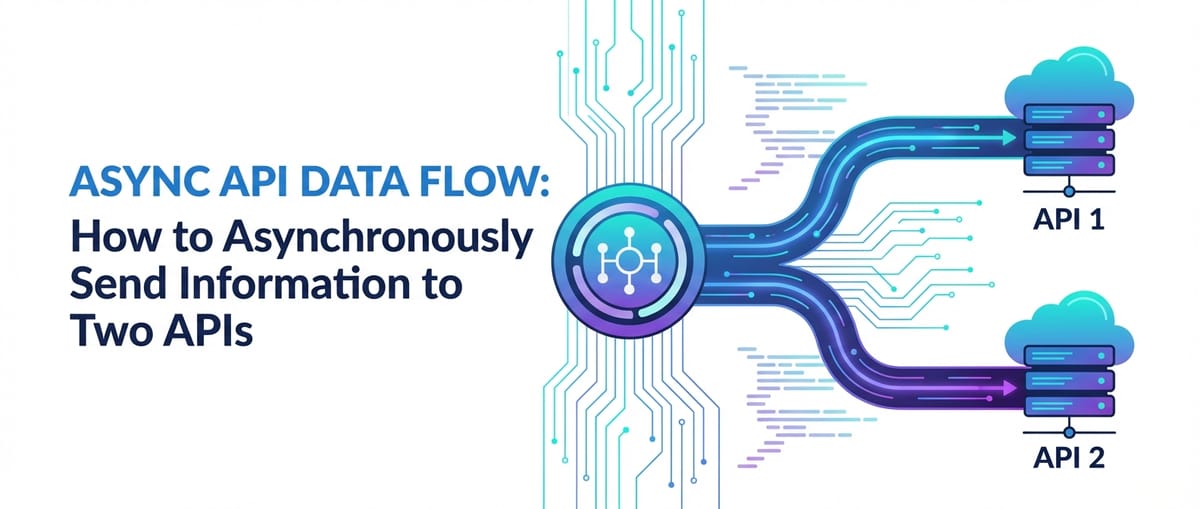


In the intricate tapestry of modern software development, applications rarely exist in isolation. They are increasingly composed of a multitude of interconnected services, often interacting with external Application Programming Interfaces (APIs) to fetch data, trigger actions, or synchronize states across disparate systems. The imperative to integrate with these external services efficiently and reliably has become a cornerstone of building responsive, scalable, and resilient applications. However, the traditional synchronous model of communication, where an application waits for a response from one API before proceeding to interact with another, quickly becomes a bottleneck. This is particularly true when an operation necessitates sending information to two or more APIs simultaneously or in a decoupled manner.
Imagine an e-commerce platform processing an order: it might need to update inventory levels in one system, trigger a shipping label creation in another, and send a customer notification via a third, all as part of a single user action. If these operations were performed synchronously, the user would experience significant delays, potentially leading to frustration and abandoned carts. This is precisely where asynchronous communication paradigms shine. By embracing asynchronous methods, developers can design systems that initiate multiple API calls without blocking the main execution thread, allowing applications to remain responsive, maximize resource utilization, and enhance the overall user experience. This article delves deep into the methodologies, technologies, and best practices for asynchronously sending information to two APIs, exploring various approaches from language-native constructs to sophisticated architectural patterns involving API gateways and messaging queues. We will unpack the underlying principles, dissect practical implementation strategies, and offer insights into designing robust and observable asynchronous workflows, ensuring that your applications can handle complex multi-API interactions with grace and efficiency.
Understanding the Fundamentals: APIs, Asynchronicity, and Gateways
Before diving into the mechanics of making asynchronous calls to multiple APIs, it's crucial to solidify our understanding of the core components and concepts involved. These foundational elements form the bedrock upon which any sophisticated multi-API integration strategy is built.
What Exactly is an API?
At its heart, an API, or Application Programming Interface, is a set of defined rules that allows different software applications to communicate with each other. It acts as a contract, specifying how one piece of software can request services from another, what data formats to expect, and what actions can be performed. Think of it as a waiter in a restaurant: you, the customer (client application), don't go into the kitchen (server application) to cook your meal. Instead, you give your order to the waiter (API), who takes it to the kitchen and brings back your finished dish. The waiter is the interface that abstracts away the complexity of the kitchen, providing a clear way to interact.
APIs are ubiquitous in modern software, powering everything from mobile apps communicating with cloud services to microservices within a large enterprise architecture interacting with each other. They enable modularity, reusability, and interoperability, allowing developers to leverage existing functionalities without reinventing the wheel. While various types of APIs exist—such as SOAP, GraphQL, and gRPC—the most prevalent in web development today are RESTful APIs. REST (Representational State Transfer) APIs use standard HTTP methods (GET, POST, PUT, DELETE) and typically communicate using lightweight data formats like JSON or XML, making them highly flexible and widely adopted for exposing web services. When we talk about "sending information to an API," we are generally referring to making an HTTP request (often a POST or PUT) to a specific endpoint provided by that service, including a payload of data that the service will process.
The Power of Asynchronous Communication
To grasp the "how" of sending information asynchronously, we must first understand the "why." Communication between software components can broadly be categorized into two paradigms: synchronous and asynchronous.
Synchronous Communication: In a synchronous model, when an application makes a request to an API, it pauses its execution and waits for the API to respond. Only after receiving a response (or encountering a timeout/error) does the application resume its operation. This is akin to waiting on hold during a phone call; you can't do anything else until the person on the other end picks up or you hang up. While simple to reason about for single, isolated operations, synchronous calls become a significant impediment when an application needs to interact with multiple services. If one API call takes a long time, or worse, fails to respond, the entire application or thread can become blocked, leading to a unresponsive user interface, degraded performance, and wasted computational resources.
Asynchronous Communication: Conversely, asynchronous communication allows an application to make a request to an API and then immediately continue with other tasks without waiting for a response. The application essentially "fires and forgets" or registers a callback/promise that will be executed once the API eventually responds. This is like sending an email: you send it and immediately move on to other work, trusting that you'll receive a notification when a reply comes, without actively waiting for it. The benefits of asynchronous communication are manifold:
- Improved Responsiveness: The application's main thread is not blocked, ensuring the user interface remains fluid and interactive.
- Enhanced Resource Utilization: CPU cycles are not wasted waiting for I/O operations (network requests), allowing the system to perform other computations or handle other requests.
- Increased Throughput: A single process can handle many concurrent requests, drastically increasing the number of operations it can perform in a given time frame.
- Decoupling: Services can operate more independently, reducing interdependencies and improving system resilience.
- Scalability: Asynchronous patterns naturally lend themselves to scalable architectures, as tasks can be distributed and processed in parallel or by different workers.
However, asynchronicity introduces its own set of complexities, including managing state across non-sequential operations, handling errors that might occur out of order, and ensuring data consistency in distributed environments. These challenges necessitate careful design and robust error handling strategies.
The Strategic Role of an API Gateway
In the context of managing interactions with multiple APIs, especially across microservices or complex distributed systems, an API Gateway emerges as a critical architectural component. An API Gateway acts as a single entry point for all client requests, effectively sitting in front of a collection of backend services. Instead of clients making direct requests to individual backend services, they route requests through the gateway.
Consider a large enterprise that exposes numerous APIs for different functionalities: user management, product catalog, payment processing, etc. Without a gateway, client applications would need to know the specific endpoints, authentication mechanisms, and rate limits for each individual service. This leads to tightly coupled clients, increased complexity, and challenges in managing security and versioning.
An API gateway centralizes these concerns. It can perform a variety of crucial functions:
- Request Routing: Directing incoming requests to the appropriate backend service.
- Traffic Management: Implementing load balancing, caching, and throttling to optimize performance and prevent service overload.
- Security: Handling authentication, authorization, and SSL termination, offloading these concerns from individual services.
- Monitoring and Analytics: Providing a centralized point for collecting logs, metrics, and tracing information across API calls.
- Request/Response Transformation: Modifying requests before sending them to backend services and responses before sending them back to clients, ensuring compatibility and consistency.
- Protocol Translation: Allowing clients to use one protocol (e.g., REST) while backend services use another (e.g., gRPC).
- API Composition and Orchestration: Potentially aggregating multiple backend service calls into a single response, simplifying client-side logic.
In the context of asynchronously sending information to two APIs, an API gateway can play a pivotal role. It can be configured to receive a single client request and then internally fan out that request, asynchronously invoking multiple backend services. This capability transforms the client-side interaction from a complex multi-step process into a single, simplified call to the gateway, which then orchestrates the downstream asynchronous operations. This approach not only streamlines client logic but also centralizes the management of complex asynchronous workflows, error handling, and observability, making the overall system more robust and easier to maintain.
For organizations dealing with a proliferation of APIs, especially those integrating AI models and various REST services, platforms like APIPark offer comprehensive API gateway and management solutions. APIPark, as an open-source AI gateway and API management platform, simplifies the integration and deployment of diverse AI and REST services. It provides features like unified API formats for AI invocation, prompt encapsulation into REST APIs, and end-to-end API lifecycle management. By centralizing API management and offering capabilities like traffic forwarding and load balancing, it naturally facilitates the orchestration of asynchronous calls to multiple backend services, enhancing efficiency and security in complex distributed environments. Its performance, rivaling Nginx, further underscores its capability to handle high-throughput asynchronous operations.
Why Send Information to Two APIs Asynchronously?
The specific scenario of sending information to two APIs asynchronously arises in numerous real-world applications where operations need to be performed concurrently across different systems or when a single event triggers multiple, independent downstream actions.
Here are some common use cases:
- Data Mirroring/Replication: Updating a primary database via one API and synchronously or asynchronously updating a secondary or analytics database via another API to maintain consistency or enable reporting.
- Notification Systems: A user action (e.g., "place order") triggers an update to an order processing API and, concurrently, sends a notification (email, SMS, push notification) via a separate communication API.
- Event-Driven Architectures (Fan-out): A single event published to a message broker can be consumed by multiple services, each interacting with a different API. For instance, a "product created" event might trigger an indexing service (API 1) and an image processing service (API 2).
- Data Enrichment: Receiving data from one source, enriching it by calling an external data provider (API 1), and then storing or forwarding the enriched data to another system (API 2).
- System Synchronization: When an entity is created or updated in one system (e.g., CRM), it needs to be created or updated in another system (e.g., ERP) to maintain data consistency across organizational boundaries.
- Auditing and Logging: Performing a primary business operation via one API and, in parallel, sending audit logs or metrics to a dedicated logging/monitoring API.
In all these scenarios, waiting for one API call to complete before initiating the next would introduce unnecessary latency and potentially reduce the overall system's throughput. Asynchronous processing is not just an optimization; it's often a fundamental requirement for building responsive and scalable distributed systems.
Core Principles of Asynchronous API Interaction
Before diving into specific implementation techniques, understanding the core principles that enable asynchronous operations is vital. These concepts transcend individual programming languages or frameworks and provide a conceptual framework for designing concurrent systems.
Concurrency vs. Parallelism: A Crucial Distinction
While often used interchangeably, concurrency and parallelism are distinct concepts:
- Concurrency is about dealing with many things at once. It's a compositional property of a program or system, indicating that multiple tasks can make progress over overlapping time periods. A single-core CPU can achieve concurrency by rapidly switching between tasks, giving the illusion of simultaneous execution (e.g., running multiple applications on your computer). The tasks are interleaved.
- Parallelism is about doing many things at once. It's an execution property, meaning multiple tasks are literally executing simultaneously on multiple processing units (e.g., multiple cores in a CPU). For true parallelism, you need multiple processing units.
When we talk about asynchronous API calls, we are primarily concerned with concurrency. Even on a single-core machine, making two API calls asynchronously means initiating the second call without waiting for the first one to complete, thereby overlapping their I/O wait times. If the system has multiple cores, these I/O-bound tasks can indeed execute in parallel, further speeding up the overall process. The primary goal of asynchronous API interaction is to leverage non-blocking I/O to achieve concurrency, which can then be parallelized if underlying hardware allows.
Non-Blocking I/O: The Foundation of Asynchronicity
The ability to perform asynchronous operations, especially those involving network requests (which are inherently I/O-bound), hinges on the concept of non-blocking I/O.
In a blocking I/O model, when an application requests an I/O operation (like reading from a file or making a network call), the application's thread or process is suspended until the I/O operation completes. During this waiting period, the CPU could be idle, even though there might be other tasks ready to run.
In a non-blocking I/O model, when an application requests an I/O operation, the system call returns immediately, even if the operation hasn't completed. If the data is not yet available (for reads) or the write buffer is full (for writes), the call might return an error code indicating "no data" or "try again later." The application can then proceed to do other work and periodically check the status of the I/O operation or be notified when it completes. This notification mechanism is often managed by an event loop.
For network requests, non-blocking I/O means that after sending the request bytes over the wire, the application doesn't wait for the response bytes to arrive. Instead, it informs the operating system that it's interested in the response and then moves on. When the response eventually arrives, the operating system notifies the application (typically via an event mechanism), and the application can then process the response. This prevents the application from spending valuable CPU time waiting idly for network latency.
Event Loops and Thread Pools: Orchestrating Concurrency
Different programming environments implement asynchronous I/O and concurrency using various mechanisms, but two common patterns are event loops and thread pools.
Event Loops: An event loop is a programming construct that continuously checks for events (like an incoming network response, a timer expiring, or user input) and dispatches them to appropriate handlers. It's a central component in many single-threaded asynchronous runtimes, such as Node.js, Python's asyncio, and browser JavaScript environments.
Here's a simplified explanation: 1. The main thread runs the event loop. 2. When an I/O operation is initiated (e.g., an API call), it's handed off to the operating system or a dedicated I/O thread. The main thread continues its execution. 3. When the I/O operation completes, an event is added to an event queue. 4. The event loop constantly monitors this queue. When an event appears, it dequeues it and dispatches it to the corresponding callback function or promise handler. 5. This entire process happens on a single thread (the event loop thread), which never blocks for I/O. This model is highly efficient for I/O-bound tasks.
Thread Pools: While event loops are excellent for I/O-bound tasks, CPU-bound tasks (e.g., heavy computations, complex data processing) would block the single event loop thread, defeating the purpose of asynchronicity. This is where thread pools come into play.
A thread pool is a collection of worker threads that can execute tasks. When a CPU-bound task needs to be performed, it's submitted to the thread pool. One of the available threads from the pool picks up the task and executes it in parallel (if multiple cores are available) or concurrently with other tasks on other threads. The main application thread, which submitted the task, can continue its work without waiting. Once the worker thread completes the task, it might put the result back into a queue or trigger a callback on the main thread.
In many systems, both event loops and thread pools are used in conjunction. For example, Node.js uses an event loop for non-blocking I/O and a hidden thread pool (libuv) for blocking operations like file system access or DNS lookups. Similarly, Python's asyncio can integrate with concurrent.futures.ThreadPoolExecutor to offload blocking operations.
Understanding these foundational principles is crucial because they influence how we structure our code, manage state, and handle errors when interacting with multiple APIs asynchronously. The choice of implementation technique often depends on the language's native concurrency model and the nature of the tasks (I/O-bound vs. CPU-bound).
Techniques and Technologies for Asynchronous API Calls (Focusing on Two APIs)
Having laid the groundwork, we can now explore concrete techniques and technologies to achieve asynchronous communication with two APIs. These methods span different programming paradigms and architectural styles, each offering distinct advantages and trade-offs.
A. Language-Specific Constructs
Most modern programming languages provide native or widely adopted libraries for handling asynchronous operations, leveraging the non-blocking I/O principles discussed earlier.
1. JavaScript (Node.js/Browser)
JavaScript, particularly in Node.js environments, is inherently asynchronous due to its single-threaded, event-driven architecture. This makes it a natural fit for concurrent API calls.
- Callbacks (Historical Context): Historically, callbacks were the primary mechanism for handling asynchronous operations. A callback function is passed as an argument to an asynchronous function and is executed once the asynchronous operation completes.
javascript api1.sendData(data, (err1, res1) => { if (err1) { /* handle error */ } console.log("API 1 response:", res1); }); api2.sendData(data, (err2, res2) => { if (err2) { /* handle error */ } console.log("API 2 response:", res2); }); console.log("Both API calls initiated, moving on...");While simple, nested callbacks for sequential operations can lead to "callback hell," making code hard to read and maintain. For independent parallel calls, as shown, it's functional but can be harder to manage overall completion and error states. - Promises: Promises were introduced to address the shortcomings of callbacks, providing a cleaner way to handle asynchronous operations. A Promise represents the eventual completion (or failure) of an asynchronous operation and its resulting value.To send information to two APIs concurrently using Promises,
Promise.all()is the ideal construct.Promise.all()takes an iterable of Promises and returns a single Promise that resolves when all of the input Promises have resolved, or rejects with the reason of the first Promise that rejects.``javascript const sendToApi1 = (data) => { return fetch('https://api1.example.com/endpoint', { method: 'POST', headers: { 'Content-Type': 'application/json' }, body: JSON.stringify(data) }) .then(response => { if (!response.ok) { throw new Error(API 1 error: ${response.status}`); } return response.json(); }); };const sendToApi2 = (data) => { return fetch('https://api2.example.com/endpoint', { method: 'POST', headers: { 'Content-Type': 'application/json' }, body: JSON.stringify(data) }) .then(response => { if (!response.ok) { throw new Error(API 2 error: ${response.status}); } return response.json(); }); };const payload = { message: "Hello from client!" };Promise.all([ sendToApi1(payload), sendToApi2(payload) ]) .then(([result1, result2]) => { console.log("All APIs responded successfully!"); console.log("API 1 Result:", result1); console.log("API 2 Result:", result2); }) .catch(error => { console.error("One or more API calls failed:", error); // Implement specific error handling based on the error type or message });console.log("Main process continues while API calls are in flight...");`` In this example,sendToApi1andsendToApi2return Promises.Promise.allthen concurrently initiates both calls. The.thenblock executes only after *both* calls have successfully completed, receiving an array of their results. If *any* of the Promises reject, the.catch` block is immediately executed with the error of the first rejected Promise.
Async/Await: Introduced in ES2017, async/await is syntactic sugar built on top of Promises, making asynchronous code look and behave more like synchronous code, thus greatly improving readability and maintainability.```javascript async function sendToMultipleApis(data) { try { console.log("Initiating concurrent API calls using async/await..."); const [result1, result2] = await Promise.all([ sendToApi1(data), // Reusing the Promise-returning functions from above sendToApi2(data) ]);
    console.log("Both APIs responded successfully via async/await!");
    console.log("API 1 Result:", result1);
    console.log("API 2 Result:", result2);
    return { api1: result1, api2: result2 };

} catch (error) {
    console.error("An error occurred during concurrent API calls:", error);
    // Additional error handling, e.g., logging to a monitoring system
    throw error; // Re-throw the error for upstream handling
}
}const payload = { content: "Important data to synchronize." }; sendToMultipleApis(payload) .then(() => console.log("Concurrent API operations completed.")) .catch(err => console.error("Top-level error handling:", err.message));console.log("Main execution flow continues after invoking sendToMultipleApis..."); `` Theawait Promise.all(...)` construct allows us to wait for all promises to settle without blocking the event loop. This is the most recommended way to handle multiple independent asynchronous operations in JavaScript.
2. Python
Python's journey into robust asynchronous programming gained significant momentum with the introduction of asyncio and the async/await syntax (Python 3.5+).
asyncioandaiohttp:asynciois Python's standard library for writing concurrent code using theasync/awaitsyntax. It uses an event loop to achieve concurrency, making it ideal for I/O-bound tasks like network requests.aiohttpis a popular asynchronous HTTP client/server forasyncio.```python import asyncio import aiohttp import jsonasync def send_to_api1(session, data): url = 'https://api1.example.com/endpoint' headers = {'Content-Type': 'application/json'} try: async with session.post(url, json=data, headers=headers) as response: response.raise_for_status() # Raise an exception for HTTP errors (4xx or 5xx) return await response.json() except aiohttp.ClientError as e: print(f"Error sending to API 1: {e}") raiseasync def send_to_api2(session, data): url = 'https://api2.example.com/endpoint' headers = {'Content-Type': 'application/json'} try: async with session.post(url, json=data, headers=headers) as response: response.raise_for_status() return await response.json() except aiohttp.ClientError as e: print(f"Error sending to API 2: {e}") raiseasync def main(): payload = {"transaction_id": "XYZ123", "amount": 100.50} async with aiohttp.ClientSession() as session: try: # Use asyncio.gather to run multiple coroutines concurrently results = await asyncio.gather( send_to_api1(session, payload), send_to_api2(session, payload) ) print("Both APIs responded successfully!") print("API 1 Result:", results[0]) print("API 2 Result:", results[1]) return results except Exception as e: print(f"An error occurred during concurrent API calls: {e}") # Log the error, potentially trigger a fallback raiseif name == "main": print("Initiating concurrent API calls using Python asyncio...") asyncio.run(main()) print("Main process continues after asyncio event loop completes.")`` Theasyncio.gather()function is the Python equivalent of JavaScript'sPromise.all(). It runs the provided awaitables concurrently and waits for all of them to complete. If any of the awaitables raise an exception,gather()will cancel the remaining awaitables and re-raise the exception.aiohttp.ClientSession` is used for efficient management of HTTP connections, especially for multiple requests.
concurrent.futures (ThreadPoolExecutor): For scenarios where you might not be using asyncio or are dealing with a mix of I/O-bound and CPU-bound tasks in a more traditional multi-threaded context, concurrent.futures provides high-level interfaces for asynchronously executing callables. ThreadPoolExecutor is particularly useful for I/O-bound operations as it allows multiple threads to wait for network responses without blocking the main thread.```python from concurrent.futures import ThreadPoolExecutor import requests import json import timedef send_data_sync_api1(data): url = 'https://api1.example.com/endpoint' headers = {'Content-Type': 'application/json'} try: response = requests.post(url, json=data, headers=headers, timeout=10) response.raise_for_status() return response.json() except requests.exceptions.RequestException as e: print(f"Error sending to API 1: {e}") raisedef send_data_sync_api2(data): url = 'https://api2.example.com/endpoint' headers = {'Content-Type': 'application/json'} try: response = requests.post(url, json=data, headers=headers, timeout=10) response.raise_for_status() return response.json() except requests.exceptions.RequestException as e: print(f"Error sending to API 2: {e}") raisedef main_threaded(): payload = {"event_type": "user_action", "user_id": 456} results = [] errors = []
with ThreadPoolExecutor(max_workers=2) as executor:
    # Submit tasks to the executor
    future1 = executor.submit(send_data_sync_api1, payload)
    future2 = executor.submit(send_data_sync_api2, payload)

    # Wait for results
    try:
        results.append(future1.result()) # This blocks until future1 completes
        results.append(future2.result()) # This blocks until future2 completes
        print("Both APIs responded successfully via ThreadPoolExecutor!")
        print("API 1 Result:", results[0])
        print("API 2 Result:", results[1])
    except Exception as e:
        errors.append(e)
        print(f"One or more API calls failed: {e}")

if errors:
    raise Exception("Failed to send data to all APIs") from errors[0]
return results
if name == "main": print("Initiating concurrent API calls using Python ThreadPoolExecutor...") main_threaded() print("Main process continues after ThreadPoolExecutor tasks complete.") `` In this setup,ThreadPoolExecutorcreates a pool of threads. Eachexecutor.submit()call returns aFutureobject immediately. Thefuture.result()method then blocks until the callable submitted to that future has completed and returns its result. The key here is thatsend_data_sync_api1andsend_data_sync_api2are executed on *separate threads* managed by the pool, allowing their respectiverequests.post()calls to block independently without freezing the main program or each other. This is an effective way to handle I/O-bound tasks concurrently without needing the fullasyncioevent loop setup, especially if your application already uses blocking libraries likerequests`.
3. Java
Java has a rich history of concurrency primitives and has evolved significantly to support modern asynchronous programming patterns.
Spring WebClient (Reactive Programming with Project Reactor): For Spring Boot applications, WebClient (part of Spring WebFlux) is the recommended non-blocking, reactive HTTP client. It leverages Project Reactor for its reactive streams implementation.```java // Example using Spring Boot and WebClient import org.springframework.web.reactive.function.client.WebClient; import reactor.core.publisher.Mono; import reactor.core.publisher.Flux;public class ReactiveApiCaller {
private final WebClient webClient;

public ReactiveApiCaller(WebClient webClient) {
    this.webClient = webClient;
}

public Mono<String> sendToApiReactive(String url, String jsonPayload) {
    return webClient.post()
            .uri(url)
            .header("Content-Type", "application/json")
            .bodyValue(jsonPayload)
            .retrieve()
            .bodyToMono(String.class)
            .doOnError(e -> System.err.println("API call to " + url + " failed: " + e.getMessage()));
}

public Flux<String> sendToMultipleApisReactive(String payload) {
    System.out.println("Initiating concurrent API calls using Spring WebClient...");
    Mono<String> api1Mono = sendToApiReactive("https://api1.example.com/reactive_process", payload);
    Mono<String> api2Mono = sendToApiReactive("https://api2.example.com/reactive_notify", payload);

    return Flux.merge(api1Mono, api2Mono) // Merge emits items as soon as they are available
               .doOnNext(result -> System.out.println("Received result: " + result))
               .doOnComplete(() -> System.out.println("All reactive API calls completed."))
               .doOnError(e -> System.err.println("One or more reactive API calls failed: " + e.getMessage()));
}

public static void main(String[] args) {
    WebClient webClient = WebClient.builder().build(); // Build a default WebClient
    ReactiveApiCaller caller = new ReactiveApiCaller(webClient);

    String payload = "{\"status\": \"delivered\", \"invoiceId\": \"INV123\"}";

    caller.sendToMultipleApisReactive(payload)
          .collectList() // Collect all results into a list
          .subscribe(
              results -> {
                  System.out.println("Final collected results: " + results);
                  if (results.size() == 2) {
                      System.out.println("API 1 (or first) result: " + results.get(0));
                      System.out.println("API 2 (or second) result: " + results.get(1));
                  }
              },
              error -> System.err.println("Subscription error: " + error.getMessage()),
              () -> System.out.println("Reactive sequence completed.")
          );

    // In a non-web application, you'd need to block the main thread to see output
    // For example, by using a latch or ensuring the Spring application context stays alive.
    try {
        Thread.sleep(5000); // Give some time for async operations to complete
    } catch (InterruptedException e) {
        Thread.currentThread().interrupt();
    }
    System.out.println("Main method finished, but reactive calls may still be in progress.");
}
} ``WebClientreturnsMono(for 0 or 1 item) orFlux(for 0 to N items).Mono.zip()is another option similar toPromise.all()that combines the results of severalMonos into aTuple.Flux.merge()` is useful if the order of results doesn't matter and you want to process them as they arrive. Reactive programming provides immense flexibility for complex asynchronous flows, stream processing, and backpressure management.
CompletableFuture: Introduced in Java 8, CompletableFuture is a powerful class for asynchronous programming, representing a future result of an asynchronous computation. It provides methods for chaining and combining multiple asynchronous operations.```java import java.net.URI; import java.net.http.HttpClient; import java.net.http.HttpRequest; import java.net.http.HttpResponse; import java.util.concurrent.CompletableFuture; import java.util.concurrent.ExecutorService; import java.util.concurrent.Executors;public class AsyncApiCaller {
private static final HttpClient HTTP_CLIENT = HttpClient.newHttpClient();
private static final ExecutorService API_CALL_EXECUTOR = Executors.newFixedThreadPool(2); // For blocking calls if needed

public static CompletableFuture<String> sendToApi(String url, String jsonPayload) {
    HttpRequest request = HttpRequest.newBuilder()
            .uri(URI.create(url))
            .header("Content-Type", "application/json")
            .POST(HttpRequest.BodyPublishers.ofString(jsonPayload))
            .build();

    // Using Java 11+ HttpClient's async capabilities
    return HTTP_CLIENT.sendAsync(request, HttpResponse.BodyHandlers.ofString())
            .thenApply(HttpResponse::body) // Extract the body on success
            .exceptionally(ex -> { // Handle exceptions
                System.err.println("API call to " + url + " failed: " + ex.getMessage());
                return "Error: " + ex.getMessage(); // Return an error indicator
            });
}

public static void main(String[] args) {
    System.out.println("Initiating concurrent API calls using Java CompletableFuture...");

    String payload = "{\"status\": \"processed\", \"orderId\": \"ORD987\"}";

    CompletableFuture<String> api1Future = sendToApi("https://api1.example.com/process", payload);
    CompletableFuture<String> api2Future = sendToApi("https://api2.example.com/notify", payload);

    // Combine the two CompletableFuture instances
    CompletableFuture<Void> allFutures = CompletableFuture.allOf(api1Future, api2Future);

    allFutures.thenRun(() -> {
        try {
            String result1 = api1Future.get(); // get() will block if not completed, but allOf ensures completion
            String result2 = api2Future.get();
            System.out.println("Both APIs responded successfully!");
            System.out.println("API 1 Result: " + result1);
            System.out.println("API 2 Result: " + result2);
        } catch (Exception e) {
            System.err.println("Error retrieving results after all futures completed: " + e.getMessage());
        }
    }).exceptionally(ex -> {
        System.err.println("One or more API calls failed: " + ex.getMessage());
        // Handle the exception, which will be the first one to fail if using allOf
        return null; // Return null to complete the exceptionally stage
    });

    // The main thread continues execution immediately
    System.out.println("Main thread continues execution...");

    // In a real application, you might want to keep the main thread alive
    // or wait for the futures to complete in a structured way.
    // For a simple example, we might wait here to see the output.
    try {
        allFutures.join(); // Blocks the main thread until all futures complete
        System.out.println("All futures completed and results processed.");
    } catch (Exception e) {
        System.err.println("An error occurred during future join: " + e.getMessage());
    } finally {
        API_CALL_EXECUTOR.shutdown(); // Shut down the custom executor if used
    }
}
} `` Java 11'sHttpClientby default uses a non-blocking approach, making it excellent for asynchronous operations.CompletableFuture.allOf()creates a newCompletableFuturethat is completed when all of the givenCompletableFutures complete. If any of the givenCompletableFutures complete exceptionally, then the returnedCompletableFuturealso completes exceptionally, with aCompletionExceptionholding the exception from the first failedCompletableFuture. The.thenRun()` callback executes once all futures have successfully completed.
4. Go
Go's built-in concurrency model, based on goroutines and channels, is a distinguishing feature, making asynchronous operations highly ergonomic.
Goroutines and Channels with sync.WaitGroup: Goroutines are lightweight, independently executing functions. They are multiplexed onto a smaller number of OS threads. Channels provide a way for goroutines to communicate safely. sync.WaitGroup is used to wait for a collection of goroutines to finish.```go package mainimport ( "bytes" "encoding/json" "fmt" "io/ioutil" "net/http" "sync" "time" )// APIResponse struct to hold results from API calls type APIResponse struct { Source string Status int Body string Error error }// sendToApi sends a POST request to a given URL with a JSON payload func sendToApi(url string, payload map[string]interface{}, responseChan chan<- APIResponse, wg *sync.WaitGroup, apiName string) { defer wg.Done()
jsonPayload, err := json.Marshal(payload)
if err != nil {
    responseChan <- APIResponse{Source: apiName, Error: fmt.Errorf("error marshalling JSON: %w", err)}
    return
}

req, err := http.NewRequest("POST", url, bytes.NewBuffer(jsonPayload))
if err != nil {
    responseChan <- APIResponse{Source: apiName, Error: fmt.Errorf("error creating request: %w", err)}
    return
}
req.Header.Set("Content-Type", "application/json")

client := &http.Client{Timeout: 10 * time.Second} // Set a timeout for the client
resp, err := client.Do(req)
if err != nil {
    responseChan <- APIResponse{Source: apiName, Error: fmt.Errorf("error sending request to %s: %w", url, err)}
    return
}
defer resp.Body.Close()

body, err := ioutil.ReadAll(resp.Body)
if err != nil {
    responseChan <- APIResponse{Source: apiName, Error: fmt.Errorf("error reading response body from %s: %w", url, err)}
    return
}

if resp.StatusCode < 200 || resp.StatusCode >= 300 {
    responseChan <- APIResponse{Source: apiName, Status: resp.StatusCode, Body: string(body), Error: fmt.Errorf("API %s returned non-2xx status: %d", apiName, resp.StatusCode)}
    return
}

responseChan <- APIResponse{Source: apiName, Status: resp.StatusCode, Body: string(body), Error: nil}
}func main() { fmt.Println("Initiating concurrent API calls using Go goroutines and channels...")
payload := map[string]interface{}{
    "item_id":    "SKU789",
    "quantity":   5,
    "customer":   "Alice",
}

var wg sync.WaitGroup
responseChan := make(chan APIResponse, 2) // Buffered channel to prevent blocking send operations

// Launch goroutines for each API call
wg.Add(1)
go sendToApi("https://api1.example.com/order", payload, responseChan, &wg, "API 1")

wg.Add(1)
go sendToApi("https://api2.example.com/inventory_update", payload, responseChan, &wg, "API 2")

// Goroutine to close the channel once all API calls are done
go func() {
    wg.Wait()
    close(responseChan)
}()

// Collect results from the channel
for res := range responseChan {
    if res.Error != nil {
        fmt.Printf("Error from %s: %v\n", res.Source, res.Error)
    } else {
        fmt.Printf("Success from %s (Status: %d, Body: %s)\n", res.Source, res.Status, res.Body)
    }
}

fmt.Println("All API calls initiated and results collected. Main function concluding.")
} `` Each API call is executed in its own goroutine.sync.WaitGroupensures that the main function waits until both goroutines have completed their work. A buffered channelresponseChan` is used to send the results or errors back to the main goroutine without blocking. This pattern is idiomatic Go for concurrent, asynchronous operations.
B. Messaging Queues / Brokers
When the need for asynchronous communication goes beyond simple concurrent requests to encompass durability, reliability, decoupling, and sophisticated fan-out patterns, messaging queues (or message brokers) become an invaluable architectural choice.
- When to Use Messaging Queues:
- Decoupling Services: Producers send messages without knowing or caring about the consumers. Consumers process messages independently.
- Reliability and Durability: Messages can be persisted, ensuring they are not lost even if consumers fail. Retries can be implemented easily.
- Load Leveling: Absorb bursts of requests, preventing backend services from being overwhelmed.
- Background Processing: Ideal for tasks that don't require an immediate response to the user (e.g., generating reports, image processing).
- Fan-out: A single message can be sent to multiple consumers, each performing a different action.
- How it Works:
- Producer: An application or service generates a message (e.g., "new order placed").
- Queue/Topic: The producer sends the message to a designated queue or topic on the message broker.
- Consumer(s): One or more applications or services subscribe to the queue/topic, retrieve messages, and process them.
- Examples:
- RabbitMQ: A general-purpose message broker implementing AMQP.
- Apache Kafka: A distributed streaming platform, often used for high-throughput data pipelines and event sourcing.
- AWS SQS (Simple Queue Service): A fully managed message queuing service by AWS.
- Google Cloud Pub/Sub: A real-time messaging service by Google Cloud.
- Update a user profile in
UserProfileAPI. - Send a welcome email via
EmailServiceAPI.
Scenario for Two APIs (Fan-out Pattern): Imagine an event in your system, say, "UserRegistered." This event needs to:Instead of directly calling UserProfileAPI and EmailServiceAPI from the registration service, the pattern would be: 1. Registration Service (Producer): Upon successful user registration, publish a UserRegisteredEvent message to a message broker's topic (e.g., user_events). 2. User Profile Updater (Consumer 1): A dedicated service listens to the user_events topic. When it receives a UserRegisteredEvent, it calls UserProfileAPI to create/update the user's profile. 3. Email Sender (Consumer 2): Another dedicated service also listens to the user_events topic. When it receives the same UserRegisteredEvent, it calls EmailServiceAPI to send a welcome email.This design completely decouples the registration service from the downstream actions. If EmailServiceAPI is temporarily unavailable, the message remains in the queue, and the email sender can retry later without affecting the user profile update or the registration process itself.Table: Comparison of Asynchronous Communication Techniques
| Feature / Technique | Language Constructs (Promises, Async/Await, Goroutines) | Messaging Queues (Kafka, RabbitMQ, SQS) | API Gateway (with Orchestration/Fan-out) |
|---|---|---|---|
| Primary Use Case | Direct concurrent API calls from client/service | Decoupling, reliability, fan-out, background tasks | Centralized API management, orchestration, security |
| Coupling Level | Moderate (client knows APIs) | Low (producer unaware of consumers) | Low (client interacts with gateway only) |
| Durability / Reliability | Limited (requires custom retry logic) | High (messages persisted, retry mechanisms) | Moderate (depends on gateway features) |
| Scalability | Good for I/O-bound tasks | Excellent (distributed, handles high throughput) | Excellent (load balancing, auto-scaling) |
| Complexity (Implementation) | Low to Moderate | Moderate to High (setup, ops, consumers) | Moderate (gateway configuration) |
| Real-time Responsiveness | High (direct calls, immediate feedback) | Variable (introduces slight latency) | High (can return immediate feedback) |
| Error Handling | Direct try/catch, Promise.catch | DLQs, retry policies, consumer logic | Centralized, configurable retries, circuit breakers |
| Operational Overhead | Low (part of application code) | High (managing broker, consumers) | Moderate to High (managing gateway infrastructure) |
| Best For | UI updates, concurrent data fetches, simple sync/async mix | Event-driven architectures, long-running tasks, microservices communication | Consolidating APIs, security, traffic management, simplified client integration |
C. Serverless Functions (FaaS)
Serverless functions (Function-as-a-Service, FaaS) provide an event-driven, auto-scaling, and pay-per-execution model that is inherently asynchronous and well-suited for orchestrating interactions with multiple APIs.
- Concept: Developers deploy individual functions (e.g., a JavaScript function, Python script, Java method) that are triggered by specific events. These events can include HTTP requests, changes in a database, messages in a queue, or files uploaded to storage. The cloud provider (AWS Lambda, Azure Functions, Google Cloud Functions) manages the underlying infrastructure, scaling the functions up or down based on demand.
- How it Works for Two APIs:
- Trigger Event: An event (e.g., an incoming HTTP request to an API Gateway, a new message in an SQS queue) invokes a serverless function.
- Function Logic: Inside the function, the code can simultaneously initiate calls to two external APIs. Since serverless runtimes are typically designed for non-blocking I/O, these calls can be made concurrently using language-specific constructs (e.g.,
Promise.allin Node.js Lambda,asyncio.gatherin Python Lambda). - Asynchronous Invocation: A serverless function can also trigger other serverless functions or publish messages to a queue, further extending the asynchronous flow. For example, an initial function might parse an incoming request, and then asynchronously invoke two separate functions, each responsible for interacting with one of the target APIs.
- Benefits:
- Reduced Operational Overhead: No servers to provision, manage, or patch.
- Auto-Scaling: Functions scale automatically based on demand, handling varying workloads efficiently.
- Cost-Effective: Pay only for the compute time consumed when the function is running.
- Event-Driven: Naturally integrates with other cloud services and event sources.
- Drawbacks:
- Vendor Lock-in: Code often becomes tightly coupled to a specific cloud provider's ecosystem.
- Cold Starts: The first invocation of an infrequently used function might experience a delay while the runtime environment is initialized.
- Debugging Challenges: Distributed nature can make debugging complex.
D. API Gateway as an Orchestrator
As previously introduced, an API Gateway can be more than just a proxy; it can act as a sophisticated orchestrator, especially for asynchronous API interactions.
- API Gateway Capabilities for Asynchronous Calls:
- Direct Fan-out: Some advanced API gateways allow configuring a single client request to trigger multiple backend service calls concurrently. The gateway handles sending the requests, waiting for responses, and potentially aggregating them before sending a unified response back to the client. This offloads the fan-out logic from the client application entirely.
- Integration with Messaging Queues: An API gateway can be configured to directly publish incoming client requests as messages to a message queue (e.g., AWS API Gateway integrates with SQS). The client gets an immediate
202 Acceptedresponse, and the actual processing by downstream services (which consume from the queue) happens asynchronously in the background. This provides immediate feedback to the client while ensuring reliable, decoupled processing. - Asynchronous Invocation of Serverless Functions: Similarly, an API gateway can asynchronously invoke serverless functions (e.g., AWS API Gateway triggering Lambda). The client's request is handled, and the function is triggered for background processing.
- Centralized Error Handling and Retries: A well-configured API gateway can implement retry policies, circuit breakers, and dead-letter queues at a global level, abstracting these complexities from individual services. This significantly enhances the resilience of multi-API interactions.
- Request/Response Transformation: Before fanning out to two different APIs, the gateway can transform the incoming client request payload into formats expected by each specific backend API, simplifying client logic.
- Benefits:
- Simplified Client-Side Logic: Clients interact with a single endpoint and don't need to know about the complexity of calling multiple backend APIs.
- Centralized Control and Observability: All API traffic flows through the gateway, offering a single point for applying security policies, rate limiting, logging, and monitoring.
- Improved Resilience: Built-in features like retries and circuit breakers enhance the system's ability to handle downstream service failures gracefully.
- Version Management: Allows for seamless updates and versioning of backend services without affecting clients.
- Drawbacks:
- Single Point of Failure: If not designed for high availability and redundancy, the gateway itself can become a bottleneck or a single point of failure.
- Increased Latency: Introducing an additional hop (the gateway) can add a small amount of latency, though this is often negligible compared to the benefits.
- Configuration Complexity: Setting up and managing an API gateway, especially for complex orchestration, can be challenging.
Platforms like APIPark, by providing robust API management and gateway capabilities, are specifically designed to address these challenges. APIPark acts as an open-source AI gateway and API management platform, enabling users to manage, integrate, and deploy AI and REST services. Its feature set, including end-to-end API lifecycle management, traffic forwarding, and load balancing, directly supports the orchestration of asynchronous calls. For instance, an API defined in APIPark could internally trigger multiple AI models or REST services based on a single incoming request, abstracting this complexity from the consumer. Its ability to achieve high performance (20,000+ TPS with modest resources) and offer detailed API call logging makes it suitable for complex asynchronous workflows where reliability and observability are paramount. APIPark's unified API format for AI invocation also simplifies the task of sending information to diverse AI-powered APIs, as it standardizes the request and response formats, making asynchronous fan-out patterns across different AI models much more manageable.
APIPark is a high-performance AI gateway that allows you to securely access the most comprehensive LLM APIs globally on the APIPark platform, including OpenAI, Anthropic, Mistral, Llama2, Google Gemini, and more.Try APIPark now! 👇👇👇
Design Considerations and Best Practices for Asynchronous Multi-API Interactions
While the techniques for making asynchronous calls are varied and powerful, simply implementing them is not enough. Robust and reliable systems require careful design and adherence to best practices, especially when dealing with the inherent complexities of distributed, asynchronous operations involving multiple external services.
1. Robust Error Handling and Retries
Failures are inevitable in distributed systems. Network glitches, service unavailability, or transient errors are common. A well-designed asynchronous system anticipates these issues.
- Immediate Error Handling: Each individual API call should have its own error handling (e.g.,
catchblock for Promises,try-exceptfor Pythonasyncio,exceptionallyfor JavaCompletableFuture,errorchannel for Go). This allows for specific error logging, fallback mechanisms, or data corruption prevention for that particular call. - Centralized Error Aggregation: When multiple asynchronous calls are made, the system needs to determine the overall success or failure. For instance, if
Promise.all()fails, you know at least one promise rejected. The aggregated error handling should decide if a partial success is acceptable, if all operations must roll back (a distributed transaction), or if the entire operation needs to be retried. - Retry Mechanisms: For transient errors (e.g., network timeout, 503 Service Unavailable), retrying the operation can often resolve the issue.
- Exponential Backoff: This is a crucial strategy for retries. Instead of immediately retrying after a failure, which can exacerbate an already struggling service, wait for progressively longer periods between retries (e.g., 1s, 2s, 4s, 8s). This gives the downstream service time to recover.
- Jitter: Introduce a small random delay within the exponential backoff to prevent a "thundering herd" problem, where all retrying clients hit the service at the exact same time after a delay.
- Maximum Retries: Define a finite number of retries to prevent infinite loops for persistent errors.
- Circuit Breakers: Implement circuit breaker patterns (e.g., Netflix Hystrix, Resilience4j in Java). A circuit breaker monitors calls to a downstream service. If the failure rate crosses a threshold, the circuit "opens," preventing further calls to that service and quickly failing requests locally. After a configured timeout, the circuit enters a "half-open" state, allowing a few test requests to see if the service has recovered. This prevents cascading failures and gives overloaded services time to heal.
- Dead Letter Queues (DLQs): For message queue-based asynchronous patterns, if a consumer repeatedly fails to process a message after several retries, the message can be moved to a DLQ. This prevents poison messages from endlessly blocking the main queue and allows for manual inspection and reprocessing.
2. Observability: Logging, Monitoring, and Tracing
Understanding the behavior of asynchronous, distributed systems is impossible without robust observability.
- Structured Logging: Log comprehensive information at various stages of the asynchronous process:
- When an API call is initiated (with unique request ID).
- When a response is received (status code, duration, response size).
- When an error occurs (error message, stack trace, affected API).
- Include correlation IDs to link log entries across multiple services and API calls belonging to a single logical transaction.
- Monitoring and Alerting: Collect metrics (response times, error rates, throughput, queue lengths) for each API interaction. Set up dashboards to visualize these metrics and alerts for critical thresholds (e.g., high error rate from
API1, increased latency forAPI2). - Distributed Tracing: For complex interactions spanning multiple services and asynchronous hops (e.g., API Gateway -> Messaging Queue -> Consumer 1 -> API1; Consumer 2 -> API2), distributed tracing (e.g., OpenTelemetry, Zipkin, Jaeger) is invaluable. It provides an end-to-end view of a request's journey through the system, identifying bottlenecks and points of failure across service boundaries. This is especially useful for understanding latency contributors in multi-API scenarios.
3. Idempotency
When dealing with retries and asynchronous operations, especially those that modify state, ensuring idempotency is critical. An idempotent operation is one that, when applied multiple times, produces the same result as if it were applied only once.
- Example: If sending data to
API1to create a resource fails after the resource was created but before the success response was received, a retry might create a duplicate resource. - Strategy: Implement unique identifiers (e.g., a
requestIdortransactionIdin the payload) for operations that modify state. The API can then check this ID: if a resource with that ID already exists or the operation has already been processed, it simply returns success without performing the action again.
4. Concurrency Limits and Timeouts
Preventing resource exhaustion and ensuring responsiveness requires managing the flow of requests.
- Concurrency Limits: Downstream APIs or your own services might have limits on how many concurrent requests they can handle. Implement controls (e.g., semaphores, rate limiters) to prevent your application from overwhelming its dependencies.
- Timeouts: Every external API call should have a defined timeout. If an API doesn't respond within this period, assume failure and handle it. This prevents your application from hanging indefinitely and wasting resources. Apply timeouts at the connection level, read level, and overall request level.
5. Rate Limiting
Respecting external API rate limits is crucial to avoid being blocked.
- Client-Side Rate Limiting: Implement logic in your application to ensure you don't exceed the number of requests allowed by an external API within a given timeframe. Libraries or custom implementations can manage token buckets or leaky buckets.
- API Gateway Rate Limiting: As mentioned earlier, an API gateway can centralize rate limiting for all downstream services, protecting them from abuse and ensuring fair usage.
6. Security
Security must be baked into every layer of asynchronous API interaction.
- Authentication and Authorization: Ensure all API calls are properly authenticated (e.g., API keys, OAuth tokens, JWTs) and authorized. This applies to calls to external APIs and calls between your internal services.
- Encryption (HTTPS): All communication, especially over public networks, should use HTTPS to encrypt data in transit, protecting against eavesdropping and tampering.
- Input Validation: Sanitize and validate all data received before sending it to an API and process all data received from an API to prevent injection attacks and ensure data integrity.
- Least Privilege: Ensure that each service or client has only the minimum necessary permissions to perform its required tasks.
7. Data Consistency
When updating two different APIs (potentially representing different data stores), ensuring data consistency can be challenging, especially in asynchronous scenarios.
- Eventual Consistency: Often, in distributed systems, strong consistency (all data immediately consistent across all systems) is sacrificed for availability and performance. The goal is "eventual consistency," where data will eventually become consistent, but there might be a temporary lag.
- Compensating Transactions / Sagas: For operations that involve multiple steps across different services (like our e-commerce example), consider using a Saga pattern. A Saga is a sequence of local transactions where each transaction updates data within a single service and publishes an event that triggers the next local transaction in the Saga. If a step fails, compensating transactions are executed to undo the effects of previous successful steps.
8. Testing
Thorough testing is paramount for asynchronous multi-API interactions.
- Unit Tests: Test individual functions/methods responsible for making API calls, mocking external API responses.
- Integration Tests: Test the interaction between your service and the actual external APIs (in a test environment). Use test doubles or specific test accounts to avoid affecting production data.
- End-to-End Tests: Verify the entire asynchronous flow from trigger to final state, ensuring all components work together correctly. This is where correlation IDs become crucial for tracing.
- Performance and Load Testing: Simulate high loads to identify bottlenecks, measure latency, and ensure the system scales as expected.
By diligently applying these design considerations and best practices, developers can build asynchronous multi-API integration patterns that are not only performant and scalable but also reliable, secure, and maintainable in the face of the inevitable complexities of distributed computing.
Practical Example: E-commerce Order Fulfillment
Let's consolidate our understanding with a detailed practical example. Consider a simplified e-commerce platform where, upon a customer placing an order, two critical asynchronous actions must occur:
- Update Inventory: The inventory system (exposed via
Inventory API) needs to deduct the ordered items. - Send Order Confirmation: The customer needs to receive an email confirmation (handled by
Notification API).
Both operations are crucial but are independent in their execution path. The customer shouldn't have to wait for the email to be sent before the order is confirmed on the UI, nor should inventory updates block the confirmation. Asynchronous processing is ideal here.
We will use Node.js with async/await and Promise.all as it's widely applicable and clearly demonstrates the concepts.
Scenario Breakdown
When a customer clicks "Place Order" on the e-commerce website:
- The client sends an
order_placedrequest to the backendOrder Service. - The
Order Servicesaves the order details to its database, generates an order ID, and then:- Asynchronously calls the
Inventory APIto decrement stock. - Asynchronously calls the
Notification APIto send an email.
- Asynchronously calls the
- The
Order Serviceimmediately returns an order confirmation to the client (e.g., a200 OKwith theorder ID), without waiting for inventory or email. - If either the inventory update or email sending fails, the
Order Servicewill handle the error in the background, potentially retrying or alerting an administrator.
Code Walk-through (Node.js)
// order-service.js
const express = require('express');
const bodyParser = require('body-parser');
const axios = require('axios'); // A popular Promise-based HTTP client

const app = express();
const PORT = 3000;

app.use(bodyParser.json());

// --- Configuration for External APIs ---
const INVENTORY_API_URL = 'https://api.inventory.example.com/deduct';
const NOTIFICATION_API_URL = 'https://api.notification.example.com/send-email';

// --- Helper Functions for API Interactions ---

/**
 * Simulates calling an external API with retries and exponential backoff.
 * @param {string} url - The API endpoint URL.
 * @param {object} payload - The data to send.
 * @param {string} apiName - A friendly name for the API (for logging).
 * @param {number} retries - Number of retry attempts.
 * @param {number} delay - Initial delay for exponential backoff in ms.
 * @returns {Promise<any>} - A promise that resolves with the API response data.
 */
async function callExternalApiWithRetry(url, payload, apiName, retries = 3, delay = 100) {
    for (let i = 0; i < retries; i++) {
        try {
            console.log(`[${apiName}] Attempt ${i + 1} to send data to ${url} with payload: ${JSON.stringify(payload)}`);
            const response = await axios.post(url, payload, { timeout: 5000 }); // 5 second timeout
            console.log(`[${apiName}] Successfully received response (Status: ${response.status}) from ${url}`);
            return response.data;
        } catch (error) {
            console.error(`[${apiName}] Error on attempt ${i + 1} to ${url}: ${error.message}`);
            if (i < retries - 1) {
                const backoffDelay = delay * Math.pow(2, i) + Math.random() * delay; // Exponential backoff with jitter
                console.log(`[${apiName}] Retrying in ${backoffDelay.toFixed(0)}ms...`);
                await new Promise(res => setTimeout(res, backoffDelay));
            } else {
                console.error(`[${apiName}] All retry attempts failed for ${url}.`);
                throw new Error(`Failed to communicate with ${apiName} after multiple retries.`);
            }
        }
    }
}

/**
 * Handles the inventory deduction API call.
 * @param {string} orderId
 * @param {Array<object>} items - Array of { itemId, quantity }.
 */
async function deductInventory(orderId, items) {
    const payload = { orderId, items };
    try {
        const result = await callExternalApiWithRetry(INVENTORY_API_URL, payload, 'Inventory API');
        console.log(`[Inventory] Inventory deduction successful for Order ${orderId}:`, result);
        return result;
    } catch (error) {
        console.error(`[Inventory] Failed to deduct inventory for Order ${orderId}:`, error.message);
        // Implement alerts (e.g., Slack, PagerDuty), manual intervention, or compensation logic here.
        throw error; // Re-throw to indicate a failure in this specific async task
    }
}

/**
 * Handles sending the order confirmation email API call.
 * @param {string} orderId
 * @param {string} customerEmail
 * @param {Array<object>} items - Array of { name, quantity, price }.
 * @param {number} totalAmount
 */
async function sendOrderConfirmationEmail(orderId, customerEmail, items, totalAmount) {
    const payload = {
        orderId,
        recipient: customerEmail,
        subject: `Your Order #${orderId} has been Confirmed!`,
        body: `Dear ${customerEmail},\n\nThank you for your order! Your total was $${totalAmount.toFixed(2)}.\nItems: ${items.map(item => `${item.name} (x${item.quantity})`).join(', ')}\n\nBest regards,\nE-commerce Team`,
        templateId: 'order_confirmation_template' // Example for a template-based notification API
    };
    try {
        const result = await callExternalApiWithRetry(NOTIFICATION_API_URL, payload, 'Notification API');
        console.log(`[Notification] Order confirmation email sent for Order ${orderId} to ${customerEmail}:`, result);
        return result;
    } catch (error) {
        console.error(`[Notification] Failed to send order confirmation email for Order ${orderId} to ${customerEmail}:`, error.message);
        // Implement alerts, retry with a dedicated queue, or mark for manual follow-up.
        throw error;
    }
}

// --- Main Order Placement Route ---
app.post('/orders', async (req, res) => {
    const { customerEmail, items, totalAmount } = req.body;

    if (!customerEmail || !items || !Array.isArray(items) || items.length === 0 || !totalAmount) {
        return res.status(400).json({ message: 'Invalid order data provided.' });
    }

    // Simulate saving order to database and generating an order ID
    const orderId = `ORD-${Date.now()}-${Math.floor(Math.random() * 1000)}`;
    console.log(`Order ${orderId} received for ${customerEmail}. Saving to DB...`);
    // In a real app, this would be an actual DB write.
    // Assuming DB write is synchronous and successful for this example.

    console.log(`Order ${orderId} saved. Initiating asynchronous downstream processes.`);

    // --- Asynchronously send information to two APIs ---
    // We use Promise.allSettled here so we can see the outcome of ALL promises,
    // even if some reject, without stopping the overall async processing.
    // If you need the main process to react if *any* sub-task fails, use Promise.all.
    // For this e-commerce scenario, the order is placed regardless of email/inventory failures,
    // so `allSettled` is more appropriate to collect all results.

    Promise.allSettled([
        deductInventory(orderId, items),
        sendOrderConfirmationEmail(orderId, customerEmail, items, totalAmount)
    ])
    .then(results => {
        console.log(`[Order Service] Asynchronous tasks for Order ${orderId} completed:`);
        results.forEach((result, index) => {
            if (result.status === 'fulfilled') {
                console.log(`  Task ${index + 1} (fulfilled):`, result.value);
            } else {
                console.error(`  Task ${index + 1} (rejected):`, result.reason);
                // Log to a centralized error tracking system (e.g., Sentry, New Relic)
                // Potentially trigger an alert for manual intervention.
            }
        });
        // Here you might update a status in your DB for these background tasks.
    })
    .catch(error => {
        // This catch block would only be reached if Promise.all was used and one rejected.
        // With Promise.allSettled, individual rejections are caught in the .then results.
        console.error(`[Order Service] Unexpected error in Promise.allSettled chain:`, error);
    });

    // Immediately respond to the client. The backend tasks will continue in the background.
    res.status(202).json({
        message: 'Order placed successfully. Confirmation and inventory updates are being processed.',
        orderId: orderId,
        customerEmail: customerEmail
    });
});

app.get('/health', (req, res) => {
    res.status(200).send('Order Service is running.');
});

app.listen(PORT, () => {
    console.log(`Order Service running on http://localhost:${PORT}`);
    console.log('--- Simulate External APIs with `npm install -g json-server` and run:');
    console.log('json-server --watch db.json --port 8000 (Inventory API)');
    console.log('json-server --watch db_notifications.json --port 8001 (Notification API)');
});
// db.json (for Inventory API simulation, run on port 8000)
{
  "deduct": {}
}
// db_notifications.json (for Notification API simulation, run on port 8001)
{
  "send-email": {}
}
To run this example:
- Save the Node.js code as
order-service.js. - Create
db.jsonanddb_notifications.jsonwith the content above. - Install dependencies:
npm init -ythennpm install express body-parser axios. - Install
json-serverglobally:npm install -g json-server. - Open three terminal windows:
- Terminal 1 (Inventory API):
json-server --watch db.json --port 8000 - Terminal 2 (Notification API):
json-server --watch db_notifications.json --port 8001 - Terminal 3 (Order Service):
node order-service.js
- Terminal 1 (Inventory API):
- Send a POST request to the
Order Service(e.g., usingcurlor Postman):bash curl -X POST -H "Content-Type: application/json" -d '{ "customerEmail": "customer@example.com", "items": [ {"itemId": "PROD-A", "name": "Laptop", "quantity": 1, "price": 1200}, {"itemId": "PROD-B", "name": "Mouse", "quantity": 2, "price": 25} ], "totalAmount": 1250.00 }' http://localhost:3000/orders
Explanation:
expressandaxios: TheOrder Serviceusesexpressfor its web server andaxiosas the HTTP client to make requests to external APIs.callExternalApiWithRetry: This crucial helper function demonstrates robust error handling. It attempts to call an API multiple times with an exponential backoff and jitter strategy. This prevents overwhelming the downstream service during transient failures and increases the chance of success. If all retries fail, it throws an error.deductInventoryandsendOrderConfirmationEmail: These functions encapsulate the logic for interacting with each specific API. They callcallExternalApiWithRetryand add specific error logging for their domain./ordersPOST Route:- It immediately processes the initial order data, simulating a database save.
- It then creates two asynchronous tasks:
deductInventoryandsendOrderConfirmationEmail. Promise.allSettled(): This is key. Instead ofPromise.all(), which would immediately reject if any promise fails,Promise.allSettled()waits for all promises to settle (eitherfulfilledorrejected). This is suitable for our scenario because the order is "placed" even if the email fails. The results array then contains the status and value/reason for each individual promise, allowing theOrder Serviceto log or react to each outcome independently.- Immediate Response: Critically, the
res.status(202).json(...)is sent beforePromise.allSettledhas resolved. This means the customer receives an immediate confirmation, and the potentially time-consuming API calls happen in the background. The202 Acceptedstatus code is appropriate for asynchronous processing, indicating that the request has been accepted for processing, but the processing has not yet been completed.
- Error Handling (Individual vs. Aggregated): Individual errors from
deductInventoryorsendOrderConfirmationEmailare logged locally and potentially re-thrown. ThePromise.allSettled().then()block then processes the results, checking thestatusof each result. This allows the system to differentiate between a failure in inventory vs. a failure in email, enabling targeted alerts or compensation actions.
This example clearly illustrates how to structure a backend service to leverage asynchronous communication for multiple independent API calls, providing immediate feedback to the client while ensuring complex background operations are handled reliably.
Advanced Patterns for Complex Asynchronous Workflows
Asynchronous interactions with multiple APIs can evolve into highly complex workflows, especially in large-scale microservices architectures. When simple concurrent calls or message queues aren't sufficient, more advanced patterns come into play.
1. Sagas: Managing Distributed Transactions
In a microservices environment, a single business operation often spans multiple services, each with its own database. If one of these services fails during the operation, it can lead to an inconsistent state across the system. The traditional concept of a two-phase commit (2PC) for distributed transactions is often avoided in microservices due to its blocking nature and tight coupling.
Sagas offer an alternative approach to managing distributed transactions. A Saga is a sequence of local transactions where each local transaction updates data within a single service and publishes an event. This event then triggers the next local transaction in the Saga. If a local transaction fails, the Saga executes a series of compensating transactions to undo the effects of preceding successful local transactions.
- Choreography-based Saga: Each service produces and listens to events, deciding for itself whether to execute its local transaction and publish the next event. This is highly decoupled but can be harder to monitor.
- Orchestration-based Saga: A central "orchestrator" service coordinates the Saga. It sends commands to participant services to execute local transactions and processes their responses, deciding the next step or initiating compensating transactions. This provides better control and visibility.
Example (Orchestration): Order creation in an e-commerce system. 1. Order Service (Orchestrator): Receives "create order" request. 2. Sends "create order" command to Payment Service. 3. Payment Service: Processes payment. If successful, replies "payment authorized" to Order Service. 4. Order Service: Receives "payment authorized". Sends "deduct inventory" command to Inventory Service. 5. Inventory Service: Deducts inventory. If successful, replies "inventory deducted" to Order Service. 6. Order Service: Receives "inventory deducted". Sends "send confirmation email" command to Notification Service. 7. Notification Service: Sends email. Replies "email sent" to Order Service. 8. Order Service: Receives "email sent", marks order as complete.
- Failure Scenario (Inventory fails):
- Order Service receives "create order" request.
- Payment successful.
- Inventory fails to deduct inventory (e.g., out of stock). Replies "inventory deduction failed" to Order Service.
- Order Service: Receives "inventory deduction failed". Initiates compensating transaction: sends "refund payment" command to Payment Service.
- Payment Service refunds. Replies "payment refunded". Order Service marks order as failed.
Sagas are complex to implement but essential for maintaining data consistency in highly distributed, asynchronous systems without relying on global transactions.
2. Event Sourcing
Event sourcing is an architectural pattern where, instead of storing only the current state of an application, all changes to the application's state are stored as a sequence of immutable events. These events are recorded in an append-only log, similar to a ledger.
- How it works: When a command is received, it's validated, and if valid, one or more events are generated and persisted to the event store. The application's current state is derived by replaying these events from the beginning of time.
- Asynchronous Aspect: Events published to the event store can then be asynchronously consumed by other services. These services can build their own read models (projections) optimized for specific query needs or trigger further actions, including calls to external APIs.
- Benefits: Auditing, debugging, temporal querying, and high scalability for reads (as read models can be optimized and eventually consistent). It naturally supports a robust event-driven architecture, enabling easy fan-out to multiple asynchronous API interactions based on state changes.
3. Command Query Responsibility Segregation (CQRS)
CQRS is a pattern that separates the read (query) operations from the write (command) operations for a data store. In traditional CRUD applications, the same model is used for both updating and retrieving data. With CQRS, you have separate models, often backed by different data stores.
- Write Model (Command Side): Handles commands (e.g.,
CreateOrderCommand), validates them, and typically uses a domain model to update a write-optimized database (often combined with Event Sourcing). These actions can trigger events. - Read Model (Query Side): Handles queries (e.g.,
GetOrderDetailsQuery), providing highly optimized data structures for querying. These read models are usually populated asynchronously from events published by the write model. - Asynchronous Integration: When a command is processed by the write model, it publishes events. These events are then asynchronously consumed by services that update various read models or trigger external API calls. For example, an
OrderCreatedEventmight asynchronously update a "Customer Dashboard" read model and also trigger theNotification APIfor email. - Benefits: Independent scaling of read and write workloads, optimized query performance, better alignment of models with business operations, and enhanced flexibility for complex domain logic.
These advanced patterns often build upon the fundamental asynchronous techniques discussed earlier, providing frameworks for structuring complex, resilient, and scalable distributed systems that heavily rely on interacting with multiple APIs in a non-blocking fashion. The journey from simple Promise.all to full-fledged Sagas and CQRS architectures reflects the increasing demands for fault tolerance, consistency, and scalability in modern software.
Conclusion
The ability to asynchronously send information to two, or indeed many, APIs is not merely an optimization but a fundamental requirement for building robust, responsive, and scalable applications in today's interconnected digital landscape. As we've thoroughly explored, the synchronous model, with its blocking nature, quickly succumbs to the challenges of network latency, service unreliability, and the sheer volume of integrations demanded by modern systems. Embracing asynchronicity unlocks a paradigm of efficiency, allowing applications to remain fluid, utilize resources optimally, and deliver superior user experiences.
We journeyed through the foundational concepts, from the definitions of an API as a vital communication contract and asynchronous communication's transformative benefits, to the strategic role of an API gateway in orchestrating complex interactions. The discussion highlighted how a platform like APIPark, with its comprehensive API management and gateway features, can simplify the deployment and governance of diverse API services, particularly aiding in the structured handling of asynchronous calls to various AI and REST endpoints by offering unified formats, traffic management, and detailed observability.
Our deep dive into language-specific constructs showcased the power of tools like JavaScript's async/await and Promise.all, Python's asyncio.gather with aiohttp, Java's CompletableFuture and WebClient, and Go's goroutines and channels with sync.WaitGroup. Each offers elegant ways to concurrently initiate multiple API requests, catering to the unique strengths and idioms of its respective ecosystem. Beyond direct language-level concurrency, we examined the architectural might of messaging queues for decoupling and reliability, serverless functions for event-driven scalability, and API gateways for centralized orchestration and control.
However, implementing these techniques without foresight can lead to new complexities. Therefore, we emphasized critical design considerations and best practices: robust error handling with retries and circuit breakers, comprehensive observability through logging, monitoring, and tracing, and the importance of idempotency, concurrency limits, timeouts, and rate limiting to ensure system stability. Security, data consistency, and thorough testing emerged as non-negotiable pillars for any production-grade asynchronous system. Finally, we touched upon advanced patterns like Sagas, Event Sourcing, and CQRS, which provide sophisticated frameworks for managing distributed transactions and complex state changes across an evolving microservices architecture.
The choice of approach — whether a simple Promise.all in a front-end application, a message queue in a microservices backbone, or a sophisticated API gateway orchestrating serverless functions — ultimately depends on the specific requirements of your application, the scale of operations, the criticality of data consistency, and the organizational context. By understanding the underlying principles and carefully evaluating the strengths and weaknesses of each technique, developers can confidently navigate the complexities of asynchronous multi-API interactions, building systems that are not only powerful and efficient but also resilient and maintainable in the face of continuous change and growth.
Frequently Asked Questions (FAQs)
1. What is the primary benefit of sending information to multiple APIs asynchronously compared to synchronously? The primary benefit is improved responsiveness and efficiency. Synchronous calls block the application's execution while waiting for each API's response, leading to delays, unresponsive user interfaces, and inefficient resource utilization. Asynchronous calls allow the application to initiate multiple API requests and continue processing other tasks immediately, without waiting for responses. This maximizes throughput, reduces latency, and enhances the overall user experience by keeping the application non-blocked and fluid.
2. When should I choose a messaging queue over direct asynchronous API calls (e.g., using Promise.all)? You should opt for a messaging queue when you need higher reliability, decoupling, scalability, or sophisticated fan-out patterns. Messaging queues provide durability (messages aren't lost if consumers fail), allow producers to be completely unaware of consumers, enable easy horizontal scaling of consumers, and are excellent for processing background tasks that don't require an immediate response. Direct asynchronous calls are better for scenarios where an immediate combined response is needed, or the operations are tightly coupled and simpler to manage within a single service.
3. How does an API Gateway help with asynchronously sending information to two APIs? An API Gateway centralizes and simplifies the orchestration of multi-API interactions. It can: * Fan-out: Receive a single client request and internally trigger concurrent calls to multiple backend APIs. * Decouple: Integrate with messaging queues or serverless functions, allowing the gateway to accept a request, acknowledge it to the client, and then asynchronously hand it off for background processing by other services. * Centralize Control: Apply security, rate limiting, logging, and error handling for all downstream asynchronous calls at a single point, reducing complexity for individual services. This streamlines client-side logic and enhances the overall resilience and observability of the system.
4. What are "exponential backoff" and "circuit breakers" and why are they important for asynchronous API calls? * Exponential Backoff: A retry strategy where the time delay between retries increases exponentially with each failed attempt (e.g., 1s, 2s, 4s, 8s). It's crucial for asynchronous calls because it prevents an application from overwhelming an already struggling downstream API with rapid retries, giving the service time to recover. Jitter (randomization) is often added to prevent all retrying clients from hitting the service at the exact same moment. * Circuit Breakers: A design pattern that detects failures in a downstream service and, if the failure rate exceeds a threshold, "opens the circuit" to prevent further requests to that service. This immediately fails subsequent calls locally, protecting the failing service from further load and preventing cascading failures in the distributed system. After a configured period, it allows a few test requests to see if the service has recovered, closing the circuit if successful. Both mechanisms enhance the fault tolerance and resilience of asynchronous interactions.
5. How can I ensure data consistency when updating two different APIs asynchronously? Ensuring data consistency in asynchronous multi-API updates is challenging due to the distributed nature and potential for partial failures. Key strategies include: * Eventual Consistency: Acknowledging that data across different systems might temporarily be out of sync, but will eventually become consistent. * Idempotency: Designing API operations so that applying them multiple times produces the same result as applying them once. This is vital for safe retries. * Compensating Transactions (Sagas): For complex distributed operations, a Saga pattern involves a sequence of local transactions across services. If one transaction fails, subsequent compensating transactions are triggered to undo the effects of previous successful ones, bringing the system back to a consistent state or a known error state. * Auditing and Monitoring: Robust logging and monitoring help detect inconsistencies early, allowing for manual or automated reconciliation processes.
🚀You can securely and efficiently call the OpenAI API on APIPark in just two steps:
Step 1: Deploy the APIPark AI gateway in 5 minutes.
APIPark is developed based on Golang, offering strong product performance and low development and maintenance costs. You can deploy APIPark with a single command line.
curl -sSO https://download.apipark.com/install/quick-start.sh; bash quick-start.sh

In my experience, you can see the successful deployment interface within 5 to 10 minutes. Then, you can log in to APIPark using your account.

Step 2: Call the OpenAI API.