How to Asynchronously Send Information to Two APIs Efficiently


In today's interconnected digital landscape, applications rarely operate in isolation. They frequently interact with a multitude of external services, fetching data, updating records, or triggering complex workflows. The efficiency with which an application communicates with these external apis directly impacts its performance, responsiveness, and scalability. When the requirement arises to send information to not just one, but two or even more APIs simultaneously or in quick succession, the conventional synchronous approach often falls short, leading to bottlenecks and a degraded user experience. This comprehensive guide delves into the intricate world of asynchronous programming, providing a robust framework and practical strategies for efficiently sending information to multiple APIs, ensuring your applications remain performant and resilient.
We will navigate through the fundamental concepts of asynchronous operations, explore various implementation techniques across popular programming paradigms, discuss the strategic implications of interacting with multiple external endpoints, and highlight the pivotal role of an api gateway in orchestrating these complex interactions. Our journey will equip you with the knowledge to build highly efficient and responsive systems, capable of handling the demands of modern web and enterprise applications.
The Bottleneck of Synchronous Communication: Why Asynchronicity is Crucial
Before we embark on the specifics of asynchronous communication, it's vital to understand the inherent limitations of its synchronous counterpart. In a synchronous execution model, when your application makes an API call, it pauses its current execution thread and waits for the API server to respond. During this waiting period, which can range from milliseconds to several seconds depending on network latency, server load, and processing time, the application thread is blocked. It cannot perform any other tasks, process user input, or initiate other operations.
Consider a scenario where your application needs to send user registration data to a primary user management API and simultaneously log an event to an analytics API. If both calls are made synchronously: 1. The application sends data to the user management API. 2. It waits for the response from the user management API. 3. Only after receiving the response does it send data to the analytics API. 4. It then waits for the response from the analytics API. 5. Finally, it proceeds with other tasks.
If each API call takes 500ms, the total execution time for these two operations alone would be at least 1000ms, or one full second. In a web application serving many concurrent users, these accumulated delays quickly lead to unresponsive interfaces, long page load times, and ultimately, a poor user experience. Furthermore, during these waiting periods, system resources (like CPU cycles for context switching or memory for holding thread states) are tied up, potentially leading to lower throughput and higher operational costs as more server instances might be needed to handle the same load.
This blocking behavior is particularly detrimental for I/O-bound operations, which API calls inherently are. I/O-bound tasks spend most of their time waiting for external resources (like network, disk, or database) rather than performing CPU-intensive computations. Synchronous programming is often simpler to reason about in very basic scenarios, but its inefficiency quickly becomes a critical limitation when dealing with network requests to multiple external services, especially those with variable response times. This is precisely where asynchronous communication steps in as a paradigm shift, allowing your application to initiate an API call and then immediately move on to other tasks without waiting for the response. It leverages the inherent idle time of I/O operations, transforming potential bottlenecks into opportunities for increased efficiency and responsiveness.
Unpacking Asynchronous Programming Fundamentals
Asynchronous programming is a paradigm that allows a program to initiate an operation, such as an API request, and then continue executing other tasks without waiting for that operation to complete. The program is notified when the operation finishes, and it can then process the result. This fundamental shift from sequential, blocking execution to non-blocking, concurrent execution is critical for building performant applications that interact with external services.
At its core, asynchronous programming addresses the "waiting problem" associated with I/O-bound operations. Instead of dedicating a thread to wait idly for a network response, an asynchronous system allows that thread to perform other useful work. When the network response eventually arrives, the system can then "resume" the original task, processing the received data.
Key Concepts in Asynchronous Execution:
1. Non-Blocking I/O
This is the cornerstone. When an application performs a non-blocking I/O operation (like sending an HTTP request), the operating system immediately returns control to the application, even if the operation isn't complete. The application can then do other things. Once the I/O operation finishes (e.g., the API sends a response), the OS notifies the application through a mechanism like an event loop.
2. Event Loop
Many asynchronous programming models, especially in JavaScript (Node.js, browser environments) and Python (asyncio), are built around an event loop. The event loop is a single-threaded loop that continuously checks for new events (like an incoming API response, a timer expiring, or user input). When an event occurs, it dispatches the corresponding callback function to be executed. This allows a single thread to manage multiple concurrent I/O operations without blocking.
3. Callbacks
Traditionally, callbacks were one of the earliest patterns for asynchronous programming. A callback is a function passed as an argument to another function, which is then executed when the asynchronous operation completes. While effective, deeply nested callbacks can lead to "callback hell" or the "pyramid of doom," making code hard to read and maintain.
4. Promises/Futures
Promises (JavaScript) or Futures (Python, Java) represent the eventual result of an asynchronous operation. They act as placeholders for a value that might not yet be available. A promise can be in one of three states: * Pending: The operation is still in progress. * Fulfilled (Resolved): The operation completed successfully, and the promise holds the resulting value. * Rejected: The operation failed, and the promise holds an error.
Promises provide a more structured way to handle asynchronous operations, allowing for chaining of operations (.then()) and better error handling (.catch()).
5. Async/Await
Introduced in many modern languages (JavaScript, Python, C#, Java via Project Loom), async/await is syntactic sugar built on top of promises/futures, designed to make asynchronous code look and behave more like synchronous code, greatly improving readability and maintainability. * The async keyword declares a function as asynchronous, meaning it will implicitly return a promise. * The await keyword can only be used inside an async function. It pauses the execution of the async function until the awaited promise settles (either resolves or rejects) and then resumes execution with the resolved value or throws the rejected error. Importantly, await does not block the main thread or the event loop; it merely pauses the async function itself, allowing the underlying runtime to execute other tasks.
6. Concurrency vs. Parallelism
It's important to distinguish between these two related but distinct concepts: * Concurrency: Deals with handling multiple tasks at the same time conceptually. It allows multiple tasks to make progress independently, often by interleaving their execution on a single core (e.g., via context switching or an event loop). Asynchronous programming is primarily about achieving concurrency. * Parallelism: Deals with executing multiple tasks literally at the same time, usually on multiple CPU cores or processors. While asynchronous I/O can be part of a parallel system (e.g., using worker threads to perform CPU-bound tasks in parallel while the main thread handles async I/O), asynchronous programming itself focuses on efficient resource utilization through non-blocking I/O rather than raw parallel computation.
By embracing these asynchronous paradigms, developers can design applications that intelligently manage waiting times, making them far more efficient and responsive, especially when integrating with numerous external apis. This foundation is crucial for understanding how to send information to two APIs efficiently without compromising performance.
Why Asynchronous Operations are a Game-Changer for Multiple API Interactions
The decision to adopt asynchronous programming when dealing with multiple API interactions is not merely a matter of preference; it's a strategic imperative for modern application development. The benefits extend far beyond simply preventing blocking, fundamentally transforming an application's architecture and operational capabilities.
1. Enhanced Performance and Responsiveness
The most immediate and apparent benefit of asynchronous operations is the dramatic improvement in performance and application responsiveness. When an application needs to send information to two or more APIs, an asynchronous approach allows these requests to be fired off almost simultaneously. Instead of waiting for API1 to respond before even starting the request to API2, both requests can be initiated in parallel.
Consider our earlier example: sending user registration data to a user management API and logging an event to an analytics API. * Synchronous: Req1 (500ms) + Req2 (500ms) = 1000ms total. * Asynchronous: Both Req1 and Req2 are initiated. The total time will be roughly the duration of the longest request, plus a small overhead for orchestration. If both take 500ms, the total time could still be around 500-600ms, a near 50% reduction.
This ability to overlap I/O operations means that the application spends less wall-clock time waiting. For user-facing applications, this translates directly to faster page loads, quicker transaction confirmations, and a generally more fluid user experience. For backend services, it means lower latency for client requests and the ability to process more requests per second (higher throughput).
2. Optimal Resource Utilization
Synchronous programming often leads to inefficient resource utilization. Each blocking API call might tie up a dedicated thread or process. If your application handles many concurrent users, and each user's request involves multiple synchronous API calls, you quickly run into a "thread starvation" problem. The server runs out of available threads to process new incoming requests, leading to increased queue times, timeouts, and ultimately, service degradation or crashes.
Asynchronous programming, particularly with event-loop-based models (like Node.js or Python's asyncio), allows a single thread or a small pool of threads to manage thousands of concurrent I/O operations. When an API request is initiated, the thread doesn't wait; it relinquishes control back to the event loop, which can then pick up and process other pending tasks or new incoming requests. Once the API response arrives, the event loop schedules the processing of that response. This multiplexing of I/O operations over a limited number of threads vastly improves server capacity, reduces memory footprint, and lowers the operational costs associated with maintaining a large pool of idle threads.
3. Enhanced Scalability
The efficient resource utilization enabled by asynchronous operations directly contributes to superior scalability. An application built with an asynchronous architecture can handle a significantly higher number of concurrent connections and API interactions on the same hardware compared to a synchronous one. This is crucial for applications experiencing fluctuating or rapidly growing traffic.
Instead of vertically scaling by constantly adding more powerful (and expensive) machines to cope with thread contention, asynchronous applications can often scale horizontally more effectively. They can efficiently utilize the existing infrastructure, deferring the need for expensive hardware upgrades. This makes them more resilient to traffic spikes and better positioned for future growth.
4. Improved Fault Tolerance and Resiliency
When dealing with multiple external APIs, the possibility of one API failing or becoming unresponsive is a real concern. Asynchronous patterns, especially when combined with robust error handling mechanisms (like try-catch blocks with async/await or promise rejection handlers), provide a clearer path to implement fault tolerance.
For instance, if you're sending data to two APIs in parallel, and one fails, the asynchronous model allows you to easily capture that specific failure without necessarily aborting the entire operation or waiting for the failed API's timeout to expire. You can then implement strategies like: * Partial Success: Report success for the API that responded correctly and log/retry the failed one. * Circuit Breakers: Prevent repeated calls to a failing API. * Timeouts: Configure specific timeouts for each API call, ensuring that a slow API doesn't indefinitely hold up resources.
This granular control over individual API interactions makes the overall application more robust and capable of degrading gracefully in the face of external service disruptions, rather than collapsing entirely.
In essence, asynchronous programming is not just a technical detail; it's a paradigm shift that fundamentally improves the efficiency, responsiveness, scalability, and resilience of applications that rely heavily on external API integrations. For sending information to two APIs efficiently, it is not merely an option but often the optimal, and sometimes the only, viable approach.
Core Techniques for Asynchronous API Calls Across Programming Languages
Implementing asynchronous API calls requires leveraging specific language features and libraries designed for non-blocking I/O. While the underlying principles remain consistent, the syntax and mechanisms vary across different programming ecosystems. Let's explore some of the prominent techniques.
1. JavaScript (Node.js & Browser Environments)
JavaScript is inherently single-threaded but achieves concurrency through its event loop model. Promises and async/await are the modern, preferred ways to handle asynchronous operations.
Using fetch or axios with async/await for Parallel Calls:
async function sendDataToTwoAPIs(data) {
    const api1Url = 'https://api.example.com/endpoint1';
    const api2Url = 'https://api.another.com/endpoint2';

    const headers = {
        'Content-Type': 'application/json',
        'Authorization': 'Bearer YOUR_TOKEN' // Example: include authentication headers
    };

    try {
        // Prepare requests
        const requestOptions = {
            method: 'POST',
            headers: headers,
            body: JSON.stringify(data)
        };

        // Initiate both requests in parallel using Promise.all
        // Promise.all waits for all promises in the array to resolve
        // If any promise rejects, Promise.all itself rejects with the first error
        const [response1, response2] = await Promise.all([
            fetch(api1Url, requestOptions),
            fetch(api2Url, requestOptions)
        ]);

        // Check if responses are OK
        if (!response1.ok) {
            console.error(`API 1 failed with status: ${response1.status}`);
            // You might choose to throw an error, or handle this partial failure
            throw new Error(`API 1 returned status ${response1.status}`);
        }
        if (!response2.ok) {
            console.error(`API 2 failed with status: ${response2.status}`);
            throw new Error(`API 2 returned status ${response2.status}`);
        }

        // Parse JSON responses
        const result1 = await response1.json();
        const result2 = await response2.json();

        console.log('API 1 Success:', result1);
        console.log('API 2 Success:', result2);

        return { api1Result: result1, api2Result: result2 };

    } catch (error) {
        console.error('An error occurred during API calls:', error.message);
        // Implement robust error handling, e.g., retry mechanisms, logging
        throw error; // Re-throw to propagate the error
    }
}

// Example usage:
sendDataToTwoAPIs({ id: 123, message: 'Hello World' })
    .then(results => console.log('All results:', results))
    .catch(err => console.error('Overall operation failed:', err.message));
Promise.all is instrumental here. It takes an array of promises and returns a single promise that resolves when all the input promises have resolved, or rejects if any of the input promises reject. This is ideal for parallel execution where you need all results. For scenarios where you want to proceed even if some requests fail (e.g., logging or analytics where failures are less critical), Promise.allSettled is a better choice, as it waits for all promises to settle (either fulfill or reject) and returns an array of objects describing the outcome of each promise.
2. Python
Python’s asyncio library, introduced in Python 3.4, provides a framework for writing concurrent code using the async/await syntax. For HTTP requests, the aiohttp library is a popular choice for its asynchronous capabilities.
Using asyncio and aiohttp for Parallel Calls:
import asyncio
import aiohttp
import json

async def send_data_to_two_apis(data):
    api1_url = 'https://api.example.com/endpoint1'
    api2_url = 'https://api.another.com/endpoint2'

    headers = {
        'Content-Type': 'application/json',
        'Authorization': 'Bearer YOUR_TOKEN' # Example: include authentication headers
    }

    async with aiohttp.ClientSession(headers=headers) as session:
        try:
            # Prepare data
            payload = json.dumps(data)

            # Create coroutines for both API calls
            # aiohttp.ClientSession.post returns a coroutine that needs to be awaited
            task1 = session.post(api1_url, data=payload)
            task2 = session.post(api2_url, data=payload)

            # Gather both tasks; this runs them concurrently
            # asyncio.gather waits for all coroutines/futures to complete
            # If return_exceptions=True, it will not stop on the first exception,
            # but return the exception object in the results list.
            responses = await asyncio.gather(task1, task2, return_exceptions=True)

            results = {}

            # Process response from API 1
            if isinstance(responses[0], Exception):
                print(f"API 1 encountered an error: {responses[0]}")
                results['api1_status'] = 'failed'
                results['api1_error'] = str(responses[0])
            else:
                response1 = responses[0]
                if response1.status != 200:
                    print(f"API 1 failed with status: {response1.status}")
                    results['api1_status'] = 'failed'
                    results['api1_error'] = f"Status {response1.status}"
                else:
                    result1 = await response1.json()
                    print('API 1 Success:', result1)
                    results['api1_status'] = 'success'
                    results['api1_data'] = result1
                await response1.release() # Ensure connection is released

            # Process response from API 2
            if isinstance(responses[1], Exception):
                print(f"API 2 encountered an error: {responses[1]}")
                results['api2_status'] = 'failed'
                results['api2_error'] = str(responses[1])
            else:
                response2 = responses[1]
                if response2.status != 200:
                    print(f"API 2 failed with status: {response2.status}")
                    results['api2_status'] = 'failed'
                    results['api2_error'] = f"Status {response2.status}"
                else:
                    result2 = await response2.json()
                    print('API 2 Success:', result2)
                    results['api2_status'] = 'success'
                    results['api2_data'] = result2
                await response2.release() # Ensure connection is released

            return results

        except aiohttp.ClientError as e:
            print(f"A client error occurred: {e}")
            raise # Re-raise for higher-level handling
        except Exception as e:
            print(f"An unexpected error occurred: {e}")
            raise

# To run an async function
if __name__ == "__main__":
    async def main():
        data_to_send = {'id': 456, 'event': 'User Registered'}
        final_results = await send_data_to_two_apis(data_to_send)
        print("Overall Operation Results:", final_results)

    asyncio.run(main())
asyncio.gather works similarly to JavaScript's Promise.all, allowing concurrent execution of multiple coroutines. Using return_exceptions=True is a good practice for resilience, ensuring that one failing request doesn't immediately stop the entire gather operation. aiohttp.ClientSession is crucial for connection pooling and managing HTTP requests efficiently.
3. Java
In Java, asynchronous operations can be achieved using CompletableFuture (Java 8+) or reactive frameworks like Project Reactor or RxJava. For HTTP clients, HttpClient (Java 11+) provides a modern, asynchronous API, or libraries like Spring WebClient.
Using CompletableFuture and HttpClient for Parallel Calls:
import java.net.URI;
import java.net.http.HttpClient;
import java.net.http.HttpRequest;
import java.net.http.HttpResponse;
import java.util.concurrent.CompletableFuture;
import java.util.concurrent.ExecutionException;
import java.util.concurrent.TimeUnit;

public class AsyncApiCaller {

    private static final HttpClient httpClient = HttpClient.newBuilder()
            .version(HttpClient.Version.HTTP_2)
            .connectTimeout(java.time.Duration.ofSeconds(10)) // Set a connection timeout
            .build();

    public static CompletableFuture<String> callApiAsync(String url, String requestBodyJson) {
        HttpRequest request = HttpRequest.newBuilder()
                .POST(HttpRequest.BodyPublishers.ofString(requestBodyJson))
                .uri(URI.create(url))
                .header("Content-Type", "application/json")
                .header("Authorization", "Bearer YOUR_TOKEN") // Example
                .timeout(java.time.Duration.ofSeconds(15)) // Set a request timeout
                .build();

        return httpClient.sendAsync(request, HttpResponse.BodyHandlers.ofString())
                .thenApply(response -> {
                    if (response.statusCode() == 200) {
                        return response.body();
                    } else {
                        throw new RuntimeException("API call failed with status " + response.statusCode() + ": " + response.body());
                    }
                })
                .exceptionally(ex -> {
                    System.err.println("Error calling API " + url + ": " + ex.getMessage());
                    throw new RuntimeException("API call failed: " + ex.getMessage(), ex); // Re-throw or handle gracefully
                });
    }

    public static void main(String[] args) {
        String data = "{\"userId\": 789, \"action\": \"UpdateProfile\"}";
        String api1Url = "https://api.example.com/endpoint1";
        String api2Url = "https://api.another.com/endpoint2";

        // Initiate both API calls in parallel
        CompletableFuture<String> api1Future = callApiAsync(api1Url, data);
        CompletableFuture<String> api2Future = callApiAsync(api2Url, data);

        // Combine both futures. allOf waits for all futures to complete.
        // It returns a new CompletableFuture<Void>, so we need to combine results manually.
        CompletableFuture<Void> allFutures = CompletableFuture.allOf(api1Future, api2Future);

        allFutures.thenRun(() -> {
            try {
                String result1 = api1Future.get(20, TimeUnit.SECONDS); // Get result with a timeout
                String result2 = api2Future.get(20, TimeUnit.SECONDS);

                System.out.println("API 1 Success: " + result1);
                System.out.println("API 2 Success: " + result2);
                System.out.println("Both APIs processed successfully.");

            } catch (InterruptedException | ExecutionException | java.util.concurrent.TimeoutException e) {
                System.err.println("One or more API calls failed or timed out: " + e.getMessage());
                // Handle specific exceptions or re-throw
            }
        }).exceptionally(ex -> {
            System.err.println("An unexpected error occurred during future completion: " + ex.getMessage());
            return null; // Handle the exception within the pipeline
        }).join(); // Block the main thread until allFutures completes (for demonstration)

        System.out.println("Main thread continues after initiating API calls.");
    }
}
CompletableFuture.allOf() is similar in purpose to Promise.all and asyncio.gather. It creates a new CompletableFuture that completes when all the given CompletableFutures complete. You then use thenRun or thenAccept to process the results or exceptionally for error handling. The HttpClient's sendAsync method returns a CompletableFuture<HttpResponse<String>>, allowing for non-blocking network operations.
These examples illustrate that while the syntax differs, the underlying principle across modern languages for efficiently sending information to multiple APIs asynchronously revolves around initiating concurrent requests and then aggregating their results once all operations have completed. This parallel execution is the cornerstone of improved efficiency.
Strategies for Sending Information to Two APIs
When faced with the requirement to send information to two APIs, the choice of strategy largely depends on whether these two operations are independent or if one depends on the outcome of the other.
1. Parallel Execution (Fan-out Pattern)
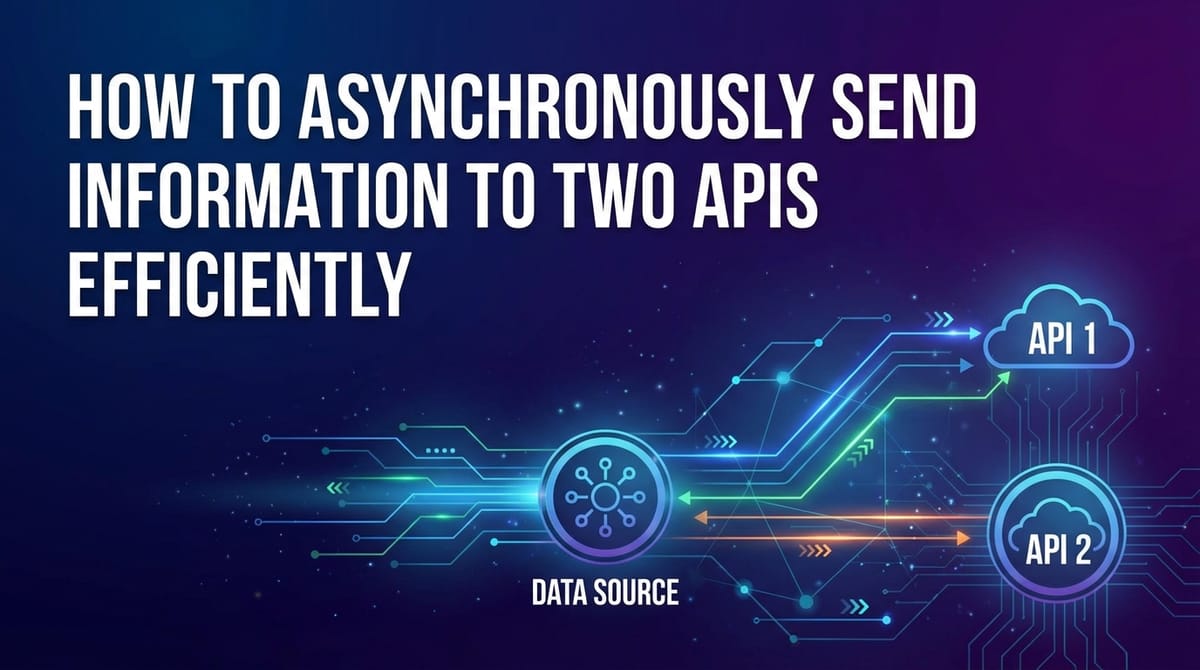
This is the most common and often the most efficient strategy when the two API calls are logically independent. Both requests are initiated concurrently, and the application waits for both to complete before proceeding, or handles partial completion based on business logic.
When to Use: * Independent Operations: For instance, sending user registration data to a primary user database (API1) and simultaneously updating a CRM system or logging an event to an analytics platform (API2). The success of one does not hinge on the success or response data of the other. * Performance Criticality: When minimizing overall latency is paramount. * Data Redundancy/Mirroring: Sending the same data to two different storage systems for backup or consistency.
How it Works (Conceptually): 1. Application prepares data for API1 and API2. 2. Application dispatches request to API1. 3. Without waiting, application immediately dispatches request to API2. 4. Application waits for both responses to arrive. 5. Application processes both responses (or handles any failures).
Example: Imagine a retail application where a customer completes an order. * API1 (Order Fulfillment Service): Receives order details to initiate shipping. * API2 (Inventory Management Service): Receives details to decrement stock levels.
These two operations can proceed in parallel. If the inventory update fails, the order fulfillment might still proceed (and require manual adjustment later), or the system might roll back the order based on business rules. The key is that the calls don't block each other.
Resilience Considerations with Parallel Execution:
- Partial Failures: What happens if API1 succeeds but API2 fails?
- Strict Consistency: If both must succeed, the application might need to implement a rollback mechanism (compensating transaction) for API1 if API2 fails, or use a distributed transaction coordinator.
- Eventual Consistency/Tolerance: If API2 (e.g., analytics) is less critical, the application might simply log the failure for API2 and proceed with API1's success, perhaps queuing a retry for API2.
- Timeouts: Each API call should have an independent timeout. If one API is particularly slow, it shouldn't hold up the entire operation indefinitely.
- Aggregating Results: Using constructs like
Promise.all(JS),asyncio.gather(Python), orCompletableFuture.allOf(Java) ensures that the application only proceeds when all (or a defined subset) of the parallel operations have completed, and allows for collective error handling.
2. Sequential Execution with Asynchronous Chaining
This strategy is employed when the second API call depends on the successful response or data provided by the first API call. While the calls are sequential, they are still executed asynchronously, preventing blocking the main thread.
When to Use: * Dependent Operations: When API2 requires specific data (e.g., an ID, a token, a processed result) that is only available from the response of API1. * Workflow Orchestration: Building a step-by-step process where each step is an API call.
How it Works (Conceptually): 1. Application prepares data for API1. 2. Application dispatches request to API1. 3. Without blocking, application sets up a "continuation" or "callback" to be executed after API1 responds. 4. When API1 responds, the continuation is triggered. 5. Inside the continuation, data from API1's response is extracted. 6. Application then dispatches request to API2 using this extracted data. 7. Application waits for API2's response. 8. Application processes API2's response.
Example: Consider a system that provisions a new service. * API1 (Authentication Service): Takes user credentials and returns an authorization token. * API2 (Service Provisioning API): Requires the authorization token from API1 to create the new service.
Here, API2 cannot be called until API1 successfully completes and provides the necessary token.
Code Example (JavaScript with async/await):
async function provisionService(username, password, serviceConfig) {
    const authApiUrl = 'https://auth.example.com/login';
    const provisioningApiUrl = 'https://provision.example.com/create';

    try {
        // Step 1: Call Authentication API asynchronously
        const authResponse = await fetch(authApiUrl, {
            method: 'POST',
            headers: { 'Content-Type': 'application/json' },
            body: JSON.stringify({ username, password })
        });

        if (!authResponse.ok) {
            throw new Error(`Authentication failed: ${authResponse.status}`);
        }
        const authResult = await authResponse.json();
        const authToken = authResult.token; // Extract token from response

        console.log('Authentication successful. Token received.');

        // Step 2: Call Service Provisioning API asynchronously using the token
        const provisioningResponse = await fetch(provisioningApiUrl, {
            method: 'POST',
            headers: {
                'Content-Type': 'application/json',
                'Authorization': `Bearer ${authToken}` // Use token from API1
            },
            body: JSON.stringify(serviceConfig)
        });

        if (!provisioningResponse.ok) {
            throw new Error(`Service provisioning failed: ${provisioningResponse.status}`);
        }
        const provisioningResult = await provisioningResponse.json();

        console.log('Service provisioning successful:', provisioningResult);
        return { provisioningStatus: 'success', details: provisioningResult };

    } catch (error) {
        console.error('Service provisioning workflow failed:', error.message);
        throw error; // Propagate error
    }
}

// Example usage:
provisionService('user123', 'secure_pass', { type: 'VPS', region: 'us-east-1' })
    .then(status => console.log('Final workflow status:', status))
    .catch(err => console.error('Overall provisioning failed:', err.message));
This asynchronous chaining ensures that even though the operations are sequential, the application's execution thread is not blocked during the waiting periods for either API call, maintaining responsiveness and efficiency.
Choosing between parallel and sequential strategies is a critical design decision that impacts both the performance and logical correctness of your application. Often, a complex workflow might involve a combination of both, where certain sets of calls are parallel, and the results of those sets then feed into subsequent sequential calls.
APIPark is a high-performance AI gateway that allows you to securely access the most comprehensive LLM APIs globally on the APIPark platform, including OpenAI, Anthropic, Mistral, Llama2, Google Gemini, and more.Try APIPark now! 👇👇👇
The Role of an API Gateway in Multi-API Orchestration
As applications grow in complexity, integrating with numerous backend services and external APIs becomes a significant challenge. Managing authentication, authorization, routing, rate limiting, caching, and analytics for each individual API can quickly lead to a sprawling, inconsistent, and difficult-to-maintain codebase. This is where an api gateway steps in as a crucial architectural component.
An api gateway acts as a single entry point for all API clients. It's a reverse proxy that sits in front of your backend services and external APIs, abstracting away the complexities of the underlying architecture. Instead of clients making direct calls to multiple backend services, they interact solely with the gateway. The gateway then intelligently routes requests, applies policies, and often orchestrates calls to various upstream services.
How an API Gateway Helps with Asynchronous Multi-API Communication:
- Centralized Request Routing and Fan-out: An API Gateway can be configured to receive a single client request and fan it out to multiple backend APIs concurrently. For instance, a client might send a single request to
/api/v1/user-data. The gateway could then internally make asynchronous calls to:/user-service/profile/order-service/recent-orders/notification-service/pending-alertsIt aggregates the responses and returns a unified response to the client. This significantly simplifies the client-side logic, as the client only needs to know about one endpoint and doesn't have to manage multiple asynchronous calls or their aggregation. The gateway effectively handles the parallel execution for the client.
- Protocol Translation and Aggregation: Backend APIs might use different communication protocols or data formats. An API Gateway can handle these translations, presenting a consistent interface to clients. More importantly, it can aggregate disparate responses from multiple services into a single, cohesive response, saving client applications from this complex task.
- Authentication and Authorization: Instead of each backend service needing to implement its own authentication and authorization logic, the API Gateway can centralize this. It can validate API keys, OAuth tokens, or JWTs, and then pass security context to the backend services. This simplifies security management and ensures consistent policy enforcement across all APIs.
- Rate Limiting and Throttling: To protect backend services from being overwhelmed, an API Gateway can enforce rate limits on a per-client, per-API, or global basis. This is crucial when multiple APIs are being hit by a single client request (through fan-out), preventing a single client from monopolizing resources.
- Caching: The gateway can cache responses from backend APIs, reducing the load on services and improving response times for frequently accessed data. This is particularly beneficial for read-heavy operations that might involve multiple backend calls.
- Monitoring and Analytics: By being the single entry point, an API Gateway provides a centralized location for monitoring API traffic, logging requests and responses, and gathering analytics. This offers a holistic view of API usage, performance, and error rates across all integrated services.
- Service Discovery and Load Balancing: Gateways can integrate with service discovery mechanisms to locate backend services and intelligently distribute traffic across multiple instances of those services using various load-balancing algorithms. This ensures high availability and scalability.
Introducing APIPark: An Open Source AI Gateway & API Management Platform
When considering robust solutions for managing and orchestrating APIs, especially in a world increasingly driven by AI, platforms like APIPark stand out. APIPark is an all-in-one AI gateway and API developer portal that is open-sourced under the Apache 2.0 license. It's specifically designed to help developers and enterprises manage, integrate, and deploy AI and REST services with ease, making it highly relevant for scenarios involving sending information efficiently to multiple APIs.
APIPark facilitates the quick integration of over 100+ AI models, but its utility extends to general REST API management as well. It offers a unified API format for AI invocation, which standardizes request data across various models, simplifying usage and maintenance. For our discussion on asynchronous multi-API interaction, several of APIPark's features are particularly pertinent:
- End-to-End API Lifecycle Management: APIPark assists with managing the entire lifecycle of APIs, from design to publication, invocation, and decommissioning. This governance allows for the regulation of API management processes, which includes managing traffic forwarding, load balancing, and versioning of published APIs. In a multi-API scenario, this centralized management means the API gateway can intelligently route and balance requests across different backend services, whether they are traditional REST APIs or AI models, ensuring efficient asynchronous fan-out.
- Performance Rivaling Nginx: With impressive performance benchmarks, APIPark can handle over 20,000 TPS with modest hardware, supporting cluster deployment for large-scale traffic. This performance is critical for an API gateway that needs to orchestrate and fan out requests to multiple backend APIs without becoming a bottleneck itself. Its ability to handle high throughput ensures that asynchronous calls are dispatched and managed efficiently.
- Detailed API Call Logging and Powerful Data Analysis: APIPark provides comprehensive logging, recording every detail of each API call. This is invaluable for troubleshooting issues in asynchronous multi-API calls, especially when one of the two (or more) APIs experiences a failure or delay. The platform's data analysis capabilities help display long-term trends and performance changes, allowing for preventive maintenance and optimization of API interaction patterns.
By acting as a central hub, platforms like APIPark can significantly simplify the architectural complexities of managing multiple API integrations, providing a robust and efficient foundation for asynchronous communication patterns. It abstracts away many operational concerns, allowing developers to focus on core business logic rather than infrastructure details.
Best Practices for Efficient Asynchronous Multi-API Communication
Achieving efficient asynchronous communication with multiple APIs goes beyond merely using async/await. It involves adopting a set of best practices that enhance reliability, performance, and maintainability.
1. Implement Robust Error Handling and Retry Mechanisms
Asynchronous operations, especially those involving external networks, are susceptible to transient failures (e.g., temporary network glitches, server overloads). * Graceful Degradation: Design your application to handle partial failures. If one of two APIs fails, decide whether to: * Fail Fast: If both are critical, roll back or inform the user. * Continue Partially: If one is less critical (e.g., analytics logging), log the error and proceed with the successful API's result. * Retries with Exponential Backoff: For transient errors, instead of immediate failure, implement a retry mechanism. Exponential backoff (waiting for increasingly longer periods between retries) prevents overwhelming a struggling API and allows it time to recover. * Circuit Breaker Pattern: This pattern prevents an application from repeatedly invoking a failing service. If a service consistently fails, the circuit breaker "trips," and subsequent calls fail immediately without attempting to contact the service, until a configured timeout passes and the circuit allows a single "test" call. This saves resources and prevents cascading failures.
2. Configure Appropriate Timeouts
Indefinite waiting is a common pitfall in asynchronous systems. Each API call should have a defined timeout. * Connection Timeout: How long to wait to establish a connection. * Read/Write Timeout: How long to wait for data to be sent/received after the connection is established. * Overall Request Timeout: The total time allowed for the entire request-response cycle. Properly configured timeouts prevent one slow API from consuming resources indefinitely, freeing up connections and threads for other requests.
3. Utilize Connection Pooling
Establishing a new TCP connection for every HTTP request is resource-intensive and adds latency. Connection pooling allows clients to reuse existing, persistent connections. * HTTP Clients: Modern HTTP clients (e.g., HttpClient in Java, aiohttp.ClientSession in Python, axios in Node.js) often manage connection pools automatically or offer configurations for it. Ensure you are instantiating clients appropriately (e.g., a single HttpClient instance in Java, or a single aiohttp.ClientSession in Python) to leverage this benefit. * Keep-Alive: Ensure HTTP Keep-Alive headers are correctly configured to facilitate connection reuse.
4. Implement Batching (When Applicable)
If you frequently send multiple small pieces of information to the same API, consider batching them into a single, larger request. This reduces the overhead of multiple HTTP requests, network round-trips, and server-side processing per item. * API Support: This is only possible if the target API supports batching (e.g., a /bulk-update endpoint). * Consider Trade-offs: While batching reduces request count, a large batch might take longer to process and could increase the impact of a single request failure.
5. Prioritize Requests and Use Queues
For certain scenarios, not all API calls have the same urgency. * Message Queues (e.g., RabbitMQ, Kafka): For non-critical, long-running, or highly decoupled tasks (like sending analytics data, generating reports, or email notifications), sending information to a message queue instead of directly calling the API can offload work from the immediate request path. A separate worker process can then consume messages from the queue and asynchronously call the target APIs. This provides better decoupling, resilience, and allows for much higher throughput. * Prioritization: Implement priority queues if some tasks are more critical than others.
6. Monitor and Observe
Visibility into your asynchronous API interactions is paramount. * Logging: Detailed logging of request/response times, statuses, errors, and payloads (sanitized) is essential for debugging and performance analysis. * Metrics: Collect metrics such as: * Request rates to each API. * Latency (p90, p95, p99 percentiles) for each API. * Error rates (4xx, 5xx) for each API. * Throughput. * Distributed Tracing: Tools like OpenTracing or OpenTelemetry can trace a single request through multiple services (including API Gateway and backend APIs), providing a holistic view of its journey and helping pinpoint bottlenecks in a complex asynchronous workflow.
7. Manage Concurrency Limits
While sending requests in parallel is efficient, sending too many requests concurrently can overwhelm your own application's resources (CPU, memory, open file descriptors) or the target APIs. * Semaphore/Limiter: Use a semaphore or a concurrency limiter (e.g., asyncio.Semaphore in Python, RateLimiter in Java's Guava) to control the maximum number of simultaneous active asynchronous API calls. * Backpressure: Be mindful of backpressure. If an API is slow, don't keep sending it new requests faster than it can process them. The concurrency limits should help manage this.
By diligently applying these best practices, you can build asynchronous multi-API communication patterns that are not only efficient but also robust, scalable, and resilient to the inevitable challenges of distributed systems.
Common Pitfalls and How to Avoid Them
Even with the best intentions and the right tools, asynchronous programming, especially when dealing with multiple APIs, introduces its own set of challenges. Awareness of these common pitfalls and knowing how to mitigate them is crucial for building stable and maintainantable systems.
1. Callback Hell / Pyramid of Doom
Pitfall: This occurs when using nested callbacks for sequential asynchronous operations, leading to deeply indented, unreadable, and hard-to-maintain code. Each step depends on the previous one's success, creating a "pyramid" shape.
// Example of Callback Hell (simplified for demonstration)
apiCall1(data, function(err1, res1) {
    if (err1) handle(err1);
    apiCall2(res1.id, function(err2, res2) {
        if (err2) handle(err2);
        apiCall3(res2.token, function(err3, res3) {
            if (err3) handle(err3);
            // ... more nesting
        });
    });
});
How to Avoid: * Promises/Futures: Use promises or futures to chain asynchronous operations. .then() methods flatten the structure. * async/await: This is the most effective solution. It allows you to write sequential-looking asynchronous code, completely eliminating the visual and logical complexity of callback hell.
2. Unhandled Exceptions and Errors
Pitfall: In asynchronous code, exceptions might not propagate up the call stack in the same way as synchronous code, leading to silent failures or crashes that are difficult to debug. For instance, a promise rejection might go unhandled if .catch() is missing, or an exception in a callback might not be caught by the outer try-catch.
How to Avoid: * try-catch with async/await: Wrap await calls in try-catch blocks, just like synchronous code. This provides a familiar and robust error handling mechanism. * Promise .catch() / .exceptionally(): Always attach error handlers to promises/futures to catch rejections. * Centralized Error Handling: Implement a global error handler for your application (e.g., process.on('unhandledRejection') in Node.js, or a global exception handler in frameworks like Spring Boot) to catch and log any unhandled asynchronous errors.
3. Race Conditions and Data Inconsistency
Pitfall: When multiple asynchronous operations modify shared resources (e.g., a database record, an in-memory cache, a global variable) concurrently without proper synchronization, their interleaving can lead to unexpected and incorrect states. This is a classic race condition.
How to Avoid: * Minimize Shared Mutable State: The best approach is to avoid sharing mutable state between concurrent operations as much as possible. * Synchronization Primitives: If shared state is unavoidable, use synchronization primitives like mutexes, semaphores, or locks to protect critical sections of code. Be cautious, as overusing locks can negate the benefits of concurrency and introduce deadlocks. * Immutable Data Structures: Use immutable data structures whenever possible to avoid unintended modifications. * Atomic Operations: For database updates, leverage atomic operations provided by the database (e.g., incrementing a counter, CAS operations).
4. Resource Leaks (Connections, File Descriptors)
Pitfall: Failing to properly close or release resources (like HTTP connections, database connections, file handles) after asynchronous operations can lead to resource exhaustion, especially under heavy load. This can manifest as "Too many open files" errors or stalled connections.
How to Avoid: * try-with-resources (Java) / async with (Python): Use language constructs that automatically manage resource lifecycle. For example, try-with-resources in Java for HttpClient responses, or async with aiohttp.ClientSession() in Python to ensure sessions are closed. * Consistent Client Management: Use a single, long-lived instance of your HTTP client (e.g., HttpClient in Java, axios instance in Node.js, aiohttp.ClientSession in Python) configured with connection pooling. This client manages connection reuse and closure efficiently. * Finalizers/Cleanup Functions: Ensure that cleanup logic is executed even if errors occur. Promises have a .finally() (JavaScript) or whenComplete (Java CompletableFuture) method for this purpose.
5. Ignoring Backpressure
Pitfall: Sending data to downstream services (APIs, message queues) faster than they can process it. This can overwhelm the downstream service, causing it to slow down, drop requests, or crash. Your application might then experience accumulating pending requests and eventual resource exhaustion.
How to Avoid: * Rate Limiting: Implement rate limiting on your outgoing API calls to match the capacity of the downstream service. * Concurrency Limits: As discussed in best practices, set limits on the number of concurrent asynchronous operations. * Queues with Flow Control: When using message queues, leverage their flow control mechanisms (e.g., consumer acknowledgements, prefetch limits) to ensure producers don't overwhelm consumers. * Monitoring: Monitor the health and latency of downstream APIs. If they show signs of struggling, your application should respond by reducing its outgoing request rate.
By being mindful of these common pitfalls and proactively implementing strategies to avoid them, developers can create robust, efficient, and resilient applications that effectively manage asynchronous interactions with multiple external APIs.
Advanced Considerations for Enterprise-Scale Asynchronous Communication
For enterprise-grade applications requiring maximum scalability, fault tolerance, and loose coupling, merely using async/await patterns might not be sufficient. Advanced architectural patterns and tools can further enhance asynchronous multi-API communication.
1. Message Queues for Decoupled Asynchronous Processing
For tasks that don't require an immediate response back to the client, or for operations that are inherently long-running, CPU-intensive, or prone to frequent retries, message queues (like RabbitMQ, Apache Kafka, Amazon SQS, Azure Service Bus) offer a powerful solution.
How it works: 1. Producer: Your application sends a message (e.g., "User Registered Event" with user data) to a message queue instead of directly calling the analytics API or CRM API. This operation is fast and non-blocking. 2. Queue: The message queue stores the message reliably. 3. Consumer: Separate worker processes (consumers) listen to the queue, pick up messages, and then asynchronously call the target APIs (e.g., Analytics API, CRM API) based on the message content.
Benefits: * Decoupling: The producer (your main application) is completely decoupled from the consumers and the target APIs. If the analytics API is down, your main application doesn't fail; the message simply waits in the queue until the analytics consumer can process it. * Resilience: Messages are persisted. If a consumer crashes, another consumer can pick up the message. Retries are easier to manage within the consumer logic. * Scalability: You can scale consumers independently to handle message load. * Load Leveling: Queues absorb spikes in traffic, protecting downstream APIs from being overwhelmed.
Scenario: Sending user data to an analytics API and a separate internal data warehouse for auditing. Instead of two parallel HTTP calls from the main application, the application publishes a "UserCreated" event to a Kafka topic. Separate microservices (consumers) subscribe to this topic, one calling the analytics API, another transforming and sending data to the data warehouse.
2. Serverless Functions (FaaS) for Event-Driven Workflows
Serverless platforms (like AWS Lambda, Azure Functions, Google Cloud Functions) are excellent for implementing highly scalable, event-driven asynchronous workflows.
How it works: 1. Event Trigger: Your application performs an action (e.g., saves a file to S3, publishes to a message queue, or even directly calls an API Gateway endpoint that triggers a Lambda). 2. Function Execution: A lightweight, ephemeral serverless function is automatically invoked in response to this event. 3. API Calls: This function contains the logic to asynchronously call one or more external APIs.
Benefits: * Automatic Scaling: Functions automatically scale up and down with demand, without you provisioning servers. * Pay-per-execution: You only pay for the compute time consumed when your functions are running. * Simplified Operations: Reduced operational overhead as the cloud provider manages the underlying infrastructure. * Tight Integration with Cloud Services: Seamless integration with other cloud services (databases, storage, queues, etc.).
Scenario: A client application uploads a user profile picture. This upload triggers a serverless function. This function then asynchronously calls: * API1 (Image Processing API): To resize and optimize the image. * API2 (Metadata API): To update the user's profile with the new image URL. The client receives an immediate "upload successful" response, and the heavy lifting is handled asynchronously by the serverless function.
3. Microservices Architecture and Service Mesh
In a microservices architecture, complex applications are broken down into small, independent services. Each service might expose its own API. A service mesh (like Istio, Linkerd) provides a dedicated infrastructure layer for managing service-to-service communication.
How it works: * Sidecar Proxies: A proxy (like Envoy) runs alongside each microservice instance. All inbound and outbound traffic for that service flows through this proxy. * Traffic Management: The service mesh can manage traffic routing, load balancing, retries, timeouts, and circuit breaking for service-to-service calls. * Observability: It provides rich telemetry for inter-service communication, making it easier to monitor and debug complex asynchronous interactions.
Benefits: * Centralized Control over Communication: Policies for retries, timeouts, and routing are defined at the mesh level, not within individual application code. * Enhanced Resilience: Built-in circuit breakers, timeouts, and retry logic improve the fault tolerance of inter-service API calls. * Improved Observability: Consistent metrics, logs, and traces for all service communication simplify troubleshooting asynchronous workflows.
Scenario: A "Order Placement" microservice needs to interact with "Inventory" and "Payment" microservices. A service mesh can ensure that calls to the Inventory service are load-balanced and retried automatically if a transient network error occurs, without the Order Placement service needing to implement this logic itself. The Order Placement service can then focus on its core business logic, initiating asynchronous calls and relying on the mesh for network resilience.
These advanced considerations move beyond simple code-level asynchronous patterns to architectural choices that fundamentally enable highly efficient, scalable, and resilient multi-API communication in complex distributed environments. They represent the pinnacle of handling asynchronous operations in an enterprise context, ensuring that applications can meet the stringent demands of modern digital services.
Case Study: Optimizing a SaaS Application's User Event Processing
Let's illustrate the power of asynchronous multi-API communication with a concrete example from a hypothetical SaaS application.
Scenario: A SaaS application provides project management tools. When a user performs a significant action (e.g., "completes a task," "creates a project," "invites a team member"), the application needs to: 1. Update the User Activity Feed: Show this action to other team members in real-time. (Internal API) 2. Send to Analytics Platform: Record the event for business intelligence and usage tracking. (External API) 3. Trigger Notifications: Potentially send an email or in-app notification to relevant users. (Internal Notification Service API)
Initial Synchronous Approach (Problematic): If these three operations were performed synchronously:
User completes task ->
    Call Activity Feed API (200ms) ->
    Call Analytics API (300ms) ->
    Call Notification API (250ms) ->
    Return response to user.
Total time: 750ms + network overhead. During this time, the user's request thread is blocked. If any of these APIs are slow or fail, the user experiences significant delays or errors. Under high load, the server would quickly run out of threads, leading to slow responses for all users.
Optimized Asynchronous Approach with an API Gateway and Message Queue:
To achieve efficiency, resilience, and scalability, we can redesign the workflow:
Phase 1: Immediate User Response (Main Application) 1. User performs an action (e.g., "completes a task"). 2. The application immediately records the event internally and publishes a lightweight "TaskCompleted" message to a Message Queue (e.g., Apache Kafka). 3. The application then sends an immediate "success" response back to the user (e.g., "Task marked as complete!"). This takes only a few milliseconds.
Phase 2: Asynchronous Processing (Backend Workers/Consumers) A dedicated backend worker service (or multiple microservices) continuously monitors the Message Queue for new "TaskCompleted" events. When an event is consumed:
- Worker 1 (Activity Feed Processor):
- Picks up "TaskCompleted" message.
- Asynchronously calls the internal Activity Feed API to update the feed.
- Implements retries with exponential backoff if the Activity Feed API is temporarily unavailable.
- If persistent failure, logs the event for manual inspection.
- Worker 2 (Analytics Event Sender):
- Picks up "TaskCompleted" message.
- Asynchronously calls the external Analytics API to send the event data.
- Utilizes a configured timeout for the external API.
- If the Analytics API fails, logs the event and potentially moves it to a Dead Letter Queue (DLQ) for later processing, as analytics data might be less critical for immediate user experience.
- Worker 3 (Notification Trigger):
- Picks up "TaskCompleted" message.
- Asynchronously calls the internal Notification Service API to determine and send relevant notifications (email, in-app).
- Handles potential partial success (e.g., email sent, but in-app notification failed).
Role of an API Gateway (e.g., APIPark):
While the core event processing uses a message queue, an API Gateway like APIPark can play several crucial roles in the broader SaaS ecosystem:
- Unified Access to Backend APIs: The internal Activity Feed API and Notification Service API might be exposed through APIPark. This allows other microservices or internal tools to access them securely and efficiently. APIPark would manage authentication, authorization, and rate limiting for these internal APIs.
- External API Integration Standardization: If the SaaS application needs to integrate with a multitude of external APIs for various functionalities beyond just analytics (e.g., payment gateways, CRM tools, communication platforms), APIPark can provide a unified and managed layer. It could normalize external API formats, handle token refreshes, and provide a single point for monitoring all external API traffic.
- AI Model Orchestration: As the SaaS application evolves to include AI features (e.g., task prioritization suggestions, sentiment analysis on comments), APIPark's core strength as an AI gateway becomes invaluable. It could abstract away the complexity of integrating with various AI models, standardizing their invocation format and managing their lifecycle, which might involve asynchronous calls to multiple AI endpoints for a single composite AI feature.
- Performance and Observability: APIPark would provide critical performance metrics and detailed logging for all API traffic flowing through it, offering comprehensive visibility into the health and efficiency of both internal and external API interactions, including the Notification and Activity Feed APIs used by the workers.
Benefits of this Asynchronous Design:
- Superior User Experience: The user receives an immediate response, not waiting for backend processing.
- High Scalability: Each worker process can be scaled independently based on the load for its specific task. The message queue acts as a buffer.
- Resilience and Fault Tolerance: Failures in downstream APIs do not directly impact the user or the main application thread. Messages can be retried or moved to a DLQ.
- Loose Coupling: The main application is decoupled from the specific implementation details of activity feeds, analytics, and notifications. Changes to one backend system don't necessarily affect others.
- Efficient Resource Utilization: The main application thread is freed up almost instantly, allowing it to serve more concurrent user requests.
This case study demonstrates how a combination of asynchronous programming patterns, message queues, and a powerful API gateway like APIPark can transform a potentially slow and fragile synchronous workflow into a highly efficient, scalable, and resilient asynchronous system, crucial for modern SaaS applications.
Conclusion: Embracing Asynchronicity for a Responsive Future
The journey through asynchronous communication, from its fundamental concepts to advanced enterprise strategies, underscores its indispensable role in modern application development. In an increasingly interconnected world, where applications routinely interact with two or more external APIs, relying on traditional synchronous methods is no longer a viable option for achieving optimal performance, responsiveness, and scalability. The inherent delays of I/O-bound operations can quickly cascade into bottlenecks, leading to frustrated users and inefficient resource utilization.
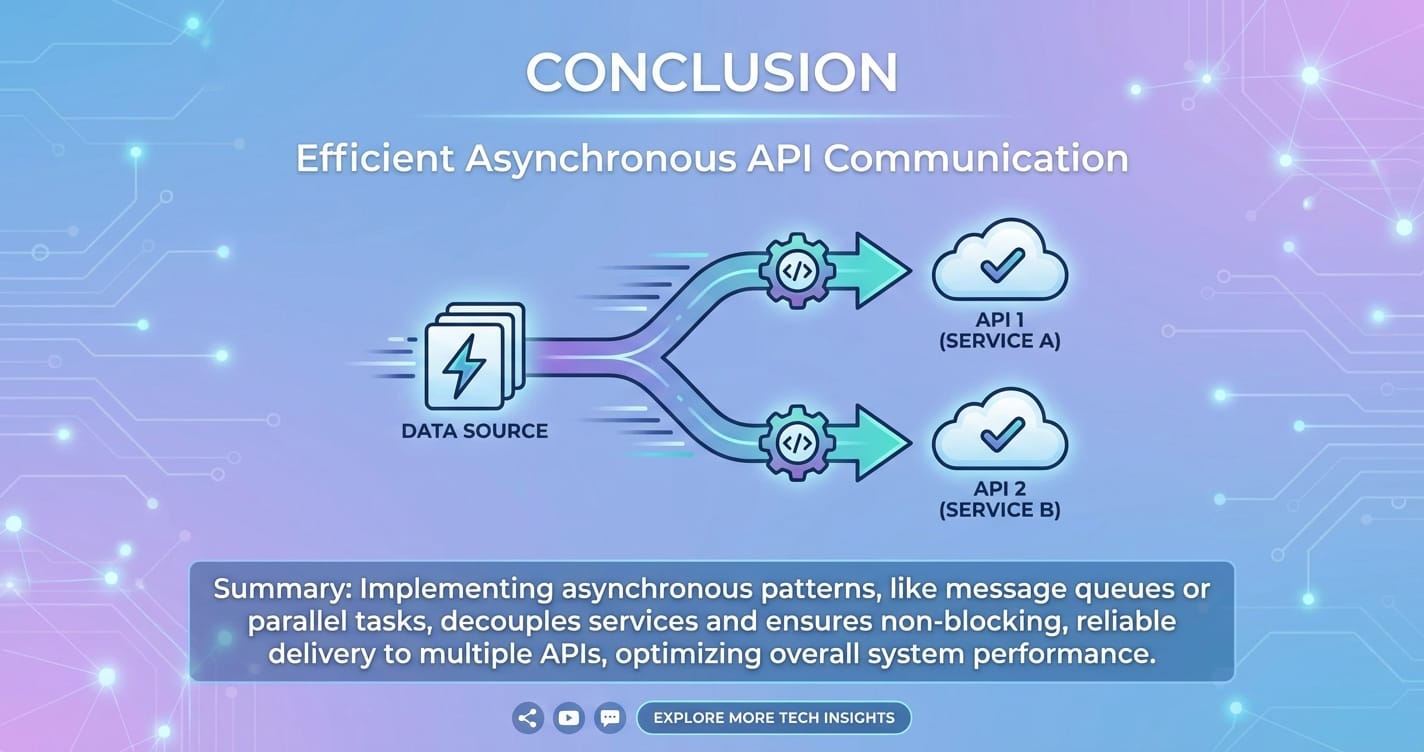
By embracing asynchronous programming paradigms—whether through async/await in popular languages like JavaScript and Python, CompletableFuture in Java, or advanced message queue architectures—developers can transform these waiting periods into opportunities for concurrent execution. This strategic shift allows applications to initiate multiple API requests in parallel, aggregate their results efficiently, and maintain a fluid user experience even when dealing with complex integrations.
We've explored how a robust api gateway, exemplified by platforms like APIPark, acts as a central nervous system for these interactions. An API gateway abstracts away much of the complexity, offering centralized control over routing, security, performance, and monitoring, particularly vital when orchestrating calls to multiple backend services or a diverse set of AI models. It acts as a resilient facade, ensuring that even the most intricate multi-API workflows are managed efficiently and securely.
Furthermore, we delved into critical best practices, emphasizing the importance of meticulous error handling, strategic timeouts, efficient connection pooling, and proactive monitoring. Awareness of common pitfalls, from callback hell to resource leaks, is equally vital for building maintainable and robust systems. For the most demanding scenarios, advanced patterns such as message queues and serverless functions offer even greater levels of decoupling, scalability, and resilience, enabling applications to handle vast volumes of asynchronous tasks with grace.
Ultimately, the ability to efficiently send information to two APIs, or indeed many, is not merely a technical skill; it's a foundational pillar of building high-performance, fault-tolerant, and scalable applications that can thrive in today's dynamic digital ecosystem. By diligently applying the principles and techniques outlined in this guide, developers can craft systems that are not only performant but also adaptable and ready for the future challenges of distributed computing.
Frequently Asked Questions (FAQs)
1. What is the fundamental difference between synchronous and asynchronous API calls? Synchronous API calls block the execution of the program until a response is received from the API server. In contrast, asynchronous API calls initiate the request and immediately return control to the program, allowing it to perform other tasks while waiting for the API response. The program is notified later when the response arrives, typically through callbacks, promises, or async/await constructs.
2. Why is asynchronous communication particularly important when interacting with multiple APIs? When interacting with multiple APIs, synchronous calls would force your application to wait sequentially for each API's response. This accumulates latency, slows down the overall operation, and ties up resources. Asynchronous communication allows your application to send requests to multiple APIs concurrently, dramatically reducing the total waiting time and improving application responsiveness, throughput, and resource utilization.
3. What are async/await and how do they help with asynchronous API calls? async/await is a modern syntactic sugar built on top of promises (or futures) in many programming languages (like JavaScript and Python). The async keyword denotes a function that can perform asynchronous operations, and await pauses the execution of an async function until a promise settles (resolves or rejects) without blocking the main program thread. They make asynchronous code look and behave more like synchronous code, greatly improving readability and simplifying error handling compared to traditional callbacks.
4. How does an API Gateway contribute to efficiently sending information to multiple APIs? An api gateway acts as a single entry point for client requests, sitting in front of multiple backend services. It can abstract the complexity of multi-API interactions by: * Fan-out: Receiving a single client request and internally fanning it out to multiple backend APIs concurrently. * Aggregation: Collecting responses from these multiple APIs and consolidating them into a single, unified response for the client. * Centralized Management: Handling cross-cutting concerns like authentication, rate limiting, and monitoring across all integrated APIs, allowing for more efficient and secure asynchronous orchestration. Platforms like APIPark exemplify how such a gateway centralizes management for both traditional REST and AI-driven APIs.
5. When should I consider using a message queue instead of direct asynchronous API calls for multi-API communication? You should consider a message queue when the API calls are not critical for an immediate client response, are long-running, or require high fault tolerance and scalability. Message queues (e.g., Kafka, RabbitMQ) decouple the producer (your application) from the consumers (worker processes that make the API calls), providing benefits such as: * Decoupling: Producers don't need to know about consumers, improving architectural flexibility. * Resilience: Messages are persisted, so if a target API or consumer is down, the messages wait in the queue for later processing. * Load Leveling: Queues absorb traffic spikes, protecting downstream APIs from overload. * Scalability: Consumers can be scaled independently to match processing demand.
🚀You can securely and efficiently call the OpenAI API on APIPark in just two steps:
Step 1: Deploy the APIPark AI gateway in 5 minutes.
APIPark is developed based on Golang, offering strong product performance and low development and maintenance costs. You can deploy APIPark with a single command line.
curl -sSO https://download.apipark.com/install/quick-start.sh; bash quick-start.sh

In my experience, you can see the successful deployment interface within 5 to 10 minutes. Then, you can log in to APIPark using your account.

Step 2: Call the OpenAI API.