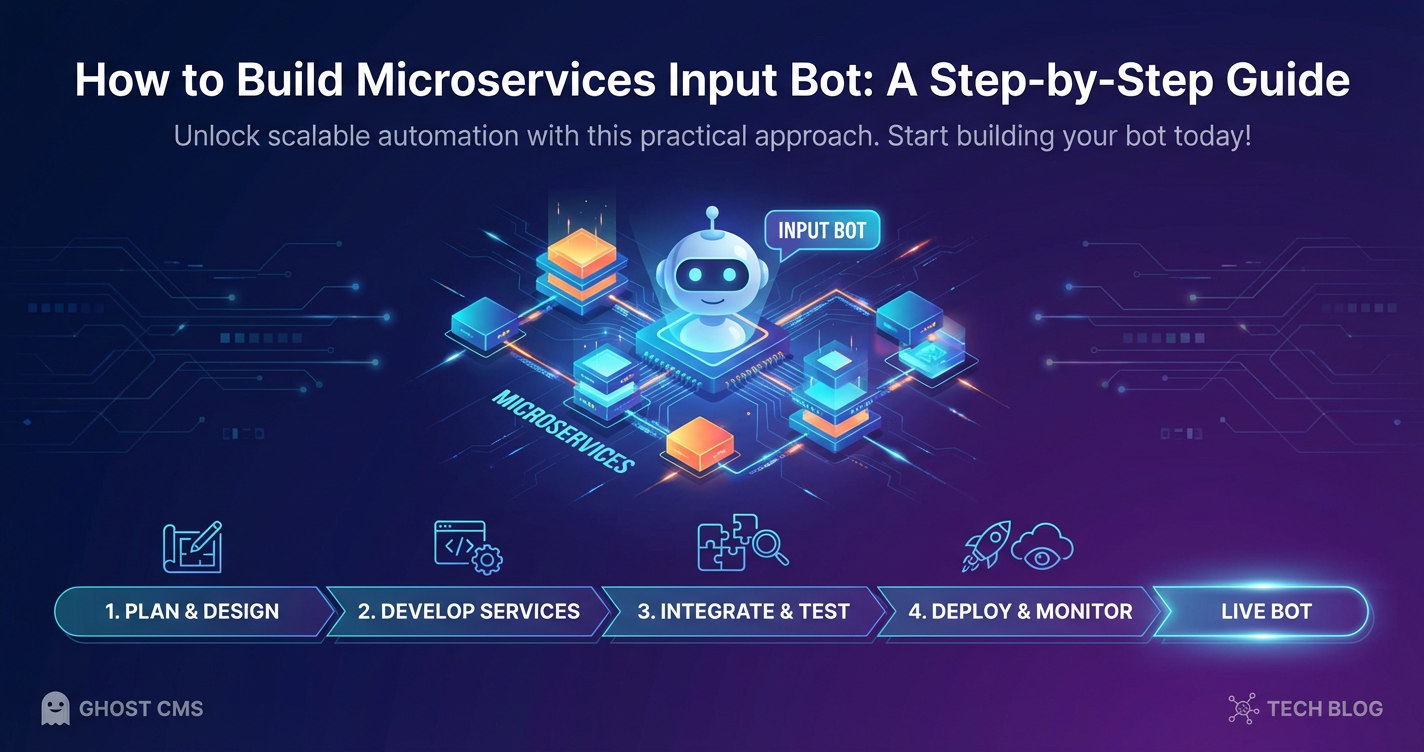
How to Build Microservices Input Bot: A Step-by-Step Guide
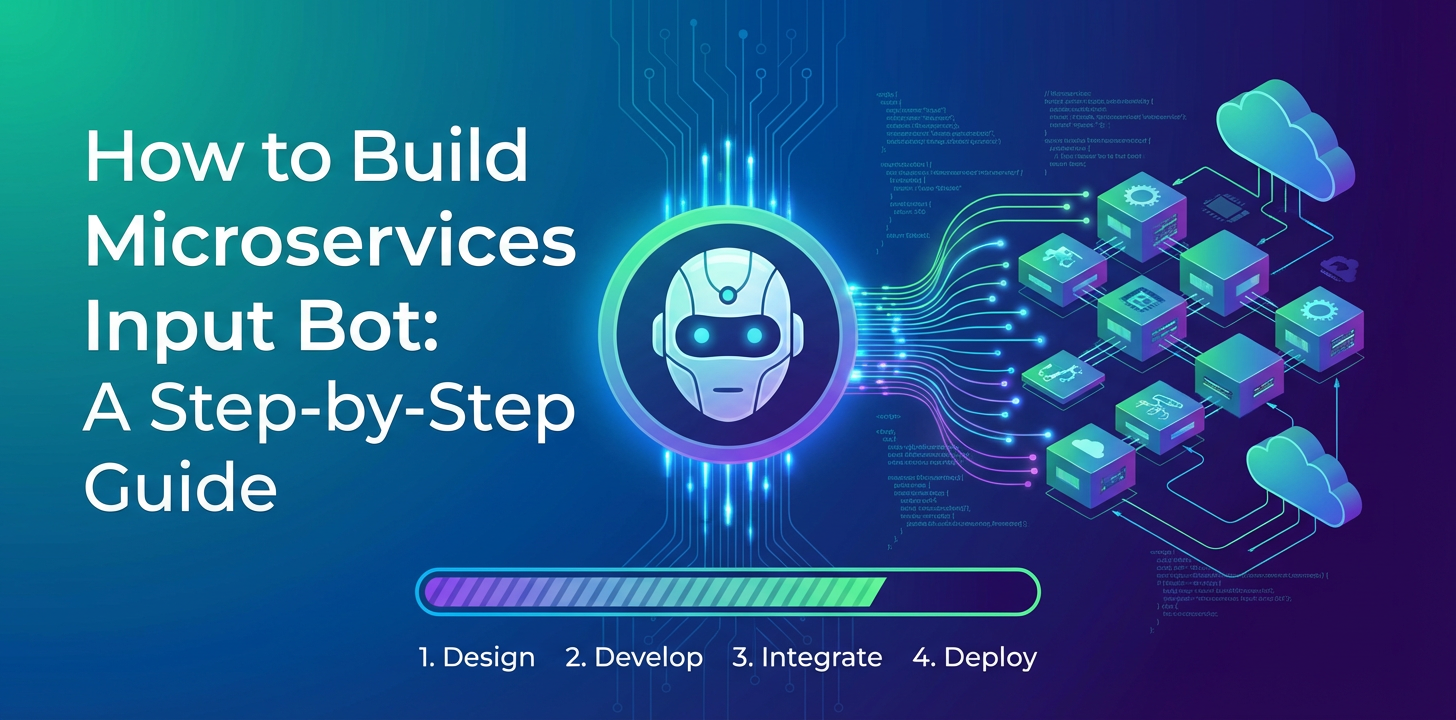


In the dynamic landscape of modern software development, where agility, scalability, and resilience reign supreme, microservices architecture has emerged as a transformative paradigm. This architectural style breaks down monolithic applications into smaller, independent services, each performing a specific business function. While microservices offer undeniable advantages, they also introduce complexities, particularly when it comes to orchestrating interactions between these distributed components. Simultaneously, the explosion of artificial intelligence, particularly Large Language Models (LLMs), has opened new frontiers for creating intelligent, highly responsive applications. Imagine a future where your internal systems or customer-facing interfaces are not just static forms or predefined menus, but intuitive conversational agents capable of understanding complex requests, extracting relevant data, and seamlessly interacting with various backend services. This vision is not futuristic; it's precisely what a "Microservices Input Bot" aims to deliver.
A Microservices Input Bot is a sophisticated conversational agent designed to act as an intelligent intermediary, facilitating data entry, task automation, and information retrieval by interacting directly with a suite of microservices. It transcends the capabilities of a simple chatbot by integrating deep understanding of natural language with the ability to trigger and coordinate complex business processes across a distributed system. From automating tedious data entry for internal operations to powering an intelligent customer support system that can fetch real-time order status, modify user profiles, or process new requests, the applications are vast and impactful. Building such a bot is a journey that requires careful planning, a deep understanding of distributed systems, and a strategic integration of AI capabilities. This comprehensive guide will take you through the entire process, from conceptual design to advanced deployment considerations, ensuring you have the knowledge to construct a robust, scalable, and intelligent Microservices Input Bot. We will explore the critical roles of an API Gateway, the indispensable nature of an LLM Gateway for managing AI interactions, and the essential implementation of a Model Context Protocol to maintain coherent conversations, all while navigating the intricacies of microservices development.
Chapter 1: Understanding the Core Concepts
Embarking on the journey of building a Microservices Input Bot necessitates a solid foundation in the underlying architectural principles and definitions. Without a clear understanding of microservices, the role of an intelligent agent within such an ecosystem, and how various components interact, the path forward becomes convoluted. This chapter aims to solidify these fundamental concepts, setting the stage for the detailed design and implementation discussions that follow.
1.1 Microservices Architecture Revisited: The Backbone of Modern Applications
At its heart, microservices architecture is an approach to developing a single application as a suite of small services, each running in its own process and communicating with lightweight mechanisms, often an HTTP resource API. These services are built around business capabilities, and independently deployable by fully automated deployment machinery. This stands in stark contrast to the monolithic approach, where all components of an application are tightly coupled and deployed as a single, indivisible unit. The shift towards microservices was driven by the inherent challenges of monoliths, especially at scale.
Benefits of Microservices:
- Decoupling and Independence: Services are autonomous, reducing dependencies and allowing development teams to work independently on different parts of the application. This fosters agility and accelerates development cycles.
- Scalability: Each service can be scaled independently based on its specific load requirements. If the 'Product Catalog' service experiences high traffic, only that service needs to be scaled up, rather than the entire application.
- Technology Heterogeneity: Teams are free to choose the best technology stack (programming language, database, frameworks) for a specific service, rather than being restricted by a monolithic stack. This allows for optimal performance and developer productivity for individual components.
- Resilience: The failure of one service does not necessarily bring down the entire application. Well-designed microservices include fault-tolerance mechanisms, allowing the system to degrade gracefully.
- Easier Maintenance: Smaller codebases are easier to understand, maintain, and refactor. This reduces technical debt over time and allows new developers to onboard more quickly.
Challenges of Microservices:
Despite their advantages, microservices introduce their own set of complexities that demand careful consideration:
- Distributed System Complexity: Managing a multitude of independently deployed services inherently adds complexity. Issues like network latency, distributed transactions, and eventual consistency become prominent concerns.
- Inter-service Communication: Services need to communicate reliably and efficiently. Choosing the right communication mechanism (synchronous REST, asynchronous messaging) and ensuring robust error handling are critical.
- Data Consistency: Maintaining data consistency across multiple independent databases, each owned by a different service, is a significant challenge. Strategies like sagas or event-driven architectures are often employed.
- Observability: Understanding the overall health and performance of a system composed of many services requires sophisticated logging, monitoring, and distributed tracing tools. Without these, debugging issues across service boundaries becomes a nightmare.
- Deployment and Operations: While individual services are easier to deploy, managing the deployment, scaling, and orchestration of dozens or hundreds of services requires robust CI/CD pipelines and container orchestration platforms like Kubernetes.
An Input Bot fits perfectly into this paradigm by leveraging the exposed APIs of these independent services. Rather than developing a monolithic bot that tries to encapsulate all business logic, the Microservices Input Bot acts as an intelligent coordinator, directing user requests to the appropriate microservice, processing their responses, and synthesizing coherent answers. It becomes a specialized client of the microservices ecosystem.
1.2 What is an Input Bot? Beyond Simple Chatbots
The term "bot" can evoke images of simple rule-based chatbots that answer predefined questions or follow rigid scripts. However, a Microservices Input Bot is a far more sophisticated entity. It's an intelligent agent designed specifically to interact with the operational logic exposed by microservices, focusing on facilitating "input" – whether that's data entry, command execution, or complex transactional processes – and providing intelligent "output" based on real-time service responses.
Key Characteristics and Roles:
- Intelligent Automation: Unlike passive data forms, an Input Bot actively guides the user through processes, asks clarifying questions, validates inputs in real-time against service logic, and even pre-fills information based on context.
- Data Capture and Validation: Its primary role often involves efficiently capturing structured or semi-structured data from natural language input. For instance, a user might say, "I want to order 5 blue widgets for project Alpha," and the bot needs to parse
item: blue widgets,quantity: 5, andproject: Alpha, then validate these against backend product and project microservices. - Task Execution and Orchestration: Once data is captured and validated, the bot can trigger complex workflows involving multiple microservices. An "order placement" command might involve interactions with product inventory, customer accounts, payment processing, and notification services. The bot orchestrates these calls and manages the overall transaction state.
- Real-time Information Retrieval: It can act as a natural language interface to query various microservices for information. "What's the status of my order #123?" or "Show me all available products in category 'Electronics'" are examples of such queries that are resolved by calling specific backend APIs.
- Contextual Understanding: Crucially, a sophisticated Input Bot maintains conversational context. It remembers previous turns, user preferences, and ongoing tasks, allowing for natural, multi-turn interactions without requiring the user to repeat information. This is where the Model Context Protocol becomes vitally important, as we'll discuss later.
- Channel Agnostic: A well-designed Input Bot can be deployed across various channels – web chat, mobile apps, voice assistants, internal communication platforms (Slack, Teams) – providing a consistent experience regardless of the interface.
Examples of Input Bot Applications:
- Customer Service Automation: Resolving common queries, initiating returns, updating customer information, checking order status, all by interacting with underlying CRM, order management, and inventory microservices.
- Internal Operations and IT Support: Automating password resets, creating support tickets, provisioning resources, reporting system issues by interfacing with identity management, ticketing, and infrastructure microservices.
- Sales and Lead Qualification: Gathering lead information, scheduling demos, looking up product details, and initiating CRM workflows.
- Healthcare Intake: Collecting patient information, scheduling appointments, asking pre-screening questions, and updating electronic health records (EHR) microservices.
- Financial Services: Processing loan applications, checking account balances, initiating transfers, and providing investment information.
The Microservices Input Bot is not just a chatbot; it's a powerful tool for intelligent process automation and enhanced user interaction within a distributed system. Its ability to bridge the gap between human language and complex backend services is what makes it a game-changer for efficiency and user experience.
1.3 The Role of APIs: The Lingua Franca of Microservices
In the world of microservices, APIs (Application Programming Interfaces) are not just a convenience; they are the lifeblood. They define how different services communicate with each other and how external clients, including our Input Bot, can interact with the system. Without well-designed, robust, and consistent APIs, a microservices architecture quickly devolves into chaos.
APIs as Contracts:
Each microservice exposes its functionality through one or more APIs. These APIs act as explicit contracts between the service provider and its consumers. The contract specifies:
- Endpoints: The URLs or addresses where the service can be reached.
- Methods: The operations that can be performed (e.g., GET for retrieval, POST for creation, PUT for updates, DELETE for removal).
- Request Formats: The structure and types of data expected in the request body or parameters.
- Response Formats: The structure and types of data returned by the service, including success and error codes.
- Authentication/Authorization: How access to the API is secured.
Adhering strictly to these contracts is paramount for the stability and evolvability of a microservices ecosystem. Any breaking changes to an API contract can disrupt all consumers, including the Input Bot, leading to system-wide failures.
Common API Styles in Microservices:
- RESTful APIs (Representational State Transfer): The most prevalent style, utilizing standard HTTP methods and stateless communication. They are resource-centric, meaning interactions revolve around manipulating resources (e.g.,
/products,/orders). JSON is the de facto standard for data exchange. RESTful APIs are excellent for broad integration and simple, well-defined interactions. - GraphQL: A query language for APIs that allows clients to request exactly the data they need, nothing more, nothing less. This can reduce over-fetching or under-fetching of data, common issues with REST. GraphQL typically uses a single endpoint and allows clients to define the structure of the response. It's particularly useful for complex frontends that need to aggregate data from multiple services efficiently.
- gRPC (Google Remote Procedure Call): A high-performance, open-source universal RPC framework. It uses Protocol Buffers as its Interface Definition Language (IDL) and operates over HTTP/2, enabling features like bidirectional streaming and multiplexing. gRPC is ideal for inter-service communication where low latency and high throughput are critical, and where services are often written in different languages.
For an Input Bot, RESTful APIs are often the most straightforward choice for initial integration due to their widespread adoption and simplicity. However, for more complex data retrieval patterns or high-performance internal communication within the bot's orchestration layer, GraphQL or gRPC might be considered.
Importance of Well-Designed APIs for Bot Interaction:
- Discoverability and Understandability: APIs should be well-documented, clear, and intuitive. The bot's orchestration layer needs to easily understand what each microservice can do and how to interact with it.
- Granularity: APIs should be granular enough to expose specific business capabilities without exposing unnecessary internal details. For example, a "create order" API is better than a generic "update database" API.
- Consistency: Consistent naming conventions, error handling patterns, and authentication mechanisms across all microservices significantly simplify the bot's development and maintenance.
- Robustness: APIs must handle invalid inputs gracefully, provide meaningful error messages, and be resilient to network issues.
- Security: All APIs must be secured with appropriate authentication and authorization mechanisms to prevent unauthorized access by the bot or malicious actors.
The Microservices Input Bot will primarily function by making calls to these various microservice APIs. Its intelligence lies not just in understanding what a user wants, but in knowing which API to call, how to format the request, and how to interpret the response to fulfill the user's intent. The quality of the underlying microservice APIs directly impacts the bot's capabilities and reliability.
Chapter 2: Designing Your Microservices Input Bot
With a clear understanding of the foundational concepts, we can now pivot to the architectural design of the Microservices Input Bot itself. This phase is crucial for laying out the blueprints, defining how different components will interact, and ensuring the bot meets its functional and non-functional requirements. A well-thought-out design minimizes rework, enhances scalability, and simplifies maintenance in the long run.
2.1 Defining Scope and Requirements: What Will Your Bot Do?
Before writing a single line of code, it is imperative to clearly define the scope and requirements of your Input Bot. This involves understanding the problem it aims to solve, the users it will serve, and the specific functionalities it needs to deliver. A vague understanding at this stage often leads to scope creep, missed deadlines, and a bot that fails to meet user expectations.
Key Questions to Address:
- What Tasks Will the Bot Perform?
- Be as specific as possible. Instead of "handle customer support," specify "check order status," "process product returns," "update shipping address," "reset password."
- Prioritize tasks: Which tasks provide the most immediate value? Start with a Minimum Viable Product (MVP) and iterate.
- Consider the complexity of each task: Does it involve a single microservice call or a complex orchestration of multiple services?
- Who are the Target Users and What are Their Interaction Channels?
- Internal Users: Employees (e.g., HR, IT, sales teams). The bot might be integrated into internal dashboards, Slack, Microsoft Teams.
- External Users: Customers, partners. The bot might be embedded on a website, mobile app, or popular messaging platforms (WhatsApp, Facebook Messenger).
- The choice of channel significantly impacts the UI/UX design and integration effort. For instance, voice interfaces have different requirements than text-based chat.
- What Data Inputs and Outputs are Required?
- Inputs: What information does the bot need from the user to perform a task? (e.g., order ID, product name, quantity, customer details, dates).
- Outputs: What information will the bot provide to the user? (e.g., order status, product description, confirmation messages, error messages).
- Consider data formats, validation rules, and any sensitive information that needs special handling.
- Security and Compliance Considerations:
- What kind of data will the bot handle? Is it personally identifiable information (PII), financial data, or health records?
- What industry regulations (e.g., GDPR, HIPAA, PCI-DSS) must be adhered to?
- How will user authentication be handled? Will the bot need to integrate with an existing identity provider?
- How will the bot interact securely with backend microservices?
- Performance and Scalability Expectations:
- How many concurrent users is the bot expected to handle?
- What are the acceptable response times for various interactions?
- What are the uptime requirements?
- How will the bot's components scale to meet varying loads?
- Integration Requirements:
- Which specific microservices will the bot interact with? Do their APIs already exist, or do they need to be developed/adapted?
- Will the bot integrate with any third-party services (e.g., payment gateways, external mapping services)?
- Are there existing NLU platforms or LLM providers to consider?
Thoroughly documenting these requirements will serve as a guiding star throughout the development process, ensuring that the final product aligns with business needs and user expectations.
2.2 Architectural Considerations: Deconstructing the Bot
The Microservices Input Bot, despite being a single conceptual entity from the user's perspective, is itself a composite system. It comprises several distinct layers, each responsible for a specific set of functionalities. Understanding these layers and their interactions is key to designing a scalable, maintainable, and robust architecture.
2.2.1 Bot Frontend/Interface Layer
This is the user-facing component of the bot, responsible for presenting the conversational interface and capturing user input. It's the "skin" of your bot.
- Functionality:
- Renders the chat UI (text input, message display, rich media like buttons, carousels).
- Sends user messages to the NLU/AI Core.
- Receives and displays responses from the Orchestration Layer.
- Handles platform-specific integrations (e.g., WhatsApp API, Slack API, custom web widget).
- Technologies:
- Web Widget: HTML, CSS, JavaScript (React, Vue, Angular).
- Mobile App Integration: Native SDKs, React Native, Flutter.
- Messaging Platforms: Platform-specific APIs and webhooks (e.g., Twilio for WhatsApp, Slack API).
- Voice Interfaces: Speech-to-Text (STT) services, Text-to-Speech (TTS) services.
2.2.2 Natural Language Understanding (NLU) / AI Core
This layer is the "brain" that interprets user input, extracting meaning and intent. It transforms raw, unstructured natural language into structured data that the bot can act upon.
- Functionality:
- Intent Recognition: Determines the user's goal (e.g., "check_order_status", "create_new_user", "ask_product_price").
- Entity Extraction: Identifies key pieces of information (entities) within the user's utterance (e.g.,
order_id: #12345,product_name: 'blue widget',quantity: 5). - Sentiment Analysis (Optional): Gauges the emotional tone of the user's message.
- Dialogue Management (for more complex NLU platforms): Manages the conversational flow, tracks turns, and determines the next best action.
- Integration with LLMs and the
LLM Gateway:- For sophisticated bots, this layer will heavily leverage Large Language Models (LLMs) for advanced contextual understanding, nuanced response generation, and handling conversational complexities that go beyond simple intent-entity mapping.
- However, interacting directly with multiple LLMs (e.g., OpenAI, Anthropic, Gemini) presents challenges: varying APIs, different rate limits, cost management, and security concerns.
- This is precisely where an
LLM Gatewaybecomes indispensable. AnLLM Gatewayacts as a unified proxy for all your LLM interactions. It abstracts away the differences between various LLM providers, offering a single, consistent API for your bot to use. It handles:- Unified Access: Provides a single endpoint, regardless of the underlying LLM.
- Rate Limiting & Throttling: Manages and enforces API call limits to prevent service overloads and control costs.
- Cost Tracking: Monitors LLM usage and expenses across different models and teams.
- Security & Access Control: Centralizes authentication and authorization for LLM APIs.
- Caching (Optional): Caches LLM responses for common queries to reduce latency and cost.
- Load Balancing (Optional): Distributes requests across multiple LLM instances or providers.
- By using an
LLM Gateway, the NLU/AI Core can focus on processing the interpreted meaning, knowing that the underlying LLM interactions are efficiently and securely managed.
- Technologies:
- Dedicated NLU Platforms: Rasa, Dialogflow, Amazon Lex, Microsoft Azure Bot Service.
- Open-source Libraries: spaCy, NLTK (for basic text processing).
- Direct LLM Integration: Via an
LLM Gatewayor direct API calls to OpenAI, Anthropic, Google Gemini, custom fine-tuned models.
2.2.3 Orchestration Layer
This is the "coordinator" or "business logic" layer of your bot. It takes the structured output from the NLU/AI Core, determines the appropriate action, interacts with the backend microservices, manages conversation state, and formulates the bot's response.
- Functionality:
- Dialogue Management: Manages the flow of conversation, tracks the current step in a multi-turn dialogue, identifies missing information, and prompts the user for it.
- Intent-to-Action Mapping: Translates a recognized intent into a specific sequence of microservice calls.
- Microservice Interaction: Makes API calls to the relevant backend microservices.
- Response Generation: Synthesizes information received from microservices into a coherent and natural language response for the user. This often involves templating or leveraging LLMs for dynamic response generation.
- State Management: Stores and retrieves conversational context (user ID, current task, extracted entities, previous messages) to ensure continuity across turns. This is where the
Model Context Protocolplays a vital role. - Error Handling: Manages failures in microservice calls or NLU processing, providing graceful fallback messages to the user.
- Technologies:
- Programming Languages: Python (Flask, FastAPI), Node.js (Express), Java (Spring Boot), Go.
- Workflow Engines: Apache Airflow (for complex async workflows, though might be overkill for simple bot flows), custom state machines.
- Databases/Caches: Redis (for session data), PostgreSQL/MongoDB (for persistent conversation history, user profiles).
2.2.4 Microservices Backend
These are the existing or newly developed services that perform the actual business logic. They expose their functionalities through well-defined APIs that the Orchestration Layer consumes.
- Functionality:
- Core business operations (e.g., user management, order processing, inventory management, payment gateway integration).
- Exposes secure and well-documented APIs (REST, GraphQL, gRPC).
- Handles data persistence, business rules, and integration with other internal/external systems.
- Technologies: Any suitable microservices framework and language (e.g., Spring Boot, Node.js, Python FastAPI, Go).
2.2.5 Data Storage
Different types of data need to be stored to support the bot's operation.
- Session Data: Temporary data related to the current conversation (e.g., current intent, extracted entities, last message). Often stored in fast, in-memory caches like Redis.
- Historical Interactions: Logs of past conversations, useful for debugging, analytics, and training/improving the NLU model. Stored in databases like PostgreSQL, MongoDB, or data lakes.
- User Profiles: Persistent information about users, preferences, and permissions. Stored in a dedicated user microservice's database.
- Bot Configuration: Dialogue flows, response templates, NLU model definitions. Stored in databases, configuration files, or dedicated NLU platform settings.
By clearly delineating these layers, we establish a modular and maintainable architecture. Each layer can be developed, tested, and scaled independently, aligning perfectly with microservices principles.
Chapter 3: Setting Up the Infrastructure and Communication
Once the architectural design of the Microservices Input Bot is established, the next crucial step involves setting up the underlying infrastructure and defining the communication patterns that will enable seamless interaction between the bot's components and the backend microservices. This involves selecting appropriate communication technologies and, most importantly, leveraging an API Gateway to manage and secure these interactions.
3.1 Microservices Communication Patterns: Choosing the Right Protocol
In a distributed microservices environment, services need to communicate with each other to fulfill requests. The choice of communication pattern heavily influences the system's performance, resilience, and complexity. Broadly, communication can be categorized into synchronous and asynchronous.
3.1.1 Synchronous Communication (e.g., HTTP/REST)
- Description: The client (e.g., the bot's orchestration layer) sends a request to a service and waits for an immediate response. This is a blocking call.
- Mechanism: Typically uses HTTP(S) with RESTful APIs, where services expose endpoints that clients call.
- When to Use:
- Real-time Interactions: When the bot needs an immediate response from a service to continue the conversation (e.g., checking product availability, fetching user profile data).
- Simple Request-Response: For operations that can be completed within a single request-response cycle and don't involve long-running processes.
- Data Retrieval: GET requests for data from services.
- Advantages:
- Simplicity: Easy to understand and implement for straightforward interactions.
- Immediacy: Provides instant feedback to the client.
- Widespread Adoption: HTTP and REST are well-understood and supported by numerous tools and libraries.
- Disadvantages:
- Tight Coupling: The client service is directly dependent on the availability and responsiveness of the called service. If the target service is down or slow, the client will be affected.
- Cascading Failures: A bottleneck or failure in one service can propagate to upstream services, potentially bringing down large parts of the system.
- Network Latency: Performance can be impacted by network delays between services.
- Scalability Challenges: Can lead to "chatty" services if fine-grained requests are made frequently.
3.1.2 Asynchronous Communication (e.g., Message Queues, Event Streams)
- Description: The client sends a message to a messaging system (e.g., a queue or topic) and does not wait for an immediate response. The message is processed by a consumer service at a later time. The client typically relies on callbacks or separate channels for status updates.
- Mechanism: Involves message brokers like RabbitMQ, Apache Kafka, Amazon SQS, Azure Service Bus. Messages are decoupled from the sender and receiver.
- When to Use:
- Long-Running Operations: For tasks that take a significant amount of time to complete (e.g., processing a large order, generating a complex report, training an AI model). The bot can inform the user that the request is being processed and will notify them later.
- Decoupling Services: When services need to react to events without knowing about the event producer.
- Event-Driven Architectures: Building systems around events emitted by services.
- Batch Processing: For tasks that can be processed in batches or don't require immediate user feedback.
- Advantages:
- Loose Coupling: Services are highly independent; the sender doesn't need to know about the receiver, only the messaging system.
- Resilience: If a consumer service fails, messages remain in the queue and can be processed once the service recovers, preventing data loss.
- Scalability: Message queues can absorb bursts of traffic, acting as buffers, and consumers can be scaled independently.
- Improved Responsiveness: The client doesn't block, leading to a more responsive user experience for long-running tasks.
- Disadvantages:
- Increased Complexity: Introduces a new component (the message broker) and requires careful handling of message idempotency, order, and error scenarios (e.g., dead-letter queues).
- Delayed Feedback: User doesn't get an immediate response, which might not be suitable for all interactions.
- Debugging Challenges: Tracing messages across multiple services and message brokers can be more difficult.
For a Microservices Input Bot, a hybrid approach is often optimal. Synchronous communication is essential for immediate conversational turns and direct data lookups. Asynchronous communication is invaluable for initiating background processes, ensuring resilience for critical operations, and providing a responsive experience when waiting for complex tasks to complete. For instance, the bot might use synchronous calls to ProductService to check stock, but an asynchronous call to OrderProcessingService for creating a new order, informing the user "Your order is being processed, we will notify you when it's confirmed."
3.2 The Indispensable API Gateway: The Front Door to Your Microservices
As the number of microservices grows, directly exposing each service to the bot's orchestration layer or external clients becomes unmanageable, insecure, and inefficient. This is where an API Gateway steps in as a critical architectural component. An API Gateway acts as a single, unified entry point for all client requests, routing them to the appropriate backend microservices. It essentially forms a facade over your microservices ecosystem.
Key Roles and Functions of an API Gateway:
- Centralized API Access and Routing:
- Single Entry Point: The bot's orchestration layer (and any other client) interacts with a single
API Gatewayendpoint, rather than managing multiple service URLs. - Intelligent Routing: The gateway intelligently routes incoming requests to the correct microservice based on predefined rules (e.g., URL path, HTTP method, headers). This abstracts the backend service topology from the client.
- Single Entry Point: The bot's orchestration layer (and any other client) interacts with a single
- Security (Authentication and Authorization):
- Centralized Authentication: The
API Gatewaycan handle user authentication (e.g., OAuth2, JWT validation, API key verification) for all incoming requests before forwarding them to backend services. This offloads authentication logic from individual microservices. - Authorization Enforcement: It can enforce authorization policies, ensuring that the calling client (the bot in this case) has the necessary permissions to access a particular service or resource.
- Centralized Authentication: The
- Rate Limiting and Throttling:
- Traffic Control: Prevents abuse and protects backend services from being overwhelmed by too many requests. The gateway can enforce limits on the number of requests a client can make within a given timeframe.
- Fair Usage: Ensures fair access to resources across different client applications or users.
- Load Balancing:
- Distribution: If multiple instances of a microservice are running, the
API Gatewaycan distribute incoming traffic across them, ensuring optimal resource utilization and preventing any single instance from becoming a bottleneck.
- Distribution: If multiple instances of a microservice are running, the
- Protocol Translation:
- Flexibility: It can translate between different protocols. For example, an external client might send HTTP requests, which the gateway translates into gRPC calls for internal microservices, or vice-versa.
- Monitoring, Logging, and Analytics:
- Centralized Visibility: The
API Gatewayis an ideal place to collect metrics (request counts, latency, error rates), log all incoming requests, and analyze API usage patterns. This provides a holistic view of API traffic.
- Centralized Visibility: The
- Caching:
- Performance Improvement: For frequently accessed, non-volatile data, the gateway can cache responses, reducing the load on backend services and improving response times.
- Version Management:
- Seamless Updates: Facilitates A/B testing or gradual rollouts of new service versions by routing different clients to different versions of the backend services.
How it Acts as the Single Entry Point for the Bot:
From the perspective of the Microservices Input Bot's orchestration layer, the API Gateway is the only entity it needs to know about in the backend. When the bot needs to, for example, "check customer details," it sends a request to a specific endpoint on the API Gateway. The gateway then performs its security checks, routes the request to the CustomerService microservice, handles load balancing, and returns the response from CustomerService back to the bot. This abstraction greatly simplifies the bot's logic and makes it resilient to changes in the backend microservice landscape.
For robust API management, including features like security, rate limiting, and centralized monitoring for your microservices, solutions like APIPark provide an excellent foundation. APIPark acts as an open-source AI gateway and API management platform, simplifying the integration and deployment of both AI and REST services. This is incredibly useful when building complex microservices bots, as it offers quick integration of over 100 AI models, a unified API format for AI invocation, and prompt encapsulation into REST APIs, alongside end-to-end API lifecycle management. Its ability to centralize API services, manage access permissions, and provide detailed call logging and data analysis makes it a powerful tool for enhancing efficiency, security, and data optimization in distributed environments. The performance capabilities of APIPark, rivaling Nginx with over 20,000 TPS on modest hardware, further underscore its suitability for demanding applications.
In summary, the API Gateway is not merely an optional component; it is a fundamental pillar of a well-architected microservices system, providing essential capabilities for security, traffic management, and simplified client-service interaction, making it indispensable for our Microservices Input Bot.
APIPark is a high-performance AI gateway that allows you to securely access the most comprehensive LLM APIs globally on the APIPark platform, including OpenAI, Anthropic, Mistral, Llama2, Google Gemini, and more.Try APIPark now! 👇👇👇
Chapter 4: Integrating Large Language Models (LLMs) for Intelligence
The true power of a Microservices Input Bot extends beyond simple keyword matching and rule-based responses. To create an intelligent, truly conversational agent, the integration of Large Language Models (LLMs) is paramount. LLMs provide capabilities for advanced natural language understanding, context-aware response generation, and handling conversational nuances that are challenging for traditional NLU systems. However, integrating LLMs effectively into a microservices environment, especially at scale, introduces its own set of complexities that require strategic solutions like an LLM Gateway and the Model Context Protocol.
4.1 Leveraging LLMs for Bot Intelligence: The Cognitive Leap
LLMs have revolutionized the field of natural language processing, demonstrating remarkable abilities that can significantly elevate the intelligence of an Input Bot:
- Advanced Contextual Understanding: LLMs can understand subtle meanings, nuances, and implicit information in user queries that traditional NLU models might miss. They excel at deciphering complex sentences, handling ambiguities, and inferring user intent even when explicitly stated.
- Natural and Coherent Response Generation: Instead of relying on static, pre-templated responses, LLMs can generate dynamic, contextually relevant, and human-like replies. This dramatically improves the conversational flow and user experience, making interactions feel more natural and less robotic.
- Complex Query Resolution: LLMs can assist in breaking down multi-part user queries into actionable sub-intents or provide preliminary answers based on their vast knowledge base before deferring to specific microservices for definitive data.
- Summarization and Information Synthesis: If a microservice returns a large amount of data, an LLM can summarize it into a concise, user-friendly format. Conversely, if a user provides a lengthy description, an LLM can extract key entities and intent efficiently.
- Translation and Multilingual Support: Many LLMs inherently support multiple languages, enabling the bot to serve a diverse global user base without significant additional development effort for each language.
- Personalization and Proactive Interactions: By analyzing user history and preferences (often maintained via the Model Context Protocol), LLMs can help tailor responses and even proactively suggest actions or information relevant to the user.
For example, if a user says, "Can you help me with my order? It seems stuck," an LLM can infer the intent to "check_order_status" and potentially prompt for an order ID or past interactions, while also inferring frustration and generating an empathetic response. This level of intelligence transforms the bot from a utility to a valuable digital assistant.
4.2 Challenges of LLM Integration: Navigating the Complexities
While the benefits of LLM integration are compelling, the practicalities of doing so at scale within a microservices architecture present several challenges:
- API Proliferation and Inconsistency: Different LLM providers (e.g., OpenAI, Anthropic, Google, open-source models like Llama) offer distinct APIs, authentication methods, and data formats. Managing these disparate interfaces directly within your bot's orchestration layer leads to significant code complexity and vendor lock-in.
- Cost Management and Rate Limits: LLM usage often incurs costs based on token consumption, and providers impose strict rate limits to prevent abuse. Without careful management, costs can spiral, and your bot can hit API limits, leading to service degradation.
- Security and Data Privacy: Sending sensitive user data to external LLM providers raises significant security and privacy concerns. Ensuring data encryption, anonymization where possible, and adherence to data governance policies is critical.
- Prompt Engineering Complexities: Crafting effective prompts to elicit desired responses from LLMs is an art and a science. Managing, versioning, and A/B testing these prompts across different bot functionalities can become unwieldy.
- Latency and Reliability: External LLM APIs can introduce network latency, and occasional outages or performance degradation from providers can impact your bot's responsiveness.
- Scalability: As your bot's user base grows, so does the demand for LLM inference. Direct integration might struggle to handle peak loads or gracefully fallback in high-traffic scenarios.
These challenges highlight the need for an intermediary layer that can abstract and manage these complexities, allowing the bot's core logic to focus on conversational flow rather than LLM plumbing.
4.3 The LLM Gateway in Detail: Unifying AI Interactions
Just as an API Gateway centralizes and manages access to backend microservices, an LLM Gateway centralizes and manages all interactions with Large Language Models. It acts as a specialized proxy that sits between your bot's orchestration layer and various LLM providers, providing a unified, consistent, and controlled interface.
Deep Dive into LLM Gateway Capabilities:
- Unified Interface for Multiple LLMs:
- The
LLM Gatewaynormalizes API calls from your bot into a consistent format, abstracting away the specifics of each LLM provider. Your bot always calls the sameLLM Gatewayendpoint, regardless of whether it's using OpenAI, Anthropic, or a local open-source model. - This provides flexibility to switch LLM providers, incorporate new models, or perform A/B testing with different models with minimal changes to the bot's code.
- The
- Abstracting Vendor-Specific APIs:
- Instead of writing custom code for each LLM's authentication, request/response format, and error handling, the gateway handles these translations internally. This significantly reduces boilerplate code and maintenance effort.
- Caching for LLM Calls:
- For identical or very similar LLM prompts (e.g., common greetings, frequently asked static questions), the
LLM Gatewaycan cache responses. This reduces latency, saves on token costs, and decreases the load on external LLM services.
- For identical or very similar LLM prompts (e.g., common greetings, frequently asked static questions), the
- Rate Limiting and Load Balancing for LLMs:
- Rate Limiting: Enforces your configured limits (e.g., X requests per minute per user/project) to prevent hitting provider limits and to manage costs. It can queue requests or return appropriate error messages when limits are reached.
- Load Balancing: If you utilize multiple LLM providers or multiple instances of an open-source LLM, the gateway can intelligently distribute requests among them based on cost, latency, or availability. This enhances resilience and performance.
- Cost Tracking and Budget Enforcement:
- Monitors and logs all LLM API calls and their associated token usage. This allows for granular cost tracking per project, team, or user.
- Can enforce budget limits, automatically switching to a cheaper model or returning an error if a defined budget threshold is exceeded.
- Security Policies for AI Access:
- Centralizes authentication and authorization for accessing LLM APIs. API keys are managed securely within the gateway, not hardcoded in the bot's application logic.
- Can implement data filtering or sanitization before requests are sent to the LLM, particularly for sensitive information.
- Prompt Management and Versioning:
- Allows prompts to be managed and stored within the gateway itself, decoupled from the bot's code. This enables dynamic prompt injection, A/B testing of different prompts, and easier version control for prompt engineering.
Benefits in a Bot Context:
An LLM Gateway empowers the Microservices Input Bot to leverage the full potential of AI without being bogged down by operational complexities. It ensures that the bot's intelligence is:
- Agile: Easily switch or upgrade LLMs without code changes.
- Cost-Effective: Smartly manages spending and prevents budget overruns.
- Resilient: Handles provider outages or rate limits gracefully.
- Secure: Protects sensitive data and API keys.
- Scalable: Distributes load and optimizes performance for high-traffic scenarios.
For developers seeking a platform that elegantly handles both API management and AI gateway functionalities, APIPark offers a compelling solution. As an open-source AI gateway, APIPark provides native capabilities for integrating and managing diverse AI models, unifying their invocation formats, and even encapsulating complex prompts into simple REST APIs. This directly addresses the need for an LLM Gateway by simplifying LLM integration, abstracting underlying model differences, and offering robust management features essential for a sophisticated Microservices Input Bot.
4.4 Implementing the Model Context Protocol: Ensuring Coherent Conversations
One of the biggest challenges in building conversational AI, especially with LLMs, is maintaining context across multiple turns. Without context, an LLM treats each user utterance as a standalone query, leading to disjointed, repetitive, and ultimately frustrating interactions. The Model Context Protocol is not a rigid technical standard but rather a conceptual framework and a set of practical strategies for managing conversational state and history, ensuring that the bot's interactions with LLMs and users are efficient, relevant, and contextually aware.
Why Context is Vital for Coherent Bot Interactions:
Consider a simple interaction: User: "What's the status of my order?" Bot: "What is your order ID?" User: "It's #12345." Bot: "Order #12345 is currently processing."
Without context, the bot would treat "It's #12345" as a new, incomplete query. With context, it understands that "#12345" refers to the order_id entity requested in the previous turn. For LLMs, a lack of context means they cannot build upon previous exchanges, often leading to generic responses or requests for information already provided.
Strategies for Maintaining Context (The Model Context Protocol in practice):
- Short-Term Memory (Session Context):
- This refers to the immediate history of the current conversation session.
- Implementation: Store a limited number of recent turns (user utterances and bot responses) in a temporary data store like Redis or directly in the bot's orchestration layer. Each turn can include the raw text, recognized intent, and extracted entities.
- Purpose: Provides the LLM with sufficient recent history to understand follow-up questions, resolve coreferences (e.g., "it," "that"), and continue a thought process.
- Token Management for LLM Calls: Since LLMs have token limits for their input, the
Model Context Protocoloften involves strategies to manage the size of this short-term memory. This might mean:- Sliding Window: Only sending the last N turns.
- Summarization: Using an LLM to summarize previous turns into a concise context before appending the latest user query.
- Pruning: Removing less relevant or older parts of the conversation.
- Long-Term Memory (Persistent Context):
- This encompasses information that persists across sessions or is external to the immediate conversation.
- Implementation:
- User Profiles: Stored in a database (e.g.,
UserServicemicroservice). Contains user preferences, historical interactions, previous orders, subscribed services. - Knowledge Bases: Structured data about products, services, FAQs, business rules. Accessed via dedicated microservices.
- External System Data: Real-time data from CRM, ERP, or other systems accessed via microservices APIs.
- User Profiles: Stored in a database (e.g.,
- Purpose: Enables personalization, allows the bot to remember past interactions (e.g., "Remind me of my favorite order"), and provides domain-specific knowledge that an LLM might not inherently possess.
- Serialization/Deserialization of Context:
- The
Model Context Protocoldictates how this contextual information is packaged and presented to the LLM. - Implementation: Typically, the orchestration layer constructs a prompt for the LLM that includes:
- A system message defining the bot's persona and rules.
- Relevant snippets from the long-term memory (e.g., "The user's name is Alice and her last order was #123.").
- The recent short-term conversation history.
- The current user query.
- This structured prompt ensures that the LLM receives all necessary information to generate a highly relevant and context-aware response.
- The
How the Model Context Protocol Ensures Efficiency and Awareness:
By actively managing and injecting context, the Model Context Protocol makes LLM interactions more effective:
- Reduces Redundancy: Users don't need to repeat information.
- Improves Accuracy: LLMs make fewer factual errors or misinterpretations when given rich context.
- Enhances User Experience: Conversations feel natural, flowing, and personalized.
- Optimizes Token Usage: Intelligent context management (e.g., summarization, pruning) helps stay within LLM token limits and reduces costs.
- Facilitates Multi-Turn Conversations: Enables complex dialogues that unfold over several turns, leading to richer interactions and task completion.
The Model Context Protocol is not a single tool but a strategic approach to context management, combining intelligent data storage, retrieval, and prompt construction to unlock the full potential of LLMs within your Microservices Input Bot. This collaboration between the bot's orchestration layer, an LLM Gateway, and a well-defined Model Context Protocol forms the bedrock of an intelligent, scalable, and highly effective conversational agent.
Chapter 5: Step-by-Step Implementation Guide
Having covered the foundational concepts and architectural design, we now delve into the practical implementation of your Microservices Input Bot. This chapter provides a step-by-step guide, offering concrete advice and technical considerations for each phase of development, from technology stack selection to deployment and ongoing maintenance.
5.1 Step 1: Choose Your Stack (Technologies)
The first practical decision involves selecting the appropriate technologies for each component of your bot. This choice often depends on existing team expertise, project requirements, scalability needs, and budget.
- Backend for Orchestration Layer & Microservices:
- Python: Excellent for AI/ML integration. Frameworks like FastAPI (high performance, easy to use, async support) or Flask (lightweight) are popular choices for both orchestration and microservices. Django can be used for more robust microservices.
- Node.js: Ideal for real-time applications and highly concurrent I/O operations. Express.js is a versatile framework for building REST APIs and the orchestration layer. TypeScript adds type safety.
- Java: Robust, scalable, and widely used in enterprise environments. Spring Boot is the de facto standard for building microservices in Java, offering extensive features and ecosystem support.
- Go (Golang): Known for its performance, concurrency, and efficiency. Excellent for building high-throughput microservices and potentially the orchestration layer where speed is paramount.
- Recommendation: Python or Node.js are often good starting points due to their rich ecosystems for AI/NLP and ease of development.
- Natural Language Understanding (NLU) / AI Core:
- Rasa: Open-source framework for building conversational AI. Offers intent recognition, entity extraction, and dialogue management. Provides strong control over NLU models and conversational flows.
- Dialogflow (Google), Amazon Lex, Microsoft Azure Bot Service: Cloud-based, managed NLU services that are quick to get started with, but offer less control over the underlying models and can incur costs.
- Direct LLM Integration (via
LLM Gateway): For advanced understanding and response generation, directly integrating with LLMs from providers like OpenAI, Anthropic, or even self-hosted open-source LLMs through yourLLM Gateway. - Recommendation: Start with a managed service for quick prototyping, or Rasa for more control. For real intelligence, an LLM integrated via an
LLM Gatewayis crucial.
- Database for Session Data and Persistent Context:
- Redis: An in-memory data store, ideal for high-speed access to session data, short-term conversational context, and caching.
- PostgreSQL: A powerful, open-source relational database suitable for persistent user profiles, conversation history, and structured business data within microservices.
- MongoDB: A NoSQL document database, flexible for storing semi-structured data like conversation logs or user events.
- Recommendation: Redis for ephemeral data, PostgreSQL for relational data, MongoDB for flexible data structures.
- Messaging System (for Asynchronous Communication):
- Apache Kafka: A distributed streaming platform, excellent for high-throughput, fault-tolerant event streaming and asynchronous communication between microservices.
- RabbitMQ: A widely used open-source message broker, suitable for message queuing and event-driven architectures.
- Cloud-specific: Amazon SQS/SNS, Azure Service Bus, Google Cloud Pub/Sub.
- Recommendation: Kafka for high-scale event streaming, RabbitMQ for general-purpose message queuing.
API Gateway:- Kong, Nginx (with extensions), Apache APISIX: Open-source, self-hosted API gateways offering robust features.
- Cloud-specific: Amazon API Gateway, Azure API Management, Google Cloud API Gateway.
- APIPark: An open-source AI gateway and API management platform, excellent for unified management of both AI and REST services.
- Recommendation: For a unified AI and API management approach, APIPark is a strong contender, especially if you plan to integrate many AI models. For simpler REST-only needs, Kong or Nginx are solid.
LLM Gateway:- Custom-built: Can be built using Python/Node.js and an HTTP framework (FastAPI/Express).
- Existing products/platforms: Some API management platforms, like APIPark, are evolving to include robust AI gateway functionalities, providing unified access and management for LLMs.
- Recommendation: Start with a custom proxy using FastAPI/Express if you need fine-grained control, or leverage platforms like APIPark that increasingly incorporate LLM gateway features for efficiency.
5.2 Step 2: Define Microservices APIs
The foundation of your Input Bot's interaction capabilities lies in the quality and clarity of your microservice APIs. Each microservice should expose a well-defined contract that the bot's orchestration layer can consume.
- Design Clear, Concise Endpoints: Each API should have a clear purpose and follow RESTful principles. Use descriptive resource names (e.g.,
/users,/orders,/products). - Input Validation: Implement robust server-side validation for all incoming API requests to ensure data integrity and prevent errors.
- Error Handling: Define consistent error response formats (e.g., JSON with
code,message,details) and appropriate HTTP status codes (e.g., 400 Bad Request, 404 Not Found, 500 Internal Server Error). - Documentation: Document all API endpoints meticulously using tools like OpenAPI (Swagger). This is crucial for the bot's orchestration layer to understand how to interact with each service.
- Authentication and Authorization: Implement secure authentication (e.g., JWT, API keys issued by the
API Gateway) and granular authorization checks within each service.
Example Microservice APIs for an Input Bot:
This table illustrates typical APIs an Input Bot might interact with.
| Microservice | API Endpoint (Method) | Description | Example Request Body | Example Response Body |
|---|---|---|---|---|
| User Service | /users/{id} (GET) |
Retrieve a user's profile details. | (No body) | { "user_id": "U123", "name": "Alice Smith", "email": "alice@example.com" } |
/users (POST) |
Create a new user account. | { "name": "Bob Johnson", "email": "bob@example.com", "password": "securepassword" } |
{ "user_id": "U124", "status": "created" } |
|
| Order Service | /orders (POST) |
Create a new sales order. | { "user_id": "U123", "items": [{"product_id": "P001", "quantity": 2}], "shipping_address": "123 Main St" } |
{ "order_id": "ORD001", "status": "pending", "total_amount": 120.00 } |
/orders/{id} (GET) |
Get details and current status of an order. | (No body) | { "order_id": "ORD001", "status": "shipped", "estimated_delivery": "2023-11-20" } |
|
/orders/{id}/cancel (POST) |
Cancel an existing order. | (No body, requires authorization) | { "order_id": "ORD001", "status": "cancelled", "message": "Order successfully cancelled." } |
|
| Product Service | /products/{id} (GET) |
Fetch details of a specific product. | (No body) | { "product_id": "P001", "name": "Wireless Mouse", "price": 25.00, "stock": 150 } |
/products/search (GET) |
Search products by name or category. | ?query=mouse&category=electronics |
[{"product_id": "P001", "name": "Wireless Mouse"}, {"product_id": "P002", "name": "Gaming Mouse"}] |
|
| Payment Service | /payments (POST) |
Process a payment for an order. | { "order_id": "ORD001", "amount": 120.00, "card_token": "tok_xyzabc" } |
{ "payment_id": "PAY001", "status": "completed", "transaction_ref": "TXN789" } |
| Notification Service | /notify (POST) |
Send a notification to a user. | { "user_id": "U123", "type": "email", "subject": "Order Confirmation", "body": "Your order #ORD001 has been confirmed." } |
{ "notification_id": "NFN001", "status": "sent" } |
5.3 Step 3: Build the Bot Interface and NLU Layer
This step involves creating the user-facing component and equipping it with the ability to understand human language.
- Frontend (Chat Widget/Platform Integration):
- If building a web chat: Develop a responsive UI component using your chosen frontend framework (e.g., React, Vue). This will handle rendering messages, user input, and displaying interactive elements.
- If integrating with messaging platforms: Set up webhooks and API integrations as per the platform's documentation (e.g., Facebook Messenger Platform, Slack API). These will send user messages to your bot and receive responses.
- Focus on user experience: Ensure the interface is intuitive, provides clear feedback, and supports rich media where appropriate.
- Integrating with NLU Service/LLM via the
LLM Gateway:- The core of this layer is taking raw user text and transforming it into structured data.
- User Input Flow:
- User types a message in the chat interface.
- The frontend sends this message to your bot's backend (Orchestration Layer).
- The Orchestration Layer then forwards this message to the NLU/AI Core.
- The NLU/AI Core, critically, makes a request to your
LLM Gatewaywith the user's message. - The
LLM Gatewayroutes this request to the appropriate LLM (e.g., OpenAI's GPT-4, a fine-tuned Llama model) after applying rate limits, authentication, and potentially adding common system prompts. - The LLM processes the message, identifies intent (e.g., "order_creation"), and extracts entities (e.g.,
product_name: "laptop",quantity: 1). - The
LLM Gatewayreceives the LLM's structured response, potentially caches it, and returns it to the NLU/AI Core. - The NLU/AI Core passes this structured intent and entities back to the Orchestration Layer.
- Parsing User Input: For initial NLU, you might use regex or rule-based parsing for very simple cases. For robust intelligence, leverage the LLM to provide:
- Primary Intent: The main goal of the user's utterance.
- Extracted Entities: Key data points relevant to the intent.
- Confidence Score: How sure the NLU/LLM is about the interpretation.
- Follow-up Questions (if applicable): If the LLM identifies missing information, it can suggest questions to ask.
5.4 Step 4: Develop the Orchestration Layer
This is the central nervous system of your bot, responsible for decision-making, managing the conversation, and coordinating with backend microservices.
- State Machine for Conversation Flow:
- Design a finite state machine (FSM) or a similar dialogue management system to manage the conversational flow.
- Each state represents a point in the conversation (e.g.,
START,AWAITING_ORDER_ID,CONFIRM_ORDER,ORDER_COMPLETE). - Transitions between states are triggered by user intents and extracted entities.
- This ensures the bot follows a logical path and knows what to expect next.
- Mapping Intents to Microservice Calls:
- Based on the recognized intent from the NLU/AI Core, the orchestration layer determines which microservice API (or sequence of APIs) needs to be called.
- Example:
intent: "create_order"maps to aPOST /orderscall on theOrder Service. - Example:
intent: "check_order_status"maps to aGET /orders/{id}call on theOrder Service.
- Handling Multi-Turn Conversations using the
Model Context Protocol:- Crucially, this layer implements the
Model Context Protocol. - Store Context: For each active conversation, store the session context (user ID, current state, accumulated entities, recent turns) in Redis or a similar fast cache.
- Retrieve Context: Before processing a new user message, retrieve the existing context.
- Enrich LLM Prompts: When sending a user message to the
LLM Gateway, the orchestration layer should construct a comprehensive prompt that includes:- System instructions (bot persona, goals).
- Relevant information from the current session context (e.g., "The user has already specified product X and quantity Y. They are now asking about delivery.").
- Relevant information from long-term memory (e.g., user's address from
UserService). - The current user utterance.
- This enriched prompt enables the LLM to understand the conversation's history and current state, leading to more accurate intent recognition and more coherent responses.
- Crucially, this layer implements the
- Invoking Microservices Through the
API Gateway:- All calls from the orchestration layer to backend microservices must go through your
API Gateway. - The orchestration layer sends requests to the
API Gatewaywith appropriate headers (e.g., API keys, JWTs for authentication). - The
API Gatewayhandles routing, authentication, rate limiting, and forwards the request to the correct microservice. - Process responses: Parse the JSON response from the microservice.
- All calls from the orchestration layer to backend microservices must go through your
- Composing Responses:
- Based on the microservice responses and the current conversational state, formulate a natural language response for the user.
- This can involve:
- Pre-defined templates with placeholders for dynamic data.
- Leveraging an LLM (again, via the
LLM Gateway) to generate a more dynamic, empathetic, or complex response based on the aggregated information. - Using rich UI elements (buttons, images) if supported by the frontend.
5.5 Step 5: Implement Backend Microservices
These services typically pre-exist or are developed in parallel with the bot. The focus here is to ensure they are ready to be consumed by the bot.
- Focus on Single Responsibility: Each microservice should do one thing and do it well (e.g.,
UserServicemanages users,OrderServicemanages orders). - Expose Well-Documented APIs: As discussed in Step 2, ensure APIs are clear, consistent, and documented.
- Robust Error Handling: Implement comprehensive error handling and logging within each microservice.
- Idempotency for Asynchronous Operations: If using asynchronous messaging, ensure that services can safely process the same message multiple times without undesirable side effects. This is crucial for resilience.
- Security: Enforce fine-grained authorization within services, even after the
API Gatewayhas authenticated the request, to ensure the bot (or any other caller) only accesses resources it's permitted to.
5.6 Step 6: Testing and Deployment
Rigorous testing and a streamlined deployment process are critical for the success of your Microservices Input Bot.
- Unit Tests: Test individual components (NLU parsing functions, orchestration logic, microservice business logic) in isolation.
- Integration Tests: Verify that different components (e.g., orchestration layer communicating with a microservice via the
API Gateway) work correctly together. - End-to-End (E2E) Tests: Simulate full user conversations, from input in the frontend to interaction with all backend services and the final bot response. Use tools like Selenium or Cypress for UI-driven E2E tests, or custom scripts for API-driven bot testing.
- User Acceptance Testing (UAT): Involve actual end-users or stakeholders to test the bot's functionality and usability in a real-world scenario. Gather feedback for improvements.
- Performance Testing: Load test your bot to ensure it can handle expected concurrency and response times. Test the
API GatewayandLLM Gatewayfor their throughput and resilience. - Deployment Strategies:
- Containerization (Docker): Package each bot component (frontend, orchestration, NLU service, microservices) into Docker containers. This ensures consistent environments across development, testing, and production.
- Container Orchestration (Kubernetes): For production deployments, use Kubernetes to manage the deployment, scaling, healing, and networking of your containerized microservices and bot components.
- CI/CD Pipeline: Implement a Continuous Integration/Continuous Deployment pipeline (e.g., Jenkins, GitLab CI/CD, GitHub Actions). This automates building, testing, and deploying changes, ensuring rapid and reliable releases.
- Rollback Strategy: Always have a plan to quickly roll back to a previous stable version in case of critical issues with a new deployment.
5.7 Step 7: Monitoring and Maintenance
The journey doesn't end with deployment. Continuous monitoring and maintenance are essential for the bot's long-term health, performance, and improvement.
- Log Aggregation: Centralize logs from all bot components and microservices using tools like the ELK Stack (Elasticsearch, Logstash, Kibana), Grafana Loki, or Splunk. This is crucial for debugging distributed systems.
- Performance Monitoring: Use monitoring tools (e.g., Prometheus and Grafana, Datadog, New Relic) to track key metrics:
- Bot: Latency per turn, NLU accuracy, user satisfaction (if tracked), error rates.
API Gateway/LLM Gateway: Request rates, latency, error rates, CPU/memory usage.- Microservices: API response times, database query performance, resource utilization.
- Error Tracking: Implement an error tracking system (e.g., Sentry, Bugsnag) to automatically capture and report exceptions and runtime errors.
- User Feedback Loop: Establish channels for users to provide feedback directly within the bot or through other means. Analyze this feedback to identify areas for improvement.
- Continuous Improvement:
- NLU Model Retraining: Regularly review conversation logs. Identify instances where the NLU/LLM misinterpreted user intent or extracted incorrect entities. Use this data to retrain and improve your NLU models.
- Prompt Engineering Refinement: Continuously refine prompts for your LLMs to improve response quality, relevance, and adherence to desired persona. Leverage the prompt management features of your
LLM Gateway. - Microservice Enhancements: Based on bot usage patterns, identify opportunities to enhance existing microservices or develop new ones to expand the bot's capabilities.
- Security Audits: Regularly audit your system for security vulnerabilities.
By following these steps, you can systematically build, deploy, and maintain a sophisticated Microservices Input Bot that leverages the power of distributed systems and artificial intelligence to deliver a highly intelligent and efficient user experience.
Chapter 6: Advanced Considerations and Best Practices
Building a Microservices Input Bot is a complex endeavor, and beyond the core implementation steps, there are several advanced considerations and best practices that can significantly enhance its robustness, security, scalability, and user experience. Addressing these aspects proactively will ensure your bot is not just functional but truly enterprise-grade.
6.1 Security: Protecting Your Bot and Its Data
Security in a distributed system, especially one interacting with sensitive user data and AI models, is paramount. A breach can have catastrophic consequences.
- Authentication and Authorization:
- User Authentication: For bots handling sensitive data, implement strong user authentication mechanisms. This could involve integrating with OAuth2 providers, OpenID Connect, or existing enterprise identity management systems. The bot should confirm user identity before accessing personal data or performing privileged actions.
- API Authentication (Bot to Microservices): The bot's orchestration layer should authenticate itself to the
API Gatewayusing secure means (e.g., API keys managed securely, JWTs issued by an identity provider). TheAPI Gatewaythen validates these credentials before forwarding requests to backend microservices. - Internal Service Authorization: Even if the
API Gatewayauthenticates incoming requests, individual microservices should perform granular authorization checks. This ensures that the calling entity (e.g., the bot) has the specific permissions to access the requested resource or perform the action. Implement Role-Based Access Control (RBAC) where appropriate. - LLM API Authentication: The
LLM Gatewaymust securely manage and use API keys or tokens for interacting with various LLM providers, ensuring these are never exposed to the bot's public-facing components.
- Input Sanitization and Validation:
- Prevent Injection Attacks: All user input, once extracted by the NLU/LLM, must be rigorously sanitized and validated before being passed to microservices or used in database queries. This prevents common vulnerabilities like SQL injection, cross-site scripting (XSS), and command injection.
- Schema Validation: Enforce strict data schemas for all API inputs and outputs to ensure data integrity.
- Data Encryption:
- Encryption in Transit: All communication, especially between the user, bot components,
API Gateway,LLM Gateway, and microservices, must be encrypted using TLS/SSL (HTTPS). - Encryption at Rest: Sensitive data stored in databases (e.g., user profiles, conversation history, API keys) should be encrypted at rest.
- Encryption in Transit: All communication, especially between the user, bot components,
- Secrets Management:
- Never hardcode API keys, database credentials, or other sensitive secrets directly in your code or configuration files.
- Use a dedicated secrets management solution like HashiCorp Vault, AWS Secrets Manager, Azure Key Vault, or Kubernetes Secrets (with proper encryption).
- Security Audits and Penetration Testing: Regularly conduct security audits and penetration tests to identify and remediate vulnerabilities in your bot and its underlying microservices.
6.2 Scalability and Resilience: Building for High Availability
A robust Microservices Input Bot must be designed to handle varying loads, remain available even during component failures, and scale efficiently.
- Horizontal Scaling:
- Stateless Components: Design bot components (NLU/AI Core, Orchestration Layer) and microservices to be largely stateless. Any session-specific data should be externalized to a shared, highly available store like Redis.
- Multiple Instances: Deploy multiple instances of each stateless component behind a load balancer. This allows you to scale out by simply adding more instances as traffic increases.
API GatewayandLLM GatewayScaling: Ensure your gateways are deployed in a highly available, scalable configuration to avoid them becoming bottlenecks or single points of failure.
- Circuit Breakers:
- Implement circuit breaker patterns (e.g., using libraries like Hystrix or resilience4j) for calls from the orchestration layer to microservices (via
API Gateway) and from theLLM Gatewayto external LLMs. - A circuit breaker can detect when a downstream service is failing or unresponsive and quickly "trip" (open the circuit), preventing the bot from making further requests to the failing service. This prevents cascading failures and allows the bot to provide a graceful fallback response to the user.
- Implement circuit breaker patterns (e.g., using libraries like Hystrix or resilience4j) for calls from the orchestration layer to microservices (via
- Retry Patterns:
- Implement intelligent retry logic with exponential backoff for transient failures (e.g., network glitches, temporary service unavailability). However, be cautious with retries for idempotent operations to avoid overwhelming a struggling service.
- Idempotency:
- Ensure that operations triggered by the bot (especially those involving asynchronous communication) are idempotent. This means that performing the same operation multiple times (e.g., due to a retry) produces the same result as performing it once, preventing unintended side effects like duplicate orders.
- Asynchronous Processing for Long-Running Tasks:
- As discussed, offload long-running tasks to message queues and process them asynchronously. This keeps the bot responsive and prevents user frustration.
- The bot can notify the user that a task is in progress and will provide an update when complete.
6.3 Observability: Knowing What's Happening
In a distributed system, it's impossible to debug issues by simply looking at logs from a single service. Comprehensive observability is crucial.
- Distributed Tracing:
- Implement distributed tracing (e.g., OpenTelemetry, Jaeger, Zipkin) to visualize the entire request flow across all microservices, the
API Gateway, theLLM Gateway, and bot components. This allows you to pinpoint performance bottlenecks and locate the source of errors quickly. - Each request should be assigned a unique trace ID that is propagated across all services it touches.
- Implement distributed tracing (e.g., OpenTelemetry, Jaeger, Zipkin) to visualize the entire request flow across all microservices, the
- Structured Logging:
- All bot components and microservices should emit structured logs (e.g., JSON format) with consistent fields (e.g.,
timestamp,level,service_name,trace_id,span_id,message). - This makes it easier to query, filter, and analyze logs in a centralized log aggregation system.
- All bot components and microservices should emit structured logs (e.g., JSON format) with consistent fields (e.g.,
- Health Checks and Alerts:
- Implement health endpoints (
/health,/ready,/live) for all services. - Use monitoring systems to regularly check these endpoints and alert operations teams immediately if a service becomes unhealthy.
- Set up alerts for key performance indicators (KPIs) like latency, error rates, and resource utilization for all components.
- Implement health endpoints (
6.4 User Experience (UX): Making the Bot a Pleasure to Use
A technically sound bot is useless if users find it frustrating or difficult to interact with. UX is critical for adoption.
- Clear Communication and Setting Expectations:
- The bot should always clearly communicate its capabilities and limitations. Avoid over-promising.
- When a task is complex or requires external processing, inform the user about the expected wait time or how they will be notified.
- Graceful Error Handling and Fallback Options:
- When the bot doesn't understand, or a backend service fails, it should provide a helpful and empathetic error message, not a cryptic technical one.
- Offer fallback options, such as "Would you like me to connect you to a human agent?" or "Please try rephrasing your request."
- Leverage LLMs (via the
LLM Gateway) to generate more nuanced and context-aware error messages.
- Personalization:
- Use long-term context (user profiles, preferences stored in microservices, maintained via the
Model Context Protocol) to personalize interactions. Address users by name, remember their preferences, and tailor responses.
- Use long-term context (user profiles, preferences stored in microservices, maintained via the
- Rich UI Elements:
- Don't limit the bot to just text. Use buttons, carousels, images, and other rich UI elements (if supported by the channel) to guide users, present choices, and display information more effectively.
- Feedback Mechanism:
- Provide an easy way for users to rate the bot's responses or provide free-text feedback. This data is invaluable for continuous improvement.
6.5 Ethical AI: Responsibility in Automation
As your bot integrates more deeply with LLMs and automates more tasks, ethical considerations become increasingly important.
- Bias Detection and Mitigation:
- LLMs can inherit biases from their training data. Be aware of potential biases in your LLM's responses and actively work to detect and mitigate them, especially for sensitive applications.
- Design prompts carefully to minimize bias.
- Transparency and Explainability:
- For critical decisions or information provided by the bot, consider whether the source of information should be disclosed (e.g., "According to our
ProductService, this item is in stock."). - Be transparent about when a user is interacting with an AI versus a human.
- For critical decisions or information provided by the bot, consider whether the source of information should be disclosed (e.g., "According to our
- Data Privacy:
- Reiterate adherence to all relevant data privacy regulations (GDPR, HIPAA, CCPA). Ensure all personal data is handled securely, with consent, and only for its intended purpose.
- Implement data retention policies.
- Human Oversight and Escalation:
- Always provide a clear path for users to escalate to a human agent when the bot cannot resolve an issue or when sensitive, complex situations arise.
- Monitor bot interactions, especially for cases where it escalates or struggles, to identify areas for improvement and human intervention.
By meticulously considering these advanced aspects, you can elevate your Microservices Input Bot from a mere tool to a truly intelligent, reliable, secure, and user-friendly digital assistant that brings significant value to your organization and its users.
Conclusion
The journey of building a Microservices Input Bot is a testament to the power of modern software architecture and the transformative potential of artificial intelligence. We have traversed a comprehensive landscape, from understanding the fundamental tenets of microservices to the intricate design of an intelligent conversational agent, and finally, to the meticulous steps of implementation, deployment, and maintenance. This endeavor is not without its complexities, but the rewards—in terms of efficiency, scalability, enhanced user experience, and the automation of critical processes—are profound.
We began by revisiting the microservices paradigm, appreciating its benefits of decoupling and scalability while acknowledging the inherent challenges of distributed systems. It became clear that an Input Bot is far more than a simple chatbot; it is an intelligent orchestrator, capable of understanding human intent, extracting critical information, and seamlessly interacting with a diverse ecosystem of backend microservices. The very backbone of this interaction relies on robust and well-designed APIs, acting as the indispensable contracts between services.
Our architectural deep dive illuminated the distinct layers of the bot, from the user-facing interface to the sophisticated NLU/AI Core and the intelligent Orchestration Layer. Crucially, we underscored the pivotal role of an API Gateway as the secure and efficient front door to your microservices, centralizing authentication, routing, and traffic management. Furthermore, the burgeoning power of Large Language Models demanded a dedicated solution, leading us to the LLM Gateway—a vital component that unifies access to disparate AI models, manages costs, enforces rate limits, and bolsters security. To ensure natural and coherent conversations, the concept of a Model Context Protocol was introduced, outlining strategies for maintaining both short-term conversational memory and long-term user-specific context, enabling LLMs to engage in truly meaningful multi-turn dialogues.
The step-by-step implementation guide provided a practical roadmap, covering everything from selecting the right technology stack (from Python to Spring Boot, Redis to Kafka, and solutions like APIPark for unified API and AI management), to defining clear API contracts, building the bot's intelligence, and orchestrating its interactions. We emphasized the critical phases of testing—unit, integration, and end-to-end—and the necessity of a robust CI/CD pipeline for seamless deployment. Finally, we explored advanced considerations, stressing the paramount importance of security, designing for scalability and resilience, embracing comprehensive observability, prioritizing an intuitive user experience, and adhering to ethical AI principles.
The construction of a Microservices Input Bot represents a significant leap forward in how organizations can interact with their own data and processes, and how they can serve their users. It allows for the automation of repetitive tasks, freeing human resources for more complex problem-solving, and offers a personalized, intuitive interface to otherwise complex systems. Whether you are aiming to streamline internal operations, elevate customer support, or unlock new avenues for data interaction, the principles and practices outlined in this guide provide a solid foundation.
As AI continues to evolve, our Input Bots will become even more sophisticated, capable of deeper reasoning, proactive engagement, and seamless integration across even more diverse channels and modalities, including advanced voice interfaces. The future of intelligent automation within microservices is bright, and with the knowledge imparted here, you are well-equipped to embark on your own journey to build the next generation of conversational AI. Embrace the challenge, innovate thoughtfully, and unlock the transformative power of your Microservices Input Bot.
Frequently Asked Questions (FAQ)
- What is the primary difference between a traditional chatbot and a Microservices Input Bot? A traditional chatbot often relies on predefined rules, scripts, or simpler NLU for basic Q&A. A Microservices Input Bot, however, is designed to be an intelligent agent that understands complex natural language, extracts intent and entities, and then orchestrates calls to various backend microservices to perform real-time data retrieval, transactional tasks, or automated processes. It's deeply integrated into the operational logic of a distributed system, acting as an intelligent interface rather than just a conversational interface.
- Why is an
API Gatewayessential for a Microservices Input Bot? AnAPI Gatewayacts as a single, secure entry point for all requests from the bot's orchestration layer to your backend microservices. It's essential because it centralizes critical functions like authentication and authorization, rate limiting, intelligent routing, load balancing, and monitoring. Without anAPI Gateway, the bot would need to manage direct connections to potentially dozens of individual services, leading to increased complexity, security vulnerabilities, and scalability issues. - How does an
LLM Gatewayimprove the integration of Large Language Models into the bot? AnLLM Gatewaysignificantly simplifies LLM integration by providing a unified, abstracted interface to multiple LLM providers (e.g., OpenAI, Anthropic, Google). It handles vendor-specific API differences, manages API keys securely, enforces rate limits and cost tracking, and can even cache responses or load balance requests across different models. This allows the bot's core logic to focus on conversational intelligence rather than the operational complexities of managing diverse LLM interactions, making the bot more agile, cost-effective, and resilient. - What is the
Model Context Protocoland why is it important for conversational flow? TheModel Context Protocolis a conceptual framework and set of strategies for maintaining conversational state and history, ensuring that the bot's interactions with LLMs and users are coherent and contextually aware. It's crucial because LLMs are typically stateless; without explicit context, they treat each user utterance in isolation, leading to disjointed conversations. The protocol involves managing short-term session memory (recent turns) and long-term persistent context (user profiles, preferences), and dynamically injecting this information into prompts sent to the LLM via theLLM Gateway. This enables the LLM to understand follow-up questions, resolve ambiguities, and provide personalized, relevant responses. - What are the key security considerations when building a Microservices Input Bot? Security is paramount. Key considerations include:
- Robust Authentication and Authorization: Securely authenticating users and the bot itself (via the
API GatewayandLLM Gateway) to control access to services and data. - Input Sanitization and Validation: Preventing injection attacks by rigorously cleaning and validating all user input.
- Data Encryption: Encrypting all data both in transit (TLS/SSL) and at rest (database encryption) to protect sensitive information.
- Secrets Management: Never hardcoding API keys or credentials; using dedicated secrets management solutions.
- Regular Security Audits: Continuously testing and auditing the bot and microservices for vulnerabilities.
- Robust Authentication and Authorization: Securely authenticating users and the bot itself (via the
🚀You can securely and efficiently call the OpenAI API on APIPark in just two steps:
Step 1: Deploy the APIPark AI gateway in 5 minutes.
APIPark is developed based on Golang, offering strong product performance and low development and maintenance costs. You can deploy APIPark with a single command line.
curl -sSO https://download.apipark.com/install/quick-start.sh; bash quick-start.sh

In my experience, you can see the successful deployment interface within 5 to 10 minutes. Then, you can log in to APIPark using your account.

Step 2: Call the OpenAI API.