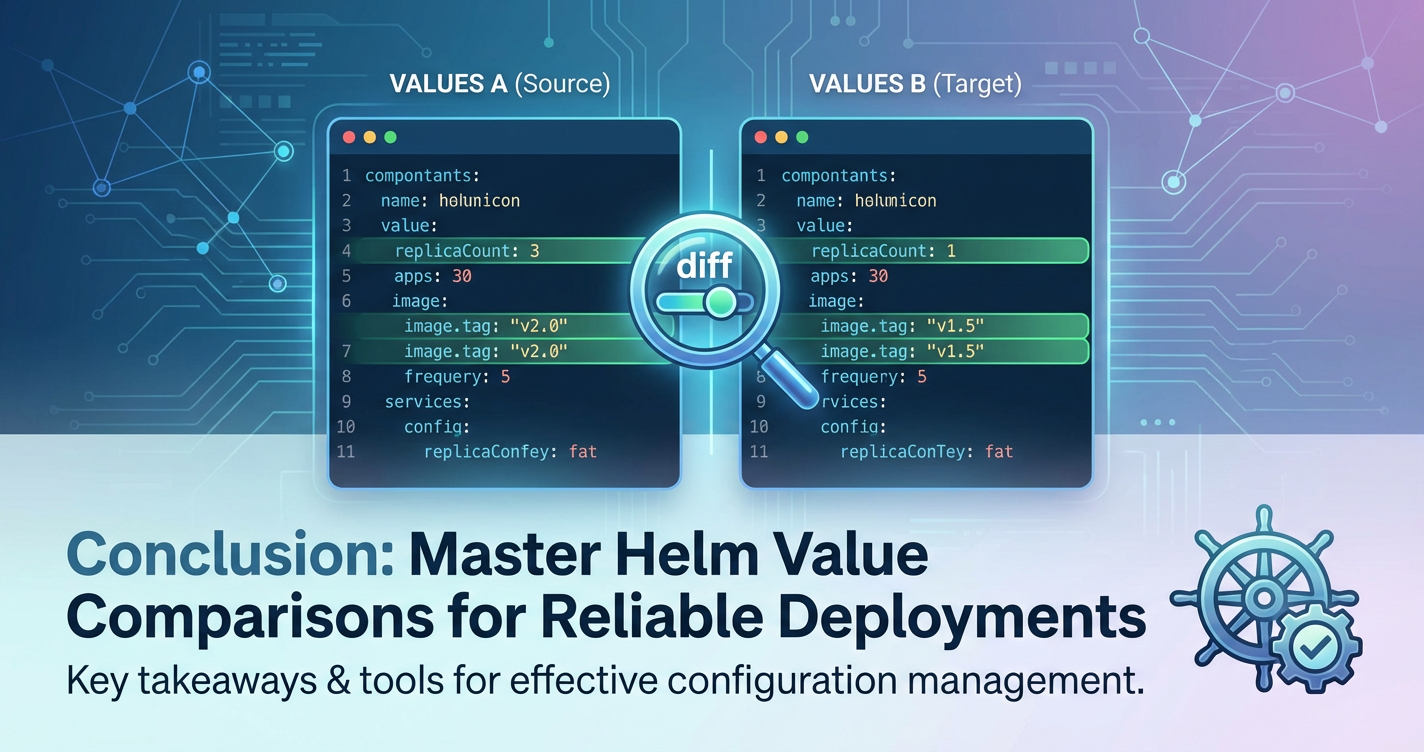
How to Compare Helm Template Values Effectively



In the intricate world of Kubernetes, deploying and managing applications efficiently is paramount. Helm, often hailed as the package manager for Kubernetes, simplifies this process by allowing developers and operations teams to define, install, and upgrade even the most complex applications. At the heart of every Helm deployment lies the values.yaml file, a powerful mechanism that dictates the configuration of the application being deployed. From setting replica counts for a microservice to configuring intricate routing rules for an API Gateway or specific model parameters for an LLM Gateway, these values are the blueprints for your live infrastructure. However, the sheer flexibility and depth offered by Helm values can introduce significant challenges, particularly when it comes to understanding, tracking, and most critically, comparing them effectively.
The ability to compare Helm template values is not merely a technical convenience; it is a fundamental skill for maintaining operational stability, ensuring consistency across environments, debugging elusive issues, and safely implementing changes. In a dynamic cloud-native ecosystem where applications evolve rapidly, and configurations shift between development, staging, and production environments, a robust strategy for value comparison becomes indispensable. Without it, teams risk configuration drift, unexpected application behavior, security vulnerabilities, and prolonged troubleshooting cycles. This comprehensive guide will explore the multifaceted nature of comparing Helm template values, delving into various methods, best practices, and advanced considerations to empower you with the knowledge needed to master this critical aspect of Kubernetes management. We will navigate through manual techniques, leverage Helm's built-in capabilities, integrate version control, and touch upon how these practices apply to sophisticated deployments like modern gateway solutions, ultimately ensuring that your Kubernetes deployments are predictable, auditable, and resilient.
Understanding the Anatomy of Helm and Its Configuration Landscape
Before delving into the comparison methodologies, it's crucial to solidify our understanding of Helm's core components and how they contribute to the final deployed state in Kubernetes. This foundational knowledge will illuminate what we are comparing and why certain comparison techniques are more effective in different scenarios.
Helm Charts: The Packaging Standard
A Helm chart is a collection of files that describe a related set of Kubernetes resources. Think of it as a meticulously crafted recipe for deploying an application or service onto a Kubernetes cluster. A typical chart includes:
- Chart.yaml: Contains metadata about the chart, such as its name, version, and API version.
- values.yaml: The default configuration values for the chart. This file is the primary focus of our comparison discussion.
- templates/: A directory containing Kubernetes manifest templates. These are Go template files that are rendered with the values provided, generating the actual YAML for Kubernetes objects (Deployments, Services, Ingresses, ConfigMaps, etc.).
- charts/: An optional directory that can contain dependent charts (subcharts), allowing for modularity and reusability.
When you install or upgrade a Helm chart, the Helm client takes the values.yaml (along with any user-supplied overrides) and injects these values into the templates within the templates/ directory. The output is a set of fully formed Kubernetes YAML manifests, which are then sent to the Kubernetes API server for deployment. This templating engine is incredibly powerful, enabling dynamic configuration based on the provided values.
The Centrality of values.yaml
The values.yaml file acts as the primary interface for customizing a Helm chart. It defines a hierarchical structure of parameters that can control virtually every aspect of the deployed application. For instance, a values.yaml for an API Gateway might specify:
# values.yaml for an API Gateway chart
replicaCount: 3
image:
  repository: my-api-gateway
  tag: 1.2.0
  pullPolicy: IfNotPresent
service:
  type: LoadBalancer
  port: 80
ingress:
  enabled: true
  className: nginx
  host: api.example.com
  paths:
    - path: /
      pathType: Prefix
resources:
  limits:
    cpu: 500m
    memory: 512Mi
  requests:
    cpu: 250m
    memory: 256Mi
features:
  rateLimiting:
    enabled: true
    rps: 100
  authentication:
    jwt:
      enabled: true
      secretName: jwt-key
Each of these key-value pairs influences how the corresponding Kubernetes manifests are generated. Changing replicaCount alters the number of API Gateway instances, while modifying ingress.host changes the external domain pointing to the gateway. The complexity escalates with larger charts, especially those for enterprise-grade applications or specialized components like an LLM Gateway, where hundreds of configurable parameters might exist, controlling everything from underlying model versions to specific prompt routing strategies. Understanding the impact of each value and how it translates into the final Kubernetes resource is fundamental to effective comparison.
Why Effective Comparison of Helm Template Values Matters Critically
The ability to accurately and efficiently compare Helm template values is far more than a niche skill; it is a cornerstone of reliable, secure, and maintainable Kubernetes operations. Without a systematic approach, teams expose themselves to a multitude of risks and inefficiencies that can severely hamper their productivity and the stability of their applications.
1. Ensuring Consistency Across Environments
One of the primary tenets of modern software development is the "test what you deploy" principle, which hinges on maintaining consistency between different deployment environments (development, staging, production). Inconsistencies in Helm values can lead to subtle yet critical differences in how an application behaves in these environments. For example, an API Gateway might have different rate-limiting configurations in staging versus production, or an LLM Gateway might be configured with different resource allocations or model endpoints. Without proper comparison, a feature that works flawlessly in staging might encounter performance issues or security vulnerabilities in production due to an overlooked value difference. Effective comparison ensures that the intended configuration parity is maintained, minimizing the "works on my machine" syndrome and ensuring predictable deployments.
2. Debugging and Troubleshooting Configuration Issues
When an application misbehaves in Kubernetes, configuration discrepancies are often the culprit. Isolating the root cause can be a time-consuming and frustrating endeavor if there's no clear way to pinpoint what changed or what differs from a known good state. By comparing the current Helm values of a deployed release against previous versions, or against the values in another environment, operations teams can quickly identify the exact parameter that might be causing an issue. For instance, if an API Gateway suddenly stops forwarding requests, a comparison might reveal that a host or path configuration within its values.yaml was inadvertently altered, leading to incorrect routing. This targeted approach significantly reduces the mean time to resolution (MTTR) for critical incidents.
3. Auditing and Compliance Requirements
In regulated industries or for applications handling sensitive data, comprehensive auditing of configuration changes is often a strict requirement. Every modification to a deployed application, especially for critical infrastructure components like a gateway that controls access to backend services, must be traceable. Comparing Helm values provides an auditable trail of how an application's configuration has evolved over time. This capability is essential for demonstrating compliance with internal policies, industry standards (e.g., SOC 2, HIPAA, GDPR), and security best practices. By understanding precisely what changed and when, organizations can ensure accountability and maintain a transparent record of their operational posture.
4. Managing Changes and Upgrades Safely
Application upgrades, whether driven by new features, bug fixes, or security patches, inherently involve changes to configurations. Without a clear understanding of how new chart versions interact with existing values.yaml files, or how proposed values.yaml changes will affect an upgrade, the risk of introducing regressions or breaking functionality is high. Effective comparison techniques allow teams to perform "what-if" analyses before committing to an upgrade. They can preview the exact Kubernetes manifests that would be generated with the new chart and values, highlighting any discrepancies that might lead to unexpected behavior. This proactive approach helps in planning migrations, ensuring backward compatibility, and minimizing downtime during critical deployments.
5. Preventing Unintended Side Effects and Security Vulnerabilities
A seemingly innocuous change to a Helm value can have cascading effects throughout an application's configuration, potentially introducing severe security vulnerabilities or performance degradation. For example, mistakenly exposing a sensitive endpoint on an API Gateway through an ingress configuration, or loosening network policies due to an incorrect values.yaml entry, could have dire consequences. Robust comparison practices act as a safety net, allowing teams to scrutinize proposed changes for any unintended side effects. By visualizing the impact of value modifications on the generated Kubernetes manifests, potential security gaps or performance bottlenecks can be identified and mitigated before they ever reach a production environment. This vigilance is particularly important for core infrastructure like any type of gateway, where misconfigurations can expose vast portions of your system.
Common Scenarios Requiring Value Comparison
The necessity for comparing Helm template values arises in various operational contexts, each presenting its own set of challenges and requiring specific approaches. Understanding these common scenarios helps in selecting the most appropriate tools and techniques.
1. Comparing Local Changes Before an Upgrade
This is perhaps the most frequent scenario. Developers and operations engineers often make local modifications to a values.yaml file or create environment-specific overrides (e.g., values-prod.yaml) before initiating an helm upgrade command. Before applying these changes to a live cluster, it's crucial to understand their full impact. This involves comparing the proposed local values.yaml with the currently deployed values or with a previous version from source control. The goal is to ensure that only the intended modifications are applied and that no critical parameters are inadvertently altered. For instance, if you're updating the image.tag for an LLM Gateway and also experimenting with new resource limits, you'd want to ensure that only these specific changes are reflected in the generated manifests, and nothing else.
2. Comparing a Deployed Release with a New Chart Version
When upgrading an application to a new version of its Helm chart, the chart itself might introduce new default values, deprecate old ones, or change the structure of its values.yaml. In such cases, simply applying your existing values.yaml file with the new chart version might lead to unexpected results. It becomes essential to compare the generated manifests from the new chart version combined with your existing values against the currently deployed manifests. This comparison reveals how the new chart defaults and logic interact with your custom configurations, helping you identify necessary adjustments to your values.yaml to maintain desired behavior or adopt new features. This is particularly relevant for API Gateway charts, which might introduce new routing capabilities or security features that require specific value configurations to enable.
3. Comparing Configurations Between Different Environments
Maintaining distinct configurations for development, staging, and production environments is standard practice. While these environments often share a common base chart, their values.yaml files will contain differences specific to their purpose – e.g., higher resource allocations, different database connection strings, or disabled debug logging for production. Regularly comparing the Helm values, or even the rendered manifests, between these environments helps identify configuration drift, ensuring that the necessary distinctions are preserved and that no unintended similarities or differences have crept in. For example, verifying that the ingress.host for an API Gateway correctly points to the production domain in the production environment and a staging domain in the staging environment.
4. Comparing Specific Overrides (-f or --set)
Helm allows users to provide multiple values.yaml files using the -f flag and override individual values directly from the command line using --set. While flexible, this can complicate traceability and comparison. When debugging, one might need to understand the cumulative effect of these overrides. Comparing the final effective values (after all overrides are applied) against a baseline or a previous release is crucial to understanding the precise configuration state that was deployed. This helps in understanding which specific command-line overrides might have led to a particular configuration for a gateway.
5. Analyzing Differences for API Gateway or LLM Gateway Deployments Across Clusters
Organizations often operate multiple Kubernetes clusters, perhaps in different regions or for different business units. Deploying complex infrastructure components like an API Gateway or an LLM Gateway across these clusters requires careful consideration of their configurations. Comparing the Helm values and generated manifests for these critical gateway deployments across disparate clusters helps ensure operational consistency, uniform security policies, and consistent performance characteristics, despite potential underlying infrastructure differences. This scenario often involves external configuration management systems or GitOps tools to effectively track and compare these deployments.
Methods and Tools for Comparing Helm Template Values
Effectively comparing Helm template values requires a multi-faceted approach, leveraging a combination of built-in Helm commands, standard command-line utilities, and specialized plugins or tools. Each method offers distinct advantages and is suited for particular scenarios, from quick local checks to comprehensive environment-wide comparisons.
1. Manual Inspection (The Foundational Approach)
While not scalable for complex charts, manual inspection forms the bedrock of understanding and is indispensable for smaller changes or initial explorations.
a. helm get values [RELEASE_NAME] -n [NAMESPACE]
This command retrieves the values used for a specific Helm release currently deployed in your cluster. It outputs the merged values.yaml that Helm used during the last install or upgrade operation, including any --set overrides or multiple -f files.
Usage:
helm get values my-api-gateway -n default
# Output will be a YAML block of all effective values
Pros: * Simple and quick to get the currently deployed configuration. * Provides the effective values, including all overrides.
Cons: * Doesn't show the difference; only the current state. * Requires manual comparison if you want to see changes against a local file or previous state. * Output can be very large for complex charts, making manual diffing impractical.
b. helm install/upgrade --dry-run --debug
This powerful combination allows you to simulate a Helm release without actually deploying anything to the cluster. Helm will render all templates using the provided values and output the final Kubernetes manifests to stdout.
Usage:
# To see what a new install would look like
helm install my-api-gateway ./my-gateway-chart --dry-run --debug -f values-prod.yaml

# To see what an upgrade would look like
helm upgrade my-api-gateway ./my-gateway-chart --dry-run --debug -f values-prod.yaml
Pros: * Shows the final rendered Kubernetes manifests, not just the values. This is crucial as conditional logic in templates can mean a value change doesn't always directly map to a manifest change. * Excellent for pre-flight checks before a real deployment. * Reveals any templating errors before deployment.
Cons: * Outputs raw YAML, which can be thousands of lines long. * Still requires external tools for effective diffing against a baseline. * --debug can be verbose, including all intermediate templating steps.
c. helm template [CHART_PATH] -f [VALUES_FILE]
Similar to --dry-run --debug, helm template renders the chart's templates into Kubernetes manifests based on provided values, but without needing a cluster connection. It's ideal for local development and integration into CI/CD pipelines.
Usage:
helm template my-api-gateway ./my-gateway-chart -f values-prod.yaml > rendered-manifests.yaml
Pros: * Completely offline; no cluster connection needed. * Outputs only the final manifests, making it cleaner for pipeline integration than --dry-run --debug. * Can be easily redirected to a file for later comparison.
Cons: * Does not interact with the cluster, so it won't show you the currently deployed state to compare against. It only shows what would be deployed. * Requires external tools for diffing.
2. Using diff Utilities for Generated Manifests
Once you have the rendered Kubernetes manifests (either from helm template or helm --dry-run), standard diff utilities become invaluable.
Usage:
# Render current local state
helm template my-api-gateway ./my-gateway-chart -f values-current.yaml > current-manifests.yaml

# Render proposed local state
helm template my-api-gateway ./my-gateway-chart -f values-new.yaml > new-manifests.yaml

# Compare the two generated files
diff -u current-manifests.yaml new-manifests.yaml
Pros: * Universal: diff is available on all Unix-like systems. * Provides a line-by-line comparison, showing additions, deletions, and modifications. * Can be used with graphical diff tools like kdiff3 or Meld for a more user-friendly visual experience, which is particularly helpful for complex API Gateway configurations.
Cons: * Output can be overwhelming for large charts, making it hard to discern significant changes from trivial ones (e.g., reordering of keys). * Manifests can contain many fields that change frequently (e.g., timestamps, resource versions) but are irrelevant to the configuration, cluttering the diff. * Requires generating two separate files, adding a step to the workflow.
3. Helm's Built-in Diff Functionality (via helm-diff plugin)
The helm-diff plugin is arguably the most powerful and user-friendly tool for comparing Helm template values and their impact on generated manifests. It integrates seamlessly with the Helm CLI and provides a clear, color-coded diff output, similar to git diff.
Installation:
helm plugin install https://github.com/databus23/helm-diff
Key Commands and Usage:
a. helm diff upgrade [RELEASE_NAME] [CHART_PATH] -f [VALUES_FILE]
This command compares the manifests that would be generated by a proposed helm upgrade against the manifests currently deployed in the cluster for a given release.
Usage:
# Compare a local chart with a specific values file against the deployed 'my-api-gateway' release
helm diff upgrade my-api-gateway ./my-gateway-chart -f values-prod.yaml -n default

# Show changes that would occur when upgrading an LLM Gateway to a new chart version
helm diff upgrade my-llm-gateway ./new-llm-gateway-chart-v2 -n default
b. helm diff rollback [RELEASE_NAME] [REVISION]
This command compares the manifests of a specified historical revision of a release against its current deployed state, showing what would change if you rolled back to that revision.
Usage:
# Compare current state with revision 1 of 'my-api-gateway'
helm diff rollback my-api-gateway 1 -n default
c. helm diff release [RELEASE1_NAME] [RELEASE2_NAME]
Compares the manifests of two different deployed Helm releases. Useful for comparing configurations between distinct environments or stages.
Usage:
# Compare dev and prod deployments of an API Gateway
helm diff release my-api-gateway-dev my-api-gateway-prod -n dev -n prod
d. helm diff values [RELEASE_NAME] [CHART_PATH] -f [VALUES_FILE]
This variant specifically compares the values used for a release against the values from a local file, rather than the final rendered manifests.
Usage:
helm diff values my-api-gateway ./my-gateway-chart -f values-new.yaml -n default
Pros of helm-diff: * Intelligent Diffing: Focuses on semantic changes, often ignoring trivial differences like timestamps or object reordering that diff might flag. * Clear Output: Presents changes in a color-coded, git diff-like format, making it easy to read and understand. * Direct Comparison with Live Cluster: Its diff upgrade and diff rollback capabilities directly compare against the actual state in the Kubernetes cluster, providing real-world insights. * Integrates into Workflow: Seamlessly fits into pre-deployment checks and CI/CD pipelines. * Handles Secrets (with plugins): Can integrate with helm-secrets to decrypt and diff encrypted values.
Cons of helm-diff: * Requires plugin installation. * Still deals with full Kubernetes manifests, which can be extensive, though its output is significantly more digestible.
4. Git-based Comparison for values.yaml Files
When values.yaml files are stored in a version control system like Git, the power of Git's diffing capabilities becomes a primary tool for comparison. This approach focuses on the source of the configuration changes.
Usage:
# Compare your current local values.yaml with the last committed version
git diff values-prod.yaml

# Compare the values.yaml on your feature branch with the main branch
git diff main feature-branch -- values-prod.yaml

# Compare values.yaml files from different commits
git diff <commit-hash-1> <commit-hash-2> -- values.yaml
Pros: * Focus on Source: Compares the actual values.yaml files, showing exactly what input parameters have changed. * Built-in Version Control: Leverages the history, branching, and merging capabilities of Git. * Excellent for Code Reviews: Changes to values.yaml can be reviewed like any other code change in pull requests. * Integrates with CI/CD: Git hooks and CI/CD pipelines can trigger actions based on values.yaml changes.
Cons: * Only shows changes to the values.yaml file itself, not the rendered Kubernetes manifests. A change in a chart's template logic might lead to different manifests even if values.yaml is unchanged. * Doesn't directly show the effect of a value change on the deployed resources.
5. Programmatic Approaches (Scripting with yq or jq)
For highly specific comparisons or automated checks within a CI/CD pipeline, scripting with tools like yq (for YAML) or jq (for JSON, often used after converting YAML to JSON) offers granular control. These tools allow you to parse YAML/JSON, extract specific fields, and then compare them.
Usage Example with yq: Let's say you want to compare only the replicaCount and ingress.host for your API Gateway.
# Extract values from deployed release
deployed_replicas=$(helm get values my-api-gateway -n default -o yaml | yq '.replicaCount')
deployed_host=$(helm get values my-api-gateway -n default -o yaml | yq '.ingress.host')

# Extract values from proposed file
proposed_replicas=$(yq '.replicaCount' values-new.yaml)
proposed_host=$(yq '.ingress.host' values-new.yaml)

# Compare
if [ "$deployed_replicas" != "$proposed_replicas" ]; then
  echo "Replica count changed: $deployed_replicas -> $proposed_replicas"
fi
if [ "$deployed_host" != "$proposed_host" ]; then
  echo "Ingress host changed: $deployed_host -> $proposed_host"
fi
Pros: * Precision: Allows for comparison of specific fields, ignoring irrelevant parts of the configuration. * Automation: Ideal for scripting automated checks in CI/CD pipelines, e.g., "ensure production API Gateway always has rate limiting enabled." * Flexibility: Can perform complex logic (e.g., compare a list of items, check if a specific key exists).
Cons: * Requires scripting knowledge and familiarity with yq/jq syntax. * More effort to set up for general-purpose comparisons compared to helm diff. * Doesn't provide a full-manifest diff, only specific parameter comparisons.
6. Tools for Live Cluster Comparison (kubectl diff)
While not directly for Helm values, kubectl diff is an essential tool for understanding configuration drift between what is defined (e.g., by Helm) and what is running in the cluster. It compares the live state of a resource in the cluster with a local manifest file or with the generated manifest from a helm template command.
Usage:
# Compare the live deployment with a locally generated manifest
kubectl diff -f <(helm template my-api-gateway ./my-gateway-chart -f values-prod.yaml) -n default
Pros: * Real-time Drift Detection: Identifies any changes made directly to Kubernetes resources that might bypass Helm (e.g., manual kubectl edit operations). * Auditing: Helps verify that what Helm thinks is deployed matches what is deployed.
Cons: * Does not tell you which Helm value caused a difference, only that the final manifest is different. * Can be verbose, similar to standard diff. * Requires a live cluster connection and appropriate permissions.
Comparison Table: Methods for Helm Value Comparison
To summarize the various approaches, let's look at a comparative table highlighting their strengths and ideal use cases.
| Method | Focus | Granularity | Ease of Use | Ideal Scenarios | Pros | Cons |
|---|---|---|---|---|---|---|
helm get values |
Effective Values | High (merged values) | Easy | Quick check of current release values | Fast, shows all overrides | No diff, manual comparison needed |
helm --dry-run / template |
Rendered Manifests | High (full manifests) | Medium | Pre-flight checks, local rendering | Shows final Kubernetes manifests, detects templating errors | Raw YAML output, no diff, requires external tools |
diff (on manifest files) |
Rendered Manifests | High (full manifests) | Medium | Comparing specific rendered manifest files | Universal, detailed line-by-line diff | Can be verbose/noisy, semantic differences hard to spot, not cluster-aware |
helm-diff plugin |
Rendered Manifests | High (full manifests) | High | Pre-upgrade checks, release comparison, CI/CD | Intelligent diff, clear output, compares with live cluster state | Requires plugin installation, still deals with large manifests |
Git-based diff (git diff) |
values.yaml Files |
Low (input values) | Easy | Code reviews, tracking values.yaml evolution |
Excellent for source control, built-in versioning | Only compares values.yaml, not rendered manifests, no cluster interaction |
yq/jq scripting |
Specific Values | Very High (field-level) | Hard | Automated checks, complex conditional comparisons | Precise, automatable, ignores irrelevant fields | Requires scripting expertise, more setup, no full-manifest view |
kubectl diff |
Live Resources | High (live resources) | Medium | Drift detection, validating deployed state | Identifies discrepancies between desired and actual cluster state | Doesn't trace back to Helm values, can be verbose |
APIPark is a high-performance AI gateway that allows you to securely access the most comprehensive LLM APIs globally on the APIPark platform, including OpenAI, Anthropic, Mistral, Llama2, Google Gemini, and more.Try APIPark now! 👇👇👇
Best Practices for Managing and Comparing Helm Values
Effective comparison is only one piece of the puzzle. To truly master Helm configuration, it's essential to adopt best practices for managing your values.yaml files, which will inherently make comparison much simpler and more reliable.
1. Version Control Everything
The values.yaml files are as critical as your application code and should be treated as such. Store all values.yaml files (including environment-specific overrides) in a Git repository. This practice:
- Provides History: Every change to your configuration is tracked, allowing you to easily see who made what change and when.
- Enables Collaboration: Teams can collaborate on configuration changes using standard Git workflows (branches, pull requests, code reviews).
- Facilitates Rollbacks: If a configuration change causes issues, you can easily revert to a previous, known-good state.
- Supports Auditing: Git logs serve as an immutable audit trail for configuration modifications, crucial for compliance.
2. Structured values.yaml for Readability and Maintainability
Adopt a consistent and logical structure for your values.yaml files. Group related parameters together, use clear and descriptive key names, and avoid overly deep nesting. A well-structured values.yaml is easier to read, understand, and compare. For example, all ingress settings for an API Gateway should reside under an ingress top-level key.
# Good structure
apiGateway:
  ingress:
    enabled: true
    host: prod.api.example.com
  resources:
    limits:
      cpu: 1000m

# Bad structure (unnecessarily flat or nested)
ingressEnabled: true
hostForApiGateway: prod.api.example.com
cpuLimit: 1000m
3. Environment-Specific Overrides with Clear Separation
Instead of trying to cram all environment-specific configurations into a single values.yaml with complex conditional logic, leverage Helm's ability to overlay multiple value files. Maintain a values.yaml within your chart for defaults, and then create separate override files for each environment (e.g., values-dev.yaml, values-staging.yaml, values-prod.yaml).
# Deploy to dev
helm upgrade my-app ./my-chart -f values.yaml -f values-dev.yaml -n dev

# Deploy to prod
helm upgrade my-app ./my-chart -f values.yaml -f values-prod.yaml -n prod
This approach makes it clear which values are generic and which are environment-specific, significantly simplifying comparison between environments. Any change to values-prod.yaml immediately flags it as a production-specific alteration.
4. Minimal Base values.yaml within the Chart
Strive to keep the values.yaml file inside your Helm chart as minimal as possible, defining only essential defaults. Allow users to override almost everything. This reduces the cognitive load for those consuming your chart and makes it easier to track custom configurations separately. Complex charts, especially for components like an LLM Gateway, might have hundreds of default values; expecting users to comb through all of them is unrealistic. Provide clear documentation for how to override key parameters.
5. Document Non-Obvious Values and Their Implications
Not every value is self-explanatory. For critical or complex parameters, especially those impacting performance or security for an API Gateway, add comments within your values.yaml files or in your chart's README.md. Explain what the value does, its acceptable range, and any significant implications of changing it. Good documentation is invaluable for future comparisons and debugging, as it provides context beyond just the value itself.
6. Automated Testing of Configuration
Integrate automated tests into your CI/CD pipeline that validate Helm values and the generated manifests. Tools like helm-unittest can test chart templates for correctness. You can also write scripts (using yq/jq) that assert specific values are present or have expected ranges, particularly for critical parameters of an LLM Gateway (e.g., modelEndpoint is correctly configured for a specific environment, or resource.limits are within acceptable bounds).
7. CI/CD Integration of Comparison Steps
Embed helm diff commands into your CI/CD pipelines. Before any helm upgrade operation, the pipeline should automatically run helm diff upgrade and potentially fail the pipeline if significant, unapproved changes are detected. This creates a mandatory gate for reviewing configuration changes and prevents accidental deployments of unintended configurations.
8. Review Processes for values.yaml Changes
Just like code reviews, implement mandatory review processes for changes to values.yaml files, especially for production environments. This ensures that a second pair of eyes scrutinizes proposed configurations, catching potential issues or security concerns that might be missed by an individual. Pull requests for values-prod.yaml should be treated with the same rigor as those for application code.
9. Parameterizing Sensitive Data
Avoid hardcoding sensitive information directly into values.yaml (even if it's version-controlled). Use Kubernetes Secrets, external Secret management systems (like HashiCorp Vault), or Helm's lookup function combined with helm-secrets to securely manage sensitive data. When comparing, ensure your comparison tools (like helm-diff) can handle these encrypted or externally sourced values appropriately. This prevents sensitive data from appearing in diff outputs and maintains security hygiene for components like an API Gateway.
Advanced Scenarios and Nuances in Value Comparison
While the basic methods cover most comparison needs, certain advanced scenarios and nuances in Helm templating can complicate the process, requiring a deeper understanding and more sophisticated techniques.
1. Conditional Logic in Templates
Helm templates extensively use Go's templating language, which includes conditional statements ({{ if .Values.someFeature.enabled }}) and loops ({{ range .Values.items }}). This means that a change in a single boolean value in values.yaml can lead to the creation, deletion, or modification of an entire block of Kubernetes resources. For instance, enabling a metrics.enabled flag for an API Gateway might trigger the creation of a ServiceMonitor and PrometheusRule manifests. Standard git diff on values.yaml won't show this structural change in the output manifests. This is where helm diff on the rendered manifests becomes critically important, as it accurately depicts these conditional changes. When comparing, always consider what conditional blocks might be activated or deactivated by your value changes.
2. Dependencies and Subcharts
Complex applications often consist of multiple interdependent components, packaged as Helm subcharts. A top-level chart's values.yaml can pass values down to its subcharts. This hierarchical flow of values means that a change in a parent chart's values.yaml might affect multiple subcharts, leading to cascading changes in the final rendered manifests.
# Parent chart values.yaml
global:
  environment: prod
  databaseHost: prod-db.example.com

# Subchart values.yaml (e.g., for a database client)
# This subchart might reference .Values.global.databaseHost
When comparing changes, it's not enough to just look at the top-level chart's values.yaml; one must consider how those changes propagate to the subcharts. helm diff automatically handles subcharts and their rendered manifests, making it the preferred tool for such scenarios. It will show the cumulative effect of value propagation across the entire chart dependency tree.
3. Post-Render Hooks and External Manifests
Some Helm charts utilize post-render hooks or rely on external tools to generate or modify manifests after Helm's initial templating phase. For example, a chart might use kustomize as a post-renderer to apply environment-specific patches or inject secrets. In these cases, comparing only the output of helm template might not reflect the final manifests that are applied to the cluster. For such scenarios, kubectl diff (comparing the desired post-rendered state with the live cluster state) or integrating the post-render step into your helm diff command (if the helm-diff plugin supports it, which it often does with proper configuration) becomes crucial.
4. Secret Management
As mentioned in best practices, sensitive data (API keys, database passwords, tokens for an LLM Gateway) should be managed as Kubernetes Secrets, often encrypted at rest. Tools like helm-secrets (which integrates with sops or similar) encrypt sections of values.yaml or separate secret files. When comparing, ensure your tools can decrypt these values securely and transparently. helm-diff typically works well with helm-secrets, allowing you to see diffs of decrypted secret values. However, it's vital to ensure that sensitive information is never exposed in plain text in logs or diff outputs when comparing.
5. Considering the Impact of Custom Resource Definitions (CRDs)
Many modern Kubernetes applications, including sophisticated API Gateway solutions, extend Kubernetes functionality by deploying Custom Resource Definitions (CRDs) and then creating Custom Resources (CRs) based on those definitions. Helm charts can manage both CRDs and CRs. values.yaml might contain configurations for these custom resources. When comparing, you're not just looking at standard Kubernetes objects but also at the definitions and instances of these custom resources. helm diff will show changes to CRD definitions and CR instances, ensuring that your comparison is comprehensive, especially when evolving the capabilities of an API Gateway or LLM Gateway that relies heavily on CRDs for its configuration.
6. The Specific Challenges of Comparing Complex Gateway Configurations
API Gateways and LLM Gateways are inherently complex systems. Their Helm charts often expose a vast array of configurable parameters that directly impact network routing, security policies, authentication, observability, and specialized AI features.
- Routing Rules: Changes to
hostnames,pathprefixes, or backend service destinations in anAPI Gateway'svalues.yamlcan dramatically alter traffic flow. A small change could inadvertently expose an internal service or route requests to the wrong endpoint. - Middleware Chains: Many gateways support configurable middleware (e.g., rate limiting, authentication, logging, transformation). Enabling, disabling, or reordering these in
values.yamlcan have significant functional consequences. - Security Parameters: SSL/TLS settings, JWT validation rules, IP whitelists/blacklists for an
API Gatewayare critical. Even a minor oversight in their values can lead to security vulnerabilities. - AI-Specific Parameters for LLM Gateways: For an
LLM Gateway,values.yamlmight include parameters for model selection, token limits, temperature settings, prompt engineering configurations, or connections to external AI model providers. Comparing these values ensures that thegatewayis interacting with AI models as intended. - Resource Allocation: Correctly setting
resource.limitsandresource.requestsfor agatewayis vital for performance and cost. Comparing these ensures environments are appropriately provisioned.
Due to this complexity, relying solely on git diff for values.yaml is insufficient. The rendered manifests must be compared using helm diff to fully grasp the operational impact of configuration changes on a gateway. For instance, a change in values.yaml from jwt.enabled: false to jwt.enabled: true for an API Gateway might generate a completely new ConfigMap or Secret and modify the Deployment arguments, all of which helm diff would clearly highlight.
Case Study: Comparing API Gateway Configurations for APIPark
To concretely illustrate the importance and methodologies of comparing Helm template values, let's consider a practical scenario involving an API Gateway, specifically utilizing the capabilities of APIPark. APIPark is an open-source AI Gateway and API Management Platform designed to streamline the management, integration, and deployment of AI and REST services. Deploying such a sophisticated gateway solution via Helm naturally involves managing a complex set of configuration values.
Imagine your team is managing two deployments of APIPark: one for a staging environment (apipark-staging) and another for production (apipark-prod). Both are deployed using a common Helm chart for APIPark, but with distinct values-staging.yaml and values-prod.yaml override files. The goal is to compare the configurations to ensure production-readiness, identify differences, and prepare for an upgrade.
Scenario Breakdown
- Objective: Compare the currently deployed
apipark-stagingwith a proposed newvalues-prod.yamlforapipark-prodbefore an upgrade, focusing on criticalgatewayfeatures. - Key Configuration Areas:
replicaCount: Ensuring sufficient high availability in production.ingress.host: Verifying correct domain mapping.features.rateLimiting.enabledandfeatures.rateLimiting.rps: Confirming production-level rate limits.telemetry.logging.level: Setting appropriate logging levels (e.g.,infofor prod,debugfor staging).resources.limits: Ensuring adequate CPU/memory for production traffic.unifiedApiFormat.enabled: A unique APIPark feature for standardizing AI invocation, critical forLLM Gatewayfunctionality.
Initial Setup (Conceptual values.yaml Snippets)
Let's assume the base APIPark chart (apipark-chart) has sensible defaults. We have two override files:
values-staging.yaml:
# values-staging.yaml for APIPark in staging
replicaCount: 1
ingress:
  enabled: true
  host: staging.apipark.example.com
features:
  rateLimiting:
    enabled: false # Disabled for easy testing
    rps: 0
  authentication:
    jwt:
      enabled: false
telemetry:
  logging:
    level: debug # Verbose logging for debugging
resources:
  limits:
    cpu: 500m
    memory: 512Mi
unifiedApiFormat:
  enabled: true # Testing this core AI Gateway feature
values-prod.yaml (Existing Production Config):
# values-prod.yaml (existing) for APIPark in production
replicaCount: 3
ingress:
  enabled: true
  host: api.apipark.com # Production domain
features:
  rateLimiting:
    enabled: true
    rps: 1000 # High rate limit
  authentication:
    jwt:
      enabled: true
      secretName: apipark-jwt-key
telemetry:
  logging:
    level: info # Less verbose for production
resources:
  limits:
    cpu: 1500m
    memory: 2048Mi
unifiedApiFormat:
  enabled: true
Now, a new version of APIPark chart (apipark-chart-v2) is available, and you've prepared an updated values-prod-new.yaml to take advantage of new features and optimize existing ones.
values-prod-new.yaml (Proposed Production Config):
# values-prod-new.yaml (proposed) for APIPark in production
replicaCount: 4 # Increased for higher availability
ingress:
  enabled: true
  host: api.apipark.com
  # New feature: enable CORS support at the gateway level
  cors:
    enabled: true
    allowOrigins: ["https://app.apipark.com"]
features:
  rateLimiting:
    enabled: true
    rps: 1500 # Increased rate limit
  authentication:
    jwt:
      enabled: true
      secretName: apipark-jwt-key
  # New AI feature: dynamic model routing based on request headers
  dynamicModelRouting:
    enabled: true
    header: "X-LLM-Model"
telemetry:
  logging:
    level: info
    # New feature: enable structured logging
    structured: true
resources:
  limits:
    cpu: 2000m # Increased CPU limit
    memory: 4096Mi # Increased memory limit
unifiedApiFormat:
  enabled: true
  # Updated: Cache AI model responses for 60 seconds
  cacheTTLSeconds: 60
Performing the Comparison
We will use helm diff as it's the most effective tool for this scenario, comparing proposed changes against the currently deployed state.
1. Comparing Staging vs. Existing Production APIPark Configuration
First, let's understand the differences between our staging and current production environments for APIPark. This helps ensure that expected environment-specific configurations are in place. While helm diff release could work, if these are in different clusters or namespaces, we might compare the rendered manifests from their respective value files against the current state. Or, more simply, if we want to confirm the source values, we'd use git diff between values-staging.yaml and values-prod.yaml. However, to see the effect on Kubernetes manifests, we'd simulate:
# Render staging manifests
helm template apipark-staging apipark-chart -f values-staging.yaml -n staging > staging-manifests.yaml

# Render current production manifests
helm template apipark-prod apipark-chart -f values-prod.yaml -n prod > prod-current-manifests.yaml

# Diff the rendered manifests
diff -u staging-manifests.yaml prod-current-manifests.yaml
This would show differences in replicaCount, ingress.host, rateLimiting settings (disabled in staging, enabled in prod), logging.level, and resources.limits. It highlights that staging runs a single replica with debug logging and no rate limits, while production runs 3 replicas with info logging and a 1000 RPS rate limit.
2. Comparing Proposed Production Upgrade for APIPark
Now, the crucial step: comparing the apipark-prod release (currently deployed using apipark-chart and values-prod.yaml) with the proposed upgrade using apipark-chart-v2 and values-prod-new.yaml. This will show exactly what Kubernetes resources will be added, modified, or deleted.
helm diff upgrade apipark-prod ./apipark-chart-v2 -f values-prod-new.yaml -n prod
Example helm diff Output (conceptual):
--- apipark-prod/templates/deployment.yaml (current)
+++ apipark-prod/templates/deployment.yaml (new)
@@ -10,7 +10,7 @@
     spec:
       containers:
       - name: {{ .Chart.Name }}
-        image: "apipark-gateway:1.0.0"
-        resources:
-          limits:
-            cpu: 1500m
-            memory: 2048Mi
-          requests:
-            cpu: 750m
-            memory: 1024Mi
+        image: "apipark-gateway:1.1.0" # Assuming new chart uses a new image tag
+        resources:
+          limits:
+            cpu: 2000m # +500m CPU
+            memory: 4096Mi # +2048Mi Memory
+          requests:
+            cpu: 1000m # +250m CPU
+            memory: 2048Mi # +1024Mi Memory
       replicas: 3 # Changed to 4 replicas
(More diff output for other resources, including new ones)
--- apipark-prod/templates/configmap.yaml (current)
+++ apipark-prod/templates/configmap.yaml (new)
@@ -1,6 +1,9 @@
 apiGatewayConfig:
   telemetry:
     logging:
       level: info
+      structured: true # New setting for structured logging
   features:
     rateLimiting:
       enabled: true
-      rps: 1000
+      rps: 1500 # +500 RPS
+  # New configuration for CORS
+  cors:
+    enabled: true
+    allowOrigins: ["https://app.apipark.com"]
+  # New AI Gateway feature
+  dynamicModelRouting:
+    enabled: true
+    header: "X-LLM-Model"
+  unifiedApiFormat:
+    cacheTTLSeconds: 60 # New cache setting
This helm diff output clearly shows:
- Deployment Changes: An increase in
replicaCountfrom 3 to 4, and significant increases in CPU and memorylimitsandrequests. This is critical for scaling thegatewayto handle higher production loads, aligning with APIPark's performance characteristics of rivaling Nginx. - ConfigMap Additions: New configurations for
cors,dynamicModelRouting, andtelemetry.logging.structuredare being added, indicating new features or improvements. This reflects APIPark's capabilities inEnd-to-End API Lifecycle Managementand integrating specificAI Gatewayfeatures. - Value Modifications: The
rateLimiting.rpsis increased from 1000 to 1500, andunifiedApiFormat.cacheTTLSecondsis now set to 60. This demonstrates the granular control over thegateway's behavior, particularly for anLLM Gatewayaspect where AI model responses might be cached to improve performance and reduce cost.
By seeing this detailed diff, the team can confirm that the proposed changes align with their upgrade plan for the APIPark API Gateway. They can verify that new AI Gateway features like dynamicModelRouting and unifiedApiFormat caching are correctly configured, and that resource allocations are appropriate for the production environment. This step is indispensable for ensuring a smooth and predictable upgrade, minimizing risks associated with deploying complex gateway solutions.
The Role of GitOps in Value Comparison
The principles of GitOps inherently enhance the ability to compare Helm template values effectively. GitOps is an operational framework that takes DevOps best practices used for application development (like version control, collaboration, compliance, and CI/CD) and applies them to infrastructure automation. At its core, GitOps uses Git as the single source of truth for declarative infrastructure and applications.
In a GitOps workflow, all desired states of your infrastructure, including your Helm chart deployments and their values.yaml files, are stored in a Git repository. Dedicated GitOps operators (like Argo CD or Flux CD) continuously monitor this repository and the live state of your Kubernetes cluster.
How GitOps Facilitates Value Comparison:
- Desired State in Git: Every
values.yamlfile, for every environment (dev, staging, prod), resides in Git. This immediately enables all the Git-based comparison benefits discussed earlier (git diffbetween branches, commits, or files). For a crucial component like an API Gateway or an LLM Gateway, having its configuration always versioned and auditable in Git is a tremendous advantage. - Automated Drift Detection: GitOps operators constantly compare the desired state in Git with the actual state in the cluster. If any discrepancy (configuration drift) is detected – for example, if someone manually
kubectl edited aDeploymentmanifest that Helm originally created – the GitOps tool will flag this drift. This is effectively a continuouskubectl difforhelm diffoperation, ensuring that the deployed configuration always matches the version-controlledvalues.yamland rendered templates. - Declarative Rollbacks: If a deployment with new Helm values causes issues, rolling back is as simple as reverting the change in Git. The GitOps operator automatically detects the revert and synchronizes the cluster to the previous, stable configuration defined in Git. This makes configuration comparisons a natural part of incident response.
- Audit Trail: Every change to
values.yamlgoes through a Git commit, which captures who made the change, when, and often includes a detailed message explaining the purpose. This provides an unalterable audit trail, far more robust than relying on disparate log files or manual records, and is invaluable for compliance, especially for critical infrastructure like agateway. - Simplified Environment Comparison: By having separate branches or directories for environment-specific
values.yamlfiles, GitOps tools make it straightforward to compare the desired state of an API Gateway in staging versus production, leveraging Git's native comparison features.
The integration of GitOps with Helm provides a powerful framework where effective comparison of Helm template values is not just a manual task but an inherent, automated, and continuous part of your operational pipeline. It fosters consistency, transparency, and reliability, making the management of even the most complex Kubernetes applications, including a robust gateway solution like APIPark, significantly more manageable and predictable.
Conclusion: Mastering Configuration for Predictable Deployments
In the dynamic and often complex landscape of Kubernetes, the ability to effectively compare Helm template values stands out as a critical skill for any developer or operations professional. As applications become increasingly sophisticated, encompassing features for API management, AI model invocation, and specialized gateway functionalities, the underlying configurations driven by Helm values.yaml files grow commensurately intricate. From ensuring consistency across diverse environments to meticulously debugging elusive issues, and from safely managing upgrades to adhering to stringent compliance mandates, a robust strategy for value comparison is not merely advantageous but absolutely essential.
Throughout this extensive guide, we have explored the foundational elements of Helm, delved into the myriad reasons why vigilant value comparison is paramount, and dissected various methodologies—from leveraging Helm's built-in diff plugin and standard diff utilities to integrating Git-based version control and sophisticated programmatic approaches with yq and jq. We've highlighted how these techniques empower teams to gain a precise understanding of their configuration changes, anticipate their impact on rendered Kubernetes manifests, and prevent unintended side effects. Furthermore, we've emphasized the importance of adopting sound best practices, such as rigorous version control, structured values.yaml files, and comprehensive CI/CD integration, which together create a resilient framework for configuration management.
The complexities introduced by conditional logic, subcharts, secret management, and especially the nuanced configurations of advanced components like an API Gateway or an LLM Gateway demand a sophisticated approach. By understanding these advanced scenarios, teams can navigate potential pitfalls and ensure that their comparison efforts yield accurate and actionable insights. The case study involving APIPark, an exemplary open-source AI Gateway and API Management Platform, vividly demonstrated how meticulously comparing Helm values ensures that core features like Unified API Format for AI Invocation or End-to-End API Lifecycle Management are configured precisely as intended across different environments and through iterative upgrades. This vigilance guarantees that the gateway operates optimally, supporting the high performance and secure management required for AI and REST services.
Ultimately, mastering the art and science of comparing Helm template values is about fostering predictability, auditability, and reliability in your Kubernetes deployments. It's about transforming what could be a source of chaos into a systematic, controlled process. By combining the right tools with disciplined practices, you empower your teams to deploy, manage, and evolve their applications with confidence, ensuring that your cloud-native infrastructure remains stable, secure, and always aligned with your operational goals, irrespective of the complexity or scale of your gateway solutions.
Frequently Asked Questions (FAQ)
1. What is the most effective way to compare Helm template values before deploying an upgrade to a production environment?
The most effective way is to use the helm diff plugin with the helm diff upgrade [RELEASE_NAME] [CHART_PATH] -f [VALUES_FILE] command. This command compares the rendered Kubernetes manifests that would be generated by your proposed upgrade (combining the new chart version and your new values) against the currently deployed manifests for that release in your cluster. It provides a clear, color-coded git diff-like output, showing exactly which resources and fields will be added, modified, or deleted, thus giving you a precise understanding of the operational impact before commitment.
2. My values.yaml file is in Git. Isn't git diff sufficient for comparing changes?
While git diff on your values.yaml file is crucial for tracking source code changes to your configuration inputs, it is often not sufficient for understanding the full impact on your deployed Kubernetes resources. Helm charts use Go templating, which means a small change in values.yaml can trigger conditional logic (e.g., if statements, range loops) that might add, remove, or extensively modify entire sections of the final Kubernetes manifests. git diff on values.yaml won't show these structural changes in the generated YAML. For that, you need to compare the rendered manifests using tools like helm diff.
3. How can I ensure that an API Gateway or LLM Gateway has consistent security settings across multiple environments (dev, staging, prod)?
To ensure consistent security settings for an API Gateway or LLM Gateway across environments, you should adopt several best practices: 1. Version Control: Store all environment-specific values.yaml files (e.g., values-dev.yaml, values-prod.yaml) in Git. 2. Standardized Base Chart: Use a single, well-defined Helm chart for the gateway across all environments. 3. Regular helm diff Comparisons: Periodically run helm diff release [RELEASE_NAME_DEV] [RELEASE_NAME_PROD] (if in the same cluster) or render manifests for each environment and diff them, focusing on security-related parameters like network policies, ingress rules, authentication configurations (e.g., JWT settings), and resource exposure. 4. CI/CD Gates: Integrate helm diff into your CI/CD pipelines to enforce security configurations and prevent unauthorized or unintended changes from reaching production. 5. Automated Checks: Implement yq/jq scripts or helm-unittest tests to specifically assert that critical security values (e.g., ingress.enabled is false for internal services, authentication.jwt.enabled is true for external endpoints) are correctly configured in each environment.
4. What is configuration drift, and how do Helm value comparison tools help detect it?
Configuration drift occurs when the actual state of a deployed application or infrastructure resource in a Kubernetes cluster deviates from its desired state, as defined by your Helm charts and values.yaml files. This often happens due to manual kubectl edit operations or other out-of-band changes that bypass your defined deployment processes. Helm value comparison tools help detect this drift in a few ways: * helm diff upgrade or helm diff release will highlight differences between the currently deployed manifests and what your Helm chart would deploy based on its values. If there's drift, these tools will show modifications that don't originate from your values.yaml. * kubectl diff -f <(helm template ...) directly compares a locally rendered manifest (your desired state) with the live resource in the cluster, explicitly showing any discrepancies. * GitOps tools like Argo CD or Flux CD continuously monitor for drift by comparing the Git-defined state with the cluster's actual state and can automatically correct or alert on detected differences.
5. Can I compare values for specific features of an AI Gateway like APIPark, such as its prompt encapsulation or unified API format settings?
Yes, absolutely. When managing an AI Gateway like APIPark, features such as "Prompt Encapsulation into REST API" or "Unified API Format for AI Invocation" are typically enabled or configured via specific parameters within its Helm values.yaml file. You can compare these settings using: 1. git diff on values.yaml: To see if the input parameters for these features have changed in your source control. 2. helm get values ... | yq '.unifiedApiFormat.enabled': To programmatically extract and compare the current effective value of a specific feature setting between different environments or releases. 3. helm diff upgrade ...: To see the actual Kubernetes manifest changes that enabling or modifying these AI-specific features would entail. This will show how ConfigMaps, Deployments, or other resources are altered to reflect changes in APIPark's AI processing logic, making it possible to precisely track and manage the evolution of your LLM Gateway capabilities.
🚀You can securely and efficiently call the OpenAI API on APIPark in just two steps:
Step 1: Deploy the APIPark AI gateway in 5 minutes.
APIPark is developed based on Golang, offering strong product performance and low development and maintenance costs. You can deploy APIPark with a single command line.
curl -sSO https://download.apipark.com/install/quick-start.sh; bash quick-start.sh

In my experience, you can see the successful deployment interface within 5 to 10 minutes. Then, you can log in to APIPark using your account.

Step 2: Call the OpenAI API.