How to Create Proxy in Mulesoft: A Step-by-Step Guide
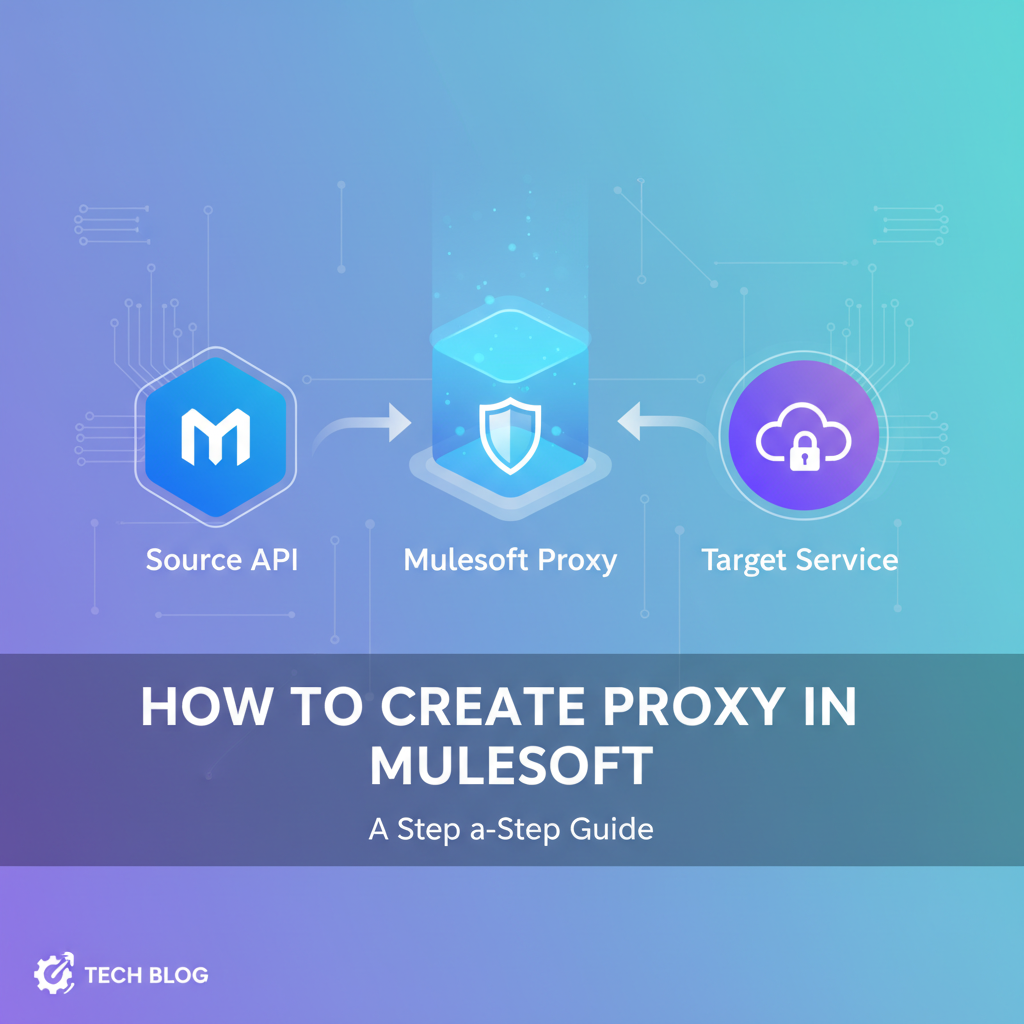


In the rapidly evolving landscape of modern software development, Application Programming Interfaces (APIs) have become the fundamental building blocks that enable communication and data exchange between disparate systems. From mobile applications interacting with backend services to intricate microservices architectures powering vast enterprise ecosystems, APIs are the connective tissue that drives innovation and efficiency. However, as the number and complexity of these APIs grow, so does the challenge of managing, securing, and optimizing their consumption. This is where the concept of an API proxy steps into the limelight, offering a crucial layer of abstraction and control.
MuleSoft, with its Anypoint Platform, stands as a formidable leader in the integration and API management space, providing a comprehensive suite of tools designed to simplify the entire API lifecycle. One of its most powerful features is the ability to create and manage API proxies, transforming how organizations expose and govern their digital assets. A well-implemented API proxy can serve as a robust gateway for your backend services, shielding them from direct exposure while simultaneously enforcing critical policies such as security, rate limiting, and analytics. It’s an indispensable strategy for any enterprise aiming to build a scalable, secure, and resilient API ecosystem.
This extensive guide will take you on a detailed journey through the process of creating an API proxy in MuleSoft. We will explore the underlying concepts, delve into the practical, step-by-step implementation using the Anypoint Platform, discuss best practices, and uncover the immense benefits that proxying brings to your API strategy. Whether you're a seasoned MuleSoft developer looking to refine your API management skills or a newcomer seeking to understand the power of API proxies, this article aims to provide a comprehensive and actionable roadmap.
Understanding the Core Concept of an API Proxy
Before we dive into the "how-to," it's essential to firmly grasp "what" an API proxy is and "why" it holds such significance in modern API management. At its heart, an API proxy acts as an intermediary or a facade positioned in front of an existing backend API service. Instead of clients directly calling the backend service, they interact with the proxy. The proxy then forwards these requests to the actual backend service, receives the response, and then relays it back to the client. This seemingly simple mechanism unlocks a multitude of powerful capabilities that are critical for managing and scaling API programs.
What is an API Proxy?
An API proxy is essentially a lightweight application or configuration that stands between consumers and producers of an API. It presents a unified, controlled, and often enhanced interface to the outside world, while the internal implementation details of the actual backend service remain hidden. Think of it as a bouncer at a club entrance: clients interact with the bouncer, who then decides whether to let them in based on various rules, and if so, directs them to the right place inside. The bouncer doesn't perform the club's services, but rather manages access to them.
Key characteristics of an API proxy include: * Abstraction: It decouples the consumer from the producer, allowing changes in the backend service without impacting consumers, provided the proxy interface remains consistent. * Interception: All requests and responses flow through the proxy, giving it the opportunity to inspect, modify, and act upon the data. * Policy Enforcement Point: This is where security, quality of service (QoS), and other governance policies are applied uniformly.
Why Use an API Proxy? The Indispensable Benefits
The advantages of deploying an API proxy are manifold and directly address many common challenges in API development and operations.
- Enhanced Security: By never directly exposing your backend service endpoints, you significantly reduce the attack surface. The proxy can enforce authentication (e.g., OAuth, API keys), authorization, IP whitelisting, threat protection, and data masking policies before requests ever reach your sensitive backend systems. This acts as a robust first line of defense against malicious actors and unauthorized access. For instance, a proxy can reject requests lacking proper credentials or containing suspicious payloads, thus safeguarding the integrity of your core services.
- Performance Optimization: Proxies can implement caching mechanisms, storing responses from the backend for a defined period. This means subsequent identical requests can be served directly from the cache, dramatically reducing the load on backend systems and improving response times for clients. This is particularly beneficial for read-heavy APIs where data doesn't change frequently. Additionally, proxies can manage connection pooling and optimize network traffic, leading to overall better performance.
- Traffic Management and Control:
- Throttling/Rate Limiting: Prevents your backend services from being overwhelmed by too many requests from a single client or overall. You can define limits on how many requests an API consumer can make within a given timeframe, ensuring fair usage and preventing denial-of-service (DoS) attacks.
- Spike Arrest: Handles sudden, unexpected surges in traffic gracefully, preventing a cascading failure of your backend services by temporarily shedding excess requests.
- Load Balancing: Distributes incoming traffic across multiple instances of your backend service, enhancing availability and scalability. If one backend instance becomes unhealthy, the proxy can route traffic away from it.
- Analytics and Monitoring: Since all API traffic flows through the proxy, it becomes a central point for collecting valuable metrics. You can monitor request volumes, error rates, latency, and consumer usage patterns. This data is crucial for understanding API performance, identifying bottlenecks, and making informed business decisions. Detailed logs provide an audit trail for troubleshooting and compliance.
- Version Management: As your APIs evolve, managing different versions can be complex. A proxy can abstract this complexity. You can route requests for
api.example.com/v1/usersto one backend service andapi.example.com/v2/usersto a newer version of the service, all while presenting a consistent gateway URL to clients. This allows for seamless updates and deprecation strategies. - Mediation and Transformation: The proxy can modify request and response payloads on the fly. This includes transforming data formats (e.g., XML to JSON), enriching requests with additional information (e.g., client ID lookups), or sanitizing responses before they reach the client. This capability is invaluable when integrating disparate systems with differing data requirements.
- Service Virtualization: In development and testing environments, a proxy can be configured to return mock responses instead of calling a live backend service. This allows frontend developers to proceed with their work even if the backend service isn't fully ready, accelerating the development cycle and reducing dependencies.
- Fault Tolerance and Resilience: Proxies can implement circuit breaker patterns, retries, and fallback mechanisms. If a backend service becomes unresponsive, the proxy can temporarily stop sending requests to it, prevent cascading failures, and provide a predefined fallback response or retry the request after a certain interval, improving the overall resilience of your system.
In essence, an API proxy transforms your raw backend services into managed API products that are secure, performant, resilient, and easily consumable. It empowers organizations to expose their digital capabilities with confidence, fostering innovation while maintaining control and governance.
MuleSoft's Role in API Management and Proxy Creation
MuleSoft's Anypoint Platform is an integrated, end-to-end platform designed for building, managing, and governing APIs and integrations. It provides a robust framework that embraces the concept of an API-led connectivity approach, where APIs are treated as reusable building blocks within an organization. Within this powerful ecosystem, the API Manager component plays a pivotal role in facilitating the creation and lifecycle management of API proxies.
Anypoint Platform Overview
The Anypoint Platform is a unified platform that combines various capabilities: * Anypoint Design Center: For designing APIs (using RAML/OAS) and developing integration flows (Mule applications). * Anypoint Exchange: A central repository for discovering, sharing, and reusing API assets and integration templates, both internal and external. * Anypoint Runtime Manager: For deploying and managing Mule applications on various environments (CloudHub, Runtime Fabric, on-premises). * Anypoint Monitoring: For gaining deep operational visibility into APIs and integrations. * Anypoint API Manager: The core component for governing, securing, and managing APIs, including the creation of proxies.
API Manager: The Hub for Proxy Management
Anypoint API Manager is where you define and apply policies, manage API versions, and oversee the operational aspects of your APIs. When you create an API proxy in MuleSoft, you are essentially leveraging API Manager to generate and deploy a specialized Mule application. This application acts as the intelligent gateway that intercepts requests, enforces policies, and routes traffic to your backend service.
MuleSoft promotes an API-first or Design-first approach. This means you typically start by designing your API contract (e.g., using RAML or OpenAPI Specification) in Design Center. Once the contract is defined and published to Exchange, you can then use API Manager to create a managed API instance based on this contract. This instance can then be configured to be an API proxy pointing to your actual backend implementation. This approach ensures consistency, better documentation, and a clear contract between consumers and producers.
Alternatively, for existing services where a formal specification might not exist yet, MuleSoft also supports a Code-first approach where you can point a proxy directly to an existing URL and then build a specification around it later. However, the design-first approach is generally recommended for its long-term benefits in maintainability and governance.
The key strength of MuleSoft in this context is its ability to centralize API governance. Whether your APIs are running on CloudHub, on-premises, or in Runtime Fabric, API Manager provides a single pane of glass for applying consistent policies, monitoring their performance, and ensuring compliance across your entire API portfolio. This unified approach makes MuleSoft an extremely powerful tool for anyone looking to implement robust API gateway capabilities.
Prerequisites for Creating a MuleSoft API Proxy
Before embarking on the practical steps of creating an API proxy in MuleSoft, ensure you have the necessary environment set up and a basic understanding of some core concepts. These prerequisites will ensure a smooth and successful experience.
- Anypoint Platform Account: You will need an active Anypoint Platform account. If you don't have one, you can sign up for a free trial account on the MuleSoft website. This account provides access to all the components of the platform, including API Manager, Design Center, and Runtime Manager.
- Basic Understanding of Mule Applications: While MuleSoft will largely automate the proxy application creation, a rudimentary understanding of what a Mule application is and how it processes data flows will be beneficial. Mule applications are the runtime artifacts that host your integration logic and API implementations. The proxy you create will essentially be a specialized Mule application.
- An Existing Backend API to Proxy: This is crucial. An API proxy needs a real, underlying API service to forward requests to. For the purpose of this guide, you should have access to a simple RESTful API endpoint that you can use as your target. This could be:
- A public API (e.g., a simple weather API, a dummy JSON API like JSONPlaceholder).
- A locally running API service on your machine.
- An internal API within your organization. Ensure you have the base URL of this backend API ready.
- Mule Runtime (Deployment Target): Your proxy application needs a place to run. MuleSoft offers several deployment options:
- CloudHub: MuleSoft's fully managed, cloud-native integration platform as a service (iPaaS). This is the simplest option for quickly deploying and managing proxies, as MuleSoft handles all infrastructure concerns.
- Runtime Fabric (RTF): A containerized, self-managed runtime environment that can run on Kubernetes or OpenShift, offering more control and flexibility while still benefiting from containerization.
- Anypoint Standalone Runtime / Customer-Hosted: Deploying Mule Runtime on your own servers (on-premises or private cloud). This requires more infrastructure management on your part. For this guide, we will primarily assume CloudHub deployment for simplicity, but the proxy creation steps in API Manager are largely similar across deployment targets.
- Anypoint Studio (Optional, but Recommended for Advanced Scenarios): Anypoint Studio is the integrated development environment (IDE) for designing and developing Mule applications. While you don't strictly need it to create a basic proxy through API Manager, it's invaluable if you ever need to customize the generated proxy application, add custom logic, or troubleshoot complex issues locally. Having it installed and familiarity with its basics can be very helpful for advanced use cases.
With these prerequisites in place, you are well-equipped to proceed with the hands-on steps of creating your first API proxy in MuleSoft.
Step-by-Step Guide: Creating an API Proxy in MuleSoft Anypoint Platform
This section will walk you through the precise steps to set up and deploy an API proxy using the MuleSoft Anypoint Platform. We will focus on creating a proxy for a hypothetical backend API and then applying a basic policy to it.
Step 1: Accessing Anypoint Platform and API Manager
- Log in to Anypoint Platform: Open your web browser and navigate to the Anypoint Platform login page (anypoint.mulesoft.com). Enter your username and password to log in.
- Navigate to API Manager: Once logged in, you'll be on the Anypoint Platform home screen. In the left-hand navigation pane, locate and click on "API Manager." This will take you to the central dashboard for managing your APIs.
The API Manager dashboard provides an overview of all your registered APIs, their statuses, and associated policies. You'll see options to add new APIs, manage existing ones, and view analytics.
Step 2: Adding a New API
This step involves registering your backend API with MuleSoft's API Manager. This doesn't deploy the proxy yet, but it tells MuleSoft about the API you intend to manage.
- Click "Add API": On the API Manager dashboard, click the prominent "Add API" button, usually located in the top-right corner.
- Choose "New API": A dialog box will appear, presenting options like "New API," "Import from Exchange," or "From file." Select "New API" as we are setting up a fresh proxy for an external backend.
- Configure API Details:
- API Name: Provide a descriptive name for your API (e.g.,
MyWeatherAPI). This name will be used internally within API Manager. - Asset ID: This is usually auto-populated based on the API Name, but you can customize it if needed. It serves as a unique identifier for the API asset in Exchange.
- Version: Specify the version of your API (e.g.,
v1). - API Specification: This is a critical choice.
- "From API Manager": This option suggests that you will upload a RAML or OpenAPI Specification file directly here. This is the recommended "Design-first" approach. If you have a RAML/OAS file for your backend API, upload it.
- "From API Gateway": This option is used when you are just pointing to an existing URL and don't necessarily have a specification upfront, or if you plan to define it later. For this guide, we'll choose this as it directly leads to proxy creation.
- Type: Select "REST API."
- Technologies: Choose "HTTP."
- Proxy Type: Select "Basic endpoint." (The "Endpoint with proxy" option is for more advanced scenarios where you want to deploy a custom-built proxy application).
- Backend URL: This is the base URL of your actual backend service that the proxy will forward requests to. For example,
https://api.weather.com/v1/forecast. Make sure this URL is correct and accessible from where your proxy will be deployed.
- API Name: Provide a descriptive name for your API (e.g.,
- Click "Save": After filling in all the details, click "Save." Your API is now registered with API Manager, but no proxy is deployed yet. You will be taken to the API instance configuration page.
Step 3: Configuring the API Instance and Deployment
Now that your API is registered, you need to create an API instance and configure how it will be deployed as a proxy.
- Review API Instance Details: On the API instance configuration page, you'll see a summary of your API.
- Deployment Target: This is where you specify where your proxy application will run.
- CloudHub: If you select CloudHub, you'll be prompted to choose a
Region(e.g.,US East (N. Virginia)). This is often the simplest and most common choice for quick deployments. - Runtime Fabric / Hybrid: If you have these environments configured, you can select them. They offer more control but require prior setup.
- MuleSoft Hosted: This implies CloudHub deployment.
- CloudHub: If you select CloudHub, you'll be prompted to choose a
- Deployment Configuration:
- Runtime Version: Select the desired Mule Runtime version (e.g.,
4.4.0or the latest stable version). Ensure compatibility if you have custom logic. - API Gateway Version: The version of the underlying gateway framework used. Usually, stick with the recommended latest.
- Worker Size: For CloudHub, choose the compute power for your proxy application (e.g.,
0.1 vCore,0.2 vCore). Start with0.1 vCorefor basic testing. - Workers: The number of instances of your proxy application. Start with
1worker. - Business Group / Environment: Select the appropriate organizational unit and environment where this API belongs.
- API Proxy URL: This field will be automatically generated once the proxy is deployed. This is the public URL that your clients will use to access your proxied API.
- Runtime Version: Select the desired Mule Runtime version (e.g.,
- Description and Tags (Optional but Recommended): Add a brief description of the proxy's purpose and relevant tags to help with discoverability and organization within Exchange.
- Click "Save and Deploy": Once all configurations are set, click this button. MuleSoft will now automatically generate a lightweight Mule application (the proxy) based on your settings and deploy it to your chosen runtime environment.
Step 4: Monitoring Deployment and Understanding the Proxy Application
After clicking "Save and Deploy," you will be redirected to the API instance detail page.
- Monitor Deployment Status: You'll see a status indicator (e.g., "Starting," "Deploying"). It might take a few minutes for the proxy application to fully deploy and start. You can refresh the page or check the "Deployments" section in Runtime Manager for more detailed logs.
- Deployment Success: Once the deployment is successful, the status will change to "Active." The "API Proxy URL" field will now display the public URL for your deployed proxy. This is the endpoint that your consumers will call.
- Understanding the Proxy Application: What just happened under the hood? MuleSoft automatically generated a Mule application that contains an HTTP Listener configured to listen on the public URL you saw. This listener then has an HTTP Requester configured to forward incoming requests to your specified "Backend URL." This minimal flow effectively acts as your gateway, allowing you to apply policies without writing any code. You can even see this generated application in Runtime Manager under "Applications." Its name typically follows the pattern
api-gateway-<assetId>-<version>.
Step 5: Applying Policies to the Proxy
This is where the real power of an API proxy in MuleSoft shines. Policies allow you to enforce security, QoS, and other governance rules without modifying your backend service.
- Navigate to Policies: On the API instance detail page (where you saw the deployment status), click on the "Policies" tab.
- Click "Apply New Policy": You'll see a list of available policies provided by MuleSoft. These range from security policies (e.g., Basic Authentication, Client ID Enforcement, JWT Validation) to quality of service policies (e.g., Rate Limiting, Throttling) and transformation policies.
- Select a Policy (e.g., Rate Limiting): For this example, let's apply a "Rate Limiting" policy to restrict the number of calls. Select it and click "Configure Policy."
- Configure Policy Details:
- Time Period: The duration over which the rate limit applies (e.g., "1 minute").
- Number of Requests: The maximum number of requests allowed within the time period (e.g., "5" requests).
- Tracking Key: How the policy tracks requests (e.g., "IP Address" of the client, "Client ID"). For basic testing, "IP Address" is often easiest.
- Violations: Choose what happens when the limit is exceeded (e.g., "Reject request with status 429 Too Many Requests").
- Apply to: "All Methods & Resources" or specific paths/methods.
- Click "Apply": The policy will now be applied to your active API proxy. This change is usually applied dynamically without needing to restart the proxy application.
You have now created an API proxy and added a fundamental governance policy to it. This demonstrates the seamless integration of API gateway functionalities within MuleSoft's platform.
Step 6: Testing the API Proxy
Now, let's verify that our proxy is working as expected and that the policy is being enforced.
- Obtain the Proxy URL: Go back to the "Details" tab of your API instance in API Manager. Copy the "API Proxy URL."
- Test with a Client: Use a tool like Postman, Insomnia, or a simple
curlcommand from your terminal.- First, call your backend API directly: Make a request to your original backend URL to ensure it's functioning as expected.
- Then, call the Proxy URL: Make requests to the "API Proxy URL."
- Successful calls: You should receive the same response from the proxy as you did from the direct backend call.
- Policy Enforcement: If you applied a rate-limiting policy (e.g., 5 requests per minute), make more than 5 requests quickly. You should receive a
429 Too Many Requestsstatus code from the proxy, indicating that the policy is active and enforcing the limit.
- Check Analytics: In API Manager, navigate to the "Analytics" tab for your API. You should start seeing data populate, showing the number of requests, response times, and potentially policy violations. This validates that the proxy is capturing important operational metrics.
Step 7: Advanced Proxy Configurations (Brief Overview)
While the basic steps cover most common scenarios, MuleSoft offers more advanced capabilities for API proxies:
- Custom Proxy Logic: For complex routing, advanced transformations, or custom authentication, you can download the generated proxy application from Runtime Manager, open it in Anypoint Studio, add your custom Mule flows, and then redeploy it. This transforms the basic proxy into a fully customized API gateway capable of sophisticated logic.
- Response Caching: Beyond simple policies, you can configure caching rules to significantly boost performance for frequently accessed, static data.
- Client Management: Manage client applications that consume your APIs, track their usage, and issue client IDs/secrets for client ID enforcement policies.
- URL Rewriting: If your backend API has a different URL structure than what you want to expose, the proxy can rewrite URLs on the fly.
- Service Discovery: Integrate with service discovery mechanisms (e.g., Consul, Eureka) to dynamically locate backend services.
These advanced configurations enable you to build highly sophisticated and tailored API gateway solutions that perfectly fit your enterprise needs.
APIPark is a high-performance AI gateway that allows you to securely access the most comprehensive LLM APIs globally on the APIPark platform, including OpenAI, Anthropic, Mistral, Llama2, Google Gemini, and more.Try APIPark now! 👇👇👇
Benefits of Using MuleSoft for API Proxies
The decision to leverage MuleSoft for creating and managing API proxies brings a multitude of strategic and operational advantages that extend beyond the immediate technical implementation. MuleSoft's Anypoint Platform is designed to support an API-led connectivity approach, and proxies are a cornerstone of this philosophy.
- Centralized API Governance and Management: MuleSoft provides a single, unified platform – the Anypoint Platform – where you can design, build, deploy, manage, and monitor all your APIs and integrations. API Manager acts as the central hub for defining and enforcing policies across your entire API portfolio, irrespective of where your backend services or proxy applications are deployed. This centralized control ensures consistency, reduces operational overhead, and simplifies compliance. Instead of scattering policy enforcement logic across individual backend services, you consolidate it at the gateway layer.
- Enhanced Security by Design: By placing a MuleSoft API proxy in front of your backend services, you create a robust security perimeter. The proxy becomes the primary enforcement point for all security policies, including authentication (e.g., OAuth 2.0, JWT, Basic Auth), authorization, IP whitelisting, threat protection, and data encryption. This shields your backend from direct exposure to the internet, significantly reducing the attack surface and providing a consistent security posture across all your APIs. MuleSoft's extensive suite of out-of-the-box policies can be applied with minimal configuration, rapidly improving your security posture without requiring code changes in your core services.
- Improved Performance and Scalability: MuleSoft's proxies are lightweight and designed for high performance. They can implement caching strategies to reduce the load on backend systems, distribute traffic efficiently using load balancing, and handle sudden traffic spikes through rate limiting and throttling. Deployed on CloudHub or Runtime Fabric, these proxies can automatically scale up or down based on demand, ensuring your APIs remain responsive and available even under heavy load. This allows your backend services to focus on their core business logic rather than traffic management.
- Comprehensive Visibility and Analytics: Every request that passes through a MuleSoft API proxy is meticulously logged and aggregated. Anypoint Monitoring provides real-time operational metrics, detailed transaction logs, and API analytics, offering deep insights into API usage, performance, and health. This data is invaluable for identifying bottlenecks, troubleshooting issues, understanding consumer behavior, and demonstrating the business value of your API program. You gain a clear picture of who is consuming your APIs, how often, and with what success rate, enabling informed decisions for optimization and future development.
- Agility and Accelerated Development: API proxies decouple consumers from producers. This abstraction allows backend services to evolve independently without breaking consumer applications, as long as the proxy's interface remains stable. Developers can rapidly create new API products by proxying existing services and applying policies, accelerating time-to-market for new features and integrations. The ability to quickly apply policies and deploy proxies enables agile development cycles and facilitates experimentation with new API offerings without significant backend modifications.
- Seamless Integration with the Anypoint Platform Ecosystem: The API proxy functionality is deeply integrated with other components of the Anypoint Platform. Designed API specifications in Design Center can be directly used to create managed API instances. These instances are published to Anypoint Exchange for discovery and consumption. The deployed proxies are managed and monitored through Runtime Manager and Anypoint Monitoring. This holistic ecosystem ensures that your API gateway strategy is not an isolated component but an integral part of your broader integration and API management strategy, maximizing reusability and operational efficiency.
- Version Management and Evolution: Managing multiple versions of an API can be a headache. MuleSoft proxies simplify this by allowing you to route different API versions to different backend implementations, all under a consistent gateway URL. This enables smooth transitions for consumers as new API versions are released and old ones are deprecated, minimizing disruption and ensuring backward compatibility.
In summary, leveraging MuleSoft for API proxies transforms raw backend services into robust, managed, and secure API products. It empowers organizations to confidently expose their digital assets, drive innovation, and build a resilient API ecosystem capable of meeting the demands of modern digital transformation.
Comparing MuleSoft's API Gateway Capabilities with Other Solutions
The concept of an API Gateway has become a cornerstone of modern distributed architectures, serving as the single entry point for a group of microservices. While MuleSoft's Anypoint Platform offers powerful API gateway capabilities through its API proxy functionality, it's part of a broader ecosystem of API gateway solutions, each with its unique strengths and target use cases. Understanding these differences can help organizations choose the right tool for their specific needs.
MuleSoft's API Gateway capabilities are deeply integrated within its Anypoint Platform, offering a comprehensive solution for end-to-end API lifecycle management and enterprise integration. Its primary strength lies in its ability to combine integration logic with API management. When you deploy a proxy in MuleSoft, you're essentially deploying a lightweight Mule application that can not only handle common API gateway functions (like routing, policy enforcement, rate limiting, security) but also incorporate complex integration patterns, data transformations, and orchestration logic. This makes MuleSoft particularly strong for organizations that need a unified platform for both API management and intricate enterprise application integration (EAI). The API-led connectivity approach, with its focus on system, process, and experience APIs, naturally aligns with MuleSoft's integrated gateway solution.
However, the API gateway landscape is diverse. Other notable solutions include:
- Cloud-Native Gateways (e.g., AWS API Gateway, Azure API Management, Google Cloud Apigee): These are highly scalable, managed services offered by public cloud providers. They excel at native integration within their respective cloud ecosystems, often providing seamless scaling, pay-as-you-go models, and strong security features tailored to their cloud platforms. They are excellent choices for organizations heavily invested in a specific cloud provider and looking for a fully managed API gateway with robust out-of-the-box features for traffic management, monitoring, and security.
- Open-Source Gateways (e.g., Kong, Envoy, Traefik): These gateways offer immense flexibility and control, often preferred by organizations with strong DevOps cultures and specific requirements for customization, performance, or deployment in containerized environments like Kubernetes. They typically provide high performance and a wide range of plugins, but require more self-management and operational expertise. Kong, for instance, is a popular choice for microservices architectures, offering extensibility through plugins. Envoy is a high-performance proxy designed for service mesh architectures, while Traefik is known for its ease of use and dynamic configuration in container environments.
- Traditional API Management Platforms (e.g., Broadcom Layer7, IBM API Connect): These are often enterprise-grade solutions that have been around for a longer time, providing comprehensive features for API lifecycle management, developer portals, and advanced security. They cater to large enterprises with complex governance requirements and often come with robust professional services.
In this varied landscape, it's also worth noting the emergence of platforms designed specifically to address the evolving needs of AI integration. For instance, APIPark presents itself as an innovative Open Source AI Gateway & API Management Platform. As an open-source solution under the Apache 2.0 license, APIPark aims to simplify the management, integration, and deployment of both AI and REST services. Its standout features include quick integration of over 100+ AI models, a unified API format for AI invocation, and the ability to encapsulate prompts into REST APIs. Much like MuleSoft's API gateway capabilities provide a layer of abstraction and control for traditional services, APIPark offers similar benefits specifically tailored for the complexities of AI model management, ensuring consistency, cost tracking, and simplified usage even as underlying AI models or prompts change. Furthermore, APIPark boasts end-to-end API lifecycle management, strong performance rivaling Nginx, and detailed logging and data analysis, making it a compelling choice for organizations specifically looking to govern and expose their AI-powered services. Just as MuleSoft empowers enterprises to build robust API ecosystems for traditional applications, APIPark is designed to do the same for the rapidly growing domain of AI services, providing another powerful option in the broader API gateway space depending on an organization's specific focus and needs.
Key Differentiators:
| Feature/Aspect | MuleSoft API Gateway (via Anypoint Platform) | Other API Gateways (General) | APIPark (Specific to AI/REST) |
|---|---|---|---|
| Primary Focus | Enterprise Integration, API-led Connectivity, Hybrid Integration | Traffic Management, Security, Microservices (specific tools vary) | AI Model Integration, Unified AI API Format, REST Service Management |
| Integration Power | Deep integration capabilities, complex data transformations, orchestration | Typically focused on routing/policy, less on complex integration logic | Strong for AI models, also covers REST. Focus on prompt encapsulation. |
| Deployment Model | CloudHub (PaaS), Runtime Fabric (Hybrid/Containers), On-premise | Varies: Cloud-managed (AWS, Azure), Self-hosted (Kong, Envoy) | Flexible deployment (e.g., single command line quick start) |
| Policy Management | Centralized, extensive out-of-the-box policies, customizable with Mule apps | Extensive policies, often plugin-based for open-source, managed for cloud | Robust API lifecycle management, approval flows, detailed logging |
| Developer Portal | Integrated with Anypoint Exchange | Varies: Built-in (managed solutions), requires separate setup (open-source) | Centralized display of API services, team sharing, tenant isolation |
| AI Specific Features | Limited out-of-the-box for AI models, requires custom integration | Generally not AI-specific, treats AI models as regular APIs | Key Differentiator: 100+ AI model integration, unified AI API format, prompt encapsulation |
| Performance | High performance, scalable on CloudHub/RTF | High performance, designed for large-scale traffic (e.g., Nginx-rivaling) | High performance (20,000+ TPS with 8-core CPU, 8GB memory) |
| Licensing | Commercial (proprietary) | Varies: Commercial, Open Source (Apache 2.0, MIT, etc.) | Open Source (Apache 2.0) with commercial support options |
Choosing the right API gateway solution hinges on an organization's existing technology stack, integration needs, cloud strategy, specific requirements (like AI integration), and operational capabilities. MuleSoft stands out for its comprehensive, unified approach to API management and enterprise integration, while other gateways might offer more specialized features or align better with specific infrastructure paradigms. APIPark provides a focused solution for enterprises looking to specifically manage and operationalize their AI initiatives alongside traditional REST APIs within an open-source framework.
Best Practices for API Proxy Creation and Management
Creating an API proxy is a foundational step, but ensuring its effectiveness, security, and maintainability requires adhering to a set of best practices. These guidelines will help you build a robust and scalable API gateway solution within MuleSoft.
- Embrace the Design-First Approach:
- Define Your API Contract First: Always start by designing your API interface using RAML or OpenAPI Specification (OAS) in Anypoint Design Center or a similar tool. This contract (the "specification") should clearly define the endpoints, methods, parameters, request/response bodies, and error handling.
- Benefits: A design-first approach ensures consistency, better documentation, and a clear agreement between API producers and consumers. When you then create a proxy based on this specification, MuleSoft can enforce adherence to the contract, preventing breaking changes and simplifying communication. It promotes thinking about the consumer experience before implementation details.
- Granular Policy Application:
- Apply Policies Strategically: Don't just apply policies globally to your entire API. Use the capability to apply policies to specific resources, methods, or even based on incoming request parameters. For instance, a sensitive endpoint might require stricter authentication than a public one.
- Layer Policies: Combine multiple policies (e.g., client ID enforcement + rate limiting + JSON threat protection) to build a robust security and governance framework.
- Test Policy Interactions: Ensure that different policies don't conflict or produce unintended side effects.
- Consistent Naming Conventions:
- Clear and Descriptive Names: Use clear, consistent, and descriptive names for your APIs, API instances, proxy applications, and environments within Anypoint Platform. This improves discoverability, manageability, and reduces confusion, especially in large organizations with many APIs.
- Version Suffixes: Clearly indicate API versions in both the URL path and the API asset ID (e.g.,
/v1/users,UserAPI-v1).
- Robust Version Control for APIs and Proxies:
- Manage Specifications in Version Control: Store your API specifications (RAML/OAS files) in a version control system (e.g., Git) alongside your other code. This allows for change tracking, collaboration, and easy rollback.
- Align API Manager with VC: Ensure that the API versions managed in Anypoint Exchange and API Manager correspond to your version-controlled specifications.
- Proxy Versioning: When major changes occur in your backend API or policy requirements, consider deploying a new version of your proxy rather than modifying an active one in place, especially for critical APIs.
- Thorough Monitoring and Alerting:
- Leverage Anypoint Monitoring: Configure Anypoint Monitoring to track key metrics for your proxy applications (e.g., request count, error rates, response times, policy violations, CPU/memory usage).
- Set Up Alerts: Establish alerts for critical thresholds (e.g., high error rates, low availability, exceeding rate limits) to proactively identify and address issues before they impact consumers.
- Log Analysis: Regularly review proxy application logs for any anomalies or errors, using tools that integrate with Anypoint Platform or external log aggregators.
- Comprehensive Documentation:
- Internal and External Documentation: Provide clear documentation for both internal teams (how the proxy works, policies applied, backend service details) and external consumers (how to use the API, authentication requirements, error codes).
- Anypoint Exchange as a Developer Portal: Publish your APIs to Anypoint Exchange and enrich them with detailed documentation, examples, and test clients. This transforms Exchange into a self-service developer portal, fostering wider adoption.
- Thoughtful Deployment Strategy:
- Staging Environments: Always deploy and thoroughly test your proxy in a staging or non-production environment before promoting it to production.
- Environment-Specific Policies: Understand that policies or backend URLs might differ between environments. Ensure your proxy configurations are tailored to the specific environment it's deployed in.
- High Availability: For production APIs, deploy proxies with multiple workers (on CloudHub) or across multiple nodes (on Runtime Fabric/on-premises) to ensure high availability and fault tolerance.
- Regular Audits and Reviews:
- Policy Review: Periodically review your applied policies to ensure they are still relevant, effective, and compliant with current security and business requirements.
- API Usage Review: Analyze API analytics to understand usage patterns, identify unused APIs for deprecation, or discover high-demand APIs that might need additional scaling.
- Security Scans: Conduct regular security scans and penetration tests on your exposed API proxy endpoints.
By diligently following these best practices, you can maximize the value of your MuleSoft API proxies, transforming them into a secure, performant, and manageable API gateway layer that underpins your entire digital strategy.
Troubleshooting Common API Proxy Issues
Despite careful planning and execution, issues can sometimes arise with API proxies. Knowing how to effectively troubleshoot these common problems can save significant time and effort. Here's a guide to diagnosing and resolving typical MuleSoft API proxy challenges.
- Proxy Deployment Failures:
- Symptom: The proxy application in API Manager shows a "Failed" or "Error" status, or it gets stuck in "Starting."
- Diagnosis:
- Check Runtime Manager Logs: Go to Anypoint Platform -> Runtime Manager. Find your deployed proxy application (it will typically be named
api-gateway-<assetId>-<version>). Click on it and go to the "Logs" tab. Look for specific error messages during startup. - Verify Backend URL: A common issue is an incorrect or unreachable Backend URL specified during proxy creation. Ensure there are no typos, and the backend service is actually running and accessible from the MuleSoft runtime (e.g., CloudHub).
- Resource Constraints: On CloudHub, if you've chosen a very small worker size (e.g., 0.1 vCore) and the application has some complexity or memory leak, it might fail to start. Try increasing the worker size temporarily for diagnosis.
- Network Connectivity: Ensure there are no firewall rules or network ACLs preventing the MuleSoft runtime from reaching your backend API.
- Check Runtime Manager Logs: Go to Anypoint Platform -> Runtime Manager. Find your deployed proxy application (it will typically be named
- Resolution: Correct the Backend URL, adjust worker size, resolve network issues, or fix any code-related issues if you've customized the proxy application.
- Policies Not Applying or Behaving as Expected:
- Symptom: Requests are not being blocked by a security policy, rate limits are not enforced, or client IDs are not being validated.
- Diagnosis:
- Verify Policy Status: In API Manager, go to your API instance, click on the "Policies" tab. Ensure the policy is listed, enabled, and its status is "Active."
- Policy Configuration: Re-examine the policy configuration. Did you select the correct "Apply to" options (e.g., "All Methods & Resources" vs. specific paths)? Are the parameters (e.g., rate limit count, tracking key) correctly set?
- Order of Policies: If multiple policies are applied, their order can sometimes matter. For instance, an authentication policy should typically come before a rate-limiting policy.
- Cache Invalidation: Sometimes, it can take a moment for policy changes to propagate. Wait a few minutes and retest.
- Check Logs: Look at the proxy application logs in Runtime Manager for any messages related to policy execution or errors. Policy violations are often logged.
- Resolution: Correct policy configurations, adjust the order of policies, or allow time for propagation.
- Connectivity Issues to the Backend Service (50x Errors):
- Symptom: Clients calling the proxy receive 500 (Internal Server Error), 502 (Bad Gateway), 503 (Service Unavailable), or 504 (Gateway Timeout) errors.
- Diagnosis:
- Direct Backend Call: First, confirm that your backend service is running and directly accessible. Try calling the Backend URL using Postman/curl directly from a machine that has network access to the backend (e.g., from within your corporate network if the backend is internal). If direct calls fail, the issue is with the backend, not the proxy.
- Proxy Logs: Check the proxy application logs in Runtime Manager for specific errors when trying to connect to the backend (e.g., "Connection refused," "Timeout," "Host unreachable").
- Network Path: Ensure the MuleSoft runtime environment (CloudHub, RTF, etc.) has a clear network path to the backend service. This might involve VPNs, VPC peering, or firewall rules.
- SSL/TLS Handshake: If your backend uses HTTPS, ensure the certificate is valid and trusted by the Mule runtime. SSL handshake failures can cause connection issues.
- Resolution: Resolve backend service issues, configure network connectivity, adjust firewall rules, or update SSL configurations.
- URL Rewriting or Path Not Matching Issues:
- Symptom: Requests are not routed to the correct backend path, or the backend receives a malformed URL.
- Diagnosis:
- Verify Backend URL in API Manager: Double-check the "Backend URL" configured in API Manager for the proxy. This should be the base path.
- Test with Full Paths: Make sure your client calls the proxy using the full path that the backend expects (e.g.,
proxy.url/usersif backend isbackend.url/users). - Custom Proxy Logic: If you've customized the proxy application in Anypoint Studio, review the HTTP Requester configuration to ensure the path, query parameters, and headers are being correctly passed to the backend. Default proxies simply forward the path as-is.
- Resolution: Correct the Backend URL, ensure consistent pathing between proxy and backend, or adjust HTTP Requester configuration in custom proxies.
- Analytics Not Showing Data:
- Symptom: No data appears in the "Analytics" tab of API Manager after making requests to the proxy.
- Diagnosis:
- Verify Successful Requests: Ensure that requests made to the proxy are actually successful (not 4xx or 5xx errors). Only successful requests with valid responses are typically fully logged for analytics.
- Time Range: Check the time range filter in the Analytics dashboard. Ensure it covers the period when you made requests.
- Proxy Status: Confirm the proxy application is "Active" and running.
- Policy Interference: Very aggressive policies (e.g., a whitelist that blocks everything) might prevent requests from even reaching the logging stage.
- Resolution: Ensure successful requests, adjust time filters, and confirm proxy health.
By systematically approaching troubleshooting with these steps, leveraging the detailed logs and monitoring capabilities of the Anypoint Platform, you can efficiently diagnose and resolve most issues related to your MuleSoft API proxies, maintaining the reliability and performance of your API gateway layer.
Conclusion
The journey through understanding, creating, and managing API proxies in MuleSoft reveals a fundamental truth about modern software architecture: effective API governance is not merely an operational task, but a strategic imperative. In an interconnected world driven by digital services, the ability to securely, efficiently, and reliably expose your organization's digital assets through well-managed APIs can be the decisive factor in innovation, market responsiveness, and competitive advantage.
MuleSoft's Anypoint Platform provides an exceptionally powerful and integrated suite of tools to achieve this, with its API proxy functionality standing out as a cornerstone. By acting as an intelligent gateway for your backend services, MuleSoft proxies enable you to abstract complexity, enforce critical security policies, optimize performance through caching and traffic management, and gain invaluable insights through comprehensive analytics. This comprehensive approach transforms raw backend endpoints into robust, consumable API products that can be confidently shared with internal teams, partners, and external developers.
We've covered the crucial definitions, the indispensable benefits of using an API proxy, and walked through a detailed, step-by-step guide on creating one within the Anypoint Platform. From initial setup and deployment to applying sophisticated policies and rigorous testing, each stage is vital in building a resilient API ecosystem. Furthermore, we explored the broader API gateway landscape, noting how MuleSoft's integrated platform contrasts with other solutions like dedicated cloud gateways or open-source alternatives, and highlighted the specific value propositions of platforms like APIPark for managing AI-driven APIs.
Adhering to best practices—such as embracing a design-first approach, applying policies granularly, maintaining consistent naming conventions, and establishing thorough monitoring—will ensure that your API proxy strategy remains agile, secure, and scalable as your API portfolio grows. And by understanding common troubleshooting techniques, you can proactively address issues, ensuring the continuous availability and performance of your critical API services.
Ultimately, mastering the creation and management of API proxies in MuleSoft empowers you to unlock the full potential of your APIs, driving seamless integration, fostering innovation, and cementing your organization's position in the digital economy. The future of software is API-driven, and with MuleSoft, you have a potent gateway to navigate that future successfully.
5 FAQs
Q1: What is the primary difference between a "proxy" and a "gateway" in the context of APIs? A1: While often used interchangeably, an API gateway is typically a more comprehensive solution that encompasses the functionalities of multiple proxies, offering advanced features like routing, load balancing, authentication, authorization, caching, rate limiting, and analytics across a collection of APIs. An API proxy, on the other hand, is a specific instance of an intermediary that stands in front of a single backend API or a specific group of related endpoints, primarily focusing on abstracting, securing, and managing access to that particular service. In MuleSoft, an API proxy is often the building block that, when managed by API Manager, collectively forms a robust API gateway infrastructure.
Q2: Can I customize the logic of a MuleSoft API proxy beyond just applying policies? A2: Yes, absolutely. While the API Manager's built-in proxy creation generates a basic forwarding mechanism with policy enforcement, MuleSoft offers advanced customization. You can download the generated proxy application (a standard Mule application) from Runtime Manager, open it in Anypoint Studio, and add custom Mule flows. This allows you to implement complex routing logic, perform detailed data transformations (e.g., XML to JSON, data enrichment), integrate with other systems before or after calling the backend, handle custom error scenarios, or implement specialized authentication mechanisms that go beyond the standard policies. After customization, you would redeploy this modified Mule application.
Q3: How does MuleSoft ensure the security of APIs exposed through a proxy? A3: MuleSoft ensures API security through its API gateway capabilities by providing a robust set of out-of-the-box policies that can be applied to the proxy. These policies act as a first line of defense, intercepting requests before they reach the backend service. Key security policies include: Client ID Enforcement (requiring consumers to provide a valid client ID and secret), OAuth 2.0 Token Enforcement, JWT Validation, Basic Authentication, IP Whitelisting/Blacklisting, and various threat protection policies (e.g., XML/JSON threat protection, regex validation). By centralizing these security controls at the gateway level, organizations can maintain a consistent security posture, shield backend services from direct exposure, and simplify compliance.
Q4: What are the typical deployment options for a MuleSoft API proxy? A4: MuleSoft offers flexible deployment options for API proxies as they are essentially Mule applications. The most common options include: 1. CloudHub: MuleSoft's fully managed Integration Platform as a Service (iPaaS), offering ease of deployment, automatic scaling, and high availability without managing underlying infrastructure. 2. Runtime Fabric (RTF): A containerized, self-managed runtime environment that can run on Kubernetes or OpenShift, providing more control over infrastructure while still benefiting from containerization and centralized management. 3. Anypoint Standalone Runtime / Customer-Hosted (On-Premises/Private Cloud): Deploying the Mule Runtime directly on your own servers or virtual machines, offering maximum control over the environment but requiring more operational overhead for infrastructure management. The choice depends on an organization's cloud strategy, existing infrastructure, and control requirements.
Q5: Can I use an API proxy in MuleSoft to manage different versions of my backend API? A5: Yes, managing different API versions is a key use case for API proxies. You can achieve this by creating separate API instances in API Manager for each version (e.g., MyAPI-v1, MyAPI-v2), each with its own proxy and pointing to the respective backend service version. You can then configure the routing rules on your API gateway (which is effectively your collection of proxies) to direct requests based on the version indicated in the URL path (e.g., /api/v1/resource vs. /api/v2/resource) or through custom headers. This allows consumers to migrate to new API versions gradually, provides backward compatibility, and facilitates the graceful deprecation of older API versions without disrupting existing applications.
🚀You can securely and efficiently call the OpenAI API on APIPark in just two steps:
Step 1: Deploy the APIPark AI gateway in 5 minutes.
APIPark is developed based on Golang, offering strong product performance and low development and maintenance costs. You can deploy APIPark with a single command line.
curl -sSO https://download.apipark.com/install/quick-start.sh; bash quick-start.sh

In my experience, you can see the successful deployment interface within 5 to 10 minutes. Then, you can log in to APIPark using your account.

Step 2: Call the OpenAI API.