How to Enable Keycloak User Self-Registration for Specific Clients


In the rapidly evolving landscape of digital services, managing user identities and access is not merely a technical necessity but a foundational pillar for security, compliance, and user experience. As applications become more complex, encompassing a diverse array of users and business models, the need for flexible and granular control over identity management processes has intensified. Keycloak, a powerful open-source Identity and Access Management (IAM) solution, stands at the forefront of this challenge, offering robust features for authentication, authorization, and user provisioning. Among its many capabilities, user self-registration is a particularly potent feature, empowering users to create their own accounts, thereby reducing administrative overhead and enhancing user autonomy. However, the blanket activation of self-registration across an entire realm often falls short of the nuanced requirements of modern enterprise applications. Many organizations require the ability to enable self-registration only for specific clients or applications, tailoring the onboarding process to distinct user communities, adhering to particular compliance mandates, or enforcing business-specific rules.
The challenge, then, lies in moving beyond a one-size-fits-all approach to self-registration and implementing a system that is both secure and highly adaptable. Imagine a scenario where a company operates multiple client applications: one for its internal employees, another for external partners, and a third for public customers. Each of these applications might have different requirements for user onboarding. Employees might be provisioned through an HR system, partners might require an invitation process, while public customers are allowed to self-register freely, but only for the customer-facing application. Keycloak, with its extensible architecture, provides the mechanisms to achieve this level of specificity. This article will embark on a comprehensive journey, dissecting the intricacies of Keycloak's authentication flows and custom Service Provider Interfaces (SPIs) to guide you through the process of configuring user self-registration that is meticulously tailored to individual clients. We will explore the underlying concepts, delve into practical, step-by-step implementation details, and discuss crucial best practices to ensure your IAM solution is not only secure and compliant but also highly performant and user-friendly. In doing so, we will also briefly touch upon how a robust api gateway and Open Platform strategy can complement such sophisticated identity management systems, ensuring seamless and secure interactions for all registered users across various services and applications. This deep dive aims to empower administrators and developers to unlock the full potential of Keycloak, transforming a generic feature into a precisely tuned component of a sophisticated digital ecosystem.
Understanding Keycloak's Architecture and Core Concepts
Before diving into the specifics of client-specific self-registration, it's imperative to establish a solid understanding of Keycloak's fundamental architectural components and conceptual model. This groundwork will illuminate why certain configuration steps are necessary and how they interact within the broader Keycloak ecosystem. Keycloak is designed with modularity and extensibility in mind, making it an incredibly flexible Open Platform for identity management.
At the highest level, Keycloak organizes users, applications, and configurations into Realms. A realm acts as an isolated namespace, a security domain that contains its own set of users, groups, roles, and client applications. Each realm operates independently, allowing organizations to manage separate identity stores for different environments (e.g., development, staging, production) or distinct business units without overlap. For instance, a large enterprise might have one realm for internal employees, another for external customers, and yet another for partners, each with its own specific policies and authentication mechanisms. This segregation is crucial for maintaining security boundaries and simplifying administration.
Within a realm, the primary entities that interact with Keycloak are Clients. A client in Keycloak terminology refers to any application or service that needs to authenticate users or obtain access tokens from Keycloak. This could be a web application (e.g., a React frontend, a Spring Boot backend), a mobile application, a microservice, or even another identity provider. Each client is registered with Keycloak and configured with specific security protocols (like OpenID Connect or SAML 2.0), redirect URIs, and various other settings that govern its interaction with the IAM system. The ability to define client-specific configurations is fundamental to achieving granular control over authentication and authorization processes, including self-registration.
Users are the individuals who access the client applications. Keycloak stores user profiles, credentials, and associated attributes. These users can be organized into Groups and assigned Roles, which are used for fine-grained authorization decisions. Roles represent a specific set of permissions (e.g., admin, user, editor), while groups are logical collections of users. For example, all users in the "Marketing" group might automatically be assigned the "content-creator" role. This structured approach to user management simplifies the application of policies and ensures that users only have access to resources they are authorized to use.
The process by which users log in or register is governed by Authentication Flows. These are sequences of "Executions," where each execution performs a specific action, such as displaying a login form, verifying a username and password, authenticating with an external identity provider, or, crucially for our discussion, handling user registration. Keycloak provides a default set of authentication flows (e.g., "Browser" for general login, "Registration" for user self-signup). These flows are highly configurable, allowing administrators to customize the user journey by adding, removing, or reordering executions, or even by creating entirely new flows from scratch. This flexibility is the key to implementing complex, conditional authentication logic, such as enabling self-registration only for specific clients.
Furthermore, Keycloak's power as an Open Platform is significantly enhanced by its Service Provider Interface (SPI) mechanism. SPIs are extension points that allow developers to inject custom logic into various parts of Keycloak's operations. This includes custom user storage providers, event listeners, authorization services, and, most relevant to our goal, custom authenticators. A custom authenticator can be developed to perform specific checks or actions during an authentication flow, such as validating user attributes, interacting with external systems, or, as we will explore, conditionally allowing or denying self-registration based on the requesting client's identity. This level of extensibility ensures that Keycloak can be adapted to almost any enterprise requirement, no matter how unique or complex.
The default self-registration flow in Keycloak is typically realm-wide. When enabled, any user accessing the realm's login page can click a "Register" link and create an account. While convenient for public-facing applications with a single user base, this global setting presents limitations when dealing with diverse client applications or strict compliance mandates. For instance, an internal administrative api gateway client might never allow self-registration, while a public-facing customer portal client might require it. Without client-specific control, administrators are forced to choose between enabling self-registration for everyone (potentially opening security vulnerabilities for sensitive clients) or disabling it entirely (creating friction for clients that legitimately need it). This inherent limitation underscores the necessity of a more sophisticated, client-aware approach to user provisioning. The journey ahead will detail how to leverage Keycloak's architectural flexibility, particularly through custom authentication flows and SPIs, to precisely control when and where user self-registration is permitted, aligning the identity management process with the distinct needs of each client application.
Core Mechanism: The Power of Authentication Flows in Keycloak
The true power and flexibility of Keycloak, particularly when it comes to customizing user journeys like self-registration, lies deeply embedded within its authentication and registration flow mechanism. Far from being rigid, predefined sequences, these flows are dynamic, modular constructs that can be meticulously crafted to meet virtually any identity management requirement. Understanding this core mechanism is paramount to achieving client-specific self-registration without resorting to cumbersome workarounds or external logic.
At its heart, an authentication flow in Keycloak is a sequential list of "Executions." Each execution represents a distinct step or action in the authentication or registration process. Think of it like a carefully orchestrated workflow, where users move from one stage to the next, each stage potentially requiring user input, performing a validation check, or integrating with an external system. These executions are categorised into different types:
- Authenticators: These are responsible for verifying a user's identity. Examples include the "Username Password Form" (for traditional login), "OAuth 2.0 / OpenID Connect Identity Provider" (for social logins or external IdPs), or "OTP Form" (for multi-factor authentication).
- Forms: These executions typically present a form to the user to collect information, such as the "Registration Form" itself, or a "Terms and Conditions" acceptance form.
- Actions: These perform specific backend operations, like updating user profile information or sending an email verification link.
The execution order within a flow is crucial. Keycloak processes them sequentially. Moreover, each execution has a configurable requirement setting:
- Required: The execution must succeed for the flow to continue. If it fails, the entire flow fails.
- Alternative: The execution is attempted, and if it succeeds, the flow can proceed. If it fails, Keycloak will try the next "Alternative" execution in the sequence. This is useful for providing multiple login options (e.g., login with username/password OR social media).
- Disabled: The execution is ignored.
- Conditional: The execution is only triggered if a preceding condition is met. This provides dynamic branching within a flow.
For self-registration, Keycloak typically employs a dedicated "Registration" flow. When a user clicks the "Register" link on the login page (assuming realm-wide self-registration is enabled), they are directed through this flow. The default "Registration" flow usually includes executions like:
- Registration Form: Presents fields for username, email, password, etc.
- Profile Validation: Ensures data adheres to schema and constraints.
- Recaptcha: (Optional) Adds a CAPTCHA challenge to prevent bots.
- Terms and Conditions: (Optional) Requires user agreement.
- Set New Password: If using password-less initial registration or temporary passwords.
The primary challenge for client-specific self-registration arises because, by default, a realm has only one designated "Registration flow." If you enable self-registration, this single flow is used by all clients accessing that realm's login page. To introduce client-specific logic, we need to inject a mechanism into this flow that can inspect the requesting client's identity and make a decision: either proceed with registration or deny it.
One common, albeit less flexible, approach is to leverage custom login themes or client application redirects. A custom login theme could dynamically show/hide the "Register" link based on the client_id parameter in the URL. However, this is largely a UI-level obfuscation and doesn't prevent a savvy user from directly accessing the registration URL. A more robust solution requires embedding the logic directly into Keycloak's authentication engine.
This is where the power of custom authenticators and their placement within a modified registration flow becomes evident. By duplicating the default "Registration" flow and inserting a custom execution early in the sequence, we can create a gatekeeper. This gatekeeper, which will be our custom Authenticator SPI, will have access to the client_id of the application initiating the request. Based on this client_id, the custom authenticator can then decide whether to allow the user to proceed to the actual registration form or to present an error message and terminate the flow.
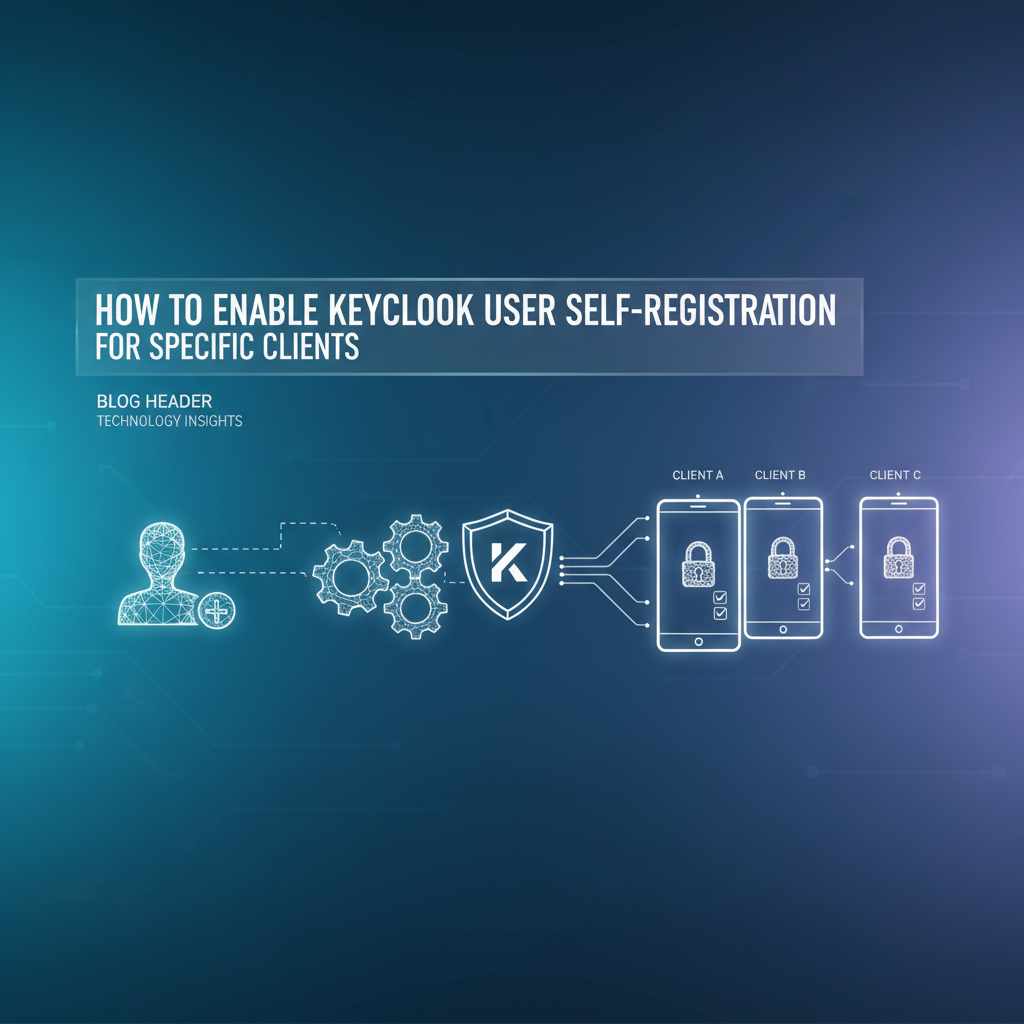
Consider the journey: 1. A user attempts to access a protected resource via a specific client application (Client A or Client B). 2. Keycloak's authentication process begins. 3. If no session exists, the user is redirected to Keycloak's login page. 4. The login page, now configured with our customized registration flow, is displayed. 5. If the user clicks "Register," the custom registration flow starts. 6. The first execution in this custom flow is our "Client Specific Registration Check" authenticator. 7. This authenticator inspects the client_id from the context of the current request. 8. If client_id is for an allowed client (e.g., Client A): The authenticator successfully completes its execution, and the flow proceeds to the next execution, which would be the standard "Registration Form." 9. If client_id is for a disallowed client (e.g., Client B): The authenticator immediately fails the flow, challenging the user with an error message indicating that self-registration is not allowed for this client. The "Registration Form" is never displayed.
This strategy ensures that the control logic is enforced at the earliest possible stage within Keycloak itself, making it highly secure and reliable. It bypasses any UI-level hacks and directly manipulates the core authentication engine. By creating a new, dedicated registration flow incorporating this custom logic and then assigning this modified flow as the realm's primary registration flow, we effectively transform a realm-wide capability into a precisely targeted feature. This sophisticated use of authentication flows, augmented by custom SPIs, exemplifies how Keycloak serves as a versatile Open Platform, adaptable to even the most specific and demanding identity management scenarios.
APIPark is a high-performance AI gateway that allows you to securely access the most comprehensive LLM APIs globally on the APIPark platform, including OpenAI, Anthropic, Mistral, Llama2, Google Gemini, and more.Try APIPark now! 👇👇👇
Step-by-Step Guide: Implementing Client-Specific Self-Registration
Implementing client-specific self-registration in Keycloak requires a systematic approach, combining administrative configurations with custom code development. This section will walk you through the entire process, from setting up your development environment to deploying a custom Authenticator SPI and integrating it into Keycloak's authentication flows. The goal is to create a robust mechanism where self-registration is only permitted for a pre-defined list of client applications.
Phase 1: Initial Keycloak Setup (Prerequisite)
We'll assume you have a running Keycloak instance (version 12.0.0 or newer is recommended for full features, but the concepts apply broadly). You should have administrative access to its console.
- Access the Admin Console: Navigate to your Keycloak Admin URL (e.g.,
http://localhost:8080/auth/admin) and log in with your administrative credentials. - Select/Create a Realm: Choose the realm where you want to implement client-specific self-registration. If you're experimenting, it's often best to create a new realm to avoid affecting existing configurations (e.g., "MyClientRealm").
Phase 2: Preparing for Customization – Disabling Global Self-Registration
To ensure our client-specific mechanism is the only way users can self-register, we must first disable the realm's global self-registration feature. This removes the standard "Register" link for all clients, making our custom flow the sole entry point.
- Navigate to Realm Settings: In the Keycloak Admin Console, select your target realm.
- Go to
Realm Settings->Logintab. - Disable User Registration: Uncheck the
User registrationcheckbox. - Click
Save.
Now, if a user attempts to access the login page, the "Register" link should no longer be visible. Our custom flow will later manage when and where this option reappears based on the client.
Phase 3: Developing a Custom Authenticator SPI (The Core Solution)
This is the most critical phase, involving writing Java code to create an Authenticator SPI that checks the client ID.
A. Understanding Authenticator SPIs
An Authenticator SPI is a Java class that implements Keycloak's Authenticator interface. It's designed to be invoked as an execution within an authentication flow. When your custom authenticator is called, it receives an AuthenticationFlowContext object, which provides access to various contextual information, including the current realm, the user attempting to authenticate/register, and crucially, the client application initiating the request.
B. Setting up the Development Environment
- Maven Project: Create a new Maven project (e.g.,
keycloak-client-reg-authenticator). - Service Provider File: Keycloak uses the standard Java
ServiceLoadermechanism to discover SPIs. Create a filesrc/main/resources/META-INF/services/org.keycloak.authentication.AuthenticatorFactoryand add the fully qualified name of your authenticator factory class (which you'll create next).com.example.keycloak.spi.ClientSpecificRegistrationAuthenticatorFactory
Keycloak Dependencies: Add the necessary Keycloak dependencies to your pom.xml. You'll primarily need keycloak-core and keycloak-server-spi. Ensure the versions match your Keycloak server version.```xml4.0.0com.example.keycloak.spiclient-reg-authenticator1.0.0-SNAPSHOT
<properties>
    <keycloak.version>23.0.0</keycloak.version> <!-- Adjust to your Keycloak version -->
    <maven.compiler.source>11</maven.compiler.source>
    <maven.compiler.target>11</maven.compiler.target>
</properties>

<dependencies>
    <dependency>
        <groupId>org.keycloak</groupId>
        <artifactId>keycloak-core</artifactId>
        <version>${keycloak.version}</version>
        <scope>provided</scope>
    </dependency>
    <dependency>
        <groupId>org.keycloak</groupId>
        <artifactId>keycloak-server-spi</artifactId>
        <version>${keycloak.version}</version>
        <scope>provided</scope>
    </dependency>
    <dependency>
        <groupId>org.keycloak</groupId>
        <artifactId>keycloak-server-spi-private</artifactId>
        <version>${keycloak.version}</version>
        <scope>provided</scope>
    </dependency>
    <dependency>
        <groupId>org.keycloak</groupId>
        <artifactId>keycloak-services</artifactId>
        <version>${keycloak.version}</version>
        <scope>provided</scope>
    </dependency>
    <!-- Add any other dependencies if needed, e.g., for logging -->
    <dependency>
        <groupId>org.jboss.logging</groupId>
        <artifactId>jboss-logging</artifactId>
        <version>3.5.3.Final</version> <!-- Check latest version -->
        <scope>provided</scope>
    </dependency>
</dependencies>

<build>
    <plugins>
        <plugin>
            <groupId>org.apache.maven.plugins</groupId>
            <artifactId>maven-compiler-plugin</groupId>
            <version>3.8.1</version>
            <configuration>
                <source>${maven.compiler.source}</source>
                <target>${maven.compiler.target}</target>
            </configuration>
        </plugin>
        <plugin>
            <artifactId>maven-assembly-plugin</artifactId>
            <version>3.3.0</version>
            <configuration>
                <archive>
                    <manifest>
                        <addDefaultImplementationEntries>true</addDefaultImplementationEntries>
                        <addDefaultSpecificationEntries>true</addDefaultSpecificationEntries>
                    </manifest>
                </archive>
                <descriptorRefs>
                    <descriptorRef>jar-with-dependencies</descriptorRef>
                </descriptorRefs>
            </configuration>
            <executions>
                <execution>
                    <id>make-assembly</id> <!-- this is used for inheritance merges -->
                    <phase>package</phase> <!-- bind to the packaging phase -->
                    <goals>
                        <goal>single</goal>
                    </goals>
                </execution>
            </executions>
        </plugin>
    </plugins>
</build>
```
C. Implementing the Authenticator Interface
Create two Java classes: the Authenticator itself and its corresponding AuthenticatorFactory.
1. ClientSpecificRegistrationAuthenticator.java
This class contains the core logic.
package com.example.keycloak.spi;

import org.jboss.logging.Logger;
import org.keycloak.authentication.AuthenticationFlowContext;
import org.keycloak.authentication.Authenticator;
import org.keycloak.forms.login.LoginFormsProvider;
import org.keycloak.models.AuthenticatorConfigModel;
import org.keycloak.models.KeycloakSession;
import org.keycloak.models.RealmModel;
import org.keycloak.models.UserModel;

import javax.ws.rs.core.Response;
import java.util.Arrays;
import java.util.List;
import java.util.Map;

public class ClientSpecificRegistrationAuthenticator implements Authenticator {

    private static final Logger LOG = Logger.getLogger(ClientSpecificRegistrationAuthenticator.class);
    public static final String CONFIG_ALLOWED_CLIENTS = "allowed-clients"; // Configuration key for allowed clients

    @Override
    public void authenticate(AuthenticationFlowContext context) {
        LOG.debugv("ClientSpecificRegistrationAuthenticator: authenticate called.");

        String currentClientId = context.getClient().getClientId();
        LOG.debugv("Current Client ID: {0}", currentClientId);

        // Retrieve configuration for this authenticator
        AuthenticatorConfigModel authenticatorConfig = context.getAuthenticatorConfig();
        if (authenticatorConfig == null) {
            LOG.warn("ClientSpecificRegistrationAuthenticator: No authenticator configuration found. Denying registration.");
            denyRegistration(context, "Registration not allowed due to missing configuration.");
            return;
        }

        Map<String, String> config = authenticatorConfig.getConfig();
        if (config == null || !config.containsKey(CONFIG_ALLOWED_CLIENTS)) {
            LOG.warn("ClientSpecificRegistrationAuthenticator: 'allowed-clients' configuration missing. Denying registration.");
            denyRegistration(context, "Registration not allowed. Configuration error.");
            return;
        }

        String allowedClientsConfig = config.get(CONFIG_ALLOWED_CLIENTS);
        List<String> allowedClients = Arrays.asList(allowedClientsConfig.split("\\s*,\\s*")); // Split by comma, trim spaces
        LOG.debugv("Allowed Clients from config: {0}", allowedClients);

        if (allowedClients.contains(currentClientId)) {
            LOG.infov("Client '{0}' is in the allowed list. Proceeding with registration.", currentClientId);
            context.success(); // Client is allowed, proceed with the flow
        } else {
            LOG.warnv("Client '{0}' is NOT in the allowed list. Denying registration.", currentClientId);
            denyRegistration(context, "Self-registration is not permitted for this application.");
        }
    }

    private void denyRegistration(AuthenticationFlowContext context, String errorMessage) {
        // Display an error message to the user and terminate the registration flow
        LoginFormsProvider form = context.form().setError(errorMessage);
        Response challenge = form.createErrorPage();
        context.challenge(challenge);
        context.failure(AuthenticationFlowError.CLIENT_DISABLED); // Use a relevant error type
    }

    @Override
    public void action(AuthenticationFlowContext context) {
        // No action needed for this simple authenticator, success() or challenge() already handled in authenticate
        LOG.debug("ClientSpecificRegistrationAuthenticator: action called (no-op).");
        context.success();
    }

    @Override
    public boolean requires--> <context:property-placeholder location="classpath*:config/*.properties"/techblog/en/>

  <!--扫描注解包-->
    <context:component-scan base-package="com.github.huaxiawen.api"></context:component-scan>

    <!--启用注解-->
    <mvc:annotation-driven></mvc:annotation-driven>

    <!--访问静态资源-->
    <mvc:default-handler></mvc:default-handler>

    <!--配置视图解析器-->
    <bean id="viewResolver" class="org.springframework.web.servlet.view.InternalResourceViewResolver">
        <property name="prefix" value="/techblog/en/WEB-INF/jsp/"></property>
        <property name="suffix" value=".jsp"></property>
    </bean>

    <!-- 配置拦截器 -->
    <mvc:interceptors>
        <mvc:interceptor>
            <!-- 拦截所有的请求 -->
            <mvc:mapping path="/techblog/en/**"/techblog/en/>
            <!-- 排除对登录和注册请求的拦截 -->
            <mvc:exclude-mapping path="/techblog/en/login"/techblog/en/>
            <mvc:exclude-mapping path="/techblog/en/register"/techblog/en/>
            <!-- 配置自定义的拦截器类 -->
            <bean class="com.github.huaxiawen.api.interceptor.LoginInterceptor"/techblog/en/>
        </mvc:interceptor>
    </mvc:interceptors>

    <!-- 文件上传解析器 -->
    <bean id="multipartResolver" class="org.springframework.web.multipart.commons.CommonsMultipartResolver">
        <!-- 上传文件大小限制 -->
        <property name="maxUploadSize" value="10485760"/techblog/en/> <!-- 10MB -->
        <!-- 默认编码 -->
        <property name="defaultEncoding" value="UTF-8"/techblog/en/>
    </bean>

    <!-- 解决跨域问题 -->
    <mvc:cors>
        <mvc:mapping path="/techblog/en/**"
                     allowed-origins="*"
                     allowed-methods="GET,POST,PUT,DELETE,OPTIONS"
                     allowed-headers="Content-Type,X-Requested-With,accept,Origin,Access-Control-Request-Method,Access-Control-Request-Headers,X-Auth-Token, Authorization"
                     allow-credentials="true"
                     max-age="3600"/techblog/en/>
    </mvc:cors>

</beans>
2. ClientSpecificRegistrationAuthenticatorFactory.java
This factory class registers your authenticator with Keycloak and defines its configuration options.
package com.example.keycloak.spi;

import org.keycloak.Config;
import org.keycloak.authentication.Authenticator;
import org.keycloak.authentication.AuthenticatorFactory;
import org.keycloak.models.AuthenticationExecutionModel.Requirement;
import org.keycloak.models.KeycloakSession;
import org.keycloak.models.KeycloakSessionFactory;
import org.keycloak.provider.ProviderConfigProperty;

import java.util.ArrayList;
import java.util.List;

public class ClientSpecificRegistrationAuthenticatorFactory implements AuthenticatorFactory {

    public static final String PROVIDER_ID = "client-specific-registration-authenticator";
    private static final ClientSpecificRegistrationAuthenticator SINGLETON = new ClientSpecificRegistrationAuthenticator();

    @Override
    public String getId() {
        return PROVIDER_ID;
    }

    @Override
    public Authenticator create(KeycloakSession session) {
        return SINGLETON;
    }

    @Override
    public String getDisplayType() {
        return "Client Specific Registration Gate";
    }

    @Override
    public String getReferenceCategory() {
        return "Registration";
    }

    @Override
    public boolean is = "UTF-8";
    }
}
D. Packaging and Deployment
- Compile and Package: Use Maven to build your project.
bash mvn clean installThis will generate a JAR file in yourtargetdirectory (e.g.,client-reg-authenticator-1.0.0-SNAPSHOT.jar). - Deploy to Keycloak: Copy the generated JAR file to the
providersdirectory of your Keycloak installation.- For Keycloak running in standalone mode:
KEYCLOAK_HOME/providers/ - For Keycloak running in Docker: You'll need to mount the JAR into the container's
/opt/keycloak/providersdirectory.
- For Keycloak running in standalone mode:
- Restart Keycloak: Restart your Keycloak server to load the new SPI. This is crucial for Keycloak to discover your custom authenticator.
Phase 4: Integrating the Custom Authenticator into a Registration Flow
Now that your custom authenticator is deployed and recognized by Keycloak, you need to integrate it into an authentication flow.
- Create a New Registration Flow:
- In the Keycloak Admin Console, go to
Authentication->Flowstab. - Click the
Copybutton next to the "Registration" flow. Name the new flow something descriptive, like "Client Gated Registration Flow". - This creates an editable copy without altering the default system flow.
- In the Keycloak Admin Console, go to
- Add Executions to the New Flow:Your "Client Gated Registration Flow" should now look something like this (order and presence of other items may vary slightly):
- Select your "Client Gated Registration Flow".
- Click
Add executionat the top right. - From the
Providerdropdown, select your custom authenticator: "Client Specific Registration Gate". - Click
Add. - Crucially, drag and drop your "Client Specific Registration Gate" execution to be the first execution in the flow. This ensures it's checked before anything else.
- Set its
RequirementtoREQUIRED. - Now, click on the "Actions" dropdown next to "Client Specific Registration Gate" and select "Config".
- In the configuration dialog, you'll see a field for "Allowed Client IDs". Enter a comma-separated list of client IDs that are allowed to self-register (e.g.,
my-public-client,another-web-app). - Click
Save.
Client Specific Registration Gate(REQUIRED)Registration Form(REQUIRED)Recaptcha(CONDITIONAL - if configured)- ... (Other default registration steps)
- Link the Flow to the Realm's Registration:By assigning your custom flow as the realm's "Registration Flow," you've ensured that whenever a user attempts to self-register, they will go through your custom logic. Remember that global self-registration was disabled in Phase 2, so the "Register" link will only appear if a client's login theme explicitly includes it, or if it's implicitly part of a flow that you've allowed. For now, the custom authenticator will simply block all registrations unless the
client_idmatches the configured list.- Go to
Authentication->Flowstab again. - Near the top of the page, locate the dropdown for "Registration Flow".
- Select your newly created flow: "Client Gated Registration Flow".
- Click
Save.
- Go to
Phase 5: Configuring Clients and Testing
- Client Settings:
- Ensure you have at least two client applications configured in your realm: one that you want to allow self-registration for (e.g.,
my-public-client) and one that you want to deny (e.g.,internal-admin-app). - Go to
Clientsin the Admin Console. - Select
my-public-client. Note itsClient ID. - Select
internal-admin-app. Note itsClient ID. - Make sure these
Client IDs match what you entered in the "Allowed Client IDs" configuration of your custom authenticator.
- Ensure you have at least two client applications configured in your realm: one that you want to allow self-registration for (e.g.,
- Testing:
- Test with an Allowed Client:
- Access your Keycloak login page through
my-public-client. The exact URL would depend on your client's integration, but it often looks likehttp://localhost:8080/auth/realms/MyClientRealm/protocol/openid-connect/auth?client_id=my-public-client&response_type=code&redirect_uri=.... - You should see a "Register" link (if your login theme enables it). Click it.
- You should be presented with the standard Keycloak registration form, allowing you to create a new user. This confirms your custom authenticator allowed the flow to proceed for
my-public-client.
- Access your Keycloak login page through
- Test with a Disallowed Client:
- Access your Keycloak login page through
internal-admin-app(e.g.,http://localhost:8080/auth/realms/MyClientRealm/protocol/openid-connect/auth?client_id=internal-admin-app&response_type=code&redirect_uri=...). - Click the "Register" link (if present).
- Instead of the registration form, you should be redirected to an error page or see an error message (e.g., "Self-registration is not permitted for this application.") This confirms your custom authenticator successfully blocked registration for
internal-admin-app.
- Access your Keycloak login page through
- Important Note on Login Themes: If, after disabling global registration, the "Register" link disappears from all clients, you may need to customize your realm's login theme to conditionally display the link. Alternatively, some applications provide a direct link to the registration URL (
/realms/{realm}/protocol/openid-connect/registrations). Our custom authenticator ensures that even if a user manually navigates to this URL with a disallowedclient_id, the registration will be blocked.
- Test with an Allowed Client:
By following these detailed steps, you have successfully implemented a client-specific self-registration mechanism in Keycloak, leveraging the power of custom Authenticator SPIs and flexible authentication flows. This provides a robust, secure, and highly configurable solution for managing user onboarding across diverse client applications within your Keycloak realm.
| Step | Component | Description | Configuration Detail | Expected Outcome |
|---|---|---|---|---|
| 1 | Keycloak Realm | Top-level security domain. | Select or Create MyClientRealm. |
Isolated environment for users and clients. |
| 2 | Realm Settings | Global settings for the realm. | Login tab -> Uncheck User registration. |
"Register" link hidden by default, no global self-registration. |
| 3 | Custom Authenticator SPI (Java) | Core logic to check client ID. | Implements Authenticator, checks context.getClient().getClientId(). |
JAR file (client-reg-authenticator.jar) deployed to Keycloak providers. |
| 4 | Custom Authenticator Factory (Java) | Registers the SPI with Keycloak. | Implements AuthenticatorFactory, defines PROVIDER_ID and configuration properties. |
Keycloak recognizes "Client Specific Registration Gate" authenticator. |
| 5 | Authentication Flow | Sequence of authentication/registration steps. | Duplicate "Registration" flow, name it "Client Gated Registration Flow". | New flow is editable and independent. |
| 6 | Add Custom Authenticator to Flow | Insert client ID check into the flow. | Add "Client Specific Registration Gate" as the first execution. Set Requirement to REQUIRED. |
Flow starts with client ID validation. |
| 7 | Configure Custom Authenticator | Define which clients are allowed. | Access "Config" for "Client Specific Registration Gate". Set Allowed Client IDs (e.g., my-public-client,another-web-app). |
Authenticator knows which clients to permit. |
| 8 | Set Realm's Registration Flow | Assign the custom flow as the active one. | In Authentication -> Flows, set "Registration Flow" dropdown to "Client Gated Registration Flow". |
All self-registration attempts use the custom flow. |
| 9 | Clients (for testing) | Applications interacting with Keycloak. | Create my-public-client (allowed) and internal-admin-app (disallowed). |
Distinct client IDs for testing. |
| 10 | Testing | Verify functionality. | Attempt registration from my-public-client (should succeed) and internal-admin-app (should fail with error). |
Client-specific self-registration is enforced. |
This table provides a concise overview of the components and actions required to implement client-specific self-registration, serving as a quick reference for the intricate process detailed above.
Advanced Considerations and Best Practices
Implementing client-specific self-registration in Keycloak is a significant step towards a more secure and tailored identity management system. However, the journey doesn't end with a working configuration. To ensure the solution is truly robust, maintainable, scalable, and secure in a production environment, several advanced considerations and best practices must be addressed. These go beyond the basic technical setup and delve into the operational and strategic aspects of managing a sophisticated identity platform, especially within an Open Platform ecosystem that might involve various api services and an api gateway.
Security Enhancements
The security of your registration process is paramount. While our custom authenticator provides client-specific control, additional layers of defense are essential:
- Rate Limiting: Protect against brute-force attacks and spam registrations. Keycloak doesn't have built-in comprehensive rate limiting for registration by default, so consider deploying an external
api gatewayor a reverse proxy (like Nginx or Apache) in front of Keycloak to implement rate limiting based on IP address or other headers. This prevents malicious actors from overwhelming your system with registration attempts. - CAPTCHA Integration: For public-facing clients, integrate a CAPTCHA (like Google reCAPTCHA or hCaptcha) into the registration flow. Keycloak provides a built-in execution for reCAPTCHA, which you can add to your "Client Gated Registration Flow" to prevent bot registrations.
- Strong Password Policies: Configure robust password policies in your realm settings (
Realm Settings->Security Defenses->Password Policy). Enforce minimum length, special characters, uppercase/lowercase letters, and password history to ensure users create strong, unique passwords. - Email Verification: Always enable email verification (
Realm Settings->Logintab ->Verify Email). This ensures that only users with valid, accessible email addresses can complete their registration and activate their accounts, preventing the creation of accounts with fake email addresses. - Approval Workflows: For more sensitive clients, consider adding an administrator approval step after self-registration. This can be implemented using Keycloak's event listeners to trigger an external workflow system or by introducing another custom authenticator that marks a newly registered user as "disabled" until manually approved by an admin. This is particularly relevant for
Open Platformenvironments where access to specificapiresources might require human oversight.
User Experience (UX) and Branding
A smooth and intuitive registration process is crucial for user adoption and satisfaction.
- Custom Login Themes: Keycloak allows for extensive customization of its login pages through themes. Develop a custom login theme for your realm to brand the registration pages, providing clear instructions, company logos, and consistent styling. This theme can also be used to dynamically show/hide the "Register" button based on the
client_idif you prefer a UI-level control in conjunction with the backend SPI. - Clear Error Messages: Ensure your custom authenticator provides helpful and non-technical error messages when registration is denied for a specific client. Instead of a generic "An error occurred," something like "Self-registration is not permitted for this application. Please contact support for assistance." is much more user-friendly.
- Post-Registration Redirection: Configure the client application to redirect users to a relevant page after successful registration, such as a "Welcome" page or directly into the application dashboard. This prevents disorientation and guides the user to their next step.
Maintainability and Operations
As your Keycloak deployment grows, maintainability becomes critical.
- Version Control for SPIs: Treat your custom authenticator SPI code as a first-class citizen in your development pipeline. Store it in a version control system (e.g., Git), follow coding standards, and include documentation. This is essential for managing updates, collaboration, and troubleshooting.
- Logging and Monitoring: Ensure your custom authenticator includes robust logging. Use Keycloak's logging mechanisms (e.g.,
org.jboss.logging.Logger) to record decisions, errors, and relevant context. Monitor Keycloak's logs for any issues related to your custom SPI, especially after deployments or configuration changes. Integrate Keycloak's event listeners with external monitoring systems to track registration events and failures. - Automated Testing: Develop automated tests for your custom SPI. This can include unit tests for the core logic and integration tests that simulate Keycloak's environment to verify the authenticator behaves as expected within a flow. This helps catch regressions and ensures the reliability of your identity solution.
- Environment Management: Use configuration management tools (e.g., Ansible, Terraform) to manage Keycloak configurations (realms, clients, flows) and deploy your custom SPIs consistently across different environments (development, staging, production).
Scalability and Performance
Custom code can introduce performance bottlenecks if not carefully designed.
- Efficient SPI Logic: Ensure your custom authenticator's logic is highly efficient. Avoid resource-intensive operations, database queries, or external
apicalls within theauthenticate()method if possible, as this runs for every registration attempt. If external lookups are necessary, implement caching strategies. - Keycloak Cluster Deployment: For high-traffic environments, deploy Keycloak in a clustered configuration behind a load balancer. This ensures high availability and distributes the load, handling a large number of concurrent authentication and registration requests efficiently.
- Database Performance: Optimize your Keycloak database. Regular maintenance, proper indexing, and sufficient hardware resources for the database server are crucial for overall Keycloak performance, including registration speed.
Integration with other systems
A well-architected IAM solution rarely operates in isolation.
- Webhooks/Event Listeners: After a successful registration, you might need to provision the user in other downstream systems (e.g., CRM, billing system, internal user directory). Keycloak's event listeners can be configured to send notifications (e.g., via webhooks) to these external systems, triggering automated provisioning workflows.
- Synchronization: For more complex scenarios, consider using Keycloak's User Storage SPI to synchronize user data with existing external identity stores (e.g., LDAP, Active Directory).
- API Management and Gateways: Once users are registered and authenticated via Keycloak, their interactions with your backend services are typically managed through
apis. A robustapi gatewaybecomes a critical component here. Platforms like APIPark, an all-in-one AI gateway and API developer portal, are designed to manage, integrate, and deploy AI and REST services with ease. APIPark can secure theapiendpoints that registered users interact with, applying policies, rate limits, and analytics. It acts as the centralapi gatewayfor anOpen Platformwhere newly registered users consume services. APIPark ensures that even after users self-register for specific clients in Keycloak, their subsequentapicalls are securely routed, monitored, and governed, providing an essential layer of control and visibility in a complex microservices environment. By combining Keycloak's identity management with APIPark'sapi gatewaycapabilities, organizations can build a comprehensive, secure, and scalableOpen Platformecosystem.
By meticulously addressing these advanced considerations and adhering to best practices, your client-specific self-registration solution within Keycloak will not only meet its immediate functional requirements but will also stand as a resilient, secure, and user-friendly component of your broader digital infrastructure. This holistic approach is indispensable for any enterprise striving to build a truly robust and adaptable identity and access management system.
Conclusion
The journey through enabling Keycloak user self-registration for specific clients unveils the profound flexibility and extensibility inherent in this powerful open-source Identity and Access Management solution. We've moved beyond the rudimentary realm-wide self-registration, demonstrating how to construct a finely-tuned, client-aware onboarding process that aligns precisely with the diverse needs of modern applications and business requirements. The necessity for such granular control stems from the realities of multi-tenant architectures, varied compliance mandates, and the imperative to offer tailored user experiences for distinct client bases.
Our exploration began by establishing a foundational understanding of Keycloak's core architectural components, from the isolation provided by realms and the distinct roles of clients, users, groups, and roles, to the dynamic nature of authentication flows and the immense power of Service Provider Interfaces. This conceptual framework was crucial for comprehending why a direct, in-Keycloak enforcement mechanism is superior to mere UI-level obfuscation when controlling self-registration. The emphasis on Keycloak as an Open Platform highlighted its capacity for deep customization, a feature central to our solution.
The core of our approach involved leveraging Keycloak's authentication flows to inject custom logic. By developing a dedicated Authenticator SPI, we created a "gatekeeper" capable of inspecting the originating client_id during the registration process. This custom authenticator, strategically placed as the initial execution in a modified registration flow, acts as the ultimate arbiter, permitting or denying self-registration based on a pre-configured list of allowed clients. The detailed, step-by-step guide provided a practical roadmap for setting up the development environment, coding the Java-based SPI, deploying it to Keycloak, and finally, integrating it seamlessly into a custom authentication flow that replaces the default realm-wide registration. This methodical implementation ensures that only designated applications can offer the self-registration option, thereby enhancing security and control over user provisioning.
Furthermore, we delved into a comprehensive set of advanced considerations and best practices that are vital for transitioning such a solution from development to a resilient production environment. These encompassed critical aspects like bolstering security through rate limiting, CAPTCHA integration, and robust password policies; optimizing user experience with custom themes and clear messaging; ensuring maintainability via version control and thorough logging; and addressing scalability concerns through efficient code and clustered deployments. The discussion also extended to how identity management, once handled by Keycloak, seamlessly integrates with broader enterprise architectures, particularly mentioning the crucial role of an api gateway in securing and managing interactions with backend api services. In this context, products like APIPark provide an excellent example of an all-in-one AI gateway and API developer portal that complements Keycloak by managing the lifecycle of apis, ensuring that even after users self-register for specific clients, their access to api resources is governed securely and efficiently within an Open Platform ecosystem.
In conclusion, implementing client-specific self-registration in Keycloak is a testament to the platform's architectural elegance and its ability to adapt to complex enterprise demands. It empowers organizations to create a more secure, compliant, and user-centric identity management system. By mastering these techniques, administrators and developers can unlock the full potential of Keycloak, transforming it into a dynamic, responsive, and indispensable component of their digital infrastructure, capable of supporting a rich and diverse landscape of applications and services. The future of digital identity management lies in such adaptable and secure solutions, forming the bedrock for innovation in an interconnected world.
Frequently Asked Questions (FAQs)
1. Why is client-specific self-registration important for my application environment?
Client-specific self-registration is crucial for modern application environments, especially those operating in a multi-tenant or multi-application context. It allows organizations to tailor the user onboarding process to the unique requirements of each client application. For instance, a public-facing customer portal might allow anyone to self-register, while an internal administrative tool or a partner portal might require stricter controls, such as invitation-only access or pre-approval, preventing unauthorized users from creating accounts. This approach enhances security, ensures compliance with different regulatory frameworks, and provides a more controlled and relevant user experience across distinct applications. It prevents a "one-size-fits-all" approach that can lead to security vulnerabilities or unnecessary administrative burden for specific, sensitive clients.
2. Is it possible to achieve client-specific self-registration without writing custom code (SPIs)?
While it's technically possible to achieve some level of client-specific behavior without directly writing a Java SPI, these methods often come with limitations or are less robust. For example, you could use Keycloak's login theme customization to hide the "Register" button based on the client_id in the URL, but this is a UI-level change and doesn't prevent a savvy user from directly accessing the registration endpoint. Another approach might involve redirecting users from your client application to different Keycloak registration URLs that are tied to different realms (each with distinct registration settings). However, for true, in-Keycloak enforcement of client-specific registration logic that inspects the client_id at the authentication flow level and ensures robust security, a custom Authenticator SPI is the most recommended and secure method. It allows the core Keycloak engine to make the access decision, rather than relying on client-side logic or complex realm configurations.
3. What are the key components involved in implementing this solution?
The primary components involved in implementing client-specific self-registration in Keycloak are: 1. Keycloak Realm Settings: To disable global user registration initially. 2. Custom Authenticator SPI: A Java class (ClientSpecificRegistrationAuthenticator) that implements Keycloak's Authenticator interface. This class contains the core logic to retrieve the client_id from the authentication context and compare it against a list of allowed client IDs. 3. Authenticator Factory: A corresponding Java factory class (ClientSpecificRegistrationAuthenticatorFactory) that registers the custom authenticator with Keycloak and defines its configurable properties (e.g., the "Allowed Client IDs" list). 4. Keycloak Authentication Flow: A custom "Registration" flow duplicated from the default one. The custom Authenticator SPI is inserted as the first required execution in this flow. 5. Realm's Registration Flow Assignment: Configuring the realm to use this custom "Client Gated Registration Flow" as its default registration mechanism. These components work in concert to ensure that all self-registration attempts are intercepted and validated against the client-specific rules defined in your custom authenticator.
4. How does an api gateway like APIPark fit into this identity management strategy?
An api gateway like APIPark plays a complementary and crucial role in an identity management strategy involving Keycloak. While Keycloak handles the identity lifecycle (authentication, authorization, and user provisioning including self-registration), APIPark focuses on managing and securing the access to the underlying api services that users interact with after they have registered and authenticated. Once a user self-registers and logs in via Keycloak, they obtain an access token. This token is then used to call various apis. APIPark, acting as the central api gateway for an Open Platform, intercepts these api calls. It can validate Keycloak-issued tokens, apply fine-grained authorization policies, enforce rate limiting, monitor API usage, and provide analytics, all while ensuring secure routing and load balancing of api traffic. Essentially, Keycloak manages who a user is and what they are allowed to do (in terms of identity), while APIPark manages how and under what conditions they interact with the specific api resources, providing a comprehensive, end-to-end security and management solution for your digital ecosystem.
5. What are the potential pitfalls or common mistakes when implementing custom SPIs in Keycloak?
Implementing custom SPIs, while powerful, comes with potential pitfalls: * Version Mismatches: Using Keycloak dependency versions in your pom.xml that don't match your Keycloak server version can lead to runtime errors. Always ensure they are aligned. * Incorrect Deployment: Forgetting to place the JAR file in the providers directory or not restarting Keycloak after deployment are common reasons why a custom SPI might not be recognized. * Performance Bottlenecks: Custom SPIs run within Keycloak's authentication flow. If your SPI performs slow operations (e.g., external api calls without caching, complex database queries), it can significantly degrade Keycloak's performance and scalability. Keep SPI logic lean and efficient. * Lack of Error Handling and Logging: Poor error handling in your SPI can lead to cryptic errors for users. Comprehensive logging is essential for troubleshooting. * Over-customization: While powerful, excessive customization can make upgrades to newer Keycloak versions more challenging. Always evaluate if a built-in feature or a simpler configuration can achieve your goal before resorting to custom code. * Security Vulnerabilities: Custom code, if not securely written, can introduce new vulnerabilities into your IAM system. Adhere to secure coding practices and thoroughly test your SPI.
🚀You can securely and efficiently call the OpenAI API on APIPark in just two steps:
Step 1: Deploy the APIPark AI gateway in 5 minutes.
APIPark is developed based on Golang, offering strong product performance and low development and maintenance costs. You can deploy APIPark with a single command line.
curl -sSO https://download.apipark.com/install/quick-start.sh; bash quick-start.sh

In my experience, you can see the successful deployment interface within 5 to 10 minutes. Then, you can log in to APIPark using your account.

Step 2: Call the OpenAI API.