How to Fix 'connection timed out: getsockopt' Error
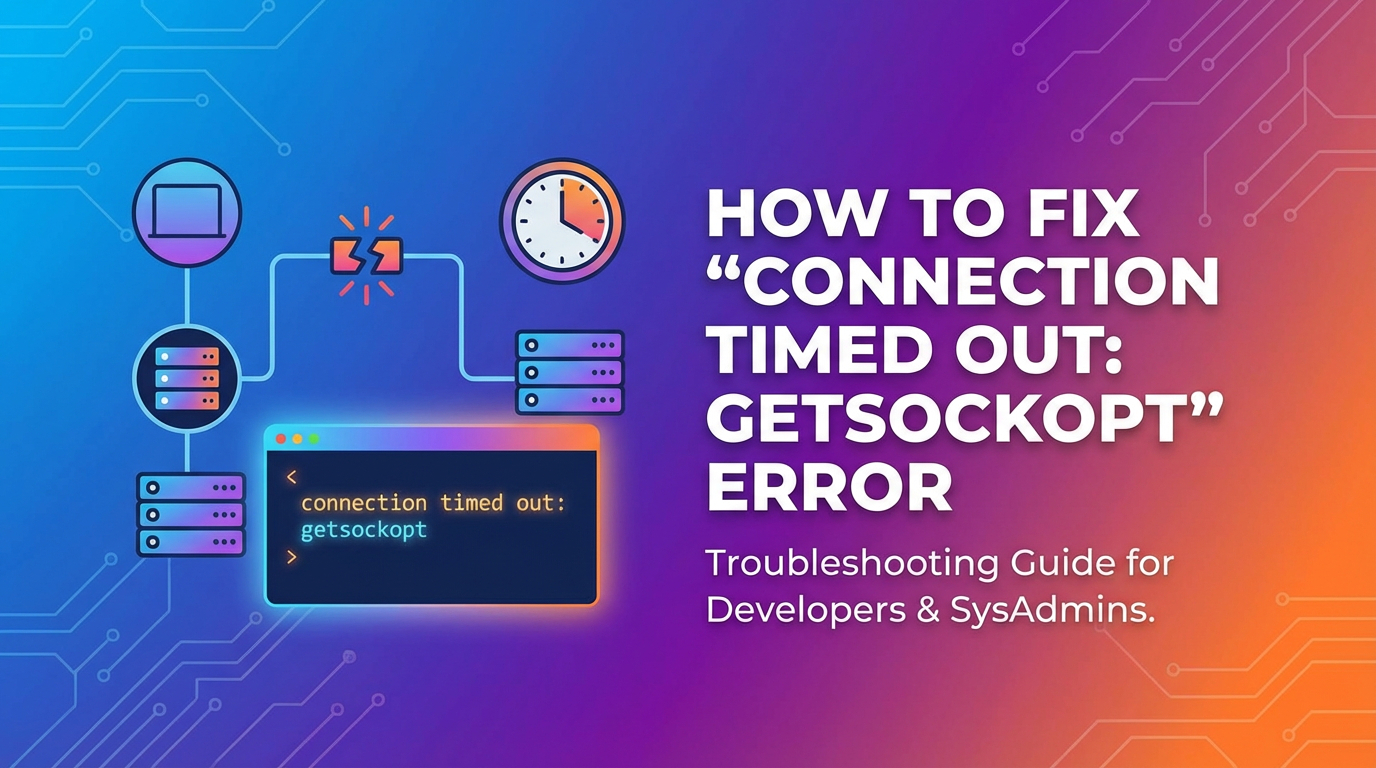


The digital landscape is a complex tapestry of interconnected systems, services, and applications. From browsing a website to fetching data from a remote server, almost every interaction relies on establishing and maintaining stable network connections. When these connections falter, the results can range from minor annoyances to critical system failures. Among the myriad of error messages developers and users encounter, "connection timed out: getsockopt" stands out as particularly enigmatic and frustrating. It's a low-level network error that often indicates a fundamental communication breakdown, leaving many scrambling to understand its roots and implement effective solutions.
This isn't merely a generic "connection failed" message; the inclusion of "getsockopt" points to an interaction at the operating system's socket layer, deep within the network stack. It signifies that an attempt was made to establish or query a network connection, but the expected response or state change did not occur within a predefined timeframe. The system effectively gave up waiting, signaling an inability to proceed. The implications are far-reaching, affecting everything from client-side applications struggling to reach backend services to intricate microservice architectures where one component's timeout can cascade into widespread failures. This article aims to demystify "connection timed out: getsockopt," providing a comprehensive guide to understanding its causes, meticulously troubleshooting its occurrences, and implementing robust strategies for prevention. We will delve into the various layers where this error can manifest, from the underlying network infrastructure to application-specific configurations and the critical role of intermediary components like API gateways. Our goal is to equip you with the knowledge and tools to diagnose and resolve this elusive error, ensuring smoother and more reliable digital operations.
Understanding the Error: connection timed out: getsockopt
To effectively combat the "connection timed out: getsockopt" error, it's essential to dissect its components and understand what each part signifies within the context of network communication. This error message is a low-level indication that something fundamental has gone wrong during a network operation, often at the operating system's socket interface.
Deconstructing the Error Message:
connection timed out: This is the most straightforward part of the message. It means that an operation involving establishing or maintaining a network connection did not complete within a specified period. When a client application (or a server acting as a client to another service) attempts to connect to a remote host, it sends out a series of packets (like SYN packets in TCP). It then waits for an acknowledgment (like SYN-ACK). If this acknowledgment or any subsequent expected response doesn't arrive before a preset timer expires, the operating system declares a "timeout." This timeout can occur at different stages:- Connect Timeout: The initial handshake phase, where the client tries to establish a connection with the server. If the server doesn't respond to the initial connection request, or if the response is lost, a connect timeout occurs.
- Read/Receive Timeout: Once a connection is established, if the client sends data and waits for a response from the server, but the server takes too long to send back data (or sends nothing at all), a read timeout occurs.
- Write/Send Timeout: Less common for
connection timed out, but if writing data to the socket blocks for too long, it can also lead to a timeout.
getsockopt: This is where the error becomes more specific and points to the operating system's kernel.getsockoptis a standard C function (part of the sockets API, defined in<sys/socket.h>) used by applications to retrieve various options and settings associated with a network socket. Sockets are the endpoints for network communication—think of them as logical ports through which applications send and receive data.- When an application tries to establish a connection or perform an I/O operation on a socket, the operating system kernel manages these interactions. During this process, the application might query the state of the socket (e.g., whether it's connected, if there's pending data, or specific error conditions).
- If the connection attempt itself times out, the kernel might return an error status that the application then retrieves using
getsockopt(or a similar mechanism). The actual error code indicating "connection timed out" (likeETIMEDOUTon Unix-like systems) is whatgetsockoptwould reflect if an application specifically asked for the socket's error status after a failed operation. - Therefore,
getsockoptisn't the cause of the timeout but rather the mechanism through which the application or runtime environment became aware of the underlyingconnection timed outcondition reported by the operating system's network stack. It tells us that the error originated deep within the network communication layer.
The Underlying Cause: Network Unresponsiveness
Fundamentally, "connection timed out: getsockopt" signifies that the network communication path between the two endpoints is broken, congested, or one of the endpoints is unresponsive. The critical point is that the system tried to connect, waited, and received no timely response, leading it to abort the operation.
Common reasons for this unresponsiveness include:
- Remote Host Unreachable: The target server might be down, powered off, or its network interface might be misconfigured.
- Network Congestion: Too much traffic on the network can lead to packet loss or significant delays, causing packets to arrive too late or not at all before the timeout expires.
- Firewall Blocking: A firewall (either on the client side, server side, or anywhere in between) might be blocking the connection attempt. The packets are dropped, and no response is sent back.
- Incorrect IP Address/Port: The client might be attempting to connect to the wrong IP address or a port where no service is listening. While this often results in "connection refused," if the packets are simply dropped due to routing issues or an unresponsive machine, it can lead to a timeout.
- Server Overload/Unresponsiveness: The target server might be running but so heavily loaded (high CPU, low memory, too many open connections) that it cannot respond to new connection requests in a timely manner. The TCP handshake might initiate, but the server fails to process it fully or send back the SYN-ACK within the client's timeout.
- Intermediate Network Devices: Routers, switches, load balancers, or proxies along the path might be failing, misconfigured, or experiencing issues that drop packets or introduce severe delays.
Where it Commonly Appears:
This error can manifest in various environments and contexts:
- Client-Side Applications: Web browsers, desktop applications, mobile apps attempting to connect to backend servers.
- Server-Side Applications: A web server trying to connect to a database, a microservice calling another microservice, or an application integrating with a third-party API.
- Command-Line Tools:
curl,wget,ssh,telnet,kubectl, or custom scripts interacting with remote services. - Programming Language Runtimes: Java (e.g.,
java.net.SocketTimeoutException), Python (e.g.,socket.timeout), Node.js, Go, etc., all have mechanisms to report this underlying OS error.
Understanding that "connection timed out: getsockopt" points to a failure at the fundamental network communication layer, where the operating system itself reports a prolonged lack of response, sets the stage for a systematic and layered troubleshooting approach. It tells us to look beyond simple application logic and delve into the network, server health, and intermediary infrastructure.
Common Scenarios Leading to the Error
The "connection timed out: getsockopt" error is a versatile indicator of a network communication breakdown, appearing in a multitude of scenarios across different technology stacks and deployment models. Recognizing these common scenarios is the first step toward effective diagnosis.
1. Client-Side Application Trying to Connect to a Server: This is perhaps the most frequent manifestation. A user's web browser, a mobile application, or a desktop client attempts to access a web server, a REST API endpoint, or any other network service. * Example: You're trying to visit example.com, but your browser displays an error like "This site can't be reached" with an underlying network timeout. * Root Cause: Your local machine might have a firewall blocking outgoing connections, your internet connection is down, DNS resolution failed, or the target web server is completely unresponsive or overloaded. The packets sent from your client never receive a timely acknowledgment from the server.
2. Server-Side Application Making External API Calls: Modern applications frequently integrate with external services via APIs for functionalities like payment processing, SMS notifications, map services, or data enrichment. * Example: A backend service uses a third-party API to fetch weather data for a user's location. The application log shows connection timed out: getsockopt when attempting to call api.weatherprovider.com. * Root Cause: The external API provider's server might be experiencing downtime, network issues between your server and the API provider, rate limiting exceeding causing delays, or incorrect API endpoint configuration. The API consumer (your server) waits for a response from the API producer but times out.
3. Internal Microservice Communication: In distributed architectures, applications are broken down into smaller, independent services that communicate over the network. * Example: A "User Service" tries to retrieve profile data from a "Profile Service" within the same cluster or VPC, and the call fails with a timeout. * Root Cause: The "Profile Service" might be down, overwhelmed, or has crashed. Network policies (e.g., Kubernetes NetworkPolicies, AWS Security Groups) might be inadvertently blocking traffic between services. Service discovery issues, where the calling service gets an outdated or incorrect IP for the target service, can also lead to this.
4. Database Connection Problems: Applications rely heavily on databases, and connecting to them is a critical operation. * Example: A web application fails to load data, and its logs indicate connection timed out: getsockopt when trying to connect to my-database-server:5432. * Root Cause: The database server might be down, the database port isn't open, a firewall is blocking the connection from the application server, the database server is under extreme load and cannot accept new connections, or there are network latency issues between the application server and the database server. Connection pool exhaustion in the application can sometimes manifest similarly if new connections can't be established quickly enough.
5. API Gateway or Load Balancer to Backend Service Communication: API Gateways and load balancers act as intermediaries, routing client requests to appropriate backend services. If they fail to connect to a backend, they'll report a timeout. * Example: Clients report timeouts when accessing your service, but the backend service logs show no incoming requests. The API Gateway logs (e.g., Nginx, Envoy, or a commercial API Gateway solution) show connection timed out when trying to reach backend-service-ip:port. * Root Cause: One or more instances of the backend service might be unhealthy, down, or unresponsive. The API Gateway's health checks might be failing, or its own internal timeout configurations for connecting to backends are being hit due to slow backend responses or network issues within the internal network. This scenario highlights the importance of robust gateway management, which we'll discuss further.
6. External Gateway or Proxy Issues: The client's connection might pass through various layers of network devices, including corporate proxies, VPN gateways, or cloud service gateways. * Example: Developers working from home via VPN consistently get timeouts when accessing internal tools, while those in the office do not. * Root Cause: The VPN gateway itself might be overloaded, misconfigured, or experiencing packet loss. Corporate firewalls or egress policies might be inadvertently blocking traffic. The timeout could be occurring at the gateway before the request even reaches the target server.
7. Specific Tool Failures (e.g., ssh, curl, kubectl): Command-line tools often hit this error when trying to communicate with remote systems. * Example: ssh user@remote-server hangs for a long time then exits with connection timed out. Or curl to a specific API endpoint fails similarly. kubectl commands to interact with a Kubernetes cluster also exhibit timeouts. * Root Cause: Similar to client-side issues, but often points to issues with the specific port (22 for SSH, 443/80 for HTTP) being blocked by a firewall, the remote server being down, or severe network latency between your machine and the remote host. For kubectl, it usually means the Kubernetes API server is unreachable or unresponsive.
These scenarios demonstrate the pervasive nature of "connection timed out: getsockopt." Identifying which scenario you're facing is crucial, as it helps narrow down the potential sources of the problem and guides your troubleshooting efforts toward the most probable culprits within the network, server, or application layers.
In-Depth Troubleshooting Steps
Diagnosing "connection timed out: getsockopt" requires a systematic, layered approach, moving from general network health to specific application and infrastructure configurations. This section provides detailed steps to pinpoint the root cause.
I. Network Connectivity Checks
The most fundamental layer to inspect is the network. A "connection timed out" error almost always has a network component, even if the ultimate cause lies elsewhere.
- Ping and Traceroute/MTR:
- Purpose: To verify basic connectivity and identify latency or packet loss along the path to the target host.
- How to:
ping <target_ip_or_hostname>: This sends ICMP echo requests to the target. Look forrequest timed outmessages, high average latency, or packet loss percentages. A 100% packet loss means the host is unreachable.traceroute <target_ip_or_hostname>(Linux/macOS) ortracert <target_ip_or_hostname>(Windows): This maps the path your packets take to reach the destination. Look for where the trace stops responding (indicated by* * *) or where latency significantly spikes. This can pinpoint a problematic router or firewall along the path.mtr <target_ip_or_hostname>(Linux/macOS): A combination ofpingandtraceroute, providing continuous updates on latency and packet loss for each hop. Extremely useful for diagnosing intermittent issues.
- Interpretation: If
pingfails, the target is unreachable or blocked. Iftraceroutestops, the last responsive hop is where the issue is likely before. High latency or packet loss on specific hops points to network congestion or faulty equipment. - Action: If network-level connectivity is poor, investigate physical network components, ISP issues, or routing tables.
- Firewall Configuration (Client and Server):
- Purpose: Firewalls are notorious for blocking legitimate traffic. Ensure the necessary ports are open on both the initiating and receiving ends.
- How to:
- Client Side:
- Linux:
sudo iptables -L,sudo ufw status. Check if outgoing connections to the target IP/port are allowed. - Windows: Check Windows Defender Firewall or any third-party antivirus/firewall software.
- macOS: System Settings -> Network -> Firewall.
- Linux:
- Server Side:
- Linux:
sudo iptables -L,sudo firewall-cmd --list-all(forfirewalld),sudo ufw status. Crucially, verify that the incoming port used by your service is open to the client's IP range. - Cloud Providers (AWS, Azure, GCP): Check Security Groups (AWS), Network Security Groups (Azure), or Firewall Rules (GCP) associated with the instances. Ensure ingress rules allow traffic on the correct port from the correct source IP ranges (e.g., 0.0.0.0/0 for public internet access, or specific VPC CIDRs for internal traffic).
- Linux:
- Client Side:
- Action: If a firewall is blocking, add a rule to permit traffic on the required port from the source IP. Be precise with IP ranges for security.
- Network Routes (Router, Proxy, VPN):
- Purpose: Ensure packets are being routed correctly. Proxies and VPNs can add complexity.
- How to:
- Local Routing Table:
netstat -rn(Linux/macOS) orroute print(Windows). Verify that there's a valid route to the target IP, usually via your default gateway. - Proxy Configuration: If you're using an HTTP/S proxy, check
HTTP_PROXY,HTTPS_PROXY,NO_PROXYenvironment variables, or application-specific proxy settings. A misconfigured proxy can cause all outbound connections to fail. - VPN: If connecting via VPN, ensure the VPN client is properly connected and that the VPN's routing rules are correctly directing traffic to the target network. Test without VPN if possible to rule it out.
- Local Routing Table:
- Action: Correct routing entries, adjust proxy settings, or troubleshoot VPN connectivity.
- DNS Resolution:
- Purpose: If you're connecting via a hostname, DNS must correctly resolve it to an IP address.
- How to:
dig <hostname>ornslookup <hostname>. Verify that the resolved IP address is correct and that the DNS server is responsive. Also, checketc/resolv.confon Linux for configured DNS servers. - Interpretation: If DNS lookup fails or returns an incorrect IP, your connection will never reach the intended target.
- Action: Correct DNS entries, ensure your system is using reliable DNS servers, or temporarily use the target's IP address to bypass DNS.
- Network Saturation/Bandwidth Issues:
- Purpose: Overloaded network links can lead to packet loss and severe delays, causing timeouts even if the target is technically reachable.
- How to: Monitor network interface statistics on both client and server (
ifconfig,ip -s link show). Look for high error rates, dropped packets, or nearing maximum bandwidth capacity. - Action: Reduce network load, upgrade bandwidth, or implement Quality of Service (QoS) policies.
II. Server-Side Health and Performance
Even if network connectivity appears sound, the target server itself might be the bottleneck if it's too busy to respond.
- Is the Server Running? (Process Check):
- Purpose: A basic sanity check. Is the target service actually active?
- How to:
sshinto the server (if accessible).systemctl status <service_name>(e.g.,systemctl status nginx,systemctl status postgresql)ps aux | grep <process_name>(e.g.,ps aux | grep java,ps aux | grep myapp).- For containers,
docker ps,kubectl get pods.
- Interpretation: If the service isn't running, it clearly cannot respond.
- Action: Start the service, investigate why it stopped (check its logs).
- Resource Utilization (CPU, RAM, Disk I/O):
- Purpose: An overloaded server cannot process new connections or requests quickly enough, leading to timeouts.
- How to:
toporhtop: Monitor CPU usage, memory usage, and load averages. Look for processes consuming excessive resources.free -h: Check available RAM.df -h: Check disk space. A full disk can prevent new log entries or data storage, crippling services.iostat -xz 1: Monitor disk I/O. High I/O wait can stall applications.
- Interpretation: Consistently high CPU, nearing full RAM, or high I/O wait are strong indicators of an overloaded server.
- Action: Optimize application code, increase server resources (scale up/out), identify and fix resource leaks.
- Application Logs (on the Target Server):
- Purpose: Application-specific errors, even those preceding a timeout, can provide crucial context.
- How to: Locate and examine the logs of the service you're trying to connect to. Common locations:
/var/log/<app_name>,journalctl -u <service_name>, or application-specific log directories. - What to look for:
- Error messages (stack traces, specific exceptions).
- Warnings indicating resource exhaustion (e.g., "Out Of Memory," "Too many open files").
- Database connection errors.
- Messages indicating the application is stuck or slow.
- Absence of logs related to the incoming connection attempt can also be informative, suggesting the connection never even reached the application layer.
- Action: Address the issues found in the logs (e.g., bug fixes, configuration adjustments).
- Server Load (Number of Connections):
- Purpose: Many servers have limits on concurrent connections. Hitting these limits can cause new connection attempts to time out.
- How to:
netstat -an | grep ESTABLISHED | wc -l(count established TCP connections). Compare this to your application/database server's configured limits. - Action: Increase connection limits if appropriate, optimize connection handling in the application (e.g., use connection pooling effectively), or scale out.
- Service Port Status (
netstat,lsof):- Purpose: Confirm the service is actually listening on the expected IP address and port.
- How to:
sudo netstat -tulnp | grep <port_number>: This shows all listening TCP and UDP ports, their associated process ID, and the process name.sudo lsof -i :<port_number>: Provides similar information, showing which process has opened which port.
- Interpretation: If your service is supposed to be on port 8080 and
netstatshows nothing listening on0.0.0.0:8080or127.0.0.1:8080, then the service isn't properly running or isn't configured to listen publicly. - Action: Verify service configuration (e.g.,
listen 0.0.0.0:8080vs.listen 127.0.0.1:8080for public vs. local access), restart the service, or correct any binding issues.
III. Application-Specific Configurations
The application code itself can introduce or exacerbate timeout issues through its configuration and how it interacts with the network.
- Connection Timeouts in Code:
- Purpose: Applications often have configurable timeouts for various network operations. If these are too short for the expected network latency or server response times, they can trigger premature timeouts.
- How to: Review the source code or configuration files of the client application.
- HTTP Clients: Libraries like Java's
HttpClient, Python'srequests, Node.js'saxios, Go'shttp.Clientall have parameters forconnect timeout(time to establish a connection) andread timeout(time to receive data after a connection is established and a request is sent). - Database Drivers: Most database connectors (JDBC, SQLAlchemy, etc.) have similar connection and query timeouts.
- HTTP Clients: Libraries like Java's
- Interpretation: If the application's timeout is, for example, 5 seconds, but the network latency or server processing time frequently exceeds this, you'll see timeouts.
- Action: Increase the timeout values if it's determined that the network/server simply needs more time. However, blindly increasing timeouts can mask underlying performance issues, so use this judiciously.
- Thread Pool / Connection Pool Settings:
- Purpose: Application servers and ORMs often use pools of threads or database connections to manage resources efficiently. If these pools are exhausted, new requests/connections will queue up and eventually time out.
- How to: Check application server configurations (e.g., Tomcat
maxThreads,maxConnections), database connection pool settings (e.g., HikariCPmaximumPoolSize,connectionTimeout), or specific framework settings. - Interpretation: A message like "connection pool exhausted" or "too many active threads" in application logs points to this.
- Action: Adjust pool sizes (increase if under-provisioned, decrease if leaking connections), optimize application code to release resources promptly, or scale out application instances.
- Misconfigured Endpoints:
- Purpose: A simple typo in a hostname or IP address can lead to timeouts if the incorrect target is unreachable.
- How to: Double-check all configured API endpoints, database URLs, and service discovery configurations within the application.
- Action: Correct any misspellings or incorrect values.
- Incorrect Credentials/Authentication Issues:
- Purpose: While these usually lead to "Authentication Failed" errors, in some scenarios (especially with custom APIs or firewalls that react to unauthorized access by dropping packets), they can manifest as timeouts during the handshake phase.
- How to: Verify API keys, user credentials, database passwords, and token validity.
- Action: Ensure all authentication details are correct and current.
IV. Infrastructure and Gateway Layer
In modern distributed systems, intermediate layers like load balancers, reverse proxies, and especially API Gateways play a crucial role. They are powerful but can also introduce complex failure points.
- Load Balancers (LBs):
- Purpose: LBs distribute incoming client traffic across multiple backend servers. They also perform health checks to ensure traffic only goes to healthy instances.
- How a misconfigured LB causes timeouts:
- Health Checks: If health checks are failing, the LB might mark all backend instances as unhealthy, and new connections will just sit in a queue or time out as there's no healthy target.
- Idle Timeouts: LBs often have an idle timeout (e.g., AWS ALB default 60 seconds). If a connection remains idle for longer than this, the LB will close it, and the client might see a timeout if it tries to reuse the connection.
- Connection Limits: Some LBs have connection limits per target, which if exceeded, can cause new connections to be dropped.
- Session Stickiness: Misconfigured sticky sessions can send requests to an unhealthy instance.
- How to check: Review LB configuration in your cloud provider console or on-premise LB management interface. Check health check status, target group status, and LB logs.
- Action: Ensure health checks are configured correctly and returning expected statuses. Adjust LB timeouts to be consistent with application timeouts.
- Reverse Proxies (Nginx, Apache):
- Purpose: Reverse proxies (like Nginx, Apache HTTPD) sit in front of application servers, providing features like load balancing, caching, SSL termination, and serving static content.
- How a misconfigured proxy causes timeouts:
- Proxy Timeouts: Nginx, for example, has several timeout directives:
proxy_connect_timeout(for connecting to upstream),proxy_read_timeout(for reading from upstream), andproxy_send_timeout(for sending to upstream). If these are too low, the proxy will time out before the backend responds, returning a 504 Gateway Timeout or similar to the client. - Buffering: If proxy buffering is enabled and the backend is slow, the proxy might buffer too much data, leading to delays or memory issues.
- Proxy Timeouts: Nginx, for example, has several timeout directives:
- How to check: Examine the proxy server's configuration files (e.g.,
nginx.confor site-specific configurations for Nginx). Check proxy server logs for upstream connection errors. - Action: Adjust
proxy_connect_timeout,proxy_read_timeout,proxy_send_timeoutto appropriate values. Ensure backend servers are correctly defined.
- API Gateways:
- Purpose: At the heart of modern microservice architectures and external integrations lies the API Gateway. Acting as the single entry point for all API calls, it routes requests, enforces policies, handles authentication, and often performs rate limiting and caching. It's a critical component for managing the complexity of diverse APIs and securing access.
- How a misconfigured API Gateway causes timeouts:
- Backend Unreachability: If the API Gateway cannot establish a connection to a backend service within its configured timeout, it will naturally report a timeout to the client. This could be due to the backend being down, network issues within the internal network, or a firewall blocking the gateway's access.
- Gateway Overload: An overwhelmed API Gateway itself can become a bottleneck, leading to connection timeouts. If it's processing too many requests, it might not be able to establish new connections to backends in a timely manner.
- Timeout Mismatch: The API Gateway might have a shorter backend timeout than the actual backend's processing time, causing it to prematurely close connections.
- Health Checks: Similar to load balancers, if the API Gateway relies on health checks and those are failing, it might not route traffic to any available backend.
- Leveraging APIPark for Diagnosis and Prevention: Managing the complexity of an API Gateway is crucial for system stability and performance. Solutions like APIPark, an open-source AI gateway and API management platform, provide robust capabilities to address these challenges. APIPark offers end-to-end API lifecycle management, ensuring APIs are properly designed, published, and monitored. Its powerful performance, rivaling Nginx with high TPS (transactions per second), means it can handle large-scale traffic without becoming a source of timeouts itself. Crucially, APIPark provides detailed API call logging, recording every detail of each API call, which is invaluable for quickly tracing and troubleshooting issues like
connection timed out. By centralizing API management and offering insights into call data, APIPark helps preemptively identify performance bottlenecks and misconfigurations that could lead to such errors, thereby enhancing efficiency, security, and data optimization. Its ability to quickly integrate 100+ AI models and encapsulate prompts into REST APIs means that even complex AI service invocations can be managed and monitored efficiently, preventing unexpected timeouts in intelligent applications.
- Firewalls (Cloud Provider Security Groups, WAFs):
- Purpose: These provide network-level security, controlling ingress and egress traffic based on rules.
- How they cause timeouts: An inadvertently restrictive rule (e.g., blocking an IP range, a specific port, or HTTP method) can prevent connections from being established.
- How to check: Re-examine security group rules (AWS), Network Security Groups (Azure), or Firewall Rules (GCP) for all relevant instances. Check Web Application Firewall (WAF) logs if applicable.
- Action: Adjust rules to explicitly allow the required traffic.
- CDN Issues:
- Purpose: Content Delivery Networks (CDNs) cache content closer to users and can also proxy API requests.
- How they cause timeouts: If the CDN itself cannot reach your origin server due to network issues, or if its own timeouts are hit, it can return timeouts to clients.
- How to check: Check CDN provider dashboards and logs for origin communication errors.
- Action: Verify origin server reachability and CDN configuration.
V. Database-Specific Troubleshooting
Since databases are a common source of timeouts, a specific set of checks is warranted.
- Database Server Status:
- Purpose: Confirm the database service (e.g., PostgreSQL, MySQL) is actually running.
- How to:
systemctl status postgresql,systemctl status mysql. - Action: Start the database service if it's down.
- Connection Limits on DB:
- Purpose: Databases have a maximum number of concurrent connections they can handle. Exceeding this limit causes new connections to be rejected or queued.
- How to:
- PostgreSQL:
SHOW max_connections;andSELECT count(*) FROM pg_stat_activity; - MySQL:
SHOW VARIABLES LIKE 'max_connections';andSHOW STATUS LIKE 'Threads_connected';
- PostgreSQL:
- Action: Increase
max_connections(with caution, as it consumes more resources), optimize application connection pooling, or scale up/out your database.
- Long-Running Queries:
- Purpose: If the database is busy executing very slow queries, it might not be able to accept new connections or respond to existing ones quickly.
- How to: Identify slow queries using database monitoring tools,
EXPLAIN ANALYZE(PostgreSQL), orSHOW PROCESSLIST(MySQL). - Action: Optimize slow queries, add indexes, or consider read replicas.
- Network Latency to DB:
- Purpose: Even healthy databases can time out if the network path from the application server is too slow.
- How to:
pingortraceroutefrom the application server to the database server IP. - Action: Ensure database and application servers are in the same region/zone for low latency, investigate internal network issues.
VI. Advanced Debugging Techniques
For persistent or intermittent issues, more specialized tools can provide deep insights.
- Packet Sniffing (tcpdump, Wireshark):
- Purpose: Capture raw network traffic to see exactly what's being sent and received (or not received). This is the "ground truth."
- How to:
- Server:
sudo tcpdump -i <interface> host <client_ip> and port <service_port> -vvv -s 0 -w output.pcap - Client: Similar
tcpdumpcommand targeting the server, or use Wireshark GUI.
- Server:
- Interpretation:
- Are SYN packets reaching the server?
- Is the server sending SYN-ACKs back?
- Are there RST packets (reset) indicating an abrupt connection close?
- Are packets being retransmitted excessively?
- Is there a large delay between outgoing requests and incoming responses?
- Action: Analyze the
pcapfile using Wireshark to visualize the TCP handshake and data flow, identifying where the communication breaks down.
- System Call Tracing (strace, dtrace):
- Purpose: Monitor the system calls an application makes, including network-related calls like
connect(),sendto(),recvfrom(), andgetsockopt(). - How to:
sudo strace -f -e trace=network -p <pid_of_your_app>(Linux). - Interpretation: Observe the exact sequence of network calls and their return values. You might see
connect()failing withETIMEDOUT(Error TIMEDOUT) orEHOSTUNREACH(Error HOST UNREACHABLE). - Action: This confirms the exact point in the application where the OS reported the timeout.
- Purpose: Monitor the system calls an application makes, including network-related calls like
- Monitoring Tools (Prometheus, Grafana, ELK stack):
- Purpose: Proactive monitoring and historical data analysis are invaluable for identifying trends, correlations, and intermittent issues.
- How to: Ensure your infrastructure and applications are integrated with monitoring solutions.
- What to monitor:
- Network latency and packet loss.
- Server resource utilization (CPU, RAM, Disk I/O).
- Application error rates and response times.
- API Gateway metrics (backend latency, error rates, connection counts).
- Database connection counts and query times.
- Action: Use dashboards to spot spikes in errors, latency, or resource consumption that correlate with timeout incidents. This helps move from reactive troubleshooting to proactive prevention.
| Symptom/Observation | Potential Cause | Initial Check / Action |
|---|---|---|
ping fails or high latency |
Network connectivity issues (physical, routing, ISP) | Check cables, router, run traceroute/mtr. Contact ISP if external. |
| Target host unreachable | Server down, network segment down, IP mismatch | Verify server power/status (systemctl status), check target IP, check subnet routing. |
| Specific port inaccessible | Firewall blocking, service not listening | netstat -tulnp, lsof -i :<port>, check iptables -L/security groups. |
| Server unresponsive or high load | Resource exhaustion (CPU, RAM, Disk I/O), too many connections | top/htop, free -h, df -h, netstat -an | grep ESTABLISHED | wc -l. |
| Application logs show internal timeouts | Application code timeout, connection pool exhaustion | Review app timeout settings (connect/read), connection pool size/usage, check for resource leaks. |
| Error occurs via API Gateway | Gateway timeout, backend service unhealthy, internal network issues | Check API Gateway logs, gateway health checks for backends, gateway-to-backend network path. |
| DNS lookup failure | Incorrect DNS server, stale cache, invalid hostname | dig/nslookup to verify hostname resolution, check /etc/resolv.conf. |
| Intermittent timeouts | Network congestion, intermittent server overload, resource contention | Use mtr for continuous network monitoring, correlate with server resource usage graphs from monitoring tools. |
By systematically working through these detailed steps, you can gather enough evidence to accurately diagnose the root cause of "connection timed out: getsockopt" and implement a targeted fix. Remember that this error is often a symptom of a deeper problem, and thorough investigation is key.
Preventive Measures and Best Practices
While troubleshooting is reactive, implementing preventive measures and adhering to best practices is proactive. The goal is to design, deploy, and operate systems that are resilient to the conditions that lead to "connection timed out: getsockopt."
- Implement Robust Error Handling and Retries with Exponential Backoff:
- Why: Transient network issues, momentary server hiccups, or brief load spikes are inevitable. A single failed connection attempt shouldn't bring down an entire process.
- How:
- Catch the Exception: Wrap network calls in
try-catchblocks specifically targeting timeout exceptions. - Retry Logic: When a timeout occurs, don't immediately give up. Implement a retry mechanism.
- Exponential Backoff: Instead of retrying immediately, wait for increasing intervals between retries (e.g., 1s, 2s, 4s, 8s). This prevents overwhelming an already struggling service and gives it time to recover.
- Jitter: Add a small random delay to the backoff period (
random(0, backoff_time)). This prevents "thundering herd" scenarios where many clients retry at the exact same moment. - Max Retries: Define a maximum number of retries to prevent indefinite blocking.
- Catch the Exception: Wrap network calls in
- Best Practice: Libraries like Netflix Hystrix (or its spiritual successors like Resilience4j for Java, Tenacity for Python) provide robust circuit breaker and retry patterns that are essential for microservice architectures.
- Set Appropriate Timeouts at All Layers:
- Why: Timeouts are a contract. If a client expects a response within X seconds, and the server/network cannot deliver, a timeout is appropriate. Mismatched timeouts across layers (client, load balancer, proxy, API Gateway, backend, database) are a common source of confusion and cascading failures.
- How:
- Client-Side: Configure realistic
connect timeoutandread timeoutvalues in your application's HTTP clients or database drivers. These should be long enough for expected operations but short enough to prevent indefinite waiting. - Load Balancers/Proxies: Ensure
idle timeoutsandbackend connection timeoutsare configured to be slightly longer than your application's expected response times but shorter than the client-side timeouts. This ensures the LB/proxy fails gracefully before the client. - API Gateways: Similarly, configure
backend connect timeoutandbackend read timeoutwithin your API Gateway (like APIPark) to prevent it from holding open connections indefinitely to unresponsive services. - Backend Services: Ensure your backend services have their own internal timeouts for calls to databases or other internal services.
- Database: Set query timeouts and statement timeouts to prevent individual slow queries from monopolizing resources.
- Client-Side: Configure realistic
- Best Practice: Create a timeout strategy document. Map out all potential network hops and the timeout settings at each layer to ensure consistency and prevent premature disconnections.
- Monitor System and Application Health Proactively:
- Why: Early detection of performance degradation or resource exhaustion is key to preventing timeouts before they impact users.
- How:
- Infrastructure Metrics: Monitor CPU, memory, disk I/O, network I/O, and open file descriptors for all servers.
- Application Metrics: Track API response times, error rates (especially 5xx errors and timeouts), queue lengths, and connection pool utilization.
- Network Metrics: Monitor network latency, packet loss, and bandwidth usage between critical services.
- Logging: Centralize logs (ELK stack, Splunk, Loki/Grafana) for easy searching and aggregation of timeout errors. APIPark provides detailed API call logging, which is essential here.
- Alerting: Set up alerts for deviations from baselines (e.g., CPU > 80% for 5 minutes, error rate > 1%, connection pool almost full).
- Best Practice: Implement a comprehensive monitoring stack. Use tools like Prometheus/Grafana for metrics, ELK/Loki for logs, and set up clear dashboards and actionable alerts. Regularly review historical data for trends.
- Use Health Checks in Load Balancers and API Gateways:
- Why: Load balancers and API Gateways should only route traffic to healthy backend instances. Relying solely on network-level connectivity isn't enough; the service itself must be responsive.
- How:
- Configure HTTP or TCP health checks that regularly probe your backend services.
- The health check endpoint should ideally perform a quick internal check (e.g., database connection, critical dependencies) beyond just returning a 200 OK.
- Ensure health checks are configured with appropriate thresholds (e.g., mark unhealthy after 3 consecutive failures, mark healthy after 2 consecutive successes).
- Best Practice: Design robust health check endpoints in your applications. An API Gateway solution like APIPark can leverage these health checks to ensure traffic is only directed to available and performing instances, mitigating the risk of timeouts from unhealthy backends.
- Design for Resiliency (Circuit Breakers, Bulkhead Patterns):
- Why: Prevent a failure in one service from cascading and overwhelming other dependent services.
- How:
- Circuit Breakers: If a service consistently fails (e.g., times out repeatedly), a circuit breaker can "trip," preventing further calls to that service for a period. Instead of waiting for a timeout, the call immediately fails, allowing the system to degrade gracefully.
- Bulkhead Pattern: Isolate resources (e.g., thread pools, connection pools) for different services or types of requests. This prevents one failing or slow component from consuming all resources and affecting unrelated parts of the system.
- Best Practice: Integrate these patterns into your application architecture, especially in microservice environments.
- Regularly Review Network and Firewall Rules:
- Why: Network configurations, especially firewall rules, can become stale, overly permissive, or inadvertently restrictive as systems evolve.
- How:
- Audits: Periodically review all firewall rules, security groups, and network ACLs.
- Least Privilege: Ensure rules adhere to the principle of least privilege – only allow necessary ports and IP ranges.
- Documentation: Keep network configurations well-documented.
- Best Practice: Automate configuration management where possible (Infrastructure as Code) to ensure consistency and prevent manual errors.
- Choose Reliable Infrastructure and Cloud Services:
- Why: The underlying infrastructure directly impacts reliability.
- How:
- Cloud Providers: Leverage the high availability and redundancy features of cloud providers (e.g., deploying across multiple availability zones, using managed database services).
- Hardware: Ensure on-premise hardware is reliable and adequately provisioned.
- Network Equipment: Use high-quality switches, routers, and cabling.
- Best Practice: Invest in robust infrastructure that can handle expected loads and failures gracefully.
- Automate Deployment and Scaling:
- Why: Rapidly scale resources up or out in response to increased load can prevent servers from becoming overwhelmed and timing out.
- How: Use orchestration tools (Kubernetes, Docker Swarm) and auto-scaling groups in cloud environments.
- Best Practice: Configure horizontal auto-scaling based on metrics like CPU utilization, request queue length, or network I/O.
By embedding these preventive measures and best practices into your system design and operational workflows, you can significantly reduce the frequency and impact of "connection timed out: getsockopt" errors, leading to more stable, reliable, and performant applications. The proactive investment in these areas pays dividends by avoiding costly downtime and improving the overall user experience.
Conclusion
The "connection timed out: getsockopt" error, while appearing as a cryptic low-level message, is a critical indicator of a breakdown in network communication. It signals that an operation could not be completed within an expected timeframe, rooted in the operating system's interaction with the network stack. As we've explored, its origins are multifaceted, spanning from fundamental network outages and misconfigurations to server resource exhaustion, application-specific issues, and complex interactions within an API Gateway or load balancer layer. This error underscores the intricate dependencies inherent in modern distributed systems, where a single point of failure can manifest as a widespread inability to connect.
Successfully resolving and preventing this error demands a systematic, layered approach. It begins with rigorous network diagnostics, probing connectivity, firewalls, and routing to ensure the basic pathways are clear. From there, the investigation moves to the health and responsiveness of the target server, examining its resource utilization and application logs for signs of strain or internal failures. The application itself requires scrutiny, with careful attention paid to its configured timeouts, connection pooling, and endpoint accuracy. Finally, the critical role of intermediary infrastructure components—such as load balancers, reverse proxies, and particularly API Gateways—cannot be overstated. These components, while essential for managing complexity and scale, can also become bottlenecks if misconfigured or overwhelmed. Solutions like APIPark, which offer high-performance API Gateway capabilities, detailed logging, and comprehensive API lifecycle management, are invaluable in providing the visibility and control needed to diagnose and prevent such errors effectively.
The journey from diagnosing a "connection timed out: getsockopt" error to ensuring its prevention is a continuous cycle of monitoring, analysis, and refinement. It necessitates robust error handling with intelligent retries, meticulously configured timeouts across all layers, proactive health monitoring, and a resilient system architecture incorporating patterns like circuit breakers. By adhering to these best practices, teams can move beyond reactive troubleshooting to build systems that are inherently more stable, efficient, and capable of gracefully handling the inevitable complexities and transient failures of the digital world. The ultimate goal is not merely to fix an error, but to foster an environment where connections are consistently reliable, fostering uninterrupted service delivery and an optimized user experience.
Frequently Asked Questions (FAQ)
1. What exactly does getsockopt mean in the error connection timed out: getsockopt? getsockopt is a standard operating system function that applications use to retrieve options or error status from a network socket. In the context of "connection timed out: getsockopt," it means that the application or runtime environment, after attempting to establish a connection that ultimately timed out, used getsockopt (or a similar internal mechanism) to query the socket for its error status, and the operating system reported that the connection attempt timed out (ETIMEDOUT). It's the way the system communicates the underlying timeout condition to the application, rather than being the direct cause of the timeout itself.
2. Is connection timed out always a network issue? While "connection timed out" almost always indicates a problem within the network communication stack, the root cause isn't exclusively a "network issue" in the sense of physical cables or ISP problems. It can stem from various sources, including: * True Network Problems: Faulty cables, congested routers, firewalls blocking traffic, DNS resolution failures, or ISP outages. * Server Unresponsiveness: The target server might be down, overloaded (high CPU, low memory), or its application is crashed/frozen, preventing it from responding to connection requests within the timeout period. * Application Misconfiguration: Incorrect IP/port, connection pool exhaustion, or internal application logic taking too long. * Intermediate Infrastructure: Misconfigured load balancers, reverse proxies, or API Gateways that fail to route requests or have their own timeouts hit before reaching the backend. So, while the error manifests at the network layer, the ultimate culprit can reside at any point in the system's architecture.
3. How do API Gateways contribute to this error, and how can they help prevent it? API Gateways act as intermediaries between clients and backend services. They can contribute to connection timed out errors if they: * Fail to connect to backends: The gateway itself might time out trying to establish a connection to an unhealthy or unresponsive backend service. * Become overloaded: An overwhelmed API Gateway can't process requests or establish new backend connections quickly enough, leading to client timeouts. * Have mismatched timeouts: If the gateway's backend timeout is shorter than the actual backend's processing time, it will prematurely close connections. However, API Gateways are also crucial for preventing these errors. Solutions like APIPark offer: * Health Checks: Proactively identify and stop routing traffic to unhealthy backend services. * Performance and Scalability: Robust gateways can handle high traffic volumes without becoming a bottleneck. APIPark, for example, offers Nginx-level performance. * Detailed Logging: Provides granular insights into API calls, helping pinpoint where a timeout originated (e.g., between the gateway and the backend). * API Lifecycle Management: Ensures APIs are properly configured and monitored, reducing the likelihood of errors.
4. What's the difference between a connection timeout and a read timeout? * Connection Timeout: This refers to the maximum amount of time allowed to establish an initial connection (e.g., complete the TCP handshake). If the client cannot successfully connect to the server within this period, a connection timeout occurs. This often indicates the server is unreachable, down, or a firewall is blocking the initial connection. * Read Timeout (or Socket Timeout / Data Timeout): This refers to the maximum amount of time allowed for the client to receive data after a connection has been successfully established and typically after a request has been sent. If the server doesn't send any data back within this period, a read timeout occurs. This usually indicates the server is slow to process the request, is stuck, or has crashed after the connection was established.
5. How can I prevent these timeouts proactively? Proactive prevention involves a multi-pronged strategy: 1. Implement Robust Error Handling: Use retries with exponential backoff and jitter for transient network issues. 2. Consistent Timeouts: Configure appropriate connection and read timeouts at all layers of your application and infrastructure (client, load balancer, API Gateway, backend, database). 3. Comprehensive Monitoring: Proactively track system resources (CPU, RAM, network I/O), application metrics (response times, error rates), and network health. Set up alerts for anomalies. 4. Health Checks: Leverage load balancer and API Gateway health checks to automatically remove unhealthy backend instances from rotation. 5. Resilient Architecture: Employ patterns like Circuit Breakers and Bulkheads to prevent cascading failures. 6. Regular Audits: Periodically review firewall rules, network configurations, and API Gateway settings to ensure accuracy and relevance. 7. Scale Resources: Ensure your servers and services are adequately provisioned and can scale dynamically to handle varying loads.
🚀You can securely and efficiently call the OpenAI API on APIPark in just two steps:
Step 1: Deploy the APIPark AI gateway in 5 minutes.
APIPark is developed based on Golang, offering strong product performance and low development and maintenance costs. You can deploy APIPark with a single command line.
curl -sSO https://download.apipark.com/install/quick-start.sh; bash quick-start.sh

In my experience, you can see the successful deployment interface within 5 to 10 minutes. Then, you can log in to APIPark using your account.

Step 2: Call the OpenAI API.