How to Fix 'connection timed out: getsockopt' Errors
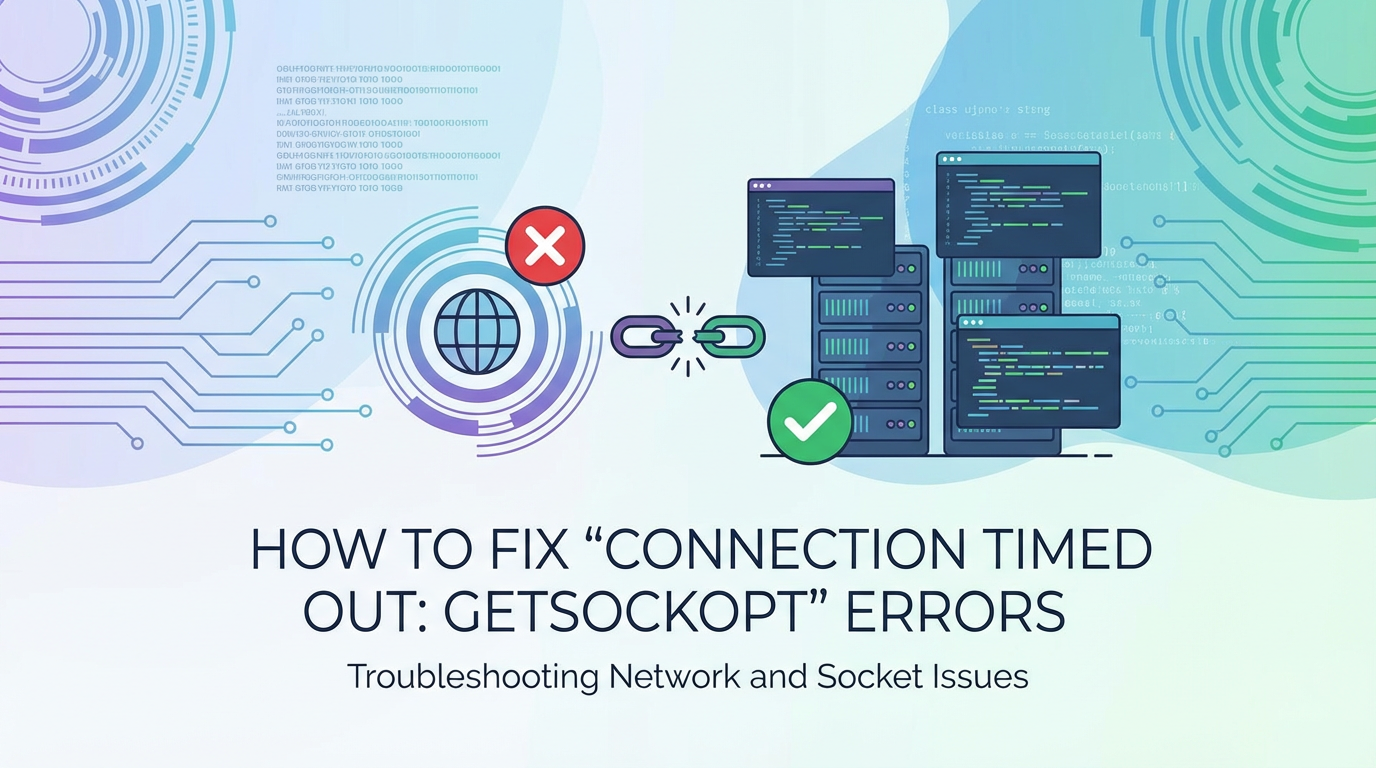


The digital landscape is a vast, interconnected web, and at its heart lies the ability of different systems to communicate seamlessly. When this communication breaks down, the results can range from minor annoyances to critical system failures, impacting user experience, data integrity, and business operations. Among the myriad of error messages that developers and system administrators encounter, "connection timed out: getsockopt" stands out as a particularly enigmatic and frustrating one. It's a low-level network error that often hints at deeper issues lurking within the intricate layers of modern application architectures, from the client's local network to the remote server's operating system, and all the distributed components in between, including the critical role of an API gateway.
This comprehensive guide aims to demystify "connection timed out: getsockopt" errors, providing an in-depth exploration of their causes, detailed troubleshooting methodologies, and robust prevention strategies. We will traverse the entire stack, from the application layer to the physical network infrastructure, uncovering how various factors contribute to this persistent problem. Understanding this error isn't just about fixing a bug; it's about gaining a profound insight into the mechanics of network communication, the resilience of distributed systems, and the critical importance of a well-managed API ecosystem. By the end of this journey, you will be equipped with the knowledge to diagnose and resolve these elusive timeouts, ensuring smoother, more reliable interactions across your digital infrastructure.
Understanding the Genesis of 'connection timed out: getsockopt'
Before we embark on a troubleshooting expedition, it's crucial to comprehend the fundamental nature of the "connection timed out: getsockopt" error. This message typically indicates that an attempt to establish or maintain a network connection has failed because no response was received from the remote host within a predetermined timeframe. Unlike a "connection refused" error, which signifies an active rejection of a connection attempt by a reachable server, "connection timed out" implies an absence of any response whatsoever – the digital equivalent of shouting into the void.
The getsockopt part of the error refers to a system call, commonly found in POSIX-compliant operating systems, used to retrieve options on a socket. Sockets are the endpoints of communication links, and getsockopt is invoked by applications to query various attributes or states of these sockets. When a timeout occurs in conjunction with getsockopt, it often points to a scenario where the application is waiting for a certain socket event (like connection establishment confirmation or data availability) but that event never materializes within the configured timeout period. This can happen during the initial TCP handshake, where the client sends a SYN packet and expects a SYN-ACK, or during subsequent data transfer phases where the client is awaiting an acknowledgment or response data.
At its core, TCP (Transmission Control Protocol) is designed to provide reliable, ordered, and error-checked delivery of a stream of bytes between applications running on hosts communicating via an IP network. The connection establishment process, known as the "three-way handshake," is fundamental: 1. SYN (Synchronize Sequence Numbers): The client sends a SYN packet to the server to initiate a connection. 2. SYN-ACK (Synchronize-Acknowledge): If the server is ready to accept a connection, it responds with a SYN-ACK packet, acknowledging the client's SYN and sending its own SYN to the client. 3. ACK (Acknowledge): The client responds with an ACK packet, acknowledging the server's SYN.
If any of these steps fail to complete within the operating system's or application's configured timeout, a "connection timed out" error is triggered. This can be due to a myriad of reasons, ranging from physical network disconnections and overloaded servers to misconfigured firewalls and application-level bottlenecks. Pinpointing the exact cause requires a methodical approach, dissecting the problem layer by layer, starting from the application and moving down to the deepest network infrastructure.
Layer 1: The Application Layer – Where Requests Originate and Are Processed
The journey of any API call or network request begins and often ends at the application layer. Misconfigurations, resource constraints, or inefficient logic within the application itself can be primary culprits behind "connection timed out: getsockopt" errors. Understanding how applications interact with the network stack is crucial for effective diagnosis.
Client-Side Timeout Settings: The First Line of Defense
Many applications, especially those interacting with remote APIs, implement their own network timeout settings. These are often distinct from the operating system's default TCP timeouts and are designed to prevent applications from hanging indefinitely while waiting for a response. Examples include:
- Connection establishment timeout: The maximum time the client will wait to establish a TCP connection with the server. If the server doesn't respond with a SYN-ACK within this period, the client will time out.
- Read timeout (or socket timeout): The maximum time the client will wait for data to be received on an already established connection. If no data arrives for this duration, the connection is considered inactive and timed out. This is particularly relevant when an API call might return a large payload or when the backend processing takes longer than expected.
- Write timeout: The maximum time the client will wait to send data on an established connection. This is less common but can occur if the network buffer is full or the server is too slow to acknowledge received data.
Common programming languages and frameworks provide mechanisms to configure these timeouts. For instance, in Python's requests library, you can specify timeout=(connect_timeout, read_timeout). In Java's HttpClient, similar options exist for connectTimeout and responseTimeout. Misconfigured timeouts – setting them too aggressively low for environments with inherent latency or unpredictable processing times – are a frequent cause of "connection timed out" errors. An API client might expect a response within 5 seconds, but the backend service might genuinely require 10 seconds for a complex query. In such a scenario, the client will prematurely terminate the connection and report a timeout, even if the server is actively working on the request.
Moreover, the absence of robust retry and backoff strategies on the client side can exacerbate the problem. A single, transient network glitch or a momentary server overload can cause a timeout. Without intelligent retry logic (e.g., exponential backoff), the client might simply fail immediately or repeatedly hit the same overloaded resource, leading to persistent errors.
Server-Side Processing Delays: The Silent Killer
Even if the network connection itself is healthy, the server's ability to process incoming requests and respond promptly is paramount. If a server-side application takes an excessive amount of time to generate a response, the client waiting for that response might experience a timeout. This scenario typically manifests as a read timeout on the client side, as the connection was initially established, but no data arrived within the expected timeframe.
Several factors can contribute to server-side processing delays:
- Long-running database queries: Inefficient SQL queries, missing indexes, or a high volume of concurrent database operations can lead to significant delays. A single complex join or a full table scan on a large table can easily exceed typical API response time expectations.
- Complex computations: Resource-intensive calculations, data transformations, or machine learning model inferences can consume considerable CPU cycles and memory, delaying the response.
- External service calls (microservice dependencies): In a microservices architecture, a single API request might trigger calls to multiple downstream services. If any of these dependencies are slow or unresponsive, the upstream service will be forced to wait, potentially leading to a cascading timeout. This is a common pitfall in distributed systems, where the slowest link determines the overall response time.
- Resource contention: The server hosting the application might be experiencing high CPU utilization, memory exhaustion (leading to excessive swapping), or disk I/O bottlenecks. When resources are scarce, the operating system struggles to schedule processes efficiently, resulting in delays in request processing.
- Deadlocks or infinite loops: Bugs in application code, such as database deadlocks or unintended infinite loops, can cause a server process to hang indefinitely, preventing it from sending a response.
- Improper threading/concurrency models: Applications that are not designed to handle high concurrency effectively might become saturated quickly. For example, a blocking I/O model without sufficient threads can lead to a backlog of requests waiting for available workers, increasing response times dramatically.
For APIs specifically, these server-side delays are often the most insidious causes of timeouts. A well-designed API should strive for predictable response times, but real-world scenarios often introduce variability. When an API endpoint consistently takes longer than its clients are configured to wait, timeouts become inevitable. Rate limiting, if poorly implemented, can also contribute; if an API simply drops requests over the limit without a proper 429 Too Many Requests response, the client might interpret the lack of response as a timeout. Furthermore, complex API orchestrations, where a single user request fans out to many internal APIs, amplify the risk of timeouts due to accumulated latency.
Layer 2: The Infrastructure Layer – API Gateways, Load Balancers, and Firewalls
Moving beyond the core application logic, the infrastructure layer plays a pivotal role in routing, managing, and securing network traffic. Components like API gateways, load balancers, and firewalls introduce additional points where "connection timed out: getsockopt" errors can originate or be influenced. Their configuration and health are critical for reliable communication.
The Critical Role of API Gateways
In modern distributed architectures, especially those involving microservices and external-facing APIs, an API gateway serves as the single entry point for all client requests. It acts as a reverse proxy, handling tasks such as authentication, authorization, rate limiting, traffic management, and routing requests to appropriate backend services. Due to its central position, the API gateway is a frequent point of interaction for the "connection timed out: getsockopt" error.
APIPark, an open-source AI gateway and API management platform, excels in these areas. It helps developers and enterprises manage, integrate, and deploy AI and REST services with ease. APIPark provides end-to-end API lifecycle management, including regulating API management processes, managing traffic forwarding, load balancing, and versioning of published APIs. This functionality is crucial for preventing and diagnosing the very timeout issues we are discussing. With APIPark, organizations can achieve over 20,000 TPS on an 8-core CPU and 8GB of memory, demonstrating its performance rivaling Nginx, and it supports cluster deployment to handle large-scale traffic, mitigating issues related to an overwhelmed gateway. For more information, visit ApiPark.
Timeouts can occur at the gateway in several ways:
- Client-to-Gateway timeouts: If the client fails to connect to the gateway within its configured timeout, or if the gateway itself is overwhelmed and cannot accept new connections, the client will report a timeout.
- Gateway-to-Backend timeouts: The API gateway typically has its own set of timeout configurations for upstream connections to backend services. If a backend service takes too long to respond to the gateway, the gateway will time out and return an error (often a 504 Gateway Timeout) to the client. This is a common scenario when backend services are experiencing delays.
- Read/Write timeouts within the gateway: Similar to client-side application timeouts, the gateway itself might have read and write timeouts configured for its interactions with both clients and backend services.
- Misconfiguration: Incorrectly configured timeouts in the gateway (e.g., shorter than the expected processing time of backend APIs) can lead to premature disconnections.
APIPark's detailed API call logging and powerful data analysis features are invaluable here. By recording every detail of each API call, businesses can quickly trace and troubleshoot issues. Analyzing historical call data helps display long-term trends and performance changes, which can be instrumental in identifying and resolving timeout patterns before they become critical.
Load Balancer Issues: Distributing the Burden Wisely
Load balancers, often situated in front of API gateways or directly managing traffic to backend services, are designed to distribute incoming network traffic across multiple servers to ensure high availability and reliability. However, they can also become a source of timeouts if not properly configured or maintained.
- Incorrect Health Checks: Load balancers continuously monitor the health of their backend instances. If health checks are misconfigured or fail to accurately reflect the health of a server, the load balancer might continue to send traffic to an unhealthy or unresponsive instance. This leads to client requests timing out as they hit a server that cannot process them.
- Session Stickiness Problems: For stateful applications, session stickiness (or affinity) ensures that a client's requests are consistently routed to the same backend server. If this mechanism fails, subsequent requests from a client might be directed to a different server that lacks the necessary session context, potentially leading to errors or timeouts as the application tries to re-establish state.
- Exhausted Connection Pools: Load balancers themselves maintain connection pools to backend servers. If these pools are exhausted, new client connections might be queued or dropped, leading to timeouts.
- Overwhelmed Load Balancer: While designed for high performance, a load balancer can also become a bottleneck if it's subjected to an unprecedented volume of traffic that exceeds its capacity. This can lead to delays in connection establishment or routing, causing client timeouts.
Firewall and Security Group Rules: The Silent Blockers
Firewalls, whether host-based (e.g., iptables on Linux, Windows Firewall), network-based (hardware firewalls), or cloud-based security groups (e.g., AWS Security Groups, Azure Network Security Groups), are crucial for network security. However, they are a notorious source of "connection timed out" errors when misconfigured.
- Blocking Inbound Connections (SYN): The most common scenario is a firewall blocking the initial SYN packet from the client, preventing the TCP handshake from even starting.
- Blocking Outbound Responses (SYN-ACK, ACK): Less common but equally problematic is a firewall that allows the initial SYN packet through but then blocks the server's SYN-ACK response or the client's final ACK. This results in the client waiting indefinitely for the handshake to complete.
- Stateful vs. Stateless Firewalls: Stateful firewalls track the state of active connections, allowing return traffic for established connections automatically. Stateless firewalls, however, require explicit rules for both inbound and outbound traffic. A lack of specific outbound rules for responses can easily lead to timeouts with stateless firewalls.
- Security Gateways and Deep Packet Inspection: Advanced security appliances, often referred to as security gateways, might perform deep packet inspection (DPI) or other security analyses on network traffic. While beneficial for security, these processes can introduce latency or, in some cases, erroneously drop legitimate packets, contributing to timeouts.
- IP Address Whitelisting/Blacklisting: If a client's IP address is accidentally blacklisted or not whitelisted in a restrictive firewall configuration, its connection attempts will simply be dropped, leading to timeouts.
Troubleshooting firewall issues often involves checking the firewall logs (if available), temporarily disabling firewalls (in a controlled environment!), and meticulously reviewing rule sets to ensure that the necessary ports and protocols are open for bidirectional communication between the client, API gateway, and backend services.
Layer 3: The Network Layer – Interconnects and Protocols
Below the application and infrastructure layers lies the raw network, the physical and logical pathways through which data packets travel. Issues at this layer are often the most difficult to diagnose, as they can be transient, geographically dispersed, or involve equipment outside one's direct control. However, they are a significant cause of "connection timed out: getsockopt" errors.
Network Congestion: The Digital Traffic Jam
Network congestion occurs when the volume of data traffic exceeds the capacity of a network link or device. Just like a highway during rush hour, a congested network slows down dramatically, leading to packet delays and, eventually, packet loss.
- Bandwidth Exhaustion: The simplest form of congestion is when the available bandwidth on a network link (e.g., between your data center and the internet, or between two servers in a local network) is completely utilized. When a link is saturated, packets are queued, and if the queues overflow, packets are dropped.
- Router/Switch Buffer Overflows: Network devices like routers and switches have internal buffers to temporarily store packets when outbound links are busy. If these buffers become full due to sustained high traffic, new incoming packets are dropped.
- Quality of Service (QoS) Misconfigurations: QoS mechanisms are designed to prioritize certain types of traffic over others (e.g., voice over data). If QoS is misconfigured, critical API traffic might be deprioritized and dropped in favor of less important data, leading to timeouts.
- Microbursts: These are sudden, short bursts of extremely high traffic that can overwhelm network devices for brief periods, even if the average utilization is low. Microbursts are particularly challenging to detect and can cause intermittent timeouts.
When packets are dropped due to congestion, the client or server (depending on whose packet was dropped) will not receive the expected response. TCP's retransmission mechanisms will kick in, but if packet loss is persistent, retransmissions will also fail, eventually leading to a connection timeout.
Latency Issues: The Tyranny of Distance
Latency refers to the delay experienced by data packets as they travel across a network. While not directly causing timeouts in the same way packet loss does, high latency can significantly contribute to them, especially when combined with aggressive timeout settings.
- Geographical Distance: The speed of light is a fundamental constraint. The further apart the client and server are physically, the longer it takes for signals to travel. A client in Europe connecting to an API server in Australia will inherently experience higher latency than a client connecting to a server in the same city.
- Suboptimal Routing Paths: Data packets don't always take the most direct route. Network routing protocols can sometimes direct traffic through circuitous paths due to peering agreements, network failures, or misconfigurations, increasing latency.
- VPN Overheads: Virtual Private Networks (VPNs) encrypt and encapsulate network traffic, adding an overhead that can increase latency. For performance-critical APIs, this overhead can sometimes push response times beyond acceptable limits, especially when combined with already high base latency.
- Intermediate Hops: Each router or switch a packet traverses adds a small amount of latency. A path with many intermediate hops will accumulate more latency than a shorter path.
When the round-trip time (RTT) for a packet significantly increases due to latency, it directly eats into the configured timeout window. If the RTT plus the server's processing time exceeds the client's timeout, a "connection timed out" error will occur, even if no packets were lost.
Packet Loss: The Disappearing Act
Packet loss is perhaps the most direct cause of "connection timed out" errors at the network layer. It refers to the failure of one or more packets of data to reach their destination.
- Faulty Network Hardware: Defective network interface cards (NICs), malfunctioning cables, failing switches, or routers can all cause packets to be dropped. This often manifests as intermittent but persistent issues.
- Wireless Interference: In wireless networks, interference from other devices, physical obstructions, or weak signals can lead to significant packet loss, causing timeouts for Wi-Fi clients.
- DDoS Attacks (Distributed Denial of Service): Malicious attacks designed to flood a network or server with traffic can overwhelm network infrastructure, causing legitimate packets to be dropped as a side effect.
- Buffer Bloat: While related to congestion, buffer bloat specifically refers to excessively large buffers in network devices. While intended to prevent packet loss, overly large buffers can lead to extremely long queueing delays before packets are eventually dropped or delivered, causing timeouts.
When critical packets (like SYN, SYN-ACK, or data packets) are lost, TCP's reliability mechanisms will try to retransmit them. However, if packet loss is severe or persistent, or if the retransmission timeout (RTO) is also hit, the connection will eventually be declared timed out.
DNS Resolution Problems: Finding the Address
The Domain Name System (DNS) is the phonebook of the internet, translating human-readable domain names (like apipark.com) into machine-readable IP addresses. DNS issues, while often overlooked, can directly lead to "connection timed out" errors.
- Slow or Unresponsive DNS Servers: If the client's configured DNS servers are slow to respond or completely unresponsive, the client's application will wait for the IP address resolution. If this wait exceeds a certain timeout, the connection attempt to the (yet unknown) IP address will fail, often resulting in a timeout error.
- Incorrect DNS Records: Misconfigured DNS records (e.g., pointing to an incorrect IP address or a non-existent host) will cause connection attempts to go to the wrong place, inevitably leading to timeouts.
- Client-Side DNS Caching: Stale DNS entries in a client's local cache can lead to attempts to connect to an outdated or incorrect IP address.
Before an application can even attempt a TCP handshake, it needs the IP address of the target server. Any delay or failure in obtaining this IP address through DNS resolution can prevent the connection from ever being initiated successfully, resulting in a timeout.
APIPark is a high-performance AI gateway that allows you to securely access the most comprehensive LLM APIs globally on the APIPark platform, including OpenAI, Anthropic, Mistral, Llama2, Google Gemini, and more.Try APIPark now! 👇👇👇
Layer 4: The Operating System and System Resources
Beneath the application and network layers, the operating system (OS) plays a fundamental role in managing network connections and system resources. Misconfigurations or resource exhaustion at the OS level can significantly impact network reliability and contribute to "connection timed out: getsockopt" errors.
Server-Side OS Configuration: Tuning for Performance
The kernel of an operating system provides parameters that control how it handles network connections. Default settings are often conservative and may not be suitable for high-traffic servers, especially those hosting busy APIs.
- TCP Backlog Queue Limits: When a server receives a SYN packet, it moves the connection to a "SYN_RECV" state (partially open). Once the three-way handshake completes, the connection moves to "ESTABLISHED" and is placed in a "listen backlog" queue, waiting for the application to
accept()it.net.core.somaxconn(Linux): This parameter defines the maximum length of the queue of pending connections that have been fully established but not yet accepted by the application. If this queue overflows, new incoming connections will be dropped, leading to client timeouts.net.ipv4.tcp_max_syn_backlog(Linux): This parameter controls the maximum number of incoming connection requests (SYN packets) that the kernel will queue before the connection handshake is completed. If this queue fills up, incoming SYN packets will be dropped, resulting in client connection timeouts. Adjusting these values can help a server gracefully handle bursts of incoming connections.
- File Descriptor Limits (
ulimit -n): Every open socket, file, or other I/O resource consumes a file descriptor. Operating systems impose limits on the number of file descriptors a single process or the entire system can open. If an API server handles a large number of concurrent connections and exhausts its file descriptor limit, it will be unable to open new sockets, leading to "connection timed out" errors for new clients. - Ephemeral Port Exhaustion: When a client initiates an outbound connection, it uses a "source port" from a range of ephemeral (short-lived) ports. If a client makes a very large number of rapid outbound connections (e.g., a microservice calling many downstream APIs), it might exhaust its available ephemeral ports before they are released by the OS, preventing new connections and causing timeouts. This can also happen on a server that acts as a client to other services.
net.ipv4.ip_local_port_range(Linux): Defines the range of ephemeral ports.net.ipv4.tcp_fin_timeout/net.ipv4.tcp_tw_reuse/net.ipv4.tcp_tw_recycle(Linux): Parameters influencing how quickly TCP connections inTIME_WAITstate are recycled or closed. Excessive connections inTIME_WAITcan consume ephemeral ports, thoughtcp_tw_recycleis often problematic in NAT environments.
- TCP Keepalive Settings: TCP keepalives are mechanisms to check if an idle connection is still alive. If a server or client fails to respond to keepalive probes, the connection is terminated. While useful for cleaning up stale connections, overly aggressive keepalive settings can prematurely terminate legitimate but idle connections, especially in high-latency environments.
net.ipv4.tcp_keepalive_time,net.ipv4.tcp_keepalive_intvl,net.ipv4.tcp_keepalive_probes(Linux): Control the timing and frequency of keepalive probes.
Resource Exhaustion: The Server's Breaking Point
Even with perfectly tuned OS parameters, if a server's hardware resources are insufficient for the workload, it will struggle to process requests, inevitably leading to timeouts.
- CPU Saturation: If the server's CPU cores are consistently running at 100% utilization, the operating system scheduler will have difficulty allocating CPU time to new incoming connection requests or to the application processes responsible for handling existing connections. This can delay the processing of SYN-ACKs or data, causing client timeouts.
- Memory Exhaustion: When a server runs out of available RAM, the OS resorts to swapping memory pages to disk. Disk I/O is orders of magnitude slower than RAM access, leading to severe performance degradation. An API server might become incredibly sluggish, taking too long to respond, or even crash, leading to timeouts.
- Disk I/O Bottlenecks: Applications that frequently read from or write to disk (e.g., logging, database operations, file storage) can become bottlenecked by slow disk I/O. If the disk subsystem cannot keep up with the demand, the application will spend an inordinate amount of time waiting for I/O operations to complete, causing response delays and client timeouts. This is particularly relevant for applications that log excessively or for databases that are I/O bound.
Monitoring these system resources is crucial. Tools like top, htop, vmstat, iostat, and sar provide real-time insights into CPU, memory, and disk utilization, helping to identify resource contention as a root cause of timeouts.
Kernel Bugs and Patches: The Unseen Flaw
While rare, a "connection timed out: getsockopt" error could occasionally be symptomatic of an underlying operating system kernel bug related to network stack handling. These are typically discovered and patched by OS vendors. Ensuring that servers are running a stable, up-to-date kernel with all relevant security and performance patches is a fundamental best practice that helps mitigate such obscure issues. While not a first-line troubleshooting step, it's a consideration for persistent, unexplainable timeouts.
Troubleshooting Strategies: A Systematic Approach
Diagnosing "connection timed out: getsockopt" errors requires a methodical, layered approach. Jumping to conclusions can lead to wasted time and effort. Here's a structured troubleshooting strategy:
1. Initial Checks: Establishing Baseline Connectivity
- Ping and Traceroute/
tracert:ping <target_host>: Checks basic IP-level reachability. Ifpingfails or shows high packet loss/latency, it indicates a fundamental network issue between your client and the target.traceroute <target_host>(Linux/macOS) /tracert <target_host>(Windows): Traces the network path to the target, showing each hop (router) along the way and the latency to each hop. This helps identify where network congestion or packet loss might be occurring. Look for high latency spikes or dropped packets at specific hops.
telnetornetcat(nc):telnet <target_host> <target_port>ornc -vz <target_host> <target_port>: Attempts to establish a raw TCP connection to the specific port the service is listening on.- If it connects successfully, it confirms that the basic network path is open, firewalls are not blocking, and the service is listening on that port. The problem is likely higher up the stack (application logic, API gateway timeouts, etc.).
- If it immediately says "Connection refused," the host is reachable but actively denying the connection (service not running, wrong port, firewall rule explicitly rejecting).
- If it hangs and eventually says "Connection timed out," then the issue is at a lower level: network blockage, server completely unresponsive, or firewall silently dropping packets. This directly mimics the
getsockopttimeout.
- Check Network Cables/Wi-Fi: A simple, yet often overlooked, step. Ensure physical connections are secure and stable. For Wi-Fi, check signal strength and try switching to a wired connection if possible to rule out wireless interference.
2. Server-Side Diagnostics: What's Happening on the Target?
If initial checks suggest the target host might be the issue, or if telnet times out, investigate the server:
- Verify Service Status:
systemctl status <service_name>(Linux) or check process manager (Windows) to ensure the target application/service is actually running.- Check application logs (
tail -f /var/log/myapp.logor equivalent) for error messages, warnings, or slow query indicators.
- Monitor Resource Usage:
toporhtop: Check CPU, memory, and load average. Look for high CPU utilization, excessive swapping (sw), or high load average.vmstat: Provides statistics on memory, paging, I/O, and CPU activity.iostat: Reports on CPU utilization and I/O statistics for devices and partitions. Look for high%utilor longavgqu-sz(average queue length).df -h: Check disk space. A full disk can cause all sorts of problems.
- Network Statistics (
netstat/ss):netstat -tulnporss -tulnp: See which ports are listening and which processes are associated with them. Confirm your service is listening on the expected port.netstat -s: Provides summary statistics for network protocols, including dropped packets or retransmissions.netstat -nat | grep -i syn_recvorss -tan | grep SYN-RECV: Check the size of the SYN queue. A large number here indicates the server is struggling to complete the TCP handshake, possibly due totcp_max_syn_backlogbeing too low or the application not accepting connections fast enough.netstat -nat | grep -i established: See the number of established connections. A very high number might indicate connection leaks or an overwhelmed server.
- Packet Inspection (
tcpdump/ Wireshark):sudo tcpdump -i <interface> port <target_port> and host <client_ip>: Capture network traffic on the server's network interface. This is the ultimate tool for deep debugging.- Look for incoming SYN packets from the client.
- Look for outgoing SYN-ACK packets from the server.
- If you see SYN but no SYN-ACK, the server might be too busy to respond, or an outbound firewall is blocking.
- If you see SYN-ACK but no ACK back from the client, the client's network or firewall might be blocking, or the client timed out prematurely.
- Examine timestamps to check for excessive delays between packets.
- Use Wireshark to analyze
.pcapfiles for a more visual and detailed breakdown.
3. Client-Side Diagnostics: Is the Client the Problem?
Sometimes the issue isn't with the server, but with the client initiating the connection.
- Review Client Application Logs: Just like server logs, client-side application logs can reveal timeout messages, network errors, or misconfigurations of client-side timeouts.
- Check Client Network Settings: Ensure the client's DNS servers are correctly configured and responsive. Check proxy settings if applicable.
- Try Connecting from Different Locations/Networks: Attempt to connect to the target API from a different client machine, a different network (e.g., your home network vs. corporate network, or a cloud VM in a different region). This helps localize whether the problem is specific to the original client's environment or more widespread.
4. API Gateway / Load Balancer Diagnostics: The Middlemen
If your architecture involves an API gateway or load balancer, these are critical points to investigate.
- Check Gateway/Load Balancer Logs: These logs are invaluable. They often record details about upstream connection attempts, backend service health, and specific timeout events (e.g., 504 Gateway Timeout errors). Look for error codes, latency metrics, and any indicators of backend service unresponsiveness.
- Verify Health Checks: Ensure the load balancer's health checks for backend services are correctly configured and reporting accurate status. An unhealthy backend might be causing timeouts.
- Inspect Gateway/Load Balancer Configuration: Review timeout settings (connection, read, write) on your API gateway or load balancer. Ensure they are sufficiently generous to accommodate the expected processing times of your backend APIs. Also, check routing rules and ensure they point to the correct, healthy backend instances.
- Monitor Gateway/Load Balancer Resources: Just like backend servers, API gateways and load balancers can become resource-constrained (CPU, memory, connections). Monitor their performance metrics for signs of overload.
5. Configuration Review: The Paper Trail
Once you have gathered diagnostic information, review all relevant configurations:
- Application-Level Timeout Settings: Both client and server applications.
API Gateway/ Load Balancer Timeout Settings: Ensure consistency across the stack.- Firewall Rules: Ingress and egress rules on all involved hosts and network devices.
- Operating System Network Parameters: Especially the TCP backlog and ephemeral port settings discussed earlier.
By systematically applying these troubleshooting steps, you can narrow down the potential causes of "connection timed out: getsockopt" errors and pinpoint the specific layer or component responsible for the communication breakdown.
| Potential Cause Category | Specific Examples | Troubleshooting Tools & Techniques | Prevention Strategies |
|---|---|---|---|
| Application Layer | Client-side timeouts too short, Long-running DB queries, Complex computations, External API call delays, Resource contention (CPU/Memory) | Application logs, Profiling tools, top/htop/vmstat/iostat, Database query analysis, strace |
API client timeout configuration, Exponential backoff/retries, Asynchronous processing, Efficient DB queries, Caching, Code optimization, Circuit breakers, Bulkhead patterns |
| Infrastructure Layer | API Gateway backend timeouts, Load balancer health check failures, Firewall blocking traffic, Security group misconfiguration, Overwhelmed gateway/LB | API Gateway/Load Balancer logs, Health check status, Firewall/security group rules review, tcpdump/Wireshark, telnet/nc |
Proper API gateway timeout configuration, Accurate load balancer health checks, Robust firewall rule management, DDoS mitigation, Scalable gateway/LB deployment (e.g., APIPark cluster) |
| Network Layer | Network congestion, High latency, Packet loss, DNS resolution failures, Faulty cables/hardware | ping/traceroute/mtr, tcpdump/Wireshark, DNS lookup tools (dig/nslookup), ISP coordination |
Adequate bandwidth, Network monitoring, QoS tuning, Redundant network paths, Reliable DNS infrastructure, Hardware maintenance |
| Operating System Layer | TCP backlog queue full, File descriptor limits hit, Ephemeral port exhaustion, CPU/Memory/Disk I/O saturation | netstat/ss, ulimit -n, /proc/sys/net/ipv4 parameters, top/htop/vmstat/iostat, System logs |
OS kernel parameter tuning (e.g., somaxconn, tcp_max_syn_backlog), Increase file descriptor limits, Optimize connection pooling, Regular hardware upgrades, Proactive resource monitoring |
Prevention and Best Practices: Building Resilient Systems
While effective troubleshooting is crucial, preventing "connection timed out: getsockopt" errors from occurring in the first place is the ultimate goal. This requires adopting robust design principles, continuous monitoring, and meticulous infrastructure management.
1. Robust API Design and Client Resilience
- Idempotency and Retries with Exponential Backoff: Design API endpoints to be idempotent whenever possible, meaning that multiple identical requests have the same effect as a single request. Implement client-side retry logic with exponential backoff (increasing delay between retries) and jitter to avoid overwhelming a struggling server. This helps gracefully handle transient network issues or momentary server overloads.
- Asynchronous Processing for Long-Running Tasks: For API calls that involve long-running operations (e.g., complex reports, video processing), design them to be asynchronous. The API should immediately return an acknowledgment or a job ID, and the client can poll a separate status API or receive a webhook notification when the task is complete. This prevents clients from blocking and timing out.
- Circuit Breakers and Bulkhead Patterns: In microservices architectures, implement circuit breakers to prevent cascading failures. If a downstream service starts timing out or returning errors, the circuit breaker "trips," preventing further calls to that service and allowing it to recover. The bulkhead pattern isolates components, ensuring that a failure in one part of the system doesn't bring down the entire application.
- Sensible Timeout Configuration: Configure client-side timeouts realistically. They should be long enough to account for expected network latency and server-side processing, but short enough to prevent indefinite hangs. Different API endpoints might require different timeout values based on their workload characteristics.
2. Scalability and Performance Optimization
- Load Testing and Stress Testing: Regularly perform load testing and stress testing on your APIs and backend services to understand their performance characteristics under various loads. Identify bottlenecks before they impact production. This helps in capacity planning.
- Horizontal Scaling: Design services to be stateless and horizontally scalable, allowing you to add more instances (servers) as demand increases. This is fundamental for handling fluctuating traffic and preventing resource exhaustion.
- Efficient Database Queries and Caching Strategies: Optimize database queries to run efficiently, using proper indexing and avoiding N+1 query problems. Implement caching layers (e.g., Redis, Memcached) for frequently accessed data to reduce database load and improve API response times.
- Code Optimization: Profile and optimize application code to reduce CPU, memory, and I/O footprint. Efficient code consumes fewer resources, allowing the server to handle more requests.
3. Comprehensive Monitoring and Alerting
- Proactive Monitoring of Key Metrics: Implement robust monitoring for all layers:
- Network Metrics: Latency, packet loss, bandwidth utilization, connection counts (e.g., with
netstator API gateway metrics). - Server Resources: CPU utilization, memory usage, disk I/O, network I/O, ephemeral port usage.
- Application Performance: API response times, error rates (especially 5xx errors), throughput, queue lengths.
API GatewayMetrics: Traffic volume, latency to backend, error rates from backend, gateway resource utilization.
- Network Metrics: Latency, packet loss, bandwidth utilization, connection counts (e.g., with
- Alerting for Anomalies: Configure alerts for predefined thresholds (e.g., CPU > 80% for 5 minutes, latency > 500ms, error rate > 5%). Timely alerts enable quick intervention before minor issues escalate into widespread outages.
- Distributed Tracing: For complex microservices architectures, implement distributed tracing (e.g., OpenTelemetry, Jaeger, Zipkin). This allows you to trace a single request as it flows through multiple services, identifying exactly which service is causing delays or errors.
- APIPark's monitoring capabilities: The platform's powerful data analysis on historical call data and detailed API call logging can provide critical insights. These features help businesses trace and troubleshoot issues quickly, ensuring system stability and data security. By analyzing long-term trends and performance changes, APIPark assists with preventive maintenance, catching potential issues before they cause significant downtime.
4. Redundancy and High Availability
- Multiple Instances and Failover Mechanisms: Deploy multiple instances of your APIs and backend services across different servers, availability zones, or even regions. Implement automated failover mechanisms to redirect traffic to healthy instances in case of a failure.
- Multi-Region Deployments: For maximum resilience, consider deploying critical APIs across multiple geographical regions. This protects against region-wide outages and can also improve latency for globally distributed users.
- Redundant Network Paths: Ensure your network infrastructure has redundant paths to prevent single points of failure. This includes redundant switches, routers, and internet service providers.
5. Regular Audits and Maintenance
- Review Network Configurations: Regularly audit firewall rules, security group settings, routing tables, and load balancer configurations to ensure they are accurate, optimized, and secure. Remove outdated or unnecessary rules.
- Software Updates and Patching: Keep operating systems, application servers, API gateways, and all other software components updated with the latest security patches and bug fixes. This addresses known vulnerabilities and performance issues.
- Capacity Planning: Continuously evaluate your system's capacity against current and projected traffic. Proactively scale resources (CPU, memory, storage, network bandwidth) before they become bottlenecks.
- Documentation: Maintain comprehensive documentation of your architecture, configurations, and troubleshooting procedures. This is invaluable for new team members and for diagnosing issues under pressure.
By integrating these preventative measures into your development and operations workflows, you can significantly reduce the occurrence of "connection timed out: getsockopt" errors, building more robust, reliable, and performant systems that can withstand the inevitable complexities of network communication. The proactive approach facilitated by tools like APIPark for API management and monitoring becomes an indispensable asset in this endeavor, providing the visibility and control necessary to manage APIs throughout their entire lifecycle.
Conclusion
The "connection timed out: getsockopt" error, while seemingly a low-level technical detail, is a profound indicator of systemic issues within modern distributed applications and their underlying network infrastructure. It serves as a reminder that the reliability of our digital services hinges on a delicate interplay between application logic, server resources, network configurations, and the physical pathways of data. From misconfigured client-side timeouts to overloaded API gateways, from congested network segments to exhausted server resources, the potential culprits are numerous and varied, often requiring a forensic level of investigation.
This comprehensive exploration has meticulously dissected the causes of these persistent timeouts across every layer of the technological stack. We've examined how application design choices, the vital role of API gateways and load balancers, the intricacies of network protocols, and the fundamental behavior of operating systems all contribute to or mitigate this ubiquitous error. More importantly, we've outlined a systematic and actionable approach to troubleshooting, equipping developers and system administrators with the tools and methodologies needed to diagnose and resolve these complex issues efficiently.
Ultimately, preventing "connection timed out: getsockopt" errors is not merely about reactive fixes; it's about embracing a proactive philosophy of building resilient systems. It necessitates meticulous API design, rigorous performance optimization, vigilant monitoring, strategic redundancy, and continuous infrastructural refinement. By adopting these best practices and leveraging powerful management platforms like APIPark, which streamlines API lifecycle management, traffic forwarding, and detailed monitoring, organizations can transform their distributed architectures into robust, high-performing ecosystems. Understanding and mastering the challenge of "connection timed out: getsockopt" is not just about silencing an error message; it's about fortifying the very foundations of our interconnected digital world, ensuring seamless communication and an uncompromised user experience.
Frequently Asked Questions (FAQs)
1. What is the fundamental difference between "connection timed out" and "connection refused"?
Connection timed out signifies that a client attempted to establish a connection with a server but received no response within a specified period. This often means the server is unreachable, a firewall is silently dropping packets, or the server is completely overwhelmed and cannot even acknowledge the connection attempt. The client waits for a response (e.g., a SYN-ACK packet in TCP handshake) but never gets it.
Connection refused, on the other hand, indicates that the client successfully reached the server, but the server actively denied the connection. This usually happens because there's no service listening on the specified port, or a firewall explicitly rejected the connection (e.g., sending an RST packet). In this case, the server did respond, but with a refusal.
2. How do API Gateways contribute to or help mitigate timeout errors?
API gateways can both contribute to and mitigate timeout errors. They can contribute if their own internal timeouts (e.g., gateway-to-backend timeouts) are set too aggressively, or if the gateway itself becomes a bottleneck due to overload or misconfiguration. However, API gateways are also powerful tools for mitigation. By providing centralized control over traffic management, load balancing, rate limiting, and health checks, they can route requests away from unhealthy backend services, manage traffic flow, and ensure that clients are directed to available resources. Platforms like APIPark offer advanced monitoring and logging capabilities, which are crucial for identifying the source of timeouts within complex distributed systems.
3. What are typical application-level timeout values, and how should I set them?
Typical application-level timeout values vary widely based on the expected network latency, the complexity of the API call, and the nature of the application. For web applications, common connection timeouts range from 2 to 10 seconds, and read/response timeouts might range from 5 to 60 seconds, or even longer for very complex or asynchronous operations.
You should set timeouts realistically: * Too short: Will lead to premature timeouts in high-latency environments or for legitimate slow operations. * Too long: Can cause applications to hang indefinitely, consuming resources and impacting user experience. A good approach is to start with a reasonable default, then monitor actual API response times in production and adjust timeouts based on observed performance, adding a buffer for variability. Ensure client-side timeouts are slightly longer than API gateway timeouts, which in turn should be longer than backend service processing times to provide clearer error propagation.
4. Can a client-side network issue cause a 'getsockopt' timeout?
Absolutely. The "connection timed out: getsockopt" error occurs when the client's operating system is waiting for a response (like a SYN-ACK) to its connection attempt. If there's an issue on the client's local network (e.g., faulty Wi-Fi, a misconfigured local firewall, or a problem with the client's router), the client's initial SYN packet might never reach the server, or the server's SYN-ACK response might never reach the client. In either scenario, the client's system will wait for the expected response until its internal timeout is triggered, resulting in the "connection timed out: getsockopt" error. Using tools like ping and traceroute from the client machine is crucial for diagnosing such issues.
5. How does APIPark help manage and prevent these 'connection timed out' issues?
APIPark plays a significant role in managing and preventing "connection timed out" errors through several key features: 1. Unified API Management: It centralizes API management, allowing consistent configuration of routing, load balancing, and traffic forwarding, ensuring requests are efficiently directed to healthy backend services. 2. Performance & Scalability: With high TPS capability and support for cluster deployment, APIPark itself can handle large traffic volumes, preventing the gateway from becoming a bottleneck and causing timeouts. 3. Detailed Logging and Data Analysis: APIPark records every API call, providing comprehensive logs and data analysis tools. This allows administrators to quickly identify slow-responding APIs or backend services, pinpointing the source of delays and enabling proactive maintenance before timeouts become widespread. 4. Lifecycle Management: By providing end-to-end API lifecycle management, APIPark helps regulate API management processes, including versioning and decommissioning, which ensures that only well-tested and performing APIs are exposed. By leveraging these capabilities, APIPark helps maintain a robust and responsive API ecosystem, significantly reducing the likelihood of "connection timed out" errors. You can learn more at ApiPark.
🚀You can securely and efficiently call the OpenAI API on APIPark in just two steps:
Step 1: Deploy the APIPark AI gateway in 5 minutes.
APIPark is developed based on Golang, offering strong product performance and low development and maintenance costs. You can deploy APIPark with a single command line.
curl -sSO https://download.apipark.com/install/quick-start.sh; bash quick-start.sh

In my experience, you can see the successful deployment interface within 5 to 10 minutes. Then, you can log in to APIPark using your account.

Step 2: Call the OpenAI API.