How to Fix ERR_CONNECTION_RESET Error: Ultimate Guide
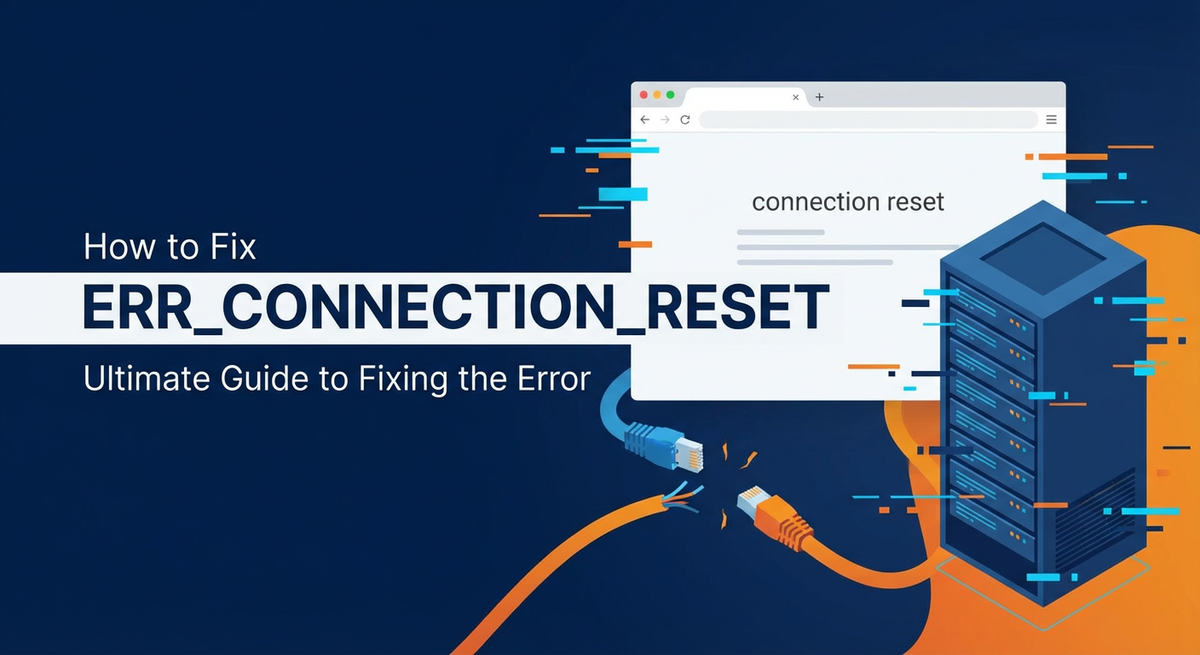


Encountering an "ERR_CONNECTION_RESET" error can be one of the most frustrating experiences for anyone navigating the internet, whether you're a casual browser, a developer debugging an application, or an administrator troubleshooting server issues. This cryptic message, often accompanied by a stark white page in your browser, signifies an abrupt and unexpected termination of a network connection. It's a digital equivalent of a phone call suddenly dropping without warning or explanation, leaving you guessing about what went wrong.
Unlike a simple "page not found" or a server timeout, which usually provides a clearer indication of the problem's nature, "ERR_CONNECTION_RESET" is notoriously vague. It implies that the connection, once established or in the process of being established, was suddenly and forcibly closed by the remote server, a firewall, or even an intermediate network device. This abrupt closure, typically signaled by a TCP RST (Reset) packet, prevents the browser or application from receiving a proper response, thereby halting communication in its tracks. The ambiguity of the error stems from the fact that this reset signal can originate from countless points within the vast network infrastructure separating your device from the target server, making diagnosis a complex detective work.
This comprehensive guide is meticulously designed to demystify the "ERR_CONNECTION_RESET" error. We will embark on a detailed journey, starting with a foundational understanding of what this error truly means at the TCP/IP level. From there, we will systematically explore the myriad of potential causes, meticulously dissecting both client-side and server-side factors, as well as the intricate role played by various network intermediaries, including important components like an API gateway. Our aim is to equip you with a robust, step-by-step troubleshooting methodology, providing actionable solutions ranging from basic browser fixes to advanced server diagnostics and network packet analysis. By the end of this guide, you will not only understand how to effectively diagnose and fix this pervasive error but also implement preventive measures to minimize its recurrence, ensuring a more stable and reliable online experience for yourself and your users.
Understanding ERR_CONNECTION_RESET: The Anatomy of an Abrupt Disconnection
To truly grasp the implications of an "ERR_CONNECTION_RESET" error, we must first delve into the fundamental mechanics of how connections are established and maintained over the internet. At its core, the internet relies on the Transmission Control Protocol (TCP) to ensure reliable, ordered, and error-checked delivery of data between applications running on hosts. When your web browser attempts to access a website, or an application tries to communicate with an API, it initiates a TCP connection.
The TCP/IP Handshake: A Foundation of Trust
The process begins with a crucial three-way handshake: 1. SYN (Synchronize): The client (e.g., your browser) sends a SYN packet to the server, proposing a connection and specifying its initial sequence number. 2. SYN-ACK (Synchronize-Acknowledge): The server, if willing to accept the connection, responds with a SYN-ACK packet, acknowledging the client's request, providing its own initial sequence number, and indicating its readiness. 3. ACK (Acknowledge): Finally, the client sends an ACK packet, acknowledging the server's response and completing the handshake. At this point, a full-duplex connection is established, and data transfer can commence.
This handshake ensures that both parties are ready and able to communicate. Data then flows back and forth, with each segment acknowledged to guarantee delivery.
The Role of the RST Packet: Signaling an Immediate End
The "reset" in "ERR_CONNECTION_RESET" refers specifically to a TCP RST (Reset) packet. Unlike a graceful termination, which involves a FIN (Finish) packet exchange where both sides agree to close the connection, an RST packet is an abrupt and unceremonious way to terminate a connection immediately. It's a forceful cut-off, often without any prior negotiation.
When a host sends an RST packet, it typically means one of the following: * Connection Refusal: The host received a packet for a connection that does not exist or is not active. This can happen if a client tries to connect to a port that no application is listening on, or if a connection has already timed out on one side but the other side continues to send data. * Abnormal Termination: Something unexpected happened on the sending host that caused it to terminate the connection. This could be an application crash, a resource exhaustion issue, an explicit request to close a socket, or a security mechanism intervention. * Out-of-Sync State: The receiving host detects that the incoming segment is not within the expected sequence number range, indicating a potential issue with the connection's state.
Crucially, an RST packet does not wait for an acknowledgment. Once sent, the connection is considered immediately terminated by the sender. The receiver then processes this RST and typically reports an error like "connection reset by peer" or, in web browsers, "ERR_CONNECTION_RESET".
Client-Side vs. Server-Side Origins: Pinpointing the Source
One of the primary difficulties in troubleshooting this error is determining who sent the RST packet. It could originate from: * The Server: This is often the case if the server itself is overwhelmed, its application crashed, a firewall on the server blocked the connection, or its configured timeouts were exceeded. For instance, if a server-side API takes too long to respond, the web server (Apache, Nginx) or even an API gateway might send an RST to the client because its own timeout threshold was hit before the backend finished processing the request. * The Client: Less common, but possible. A client-side firewall, antivirus software, or an aggressive network setting might send an RST if it deems the connection suspicious or problematic. * An Intermediate Device: This is a very common scenario. A router, a load balancer, a proxy server, an API gateway, an ISP's deep packet inspection (DPI) system, or even a corporate firewall might detect something amiss (e.g., suspicious traffic, policy violation, connection timeout) and inject an RST packet into the connection stream. This can be particularly challenging to diagnose as these devices are often outside the direct control of both the client and the target server.
The "ERR_CONNECTION_RESET" error, therefore, is not a problem in itself but a symptom – a signal that a TCP connection was forcibly closed. Understanding the potential points of origin for this signal is the first critical step toward effective diagnosis and resolution. It forces us to look beyond the immediate error message and consider the entire network path and all the components involved in maintaining a stable connection, from the user's browser right through to the backend API services.
Common Causes of ERR_CONNECTION_RESET: A Multifaceted Problem
The "ERR_CONNECTION_RESET" error is a chameleon, capable of manifesting due to a vast array of underlying issues. These issues can be broadly categorized into client-side problems, server-side problems, and problems residing within the intermediate network infrastructure. Understanding these diverse causes is paramount for effective troubleshooting, as the solution often depends on pinpointing the exact origin of the RST packet.
Client-Side Issues
While less frequent than server or network-related causes, the client device itself can sometimes be the culprit behind connection resets.
- Browser-Related Problems:
- Corrupt Browser Cache and Cookies: Over time, accumulated cache data or corrupted cookies can interfere with how a browser establishes and maintains connections, leading to unexpected resets.
- Browser Extensions and Add-ons: Malfunctioning or overly aggressive browser extensions, especially those related to security, privacy (like ad-blockers or VPN extensions), or network monitoring, can intercept and improperly terminate connections. They might detect certain traffic patterns as suspicious and trigger a reset.
- Outdated Browser: An outdated browser version might have bugs or compatibility issues with modern web servers or security protocols, leading to connection instabilities.
- Local Network Connectivity:
- Unstable Wi-Fi or Ethernet Connection: A weak Wi-Fi signal, interference, faulty Ethernet cables, or issues with your local router/modem can cause intermittent connection drops, which might be interpreted as resets by the browser.
- Incorrect DNS Configuration: If your client's DNS resolver is pointing to a faulty or slow server, it might struggle to resolve domain names, leading to connection attempts to incorrect or unresponsive IP addresses, which could then result in resets.
- Client-Side Security Software:
- Firewall Interference: A local firewall (e.g., Windows Defender Firewall, macOS Firewall, or third-party firewalls) might be configured too restrictively, mistakenly blocking legitimate outbound or inbound traffic for certain applications or ports. When the firewall intercepts a packet it deems unauthorized, it can send an RST packet to terminate the connection.
- Antivirus Software: Aggressive antivirus or anti-malware programs often employ real-time web protection. They scan network traffic for threats and, upon detecting something they classify as malicious or suspicious (even if it's a false positive), can forcibly close the connection, sending an RST.
- VPN/Proxy Settings: If you are using a VPN or a local proxy server, a misconfiguration, a problem with the VPN server itself, or an intermittent drop in the VPN connection can cause all subsequent connections to reset. The VPN client acts as an intermediary, and any issue with its tunnel or its ability to reach its own server can propagate as a connection reset to your applications.
Server-Side Issues
The server hosting the website or API is a frequent source of "ERR_CONNECTION_RESET". These issues typically stem from how the server processes requests or how its network stack is configured.
- Server Overload or Resource Exhaustion:
- High CPU/Memory Usage: If a server's CPU or RAM is maxed out, it might struggle to process new requests or maintain existing connections. It could become unresponsive, leading to timeouts that result in RST packets being sent to shed load.
- Disk I/O Bottlenecks: Slow disk performance, especially if the application heavily relies on reading/writing data, can cause severe delays, leading to timeouts and connection resets.
- Limited Network Resources: Insufficient network bandwidth or too many open connections can overwhelm the server's network interfaces, causing it to drop or reset connections.
- Web Server Configuration Errors (Apache, Nginx, IIS):
- Timeout Settings: Web servers have various timeout parameters (e.g.,
Timeoutin Apache,keepalive_timeout,send_timeout,proxy_read_timeoutin Nginx). If the backend application or API takes longer to respond than these configured timeouts, the web server will terminate the connection and send an RST to the client. - Max Connections/Request Limits: Servers are configured with limits on the number of simultaneous connections or requests they can handle. Exceeding these limits can cause the server to reject new connections or reset existing ones to free up resources.
- Incorrect SSL/TLS Configuration: Issues with SSL certificates (expired, misconfigured), outdated TLS protocols, or cipher mismatches can sometimes lead to connection resets during the TLS handshake phase, though more often they result in specific SSL errors.
- Timeout Settings: Web servers have various timeout parameters (e.g.,
- Application Errors:
- Application Crashes/Exceptions: If the backend application (e.g., PHP, Node.js, Python, Java) crashes unexpectedly, encounters an unhandled exception, or enters an infinite loop while processing a request, it might abruptly close its socket, causing the underlying TCP connection to be reset.
- Database Connectivity Issues: The application might rely on a database. If the database server is unresponsive, slow, or throws connection errors, the application might fail to complete the request in time or crash, leading to a connection reset.
- Long-Running Scripts/Processes: Scripts that take an exceptionally long time to execute, without sending any data back to the client or intermediate proxy, can trigger timeouts at various layers, eventually leading to a reset.
- Server-Side Firewall/Security Group Rules:
- Similar to client-side firewalls, a firewall on the server (e.g.,
iptables,firewalldon Linux, AWS Security Groups, Azure Network Security Groups) might be configured to block specific IP addresses, ports, or traffic patterns. If a legitimate connection matches a blocking rule, the firewall can inject an RST packet. This is particularly common if an administrator accidentally blocks necessary ports or IP ranges.
- Similar to client-side firewalls, a firewall on the server (e.g.,
- DDoS Protection / Web Application Firewalls (WAFs):
- Security solutions like WAFs (e.g., Cloudflare, AWS WAF) are designed to protect servers from malicious traffic. They might, however, mistakenly identify legitimate traffic as an attack (a false positive) and proactively terminate the connection by sending an RST packet. This can happen with unusual request patterns, specific headers, or rapid succession of requests.
- APIPark Integration Point: API Gateway / Load Balancer Issues:
- This is a crucial layer, especially for modern microservices architectures and when interacting with various APIs. An API gateway (or a load balancer) acts as the single entry point for multiple backend services. Misconfigurations here are a very common source of "ERR_CONNECTION_RESET".
- Health Check Failures: An API gateway or load balancer continuously monitors the health of its backend services. If a backend service becomes unhealthy (e.g., crashes, stops responding) and fails its health checks, the gateway will stop forwarding requests to it. If it has no healthy backends or fails to gracefully handle the situation, it might reset incoming connections.
- Gateway Timeouts: Just like web servers, API gateways have their own timeout settings (e.g.,
read_timeout,connect_timeout,send_timeout). If the backend API service takes longer to process a request than the gateway's configured timeout, the gateway will terminate its connection to the client and send an RST, even if the backend is still working on the request. This is a classic mismatch betweengatewayand backend service performance. - Rate Limiting/Throttling: API gateways often implement rate limiting to protect backend services from abuse or overload. If a client exceeds the allowed number of requests within a given timeframe, the gateway might send an RST to drop subsequent connections, indicating that the limit has been reached.
- Connection Pooling Issues: Problems with how the
api gatewaymanages its own connection pool to backend services can lead to resets, especially under high load. - Authentication/Authorization Failures: While typically resulting in 4xx HTTP status codes, severe or misconfigured authentication mechanisms at the gateway level could potentially lead to connection resets in rare edge cases if the gateway is configured to aggressively terminate connections for invalid credentials rather than just returning an HTTP error.
- For organizations relying heavily on microservices and APIs, an API gateway is a critical component. A robust gateway like APIPark offers comprehensive lifecycle management, traffic forwarding, and detailed logging capabilities. If you're experiencing
ERR_CONNECTION_RESETwhen interacting with an API, checking the API gateway's logs and configurations for specific timeout settings, rate limits, or health check failures is paramount. APIPark's ability to provide detailed API call logging and powerful data analysis can be invaluable in quickly tracing and troubleshooting such issues, especially when managing a large number of AI models and REST services. Its feature set allows precise control over traffic and robust monitoring, which are essential for identifying and resolving connection reset issues originating from the gateway or its interaction with backend APIs.
Network Intermediary Issues
The internet is a vast network of interconnected devices. Any one of these in between your client and the server can be the source of a connection reset.
- ISP (Internet Service Provider) Issues:
- Network Congestion: Heavy traffic on your ISP's network can lead to packet loss and delays, potentially causing connections to time out and reset.
- Faulty Equipment: Malfunctioning routers or switches within your ISP's infrastructure can corrupt or drop packets, leading to connection instabilities and resets.
- Deep Packet Inspection (DPI) or Content Filtering: Some ISPs implement DPI to monitor or filter traffic, often for security, content control, or traffic shaping purposes. If the DPI system misidentifies legitimate traffic or finds it suspicious, it might inject an RST packet to terminate the connection.
- Corporate Firewalls and Proxy Servers:
- In corporate environments, traffic often passes through multiple layers of security. Enterprise-grade firewalls or transparent/non-transparent proxy servers are designed to inspect and control network traffic. Like client-side security software, if these devices detect a policy violation, suspicious activity, or simply experience a timeout, they can send an RST packet.
- Policy Enforcement: A corporate firewall might have rules that block access to specific websites, IP ranges, or types of content. Attempting to access these blocked resources will often result in a connection reset.
- General Network Routers and Switches:
- Overloaded or misconfigured routers and switches, either on your local network, within your ISP's network, or within the server's data center, can lead to packet loss, retransmissions, and ultimately, connection resets if they cannot handle the traffic load or if their internal state tables become corrupted.
- NAT (Network Address Translation) Issues: Problems with NAT configurations, especially in complex network setups, can sometimes cause connection tracking failures that lead to RST packets.
The sheer number of potential points of failure highlights why "ERR_CONNECTION_RESET" is such a challenging error to diagnose. It demands a systematic approach, moving from the most common and easiest-to-check causes to the more complex and obscure ones.
Troubleshooting Steps: A Systematic Approach to Resolution
Addressing an "ERR_CONNECTION_RESET" error requires a methodical, step-by-step approach. Jumping to conclusions without proper diagnosis can lead to wasted time and effort. The troubleshooting process should generally proceed from the client side outwards, gradually moving towards the server and intermediate network infrastructure.
Phase 1: Initial Checks (Client-Side First)
These are the simplest and often most effective solutions, addressing common browser or local network glitches.
- Refresh the Page:
- Action: Simply click the browser's refresh button or press F5 (Ctrl+R on Mac).
- Reasoning: Sometimes, the error is transient, caused by a momentary network hiccup or a brief server overload. A refresh might establish a clean connection.
- Check Your Internet Connection:
- Action: Try accessing other websites (e.g., Google, CNN). If no sites load, your internet connection is likely the issue.
- Reasoning: A general internet outage or local network problem can manifest as "ERR_CONNECTION_RESET" for all sites.
- Try a Different Browser or Incognito/Private Mode:
- Action: Open the problematic URL in another browser (e.g., if using Chrome, try Firefox or Edge) or use your current browser's incognito/private mode.
- Reasoning: This helps determine if the issue is specific to your primary browser's settings, extensions, or cached data. Incognito mode typically disables extensions and uses a clean session without existing cookies or cache.
- Clear Browser Cache and Cookies:
- Action: Navigate to your browser's settings and clear all cached images, files, cookies, and other site data.
- Reasoning: Corrupt or outdated cached data and cookies can interfere with proper website loading and connection establishment, leading to resets.
- Disable Browser Extensions:
- Action: Go to your browser's extensions manager and temporarily disable all extensions, especially those related to security, ad-blocking, or network proxying.
- Reasoning: As discussed, a faulty or overly aggressive extension can intercept and terminate network connections. If disabling them resolves the issue, re-enable them one by one to identify the culprit.
- Restart Your Router/Modem:
- Action: Unplug your router and modem from power, wait for about 30 seconds, then plug them back in. Wait for them to fully boot up (usually indicated by stable lights).
- Reasoning: Network devices, including your local router, can sometimes enter a bad state or accumulate connection issues. A reboot clears their memory and re-establishes connections with your ISP.
- Flush DNS Cache:
- Action (Windows): Open Command Prompt as administrator and type
ipconfig /flushdns. - Action (macOS): Open Terminal and type
sudo killall -HUP mDNSResponder. - Reasoning: Your computer maintains a local cache of DNS resolutions. If this cache becomes corrupted or contains outdated entries, it might try to connect to an incorrect or stale IP address, which could result in a reset if the target doesn't exist or is unavailable.
- Action (Windows): Open Command Prompt as administrator and type
- Temporarily Disable Client-Side Firewall/Antivirus:
- Action: Briefly disable your operating system's built-in firewall (e.g., Windows Defender Firewall) and any third-party antivirus software. Remember to re-enable them immediately after testing.
- Reasoning: Overly zealous security software on your client machine can misinterpret legitimate traffic as a threat and forcibly terminate connections. This step helps rule out your local security suite as the cause.
- Check Proxy Settings on the Client:
- Action: Go to your browser's or operating system's network settings and check if any proxy server is configured. If you're not supposed to be using one, ensure it's disabled. If you are, verify its settings.
- Reasoning: Incorrect or defunct proxy server configurations can redirect your traffic to an unavailable or misbehaving intermediary, leading to resets.
- Try a Different Device or Network:
- Action: Attempt to access the problematic website or API from a different computer, smartphone, or tablet. If possible, try connecting from a completely different network (e.g., use mobile data instead of Wi-Fi, or try at a friend's house/cafe).
- Reasoning: This helps isolate whether the issue is specific to your device, your local network, or a broader ISP issue.
Phase 2: Advanced Client/Network Troubleshooting
If the initial checks don't resolve the issue, it's time to dig deeper into network connectivity and intermediate devices.
- Use
pingandtraceroute(ortracerton Windows):- Action:
ping [domain.com]: Checks basic connectivity and latency to the target server. A lack of response or high packet loss indicates a network issue.traceroute [domain.com](Linux/macOS) /tracert [domain.com](Windows): Maps the network path (hops) between your client and the server. Look for where the trace stops or becomes unresponsive, as this can pinpoint a problematic router or segment of the network.
- Reasoning: These tools help identify if packets are reaching the destination and if there are any bottlenecks or failures along the network path. An unresponsive hop often suggests an issue with an intermediate router.
- Action:
- Analyze Active Connections (
netstat/ss):- Action (Windows): Open Command Prompt as administrator and type
netstat -ano. - Action (Linux/macOS): Open Terminal and type
netstat -tulpnorss -tulpn. - Reasoning: These commands display active network connections, listening ports, and associated processes. You can see if your browser or application is attempting to connect to the correct IP and port, and if any local process is blocking or interfering with connections. Look for connections in
SYN_SENT,ESTABLISHED, orCLOSE_WAITstates related to your target and whether they are being reset.
- Action (Windows): Open Command Prompt as administrator and type
- Bypass VPN/Proxy (if applicable):
- Action: If you are using a VPN service or a corporate proxy, temporarily disable it and try accessing the resource directly.
- Reasoning: VPNs and proxies add another layer to the network path, and issues within these services or their servers can cause connection resets. Bypassing them helps determine if they are the source of the problem.
Phase 3: Server-Side Troubleshooting (if you have access)
If you own or manage the server, these steps are crucial. This is where an understanding of server infrastructure, including an API gateway, becomes vital.
- Check Server Status and Resources:
- Action: Log into your server and monitor CPU, RAM, and disk I/O usage. On Linux, use commands like
top,htop,free -h,df -h,iostat. - Reasoning: High resource utilization is a common cause of server unresponsiveness and connection resets. If the server is struggling, it might implicitly send RST packets to unburden itself or fail to process connections gracefully.
- Action: Log into your server and monitor CPU, RAM, and disk I/O usage. On Linux, use commands like
- Review Server Logs:
- Action: This is perhaps the most critical step. Check all relevant server logs:
- Web Server Logs: Apache (
/var/log/apache2/error.log,/var/log/apache2/access.log), Nginx (/var/log/nginx/error.log,/var/log/nginx/access.log). Look for specific error messages (e.g., segmentation faults, memory errors, upstream connection errors), excessive 5xx errors, or entries indicating a sudden connection closure. - Application Logs: Check logs generated by your backend application (e.g., Node.js logs, Python/Django logs, Java Spring logs, PHP-FPM logs). Look for unhandled exceptions, application crashes, database connection errors, or long-running processes that might exceed timeouts.
- System Logs:
dmesg,/var/log/syslog,/var/log/messagesfor kernel panics, OOM (Out Of Memory) errors, or network interface issues.
- Web Server Logs: Apache (
- Reasoning: Logs provide direct evidence of what happened on the server at the time of the connection reset. They can pinpoint the exact cause, whether it's an application crash, a database failure, or a web server misconfiguration.
- Action: This is perhaps the most critical step. Check all relevant server logs:
- Test Database Connectivity:
- Action: From the server, try to connect to your database (e.g., MySQL, PostgreSQL, MongoDB) using command-line tools. Check database server logs for errors or overload.
- Reasoning: If the application cannot connect to its database, it often fails to complete requests, leading to application errors or crashes that can result in connection resets.
- Verify Web Server Configuration:
- Action: Examine configuration files for Apache (
httpd.conf, virtual host files) or Nginx (nginx.conf, site-specific conf files). Pay close attention to:- Timeouts:
Timeout(Apache),KeepAliveTimeout(Apache),proxy_read_timeout,send_timeout,keepalive_timeout(Nginx). Ensure these are sufficiently long for your application's expected response times but not excessively long to tie up resources. - Connection Limits:
MaxRequestWorkers/ServerLimit(Apache),worker_connections(Nginx). Ensure these are appropriate for your server's capacity. - Proxy Settings: If you're using Nginx as a reverse proxy to an application server (e.g.,
proxy_pass), ensure the upstream server is correctly configured and accessible.
- Timeouts:
- Reasoning: Mismatched or insufficient timeout values are a very common cause of "ERR_CONNECTION_RESET", especially when the backend application is slow.
- Action: Examine configuration files for Apache (
- Check Server-Side Firewall/Security Group Rules:
- Action:
- On Linux, use
sudo iptables -Lorsudo firewall-cmd --list-all. - For cloud instances (AWS, Azure, GCP), review your Security Group or Network Security Group rules.
- On Linux, use
- Reasoning: Ensure that the necessary ports (e.g., 80 for HTTP, 443 for HTTPS) are open and that traffic from client IP ranges is allowed. An overly restrictive firewall rule can block legitimate connections, causing the server to send an RST.
- Action:
- API Gateway/Load Balancer Configuration:
- Action: If your server is behind an API gateway or a load balancer, investigate its configuration and logs thoroughly.
- Check Gateway Logs: Access the API gateway's logs for specific errors, timeouts, health check failures, or rate limiting messages. These logs are often the first place to reveal problems when the gateway is the one sending the RST.
- Review Timeout Settings: Ensure the API gateway's timeouts are adequately configured to allow backend API services sufficient time to respond. If the
gatewaytimeout is shorter than the backendapiprocessing time, thegatewaywill reset the client connection. - Verify Health Checks: Confirm that the health checks configured on the gateway or load balancer for your backend services are correct and that the backend services are passing them. If services are marked unhealthy, the
gatewaymight fail to forward requests or send resets. - Rate Limiting & Throttling: Check if the API gateway is enforcing rate limits that are being exceeded by the client, causing it to drop connections with an RST.
- Authentication/Authorization: If the API gateway handles authentication, verify that client API keys or tokens are valid and that there are no configuration errors preventing successful authorization. While typically leading to 4xx errors, severe misconfigurations might lead to resets.
- APIPark Specifics: If you are using a comprehensive API gateway solution like APIPark, leverage its powerful features. APIPark provides detailed API call logging and robust data analysis capabilities. Use these tools to trace every detail of the API call leading up to the reset. Look for entries indicating response times, specific error codes from backend APIs, or internal gateway errors. Its end-to-end API lifecycle management and traffic forwarding features allow you to fine-tune settings and quickly pinpoint the exact layer where the connection is being reset, whether it's due to an overly aggressive timeout, an overwhelmed backend
apiservice, or a misconfigured routing rule.
- Action: If your server is behind an API gateway or a load balancer, investigate its configuration and logs thoroughly.
- Inspect Network Devices (on server side):
- Action: If you manage network hardware within your data center, check the logs and status of routers, switches, and firewalls for any errors, port flapping, or signs of overload.
- Reasoning: Issues with the server's local network infrastructure can prevent connections from being properly established or maintained.
Phase 4: Advanced Diagnostics (Packet Analysis)
For persistent and difficult-to-diagnose cases, packet analysis can provide definitive answers.
- Use Wireshark or
tcpdump:- Action:
- On the client machine, use Wireshark to capture network traffic while you attempt to access the problematic resource.
- On the server, use
tcpdump -i any host [client_ip_address] -w capture.pcapto capture traffic from the specific client.
- Reasoning: Packet capture tools allow you to see the raw TCP/IP packets exchanged between your client and the server. You can explicitly identify which party (client, server, or an intermediary) sent the RST packet and at what point in the communication flow. Look for:
- The RST flag in a TCP segment.
- The source IP address of the packet containing the RST flag – this tells you who sent the reset.
- Sequence numbers and acknowledgment numbers to understand the state of the connection just before the reset.
- Any preceding unusual packets, retransmissions, or out-of-order segments that might have triggered the reset.
- Action:
By methodically working through these troubleshooting steps, you can systematically eliminate potential causes and narrow down the origin of the "ERR_CONNECTION_RESET" error, eventually leading to a resolution. Patience and attention to detail are key in this process.
APIPark is a high-performance AI gateway that allows you to securely access the most comprehensive LLM APIs globally on the APIPark platform, including OpenAI, Anthropic, Mistral, Llama2, Google Gemini, and more.Try APIPark now! 👇👇👇
Preventive Measures and Best Practices
While fixing an "ERR_CONNECTION_RESET" error in the moment is crucial, implementing preventive measures and adhering to best practices can significantly reduce its recurrence. A proactive approach focuses on maintaining a healthy, resilient, and well-monitored network and server environment.
- Regular Server Monitoring and Resource Management:
- Implement comprehensive monitoring solutions: Use tools like Prometheus, Grafana, Datadog, or Zabbix to continuously track key server metrics: CPU utilization, memory usage, disk I/O, network bandwidth, and the number of active connections.
- Set up alerts: Configure alerts for thresholds that indicate potential overload (e.g., CPU > 80% for 5 minutes, memory usage > 90%). Early warnings allow you to address issues before they lead to service degradation and connection resets.
- Capacity planning: Regularly review resource usage trends and plan for scaling up (vertical or horizontal) before demand exceeds supply. This prevents server exhaustion which is a common trigger for resets.
- Optimized Server and Application Configurations:
- Fine-tune web server timeouts: Ensure that
proxy_read_timeout,send_timeout,keepalive_timeoutin Nginx, orTimeoutin Apache are set to appropriate values. They should be long enough to allow typical application responses but not so long that they tie up resources unnecessarily. Avoid overly aggressive timeouts. - Configure connection limits: Set realistic
MaxRequestWorkers(Apache) orworker_connections(Nginx) based on your server's hardware and expected load. - Optimize application performance: Profile your backend application code to identify and eliminate bottlenecks. Slow-running queries, inefficient loops, or excessive external API calls can lead to requests exceeding server timeouts, resulting in resets.
- Database optimization: Ensure your database queries are optimized, indices are properly utilized, and the database server itself is adequately resourced. Slow database responses often propagate as application timeouts.
- Fine-tune web server timeouts: Ensure that
- Robust Error Handling in Applications:
- Graceful error handling: Implement comprehensive
try-catchblocks and other error-handling mechanisms in your application code. Unhandled exceptions can crash the application process, leading to immediate connection termination and RST packets. - Logging: Ensure your application logs detailed information about errors, unhandled exceptions, and potentially long-running processes. These logs are invaluable during post-mortem analysis of connection resets.
- Circuit Breakers and Retries: For API integrations and microservices, implement circuit breakers and intelligent retry mechanisms. If a dependent API or service is temporarily unavailable, a circuit breaker can prevent cascading failures and help the application degrade gracefully rather than crash and reset connections.
- Graceful error handling: Implement comprehensive
- Implementing Proper Timeouts at All Layers:
- This is critical in distributed systems, especially those involving an API gateway. Ensure timeouts are configured consistently across all layers:
- Client-side: Browsers have their own implicit timeouts, but client-side libraries for API calls can also be configured.
- Load Balancer/API Gateway: The API gateway (e.g., APIPark) sitting in front of your services must have its
connect_timeout,read_timeout, andsend_timeoutvalues carefully calibrated. Critically, thegateway's read timeout for its backend services should be slightly longer than the backend service's expected maximum processing time, but shorter than the client-facing timeout, to allow for graceful error handling. - Web Server (Reverse Proxy): If your web server acts as a reverse proxy, its
proxy_read_timeoutshould be slightly longer than the application server's expected maximum response time. - Application Server: The application server itself should have a timeout for individual requests if they involve long-running operations.
- Database/External Services: Set timeouts for database queries and calls to external APIs to prevent indefinite waits.
- Reasoning: A mismatch in timeouts (e.g., API gateway timeout < backend API response time) is a very common cause of "ERR_CONNECTION_RESET". Consistent timeout configurations ensure that the earliest timeout layer can handle the situation gracefully (e.g., return a 504 Gateway Timeout) rather than sending an abrupt RST.
- This is critical in distributed systems, especially those involving an API gateway. Ensure timeouts are configured consistently across all layers:
- Robust Health Checks:
- Implement comprehensive health checks for all services: Ensure your load balancers and API gateways (like APIPark) are configured with robust health checks that accurately reflect the operational status of your backend services. Health checks should not only verify that a service is running but also that it can connect to its dependencies (database, other APIs).
- Utilize active and passive health checks: Active checks periodically ping services, while passive checks monitor for failures.
- Reasoning: If a service becomes unhealthy, the load balancer/gateway should automatically remove it from the pool, preventing requests from being sent to a failing service that might respond with an RST.
- Regular Software Updates and Patching:
- Keep operating systems, web servers, applications, and all network devices (routers, firewalls, API gateway software) up to date.
- Reasoning: Software updates often include bug fixes, performance improvements, and security patches that can address known issues leading to connection instability or vulnerabilities that could be exploited to cause resets.
- Secure Network Configuration:
- Review firewall rules regularly: Ensure both client-side and server-side firewalls are correctly configured, allowing necessary traffic while blocking malicious or unnecessary ports. Avoid overly broad "allow all" rules.
- Utilize DDoS protection and WAFs wisely: While essential for security, ensure WAFs and DDoS protection services are configured to minimize false positives that could mistakenly reset legitimate connections.
- Consistent DNS management: Ensure DNS records are correct and resolvers are reliable.
By adopting these preventive measures, you establish a more stable and resilient environment. While "ERR_CONNECTION_RESET" may never be entirely eliminated due to the complex nature of global networking, these practices will significantly reduce its occurrence and provide clearer diagnostic pathways when it does arise, making your systems more robust and your troubleshooting efforts more efficient.
Conclusion
The "ERR_CONNECTION_RESET" error, with its seemingly opaque message, often signals a sudden and forceful termination of a TCP connection. As we've thoroughly explored in this ultimate guide, its origins are diverse, spanning from simple browser glitches and local network instabilities to complex server-side application crashes, intricate API gateway misconfigurations, and even issues within the vast intermediary network infrastructure. This ambiguity is precisely what makes it such a challenging error to diagnose and resolve.
However, the key to conquering "ERR_CONNECTION_RESET" lies not in quick fixes but in a systematic and patient approach. By methodically moving through a diagnostic process—starting with client-side checks, progressing to advanced network troubleshooting, delving deep into server-side logs and configurations (including those of a critical API gateway like APIPark), and resorting to packet analysis when necessary—you can dramatically improve your ability to pinpoint the precise cause. Each step provides a piece of the puzzle, helping you to eliminate possibilities and narrow down the scope of the problem.
Beyond immediate resolution, the true power lies in prevention. Implementing robust monitoring, optimizing server and application configurations, ensuring graceful error handling, meticulously configuring timeouts across all layers (especially at the gateway and backend api levels), and maintaining vigilant security and software update practices are paramount. These proactive measures not only reduce the frequency of connection resets but also build a more resilient and reliable system overall.
Remember, the internet is an inherently complex and dynamic system. While encountering connection resets can be frustrating, armed with the knowledge and systematic approach outlined in this guide, you are now well-equipped to face this challenge head-on. Embrace the role of a digital detective, trust in your process, and leverage the insights provided by logs and diagnostic tools to ensure a smoother, more stable online experience for yourself and for those who rely on your services and APIs.
Troubleshooting ERR_CONNECTION_RESET: Common Causes and Solutions
| Category | Specific Cause | Initial Troubleshooting Steps (Client-Side) | Deeper Troubleshooting Steps (Server/Network) | Preventive Measures / Best Practices |
|---|---|---|---|---|
| Client-Side Issues | Corrupt Browser Cache/Cookies | Clear browser cache and cookies. | N/A | Regular browser maintenance. |
| Browser Extensions | Disable extensions, test in incognito mode. | N/A | Review extension permissions; use trusted extensions. | |
| Local Firewall/Antivirus | Temporarily disable firewall/antivirus. | N/A | Configure security software to allow legitimate traffic. | |
| VPN/Proxy Settings | Disable VPN/proxy; check proxy settings. | N/A | Verify VPN/proxy configuration; use reliable VPN/proxy services. | |
| Unstable Internet/DNS | Check other websites; flush DNS cache; restart router. | Ping/Traceroute; check local network hardware. | Ensure stable network hardware; use reliable DNS servers. | |
| Server-Side Issues | Server Overload (CPU, RAM, I/O) | N/A | Monitor server resources (top, htop, free, iostat). |
Implement monitoring with alerts; optimize application; scale resources. |
| Web Server Configuration Errors (Timeouts, Limits) | N/A | Review Apache/Nginx config files (Timeout, proxy_read_timeout, MaxRequestWorkers). |
Fine-tune web server timeouts and connection limits; regular config audits. | |
| Application Crashes/Errors | N/A | Check application logs for exceptions or crashes. | Implement robust error handling; application code review; unit testing. | |
| Database Issues | N/A | Test DB connectivity; check DB server logs. | Optimize DB queries; ensure DB server is well-resourced. | |
| Server Firewall/Security Groups | N/A | Review iptables/firewalld rules; Cloud Security Group settings. |
Ensure necessary ports are open; regular firewall rule audits. | |
| API Gateway/Load Balancer Issues (Timeouts, Health Checks, Rate Limiting) | N/A | Check API gateway logs for timeouts, health check failures, rate limit messages. Review gateway timeout settings and health check configurations. Use APIPark's detailed logging and data analysis. | Align timeouts across API gateway and backend APIs. Implement robust health checks. Configure appropriate rate limits. Utilize an advanced gateway like APIPark. | |
| Network Intermediary Issues | ISP Issues / Network Congestion | N/A | Ping/Traceroute; contact ISP. | Choose a reliable ISP; use CDN for content delivery. |
| Corporate Firewall/Proxy | N/A | Contact IT department; review corporate network policies. | Ensure network policies are clear and well-communicated. | |
| Faulty Network Hardware (Routers, Switches) | N/A | Ping/Traceroute; check router/switch logs; firmware updates. | Regular maintenance and monitoring of network equipment. |
Frequently Asked Questions (FAQs)
Q1: What exactly does "ERR_CONNECTION_RESET" mean, and how is it different from "ERR_CONNECTION_TIMED_OUT"?
"ERR_CONNECTION_RESET" indicates that a previously established or attempting TCP connection was abruptly closed by the remote server, an intermediate network device, or even the client itself, typically by sending a TCP RST (Reset) packet. It means the connection was "reset" rather than gracefully terminated.
"ERR_CONNECTION_TIMED_OUT," on the other hand, means that the client attempted to establish a connection with the server but did not receive any response within a specified period. The server either didn't respond at all, or the response was lost, causing the client to give up waiting. The key difference is that a "reset" means communication started but was then forcibly cut off, while a "timeout" means communication never fully started because no response was received.
Q2: Can "ERR_CONNECTION_RESET" be caused by my internet service provider (ISP)?
Yes, absolutely. Your ISP's network infrastructure is a significant intermediary between your device and the target server. If there's network congestion, faulty equipment within their network, or if they implement deep packet inspection (DPI) or content filtering that mistakenly flags your traffic as suspicious, they might inject an RST packet to terminate the connection. Running a traceroute can often help identify if the problem lies within your ISP's network path.
Q3: How do server-side firewalls or an API gateway contribute to this error?
Server-side firewalls (like iptables or cloud security groups) can be configured to block specific ports, IP addresses, or traffic patterns. If a legitimate connection attempts to access a resource that matches a blocking rule, the firewall might actively send an RST packet to terminate that connection.
An API gateway (or load balancer) acts as an entry point to backend services. It can cause connection resets due to: 1. Timeouts: If the backend API takes longer to respond than the gateway's configured timeout, the gateway will reset the client connection. 2. Health Check Failures: If a backend service becomes unhealthy, the gateway might stop sending requests to it or send resets if no healthy backends are available. 3. Rate Limiting: Exceeding configured API call limits on the gateway can trigger resets for subsequent requests. 4. Misconfigurations: Incorrect routing rules or other gateway settings can also lead to connection issues. Comprehensive API gateway solutions like APIPark offer detailed logging and robust management features to help pinpoint these specific causes.
Q4: What's the fastest way to check if the problem is on my end or the website's end?
The fastest way to get an initial idea is to: 1. Try other websites: If only one specific website or API is giving you the error, the problem is more likely on their server or network. If all websites show this error, it's almost certainly on your client device or local network. 2. Use a different device/network: Try accessing the problematic resource from a different computer or smartphone, potentially using mobile data instead of your home Wi-Fi. If it works on another device/network, the issue is local to your original setup. 3. Check website status pages: Many major websites and services have public status pages (e.g., status.github.com, status.slack.com) where they report outages.
Q5: How can packet analysis tools like Wireshark help diagnose "ERR_CONNECTION_RESET"?
Wireshark or tcpdump are invaluable for advanced diagnostics because they allow you to capture and inspect the raw network traffic (TCP/IP packets) flowing to and from your device. By filtering for the specific connection, you can see which party (your client, the server, or an intermediate device) sent the TCP RST packet. The source IP address of the packet containing the RST flag immediately tells you who initiated the reset. Furthermore, you can analyze the preceding packets to understand the context – for example, if there were unacknowledged packets, connection attempts to closed ports, or sudden disconnections, which can provide clues about the root cause (e.g., firewall blocking, application crash, timeout). This level of detail often provides definitive answers that other diagnostic methods cannot.
🚀You can securely and efficiently call the OpenAI API on APIPark in just two steps:
Step 1: Deploy the APIPark AI gateway in 5 minutes.
APIPark is developed based on Golang, offering strong product performance and low development and maintenance costs. You can deploy APIPark with a single command line.
curl -sSO https://download.apipark.com/install/quick-start.sh; bash quick-start.sh

In my experience, you can see the successful deployment interface within 5 to 10 minutes. Then, you can log in to APIPark using your account.

Step 2: Call the OpenAI API.