How to Fix 'Rate Limit Exceeded' Errors


In the sprawling, interconnected landscape of modern software development, Application Programming Interfaces (APIs) serve as the fundamental connective tissue, enabling disparate systems to communicate, share data, and collaborate seamlessly. From powering mobile applications and orchestrating microservices to fueling complex data analytics and driving the latest advancements in artificial intelligence, APIs are the silent workhorses underpinning virtually every digital interaction. However, with this indispensable power comes the inherent challenge of managing resource consumption, preventing abuse, and ensuring the stability and fairness of access for all users. This is where the concept of rate limiting becomes not just a feature, but a critical necessity.
Encountering a 'Rate Limit Exceeded' error, typically manifested as an HTTP 429 "Too Many Requests" status code, can be a frustrating experience for developers and end-users alike. For a developer, it signals a roadblock in their application's workflow, potentially causing data inconsistencies, service interruptions, or a degraded user experience. For an end-user, it might translate to a slow-loading feature, a failed transaction, or an inability to access crucial information. These errors, while disruptive, are not arbitrary deterrents; they are sophisticated mechanisms designed to protect valuable server resources, enforce fair usage policies, and maintain the overall health and performance of an API ecosystem.
This comprehensive guide will delve deep into the multifaceted world of API rate limiting, demystifying its purpose, exploring its various implementations, and, most importantly, providing a detailed roadmap for diagnosing, mitigating, and proactively preventing 'Rate Limit Exceeded' errors. We will journey through client-side strategies for robust application design, delve into server-side architectural considerations for API providers, and pay special attention to the emerging complexities of managing rate limits within the context of large language models (LLMs) and AI services, where the concept of an LLM Gateway plays an increasingly vital role. Our aim is to equip you with the knowledge and practical insights to build more resilient applications and contribute to a more stable and efficient digital infrastructure.
1. Unraveling the Fundamentals of Rate Limiting: Why APIs Need Boundaries
At its core, rate limiting is a control mechanism that restricts the number of requests a user or client can make to an API within a specified timeframe. Imagine a popular restaurant with a limited number of tables; without a reservation system or a hostess managing the queue, chaos would ensue, resources would be strained, and the quality of service would plummet. Similarly, APIs, which are essentially digital service providers, require a system to manage incoming demand.
1.1. The Indispensable Rationale Behind Rate Limits
The implementation of rate limits is driven by several critical objectives that benefit both the API provider and its consumers:
- Preventing Abuse and Malicious Attacks: The most immediate and obvious reason for rate limiting is to shield the API and its underlying infrastructure from various forms of abuse. This includes Distributed Denial-of-Service (DDoS) attacks, where malicious actors flood a server with an overwhelming number of requests to make it unavailable. Without rate limits, a single bad actor could cripple a service, impacting all legitimate users. Beyond overt attacks, rate limits also deter data scraping, where automated bots make an excessive number of requests to extract large volumes of data, potentially violating terms of service or intellectual property. By capping the request rate, providers make such activities more difficult and less economically viable.
- Ensuring Fair Usage and Resource Allocation: In any shared resource environment, fairness is paramount. An API is a shared resource, and if one client consumes an inordinate amount of bandwidth, CPU, or database connections, it can degrade performance for everyone else. Rate limits act as a democratizing force, ensuring that all legitimate users have reasonable access to the service without being unfairly impacted by the excessive demands of a few. This is particularly crucial for free or tiered services, where different usage limits might correspond to different subscription levels, providing a clear incentive for users to upgrade if their needs exceed basic allowances.
- Protecting Infrastructure from Overload and Cascading Failures: Every server, database, and network component has a finite capacity. Exceeding these limits can lead to slow response times, service outages, and even catastrophic system failures. Rate limits serve as a critical buffer, preventing requests from overwhelming the backend infrastructure. By shedding excess load at the edge, before it reaches sensitive internal services, rate limits help maintain stability and prevent cascading failures that could bring down an entire system. This protective layer is often the first line of defense in a resilient system architecture.
- Managing Operational Costs for API Providers: Running an API service incurs costs – infrastructure, bandwidth, compute cycles, and database operations all contribute to the operational overhead. Uncontrolled usage can lead to unexpected and unsustainable spikes in these costs. Rate limits provide a predictable framework for resource consumption, allowing providers to forecast expenses more accurately and manage their budgets effectively. For cloud-native architectures, where resources are often billed on a consumption basis, rate limits are essential for cost control.
- Enforcing Business Models and Service Tiers: Many API providers offer different service tiers, each with varying capabilities, support levels, and usage limits. Rate limits are the enforcement mechanism for these business models. A free tier might have a strict rate limit, while a premium enterprise tier could enjoy significantly higher or even custom limits. This allows providers to monetize their services effectively and offer tailored solutions to diverse customer segments, aligning usage with value provided.
1.2. The Taxonomy of Rate Limiting Algorithms
While the objective of rate limiting is consistent, the methods employed to achieve it vary. Different algorithms offer distinct trade-offs in terms of accuracy, memory usage, and how they handle bursts of traffic. Understanding these algorithms is crucial for both implementing and interacting with rate-limited APIs.
- Fixed Window Counter: This is the simplest approach. The system defines a fixed time window (e.g., 60 seconds) and a maximum request count for that window. All requests within that window increment a counter. Once the counter hits the limit, all subsequent requests are blocked until the window resets.
- Pros: Easy to implement, low memory footprint.
- Cons: Prone to "bursty" traffic problems. If a client makes all their allowed requests at the very end of one window and then all their allowed requests at the very beginning of the next, they effectively double their rate over a short period (the "double dipping" problem). This can still overwhelm backend services.
- Sliding Window Log: This method maintains a log of timestamps for every request made by a client. When a new request arrives, the system filters out all timestamps older than the current window (e.g., 60 seconds ago) and counts the remaining valid requests. If the count exceeds the limit, the request is denied.
- Pros: Highly accurate, effectively prevents the "double dipping" issue.
- Cons: Can be memory-intensive, especially for APIs with high request rates or large window sizes, as it needs to store a potentially large number of timestamps per client.
- Sliding Window Counter (Hybrid): This approach combines the simplicity of the fixed window with the accuracy of the sliding window. It divides the time into smaller fixed windows and keeps a counter for each. When a request comes in, it calculates an approximate rate by weighting the current window's count and a fraction of the previous window's count.
- Pros: A good balance between accuracy and efficiency. Less memory-intensive than the sliding window log, more robust than the fixed window counter.
- Cons: Still an approximation, not perfectly precise like the sliding window log, but often sufficient for practical purposes.
- Token Bucket: Imagine a bucket with a fixed capacity that fills with "tokens" at a constant rate. Each request consumes one token. If a request arrives and there are tokens in the bucket, it proceeds, and a token is removed. If the bucket is empty, the request is denied or queued.
- Pros: Allows for bursts of traffic up to the bucket's capacity, as long as there are enough tokens. Smooths out sustained request rates to the token generation rate.
- Cons: Requires careful tuning of bucket capacity and refill rate. If the burst is too large, requests might still be denied.
- Leaky Bucket: This algorithm is similar to the token bucket but conceptualized differently. Imagine a bucket with a fixed capacity where requests are added. Requests "leak" out of the bottom of the bucket at a constant rate, representing the processing capacity of the server. If the bucket overflows, new requests are rejected.
- Pros: Effectively smooths out bursty traffic into a steady stream, preventing backend overload. Simple to understand conceptually.
- Cons: Does not allow for bursts beyond the "leak rate" once the bucket is full. Latency can increase if the bucket fills up, as requests must wait for their turn to "leak."
Each of these algorithms offers distinct advantages for specific use cases. An API gateway, which we will discuss in detail later, often provides configurable options for choosing and applying these algorithms based on the specific needs of an API or service.
1.3. Standard Rate Limit Headers: Decoding the API's Message
When an API implements rate limiting, it typically communicates its current status and limits through standard HTTP headers in its responses. Understanding these headers is paramount for gracefully handling rate limits on the client side.
X-RateLimit-Limit: This header indicates the maximum number of requests permitted within the current time window. For example,X-RateLimit-Limit: 60.X-RateLimit-Remaining: This header specifies how many requests the client has left in the current time window. For example,X-RateLimit-Remaining: 55.X-RateLimit-Reset: This header provides the time (often as a Unix timestamp or in seconds) when the current rate limit window will reset and the request count will be replenished. For example,X-RateLimit-Reset: 1678886400(Unix timestamp) orX-RateLimit-Reset: 30(seconds remaining).Retry-After: This crucial header is typically sent with a 429 "Too Many Requests" response. It indicates how long the client should wait (in seconds or as a specific date/time) before making another request to avoid being rate-limited again. This is the most direct instruction for client-side retry logic. For example,Retry-After: 60.
By diligently inspecting these headers, client applications can intelligently adjust their request patterns, implement appropriate delays, and avoid repeatedly hitting rate limits, thus maintaining a smoother and more reliable interaction with the API.
2. Diagnosing 'Rate Limit Exceeded' Errors: Pinpointing the Problem
Before you can fix a 'Rate Limit Exceeded' error, you must first accurately diagnose it. This involves more than just seeing an HTTP 429 status code; it requires a systematic approach to understand why the limit was hit, what specific resources were affected, and how to reproduce the issue. Effective diagnosis is the cornerstone of a successful resolution strategy.
2.1. Identifying the Error: The HTTP 429 Status Code
The most common and unambiguous indicator of a rate limit violation is the HTTP 429 Too Many Requests status code. This code is explicitly defined in RFC 6585 and signals that the user has sent too many requests in a given amount of time. While other error codes like 403 Forbidden or 503 Service Unavailable could indirectly relate to resource exhaustion, the 429 is the definitive signal from the API provider that you've exceeded their specified rate.
It's important to differentiate this from other client-side or server-side errors. A 401 Unauthorized means your authentication failed, a 404 Not Found means the resource doesn't exist, and a 500 Internal Server Error points to a problem on the API provider's end unrelated to your request volume. Always confirm the 429 status code before proceeding with rate limit specific troubleshooting.
2.2. Reading API Responses: Unlocking Limit Details
As discussed, API providers typically include specific headers with their responses, especially when rate limits are in effect. When you receive a 429, immediately inspect the response headers for X-RateLimit-Limit, X-RateLimit-Remaining, and crucially, Retry-After.
Retry-Afteris your most valuable piece of information. It tells your application exactly how long to wait before attempting another request. Ignoring this header and retrying immediately will only exacerbate the problem and might even lead to a temporary ban or further reduced limits.X-RateLimit-LimitandX-RateLimit-Remainingprovide context. They help you understand the scale of the limit you're operating under and how close you were to hitting it (or how far you've exceeded it). This information is vital for tuning your application's request patterns.
Always log these headers when a 429 occurs. This historical data is invaluable for understanding trends and improving your application's API consumption behavior over time.
2.3. Logging and Monitoring: Your Eyes and Ears on API Interaction
Comprehensive logging and monitoring are non-negotiable for diagnosing and preventing rate limit issues.
- Application Logs: Your client application should log every API request and response, including status codes, request URLs, timestamps, and especially any rate limit headers received. This allows you to trace back when and where rate limits were hit within your application's workflow. Look for patterns: Is it always a specific endpoint? Is it only during peak hours? Is it correlated with a particular user action or data processing task?
- API Gateway Logs (for providers): If you are providing an API and using an API gateway (like APIPark), the gateway's logs are a treasure trove of information. They record every incoming request, the applied rate limit policies, and whether a request was denied due to a limit. These logs can pinpoint which clients are hitting limits, which policies are being triggered, and provide aggregate statistics on overall API usage. For AI services, an LLM Gateway will provide similar insights specific to model invocations and token usage.
- Infrastructure Metrics: Monitor your server's CPU, memory, network I/O, and database connections. While not directly indicating a rate limit error, unusual spikes in these metrics could be a symptom of hitting limits (if your application is retrying excessively) or, conversely, could be the underlying reason why the API provider has implemented strict rate limits.
- Alerting Systems: Configure alerts to notify you immediately when your application starts receiving 429 errors or when your
X-RateLimit-Remainingdrops below a certain threshold. Early warnings allow you to intervene before a full service disruption occurs.
2.4. Reproducing the Issue: Isolating the Culprit
Once you've identified a 'Rate Limit Exceeded' error through logs and monitoring, the next step is to reproduce it systematically. This helps you confirm the exact conditions that trigger the limit.
- Identify the specific API endpoint and method: Is it a GET request to retrieve data, a POST to create a resource, or a PUT to update one?
- Determine the request frequency and volume: What was the actual rate of requests leading up to the 429? How many requests per second or minute?
- Consider request parameters: Do certain parameters lead to higher resource consumption on the API provider's side, prompting stricter rate limiting for those specific calls?
- Analyze the client's identity: Is the rate limit applied per IP address, per API key, or per authenticated user? This distinction is critical.
Reproducing the issue in a controlled environment (e.g., a development or staging environment) allows you to experiment with different request patterns and observe the API's behavior without impacting production users.
2.5. Tools for Diagnosis: Equipping Your Debugging Arsenal
A range of tools can assist in the diagnostic process:
- API Clients (Postman, Insomnia, curl): These tools are invaluable for manually sending requests, inspecting responses (including headers), and quickly testing different scenarios. You can use them to simulate high request volumes to verify rate limit behavior.
- Network Sniffers (Wireshark): For deep-level network analysis, Wireshark can capture all network traffic, allowing you to see the raw HTTP requests and responses, including all headers, even those that might be obscured by higher-level client libraries.
- Browser Developer Tools: When debugging web applications, the network tab in your browser's developer tools (Chrome DevTools, Firefox Developer Tools) provides a detailed view of all HTTP requests, responses, timings, and headers made by the browser.
- Dedicated API Monitoring Platforms: Services like APIMetrics, Runscope, or even features within API gateway solutions can provide advanced monitoring, analytics, and alerting specifically tailored for API performance and reliability, including rate limit tracking.
By meticulously applying these diagnostic techniques, you can transform a nebulous 'Rate Limit Exceeded' error into a clear, actionable problem statement, paving the way for effective resolution.
3. Strategies for Fixing 'Rate Limit Exceeded' Errors (Client-Side): Building Resilient Applications
Once you've diagnosed the 'Rate Limit Exceeded' error, the focus shifts to implementing robust solutions within your client application. These strategies aim to make your application a "good citizen" of the API ecosystem, gracefully handling rate limits without causing further strain or disruption.
3.1. Implementing Retries with Exponential Backoff: The Art of Patience
One of the most effective client-side strategies for dealing with transient errors, including rate limits, is implementing a retry mechanism with exponential backoff. This isn't just about trying again; it's about trying again intelligently.
- The
Retry-AfterHeader: Always prioritize theRetry-Afterheader if it's present in the 429 response. This is the API provider's direct instruction on how long to wait. IfRetry-Afteris present, your client should pause for the specified duration before making the next request to that API. - Exponential Backoff Algorithm (without
Retry-Afteror as a fallback): WhenRetry-Afteris not available or if you need a general strategy for transient errors, exponential backoff is the way to go. The core idea is to increase the wait time between retries exponentially.- Initial Delay: Start with a small base delay (e.g., 100ms, 1 second).
- Backoff Factor: Multiply the delay by a factor (e.g., 2) for each subsequent retry.
- Jitter: Crucially, introduce a random "jitter" to the delay. Instead of waiting exactly
2^Nseconds, wait2^N + random_millisecondsseconds. This prevents a "thundering herd" problem, where multiple clients that hit a rate limit simultaneously all retry at the exact same moment after an identical backoff, leading to another wave of rate limit errors. Jitter spreads out these retries. - Maximum Retries: Define a sensible maximum number of retries. Beyond this, assume the error is persistent or indicates a deeper issue, and escalate it (e.g., log an error, notify the user, trigger an alert).
- Maximum Delay: Set an upper bound for the delay to prevent excessively long waits.
Example Pseudo-code for Exponential Backoff with Jitter:
function makeApiRequestWithRetry(endpoint, maxRetries)
  attempts = 0
  baseDelayMs = 500 // Start with 0.5 seconds
  maxDelayMs = 60000 // Cap delay at 60 seconds

  while attempts < maxRetries
    response = makeHttpRequest(endpoint)
    if response.status_code != 429 and response.status_code < 500
      return response // Success or non-retryable error

    if response.status_code == 429 and response.headers['Retry-After']
      delay = parseRetryAfter(response.headers['Retry-After'])
      log("Rate limit hit. Retrying after " + delay + " seconds.")
      sleep(delay)
    else // Generic 429 or other transient server error (5xx)
      delay = min(baseDelayMs * (2^attempts), maxDelayMs)
      jitter = random(0, delay / 2) // Add up to 50% of current delay as jitter
      totalDelay = delay + jitter
      log("Transient error. Retrying after " + totalDelay + " ms. Attempt: " + (attempts + 1))
      sleep(totalDelay / 1000) // Convert to seconds

    attempts = attempts + 1

  throw Error("API request failed after " + maxRetries + " retries.")
- Dangers of Naive Retries: Without exponential backoff or respecting
Retry-After, simply retrying immediately or with a fixed short delay is highly detrimental. It turns your application into a source of further strain on the API, guaranteeing that you'll hit limits repeatedly, potentially leading to IP bans or the API provider throttling your access even more aggressively. Always retry intelligently.
3.2. Optimizing API Call Frequency: Working Smarter, Not Harder
Beyond intelligent retries, the most proactive client-side fix is to simply reduce the number of requests you make to the API.
- Batching Requests: If the API supports it, batching multiple operations into a single request can dramatically reduce your request count. Instead of making 100 individual requests to update 100 records, a single batch request could perform all updates at once, consuming only one unit against your rate limit. This is especially useful for background jobs or data synchronization tasks.
- Caching Responses: For data that doesn't change frequently or where eventual consistency is acceptable, caching API responses locally can prevent unnecessary repeat calls. Implement a caching layer (e.g., Redis, an in-memory cache, or even local storage for web clients) and store API responses for a set time-to-live (TTL). Before making an API call, check the cache. If the data is fresh, use the cached version. Ensure your caching strategy respects the data's freshness requirements.
- Debouncing and Throttling User Input: In interactive applications, user actions (typing, clicking, scrolling) can trigger numerous API calls.
- Debouncing: Ensures a function (e.g., an autocomplete search API call) is only executed after a specified period of inactivity. If the user types "apple," instead of calling the API after 'a', 'p', 'p', 'l', 'e', it waits for a pause in typing before making a single call for "apple."
- Throttling: Limits how often a function can be called over a given time period. If a user rapidly clicks a button, throttling might ensure the associated API call is only made once every 500ms, regardless of how many times they click within that window.
- Pre-calculating and Storing Data: Identify data that can be pre-processed or derived on your own servers rather than relying on repeated API calls for calculations. If the API provides raw data, and you repeatedly perform the same aggregation or transformation, consider doing this once and storing the result. This reduces both your API call count and the load on the API provider.
3.3. Distribute Load: Diversifying Your API Interaction
Sometimes, simply reducing calls isn't enough, or the API's limits are too restrictive for a single point of access.
- Using Multiple API Keys (if allowed and applicable): Some API providers allow clients to register multiple API keys for different applications or components. If your application can logically segment its API usage, distributing requests across several keys (each with its own rate limit) can effectively increase your aggregate throughput. Crucially, ensure this is explicitly permitted by the API provider's terms of service, as many providers explicitly forbid using multiple keys to circumvent rate limits.
- Geographically Distributing Clients/Workers: If your application operates globally, and the API applies limits based on IP address or region, deploying your client-side workers or services in different geographical locations can help distribute the load across multiple limits. This is more relevant for large-scale distributed systems rather than single-user applications.
3.4. Upgrade Your Plan / Contact API Provider: Escalating When Necessary
Sometimes, client-side optimizations are simply not enough, or the underlying problem is a mismatch between your legitimate usage needs and the API provider's default limits.
- Understanding Service Tiers: Review the API provider's documentation for different service tiers. Many providers offer higher rate limits as part of paid plans or enterprise agreements. Upgrading your subscription might be the simplest and most direct solution if your business needs genuinely require higher throughput.
- Justifying Higher Limits: If an upgrade isn't available or your current plan still doesn't meet your needs, reach out to the API provider's support team. Clearly articulate your use case, provide data on your actual API usage patterns, and explain why your current limits are insufficient. Be prepared to discuss your application's growth, the value it creates, and how increased limits would benefit both your business and potentially the API provider. A well-reasoned request is much more likely to be granted than a simple plea for more access.
By diligently implementing these client-side strategies, developers can transform applications from fragile, limit-hitting entities into robust, polite, and resilient consumers of API services, ensuring smoother operations and a better user experience.
APIPark is a high-performance AI gateway that allows you to securely access the most comprehensive LLM APIs globally on the APIPark platform, including OpenAI, Anthropic, Mistral, Llama2, Google Gemini, and more.Try APIPark now! 👇👇👇
4. Strategies for Fixing 'Rate Limit Exceeded' Errors (Server-Side/API Provider Perspective): Building Robust API Infrastructures
For those building and providing APIs, preventing 'Rate Limit Exceeded' errors for your consumers involves proactive architectural decisions and continuous management. The goal is to enforce fair usage, protect your infrastructure, and communicate clearly with your users, ensuring your API remains reliable and performant.
4.1. Implementing a Robust API Gateway: The Central Orchestrator
An API gateway is a single entry point for all clients. It acts as a reverse proxy, routing requests to the appropriate microservices, but more importantly, it's the ideal place to implement cross-cutting concerns like authentication, authorization, caching, and, crucially, rate limiting.
- Centralized Rate Limiting Rules: An API gateway allows you to define and apply rate limit policies at a global level, per route, per consumer, per IP address, or based on custom criteria. This centralized control simplifies management and ensures consistency across all your APIs. You can configure different algorithms (fixed window, token bucket, etc.) and fine-tune limits based on the sensitivity or resource intensiveness of different endpoints.
- Load Balancing and Traffic Forwarding: Beyond rate limits, an API gateway is essential for load balancing incoming requests across multiple instances of your backend services. This prevents any single service from becoming a bottleneck and improves overall system resilience. It can also handle traffic forwarding, routing requests to specific service versions or regions, which is critical for A/B testing or blue/green deployments.
- Authentication and Authorization: The gateway can offload authentication and authorization from your backend services. It verifies API keys, JWTs, or other credentials, ensuring only authorized requests reach your business logic. This not only enhances security but also allows for rate limits to be applied more granularly per authenticated user or API key.
- Analytics and Monitoring: A robust API gateway provides invaluable analytics and monitoring capabilities. It collects metrics on request volume, latency, error rates (including 429s), and user activity. This data is essential for understanding API usage patterns, identifying potential abuse, and making data-driven decisions about adjusting rate limits or scaling infrastructure.
A concrete example of such a powerful tool is APIPark. As an open-source AI gateway and API management platform, APIPark provides comprehensive API lifecycle management. For rate limiting, it offers capabilities to regulate API management processes, manage traffic forwarding, and load balancing, ensuring that your backend services are protected from excessive load. Its performance rivals Nginx, achieving over 20,000 TPS with modest hardware, and it supports cluster deployment for large-scale traffic. This robust foundation makes it an excellent choice for implementing sophisticated rate limiting strategies to prevent 'Rate Limit Exceeded' errors effectively.
4.2. Dynamic Rate Limiting: Adapting to Real-World Conditions
While static rate limits are a good starting point, a more advanced approach involves dynamic rate limiting, where limits adjust in real-time based on current system conditions.
- Adjusting Limits Based on System Load: If your backend services are under stress (e.g., high CPU, memory, or database latency), the API gateway can temporarily reduce rate limits across the board or for specific, resource-intensive endpoints. Conversely, when the system is healthy, limits can be relaxed. This requires integration between your monitoring systems and your API gateway's rate limiting configuration.
- User Behavior Analysis: Advanced systems can analyze user behavior to identify potential malicious activities or unusually aggressive clients. For instance, a sudden surge in requests from a new API key or IP address might trigger a temporary, stricter limit before a full ban is considered. Machine learning models can be employed to detect anomalous patterns that might indicate scraping or attack attempts.
4.3. Providing Clear Documentation: Guiding Your Consumers
Transparency is key. Clearly communicating your rate limit policies is just as important as implementing them.
- Explaining Rate Limit Policies Upfront: Your API documentation should explicitly state your rate limits: requests per second/minute/hour, per API key, per IP, per user. Specify which endpoints have different limits.
- Examples of Handling Errors: Provide code examples in various programming languages demonstrating how clients should interpret
X-RateLimitandRetry-Afterheaders and implement exponential backoff. This empowers developers to build resilient clients from the start. - Contact Information and Escalation Paths: Make it clear how developers can request higher limits or report issues. A dedicated support channel for API usage questions can significantly improve the developer experience.
4.4. Graceful Degradation: Maintaining Core Functionality
When rate limits are hit, your system shouldn't simply break. Instead, it should degrade gracefully, prioritizing critical functions over less essential ones.
- Prioritizing Critical Requests: In a scenario where limits are approached, an API gateway or your backend services can be configured to prioritize certain types of requests (e.g., core business transactions) over others (e.g., analytics logging or less critical data retrieval).
- Caching Stale Data: If an API call fails due to a rate limit, the system could temporarily serve slightly stale data from a cache rather than returning a hard error. This provides a degraded but functional experience for the user.
- Reducing Data Fidelity: For some non-critical data, if a rate limit is hit, you might return less detailed information or a smaller subset of data rather than failing completely.
4.5. Scaling Infrastructure: Meeting Legitimate Demand
While rate limits are crucial, they shouldn't be a permanent band-aid for insufficient infrastructure. If legitimate usage consistently pushes against limits, the long-term solution is to scale your backend.
- Horizontal Scaling of Backend Services: Adding more instances of your API services, databases, and message queues can significantly increase your system's capacity to handle higher request volumes.
- Database Optimization: Optimize database queries, add appropriate indexes, and consider read replicas or sharding to handle increased load more efficiently.
- Content Delivery Networks (CDNs): For static assets or even cached API responses, a CDN can offload a significant amount of traffic from your origin servers, reducing the pressure that might contribute to rate limit issues.
By adopting these server-side strategies, API providers can build robust, scalable, and user-friendly platforms that prevent unnecessary 'Rate Limit Exceeded' errors while effectively protecting their valuable resources.
5. Advanced Considerations for AI/LLM APIs: The Role of an LLM Gateway
The advent of Large Language Models (LLMs) and other sophisticated AI services introduces a new layer of complexity to rate limiting. Unlike traditional REST APIs, which often have predictable request/response cycles, LLM interactions can be highly variable, stateful, and computationally intensive. This necessitates specialized approaches and often the use of an LLM Gateway.
5.1. Unique Challenges with LLMs and AI Services
- High Computational Cost Per Request: Generating text, images, or code with an LLM is far more resource-intensive than retrieving a simple JSON object from a database. Each inference requires significant GPU cycles and memory, making these services inherently more expensive and slower. Consequently, providers often impose much stricter rate limits on LLM APIs.
- Variable Token Usage: Many LLM APIs are rate-limited not just by requests per minute, but by "tokens per minute" (TPM). A "token" can be a word, a sub-word, or a character, and the number of tokens used varies wildly based on the input prompt length, the desired output length, and the complexity of the task. A short, simple prompt might consume few tokens, while a long document summarization or code generation task could consume tens of thousands of tokens in a single request, quickly hitting TPM limits.
- Context Window Limitations and Statefulness: LLMs often have a "context window" – a maximum number of tokens they can process in a single turn, including both input and output. Managing this context across multiple turns of a conversation (stateful interactions) means that successive requests are not independent, further complicating simple request-based rate limiting.
- Cost Management and Tracking: The variable nature of token usage makes cost management challenging. Providers need granular ways to track and bill usage, and consumers need ways to monitor their token consumption to stay within budget and avoid unexpected bills.
5.2. Specialized LLM Gateways: Orchestrating AI Interactions
Given these unique challenges, a specialized LLM Gateway becomes an indispensable component in managing AI APIs. While a general-purpose API gateway can handle some aspects, an LLM Gateway is specifically designed to understand and optimize AI model interactions.
- Unified API Format for AI Invocation: Different AI models often have different API specifications. An LLM Gateway can normalize these, providing a unified interface for invoking various models. This means your application doesn't need to change its code if you swap out one LLM for another, or if the underlying model's API changes. This standardization greatly simplifies development and maintenance, reducing the likelihood of API breaking changes affecting your application.
- Prompt Encapsulation into REST API: One of the most powerful features of an LLM Gateway is its ability to encapsulate complex prompts and model configurations into simple REST API endpoints. For instance, you could define a prompt like "Summarize this text in 3 bullet points" and expose it as an
/api/v1/summarizeendpoint. Your application just sends the text to this endpoint, and the gateway handles the prompt injection, model invocation, and parsing of the response. This simplifies AI usage, reduces prompt engineering burden on client applications, and also allows for easier rate limiting and cost tracking on these specific, higher-level AI "skills." - Model Routing and Load Balancing: An LLM Gateway can intelligently route requests to different AI models based on criteria like cost, performance, availability, or specific prompt keywords. It can also load balance requests across multiple instances of the same model (if self-hosted) or across different provider endpoints, ensuring optimal utilization and preventing single points of failure or rate limit saturation with one provider.
- Advanced Cost Tracking and Optimization: Beyond simple request counts, an LLM Gateway can track token usage for each request, allowing for more accurate cost attribution and detailed analysis. This enables organizations to optimize their AI spend by identifying high-cost prompts or models.
APIPark, for instance, excels as an LLM Gateway, addressing many of these specific needs. It offers quick integration of over 100+ AI models with a unified management system for authentication and cost tracking. By standardizing the request data format across all AI models, it ensures that changes in AI models or prompts do not affect the application or microservices, simplifying AI usage and maintenance costs. Furthermore, APIPark allows users to quickly combine AI models with custom prompts to create new APIs, such as sentiment analysis or translation APIs, encapsulating complex AI logic behind simple REST endpoints. This makes APIPark an ideal solution for managing the unique demands of AI services, including sophisticated rate limiting based on token usage and intelligent routing, crucial for preventing 'Rate Limit Exceeded' errors in AI-powered applications.
5.3. Strategies for LLM Rate Limits
When dealing with LLM APIs, client-side strategies need to adapt:
- Batching Prompts (if supported): Some LLM APIs allow you to send multiple independent prompts in a single request. This is distinct from regular batching and can be very efficient for throughput.
- Implementing Local Caches for Common Prompts/Responses: For frequently asked questions or common AI tasks that yield consistent results, cache the LLM's response. This saves tokens and reduces API calls.
- Monitoring Token Usage, Not Just Request Count: Shift your client-side monitoring to focus on tokens consumed. Many LLM APIs return token usage in their response bodies. Log and aggregate this data to understand your true consumption against TPM limits.
- Intelligent Prompt Truncation/Summarization: If you're consistently hitting context window limits, implement client-side logic to intelligently truncate or summarize input prompts before sending them to the LLM. This can involve using smaller, faster local models for pre-processing.
- Multi-Tenancy Features: If using an LLM Gateway like APIPark, leverage its multi-tenancy capabilities. APIPark enables the creation of multiple teams (tenants), each with independent applications, data, user configurations, and security policies, while sharing underlying applications and infrastructure. This can provide better isolation and management of rate limits across different projects or departments within an organization.
- Asynchronous Processing: For long-running or token-heavy LLM requests, consider an asynchronous pattern where you send the request, and the API responds with a job ID. Your application then polls a status endpoint (with its own, perhaps more generous, rate limit) to retrieve the final result.
By embracing an LLM Gateway and adapting client-side strategies to the unique characteristics of AI services, developers can build more robust, cost-effective, and scalable applications that leverage the power of LLMs without being constantly hampered by 'Rate Limit Exceeded' errors.
6. Best Practices for Proactive Prevention: A Future-Proof Approach
The best way to fix 'Rate Limit Exceeded' errors is to prevent them from happening in the first place. Proactive measures, embedded throughout the development lifecycle and operational management, ensure your applications and APIs remain stable, performant, and reliable.
6.1. Thorough Planning and Design: Anticipating Demand
Prevention starts long before the first line of code is written or the first API call is made.
- Estimating Anticipated Usage: Before integrating with an external API or launching your own, conduct a thorough analysis of expected usage patterns. How many users? What will be their average request frequency? Will there be peak times? What data volumes are involved? Use this to project your API call requirements.
- Designing Systems for Scale: Build your client applications with resilience in mind from day one. Assume rate limits exist and design your API interaction layers to include retry mechanisms, caching, and intelligent request scheduling. For API providers, design your backend infrastructure to be horizontally scalable and consider event-driven architectures that can absorb bursts of traffic.
- Understanding API Provider's Policies: Thoroughly read and understand the rate limit policies of any third-party API you integrate with. Don't just look for the numbers; understand the window, the reset mechanism, and any nuances (e.g., limits per IP, per user, per endpoint).
6.2. Comprehensive Monitoring and Alerting: Early Warning Systems
Continuous vigilance is critical for detecting potential rate limit issues before they impact users.
- Setting Up Alerts for Nearing Rate Limits: For external APIs, configure your monitoring system to trigger alerts when your
X-RateLimit-Remainingheader falls below a critical threshold (e.g., 20% of the limit). This gives you time to react and adjust before a full 429 error occurs. For your own APIs, monitor the number of 429 responses being served by your API gateway and set alerts for unusual spikes. - Dashboards for Real-time Visibility: Create dashboards that provide real-time visibility into your API usage. Track requests per second/minute, token usage (for LLMs), average response times, and the count of 429 errors. This visual representation helps identify trends and anomalies quickly.
- Logging All Relevant Data: Ensure your client applications and API gateway (like APIPark, which provides detailed API call logging and powerful data analysis) log all pertinent information: request timestamps, endpoints, status codes, API key/user ID, and rate limit headers. This data is invaluable for post-incident analysis and long-term optimization.
6.3. Regular Audits and Reviews: Staying Agile
API usage patterns and business needs evolve, so your rate limit strategies must also evolve.
- Checking API Usage Patterns: Regularly review your application's actual API usage against the projected usage and the API provider's limits. Are there parts of your application making unnecessary calls? Are there new features driving unexpected surges?
- Updating Rate Limit Configurations: For API providers, periodically review and adjust your rate limit configurations based on historical usage data, system performance, and changing business requirements. Loosening limits for trusted partners or increasing limits for paying customers can improve their experience, while tightening them for underperforming endpoints can protect resources.
- Code Reviews for API Interaction Logic: Incorporate checks for API interaction logic during code reviews. Ensure that developers are implementing proper retry mechanisms, caching strategies, and respecting
Retry-Afterheaders.
6.4. Communication with API Providers: Fostering Collaboration
A good relationship with your API providers can be a significant asset in managing rate limits.
- Staying Informed About Policy Changes: Subscribe to API provider newsletters, forums, or API status pages. API providers often announce changes to rate limits or upcoming deprecations well in advance.
- Discussing Future Growth Plans: If you anticipate significant growth in your API usage, proactively engage with the API provider. Discuss your future plans, explain your anticipated needs, and explore options for higher limits or dedicated support before you hit a wall. This foresight can prevent critical service interruptions.
By embedding these proactive measures into your development and operational workflows, you build a foundation of resilience that minimizes the occurrence and impact of 'Rate Limit Exceeded' errors, ensuring a smoother, more reliable experience for all stakeholders.
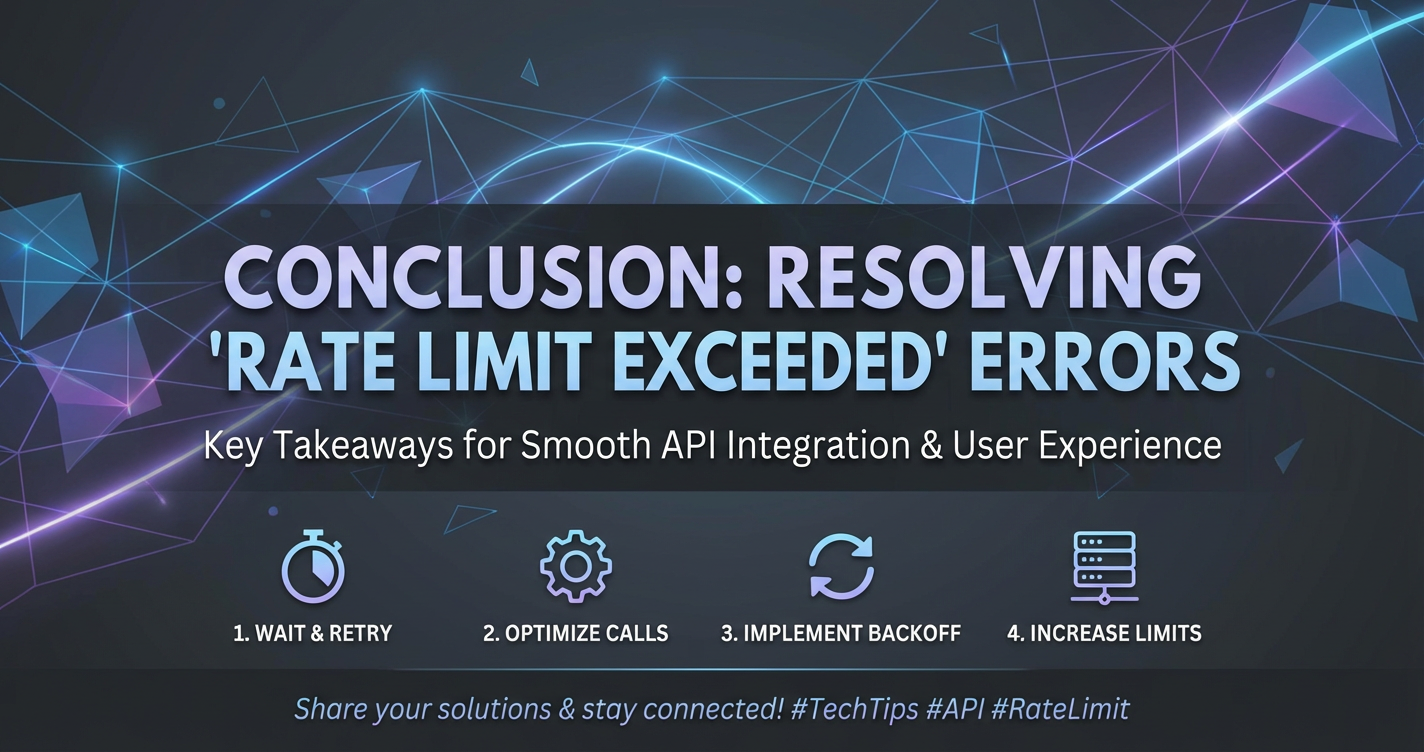
Conclusion: Mastering the Art of API Resilience
Navigating the complexities of API rate limiting is an essential skill in today's interconnected digital ecosystem. Far from being a mere nuisance, 'Rate Limit Exceeded' errors are a clear signal from the API provider, urging clients to adjust their behavior and reminding providers to protect their valuable resources. Understanding the 'why' behind these limits – preventing abuse, ensuring fairness, protecting infrastructure, and managing costs – is the first step toward building a robust and sustainable integration strategy.
We've explored the diverse array of rate limiting algorithms, from the simplicity of the Fixed Window Counter to the nuanced control of Token and Leaky Buckets, highlighting how each offers a unique approach to managing traffic flow. Crucially, we've emphasized the importance of deciphering standard HTTP headers like X-RateLimit-Limit, X-RateLimit-Remaining, and the all-important Retry-After, which serve as the API's direct communication channel to the client.
For client applications, the journey to resilience involves implementing intelligent retry mechanisms with exponential backoff and jitter, strategically optimizing API call frequency through batching and caching, and intelligently throttling user input. These techniques transform an aggressive client into a considerate and efficient API consumer.
From the API provider's perspective, the solution lies in a robust infrastructure, often centered around a powerful API gateway. Solutions like APIPark stand out as comprehensive platforms for managing the entire API lifecycle, offering centralized rate limiting, load balancing, detailed analytics, and critical protection for backend services. For the burgeoning field of AI, a specialized LLM Gateway becomes indispensable, addressing the unique challenges of variable token usage, high computational costs, and complex prompt management inherent in Large Language Model interactions. APIPark, by unifying AI model invocation, encapsulating prompts into simple REST APIs, and providing advanced cost tracking, exemplifies how an LLM Gateway can tame the wild frontier of AI API consumption.
Ultimately, mastering 'Rate Limit Exceeded' errors is a continuous journey of proactive prevention, meticulous diagnosis, and intelligent adaptation. By embracing thorough planning, comprehensive monitoring, regular audits, and open communication, both API consumers and providers can cultivate a more resilient, efficient, and harmonious digital landscape. The ability to gracefully handle these limitations is not merely about fixing errors; it's about building applications that are truly production-ready, scalable, and capable of withstanding the dynamic demands of the modern web.
Frequently Asked Questions (FAQ)
1. What does 'Rate Limit Exceeded' mean, and why do APIs implement it?
'Rate Limit Exceeded' means that your application has made too many requests to an API within a specified timeframe, violating the API provider's usage policy. This typically results in an HTTP 429 "Too Many Requests" status code. APIs implement rate limits for several critical reasons: to prevent abuse (like DDoS attacks or data scraping), ensure fair usage among all consumers, protect their backend infrastructure from being overwhelmed, manage operational costs, and enforce different service tiers or business models.
2. How can I identify the specific rate limits applied to an API I'm using?
Most well-documented APIs will clearly state their rate limit policies in their official documentation, specifying the number of requests allowed per time window (e.g., 60 requests per minute). Additionally, when you interact with an API (even before hitting a limit or especially when you do), the API will often include specific HTTP headers in its responses. Look for X-RateLimit-Limit (the total allowed requests), X-RateLimit-Remaining (requests left), and X-RateLimit-Reset (when the limit resets). If you hit a 429 error, the Retry-After header will tell you exactly how long to wait before retrying.
3. What is the most effective client-side strategy to prevent 'Rate Limit Exceeded' errors?
The most effective client-side strategy combines two key approaches: 1. Intelligent Retries with Exponential Backoff and Jitter: When you do hit a 429, don't retry immediately. Implement a mechanism that waits for the duration specified in the Retry-After header. If Retry-After isn't present, use exponential backoff (increasing the wait time with each retry) coupled with random jitter (a small random delay) to avoid overwhelming the API with synchronized retries from multiple clients. 2. Optimizing API Call Frequency: Proactively reduce the number of requests. This can be achieved by batching multiple operations into a single API call (if the API supports it), caching API responses locally for data that doesn't change often, and using techniques like debouncing or throttling for user-triggered events to prevent excessive requests.
4. How does an API Gateway help in managing and preventing rate limit issues for API providers?
An API gateway acts as a centralized entry point for all incoming API traffic. It's the ideal place to implement and enforce rate limit policies before requests reach your backend services. A robust API gateway (like APIPark) can: * Centralize Rate Limit Rules: Define global or granular rate limits based on client, API key, IP address, or specific routes. * Load Balance Traffic: Distribute incoming requests across multiple instances of your backend services, preventing any single service from being overloaded. * Provide Monitoring and Analytics: Offer detailed logs and metrics on API usage, helping providers identify overuse patterns and adjust limits dynamically. * Offload Security: Handle authentication and authorization, allowing rate limits to be applied more accurately per authenticated consumer.
5. Are there special considerations for rate limiting when dealing with LLMs and AI APIs?
Yes, LLMs introduce unique challenges beyond traditional APIs. Rate limits for LLMs often involve "tokens per minute" (TPM) rather than just requests per minute, as token usage varies greatly with prompt and response length. LLM inferences are also computationally much more intensive. To manage this: * Monitor Token Usage: Track tokens consumed per request and per minute, not just request counts. * Utilize an LLM Gateway: A specialized LLM Gateway (such as APIPark's AI gateway features) can normalize API formats for different AI models, encapsulate complex prompts into simpler REST endpoints, intelligently route requests to different models for cost/performance optimization, and provide advanced cost tracking based on token consumption. * Client-side Optimization: Implement local caching for common LLM responses, batch prompts (if supported), and consider prompt truncation or summarization to stay within token limits.
🚀You can securely and efficiently call the OpenAI API on APIPark in just two steps:
Step 1: Deploy the APIPark AI gateway in 5 minutes.
APIPark is developed based on Golang, offering strong product performance and low development and maintenance costs. You can deploy APIPark with a single command line.
curl -sSO https://download.apipark.com/install/quick-start.sh; bash quick-start.sh

In my experience, you can see the successful deployment interface within 5 to 10 minutes. Then, you can log in to APIPark using your account.

Step 2: Call the OpenAI API.