How to Fix Upstream Request Timeout Issues Effectively


In the intricate landscape of modern distributed systems and microservices architectures, the seamless interaction between various components is paramount. At the heart of this interaction lies the concept of APIs, which serve as the crucial communication channels enabling different services to exchange data and functionality. However, even in the most meticulously designed systems, a pervasive and often frustrating challenge emerges: the upstream request timeout. This issue, characterized by a client or an intermediary like an api gateway waiting indefinitely for a response from a backend service, eventually giving up, can severely degrade user experience, cripple system stability, and ultimately impact business operations.
Understanding, diagnosing, and effectively resolving upstream request timeouts is not merely a technical task; it's a strategic imperative for any organization relying on robust digital infrastructure. These timeouts are often symptoms of deeper issues—be it network bottlenecks, an overwhelmed backend service, inefficient code, or misconfigured infrastructure. Ignoring them leads to a cascade of failures, unhappy customers, and lost revenue. This comprehensive guide aims to dissect the multifaceted nature of upstream request timeouts, exploring their root causes, outlining robust diagnostic methodologies, and proposing a spectrum of effective solutions. From fine-tuning application code to optimizing network pathways and leveraging the capabilities of advanced api gateway solutions, we will cover the essential strategies to not only mitigate these timeouts but to build more resilient and performant systems. By delving into detailed explanations and practical advice, this article will equip developers, operations teams, and system architects with the knowledge to proactively address one of the most common and critical challenges in modern software development.
Understanding Upstream Request Timeouts
Before embarking on the journey of diagnosis and resolution, it is imperative to establish a clear understanding of what an upstream request timeout truly signifies within the context of distributed systems. This foundational knowledge will serve as our compass, guiding us through the complexities of identifying and rectifying these pervasive issues.
What Exactly is an Upstream Request?
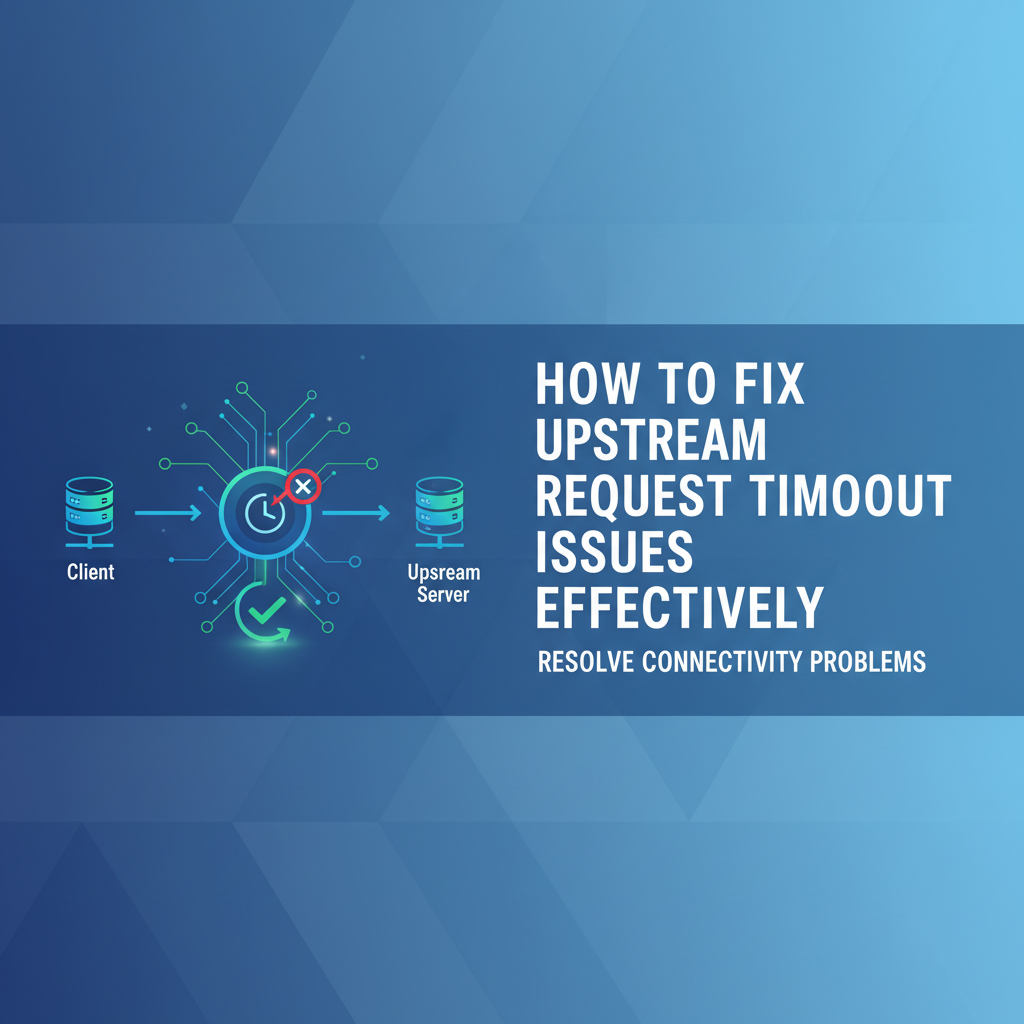
In a typical client-server interaction, especially when an intermediary like an api gateway is involved, the flow of requests can be visualized as a chain. When a client (e.g., a web browser, a mobile application, or another service) initiates a request, it first interacts with an entry point, which is frequently an api gateway. This gateway acts as a reverse proxy, routing the incoming request to the appropriate backend service. The backend service, in turn, might depend on other services, a database, or even external third-party APIs to fulfill the request.
An "upstream request" refers specifically to the request made by the api gateway (or any intermediary service) to a backend service. The backend service in this scenario is considered "upstream" because it is further down the processing chain from the perspective of the gateway or the initial client. The gateway waits for a response from this upstream service. If the response does not arrive within a predefined period, the gateway declares an upstream request timeout. This distinction is crucial because while the client might experience a "timeout," the root cause often lies in the interaction between the gateway and its immediate upstream service.
What Constitutes a Timeout?
A timeout, in essence, is a control mechanism designed to prevent processes from waiting indefinitely for a response that may never come. When a request is sent, a timer starts. If the response is not received before this timer expires, the operation is aborted, and a timeout error is triggered. This mechanism is vital for system stability, as it prevents resources (like open connections, memory, or CPU cycles) from being perpetually held hostage by unresponsive services. Without timeouts, a single slow or dead service could bring down an entire system by consuming all available resources.
It's important to differentiate between various types of timeouts:
- Connection Timeout: This occurs when an attempt to establish a connection with the upstream service fails within the specified time limit. This often indicates network issues, the upstream service not running, or the server being unreachable. The
api gatewaytries to shake hands with the upstream server, but the handshake never completes. - Read Timeout (or Response Timeout): Once a connection is successfully established, this timeout occurs if the
api gatewaydoes not receive any data from the upstream service within the allotted time after sending the request. This suggests the upstream service is alive and connected but is taking too long to process the request or generate a response. The service might be experiencing heavy load, performing a long-running database query, or encountering internal processing delays. - Write Timeout: Less common in simple request-response scenarios but relevant for streaming or large payload uploads, this timeout occurs if the
api gatewaycannot send the entire request body to the upstream service within the specified time. This could indicate network congestion or the upstream service being too slow to accept the incoming data.
Understanding which type of timeout is occurring is a critical first step in diagnosis, as each points towards different potential root causes and, consequently, different solutions. A connection timeout suggests network or service availability problems, whereas a read timeout points towards performance issues within the upstream application itself.
Impact on User Experience, System Stability, and Business Revenue
The ramifications of frequent or prolonged upstream request timeouts extend far beyond mere technical glitches; they permeate every layer of an organization's operations:
- User Experience (UX) Degradation: For end-users, timeouts manifest as slow loading times, unresponsive applications, or outright error messages (e.g., "Service Unavailable," "Gateway Timeout"). This directly leads to user frustration, abandonment of tasks (like online purchases), reduced engagement, and a damaged perception of reliability and quality. In today's fast-paced digital world, users have zero tolerance for sluggish applications.
- System Stability and Resource Exhaustion: From a system's perspective, timeouts can trigger a domino effect. When a service times out, the
api gatewaymight retry the request, exacerbating the load on an already struggling upstream service. Open connections and threads held by thegateway(or other intermediaries) while waiting for a timed-out response consume valuable system resources (CPU, memory). If timeouts are widespread, these resources can be quickly exhausted, leading to thegatewayitself becoming unresponsive or crashing, thus causing cascading failures across the entire system. This is a classic example of how a problem in one component can bring down the whole architecture. - Business Revenue and Reputation Loss: The direct business impact is undeniable. An e-commerce site experiencing timeouts during peak shopping hours can lose thousands, if not millions, in sales. A critical business
apifailing can halt partner integrations or internal workflows, leading to operational inefficiencies and missed business opportunities. Furthermore, a reputation for unreliability can be incredibly damaging, leading to customer churn and difficulty attracting new users. In the long run, consistent timeouts erode trust and competitiveness.
Common Scenarios Where Timeouts Occur
Upstream request timeouts are not confined to niche scenarios; they are ubiquitous in modern distributed systems. Some common situations include:
- Heavy Traffic Spikes: During promotional events, news cycles, or peak usage hours, a sudden surge in requests can overwhelm backend services that are not adequately scaled or optimized, leading to delays and subsequent timeouts.
- Complex Data Processing: Requests that involve extensive computations, multiple database queries, or interactions with several other microservices can naturally take longer to process. If these operations are not optimized, they can easily exceed predefined timeout limits.
- Third-Party API Integrations: Relying on external services for functionalities like payment processing, identity verification, or data enrichment introduces external dependencies. If these third-party APIs are slow or unresponsive, they can cause timeouts in your own system.
- Batch Operations: While often handled asynchronously, synchronous batch requests that process a large volume of data can frequently hit timeout thresholds if not carefully managed.
- Resource Contention: Multiple services or instances competing for limited resources (e.g., database connections, CPU on a shared host) can lead to delays and timeouts for individual requests.
Understanding these scenarios helps in anticipating potential timeout issues and designing systems that are resilient to such challenges. The next step is to delve into the specific root causes that trigger these timeouts, paving the way for targeted and effective solutions.
Root Causes of Upstream Request Timeouts
Diagnosing upstream request timeouts effectively hinges on a thorough understanding of their potential root causes. These issues are rarely monolithic; instead, they often stem from a complex interplay of factors spanning network infrastructure, application performance, and configuration nuances. Pinpointing the exact culprit requires a methodical approach and deep insight into the system's architecture.
Network Issues
The network forms the backbone of any distributed system, and its health is directly proportional to the reliability of API interactions. Network-related problems are a frequent cause of upstream timeouts, preventing requests from reaching the upstream service or responses from returning in time.
- Latency: This refers to the delay before a transfer of data begins following an instruction for its transfer. High latency can be introduced by geographical distance between the
api gatewayand the upstream service (e.g.,gatewayin Europe, service in Asia), or by general internet congestion and routing inefficiencies. Each hop a packet makes adds a tiny bit of latency, and over many hops or slow links, this accumulates, causing the total request-response cycle to exceed the timeout threshold. Even if the upstream service processes the request quickly, if the network round-trip time is too high, a timeout will occur. - Packet Loss: When data packets fail to reach their destination, they must be retransmitted. Each retransmission introduces significant delays. High packet loss rates can effectively cripple network communication, making it impossible for requests or responses to complete within the given timeout period. This can be caused by faulty networking hardware, overloaded network links, or misconfigured network devices.
- Firewall/Security Group Blocking: Misconfigured firewalls or security groups (common in cloud environments) can inadvertently block traffic between the
api gatewayand the upstream service. If the necessary ports or IP ranges are not open, connection attempts will fail or be severely delayed, leading to connection timeouts. This is a common oversight during deployment or infrastructure changes. Even if connections are allowed, deep packet inspection or other security features can add latency. - DNS Resolution Problems: Before a connection can be established, the
api gatewayneeds to resolve the hostname of the upstream service to an IP address using DNS. If the DNS server is slow, unreliable, or provides incorrect records, it can delay or prevent connection attempts, leading to timeouts. Incorrect DNS caching on thegatewayside can also contribute to this. - Network Congestion: An overloaded network segment, where too much traffic is attempting to use insufficient bandwidth, can lead to increased latency and packet loss. This is akin to a traffic jam on a highway, slowing down all vehicles.
Upstream Service Performance
Even with a perfect network, a struggling backend service can easily cause timeouts. These issues often stem from how the service processes requests, its resource utilization, and its dependencies.
- Slow Database Queries: Databases are often the bottleneck. Complex, unoptimized SQL queries (e.g., missing indexes, full table scans, N+1 query problems) can take an excessive amount of time to execute. If a web
apirelies on such queries to fetch data, the entireapiresponse will be delayed, leading to read timeouts. Large datasets and insufficient database resources exacerbate this problem. - Inefficient Code/Application Logic: Poorly written or inefficient application code can significantly prolong processing times. Examples include:
- Synchronous Blocking Calls: Performing I/O-bound operations (like calling other microservices or external APIs) synchronously in a blocking manner ties up threads, preventing them from handling other requests.
- Heavy Computation: Extensive CPU-bound operations (e.g., complex calculations, image processing, machine learning inference) within the request path can consume significant time, especially if not parallelized or offloaded.
- Memory Leaks: Applications suffering from memory leaks can progressively slow down as they consume more and more system memory, eventually leading to swap usage and severe performance degradation.
- Resource Exhaustion (CPU, Memory, Disk I/O): If the upstream server lacks sufficient hardware resources, it will struggle to process requests in a timely manner.
- CPU Saturation: A consistently high CPU utilization indicates the server is struggling to keep up with computation, leading to slower processing of all requests.
- Memory Depletion: When physical memory runs out, the operating system starts swapping data to disk, which is orders of magnitude slower, drastically increasing latency.
- Disk I/O Bottlenecks: Applications that frequently read from or write to disk can be throttled if the disk subsystem cannot keep up, especially with traditional spinning disks.
- Deadlocks or Contention: In multi-threaded applications or systems with shared resources (like database connections, locks), deadlocks can occur, where two or more processes are stuck waiting for each other to release a resource. This completely halts processing for affected requests. High contention for locks or shared resources can also significantly slow down execution.
- External Dependencies Timing Out: Modern services often rely on other internal microservices or external third-party APIs (e.g., payment gateways, email services, identity providers). If one of these downstream dependencies is slow or times out, the calling upstream service will also appear slow and potentially time out from the perspective of the
api gateway. This forms a chain of dependency failures.
Gateway Configuration
The api gateway itself, while acting as a protective and routing layer, can also be a source of timeout issues if not properly configured.
- Misconfigured Timeout Settings: Perhaps the most direct cause related to the
gatewayis an incorrectly set timeout value. If thegateway's upstream timeout is set too low (e.g., 5 seconds) while the upstream service genuinely takes 10 seconds for certain complex requests, timeouts will inevitably occur. Conversely, setting it too high masks underlying performance issues. Thegatewayneeds to be configured with an appropriate balance, understanding the expected maximum latency of its upstream services. - Incorrect Load Balancing Settings: If the
api gatewayuses a load balancing algorithm that directs traffic to unhealthy or overloaded upstream service instances, those requests are likely to time out. Misconfigured health checks might fail to remove such instances from the rotation, perpetuating the problem. - Circuit Breaker Threshold Misconfigurations: Circuit breakers are crucial for preventing cascading failures. However, if their thresholds are set too aggressively (e.g., tripping after only a few failures), they might prematurely open, preventing legitimate requests from reaching an upstream service that might just be experiencing a transient blip. Conversely, if too lenient, they won't protect the system.
- Gateway Overload: While less common for upstream timeouts (which originate from the upstream), an overloaded
api gatewaycan itself become a bottleneck, delaying its own processing of requests and forwarding them late, or failing to accept responses from upstream services promptly. This can sometimes manifest as upstream timeouts from the client's perspective, even if the upstream service processed the request in time but thegatewaywas too busy to relay the response.
Concurrency and Scaling
The ability of a system to handle multiple requests simultaneously and to scale dynamically is critical for preventing timeouts, especially under varying loads.
- Insufficient Upstream Service Instances: If the number of running instances of an upstream service is insufficient to handle the incoming request volume, new requests will queue up, waiting for an available processing thread or instance. This queuing delay can easily push response times beyond timeout limits.
- Queueing Issues: Beyond just instance count, internal queues within the application (e.g., thread pools, message queues for internal processing) can become bottlenecks. If these queues overflow or requests spend too much time waiting in them, it contributes directly to increased latency and timeouts.
Identifying which of these myriad factors is at play requires systematic investigation. The next section will detail the diagnostic tools and techniques essential for this investigative process.
Strategies for Diagnosing Upstream Request Timeouts
Effective diagnosis is the cornerstone of resolving upstream request timeouts. Without accurately identifying the root cause, any attempted solution is mere guesswork, potentially leading to more complex problems or wasted effort. This section outlines a systematic approach to diagnosing these issues, leveraging a combination of monitoring tools, testing methodologies, and network diagnostics.
Monitoring and Alerting: Your System's Early Warning System
Robust observability is non-negotiable for any production system. A comprehensive monitoring and alerting strategy provides the insights needed to detect, understand, and react to timeouts.
- Observability Tools (Prometheus, Grafana, ELK Stack, Datadog, New Relic): These platforms are designed to collect, store, and visualize metrics, logs, and traces from your applications and infrastructure.
- Prometheus & Grafana: Prometheus excels at time-series data collection and alerting, while Grafana provides powerful dashboards for visualization. You should monitor:
- Latency Metrics: Track the average, 95th percentile, and 99th percentile response times for all critical
apiendpoints from theapi gatewayto the upstream services. Spikes in these metrics are often the first sign of trouble. - Error Rates: Monitor the percentage of HTTP 5xx errors, specifically 504 Gateway Timeout or custom timeout error codes. An increase indicates a problem.
- Throughput (Requests Per Second): Correlate timeouts with request volume. A timeout might occur not because a service is inherently slow, but because it's overwhelmed by traffic.
- Resource Utilization: Monitor CPU, memory, disk I/O, and network I/O for both the
api gatewayand all upstream services. High utilization on any of these can indicate a bottleneck. - Connection Pools: For services connecting to databases or other external systems, monitor the number of active and idle connections in the pool. Exhaustion or rapid fluctuation can signal issues.
- Latency Metrics: Track the average, 95th percentile, and 99th percentile response times for all critical
- ELK Stack (Elasticsearch, Logstash, Kibana): This stack is excellent for centralizing and analyzing logs. All
api gatewayand upstream service logs should be aggregated here. Search for specific error messages related to timeouts, connection failures, or slow operations.
- Prometheus & Grafana: Prometheus excels at time-series data collection and alerting, while Grafana provides powerful dashboards for visualization. You should monitor:
- Logging (Access Logs, Error Logs, Application Logs):
API GatewayAccess Logs: These logs provide a detailed record of every request passing through thegateway. Look for the HTTP status code (e.g., 504 Gateway Timeout), the duration of the request from thegateway's perspective, and the upstream service targeted. Many gateways like Nginx or Envoy provide variables to log upstream response times directly.- Upstream Service Access Logs: These logs capture when a request arrives at the upstream service and when it sends a response. Comparing the
gateway's request duration with the upstream service's processing time helps identify where the delay occurred—either in transit to/from the upstream, or within the upstream service itself. - Application Logs: The most granular logs. These should capture significant events within the application's processing logic, such as the start and end of critical operations (e.g., database queries, external
apicalls), and any internal errors or warnings. Detailed application logs can reveal exactly which part of the code is causing the delay.
- Distributed Tracing (Jaeger, Zipkin, OpenTelemetry): For complex microservices architectures, distributed tracing is invaluable. It allows you to follow a single request as it propagates through multiple services, queues, and databases. A trace visually represents the time spent in each component, clearly highlighting which service or operation is contributing most to the overall latency or causing a timeout. This helps identify "slow spans" within a complex transaction.
Reproducing the Issue: Controlled Environment Testing
Sometimes, timeouts are intermittent or only occur under specific conditions. Reproducing them in a controlled environment is key to isolating variables.
- Load Testing (JMeter, k6, Locust): Simulate production traffic patterns and volumes on a staging or testing environment. By gradually increasing the load, you can pinpoint the threshold at which timeouts begin to appear and identify which services buckle under pressure. This helps validate capacity and identify performance bottlenecks.
- Staging Environments: A replica of your production environment allows for safe experimentation. Deploying potential fixes or configuration changes here before production can prevent live outages. Monitor these environments with the same rigor as production during testing.
Network Diagnostics: Peering into the Pathways
When monitoring suggests a network-related issue, specialized network diagnostic tools become essential.
ping,traceroute,MTR(My Traceroute):ping: Checks basic connectivity and round-trip time between two hosts. Highpingtimes or packet loss indicate network issues.traceroute: Maps the path a packet takes to reach a destination, showing each router hop and the latency to that hop. This helps identify specific congested or slow network segments.MTR: Combinespingandtraceroute, continuously sending packets and providing real-time statistics on latency and packet loss at each hop, making it excellent for identifying intermittent network problems.
- Network Packet Capture (
tcpdump, Wireshark): These tools capture raw network traffic. By analyzing captured packets, you can:- Verify if requests are reaching the upstream service.
- Observe TCP handshake failures (connection timeouts).
- Measure the exact time taken for responses to return after the request is sent.
- Identify retransmissions, duplicate ACKs, or zero window conditions that point to network congestion or server-side receive buffer issues.
- Firewall Logs: Check the firewall logs (both on the
api gatewayhost and the upstream service host, as well as any network firewalls in between) to ensure that traffic is not being unexpectedly blocked or dropped.
Application-Specific Tools: Deep Dive into Code and Data
When the problem points to the upstream application itself, more granular tools are required.
- APM Tools (Application Performance Management): Tools like New Relic, Dynatrace, Datadog, AppDynamics provide deep insights into application performance, including transaction traces, method-level profiling, and database query performance. They can pinpoint exact lines of code or database calls that are consuming the most time within a request.
- Database Query Logs and Performance Analysis: Most databases offer query logs that can be enabled to record slow queries. Analyzing these logs, combined with database-specific performance monitoring tools, can identify inefficient queries, missing indexes, or database resource contention as the root cause.
- Code Profiling: In development or staging environments, using code profilers (e.g., Java Flight Recorder, Python cProfile, Go pprof) can help identify CPU-intensive functions, memory hot spots, or contention points within the application code that contribute to slow request processing.
By systematically applying these diagnostic strategies, you can move from observing a symptom (timeout) to understanding its precise cause, thereby paving the way for targeted and effective solutions. The next section will detail these solutions, addressing the various root causes identified here.
Effective Solutions for Fixing Upstream Request Timeouts
Once the root causes of upstream request timeouts have been meticulously diagnosed, the next critical step is to implement effective solutions. These solutions often span multiple layers of the system architecture, from optimizing individual services to reconfiguring the api gateway and enhancing network infrastructure. A holistic approach is essential for long-term stability and performance.
Optimizing Upstream Services: Building More Resilient Backends
The most fundamental way to prevent upstream timeouts is to ensure that the backend services themselves are performant and resilient. This involves a combination of code optimization, resource management, and architectural patterns.
- Code Optimization:
- Refactor Inefficient Logic: Review and optimize algorithms, data structures, and general code logic. Identify and eliminate N+1 query problems, excessive loops, or redundant computations. Even small inefficiencies, when executed millions of times, can lead to significant delays.
- Optimize Database Queries: This is often the biggest performance gain.
- Indexing: Ensure appropriate indexes are in place for frequently queried columns, especially those used in
WHERE,JOIN, andORDER BYclauses. - Query Tuning: Rewrite inefficient queries, avoid
SELECT *, useJOINs correctly, and understand how your ORM generates SQL. - Connection Pooling: Use database connection pools to efficiently manage and reuse database connections, reducing the overhead of establishing new connections for each request. Configure pool sizes appropriately.
- Indexing: Ensure appropriate indexes are in place for frequently queried columns, especially those used in
- Use Asynchronous Programming: For I/O-bound operations (e.g., calling external APIs, reading from disk, network requests), use asynchronous programming models (e.g.,
async/awaitin Python/JavaScript,CompletableFuturein Java, goroutines in Go) to prevent blocking threads. This allows a single thread to initiate multiple I/O operations concurrently, vastly improving throughput without consuming excessive threads. - Batching and Debouncing: For operations that can be grouped, implement batching to reduce the number of individual calls. Debouncing can also help reduce the frequency of rapid, redundant operations.
- Resource Scaling:
- Horizontal Scaling: Add more instances of the upstream service. This is often the most straightforward way to handle increased load. Cloud environments facilitate this through auto-scaling groups that dynamically adjust instance counts based on metrics like CPU utilization or request queue length.
- Vertical Scaling: Increase the resources (CPU, memory) of existing instances. This can provide a quick boost but has limits and is often more expensive than horizontal scaling for high-throughput applications.
- Container Orchestration (Kubernetes, Docker Swarm): These platforms simplify the deployment, scaling, and management of microservices, making it easier to adjust resource allocation and scale services dynamically.
- Caching:
- In-Memory Caches: For frequently accessed, relatively static data, use in-memory caches (e.g., Caffeine in Java, local application caches) to serve requests without hitting the database or other slower services.
- Distributed Caches (Redis, Memcached): For larger datasets and across multiple service instances, use distributed caching solutions. This reduces the load on backend databases and external APIs, significantly speeding up data retrieval. Implement cache invalidation strategies carefully.
- CDN (Content Delivery Network): While primarily for static assets, CDNs can also cache API responses (where appropriate and idempotent) at edge locations, reducing load on origin servers and improving response times for geographically dispersed users.
- Rate Limiting: Implement rate limiting within the upstream service (or at the
api gatewaylevel) to prevent it from being overwhelmed by a sudden surge of requests. By controlling the number of requests a client or a specificapican make within a time window, you protect the service from overload, allowing it to process legitimate requests within acceptable timeframes. - Bulkheading: This architectural pattern isolates failing components to prevent them from bringing down the entire system. For example, using separate thread pools for different types of external
apicalls means that a slow third-party service will only exhaust its dedicated thread pool, not the one handling critical internal operations. - Asynchronous Processing with Message Queues: For long-running tasks (e.g., report generation, image processing, complex computations) that don't require an immediate synchronous response, offload them to a message queue (e.g., Kafka, RabbitMQ, SQS). The upstream service can quickly put a message on the queue and return an immediate "accepted" response to the
api gateway, while a separate worker process handles the task asynchronously. This drastically reduces the synchronous response time. - Database Optimization beyond Queries:
- Database Schema Design: A well-designed schema (normalization, appropriate data types) is fundamental for performance.
- Hardware and Configuration: Ensure the database server has sufficient CPU, RAM, and fast storage (SSDs). Tune database server configuration parameters for optimal performance.
- Read Replicas: For read-heavy workloads, use read replicas to distribute query load, reducing contention on the primary database.
API Gateway Configuration & Management: The First Line of Defense
The api gateway is a critical control point for managing traffic and mitigating upstream issues. Proper configuration and leveraging its features can significantly reduce timeout occurrences.
- Adjusting Timeouts Prudently:
- Increase
api gatewayTimeouts Strategically: Based on your diagnostic findings, if an upstream service genuinely requires more time for certain complex but acceptable operations, slightly increase theapi gateway's timeout. However, this should not be a blanket solution to mask underlying performance problems. The new timeout should reflect the expected maximum valid response time, not just an arbitrary longer period. - Granular Timeouts: Many advanced
api gatewaysolutions allow setting different timeout values for different upstream services or even specific API paths, offering finer control.
- Increase
- Load Balancing Strategies:
- Advanced Algorithms: Implement intelligent load balancing algorithms beyond simple round-robin. Options include:
- Least Connections: Directs traffic to the upstream server with the fewest active connections, ensuring even distribution.
- Least Response Time: Sends requests to the server that has historically responded the fastest.
- IP Hash: Ensures requests from the same client IP always go to the same upstream server, useful for session persistence.
- Health Checks: Configure robust health checks for upstream services. The
api gatewayshould regularly ping health endpoints on upstream services and automatically remove unhealthy instances from the load balancing pool. This prevents requests from being routed to services that are down or struggling.
- Advanced Algorithms: Implement intelligent load balancing algorithms beyond simple round-robin. Options include:
- Circuit Breakers: Implement circuit breakers at the
api gatewaylevel (or within individual services using libraries like Hystrix or Resilience4j). A circuit breaker monitors failures to a specific upstream service. If the failure rate exceeds a predefined threshold within a certain period, the circuit "opens," meaning all subsequent requests to that service will immediately fail (fail-fast) without even attempting to connect. After a configurable "wait" period, the circuit enters a "half-open" state, allowing a few test requests to pass through. If these succeed, the circuit "closes" and normal traffic resumes. This prevents cascading failures and gives the struggling upstream service time to recover. - Retry Mechanisms: Implement smart retry policies at the
api gatewayfor idempotent requests.- Exponential Backoff: If an upstream service is momentarily unavailable or overloaded, retrying immediately can exacerbate the problem. Exponential backoff increases the wait time between retries, giving the service a chance to recover.
- Jitter: Add a small random delay (jitter) to the backoff to prevent all retries from hitting the service at the exact same time, which could create another thundering herd problem.
- Limit Retries: Define a maximum number of retries to prevent indefinite attempts.
- Connection Pooling from Gateway to Upstream: Just as with database connections, ensure the
api gatewayefficiently manages its connections to upstream services. Reusing persistent connections (e.g., HTTP keep-alive) reduces the overhead of establishing new TCP handshakes for every request. - APIPark Integration: A powerful
api gatewaylike APIPark offers a comprehensive suite of features to bolster your system's resilience against upstream request timeouts. APIPark is designed as an open-source AI gateway and API management platform that provides advanced traffic management capabilities, including sophisticated load balancing algorithms, robust rate limiting to prevent upstream services from being overwhelmed, and integrated circuit breaker patterns to gracefully handle failing dependencies. Furthermore, APIPark's detailed API call logging and powerful data analysis features are invaluable for identifying performance bottlenecks and tracing the root cause of timeout issues across your APIs. By providing a unified API format and end-to-end API lifecycle management, APIPark simplifies the invocation and management of APIs, reducing the potential for configuration errors that contribute to timeouts and ensuring that yourapiinfrastructure remains performant and reliable.
Network Enhancements: Fortifying the Pathways
Addressing network-level issues is crucial, especially when diagnostics point to connectivity or latency problems.
- Geographical Proximity: Deploy
api gatewayinstances and upstream services closer to each other (within the same region or availability zone in cloud environments) to minimize network latency. For global applications, consider multi-region deployments with localizedgateways and services. - High-Bandwidth, Low-Latency Links: Ensure that the network infrastructure between your
api gatewayand upstream services has sufficient bandwidth and low latency. This might involve using dedicated network links, higher-tier network services from cloud providers, or optimizing internal network configurations. - DNS Optimization: Use fast, reliable DNS resolvers. Consider caching DNS resolutions at the
api gatewayor application level to reduce resolution time. Ensure your DNS records are correct and up-to-date. - Firewall/Security Group Configuration Review: Regularly audit firewall rules and security group settings to ensure that necessary ports are open and traffic flow is not inadvertently blocked. Minimize the number of hops and intermediate network devices where possible.
Client-Side Considerations: Managing Expectations and Resilience
While the focus is on upstream issues, the client's behavior and configuration can also play a role in how timeouts are perceived and handled.
- Client-Side Timeouts and Retries: Educate clients (internal or external) to implement their own timeouts and intelligent retry mechanisms. This prevents clients from waiting indefinitely and helps them gracefully handle transient server-side issues.
- Informative Error Messages: When a timeout occurs, provide clear and informative error messages to the client, possibly suggesting a retry later or directing them to status pages. This improves user experience compared to generic error codes.
- Educate Clients on Expected Performance: Clearly document the expected response times for different
apiendpoints. This helps clients set realistic expectations and design their applications accordingly.
APIPark is a high-performance AI gateway that allows you to securely access the most comprehensive LLM APIs globally on the APIPark platform, including OpenAI, Anthropic, Mistral, Llama2, Google Gemini, and more.Try APIPark now! 👇👇👇
Preventive Measures and Best Practices
Resolving existing upstream request timeouts is essential, but equally important is adopting a proactive stance to prevent them from occurring in the first place. Integrating best practices into the entire software development lifecycle fosters a culture of resilience and performance.
API Design Principles: Building Robust Foundations
The journey to preventing timeouts begins at the design phase of your APIs. Thoughtful design can significantly reduce the likelihood of performance bottlenecks.
- Design for Resilience: Anticipate failures and design
apis to degrade gracefully. This includes clear error contracts, idempotent operations (so retries don't cause side effects), and minimal dependencies for critical paths. - Design for Efficiency:
- Minimal Data Transfer: Only return the data that the client explicitly needs. Avoid over-fetching data by providing query parameters for field selection or pagination. Large payloads increase network latency and processing time.
- Granularity: Design
apis to be appropriately granular. Overly chatty APIs (many small requests for one logical operation) increase network overhead. Overly coarse-grained APIs might involve too much processing for a single request, leading to timeouts. Balance these for optimal performance. - Asynchronous Operations for Long-Running Tasks: For any operation that might take more than a few seconds, design the
apito be asynchronous. The initial request can return a job ID and a status URL, allowing the client to poll for completion without blocking the connection.
- Version Control: Manage API versions carefully. Breaking changes can lead to unexpected behavior and performance regressions if clients are not updated, potentially triggering timeouts.
Thorough Testing: Validating Performance and Stability
Testing is not just about functionality; it's about validating performance, scalability, and resilience.
- Unit and Integration Testing: While not directly for timeouts, robust unit and integration tests ensure the correctness and efficiency of individual components and their interactions, reducing the likelihood of logic errors that could lead to performance issues.
- Performance and Load Testing:
- Early and Often: Integrate performance testing into your CI/CD pipeline. Regularly run load tests to identify bottlenecks and validate the system's capacity under expected and peak loads. Tools like JMeter, k6, and Locust are invaluable here.
- Break-Point Testing: Push your system beyond its breaking point to understand its limitations and how it behaves under extreme stress. This helps in capacity planning and identifying failure modes.
- Concurrency Testing: Simulate multiple users or services accessing resources simultaneously to uncover deadlocks, race conditions, and resource contention issues that contribute to timeouts.
- Chaos Engineering: Deliberately introduce failures (e.g., slow down a service, inject network latency, kill instances) in a controlled environment to test the system's resilience and verify that circuit breakers, retries, and other fault-tolerance mechanisms work as expected. This proactive approach uncovers weaknesses before they cause production outages.
Continuous Monitoring: Maintaining Vigilance
As discussed in diagnosis, continuous and comprehensive monitoring is the bedrock of preventing future timeouts.
- Establish Robust Observability from Day One: Implement logging, metrics, and tracing from the initial stages of development. Don't treat it as an afterthought.
- Proactive Alerting: Set up alerts for critical metrics:
- High latency (e.g., 99th percentile response time exceeding a threshold).
- Increased error rates (especially 5xx errors).
- Resource saturation (CPU, memory, network I/O).
- Queue lengths growing unusually large.
api gatewayspecific metrics like open circuit breakers or failed health checks.
- Trend Analysis: Regularly review historical data to identify long-term trends in performance. A gradual increase in latency might indicate a growing bottleneck that needs addressing before it becomes a critical timeout issue. APIPark's powerful data analysis features can assist businesses in displaying these long-term trends and performance changes, enabling preventive maintenance before issues occur.
- Dashboarding: Create clear, intuitive dashboards for different teams (developers, operations, business) that visualize key performance indicators (KPIs) related to API health and upstream service performance.
Documentation: Knowledge Sharing and Consistency
Good documentation is crucial for both preventing and quickly resolving timeout issues.
- API Contracts and SLAs: Clearly document API contracts, including expected response times, error codes, and rate limits. Define Service Level Agreements (SLAs) for critical APIs to set clear performance expectations.
- Architecture Diagrams: Maintain up-to-date architecture diagrams showing service dependencies and data flow. This is invaluable for troubleshooting when tracing a timeout through multiple components.
- Runbooks and Playbooks: Create detailed runbooks for common operational procedures and playbooks for incident response, including steps for diagnosing and resolving upstream timeout issues.
Incident Response Plan: Preparedness for the Inevitable
Despite all preventive measures, outages and timeouts can still occur. A well-defined incident response plan minimizes their impact.
- Clear Roles and Responsibilities: Define who is responsible for detecting, diagnosing, communicating, and resolving incidents.
- Communication Protocols: Establish clear communication channels and protocols for notifying stakeholders (internal teams, customers) about outages and progress.
- Post-Mortems/Retrospectives: After every major incident, conduct a blameless post-mortem to understand the root cause, identify areas for improvement, and implement preventative actions. This continuous learning cycle is vital for improving system resilience.
Regular Audits and Reviews: Continuous Improvement
Systems evolve, and so should their configurations and performance.
- Configuration Audits: Periodically review
api gatewayconfigurations, upstream service timeout settings, load balancer settings, and circuit breaker thresholds. Ensure they remain appropriate for the current system load and performance characteristics. - Code Reviews for Performance: Incorporate performance considerations into regular code reviews. Encourage developers to think about the time complexity and resource implications of their code.
- Infrastructure Review: Ensure underlying infrastructure (networking, virtualization, cloud services) is keeping pace with demand and is configured optimally.
By integrating these preventive measures and best practices into the development and operational workflows, organizations can significantly reduce the frequency and impact of upstream request timeouts, ensuring a more stable, performant, and reliable digital experience for their users. The combination of robust design, thorough testing, continuous monitoring, and proactive incident management forms a strong defense against these pervasive challenges.
Case Studies/Scenarios: Learning from Real-World Examples
To solidify our understanding, let's briefly examine how upstream request timeouts might manifest in real-world scenarios and how the discussed solutions apply. These examples highlight the often-complex interplay of factors that lead to timeouts.
E-commerce Checkout Timeout Due to Slow Payment API
Scenario: An online shopper is trying to complete a purchase during a flash sale. They proceed to the checkout, enter their payment details, and click "Pay." The website spins for 15 seconds, then displays a "Payment failed: Gateway Timeout" error. The user is frustrated and abandons their cart.
Diagnosis: * Monitoring: api gateway logs show 504 Gateway Timeout errors for the /payment/process endpoint. The gateway's upstream response time metric for the payment service shows consistently high latency (e.g., 14 seconds when the gateway timeout is 10 seconds). * Distributed Tracing: A trace for a failed transaction reveals that the internal payment-processor microservice, upon receiving the request from the gateway, makes an external call to a third-party payment api provider. This external call itself takes 12 seconds. * Payment Service Logs: Application logs for the payment-processor show "Calling external_payment_provider API..." and then a long delay before "Received response from external_payment_provider."
Root Cause: The external third-party payment api is experiencing high latency or congestion, causing the internal payment-processor service to wait excessively. This delay, compounded by network transit, pushes the total transaction time beyond the api gateway's configured timeout.
Solutions Applied: 1. Upstream Service Optimization: * Asynchronous Processing: Re-architect the payment flow. Instead of a synchronous call, the payment-processor could place a payment request onto a message queue (e.g., Kafka). It then immediately returns an "order received, pending payment" status to the api gateway. A separate worker picks up the message from the queue, processes it with the external provider, and updates the order status asynchronously. The client can poll for updates or receive a webhook. * Retry with Exponential Backoff: If direct synchronous calls are absolutely necessary for some parts, the payment-processor itself should implement intelligent retries with exponential backoff and jitter for the external api call, allowing transient issues to resolve. 2. API Gateway Configuration: * Adjust Timeout: The api gateway timeout for the /payment/process endpoint could be slightly increased (e.g., to 20 seconds) if the external provider occasionally has legitimate, longer processing times and an immediate response is critical. However, this is a stop-gap and doesn't solve the core latency issue. * Circuit Breaker: Implement a circuit breaker on the api gateway for the payment-processor service. If the payment-processor consistently times out due to the external dependency, the circuit breaker opens, immediately failing payment attempts and allowing the payment-processor to recover. This prevents resource exhaustion on the gateway side. 3. Client-Side Considerations: * User Feedback: The website should immediately acknowledge the order and indicate that payment is being processed, rather than spinning indefinitely. If a timeout occurs, provide a clearer message like "Payment processing taking longer than expected. Please check your order history in 5 minutes" or "Payment failed due to external provider issues. Please try again later." * Client-Side Retries: If the transaction is idempotent, the client could be allowed to retry the payment after a brief delay.
Social Media Feed Loading Slowly Due to Multiple Microservice Calls
Scenario: A user opens a social media application. Their personalized feed takes over 10 seconds to load, often resulting in a blank screen or partial content with a "Loading..." spinner. Behind the scenes, the api gateway is struggling to aggregate data from multiple microservices.
Diagnosis: * Monitoring: api gateway metrics show high P99 latency for the /feed api endpoint (e.g., 8-10 seconds), with occasional 504s if the internal service combination exceeds the gateway's 10-second timeout. * Distributed Tracing: Traces for the /feed api show calls to: * user-profile-service (100ms) * follower-service (150ms) * post-service (to fetch posts from followers, 300ms for initial list) * ad-service (to fetch personalized ads, 2 seconds) * recommendation-service (to fetch algorithmic recommendations, 4 seconds) * Crucially, ad-service and recommendation-service are often called sequentially or are blocking calls, adding significant cumulative latency. * Resource Utilization: recommendation-service instances show high CPU utilization during peak load.
Root Cause: The feed-aggregator service (which the api gateway calls for /feed) is making multiple sequential and blocking calls to various backend microservices, some of which are inherently slow or experiencing resource contention (like the recommendation-service's high CPU). The sum of these individual service latencies exceeds the api gateway's timeout.
Solutions Applied: 1. Upstream Service Optimization: * Parallelize Calls: The feed-aggregator service should be refactored to make calls to independent microservices (e.g., user-profile, follower, post, ad, recommendation) in parallel using asynchronous programming. This dramatically reduces the cumulative latency. * Partial Content Loading: Design the api to return core content quickly (e.g., posts from followers) while loading slower elements (e.g., ads, recommendations) asynchronously into the feed as they become available. This improves perceived performance. * Caching: Cache user-profile and follower data aggressively, as these are relatively static. Consider caching popular posts or recommendations for short periods. * Optimize Recommendation-Service: Investigate the high CPU utilization of the recommendation-service. This might require optimizing its algorithms, pre-calculating recommendations, or scaling it horizontally. 2. API Gateway Configuration: * Fine-tuned Timeouts: While parallelization is key, if the combined parallel execution still occasionally nears the timeout, the gateway timeout for /feed could be slightly adjusted after optimizing the upstream. * Rate Limiting: If the feed-aggregator itself is overloaded from processing too many requests, rate limit incoming requests to prevent it from collapsing. 3. API Design Principles: * GraphQL or BFF (Backend for Frontend): Consider using GraphQL or a Backend for Frontend (BFF) pattern. A GraphQL api gateway can allow the client to specify exactly what data it needs and fetch it in a single, optimized request, often handling internal parallelization transparently. A BFF allows the frontend team to build an api optimized for their specific UI, aggregating and transforming data from multiple internal services efficiently.
These case studies illustrate that fixing upstream request timeouts often requires a multi-pronged strategy, combining technical optimizations with architectural changes and robust api gateway management.
Table: Common Causes and Their Primary Solutions
To provide a concise overview, the following table summarizes some of the most frequent causes of upstream request timeouts and their corresponding primary solutions, drawing upon the detailed discussions above.
| Category | Specific Cause | Primary Diagnostic Methods | Primary Solutions |
|---|---|---|---|
| Upstream Service | Slow Database Queries | Database logs, APM tools, Tracing | Indexing, Query Tuning, Connection Pooling, Read Replicas |
| Inefficient Application Code (blocking I/O) | APM tools, Code Profiling, Tracing | Asynchronous Programming, Refactoring Inefficient Logic, Batching | |
| Resource Exhaustion (CPU, Memory) | Monitoring (CPU, Memory, Disk I/O usage), System Logs | Horizontal/Vertical Scaling, Code Optimization, Memory Leak Fixes, Efficient Resource Management | |
| External Dependency Slowdown/Timeout | Distributed Tracing, External API Monitoring | Circuit Breakers, Retries with Backoff, Asynchronous Processing (Message Queues), Bulkheading | |
| Network Issues | High Latency / Packet Loss | ping, traceroute, MTR, tcpdump |
Geographical Proximity, Network Optimization (high-bandwidth links), CDN |
| Firewall / Security Group Blocking | Firewall logs, Network Connectivity Checks (telnet, nc) |
Review and Correct Firewall Rules/Security Groups | |
| DNS Resolution Delays | DNS query tools (dig, nslookup), Network Monitoring |
Fast DNS Resolvers, DNS Caching | |
API Gateway |
Misconfigured Timeout Setting | Gateway configuration files, Gateway logs |
Adjust Gateway Timeouts Prudently, Granular Timeout Settings |
| Ineffective Load Balancing / Unhealthy Upstreams | Gateway load balancer logs, Health Check Monitoring |
Intelligent Load Balancing Algorithms, Robust Health Checks, Auto-removal of Unhealthy Instances | |
| Circuit Breaker Misconfiguration | Gateway metrics (circuit breaker state), Configuration Review |
Tune Circuit Breaker Thresholds, Implement Fail-fast Strategies | |
| Concurrency/Scaling | Insufficient Upstream Instances / Queueing | Monitoring (Request Queues, Throughput, Instance Count) | Horizontal Auto-Scaling, Optimize Thread Pool Sizes, Asynchronous Processing |
Gateway Overload |
Gateway resource monitoring (CPU, Memory, Network I/O) |
Scale Gateway Instances, Rate Limiting (at edge), Gateway Performance Tuning |
This table serves as a quick reference for common problems and their solutions, reinforcing the multi-layered approach required to tackle upstream request timeouts effectively.
Conclusion
Upstream request timeouts represent a formidable challenge in the dynamic realm of distributed systems, threatening user experience, system stability, and ultimately, business continuity. As we have thoroughly explored, these issues are rarely simplistic, often arising from a complex interplay of factors ranging from network anomalies and inefficient application code to misconfigured api gateway settings and inadequate resource allocation. However, by adopting a systematic and comprehensive strategy, these elusive problems can be effectively diagnosed, mitigated, and prevented.
The journey to resolving and preventing timeouts begins with a deep understanding of their nature—distinguishing between connection, read, and write timeouts, and recognizing their profound impact. This understanding then paves the way for rigorous diagnosis, leveraging the power of ubiquitous monitoring tools, distributed tracing, and network diagnostics to pinpoint the precise root cause. Whether the bottleneck lies in a slow database query, a blocking I/O operation, or a congested network segment, accurate identification is the crucial first step.
Subsequently, the solutions deployed must be tailored to the identified problem. Optimizing upstream services through meticulous code refactoring, strategic caching, intelligent resource scaling, and embracing asynchronous processing patterns lays the foundation for robust backend performance. Concurrently, the api gateway, acting as the system's frontline guardian, must be expertly configured with appropriate timeout values, sophisticated load balancing, proactive circuit breakers, and intelligent retry mechanisms. Products like APIPark, an open-source AI gateway and API management platform, provide the essential features—from unified API management and robust traffic control to detailed logging and data analysis—that significantly enhance a system's resilience against such issues, simplifying the entire API lifecycle and ensuring high performance. Complementing these internal optimizations, network enhancements and thoughtful client-side considerations complete the picture, fostering end-to-end reliability.
Beyond reactive fixes, the true strength of a resilient system lies in its preventive measures. Adhering to sound api design principles, engaging in thorough performance testing, establishing continuous and proactive monitoring, and maintaining comprehensive documentation are not optional extras but integral components of a robust engineering culture. Ultimately, addressing upstream request timeouts is an ongoing commitment to continuous improvement, a relentless pursuit of performance, and an unwavering dedication to delivering a seamless experience for every user. By embracing this holistic approach, organizations can transform a pervasive challenge into an opportunity to build more robust, scalable, and dependable digital infrastructures.
Frequently Asked Questions (FAQs)
1. What is the primary difference between a "Gateway Timeout" (HTTP 504) and a "Service Unavailable" (HTTP 503) error? A Gateway Timeout (504) specifically indicates that the api gateway (or proxy) did not receive a timely response from the upstream server it was trying to access to fulfill the request. The upstream server might be operational but too slow. A Service Unavailable (503), on the other hand, means the server is temporarily unable to handle the request, often due to being overloaded, undergoing maintenance, or being completely down. While both indicate service unavailability, 504 points to a timeout waiting for a response, whereas 503 suggests the service itself is explicitly unavailable or signaling congestion. The 503 error can also be intentionally sent by a gateway that has tripped its circuit breaker or reached a rate limit for an upstream service.
2. How do I determine if a timeout is caused by network issues or the upstream service itself? Start by comparing the api gateway's logs with the upstream service's access logs. If the gateway records a timeout (e.g., 504) but the upstream service's log shows no record of receiving that specific request, it strongly suggests a network issue (latency, packet loss, firewall blocking) preventing the request from reaching the service. If the upstream service does log the request but takes an unusually long time to send a response (or doesn't send one at all before the gateway times out), then the problem lies within the upstream service's processing time. Tools like traceroute, MTR, and tcpdump can confirm network problems.
3. Is it always a good idea to increase the api gateway timeout when upstream requests are timing out? No, simply increasing the api gateway timeout is often a temporary patch that masks deeper performance issues. While a slight increase might be warranted if a service genuinely requires more time for complex but acceptable operations, a significant increase can lead to: * Poor User Experience: Users will wait longer for a response. * Resource Exhaustion: The gateway will hold onto resources (connections, threads) for longer, potentially leading to its own overload. * Delayed Problem Detection: It delays the identification and resolution of underlying performance bottlenecks in the upstream service. Prioritize optimizing the upstream service before considering timeout adjustments.
4. What role do circuit breakers play in preventing upstream request timeouts and cascading failures? Circuit breakers are vital resilience patterns. When an api gateway or service calls an upstream service, a circuit breaker monitors the success/failure rate. If failures (including timeouts) to that upstream service exceed a predefined threshold, the circuit "opens." This means all subsequent requests to that failing upstream service are immediately failed (fail-fast) without even attempting to connect. This achieves two critical goals: * Protects the Upstream Service: Gives the failing service time to recover by preventing it from being overwhelmed by more requests. * Prevents Cascading Failures: Stops the api gateway or calling service from exhausting its own resources by waiting indefinitely for an unresponsive dependency, thus preventing a single point of failure from bringing down the entire system.
5. How can distributed tracing help in resolving upstream request timeouts, especially in a microservices architecture? Distributed tracing tools (like Jaeger, Zipkin, OpenTelemetry) are indispensable for diagnosing timeouts in microservices. They allow you to visualize the entire lifecycle of a single request as it flows through multiple services, queues, and databases. Each operation in the trace (a "span") records its start time, end time, and duration. By examining a trace for a timed-out request, you can instantly see: * Which Service is Slow: Identify the specific service or external api call that consumed the most time, leading to the overall delay. * Sequential vs. Parallel Operations: Understand if operations are being performed inefficiently in sequence when they could be parallelized. * Network Hops: See the time spent between service calls, highlighting potential network latency. This granular visibility makes it significantly easier to pinpoint the exact bottleneck, moving from a general "timeout" error to a specific, actionable root cause.
🚀You can securely and efficiently call the OpenAI API on APIPark in just two steps:
Step 1: Deploy the APIPark AI gateway in 5 minutes.
APIPark is developed based on Golang, offering strong product performance and low development and maintenance costs. You can deploy APIPark with a single command line.
curl -sSO https://download.apipark.com/install/quick-start.sh; bash quick-start.sh

In my experience, you can see the successful deployment interface within 5 to 10 minutes. Then, you can log in to APIPark using your account.

Step 2: Call the OpenAI API.