How to Get API Gateway Metrics for Better Performance
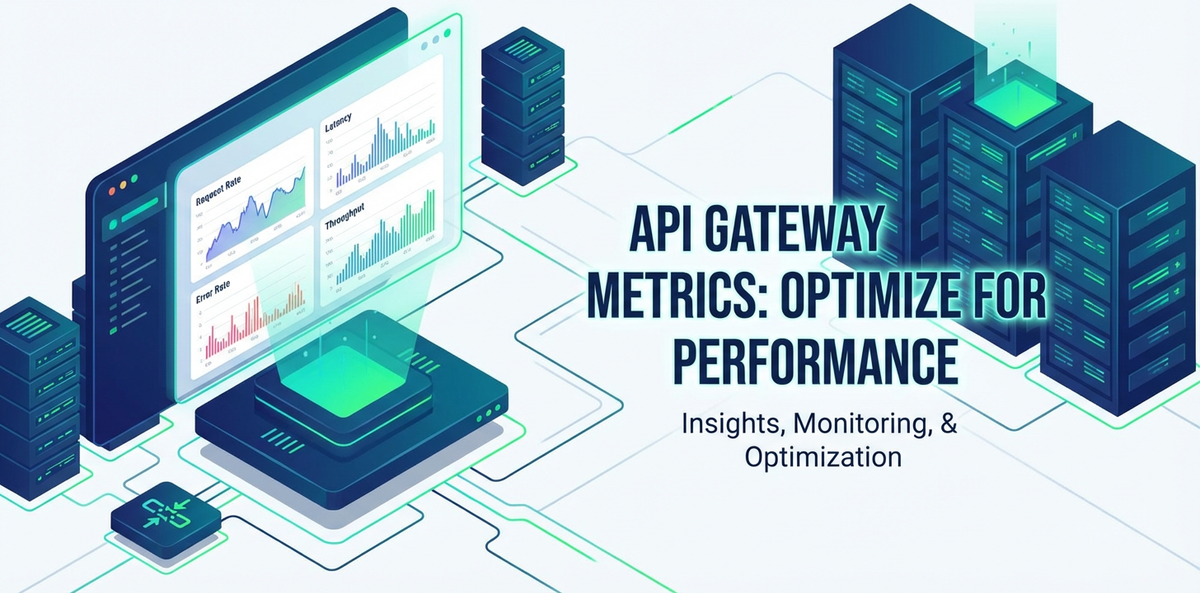


In the intricate tapestry of modern software architecture, where microservices communicate tirelessly and data flows across myriad endpoints, the API gateway stands as an indispensable sentry. It is the crucial control point, the first line of defense, and the primary orchestrator for all incoming API requests. Without a robust and performant API gateway, the most meticulously designed backend services can falter, leading to sluggish applications, frustrated users, and missed business opportunities. Understanding and meticulously monitoring the performance of your API gateway is not merely a best practice; it is a fundamental pillar for ensuring the health, reliability, and scalability of your entire digital ecosystem. This comprehensive guide will delve deep into the world of API gateway metrics, exploring why they are paramount, what specific data points to collect, the tools and methodologies for collection, and most importantly, how to leverage these insights to elevate your API performance to unprecedented levels.
The journey to superior API performance begins with visibility. Just as a seasoned pilot relies on a detailed instrument panel to navigate complex skies, system administrators and developers depend on a rich array of metrics to steer their APIs through the unpredictable currents of user demand and system loads. Neglecting these signals is akin to flying blind, an approach fraught with peril in the fast-paced world of digital services. From identifying subtle latency spikes that hint at an impending bottleneck to spotting anomalous traffic patterns that could signal a security breach, API gateway metrics provide the critical intelligence needed to maintain optimal operation, troubleshoot issues proactively, and make data-driven decisions that underpin successful digital strategies.
This article aims to be your definitive resource, meticulously detailing every facet of API gateway metrics. We will commence by establishing a foundational understanding of what an API gateway entails and its pivotal role. Subsequently, we will unravel the compelling reasons why these metrics are not just good to have, but absolutely essential for performance optimization, reliability, security, and even cost management. A significant portion will be dedicated to categorizing and explaining the most vital metrics you should be tracking, ranging from traffic volume and error rates to resource utilization and latency profiles. We will then explore the diverse array of methods and tools available for collecting this invaluable data, encompassing everything from built-in features of commercial gateways to open-source solutions and sophisticated Application Performance Monitoring (APM) platforms. Furthermore, the discussion will extend to crafting effective dashboards and setting up intelligent alerts that transform raw data into actionable insights. Finally, we will outline practical strategies for utilizing these metrics to drive continuous performance improvements, address common challenges in metric analysis, and summarize best practices for building a truly resilient and high-performing API infrastructure. By the end of this extensive exploration, you will possess a profound understanding of how to harness the power of API gateway metrics to not only react to performance issues but to anticipate and prevent them, ensuring your APIs consistently deliver exceptional experiences.
The Foundational Role of API Gateways in Modern Architectures
At its core, an API gateway serves as a singular entry point for all client requests into a microservices-based application or a distributed system. It acts as a reverse proxy, routing requests to the appropriate backend services, but its functionality extends far beyond simple traffic forwarding. The gateway is a strategic intermediary that offloads many cross-cutting concerns from individual services, allowing them to remain focused on their core business logic. This centralized management point is critical for maintaining consistency, enforcing policies, and improving the overall resilience and security of the system.
Imagine a bustling international airport; the API gateway is akin to the air traffic control tower. It directs incoming flights (API requests) to the correct terminals (backend services), ensures that only authorized aircraft (authenticated users) are allowed to land, manages the flow of planes to prevent congestion (rate limiting), and even handles pre-flight checks and customs (data transformation and validation). Without this central control, chaos would ensue, leading to delays, security breaches, and an inability to manage the sheer volume of air traffic.
Specifically, the API gateway typically handles a suite of essential functions:
- Request Routing: Based on predefined rules, the gateway directs incoming requests to the correct upstream service. This could involve path-based routing, host-based routing, or even more complex logic based on request headers or parameters.
- Authentication and Authorization: Before a request even reaches a backend service, the gateway can verify client credentials, validate API keys or OAuth tokens, and enforce access policies, significantly enhancing security and reducing the burden on individual microservices.
- Rate Limiting and Throttling: To protect backend services from overload and ensure fair usage, the gateway can limit the number of requests a client can make within a specified timeframe. This prevents denial-of-service (DoS) attacks and ensures consistent performance for all users.
- Load Balancing: When multiple instances of a backend service are available, the gateway intelligently distributes requests across them, optimizing resource utilization and improving fault tolerance.
- Caching: Frequently requested data can be cached at the gateway level, reducing the load on backend services and significantly improving response times for subsequent requests.
- Request and Response Transformation: The gateway can modify incoming requests (e.g., adding headers, converting data formats) or outgoing responses to ensure compatibility between clients and services, or to standardize API contracts.
- Logging and Monitoring: As the central point of ingress, the gateway is ideally positioned to capture comprehensive data about every API call, including request details, response times, errors, and client information. This capability forms the bedrock of our discussion on metrics.
- Circuit Breaking: To prevent cascading failures in a distributed system, a gateway can implement circuit breaker patterns, temporarily blocking requests to services that are experiencing issues until they recover.
- API Versioning: The gateway can manage different versions of an API, allowing clients to access specific versions without requiring changes to the backend services.
The profound importance of the API gateway in modern microservices architectures cannot be overstated. It decouples clients from specific service implementations, allowing backend services to evolve independently. It centralizes policy enforcement, making security and governance easier to manage. Perhaps most critically, it acts as a performance multiplier, shielding fragile backend services from the full brunt of client traffic and ensuring a smoother, more resilient user experience. The health and performance of this single component have a direct and often dramatic impact on the performance, reliability, and scalability of the entire application. Therefore, comprehensive monitoring of the API gateway is not merely an option; it is an imperative for any organization committed to delivering high-quality digital services.
Why API Gateway Metrics Matter: Unlocking Performance, Reliability, and Insight
The raw data generated by an API gateway isn't just noise; it's a rich vein of information waiting to be mined for critical insights. Collecting and analyzing API gateway metrics provides a panoramic view of your API ecosystem's health, offering tangible benefits across multiple dimensions of your operation. These metrics are the heartbeat monitor, the security camera, and the performance dashboard all rolled into one, essential for proactive management and strategic decision-making.
Performance Optimization: Pinpointing and Eliminating Bottlenecks
One of the most immediate and significant benefits of robust API gateway metrics is their role in performance optimization. By tracking metrics such as average response times, latency at different percentiles (P90, P95, P99), and throughput, you can identify precisely where slowdowns are occurring. Is the latency originating within the gateway itself due to inefficient routing or processing? Or is the gateway merely reflecting a bottleneck in an upstream backend service? Detailed metrics allow you to differentiate between these scenarios. For instance, a sudden spike in gateway-to-backend latency could indicate an issue with a specific service, while consistent high end-to-end latency, irrespective of backend performance, might point to an overloaded gateway or inefficient network configuration. Armed with this granular data, teams can pinpoint performance bottlenecks with surgical precision, whether it’s optimizing caching mechanisms, refining rate-limiting policies, or scaling gateway instances, ultimately leading to faster API responses and a smoother user experience.
Reliability and Uptime: Proactive Issue Detection and Prevention
API gateway metrics are an early warning system for potential outages and service degradations. By continuously monitoring error rates (e.g., 5xx status codes), timeout percentages, and connection failures, operations teams can detect anomalies before they escalate into full-blown crises. A gradual increase in 500 errors, even if small, can signal a subtle issue in a backend service or database connection pool that, left unchecked, could lead to a complete service disruption. Similarly, an unexpected drop in request volume might indicate that clients are failing to connect to the gateway. Proactive alerting based on these metrics allows engineers to investigate and mitigate problems before they impact a significant number of users, ensuring high availability and meeting stringent Service Level Agreements (SLAs). This capability to foresee and preempt problems is invaluable, transforming reactive firefighting into strategic maintenance.
Security Enhancement: Identifying Threats and Anomalies
Given the API gateway's position as the primary ingress point, its metrics are invaluable for bolstering security. Metrics such as failed authentication attempts, unauthorized access attempts (401/403 errors), rate limit breaches, and unusual request patterns can signal malicious activity. A sudden surge in requests from a single IP address, especially if accompanied by a high percentage of failed authentication attempts, could indicate a brute-force attack. Similarly, an unexpected spike in requests to a sensitive endpoint might suggest an attempt at unauthorized data access. By monitoring these indicators, security teams can swiftly detect and respond to threats, implementing dynamic IP blacklisting, adjusting WAF (Web Application Firewall) rules, or triggering more in-depth investigations, thereby protecting sensitive data and maintaining the integrity of the system.
Cost Management: Optimizing Resource Utilization and Scaling
Operating a cloud-native API infrastructure can be costly, and metrics provide the intelligence needed to optimize resource allocation. By tracking CPU usage, memory consumption, network I/O, and concurrent connections on gateway instances, you can ensure that your resources are neither underutilized (wasting money) nor overutilized (leading to performance degradation). Understanding peak traffic patterns and average loads allows for informed scaling decisions. For instance, if CPU utilization consistently hovers below 20% during off-peak hours, you might consider downscaling instances to save costs. Conversely, if memory usage frequently approaches limits during peak times, it signals a need for scaling up or optimizing gateway configurations. This data-driven approach to resource management ensures that you only pay for what you need, maximizing efficiency and controlling operational expenses.
Business Insights: Understanding Usage and Driving Strategy
Beyond the technical benefits, API gateway metrics offer profound business insights. By analyzing API call volumes per client, per API endpoint, per geographical region, or even per subscription tier, businesses can gain a deeper understanding of how their APIs are being used. This information is crucial for:
- Product Development: Identifying popular APIs can inform future development efforts, highlighting which services are most valuable to users. Conversely, APIs with low usage might be candidates for deprecation or enhancement.
- Monetization Strategies: For platforms that monetize APIs, detailed usage metrics are essential for billing, tier management, and identifying opportunities for new pricing models.
- Capacity Planning: Understanding historical usage trends and predicting future demand allows businesses to plan infrastructure scaling effectively, ensuring that capacity always meets user needs.
- Customer Experience: By correlating API usage with customer feedback, businesses can identify areas where API performance directly impacts user satisfaction, guiding targeted improvements.
SLA Compliance: Ensuring Service Level Agreements are Met
For many organizations, API performance is governed by strict Service Level Agreements (SLAs) with their customers or partners. These agreements often stipulate maximum permissible latency, minimum uptime, and acceptable error rates. API gateway metrics provide the undeniable evidence needed to prove compliance with these SLAs. By continually monitoring the agreed-upon metrics, organizations can proactively identify any deviations from the SLA, take corrective action, and provide transparent reporting to their stakeholders, thereby building trust and maintaining strong business relationships. The ability to demonstrate consistent performance against defined benchmarks is a significant competitive advantage.
In summary, API gateway metrics are the essential navigational tools for anyone operating a modern API ecosystem. They empower teams to build faster, more reliable, more secure, and more cost-effective services, all while providing invaluable insights that can drive strategic business decisions. The investment in robust metric collection and analysis is not an expenditure; it is an investment in the future success and stability of your digital offerings.
Key Categories of API Gateway Metrics: What to Track and Why
To effectively monitor and manage an API gateway, it's essential to understand the distinct categories of metrics available. Each category offers unique insights into different aspects of the gateway's operation, from its overall load to its internal health and its security posture. A holistic view requires collecting and analyzing a balanced set of metrics from each category.
1. Traffic Metrics: Understanding the Flow
Traffic metrics provide a high-level overview of the activity flowing through your API gateway, helping you understand usage patterns, identify peak times, and gauge overall demand.
- Request Count (Total, Per API, Per Client):
- What it is: The total number of requests processed by the gateway over a given period. This can be further broken down by individual API endpoint or by client (e.g., using API keys or client IDs).
- Why it's important: Provides a fundamental understanding of overall system load and demand. Tracking per-API and per-client counts helps identify popular services, dominant users, and potential abuse patterns.
- Insights: Helps in capacity planning, identifying popular API endpoints for optimization, and detecting unusual spikes in traffic that might indicate a distributed denial-of-service (DDoS) attack or a misbehaving client.
- Successful Requests vs. Error Rates (4xx, 5xx):
- What it is: The number of requests that resulted in a successful HTTP status code (2xx) versus those that resulted in client-side errors (4xx) or server-side errors (5xx). Often expressed as a percentage.
- Why it's important: Direct indicator of API reliability and user experience. High 4xx rates suggest issues with client implementations or invalid requests, while high 5xx rates point to problems within the gateway or backend services.
- Insights: Early warning for system instability. A rising 5xx rate demands immediate investigation into backend service health or gateway configuration. A rising 4xx rate might necessitate better API documentation or client support.
- Throughput (Requests Per Second - RPS, Bytes Per Second - BPS):
- What it is: The rate at which requests are processed (RPS) or data is transmitted (BPS) through the gateway.
- Why it's important: Measures the processing capability and network utilization of the gateway. Essential for understanding sustained load and network capacity.
- Insights: Helps in scaling decisions. If RPS is consistently high and nearing maximum capacity, it indicates a need to provision more gateway instances. BPS can highlight network bottlenecks or large data transfers.
- Unique Users/Clients:
- What it is: The number of distinct users or client applications interacting with the API gateway.
- Why it's important: Provides a view of user engagement and market penetration. Useful for business intelligence and identifying key customer segments.
- Insights: Can track user growth, identify periods of increased user activity, and segment API usage by different user cohorts.
2. Performance Metrics: Measuring Speed and Efficiency
Performance metrics focus on the responsiveness of your API gateway and the entire API call chain, crucial for delivering a snappy user experience.
- Latency (Average, P90, P95, P99):
- What it is: The time taken for a request to be processed and a response returned. Measured from the moment the gateway receives the request to the moment it sends the response back to the client. Typically broken down into average, and percentiles (P90 means 90% of requests are faster than this time). This can also be split into:
- End-to-end Latency: Total time from client to backend and back.
- Gateway Processing Latency: Time spent specifically within the gateway (e.g., for authentication, routing, policy enforcement).
- Backend Processing Latency: Time the backend service took to process the request.
- Why it's important: The single most critical indicator of user experience. High latency directly correlates with user frustration and abandonment.
- Insights: Pinpointing where latency is introduced is vital for optimization. If gateway processing latency is high, internal gateway tuning is needed. If backend latency dominates, attention shifts to the downstream services. Percentiles are crucial as averages can hide slow outliers.
- What it is: The time taken for a request to be processed and a response returned. Measured from the moment the gateway receives the request to the moment it sends the response back to the client. Typically broken down into average, and percentiles (P90 means 90% of requests are faster than this time). This can also be split into:
- Response Times by API/Endpoint:
- What it is: Latency measurements specifically for individual API endpoints or groups of endpoints.
- Why it's important: Some APIs are inherently more complex or resource-intensive than others. This metric allows for targeted optimization.
- Insights: Helps identify specific "hot" or slow endpoints that require attention, allowing developers to prioritize optimization efforts.
- Connection Duration:
- What it is: The length of time client connections remain open with the gateway.
- Why it's important: Long-lived or excessive connections can consume gateway resources, especially if not properly managed.
- Insights: Useful for diagnosing connection pooling issues, HTTP keep-alive settings, or identifying clients that are not closing connections gracefully.
3. Error Metrics: Diagnosing Problems
While covered briefly in traffic metrics, a deeper dive into specific error types is crucial for effective troubleshooting.
- Specific HTTP Status Codes (400, 401, 403, 404, 429, 500, 502, 503, 504):
- What it is: Counts of each distinct HTTP status code returned by the gateway.
- Why it's important: Each code provides specific diagnostic information.
400 Bad Request: Client sent an invalid request.401 Unauthorized: Authentication failed.403 Forbidden: Authorization denied.404 Not Found: Requested resource doesn't exist.429 Too Many Requests: Rate limit exceeded.500 Internal Server Error: Generic backend error.502 Bad Gateway: Gateway received an invalid response from backend.503 Service Unavailable: Backend service is overloaded or down.504 Gateway Timeout: Gateway didn't receive a timely response from backend.
- Insights: Granular error codes allow for rapid root cause analysis. A surge in 401s points to authentication issues, 504s suggest backend slowness or network issues between gateway and backend.
- Error Rate Percentage:
- What it is: The percentage of all requests that result in an error (e.g.,
(4xx + 5xx) / total requests * 100). - Why it's important: A normalized view of system health, making it easy to track trends and set alerts.
- Insights: Helps establish a baseline for "normal" error behavior and identifies significant deviations requiring investigation.
- What it is: The percentage of all requests that result in an error (e.g.,
- Timeout Errors:
- What it is: Specific counts of requests that timed out, either at the gateway level or when the gateway was waiting for a backend response.
- Why it's important: Timeouts often indicate severe performance bottlenecks or unresponsive services.
- Insights: Crucial for identifying services that are struggling to cope with load or that have become unresponsive.
4. Resource Utilization Metrics: Gateway Health and Scalability
These metrics monitor the internal health and resource consumption of the API gateway instances themselves, ensuring they have adequate capacity.
- CPU Usage:
- What it is: Percentage of CPU being utilized by the gateway process(es).
- Why it's important: High CPU usage can indicate the gateway itself is overwhelmed, processing complex policies, or suffering from inefficient code.
- Insights: Critical for scaling decisions. Persistent high CPU warns of an impending bottleneck and necessitates scaling up or out.
- Memory Usage:
- What it is: The amount of RAM consumed by the gateway process(es).
- Why it's important: Excessive memory usage can lead to swapping, performance degradation, or even out-of-memory errors, causing crashes.
- Insights: Helps identify memory leaks, inefficient caching, or a need for more RAM for the gateway instances.
- Network I/O:
- What it is: The rate of incoming and outgoing network traffic (bytes per second) handled by the gateway's network interfaces.
- Why it's important: Indicates the volume of data being processed and can highlight network bottlenecks at the instance or infrastructure level.
- Insights: Ensures the network interface capacity is sufficient for the traffic volume and helps diagnose network-related performance issues.
- Disk I/O (if applicable):
- What it is: The rate of read/write operations to disk, relevant if the gateway logs locally, caches to disk, or uses local storage for configuration.
- Why it's important: High disk I/O can be a performance bottleneck, especially for latency-sensitive operations.
- Insights: Helps diagnose issues related to persistent logging, large cache sizes on disk, or local data storage.
- Open Connections:
- What it is: The number of active TCP connections maintained by the gateway.
- Why it's important: Each connection consumes resources. Too many open connections can exhaust file descriptors or memory.
- Insights: Important for tuning operating system limits, understanding connection pooling behavior, and identifying connection leaks.
5. Security Metrics: Guarding the Perimeter
Leveraging the gateway's position to monitor for security-related events is paramount.
- Authentication/Authorization Failures:
- What it is: Counts of requests rejected due to invalid credentials, expired tokens, or insufficient permissions (e.g., 401s and 403s).
- Why it's important: High numbers can indicate misconfigured clients, credential stuffing attacks, or attempts at unauthorized access.
- Insights: Triggers for security investigations. A sudden spike can indicate an active attack.
- Rate Limit Breaches:
- What it is: The number of requests that were denied because a client exceeded their allocated rate limit (429 Too Many Requests).
- Why it's important: Indicates aggressive client behavior, potential abuse, or a need to adjust rate limiting policies.
- Insights: Helps tune rate limiting policies to balance availability with protection and identify potential DDoS attempts.
- IP Blacklist Hits:
- What it is: The number of requests originating from IP addresses explicitly blacklisted by security policies.
- Why it's important: Direct indicator of attempts from known malicious sources.
- Insights: Confirms the effectiveness of blacklisting and helps identify persistent attackers.
- API Key Usage/Invalid Keys:
- What it is: Monitoring which API keys are being used, and the number of requests made with invalid or revoked keys.
- Why it's important: Critical for API monetization, client tracking, and identifying compromised or improperly used keys.
- Insights: Provides data for auditing client activity and managing API key lifecycles.
Table: Essential API Gateway Metric Categories and Their Value
| Metric Category | Key Metrics Examples | Primary Value | Actionable Insights |
|---|---|---|---|
| Traffic | Request Count (Total, Per API, Per Client), Throughput (RPS), Error Rates (4xx, 5xx), Unique Clients | Understanding demand, usage patterns, overall system load, and initial health indicators. | Capacity planning, identifying popular/unpopular APIs, detecting unusual traffic spikes or drops, overall system health at a glance. |
| Performance | Latency (Avg, P90, P95, P99), Response Times by API, Connection Duration | User experience, responsiveness, identifying bottlenecks in the request path. | Optimizing caching, tuning gateway configurations, pinpointing slow backend services, improving client-side experience. |
| Error | Specific HTTP Status Codes (500, 502, 503, 504, 401, 429), Timeout Errors, Error Rate Percentage | Diagnosing specific issues, identifying failing components, understanding client-side problems. | Rapid root cause analysis for service outages, addressing misconfigured clients, tuning backend resilience. |
| Resource Utilization | CPU Usage, Memory Usage, Network I/O, Open Connections | Internal health of gateway instances, scaling needs, resource optimization. | Scaling gateway instances up/down, detecting resource leaks, optimizing gateway configuration, cost management. |
| Security | Authentication/Authorization Failures, Rate Limit Breaches, IP Blacklist Hits | Threat detection, policy enforcement, identifying suspicious activity. | Activating WAF rules, dynamic IP blocking, refining security policies, investigating credential compromises. |
| Business | API Calls by Subscription Tier, Usage by Region | Commercial insights, product strategy, customer behavior. | Adjusting pricing models, targeting marketing efforts, justifying new feature development, improving customer retention. |
By diligently collecting and analyzing metrics across these categories, organizations can gain a truly comprehensive understanding of their API gateway's performance, stability, and security. This data-driven approach moves beyond guesswork, empowering teams to make informed decisions that directly contribute to the success of their digital products and services.
Methods and Tools for Collecting API Gateway Metrics
The value of API gateway metrics is directly proportional to the effectiveness of their collection and analysis. A plethora of methods and tools exist, ranging from built-in functionalities of commercial products to flexible open-source solutions and comprehensive Application Performance Monitoring (APM) platforms. The choice often depends on the specific API gateway used, the existing monitoring stack, budget constraints, and the desired level of granularity.
1. Built-in Gateway Features and Cloud Provider Integrations
Many commercial API gateways and cloud-managed gateway services come with integrated monitoring and logging capabilities, often deeply integrated with their respective cloud ecosystems.
- AWS API Gateway with CloudWatch: Amazon's API Gateway seamlessly integrates with AWS CloudWatch, providing a rich set of metrics out-of-the-box. These include latency, error rates (by 4xx and 5xx), request counts, and data transfer metrics. CloudWatch Logs captures detailed access logs, which can be further analyzed using CloudWatch Logs Insights or streamed to other services. For example,
Count,Latency,4XXError, and5XXErrormetrics are automatically published at 1-minute intervals. - Azure API Management Analytics: Azure's counterpart offers a robust analytics dashboard within the Azure portal. It provides insights into API usage, health, latency, and errors. Metrics can be viewed in real-time or historically, and custom reports can be generated. Integration with Azure Monitor allows for advanced alerting and logging.
- Google Cloud Apigee Analytics: Apigee, Google's API management platform, excels in its analytics capabilities. It provides highly customizable dashboards that offer deep insights into API traffic, performance, developer engagement, and monetization. Metrics can be sliced and diced by various dimensions like API proxy, developer app, API key, and geographic region.
Pros: Easy to set up, deeply integrated with the platform, often sufficient for basic monitoring. Cons: Can be vendor-locked, may lack advanced customization or integration with heterogeneous environments, costs can scale with usage.
2. Logging and Centralized Logging Systems
Every API gateway generates logs for each request it processes. These logs are a goldmine of information, containing details like request timestamp, method, path, client IP, user agent, response status code, latency, and more.
- Structured Logs (JSON, Logfmt): Modern gateways are configured to output logs in structured formats (ee.g., JSON or Logfmt) rather than plain text. This makes parsing and machine analysis far more efficient. Each field in a structured log entry corresponds to a specific metric dimension.
- Centralized Logging Systems (ELK Stack, Splunk, Datadog Logs):
- ELK Stack (Elasticsearch, Logstash, Kibana): A popular open-source suite. Logstash ingests, filters, and transforms logs from the gateway. Elasticsearch stores and indexes the data, making it searchable. Kibana provides powerful visualization dashboards and discovery tools for exploring log data.
- Splunk: A commercial platform known for its powerful search, analysis, and visualization capabilities for machine-generated data, including logs.
- Datadog Logs: Part of the comprehensive Datadog platform, it ingests, processes, and analyzes logs, correlating them with other metrics and traces.
Pros: Provides granular detail for every request, excellent for forensic analysis and root cause identification, flexible for custom metrics extraction. Cons: Can generate massive volumes of data, requiring significant storage and processing power; parsing unstructured logs can be challenging; real-time aggregation for dashboards might require additional tooling.
3. Monitoring Agents and Exporters (Prometheus, Grafana)
For gateways deployed on infrastructure you manage (e.g., Nginx, Envoy, Kong, Apache), dedicated monitoring agents or exporters are a common approach, particularly within the Prometheus ecosystem.
- Prometheus Exporters: Many API gateways or underlying proxy servers (like Nginx or Envoy) offer Prometheus exporters. These are small services that expose internal gateway metrics (e.g., request counts, connection states, health checks) in a Prometheus-compatible format. Prometheus then scrapes these endpoints at regular intervals.
- For instance, an Nginx Plus API gateway might have an Nginx Plus API, which can be scraped by a custom exporter to generate Prometheus metrics. Open-source Nginx can use the
nginx_exporter. - Envoy Proxy also exposes a rich set of statistics via its
/statsendpoint, which can be directly consumed by Prometheus.
- For instance, an Nginx Plus API gateway might have an Nginx Plus API, which can be scraped by a custom exporter to generate Prometheus metrics. Open-source Nginx can use the
- Prometheus + Grafana: This open-source combination is a powerful and flexible solution. Prometheus handles metric collection and storage, while Grafana provides highly customizable dashboards for visualization. This stack allows you to create bespoke dashboards tailored to your specific gateway and operational needs.
Pros: Highly flexible, open-source, excellent for time-series data, strong community support, cost-effective for self-managed infrastructure. Cons: Requires setup and maintenance of the monitoring infrastructure, steeper learning curve than cloud-native solutions.
4. Application Performance Monitoring (APM) Tools
APM tools offer an end-to-end view of application performance, integrating gateway metrics with backend service performance, distributed tracing, and user experience monitoring.
- Datadog, New Relic, Dynatrace, AppDynamics: These commercial APM platforms provide comprehensive monitoring capabilities. They typically use agents deployed on servers (or integrations with cloud services) to collect a wide array of metrics, logs, and traces.
- They can ingest metrics directly from gateways, parse gateway logs, and correlate this data with metrics from backend services, databases, and infrastructure.
- Distributed Tracing: A key feature of modern APMs is distributed tracing, which allows you to follow a single request as it traverses multiple services, including the API gateway. This provides unparalleled visibility into latency sources across the entire call chain.
Pros: End-to-end visibility, automated correlation, powerful anomaly detection, unified dashboards for complex distributed systems, reduces tool sprawl. Cons: Can be expensive, may require instrumenting code with agents, potentially complex to configure for all components.
5. Open-Source AI Gateway & API Management Platforms (e.g., APIPark)
Some platforms, particularly those focused on specialized API management and AI integration, offer their own powerful, built-in monitoring and analysis capabilities. These platforms often combine gateway functionalities with comprehensive analytics specifically tailored for API usage.
For instance, APIPark is an open-source AI gateway and API management platform that stands out in this regard. As an all-in-one solution, it's designed to manage, integrate, and deploy AI and REST services, and crucially, it comes equipped with robust monitoring features. APIPark provides detailed API call logging, meticulously recording every aspect of each API invocation. This includes request/response details, latency, status codes, client information, and more. Beyond raw logging, APIPark also offers powerful data analysis capabilities, enabling businesses to analyze historical call data, visualize long-term trends, and identify performance changes. This comprehensive insight helps not only in troubleshooting issues quickly but also in preventive maintenance and strategic capacity planning. The platform's ability to encapsulate prompts into REST APIs and manage a lifecycle of APIs from design to deployment underscores its full-stack approach, where monitoring is a fundamental integrated component rather than an afterthought. Such platforms streamline the process, providing a single pane of glass for both API operations and performance analytics, making them particularly appealing for organizations seeking integrated solutions for both their AI and traditional REST APIs.
Pros: Tailored specifically for API management, often provides deeper insights into API-specific metrics (like API usage by model, prompt performance), integrated solution simplifies deployment and management. Cons: May be specific to its platform ecosystem, requiring adoption of the platform itself.
6. Custom Metric Collection
In some cases, especially with highly customized or legacy gateways, you might need to implement custom metric collection logic. This could involve:
- Scripting: Writing scripts (e.g., Python, Bash) to parse gateway logs and push metrics to a time-series database (like InfluxDB or Prometheus Pushgateway).
- Custom Middleware/Plugins: Developing custom plugins or middleware for your gateway (if supported) to emit metrics directly to your monitoring system.
Pros: Maximum flexibility and control, can collect highly specific or unique metrics. Cons: High development and maintenance overhead, requires deep understanding of the gateway's internals.
Choosing the right combination of tools is critical. A common strategy involves leveraging built-in cloud integrations for initial visibility, supplementing with centralized logging for forensic analysis, and employing APM tools or open-source stacks like Prometheus+Grafana for real-time dashboards and advanced alerting. The goal is always to achieve a comprehensive, actionable view of your API gateway's performance, without drowning in a sea of irrelevant data or incurring prohibitive costs.
APIPark is a high-performance AI gateway that allows you to securely access the most comprehensive LLM APIs globally on the APIPark platform, including OpenAI, Anthropic, Mistral, Llama2, Google Gemini, and more.Try APIPark now! 👇👇👇
Designing Effective Metric Dashboards and Alerts
Collecting raw API gateway metrics is only half the battle; transforming that data into actionable insights requires well-designed dashboards and intelligent alerting strategies. Effective visualizations and timely notifications are crucial for maintaining operational excellence, enabling teams to quickly understand the state of their APIs and respond to issues before they escalate.
Principles of Effective Dashboard Design
A good dashboard isn't just a collection of graphs; it's a narrative that tells the story of your API gateway's health and performance. Several key principles should guide its creation:
- Clarity and Simplicity: Dashboards should be easy to understand at a glance. Avoid clutter, use consistent naming conventions, and choose appropriate chart types for the data being presented. Too much information can be overwhelming and counterproductive.
- Relevance and Actionability: Every metric displayed should serve a purpose. Dashboards should highlight the most critical indicators that directly correlate to performance, reliability, and security. Each piece of information should ideally lead to an actionable insight or decision.
- Hierarchy and Grouping: Organize metrics logically. Group related metrics together (e.g., all latency metrics, all error metrics). Use different sections or tabs for different levels of detail, starting with a high-level overview and allowing for drill-downs.
- Context and Baselines: Provide context for the metrics. Show historical data (e.g., last 24 hours, 7 days) to identify trends and compare current performance against established baselines. Highlighting "normal" operating ranges helps quickly spot anomalies.
- Target Audience: Design dashboards with specific users in mind. An operations team's dashboard might focus on real-time errors and resource utilization, while a product manager's dashboard might emphasize API usage trends and adoption rates.
Key Dashboard Elements for API Gateway Metrics
Based on the categories discussed earlier, an effective API gateway dashboard should typically include:
- Overall Health Overview (The "Golden Signals"):
- Total Request Count/Throughput (RPS): A simple line graph showing incoming traffic over time.
- Overall Error Rate (Percentage of 4xx/5xx): A single number or gauge, perhaps with a color-coded threshold (green for healthy, yellow for warning, red for critical).
- Average & P90/P95/P99 Latency: Line graphs showing the trends of different latency percentiles, ideally broken down by gateway processing vs. backend processing.
- Gateway CPU/Memory Utilization: Graphs showing resource consumption for the gateway instances.
- Why: These are the most critical metrics for a quick assessment of system health.
- Top N APIs by Traffic, Errors, and Latency:
- Bar charts or tables: Displaying the top 5-10 busiest APIs, those generating the most errors, and those with the highest latency.
- Why: Helps identify "hot spots" or problematic APIs that require immediate attention.
- Detailed Error Breakdowns:
- Pie chart or stacked bar chart: Showing the distribution of different 4xx and 5xx status codes.
- Why: Allows for rapid diagnosis of the type of problem (e.g., too many 401s = authentication issue; too many 504s = backend timeout).
- Resource Utilization Trends:
- Stacked area charts or line graphs: For CPU, memory, network I/O, and open connections, especially over longer periods (e.g., 24 hours, 7 days) to spot trends and capacity limits.
- Why: Essential for capacity planning and ensuring the gateway infrastructure itself is not overloaded.
- Security Overview:
- Count of Authentication Failures, Rate Limit Breaches, Blacklist Hits: Simple gauges or line graphs.
- Why: Provides a quick view of potential security incidents or policy violations.
- Geographical Distribution of Traffic (Optional but useful):
- World map visualization: Showing where requests are originating from.
- Why: Can help identify regional performance issues, target specific user bases, or detect unusual traffic sources.
Crafting Intelligent Alerting Strategies
Alerts are the mechanism by which your monitoring system proactively notifies you of issues. Poorly configured alerts can lead to alert fatigue, causing critical warnings to be ignored. Effective alerting requires careful planning:
- Define Clear Thresholds: For each critical metric, establish what constitutes "normal," "warning," and "critical" states.
- Example: Latency P95 > 500ms for 5 minutes (Warning); Latency P95 > 1000ms for 2 minutes (Critical).
- Example: 5xx Error Rate > 1% for 1 minute (Warning); 5xx Error Rate > 5% for 30 seconds (Critical).
- Monitor Trends, Not Just Spikes: While sudden spikes are important, sometimes a gradual degradation (e.g., CPU slowly increasing over hours) can be a precursor to a larger problem. Alert on trend anomalies.
- Baseline-Based Alerts: Leverage historical data to establish dynamic baselines. An alert might trigger if current metric values deviate significantly from the expected range for that time of day or week.
- Combine Metrics for Context: Avoid single-metric alerts in isolation where possible. An alert for "high CPU" is more useful if correlated with "high request rate" and "high error rate," giving a clearer picture of the problem's cause.
- Severity Levels and Escalation: Not all alerts are equally urgent. Assign severity levels (e.g., Critical, Major, Minor, Warning) and define escalation paths. A critical alert might page an on-call engineer immediately, while a warning might just send an email to a team distribution list.
- Actionable Alerts: Every alert should ideally contain enough context for the recipient to begin troubleshooting. This includes:
- What metric triggered the alert.
- Its current value and threshold.
- A link to the relevant dashboard or runbook.
- Impact (e.g., "5% of users affected").
- De-duplication and Silencing: Implement mechanisms to prevent alert storms (multiple identical alerts) and to temporarily silence alerts during planned maintenance.
- Regular Review and Refinement: Alerting rules are not static. Regularly review your alerts to ensure they are still relevant, not generating excessive noise, and effectively catching issues. Remove alerts for problems that have been resolved or are no longer critical.
By diligently applying these principles to dashboard design and alerting strategies, organizations can transform their raw API gateway metrics into a powerful operational tool. This ensures that when an issue arises, it is detected promptly, understood clearly, and addressed efficiently, safeguarding the performance and reliability of their critical API infrastructure.
Utilizing Metrics for Performance Improvement: A Strategic Approach
Collecting and visualizing metrics are foundational, but their true power lies in how they are used to drive continuous improvement. API gateway metrics provide the empirical evidence needed to make informed decisions, optimize configurations, and proactively enhance the performance, reliability, and security of your API ecosystem. This section explores practical ways to leverage these insights for strategic performance improvement.
1. Capacity Planning and Resource Provisioning
- How metrics help: By analyzing historical traffic metrics (request counts, RPS, throughput) and resource utilization (CPU, memory, network I/O) over weeks or months, you can identify peak usage patterns, growth trends, and seasonal variations.
- Actionable insights:
- Proactive Scaling: Predict when additional gateway instances will be needed to handle anticipated traffic increases (e.g., before a marketing campaign or holiday season).
- Cost Optimization: Identify periods of low utilization where you can safely downscale instances to save cloud costs, or if current resources are consistently over-provisioned.
- Infrastructure Upgrades: Determine if the underlying infrastructure (e.g., network bandwidth, hardware specifications) needs upgrading to support future growth.
- Example: If your gateway consistently hits 70% CPU during Monday mornings and traffic is growing 10% month-over-month, you know you need to scale out within a few months to prevent degradation.
2. Troubleshooting and Root Cause Analysis
- How metrics help: When an incident occurs (e.g., users report slow API responses or errors), dashboards and logs become the first line of defense. Correlating different metric types can quickly pinpoint the problem.
- Actionable insights:
- Pinpointing Bottlenecks: A spike in end-to-end latency coupled with high gateway processing latency suggests an issue within the gateway itself (e.g., an inefficient policy), whereas high backend processing latency points to an upstream service problem.
- Identifying Failing Services: A surge in 504 (Gateway Timeout) or 503 (Service Unavailable) errors specifically for one API endpoint immediately tells you which backend service is struggling or unresponsive.
- Diagnosing Client Issues: A rise in 400 (Bad Request) or 401 (Unauthorized) errors for specific clients indicates a problem with their request formatting or authentication credentials, not necessarily a gateway or backend issue.
- Example: A sudden jump in 5xx errors and P99 latency, correlated with a backend service showing high CPU and low memory, clearly points to that service instance as the root cause.
3. A/B Testing and Canary Releases
- How metrics help: When deploying new API versions or making changes to gateway configurations, metrics provide immediate feedback on the impact of those changes.
- Actionable insights:
- Performance Validation: Compare latency, error rates, and throughput for the new version against the old one. If the new version shows higher latency or errors, it can be quickly rolled back.
- Impact Assessment: Monitor resource utilization for the gateway itself. Does the new configuration consume more CPU or memory?
- Gradual Rollouts: During a canary release, metrics from the small percentage of traffic routed to the new version can confirm stability and performance before a full rollout.
- Example: Deploying a new authentication plugin to 5% of traffic and observing a 20% increase in gateway processing latency for that segment would trigger an immediate rollback.
4. Optimizing Caching Strategies
- How metrics help: By monitoring request patterns and backend response times, you can identify frequently accessed, relatively static data that is a good candidate for caching. Gateway cache hit/miss ratios are also critical.
- Actionable insights:
- Identifying Cacheable Endpoints: APIs that receive a high volume of read requests and have predictable responses (low variability) are prime candidates.
- Tuning Cache Expiration: If the cache hit ratio is low but the data is suitable for caching, it might indicate too short an expiration time. Conversely, a very high hit ratio with stale data suggests too long an expiration.
- Cache Size Optimization: Monitor memory usage if using in-memory caching. Ensure the cache size is sufficient without being excessive.
- Example: An API for product catalog data shows high traffic and consistent backend latency. Implementing gateway caching and monitoring for a significant drop in backend calls for this API confirms the optimization.
5. Refining Rate Limiting and Throttling Policies
- How metrics help: Rate limit breach metrics (429 Too Many Requests) and specific client request volumes provide direct feedback on the effectiveness and fairness of your rate limiting policies.
- Actionable insights:
- Balancing Protection and Accessibility: If too many legitimate users are hitting rate limits, the policy might be too aggressive. If abusive clients are still overwhelming services, it's too lenient.
- Tiered Policies: Use client-specific traffic data to inform tiered rate limits for different subscription levels or user types.
- Identifying Malicious Behavior: Repeated rate limit breaches from a single IP or client ID can signal a DoS attempt or scraping activity, prompting deeper investigation or blacklisting.
- Example: Consistently high 429 errors from a premium client tier indicates their rate limits are insufficient for their legitimate usage, requiring an adjustment.
6. Improving Security Posture
- How metrics help: Security metrics like authentication failures, authorization denials, and blacklist hits are direct indicators of threats and vulnerabilities.
- Actionable insights:
- Detecting Brute-Force Attacks: A sudden spike in 401 Unauthorized errors from a single source IP indicates a brute-force attempt.
- Identifying Unauthorized Access: An increase in 403 Forbidden errors to sensitive endpoints could mean an internal or external actor is trying to access restricted resources.
- WAF Rule Optimization: Analysis of blocked requests (if your gateway integrates with a WAF) can help refine WAF rules to block malicious traffic more effectively while minimizing false positives.
- Example: An unexpected surge in requests from Eastern Europe targeting specific
/adminendpoints, accompanied by a high percentage of 403 errors, immediately triggers a security incident response.
7. SLA Management and Reporting
- How metrics help: Metrics provide objective, quantifiable data to demonstrate compliance with Service Level Agreements (SLAs) and Service Level Objectives (SLOs).
- Actionable insights:
- Proactive Compliance Monitoring: Set alerts on SLA-critical metrics (e.g., P99 latency, 5xx error rate). If thresholds are approached, proactive action can be taken to prevent breaches.
- Transparent Reporting: Generate regular reports for stakeholders, showing actual performance against agreed-upon SLA targets.
- Contract Negotiation: Use historical performance data to inform future SLA negotiations, setting realistic and achievable targets.
- Example: Generating a monthly report showing that average API uptime was 99.99% and P95 latency was consistently below 200ms provides confidence to clients about service delivery.
In essence, API gateway metrics transform operational data into strategic intelligence. By systematically applying these insights, teams can move from a reactive mode of operation to a proactive, data-driven approach, continuously enhancing the performance, resilience, and security of their API infrastructure and, by extension, the entire digital experience for their users.
Challenges in API Gateway Metrics Collection and Analysis
While the benefits of diligently collecting and analyzing API gateway metrics are profound, the process itself is not without its complexities. Navigating these challenges effectively is crucial for building a robust and sustainable monitoring strategy. Ignoring them can lead to inflated costs, alert fatigue, and a lack of true operational visibility.
1. Volume of Data: The Tsunami of Logs and Metrics
Modern API gateways, especially those handling high traffic volumes across numerous microservices, can generate an astronomical amount of data. Every request, every response, every policy enforcement, every error condition contributes to this data deluge.
- Impact: Storing, indexing, and querying this sheer volume of logs and metrics requires significant infrastructure (e.g., large Elasticsearch clusters, powerful time-series databases). This directly translates to substantial storage costs, compute costs for processing, and network bandwidth costs for data transfer.
- Challenge: Managing this data scale without breaking the bank or compromising query performance is a constant battle. Teams often face decisions about data retention periods, sampling rates, and pre-aggregation strategies.
2. High Cardinality: The Curse of Many Labels
Cardinality refers to the number of unique values for a specific dimension or label in your metrics. For API gateway metrics, dimensions like client_id, api_path, user_agent, status_code, and IP_address are common. When you combine these, especially with thousands or millions of unique clients or paths, you get high cardinality.
- Impact: High cardinality metrics are extremely expensive to store and query in time-series databases like Prometheus. Each unique combination of labels creates a new time series, exponentially increasing storage requirements and slowing down query performance. Aggregating data across high-cardinality dimensions also becomes computationally intensive.
- Challenge: Balancing the desire for granular detail (e.g., metrics per unique user) with the operational cost and performance implications. Strategies like label dropping, pre-aggregating, or using specialized analytics databases are often required.
3. Data Correlation: Connecting the Dots Across Distributed Systems
An API request doesn't just pass through the gateway; it often traverses multiple backend microservices, databases, and external systems. Understanding the full journey and identifying where latency is introduced or errors originate requires correlating metrics across all these components.
- Impact: Without proper correlation, gateway metrics might tell you that an issue exists (e.g., high 504 errors), but not where the issue lies (which specific backend service, or even which line of code). This leads to tedious manual investigation and extended mean time to resolution (MTTR).
- Challenge: Implementing robust distributed tracing (e.g., using OpenTelemetry, Jaeger) that links all components in a request's path, from the API gateway to the deepest backend service. This requires consistent instrumentation across the entire stack.
4. Tooling Complexity and Integration
Building a comprehensive monitoring solution for API gateways often involves integrating multiple tools: the gateway's native monitoring, a centralized logging system, a time-series database, a visualization tool, and an alerting engine.
- Impact: Each tool has its own configuration, data format, and query language. Integrating them seamlessly, ensuring data consistency, and maintaining the entire stack can be a significant operational burden, requiring specialized skills.
- Challenge: Choosing the right combination of tools that work well together, minimizing operational overhead, and ensuring that teams can effectively utilize the entire monitoring suite. This is where integrated platforms like those offered by APM vendors or specialized solutions like APIPark can offer significant advantages by providing a unified experience.
5. Alert Fatigue: The Boy Who Cried Wolf
Overzealous alerting, or poorly configured alert thresholds, can lead to a constant barrage of notifications.
- Impact: Teams become desensitized to alerts, start ignoring them, or even disable them entirely. This dramatically increases the risk of missing truly critical issues, undermining the entire purpose of an alerting system.
- Challenge: Developing intelligent alerting strategies that focus on actionable, high-signal events. This involves setting appropriate thresholds, leveraging anomaly detection, combining multiple metrics for context, and regularly reviewing and refining alert rules.
6. Defining "Normal": Establishing Baselines in Dynamic Environments
Modern cloud-native environments are highly dynamic. Services scale up and down, deployments happen frequently, and traffic patterns can be unpredictable. This makes establishing a consistent baseline for "normal" performance extremely challenging.
- Impact: Without a clear baseline, it's difficult to distinguish between genuine performance degradation and expected fluctuations. This can lead to false positives (alerting on normal behavior) or false negatives (missing actual problems).
- Challenge: Implementing dynamic baselining or anomaly detection algorithms that can adapt to changing conditions and learn from historical data. This often requires more sophisticated monitoring solutions or machine learning capabilities.
Addressing these challenges requires a thoughtful, strategic approach to monitoring. It involves making deliberate choices about tooling, investing in automation, fostering a culture of observability, and continuously refining your monitoring strategy as your API ecosystem evolves. The effort pays off by ensuring that your API gateway metrics truly empower your teams, rather than overwhelming them.
Best Practices for Maximizing Value from API Gateway Metrics
To truly unlock the potential of API gateway metrics and transform them into a cornerstone of operational excellence, adopting a set of best practices is paramount. These practices ensure that your monitoring efforts are effective, sustainable, and directly contribute to the performance, reliability, and security of your API infrastructure.
1. Start with Business Goals and Service Level Objectives (SLOs)
Don't just collect metrics because you can. Begin by understanding what success looks like for your APIs from both a technical and business perspective.
- Define SLOs: Establish clear Service Level Objectives (e.g., 99.9% uptime, P95 latency < 300ms, error rate < 1%) for your critical APIs. These objectives will guide which metrics are most important to monitor and what thresholds to set for alerts.
- Align with Business Value: Consider how API performance impacts customer satisfaction, revenue, or specific business processes. This helps prioritize monitoring efforts and justify investments in tools and infrastructure.
- Why: This ensures that your monitoring efforts are always relevant and focused on what truly matters to your organization and its users, preventing "observability for observability's sake."
2. Standardize Metrics, Labels, and Logging Formats
Consistency is key, especially in distributed systems. A standardized approach makes data easier to collect, correlate, and analyze across different services and gateways.
- Consistent Naming Conventions: Use clear, consistent names for metrics (e.g.,
api_gateway_request_total,api_gateway_latency_seconds). - Standard Labels/Tags: Apply a consistent set of labels or tags to your metrics and logs (e.g.,
service_name,api_path,client_id,http_status_code). This allows for powerful filtering, aggregation, and drill-downs across your entire stack. - Structured Logging: Ensure all API gateway logs are emitted in a structured format (e.g., JSON). This makes them machine-readable and easy to parse by centralized logging systems.
- Why: Reduces ambiguity, simplifies queries, improves correlation, and enables unified dashboards across diverse components.
3. Implement Robust Distributed Tracing
As discussed, API requests traverse multiple services. Distributed tracing is the only way to get a complete, end-to-end view of a request's journey.
- Instrument Everything: Ensure your API gateway, all backend microservices, and any relevant external integrations are instrumented with a consistent tracing framework (e.g., OpenTelemetry, Jaeger, Zipkin).
- Context Propagation: The gateway must propagate trace context (e.g., trace IDs, span IDs) in HTTP headers to subsequent services.
- Why: Transforms isolated metrics into a holistic narrative, allowing you to quickly identify specific services or components causing latency or errors within a complex request flow.
4. Automate Collection, Processing, and Alerting
Manual intervention in data collection and analysis is prone to errors and cannot scale. Embrace automation wherever possible.
- Automated Metric Collection: Use tools like Prometheus, APM agents, or cloud integrations to automatically scrape or push metrics from your gateway.
- Automated Log Ingestion: Configure centralized logging systems to automatically ingest logs from all gateway instances.
- Infrastructure as Code (IaC): Manage your monitoring configuration (dashboard definitions, alert rules) using IaC tools (e.g., Terraform, Ansible).
- Why: Ensures consistent, reliable data capture, reduces operational overhead, and allows teams to focus on analysis rather than mechanics.
5. Regularly Review Dashboards and Alerts
Monitoring is not a "set it and forget it" task. Your API ecosystem evolves, and so should your monitoring.
- Periodic Review: Schedule regular reviews (e.g., monthly, quarterly) of your dashboards to ensure they are still relevant, accurate, and provide meaningful insights. Remove outdated or unused panels.
- Alert Tuning: Continuously tune alert thresholds to minimize false positives (alert fatigue) and false negatives (missed critical issues). Adjust alerts based on observed patterns and system changes.
- Post-Incident Review: After every major incident, conduct a review to identify gaps in monitoring and alerting that could have detected the problem earlier or provided better diagnostic information.
- Why: Keeps your monitoring system sharp, relevant, and effective in a dynamic environment, ensuring it continues to serve its purpose without becoming a source of noise.
6. Educate and Empower All Teams
Effective observability is a team sport. Developers, operations, security, and even product managers can benefit from understanding API gateway metrics.
- Training and Documentation: Provide training on how to use monitoring tools, interpret dashboards, and respond to alerts. Document troubleshooting runbooks linked directly from alerts.
- Shared Responsibility: Foster a culture where developers own the performance and observability of their services, including how they interact with the API gateway.
- Why: Empowering teams reduces the burden on a single "monitoring" team, speeds up incident resolution, and encourages a performance-first mindset throughout the organization.
7. Iterate and Refine Your Monitoring Strategy
Your monitoring strategy should be treated as a living system that continuously evolves.
- Experiment: Try new metrics, new visualization techniques, and new alerting strategies. Not everything will work perfectly the first time.
- Gather Feedback: Solicit feedback from teams using the dashboards and responding to alerts. What's missing? What's confusing? What's most helpful?
- Adopt New Technologies: Stay aware of emerging trends and technologies in the observability space that could offer better insights or efficiencies.
- Why: Ensures your monitoring stack remains cutting-edge and perfectly aligned with the evolving needs of your API ecosystem and business.
By embracing these best practices, organizations can move beyond merely collecting data to intelligently leveraging API gateway metrics. This strategic approach transforms monitoring from a necessary overhead into a powerful competitive advantage, enabling the continuous delivery of high-performing, reliable, and secure API services that delight users and drive business success.
Conclusion: The Unwavering Importance of API Gateway Metrics
In the complex and dynamic landscape of modern software, where distributed systems and microservices are the norm, the API gateway stands as a critical control point, safeguarding and orchestrating the flow of digital interactions. Its performance, reliability, and security are not merely isolated concerns but direct reflections of the health and effectiveness of your entire digital ecosystem. As we have explored in depth, meticulously collecting, analyzing, and acting upon API gateway metrics is not just a best practice; it is an absolute imperative for any organization striving for operational excellence and sustained success in the digital realm.
We began by establishing the foundational role of the API gateway, highlighting its multifaceted functions as a reverse proxy, a policy enforcer, and a traffic manager. This central position makes it an unparalleled source of truth for understanding how clients interact with your APIs and how your backend services are performing under real-world conditions. The subsequent deep dive into why these metrics matter underscored their profound impact across performance optimization, proactive reliability, enhanced security, intelligent cost management, invaluable business insights, and unwavering SLA compliance.
The exploration of key metric categories — encompassing traffic, performance, errors, resource utilization, and security — provided a comprehensive blueprint for what to track, emphasizing the nuances of each data point and its diagnostic value. From the overall rhythm of request counts and throughput to the subtle tremors of latency percentiles and the clear alarms of specific error codes, each metric tells a vital part of the gateway's story. We then navigated the diverse landscape of collection methods and tools, from the convenience of built-in cloud integrations to the power of open-source stacks like Prometheus+Grafana, and the end-to-end visibility offered by APM solutions and specialized platforms like APIPark. This discussion illuminated the trade-offs and considerations involved in choosing the right monitoring arsenal for your specific environment.
The journey continued into the art and science of designing effective metric dashboards and crafting intelligent alerts. We learned that dashboards must be clear, actionable narratives, while alerts must be precise, contextual, and devoid of the noise that leads to fatigue. Finally, and perhaps most crucially, we delved into the strategic utilization of these metrics, demonstrating how they empower teams to drive continuous improvement in capacity planning, rapid troubleshooting, confident A/B testing, fine-tuned rate limiting, robust security posture, and transparent SLA management. While acknowledging the inherent challenges of data volume, high cardinality, and tool integration, we concluded with a set of best practices that serve as a roadmap for maximizing the value derived from every single metric.
In essence, API gateway metrics are the eyes and ears of your API infrastructure. They offer an unfiltered, real-time pulse of your digital heart, enabling you to anticipate problems before they impact users, react swiftly and decisively when issues arise, and make data-driven decisions that propel your business forward. In an era where digital experiences define competitive advantage, mastering the art and science of API gateway metrics is not just an operational task; it is a strategic imperative for building resilient, high-performing, and secure API ecosystems that consistently deliver exceptional value. The investment in understanding and acting upon these signals is an investment in the future success and stability of your entire digital presence.
Frequently Asked Questions (FAQ)
1. What is an API Gateway and why are its metrics so important?
An API Gateway acts as a single entry point for all API requests into a microservices architecture, handling tasks like routing, authentication, rate limiting, and caching. Its metrics are crucial because the gateway is the first point of contact for clients and the central orchestrator for backend services. Monitoring its performance, errors, and resource utilization provides a comprehensive view of the entire API ecosystem's health, directly impacting user experience, system reliability, security, and operational costs. Without robust gateway metrics, diagnosing issues and optimizing performance becomes significantly more challenging and reactive.
2. What are the most critical API Gateway metrics I should focus on initially?
When starting out, focus on the "golden signals" of performance: * Request Count/Throughput (RPS): To understand the overall load. * Error Rates (4xx and 5xx): To gauge API reliability. * Latency (Average and P95/P99): To measure user experience and identify bottlenecks. * Gateway Resource Utilization (CPU, Memory): To ensure the gateway itself has sufficient capacity. These metrics provide a foundational understanding of your API gateway's operational status and quickly highlight major issues.
3. How do API Gateway metrics help with troubleshooting in a microservices environment?
API Gateway metrics are invaluable for troubleshooting because the gateway is the central point of ingress. When an issue arises, gateway metrics can quickly indicate if the problem is originating at the gateway itself (e.g., high gateway processing latency, resource exhaustion) or if it's due to a problem in a specific backend service (e.g., increased 504 Gateway Timeout errors for a particular API). By correlating gateway metrics with distributed tracing and backend service metrics, engineers can precisely pinpoint the component causing the degradation, significantly reducing Mean Time To Resolution (MTTR).
4. Can API Gateway metrics help improve security?
Absolutely. As the first line of defense, the API gateway processes every incoming request, making it an excellent source for security-related metrics. By tracking metrics such as failed authentication attempts (401 errors), authorization failures (403 errors), rate limit breaches (429 errors), and requests from blacklisted IPs, security teams can detect potential attacks like brute-force attempts, unauthorized access, or DDoS attacks. Analyzing these patterns enables proactive responses, such as dynamically blocking malicious IPs or refining Web Application Firewall (WAF) rules, thereby bolstering the overall security posture.
5. What's the best way to choose monitoring tools for API Gateway metrics?
Choosing the right tools depends on several factors: * Your existing infrastructure: Are you cloud-native (AWS, Azure, GCP) or on-premises? Leverage built-in cloud integrations if possible. * Budget: Commercial APM tools (Datadog, New Relic) offer comprehensive features but can be costly. Open-source solutions (Prometheus + Grafana, ELK Stack) are cost-effective but require more setup and maintenance. * Level of granularity needed: For deep, end-to-end tracing across many microservices, APM tools are often superior. For robust API management with integrated analytics, platforms like APIPark can be highly beneficial. * Team expertise: Consider your team's familiarity with different tools and their capacity for managing monitoring infrastructure. A common strategy is to combine tools: use cloud-native features for basic metrics, a centralized logging system for detailed forensic analysis, and an APM or open-source stack for dashboards and advanced alerting.
🚀You can securely and efficiently call the OpenAI API on APIPark in just two steps:
Step 1: Deploy the APIPark AI gateway in 5 minutes.
APIPark is developed based on Golang, offering strong product performance and low development and maintenance costs. You can deploy APIPark with a single command line.
curl -sSO https://download.apipark.com/install/quick-start.sh; bash quick-start.sh

In my experience, you can see the successful deployment interface within 5 to 10 minutes. Then, you can log in to APIPark using your account.

Step 2: Call the OpenAI API.