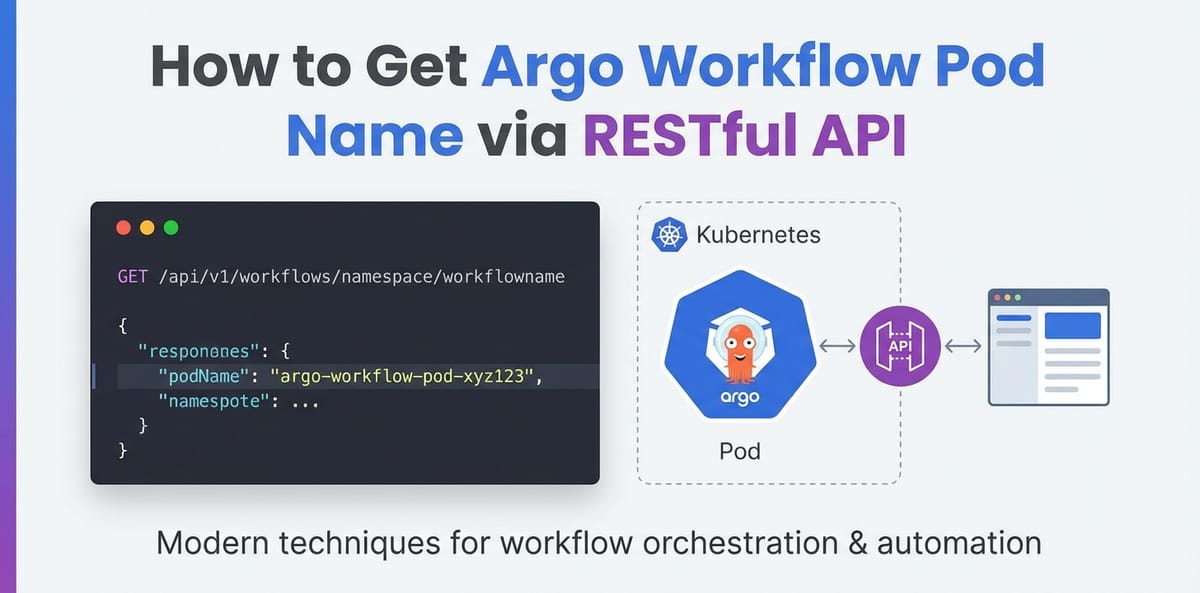
How to Get Argo Workflow Pod Name via RESTful API


In the intricate tapestry of modern cloud-native architectures, automated workflow orchestration stands as a cornerstone of efficiency, reliability, and scalability. As enterprises increasingly migrate complex computational pipelines to Kubernetes, tools like Argo Workflows have emerged as indispensable assets, enabling the definition, execution, and management of declarative workflows directly within the Kubernetes ecosystem. These workflows, often comprising numerous discrete steps executed within ephemeral pods, generate a dynamic landscape where understanding the state and identity of individual components becomes paramount. For developers, operators, and SRE teams, the ability to programmatically identify and interact with the underlying Kubernetes pods that constitute an Argo Workflow is not merely a convenience but a critical capability for robust monitoring, granular debugging, seamless integration with external systems, and advanced automation initiatives.
The traditional approach to interacting with Kubernetes resources often involves command-line interfaces (CLIs) such as kubectl or argo CLI. While powerful for interactive operations and scripting, these tools can introduce complexities when embedding workflow management into larger, automated systems that demand a language-agnostic, standardized interaction model. This is precisely where the power of RESTful API interactions shines. By leveraging the programmatic interfaces exposed by Kubernetes and Argo, we unlock a richer, more flexible paradigm for querying, controlling, and observing our workflows. This comprehensive guide delves deep into the methodologies, best practices, and underlying principles required to effectively retrieve Argo Workflow pod names using the RESTful API, moving beyond superficial CLI commands to embrace a truly automated, api-driven approach. We will explore the architecture, authentication mechanisms, specific endpoints, and practical implementation details necessary to master this crucial aspect of Argo Workflow management, ensuring your automated systems can reliably navigate and extract vital information from even the most complex and dynamic workflow executions. The journey ahead will not only equip you with the technical know-how but also foster a deeper appreciation for the architectural elegance and operational advantages afforded by direct api interaction in a cloud-native world.
Understanding Argo Workflows Fundamentals and Kubernetes Pods
Before we embark on the technical intricacies of api interaction, it is crucial to establish a solid understanding of Argo Workflows and their fundamental relationship with Kubernetes pods. Argo Workflows is an open-source container-native workflow engine for orchestrating parallel jobs on Kubernetes. It allows users to define workflows as sequences of tasks, where each task runs in its own Kubernetes pod. These workflows are defined using a declarative YAML syntax, which is then submitted to the Kubernetes API server, much like any other Kubernetes resource.
At its core, an Argo Workflow is a Custom Resource Definition (CRD) in Kubernetes. When you submit an Argo Workflow manifest, the Argo Controller, which is watching for Workflow CRD objects, interprets this definition and orchestrates the execution. Each step or task within an Argo Workflow typically translates into one or more Kubernetes pods. For instance, a simple workflow step might run a curl command inside a pod, while a more complex step might execute a Python script that processes data. These pods are the fundamental units of execution; they encapsulate the container images, commands, arguments, environment variables, and resource requests necessary for a specific task to complete. The lifecycle of these pods—from creation to completion or failure—is managed by Kubernetes, with Argo providing the higher-level orchestration logic that dictates the sequence and dependencies among these pods.
The importance of pod names in this context cannot be overstated. Each Kubernetes pod is assigned a unique name within its namespace, typically a combination of a base name and a random suffix (e.g., my-workflow-step-abc12). This name serves as a unique identifier, crucial for various operational tasks. When a workflow is running, its status, logs, and resource utilization are all tied back to these individual pods. For example, if a workflow step fails, identifying the specific pod associated with that failure is the first step in debugging. Similarly, for monitoring purposes, collecting logs or metrics from a particular pod requires knowing its name. The ephemeral nature of pods in a Kubernetes environment—they are created, execute their tasks, and are then terminated—makes dynamic identification via programmatic means absolutely essential. While kubectl get pods provides a snapshot, automated systems require a method to continuously or on-demand discover these dynamic identifiers without human intervention. This necessity drives us towards api interaction, allowing us to query the Kubernetes api server directly to ascertain the current state and identities of pods spawned by an Argo Workflow, thereby ensuring that our automation and integration efforts are robust and reliable in a constantly evolving cloud environment.
The Role of RESTful APIs in Modern Orchestration
The paradigm of modern software architecture heavily relies on distributed systems, microservices, and automated processes. In this landscape, the ability for disparate components to communicate seamlessly and programmatically is not just a desirable feature but a fundamental requirement. This is precisely where RESTful APIs (Representational State Transfer Application Programming Interfaces) assume a central and indispensable role. REST, as an architectural style, defines a set of constraints for designing networked applications. Key principles include statelessness, client-server separation, cacheability, and the uniform interface, all centered around resources identified by URIs and manipulated using standard HTTP methods (GET, POST, PUT, DELETE).
For interacting with systems like Argo Workflows running on Kubernetes, RESTful APIs offer unparalleled advantages. They provide a language-agnostic, platform-independent method of communication, meaning a client written in Python can easily interact with an API served by Go, and vice versa. This universality simplifies integration dramatically, allowing automation scripts, custom tools, or even entirely different microservices to orchestrate and query Argo Workflows without needing to bundle specific client libraries or CLI binaries. Instead, they interact over standard HTTP, leveraging the robust, widely supported infrastructure of the web. This standardization is particularly vital in complex environments where numerous services need to interact with core infrastructure components like Kubernetes and its extensions.
Kubernetes itself is fundamentally an api-driven system. Every operation you perform via kubectl—creating a deployment, scaling a pod, checking logs—is ultimately translated into an api call to the Kubernetes API server. Argo Workflows, being a native Kubernetes extension, builds upon this foundation. It exposes its own api endpoints (as part of the Kubernetes api group argoproj.io) that allow for the management and querying of workflow resources. This layered api approach means that programmatic access to Argo Workflows, including retrieving pod names, often involves interacting with both Argo's custom apis and the core Kubernetes apis, particularly the Pods api.
The advantages of direct api calls over CLI interactions for automation are manifold. Firstly, api calls offer greater precision and control over the data exchanged. You can construct exact queries, filter responses, and handle data in structured formats like JSON or YAML, which are ideal for programmatic parsing. Secondly, they eliminate the overhead of spawning child processes or parsing potentially inconsistent CLI output, leading to more efficient and reliable automation. Thirdly, apis integrate natively into programming languages and frameworks, making it easier to build sophisticated client applications, dashboards, or continuous integration/continuous delivery (CI/CD) pipelines that react dynamically to workflow events or status changes.
In a larger microservices architecture, managing the myriad apis exposed by various services, including internal Kubernetes components and custom controllers like Argo, can become a significant challenge. This is where an api gateway becomes indispensable. An api gateway acts as a single entry point for all api requests, centralizing concerns such as authentication, authorization, rate limiting, traffic management, and observability. Instead of clients needing to know the specific endpoint for each microservice or Kubernetes api, they interact with the api gateway, which then intelligently routes requests to the appropriate backend. For example, if your application needs to trigger an Argo Workflow, monitor its status, and then retrieve logs from specific pods, an api gateway can consolidate these operations, applying consistent security policies and simplifying client-side api consumption. This is particularly relevant when dealing with internal apis that might have complex access patterns or when exposing internal api functionality to external consumers in a controlled manner. An api gateway can streamline api management significantly, offering a unified api format and enhancing security. One such platform designed to manage and secure a diverse set of apis, including those interacting with complex backends like Kubernetes and AI models, is APIPark. By abstracting the underlying complexity and providing a single, secure interface, an api gateway ensures that the benefits of api-driven orchestration are maximized, allowing developers to focus on core business logic rather than infrastructure complexities.
Diving into Argo Workflow's API Structure
To effectively retrieve Argo Workflow pod names programmatically, we must first understand the underlying api structure that governs both Argo Workflows and Kubernetes itself. As mentioned, Argo Workflows are implemented as Kubernetes Custom Resources. This means that they extend the Kubernetes api with their own resource types, which behave very similarly to built-in Kubernetes resources like Pods or Deployments.
The Argo Workflow apis are typically exposed under the argoproj.io API group. Specifically, you'll be interacting with the v1alpha1 version of the workflows resource. This means that the base path for interacting with Argo Workflows through the Kubernetes API server will generally look something like /apis/argoproj.io/v1alpha1/workflows for listing or creating workflows, or /apis/argoproj.io/v1alpha1/namespaces/{namespace}/workflows/{workflow-name} for interacting with a specific workflow within a given namespace. It's crucial to remember that direct interaction with Argo's api often means interacting with the Kubernetes api server, which then proxies or routes these requests to the Argo Controller responsible for managing the Workflow CRD.
Authentication and Authorization are paramount when interacting with any Kubernetes api. Requests to the Kubernetes API server are secured using various methods, with service accounts and Role-Based Access Control (RBAC) being the most common for programmatic access. To make api calls that retrieve workflow information and pod details, your api client must present valid credentials. This typically involves: 1. Service Account Creation: Define a Kubernetes Service Account in the namespace where your api client will operate. 2. RBAC Roles and RoleBindings: Create Role or ClusterRole resources that grant the necessary permissions. For retrieving pod names associated with Argo Workflows, you'll need at least get, list, and watch permissions on workflows.argoproj.io resources and pods resources (in the core Kubernetes api group). A RoleBinding or ClusterRoleBinding then links this Role to your Service Account. 3. Token Generation: When a Service Account is created, Kubernetes automatically generates a secret containing a JWT (JSON Web Token) associated with that Service Account. This token is what your api client will use to authenticate its requests by including it in the Authorization: Bearer <token> header.
Understanding the Kubernetes API server's capabilities is also key. Kubernetes leverages the OpenAPI specification (formerly Swagger) to describe its API. This specification provides a machine-readable format for apis, detailing available endpoints, expected parameters, response structures, and data models. The Kubernetes API server itself serves its OpenAPI specification, usually accessible at /openapi/v2 or /openapi/v3. This OpenAPI document is incredibly valuable for several reasons: * API Discovery: It allows you to programmatically discover all available api endpoints for Kubernetes, including those added by CRDs like Argo Workflows. * Client Generation: Tools can use the OpenAPI spec to automatically generate client libraries in various programming languages, simplifying api interaction by providing strongly typed objects and methods. * Documentation: It serves as definitive documentation for the api, detailing the exact structure of request bodies and response payloads, which is crucial for parsing the JSON output when retrieving pod names.
When retrieving pod names for an Argo Workflow, you'll primarily be interested in two main resource types: 1. Workflows (argoproj.io/v1alpha1/workflows): This resource provides the high-level status and details of the Argo Workflow itself. Within a workflow's status object, you might find references or direct information about the pods it created, especially for simpler workflows or specific tasks. However, relying solely on the workflow status for all pod names can sometimes be incomplete or insufficient, especially for complex DAGs or dynamically generated steps. 2. Pods (api/v1/pods): The core Kubernetes Pods API is the definitive source for all pod information. The most robust way to get all pods associated with a specific Argo Workflow is to query the Kubernetes Pods API and filter by labels. Argo Workflows, by default, apply specific labels to the pods they create. A common label is workflows.argoproj.io/workflow: {workflow-name}, where {workflow-name} is the name of your Argo Workflow. This label acts as a powerful selector, allowing you to precisely identify all pods belonging to a particular workflow instance.
Here's a simplified view of relevant API paths:
- List all Workflows in a namespace:
GET /apis/argoproj.io/v1alpha1/namespaces/{namespace}/workflows - Get a specific Workflow in a namespace:
GET /apis/argoproj.io/v1alpha1/namespaces/{namespace}/workflows/{workflow-name} - List all Pods in a namespace, filtered by a label selector (e.g., for an Argo Workflow):
GET /api/v1/namespaces/{namespace}/pods?labelSelector=workflows.argoproj.io/workflow={workflow-name}
By understanding these api structures, authentication mechanisms, and the crucial role of OpenAPI in api discovery and consumption, we lay the groundwork for building robust and reliable programmatic solutions for Argo Workflow management. The next section will delve into the practical steps of making these api calls.
APIPark is a high-performance AI gateway that allows you to securely access the most comprehensive LLM APIs globally on the APIPark platform, including OpenAI, Anthropic, Mistral, Llama2, Google Gemini, and more.Try APIPark now! 👇👇👇
Practical Steps to Retrieve Pod Names via RESTful API
Retrieving Argo Workflow pod names programmatically involves a series of well-defined steps, from setting up the necessary prerequisites to making the actual api calls and parsing their responses. This section will guide you through each of these steps, ensuring you have a clear, actionable path to implement this functionality.
Prerequisites
Before you can send any api requests, ensure you have the following in place:
- Kubernetes Cluster: A running Kubernetes cluster where Argo Workflows is installed and operational.
kubectlConfigured: While we are focusing onapicalls,kubectlis invaluable for initial setup, testing connectivity, and inspecting Kubernetes resources like Service Accounts and Pods. Ensure yourkubectlis configured to connect to your target cluster.- An Argo Workflow Running: For testing, you'll need at least one Argo Workflow that has initiated some pods. A simple
hello-worldworkflow will suffice. - API Client: A tool or library capable of making HTTP requests. Examples include
curl(for command-line testing), Python'srequestslibrary, Node.jsaxios, or client libraries generated fromOpenAPIspecifications.
Authentication and Authorization
Direct api interaction with Kubernetes requires proper authentication. For programmatic access, using a Kubernetes Service Account with appropriate RBAC permissions is the most secure and recommended approach.
1. Create a Service Account
First, create a Service Account in the namespace where your Argo Workflows run, or where your api client will operate. Let's call it argo-workflow-reader:
# service-account.yaml
apiVersion: v1
kind: ServiceAccount
metadata:
  name: argo-workflow-reader
  namespace: argo
Apply this: kubectl apply -f service-account.yaml
2. Define RBAC Permissions (Role/ClusterRole)
You need to grant this Service Account permissions to get, list, and watch workflows (from argoproj.io API group) and pods (from the core Kubernetes API). For simplicity and broad access within a namespace, we'll define a Role. If you need to access workflows/pods across multiple namespaces, use a ClusterRole and ClusterRoleBinding.
# role.yaml
apiVersion: rbac.authorization.k8s.io/v1
kind: Role
metadata:
  name: argo-workflow-reader-role
  namespace: argo
rules:
- apiGroups: ["argoproj.io"]
  resources: ["workflows"]
  verbs: ["get", "list", "watch"]
- apiGroups: [""] # Core API group
  resources: ["pods", "pods/log"] # "pods/log" is useful for getting logs later
  verbs: ["get", "list", "watch"]
Apply this: kubectl apply -f role.yaml
3. Bind the Role to the Service Account
Now, link the Role to your ServiceAccount using a RoleBinding:
# role-binding.yaml
apiVersion: rbac.authorization.k8s.io/v1
kind: RoleBinding
metadata:
  name: argo-workflow-reader-rb
  namespace: argo
roleRef:
  apiGroup: rbac.authorization.k8s.io
  kind: Role
  name: argo-workflow-reader-role
subjects:
- kind: ServiceAccount
  name: argo-workflow-reader
  namespace: argo
Apply this: kubectl apply -f role-binding.yaml
4. Retrieve the Service Account Token
Kubernetes automatically mounts a Secret containing a JWT for each Service Account. To use this token externally, you need to extract it.
# Get the name of the secret associated with the service account
SECRET_NAME=$(kubectl get sa argo-workflow-reader -n argo -o jsonpath='{.secrets[0].name}')

# Extract the token from the secret
TOKEN=$(kubectl get secret $SECRET_NAME -n argo -o jsonpath='{.data.token}' | base64 --decode)

echo "Service Account Token: $TOKEN"
Keep this token secure; it grants api access.
Discovering the Argo API Server Endpoint
Your api requests need to reach the Kubernetes API server. There are a few common ways to access it:
kubectl proxy(for local development/testing):kubectl proxy --port=8001This starts a local proxy, making the Kubernetesapiavailable athttp://localhost:8001. This is excellent for local testing but not suitable for production.- Internal Kubernetes Service: If your
apiclient is running inside the cluster (e.g., as another pod), it can directly access the Kubernetes API server via its internal service name (e.g.,kubernetes.default.svc). - External Exposure (Ingress/LoadBalancer): For external access, your Kubernetes cluster's API server might be exposed through a LoadBalancer, or you might have an Ingress controller configured to route traffic to the API server. The exact URL will depend on your cluster setup (e.g.,
https://my-kube-api.example.com). Ensure you have the correct certificate for secure communication.
For the purpose of this guide, we'll assume kubectl proxy is running on http://localhost:8001 for demonstration with curl, or you have direct access to your cluster's api endpoint (e.g., https://<KUBERNETES_API_SERVER_IP_OR_HOSTNAME>:<PORT>). For kubectl proxy, the base api URL will be http://localhost:8001. For direct access, it would be your cluster's API server address.
Making the API Calls and Parsing Responses
Now, let's put it all together to retrieve the pod names.
Step 1: List all Workflows (Optional, but useful for discovery)
To get a list of all active Argo Workflows in a namespace:
Using curl with kubectl proxy:
NAMESPACE="argo" # Replace with your namespace
curl -s -H "Authorization: Bearer $TOKEN" \
"http://localhost:8001/apis/argoproj.io/v1alpha1/namespaces/$NAMESPACE/workflows" \
| jq '.items[].metadata.name'
This will output a list of workflow names. Pick a workflow-name you want to inspect. Let's assume you have a workflow named my-workflow.
Step 2: Retrieve Pod Names for a Specific Workflow
This is the most robust method: Query the Kubernetes Pods API and filter by the Argo-specific label.
Endpoint: /api/v1/namespaces/{namespace}/pods Label Selector: labelSelector=workflows.argoproj.io/workflow={workflow-name}
Using curl with kubectl proxy:
NAMESPACE="argo"         # Replace with your namespace
WORKFLOW_NAME="my-workflow" # Replace with the name of your Argo Workflow

curl -s -H "Authorization: Bearer $TOKEN" \
"http://localhost:8001/api/v1/namespaces/$NAMESPACE/pods?labelSelector=workflows.argoproj.io/workflow=${WORKFLOW_NAME}" \
| jq '.items[].metadata.name'
This curl command will: 1. Connect to the Kubernetes api server (via kubectl proxy). 2. Include the Authorization header with your Service Account token. 3. Request pods in the specified NAMESPACE. 4. Filter those pods using labelSelector to only include those created by my-workflow. 5. jq then parses the JSON response, extracting only the metadata.name of each item (pod), giving you a clean list of pod names.
Example Python Implementation:
For production systems, you'd typically use a programming language. Here's a Python example using the requests library.
import requests
import os
import json

# Configuration
KUBERNETES_API_SERVER = "http://localhost:8001" # Or your cluster's API server address
NAMESPACE = "argo"
WORKFLOW_NAME = "my-workflow"
# Ensure TOKEN is set as an environment variable or retrieved securely
TOKEN = os.getenv("KUBERNETES_API_TOKEN")

if not TOKEN:
    print("Error: KUBERNETES_API_TOKEN environment variable not set.")
    exit(1)

headers = {
    "Authorization": f"Bearer {TOKEN}",
    "Accept": "application/json"
}

# 1. Get the workflow details (optional, for validation or other info)
workflow_url = f"{KUBERNETES_API_SERVER}/apis/argoproj.io/v1alpha1/namespaces/{NAMESPACE}/workflows/{WORKFLOW_NAME}"
try:
    workflow_response = requests.get(workflow_url, headers=headers, verify=False) # verify=False for local proxy, use True for production with certs
    workflow_response.raise_for_status() # Raise an exception for HTTP errors
    workflow_data = workflow_response.json()
    print(f"Successfully retrieved workflow '{WORKFLOW_NAME}'. Status: {workflow_data['status']['phase']}")
except requests.exceptions.RequestException as e:
    print(f"Error retrieving workflow '{WORKFLOW_NAME}': {e}")
    exit(1)

# 2. Get pod names for the workflow using label selector
pods_url = f"{KUBERNETES_API_SERVER}/api/v1/namespaces/{NAMESPACE}/pods"
params = {
    "labelSelector": f"workflows.argoproj.io/workflow={WORKFLOW_NAME}"
}

try:
    pods_response = requests.get(pods_url, headers=headers, params=params, verify=False)
    pods_response.raise_for_status()
    pods_data = pods_response.json()

    pod_names = [item['metadata']['name'] for item in pods_data.get('items', [])]

    if pod_names:
        print(f"\nPods associated with workflow '{WORKFLOW_NAME}':")
        for pod_name in pod_names:
            print(f"- {pod_name}")
    else:
        print(f"\nNo pods found for workflow '{WORKFLOW_NAME}' or workflow is not running.")

except requests.exceptions.RequestException as e:
    print(f"Error retrieving pods for workflow '{WORKFLOW_NAME}': {e}")
To run this Python script: 1. Save the token obtained earlier into an environment variable: export KUBERNETES_API_TOKEN="<YOUR_TOKEN>" 2. Install requests: pip install requests 3. Run the script: python your_script_name.py
This script demonstrates a robust way to fetch pod names. The verify=False in requests.get is used when connecting to http://localhost:8001 or an API server with self-signed certificates. For production environments, always set verify=True and configure proper CA certificates to ensure secure HTTPS communication.
Error Handling and Best Practices
- HTTP Status Codes: Always check the HTTP status code of your
apiresponses. A200 OKindicates success, while401 Unauthorized,403 Forbidden,404 Not Found, or5xxerrors indicate issues that need to be handled. - Timeouts and Retries: Network requests can be unreliable. Implement timeouts to prevent hanging connections and retry mechanisms (with exponential backoff) for transient errors.
- Logging: Log all
apirequests and responses (or at least their status and relevant metadata) for debugging and auditing. Avoid logging sensitive information like tokens. - Pagination: For very large numbers of pods, the Kubernetes
apimight return paginated results. Be prepared to handle continuation tokens if you expect extremely high volumes of pods. - Resource Management: Ensure your
apiclient gracefully handles resource cleanup, such as closing HTTP connections.
Table: Key API Endpoints and Their Purpose
To summarize the critical endpoints for this task:
| API Group | Resource | Method | Path | Purpose |
|---|---|---|---|---|
argoproj.io |
workflows |
GET |
/apis/argoproj.io/v1alpha1/namespaces/{namespace}/workflows |
List all Argo Workflows within a specific namespace. Useful for discovery. |
argoproj.io |
workflows |
GET |
/apis/argoproj.io/v1alpha1/namespaces/{namespace}/workflows/{workflow-name} |
Retrieve the full manifest and status of a specific Argo Workflow. |
core |
pods |
GET |
/api/v1/namespaces/{namespace}/pods |
List all Pods in a specific namespace. Can be combined with labelSelector for filtering. |
core |
pods |
GET |
/api/v1/namespaces/{namespace}/pods?labelSelector={key}={value} |
Primary method for retrieving Argo Workflow pod names. Filters pods by specific labels (e.g., workflows.argoproj.io/workflow={name}). |
By diligently following these steps and adhering to best practices, you can reliably and programmatically retrieve Argo Workflow pod names, laying the groundwork for sophisticated automation and integration in your Kubernetes environment.
Advanced Considerations and Use Cases
Beyond the basic retrieval of pod names, integrating RESTful API access to Argo Workflows opens up a myriad of advanced considerations and powerful use cases that can significantly enhance operational efficiency, system observability, and automation capabilities within your cloud-native infrastructure. Understanding these advanced aspects is crucial for truly mastering Argo Workflows and leveraging their full potential.
Real-time Monitoring and Event-Driven Architectures
While polling the api for workflow and pod status can work for some scenarios, real-time monitoring often demands a more efficient approach. Kubernetes, and by extension Argo Workflows, supports watch operations on its api endpoints. Instead of repeatedly querying for the current state, a watch request establishes a persistent connection, and the api server sends notifications whenever a relevant resource changes. This is ideal for:
- Dynamic Dashboards: Building custom dashboards that reflect the live status of workflows and their constituent pods without constant polling.
- Event-Driven Triggers: Automatically triggering downstream actions (e.g., sending notifications, initiating log collection, updating external systems) as soon as a workflow enters a specific phase (e.g.,
Succeeded,Failed) or a new pod is created. - Log Aggregation: As soon as a pod starts, its name can be picked up via a
watchevent, prompting a log aggregation agent to begin streaming logs from that specific pod to a centralized logging system.
While Argo Workflows don't expose direct webhook functionality for every event, the Kubernetes watch API effectively serves a similar purpose for internal cluster components or robust external clients.
Seamless Integration with CI/CD Pipelines
CI/CD pipelines are inherently automation-centric, and programmatic access to Argo Workflows is a natural fit.
- Dynamic Workflow Triggering: A CI/CD pipeline step can programmatically trigger an Argo Workflow upon code commit or successful build.
- Status Monitoring: The pipeline can then monitor the workflow's overall status (using the
workflowsAPI) and the status of individual pods (using thepodsAPI) to determine success or failure. - Artifact Collection & Post-Processing: After a workflow completes, the pipeline can retrieve artifact paths from the workflow status, or identify specific pods (by name) that generated outputs, and then use
kubectl cpor a directapicall to fetch those artifacts for further processing, archival, or deployment. - Granular Debugging in CI: If a CI/CD job fails due to a workflow error, the pipeline can automatically extract relevant pod names, fetch their logs (
/api/v1/namespaces/{namespace}/pods/{pod-name}/log), and include them in the build failure report, significantly accelerating debugging.
Dynamic Scaling and Resource Management
Programmatic access to pod names enables more intelligent and dynamic resource management strategies:
- Cost Optimization: By monitoring the number and types of pods running for specific workflows, systems can dynamically adjust node pools, scaling up or down to optimize resource utilization and costs.
- Resource Allocation per Workflow: If a particular workflow step requires specialized hardware (e.g., GPUs), its pods can be identified, and cluster autoscalers can be configured to provision appropriate nodes based on these dynamic needs.
- Load Balancing: In scenarios where multiple instances of the same workflow might be running, identifying the specific pods allows for advanced load balancing or traffic shaping if these pods expose services.
Building Custom Tooling and Dashboards
The power of apis lies in their ability to serve as building blocks for custom solutions.
- Internal Developer Portals: Companies can build internal portals where developers can submit, monitor, and debug their Argo Workflows through a user-friendly interface tailored to their specific needs, without exposing raw
kubectlaccess. - Operational Dashboards: SRE teams can create specialized operational dashboards that combine Argo Workflow metrics with other system telemetry, offering a holistic view of critical pipelines. These dashboards can drill down from workflow status to individual pod details, logs, and resource usage.
- Audit and Compliance Tools: Programmatic
apiaccess allows for detailed auditing of workflow executions, tracking which pods ran, when, and with what outcomes, crucial for compliance requirements.
Security Implications and Best Practices
With great power comes great responsibility. Direct api access to Kubernetes and Argo Workflows carries significant security implications:
- Principle of Least Privilege: Always configure RBAC with the absolute minimum permissions required. For example, if a client only needs to read pod names, grant
getandlistverbs, notcreateordelete. - Secure Credential Management: The Service Account tokens are powerful. Never hardcode them. Use Kubernetes Secrets, environment variables, or secure credential management systems to store and inject them into your
apiclients. - Network Policies: Implement Kubernetes Network Policies to restrict which pods or external services can communicate with the Kubernetes API server and Argo Controller, adding a layer of defense-in-depth.
- API Gateway Integration: For external access or managing numerous internal
apis, anapi gatewayis a critical security component. Anapi gatewaylike APIPark can enforce robust authentication and authorization policies at the edge, abstracting the underlying Kubernetes RBAC complexity from client applications. It can also provide centralized rate limiting to preventapiabuse,apirequest/response validation, and advanced traffic management. By routing allapicalls through such a gateway, you gain a single point of control for security, observability, and policy enforcement across a diverse set ofapis, including those used to interact with Argo Workflows and the broader Kubernetes ecosystem, significantly enhancing the overall security posture and operational manageability of your services. APIPark, as an open-source AI gateway and API management platform, excels at unifying the management, security, and integration of variousapis, making it an excellent choice for enterprises seeking to streamline theirapilandscape while maintaining high levels of performance and security.
By thoughtfully considering these advanced aspects, you can move beyond simple api calls to build truly resilient, intelligent, and observable systems that harness the full power of Argo Workflows in your cloud-native environment. The programmatic interface is not just a means to an end but a powerful enabler for innovation and operational excellence.
Conclusion
The journey through retrieving Argo Workflow pod names via RESTful API illuminates a critical pathway for developers and operators navigating the complexities of modern cloud-native orchestration. We began by grounding ourselves in the fundamentals of Argo Workflows, recognizing the ephemeral yet crucial nature of Kubernetes pods as their execution units. This understanding underscored the intrinsic need for programmatic access, moving beyond the confines of CLI tools to embrace a more flexible, scalable, and automated interaction model.
Our deep dive into the role of RESTful APIs revealed their unparalleled advantages in distributed systems, offering a language-agnostic and universally accepted method for interaction. We saw how Kubernetes itself is an API-driven platform, and how Argo Workflows extends this paradigm through its Custom Resource Definitions. A thorough exploration of Argo's API structure, including the argoproj.io API group and the pivotal role of OpenAPI for discovery and client generation, equipped us with the architectural context necessary for precise api calls. Crucially, we detailed the robust authentication and authorization mechanisms using Kubernetes Service Accounts and RBAC, ensuring that all programmatic interactions are both secure and appropriately scoped.
The practical steps section provided a hands-on guide, from setting up prerequisites and securing API access tokens to crafting specific curl commands and demonstrating a production-ready Python implementation for fetching pod names via label selectors. We emphasized the importance of querying the core Kubernetes Pods API, filtered by Argo-specific labels, as the most reliable method. Furthermore, we touched upon vital best practices such as error handling, timeouts, and logging, essential for building resilient automation.
Finally, by examining advanced considerations and use cases, we broadened our perspective to encompass real-time monitoring, seamless CI/CD integration, dynamic resource management, and the creation of custom tooling. The discussion also highlighted the paramount importance of security, emphasizing the principle of least privilege and the strategic utility of an api gateway like APIPark in centralizing security policies, traffic management, and observability for a diverse set of APIs, thereby enhancing the overall operational posture of cloud-native environments.
In essence, mastering the art of programmatic interaction with Argo Workflows through their RESTful APIs is more than a technical skill; it is a strategic imperative. It empowers organizations to build truly automated, highly observable, and deeply integrated systems that can adapt to the dynamic nature of cloud infrastructure. By embracing this api-driven approach, you unlock the full potential of Argo Workflows, transforming raw orchestration capabilities into a sophisticated engine for robust automation, enhanced reliability, and unparalleled scalability across your most critical computational pipelines. The ability to precisely identify and interact with individual workflow components programmatically is not just a feature; it's the future of intelligent cloud-native operations.
Frequently Asked Questions (FAQ)
1. What is the primary benefit of using RESTful APIs to get Argo pod names instead of kubectl or argo CLI? The primary benefit lies in enabling robust, language-agnostic automation and integration. While CLIs are excellent for interactive use and scripting, RESTful APIs provide a standardized, programmatic interface that can be easily consumed by any programming language or system. This eliminates the need to parse CLI output, offers greater control over data exchange (e.g., structured JSON), and integrates seamlessly into larger applications, microservices, and CI/CD pipelines for dynamic orchestration, monitoring, and debugging without human intervention.
2. How do I authenticate my API requests to the Argo/Kubernetes API? Authentication for programmatic access to the Kubernetes API (which includes Argo's API) is typically achieved using Kubernetes Service Accounts and Role-Based Access Control (RBAC). You create a Service Account, define a Role (or ClusterRole) with the necessary permissions (e.g., get, list, watch on workflows and pods), and then bind that Role to your Service Account. Kubernetes automatically generates a JWT (JSON Web Token) for the Service Account, which you retrieve and include in the Authorization: Bearer <token> header of your HTTP requests.
3. Can I use label selectors to filter pods directly through the Kubernetes API? Yes, absolutely. This is the most robust and recommended method for retrieving pods associated with a specific Argo Workflow. Argo Workflows, by default, apply a label like workflows.argoproj.io/workflow: {workflow-name} to the pods they create. You can leverage the labelSelector query parameter on the Kubernetes pods API endpoint (e.g., /api/v1/namespaces/{namespace}/pods?labelSelector=workflows.argoproj.io/workflow={your-workflow-name}) to filter and retrieve only the pods relevant to your desired workflow.
4. What is OpenAPI, and how does it relate to Argo Workflows? OpenAPI (formerly Swagger) is a machine-readable specification for describing RESTful APIs. It defines the available endpoints, HTTP methods, parameters, request/response formats, and data models of an API. The Kubernetes API server serves its own OpenAPI specification, which includes definitions for custom resources like Argo Workflows. This specification is invaluable for API discovery, understanding the exact structure of API responses, and automatically generating client libraries in various programming languages, simplifying programmatic interaction with both Kubernetes and Argo APIs.
5. Why might I need an API Gateway like APIPark when interacting with Argo Workflows? An API Gateway becomes crucial in complex microservices environments or when exposing internal APIs, including those interacting with Argo Workflows, to external consumers. A platform like APIPark centralizes API management by providing a single entry point for all API requests. It can enforce consistent authentication and authorization policies (abstracting Kubernetes RBAC complexity), apply rate limiting to prevent abuse, manage traffic, handle API versioning, and provide comprehensive observability (logging, monitoring) across diverse APIs. This significantly enhances security, simplifies API consumption for clients, and streamlines operational management of your entire API landscape, including those built around Argo Workflows.
🚀You can securely and efficiently call the OpenAI API on APIPark in just two steps:
Step 1: Deploy the APIPark AI gateway in 5 minutes.
APIPark is developed based on Golang, offering strong product performance and low development and maintenance costs. You can deploy APIPark with a single command line.
curl -sSO https://download.apipark.com/install/quick-start.sh; bash quick-start.sh

In my experience, you can see the successful deployment interface within 5 to 10 minutes. Then, you can log in to APIPark using your account.

Step 2: Call the OpenAI API.