How to Get Argo Workflow Pod Name via RESTful API
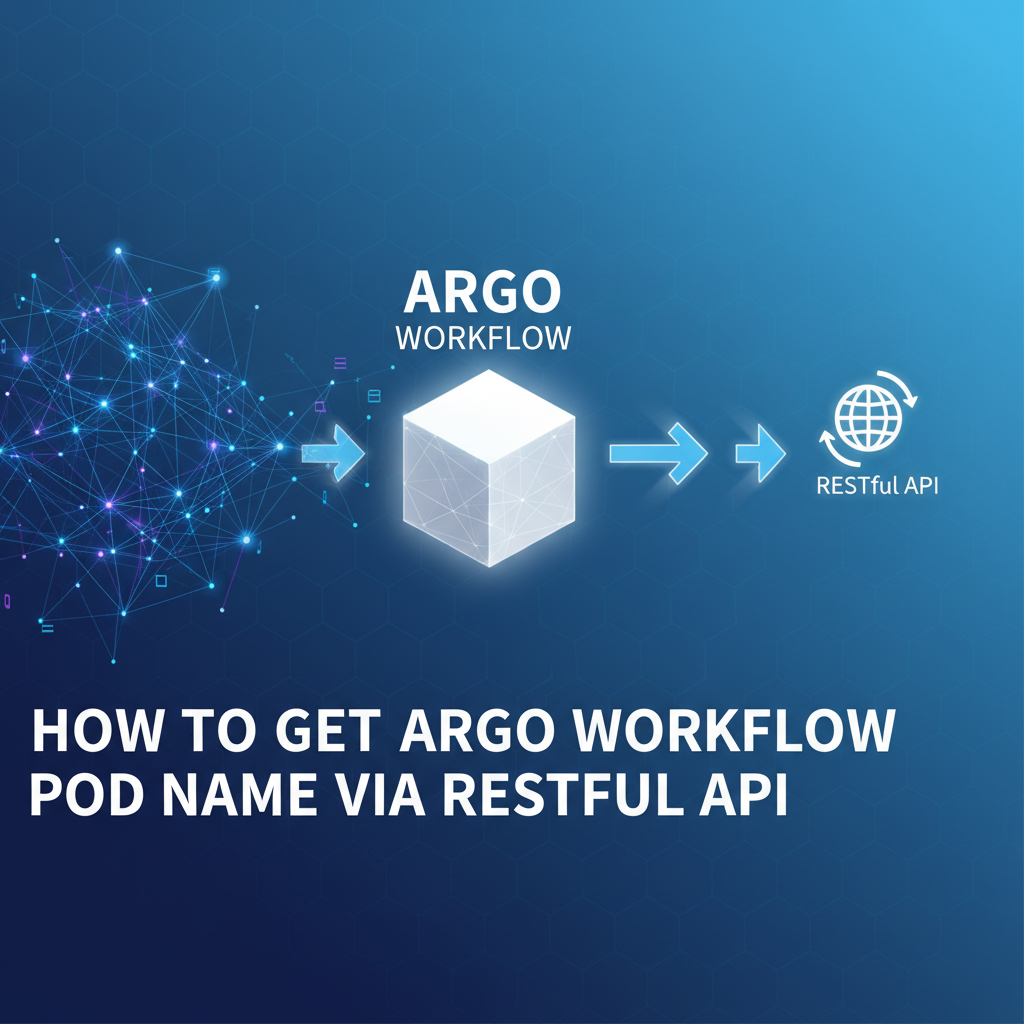


In the intricate landscape of modern cloud-native applications, orchestrating complex, multi-step operations is a common challenge. From continuous integration and continuous deployment (CI/CD) pipelines to scientific data processing and machine learning workflows, the need for robust, scalable, and observable automation is paramount. This is precisely where tools like Argo Workflows shine, offering a powerful open-source container-native workflow engine for orchestrating parallel jobs on Kubernetes. However, merely running workflows is often insufficient; true mastery lies in the ability to monitor, debug, and interact with these workflows programmatically. A critical aspect of this interaction is the capability to retrieve the names of the underlying Kubernetes Pods generated by an Argo Workflow, a seemingly simple task that unlocks a treasure trove of information for debugging, logging, and advanced automation.
This comprehensive guide delves deep into the methodologies for extracting Argo Workflow Pod names using RESTful APIs, exploring both Argo's native API and the foundational Kubernetes API. We will navigate the architectural nuances, dissect the API endpoints, provide detailed code examples, and discuss best practices for integrating these capabilities into your operational workflows. By the end of this journey, you will possess a profound understanding of how to leverage the power of RESTful interactions to gain unparalleled visibility into your Argo Workflows, empowering you to build more resilient, efficient, and intelligent cloud-native systems.
The Foundation: Understanding Argo Workflows and Kubernetes Pods
Before we embark on the technical exploration of API interactions, it's essential to solidify our understanding of Argo Workflows and their relationship with Kubernetes Pods. This foundational knowledge will illuminate why obtaining pod names is so critical and how the various APIs expose this information.
What is Argo Workflows? Orchestrating Complexity in Kubernetes
Argo Workflows is a powerful engine designed to orchestrate parallel jobs on Kubernetes. Unlike traditional cron jobs or shell scripts, Argo Workflows are defined declaratively as Kubernetes Custom Resources (CRDs), allowing them to leverage the full power and scalability of the Kubernetes platform. They are ideal for scenarios requiring:
- CI/CD pipelines: Automating builds, tests, and deployments.
- Data processing: ETL (Extract, Transform, Load) jobs, big data analytics.
- Machine learning: Training models, hyperparameter tuning, data feature engineering.
- Complex job orchestration: Any multi-step task that can be broken down into containerized units.
An Argo Workflow is composed of a series of steps or tasks, which can be organized into Directed Acyclic Graphs (DAGs) for parallel execution or sequential steps. Each step in an Argo Workflow typically maps to a container execution, which in turn runs within one or more Kubernetes Pods. This direct translation of workflow logic into Kubernetes resources is a cornerstone of Argo's power and efficiency.
The Lifecycle of an Argo Workflow and its Underlying Pods
When an Argo Workflow is submitted to a Kubernetes cluster, the Argo Controller observes this new Workflow object. It then proceeds to:
- Parse the Workflow definition: It interprets the steps, DAGs, inputs, and outputs defined in the YAML manifest.
- Create Kubernetes Pods: For each executable step or task in the workflow, the Argo Controller dynamically creates one or more Kubernetes Pods. These pods are specifically configured with the container image, commands, arguments, environment variables, and resource requests as defined in the workflow step.
- Monitor Pod Status: The Argo Controller continuously monitors the status of these created Pods. As pods complete successfully, fail, or transition through various phases (Pending, Running, Succeeded, Failed, Unknown), the controller updates the overall status of the Argo Workflow itself.
- Manage Dependencies: For DAG-based workflows, the controller ensures that dependent steps only start once their upstream dependencies have successfully completed.
- Resource Cleanup: Upon workflow completion (whether successful or failed), Argo can be configured to retain or delete the associated Kubernetes resources, including the Pods.
It is during this lifecycle that the Kubernetes Pods serve as the execution units for the workflow. Each Pod encapsulates a specific part of the workflow's logic, and understanding their individual statuses, logs, and resource utilization is crucial for comprehensive workflow management. The name of each Pod is a unique identifier within its Kubernetes namespace, making it a critical piece of information for precise targeting and interaction. Without these unique identifiers, tracking down specific execution instances within a complex workflow becomes a monumental, if not impossible, task.
Why Pod Names Matter: Observability, Debugging, and Automation
Retrieving the names of Pods associated with an Argo Workflow is not merely an academic exercise; it's a fundamental requirement for numerous operational and development activities:
- Logging and Monitoring: Once you have a Pod name, you can retrieve its logs (
kubectl logs <pod-name>), which are indispensable for understanding what happened during a specific step's execution. These logs contain application output, errors, and progress messages that are vital for debugging. - Debugging and Troubleshooting: If a workflow step fails, knowing the exact Pod name allows you to
kubectl describe <pod-name>to inspect its events, status conditions, container restarts, and resource usage. You can evenkubectl exec -it <pod-name> -- bashinto a running Pod (if it supports an interactive shell) for live debugging. - Resource Inspection: Understanding which Pods belong to a workflow allows you to monitor their resource consumption (CPU, memory) using tools like
kubectl top pod <pod-name>or integrated monitoring solutions. This helps identify resource bottlenecks or inefficiencies. - Custom Automation: In advanced scenarios, you might need to interact directly with a specific Pod based on its workflow context. For example, to inject a file, trigger an action within the container, or gracefully shut down a long-running process associated with a particular workflow step.
- Audit and Compliance: For regulated environments, linking specific Pod executions back to a workflow instance provides a clear audit trail of what was run, where, and when.
In essence, Pod names serve as the primary key to unlock detailed, real-time information about the execution of an Argo Workflow step. Gaining programmatic access to these names via RESTful APIs is the gateway to building sophisticated automation, robust monitoring, and efficient debugging strategies for your cloud-native workflows.
The Power of RESTful APIs in Cloud-Native Environments
The interaction with modern cloud-native systems, including Kubernetes and Argo Workflows, is overwhelmingly driven by RESTful APIs. Understanding the principles of REST and how they are applied in these contexts is crucial for effectively querying and managing your infrastructure.
What is a RESTful API? Core Principles and Paradigms
REST (Representational State Transfer) is an architectural style for distributed hypermedia systems. While not a protocol, it defines a set of constraints that, when applied, lead to a web service that is scalable, stateless, and reliable. Key principles of RESTful APIs include:
- Client-Server Architecture: Clients and servers are independent. Clients only need to know the URIs of resources, and servers only handle requests without maintaining client state. This separation of concerns improves portability and scalability.
- Statelessness: Each request from client to server must contain all the information necessary to understand the request. The server must not store any client context between requests. This constraint enhances reliability and scalability.
- Cacheability: Responses must explicitly or implicitly define themselves as cacheable or non-cacheable to prevent clients from reusing stale or inappropriate data. This improves performance and efficiency.
- Uniform Interface: This is the most critical constraint. It simplifies the overall system architecture by providing a standardized way of interacting with resources. It consists of four sub-constraints:
- Resource Identification in Requests: Individual resources are identified in requests, e.g., using URIs.
- Resource Manipulation Through Representations: Clients manipulate resources by sending representations of the resources.
- Self-Descriptive Messages: Each message includes enough information to describe how to process the message.
- Hypermedia as the Engine of Application State (HATEOAS): Clients find available actions and resources through links provided in the representations they receive. While often touted, HATEOAS is less strictly adhered to in many practical enterprise APIs, including Kubernetes and Argo, where documentation or SDKs fill this gap.
- Layered System: A client cannot ordinarily tell whether it is connected directly to the end server or to an intermediary along the way. This allows for intermediate servers (proxies, load balancers, API gateways) to be introduced for scaling, security, or performance improvements without affecting the client or the end server.
Why REST is the De Facto Standard for Cloud-Native Interaction
The RESTful architectural style is exceptionally well-suited for cloud-native environments due to several factors:
- Simplicity and Universality: HTTP, the underlying protocol for REST, is ubiquitous and well-understood. This makes it easy for diverse clients (web browsers, mobile apps, other microservices, command-line tools) to interact with services.
- Scalability: The stateless nature of RESTful APIs, combined with their client-server separation, naturally promotes horizontal scalability. Any server can handle any request, allowing for easy distribution of load.
- Decoupling: REST promotes loose coupling between components. Services can evolve independently as long as their API contract remains consistent.
- Tooling and Ecosystem: A vast ecosystem of tools, libraries, and frameworks exists for developing, consuming, testing, and managing RESTful APIs across all programming languages.
Both Kubernetes and Argo Workflows leverage RESTful APIs as their primary interface for programmatic interaction. The Kubernetes API server acts as the central control plane, exposing every Kubernetes resource (Pods, Deployments, Services, Workflows, etc.) as a RESTful endpoint. Similarly, the Argo Server component provides a RESTful interface for querying and managing Argo Workflows.
Authentication and Authorization in Cloud-Native REST APIs
Interacting with these powerful APIs requires proper authentication and authorization to ensure security. In a Kubernetes context, this typically involves:
- Service Accounts: Within a Kubernetes cluster, applications (like the Argo Controller or a custom operator) often run as Pods associated with a Kubernetes Service Account. This service account has a token mounted into its Pod, which can be used to authenticate against the Kubernetes API. Role-Based Access Control (RBAC) rules define what resources this service account can access and what actions it can perform.
- User Tokens (Bearer Tokens): For human users or external clients, authentication can involve generating a bearer token (often associated with a user account or a specific service account) that is then included in the
Authorizationheader of RESTful requests. - Client Certificates: Less common for general automation, but client certificates can also be used for mutual TLS authentication.
- Kubeconfig: The
kubeconfigfile (typically located at~/.kube/config) stores configuration information for accessing Kubernetes clusters, including cluster endpoints, user credentials, and contexts.kubectluses this file, and many client libraries can parse it to set up API access.
Properly configured RBAC ensures that your automation or user only has the necessary permissions to perform its intended task, adhering to the principle of least privilege. For instance, to retrieve Pod names, the interacting entity would need get and list permissions on pods resources in the relevant namespaces.
Tools for Interacting with REST APIs
Several tools facilitate interaction with RESTful APIs:
curl: The ubiquitous command-line tool for making HTTP requests. It's invaluable for quick tests, debugging, and scripting.- Postman/Insomnia: GUI-based tools for sending API requests, inspecting responses, and organizing API collections. Excellent for exploration and development.
- Programming Language Client Libraries: Nearly every programming language offers robust HTTP client libraries (e.g., Python
requests, Gonet/http, JavaHttpClient). Furthermore, Kubernetes and Argo Workflows often provide official client SDKs (e.g.,kubernetes-client/python,argoproj/argo-workflows/pkg/client) that abstract away much of the HTTP complexity and provide type-safe interfaces.
With a firm grasp of these foundational concepts, we are now ready to dive into the specific APIs that allow us to retrieve Argo Workflow Pod names.
Argo Workflows' Native RESTful API
Argo Workflows provides its own dedicated RESTful API, primarily exposed by the Argo Server component. This API offers a higher-level abstraction over the underlying Kubernetes resources, focusing on workflow-specific information. It's often the most straightforward way to query workflow details, including the status and names of its constituent steps and pods.
The Argo Server: Your Gateway to Workflow Information
The Argo Server is a core component of the Argo Workflows installation. It serves multiple purposes:
- Web UI: Provides a user-friendly web interface for viewing, managing, and submitting workflows.
- RESTful API: Exposes a comprehensive API for programmatic interaction with workflows.
- Event Listener: Processes events from the Kubernetes API server related to workflows and their underlying resources.
When Argo Workflows is deployed, the Argo Server typically runs as a Deployment and exposes a Service within your Kubernetes cluster. Accessing this API from outside the cluster requires careful consideration of networking and security.
Deploying and Accessing the Argo Server
If you have installed Argo Workflows (e.g., using kubectl apply -f https://raw.githubusercontent.com/argoproj/argo-workflows/stable/manifests/install.yaml), the Argo Server will be running in the argo namespace (or whichever namespace you configured).
To access the Argo Server's API from your local machine, the simplest method for development and testing is kubectl port-forward:
# In one terminal:
kubectl -n argo port-forward service/argo-server 2746:2746
This command forwards local port 2746 to the argo-server service inside the cluster, making the API accessible at http://localhost:2746. For production environments, you would typically expose the Argo Server via an Ingress controller, a LoadBalancer service, or a secure VPN connection, often coupled with an API Gateway.
Authentication with the Argo API
Interacting with the Argo API typically requires authentication. The Argo Server supports several authentication methods, often leveraging Kubernetes' own authentication mechanisms:
- Kubernetes Service Account Tokens: This is the most common method for in-cluster clients or scripts. You create a Kubernetes Service Account, bind it to an RBAC
RoleorClusterRolewith appropriate permissions toworkflows.argoproj.ioresources, and then extract its token. - Kubeconfig (for external access): If you're accessing the Argo Server from outside the cluster, you can configure it to accept tokens or client certificates from your
kubeconfigfile, similar to howkubectlauthenticates. - Bearer Token (Generic): Any valid Kubernetes service account token that has the necessary permissions can be used as a bearer token.
For our examples, we'll assume you have a Kubernetes service account token with get and list permissions on workflows.argoproj.io/workflows resources.
# Example: Create a service account and role for Argo API access
kubectl create ns argo-api-test
kubectl apply -f - <<EOF
apiVersion: v1
kind: ServiceAccount
metadata:
  name: argo-workflow-reader
  namespace: argo-api-test
---
apiVersion: rbac.authorization.k8s.io/v1
kind: Role
metadata:
  name: argo-workflow-reader-role
  namespace: argo-api-test
rules:
- apiGroups: ["argoproj.io"]
  resources: ["workflows"]
  verbs: ["get", "list"]
---
apiVersion: rbac.authorization.k8s.io/v1
kind: RoleBinding
metadata:
  name: argo-workflow-reader-rb
  namespace: argo-api-test
roleRef:
  apiGroup: rbac.authorization.k8s.io
  kind: Role
  name: argo-workflow-reader-role
subjects:
- kind: ServiceAccount
  name: argo-workflow-reader
  namespace: argo-api-test
EOF

# Fetch the token for the service account
# NOTE: This method of fetching token from secret is deprecated in newer Kubernetes versions
# where tokens are projected. For newer K8s (1.24+), you'd need to create a dummy pod
# and exec into it to get the token or project it to a file.
# For older K8s or if token is still in secret:
SECRET_NAME=$(kubectl -n argo-api-test get sa argo-workflow-reader -o=jsonpath='{.secrets[0].name}')
TOKEN=$(kubectl -n argo-api-test get secret $SECRET_NAME -o=jsonpath='{.data.token}' | base64 --decode)

echo "ARGO_API_TOKEN: $TOKEN"
# Export for convenience, or use directly in your curl commands
export ARGO_API_TOKEN=$TOKEN
If you are using a newer Kubernetes cluster (v1.24+), service account tokens are no longer automatically created as secrets. You'll need to create a temporary Pod or adjust your service account to project the token to a file. For local testing, using kubectl exec into the argo-server pod itself might be an option if it has the right permissions and the kube-apiserver is configured to accept it, but this is less ideal for external clients. A more robust way for external clients would be to use kubectl create token or the kubernetes-client/python or similar SDKs to generate an expiring token.
Key Argo API Endpoints for Workflow Information
The primary endpoint for retrieving workflow details is:
GET /api/v1/workflows/{namespace}/{name}
This endpoint allows you to fetch the entire Workflow object for a specific workflow by its name and namespace. The Workflow object is a rich source of information, and the most crucial field for our purpose is status.nodes.
Dissecting status.nodes: The Key to Pod Names
The status.nodes field within the Workflow object is a map (or dictionary) where keys are unique identifiers for each node (step, task, or pod) within the workflow, and values are NodeStatus objects. Each NodeStatus object contains detailed information about that specific node, including:
id: A unique identifier for the node.name: The name of the node (e.g.,my-workflow-1234-main).displayName: A more human-readable name, often corresponding to the step name in the workflow definition.type: The type of node (e.g.,Pod,DAG,Steps,Suspend).phase: The current phase of the node (e.g.,Pending,Running,Succeeded,Failed).message: A descriptive message about the node's status.startedAt: Timestamp when the node started.finishedAt: Timestamp when the node finished.podName: This is the field we are looking for! It directly contains the name of the Kubernetes Pod associated with this workflow node, if the nodetypeisPod.
Let's illustrate with a typical workflow structure and its corresponding status.nodes output.
Example Argo Workflow (hello-world-workflow.yaml):
apiVersion: argoproj.io/v1alpha1
kind: Workflow
metadata:
  generateName: hello-world-
spec:
  entrypoint: hello
  templates:
  - name: hello
    steps:
    - - name: step1
        template: echo-hello
    - - name: step2
        template: echo-world
  - name: echo-hello
    container:
      image: alpine/git
      command: ["sh", "-c"]
      args: ["echo Hello from step1; sleep 5"]
  - name: echo-world
    container:
      image: alpine/git
      command: ["sh", "-c"]
      args: ["echo World from step2; sleep 5"]
After submitting this workflow, the status.nodes section of the resulting Workflow object would look something like this (simplified for clarity):
{
  // ... other workflow fields ...
  "status": {
    "phase": "Succeeded",
    "nodes": {
      "hello-world-xxxxx": {
        "id": "hello-world-xxxxx",
        "name": "hello-world-xxxxx",
        "displayName": "hello-world-xxxxx",
        "type": "Workflow",
        "phase": "Succeeded",
        // ...
      },
      "hello-world-xxxxx-hello": {
        "id": "hello-world-xxxxx-hello",
        "name": "hello-world-xxxxx-hello",
        "displayName": "hello",
        "type": "Steps", // This is the steps template node
        "phase": "Succeeded",
        // ...
      },
      "hello-world-xxxxx-hello-1296472439": { // Unique ID for the step container
        "id": "hello-world-xxxxx-hello-1296472439",
        "name": "hello-world-xxxxx-hello[0].step1",
        "displayName": "step1",
        "type": "Pod", // This is the actual pod node
        "phase": "Succeeded",
        "podName": "hello-world-xxxxx-1296472439", // THE POD NAME!
        // ...
      },
      "hello-world-xxxxx-hello-1422684877": { // Another unique ID for the step container
        "id": "hello-world-xxxxx-hello-1422684877",
        "name": "hello-world-xxxxx-hello[1].step2",
        "displayName": "step2",
        "type": "Pod", // This is the actual pod node
        "phase": "Succeeded",
        "podName": "hello-world-xxxxx-1422684877", // ANOTHER POD NAME!
        // ...
      }
      // ... potentially other nodes for init containers, etc.
    }
  }
}
Notice how nodes with type: Pod have a podName field. The other nodes represent the overall workflow, DAGs, or steps containers themselves, and do not directly map to a single Kubernetes Pod in the same way.
Step-by-Step Example using curl to Query the Argo API
Let's put this into practice. We'll assume the Argo Server is port-forwarded to localhost:2746 and you have your ARGO_API_TOKEN environment variable set.
- Submit an Argo Workflow (if you don't have one running):
bash kubectl apply -f https://raw.githubusercontent.com/argoproj/argo-workflows/stable/examples/hello-world.yaml -n argo-api-testThis will create a workflow namedhello-world-XXXXXin theargo-api-testnamespace. You can get its full name:bash WORKFLOW_NAME=$(kubectl get wf -n argo-api-test -o jsonpath='{.items[0].metadata.name}') echo "Workflow Name: $WORKFLOW_NAME" - Craft the
curlRequest to the Argo API:bash curl -sS -H "Authorization: Bearer $ARGO_API_TOKEN" \ http://localhost:2746/api/v1/workflows/argo-api-test/$WORKFLOW_NAME \ | jq '.status.nodes | to_entries[] | select(.value.type == "Pod") | .value.podName'Explanation of thecurlcommand: *-sS: Suppress progress meter (-s) and show error messages (-S). *-H "Authorization: Bearer $ARGO_API_TOKEN": Adds the authentication header with your token. *http://localhost:2746/api/v1/workflows/argo-api-test/$WORKFLOW_NAME: The target URL for the Argo API, specifying the namespace and the workflow name. *| jq ...: Pipes the JSON response tojq, a powerful command-line JSON processor, to extract the relevant information.Explanation of thejqcommand: *.status.nodes: Navigates to thenodesfield within thestatusobject. *| to_entries[]: Converts thenodesmap into an array of key-value pairs ({ "key": "node-id", "value": NodeStatusObject }) and then flattens it so we can iterate over each node. *| select(.value.type == "Pod"): Filters these entries, keeping only those where thetypefield of theNodeStatusobject (.value) is "Pod". This is crucial to focus on actual Kubernetes Pods. *| .value.podName: From the filtered entries, it extracts thepodNamefield from theNodeStatusobject.Expected Output:"hello-world-xxxxx-1234567890"(Wherexxxxxand1234567890are dynamic identifiers).
This method provides a direct and efficient way to retrieve the pod names associated with an Argo Workflow, leveraging the high-level information provided by the Argo API. It's particularly useful when you're primarily interested in the workflow's execution flow and specific steps rather than generic Kubernetes pod details.
Kubernetes API as an Alternative or Complement
While the Argo API is excellent for workflow-centric information, sometimes you need to go directly to the source: the Kubernetes API. All resources managed by Argo Workflows, including the Pods, are ultimately Kubernetes native objects. The Kubernetes API offers the most granular control and detailed information about these resources.
Understanding the Kubernetes API: The Ultimate Source of Truth
The Kubernetes API server is the brain of your Kubernetes cluster. It exposes a RESTful interface to all Kubernetes objects, allowing clients to create, read, update, and delete resources. Every action you perform with kubectl (e.g., kubectl get pod, kubectl describe deployment) is ultimately translated into one or more RESTful API calls to the Kubernetes API server.
Accessing the Kubernetes API directly provides several advantages:
- Most granular data: You get raw, unfiltered Kubernetes object definitions.
- Direct access: No dependency on the Argo Server being up or its API being stable. As long as the Kubernetes API server is operational, you can query.
- Broader context: You can easily correlate Pods with other Kubernetes resources (Volumes, Services, NetworkPolicies) using labels and selectors.
How Argo Workflows Create Kubernetes Pods: Labels and Annotations
When Argo Workflows creates a Kubernetes Pod for a workflow step, it doesn't just create a generic Pod. It meticulously applies specific labels and annotations to these Pods. These labels and annotations are the key to identifying which Pods belong to which Argo Workflow.
The most important labels for identifying Argo Workflow Pods are:
workflows.argoproj.io/workflow: This label's value is the name of the parent Argo Workflow. This is the primary identifier.argoproj.io/workflow: This is an older label, sometimes still present, serving the same purpose.workflows.argoproj.io/workflow-name: Another variant, often found.workflows.argoproj.io/node-name: The name of the specific workflow node/step that created this pod.workflows.argoproj.io/phase: The current phase of the pod according to Argo (e.g.,Running,Succeeded).
By using these labels in a Kubernetes API query, you can precisely filter the list of all Pods in a namespace to only include those belonging to a specific Argo Workflow.
Key Kubernetes API Endpoints
The primary Kubernetes API endpoint for Pods is:
GET /api/v1/namespaces/{namespace}/pods
This endpoint allows you to list all Pods within a specified namespace. Crucially, it supports query parameters for filtering, including labelSelector.
Filtering Pods with labelSelector
The labelSelector query parameter is immensely powerful. It allows you to filter Kubernetes resources based on their labels. For example, to find all Pods associated with an Argo Workflow named my-workflow-123:
GET /api/v1/namespaces/{namespace}/pods?labelSelector=workflows.argoproj.io/workflow=my-workflow-123
The values of these labels will correspond to the metadata.name of your Argo Workflow resource.
Authentication with the Kubernetes API
Authenticating with the Kubernetes API is similar to Argo's, often leveraging Kubernetes service account tokens or kubeconfig.
Service Account Token (for automation/in-cluster): If you're running a script or application inside the cluster, or outside with a specific service account, you'd use the bearer token as discussed before. The service account needs get and list permissions on pods resources in the relevant namespaces.```bash
Reusing the token from argo-api-test namespace if it has pod list/get permissions
If not, create a new ServiceAccount/Role/RoleBinding for pods
kubectl apply -f - <<EOF apiVersion: rbac.authorization.k8s.io/v1 kind: Role metadata: name: pod-reader-role namespace: argo-api-test rules: - apiGroups: [""] # "" indicates core API group for Pods resources: ["pods"] verbs: ["get", "list"]
apiVersion: rbac.authorization.k8s.io/v1 kind: RoleBinding metadata: name: pod-reader-rb namespace: argo-api-test roleRef: apiGroup: rbac.authorization.k8s.io kind: Role name: pod-reader-role subjects: - kind: ServiceAccount name: argo-workflow-reader # Use the same service account as before namespace: argo-api-test EOF `` Ensure yourARGO_API_TOKENenvironment variable is still set to a token withpod-reader-role` permissions.
kubectl proxy (for local development/testing): The simplest way to access the Kubernetes API locally without complex authentication setup is kubectl proxy. It handles authentication with your kubeconfig and exposes the API locally:```bash
In one terminal:
kubectl proxy --port=8001 `` This makes the Kubernetes API accessible athttp://localhost:8001/api/v1/...`.
Step-by-Step Example using curl to Query Kubernetes API
Let's assume kubectl proxy is running on localhost:8001.
- Get the Workflow Name (if not already done):
bash WORKFLOW_NAME=$(kubectl get wf -n argo-api-test -o jsonpath='{.items[0].metadata.name}') echo "Workflow Name: $WORKFLOW_NAME" - Craft the
curlRequest to the Kubernetes API:bash curl -sS http://localhost:8001/api/v1/namespaces/argo-api-test/pods?labelSelector=workflows.argoproj.io/workflow=$WORKFLOW_NAME \ | jq '.items[].metadata.name'Explanation of thecurlcommand: *-sS: Suppress progress meter and show error messages. *http://localhost:8001/api/v1/namespaces/argo-api-test/pods: The target URL for the Kubernetes API to list pods in theargo-api-testnamespace. *?labelSelector=workflows.argoproj.io/workflow=$WORKFLOW_NAME: The query parameter to filter pods. It specifically looks for pods labeled withworkflows.argoproj.io/workflowwhose value matches our workflow's name. *| jq '.items[].metadata.name': Pipes the JSON response tojq.Explanation of thejqcommand: *.items[]: The Kubernetes API for listing resources returns an object with anitemsarray, where each element is a resource object. This iterates over each item. *.metadata.name: Within each Pod object, it extracts thenamefield from themetadatasection.Expected Output:"hello-world-xxxxx-1234567890" "hello-world-xxxxx-0987654321"(These correspond to the two step Pods in our example workflow).
This method offers a robust and direct way to identify the Pods associated with an Argo Workflow, leveraging the powerful labeling mechanism of Kubernetes. It's especially useful when you need to combine this information with other Kubernetes Pod details or when the Argo Server is unavailable or not the preferred API source.
Comparison: Argo API vs. Kubernetes API for Pod Names
Both the Argo API and the Kubernetes API can provide you with Argo Workflow Pod names, but they cater to slightly different use cases and offer different levels of abstraction.
| Feature/Consideration | Argo Workflows API | Kubernetes API |
|---|---|---|
| Primary Focus | Workflow execution status, steps, DAGs. | All Kubernetes resources, infrastructure state. |
| Data Abstraction | Higher-level, workflow-centric view. | Lower-level, raw resource details. |
| Pod Name Location | Workflow.status.nodes[].podName (for type Pod) |
Pod.metadata.name (after label filtering) |
| Ease of Use (for task) | Direct podName field, easier to pinpoint. |
Requires label selection, then extraction. |
| Dependency | Relies on Argo Server being up and accessible. | Relies on Kubernetes API Server being up. |
| Granularity of Info | Workflow node status, phase, message. | Full Pod spec, status, conditions, events, container details. |
| Authentication | Kubernetes service account token, kubeconfig. | Kubernetes service account token, kubeconfig. |
| Use Case | When debugging workflow logic, specific step status. | When needing deep pod-level insights, resource issues, general Kubernetes automation. |
| Complexity | Slightly simpler for just podName extraction. |
Can be more complex due to needing to apply label selectors and parse items array. |
| Performance | Might involve slightly more processing on Argo Server side for workflow state. | Direct query to API server, usually very fast. |
When to choose which:
- Choose Argo API if your primary goal is to understand the workflow's perspective of its steps and their associated Pods. It's more convenient when you already have the workflow object and need to quickly identify which Pod belongs to which logical step.
- Choose Kubernetes API if you need comprehensive details about the Pod itself (e.g., its containers, volumes, IP address, events), or if you want to apply more complex filtering beyond just the workflow name (e.g., Pods of a specific workflow that are currently in
Failedphase). It's also the go-to if the Argo Server is experiencing issues or you prefer to interact solely with the core Kubernetes platform.
Often, in sophisticated automation, a combination of both APIs is used: the Argo API to get the high-level workflow context and relevant pod names, followed by the Kubernetes API to dive deeper into the specific Pods identified.
Advanced Scenarios and Considerations
Retrieving Pod names is a foundational step. Real-world applications often involve more complex scenarios and require robust handling of various conditions.
Handling Large Workflows and Performance Implications
Argo Workflows can generate hundreds, or even thousands, of Pods for highly parallel or long-running tasks. When dealing with such large workflows:
- API Response Size: The JSON response from both Argo and Kubernetes APIs for a workflow with many nodes/pods can be substantial. Efficient parsing (e.g., using
jqfor shell scripts, or streaming JSON parsers in programming languages) is critical. - Filtering at the Source: Always use API-level filtering (
labelSelectorfor Kubernetes API) whenever possible. This offloads the filtering burden to the API server, reducing network bandwidth and client-side processing. - Pagination: While
GET /api/v1/namespaces/{namespace}/podssupports pagination (usinglimitandcontinuequery parameters), the Argo Workflow API for a single workflow object does not typically paginate itsstatus.nodes. If you're listing all workflows or all pods, pagination becomes crucial. - Watch APIs: For real-time monitoring of Pod creation, deletion, or status changes, consider using the Kubernetes Watch API (
GET /api/v1/namespaces/{namespace}/pods?watch=true). This pushes events to your client rather than requiring constant polling, significantly reducing load and latency for dynamic updates. Argo Workflows also offers a Watch API endpoint.
Workflow Templates and Child Workflows
Argo Workflows support WorkflowTemplates (reusable workflow definitions) and Child Workflows (workflows that spawn other workflows). When dealing with these, the strategy for finding Pod names needs to adapt:
- WorkflowTemplates: Pods created from a
WorkflowTemplatewill still have labels linking them to the parent Workflow instance that invoked the template. Theworkflows.argoproj.io/workflowlabel will point to the top-level workflow. - Child Workflows: A parent workflow can explicitly create child workflows. Each child workflow is a separate
Workflowobject in Kubernetes. To find Pods for a child workflow, you would first need to identify the child workflow'smetadata.namefrom the parent'sstatus.nodes(where the child workflow node type would beWorkflowor similar, and itstemplateNamemight indicate the child workflow). Once you have the child workflow's name, you can then apply the same techniques to retrieve its Pod names.
Error Handling and Retries
Robust API interactions require comprehensive error handling:
- Network Errors: Handle connection timeouts, DNS resolution failures, and other network-related issues with retries and exponential backoff.
- API Errors: Kubernetes and Argo APIs return standard HTTP status codes (e.g., 401 Unauthorized, 403 Forbidden, 404 Not Found, 500 Internal Server Error) and detailed error messages in the response body. Your client should parse these errors and react appropriately (e.g., retry on 5xx, re-authenticate on 401, report specific errors on 403/404).
- Resource Not Found: What if the workflow or pod doesn't exist? The API will return a 404. Your code should gracefully handle this, perhaps by logging a warning or waiting if the resource is expected to appear soon.
- JSON Parsing Errors: Ensure your parser can handle malformed JSON or unexpected field structures, especially when APIs evolve.
Security Best Practices
Security is paramount when dealing with API access to your Kubernetes cluster:
- Least Privilege: Always configure Kubernetes RBAC roles and service accounts with the absolute minimum permissions required. If a script only needs to
getandlistPods, do not grant itcreate,update, ordeletepermissions. - Secure Token Management:
- Never hardcode tokens in your code or scripts.
- Use Kubernetes Secrets to store tokens for in-cluster applications.
- For external access, use temporary, short-lived tokens, environment variables (like our
ARGO_API_TOKENexample, but with careful security around the shell history), or dedicated secrets management systems. - Rotate API tokens regularly.
- HTTPS Everywhere: Always use HTTPS for API communication to encrypt data in transit and prevent eavesdropping. Both Kubernetes API and Argo Server should be exposed securely with TLS.
- Network Policies: Implement Kubernetes Network Policies to restrict which Pods can access the Kubernetes API server or Argo Server.
- API Gateway Considerations: For organizations dealing with a multitude of internal and external APIs, especially in a complex cloud-native environment like one powered by Kubernetes and Argo Workflows, managing direct API access can become a significant challenge. An API Gateway and management platform like APIPark offers a robust solution. APIPark acts as an all-in-one AI gateway and API developer portal, simplifying the integration, management, and deployment of both AI and REST services. It provides features like unified API formats, end-to-end API lifecycle management, robust security, and detailed logging – all crucial for maintaining scalable and secure interactions with systems like Argo Workflows' RESTful API at an enterprise level. By centralizing API access and governance, APIPark can streamline how different teams securely retrieve and utilize information, such as Argo Workflow pod names, without needing to handle the intricacies of direct Kubernetes or Argo API authentication and authorization for every consumer. APIPark’s robust access controls, rate limiting capabilities, and detailed logging features provide an additional layer of security and auditability, ensuring that programmatic access to critical infrastructure information, like Argo Pod names, is both controlled and monitored effectively. It helps regulate API management processes, manage traffic forwarding, load balancing, and versioning of published APIs, allowing for a more streamlined and secure consumption of even internal infrastructure APIs.
Automation and Integration
The ability to programmatically retrieve Argo Workflow Pod names opens doors to extensive automation and integration:
- CI/CD Pipelines: Automatically fetch logs from specific workflow steps for artifact storage or failure analysis.
- Custom Monitoring: Build dashboards that correlate workflow steps with underlying pod metrics and logs.
- Dynamic Scaling: Trigger scaling events or resource adjustments based on the state of pods within critical workflows.
- Incident Response: When an alert fires for a failed workflow, automatically gather all relevant pod names and their logs for faster debugging.
- Reporting and Analytics: Collect data on workflow step durations, resource usage per pod, and success/failure rates for performance optimization and capacity planning.
APIPark is a high-performance AI gateway that allows you to securely access the most comprehensive LLM APIs globally on the APIPark platform, including OpenAI, Anthropic, Mistral, Llama2, Google Gemini, and more.Try APIPark now! 👇👇👇
Practical Implementation Guide and Code Examples
While curl and jq are excellent for quick command-line interactions, real-world automation often requires more robust solutions using programming languages. We'll explore examples using Python, a popular choice for Kubernetes automation.
Python Example: Using requests and Kubernetes Client Library
Python offers excellent libraries for interacting with RESTful APIs: requests for generic HTTP calls and kubernetes for the official Kubernetes client.
First, ensure you have the necessary libraries installed:
pip install requests kubernetes
Method 1: Using requests to Query Argo API
This method is suitable when you have the Argo Server accessible (e.g., via port-forward or Ingress) and an appropriate bearer token.
import os
import requests
import json

def get_argo_workflow_pod_names_via_argo_api(argo_server_url, namespace, workflow_name, token):
    """
    Retrieves Argo Workflow Pod names using the Argo Workflows REST API.
    """
    headers = {
        "Authorization": f"Bearer {token}",
        "Content-Type": "application/json"
    }
    api_url = f"{argo_server_url}/api/v1/workflows/{namespace}/{workflow_name}"

    try:
        response = requests.get(api_url, headers=headers, verify=False) # verify=False for local dev without proper TLS certs, remove in prod
        response.raise_for_status() # Raise an exception for HTTP errors (4xx or 5xx)
        workflow_data = response.json()

        pod_names = []
        if 'status' in workflow_data and 'nodes' in workflow_data['status']:
            for node_id, node_status in workflow_data['status']['nodes'].items():
                if node_status.get('type') == 'Pod' and 'podName' in node_status:
                    pod_names.append(node_status['podName'])
        return pod_names
    except requests.exceptions.RequestException as e:
        print(f"Error fetching workflow from Argo API: {e}")
        return None
    except json.JSONDecodeError:
        print(f"Error decoding JSON response from Argo API.")
        return None

# --- Configuration (replace with your actual values) ---
ARGO_SERVER_URL = "http://localhost:2746" # Or your Ingress/LoadBalancer URL
NAMESPACE = "argo-api-test"
WORKFLOW_NAME = os.getenv("WORKFLOW_NAME", "hello-world-xxxxx") # Replace with a real workflow name
ARGO_API_TOKEN = os.getenv("ARGO_API_TOKEN") # Ensure this env var is set

if ARGO_API_TOKEN and WORKFLOW_NAME != "hello-world-xxxxx":
    print(f"Fetching pod names for workflow '{WORKFLOW_NAME}' in namespace '{NAMESPACE}' via Argo API...")
    names = get_argo_workflow_pod_names_via_argo_api(ARGO_SERVER_URL, NAMESPACE, WORKFLOW_NAME, ARGO_API_TOKEN)
    if names:
        print("Argo Workflow Pod Names (via Argo API):")
        for name in names:
            print(f"- {name}")
    else:
        print("Failed to retrieve pod names via Argo API.")
else:
    print("Please set WORKFLOW_NAME and ARGO_API_TOKEN environment variables, and ensure Argo Server URL is correct.")
Method 2: Using Kubernetes Client Library to Query Kubernetes API
This method is generally preferred for in-cluster applications or when you need robust interaction with the Kubernetes API, as the client library handles authentication and API versioning complexities.
from kubernetes import client, config
import os

def get_argo_workflow_pod_names_via_k8s_api(namespace, workflow_name):
    """
    Retrieves Argo Workflow Pod names using the Kubernetes API with label selectors.
    """
    try:
        # Load Kubernetes configuration
        # For in-cluster: config.load_incluster_config()
        # For local dev with kubeconfig:
        config.load_kube_config()

        v1 = client.CoreV1Api()

        # Define the label selector to find pods belonging to the specific Argo Workflow
        # The label is workflows.argoproj.io/workflow: <workflow-name>
        label_selector = f"workflows.argoproj.io/workflow={workflow_name}"

        print(f"Searching for pods with label selector: {label_selector} in namespace {namespace}")

        # List pods in the given namespace with the specified label selector
        pods = v1.list_namespaced_pod(namespace=namespace, label_selector=label_selector)

        pod_names = [pod.metadata.name for pod in pods.items]
        return pod_names

    except client.ApiException as e:
        print(f"Error fetching pods from Kubernetes API: {e}")
        return None
    except Exception as e:
        print(f"An unexpected error occurred: {e}")
        return None

# --- Configuration (replace with your actual values) ---
NAMESPACE = "argo-api-test"
WORKFLOW_NAME = os.getenv("WORKFLOW_NAME", "hello-world-xxxxx") # Replace with a real workflow name

if WORKFLOW_NAME != "hello-world-xxxxx":
    print(f"\nFetching pod names for workflow '{WORKFLOW_NAME}' in namespace '{NAMESPACE}' via Kubernetes API...")
    names = get_argo_workflow_pod_names_via_k8s_api(NAMESPACE, WORKFLOW_NAME)
    if names:
        print("Argo Workflow Pod Names (via Kubernetes API):")
        for name in names:
            print(f"- {name}")
    else:
        print("Failed to retrieve pod names via Kubernetes API.")
else:
    print("Please set WORKFLOW_NAME environment variable.")
Note on Authentication for Python kubernetes client: * config.load_kube_config(): This is used for local development, loading credentials from your ~/.kube/config file. * config.load_incluster_config(): This is for applications running inside a Kubernetes cluster. It automatically picks up the service account token mounted in the Pod. You'd typically comment out load_kube_config() and uncomment load_incluster_config() when deploying your Python script as a Pod.
Go Example (Brief Overview)
For Go developers, the official Kubernetes client library (client-go) is the standard. It provides a robust and type-safe way to interact with the Kubernetes API.
package main

import (
    "context"
    "fmt"
    "log"
    "os"
    "path/filepath"

    metav1 "k8s.io/apimachinery/pkg/apis/meta/v1"
    "k8s.io/client-go/kubernetes"
    "k8s.io/client-go/rest"
    "k8s.io/client-go/tools/clientcmd"
)

func main() {
    workflowName := os.Getenv("WORKFLOW_NAME")
    namespace := os.Getenv("NAMESPACE")
    if workflowName == "" || namespace == "" {
        log.Fatal("WORKFLOW_NAME and NAMESPACE environment variables must be set.")
    }

    // Try to load in-cluster config first
    config, err := rest.InClusterConfig()
    if err != nil {
        // Fallback to kubeconfig for local development
        kubeconfig := filepath.Join(os.Getenv("HOME"), ".kube", "config")
        config, err = clientcmd.BuildConfigFromFlags("", kubeconfig)
        if err != nil {
            log.Fatalf("Error building kubeconfig: %v", err)
        }
    }

    clientset, err := kubernetes.NewForConfig(config)
    if err != nil {
        log.Fatalf("Error creating Kubernetes client: %v", err)
    }

    labelSelector := fmt.Sprintf("workflows.argoproj.io/workflow=%s", workflowName)
    pods, err := clientset.CoreV1().Pods(namespace).List(context.TODO(), metav1.ListOptions{
        LabelSelector: labelSelector,
    })
    if err != nil {
        log.Fatalf("Error listing pods: %v", err)
    }

    fmt.Printf("Argo Workflow Pod Names (via Kubernetes API for workflow '%s'):\n", workflowName)
    for _, pod := range pods.Items {
        fmt.Printf("- %s\n", pod.Name)
    }
}
This Go example demonstrates how to set up client-go to connect to Kubernetes (handling both in-cluster and kubeconfig scenarios) and then lists pods using a label selector, similar to the Python example.
Shell Scripting with jq
For simple, quick automation tasks, especially within CI/CD pipelines, shell scripts combined with curl and jq remain incredibly powerful and flexible.
#!/bin/bash

# Ensure these environment variables are set
# export NAMESPACE="argo-api-test"
# export WORKFLOW_NAME="hello-world-xxxxx" # Replace with actual workflow name
# export ARGO_API_TOKEN="your_argo_token" # Only needed if using Argo API
# export ARGO_SERVER_URL="http://localhost:2746" # Only needed if using Argo API

if [ -z "$NAMESPACE" ] || [ -z "$WORKFLOW_NAME" ]; then
    echo "Error: NAMESPACE and WORKFLOW_NAME environment variables must be set."
    exit 1
fi

echo "--- Retrieving Pod Names via Argo API (if token/server URL available) ---"
if [ -n "$ARGO_API_TOKEN" ] && [ -n "$ARGO_SERVER_URL" ]; then
    ARGO_POD_NAMES=$(curl -sS -H "Authorization: Bearer $ARGO_API_TOKEN" \
        "$ARGO_SERVER_URL/api/v1/workflows/$NAMESPACE/$WORKFLOW_NAME" \
        | jq -r '.status.nodes | to_entries[] | select(.value.type == "Pod") | .value.podName')

    if [ -n "$ARGO_POD_NAMES" ]; then
        echo "Argo Workflow Pod Names (via Argo API):"
        echo "$ARGO_POD_NAMES" | while read -r name; do
            echo "- $name"
        done
    else
        echo "Failed to retrieve pod names via Argo API or no pods found."
    fi
else
    echo "Skipping Argo API access: ARGO_API_TOKEN or ARGO_SERVER_URL not set."
fi


echo -e "\n--- Retrieving Pod Names via Kubernetes API ---"
# For kubectl proxy:
# K8S_API_URL="http://localhost:8001"
# curl commands would be: curl -sS "$K8S_API_URL/api/v1/namespaces/$NAMESPACE/pods?labelSelector=workflows.argoproj.io/workflow=$WORKFLOW_NAME" | jq ...

# For in-cluster or external with configured KUBECONFIG:
# Using 'kubectl get' is often simpler for shell scripts as it handles auth.
K8S_POD_NAMES=$(kubectl get pods -n "$NAMESPACE" \
    -l "workflows.argoproj.io/workflow=$WORKFLOW_NAME" \
    -o jsonpath='{.items[*].metadata.name}')

if [ -n "$K8S_POD_NAMES" ]; then
    echo "Argo Workflow Pod Names (via Kubernetes API):"
    echo "$K8S_POD_NAMES" | tr ' ' '\n' | while read -r name; do
        echo "- $name"
    done
else
    echo "Failed to retrieve pod names via Kubernetes API or no pods found."
fi

# Example of how you might then use a pod name (e.g., to get logs)
if [ -n "$K8S_POD_NAMES" ]; then
    FIRST_POD_NAME=$(echo "$K8S_POD_NAMES" | head -n 1 | cut -d' ' -f1)
    if [ -n "$FIRST_POD_NAME" ]; then
        echo -e "\n--- Logs for the first found Pod ($FIRST_POD_NAME) ---"
        kubectl logs -n "$NAMESPACE" "$FIRST_POD_NAME"
    fi
fi
This script combines both approaches, gracefully handling missing environment variables and demonstrating how you might use the extracted pod names for further actions, like fetching logs.
When to Use Which API: A Strategic Overview
The decision of whether to use the Argo Workflows API or the Kubernetes API often boils down to the specific context and information required:
- For high-level workflow status and step correlation: The Argo API is typically more direct. If your primary concern is "What Pod is executing
step-Xinmy-workflow-Y?", the Argo API'sstatus.nodesfield provides this mapping clearly. It provides a workflow-centric view. - For deep introspection into Pod behavior and Kubernetes specifics: The Kubernetes API is indispensable. If you need to debug why a Pod is stuck in
Pending, examine its full YAML configuration, check its IP address, or view its Kubernetes events, the Kubernetes API is the authoritative source. It provides an infrastructure-centric view. - For automation that spans multiple Kubernetes resources: If your automation needs to interact with not just Pods, but also PersistentVolumeClaims, Secrets, ConfigMaps, or other custom resources related to your workflow, then the Kubernetes API offers a unified interface for all these interactions.
- When the Argo Server is a bottleneck or unreliable: In scenarios where the Argo Server might be overloaded, undergoing maintenance, or otherwise inaccessible, directly querying the Kubernetes API offers a fallback to fundamental infrastructure data.
- For building custom UIs or dashboards: A combination is often best. Use the Argo API to get the overall workflow structure and state, then use the Kubernetes API to fetch detailed, real-time data for specific Pods as users drill down.
Ultimately, both APIs are powerful tools in your cloud-native arsenal. Understanding their strengths and weaknesses allows you to choose the most appropriate tool for each task, leading to more efficient, reliable, and observable automation.
Optimizing API Interactions
Beyond simply making API calls, optimizing how you interact with these endpoints can significantly impact the performance and resilience of your automation:
- Caching Results: For data that doesn't change frequently (e.g., completed workflow definitions), consider caching API responses for a short period. This reduces the load on API servers and speeds up subsequent requests. Be mindful of cache invalidation strategies for dynamic data.
- Polling vs. Watch APIs: For monitoring real-time changes (e.g., waiting for a workflow to complete or a Pod to enter a certain phase), the Kubernetes Watch API is far more efficient than continuous polling. Polling (repeated
GETrequests) can be resource-intensive and introduce latency. Watch APIs establish a long-lived connection and stream events as changes occur. - Filtering at the API Level: Always leverage the filtering capabilities of the APIs (like
labelSelectorfor Kubernetes) instead of fetching all data and filtering on the client side. This minimizes network traffic and server-side processing. - Batching Requests: If you need information for many workflows or pods, check if the API supports batching or aggregating requests. While not always directly available for simple
GEToperations, client libraries might offer patterns to optimize multiple requests. - Resource Versioning: The Kubernetes API uses
resourceVersionfor optimistic concurrency control and to enable watch operations. Understanding and utilizingresourceVersioncan help in building more robust and efficient watchers and caches. - Choosing the Right Tool: As demonstrated with
curl, Python, and Go, select the tool that best fits the complexity, scalability, and runtime environment of your automation. Simple scripts might suffice for basic tasks, while complex, long-running services will benefit from robust programming language clients.
Troubleshooting Common Issues
Despite careful planning, issues can arise when interacting with RESTful APIs. Here are some common problems and their solutions:
- Authentication Failures (401 Unauthorized, 403 Forbidden):
- Root Cause: Incorrect or expired token, insufficient RBAC permissions for the service account/user.
- Solution: Verify the token is valid and hasn't expired. Double-check that the associated Kubernetes Service Account has the necessary
getandlistpermissions (e.g., onargoproj.io/workflowsfor Argo API, andpodsfor Kubernetes API) in the correct namespace.
- Resource Not Found (404 Not Found):
- Root Cause: Incorrect workflow name, namespace, or API endpoint path. The resource might have been deleted.
- Solution: Confirm the exact spelling of the workflow name and namespace. Ensure the workflow actually exists (
kubectl get wf -n <namespace>). Check the API URL for any typos.
- Network Connectivity Issues:
- Root Cause: Firewall blocking access,
port-forwardnot running, incorrect IP address/port, DNS resolution failure. - Solution: Ping the API server/Argo Server IP. Verify firewall rules. Ensure
kubectl port-forwardis active and correctly configured. Check network policies if operating within Kubernetes.
- Root Cause: Firewall blocking access,
- JSON Parsing Errors:
- Root Cause: The API returned malformed JSON, or the client is trying to access a field that doesn't exist or has a different type.
- Solution: Inspect the raw API response (remove
| jqfromcurlto see the full JSON). Use JSON validators. Add robust error handling in your code to catchJSONDecodeErrorandKeyError.
- Too Many Requests (429 Too Many Requests):
- Root Cause: You are exceeding the rate limits of the API server.
- Solution: Implement exponential backoff and retry logic in your client. Consider using Watch APIs instead of aggressive polling. Review your request patterns for inefficiencies.
- Internal Server Error (500 Internal Server Error):
- Root Cause: An error occurred on the API server itself (Kubernetes API or Argo Server).
- Solution: Check the logs of the API server (
kubectl logs -n kube-system <kube-apiserver-pod>) or Argo Server (kubectl logs -n argo <argo-server-pod>) for detailed error messages. This usually indicates an issue with the server itself that you may not be able to resolve directly, but understanding the logs helps diagnose.
Addressing these common pitfalls systematically will greatly enhance the reliability and maintainability of your API-driven automation for Argo Workflows.
Conclusion
The journey to efficiently retrieve Argo Workflow Pod names via RESTful APIs is a fundamental step towards achieving profound observability and sophisticated automation in a Kubernetes-native environment. We've traversed the essential landscapes of Argo Workflows, the pervasive principles of RESTful APIs, and the specific mechanisms offered by both the Argo API and the Kubernetes API. From the high-level, workflow-centric view provided by Argo Server's status.nodes to the granular, infrastructure-aware insights from the Kubernetes API's label selectors, you now possess a diverse toolkit for programmatically identifying and interacting with the execution units of your workflows.
The ability to extract these crucial identifiers unlocks a world of possibilities: precise debugging, comprehensive logging, dynamic monitoring, and custom automation that can adapt to the live state of your distributed systems. Whether you choose the directness of the Argo API, the foundational power of the Kubernetes API, or a synergistic blend of both, the principles of secure, efficient, and robust API interaction remain paramount. By applying best practices for authentication, error handling, and performance optimization, you can build automation solutions that not only function reliably but also contribute to the overall stability and agility of your cloud-native infrastructure.
In an era where every operational decision benefits from data and every system strives for autonomy, mastering API interactions with tools like Argo Workflows is not just a technical skill – it's a strategic imperative. It empowers engineers to move beyond reactive troubleshooting to proactive management, fostering environments where workflows execute seamlessly, and anomalies are detected and resolved with unprecedented speed and precision. Continue exploring, experimenting, and integrating these capabilities to elevate your cloud-native operations to new heights.
Frequently Asked Questions (FAQ)
1. Why is it important to get Argo Workflow Pod names? Retrieving Argo Workflow Pod names is crucial for observability, debugging, and automation. With a Pod name, you can fetch its logs, inspect its detailed status and events, exec into the container for live debugging, monitor its resource usage, and target it for custom automation tasks. It provides a unique identifier to trace the execution of individual workflow steps.
2. What are the two main RESTful API approaches to get Argo Workflow Pod names? The two main approaches are: 1. Argo Workflows API: Exposed by the Argo Server, it provides a workflow-centric view. You query a specific workflow object, and its status.nodes field contains podName for nodes of type Pod. 2. Kubernetes API: The core API server of Kubernetes. You query pods resources in a specific namespace and use labelSelector (e.g., workflows.argoproj.io/workflow=<workflow-name>) to filter for pods belonging to your Argo Workflow.
3. What are the authentication methods for these APIs? Both APIs primarily use Kubernetes-native authentication. For in-cluster applications, this typically involves using Kubernetes Service Account Tokens which are automatically mounted into Pods. For external access or local development, you might use Bearer Tokens derived from a service account, or leverage your Kubeconfig file which kubectl and Kubernetes client libraries can parse. Ensure the service account or user has the necessary RBAC permissions.
4. When should I use the Argo Workflows API versus the Kubernetes API? * Use the Argo Workflows API when you need a high-level, workflow-centric view, mainly focusing on workflow step status and direct mapping to podName without needing deep Kubernetes Pod details. It's often simpler for quick workflow-specific queries. * Use the Kubernetes API when you require granular details about the Pod (e.g., full spec, events, volumes), need to interact with other Kubernetes resources, or prefer to minimize dependencies on the Argo Server. It's the ultimate source of truth for all Kubernetes objects.
5. How can I ensure secure interaction with these APIs in an enterprise environment? To ensure secure interaction: * Implement Least Privilege RBAC: Grant only the minimum necessary permissions to service accounts or users accessing the APIs. * Secure Token Management: Never hardcode tokens; use Kubernetes Secrets, environment variables, or secure credential stores. Rotate tokens regularly. * HTTPS Everywhere: Always communicate over HTTPS to encrypt data in transit. * Network Policies: Use Kubernetes Network Policies to control which Pods can access the API servers. * API Gateway: For organizations with many APIs, consider an API Gateway like APIPark. It centralizes API management, providing features like unified authentication, access control, rate limiting, and detailed logging across various internal and external APIs, significantly enhancing security and governance for critical infrastructure interactions.
🚀You can securely and efficiently call the OpenAI API on APIPark in just two steps:
Step 1: Deploy the APIPark AI gateway in 5 minutes.
APIPark is developed based on Golang, offering strong product performance and low development and maintenance costs. You can deploy APIPark with a single command line.
curl -sSO https://download.apipark.com/install/quick-start.sh; bash quick-start.sh

In my experience, you can see the successful deployment interface within 5 to 10 minutes. Then, you can log in to APIPark using your account.

Step 2: Call the OpenAI API.