How to Get Argo Workflow Pod Name via RESTful API
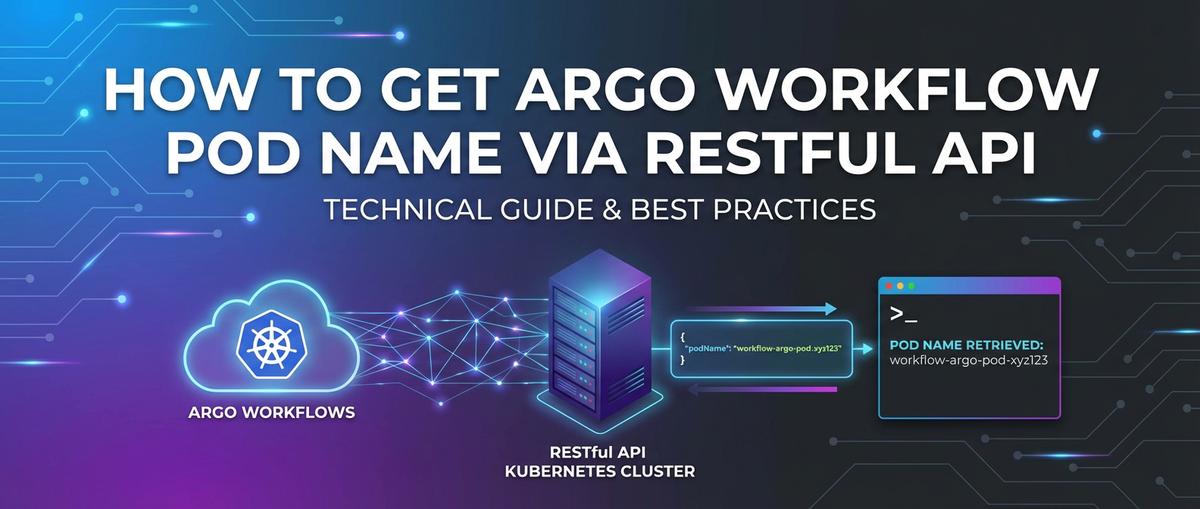


In the intricate landscapes of modern cloud-native applications and continuous integration/continuous deployment (CI/CD) pipelines, orchestrating complex, multi-step tasks is a formidable challenge. Argo Workflows stands as a pivotal solution in this domain, providing a Kubernetes-native workflow engine capable of orchestrating parallel jobs on Kubernetes. It empowers developers and operations teams to define workflows as directed acyclic graphs (DAGs) or steps, executing them with robust fault tolerance, dependency management, and resource isolation. While Argo Workflows offers comprehensive observability through its UI and command-line interface, there often arises a critical need for programmatic access to the underlying details of executing workflows, particularly to pinpoint the names of the Kubernetes Pods associated with individual steps or tasks.
Accessing the Pod names programmatically is not merely a convenience; it's a fundamental requirement for advanced automation, integration with external monitoring systems, custom log aggregation, and dynamic troubleshooting. Imagine a scenario where a specific workflow step fails, and an automated system needs to immediately kubectl exec into the corresponding Pod to retrieve logs or inspect its environment. Or perhaps a custom dashboard needs to correlate resource utilization metrics from Prometheus with specific workflow steps, requiring the Pod name as a unique identifier. This is where the power of RESTful API interaction truly shines, allowing external systems to query, monitor, and even control Argo Workflows with granular precision. This comprehensive guide will delve deep into the methodologies for extracting Argo Workflow Pod names using API-driven approaches, providing detailed explanations, practical examples, and best practices to ensure seamless integration and robust automation. We will explore the various API surfaces—from the Argo Workflows API server to the underlying Kubernetes API—and equip you with the knowledge to reliably retrieve the information you need.
The Foundation: Understanding Argo Workflows and Kubernetes Pods
Before diving into the API specifics, it's crucial to solidify our understanding of Argo Workflows' architecture and its relationship with Kubernetes Pods. This foundational knowledge will illuminate why we target certain API endpoints and how the data is structured.
What are Argo Workflows?
Argo Workflows is an open-source container-native workflow engine for orchestrating parallel jobs on Kubernetes. It is implemented as a Kubernetes Custom Resource Definition (CRD) and a controller. This means that Argo Workflows are treated as first-class citizens within Kubernetes, just like Pods, Deployments, or Services.
Key characteristics include: * Kubernetes Native: Workflows are defined as YAML manifests and managed by the Kubernetes control plane. Each step in a workflow typically runs as a Kubernetes Pod. * Declarative: You define what you want to achieve, and Argo's controller ensures it happens. * Directed Acyclic Graph (DAG) or Steps: Workflows can be structured as DAGs, where steps have dependencies on each other, or as simple sequential steps. * Container-based: Every task in a workflow runs in its own container, providing isolation and leveraging the power of Docker images. * Parallelism: Easily execute multiple steps in parallel, optimizing execution time for complex tasks. * Fault Tolerance: Built-in retry mechanisms and error handling capabilities.
The Role of Kubernetes Pods in Argo Workflows
At the heart of every executable step within an Argo Workflow lies a Kubernetes Pod. When you define a step in your workflow YAML, Argo's controller translates that step into a Pod specification and submits it to the Kubernetes API server. Kubernetes then schedules this Pod onto a worker node, where the specified container image is pulled and executed.
Each Pod is a fundamental unit of execution in Kubernetes, representing a single instance of a running process (or a small group of tightly coupled processes). When an Argo Workflow runs, it creates one or more Pods for its various steps. These Pods are ephemeral; they are created when a step begins and typically terminated (or enter a completed state) when the step finishes.
Why are Pod Names Important?
The name of a Kubernetes Pod is a unique identifier within its namespace. Knowing the Pod name associated with a specific workflow step is invaluable for several reasons:
- Logging and Debugging: To retrieve
stdout/stderrlogs from a specific workflow step, you need its Pod name forkubectl logs <pod-name>. This is crucial for troubleshooting failed steps or understanding the internal workings of a successful one. - Real-time Interaction: In some debugging scenarios, you might need to
kubectl exec -it <pod-name> -- bashinto a running Pod to inspect its filesystem, environment variables, or running processes. - Resource Monitoring: To correlate CPU, memory, or network usage with specific workflow steps, monitoring tools often require Pod names or labels.
- Automated Cleanup/Management: Identifying Pods that have been stuck or failed can be part of an automated cleanup process, ensuring resources are not unnecessarily consumed.
- External System Integration: Pushing status updates or metrics to external dashboards requires linking workflow steps to their underlying Pods.
Understanding that each logical step often maps to a physical Pod is the key to successfully navigating the API landscape for retrieving this information. Argo Workflows essentially acts as an orchestrator on top of Kubernetes, creating and managing these Pods for you.
Prerequisites and Environment Setup
To effectively interact with Argo Workflows and Kubernetes via their RESTful APIs, you need a functional environment. This section outlines the essential tools and configurations.
1. Kubernetes Cluster
You'll need access to a running Kubernetes cluster. Options include: * Local Clusters: Minikube, Kind, Docker Desktop's Kubernetes. * Cloud-based Clusters: Google Kubernetes Engine (GKE), Amazon Elastic Kubernetes Service (EKS), Azure Kubernetes Service (AKS), or any other managed Kubernetes offering.
Ensure your kubectl context is correctly configured to point to your desired cluster. You can check this using kubectl config current-context.
2. Argo Workflows Installation
Argo Workflows must be installed and running on your Kubernetes cluster. If it's not already installed, you can do so using kubectl or Helm. A common installation method involves applying the manifests directly:
kubectl create namespace argo
kubectl apply -n argo -f https://raw.githubusercontent.com/argoproj/argo-workflows/stable/manifests/install.yaml
Verify the installation by checking the Pods in the argo namespace:
kubectl get pods -n argo
You should see argo-server, workflow-controller, and potentially argo-ui (if installed) Pods running.
3. kubectl Command-Line Tool
The kubectl command-line tool is your primary interface for interacting with Kubernetes. It will be used for port-forwarding, checking Pod statuses, and also as a wrapper around the Kubernetes API for quick queries. Ensure you have a recent version installed.
4. argocli Command-Line Tool (Optional, but Recommended)
The argocli (Argo CLI) provides a more user-friendly interface specifically for Argo Workflows. While not strictly necessary for RESTful API interaction, it's often a quicker way to inspect workflow status and can be useful for validating your API results.
Install argocli (example for Linux/macOS):
# Download the binary
curl -sLO https://github.com/argoproj/argo-workflows/releases/download/v3.4.10/argo-linux-amd64.gz # Check for the latest version
gunzip argo-linux-amd64.gz
chmod +x argo-linux-amd64
sudo mv argo-linux-amd64 /usr/local/bin/argo
Verify installation:
argo version
5. Tools for Making HTTP Requests
To interact with RESTful APIs, you'll need tools to send HTTP requests and process responses.
curl: A ubiquitous command-line tool for making HTTP requests. Essential for quick tests and scripting.- Programming Languages with HTTP Libraries: Python (
requests), JavaScript (fetch,axios), Go (net/http), etc. These are preferred for building more complex automation and integration solutions. - GUI Clients: Postman, Insomnia, or VS Code REST Client. Useful for initial exploration and debugging APIs.
6. Authentication and Authorization
Interacting with Kubernetes and Argo Workflows APIs requires proper authentication and authorization.
kubectl proxy: For local development and testing,kubectl proxycan provide a secure, authenticated tunnel to your Kubernetes API server, allowing you to access it locally without direct certificate management.- Service Accounts and RBAC: For programmatic access from within the cluster (e.g., from a custom controller or another Pod), you should use Kubernetes Service Accounts coupled with Role-Based Access Control (RBAC). This grants specific permissions to your application to perform actions (like
getworkflows orlistpods) within defined namespaces. - Bearer Tokens: When interacting with the API directly (e.g., from an external script), you'll typically use a bearer token obtained from a Service Account.
For simplicity in our examples, we will often use kubectl port-forward for the Argo Server and rely on the kubectl context's authentication for initial curl commands. For production systems, Service Accounts and RBAC are the standard.
The Kubernetes API: The Ultimate Source of Truth
Before focusing on Argo's specific API, it's crucial to understand that the Kubernetes API server is the central control plane component that exposes the Kubernetes API. All operations, whether initiated by kubectl, Argo's workflow controller, or any other component, ultimately communicate with the Kubernetes API server. This means that if you need any information about a Pod, the Kubernetes API is the definitive source.
Understanding the Kubernetes API Server
The Kubernetes API server is the front-end for the Kubernetes control plane. It's designed to be highly scalable and extensible, providing a consistent RESTful interface for all Kubernetes resources. When you execute kubectl get pods, the kubectl client internally makes an HTTP GET request to the Kubernetes API server.
Key concepts of the Kubernetes API: * Resources: Everything in Kubernetes is represented as a resource (Pods, Deployments, Services, Workflows, etc.). * Verbs: Standard HTTP methods (GET, POST, PUT, DELETE, PATCH) map to operations on these resources. * API Groups and Versions: Resources are organized into API groups (e.g., apps, batch, argoproj.io) and versions (e.g., v1, v1beta1). This allows for evolution and extension of the API. * Discovery: The API server allows you to discover available API groups and resources.
Authenticating with the Kubernetes API
To make direct API calls, you need to authenticate.
kubectl proxy(for local development): This is the easiest way to get an authenticated and authorized tunnel to the Kubernetes API server from your local machine.bash kubectl proxy --port=8001 Starting to serve on 127.0.0.1:8001Now, you can access the Kubernetes API athttp://localhost:8001.kubectl proxyhandles the authentication using your currentkubectlcontext credentials.- Service Accounts and Tokens (for programmatic access): In a production environment, or when making calls from another Pod within the cluster, you'd typically use a Service Account.You would then include this
TOKENin theAuthorizationheader of your API requests:Authorization: Bearer <TOKEN>.- Create a Service Account:
kubectl create serviceaccount my-api-caller -n my-namespace - Create a Role and RoleBinding to grant necessary permissions (e.g.,
getandlistPods, Workflows).
- Create a Service Account:
Get the Service Account's token: This token is stored in a Secret associated with the Service Account. You can retrieve it by inspecting the Service Account:```bash
Get the secret name associated with the service account
SECRET_NAME=$(kubectl get serviceaccount my-api-caller -n my-namespace -o jsonpath='{.secrets[0].name}')
Get the token from the secret
TOKEN=$(kubectl get secret $SECRET_NAME -n my-namespace -o jsonpath='{.data.token}' | base64 --decode)echo $TOKEN ```
Example: Listing Pods via Kubernetes API (Raw api interaction)
Let's demonstrate how to list all Pods in a namespace using curl against the Kubernetes API server, assuming kubectl proxy is running on port 8001.
curl -k -H "Authorization: Bearer $(kubectl get secret $(kubectl get serviceaccount default -o jsonpath='{.secrets[0].name}') -o jsonpath='{.data.token}' | base64 --decode)" \
  http://localhost:8001/api/v1/namespaces/argo/pods
Note: The Authorization header here is for direct token authentication. If kubectl proxy is running, you usually don't need it because kubectl proxy handles it for you.
A simpler way with kubectl proxy running:
curl http://localhost:8001/api/v1/namespaces/argo/pods
This will return a large JSON object containing details of all Pods in the argo namespace. This illustrates how direct Kubernetes API interaction works, which is the ultimate source for Pod information. Argo Workflows also exposes its own API, which often aggregates and simplifies access to workflow-specific data, including references to the Pods it creates.
The Argo Workflows RESTful API
While the Kubernetes API is the ultimate source for Pod information, the Argo Workflows controller provides its own RESTful API specifically tailored for managing and querying workflows. This API often presents information in a more workflow-centric structure, making it the primary target for extracting workflow-related data, including references to the Pods created by workflow steps.
Exposing the Argo Server API
The Argo Workflows controller typically runs as a Pod within your cluster (e.g., argo-server-<hash>). To access its API from outside the cluster, you can use kubectl port-forward. This creates a secure tunnel from your local machine to the Argo server Pod.
- Identify the Argo Server Pod:
bash kubectl get pods -n argo -l app=argo-serverYou'll get an output similar toargo-server-79c88c7f9-abcde. - Port-forward to the Argo Server:
bash kubectl port-forward deployment/argo-server 2746:2746 -n argoThis command forwards local port2746to port2746on theargo-serverPod. The Argo server's API typically listens on port 2746. Keep this terminal window open; the port-forwarding will run as long as this process is active.Now, the Argo Workflow API is accessible locally athttp://localhost:2746.
Authenticating with the Argo Server API
The Argo Server API requires authentication. Similar to the Kubernetes API, you can use a Service Account token.
Get a Service Account Token: First, ensure you have a Service Account with permissions to view workflows. The default Service Account in the namespace where your client is running (or a specifically created one) can be used. For demonstration purposes, we'll use a default service account (if it has get and list permissions on workflows).```bash
Assuming 'default' service account exists in 'argo' namespace and has permissions
In a real scenario, you'd create a dedicated SA with minimal permissions
SERVICE_ACCOUNT_NAME="default" # Or your custom SA like 'argo-viewer' NAMESPACE="argo" # Or the namespace where your workflows runSECRET_NAME=$(kubectl get serviceaccount "$SERVICE_ACCOUNT_NAME" -n "$NAMESPACE" -o jsonpath='{.secrets[0].name}') ARGO_TOKEN=$(kubectl get secret "$SECRET_NAME" -n "$NAMESPACE" -o jsonpath='{.data.token}' | base64 --decode)echo "ARGO_TOKEN: $ARGO_TOKEN" ```You'll use this ARGO_TOKEN in the Authorization header of your curl requests: Authorization: Bearer <ARGO_TOKEN>.
Argo Workflows API Endpoints for Workflow Information
The Argo Workflows API provides various endpoints to interact with workflows. The primary endpoint for retrieving workflow details is:
GET /api/v1/workflows/{namespace}/{name}: Retrieves a specific workflow by its namespace and name.GET /api/v1/workflows/{namespace}: Lists all workflows in a given namespace.
Detailed Step-by-Step Guide: Extracting Pod Names
Let's walk through the process of getting a workflow's Pod names using the Argo Workflows RESTful API.
Step 1: Deploy a Sample Argo Workflow
If you don't have a running workflow, let's create a simple one. Save the following YAML as hello-workflow.yaml:
apiVersion: argoproj.io/v1alpha1
kind: Workflow
metadata:
  generateName: hello-world-
  namespace: argo
spec:
  entrypoint: main
  templates:
  - name: main
    steps:
    - - name: step1
        template: echo-hello
    - - name: step2
        template: echo-world

  - name: echo-hello
    container:
      image: alpine/git
      command: [sh, -c]
      args: ["echo 'Hello from step1!' && sleep 5"]

  - name: echo-world
    container:
      image: alpine/git
      command: [sh, -c]
      args: ["echo 'World from step2!' && sleep 5"]
Apply this workflow to your cluster:
kubectl apply -f hello-workflow.yaml
Get the name of your running workflow:
kubectl get wf -n argo
You'll see something like hello-world-abcdef. Let's assume the name is hello-world-gz6l4.
Step 2: Ensure Port-Forwarding and Authentication Token are Ready
Confirm that kubectl port-forward deployment/argo-server 2746:2746 -n argo is running in a separate terminal and that you have ARGO_TOKEN set in your environment.
Step 3: Make a GET Request to Retrieve the Specific Workflow
Now, use curl to fetch the workflow details. Replace hello-world-gz6l4 with your actual workflow name.
# Using the ARGO_TOKEN obtained earlier
curl -s -H "Authorization: Bearer $ARGO_TOKEN" \
  http://localhost:2746/api/v1/workflows/argo/hello-world-gz6l4 \
  | jq .
-s: Silent mode, hides progress.-H "Authorization: Bearer $ARGO_TOKEN": Passes the authentication token.jq .: Pipes the JSON output tojqfor pretty-printing, which is highly recommended for readability. If you don't havejq, you can install it (sudo apt-get install jqon Debian/Ubuntu,brew install jqon macOS).
The response will be a large JSON object representing the workflow.
Step 4: Parse the JSON Response to Extract Pod Names
The key to finding Pod names lies within the status.nodes field of the workflow object. This field is a map where keys are node IDs, and values are objects describing each node (step or Pod).
A typical status.nodes entry for a Pod would look something like this:
{
  "status": {
    "nodes": {
      "hello-world-gz6l4": {
        "id": "hello-world-gz6l4",
        "name": "hello-world-gz6l4",
        "displayName": "hello-world-gz6l4",
        "type": "Workflow",
        "phase": "Running",
        "startedAt": "2023-10-27T10:00:00Z",
        "templateName": "main"
      },
      "hello-world-gz6l4-2821360093": { # This is a step node (DAG/Steps)
        "id": "hello-world-gz6l4-2821360093",
        "name": "hello-world-gz6l4.step1",
        "displayName": "step1",
        "type": "Pod", # <-- Indicates it's a Pod
        "phase": "Succeeded",
        "startedAt": "2023-10-27T10:00:01Z",
        "finishedAt": "2023-10-27T10:00:07Z",
        "templateName": "echo-hello",
        "podName": "hello-world-gz6l4-2821360093-2720272070", # <-- The actual Pod name!
        "resourcesDuration": {
          "cpu": 6,
          "memory": 6
        },
        "sidecars": []
      },
      "hello-world-gz6l4-345345345": { # Another step node
        "id": "hello-world-gz6l4-345345345",
        "name": "hello-world-gz6l4.step2",
        "displayName": "step2",
        "type": "Pod",
        "phase": "Succeeded",
        "startedAt": "2023-10-27T10:00:08Z",
        "finishedAt": "2023-10-27T10:00:14Z",
        "templateName": "echo-world",
        "podName": "hello-world-gz6l4-345345345-123123123",
        "resourcesDuration": {
          "cpu": 6,
          "memory": 6
        },
        "sidecars": []
      }
    }
  }
}
We are looking for nodes where "type": "Pod" and then extracting the "podName" field.
Using jq for Extraction:
You can refine your curl command with jq to directly extract these names:
curl -s -H "Authorization: Bearer $ARGO_TOKEN" \
  http://localhost:2746/api/v1/workflows/argo/hello-world-gz6l4 \
  | jq -r '.status.nodes | to_entries[] | select(.value.type == "Pod") | .value.podName'
This jq command does the following: 1. '.status.nodes': Navigates to the nodes object. 2. 'to_entries[]': Converts the nodes object into an array of key-value pairs ({"key": "node-id", "value": {node-object}}). 3. 'select(.value.type == "Pod")': Filters this array, keeping only entries where the type field within the value object is "Pod". 4. '.value.podName': From the filtered entries, extracts the podName field from the value object. 5. -r: Outputs raw strings (removes quotes).
The output will be a list of Pod names:
hello-world-gz6l4-2821360093-2720272070
hello-world-gz6l4-345345345-123123123
This is the most direct and efficient way to get the Pod names using the Argo Workflows RESTful API.
Using Python requests for API Interaction
For more robust scripting and integration into applications, using a programming language like Python is ideal.
import requests
import os
import json

# Replace with your actual workflow name and namespace
WORKFLOW_NAME = "hello-world-gz6l4"
NAMESPACE = "argo"
ARGO_SERVER_URL = "http://localhost:2746" # Ensure kubectl port-forward is running

# Retrieve ARGO_TOKEN (assuming it's set as an environment variable or fetched programmatically)
# For demonstration, you might hardcode it or fetch dynamically as shown in CLI steps
# In a real application, you'd use Kubernetes service account token mounted in the Pod.
try:
    ARGO_TOKEN = os.environ["ARGO_TOKEN"]
except KeyError:
    print("ARGO_TOKEN environment variable not set. Please set it or fetch it dynamically.")
    exit(1)

headers = {
    "Authorization": f"Bearer {ARGO_TOKEN}",
    "Content-Type": "application/json"
}

workflow_url = f"{ARGO_SERVER_URL}/api/v1/workflows/{NAMESPACE}/{WORKFLOW_NAME}"

print(f"Fetching workflow: {workflow_url}")

try:
    response = requests.get(workflow_url, headers=headers)
    response.raise_for_status()  # Raise an exception for HTTP errors (4xx or 5xx)

    workflow_data = response.json()

    pod_names = []
    if "status" in workflow_data and "nodes" in workflow_data["status"]:
        for node_id, node_info in workflow_data["status"]["nodes"].items():
            if node_info.get("type") == "Pod" and "podName" in node_info:
                pod_names.append(node_info["podName"])

    if pod_names:
        print("\nExtracted Pod Names:")
        for name in pod_names:
            print(f"- {name}")
    else:
        print("No Pod names found for this workflow, or workflow not in a state to have Pods.")

except requests.exceptions.RequestException as e:
    print(f"An error occurred while making the API request: {e}")
except json.JSONDecodeError:
    print("Failed to decode JSON response from Argo Server.")
except Exception as e:
    print(f"An unexpected error occurred: {e}")
This Python script performs the same steps: fetches the workflow details and then iterates through the status.nodes to identify and extract the podName for nodes of type Pod.
Alternative Methods / Complementary Approaches
While the Argo Workflows RESTful API is generally the most straightforward way, other methods exist, especially when you need to quickly query from the command line or if you require more direct interaction with Kubernetes. These methods often still rely on API calls under the hood, but abstract away some of the HTTP request details.
1. Using kubectl get workflow with Output Formatting
The kubectl command-line tool can retrieve Argo Workflow Custom Resources directly from the Kubernetes API server. By specifying the output format as JSON or YAML, we can then parse this structured data.
# Get workflow details in JSON format
kubectl get wf hello-world-gz6l4 -n argo -o json \
  | jq -r '.status.nodes | to_entries[] | select(.value.type == "Pod") | .value.podName'
This command is essentially performing the same JSON parsing logic as our curl example, but it uses kubectl to fetch the workflow object directly from the Kubernetes API server, rather than going through the Argo Server API. This can be a simpler approach if you are already authenticated with Kubernetes via kubectl and don't need the specific features of the Argo Server API.
Pros: * Leverages existing kubectl authentication. * No need for kubectl port-forward to the Argo Server. * Directly interacts with the Kubernetes API.
Cons: * Requires jq for parsing, which might not always be available. * Still involves parsing a potentially large JSON object.
2. Using argocli
The argocli provides a specialized way to interact with Argo Workflows. It wraps the Argo Server API calls, offering a more convenient command-line experience.
argo get hello-world-gz6l4 -n argo -o json \
  | jq -r '.status.nodes | to_entries[] | select(.value.type == "Pod") | .value.podName'
This command is very similar to the kubectl get wf approach. The argo get command fetches the workflow details using the argocli's configured API server (which can be localhost:2746 if port-forwarded, or a configured remote host). It then outputs the data in JSON format, which we again pipe to jq for extraction.
Pros: * User-friendly interface for Argo Workflows. * Can be configured to connect to a remote Argo Server without explicit port-forwarding (though still needs authentication setup).
Cons: * Requires argocli installation. * Still relies on jq for effective parsing.
3. Direct Kubernetes API Interaction for Pods (More Granular)
In some niche scenarios, or if you encounter issues with the Argo Workflow object's status.nodes (e.g., if it's not populated as expected or for very specific Pod details), you might want to query the Kubernetes API directly for Pods, filtering by labels. Argo Workflows typically labels the Pods it creates with the workflow name.
For example, all Pods belonging to hello-world-gz6l4 workflow will have a label like workflows.argoproj.io/workflow: hello-world-gz6l4.
You can use the Kubernetes API to list Pods with this label:
# Ensure kubectl proxy is running: kubectl proxy --port=8001
curl -s http://localhost:8001/api/v1/namespaces/argo/pods?labelSelector=workflows.argoproj.io/workflow=hello-world-gz6l4 \
  | jq -r '.items[] | .metadata.name'
This command does the following: 1. curl http://localhost:8001/api/v1/namespaces/argo/pods: Hits the Kubernetes API endpoint for listing Pods in the argo namespace. 2. ?labelSelector=workflows.argoproj.io/workflow=hello-world-gz6l4: Filters the results to only include Pods that have the specified label. 3. jq -r '.items[] | .metadata.name': Extracts the name from the metadata of each Pod object in the items array.
Pros: * Directly queries the source of truth for Pods. * Useful if Argo Workflow object status is delayed or incomplete. * Can retrieve additional Pod-specific details (containers, volumes, status conditions) that might not be readily available in the Argo Workflow object.
Cons: * Requires knowing the specific labels Argo applies to Pods. * More generic query; might return Pods for workflow components (like the workflow-controller itself) if label selectors are not precise enough, though this is rare with the workflow label.
This method highlights the fundamental role of the Kubernetes API for all resource management within the cluster. It’s a powerful tool when you need to go beyond the abstractions provided by higher-level controllers like Argo Workflows.
APIPark is a high-performance AI gateway that allows you to securely access the most comprehensive LLM APIs globally on the APIPark platform, including OpenAI, Anthropic, Mistral, Llama2, Google Gemini, and more.Try APIPark now! 👇👇👇
Authentication and Authorization Best Practices for API Access
When programmatically accessing sensitive information like workflow status or Pod names, especially in production environments, robust authentication and authorization mechanisms are paramount. Adhering to best practices ensures security, prevents unauthorized access, and maintains the integrity of your Kubernetes cluster.
1. Service Accounts and RBAC
For any programmatic access to Kubernetes or Argo Workflows APIs from within the cluster (e.g., from a custom application, another workflow, or a monitoring tool), Service Accounts combined with Role-Based Access Control (RBAC) are the standard and most secure approach.
- Service Accounts: A Kubernetes Service Account provides an identity for processes that run in a Pod. When a Pod starts, it automatically mounts a token for its Service Account, which can then be used to authenticate with the Kubernetes API server.
- Roles and ClusterRoles:
- A
Rolegrants permissions within a specific namespace. - A
ClusterRolegrants permissions across all namespaces or for cluster-scoped resources.
- A
- RoleBindings and ClusterRoleBindings:
- A
RoleBindinggrants the permissions defined in aRoleto a Service Account (or user/group) within a specific namespace. - A
ClusterRoleBindinggrants the permissions defined in aClusterRoleto a Service Account (or user/group) across the entire cluster.
- A
Example: Granting Read-Only Access to Workflows and Pods
Let's create a Service Account and an RBAC configuration that allows it to get and list workflows and Pods in the argo namespace.
# 1. Create a Service Account
apiVersion: v1
kind: ServiceAccount
metadata:
  name: workflow-reader-sa
  namespace: argo
---
# 2. Create a Role with read-only permissions for Workflows and Pods
apiVersion: rbac.authorization.k8s.io/v1
kind: Role
metadata:
  name: workflow-reader-role
  namespace: argo
rules:
- apiGroups: ["argoproj.io"] # For Argo Workflows
  resources: ["workflows"]
  verbs: ["get", "list", "watch"]
- apiGroups: [""] # For core Kubernetes resources like Pods
  resources: ["pods"]
  verbs: ["get", "list", "watch"]
---
# 3. Bind the Role to the Service Account
apiVersion: rbac.authorization.k8s.io/v1
kind: RoleBinding
metadata:
  name: workflow-reader-rb
  namespace: argo
subjects:
- kind: ServiceAccount
  name: workflow-reader-sa
  namespace: argo
roleRef:
  kind: Role
  name: workflow-reader-role
  apiGroup: rbac.authorization.k8s.io
Apply these manifests (kubectl apply -f rbac.yaml -n argo). Then, configure your application Pod to use this Service Account:
apiVersion: v1
kind: Pod
metadata:
  name: my-workflow-query-app
  namespace: argo
spec:
  serviceAccountName: workflow-reader-sa # Assign the Service Account
  containers:
  - name: app-container
    image: python:3.9-slim
    command: ["python", "-c", "import os, requests; # Your Python script here..."]
    env:
    - name: KUBERNETES_SERVICE_HOST
      value: kubernetes.default.svc
    - name: KUBERNETES_SERVICE_PORT
      value: "443"
Inside this Pod, you can now use the mounted token (typically found at /var/run/secrets/kubernetes.io/serviceaccount/token) to authenticate with the Kubernetes API server. The requests library in Python and other HTTP clients often have built-in support for using these mounted tokens.
2. Least Privilege Principle
Always adhere to the principle of least privilege. Grant only the minimum necessary permissions for your application to function. For instance, if an application only needs to read workflow status, do not grant it permission to create, update, or delete workflows or Pods. Over-privileged Service Accounts are a significant security risk.
3. Token Management and Rotation
- Short-Lived Tokens: Kubernetes Service Account tokens by default are long-lived. For external applications, consider using external API gateways or identity providers that can issue short-lived, rotated tokens.
- Secrets Management: Never hardcode tokens in your code or commit them to version control. Use Kubernetes Secrets, environment variables, or dedicated secrets management solutions (e.g., HashiCorp Vault) to store and retrieve sensitive tokens securely.
- No Admin Context: Avoid running automation scripts or applications using your personal
kubectladministrative context, especially in shared or production environments. Always use dedicated Service Accounts.
4. API Gateway for Enhanced Control and Security
For complex environments with numerous internal services and external consumers, an API gateway can significantly enhance security, management, and observability of all your API interactions, including those with Kubernetes and Argo Workflows.
When you're dealing with a multitude of internal and external APIs, especially in complex microservice architectures that might leverage Argo Workflows, robust API management becomes paramount. Solutions like APIPark provide an open-source AI gateway and API management platform. It offers end-to-end API lifecycle management, unified API formats, and strong security features like access approval and detailed logging. This can significantly streamline the way organizations manage access, monitor performance, and ensure the security of their diverse API landscape, including those interacting with critical infrastructure like Argo Workflows. APIPark, for example, allows you to centralize the management of various APIs, providing features like traffic forwarding, load balancing, versioning, and independent access permissions for different tenants, all while ensuring high performance and detailed call logging. By putting an API gateway in front of your internal APIs, you gain a single point of control for authentication, authorization, rate limiting, and analytics, which is crucial for scalable and secure operations.
5. Network Policies
Implement Kubernetes Network Policies to restrict network access to the Kubernetes API server and the Argo Server API only from authorized Pods or network segments. This creates an additional layer of defense against unauthorized access.
6. Audit Logging
Ensure that API server audit logging is enabled in your Kubernetes cluster. This provides a detailed record of all requests made to the API server, including who made the request, what they did, and when. This is indispensable for security audits and forensic analysis.
By meticulously implementing these best practices, you can build a secure and maintainable system for programmatically accessing Argo Workflow Pod names and other critical information, ensuring that your automation efforts do not introduce new vulnerabilities.
Error Handling and Troubleshooting
Even with careful planning, API interactions can encounter issues. Robust error handling and systematic troubleshooting are essential for reliable automation.
Common API Errors and Their Meanings
- HTTP 401 Unauthorized:
- Meaning: Your request lacked valid authentication credentials.
- Troubleshooting: Check if your
ARGO_TOKEN(or Kubernetes Service Account token) is correctly generated and included in theAuthorization: Bearer <TOKEN>header. Ensure the token hasn't expired or been revoked. If usingkubectl proxy, ensure it's running.
- HTTP 403 Forbidden:
- Meaning: You are authenticated, but your account/token does not have the necessary permissions to perform the requested action (e.g.,
getorlistworkflows in that namespace). - Troubleshooting: This is an RBAC issue. Verify that the Service Account associated with your token has the correct
RoleandRoleBinding(orClusterRoleandClusterRoleBinding) granting itgetandlistpermissions onworkflows(for Argo Server API) andpods(for direct Kubernetes API) in the relevant namespace.
- Meaning: You are authenticated, but your account/token does not have the necessary permissions to perform the requested action (e.g.,
- HTTP 404 Not Found:
- Meaning: The requested resource (workflow, Pod, or API endpoint) does not exist at the specified URL.
- Troubleshooting:
- Check the workflow name for typos.
- Verify the namespace.
- Ensure the Argo Server API endpoint URL is correct (
http://localhost:2746if port-forwarded). - Confirm the Pod name exists if querying directly.
- HTTP 500 Internal Server Error:
- Meaning: An unexpected error occurred on the server-side (Argo Server or Kubernetes API server).
- Troubleshooting:
- Check the logs of the
argo-serverPod andworkflow-controllerPod in theargonamespace for any error messages. - Check Kubernetes API server logs (if you have cluster access).
- This often indicates a transient issue or a bug in the server. Retrying the request after a short delay might help.
- Check the logs of the
- Network Errors (e.g., Connection refused):
- Meaning: The client could not establish a connection to the API server.
- Troubleshooting:
- If using
kubectl port-forward, ensure it's running and the specified port is correct. - Check if the Argo server Pod is running (
kubectl get pods -n argo -l app=argo-server). - Verify network connectivity between your client and the cluster.
- Check if any firewalls are blocking the connection.
- If using
JSON Parsing Failures
When dealing with API responses, especially in scripting languages, malformed or unexpected JSON can lead to parsing errors.
json.JSONDecodeError(Python): Occurs if the response body is not valid JSON.- Troubleshooting: Print the raw response body (
response.text) to inspect it. It might contain an HTML error page, a plain text error message, or truncated JSON. This often points to an underlying HTTP error that wasn't properly handled (e.g., a 404 that returned HTML instead of JSON).
- Troubleshooting: Print the raw response body (
jqerrors: Ifjqoutputsparse errororcannot index array with string, yourjqpath might be incorrect, or the JSON structure is different than expected.- Troubleshooting: Output the raw JSON and manually inspect its structure. Adjust your
jqquery accordingly.
- Troubleshooting: Output the raw JSON and manually inspect its structure. Adjust your
Logging and Monitoring
Effective logging and monitoring are crucial for proactive troubleshooting.
- Client-Side Logging: Your API client applications should log:
- API request URLs and methods.
- HTTP status codes of responses.
- Relevant error messages from the API server or during parsing.
- Execution times for API calls to identify performance bottlenecks.
- Server-Side Logging: Ensure comprehensive logging is enabled for the Argo Workflows controller and server, as well as the Kubernetes API server. These logs provide invaluable context for server-side issues.
- Metrics: Monitor the Argo Workflows controller and server for Prometheus metrics related to API request rates, error rates, and latency. Integrate these into your observability platform.
APIPark's Contribution to Monitoring: For centralized API management, especially across a microservices architecture that might heavily rely on various APIs like those of Argo Workflows, a platform like APIPark offers powerful data analysis and detailed API call logging. It can record every detail of each API call, providing historical data for long-term trend analysis and performance changes. This level of logging and analysis is instrumental in quickly tracing and troubleshooting issues, ensuring system stability, and performing preventive maintenance before issues impact operations.
By having a structured approach to error handling, understanding common API errors, and leveraging robust logging and monitoring tools, you can significantly improve the reliability and resilience of your automation built around Argo Workflows.
Advanced Scenarios and Automation
Retrieving Argo Workflow Pod names via API is often a building block for more sophisticated automation. Here, we explore some advanced scenarios where this capability becomes invaluable.
1. Integrating with External Monitoring and Alerting Systems
One of the most common applications of programmatic Pod name retrieval is to enhance observability.
- Dynamic Log Aggregation: An external log aggregation system (e.g., ELK Stack, Grafana Loki) can poll the Argo Workflow API to identify currently running workflow Pods. With the Pod names, it can then use
kubectl logs <pod-name>(or a Kubernetes client library) to fetch logs in real-time, enrich them with workflow context, and stream them to the central log store. This allows for searching and analyzing logs across all workflow runs, even ephemeral Pods. - Custom Health Checks and Alerts: Imagine a critical workflow step that involves a long-running computation. You could build an external service that periodically checks the workflow status via API. If a specific step is stuck or reports an unusual condition, you can get its Pod name and then:
- Query Kubernetes metrics API (or Prometheus) for its resource utilization.
- Trigger an alert to relevant teams with direct links to the Pod's logs or a
kubectl execcommand. - Even automatically trigger a restart of the specific Pod if it's determined to be unresponsive (though this requires more aggressive permissions and careful design).
2. Building Custom Dashboards and Analytics
The Argo Workflows UI provides excellent insights, but sometimes custom dashboards are required to consolidate information from multiple sources or to meet specific business reporting needs.
- Workflow Performance Analytics: By pulling workflow and Pod names via API, you can gather data over time about:
- Average execution time per step/template.
- Resource consumption (CPU/memory) per workflow or step by correlating Pod names with monitoring data.
- Success/failure rates of different workflow templates.
- This data can be visualized in tools like Grafana, providing critical operational insights.
- Business Process Monitoring: If Argo Workflows are part of a larger business process, a custom dashboard can present a high-level view, showing the status of each workflow, the current step running, and its associated Pod for drill-down.
3. Automated Cleanup and Resource Management
Workflows can sometimes leave behind resources, or you might need a policy-driven cleanup.
- Failed Workflow Pod Cleanup: While Argo Workflows has its own GC, in some cases (e.g., custom executors or specific failure modes), Pods might persist longer than desired. An automation script can use the Argo API to identify failed workflows, then get their associated Pod names, and explicitly delete those Pods (
kubectl delete pod <pod-name>) to free up resources. - Stale Workflow Detection: Monitor workflows that are stuck in a
Runningphase for an abnormally long time. Retrieve their Pod names and take corrective actions, such as suspending the workflow or deleting the Pods to force a restart or failure.
4. Webhook Interactions and Event-Driven Automation
Argo Workflows supports webhooks, which can trigger external services upon specific workflow events (e.g., workflow started, step completed, workflow failed).
- Enriching Webhook Payloads: When a webhook fires, the payload might contain the workflow name but not direct Pod names. An external service receiving this webhook can then immediately use the Argo API to retrieve the full workflow status, including Pod names, to enrich its subsequent actions (e.g., sending a detailed notification with links to specific Pod logs).
- Dynamic Scaling Based on Workflow Load: If workflows consume significant resources, an API integration could monitor the number of active workflow Pods. If this number exceeds a threshold, it could trigger actions to scale up Kubernetes worker nodes or adjust resource quotas.
5. Orchestrating Dependent Workflows
While Argo Workflows can define dependencies internally, sometimes external systems need to trigger subsequent actions or workflows based on the completion status of a preceding one, especially across different Argo Workflow instances or clusters.
- An external orchestrator could use the API to monitor the
phaseof a workflow. Once it reachesSucceeded, it can then extract details (like output parameters or specific Pod logs identified by name) and use them as inputs for another workflow or system.
Table: Comparison of Pod Name Retrieval Methods
| Feature/Method | Argo Workflows RESTful API | kubectl get wf -o json + jq |
argocli get -o json + jq |
Direct K8s API (Label Selector) |
|---|---|---|---|---|
| Authentication | Bearer Token (SA) | kubectl context |
argocli config (SA) |
Bearer Token (SA) / kubectl proxy |
| Access Point | Argo Server Pod | K8s API Server | Argo Server Pod | K8s API Server |
| Setup Overhead | Port-forward + Token | Low | CLI Install + Config | Port-forward + Token |
| Data Source | Workflow Object (cache) | Workflow Object (K8s etcd) | Workflow Object (cache) | Pod Objects (K8s etcd) |
| Granularity of Pod Info | Limited (name, type, phase) | Limited (name, type, phase) | Limited (name, type, phase) | Full Pod Spec & Status |
| Ease of Scripting | High (standard HTTP) | Medium (shell scripting) | Medium (shell scripting) | High (standard HTTP) |
| Primary Use Case | Robust automation, app integration | Quick CLI queries, simple scripts | Argo-specific CLI operations | Deep Pod introspection, fallback |
| Network Exposure | Via port-forward / Ingress | Via kube-apiserver |
Via port-forward / Ingress | Via kube-apiserver |
This table provides a quick reference for choosing the most appropriate method based on your specific requirements and environment. The api is the common thread, but the wrapper and abstraction layers differ.
Summary and Best Practices
Programmatically obtaining Argo Workflow Pod names via API is a critical capability for advanced automation, monitoring, and debugging in cloud-native environments. We've explored several methods, each with its strengths and ideal use cases.
The most direct and recommended approach for building robust applications is to utilize the Argo Workflows RESTful API. This API presents a workflow-centric view, allowing you to fetch the entire workflow object and then parse the status.nodes field to extract the podName for individual steps. This method provides a clear, structured way to access the information, as demonstrated with curl and Python requests examples.
For quick command-line queries and scripting, kubectl get workflow -o json | jq ... and argocli get -o json | jq ... offer efficient alternatives by leveraging the familiar kubectl and argocli interfaces, effectively wrapping the underlying API calls. In cases where extremely granular Pod details are needed, or as a fallback, direct interaction with the Kubernetes API using label selectors provides the ultimate source of truth for Pod information.
Regardless of the chosen method, adhering to API security best practices is paramount. Employ Service Accounts with the principle of least privilege, leveraging Kubernetes RBAC to grant only the necessary permissions. Avoid hardcoding tokens and integrate with secure secrets management solutions. For comprehensive API governance, including centralized access control, monitoring, and performance management across your entire microservices landscape, consider leveraging a robust API gateway solution like APIPark. Such platforms provide invaluable capabilities for securing, streamlining, and scaling your API interactions, ensuring that your automation built around Argo Workflows remains efficient and secure.
Key Takeaways:
- Argo Workflows are orchestrated through Kubernetes Pods; understanding this mapping is key.
- The Argo Workflows RESTful API (via
argo-server) is the primary interface for workflow-specific details, including Pod names withinstatus.nodes. - Direct interaction with the Kubernetes API can also provide Pod names, especially useful when querying Pods based on labels.
kubectlandargoclioffer convenient command-line wrappers for these API interactions, often paired withjqfor parsing.- Authentication via Service Accounts and Authorization via RBAC are non-negotiable for secure programmatic access.
- Robust error handling, comprehensive logging, and continuous monitoring are vital for maintaining reliable automation.
By mastering these techniques, you gain the ability to deeply integrate Argo Workflows into your automation ecosystem, creating intelligent, self-healing, and highly observable CI/CD pipelines and distributed computing solutions. The power of the api underpins this entire capability, offering programmatic control and visibility over your cloud-native operations.
Conclusion
The journey to programmatically obtain Argo Workflow Pod names via RESTful API is more than just a technical exercise; it's an exploration into the core mechanics of cloud-native orchestration and the boundless possibilities of automation. By understanding how Argo Workflows leverages Kubernetes Pods and by skillfully navigating the API surfaces of both Argo and Kubernetes, developers and operations professionals unlock unprecedented levels of control, observability, and integration. Whether it's for advanced debugging, integrating with sophisticated monitoring platforms, or building reactive, event-driven automation, the ability to precisely identify the ephemeral Pods underpinning each workflow step is a foundational skill.
The api is the universal language of modern distributed systems, and mastering its nuances, especially within a dynamic environment like Kubernetes, empowers you to build more resilient, efficient, and intelligent infrastructure. As cloud-native architectures continue to evolve, the demand for sophisticated API management and interaction will only grow, making the knowledge gained here a valuable asset in your continuous pursuit of operational excellence. The future of automation is intrinsically linked to programmatic interaction, and by understanding how to tap into the heart of your workflow execution, you are well-prepared to shape that future.
Frequently Asked Questions (FAQ)
1. Why would I need to get Argo Workflow Pod names via API instead of just using the Argo UI or argo get command? While the Argo UI and argo get command are excellent for interactive inspection, API access is crucial for automation and integration. Programmatic retrieval of Pod names allows external systems (e.g., custom monitoring tools, log aggregators, custom controllers) to automatically track workflow progress, fetch specific logs, or trigger actions based on the state of individual workflow steps without manual intervention. It enables building custom dashboards, alert systems, and complex CI/CD pipelines that react dynamically to workflow events.
2. What is the difference between getting Pod names from the Argo Workflows RESTful API and the Kubernetes API? The Argo Workflows RESTful API (exposed by the argo-server) provides a workflow-centric view. It fetches the Argo Workflow Custom Resource, which includes a status.nodes field detailing each step, and for Pod-type nodes, it directly exposes the podName. This is often the most convenient method for workflow-specific details. The Kubernetes API, on the other hand, is the ultimate source of truth for all Kubernetes resources, including Pods. You can query it directly using label selectors (e.g., workflows.argoproj.io/workflow=<workflow-name>) to get a list of Pods associated with a workflow. The Kubernetes API can provide more granular Pod details (like container statuses, volumes, etc.) that might not be immediately available in the Argo Workflow object.
3. How do I handle authentication when making direct API calls to Argo Workflows or Kubernetes from an external script? For direct API calls from external scripts, you'll typically use a bearer token obtained from a Kubernetes Service Account. You create a Service Account, define appropriate RBAC Roles and RoleBindings to grant it the necessary permissions (e.g., get and list workflows and Pods), and then extract the token from the Secret associated with that Service Account. This token is then included in the Authorization: Bearer <TOKEN> header of your HTTP requests. For local development, kubectl proxy can also be used as it handles authentication using your kubectl context.
4. What if my workflow has multiple steps, how do I find the Pod name for a specific step? When parsing the status.nodes field from the Argo Workflow object (obtained via the Argo API or kubectl get wf -o json), each entry in the nodes map represents a step or an internal workflow component. For steps that run as Pods, the node object will have a type: Pod field and a podName field. You can then use jq or your programming language's JSON parsing capabilities to iterate through these nodes, filter by type: Pod, and optionally match against displayName (which often corresponds to your step name) to find the specific Pod name you're looking for.
5. What are the security implications of exposing the Argo Server API, and how can I mitigate them? Exposing any API introduces security risks. For the Argo Server API, mitigation strategies include: * RBAC: Strictly limit the permissions of Service Accounts or users accessing the API using Kubernetes RBAC. * Network Policies: Restrict network access to the Argo Server Pod using Kubernetes Network Policies, allowing connections only from trusted sources. * Ingress/API Gateway: In production, do not directly port-forward. Instead, expose the Argo Server through a Kubernetes Ingress controller or an API Gateway like APIPark. An API Gateway can provide additional layers of security such as WAF, rate limiting, centralized authentication/authorization, and detailed audit logging, offering robust control and monitoring over access to your internal APIs. * TLS/SSL: Always use HTTPS to encrypt traffic to the API server, even for internal cluster communication.
🚀You can securely and efficiently call the OpenAI API on APIPark in just two steps:
Step 1: Deploy the APIPark AI gateway in 5 minutes.
APIPark is developed based on Golang, offering strong product performance and low development and maintenance costs. You can deploy APIPark with a single command line.
curl -sSO https://download.apipark.com/install/quick-start.sh; bash quick-start.sh

In my experience, you can see the successful deployment interface within 5 to 10 minutes. Then, you can log in to APIPark using your account.

Step 2: Call the OpenAI API.