How to Get JSON Data from OpenAPI Requests
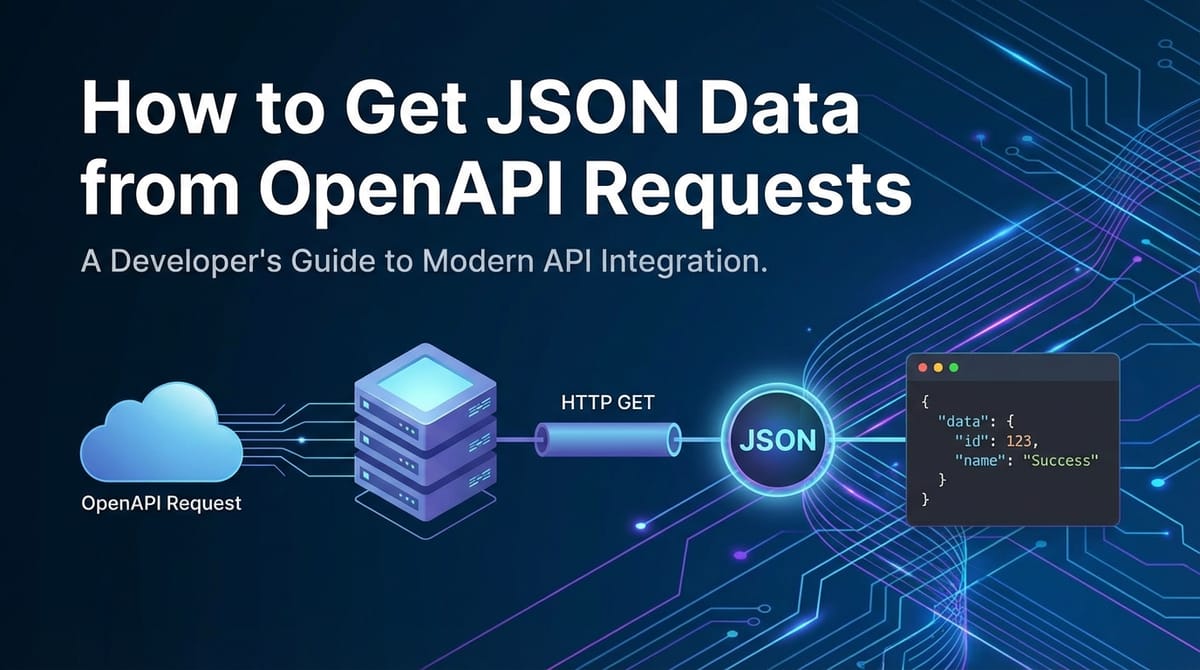


In the modern digital landscape, data fuels innovation, and the primary conduit for data exchange between disparate systems is the Application Programming Interface (API). Among the various ways to describe and interact with APIs, the OpenAPI Specification stands out as a universally recognized standard. This specification provides a language-agnostic, human-readable, and machine-readable interface description for REST APIs, making it significantly easier for developers to understand and consume them. At the heart of most contemporary API interactions lies JSON (JavaScript Object Notation), the de-facto standard for data interchange due to its lightweight nature, human readability, and ease of parsing across virtually all programming languages.
This extensive guide will embark on a journey through the intricate world of OpenAPI specifications and the practicalities of retrieving JSON data. We will delve into the fundamental concepts, explore the tools and techniques required to make robust API requests, understand how to interpret and parse the JSON responses, and discuss advanced strategies for efficient and secure data handling. Whether you are a seasoned developer looking to refine your API interaction skills or a newcomer seeking to demystify the process, this article aims to provide a thorough understanding, ensuring you can confidently navigate the complexities of modern web services and extract the valuable JSON data they offer. Understanding how to effectively harness OpenAPI specifications to retrieve JSON data is not merely a technical skill; it is a gateway to building more integrated, powerful, and intelligent applications.
Unpacking the OpenAPI Specification: The Blueprint for API Interactions
Before we can effectively retrieve JSON data, we must first understand the blueprint that guides our interaction: the OpenAPI Specification. Often mistakenly referred to as Swagger (Swagger is a set of tools built on the OpenAPI Specification, including Swagger UI, Swagger Editor, and Swagger Codegen), OpenAPI provides a standardized, machine-readable format for describing RESTful APIs. This description covers everything from available endpoints and operations to authentication methods, request parameters, and, crucially, the structure of response data, particularly JSON.
The OpenAPI Specification acts as a contract between the API provider and the API consumer. For the API provider, it ensures consistent documentation, simplifies client SDK generation, and facilitates automated testing. For the API consumer, it eliminates guesswork, accelerates integration, and provides a clear understanding of what to expect when making requests. Imagine building a complex machine without a detailed schematic; the OpenAPI specification is precisely that schematic for an API. It meticulously details each path (endpoint), the HTTP methods supported for that path (GET, POST, PUT, DELETE), the parameters required for each operation (query, header, path, body), and the expected responses, including their HTTP status codes and, most importantly for our purpose, the data schema of their JSON payloads.
This standardized approach to API description is revolutionary because it moves beyond mere human-readable documentation. Tools can parse an OpenAPI document to automatically generate interactive documentation (like Swagger UI), client libraries in various programming languages, server stubs, and even test suites. This automation dramatically reduces the time and effort required to integrate with new APIs, making the developer experience significantly smoother. Without a clear OpenAPI definition, retrieving specific JSON data would often involve sifting through informal documentation, making trial-and-error requests, and reverse-engineering the data structures—a time-consuming and error-prone process. By leveraging the OpenAPI specification, we gain a foundational understanding of the API's capabilities and, critically, the exact format of the JSON data we intend to retrieve.
Fundamentals of API Requests: Laying the Groundwork for Data Retrieval
To successfully obtain JSON data from any API, including those described by OpenAPI, a solid understanding of the underlying mechanics of API requests is indispensable. An API request is essentially a message sent from a client (your application, a browser, or a command-line tool) to a server, asking for specific information or to perform an action. This message adheres to the Hypertext Transfer Protocol (HTTP), the same protocol that powers the web itself.
Every API request consists of several key components:
- HTTP Method: This indicates the desired action to be performed on the resource. The most common methods for data retrieval are GET, but others like POST, PUT, PATCH, and DELETE serve different purposes. For instance, a GET request is idempotent and safe, meaning it retrieves data without causing side effects.
- Request URL (Endpoint): This is the specific address of the resource you wish to interact with on the server. An endpoint typically comprises a base URL (e.g.,
https://api.example.com) followed by a path that identifies the resource (e.g.,/users/123). OpenAPI specifications meticulously list all available paths and their corresponding operations. - Request Headers: These are key-value pairs that provide metadata about the request, such as the type of content the client expects to receive (
Accept: application/json), the type of content being sent in the request body (Content-Type: application/json), or authentication credentials (Authorization: Bearer <token>). Headers are crucial for API communication and security. - Request Body: For methods like POST, PUT, and PATCH, a request body is often included to send data to the server. While GET requests typically don't have a body, understanding its role is essential for comprehensive API interaction. When present, the body usually contains data formatted as JSON.
- Query Parameters: These are optional key-value pairs appended to the URL after a question mark (
?), separated by ampersands (&). They are commonly used with GET requests to filter, sort, or paginate the data retrieved from the server (e.g.,/users?status=active&limit=10). - Path Parameters: These are variables embedded directly within the URL path, often used to identify a specific resource (e.g.,
/users/{id}). In/users/123,123is a path parameter identifying a user.
Let's illustrate with a simple table outlining common HTTP methods and their typical use cases, particularly in the context of JSON data exchange:
| HTTP Method | Purpose | Idempotent | Safe | Typical JSON Body | Typical JSON Response |
|---|---|---|---|---|---|
| GET | Retrieve data | Yes | Yes | No | Resource data |
| POST | Create new data | No | No | New resource data | Created resource data |
| PUT | Update existing data (full) | Yes | No | Full resource data | Updated resource data |
| PATCH | Update existing data (partial) | No (often) | No | Partial resource data | Updated resource data |
| DELETE | Remove data | Yes | No | No (sometimes ID) | Confirmation/Status |
Understanding these fundamental components is the first step toward constructing accurate API requests. The OpenAPI specification precisely defines which of these components are required for each operation, guiding you to formulate requests that the API server will understand and process correctly, ultimately leading to the desired JSON data response.
JSON: The Universal Language of Data Interchange
Having understood the blueprint (OpenAPI) and the mechanism (API requests), we now turn our attention to the payload itself: JSON. JavaScript Object Notation, or JSON, has become the lingua franca for data exchange over the web due to its simplicity, human-readability, and efficient parsing capabilities across virtually every programming environment. It provides a structured, yet flexible, way to represent data, making it ideal for the diverse and dynamic nature of API responses.
At its core, JSON is built on two simple structures:
- Objects: A collection of unordered key-value pairs. In JSON, an object begins and ends with curly braces
{}. Each key is a string enclosed in double quotes, followed by a colon, and then its associated value. Key-value pairs are separated by commas. Objects are analogous to dictionaries in Python, hashes in Ruby, or objects in JavaScript.- Example:
{"name": "Alice", "age": 30, "isStudent": false}
- Example:
- Arrays: An ordered list of values. In JSON, an array begins and ends with square brackets
[]. Values are separated by commas. Arrays are analogous to lists in Python or arrays in JavaScript.- Example:
["apple", "banana", "cherry"] - Arrays can contain objects:
[{"id": 1, "item": "pen"}, {"id": 2, "item": "pencil"}]
- Example:
Values in JSON can be of the following data types:
- Strings: Text enclosed in double quotes (e.g.,
"hello world"). - Numbers: Integers or floating-point numbers (e.g.,
123,3.14). - Booleans:
trueorfalse. - Null: Represents an empty or non-existent value.
- Objects: As described above.
- Arrays: As described above.
The power of JSON lies in its ability to nest these structures, allowing for the representation of highly complex and hierarchical data. For instance, an API response for a user profile might include an object for the user, containing strings for names, a number for age, a boolean for active status, and an array of objects for their addresses, each address object having its own set of strings for street, city, and zip code. This hierarchical capability makes JSON incredibly versatile for modeling real-world data.
Compared to XML, its predecessor for web data interchange, JSON offers several advantages: it's more concise, generally faster to parse, and directly maps to data structures common in modern programming languages, particularly JavaScript (from which it originated). This direct mapping simplifies the process of converting JSON strings into native data structures in your application and vice-versa, minimizing the cognitive load and computational overhead of data manipulation. When an api returns JSON data, it's typically a single string containing this structured information, which your application then needs to "parse" into usable objects or arrays. Understanding JSON syntax and its data types is therefore fundamental to correctly interpreting and utilizing the data retrieved from OpenAPI-defined endpoints.
Decoding OpenAPI Specifications for JSON Data Structures
The OpenAPI Specification isn't just a guide; it's a precise map that shows you exactly where the JSON treasure lies and what it looks like. To effectively retrieve and work with JSON data, it's crucial to understand how the OpenAPI document describes these structures. This involves navigating specific sections within the specification that dictate the expected input and output data formats.
The primary sections of an OpenAPI document relevant to understanding JSON data are:
paths: This top-level object defines the individual endpoints (paths) of your API. Each path then lists the HTTP operations (GET, POST, etc.) available for that path.- Example:
/users/{id}
- Example:
operations(under each path): For each HTTP method (e.g.,getfor/users/{id}), an operation object describes its specifics, including a summary, description, parameters, and most importantly,responses.responses: This object, nested within an operation, defines the possible responses for that operation, categorized by HTTP status codes (e.g.,200for success,404for not found,500for server error). Each status code can then specify thecontentit returns.content(under each response): This is where the media types for the response are declared. For JSON data, you will almost always look forapplication/json. Under this media type, you'll find aschemaobject.schema: This object is the heart of JSON data description within OpenAPI. It defines the structure of the JSON payload. A schema can be an inline definition or, more commonly, a reference ($ref) to a reusable schema defined in thecomponents/schemassection.components/schemas: This is a global section where reusable data models (schemas) are defined. Instead of repeating the same JSON structure definitions multiple times, OpenAPI encourages defining them once here and referencing them throughout the document using$ref. For example, aUserschema could be defined here and then referenced whenever aUserobject is expected in a request body or response.
Let's illustrate with a conceptual snippet from an OpenAPI specification (YAML format, which is common) describing a GET request for user details:
paths:
  /users/{userId}:
    get:
      summary: Get user details by ID
      operationId: getUserById
      parameters:
        - name: userId
          in: path
          required: true
          schema:
            type: integer
            format: int64
          description: ID of the user to retrieve
      responses:
        '200':
          description: Successful operation
          content:
            application/json:
              schema:
                $ref: '#/components/schemas/User' # Reference to a reusable schema
        '404':
          description: User not found
          content:
            application/json:
              schema:
                $ref: '#/components/schemas/Error'
        '500':
          description: Internal Server Error
          content:
            application/json:
              schema:
                $ref: '#/components/schemas/Error'

components:
  schemas:
    User:
      type: object
      properties:
        id:
          type: integer
          format: int64
          description: The unique identifier for a user
          example: 1
        username:
          type: string
          description: The user's chosen username
          example: john_doe
        email:
          type: string
          format: email
          description: The user's email address
          example: john.doe@example.com
        isActive:
          type: boolean
          description: Indicates if the user account is active
          example: true
        roles:
          type: array
          items:
            type: string
          description: List of roles assigned to the user
          example: ["admin", "editor"]
      required:
        - id
        - username
        - email
    Error:
      type: object
      properties:
        code:
          type: integer
          format: int32
        message:
          type: string
      required:
        - code
        - message
In this example, for the GET /users/{userId} operation, the 200 OK response indicates that the content will be application/json, and its schema is defined by the User object in components/schemas. This User schema precisely specifies that the JSON response will be an object with id (integer), username (string), email (string, email format), isActive (boolean), and roles (an array of strings). It also indicates which fields are required.
By meticulously examining these sections, you gain an exact understanding of the JSON structure you should anticipate. This foreknowledge is invaluable because it allows you to write robust code that correctly processes the incoming data, handles missing fields gracefully, and validates data types, preventing common parsing errors and ensuring application stability. Without this detailed schema information, interpreting complex JSON responses would be significantly more challenging and prone to errors.
APIPark is a high-performance AI gateway that allows you to securely access the most comprehensive LLM APIs globally on the APIPark platform, including OpenAI, Anthropic, Mistral, Llama2, Google Gemini, and more.Try APIPark now! 👇👇👇
Making API Requests to Retrieve JSON Data: Tools and Techniques
Once you understand the OpenAPI specification and the expected JSON structures, the next practical step is to actually make the API requests. This involves using various tools and programming constructs to send an HTTP request to the designated api endpoint and receive the JSON response. The choice of tool often depends on the context: quick testing, automation, or integration into a larger application.
1. Using Your Browser (Limited to GET Requests)
For simple GET requests to public APIs, your web browser can often suffice. By typing an API endpoint URL directly into the address bar, the browser sends a GET request. If the api returns application/json with appropriate Content-Type headers, modern browsers will display the JSON data, often formatted for readability. * Example: https://jsonplaceholder.typicode.com/posts/1 While convenient for quick checks, browsers lack the ability to easily add custom headers, handle authentication, or make non-GET requests, making them unsuitable for most real-world API interactions.
2. Command-Line Tools: curl
curl is an incredibly powerful and versatile command-line tool for transferring data with URLs. It's available on almost all Unix-like systems and Windows (often via Git Bash or WSL). curl allows for fine-grained control over every aspect of an HTTP request, including methods, headers, body, and authentication. It's indispensable for scripting and quick debugging.
Basic GET Request: To retrieve JSON data from an endpoint using a simple GET request:
curl https://jsonplaceholder.typicode.com/posts/1
This will output the JSON response directly to your terminal.
Adding Headers (e.g., Accept, Authorization): To specify that you expect JSON and provide an API key for authentication:
curl -H "Accept: application/json" -H "Authorization: Bearer YOUR_API_KEY" https://api.example.com/data
The -H flag adds custom headers.
Making a POST Request with JSON Body: To send JSON data in a POST request, you'd use the -X POST flag and the -d (or --data) flag to provide the JSON body. Crucially, you must also set the Content-Type header to application/json.
curl -X POST \
  -H "Content-Type: application/json" \
  -d '{"title": "foo", "body": "bar", "userId": 1}' \
  https://jsonplaceholder.typicode.com/posts
3. GUI Tools: Postman, Insomnia
For more complex API development, collaboration, and testing, graphical user interface (GUI) tools like Postman and Insomnia are invaluable. They offer an intuitive interface to construct requests, manage environments (for different API keys or base URLs), organize collections of requests, and visualize responses.
Steps in a GUI Tool (e.g., Postman): 1. Select HTTP Method: From a dropdown, choose GET, POST, PUT, etc. 2. Enter Request URL: Input the full endpoint URL. 3. Add Headers: Go to the "Headers" tab and add key-value pairs (e.g., Accept: application/json, Authorization: Bearer <token>). 4. Add Query Parameters: Go to the "Params" tab and add key-value pairs; the tool will automatically append them to the URL. 5. Add Request Body (for POST/PUT): Go to the "Body" tab, select "raw", then choose "JSON" from the dropdown, and type or paste your JSON data. 6. Send Request: Click the "Send" button. 7. View Response: The response, including HTTP status, headers, and the JSON body, will be displayed in a dedicated panel, often with syntax highlighting and formatting.
These tools are particularly useful for exploring an api described by an OpenAPI specification, as many can import an OpenAPI document and automatically generate a collection of requests based on the defined paths and operations.
4. Programming Languages (Python, JavaScript, etc.)
For integrating API requests into applications, programming languages offer libraries that abstract away the low-level HTTP details. This is the most common approach for building dynamic, data-driven applications.
Python with requests library: The requests library is a de-facto standard for HTTP requests in Python, renowned for its simplicity and power.
import requests
import json

# GET Request
response = requests.get('https://jsonplaceholder.typicode.com/posts/1')
if response.status_code == 200:
    json_data = response.json() # Automatically parses JSON
    print("GET Response JSON:", json.dumps(json_data, indent=2))
else:
    print(f"GET Request failed with status code {response.status_code}")

# POST Request with JSON body and headers
headers = {
    'Content-Type': 'application/json',
    'Accept': 'application/json'
    # 'Authorization': 'Bearer YOUR_API_KEY' # Add if authentication is needed
}
payload = {
    "title": "foo",
    "body": "bar",
    "userId": 1
}
post_response = requests.post('https://jsonplaceholder.typicode.com/posts', headers=headers, json=payload)
# The `json` parameter automatically serializes the dict to JSON and sets Content-Type to application/json
if post_response.status_code == 201: # 201 Created for successful POST
    post_json_data = post_response.json()
    print("\nPOST Response JSON:", json.dumps(post_json_data, indent=2))
else:
    print(f"POST Request failed with status code {post_response.status_code}, Response: {post_response.text}")
JavaScript with fetch API (Browser/Node.js): The fetch API is a modern, promise-based API for making network requests.
// GET Request
fetch('https://jsonplaceholder.typicode.com/posts/1')
  .then(response => {
    if (!response.ok) {
      throw new Error(`HTTP error! status: ${response.status}`);
    }
    return response.json(); // Parses JSON
  })
  .then(data => console.log("GET Response JSON:", data))
  .catch(error => console.error("GET Request failed:", error));

// POST Request with JSON body and headers
const headers = {
    'Content-Type': 'application/json',
    'Accept': 'application/json'
    // 'Authorization': 'Bearer YOUR_API_KEY' // Add if authentication is needed
};
const payload = {
    title: "foo",
    body: "bar",
    userId: 1
};
fetch('https://jsonplaceholder.typicode.com/posts', {
    method: 'POST',
    headers: headers,
    body: JSON.stringify(payload) // Convert JS object to JSON string
})
  .then(response => {
    if (!response.ok) {
      throw new Error(`HTTP error! status: ${response.status}`);
    }
    return response.json();
  })
  .then(data => console.log("POST Response JSON:", data))
  .catch(error => console.error("POST Request failed:", error));
Handling Authentication
Authentication is a critical aspect of most private or secure APIs. The OpenAPI specification will explicitly describe the authentication methods (e.g., API Key, OAuth2, HTTP Basic) required for different endpoints. * API Key: Often sent as a header (X-API-Key) or a query parameter. * Bearer Token (OAuth2, JWT): Sent in the Authorization header as Authorization: Bearer <TOKEN>. Ensure your requests include the correct authentication credentials as specified by the API's OpenAPI document. Failure to do so will result in 401 Unauthorized or 403 Forbidden errors.
Error Handling
Robust applications must anticipate and handle API errors. The OpenAPI specification details expected error responses (e.g., 400 Bad Request, 404 Not Found, 500 Internal Server Error), often including a JSON schema for the error payload itself. * Always check the HTTP status code of the response. A 2xx status code generally indicates success. * For non-2xx codes, parse the error JSON (if available) to understand the problem. The error response might contain a code and message field, as shown in our example OpenAPI Error schema. This detailed information is crucial for debugging and providing meaningful feedback to users.
Making effective API requests involves a combination of understanding the api contract (OpenAPI), choosing the right tools, correctly formatting the request, and diligently handling responses and potential errors. This systematic approach ensures reliable and efficient data retrieval.
Parsing and Utilizing JSON Data: Bringing Data to Life
Once you've successfully made an API request and received a JSON response, the data is still just a string of characters. The next crucial step is to "parse" this JSON string into native data structures that your programming language can easily manipulate. This process transforms the raw text into objects, arrays, strings, numbers, and booleans, allowing your application to access and utilize the data effectively.
Every modern programming language provides built-in or widely available libraries for JSON parsing. These libraries handle the complexities of syntax validation and data type conversion, presenting you with usable data structures.
1. Parsing in Python
Python's standard library includes the json module, which is straightforward and efficient for handling JSON data.
import json

# Example JSON string received from an API
json_string = '''
{
  "id": 1,
  "username": "john_doe",
  "email": "john.doe@example.com",
  "isActive": true,
  "roles": ["admin", "editor"],
  "profile": {
    "firstName": "John",
    "lastName": "Doe",
    "age": 30
  }
}
'''

# Parsing the JSON string into a Python dictionary
try:
    user_data = json.loads(json_string) # json.loads() for string to Python object
    print("Parsed JSON (Python Dictionary):", user_data)

    # Accessing specific elements
    print("User ID:", user_data['id'])
    print("Username:", user_data.get('username')) # Using .get() for safer access
    print("First Role:", user_data['roles'][0])
    print("User's First Name:", user_data['profile']['firstName'])

    # Iterating through an array
    print("User Roles:")
    for role in user_data['roles']:
        print(f"- {role}")

    # Handling potentially missing keys gracefully
    country = user_data.get('country', 'Not Specified')
    print("Country (using .get() with default):", country)

    # Converting Python dictionary back to JSON string (for sending back to an API)
    modified_data = user_data.copy()
    modified_data['isActive'] = False
    new_json_string = json.dumps(modified_data, indent=2) # json.dumps() for Python object to string
    print("\nModified JSON string (for sending back):")
    print(new_json_string)

except json.JSONDecodeError as e:
    print(f"Error decoding JSON: {e}")
except KeyError as e:
    print(f"Error accessing key: {e}. Check your JSON structure.")
Python's json.loads() converts a JSON string into a Python dictionary (for JSON objects) or a list (for JSON arrays). json.dumps() performs the reverse operation.
2. Parsing in JavaScript
In JavaScript, parsing JSON is even more integral as JSON's syntax is directly derived from JavaScript object literal notation. The JSON global object provides methods for parsing and stringifying.
// Example JSON string received from an API
const jsonString = `
{
  "id": 1,
  "username": "john_doe",
  "email": "john.doe@example.com",
  "isActive": true,
  "roles": ["admin", "editor"],
  "profile": {
    "firstName": "John",
    "lastName": "Doe",
    "age": 30
  }
}
`;

// Parsing the JSON string into a JavaScript object
try {
    const userData = JSON.parse(jsonString); // JSON.parse() for string to JS object
    console.log("Parsed JSON (JavaScript Object):", userData);

    // Accessing specific elements
    console.log("User ID:", userData.id);
    console.log("Username:", userData.username);
    console.log("First Role:", userData.roles[0]);
    console.log("User's First Name:", userData.profile.firstName);

    // Iterating through an array
    console.log("User Roles:");
    userData.roles.forEach(role => console.log(`- ${role}`));

    // Handling potentially missing keys (ES6 destructuring with defaults)
    const { country = 'Not Specified' } = userData;
    console.log("Country (using destructuring with default):", country);

    // Converting JavaScript object back to JSON string
    const modifiedData = { ...userData, isActive: false }; // Create a copy and modify
    const newJsonString = JSON.stringify(modifiedData, null, 2); // JSON.stringify() for JS object to string
    console.log("\nModified JSON string (for sending back):");
    console.log(newJsonString);

} catch (e) {
    console.error("Error parsing JSON:", e);
}
JSON.parse() converts a JSON string into a JavaScript object (for JSON objects) or an array (for JSON arrays). JSON.stringify() performs the reverse. The second and third arguments of JSON.stringify() (replacer and space) are optional but useful for pretty-printing.
3. Data Validation
While parsing converts the JSON string into native data structures, it doesn't necessarily validate the data against the expected schema described in the OpenAPI document. For robust applications, especially when dealing with external or untrusted APIs, data validation is crucial.
- Type Checking: Ensure that fields have the expected data types (e.g.,
idis a number,usernameis a string). - Presence of Required Fields: Verify that all fields marked as
requiredin the OpenAPI schema are present in the response. - Value Constraints: Check if values adhere to any specified constraints (e.g.,
ageis a positive number,emailfollows an email format). - Schema Validation Libraries: For advanced validation, consider using libraries that can validate incoming JSON against a JSON Schema (which is what OpenAPI uses internally for data models). Examples include
jsonschemain Python orajvin JavaScript. These libraries can parse your OpenAPI schema (or just the relevantcomponents/schemaspart) and check if the received JSON conforms to it, providing detailed error messages for discrepancies. This proactive validation prevents unexpected errors in downstream application logic that relies on specific data formats.
By effectively parsing and validating JSON data, you transform raw API responses into actionable information, seamlessly integrating external services into your application's logic. This step is where the api interaction truly comes to life, allowing your application to leverage the data for its intended purpose.
Advanced Topics and Best Practices: Optimizing API Interactions
Beyond the basics of making requests and parsing JSON, several advanced topics and best practices can significantly enhance the efficiency, reliability, and maintainability of your API integrations. These considerations move beyond simply getting data to optimizing how that data is retrieved and managed within a broader system.
1. Pagination
For APIs returning large datasets (e.g., thousands of users, millions of transactions), sending all data in a single response is inefficient and can overwhelm both the server and the client. Pagination is the solution, breaking down large results into smaller, manageable chunks or "pages."
Common pagination strategies include: * Offset/Limit: Using offset (number of records to skip) and limit (max records per page) query parameters (e.g., /items?offset=10&limit=5). * Page Number/Size: Using page and pageSize (e.g., /items?page=2&pageSize=10). * Cursor-based: Using a cursor (an opaque string pointing to a specific record) to fetch the "next" or "previous" set of results, often more efficient for very large datasets as it avoids costly OFFSET calculations.
The OpenAPI specification will explicitly define the pagination parameters for endpoints that support it, detailing their types and expected values. Always check the response for metadata (total count, next page link) to correctly iterate through all pages.
2. Filtering and Sorting
APIs often allow clients to request specific subsets of data or to order the results. This is typically achieved using query parameters. * Filtering: GET /users?status=active&country=USA * Sorting: GET /products?sort=price,desc or GET /products?sortBy=price&order=desc
The OpenAPI document will list these optional query parameters, their data types, and allowed values (e.g., an enum of sortable fields) under the parameters section of an operation. Leveraging these parameters reduces the amount of unnecessary data transferred and processed on the client side.
3. Version Control for APIs
APIs evolve, and breaking changes inevitably occur. To manage this gracefully, APIs adopt versioning. Common strategies include: * URL Versioning: Embedding the version in the path (e.g., /v1/users, /v2/users). This is the most explicit and common approach. * Header Versioning: Using a custom request header (e.g., X-API-Version: 2). * Accept Header Versioning: Using the Accept header to request a specific version of the resource representation (e.g., Accept: application/vnd.example.v2+json).
The OpenAPI specification will clearly indicate the versioning strategy, either through the paths structure or by documenting required headers. Always ensure your requests target the correct API version to avoid compatibility issues.
4. API Gateways and Their Role
As api ecosystems grow in complexity, managing myriad services, ensuring security, and maintaining performance becomes challenging. This is where an api gateway becomes indispensable. An api gateway acts as a single entry point for all api requests from clients to various backend services. It provides a layer of abstraction, centralization, and control that simplifies client applications and enhances the overall api infrastructure.
Key functions of an api gateway include: * Request Routing: Directing incoming requests to the appropriate backend service. * Authentication and Authorization: Centralizing security policies, verifying credentials before requests reach backend services. * Rate Limiting and Throttling: Protecting backend services from abuse and ensuring fair usage by controlling the number of requests clients can make. * Traffic Management: Load balancing, caching, and circuit breaking. * Request/Response Transformation: Modifying requests or responses on the fly, e.g., converting data formats or enriching payloads. * Monitoring and Logging: Centralizing api call logs for analytics, debugging, and security auditing. * API Management: Providing a developer portal, managing API lifecycle (design, publish, deprecate), and offering subscription workflows.
Speaking of managing complex API interactions and ensuring robust data handling, modern api infrastructure often relies on an api gateway. These gateways act as a single entry point for all API requests, providing a layer of abstraction and control. For instance, an open-source solution like APIPark serves as an AI gateway and API management platform. It facilitates the management, integration, and deployment of APIs (including those described by OpenAPI), offering capabilities like end-to-end API lifecycle management, from design to invocation. APIPark helps regulate API management processes, manage traffic forwarding, load balancing, and versioning of published APIs. Its features, such as unifying API formats for AI invocation and centralizing API service sharing within teams, directly contribute to more efficient and secure handling of diverse JSON data exchanges in a complex api landscape. An api gateway like APIPark can significantly streamline the process of orchestrating multiple services, applying common policies, and ensuring that JSON data flows correctly and securely throughout your api ecosystem, enhancing efficiency, security, and data optimization for developers, operations personnel, and business managers alike.
5. Rate Limiting and Throttling
APIs often impose limits on the number of requests a client can make within a given timeframe to prevent abuse, ensure fair resource allocation, and protect server stability. Exceeding these limits typically results in a 429 Too Many Requests HTTP status code. * Respecting Limits: Monitor response headers (like X-RateLimit-Limit, X-RateLimit-Remaining, X-RateLimit-Reset) to programmatically manage your request frequency. * Exponential Backoff: When a 429 error occurs, implement a delay before retrying, increasing the delay exponentially with each subsequent failure.
6. Idempotency
While GET requests are inherently idempotent (making the same request multiple times has the same effect as making it once), other methods like POST are generally not. For operations like creating a resource or transferring funds, where a client might retry a request due to network issues, ensuring idempotency is vital to prevent unintended duplicate actions. APIs often support idempotency by allowing clients to provide an Idempotency-Key header with a unique value per request. If the server receives the same Idempotency-Key for a second time within a certain window, it will return the result of the original operation without re-executing it.
7. Security Considerations
Protecting JSON data, especially sensitive information, is paramount. * HTTPS: Always use HTTPS (https://) to encrypt communication between client and server, preventing eavesdropping and tampering. * Authentication & Authorization: Implement robust authentication mechanisms (e.g., OAuth2, JWT) and fine-grained authorization policies to ensure only authorized users and applications can access specific data. The OpenAPI specification will detail the required security schemes. * Input Validation: On the server side, rigorously validate all incoming data (including JSON payloads) to prevent injection attacks and ensure data integrity. * Output Sanitization: On the client side, sanitize any JSON data displayed to users to prevent cross-site scripting (XSS) vulnerabilities. * Least Privilege: Access tokens or api keys should only grant the minimum necessary permissions required for the task.
By integrating these advanced topics and best practices into your workflow, you move beyond basic api consumption to building resilient, scalable, and secure applications that interact seamlessly with external services and efficiently manage JSON data. The initial investment in understanding these concepts pays significant dividends in the long run, leading to more robust and maintainable software solutions.
Challenges and Troubleshooting in JSON Data Retrieval
Even with a clear OpenAPI specification and robust tools, interacting with APIs and retrieving JSON data can present various challenges. Effective troubleshooting is a critical skill for any developer working with external services. Understanding common pitfalls and how to diagnose them can save significant time and frustration.
1. Malformed JSON Responses
One of the most frequent issues is receiving a response that isn't valid JSON, despite expecting application/json. * Symptoms: Parsing errors (e.g., json.JSONDecodeError in Python, "Unexpected token" in JavaScript). * Causes: * Server Error: The API server encountered an issue and returned an HTML error page, plain text error message, or an incorrectly formatted JSON string. * Incorrect Content-Type: The server might return text/html or plain/text but the client attempts to parse it as JSON. * Truncated Response: Network issues might cut off the response mid-transmission, resulting in incomplete JSON. * Troubleshooting: * Inspect Raw Response: Use curl or a GUI tool like Postman to view the raw HTTP response, including headers and body, to confirm the actual Content-Type and the exact content. * Check HTTP Status Code: A 5xx status code often indicates a server-side error that might result in non-JSON content. * Validate JSON Online: Copy the response body into an online JSON validator to pinpoint syntax errors.
2. Incorrect Content Types
The Content-Type header in both requests and responses is crucial. * Symptoms: * Request Body Not Processed: When sending a POST/PUT request with a JSON body, the server might return an error indicating it couldn't parse the request, or that the body was empty. * Unexpected Response Format: The client might be expecting JSON but receives XML or plain text. * Causes: * Missing Content-Type Header in Request: For POST/PUT requests with JSON bodies, forgetting Content-Type: application/json is a common mistake. The server might default to application/x-www-form-urlencoded. * Server Returning Wrong Content-Type: The API might be configured incorrectly or encounter an error that causes it to return a default Content-Type (e.g., text/html) even when attempting to send JSON. * Troubleshooting: * Verify Request Headers: Double-check that your request includes Content-Type: application/json if you're sending a JSON body. * Inspect Response Headers: Confirm that the server's Content-Type header is indeed application/json when you expect JSON.
3. Authentication Failures
Accessing protected resources without proper authentication is a common roadblock. * Symptoms: 401 Unauthorized or 403 Forbidden HTTP status codes. * Causes: * Missing Credentials: Forgetting to include the Authorization header or API key. * Incorrect Credentials: Using an expired, invalid, or incorrectly formatted token/key. * Insufficient Permissions: The provided credentials are valid but lack the necessary scope or roles to access the requested resource. * Incorrect Authentication Scheme: Using an API key when OAuth2 is required, or vice versa. * Troubleshooting: * Consult OpenAPI Spec: Review the securitySchemes section in the OpenAPI document to understand the required authentication method and parameter names. * Verify Token/Key: Check the validity and expiration of your authentication token or api key. * Test with GUI Tool: Use Postman/Insomnia to manually construct the request and verify authentication parameters. * Check User/Application Permissions: Ensure the principal associated with your credentials has the necessary rights.
4. Network Issues and Timeouts
Network instability or slow api responses can lead to failed requests. * Symptoms: Request timeouts, connection errors, 504 Gateway Timeout status codes. * Causes: * Client-side Network Problems: Local internet connectivity issues. * Server-side Overload: The api server is under heavy load and cannot respond in time. * Firewall/Proxy Blocks: Network configurations preventing your application from reaching the api. * Troubleshooting: * Increase Timeout: In your client code, try increasing the request timeout value (but don't make it excessively long). * Ping API Host: Check connectivity to the API's domain using network tools (ping, traceroute). * Check API Status Page: Many api providers have status pages to report outages or performance issues. * Implement Retries with Backoff: For transient network errors, programmatically retry failed requests with an exponential backoff strategy.
5. API Documentation Discrepancies
Sometimes, the actual api behavior deviates from what's described in the OpenAPI specification. * Symptoms: Unexpected JSON structures (missing fields, different data types), required parameters not working, or endpoints returning errors not documented. * Causes: * Outdated Documentation: The OpenAPI spec hasn't been updated to reflect recent api changes. * Implementation Bug: The api itself has a bug that causes it to deviate from its intended behavior. * Troubleshooting: * Cross-Reference: Test the api behavior against the OpenAPI documentation using a tool like Postman. * Consult API Provider: If discrepancies are found, reach out to the api provider's support channels or developer forums. * Inspect Raw Responses Carefully: Pay close attention to the actual JSON structure received, rather than just what the documentation suggests.
By systematically approaching these common challenges, developers can efficiently diagnose and resolve issues encountered during JSON data retrieval, ensuring smoother and more reliable api integrations. The key is to leverage the information provided by HTTP status codes, response headers, and the raw response body, always cross-referencing with the OpenAPI specification when possible.
Conclusion: Mastering JSON Data Retrieval in the OpenAPI Era
Our journey through the landscape of OpenAPI requests and JSON data retrieval has covered a vast territory, from understanding the foundational blueprint of API specifications to the granular details of parsing and advanced optimization techniques. In an increasingly interconnected digital world, the ability to seamlessly interact with APIs, extract valuable data, and integrate it into applications is not merely a technical skill—it is a cornerstone of modern software development.
The OpenAPI Specification serves as our compass, providing an unambiguous contract that details every facet of an API's functionality, from its available endpoints and operations to the precise structure of its request and response data, predominantly in JSON format. This standardization dramatically reduces the complexity of API integration, fostering an ecosystem where disparate systems can communicate with clarity and efficiency. JSON, with its lightweight and human-readable syntax, remains the undisputed champion for data interchange, offering a versatile and universally parsable format for the rich payloads exchanged across the web.
We have explored the practicalities of making API requests using a variety of tools, from the command-line versatility of curl to the developer-friendly GUIs of Postman and the robust libraries within popular programming languages like Python and JavaScript. Understanding how to correctly formulate requests, including HTTP methods, headers, parameters, and authentication credentials, is paramount to eliciting the desired JSON response. Equally important is the skill of parsing this raw JSON string into usable native data structures, enabling your application to bring the data to life.
Furthermore, we delved into advanced considerations such as pagination, filtering, versioning, and the pivotal role of an api gateway in managing complex api ecosystems. Solutions like APIPark exemplify how modern api management platforms enhance security, performance, and developer experience by centralizing control over diverse api and AI services. These practices are not mere luxuries but necessities for building resilient, scalable, and secure applications that can handle the demands of real-world data flows. Finally, we addressed common challenges and troubleshooting strategies, emphasizing the importance of diligence in inspecting responses, validating data, and understanding error patterns to maintain robust integrations.
Mastering JSON data retrieval from OpenAPI requests is an ongoing process of learning and refinement. By embracing the principles outlined in this guide—meticulous attention to the OpenAPI specification, systematic request formulation, diligent parsing and validation, and the adoption of advanced best practices—developers can confidently navigate the intricacies of the api economy. This mastery empowers you to build applications that are not only functional but also efficient, secure, and ready to adapt to the ever-evolving landscape of digital connectivity, turning raw data into meaningful insights and impactful experiences.
Frequently Asked Questions (FAQs)
Q1: What is the primary difference between OpenAPI and Swagger?
A1: The primary difference lies in their scope: OpenAPI Specification (OAS) is a specification, a standardized, language-agnostic interface description for REST APIs. It defines a YAML or JSON format for describing APIs. Swagger, on the other hand, is a set of open-source tools that implement the OAS. These tools include Swagger UI (for visualizing and interacting with API descriptions), Swagger Editor (for writing OAS definitions), and Swagger Codegen (for generating client SDKs and server stubs from OAS definitions). So, OpenAPI is the blueprint, and Swagger provides the tools to work with that blueprint.
Q2: Why is JSON preferred over XML for most modern API data exchange?
A2: JSON is preferred for several key reasons: 1. Simplicity and Readability: JSON's syntax is more concise and easier for humans to read and write compared to XML, which has more verbose tags. 2. Lightweight: JSON generally has a smaller file size than equivalent XML data, leading to faster data transmission over networks. 3. Easier Parsing: JSON directly maps to data structures (objects/dictionaries, arrays) prevalent in modern programming languages, especially JavaScript (from which it originated). This makes parsing and data manipulation much simpler and faster. 4. Widespread Tooling: Virtually all programming languages and environments have native or robust JSON parsing libraries, making integration seamless.
Q3: How do I handle large JSON responses or datasets from an API?
A3: For large JSON responses, several strategies are employed: 1. Pagination: The most common method. APIs break down large datasets into smaller "pages" or "chunks." You typically use query parameters like limit/offset or page/pageSize to request specific portions of the data. Your application then makes multiple requests to retrieve all pages sequentially. 2. Filtering and Sorting: Request only the data you need by using filtering parameters (e.g., status=active) and sorting to retrieve relevant data first. This reduces the overall size of the response. 3. Streaming: In some advanced scenarios, particularly with very large, continuous data feeds, an API might support JSON streaming, where data is sent as a continuous stream rather than a single, complete JSON document. This requires specialized client-side handling to process data incrementally.
Q4: What are common HTTP status codes I should look out for when getting JSON data, and what do they mean?
A4: When retrieving JSON data, common HTTP status codes provide crucial information about the request's success or failure: * 200 OK: The request was successful, and the api returned the requested JSON data. * 201 Created: A resource was successfully created (typically from a POST request), and the response body often contains the JSON representation of the newly created resource. * 400 Bad Request: The server cannot process the request due to client error (e.g., malformed JSON in the request body, missing required parameters, invalid query parameters). * 401 Unauthorized: The request lacks valid authentication credentials for the target resource. You need to provide an api key, token, or other credentials. * 403 Forbidden: The client has valid credentials but does not have permission to access the requested resource. * 404 Not Found: The requested resource could not be found on the server (e.g., an incorrect URL path). * 429 Too Many Requests: The client has sent too many requests in a given amount of time ("rate limiting"). You should pause and retry later, potentially using an exponential backoff strategy. * 500 Internal Server Error: A generic error message, indicating that the server encountered an unexpected condition that prevented it from fulfilling the request. The problem is on the API provider's side. * 503 Service Unavailable: The server is temporarily unable to handle the request due to maintenance or overload.
Q5: How can an API Gateway like APIPark help me manage JSON data retrieval in a complex API environment?
A5: An API Gateway like APIPark plays a crucial role in streamlining JSON data retrieval and API management in complex environments by: 1. Centralized Control: It acts as a single entry point, routing requests to various backend services. This simplifies client-side logic as they only interact with the gateway. 2. Authentication & Authorization: APIPark can centralize authentication for all APIs, ensuring that only authenticated and authorized clients can access resources, protecting your JSON data. 3. Traffic Management: It handles rate limiting, caching, and load balancing, optimizing performance and protecting backend services from being overwhelmed, ensuring consistent JSON data access. 4. Request/Response Transformation: APIPark can transform incoming requests or outgoing JSON responses, for example, to unify data formats across different backend APIs or to mask sensitive data before it reaches the client. This is especially useful for managing diverse JSON schemas. 5. Monitoring & Logging: It provides detailed logging of all API calls, including JSON payloads, which is invaluable for debugging, auditing, and analyzing how JSON data is being consumed and exchanged. 6. Developer Portal & Lifecycle Management: APIPark offers a developer portal to discover and subscribe to APIs, and manages the entire API lifecycle, from publishing to deprecation, ensuring consumers always have access to current API definitions and JSON schemas.
🚀You can securely and efficiently call the OpenAI API on APIPark in just two steps:
Step 1: Deploy the APIPark AI gateway in 5 minutes.
APIPark is developed based on Golang, offering strong product performance and low development and maintenance costs. You can deploy APIPark with a single command line.
curl -sSO https://download.apipark.com/install/quick-start.sh; bash quick-start.sh

In my experience, you can see the successful deployment interface within 5 to 10 minutes. Then, you can log in to APIPark using your account.

Step 2: Call the OpenAI API.