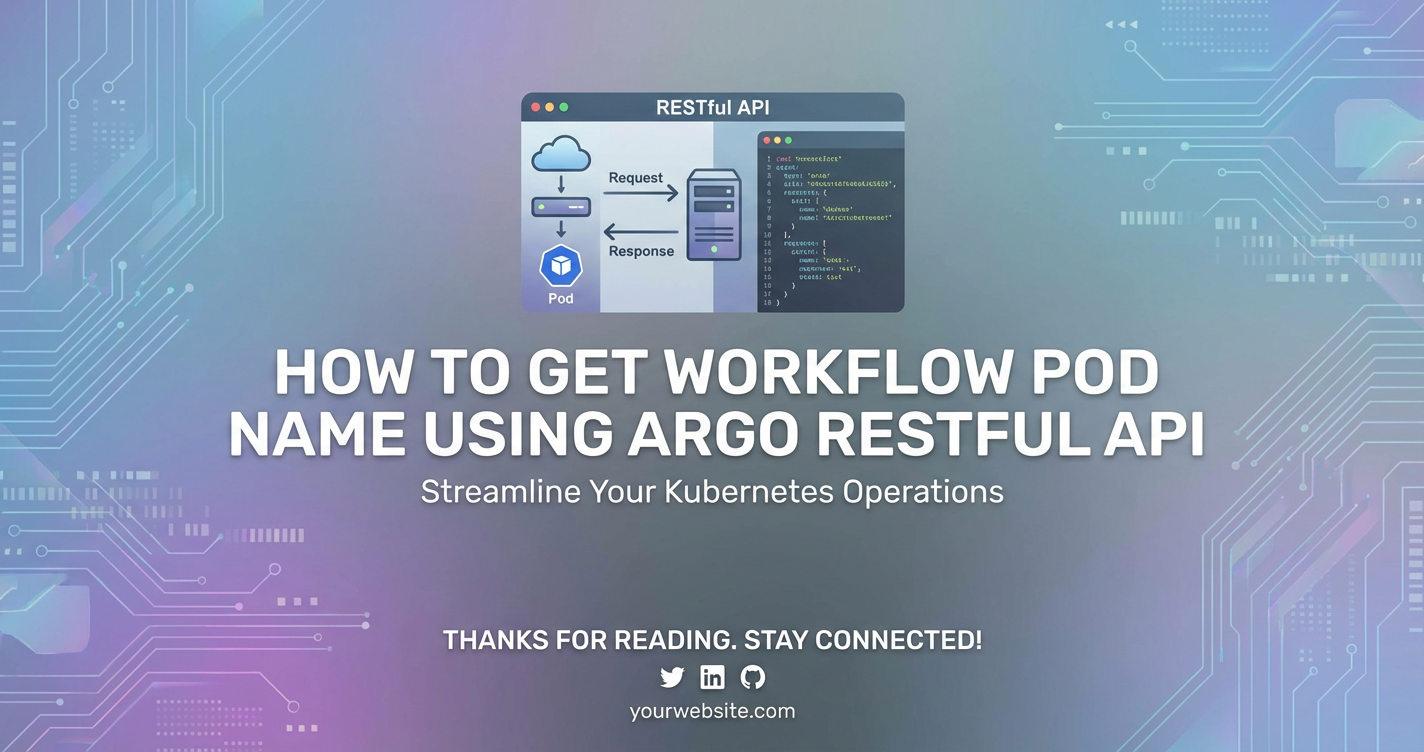
How to Get Workflow Pod Name using Argo RESTful API


In the intricate landscape of modern cloud-native applications, orchestration and automation stand as pillars of efficiency and reliability. As enterprises increasingly adopt microservices architectures and embrace declarative infrastructure, the need for robust workflow management becomes paramount. Argo Workflows, a leading open-source engine for orchestrating parallel jobs on Kubernetes, empowers developers to define complex, multi-step workflows as directed acyclic graphs (DAGs) or sequences of steps, all within the familiar Kubernetes ecosystem. These workflows automate everything from continuous integration/continuous deployment (CI/CD) pipelines to scientific computations and data processing tasks.
However, merely running these workflows is often not enough. To truly master the operational aspects of a system, developers and operations teams require deep insight and programmatic control over every moving part. This is where the power of Argo's RESTful API becomes indispensable. While kubectl and the Argo UI provide excellent interfaces for interaction, direct API access unlocks a new realm of automation, integration, and custom tooling. Specifically, knowing how to programmatically retrieve the pod names associated with an Argo Workflow is a critical capability. This detailed knowledge allows for fine-grained logging, real-time monitoring, advanced debugging, and the ability to interact directly with the underlying Kubernetes pods that execute the workflow's steps.
This comprehensive guide will delve deep into the mechanics of accessing Argo's RESTful API to extract workflow pod names. We will explore the fundamental concepts of Argo Workflows, the architecture of its API, various methods of authentication, and step-by-step instructions with practical code examples. Furthermore, we will discuss the benefits of leveraging the OpenAPI specification for understanding Argo's api structure and the strategic role of an api gateway in securing and managing access to such critical infrastructure apis in production environments. By the end of this article, you will possess a profound understanding of how to harness the Argo API to gain unparalleled control and visibility over your workflow executions.
Understanding Argo Workflows Fundamentals
Before we immerse ourselves in the intricacies of the Argo RESTful API, it is crucial to establish a solid understanding of Argo Workflows themselves. This foundational knowledge will make the subsequent discussions about API interactions more meaningful and intuitive.
Argo Workflows is an open-source container-native workflow engine for orchestrating parallel jobs on Kubernetes. It enables users to define workflows where each step is a container. These workflows can be defined using YAML, leveraging Kubernetes custom resources (CRDs).
Core Concepts of Argo Workflows
- Workflow: The central concept in Argo Workflows. A Workflow is a Kubernetes custom resource that defines a series of steps or tasks to be executed. It specifies the containers to run, their arguments, dependencies, and execution order. Workflows are declarative, meaning you describe the desired state, and Argo ensures that state is achieved. A workflow can represent anything from a simple bash script execution to a complex multi-stage data processing pipeline.
- WorkflowTemplate: A reusable and parameterized definition of a workflow. WorkflowTemplates allow developers to define common workflow patterns once and then instantiate them multiple times with different parameters, promoting reusability and reducing duplication. This is particularly useful for standardizing CI/CD steps or common data transformations across an organization.
- Pod: In Kubernetes, a Pod is the smallest deployable unit of computing that can be created and managed. It's a group of one or more containers, with shared storage and network resources, and a specification for how to run the containers. Each step or task within an Argo Workflow typically corresponds to one or more Kubernetes pods. When an Argo Workflow executes a step, it essentially schedules a new pod (or multiple pods for parallel steps) to run the specified container image and command. The lifecycle of these pods is managed by Kubernetes, but Argo orchestrates their execution order and dependencies.
- Container: The fundamental building block for execution within a Pod. Each step of an Argo Workflow specifies a container image (e.g.,
ubuntu:latest,python:3.9) and the command to run within that container. This allows for immense flexibility, as any application that can be containerized can be part of an Argo Workflow. - DAG (Directed Acyclic Graph): A common way to structure workflows in Argo. A DAG defines a set of tasks and their dependencies, ensuring that tasks are executed in the correct order. For example, Task B cannot start until Task A has completed successfully. This graph-based structure is ideal for representing complex pipelines where steps have clear upstream and downstream relationships.
- Steps: An alternative to DAGs for defining sequential workflows. Steps are executed in the order they are defined, with each step running only after the previous one completes. This is suitable for simpler, linear processes.
The Lifecycle of an Argo Workflow
A typical Argo Workflow lifecycle involves several stages:
- Submission: A user or automated system submits a Workflow YAML definition to the Kubernetes API server.
- Scheduling: The Argo Controller, watching for Workflow CRDs, picks up the new workflow. It then breaks down the workflow into individual tasks (nodes) and schedules corresponding pods on the Kubernetes cluster.
- Execution: Kubernetes schedules and runs the pods. Each pod executes its assigned container logic.
- Monitoring: The Argo Controller continuously monitors the status of these pods. As pods complete, fail, or transition through states, the controller updates the overall workflow status.
- Completion/Failure: Once all tasks are complete (or a failure is encountered that prevents further progress), the workflow reaches a final
SucceededorFailedstate.
Why Knowing Pod Names is Crucial
The ability to retrieve workflow pod names programmatically is not merely a technical curiosity; it unlocks a host of practical benefits for operational excellence and advanced automation:
- Real-time Logging and Troubleshooting: Pod names are the direct identifiers for accessing container logs. By getting a pod's name, you can immediately
kubectl logs <pod-name>to view standard output and error streams, crucial for debugging failed steps or monitoring progress. This is especially vital in complex workflows where multiple pods might be running simultaneously. - Resource Utilization Monitoring: Pods consume CPU, memory, and network resources. Knowing their names allows you to use
kubectl top pod <pod-name>or integrate with monitoring solutions (like Prometheus/Grafana) to track resource consumption for specific workflow steps, helping identify bottlenecks or inefficiencies. - Attaching Debuggers or Shells: In scenarios where a workflow step hangs or produces unexpected output, being able to
kubectl exec -it <pod-name> -- bashallows you to interact directly with the running container, inspect its environment, file system, or even attach a debugger. This is an invaluable capability for deep-dive diagnostics. - Custom Alerting and Notifications: By monitoring the status of specific pods, you can set up custom alerts. For instance, if a critical data processing step's pod goes into an
Errorstate, you can trigger an immediate notification via Slack, email, or PagerDuty, ensuring prompt human intervention. - Dynamic Scaling or Remediation: In advanced use cases, if a specific pod is consuming excessive resources or behaving abnormally, knowing its name allows for programmatic remediation, such as restarting the pod, scaling out related resources, or even triggering a compensating workflow.
- Integrating with External Systems: For compliance or auditing purposes, you might need to link specific external system actions to the exact Kubernetes pod that executed them. Pod names provide that precise linkage.
- Clean-up Operations: In some edge cases, if an Argo Workflow fails gracefully but leaves behind orphaned resources, knowing the associated pod names can help in targeted manual or automated clean-up.
In essence, workflow pod names are the gateway to the underlying execution environment of your Argo Workflows, providing the granularity needed for robust operations and advanced automation.
Diving into Argo's RESTful API
Having established the foundational understanding of Argo Workflows, let's now pivot our focus to the primary mechanism for programmatic interaction: Argo's RESTful API. This API serves as the programmatic interface to the Argo Server, allowing external applications and scripts to query workflow status, submit new workflows, and manage existing ones.
The Architecture of Argo Server
The Argo Workflows system typically consists of several components running within your Kubernetes cluster:
- Argo Controller: This is the brains of the operation. It's a Kubernetes controller that continuously watches the Kubernetes API server for
WorkflowandWorkflowTemplatecustom resources. When it detects a new workflow or a change in an existing one, it orchestrates the creation and management of Kubernetes pods, services, and other resources required to execute the workflow steps. - Argo Server: This component provides the user interface (UI) and the RESTful API. It exposes endpoints that allow users and applications to interact with Argo Workflows. When you access the Argo UI in your browser, you are interacting with the Argo Server, which in turn communicates with the Argo Controller and Kubernetes API to fetch and display workflow information. All programmatic interactions we'll discuss go through this Argo Server.
The Concept of a RESTful API
REST (Representational State Transfer) is an architectural style for designing networked applications. A RESTful API adheres to a set of constraints:
- Client-Server: A clear separation between the client and server.
- Stateless: Each request from client to server must contain all the information necessary to understand the request. The server should not store any client context between requests.
- Cacheable: Responses from the server can be cached by clients to improve performance.
- Uniform Interface: The client-server interaction is simplified through a uniform interface, which includes:
- Resource Identification: Resources (like a specific workflow or a list of workflows) are identified by URIs (Uniform Resource Identifiers).
- Resource Manipulation through Representations: Clients interact with resources by manipulating their representations (e.g., JSON or XML).
- Self-descriptive Messages: Each message includes enough information to describe how to process it.
- Hypermedia as the Engine of Application State (HATEOAS): This principle suggests that clients interact with a RESTful service entirely through hypermedia provided dynamically by the service. While many APIs claim to be RESTful, they often don't fully implement HATEOAS.
For our purpose, the key takeaways are: * We'll use HTTP methods (GET, POST, PUT, DELETE) to interact with resources. * Resources are identified by URLs (e.g., /api/v1/workflows). * Data will typically be exchanged in JSON format.
Where to Find Argo's OpenAPI (Swagger) Documentation
One of the most valuable aspects of a well-designed RESTful API is comprehensive documentation. Argo Workflows provides an OpenAPI (formerly Swagger) specification for its API, which describes all available endpoints, their parameters, expected request/response formats, and authentication mechanisms. This documentation is crucial for understanding how to interact with the API programmatically.
You can usually access the OpenAPI (Swagger UI) for your Argo Server installation by navigating to its public URL and appending /swagger-ui. For example, if your Argo Server is exposed at http://localhost:2746, the Swagger UI would be at http://localhost:2746/swagger-ui. This interactive interface allows you to:
- Explore Endpoints: See a list of all available API endpoints (e.g.,
GET /api/v1/workflows/{namespace}). - Understand Data Models: Examine the structure of request and response bodies (e.g.,
Workflowobject,WorkflowStatus,NodeStatus). This is particularly important for identifying where pod names (podNamefield) are located within theWorkflowobject structure. - Try Out API Calls: Many Swagger UIs allow you to make live API calls directly from the browser, which is excellent for testing and understanding without writing code.
By consulting the OpenAPI documentation, you can confidently construct your API requests, knowing the exact paths, required parameters, and the structure of the JSON responses you will receive. This prevents guesswork and significantly speeds up development.
Authentication and Authorization for Argo API Access
Accessing the Argo API requires proper authentication and authorization to ensure security and control. You cannot simply hit an endpoint without proving your identity and ensuring you have the necessary permissions.
- Service Accounts and RBAC (Role-Based Access Control): This is the standard and most secure way to authenticate programmatic access to Kubernetes-native APIs like Argo.To access Argo Workflows, you would typically: * Create a Service Account (e.g.,
argo-api-reader). * Create a ClusterRole or Role with permissions toget,list, andwatchworkflows.argoproj.ioresources. * Create a ClusterRoleBinding or RoleBinding to grant these permissions to your Service Account. * Retrieve the Service Account's token. This token is usually mounted into pods that use the Service Account, or you can extract it manually for external use.- Service Account: In Kubernetes, a Service Account provides an identity for processes that run in a Pod. When you make an API request from outside the cluster, you can use the token associated with a Service Account.
- RBAC: Role-Based Access Control in Kubernetes allows you to define permissions (what actions can be performed on which resources) and bind these permissions to users or Service Accounts.
- Role/ClusterRole: Defines permissions (e.g., "get," "list," "watch" on "workflows"). A
Roleis namespaced, while aClusterRoleis cluster-wide. - RoleBinding/ClusterRoleBinding: Binds a
RoleorClusterRoleto a Service Account (or user/group), granting it the defined permissions.
- Role/ClusterRole: Defines permissions (e.g., "get," "list," "watch" on "workflows"). A
kubectlas a Proxy (for local development/debugging): For local development and testing,kubectl proxyorkubectl port-forwardprovides a convenient way to access the Argo Server without dealing with explicit tokens or complex authentication setups.kubectlhandles the authentication to the Kubernetes API server, and then acts as a secure tunnel. This is what we will largely use for our initial examples due to its simplicity for demonstration purposes, but it's not suitable for production deployments or automated external systems.- Client Certificates: Less common for simple scripts but used in more secure, direct API access scenarios. Kubernetes itself uses client certificates for authentication.
Understanding these authentication mechanisms is paramount for establishing secure and reliable programmatic access to the Argo API. For production environments, always favor Service Accounts and RBAC.
Prerequisites for API Interaction
Before we can begin making API calls to retrieve workflow pod names, we need to ensure our environment is correctly set up. This involves having access to a Kubernetes cluster running Argo Workflows and the necessary tools for interaction.
1. Kubernetes Cluster with Argo Workflows Installed
This is the most fundamental prerequisite. You need a functioning Kubernetes cluster (e.g., Minikube, Kind, GKE, EKS, AKS) with the Argo Workflows controller and Argo Server deployed. If you haven't installed Argo Workflows yet, you can usually do so with a few kubectl apply -f commands from the official Argo Workflows GitHub repository.
Example Installation (quick start):
# Create a namespace for Argo Workflows
kubectl create namespace argo

# Apply the Argo Workflows manifest
kubectl apply -f https://raw.githubusercontent.com/argoproj/argo-workflows/stable/manifests/install.yaml -n argo

# Verify installation (wait for pods to be Running)
kubectl get pods -n argo
You should see pods like argo-server-xxxx and workflow-controller-xxxx running in the argo namespace.
2. kubectl Access and Configuration
You'll need kubectl installed on your local machine and configured to connect to your Kubernetes cluster. This involves having a kubeconfig file (usually at ~/.kube/config) that contains the cluster connection details and credentials.
Verification:
kubectl cluster-info
kubectl get nodes
If these commands execute successfully and show information about your cluster, your kubectl is configured correctly.
3. Tools for Making HTTP Requests
To interact with a RESTful API, you need tools capable of sending HTTP requests and receiving responses.
curl(Command Line): An ubiquitous command-line tool for transferring data with URLs. It's excellent for quick tests and simple API calls. It comes pre-installed on most Linux/macOS systems.- Python
requestsLibrary: For more complex scripting and automation, Python'srequestslibrary is a de-facto standard. It offers a user-friendly way to make HTTP requests and handle JSON responses.bash pip install requests - Postman/Insomnia (GUI Clients): These graphical user interface tools are invaluable for exploring APIs, constructing complex requests, managing authentication, and visualizing responses. While not strictly necessary for programmatic access, they are excellent for initial discovery and debugging.
4. Understanding port-forward or Configuring an API Gateway for External Access
The Argo Server, by default, runs inside your Kubernetes cluster and might not be directly exposed to the internet for security reasons. To access its API from outside the cluster, you have a few primary options:
kubectl port-forward(for local access/development): This creates a secure tunnel from your local machine to a specific pod in your cluster. It's perfect for local testing and development because it uses your existingkubectlauthentication.bash kubectl -n argo port-forward deployment/argo-server 2746:2746This command will forward traffic from your local machine's port2746to theargo-serverpod's port2746(which is the default API port). You can then access the Argo API viahttp://localhost:2746. Keep this command running in a separate terminal while you make API calls.- Kubernetes Ingress/Service of Type LoadBalancer (for external/production access): For production environments or when you need external systems to continuously access the Argo API, you would expose the
argo-serverservice via a Kubernetes Ingress controller or a Service of typeLoadBalancer. This makes the Argo Server publicly accessible (or accessible within your VPC, depending on configuration). This approach requires careful consideration of network security, TLS encryption, and robust authentication. - API Gateway (for enhanced security and management): In enterprise environments, directly exposing the Argo Server might not align with security best practices or necessitate complex configurations for authentication, rate limiting, and monitoring. An api gateway serves as an entry point for all API calls, sitting in front of your microservices and internal APIs (like Argo's). It can:For example, an api gateway like APIPark (an open-source AI gateway and API management platform) could be deployed in front of your Argo Server. APIPark can unify the management of your Argo API alongside other AI and REST services. It enables you to quickly integrate the Argo API, apply robust authentication mechanisms, manage API lifecycle, share access securely within teams, and gain detailed call logging and powerful data analysis for all interactions with your Argo Workflows. This allows for a more secure, scalable, and manageable way to expose and consume the Argo API in complex enterprise settings. By leveraging an api gateway, you can significantly enhance the security and operational efficiency of your programmatic Argo Workflows interactions, turning raw API endpoints into managed, observable, and controlled resources.
- Authenticate and Authorize: Centralize authentication and enforce access policies before requests reach the Argo Server.
- Rate Limit: Protect the Argo Server from overload by limiting the number of requests clients can make.
- Traffic Management: Handle load balancing, routing, and circuit breaking.
- Monitoring and Logging: Provide centralized observability for all API traffic.
- Security: Offer features like WAF (Web Application Firewall) and DDoS protection.
By ensuring these prerequisites are met, you will have a stable and secure environment ready for programmatic interaction with the Argo Workflows RESTful API.
Method 1: Using kubectl port-forward to Access Argo Server
For development, testing, and initial exploration, using kubectl port-forward is the simplest and most common method to establish a connection to the Argo Server's API. This method leverages your existing kubectl authentication and creates a secure tunnel, making it feel like the Argo Server is running on your local machine.
Step-by-Step Guide to Setting Up Local Access
- Ensure Argo Server is Running: Confirm that the
argo-serverdeployment is up and running in yourargonamespace (or whichever namespace you installed it in).bash kubectl get pods -n argo -l app=argo-serverYou should see output similar to this, indicating a running pod:NAME READY STATUS RESTARTS AGE argo-server-6789abcd-efgh 1/1 Running 0 5d - Start
kubectl port-forward: Open a new terminal window or tab. Execute theport-forwardcommand, specifying the Argo Server deployment and the local and remote ports. The default API port for the Argo Server is2746.bash kubectl -n argo port-forward deployment/argo-server 2746:2746You will see output indicating that the forwarding is active:Forwarding from 127.0.0.1:2746 -> 2746 Forwarding from [::1]:2746 -> 2746Important: Keep this terminal window open. If you close it, the port forward tunnel will be terminated, and your subsequent API calls will fail. - Verify Access (Optional, via Browser): While the primary goal is API access, you can quickly verify that the tunnel works by navigating to
http://localhost:2746in your web browser. You should see the Argo Workflows UI. This confirms that your local machine can now reach the Argo Server.
Demonstrating Basic GET Requests to the Argo Server
Now that the port-forward is active, you can use curl or any other HTTP client to interact with the Argo API via http://localhost:2746.
1. Get Argo Server Version Information: A good starting point is to fetch basic server information to confirm connectivity. The Argo Server exposes a /api/v1/version endpoint.
curl http://localhost:2746/api/v1/version
Expected (truncated) output:
{
  "version": "v3.4.1",
  "buildDate": "2023-10-26T15:00:00Z",
  "compiler": "gc",
  "platform": "linux/amd64",
  "goVersion": "go1.21.3"
}
This response confirms that you are successfully communicating with the Argo Server's RESTful API.
2. List All Workflows in a Namespace: To get workflow pod names, you first need to identify workflows. The Argo API provides an endpoint to list workflows within a specific namespace. For example, to list workflows in the argo namespace, you'd use /api/v1/workflows/argo.
First, let's ensure there's a workflow running or completed to query. You can submit a simple example workflow:
# Save this to a file named `hello-world-workflow.yaml`
cat <<EOF > hello-world-workflow.yaml
apiVersion: argoproj.io/v1alpha1
kind: Workflow
metadata:
  generateName: hello-world-
spec:
  entrypoint: whalesay
  templates:
  - name: whalesay
    container:
      image: docker/whalesay:latest
      command: [cowsay]
      args: ["hello world"]
EOF

kubectl apply -f hello-world-workflow.yaml -n argo
Give it a few seconds to run. Then, you can list workflows:
curl http://localhost:2746/api/v1/workflows/argo
The output will be a large JSON object containing a list of Workflow resources. You'll need to scroll through or pipe it to a JSON pretty-printer for readability.
{
  "items": [
    {
      "metadata": {
        "name": "hello-world-abcde",
        "namespace": "argo",
        "uid": "...",
        "resourceVersion": "...",
        "creationTimestamp": "..."
      },
      "spec": {
        "entrypoint": "whalesay",
        "templates": [
          {
            "name": "whalesay",
            "container": {
              "image": "docker/whalesay:latest",
              "command": ["cowsay"],
              "args": ["hello world"]
            }
          }
        ]
      },
      "status": {
        "phase": "Succeeded",
        "startedAt": "...",
        "finishedAt": "...",
        "nodes": {
          "hello-world-abcde": {
            "id": "hello-world-abcde",
            "displayName": "hello-world-abcde",
            "type": "Workflow",
            "phase": "Succeeded",
            "startedAt": "...",
            "finishedAt": "...",
            "children": [
              "hello-world-abcde-12345"
            ]
          },
          "hello-world-abcde-12345": {
            "id": "hello-world-abcde-12345",
            "displayName": "whalesay",
            "type": "Pod",
            "templateName": "whalesay",
            "phase": "Succeeded",
            "startedAt": "...",
            "finishedAt": "...",
            "podName": "hello-world-abcde-12345", # HERE IT IS!
            "containerLogsAvailable": true
            // ... more fields
          }
        }
      }
    }
  ]
}
This raw JSON response provides a glimpse into the wealth of information available. Crucially, within the status.nodes field, you can see individual nodes representing workflow steps, and for nodes of type: Pod, there's a podName field. This is precisely what we are looking for.
Identifying Relevant Endpoints for Workflows
Based on the Argo OpenAPI documentation (which you can access at http://localhost:2746/swagger-ui while port-forward is active), the key endpoints for interacting with workflows are within the /api/v1/workflows path:
GET /api/v1/workflows/{namespace}: Lists all workflows within a given namespace. This is ideal when you want to process multiple workflows or find a specific one by filtering the list.GET /api/v1/workflows/{namespace}/{name}: Retrieves a specific workflow by its name within a given namespace. This is useful when you already know the workflow's exact name.
Both endpoints return a Workflow object (or a list of them), which contains the status field, and within it, the nodes map, where pod names reside. The next sections will detail how to parse this information effectively.
Method 2: Querying Workflow Status via API
Once you have connectivity to the Argo Server, the next step is to make specific API calls to retrieve detailed status information for individual workflows, which includes the coveted pod names.
The workflows Endpoint: /api/v1/workflows/{namespace}/{name}
This endpoint is your direct route to obtaining the full details of a single, named workflow. You'll need to know the namespace where the workflow is running and its exact name.
Let's assume we have a workflow named my-sample-workflow-xyz12 in the argo namespace.
Using curl to Get a Specific Workflow's Status:
# Replace 'my-sample-workflow-xyz12' with an actual workflow name from your cluster
# You can get a workflow name by running 'kubectl get wf -n argo'
WORKFLOW_NAME=$(kubectl get wf -n argo --output=jsonpath='{.items[0].metadata.name}') # Grabs the first workflow name
if [ -z "$WORKFLOW_NAME" ]; then
    echo "No workflows found in 'argo' namespace. Please create one, e.g., using the hello-world-workflow.yaml from earlier."
    exit 1
fi

echo "Querying workflow: $WORKFLOW_NAME"
curl "http://localhost:2746/api/v1/workflows/argo/$WORKFLOW_NAME" | json_pp # json_pp for pretty printing
The output will be a comprehensive JSON object representing the Workflow resource. The crucial part for us is the status field.
Understanding the Structure of the JSON Response (status, nodes, podName)
The status field within the Workflow object provides a detailed snapshot of the workflow's execution. It contains various sub-fields, but the most relevant for retrieving pod names is the nodes map.
Let's dissect a typical status structure for a simple workflow:
{
  "status": {
    "phase": "Succeeded",
    "startedAt": "2023-10-27T10:00:00Z",
    "finishedAt": "2023-10-27T10:00:10Z",
    "nodes": {
      "hello-world-abcde": { # This is the workflow itself, a 'Workflow' type node
        "id": "hello-world-abcde",
        "displayName": "hello-world-abcde",
        "type": "Workflow",
        "phase": "Succeeded",
        "startedAt": "...",
        "finishedAt": "...",
        "children": ["hello-world-abcde-12345"]
      },
      "hello-world-abcde-12345": { # This is the actual pod-backed step, a 'Pod' type node
        "id": "hello-world-abcde-12345",
        "displayName": "whalesay",
        "type": "Pod",
        "templateName": "whalesay",
        "phase": "Succeeded",
        "startedAt": "...",
        "finishedAt": "...",
        "podName": "hello-world-abcde-12345", # <--- THIS IS THE TARGET FIELD
        "containerLogsAvailable": true,
        "outputs": {},
        "resourcesDuration": {
          "cpu": 100,
          "memory": 200
        },
        "sidecars": {},
        "boundaryID": "hello-world-abcde"
      }
    },
    "artifacts": {},
    "resourcesDuration": {
      "cpu": 100,
      "memory": 200
    },
    "progress": "1/1",
    "estimatedDuration": 10
  }
}
Key observations within status.nodes:
- Map Structure:
nodesis a map (or dictionary) where keys are the internal node IDs. These IDs are often derived from the workflow name and a unique suffix. - Node Types: Each value in the
nodesmap represents a "node" in the workflow's execution graph. Thetypefield is crucial here. Nodes withtype: Podare the ones that correspond directly to Kubernetes pods. podNameField: For nodes wheretypeisPod, you will find apodNamefield. This field contains the exact name of the Kubernetes pod that executed that specific workflow step. This is the information we are seeking.displayName: This often corresponds to the template name (e.g.,whalesayin our example), which can be helpful for context.
Filtering and Parsing the Response to Extract Pod Names
Directly parsing large JSON responses in bash with curl can be cumbersome, but it's possible with tools like jq. jq is a lightweight and flexible command-line JSON processor.
Using jq to Extract Pod Names from a Single Workflow:
To extract all podName values from a single workflow's status:
# Again, ensure WORKFLOW_NAME is set to an existing workflow
WORKFLOW_NAME=$(kubectl get wf -n argo --output=jsonpath='{.items[0].metadata.name}')
if [ -z "$WORKFLOW_NAME" ]; then
    echo "No workflows found in 'argo' namespace. Please create one."
    exit 1
fi

echo "Extracting pod names for workflow: $WORKFLOW_NAME"

curl "http://localhost:2746/api/v1/workflows/argo/$WORKFLOW_NAME" | \
jq -r '.status.nodes | .[] | select(.type=="Pod") | .podName'
Let's break down the jq command:
'.status.nodes': Navigates to thenodesmap within thestatusobject.'.[]': Iterates over the values (the individual node objects) within thenodesmap.'select(.type=="Pod")': Filters these node objects, keeping only those whosetypefield is exactly "Pod". This is vital to avoid selecting parent workflow nodes or DAG nodes, which don't have an associatedpodName.'.podName': From the filtered "Pod" type nodes, it extracts the value of thepodNamefield.-r: (Raw output) prints the string values without quotes, which is useful for direct consumption in scripts.
This command will output a list of pod names, each on a new line, corresponding to the steps of the specified workflow.
Example output:
hello-world-abcde-12345
This method is highly effective for getting the pod names of a single, known workflow. For scenarios where you need to process multiple workflows or locate pods belonging to workflows identified by other criteria, you'll use the list endpoint.
APIPark is a high-performance AI gateway that allows you to securely access the most comprehensive LLM APIs globally on the APIPark platform, including OpenAI, Anthropic, Mistral, Llama2, Google Gemini, and more.Try APIPark now! 👇👇👇
Method 3: Listing All Workflows and Extracting Pod Names
In many automation scenarios, you might not know the exact name of a workflow beforehand. Instead, you might need to process all workflows in a namespace, filter them by labels, or find pods belonging to workflows that are currently running or have failed. For these cases, the GET /api/v1/workflows/{namespace} endpoint is the appropriate choice.
The workflows List Endpoint: /api/v1/workflows/{namespace}
This endpoint returns a list of Workflow objects for the specified namespace. Each item in the list will have the same structure as the single workflow object we explored earlier, including the status.nodes field.
Using curl to List All Workflows in a Namespace:
Let's list all workflows in the argo namespace:
curl "http://localhost:2746/api/v1/workflows/argo" | json_pp
This will produce a very large JSON output, where the top-level object has an items array. Each element in this items array is a full Workflow object.
Iterating Through Multiple Workflows
To extract pod names from multiple workflows, we need to iterate through the items array and then, for each workflow, iterate through its status.nodes map.
Using jq to Extract All Pod Names from All Workflows in a Namespace:
curl "http://localhost:2746/api/v1/workflows/argo" | \
jq -r '.items[] | .status.nodes | .[] | select(.type=="Pod") | .podName'
Let's dissect this jq command:
'.items[]': This part iterates over eachWorkflowobject in theitemsarray. For each workflow, the subsequent filters will be applied.'.status.nodes': Navigates to thenodesmap of the current workflow.'.[]': Iterates over the individual node objects within that workflow'snodesmap.'select(.type=="Pod")': Filters these node objects to keep only those that represent actual Kubernetes pods.'.podName': Extracts thepodNamefrom the filtered "Pod" type nodes.-r: Ensures raw string output.
This command will output a list of all pod names from all workflows in the argo namespace, each on a new line.
Example Output (assuming multiple workflows with multiple pod steps):
hello-world-abcde-12345
my-dag-workflow-fghjkl-pod-task-1
my-dag-workflow-fghjkl-pod-task-2
another-workflow-mnopq-step-a
another-workflow-mnopq-step-b
Handling Pagination (General API Best Practice)
While the Argo Workflows API for listing workflows typically returns all items by default for reasonable numbers, in systems with extremely high workflow volumes, APIs often implement pagination. Pagination limits the number of items returned in a single request and provides a mechanism (like a nextPageToken or offset/limit parameters) to fetch subsequent pages of results.
For the current version of Argo Workflows, the listWorkflows API endpoint in /api/v1/workflows/{namespace} does not explicitly expose traditional pagination parameters like offset or limit in its OpenAPI specification for the direct list calls. However, it implicitly handles large result sets by potentially chunking them. If you were working with an API that explicitly supported pagination (e.g., returning a nextPageToken in the response), your script would need to:
- Make an initial request.
- Check the response for a
nextPageToken(or similar indicator). - If present, make a subsequent request, passing that token as a parameter.
- Repeat until no more tokens are returned.
Given Argo's current API design for workflows, explicitly handling pagination for GET /api/v1/workflows/{namespace} is generally not a primary concern for simply extracting pod names, as the full list is usually returned. However, it's a critical best practice to be aware of when dealing with APIs that might return very large datasets.
Advanced Parsing for Complex Workflows (DAGs with Multiple Steps/Pods)
The jq commands provided are robust enough for most cases. However, for more complex workflows, such as those with conditional steps, loops, or nested DAGs, the status.nodes map can become quite intricate. The select(.type=="Pod") filter will still correctly identify all pod-backed executions, regardless of their position or nesting within the workflow.
Consider a workflow with a DAG:
apiVersion: argoproj.io/v1alpha1
kind: Workflow
metadata:
  generateName: dag-example-
spec:
  entrypoint: my-dag
  templates:
  - name: my-dag
    dag:
      tasks:
      - name: A
        template: whalesay
      - name: B
        template: whalesay
        dependencies: [A]
      - name: C
        template: whalesay
        dependencies: [A] # B and C can run in parallel after A

  - name: whalesay
    container:
      image: docker/whalesay:latest
      command: [cowsay]
      args: ["hello from {{workflow.name}}-{{self.name}}"]
If you submit this workflow and then run the jq command:
# Assuming DAG_WORKFLOW_NAME is the name of your DAG workflow
curl "http://localhost:2746/api/v1/workflows/argo/$DAG_WORKFLOW_NAME" | \
jq -r '.status.nodes | .[] | select(.type=="Pod") | .podName'
You would get output similar to:
dag-example-ghijk-23456
dag-example-ghijk-45678
dag-example-ghijk-67890
Each line corresponds to a pod name for tasks A, B, and C, respectively. The jq expression inherently handles the flattening of the nodes map and selection of Pod types, making it very effective even for complex workflow structures. If you needed to associate these pod names back to their original displayName (e.g., 'A', 'B', 'C'), you could modify the jq expression:
curl "http://localhost:2746/api/v1/workflows/argo/$DAG_WORKFLOW_NAME" | \
jq -r '.status.nodes | .[] | select(.type=="Pod") | "\(.displayName): \(.podName)"'
This would yield:
A: dag-example-ghijk-23456
B: dag-example-ghijk-45678
C: dag-example-ghijk-67890
This enhanced jq parsing demonstrates the flexibility in extracting not just the pod name but also contextual information when needed.
Programmatic Access with Python (Example)
While curl and jq are excellent for command-line interaction and quick scripting, Python offers a more robust and flexible environment for complex programmatic access, error handling, and integration into larger applications. The requests library in Python makes HTTP interactions straightforward.
Setting Up the Environment
First, ensure you have Python installed and the requests library available:
python3 -m venv venv
source venv/bin/activate
pip install requests
Also, ensure your kubectl port-forward is still running in a separate terminal:
kubectl -n argo port-forward deployment/argo-server 2746:2746
Using the requests Library
We'll define a base URL and use it for our requests.
import requests
import json
import os

ARGO_SERVER_URL = "http://localhost:2746"
NAMESPACE = "argo" # Replace with your Argo Workflows namespace

def get_workflow_details(workflow_name: str) -> dict:
    """
    Fetches the full details of a specific Argo Workflow.
    """
    url = f"{ARGO_SERVER_URL}/api/v1/workflows/{NAMESPACE}/{workflow_name}"
    try:
        response = requests.get(url, timeout=10)
        response.raise_for_status()  # Raise HTTPError for bad responses (4xx or 5xx)
        return response.json()
    except requests.exceptions.RequestException as e:
        print(f"Error fetching workflow '{workflow_name}': {e}")
        return {}

def list_all_workflows_details() -> list:
    """
    Lists all Argo Workflows in the specified namespace.
    """
    url = f"{ARGO_SERVER_URL}/api/v1/workflows/{NAMESPACE}"
    try:
        response = requests.get(url, timeout=10)
        response.raise_for_status()
        return response.json().get('items', [])
    except requests.exceptions.RequestException as e:
        print(f"Error listing workflows: {e}")
        return []

def extract_pod_names_from_workflow(workflow_data: dict) -> list[str]:
    """
    Extracts pod names from a single workflow's status nodes.
    """
    pod_names = []
    if not workflow_data or 'status' not in workflow_data or 'nodes' not in workflow_data['status']:
        return pod_names

    for node_id, node_details in workflow_data['status']['nodes'].items():
        if node_details.get('type') == 'Pod' and 'podName' in node_details:
            pod_names.append(node_details['podName'])
    return pod_names

def get_workflow_pod_names(workflow_name: str) -> list[str]:
    """
    Retrieves pod names for a single specified workflow.
    """
    print(f"\n--- Getting pod names for workflow: {workflow_name} ---")
    workflow_data = get_workflow_details(workflow_name)
    if workflow_data:
        pod_names = extract_pod_names_from_workflow(workflow_data)
        if pod_names:
            print(f"Pod names for '{workflow_name}': {', '.join(pod_names)}")
            return pod_names
        else:
            print(f"No pod names found for workflow '{workflow_name}' or workflow has no pod-backed steps.")
    return []

def get_all_workflow_pod_names() -> dict[str, list[str]]:
    """
    Retrieves all pod names, grouped by workflow, for all workflows in the namespace.
    """
    print(f"\n--- Getting all pod names for all workflows in namespace: {NAMESPACE} ---")
    all_workflows = list_all_workflows_details()
    all_pod_names_by_workflow = {}

    if not all_workflows:
        print(f"No workflows found in namespace '{NAMESPACE}'.")
        return {}

    for workflow in all_workflows:
        workflow_name = workflow['metadata']['name']
        pod_names = extract_pod_names_from_workflow(workflow)
        if pod_names:
            all_pod_names_by_workflow[workflow_name] = pod_names
            print(f"  Workflow '{workflow_name}': {', '.join(pod_names)}")
        else:
            print(f"  Workflow '{workflow_name}': No pod-backed steps found.")

    return all_pod_names_by_workflow

if __name__ == "__main__":
    # --- Example Usage ---

    # 1. Get a specific workflow name from kubectl (for testing)
    # Ensure you have at least one workflow running or completed in the 'argo' namespace
    # Example: kubectl apply -f hello-world-workflow.yaml -n argo

    try:
        # Get the name of the latest workflow in the namespace
        latest_workflow_name_cmd = f"kubectl get wf -n {NAMESPACE} -o jsonpath='{{.items[-1].metadata.name}}'"
        result = os.popen(latest_workflow_name_cmd).read().strip()

        if result:
            latest_workflow_name = result
            print(f"Found latest workflow name: {latest_workflow_name}")
            # Get pod names for a single workflow
            single_workflow_pods = get_workflow_pod_names(latest_workflow_name)
            print(f"Retrieved pod names for single workflow: {single_workflow_pods}")
        else:
            print(f"Could not find any workflows in namespace '{NAMESPACE}'. Please create one to test.")

    except Exception as e:
        print(f"Error executing kubectl command: {e}")
        latest_workflow_name = None


    # 2. Get all workflow pod names
    all_workflow_pods = get_all_workflow_pod_names()
    print(f"\nAll retrieved pod names by workflow:\n{json.dumps(all_workflow_pods, indent=2)}")

    print("\n--- End of Python Script ---")
Explanation of the Python Script:
ARGO_SERVER_URLandNAMESPACE: Configuration variables for the Argo Server endpoint and the target Kubernetes namespace.get_workflow_details(workflow_name):- Constructs the API URL for a specific workflow.
- Uses
requests.get()to make the HTTP request. response.raise_for_status()is crucial for error handling; it automatically raises anHTTPErrorfor 4xx or 5xx responses.response.json()parses the JSON response into a Python dictionary.- Includes a
try-exceptblock to catch network issues or API errors.
list_all_workflows_details():- Similar to
get_workflow_details, but targets the list endpoint. - Returns the
itemslist from the JSON response, which contains all workflow objects.
- Similar to
extract_pod_names_from_workflow(workflow_data):- Takes a single workflow's JSON data as input.
- Safely checks for the presence of
statusandnodeskeys to preventKeyErrorif the data is malformed or incomplete. - Iterates through the
nodesdictionary. - For each
node_details, it checks iftypeis "Pod" and ifpodNameexists. - Appends the
podNameto a list.
get_workflow_pod_names(workflow_name): Higher-level function to orchestrate fetching details and extracting pod names for a single workflow.get_all_workflow_pod_names(): Orchestrates listing all workflows and then callingextract_pod_names_from_workflowfor each. It returns a dictionary mapping workflow names to their respective list of pod names.if __name__ == "__main__":: Contains example usage to demonstrate both methods. It attempts to dynamically get the name of a workflow for testing purposes.
Authentication (Token-Based for Non-port-forward Scenarios)
When you're not using kubectl port-forward, you'll need to authenticate your Python script using a Service Account token.
- Get the Service Account Token: For Kubernetes versions 1.24+, you need to create a
Secretfor the Service Account token.yaml # service-account-token-secret.yaml apiVersion: v1 kind: Secret metadata: name: argo-api-reader-token namespace: argo annotations: kubernetes.io/service-account.name: argo-api-reader type: kubernetes.io/service-account-tokenApply this:kubectl apply -f service-account-token-secret.yaml -n argoThen, retrieve the token:bash ARGO_TOKEN=$(kubectl get secret argo-api-reader-token -n argo -o jsonpath='{.data.token}' | base64 --decode) echo $ARGO_TOKEN
Modify Python Script for Token Authentication:```python import requests import json import osARGO_SERVER_URL = "https://your-argo-server-external-ip:port" # Your externally exposed Argo Server URL NAMESPACE = "argo" ARGO_API_TOKEN = os.getenv("ARGO_TOKEN") # Load token from environment variable
Add headers to your requests
headers = { "Authorization": f"Bearer {ARGO_API_TOKEN}", "Content-Type": "application/json" }def get_workflow_details(workflow_name: str) -> dict: url = f"{ARGO_SERVER_URL}/api/v1/workflows/{NAMESPACE}/{workflow_name}" try: # Pass headers to the request response = requests.get(url, headers=headers, timeout=10) response.raise_for_status() return response.json() except requests.exceptions.RequestException as e: print(f"Error fetching workflow '{workflow_name}': {e}") return {}def list_all_workflows_details() -> list: url = f"{ARGO_SERVER_URL}/api/v1/workflows/{NAMESPACE}" try: # Pass headers to the request response = requests.get(url, headers=headers, timeout=10) response.raise_for_status() return response.json().get('items', []) except requests.exceptions.RequestException as e: print(f"Error listing workflows: {e}") return []
... (rest of the functions remain the same) ...
if name == "main": if not ARGO_API_TOKEN: print("Error: ARGO_TOKEN environment variable not set. Please export your Service Account token.") print("Example: export ARGO_TOKEN=''") exit(1)
# ... (example usage remains the same, but now uses the token) ...
```You would run your Python script by first setting the ARGO_TOKEN environment variable: export ARGO_TOKEN="<the_token_you_extracted_from_kubectl>" python your_script_name.py
Create a Service Account and RoleBinding: ```yaml # service-account.yaml apiVersion: v1 kind: ServiceAccount metadata: name: argo-api-reader namespace: argo # Or your namespace
apiVersion: rbac.authorization.k8s.io/v1 kind: Role metadata: name: argo-workflow-reader namespace: argo # Or your namespace rules: - apiGroups: ["argoproj.io"] resources: ["workflows"] verbs: ["get", "list", "watch"]
apiVersion: rbac.authorization.k8s.io/v1 kind: RoleBinding metadata: name: argo-api-reader-binding namespace: argo # Or your namespace subjects: - kind: ServiceAccount name: argo-api-reader namespace: argo roleRef: kind: Role name: argo-workflow-reader apiGroup: rbac.authorization.k8s.io `` Apply this:kubectl apply -f service-account.yaml -n argo`
This Python script provides a robust and production-ready foundation for interacting with the Argo Workflows API, enabling efficient retrieval of workflow pod names for various operational and automation tasks.
Advanced Scenarios and Best Practices
Retrieving workflow pod names is a fundamental step, but in real-world production environments, you'll encounter more advanced considerations.
Handling Large Numbers of Workflows
When dealing with hundreds or thousands of workflows in a single namespace, GET /api/v1/workflows/{namespace} might return a very large payload. While the Argo API generally handles this efficiently, your client-side parsing should be optimized.
- Efficient Parsing: In Python, the
jsonmodule is optimized for large files. If the response becomes excessively large and memory-intensive, consider streaming JSON parsing libraries (thoughrequests.json()is usually sufficient). - Filtering at the Source (if applicable): If the Argo API provided server-side filtering (e.g., by workflow status, labels, creation time), it would be ideal to use those parameters to reduce the data transferred. Currently, such comprehensive filtering is not directly available via API parameters for the
listendpoint, so client-side filtering after fetching is necessary. - Dedicated Monitoring Tools: For continuous monitoring of large-scale deployments, it's often more efficient to rely on dedicated monitoring solutions (like Prometheus scraping Argo metrics) rather than constantly polling the API for every detail. The API is best for on-demand queries or event-driven automation.
Monitoring Workflow Changes (Long Polling, Webhooks, or Repeated API Calls)
To keep track of workflow statuses and pod names as they change:
- Repeated API Calls (Polling): The simplest approach is to periodically call the
listorgetworkflow APIs.- Pros: Easy to implement.
- Cons: Inefficient (wastes resources with redundant requests), potential for stale data between polls. Not ideal for real-time reactions.
- Long Polling/Watch (Argo's WebSocket API): The Argo Workflows API supports a
watchmechanism via WebSockets (/api/v1/stream/workflows/{namespace}). This allows a client to establish a persistent connection and receive updates (workflow additions, modifications, deletions) in near real-time. This is much more efficient than polling.- Pros: Real-time updates, efficient resource usage.
- Cons: More complex client-side implementation (requires a WebSocket client library).
- Webhooks (Argo Event-Driven Workflows): Argo Events can trigger workflows based on external events. While not directly for monitoring existing workflow changes, it's part of the broader event-driven ecosystem. The Argo Controller can also be configured to send webhooks to a specified endpoint upon workflow completion or failure, containing the full workflow manifest, including status and nodes.
- Pros: Event-driven, low latency, decouples monitoring logic.
- Cons: Requires setting up a webhook receiver endpoint.
For truly reactive systems that need to respond to changes in pod statuses (e.g., when a pod fails or succeeds), using the watch API or configuring webhooks is far superior to simple polling.
Integrating with Observability Tools
The pod names you retrieve are crucial identifiers for integrating Argo Workflows with broader observability stacks:
- Logging: Use
kubectl logs <pod-name>to retrieve logs. For centralized logging, ensure your Kubernetes cluster sends container logs to a system like ELK (Elasticsearch, Logstash, Kibana), Splunk, or Datadog, where pod names serve as vital filters. - Metrics: Tools like Prometheus and Grafana can scrape metrics from Kubernetes pods. By knowing pod names, you can build Grafana dashboards that show CPU/memory usage, network I/O, and other metrics specific to individual workflow steps.
- Tracing: If your workflow steps implement distributed tracing (e.g., Jaeger, Zipkin), pod names can help correlate traces with specific workflow executions.
Security Considerations When Exposing Argo API
Directly exposing the Argo Server's API to the public internet, even with token authentication, carries significant security risks. It's a powerful API that can submit and manage workflows, which could consume cluster resources or execute arbitrary code.
- Network Access Control: Restrict network access to the Argo Server API endpoint to only trusted IP ranges or internal networks.
- TLS/SSL: Always use HTTPS to encrypt traffic between your client and the Argo Server to prevent eavesdropping.
- Strong Authentication: Service Account tokens should be treated as highly sensitive secrets. Rotate them regularly and store them securely (e.g., in a secret management system like HashiCorp Vault or Kubernetes Secrets with strict RBAC).
- Least Privilege RBAC: The Service Account used to access the API should only have the minimum necessary permissions (e.g.,
get,list,watchonworkflowsresources in specific namespaces, but generally NOTcreate,update,deleteunless absolutely required and carefully controlled). - Auditing: Ensure comprehensive logging and auditing are in place for all API calls to the Argo Server, allowing you to track who accessed what and when.
The Role of an API Gateway in Securing and Managing Argo API Access
For production deployments, especially in enterprise environments, an api gateway is not just a convenience but a critical security and operational component. It acts as an intermediary, centralizing numerous cross-cutting concerns for all API traffic, including that directed at your Argo Workflows API.
An api gateway like APIPark can significantly enhance the security, reliability, and manageability of your Argo API exposure. APIPark, as an open-source AI gateway and API management platform, is designed to manage, integrate, and deploy AI and REST services with ease. This extends perfectly to managing your internal Argo RESTful API.
Here's how APIPark can add immense value when exposing your Argo Workflows API:
- Centralized Authentication and Authorization: Instead of each client needing to manage Argo Service Account tokens directly, APIPark can act as the primary authentication point. It can integrate with various identity providers (e.g., OAuth2, JWT, API Keys) and enforce granular access policies. This means that an external system only needs to authenticate with APIPark, and APIPark then securely (e.g., using its own internal Service Account) calls the Argo Server. This simplifies client logic and enhances overall security posture.
- Rate Limiting and Throttling: Prevent abuse and protect your Argo Server from being overwhelmed by too many requests. APIPark can enforce rate limits per consumer, ensuring that your workflow engine remains stable even under heavy API usage.
- Traffic Management and Load Balancing: If you have multiple Argo Servers (e.g., for high availability), APIPark can intelligently route requests, distribute load, and handle failovers, ensuring continuous API availability.
- API Versioning: Manage different versions of your Argo API (if future versions introduce breaking changes) by routing traffic to appropriate backend services based on the requested version.
- Monitoring, Analytics, and Logging: APIPark provides comprehensive logging capabilities, recording every detail of each API call. This feature allows businesses to quickly trace and troubleshoot issues in API calls to Argo, ensuring system stability and data security. Furthermore, APIPark can analyze historical call data to display long-term trends and performance changes, helping businesses with preventive maintenance before issues occur. This gives you a unified view of all API interactions, which is invaluable for operational insights.
- Security Policies (WAF, DDoS Protection): An api gateway can implement additional security layers like Web Application Firewalls (WAF) to protect against common web vulnerabilities and provide DDoS protection, shielding your Argo Server from malicious attacks.
- Developer Portal: APIPark includes an API developer portal where your internal teams can discover, understand, and subscribe to your managed Argo APIs. This centralizes API documentation and access management, making it easier for different departments and teams to find and use the required API services, promoting API service sharing within teams.
By deploying APIPark in front of your Argo Server, you transform raw Argo API endpoints into a well-governed, secure, and observable resource, significantly enhancing efficiency, security, and data optimization for developers, operations personnel, and business managers who interact with your automated workflows. It brings enterprise-grade management capabilities to your Argo Workflows, ensuring that programmatic access is not only powerful but also safe and scalable.
Table: Common Argo API Endpoints for Workflow Status
To summarize the key endpoints discussed and their relevance to retrieving workflow information, including pod names, here is a concise table:
| Endpoint Path | HTTP Method | Description | Primary Information Retrieved | Relevance for Pod Names |
|---|---|---|---|---|
/api/v1/version |
GET | Retrieves version information of the Argo Server. Useful for basic connectivity checks and environment validation. | Argo Server version, build date, compiler, platform, Go version. | None |
/api/v1/workflows/{namespace} |
GET | Lists all workflow objects within a specified Kubernetes namespace. This is ideal for scenarios where you need to iterate through multiple workflows or search for workflows based on certain criteria (which would then be filtered client-side). The response contains an array of full Workflow objects, each with detailed status. |
A list of Workflow objects, including their metadata (name, namespace, labels) and status (phase, start/finish times, and crucial nodes map). |
High (Iterate through items[], then status.nodes, filter type: Pod, extract podName) |
/api/v1/workflows/{namespace}/{name} |
GET | Retrieves a single, specific workflow object by its name within a given Kubernetes namespace. This endpoint is used when the exact workflow name is already known, providing a direct way to fetch its complete details without listing all workflows. | A single Workflow object, including its metadata and status, which contains the nodes map describing all execution steps and their properties. |
High (Access status.nodes directly, filter type: Pod, extract podName) |
/api/v1/workflows/{namespace}/{name}/suspend |
PUT | Suspends a running workflow. This changes the workflow's state to prevent further execution of steps, but it does not terminate already running pods. | Confirmation of suspension or error. | Indirect (Can impact which pods are still running) |
/api/v1/workflows/{namespace}/{name}/resume |
PUT | Resumes a suspended workflow, allowing it to continue execution from where it left off. | Confirmation of resumption or error. | Indirect (Can impact which pods are about to run) |
/api/v1/workflows/{namespace}/{name}/terminate |
PUT | Terminates a running workflow. This action stops all currently executing pods and marks the workflow as Terminated. |
Confirmation of termination or error. | Indirect (Stops all associated pods) |
/api/v1/workflows/{namespace}/{name}/logs |
GET | Retrieves the logs for a specific workflow's steps. While this endpoint exists, for granular pod-specific logs, kubectl logs <pod-name> is often preferred after obtaining the podName via the status.nodes field. |
Aggregated logs for the workflow, or logs for a specific node if a nodeId parameter is provided. |
Indirect (Can provide logs for pods, but podName is better for direct kubectl use) |
/api/v1/stream/workflows/{namespace} |
GET | Establishes a WebSocket connection to stream real-time updates for all workflows in a namespace. This is an efficient way to monitor changes without continuous polling. | Real-time Workflow objects (additions, modifications, deletions), containing the same status.nodes information. |
High (Monitor status.nodes changes for type: Pod and podName in real-time) |
This table highlights that the status.nodes field, accessible through both the list and get workflow endpoints, is the primary source for programmatically identifying and extracting workflow pod names. The streaming API offers a dynamic, real-time approach to this same information.
Troubleshooting Common Issues
Interacting with APIs, especially in complex distributed systems like Kubernetes, can sometimes present challenges. Here are some common issues you might encounter when trying to get workflow pod names using the Argo RESTful API, along with their solutions.
1. Connection refused
This error typically indicates that your client cannot establish a network connection to the Argo Server.
- Cause: The
kubectl port-forwardcommand might not be running, or the Argo Server pod itself is not healthy. - Solution:
- Verify
kubectl port-forward: Ensure thekubectl -n argo port-forward deployment/argo-server 2746:2746command is still active in a separate terminal. If it was closed, restart it. - Check Argo Server Pod Status: Run
kubectl get pods -n argo -l app=argo-server. Ensure theargo-serverpod is in aRunningorReadystate. If not, check its logs (kubectl logs -f <argo-server-pod-name> -n argo) for issues. - Firewall: Check if a local firewall on your machine is blocking outgoing connections to
localhost:2746. - Incorrect Port: Double-check that you are using the correct port (
2746by default) in yourcurlor Python script.
- Verify
2. Unauthorized errors (HTTP 401/403)
These errors mean your request was denied due to insufficient authentication or authorization.
- Cause (when using
port-forward): This is less common withport-forwardbecausekubectlhandles authentication. However, if you are directly exposing the Argo Server and using token authentication, it points to an issue with your token or RBAC permissions. - Solution (for token authentication):
- Invalid Token: Ensure the
ARGO_API_TOKEN(if using Python) or theAuthorization: Bearer <token>header (if usingcurldirectly) contains a valid, unexpired token for a Service Account. - Incorrect RBAC: Verify that the Service Account associated with your token has the necessary
get,list,watchpermissions onworkflows.argoproj.ioresources in the target namespace. Review yourRole,ClusterRole,RoleBinding, andClusterRoleBindingdefinitions. - Token Expiration: Kubernetes Service Account tokens can expire. Ensure you are using a current token. For
kubernetes.io/service-account-tokentype secrets, they typically do not expire, but if you're using another method, check its expiry. - Service Account Mount: If calling from a Pod inside the cluster, ensure the Pod's Service Account is correctly mounted and has the necessary RBAC.
- Invalid Token: Ensure the
3. Incorrect JSON Parsing
You get a response, but your jq command or Python script fails to extract the expected data, or returns null/empty lists.
- Cause: The JSON structure might not be what you expect, or your parsing logic has a typo.
- Solution:
- Inspect Raw JSON: Always start by printing the raw JSON response (e.g.,
curl ... | json_pporprint(json.dumps(response.json(), indent=2))) to visually inspect its structure. - Verify Paths: Carefully re-check the
jqpaths (.status.nodes) or Python dictionary keys (workflow_data['status']['nodes']). Typographical errors are common. - Data Presence: Ensure the fields you're trying to extract (
type,podName) actually exist in the nodes you're iterating over. Some nodes might not be oftype: Pod, or a workflow might have no pod-backed steps. - Array vs. Object: Be mindful of whether a part of the JSON is an array (
[]) or an object ({}).jq's.and[]operators behave differently.
- Inspect Raw JSON: Always start by printing the raw JSON response (e.g.,
4. Workflow Not Found (HTTP 404)
When trying to fetch a specific workflow (/api/v1/workflows/{namespace}/{name}), you receive a 404 Not Found error.
- Cause: The workflow name or namespace provided in the URL is incorrect.
- Solution:
- Verify Namespace: Ensure the namespace in the URL matches the actual namespace where the workflow exists (e.g.,
/api/v1/workflows/argo/my-workflowif it's in theargonamespace). - Verify Workflow Name: Double-check the exact workflow name. Workflow names are case-sensitive. You can list all workflows in the namespace (
kubectl get wf -n <namespace>) to confirm the name. Remember that Argo often appends a suffix togenerateNameworkflows (e.g.,hello-world-abcde).
- Verify Namespace: Ensure the namespace in the URL matches the actual namespace where the workflow exists (e.g.,
5. Slow Response Times or Timeouts
Requests take a long time to complete or time out.
- Cause: Network latency, an overloaded Argo Server, or an extremely large number of workflows being returned in a single list request.
- Solution:
- Network Check: Test network connectivity to the Kubernetes cluster.
- Argo Server Load: Check the resource utilization of the
argo-serverpod (CPU, memory) usingkubectl top pod -n argo. If it's consistently high, the server might be overloaded. - Number of Workflows: If listing all workflows, and there are many thousands, the response payload can be very large, leading to slow transfer and parsing. Consider if you truly need all workflows or if a more targeted approach is possible.
- Timeout Settings: In your Python
requestscalls, ensure thetimeoutparameter is set appropriately. Iftimeout=10is too short for your network or server conditions, increase it, but be mindful of blocking your script.
By systematically addressing these common issues, you can effectively diagnose and resolve problems encountered while interacting with the Argo Workflows RESTful API, ensuring smooth and reliable programmatic access to your workflow data.
Conclusion
The journey through the Argo Workflows RESTful API for retrieving workflow pod names underscores a fundamental truth in cloud-native operations: programmatic access is the bedrock of automation, observability, and efficient management. We've meticulously navigated the landscape of Argo Workflows, from its core concepts and lifecycle to the intricate details of its API architecture, equipping you with a profound understanding of how to query, parse, and utilize workflow status data.
We began by establishing why knowing workflow pod names is not merely an academic exercise but a critical capability, enabling everything from real-time logging and debugging to advanced monitoring and custom alerting. This granular insight into the underlying Kubernetes execution environment is paramount for maintaining robust and reliable automated processes. We then delved into the Argo Server's RESTful API, highlighting the importance of its OpenAPI (Swagger) documentation for understanding available endpoints and data models. The discussion on authentication and authorization emphasized the need for secure access, particularly through Kubernetes Service Accounts and RBAC for production-grade integrations.
Practical demonstrations using kubectl port-forward provided a hands-on approach to connecting with the Argo Server, followed by detailed curl and jq examples for extracting pod names from both individual workflows and comprehensive lists. The subsequent transition to Python showcased how to build more robust, scriptable solutions, complete with error handling and secure token-based authentication for enterprise environments.
Beyond the immediate goal of fetching pod names, we explored advanced scenarios, including strategies for handling high volumes of workflows, monitoring changes through polling or WebSockets, and integrating with broader observability tools. Crucially, the discussion highlighted the paramount importance of security when exposing such powerful APIs. In this context, the strategic role of an api gateway, like APIPark, emerged as an indispensable component for enterprise deployments. APIPark, as an open-source AI gateway and API management platform, provides a centralized, secure, and highly manageable layer for authentication, rate limiting, traffic management, and detailed analytics, transforming raw Argo API access into a governed and scalable service.
In sum, mastering the Argo RESTful API for retrieving workflow pod names empowers developers and operations teams to elevate their automation capabilities, ensuring deeper visibility and tighter control over their cloud-native workflows. This programmatic mastery translates directly into increased operational efficiency, enhanced troubleshooting capabilities, and a more resilient infrastructure, paving the way for truly intelligent and autonomous systems. The tools and techniques outlined in this guide provide a solid foundation for building sophisticated integrations that harness the full power of Argo Workflows in any demanding environment.
Frequently Asked Questions (FAQs)
1. What is the primary purpose of getting workflow pod names using Argo's API?
The primary purpose is to gain programmatic access to the specific Kubernetes pods that execute individual steps of an Argo Workflow. This enables a wide range of operational and automation tasks such as streaming real-time logs for a specific step, attaching debuggers, monitoring resource utilization of granular tasks, setting up custom alerts for individual pod failures, and linking workflow execution context to underlying Kubernetes resources for advanced observability and troubleshooting.
2. Is kubectl port-forward suitable for production environments to access the Argo API?
No, kubectl port-forward is generally not suitable for production environments. It creates a temporary, local tunnel and relies on your local kubectl authentication. For production, the Argo Server's API should be exposed securely via a Kubernetes Ingress, a Service of type LoadBalancer, or, most preferably, through an api gateway like APIPark. These methods provide robust solutions for network access control, TLS encryption, centralized authentication (e.g., using Service Account tokens and RBAC), rate limiting, and comprehensive monitoring, which are crucial for security and reliability in production.
3. How do I authenticate my programmatic API calls to Argo Workflows in a secure way?
For secure programmatic access, the recommended method is to use Kubernetes Service Accounts with Role-Based Access Control (RBAC). You create a Service Account, define a Role (or ClusterRole) with the minimum necessary permissions (e.g., get, list, watch on workflows.argoproj.io resources), and bind this Role to your Service Account. You then obtain the token associated with this Service Account and include it as a Bearer Token in the Authorization header of your HTTP requests to the Argo Server API. An api gateway can further centralize and secure this authentication process.
4. What is the role of an API Gateway like APIPark when interacting with Argo's API?
An API Gateway like APIPark acts as a critical intermediary, offering enhanced security and management for your Argo API. It can centralize authentication and authorization, apply rate limiting to protect the Argo Server from overload, manage traffic (load balancing, routing), and provide detailed monitoring, logging, and analytics for all API calls. APIPark transforms direct, raw API access into a governed, observable, and secure service, simplifying integration for client applications and ensuring that your Argo Workflows API is consumed efficiently and safely within an enterprise ecosystem.
5. My jq command isn't returning any pod names, but I know my workflow has pods. What could be wrong?
If your jq command returns nothing, first ensure your kubectl port-forward is active and the curl command successfully fetches JSON data from the Argo Server. Then, the most common issues are: 1. Workflow has no Pod type nodes: Confirm the workflow you're querying actually has steps that run in Kubernetes pods. Some workflows might be "stub" workflows or templates. 2. Incorrect jq path: Double-check your jq path for typos (e.g., .status.nodes vs. .status.node). Case sensitivity matters. 3. No podName field: Ensure the node objects you expect to be pods actually have a podName field. The select(.type=="Pod") filter is crucial here, as only Pod type nodes will have this field. 4. Workflow not yet started/finished: If the workflow is very new or still Pending, its status.nodes might not yet be populated with Pod type entries. Wait for the workflow to start or complete and retry. Printing the raw JSON response (curl ... | json_pp) is always the best first step for debugging parsing issues.
🚀You can securely and efficiently call the OpenAI API on APIPark in just two steps:
Step 1: Deploy the APIPark AI gateway in 5 minutes.
APIPark is developed based on Golang, offering strong product performance and low development and maintenance costs. You can deploy APIPark with a single command line.
curl -sSO https://download.apipark.com/install/quick-start.sh; bash quick-start.sh

In my experience, you can see the successful deployment interface within 5 to 10 minutes. Then, you can log in to APIPark using your account.

Step 2: Call the OpenAI API.