How to Handle `fastapi return null` Responses Effectively
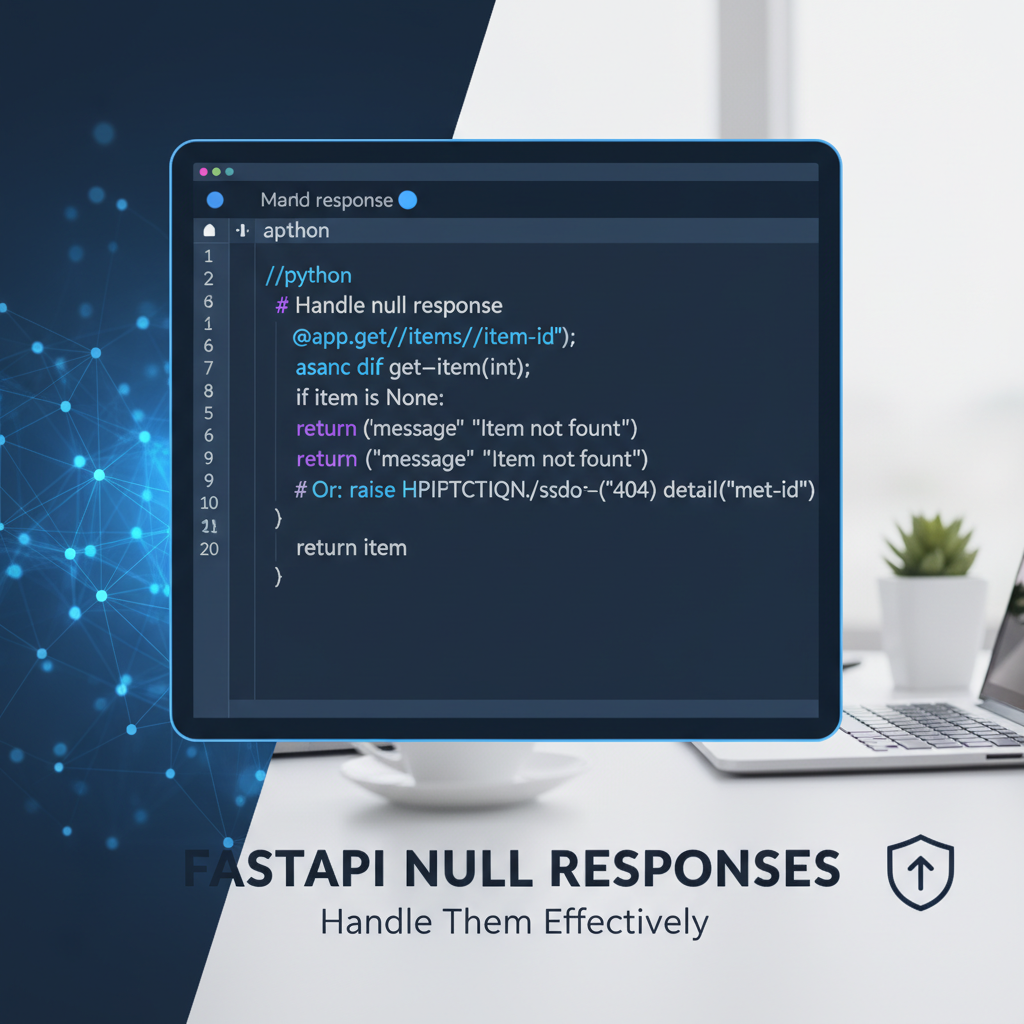


In the intricate landscape of modern software development, Application Programming Interfaces (APIs) serve as the fundamental connective tissue, allowing diverse applications, services, and systems to communicate and interact seamlessly. From mobile applications fetching user data to backend microservices exchanging critical information, APIs are the backbone of almost every digital interaction. As the reliance on these interfaces grows, so too does the imperative for them to be robust, predictable, and exceptionally well-behaved. Unexpected or ambiguously handled responses can lead to a cascade of problems, ranging from minor glitches in user experience to severe data integrity issues and system failures. Among the many nuances of API design and implementation, the handling of "empty" or "non-existent" data — often represented by null in JSON payloads — stands out as a particularly crucial area that demands careful consideration.
FastAPI, a modern, fast (high-performance) web framework for building APIs with Python 3.8+ based on standard Python type hints, has rapidly gained popularity due to its excellent developer experience, automatic interactive API documentation (Swagger UI and ReDoc), and high performance. However, even with the elegance and type safety offered by FastAPI and Pydantic, developers frequently encounter the challenge of managing None values in Python, which translate to null in JSON responses. The seemingly simple act of fastapi return null can introduce a surprising amount of ambiguity and complexity if not handled with foresight and a clear strategy.
This comprehensive guide delves deep into the multifaceted topic of effectively managing null responses in FastAPI. We will explore the semantic differences between None in Python and null in JSON, understand why ambiguous null responses can be problematic, and, most importantly, equip you with a robust set of server-side strategies and client-side best practices to ensure your APIs are both predictable and resilient. Furthermore, we will examine the significant role of an api gateway in standardizing and improving the overall handling of such responses, enhancing the reliability and maintainability of your API ecosystem. Our goal is to empower developers to design and implement FastAPI applications that communicate their state with crystal clarity, thereby reducing client-side complexity, enhancing debugging capabilities, and ultimately delivering a superior user experience.
Understanding None in Python and null in JSON
Before we delve into the intricacies of handling null responses in FastAPI, it's crucial to establish a clear understanding of what None means in Python and how it translates to null in JSON. This distinction, while subtle, is fundamental to designing robust api responses.
Python's None Type: The Absence of Value
In Python, None is a unique and immutable object that represents the absence of a value or a null value. It's not the same as 0, an empty string "", an empty list [], or an empty dictionary {}. Instead, None signifies that a variable or an attribute currently holds no specific data. It's often used as a default value for optional parameters, as a placeholder for variables that will be assigned a value later, or as a return value indicating that a function could not produce a meaningful result. For instance, a function designed to find an element in a list might return None if the element is not found, rather than raising an error or returning a sentinel value like 0 which could be a valid data point. This explicit representation of "nothingness" is a cornerstone of Python's clarity and readability.
When working with FastAPI and its underlying Pydantic models, None plays an integral role in defining optional fields. Pydantic leverages Python's type hinting system, allowing developers to explicitly declare if a field might or might not have a value. For example, Optional[str] (or str | None in Python 3.10+) clearly indicates that a field can either contain a string or be None. When such a Pydantic model is serialized into JSON by FastAPI, any field with a None value will be represented as null in the resulting JSON payload. This automatic serialization is convenient but also necessitates a deep understanding of its implications for API consumers.
JSON's null: The Universal Empty Placeholder
JSON (JavaScript Object Notation) is a lightweight data-interchange format that is language-independent but uses conventions that are familiar to programmers of the C-family of languages, including Python. In JSON, null serves a purpose analogous to Python's None: it indicates the absence of a value for a specific key. Just like None, JSON null is distinct from an empty string "", an empty array [], or an empty object {}. Each of these represents a valid, albeit empty, piece of data, whereas null explicitly states that no value is present.
Consider a scenario where an api endpoint returns user data. If a user has an optional middle_name field, and that field is not provided, the JSON response might look like {"first_name": "John", "middle_name": null, "last_name": "Doe"}. Here, null clearly communicates that the middle_name exists as a potential attribute of a user, but for this specific user, it currently holds no value. This is fundamentally different from a response that might omit the middle_name field entirely, or one that provides an empty string if that were the expected default for an unset text field. The explicit presence of null allows the client to understand that the field exists in the schema but is currently vacant. This explicit nature helps maintain a consistent api contract, informing clients that they should be prepared to handle the absence of data for that particular field.
FastAPI's Default Behavior with None
FastAPI, built upon Starlette and Pydantic, leverages Python type hints extensively. This design choice brings significant benefits in terms of data validation, serialization, and automatic documentation. However, understanding how FastAPI and Pydantic handle None values is paramount to crafting predictable and reliable API responses.
Pydantic Models and Optional Fields
At the heart of FastAPI's data handling capabilities are Pydantic models. These models define the structure and data types of your API's request and response bodies. When you define a field in a Pydantic model that might not always have a value, you typically use Optional[Type] or the Union syntax (Type | None in Python 3.10+).
For example, consider a user profile api:
from typing import Optional
from pydantic import BaseModel

class UserProfile(BaseModel):
    id: int
    username: str
    email: Optional[str] = None # Optional field with a default of None
    bio: str | None = None      # Python 3.10+ syntax for Optional field
    age: Optional[int]          # Optional field without an explicit default
In this UserProfile model: * email and bio are explicitly marked as optional and given a default value of None. If these fields are omitted from an incoming request or are not set when constructing a UserProfile object, they will default to None. * age is also optional (Optional[int]). If age is not provided in an incoming request, Pydantic will treat it as None. However, if you omit age when creating an instance programmatically, Pydantic will raise a validation error unless you explicitly pass age=None or make it have a default value.
When an instance of UserProfile is created, and one of these Optional fields is None, FastAPI's internal JSON serialization process (powered by Pydantic's .json() or jsonable_encoder) will convert that Python None into JSON null.
from fastapi import FastAPI
from typing import Optional
from pydantic import BaseModel

app = FastAPI()

class User(BaseModel):
    name: str
    email: Optional[str] = None
    age: Optional[int] = None

@app.get("/techblog/en/users/{user_id}", response_model=User)
async def get_user(user_id: int):
    if user_id == 1:
        return User(name="Alice", email="alice@example.com", age=30)
    elif user_id == 2:
        return User(name="Bob", age=None) # Explicitly setting age to None
    else:
        # What happens here?
        # If we return None directly, FastAPI will raise an internal server error by default
        # because the return type is User, not Optional[User].
        # This will be discussed in the "Why problematic" section.
        pass

# Example of calling /users/1
# Response: {"name": "Alice", "email": "alice@example.com", "age": 30}

# Example of calling /users/2
# Response: {"name": "Bob", "email": null, "age": null}
In the get_user example for user_id == 2, even though email was not explicitly passed, it defaults to None in the User Pydantic model, and age was explicitly set to None. Both will correctly serialize to null in the JSON response, maintaining the structure defined by the User model but indicating the absence of values for those specific fields. This behavior is generally desirable for optional fields within an object, as it provides a consistent schema for clients to parse.
Return Types in Path Operations
FastAPI path operations (@app.get, @app.post, etc.) can also explicitly declare their return types using Python type hints. This is crucial for FastAPI's automatic validation and documentation.
Consider a path operation that might or might not find a resource:
from fastapi import FastAPI, HTTPException
from typing import Optional
from pydantic import BaseModel

app = FastAPI()

class Item(BaseModel):
    id: str
    name: str
    description: Optional[str] = None

item_db = {
    "foo": {"id": "foo", "name": "Foo Bar"},
    "baz": {"id": "baz", "name": "Baz Qux", "description": "A very descriptive item"}
}

@app.get("/techblog/en/items/{item_id}", response_model=Item)
async def read_item(item_id: str) -> Item: # Explicit return type Item
    item_data = item_db.get(item_id)
    if item_data:
        return Item(**item_data)
    else:
        # If we just 'return None' here, FastAPI will raise an internal server error
        # because the declared return type is Item, not Optional[Item].
        # It expects an Item object for a successful response.
        # This is a critical point that leads to "fastapi return null" problems.
        raise HTTPException(status_code=404, detail="Item not found")

@app.get("/techblog/en/optional_items/{item_id}", response_model=Optional[Item])
async def read_optional_item(item_id: str) -> Optional[Item]: # Explicit return type Optional[Item]
    item_data = item_db.get(item_id)
    if item_data:
        return Item(**item_data)
    else:
        return None # This is now valid because the return type allows None
In read_item, the declared return type is Item. If item_db.get(item_id) returns None (meaning the item is not found), directly returning None from the function would cause FastAPI to attempt to validate None against the Item Pydantic model, which would fail, resulting in an unhandled internal server error (typically a 500 status code with a traceback). This is why, for missing resources, the standard practice is to raise an HTTPException with a 404 Not Found status. This clearly communicates to the client that the resource they requested does not exist at the given URI.
However, in read_optional_item, the return type is Optional[Item]. This explicitly tells FastAPI and any static type checkers that the function might return an Item object or None. In this case, returning None for a non-existent item is perfectly valid according to the type contract. FastAPI will then serialize this None into a JSON null response: null.
While Optional[Item] allows returning None, the question then becomes: Is returning null as the entire response body a good practice for indicating a missing resource? For many api design philosophies, a 404 Not Found with a more descriptive error message (e.g., {"detail": "Item not found"}) is preferred over a 200 OK with a null body. The latter can be ambiguous, making it harder for clients to differentiate between "resource found but empty" and "resource not found." This brings us to the core issues surrounding fastapi return null responses.
Why fastapi return null Can Be Problematic
While FastAPI provides convenient mechanisms for handling None values, allowing them to serialize to JSON null, simply returning None or null as a response body can introduce a significant number of challenges for both api developers and consumers. These issues often stem from ambiguity and a lack of explicit communication regarding the api's state.
Ambiguity: "Not Found," "No Data," or "An Error"?
One of the most significant problems with fastapi return null as a primary response is the inherent ambiguity it creates. When a client receives a 200 OK status code with a null body, what does it truly signify? * Resource Not Found? Is the client requesting a resource that simply doesn't exist? For instance, if /users/123 returns null, does it mean user ID 123 is not in the database? * No Data Available for the Resource? Does the resource exist, but it currently has no data associated with it that fits the requested criteria? For example, if /posts/5/comments returns null, does it mean post 5 exists, but has no comments, or does post 5 itself not exist? Often, an empty list [] would be more appropriate for "no comments." * An Unspecified Error Occurred? Could null be a symptom of an underlying server-side error that was caught but not translated into a proper error response? Without clear context, clients might misinterpret null as a successful but empty operation when an error indeed occurred.
This ambiguity forces clients to implement complex conditional logic to try and decipher the meaning of null, leading to brittle code that is prone to misinterpretation and bugs. It violates the principle of least astonishment and makes the api harder to consume reliably.
Client-Side Complexity and Runtime Errors
When an api response can be null, clients must meticulously implement checks for null at every point where the data might be accessed. If a client expects an object and receives null instead, attempting to access properties on that null value will result in a runtime error (e.g., TypeError: 'NoneType' object has no attribute 'some_field' in Python, or Cannot read properties of null (reading 'someField') in JavaScript).
Consider a JavaScript frontend consuming a FastAPI api:
// Assuming an API endpoint might return a User object or null
fetch('/api/user/456')
    .then(response => response.json())
    .then(data => {
        if (data && data.name) { // Explicit null check needed
            console.log("User name:", data.name);
        } else {
            console.log("User not found or no name available.");
        }
    })
    .catch(error => console.error("Fetch error:", error));
Without the if (data) check, data.name would throw an error if data were null. While defensive programming is always good, an api that consistently uses null for various scenarios forces more complex and redundant checks across the entire client codebase. This increases development effort, adds to the testing burden, and makes the client application less resilient to changes in api behavior.
Type Safety Issues and Debugging Challenges
Modern development heavily relies on type systems (like Python's type hints, TypeScript, or static analysis tools) to catch errors early and provide better code clarity. When an api response is loosely defined or can swing between an object and null without clear signaling, it undermines type safety. * Server-Side (FastAPI): If a path operation is declared to return Item but sometimes returns None (without Optional[Item]), type checkers and FastAPI's runtime validation will flag this as an error, or FastAPI will throw a 500 Internal Server Error. If it is declared as Optional[Item] and returns None, then the problem shifts to the client. * Client-Side: In languages like TypeScript, if an api response for GET /users/123 can be User or null, the client-side type definition would be User | null. This then propagates null checks throughout the client application, as every access to User properties must first confirm User is not null. This makes type analysis less effective at catching logic errors related to data presence.
Debugging issues related to null responses can also be significantly harder. Is the null due to: * An error in the database query? * A logic flaw in the data processing layer? * An unexpected edge case in the api's business logic? * A client-side issue interpreting the response?
Without specific HTTP status codes or standardized error payloads, isolating the root cause becomes a more arduous task, requiring extensive logging and detailed traceback analysis.
API Contract Violations and Documentation Gaps
A well-designed api has a clear contract, usually documented via OpenAPI (Swagger UI in FastAPI). This contract specifies what endpoints exist, what parameters they accept, and what responses they can return (including status codes, schemas, and example payloads). When an api frequently returns null for various reasons, but this behavior isn't explicitly documented with its corresponding HTTP status code and explanation, it leads to a breakdown in the api contract.
Developers consuming the api might make assumptions based on the schema (e.g., "this endpoint always returns a User object") and then be surprised by null. This can lead to incorrect client implementations, increased integration time, and frustration. Clear documentation that outlines when null is an expected value for an optional field within an object versus when an entire response might be null and what that signifies (ideally, with a specific HTTP status code) is essential for maintaining a robust api contract. Without this, the api becomes unpredictable and harder to evolve.
Strategies for Handling fastapi return null Responses Effectively (Server-Side)
To mitigate the problems associated with ambiguous null responses, FastAPI developers should adopt a set of deliberate server-side strategies. These strategies focus on using HTTP status codes effectively, standardizing error messages, and designing clear api contracts.
A. Explicitly Returning HTTP Status Codes
One of the most powerful tools in an api designer's arsenal is the HTTP status code. Each status code carries a specific semantic meaning, allowing clients to instantly understand the general outcome of their request without needing to parse the response body. Leveraging these codes appropriately is paramount for handling situations where a resource might not be found or an operation doesn't yield data.
204 No Content for Successful Operations Without a Response Body
The 204 No Content status code is ideal for situations where an API request has been successfully processed, but there's no need to return any data in the response body. This often applies to PUT (update), DELETE, or POST (creation) operations where the client already has sufficient information or doesn't expect a new resource representation. For example, if a client sends a request to delete a user, and the deletion is successful, a 204 No Content response clearly signals success without sending back an empty object or null.
from fastapi import FastAPI, Response, status

app = FastAPI()

user_db = {
    1: {"name": "Alice"},
    2: {"name": "Bob"}
}

@app.delete("/techblog/en/users/{user_id}", status_code=status.HTTP_204_NO_CONTENT)
async def delete_user(user_id: int):
    if user_id in user_db:
        del user_db[user_id]
        return Response(status_code=status.HTTP_204_NO_CONTENT) # FastAPI handles this gracefully
    else:
        raise HTTPException(status_code=status.HTTP_404_NOT_FOUND, detail="User not found")
When delete_user successfully removes a user, it returns a 204 No Content response. The client receives a clear signal of success, and no unnecessary data is transmitted. This is much clearer than a 200 OK with an empty object {} or null.
404 Not Found for Non-Existent Resources
Perhaps the most common and semantically appropriate status code for handling cases where a requested resource does not exist is 404 Not Found. When a client requests a specific resource by its ID (e.g., /users/123), and that resource cannot be found on the server, a 404 status code explicitly communicates this fact. This immediately tells the client that the URI they tried to access does not correspond to an existing entity.
from fastapi import FastAPI, HTTPException
from pydantic import BaseModel
from typing import Optional

app = FastAPI()

class Item(BaseModel):
    id: str
    name: str
    description: Optional[str] = None

item_db = {
    "foo": {"id": "foo", "name": "Foo Bar"},
}

@app.get("/techblog/en/items/{item_id}", response_model=Item)
async def read_item_with_404(item_id: str) -> Item:
    item_data = item_db.get(item_id)
    if not item_data:
        raise HTTPException(status_code=status.HTTP_404_NOT_FOUND, detail="Item not found")
    return Item(**item_data)
In this example, if a client requests an item_id that is not in item_db, a HTTPException with a 404 status code is raised. FastAPI catches this exception and returns a standard JSON error response like {"detail": "Item not found"} along with the 404 status. This is unequivocally better than returning null with a 200 OK, which would mask the fact that the resource was missing.
400 Bad Request for Invalid Client Input
The 400 Bad Request status code is used when the server cannot or will not process the request due to something that is perceived to be a client error (e.g., malformed request syntax, invalid request message framing, or deceptive request routing). This is different from a resource not found. For instance, if a client sends invalid JSON, or sends a request with parameters that don't pass validation, a 400 status is appropriate. FastAPI's Pydantic validation often handles this automatically, but you might raise it explicitly for complex business logic validation errors.
from fastapi import FastAPI, HTTPException
from pydantic import BaseModel, Field

app = FastAPI()

class CreateUserRequest(BaseModel):
    username: str = Field(min_length=3, max_length=20)
    password: str = Field(min_length=8)

@app.post("/techblog/en/users/")
async def create_user(user_data: CreateUserRequest):
    if "admin" in user_data.username.lower():
        raise HTTPException(status_code=status.HTTP_400_BAD_REQUEST, detail="Username cannot contain 'admin'")
    # ... create user logic ...
    return {"message": "User created successfully"}
Here, even if Pydantic successfully parses the input, custom logic can still deem it "bad." This prevents an unexpected null or a generic 500 later.
500 Internal Server Error for Unexpected Server Issues
The 500 Internal Server Error is the general catch-all for unexpected conditions encountered by the server that prevented it from fulfilling the request. This should be reserved for true server-side failures (e.g., database connection issues, unhandled exceptions in code, third-party service outages). While you might not explicitly raise HTTPException(500, ...) often, it's crucial to ensure your api doesn't return null with 200 OK when a 500 is the actual underlying problem. FastAPI's default error handling will typically translate unhandled exceptions into 500 responses, sometimes with a traceback if not configured otherwise.
B. Standardized Error Responses
Beyond just status codes, the content of error responses is equally important. A standardized error response format ensures that clients can consistently parse and handle error details, regardless of the specific error type. This avoids clients having to guess the structure of an error message.
Using Pydantic Models for Error Details
Define specific Pydantic models for your error responses. This provides a clear schema for error payloads, making them predictable for clients and easy to document with OpenAPI.
from pydantic import BaseModel

class ErrorDetail(BaseModel):
    detail: str
    code: Optional[str] = None
    field: Optional[str] = None

# Example usage with HTTPException in FastAPI:
# raise HTTPException(status_code=404, detail=ErrorDetail(detail="Item not found", code="ITEM_001").model_dump())
# Or simply:
# raise HTTPException(status_code=404, detail="Item not found") # FastAPI defaults to {"detail": "..."}
FastAPI, by default, returns error responses with the format {"detail": "Your message here"}. This is a simple form of standardization, often sufficient for many cases. For more complex error scenarios, especially in a microservices architecture, adopting a more comprehensive standard like RFC 7807 is beneficial.
RFC 7807 (Problem Details for HTTP APIs)
RFC 7807 (Problem Details for HTTP APIs) provides a standard format for conveying error information in HTTP API responses. It defines a JSON (or XML) structure that includes fields like type, title, status, detail, and instance. Adopting this standard ensures that your API's error responses are universally understandable and parsable by any client that supports it.
HTTP/1.1 404 Not Found
Content-Type: application/problem+json
Content-Language: en

{
    "type": "https://example.com/probs/not-found",
    "title": "Resource Not Found",
    "status": 404,
    "detail": "The item with ID 'xyz' could not be found.",
    "instance": "/techblog/en/items/xyz"
}
While FastAPI doesn't enforce RFC 7807 by default, you can easily integrate it by creating custom exception handlers. This ensures a consistent error api across all your endpoints, regardless of whether the error is a 404 for null data or a 400 for invalid input.
C. Differentiating null from Empty Collections
One common pitfall is to return null when a collection of resources (e.g., a list of users, a list of comments) simply has no items. This is semantically incorrect and ambiguous.
- Return
[](empty list) instead ofnullfor an empty collection: If an endpoint is expected to return a list of items, and there are no items to return, the correct response is an empty JSON array[], notnull.[]clearly indicates "this is a collection, and it currently contains zero items," whereasnullcould imply "this is not a collection" or "the collection itself is not found."
from fastapi import FastAPI
from pydantic import BaseModel
from typing import List, Optional

app = FastAPI()

class Comment(BaseModel):
    id: int
    text: str

comments_db = {
    1: [Comment(id=1, text="First comment")],
    2: [] # Post 2 has no comments
}

@app.get("/techblog/en/posts/{post_id}/comments", response_model=List[Comment])
async def get_comments_for_post(post_id: int) -> List[Comment]:
    if post_id not in comments_db:
        raise HTTPException(status_code=status.HTTP_404_NOT_FOUND, detail="Post not found")
    return comments_db.get(post_id, []) # Return empty list if no comments for post
In this example, for post_id=2, the api will return [], which is clean and unambiguous. If post_id doesn't exist, it returns a 404.
- Return
{}(empty object) instead ofnullfor a resource with no properties: Similarly, if anapireturns a resource that conceptually exists but has no meaningful properties (e.g., a "summary" object that happens to be empty), returning an empty JSON object{}might be more appropriate thannull. This implies "this is an object, but it has no key-value pairs," maintaining the object's type while indicating its emptiness. This is less common than empty lists but can be useful for specific use cases.
D. Using Default Values and Optional Fields (Pydantic)
For fields within a Pydantic model that are genuinely optional and might not always have a value, explicitly marking them as Optional[Type] and providing a default None is the correct approach. This allows FastAPI to serialize them as null in the JSON response, which is perfectly acceptable and expected for such fields.
from typing import Optional
from pydantic import BaseModel

class UserProfile(BaseModel):
    id: int
    name: str
    phone_number: Optional[str] = None # Clearly optional, defaults to None
    address: Optional[str] = None
    last_login: Optional[datetime] = None # Other types can also be Optional

# Example usage:
user1 = UserProfile(id=1, name="Alice", phone_number="123-456-7890")
# JSON: {"id": 1, "name": "Alice", "phone_number": "123-456-7890", "address": null, "last_login": null}

user2 = UserProfile(id=2, name="Bob")
# JSON: {"id": 2, "name": "Bob", "phone_number": null, "address": null, "last_login": null}
Here, null is not ambiguous; it clearly indicates that phone_number, address, or last_login are optional fields within the UserProfile object, and for that specific user, no value has been provided. Clients can then check if user.phone_number is not None before attempting to use it. This is a proper use of null in an API response.
E. Designing Clear API Contracts (OpenAPI/Swagger UI)
Regardless of the chosen strategy, the most critical element is clear communication through your API's contract and documentation. FastAPI automatically generates OpenAPI documentation (available via /docs and /redoc), which is an invaluable tool for this purpose.
- Document all possible response codes: For every endpoint, explicitly list the expected HTTP status codes and their associated response schemas. For example, for a
GET /users/{id}endpoint, document200 OKwith theUserschema and404 Not Foundwith anErrorDetailschema. - Explain
nullfor optional fields: Within your Pydantic models, add docstrings or descriptions to fields marked asOptionalexplaining that they might benullin the response. FastAPI will pick these up and include them in the OpenAPI documentation. - Provide examples: Use Pydantic's
Configorexampleargument to provide illustrative examples for both successful and error responses. This helps client developers visualize the expected payloads for different scenarios.
A well-documented api contract minimizes guesswork for client developers and establishes clear expectations, significantly reducing integration time and potential misinterpretations of null or error conditions.
APIPark is a high-performance AI gateway that allows you to securely access the most comprehensive LLM APIs globally on the APIPark platform, including OpenAI, Anthropic, Mistral, Llama2, Google Gemini, and more.Try APIPark now! 👇👇👇
Strategies for Handling null Responses (Client-Side)
Even with robust server-side strategies, clients must be prepared to handle null values and various error responses gracefully. Client-side handling is the final frontier in ensuring a smooth and reliable user experience.
A. Robust Null Checks
The most fundamental client-side strategy is to implement robust null checks before attempting to access properties or perform operations on potentially null data. This prevents runtime errors and ensures application stability.
Conditional Logic
Use if statements or other conditional constructs to check for null (or None in Python) before proceeding.
# Python Client Example
user_data = api_client.get_user(user_id=123)
if user_data is not None:
    print(f"User name: {user_data.name}")
    if user_data.email is not None: # Check for optional fields
        print(f"User email: {user_data.email}")
else:
    print(f"User with ID 123 not found.")

# JavaScript Client Example
fetch('/api/users/123')
    .then(response => {
        if (response.status === 404) {
            return null; // Handle 404 explicitly by returning null or an error object
        }
        return response.json();
    })
    .then(data => {
        if (data !== null) { // Check if the entire response is null
            console.log("User name:", data.name);
            if (data.email !== null) { // Check for optional fields within the object
                console.log("User email:", data.email);
            }
        } else {
            console.log("User not found.");
        }
    })
    .catch(error => console.error("API error:", error));
This explicit checking, while seemingly verbose, is crucial for preventing crashes.
Using Default Values in Client Code
When a field is optional and might be null, clients can provide sensible default values to use in such cases, rather than forcing strict null checks everywhere.
# Python Client Example
user_data = api_client.get_user(user_id=1)
user_email = user_data.email if user_data and user_data.email is not None else "N/A"
print(f"User email: {user_email}")

# JavaScript Client Example
const userEmail = data?.email ?? "N/A"; // Using optional chaining and nullish coalescing
console.log("User email:", userEmail);
Many modern languages offer syntax sugars like optional chaining (?.) and nullish coalescing (??) (e.g., in JavaScript, TypeScript, C#, Swift) to simplify these checks and provide defaults elegantly.
B. Type Guards and Assertions (for Type-Safe Languages)
In type-safe languages like TypeScript, Python with static type checkers (Mypy), or Java/C#, leveraging type guards or assertions can improve code readability and ensure type correctness after null checks.
// TypeScript Client Example
interface User {
    id: number;
    name: string;
    email: string | null; // Explicitly allow null for optional fields
}

async function fetchUser(id: number): Promise<User | null> {
    const response = await fetch(`/api/users/${id}`);
    if (response.status === 404) {
        return null;
    }
    return response.json();
}

async function displayUser(id: number) {
    const user = await fetchUser(id);
    if (user) { // Type guard: user is now of type User
        console.log(`User: ${user.name}`);
        if (user.email) { // Type guard: user.email is now of type string
            console.log(`Email: ${user.email}`);
        } else {
            console.log("Email: Not provided");
        }
    } else {
        console.log("User not found.");
    }
}
This approach allows the type system to help you reason about the presence or absence of data, leading to more robust and less error-prone client applications.
C. Comprehensive Error Handling Mechanisms
Beyond null checks, clients must have robust mechanisms to handle HTTP error status codes (4xx, 5xx). This involves parsing the error response body (especially if using a standardized format like RFC 7807) and providing meaningful feedback to the user.
# Python Client with Error Handling
import requests

try:
    response = requests.get("http://localhost:8000/api/nonexistent_item")
    response.raise_for_status() # Raises HTTPError for bad responses (4xx or 5xx)
    data = response.json()
    print("Success:", data)
except requests.exceptions.HTTPError as e:
    if e.response.status_code == 404:
        error_detail = e.response.json().get("detail", "Resource not found")
        print(f"Error 404: {error_detail}")
    elif e.response.status_code == 400:
        error_detail = e.response.json().get("detail", "Bad request")
        print(f"Error 400: {error_detail}")
    else:
        print(f"An unexpected HTTP error occurred: {e}")
except requests.exceptions.RequestException as e:
    print(f"A network error occurred: {e}")
This detailed error handling allows clients to differentiate between various types of failures (network issues, client input errors, server-side issues, resource not found) and react appropriately, whether by displaying an error message to the user, retrying the request, or logging the incident. Consistent server-side error responses (e.g., using RFC 7807) greatly simplify this client-side parsing.
By combining robust null checks for optional fields within objects and comprehensive error handling for status codes, client applications can effectively interact with FastAPI APIs, even when dealing with scenarios involving null values or various forms of absence of data.
The Role of an API Gateway in Handling null and Error Responses
While individual FastAPI services can implement sophisticated strategies for handling null and error responses, the complexity grows significantly in a microservices architecture. Here, an api gateway becomes an indispensable component, offering a centralized point of control to standardize, enhance, and manage the flow of data, including how null and errors are presented to consumers.
An api gateway acts as a single entry point for all client requests, routing them to the appropriate backend services. More than just a router, it can perform a multitude of functions, including authentication, authorization, rate limiting, logging, monitoring, and crucially, response transformation.
Centralized Error Handling and Standardization
One of the primary benefits of an api gateway is its ability to centralize error handling. In a microservices environment, different services, perhaps built with different frameworks or by different teams, might have inconsistent ways of reporting errors or handling null values. Some might return 200 OK with null, others 404 Not Found with a custom error object, and yet others a 500 Internal Server Error with a raw stack trace. This inconsistency creates a nightmare for client developers, who must learn and adapt to each service's specific error patterns.
An api gateway can intercept all responses from backend services and normalize them into a single, consistent format. If an upstream service returns null with a 200 OK for a missing resource, the gateway can transform this into a 404 Not Found with a standardized error payload (e.g., conforming to RFC 7807). This ensures that all api consumers receive predictable and clearly defined error messages, regardless of the quirks of the individual backend services. This is especially valuable for external APIs, where a consistent developer experience is paramount.
Response Transformation and Data Masking
Beyond error standardization, a gateway can perform sophisticated response transformations. It can rewrite response bodies, add or remove headers, and even modify null values. For instance, if an upstream service returns a large JSON object where many optional fields are null, the api gateway could be configured to strip out these null fields entirely from the response if the client application doesn't need them, thus reducing payload size and complexity. Conversely, if a client always expects a certain field, even if it's null in the backend, the gateway can ensure its presence.
This capability is particularly useful for evolving APIs or integrating legacy systems. An api gateway can act as a façade, presenting a unified and modern api contract to consumers, while abstracting away the inconsistencies and potentially messy null handling of older backend services. This also aids in data masking or simplification, allowing the gateway to expose only relevant data fields and ensuring sensitive null data (e.g., null for a missing social_security_number field) is handled according to external api contracts.
Enhanced Reliability and Observability
A well-configured api gateway significantly enhances the overall reliability and observability of your API ecosystem. * Centralized Logging: All requests and responses passing through the gateway can be logged, providing a single point of truth for debugging and auditing. This makes it much easier to trace the origin of null responses or unexpected errors, pinpointing whether the issue is client-side, gateway-side, or in a specific backend service. * Monitoring and Alerting: Gateways often integrate with monitoring systems, allowing you to track api health, response times, error rates (including specific 4xx and 5xx occurrences), and performance metrics. This proactive monitoring can alert you to patterns of unexpected null responses or error spikes that might indicate an underlying problem in a service before it impacts many users. * Resilience Features: While not directly about null, features like rate limiting, circuit breaking, and load balancing provided by a gateway prevent backend services from becoming overloaded. Overloaded services are more prone to unexpected errors or timeouts, which could manifest as ambiguous null responses if not handled properly. By maintaining service health, the gateway indirectly reduces scenarios that might lead to null responses from service failures. * APIPark Example: Consider a platform like APIPark, an open-source AI gateway and API management platform. APIPark is designed to manage, integrate, and deploy AI and REST services, and its features directly address many of the challenges discussed. For instance, APIPark's End-to-End API Lifecycle Management helps regulate API management processes, ensuring consistency in how responses, including null values, are handled across different versions and services. Its Unified API Format for AI Invocation standardizes request and response formats, which can be extended to standardize how nulls are represented across various AI models or microservices it orchestrates. Furthermore, Detailed API Call Logging and Powerful Data Analysis features allow businesses to quickly trace and troubleshoot issues, identify patterns of null responses, and perform preventive maintenance before issues occur, making it a powerful tool in an organization's api governance strategy. By providing a single point of control for various backend services, APIPark helps enforce consistent api contracts and response behaviors, significantly reducing the ambiguity and complexity associated with null responses for api consumers.
Simplified API Versioning
When api response formats change (e.g., an optional field becomes mandatory, or a null field is replaced by a default value), managing these changes can be challenging. An api gateway can facilitate api versioning by transforming responses on the fly based on the client's requested api version. This allows older clients to continue receiving the expected response structure (even if it means presenting null in a specific way), while newer clients can leverage updated formats.
In essence, an api gateway elevates api design and management from the individual service level to an ecosystem level. It allows developers to offload complex cross-cutting concerns like consistent error and null handling, enabling backend services to focus purely on their business logic while presenting a polished, predictable, and robust api surface to the world.
Best Practices and Advanced Considerations
Beyond the specific strategies for handling null responses, a broader set of best practices and advanced considerations ensures that your FastAPI api is not only functional but also maintainable, scalable, and a pleasure to work with for both producers and consumers.
Consistency is Key
The most critical principle in API design, especially concerning responses and error handling, is consistency. * Consistent Response Formats: Ensure that similar types of operations or data always return responses in the same structure. If GET /users/{id} returns a User object, then GET /products/{id} should return a Product object with a similar structure (e.g., id, name, description). * Consistent Error Handling: All errors across your api should follow a uniform structure (e.g., using RFC 7807), and the same HTTP status codes should always signify the same general meaning. If a 404 Not Found is used for missing users, it should also be used for missing products, comments, or any other resource. Avoid returning null with a 200 OK for a missing resource in one endpoint while using 404 in another. This uniformity greatly simplifies client-side development and reduces learning curves. * Consistent null Representation: Decide on a clear policy for when null appears in your responses. Is it only for truly optional fields within an object? Or is it ever returned as an entire response? If so, for what specific status code, and what does it mean? Document this policy thoroughly.
Clear Documentation
As discussed, FastAPI's automatic OpenAPI documentation is a huge advantage. However, it's the quality of the content that matters. * Enrich OpenAPI with Descriptions: Add detailed descriptions to your Pydantic models, fields, and path operations. Explain the purpose of each field, its constraints, and explicitly mention when an Optional field might be null. * Example Payloads: Provide realistic example payloads for both successful and error responses. This helps client developers quickly understand what to expect. * Business Logic Explanations: Beyond syntax, document the business logic and edge cases that might lead to certain responses. For instance, explain why a 400 Bad Request might occur for specific input values, or why an empty list [] is returned instead of null. * Use FastAPI's response_model and responses arguments: These allow you to define success schemas and document various error status codes and their associated schemas directly in your path operation decorators, ensuring your documentation is always up-to-date with your code.
Automated Testing
Robust automated testing is indispensable for verifying that your api behaves as expected under various conditions, including those involving null values and error states. * Unit Tests: Test individual components (e.g., Pydantic models, business logic functions) to ensure they correctly handle None inputs and produce expected outputs. * Integration Tests: Verify that your FastAPI path operations return the correct HTTP status codes and response bodies (including null for optional fields, empty lists, and standardized error payloads) for different scenarios (e.g., resource found, resource not found, invalid input, successful deletion). * End-to-End (E2E) Tests: Simulate client interactions with your api, including edge cases where null or errors might occur, to ensure the entire system functions correctly from the client's perspective. * Schema Validation: Use tools to automatically validate your API's responses against its OpenAPI schema definition. This ensures that your actual responses (including null values) always conform to your documented contract.
Versioning APIs
As your api evolves, its response formats might change. To prevent breaking existing clients, API versioning is a crucial strategy. * Path Versioning (/v1/users): This is common and clear. When you introduce breaking changes (e.g., a field that was Optional and sometimes null is now always present, or a null response for a certain case is replaced by a 404), you can release a new api version (/v2/users). * Header Versioning (Accept: application/vnd.myapi.v1+json): Allows clients to request specific versions via HTTP headers. * Benefits: Versioning allows you to introduce breaking changes gracefully, providing clients time to migrate. It helps maintain a stable api contract for each version, preventing unexpected null changes from impacting production systems.
Observability
Beyond basic logging, implement comprehensive observability for your FastAPI application and its interactions, especially with other services through an api gateway. * Metrics: Collect metrics on response times, error rates (broken down by status code), and specific event counts (e.g., number of 404 responses). Dashboards showing these metrics can quickly highlight abnormal patterns, such as an unexpected surge in null responses or a specific error code. * Distributed Tracing: In a microservices environment, tracing tools (like OpenTelemetry) allow you to follow a single request as it traverses multiple services. This is invaluable for debugging complex issues where a null response might originate from a deep dependency, helping pinpoint the exact service and operation that caused the null or error. * Alerting: Set up alerts for critical issues, such as high error rates for specific endpoints or unexpected null responses that might indicate a data integrity problem.
By adhering to these best practices and embracing advanced considerations, you can build FastAPI APIs that are not only powerful and efficient but also inherently robust, clear, and easy for others to consume and maintain over their lifecycle. The thoughtful handling of null and error responses is a hallmark of a mature and reliable API.
Example Scenario and Solution
Let's consolidate these strategies with a practical example demonstrating how to handle null responses effectively in FastAPI for a common scenario: retrieving user information.
Scenario: You have a FastAPI endpoint to retrieve user profiles by ID. 1. If the user ID does not exist, the API should clearly indicate "not found." 2. If the user exists, but some optional profile fields (like phone_number or address) are not set, they should be represented correctly. 3. We want to ensure client-side robustness.
FastAPI Solution (Server-Side):
from fastapi import FastAPI, HTTPException, status
from pydantic import BaseModel, Field
from typing import Optional, List, Dict

app = FastAPI()

# 1. Define Pydantic models for both success and error responses
class UserProfile(BaseModel):
    id: int
    username: str = Field(..., example="johndoe")
    email: str = Field(..., example="john.doe@example.com")
    phone_number: Optional[str] = Field(None, example="123-456-7890", description="Optional phone number, will be null if not provided.")
    address: Optional[str] = Field(None, example="123 Main St", description="Optional physical address, will be null if not provided.")
    is_active: bool = Field(True, description="Indicates if the user account is active.")

    class Config:
        json_schema_extra = {
            "examples": [
                {
                    "id": 1,
                    "username": "alice",
                    "email": "alice@example.com",
                    "phone_number": "555-1234",
                    "address": "123 Cherry Lane",
                    "is_active": True
                },
                {
                    "id": 2,
                    "username": "bob",
                    "email": "bob@example.com",
                    "phone_number": None,
                    "address": None,
                    "is_active": False
                }
            ]
        }

class ErrorResponse(BaseModel):
    detail: str = Field(..., example="User not found")
    code: Optional[str] = Field(None, example="USER_NOT_FOUND")

# Simulate a user database
user_db: Dict[int, Dict] = {
    1: {
        "id": 1,
        "username": "alice",
        "email": "alice@example.com",
        "phone_number": "555-1234",
        "address": "123 Cherry Lane",
        "is_active": True
    },
    2: {
        "id": 2,
        "username": "bob",
        "email": "bob@example.com",
        "is_active": False # phone_number and address are missing, will be None/null
    },
    3: {
        "id": 3,
        "username": "charlie",
        "email": "charlie@example.com",
        "phone_number": None, # Explicitly null
        "address": "789 Pine Ave",
        "is_active": True
    }
}

@app.get(
    "/techblog/en/users/{user_id}",
    response_model=UserProfile,
    summary="Get user profile by ID",
    description="Retrieves a detailed user profile. Returns 404 if the user ID does not exist.",
    responses={
        status.HTTP_404_NOT_FOUND: {"model": ErrorResponse, "description": "User not found"}
    }
)
async def get_user_profile(user_id: int) -> UserProfile:
    """
    Get a single user's profile based on their ID.
    """
    user_data = user_db.get(user_id)
    if not user_data:
        raise HTTPException(
            status_code=status.HTTP_404_NOT_FOUND,
            detail=ErrorResponse(detail=f"User with ID {user_id} not found", code="USER_NOT_FOUND").model_dump()
        )
    return UserProfile(**user_data)

# Example of an endpoint returning an empty list
@app.get("/techblog/en/active_users", response_model=List[UserProfile], summary="Get all active users")
async def get_active_users() -> List[UserProfile]:
    """
    Returns a list of all active user profiles. Returns an empty list if no active users are found.
    """
    active_users = [UserProfile(**data) for data in user_db.values() if data.get("is_active")]
    return active_users
Explanation of Server-Side Approach:
- Explicit
404 Not Found: For non-existent users,get_user_profileraises anHTTPExceptionwithstatus.HTTP_404_NOT_FOUND. This is the clearest semantic signal. - Standardized Error Response: A
ErrorResponsePydantic model is used for404errors, providing a consistent structure{"detail": "...", "code": "..."}. OptionalFields withinUserProfile: Fields likephone_numberandaddressinUserProfileare markedOptional[str]. If these fields are missing fromuser_dbdata (as foruser_id=2), Pydantic will automatically set them toNone, which FastAPI then serializes tonullin the JSON response. This is an appropriate use ofnullfor truly optional data within an object.- Clear OpenAPI Documentation: The
summary,description,response_model, andresponsesarguments in the@app.getdecorator, along with Pydantic'sdescriptionandexampleattributes, ensure that the API's behavior, includingnullfields and error responses, is fully documented in Swagger UI/ReDoc. - Empty List for Collections: The
/active_usersendpoint correctly returns[](an empty list) if no active users are found, rather thannull, which maintains the collection's type.
Client-Side Interaction Examples:
1. Requesting User ID 1 (Complete Data):
GET /users/1
Response:
HTTP/1.1 200 OK
Content-Type: application/json

{
    "id": 1,
    "username": "alice",
    "email": "alice@example.com",
    "phone_number": "555-1234",
    "address": "123 Cherry Lane",
    "is_active": true
}
Client handling: Directly use data.username, data.email.
2. Requesting User ID 2 (Missing Optional Data):
GET /users/2
Response:
HTTP/1.1 200 OK
Content-Type: application/json

{
    "id": 2,
    "username": "bob",
    "email": "bob@example.com",
    "phone_number": null,
    "address": null,
    "is_active": false
}
Client handling (e.g., JavaScript):
const user = await response.json();
console.log(user.username); // "bob"
if (user.phone_number !== null) { // Robust null check for optional fields
    console.log(user.phone_number);
} else {
    console.log("Phone number not provided.");
}
const userAddress = user.address ?? "No address listed"; // Using nullish coalescing
console.log(userAddress); // "No address listed"
3. Requesting User ID 99 (Not Found):
GET /users/99
Response:
HTTP/1.1 404 Not Found
Content-Type: application/json

{
    "detail": "User with ID 99 not found",
    "code": "USER_NOT_FOUND"
}
Client handling (e.g., Python requests):
import requests
try:
    response = requests.get("http://localhost:8000/users/99")
    response.raise_for_status() # This will raise an HTTPError for 404
    data = response.json()
    print("Success:", data) # This line won't be reached
except requests.exceptions.HTTPError as e:
    if e.response.status_code == 404:
        error_info = e.response.json()
        print(f"Error: {error_info['detail']} (Code: {error_info.get('code', 'N/A')})")
    else:
        print(f"An unexpected error occurred: {e}")
4. Requesting Active Users (Empty List):
GET /active_users
If only user_id=1 and user_id=3 are active:
HTTP/1.1 200 OK
Content-Type: application/json

[
    {
        "id": 1,
        "username": "alice",
        "email": "alice@example.com",
        "phone_number": "555-1234",
        "address": "123 Cherry Lane",
        "is_active": true
    },
    {
        "id": 3,
        "username": "charlie",
        "email": "charlie@example.com",
        "phone_number": null,
        "address": "789 Pine Ave",
        "is_active": true
    }
]
If no active users, it would return:
HTTP/1.1 200 OK
Content-Type: application/json

[]
Client handling:
const activeUsers = await response.json();
if (activeUsers.length === 0) {
    console.log("No active users found.");
} else {
    activeUsers.forEach(user => console.log(user.username));
}
Table: null Scenarios and Recommended Responses
To further clarify the various scenarios and their recommended api responses, the following table summarizes the best practices for handling null or absent data in a FastAPI context:
| Scenario | Context | Recommended HTTP Status | Recommended Response Body | Explanation & Rationale |
|---|---|---|---|---|
| Resource Not Found | GET /api/items/nonexistent-id |
404 Not Found |
{"detail": "Item not found", "code": "ITEM_001"} |
Clearly signals that the requested URI does not map to any existing resource. A 200 OK with null would be ambiguous, masking the true state. |
| Successful Deletion/No Content Expected | DELETE /api/users/123 |
204 No Content |
(Empty Body) | Confirms the operation was successful and there's no data to return. More explicit than 200 OK with an empty {} or null. |
| Collection is Empty | GET /api/posts/5/comments (no comments) |
200 OK |
[] |
Indicates that the resource exists (the post), and it correctly returns a list, which happens to be empty. null would suggest the collection itself doesn't exist or is of a different type. |
| Optional Field Missing | GET /api/users/123 (phone is optional) |
200 OK |
{"name": "...", "phone": null} |
For fields within a resource that are genuinely optional, null is the correct way to indicate absence. The field is part of the schema, but no value is present for this specific instance. Clients should be prepared to handle null for such fields. |
| Invalid Client Input | POST /api/users (invalid email format) |
400 Bad Request |
{"detail": "Invalid email format", "field": "email"} |
Signifies that the request cannot be processed due to client-side issues (e.g., validation errors). FastAPI's Pydantic often handles this automatically. |
| Server-Side Error | Any request (DB down, unhandled exception) | 500 Internal Server Error |
{"detail": "Internal server error", "trace_id": "..."} |
A general catch-all for unexpected problems on the server. Should never be masked by a 200 OK with null, as that obscures critical system failures. Usually handled automatically by FastAPI for unhandled exceptions. |
| Forbidden/Unauthorized Access | GET /admin/stats (no permission) |
401 Unauthorized / 403 Forbidden |
{"detail": "Authentication required"} / {"detail": "Access denied"} |
Clearly indicates security-related access issues. Crucial for API security and preventing data breaches. |
By consistently applying these principles, FastAPI developers can build highly predictable and robust APIs that effectively communicate their state, reducing ambiguity and fostering a better experience for client developers.
Conclusion
The effective handling of fastapi return null responses is far more than a minor technical detail; it is a critical aspect of crafting robust, predictable, and user-friendly APIs. While Python's None and JSON's null naturally align in serialization, simply returning null as a catch-all for various states can introduce a myriad of problems, including ambiguity, increased client-side complexity, debugging challenges, and violations of API contracts. A lazy approach to null can quickly erode the trust and reliability of your API ecosystem.
Throughout this extensive guide, we have explored a spectrum of strategies to counter these challenges. On the server-side, the emphasis lies on leveraging the full semantic power of HTTP status codes: employing 404 Not Found for missing resources, 204 No Content for successful operations that yield no data, and 400 Bad Request for client-side errors. We've championed the use of standardized error response formats, such as Pydantic models for custom errors or the more formal RFC 7807, to ensure consistency and clarity. Critically, we highlighted the importance of differentiating null from empty collections (preferring [] over null) and the correct application of Optional fields within Pydantic models for truly optional data points. Above all, clear and comprehensive api documentation through OpenAPI is the bedrock upon which reliable client-server interactions are built.
Client-side robustness is equally vital, requiring developers to implement rigorous null checks, utilize type guards, and establish comprehensive error handling mechanisms that can gracefully respond to the diverse signals an API might send. This holistic approach ensures that client applications are resilient, preventing crashes and delivering a superior user experience.
In complex microservices environments, the role of an api gateway becomes paramount. Platforms like APIPark offer a centralized control plane for standardizing error responses, transforming null values, and enhancing the overall reliability and observability of your entire API landscape. By abstracting away inconsistencies from individual services, an api gateway ensures that all api consumers receive a unified, predictable, and well-behaved api surface.
Ultimately, designing an API that thoughtfully manages null and error responses is a testament to mature engineering practices. It reduces cognitive load for developers, minimizes debugging cycles, and prevents silent failures that can plague applications. By embracing consistency, clarity, thorough documentation, and robust testing — from FastAPI's internal logic to the overarching api gateway layer — you can build APIs that are not just functional, but truly exceptional, fostering seamless communication and interaction across your entire digital ecosystem.
5 FAQs
1. What is the fundamental difference between null in JSON and an empty string ("") or an empty list ([])? null in JSON (and None in Python) explicitly signifies the absence of a value. It means "no data is present here." In contrast, an empty string "" is a value – a string with zero characters. Similarly, an empty list [] is a value – a list that contains zero items. While both represent "emptiness" in some form, null denotes the absence of the field's value entirely, whereas an empty string or list represents a valid, albeit empty, data value for that field's type. This distinction is crucial for client applications to correctly interpret the API's intent.
2. Is it ever acceptable for a FastAPI endpoint to return null as its entire response body? Generally, it is discouraged. While FastAPI allows you to define a path operation return type as Optional[PydanticModel] and return None (which serializes to JSON null), it often leads to ambiguity. A 200 OK status with a null body can mean "resource found but empty," "resource not found," or even mask a server-side issue. It is almost always better to use specific HTTP status codes: 404 Not Found for missing resources, 204 No Content for successful operations without a data payload, or 200 OK with an empty list [] for collections that contain no items. null should primarily be reserved for truly optional fields within a larger object.
3. How can an api gateway help in managing null responses across multiple FastAPI services? An api gateway acts as a centralized proxy for all API requests. It can intercept responses from various backend FastAPI services and apply transformations. For example, if one service returns 200 OK with a null body for a missing resource, the gateway can rewrite this into a 404 Not Found with a standardized error message before sending it to the client. This ensures consistency in how nulls and errors are handled across your entire microservices architecture, simplifying client-side development and enhancing overall API predictability. Platforms like APIPark provide such capabilities, standardizing response formats and enhancing api governance.
4. What are the best practices for documenting null values in FastAPI's OpenAPI (Swagger UI)? To effectively document null values: * Use Optional[Type]: Explicitly declare fields that might be null in your Pydantic models using Optional[str] or str | None. FastAPI will automatically reflect this in the schema as nullable. * Add Descriptions: Provide clear description strings to your fields and models, explaining when a field might be null and what that signifies. * Provide Examples: Use Pydantic's example or json_schema_extra to offer concrete JSON examples that show both non-null and null values for optional fields, making the behavior explicit for consumers. * Document Response Status Codes: For path operations, explicitly document 404 (with an error schema) for "not found" scenarios, rather than relying on null in a 200 OK response.
5. How does client-side code typically handle null responses from a FastAPI api? Client-side code should implement robust checks for null values at various levels. For an entire response body, clients should check the HTTP status code first (e.g., 404 Not Found) before attempting to parse the body. If a 200 OK is received, but the body might be null (if allowed by api design for a specific context), then a direct if (data === null) check is necessary. For optional fields within a JSON object (where null is expected), clients should use conditional logic (if data.field is not None in Python, or data.field !== null in JavaScript) or language features like optional chaining (?.) and nullish coalescing (??) to provide default values or handle the absence of data gracefully.
🚀You can securely and efficiently call the OpenAI API on APIPark in just two steps:
Step 1: Deploy the APIPark AI gateway in 5 minutes.
APIPark is developed based on Golang, offering strong product performance and low development and maintenance costs. You can deploy APIPark with a single command line.
curl -sSO https://download.apipark.com/install/quick-start.sh; bash quick-start.sh

In my experience, you can see the successful deployment interface within 5 to 10 minutes. Then, you can log in to APIPark using your account.

Step 2: Call the OpenAI API.