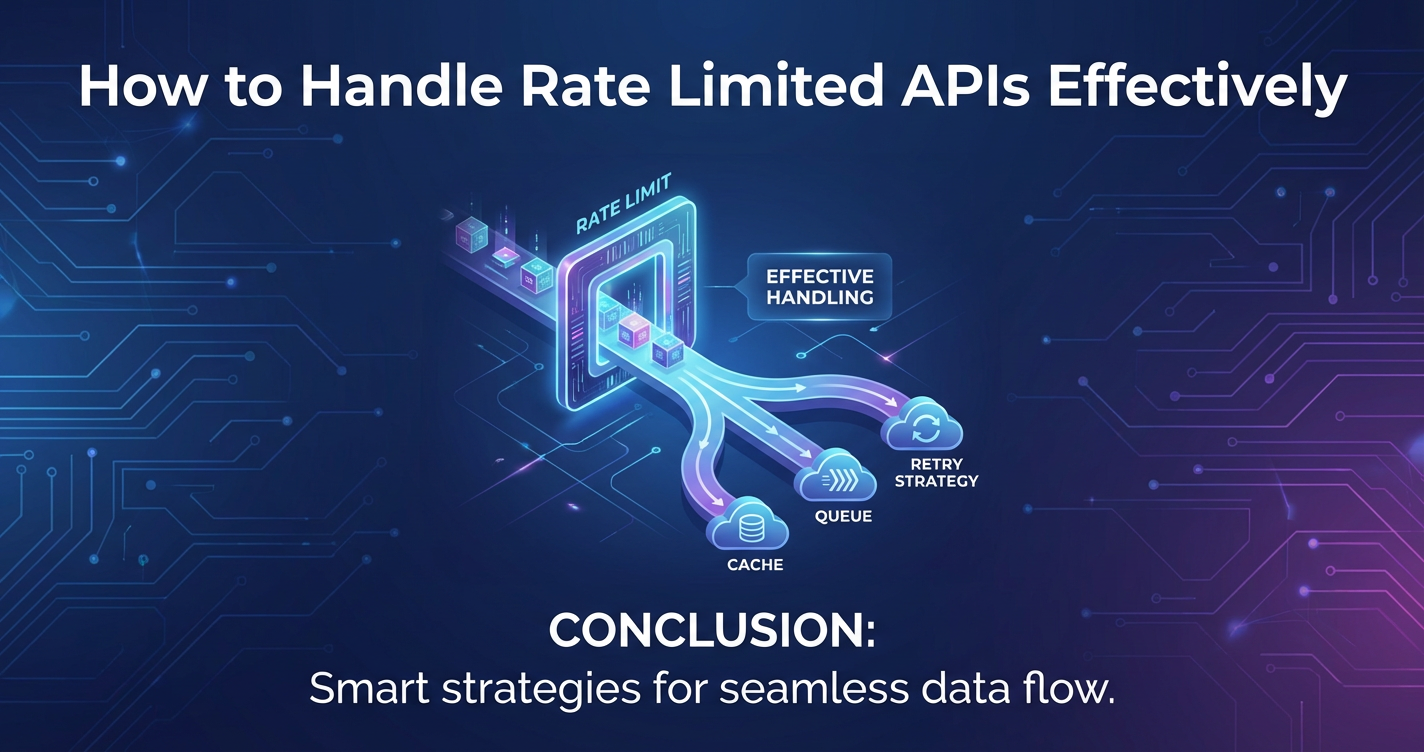
How to Handle Rate Limited APIs Effectively


In the vast, interconnected landscape of modern software development, Application Programming Interfaces (APIs) serve as the fundamental building blocks, enabling disparate systems to communicate, share data, and unlock new functionalities. From mobile applications fetching real-time weather data to sophisticated enterprise platforms orchestrating complex business processes, APIs are the digital arteries that fuel innovation. However, as the reliance on these crucial interfaces grows, so does the imperative for robust and considerate interaction. A key aspect of this interaction, often overlooked until it causes disruption, is API rate limiting.
Rate limiting is the digital equivalent of traffic control on a busy highway. It's a necessary mechanism employed by API providers to regulate the flow of requests, ensuring stability, fairness, and security for all users. Yet, for developers consuming these APIs, encountering a "Too Many Requests" error (HTTP 429) can be a frustrating roadblock, leading to application downtime, data inconsistencies, and a degraded user experience. The art of handling rate limited APIs effectively is not merely about avoiding errors; it's about engineering resilient, efficient, and considerate applications that can gracefully navigate the inevitable ebbs and flows of API traffic. This comprehensive guide delves deep into the nuances of API rate limiting, equipping you with the knowledge and strategies to build applications that not only comply with API constraints but thrive within them.
I. Navigating the Digital Currents: The Inevitability of Rate Limiting in API Interactions
APIs are the silent workhorses of the digital age, powering everything from your morning news feed to global financial transactions. They allow applications to speak to each other, exchanging data and executing functions without needing to understand the intricate internal workings of the other system. This modularity fosters rapid development and innovation, creating an ecosystem where services can be composed and recombined in powerful ways. Yet, this very power brings with it potential vulnerabilities and resource constraints.
Imagine a popular public library. If every patron suddenly decided to check out a dozen books at the exact same moment, the librarians would be overwhelmed, the queue would stretch for miles, and the system would grind to a halt. In the digital realm, an API is a shared resource, a service endpoint that numerous clients (your applications) rely upon. Without any form of control, a sudden surge in requests—whether malicious (like a Distributed Denial of Service, DDoS, attack), accidental (a bug in client code), or simply due to overwhelming legitimate demand—could easily cripple the API server, impacting all users. This is precisely where rate limiting steps in.
Rate limiting is a defensive mechanism implemented by API providers to cap the number of requests a user or client can make within a specified timeframe. It's a contractual agreement, a set of "rules of engagement" that dictate the pace of interaction. For instance, an API might allow 100 requests per minute from a specific IP address or API key. Exceeding this limit triggers a defensive response from the API, typically indicating that the client has been "throttled" or temporarily blocked.
From the API provider's perspective, rate limiting is not about being stingy; it's about ensuring the sustainability, reliability, and security of their service. It prevents a single client from monopolizing server resources, safeguards against abuse, helps manage operational costs, and ensures a fair quality of service for the entire user base. For you, the API consumer, understanding and respecting these limits is paramount. It’s not just about compliance; it's about building applications that are good digital citizens, capable of interacting harmoniously with the services they depend on. Failing to account for rate limits can lead to a cascade of issues, from minor inconveniences like slow data updates to catastrophic system failures that impact your users and business operations. Therefore, mastering the art of handling rate limited APIs is not an optional luxury but a core competency for any modern software engineer.
II. The Foundation: Understanding Rate Limiting – Rules of Engagement for Digital Services
Before devising strategies to handle rate limits, one must first deeply understand what they are, why they exist, and how they manifest. This foundational knowledge is the bedrock upon which resilient API integrations are built.
A. What is API Rate Limiting?
At its core, API rate limiting is a control mechanism that restricts the volume of requests a client can send to an API within a defined period. This restriction is usually tied to a specific identifier, such as an IP address, an API key, or a user ID. The primary goal is to protect the API infrastructure from being overwhelmed, abused, or unfairly consumed by a single entity.
Let's dissect the rationale behind its implementation from the perspective of an API provider:
- Preventing Abuse and DDoS Attacks: Malicious actors might attempt to flood an API with requests to launch a Denial of Service (DoS) or Distributed Denial of Service (DDoS) attack. By setting a hard limit on requests, the API provider can mitigate the impact of such attacks, preventing their services from becoming unavailable to legitimate users.
- Ensuring Fair Usage for All Clients: Without rate limits, a single computationally intensive or poorly designed client application could inadvertently consume a disproportionate share of server resources, degrading performance for everyone else. Rate limiting creates a level playing field, ensuring that all API consumers have a reasonable opportunity to access the service.
- Managing Infrastructure Costs and Resource Allocation: Every request consumes server CPU, memory, network bandwidth, and database operations. By controlling the request rate, API providers can forecast resource needs more accurately, scale their infrastructure efficiently, and manage operational costs. This is particularly crucial for cloud-based services where resource consumption directly translates to financial expenditure.
- Protecting Backend Systems from Overload: APIs often sit in front of complex backend systems, including databases, message queues, and other microservices. These backend components might have their own operational limits. Rate limiting at the API layer acts as a crucial buffer, preventing a flood of incoming requests from cascading down and overloading these sensitive internal systems, thus maintaining overall system stability.
From the consumer's perspective, rate limits, while sometimes challenging, are a necessary constraint that ultimately contributes to the reliability and longevity of the APIs they depend on. It’s a trade-off: a slight inconvenience in request pacing for the guarantee of continued service availability.
B. Common Types of Rate Limits You'll Encounter
API providers implement rate limits in various ways, often combining several types to create a comprehensive protection strategy. Understanding these variations is crucial for designing an effective handling mechanism.
- Request-Based Limits (Time Window Limits): This is the most common type, where an API allows a specific number of requests within a defined time window.
- Per Second/Minute/Hour/Day: Limits can be set at different granularities. For example, "100 requests per minute," "5000 requests per day," or "10 requests per second." The challenge here is the sliding window versus fixed window approach. A fixed window resets at a specific time (e.g., every minute at
xx:xx:00), while a sliding window considers the lastNseconds/minutes from the current request time. Sliding windows are generally fairer but more complex to implement. - Burst Limits vs. Sustained Limits: Some APIs allow a higher "burst" of requests for a very short period (e.g., 50 requests in the first second), but then enforce a lower "sustained" limit for subsequent requests (e.g., 10 requests per second after the burst). This accommodates initial spikes in activity without allowing continuous high-volume usage.
- Examples: A social media API might allow 100 requests per 15 minutes for fetching user timelines but only 10 requests per hour for posting new content.
- Per Second/Minute/Hour/Day: Limits can be set at different granularities. For example, "100 requests per minute," "5000 requests per day," or "10 requests per second." The challenge here is the sliding window versus fixed window approach. A fixed window resets at a specific time (e.g., every minute at
- Concurrent Request Limits: This limit restricts the number of requests that a client can have "in flight" or simultaneously open at any given time. If a client sends a new request while already having the maximum allowed number of active requests, the new request will be rejected. This is vital for preventing resource exhaustion on the server side, particularly for long-running operations or when network latency is high.
- Resource-Based Limits: Beyond just the number of requests, some APIs limit the actual volume or complexity of the data being requested or processed.
- Data Volume: Limiting the total amount of data transferred (e.g., "max 1GB of data per hour").
- Query Complexity: In APIs like GraphQL, providers might limit the "depth" of a query or the number of fields that can be requested in a single call, as complex queries can be very resource-intensive for the backend.
- Number of Items: Limiting the number of items returned in a single paginated response (e.g., "max 100 items per page").
- Bandwidth Limits: This type of limit focuses on the total data transfer volume over a period, rather than just the number of requests. It's less common for transactional APIs but can be relevant for file storage or streaming services.
- Authentication-Based Limits (Tiered Access): Many APIs offer different rate limits based on the client's authentication status or subscription tier.
- Authenticated vs. Unauthenticated: Unauthenticated requests typically have much stricter limits or are outright denied for certain endpoints.
- Free vs. Premium Tiers: Paid subscribers or enterprise clients usually receive significantly higher rate limits, reflecting their commitment and often a higher service level agreement (SLA). This is a common monetization strategy for API providers.
Understanding which types of limits apply to the API you're using is the first step toward effective management. The API documentation is your most reliable source for this information.
C. The Unwanted Consequences: What Happens When You Exceed Limits?
Ignoring or failing to properly handle API rate limits can lead to a variety of detrimental consequences, ranging from minor inconveniences to severe service disruptions.
- HTTP 429 Too Many Requests: This is the standard HTTP status code specifically designated for rate limiting. When your application receives a
429response, it means the API server is telling you, "You have sent too many requests in a given amount of time." This is not a permanent error; it's a temporary instruction to back off and try again later. Crucially, the API server often includes additional information in the response headers (discussed in the next section) to help you understand when you can safely retry. - Temporary Blocks/Throttling: Beyond merely returning a
429, some APIs might temporarily block all requests from your IP address or API key for a short duration. This "throttling" period might last from a few seconds to several minutes, during which any subsequent requests will also fail. This is a more aggressive form of rate limiting, aiming to enforce a cooling-off period. - Longer-Term Bans and API Key Revocation: Persistent and egregious violations of rate limits, especially if combined with other suspicious activities, can lead to more severe consequences. API providers might temporarily or even permanently ban your IP address, or, more commonly, revoke your API key. This effectively cuts off your application's access to the service altogether, requiring manual intervention and potentially a re-application process. This is particularly damaging for production applications.
- Degradation of Service for Your Application: When your application repeatedly hits rate limits, its ability to fetch or send data to the API is hampered. This can lead to:
- Stale Data: If data updates are delayed.
- Slow Features: User actions that depend on API calls becoming unresponsive.
- Incomplete Operations: Tasks failing midway due to rejected API calls. All of these directly impact the user experience, making your application appear slow, unreliable, or broken.
- Wasted Computational Resources: Poorly implemented retry logic that immediately re-sends failed requests can exacerbate the problem. Each failed request consumes your application's resources (CPU, network, memory) and contributes to unnecessary load on the API server. This creates a negative feedback loop, wasting resources on both ends.
Understanding these consequences underscores the importance of a well-thought-out strategy for handling API rate limits. It's not just about technical correctness; it's about maintaining service continuity, preserving user trust, and being a responsible consumer in the API ecosystem.
III. The API's Voice: How Rate Limits Are Communicated
The beauty of well-designed APIs lies in their ability to communicate effectively. When it comes to rate limiting, this communication is often embedded directly within the HTTP response headers, providing crucial, real-time information that your application can use to adapt its behavior.
A. Standard HTTP Headers: The Universal Language
The IETF (Internet Engineering Task Force) has standardized several HTTP headers to communicate rate limit information. While not all APIs implement them identically, these are the most common and widely recognized signals:
X-RateLimit-Limit:- Description: This header indicates the maximum number of requests that the client is permitted to make within the current rate limit window. It tells you the total capacity you have for the given period.
- Example:
X-RateLimit-Limit: 100means you can make 100 requests in the current window. - Importance: Provides an upper bound for your request planning. Knowing this value helps you understand your budget for API calls.
X-RateLimit-Remaining:- Description: This header specifies the number of requests remaining in the current rate limit window before the limit is hit. This is a dynamic value that decrements with each successful request.
- Example: If
X-RateLimit-Remaining: 5, it means you can make 5 more requests before reaching the limit. - Importance: This is your real-time counter. By monitoring this header, your application can proactively slow down its request rate before hitting the limit, rather than reacting only after receiving a
429.
X-RateLimit-Reset:- Description: This header indicates the time at which the current rate limit window will reset, and new requests will be allowed. The value is often an integer representing a Unix epoch timestamp (seconds since January 1, 1970, UTC) or sometimes a human-readable datetime string.
- Example:
X-RateLimit-Reset: 1678886400(Unix timestamp for a specific future time). - Importance: This is crucial for implementing intelligent backoff. If you hit a
429, theX-RateLimit-Resetheader tells you exactly how long you need to wait before your request count resets. You can convert this timestamp to a duration and pause your requests accordingly.
Retry-After:- Description: This header is typically sent with a
429 Too Many Requestsor503 Service Unavailableresponse. It suggests an amount of time (in seconds) that the client should wait before making another request. - Example:
Retry-After: 60means wait 60 seconds. - Importance: This is often the most authoritative and precise instruction from the API server. If an API provides a
Retry-Afterheader with a429response, your application should prioritize obeying this directive above any internally calculated backoff strategy. It directly communicates the server's requested cooling-off period.
- Description: This header is typically sent with a
It's important to note that while these are widely adopted, some APIs might use slightly different header names (e.g., RateLimit-Limit, RateLimit-Remaining) or proprietary headers. Always consult the specific API's documentation for exact details.
B. Beyond Headers: Other Communication Channels
While HTTP headers are the most common and programmatic way for APIs to communicate rate limits, other channels also play a vital role in informing developers:
- API Documentation:
- Description: The official documentation is the primary and most comprehensive source of truth for an API's rate limiting policies. It will detail the specific limits for different endpoints, whether limits are global or per-endpoint, and often explain the chosen windowing strategy (fixed vs. sliding).
- Importance: Always prioritize reading the API documentation thoroughly. Proactive understanding prevents reactive firefighting. It allows you to design your application with the limits in mind from the very beginning, rather than discovering them through error messages.
- Response Body Messages:
- Description: In some cases, especially when a
429or other error status is returned, the API might include a more verbose and human-readable error message within the response body (e.g., JSON or XML payload). This message might explain why the limit was hit or provide additional context not available in the headers. - Importance: While headers are for programmatic handling, response bodies can offer valuable diagnostic information for debugging and understanding the context of the error.
- Description: In some cases, especially when a
- Developer Portals and Dashboards:
- Description: Many API providers offer a developer portal or dashboard where you can monitor your API usage in real-time or historically. These portals often display your current rate limits, your consumption against those limits, and provide visual analytics.
- Importance: These tools are excellent for long-term monitoring, identifying usage patterns, and forecasting when you might need to adjust your application's behavior or request higher limits.
C. The Importance of Proactive Discovery
The key takeaway from understanding API communication is the emphasis on proactive discovery. Waiting for your application to hit a 429 error before addressing rate limits is a reactive approach that will inevitably lead to downtime and frustration. Instead, good API integration involves:
- Reading the documentation upfront: Understand the limits before writing a single line of API interaction code.
- Designing with limits in mind: Factor rate limits into your application's architecture from the start.
- Implementing intelligent parsing of HTTP headers: Your client should be designed to read and react to
X-RateLimit-Remaining,X-RateLimit-Reset, andRetry-Afterdynamically.
By actively seeking out and interpreting these signals, your application can operate harmoniously within the constraints of the API, ensuring stable and reliable performance.
IV. Client-Side Resilience: Crafting Robust Applications Against Rate Limits
Building an application that gracefully handles API rate limits is a testament to thoughtful engineering. It involves implementing intelligent strategies on the client side that not only respect the API's boundaries but also ensure your application's continued functionality and user experience even under pressure.
A. The Golden Rule: Respecting and Understanding API Limits
This cannot be overstated: the first and most crucial step in handling rate limits is to deeply understand and respect them. Do not treat them as an afterthought.
- Prioritize Reading API Documentation: Before writing any code that interacts with an API, meticulously review its official documentation regarding rate limits. Look for:
- Specific limits per endpoint (e.g., POST
/usersmight have a stricter limit than GET/users). - The time window for limits (per second, minute, hour).
- Whether limits are per IP, per API key, per user, or a combination.
- Details on how rate limit information is communicated (e.g., specific HTTP headers used).
- Any special considerations for burst rates or tiered limits. This foundational knowledge informs all subsequent design decisions.
- Specific limits per endpoint (e.g., POST
- Design Your Application with Known Limits in Mind from the Outset: Integrate rate limit considerations into your architectural design. Instead of bolt-on solutions, consider:
- Batching opportunities: Can multiple requests be combined into one?
- Caching strategies: What data can be stored locally to reduce API calls?
- Asynchronous processing: Can non-urgent tasks be deferred?
- User expectations: Can you inform users about potential delays due to API limits? Thinking this way from the start saves significant refactoring effort down the line and leads to a more robust application.
B. Implementing Intelligent Retry Mechanisms
When an API responds with a 429 Too Many Requests, your application shouldn't just give up. It should retry the request, but not immediately and not indefinitely. Naive retries can quickly overwhelm the API (and your application), making the situation worse. The solution lies in intelligent backoff strategies.
- The Problem with Naive Retries: Imagine 100 instances of your application hitting an API limit simultaneously. If all 100 instances immediately retry, they will likely hit the limit again, creating a "thundering herd" problem that can exacerbate the API's overload and potentially lead to a cascade of failures.
- Solution: Backoff Strategies: Backoff strategies involve waiting for a period before retrying a failed request, gradually increasing the wait time with each subsequent failure.
- Exponential Backoff:
- Concept: This strategy involves increasing the waiting time exponentially after each failed attempt. The idea is to give the API server progressively more time to recover from its overloaded state.
- Formula: A common approach is
delay = base * (factor ^ attempts), wherebaseis the initial delay (e.g., 1 second),factoris a multiplier (e.g., 2), andattemptsis the number of failed retries. - Example: 1s, 2s, 4s, 8s, 16s...
- Advantages: Effectively reduces server load, provides ample time for the API to recover, and is generally robust.
- Disadvantages: Can lead to very long wait times for consecutive failures, potentially impacting user experience for critical operations.
- Exponential Backoff with Jitter:
- Concept: While exponential backoff is good, if many clients hit a limit at the same time and all use the exact same backoff formula, they will all retry at roughly the same exact future moments, leading to another "thundering herd." Jitter introduces a random component to the delay, spreading out retries and preventing these synchronized re-attacks.
- Why Jitter? It's like adding a small random delay to each car trying to merge onto a highway – it smooths out the flow.
- Implementation:
- Full Jitter: The delay is chosen randomly between
0andmin(max_delay, base * (factor ^ attempts)). - Decorrelated Jitter:
delay = min(max_delay, random_between(base, delay * 3)). This approach aims to make subsequent delays less correlated with previous ones.
- Full Jitter: The delay is chosen randomly between
- Practical Considerations: Always define a
max_delayto prevent excessively long waits and amax_attemptsto eventually give up on a request if it consistently fails.
- Fixed Backoff:
- Concept: Waits a constant, predetermined amount of time between retries (e.g., always 5 seconds).
- Advantages: Simple to implement.
- Disadvantages: Less effective for highly volatile or persistent rate limits. Can still contribute to "thundering herd" if not combined with jitter. Generally not recommended for production systems dealing with external APIs.
- Listening to
Retry-After:- Concept: As discussed, when an API sends a
429response, it often includes aRetry-Afterheader specifying the exact number of seconds to wait. - Priority: This is the most authoritative signal. Your application should always prioritize obeying the
Retry-Afterheader above any internally calculated backoff. IfRetry-Afteris present, use that delay. If not, fall back to your exponential backoff with jitter strategy.
- Concept: As discussed, when an API sends a
- Exponential Backoff:
Here's a comparison of these backoff strategies:
| Strategy | Description | Advantages | Disadvantages | Best Use Case |
|---|---|---|---|---|
| Fixed Backoff | Waits a constant time (e.g., 5 seconds) between retries, regardless of the number of failures. | Simple to implement and understand. Minimal overhead. | Can lead to overloading the API if many clients retry simultaneously. Inefficient if the actual wait time required by the API is variable. May not resolve persistent rate limits. | Very simple background tasks where API failures are rare and predictable, and client coordination is not an issue. |
| Exponential Backoff | Gradually increases the wait time exponentially after each failed attempt (e.g., 1s, 2s, 4s, 8s...). | Reduces immediate server load by spreading out retries. More robust than fixed backoff for transient issues. Gives the API more time to recover. | If many clients hit a limit at the exact same time, they might still retry in sync, leading to a "thundering herd" effect. Can result in very long wait times after several failures. | General purpose, provides breathing room, but can be improved upon. |
| Exponential Backoff with Jitter | Adds a random component to the exponential delay, ensuring retries are not perfectly synchronized. | Highly recommended for most scenarios. Effectively prevents the "thundering herd" problem by randomizing retry attempts. More resilient to distributed failures. | Slightly more complex to implement due to the random component. Requires careful tuning of random ranges and maximum delays. | Ideal for most distributed client applications interacting with external APIs. Maximizes success rate and minimizes server impact. |
Retry-After Header |
Obeys the explicit wait time (in seconds) provided by the API server in the Retry-After HTTP header after a 429 response. |
Most efficient and accurate. Directly responds to the API server's current needs, minimizing unnecessary waiting or premature retries. | Relies on the API providing this header (not all do). Requires careful parsing of the HTTP response headers. If not present, another backoff strategy is needed. | Should be prioritized whenever available from the API, overriding any other backoff strategy. |
When implementing retry logic, consider using battle-tested libraries in your programming language that handle these complexities for you (e.g., tenacity in Python, polly in .NET, resilience4j in Java, or node-retry in Node.js).
C. Caching API Responses: The First Line of Defense
One of the most effective strategies to mitigate rate limit issues is to simply make fewer API calls. Caching frequently accessed API data locally in your application or infrastructure is a powerful way to achieve this.
- Concept: Caching involves storing a copy of an API's response for a certain period. When your application needs that data again, it first checks the cache. If the data is present and still valid, it uses the cached version instead of making a new API call.
- Types of Caching:
- In-Memory Cache: Storing data directly in your application's memory (fastest but not shared across instances).
- Distributed Caches: Services like Redis or Memcached that allow multiple instances of your application to share a common cache.
- Content Delivery Networks (CDNs): For static or semi-static content, CDNs can cache API responses closer to the user, reducing both API calls and latency.
- When to Cache:
- Static Data: Data that rarely changes (e.g., a list of countries, product categories).
- Infrequently Updated Data: Data that changes predictably or on a known schedule (e.g., daily reports, hourly currency exchange rates).
- Common Queries: API calls that are frequently made with the same parameters across many users (e.g., popular search results).
- Invalidation Strategies:
- Time-to-Live (TTL): Data expires from the cache after a set period. This is the simplest approach.
- Event-Driven Invalidation: The cache is invalidated when a specific event occurs (e.g., a webhook notification from the API indicating data has changed).
- Stale-While-Revalidate: Serve stale data from the cache immediately while asynchronously fetching fresh data in the background.
- Benefits:
- Reduces API Calls: Directly lowers your usage against rate limits.
- Improves Performance: Cached data is served much faster than making a network call.
- Lowers Latency: Users experience faster response times.
- Reduces API Costs: For pay-per-call APIs, caching can significantly cut down expenses.
- Potential Drawbacks: The primary concern is data staleness. If caching is too aggressive or invalidation is poorly managed, users might see out-of-date information.
D. Batching Requests: Efficiency Through Aggregation
If the API you're consuming supports it, batching requests can be an extremely effective way to reduce the number of individual API calls, thus conserving your rate limit quota.
- Concept: Batching involves combining multiple individual operations (e.g., creating several records, fetching data for multiple IDs) into a single API request. The API processes these operations and returns a single response containing the results for all of them.
- API Provider Support: This strategy is entirely dependent on the API provider offering specific endpoints or mechanisms for batch operations.
- REST APIs: Some REST APIs have dedicated
/batchor/bulkendpoints. - GraphQL: GraphQL's nature allows for fetching multiple resources in a single query, which inherently acts as a form of batching.
- Proprietary Batching: Some providers implement their own custom batching formats.
- REST APIs: Some REST APIs have dedicated
- Benefits:
- Reduces Request Count: A single batch request counts as one against your rate limit, even if it performs dozens of individual operations.
- Lowers Network Overhead: Fewer HTTP handshakes and round trips.
- Improved Latency: Reduced overall time to complete multiple operations.
- Considerations:
- Error Handling: What happens if one operation within a batch fails? The API's batching mechanism should provide clear individual error reporting for each item in the batch.
- Batch Size: There's usually an optimal batch size. Too small, and you lose efficiency; too large, and the API might reject it or take too long to process.
E. Throttling and Request Queuing: Managing Outbound Traffic
Instead of reacting to 429 errors, a proactive approach involves client-side throttling and queuing of outbound API requests. This ensures your application never exceeds the API's limits in the first place.
- Concept: Client-side throttling involves regulating the rate at which your application sends requests to an API. It acts like a local gateway or a flow control valve. Requests are placed into an internal queue, and your application processes them at a controlled pace, adhering to the known API limits.
- Client-Side Queue:
- Maintain an internal queue where all outgoing API requests are temporarily held.
- A dedicated "worker" or "sender" component then pulls requests from this queue and dispatches them to the external API at a rate that respects the API's rate limits.
- Algorithms for Throttling:
- Token Bucket Algorithm (Client-Side Implementation):
- Imagine a bucket that holds "tokens." Tokens are added to the bucket at a constant rate (e.g., 100 tokens per minute, matching the API limit).
- Each time your application wants to make an API call, it tries to draw a token from the bucket.
- If a token is available, the request is sent, and the token is consumed.
- If no token is available, the request waits until a new token appears in the bucket.
- This effectively smooths out bursts and ensures the average request rate doesn't exceed the limit.
- Leaky Bucket Algorithm (Client-Side Implementation):
- Requests are poured into a bucket (a queue).
- Requests "leak" out of the bucket at a constant rate (matching the API's allowed requests per second/minute).
- If the bucket overflows (queue is full), new requests are rejected or dropped.
- This ensures a constant output rate regardless of the input rate.
- Token Bucket Algorithm (Client-Side Implementation):
- Implementation Details:
- Many programming languages have libraries designed for rate limiting or concurrency control that can be adapted for client-side throttling (e.g.,
rate-limiter-flexiblein Node.js,guava-ratelimiterin Java,asyncio.Semaphorein Python). - The core idea is to introduce a delay or a semaphore before sending each request, based on the known API limits and the current time.
- Many programming languages have libraries designed for rate limiting or concurrency control that can be adapted for client-side throttling (e.g.,
- Benefits:
- Proactive: Prevents
429errors by controlling the request rate before they are sent. - Predictable: Ensures a consistent flow of requests, making your application more reliable.
- Reduced Error Handling Complexity: Fewer
429errors mean less need for complex retry logic for typical operations.
- Proactive: Prevents
F. Asynchronous Processing and Background Jobs
For tasks that don't require immediate user interaction, offloading API calls to asynchronous background processes can significantly improve your application's responsiveness and rate limit adherence.
- Concept: Instead of making direct, synchronous API calls that might block your application's main thread, you enqueue these tasks to be processed by a separate worker system. This worker system can then make API calls at a controlled pace, independent of user-facing interactions.
- Examples:
- Data Synchronization: Periodically syncing large datasets with an external service.
- Bulk Imports/Exports: Processing large files that involve many API calls.
- Report Generation: Creating complex reports that pull data from various API endpoints.
- Email/Notification Sending: Sending transactional emails or push notifications through a third-party API.
- Tools:
- Message Queues: Technologies like RabbitMQ, Apache Kafka, Amazon SQS, or Google Cloud Pub/Sub can be used to store tasks. Your application publishes a message to the queue, and background workers consume messages and execute the API calls.
- Task Schedulers/Job Queues: Libraries or frameworks like Celery (Python), Sidekiq (Ruby), Quartz (Java), or dedicated cloud services can manage background jobs.
- Benefits:
- Non-Blocking UI: User interfaces remain responsive as API calls are handled in the background.
- Flexible Retry Logic: Background jobs can implement sophisticated retry logic with exponential backoff and persistent queues, ensuring that API calls eventually succeed even if they initially hit rate limits.
- Scalability: You can scale your worker processes independently to handle increasing volumes of background tasks.
- Rate Limit Buffering: The queue acts as a buffer, smoothing out bursts of API call requests over time, allowing the workers to respect rate limits.
G. Load Shedding and Prioritization
In situations of extreme API pressure, where even your best efforts at throttling and backoff aren't enough, it might be necessary to gracefully degrade service by performing load shedding or prioritization.
- Concept: Load shedding involves intentionally dropping or delaying less critical requests to ensure that core functionalities remain operational. Prioritization means identifying which API calls are absolutely essential for your application's primary function and ensuring they get precedence.
- Prioritization Matrix:
- Categorize your API calls based on their criticality and impact on user experience.
- High Priority: User authentication, saving critical user data, core business logic.
- Medium Priority: Real-time data updates, displaying secondary information.
- Low Priority: Analytics events, background syncs, non-essential notifications.
- Implementation:
- If a high-priority API call is about to hit a rate limit, the system might temporarily pause or defer a low-priority API call.
- Displaying cached data instead of making a real-time API call for non-critical information if the API is experiencing issues.
- Returning a user-friendly message indicating temporary unavailability for certain features, rather than a cryptic error.
- Goal: The primary goal is to maintain the core functionality and user experience of your application, even if it means temporarily reducing the richness or completeness of certain features. It's about graceful degradation rather than outright failure.
H. Distributed Rate Limiting (for Microservices/Multiple Instances)
A significant challenge arises when multiple instances of your application (e.g., in a microservices architecture or horizontally scaled deployment) are all consuming the same external API. How do they coordinate their API calls to collectively respect a single global rate limit?
- The Challenge: If each instance independently implements its own throttling based on the global limit, they can easily inadvertently exceed the limit as a collective. For example, if the limit is 100 requests/minute and you have 5 instances, each instance might try to make 100 requests, leading to 500 requests per minute overall.
- Solutions:
- Centralized Rate Limiting Service:
- Introduce a shared, centralized component (e.g., a Redis instance or a dedicated microservice) that tracks the global rate limit.
- Each application instance, before making an external API call, first checks with this central service for a "token" or permission to proceed.
- The central service is responsible for enforcing the global rate limit and distributing "permission to call" fairly among the requesting instances.
- This adds complexity but ensures strict adherence to global limits.
- Shared Token Buckets:
- A variation of the above, where the "token bucket" for the external API is stored in a shared, persistent store (like Redis).
- Each instance attempts to draw a token from this shared bucket. If successful, it proceeds; otherwise, it waits.
- API Gateway as Outbound Manager:
- As we'll explore in the next section, an API Gateway can be positioned before your internal microservices interact with external APIs. This gateway then becomes the single point of outbound traffic, where global rate limiting policies for external APIs can be enforced.
- Centralized Rate Limiting Service:
Distributed rate limiting adds a layer of architectural complexity, but it's essential for scalable applications that interact heavily with external APIs. Without it, you're constantly walking a tightrope of potential 429 errors.
APIPark is a high-performance AI gateway that allows you to securely access the most comprehensive LLM APIs globally on the APIPark platform, including OpenAI, Anthropic, Mistral, Llama2, Google Gemini, and more.Try APIPark now! 👇👇👇
V. The Unsung Hero: Leveraging an API Gateway for Robust API Management
While client-side strategies are vital for building resilient applications, a more comprehensive and often more scalable approach to managing API interactions, including rate limits, involves the use of an API Gateway. An api gateway isn't just a tool for API providers; it's a powerful component that can significantly enhance how both API producers and consumers manage their digital landscape.
A. What is an API Gateway? A Central Nervous System for APIs
An API Gateway acts as a single entry point for all client requests to your APIs. It sits between the client applications and your backend services, routing requests to the appropriate microservices or legacy systems. But a modern gateway does far more than just routing; it performs a myriad of functions that are crucial for managing complex API ecosystems:
- Request Routing: Directs incoming
apirequests to the correct backend service based on defined rules. - Authentication and Authorization: Verifies client identities and permissions before forwarding requests.
- Rate Limiting and Throttling: Enforces usage policies to protect backend services from overload.
- Request/Response Transformation: Modifies
apirequests or responses (e.g., changing data formats, adding/removing headers). - Caching: Caches
apiresponses to reduce load on backend services and improve performance. - Logging and Monitoring: Collects detailed
apiusage data for analytics and operational insights. - Security Policies: Implements various security measures like WAF (Web Application Firewall) or DDoS protection.
- Load Balancing: Distributes incoming traffic across multiple instances of backend services.
- Versioning: Manages different versions of
apis, allowing for seamless updates.
Think of the gateway as the central nervous system for your APIs, intelligently managing the flow of data and control between the outside world and your internal systems. It acts as a facade, abstracting the complexity of your backend architecture from the api consumers.
B. How an API Gateway Enhances Rate Limit Management
The api gateway is arguably the most effective place to implement and manage rate limiting policies, offering significant advantages for both the API provider and, indirectly, the API consumer.
- Centralized Enforcement: Instead of each individual backend service having to implement its own rate limiting logic (which can be prone to inconsistencies and errors), the
gatewayprovides a single, centralized point where all rate limit policies are defined and enforced. This ensures uniformity and simplifies management. - Policy-Based Limiting: An
api gatewayallows you to apply highly granular and flexible rate limit policies. You can set limits based on:- API Key: Different limits for different client applications or users.
- IP Address: To prevent abuse from specific sources.
- User Role/Subscription Tier: Offering higher limits for premium users or enterprise clients.
- Endpoint: Stricter limits for resource-intensive operations (e.g., write operations) compared to lighter read operations.
- Custom Attributes: Even based on data within the request body or specific headers. This flexibility allows providers to tailor their limits precisely to their business needs and resource availability.
- Traffic Shaping and Throttling: The
gatewaycan queue or throttle incoming requests before they even reach your backend services. This is a critical protective layer. If a sudden surge of requests occurs, thegatewayabsorbs the impact, only allowing requests to pass through at a rate that your backend can comfortably handle. This prevents backend systems from becoming overwhelmed and ensures consistent performance. - Global vs. Per-Service Limits: A
gatewaycan manage globalapilimits that apply across all your services, as well as specific limits for individual endpoints or microservices. This provides a layered approach to protection. - Detailed Analytics and Monitoring: As all
apitraffic flows through thegateway, it becomes an invaluable source of data. Gateways provide rich analytics onapiusage, including hit rates, error rates (like429responses), latency, and consumption against defined rate limits. This data is crucial for:- Identifying usage patterns: Understanding peak times and heavy users.
- Troubleshooting: Quickly diagnosing issues related to exceeding limits.
- Capacity Planning: Informing decisions about infrastructure scaling.
- Policy Refinement: Adjusting rate limits based on actual usage and system performance.
- Developer Portal Integration: Many
api gatewaysolutions integrate with or offer a developer portal. This portal serves as a self-service hub forapiconsumers, providing clear documentation ofapilimits, allowing them to monitor their own usage, and sometimes even request higher limits directly. This transparency fosters a better relationship betweenapiproviders and consumers.
For API providers, leveraging an api gateway centralizes control, enhances security, improves performance, and simplifies the complex task of api management, particularly concerning traffic and rate limits.
C. The API Gateway as a Client-Side Aid (Indirectly)
While primarily a server-side component for API providers, an api gateway can also indirectly aid API consumers, especially in large organizations or microservices environments.
If your organization consumes a multitude of external APIs across various internal applications or microservices, you might choose to implement an internal api gateway. This internal gateway acts as your organization's single point of contact for all outbound calls to external APIs. In this setup, your internal gateway can:
- Centralize External API Rate Limit Management: Instead of each internal microservice needing to know and manage the rate limits of every external
apiit calls, the internalgatewayhandles this. It can implement its own throttling, backoff, and queuing mechanisms for outbound requests, ensuring that your organization's collective usage adheres to the externalapiproviders' limits. - Provide a Unified Interface: Abstract away the nuances of different external APIs, presenting a simpler, standardized interface to your internal microservices.
- Enhance Security: Centralize
apikey management and prevent individual microservices from directly exposing externalapicredentials.
This approach transforms the internal gateway into an intelligent traffic manager for all your external api dependencies, creating a more robust and manageable system.
D. Introducing APIPark: An Open Source AI Gateway & API Management Platform
For organizations building or consuming a multitude of APIs, especially those venturing into AI services, a robust api gateway becomes an indispensable tool. Platforms like ApiPark, an open-source AI gateway and API management platform, exemplify how a modern gateway can elevate your API strategy.
APIPark, open-sourced under the Apache 2.0 license by Eolink, offers a comprehensive suite of features designed to manage, integrate, and deploy both AI and REST services with ease. When considering how an api gateway like APIPark can help in handling rate limited APIs, several of its key capabilities stand out:
- End-to-End API Lifecycle Management: APIPark assists with managing the entire lifecycle of APIs, from design to publication, invocation, and decommissioning. This comprehensive approach naturally includes the ability to regulate API management processes, manage traffic forwarding, load balancing, and crucially, apply rate limiting policies to published APIs. By centralizing this management, API providers can ensure consistent and enforceable limits, which in turn helps consumers understand and predict behavior.
- Performance Rivaling Nginx: With the capability to achieve over 20,000 TPS (transactions per second) on modest hardware and supporting cluster deployment, APIPark is designed to handle large-scale traffic. This high performance means the
gatewayitself can efficiently process and manage a vast number of requests, acting as a highly effective buffer and traffic shaper before requests reach your backend services. It can absorb bursts and apply throttling without becoming a bottleneck, a critical function for effective rate limit enforcement. - Detailed API Call Logging & Powerful Data Analysis: APIPark provides comprehensive logging capabilities, recording every detail of each API call. This feature, combined with its powerful data analysis tools, allows businesses to quickly trace and troubleshoot issues related to API calls, including those impacting or being affected by rate limits. By analyzing historical call data, APIPark can display long-term trends and performance changes, helping businesses with preventive maintenance and optimizing their rate limit strategies before issues escalate. Understanding where and why limits are being hit becomes an informed decision rather than a guesswork.
- Unified API Format for AI Invocation & Prompt Encapsulation: While not directly about rate limiting, these features highlight APIPark's role in standardizing and simplifying API interactions. By providing a unified request data format and encapsulating prompts into REST APIs, it streamlines how applications consume AI models. This standardization can make it easier to apply consistent rate limiting policies across diverse AI services and simplifies the client-side logic needed to interact with these APIs, reducing potential for errors that might inadvertently trigger rate limits.
- API Service Sharing within Teams & Independent API and Access Permissions: These features allow for better organization and granular control over API access. By enabling the creation of multiple teams (tenants) with independent applications and access policies, APIPark facilitates sophisticated tiering of
apiaccess, where different teams or users might be assigned different rate limits. This granular control allows for fair usage policies tailored to specific user groups, further preventing resource monopolization. - API Resource Access Requires Approval: This feature allows for subscription approval mechanisms, ensuring that callers must subscribe to an API and await administrator approval. This acts as a powerful access control layer that complements rate limiting, ensuring only authorized clients are even considered for
apiaccess, reducing the overall attack surface and ensuring that rate limits are applied to legitimate, vetted consumers.
In essence, APIPark provides the robust infrastructure and management capabilities necessary to not only enforce rate limits effectively from the provider side but also to give developers unparalleled visibility and control over their API landscape. By centralizing API management, it reduces the burden on individual microservices and allows for a more strategic, data-driven approach to rate limit handling.
VI. Monitoring, Alerting, and Continuous Improvement: Staying Ahead of the Curve
Effective rate limit handling isn't a one-time configuration; it's a continuous process of observation, adaptation, and refinement. Even with the most sophisticated client-side strategies and a robust api gateway, you need mechanisms to monitor your API interactions, alert you to potential issues, and continually improve your approach.
A. Proactive Monitoring: Observing the Pulse of Your APIs
Monitoring is your eyes and ears into the health of your API interactions. It allows you to anticipate problems before they escalate into outages.
- Track
X-RateLimitHeaders and429Responses:- Collect Header Data: Log the values of
X-RateLimit-Limit,X-RateLimit-Remaining, andX-RateLimit-Resetfrom every API response. This provides a real-time understanding of your quota. - Monitor
429Frequency: Keep a count of how often your application receives429 Too Many Requestsresponses. A sudden spike indicates a problem. - Track
Retry-AfterDurations: Log theRetry-Aftervalues to understand the severity and duration of throttling imposed by the API.
- Collect Header Data: Log the values of
- Monitor Your Application's Outbound Request Queue Length: If you've implemented client-side throttling and queuing, monitor the size of your internal request queue. A rapidly growing queue or consistently long queue indicates that your application is generating requests faster than it can dispatch them to the API (due to rate limits), leading to potential backlogs and delays.
- Monitor Latency and Error Rates for API Calls:
- Increased Latency: A sudden increase in the average response time for API calls, even if they aren't failing with
429s, could be an early indicator of the API server being under stress, potentially leading to rate limits soon. - General Error Rates: Monitor for other HTTP error codes (e.g.,
5xxserver errors) which might be indirectly caused by underlying issues related to high load, which rate limits are designed to prevent.
- Increased Latency: A sudden increase in the average response time for API calls, even if they aren't failing with
- Utilize Logging and Tracing Tools: Integrate detailed logging within your API interaction layer. Log the URL, request parameters, response status, headers, and any errors. Distributed tracing tools (like OpenTelemetry, Jaeger, Zipkin) can help visualize the entire flow of a request, making it easier to pinpoint where delays or errors related to rate limits occur across a microservices architecture.
B. Establishing Effective Alerting Mechanisms
Monitoring data is useful, but it becomes actionable when paired with a robust alerting system. Alerts notify you immediately when something goes wrong or when critical thresholds are crossed, allowing for prompt intervention.
- Set Up Alerts For:
- High Frequency of
429Responses: If your application receives429errors above a certain threshold within a given time period (e.g., more than 5% of requests in a minute), trigger an alert. X-RateLimit-RemainingApproaching Zero: Proactive alerts can be set whenX-RateLimit-Remainingdrops below a critical threshold (e.g., 10% of the limit). This gives you a heads-up before you actually hit the limit.- Long Request Queue Backlogs: If your client-side request queue exceeds a defined size or persists for an extended duration, it signals that your processing can't keep up with demand.
- Unusually High API Latency: While not directly a rate limit issue, high latency can precede
429s or indicate other API performance problems that require attention.
- High Frequency of
- Integrate with Communication Tools: Ensure your alerts are routed to the right people through appropriate channels. This could include:
- On-Call Rotation Systems: PagerDuty, Opsgenie.
- Messaging Platforms: Slack, Microsoft Teams.
- Email/SMS: For less critical, informative alerts. The goal is to get the right information to the right person quickly to minimize the impact of rate limit-related issues.
C. Analyzing Usage Patterns: Understanding Your Needs
Beyond real-time monitoring, regular analysis of historical API usage data is crucial for strategic decision-making.
- Review Historical API Usage Data: Regularly examine trends in your API calls over days, weeks, and months.
- Are there consistent daily or weekly peaks in usage?
- Which specific API endpoints are most heavily utilized?
- Has your overall API consumption grown over time?
- Identify Peak Times and Heavy Users: Pinpoint the times when your application is most likely to hit rate limits. Understand which internal components or external users are generating the most API traffic. This can inform decisions about when to schedule background jobs or which users might need higher-tier access.
- Use Data to Inform Decisions:
- Negotiate Higher Limits: If your legitimate business needs consistently push you against rate limits, use your usage data to make a case to the API provider for higher limits or a different service tier. Data-backed requests are more likely to be successful.
- Optimize Calls: Identify inefficient
apiusage patterns. Can certain calls be cached more aggressively? Can batching be employed more effectively? - Adjust Caching Strategies: Use usage patterns to refine cache TTLs and invalidation policies.
- Scale Your Infrastructure: If your internal queues are consistently growing, it might indicate a need to scale your worker processes or add more resources to your processing infrastructure.
D. Iterative Optimization: A Continuous Process
API rate limit handling is not a "set it and forget it" task. The digital landscape is dynamic, and your strategies must evolve with it.
- Regularly Review Your Strategies: Periodically audit your client-side backoff, caching, and throttling mechanisms. Are they still effective? Are there new best practices or libraries you could adopt?
- Adapt to API Changes: API providers might change their rate limit policies, introduce new endpoints, or deprecate old ones. Stay subscribed to developer newsletters and announcements from the APIs you consume. Proactively adapt your code to these changes.
- Optimize for Cost and Performance: Continuously look for ways to reduce unnecessary API calls not just to avoid rate limits, but also to improve your application's performance and potentially reduce costs (for pay-per-call APIs).
- Learn from Incidents: Every time you hit a rate limit or encounter an API-related issue, treat it as a learning opportunity. Conduct a post-mortem, identify root causes, and implement improvements to prevent recurrence.
By embracing a culture of continuous monitoring, alerting, and iterative optimization, your application can maintain a healthy, respectful, and resilient relationship with the APIs it depends on, ensuring long-term stability and performance.
VII. Best Practices and Advanced Considerations for API Consumers
Beyond the core strategies, there are several best practices and advanced considerations that can further fortify your application against the challenges of API rate limiting. These insights help to create an even more robust and adaptable system.
A. Design for Failure: Embrace Graceful Degradation
A fundamental principle in distributed systems is to "design for failure." Assume that external APIs will, at some point, become unavailable or rate-limited. Your application should be able to gracefully handle these scenarios without collapsing.
- Implement Fallback Mechanisms: For non-critical data or functionality, provide fallback options. If an API call to fetch a user's profile picture fails, can you display a default avatar instead? If a recommendation engine API is overloaded, can you show a generic list of popular items from a cache?
- Display Cached Data: If real-time data fetching is impossible due to rate limits or API downtime, serve the most recently cached version of the data, clearly indicating to the user that the data might not be up-to-date.
- Provide User-Friendly Messages: Instead of showing cryptic error codes, inform your users that a particular feature is temporarily unavailable or experiencing delays. Transparency builds trust. For example, "We're experiencing high traffic with our data provider; please try again shortly."
- Circuit Breaker Pattern: Implement a circuit breaker pattern for your API calls. If an API consistently fails or returns errors (including
429s) over a short period, the circuit breaker "opens," preventing further calls to that API for a defined duration. This protects the API from being hammered unnecessarily and gives it time to recover, while also preventing your application from wasting resources on doomed requests. After a set period, the circuit moves to a "half-open" state, allowing a few test requests to see if the API has recovered.
B. Segment Your API Usage
If an API allows it, consider segmenting your usage by using different API keys or accounts for distinct parts of your application or for different internal tenants.
- Separate Rate Limit Buckets: Using multiple API keys can provide you with separate rate limit buckets. For example, your analytics service could use one API key with its own quota, while your user-facing application uses another.
- Prevent Starvation: This segmentation prevents one component of your system (e.g., a batch job) from inadvertently consuming the entire rate limit quota and starving other, potentially more critical, components (e.g., real-time user requests).
- Improved Diagnostics: If one API key starts hitting limits, it's easier to pinpoint which part of your system is responsible.
- Cost Management: For APIs with tiered pricing based on keys, this can also help manage costs by segregating usage.
C. Communicate with API Providers
If you consistently find your legitimate application usage hitting rate limits despite implementing best practices, don't hesitate to reach out to the API provider.
- Explain Your Needs: Clearly articulate your use case, the volume of requests you anticipate, and why your current limits are insufficient. Provide data from your monitoring (usage patterns,
429frequency) to support your case. - Inquire About Higher Limits or Enterprise Plans: Many API providers offer higher rate limits as part of premium subscription tiers or enterprise-level agreements.
- Seek Specific Advice: The API provider might offer specific recommendations or alternative API endpoints that are better suited for your high-volume needs.
- Provide Feedback: Your feedback about rate limits can also be valuable to the API provider, helping them refine their policies and improve their service for the broader developer community. Building a good relationship with API providers can be beneficial in the long run.
D. Idempotency: Design for Safe Retries
When implementing retry mechanisms, especially with exponential backoff, it's crucial that your API calls are idempotent wherever possible.
- Concept: An operation is idempotent if executing it multiple times has the same effect as executing it once. For example, setting a value is idempotent; incrementing a value is not.
- Why it Matters: If a
POSTorPUTrequest fails due to a network issue or a429(and you don't know if the server received and processed it), retrying a non-idempotent operation could lead to unintended side effects (e.g., creating duplicate records, double-charging a customer). - How to Achieve Idempotency:
- Use Idempotency Keys: Many APIs support an
Idempotency-Keyheader (often a unique UUID) that you include with your request. The API server uses this key to detect duplicate requests within a certain timeframe and ensures the operation is processed only once. - Design for UPSERT: Instead of separate "create" and "update" operations, use an "upsert" (update or insert) operation that checks for the existence of a resource before creating or updating it.
- Use
PUTfor Updates:PUTrequests are typically idempotent by definition, as they replace a resource at a given URL. Designing for idempotency allows you to retry requests safely, providing more resilience against transient failures and rate limits.
- Use Idempotency Keys: Many APIs support an
E. Security Considerations
While focusing on rate limits, never neglect the security implications of your API interactions.
- Never Expose API Keys Client-Side: API keys, tokens, and credentials for external APIs should never be embedded directly in client-side code (e.g., JavaScript in a web browser, mobile app code).
- Use a Secure Backend or API Gateway: All direct interactions with external APIs should originate from your secure backend servers or an API Gateway. Your client-side application then communicates with your own backend, which in turn securely calls the external API. This acts as a protective shield for your credentials and also provides a natural choke point for implementing client-side throttling (for your internal backend to external API calls).
- Handle API Keys Securely: Store API keys in secure environment variables, secret management services, or encrypted configuration files, not directly in your source code repository.
By adhering to these best practices and considering advanced architectural patterns, you can build applications that are not only compliant with API rate limits but are also inherently more resilient, secure, and adaptable to the ever-changing nature of the API ecosystem.
VIII. Conclusion: Mastering the Art of API Interaction
In the interconnected world of modern software, APIs are indispensable, acting as the circulatory system that delivers data and functionality across diverse applications. However, this reliance comes with the crucial responsibility of interacting respectfully and intelligently with these shared resources. API rate limiting, far from being an arbitrary restriction, is a vital mechanism that ensures stability, fairness, and security for both API providers and consumers. Mastering the art of handling these limits is not merely a technical challenge; it is a fundamental aspect of building robust, efficient, and user-centric applications.
We've traversed a comprehensive landscape, from understanding the foundational reasons behind rate limits and the various forms they take, to interpreting the critical signals APIs communicate via HTTP headers. Crucially, we’ve explored a spectrum of client-side strategies designed to foster resilience: implementing intelligent retry mechanisms with exponential backoff and jitter, leveraging caching as a first line of defense, optimizing with request batching, proactively managing outbound traffic through throttling and queuing, and ensuring graceful degradation with asynchronous processing and load shedding. For distributed environments, we highlighted the necessity of coordinated rate limiting to prevent collective overload.
Beyond client-side ingenuity, the role of the API Gateway emerged as an unsung hero. An api gateway acts as a central nervous system for your APIs, providing a powerful platform for centralized enforcement of rate limits, intelligent traffic shaping, and comprehensive monitoring. For organizations managing complex API ecosystems, a robust gateway is not just beneficial but indispensable, transforming what could be a chaotic mess into a well-ordered and secure domain. Products like ApiPark, an open-source AI gateway and API management platform, stand as excellent examples of how such a platform can streamline API management, enhance performance, and provide critical analytics essential for understanding and responding to rate limit dynamics.
Finally, we underscored the importance of continuous vigilance through monitoring and alerting, and the wisdom of iterative improvement. Designing for failure, segmenting API usage, maintaining open communication with API providers, ensuring idempotency, and adhering to stringent security practices are all part of a holistic approach to API interaction.
The digital landscape is constantly evolving, but the principles of responsible resource consumption and resilient system design remain timeless. By meticulously understanding, strategically planning for, and continuously adapting to API rate limits, you empower your applications to operate harmoniously, deliver uninterrupted service, and ultimately thrive in the API-driven world. This mastery transforms potential roadblocks into opportunities for building more stable, efficient, and scalable solutions that serve your users reliably.
Frequently Asked Questions (FAQs)
1. What is the primary purpose of API rate limiting? The primary purpose of API rate limiting is to protect the API service from being overwhelmed by too many requests, which could lead to service degradation or outages. It ensures fair usage among all consumers, prevents malicious attacks (like DDoS), and helps API providers manage their infrastructure resources and costs efficiently.
2. What HTTP status code indicates that an API rate limit has been exceeded? The standard HTTP status code for exceeding an API rate limit is 429 Too Many Requests. When your application receives this code, it signifies that it has sent too many requests in a given amount of time and should back off before retrying.
3. How can the Retry-After header improve my rate limit handling? The Retry-After HTTP header, often included with a 429 response, explicitly tells your application how many seconds to wait before making another request. This is the most accurate and authoritative instruction from the API server regarding the necessary delay. By obeying this header, your application ensures it retries at the optimal time, minimizing unnecessary waiting and preventing further overload of the API.
4. Why is "jitter" important when implementing exponential backoff? Jitter (randomization) is crucial in exponential backoff to prevent the "thundering herd" problem. If multiple client instances simultaneously hit a rate limit and all use the exact same exponential backoff strategy, they might all retry at roughly the same future moment, leading to another synchronized surge of requests that re-overwhelms the API. By adding a random component (jitter) to the backoff delay, you spread out the retry attempts, making the overall system more resilient and allowing the API to recover gracefully.
5. How does an API Gateway help in managing API rate limits? An API Gateway centralizes the enforcement of rate limits, acting as a single choke point for all API traffic. It can apply granular policies based on API keys, user roles, or endpoints, effectively throttling or queuing requests before they reach backend services. This protects backend systems, ensures consistent policy application, and provides detailed analytics on API usage and rate limit adherence, which is vital for monitoring and refining strategies. It streamlines API management for providers and implicitly helps consumers by providing a stable, well-regulated service.
🚀You can securely and efficiently call the OpenAI API on APIPark in just two steps:
Step 1: Deploy the APIPark AI gateway in 5 minutes.
APIPark is developed based on Golang, offering strong product performance and low development and maintenance costs. You can deploy APIPark with a single command line.
curl -sSO https://download.apipark.com/install/quick-start.sh; bash quick-start.sh

In my experience, you can see the successful deployment interface within 5 to 10 minutes. Then, you can log in to APIPark using your account.

Step 2: Call the OpenAI API.