How to Implement Long Polling in Python HTTP Requests


In the contemporary landscape of web applications, the demand for real-time and near real-time data updates has become an omnipresent expectation rather than a mere luxury. Users interacting with dashboards, chat applications, stock tickers, or notification systems anticipate immediate feedback and the latest information without manual intervention. Achieving this responsiveness over the inherently stateless HTTP protocol presents a nuanced challenge, one that developers have addressed through a spectrum of techniques. Among these, long polling stands out as a robust and widely adopted method, striking a practical balance between the resource intensity of traditional short polling and the complexity of full-duplex communication protocols like WebSockets. This comprehensive guide delves into the intricate details of implementing long polling using Python's powerful HTTP client, the requests library, providing a deep understanding of its mechanics, best practices, and strategic applications within modern API interactions.
The Quest for Real-Time: Understanding HTTP's Limitations and Solutions
At its core, HTTP operates on a request-response cycle. A client initiates a request, and the server responds. Once the response is sent, the connection is typically closed, or at least considered complete for that particular interaction. This model, while efficient for many transactional operations, doesn't inherently support the server pushing unsolicited updates to the client. This fundamental characteristic necessitates creative solutions when applications demand dynamic, live data.
Historically, various approaches have emerged to bridge this gap, each with its own set of advantages and compromises:
- Short Polling (Traditional Polling): The simplest approach, where the client repeatedly sends requests to the server at fixed intervals, asking "Do you have any new data for me?"
- Long Polling: An evolution of short polling, where the server holds the client's request open until new data is available or a specified timeout occurs, then responds and closes the connection. The client immediately re-establishes a new connection.
- WebSockets: A distinct protocol that establishes a persistent, full-duplex communication channel over a single TCP connection, allowing both client and server to send messages at any time.
- Server-Sent Events (SSE): A simpler, unidirectional (server-to-client) persistent connection built on HTTP, primarily used for streaming text-based event updates from the server to the client.
Each of these techniques addresses the real-time challenge from a different angle. While WebSockets offer the lowest latency and highest efficiency for truly interactive scenarios, their adoption might introduce additional infrastructure complexity and require a distinct communication model. Server-Sent Events are excellent for one-way data streams but lack the client-to-server interaction capability. Long polling, however, leverages the existing HTTP infrastructure, making it a compelling choice for scenarios where immediate updates are desired without fully committing to a new protocol. It's a particularly relevant technique when interacting with existing API endpoints that might not offer WebSocket support, or when dealing with intermediate API gateway layers that primarily handle HTTP traffic.
The Pitfalls of Short Polling: Why We Need a Better Way
Before we dissect long polling, it's crucial to understand the limitations that short polling presents. While conceptually straightforward, its operational drawbacks can quickly render it inefficient and resource-intensive, especially as the scale of an application grows.
In a short polling setup, a client (e.g., a web browser, a Python script, a mobile app) would send an HTTP GET request to a specific API endpoint at regular, predetermined intervals – say, every 5 seconds. The server would respond immediately with any available new data. If no new data exists, the server would still send an empty response or a response indicating "no new data."
Consider a simple notification system. If a user only receives a new notification once every hour, but the client is polling every 5 seconds:
- High Latency for Updates: If the polling interval is too long (e.g., 30 seconds), a new notification might sit on the server for a significant duration before the client becomes aware of it, leading to a noticeable delay in delivery.
- Wasted Resources and Unnecessary Network Traffic: The vast majority of the 719 requests sent every hour (3600 seconds / 5 seconds per poll - 1 notification) would yield no new data. Each of these requests involves establishing a TCP connection (if not kept alive), sending HTTP headers, and receiving an HTTP response, however minimal. This constant chatter consumes network bandwidth on both the client and server side, and CPU cycles on the server for processing each request and generating empty responses.
- Increased Server Load: Even empty requests consume server resources. The server has to receive the request, process it, query its data stores (potentially), determine there's no new data, format an empty response, and send it back. Multiply this by thousands or millions of concurrent clients, and the server load can become astronomically high for minimal actual data delivery. This can strain the backend infrastructure and potentially impact the performance of other
APIservices. - Difficulty in Dynamic Scaling: While an
APIgatewaycan help distribute load, the sheer volume of unproductive requests can overwhelm even well-architected systems, making efficient horizontal scaling more challenging.
In essence, short polling is akin to repeatedly knocking on a door every few seconds to ask if a package has arrived, even if you know deliveries are infrequent. It's simple, but profoundly inefficient for services where updates are sparse yet demand low latency. This is where long polling offers a more refined and resource-conscious alternative.
Unpacking Long Polling: The Patient Listener Approach
Long polling, also known as "hanging GET" or "HTTP push," is a technique that cleverly adapts the traditional HTTP request-response model to simulate a server-push mechanism. Instead of the client constantly asking, the client makes a request, and the server holds onto that request until there's something meaningful to send back.
The Mechanics of Long Polling
- Client Initiates Request: The client sends a standard HTTP GET request to a designated
APIendpoint. This request often includes an identifier for the client and, critically, a parameter indicating the last known state or a version number of the data it has already received. This allows the server to send only new information. - Server Holds Connection: Upon receiving the request, the server does not immediately respond if there's no new data. Instead, it places the client's connection into a "pending" state. It keeps the connection open, effectively suspending the response until one of two conditions is met:
- New Data Becomes Available: As soon as a relevant event occurs or new data for that client becomes available (e.g., a new chat message, a notification, an updated stock price), the server immediately processes this data, formats it into an HTTP response, and sends it back to the waiting client.
- Server-Side Timeout: If no new data arrives within a predefined period (the "long poll timeout," typically ranging from 30 seconds to several minutes, depending on the application), the server will send an empty response (or a response indicating "no new data") to the client. This prevents connections from hanging indefinitely and allows for connection maintenance.
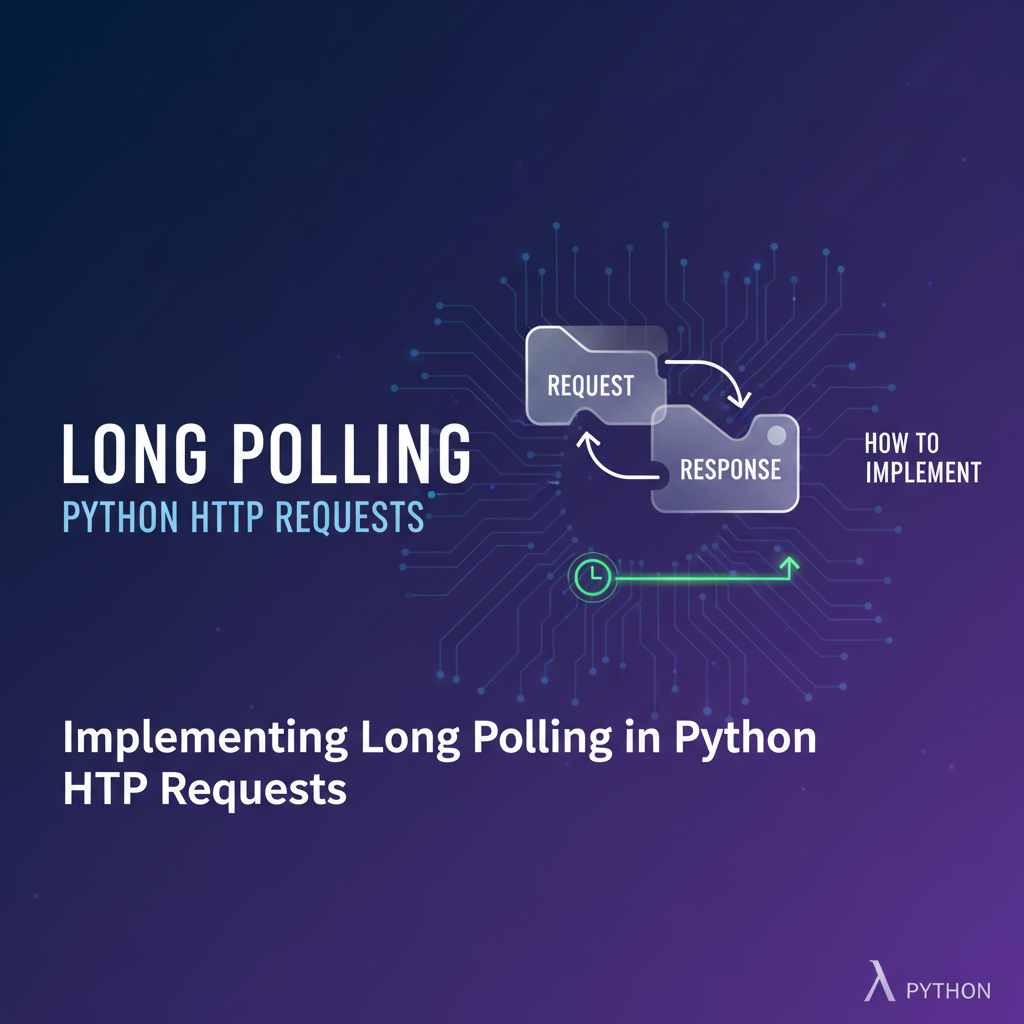
- Client Processes Response and Re-initiates: Once the client receives a response (whether it contains new data or is an empty timeout response), it processes the data (if any). Crucially, the client then immediately re-initiates a new long polling request to the server, establishing a fresh connection and perpetuating the cycle.
This mechanism gives the illusion of the server pushing data to the client, even though it's technically still a client-initiated request model. The key difference from short polling is the server's patience; it waits for an event rather than responding instantly with potentially empty content.
Advantages of Long Polling
- Reduced Latency: Updates are delivered almost immediately after they become available on the server, significantly reducing the delay compared to short polling. This makes applications feel much more responsive and "live."
- Reduced Wasted Bandwidth and Requests: The number of requests dramatically decreases as empty responses are largely eliminated. A request is only answered when there's actual data, or after a timeout, leading to more efficient use of network resources.
- Lower Server Load (for actual data transfer): While connections are held open, the server isn't constantly processing new requests from idle clients. It only engages in heavy processing when genuine updates occur.
- Compatibility with Existing HTTP Infrastructure: Long polling works seamlessly over standard HTTP and HTTPS. This means it can pass through proxies, firewalls, and
APIgatewayservices without special configuration, unlike WebSockets which require an upgrade handshake. This makes it easier to integrate into existingAPIarchitectures. - Graceful Degradation: If a long polling connection fails or times out prematurely, the client can simply retry, making it quite resilient.
Disadvantages and Considerations
- Server Resource Usage (Held Connections): The primary drawback is that the server must keep many HTTP connections open simultaneously. Each open connection consumes memory and CPU resources. While this is less CPU-intensive than repeatedly processing new short poll requests, it can still become a bottleneck if the number of concurrent clients scales into the tens or hundreds of thousands without careful server-side architecture (e.g., using asynchronous I/O frameworks).
- More Complex Server-Side Implementation: The server logic needs to manage these pending connections, store them, and efficiently notify them when data becomes available. This typically involves event queues, message brokers, or asynchronous programming models. Simply using
time.sleep()is not scalable. - Not Truly "Real-Time": While offering near real-time updates, it's not as instantaneous or full-duplex as WebSockets. There's always a slight delay introduced by the request-response cycle and the overhead of re-establishing connections.
- Potential for Connection Timeouts: Intermediate network devices (proxies, load balancers,
APIgateways) might have their own connection idle timeouts that are shorter than the server's long poll timeout. This can lead to connections being prematurely closed, requiring robust client-side retry logic.
Despite these challenges, long polling remains an excellent compromise for many applications, especially when dealing with event-driven updates that are not overwhelmingly frequent but demand prompt delivery within a standard HTTP API framework.
Python HTTP Requests Fundamentals: Your Toolkit for Polling
Before we dive into the specifics of long polling, a solid understanding of how to make HTTP requests in Python is essential. The requests library is the de facto standard for making HTTP calls in Python, renowned for its simplicity and power.
To install requests, if you haven't already:
pip install requests
Basic GET Requests
The most common type of request in polling scenarios is the GET request, used to retrieve data from a server.
import requests

def make_simple_get_request(url):
    """
    Sends a basic GET request to the specified URL and prints the response.
    """
    print(f"Attempting GET request to: {url}")
    try:
        response = requests.get(url, timeout=5) # Add a connect/read timeout for safety
        response.raise_for_status() # Raises an HTTPError for bad responses (4xx or 5xx)

        print(f"Status Code: {response.status_code}")
        print(f"Headers: {response.headers}")
        print(f"Content Type: {response.headers.get('Content-Type', 'N/A')}")

        if 'application/json' in response.headers.get('Content-Type', ''):
            print(f"JSON Response: {response.json()}")
        else:
            print(f"Text Response: {response.text}")

    except requests.exceptions.HTTPError as errh:
        print(f"HTTP Error occurred: {errh}") # e.g., 404 Not Found, 500 Internal Server Error
    except requests.exceptions.ConnectionError as errc:
        print(f"Error Connecting: {errc}") # e.g., DNS failure, refused connection
    except requests.exceptions.Timeout as errt:
        print(f"Timeout Error: {errt}") # Request timed out
    except requests.exceptions.RequestException as err:
        print(f"An unexpected error occurred: {err}") # Catch-all for other requests errors
    print("-" * 30)

# Example usage:
# make_simple_get_request("https://jsonplaceholder.typicode.com/posts/1")
# make_simple_get_request("http://httpbin.org/status/404")
# make_simple_get_request("http://httpbin.org/get")
Key elements here:
requests.get(url, timeout=...): Sends the GET request. Thetimeoutparameter is crucial; it specifies how long the client will wait for the server to send any data (connect timeout) and then how long it will wait for the entire response after the first byte is received (read timeout). For long polling, this read timeout will be significantly longer.response.raise_for_status(): A convenience method that checks if the request was successful (status code 200-399). If not, it raises anHTTPError. This is vital for robust error handling.response.status_code: The HTTP status code (e.g., 200 OK, 404 Not Found).response.headers: A dictionary-like object containing the response headers.response.json(): If the response content is JSON, this method parses it into a Python dictionary or list.response.text: The raw text content of the response.- Error Handling: The
try-exceptblocks are critical for handling network issues, timeouts, and server errors gracefully.
requests.Session() for Persistent Connections
For repetitive HTTP requests, especially in polling scenarios, creating a requests.Session() object is highly recommended. A session object allows you to persist certain parameters across requests (like headers, authentication) and, more importantly, re-uses the underlying TCP connection when connecting to the same host. This significantly reduces the overhead of establishing new TCP connections for each poll, making the process more efficient.
import requests

def use_session_for_requests(base_url, num_requests=3):
    """
    Demonstrates using requests.Session for multiple requests to the same base URL.
    """
    print(f"Using requests.Session for {num_requests} requests to {base_url}")
    with requests.Session() as session:
        # You can set common headers, authentication, etc., on the session
        session.headers.update({'User-Agent': 'Python Long Polling Client/1.0'})
        # session.auth = ('user', 'pass') # Example for basic authentication

        for i in range(num_requests):
            print(f"Request {i+1}:")
            try:
                response = session.get(f"{base_url}/get", timeout=5)
                response.raise_for_status()
                print(f"  Status Code: {response.status_code}")
                print(f"  Origin IP: {response.json().get('origin')}")
            except requests.exceptions.RequestException as err:
                print(f"  Error during request: {err}")
            print("-" * 20)

# Example usage:
# use_session_for_requests("http://httpbin.org")
By using with requests.Session() as session:, Python ensures that the session is properly closed and resources are released when the block is exited. This practice is particularly important for long polling clients that will make continuous requests over extended periods.
Implementing Long Polling in Python (Client-Side)
Now, let's put these requests fundamentals to work and build a robust long polling client in Python. The client's primary responsibility is to continuously send requests, handle responses, process data, and re-initiate the poll.
For this example, we'll imagine a hypothetical API endpoint: /poll_for_updates. This endpoint is expected to hold the connection until new data is available or a server-defined timeout occurs. It might also accept a last_event_id or timestamp parameter to inform the server about the client's current data state.
import requests
import time
import json
import logging
from datetime import datetime

# Configure logging for better visibility
logging.basicConfig(level=logging.INFO, format='%(asctime)s - %(levelname)s - %(message)s')

class LongPollingClient:
    """
    A robust Python client for long polling.
    """
    def __init__(self, base_url, endpoint="/techblog/en/poll_for_updates", client_timeout_seconds=60, retry_interval_seconds=5):
        """
        Initializes the LongPollingClient.

        Args:
            base_url (str): The base URL of the API server (e.g., "http://localhost:5000").
            endpoint (str): The specific long polling endpoint.
            client_timeout_seconds (int): The maximum time the client will wait for a response
                                          from the server before timing out. This should ideally
                                          be slightly longer than the server's timeout.
            retry_interval_seconds (int): How long to wait before retrying a connection after an error.
        """
        self.base_url = base_url
        self.endpoint = endpoint
        self.full_url = f"{base_url}{endpoint}"
        self.client_timeout_seconds = client_timeout_seconds
        self.retry_interval_seconds = retry_interval_seconds
        self.session = requests.Session()
        self.session.headers.update({'User-Agent': 'Python Long Polling Client'})
        self.last_event_id = None # To keep track of the last processed event
        self.running = False
        logging.info(f"Long Polling Client initialized for URL: {self.full_url} with client timeout: {client_timeout_seconds}s")

    def _process_response(self, response):
        """
        Processes the received HTTP response from the long polling endpoint.
        """
        if response.status_code == 200:
            try:
                data = response.json()
                if data:
                    logging.info(f"Received new data: {json.dumps(data, indent=2)}")
                    # Assuming data contains an 'id' or 'last_event_id' to track state
                    if 'id' in data:
                        self.last_event_id = data['id']
                        logging.info(f"Updated last_event_id to: {self.last_event_id}")
                    elif isinstance(data, list) and data:
                        # If response is a list of events, take the ID of the last one
                        last_item = data[-1]
                        if 'id' in last_item:
                            self.last_event_id = last_item['id']
                            logging.info(f"Updated last_event_id to: {self.last_event_id} from list")
                    return True # Indicate data was received
                else:
                    logging.debug("Received empty JSON response (no new data).")
                    return False
            except json.JSONDecodeError:
                logging.warning(f"Failed to decode JSON from response: {response.text}")
                return False
        elif response.status_code == 204: # No Content, common for long poll timeouts
            logging.debug("Server responded with 204 No Content (likely a timeout).")
            return False
        else:
            logging.error(f"Server returned unexpected status code: {response.status_code} - {response.text}")
            return False

    def start_polling(self):
        """
        Starts the continuous long polling loop.
        """
        self.running = True
        logging.info("Starting long polling loop...")
        while self.running:
            try:
                params = {}
                if self.last_event_id:
                    params['last_event_id'] = self.last_event_id

                logging.info(f"Sending long poll request with params: {params} (client timeout: {self.client_timeout_seconds}s)")
                response = self.session.get(self.full_url, params=params, timeout=self.client_timeout_seconds)
                response.raise_for_status() # Check for HTTP errors (4xx, 5xx)

                # Process the response, whether it contains data or is a timeout/empty
                self._process_response(response)

            except requests.exceptions.Timeout as e:
                logging.warning(f"Long poll request timed out after {self.client_timeout_seconds}s. This is expected if no data is available. Retrying...")
            except requests.exceptions.ConnectionError as e:
                logging.error(f"Connection error: {e}. Retrying in {self.retry_interval_seconds} seconds...")
                time.sleep(self.retry_interval_seconds)
            except requests.exceptions.HTTPError as e:
                logging.error(f"HTTP error {e.response.status_code}: {e.response.text}. Retrying in {self.retry_interval_seconds} seconds...")
                time.sleep(self.retry_interval_seconds)
            except requests.exceptions.RequestException as e:
                logging.error(f"An unexpected requests error occurred: {e}. Retrying in {self.retry_interval_seconds} seconds...")
                time.sleep(self.retry_interval_seconds)
            except Exception as e:
                logging.critical(f"An unhandled exception occurred: {e}. Stopping polling.")
                self.stop_polling()

    def stop_polling(self):
        """
        Stops the long polling loop gracefully.
        """
        logging.info("Stopping long polling loop.")
        self.running = False
        self.session.close() # Ensure session resources are released

# --- Example Usage (requires a mock server running) ---
# To run this example, you would need a simple Flask/FastAPI server
# that supports a /poll_for_updates endpoint as described in the next section.
if __name__ == "__main__":
    # In a real scenario, this would be your API server's URL
    MOCK_SERVER_URL = "http://127.0.0.1:5000"

    # Client timeout should be slightly longer than the server's expected long poll timeout
    # e.g., if server times out at 55s, client times out at 60s
    client = LongPollingClient(
        base_url=MOCK_SERVER_URL,
        endpoint="/techblog/en/poll_for_updates",
        client_timeout_seconds=60, # Client will wait up to 60 seconds for a response
        retry_interval_seconds=10 # If an error occurs, wait 10 seconds before retrying
    )

    try:
        # This will block indefinitely, typically run in a separate thread or process
        client.start_polling()
    except KeyboardInterrupt:
        logging.info("Polling interrupted by user (Ctrl+C).")
        client.stop_polling()
Refinements and Best Practices for the Client
requests.Session(): As demonstrated, using aSessionobject is fundamental. It maintains TCP connections, improving efficiency by avoiding the overhead of establishing new connections for each subsequent request. It also allows for persistent headers and cookies.- Explicit Timeouts: The
timeoutparameter inrequests.get()is critical.- Connection Timeout: The time it takes to establish a connection to the server.
- Read Timeout (for long polling): The time the client waits for the server to send any data after the connection is established. This is the timeout that should be set significantly higher to accommodate the server holding the request. It's crucial that the client's read timeout is slightly longer than the server's long poll timeout. If the client times out first, it won't receive the server's graceful empty response, leading to more error handling logic.
- Robust Error Handling: The
try-exceptblocks are extensive:requests.exceptions.Timeout: Handles cases where the client'stimeout_secondsis reached without a response from the server. This is often an expected part of long polling when no data is available.requests.exceptions.ConnectionError: Catches network-level issues like DNS resolution failures, connection refused, or lost network connectivity.requests.exceptions.HTTPError: Activated byresponse.raise_for_status()for non-successful HTTP status codes (e.g., 401 Unauthorized, 404 Not Found, 500 Internal Server Error).requests.exceptions.RequestException: A catch-all for any otherrequests-related errors.json.JSONDecodeError: Handles situations where the server sends an invalid JSON response.Exception: A final catch-all for any unforeseen programming errors.
- Exponential Backoff for Retries (Advanced): While the example uses a fixed
retry_interval_seconds, a more sophisticated client would implement exponential backoff. This means that after a connection error, the client waits for a short period (e.g., 1 second), then if another error occurs, it waits for a longer period (e.g., 2 seconds), then 4 seconds, 8 seconds, up to a maximum. This prevents overwhelming a struggling server with a flood of immediate retries and helps stabilize the system during transient network issues. Libraries liketenacitycan simplify this. - State Management (
last_event_id): To avoid re-processing old data, the client sends a parameter (likelast_event_idor atimestamp) with each new long poll request. The server uses this to determine what "new" data means for that specific client. This is fundamental for efficient long polling. - Graceful Shutdown: The
stop_polling()method allows the loop to terminate cleanly, releasing resources held by therequests.Session. This is important for applications that need to be restarted or shut down gracefully. - Concurrency (Threading/Asyncio): If your application needs to perform other tasks while polling or poll multiple endpoints simultaneously, you'd typically run
start_polling()in a separate thread or use Python'sasynciofor asynchronous long polling. For a simple client, a single blocking loop is fine.
APIPark is a high-performance AI gateway that allows you to securely access the most comprehensive LLM APIs globally on the APIPark platform, including OpenAI, Anthropic, Mistral, Llama2, Google Gemini, and more.Try APIPark now! 👇👇👇
Implementing Long Polling in Python (Server-Side using Flask/FastAPI)
Building a long polling client is only half the story. The server must be designed to handle these persistent connections efficiently. A naive implementation using time.sleep() will quickly exhaust server resources and block incoming requests. Instead, a scalable long polling server relies on asynchronous I/O and event-driven mechanisms.
We'll use Flask and Flask-Sijax (for a simpler, blocking demo) and then discuss the asyncio approach with FastAPI for a truly scalable solution.
Naive Flask Server (for conceptual understanding, not production)
This example demonstrates the idea but should not be used in production for actual long polling, as time.sleep() will block the server's single thread (in a typical Flask development setup) and prevent it from serving other requests.
# app.py (Naive Flask Server - DO NOT USE IN PRODUCTION FOR REAL LONG POLLING)
from flask import Flask, request, jsonify, make_response
import time
import threading
import uuid
import collections
import logging

logging.basicConfig(level=logging.INFO, format='%(asctime)s - %(levelname)s - [SERVER] %(message)s')

app = Flask(__name__)

# A simple in-memory store for events. In a real app, this would be a database/message queue.
# event_store = { "client_id": [event1, event2, ...] }
event_store = collections.defaultdict(list)
next_event_id = 1 # Simple monotonic ID for events

# Simulate some background process adding events
def generate_random_events():
    global next_event_id
    while True:
        time.sleep(10) # Add a new event every 10 seconds
        event_data = {
            "id": next_event_id,
            "timestamp": time.time(),
            "message": f"Server generated event {next_event_id} at {datetime.now().strftime('%H:%M:%S')}"
        }
        # In a real app, events would be for specific clients. Here, we'll just add to a 'default' client.
        event_store['default'].append(event_data)
        logging.info(f"Generated new event: {event_data['id']}")
        next_event_id += 1

# Start the background event generator in a separate thread
event_generator_thread = threading.Thread(target=generate_random_events, daemon=True)
event_generator_thread.start()

@app.route("/techblog/en/poll_for_updates")
def poll_for_updates():
    client_id = request.args.get('client_id', 'default') # In a real app, identify client via auth
    last_event_id = int(request.args.get('last_event_id', 0)) # Get last event ID from client
    server_timeout_seconds = 55 # Server will hold connection for this long

    logging.info(f"Client '{client_id}' polling from event ID {last_event_id}. Holding for {server_timeout_seconds}s.")

    start_time = time.time()

    while time.time() - start_time < server_timeout_seconds:
        # Check if new events are available for this client
        new_events = [event for event in event_store[client_id] if event['id'] > last_event_id]

        if new_events:
            logging.info(f"Responding to client '{client_id}' with {len(new_events)} new events.")
            # Important: Only send events *after* last_event_id
            response = make_response(jsonify(new_events), 200)
            response.headers['Content-Type'] = 'application/json'
            return response

        # If no new events, wait for a short interval before re-checking
        # This is where the blocking occurs in a synchronous server
        time.sleep(1)

    # If timeout is reached and no new events, send empty response (or 204 No Content)
    logging.info(f"Client '{client_id}' long poll timed out. Sending 204 No Content.")
    return make_response("", 204) # 204 No Content is a good indicator for a timeout


if __name__ == "__main__":
    app.run(debug=True, port=5000, use_reloader=False) # use_reloader=False for daemon threads to work well
(To run this server, save it as app.py and run python app.py.)
In this naive example, the time.sleep(1) inside the loop of poll_for_updates blocks the current request thread. If another client tries to connect while one client is sleeping, the server will not be able to process the new request until the first one completes its sleep. This quickly becomes a bottleneck for any significant number of concurrent clients.
Scalable Server-Side Long Polling with FastAPI and asyncio
For truly scalable long polling, you must use an asynchronous web framework and asynchronous I/O primitives. FastAPI, built on Starlette and Uvicorn, is an excellent choice for this in Python. It leverages asyncio to handle many concurrent connections without blocking the main event loop.
The core idea for the server is: 1. Receive a request. 2. If no new data, add the request (or a representation of it, like an asyncio.Event or asyncio.Queue) to a list of "pending" requests. 3. When an actual event occurs in the system (e.g., data changes in a database, a message arrives from a message queue), iterate through the pending requests and unblock (or send data to) the relevant ones. 4. Implement a server-side timeout to gracefully close connections that have been open for too long without data.
Key Components for a Scalable Server:
- Asynchronous Web Framework: FastAPI (or Sanic, AIOHTTP).
- Event Storage/Queue: An
asyncio.Queue, Redis Pub/Sub, Kafka, or other message broker to communicate events from the data source to the waiting long poll handlers. - List of Pending Requests: A data structure to hold
asyncio.Eventobjects orasyncio.Futureobjects corresponding to each client's waiting request.
Here's a conceptual FastAPI example:
# main.py (FastAPI Server for Scalable Long Polling)
from fastapi import FastAPI, Request, HTTPException, BackgroundTasks, status
from fastapi.responses import JSONResponse, Response
import asyncio
import time
from collections import defaultdict
import uuid
import logging
from datetime import datetime

logging.basicConfig(level=logging.INFO, format='%(asctime)s - %(levelname)s - [FASTAPI SERVER] %(message)s')

app = FastAPI(title="Long Polling Event Server")

# In-memory store for events. In production, this would be a persistent DB or message queue.
event_db = []
event_id_counter = 0
last_event_lock = asyncio.Lock()

# Dictionary to hold pending requests, keyed by client_id.
# Each client_id maps to a list of (asyncio.Event, last_event_id_seen, request_object) tuples
# The asyncio.Event is used to signal data availability to a waiting request.
pending_requests = defaultdict(list)
pending_requests_lock = asyncio.Lock() # Protect access to pending_requests

SERVER_LONG_POLL_TIMEOUT_SECONDS = 55 # Server will hold connections for up to 55 seconds
MAX_CLIENT_WAIT_FOR_EVENT = SERVER_LONG_POLL_TIMEOUT_SECONDS - 5 # Allow some buffer for server processing

async def _add_event_to_db(message: str):
    """Simulates adding an event to a database."""
    global event_id_counter
    async with last_event_lock:
        event_id_counter += 1
        event = {
            "id": event_id_counter,
            "timestamp": datetime.now().isoformat(),
            "message": message
        }
        event_db.append(event)
        logging.info(f"Added new event to DB: {event}")
        await _notify_pending_clients(event_id_counter)
        return event

async def _notify_pending_clients(latest_event_id: int):
    """Notifies all waiting clients that new data is available."""
    async with pending_requests_lock:
        clients_to_remove = [] # To prevent modifying list while iterating
        for client_id, requests_list in list(pending_requests.items()): # Iterate over a copy
            for event_flag, last_seen_id, _request_obj in list(requests_list): # Iterate over a copy
                if latest_event_id > last_seen_id:
                    event_flag.set() # Signal that data is ready
                    clients_to_remove.append((client_id, (event_flag, last_seen_id, _request_obj)))

        # Clean up signalled requests
        for client_id, req_tuple in clients_to_remove:
            if req_tuple in pending_requests[client_id]:
                pending_requests[client_id].remove(req_tuple)
            if not pending_requests[client_id]:
                del pending_requests[client_id]

async def background_event_generator():
    """Background task to simulate events being generated periodically."""
    while True:
        await asyncio.sleep(15) # Generate a new event every 15 seconds
        await _add_event_to_db(f"Server generated message at {datetime.now().strftime('%H:%M:%S')}")

@app.on_event("startup")
async def startup_event():
    """Starts the background event generation on application startup."""
    asyncio.create_task(background_event_generator())
    logging.info("Background event generator started.")

@app.get("/techblog/en/poll_for_updates", summary="Long polling endpoint for client updates")
async def poll_for_updates(request: Request, last_event_id: int = 0, client_id: str = None):
    """
    Long polling endpoint. Client sends last_event_id and waits for new data.
    """
    if not client_id:
        # In a real API, client_id would come from authentication (e.g., JWT)
        # For this demo, we'll assign a temporary one if not provided.
        # This is not for security, but for distinguishing clients in logging.
        client_id = f"anonymous_{uuid.uuid4().hex[:8]}"

    logging.info(f"Client '{client_id}' connected, last_event_id: {last_event_id}")

    # 1. Check for immediate new events
    new_events = [event for event in event_db if event['id'] > last_event_id]
    if new_events:
        logging.info(f"Client '{client_id}' immediately found {len(new_events)} new events.")
        return JSONResponse(new_events)

    # 2. If no immediate events, add the request to pending_requests and wait
    event_flag = asyncio.Event() # Create an event to signal this specific request
    async with pending_requests_lock:
        pending_requests[client_id].append((event_flag, last_event_id, request))

    try:
        # Wait for the event_flag to be set (data available) or for a timeout
        logging.info(f"Client '{client_id}' waiting for event (timeout: {MAX_CLIENT_WAIT_FOR_EVENT}s)...")
        await asyncio.wait_for(event_flag.wait(), timeout=MAX_CLIENT_WAIT_FOR_EVENT)

        # If we reach here, event_flag was set, meaning new data is available
        new_events = [event for event in event_db if event['id'] > last_event_id]
        if new_events:
            logging.info(f"Client '{client_id}' received signal, found {len(new_events)} new events.")
            return JSONResponse(new_events)
        else:
            # This case might happen if multiple events triggered the flag,
            # but by the time this client picked up, an earlier poll for same client
            # already consumed the event. Or if the event was too old for its last_event_id.
            logging.warning(f"Client '{client_id}' signaled but no new events found for ID > {last_event_id}. Sending 204.")
            return Response(status_code=status.HTTP_204_NO_CONTENT)

    except asyncio.TimeoutError:
        # Timeout occurred, no new data within the waiting period
        logging.info(f"Client '{client_id}' long poll timed out. Sending 204 No Content.")
        return Response(status_code=status.HTTP_204_NO_CONTENT)
    except Exception as e:
        logging.error(f"Error for client '{client_id}': {e}")
        raise HTTPException(status_code=500, detail=str(e))
    finally:
        # Ensure the request is removed from pending_requests list
        async with pending_requests_lock:
            # Need to find and remove the specific tuple (event_flag, last_event_id, request)
            # as client might re-poll quickly leading to multiple entries if not careful.
            if client_id in pending_requests:
                pending_requests[client_id] = [
                    (ef, lsid, req) for (ef, lsid, req) in pending_requests[client_id]
                    if not (ef == event_flag and lsid == last_event_id and req == request)
                ]
                if not pending_requests[client_id]:
                    del pending_requests[client_id]

# Endpoint to manually trigger an event for testing
@app.post("/techblog/en/trigger_event")
async def trigger_event(message: str = "Manual event triggered!"):
    event = await _add_event_to_db(message)
    return {"status": "event triggered", "event": event}
(To run this server, save it as main.py and run uvicorn main:app --reload --port 5000)
Server-Side Scalability Considerations
- Asynchronous I/O is Paramount: The use of
asynciowith FastAPI ensures that the server can manage thousands of concurrent connections without each connection blocking the server's ability to process other requests or manage other connections. When a request waits forevent_flag.wait(), it yields control back to the event loop, allowing the server to handle new incoming requests or other pending I/O operations. - Event Notification Mechanism: For a real-world application, the
_notify_pending_clientsfunction wouldn't just iterate over an in-memory list. It would likely subscribe to a message broker (e.g., Redis Pub/Sub, Kafka, RabbitMQ) for system-wide events. When a new message arrives from the broker, the server would then lookup and unblock the relevantasyncio.Eventobjects associated with waiting clients. - Persistent Storage for Events: The
event_dbin the example is in-memory. In a production system, events would be stored in a durable database (e.g., PostgreSQL, MongoDB) or an event store like Kafka. Thelast_event_idwould correspond to a sequence number or timestamp in that persistent store. - Horizontal Scaling: For very high loads, you can run multiple instances of the FastAPI server behind a load balancer. However, managing
pending_requestsacross multiple instances becomes challenging. A shared message broker (like Redis Pub/Sub) becomes even more critical here. Each server instance would subscribe to the broker and notify its own set of locally pending requests. APIGatewayIntegration: AnAPIgatewayplays a vital role in such a setup. It can manage load balancing across multiple long polling server instances, handle initial authentication and authorization, rate limit clients, and potentially enforce timeouts at the edge. A sophisticatedAPIgatewaylike APIPark can provide centralized management, traffic forwarding, and detailed logging for these long pollingAPIservices. It can abstract away the complexity of routing requests to the correct backend service instance, ensuring that even with persistent connections, yourAPIinfrastructure remains robust and observable.
Key Considerations and Best Practices for Long Polling
Implementing long polling effectively requires careful attention to several details on both the client and server sides to ensure reliability, efficiency, and scalability.
Timeouts: A Delicate Dance
This is perhaps the most critical aspect of long polling. Multiple timeouts come into play, and they must be carefully coordinated:
- Server-Side Long Poll Timeout: The maximum time the server will hold a request open without new data. (e.g., 55 seconds in our FastAPI example). This prevents connections from hanging indefinitely and allows the server to reclaim resources.
- Client-Side Read Timeout: The maximum time the client will wait for the server to send any response after establishing the connection. This should always be slightly longer than the server-side long poll timeout (e.g., 60 seconds if the server times out at 55 seconds). If the client times out first, it won't receive the server's graceful empty response and might treat it as a network error, leading to unnecessary retries.
- Load Balancer/Proxy Timeouts: If your infrastructure includes load balancers,
APIgateways, or reverse proxies, they often have their own idle connection timeouts. These timeouts can sometimes be shorter than your long poll timeouts, prematurely closing connections. You must configure these intermediate components to have timeouts that are longer than your server's long poll timeout to avoid unexpected disconnections.
Misconfigured timeouts are a common source of instability in long polling systems.
Error Handling and Retries with Exponential Backoff
Beyond basic try-except blocks, a production-grade client needs:
- Intelligent Retry Logic: Not all errors warrant immediate retries.
- Network Errors (
ConnectionError,Timeout): These often indicate transient issues or server overload. Exponential backoff (waiting 1s, then 2s, 4s, 8s, up to a max) is ideal. - Server Errors (
HTTPError5xx): Similar to network errors, exponential backoff is appropriate. - Client Errors (
HTTPError4xx): These usually indicate a problem with the client's request (e.g., invalid authentication, incorrect parameters). Retrying immediately without fixing the issue is futile and potentially harmful. These should often halt polling or trigger specific client-side alerts.
- Network Errors (
- Jitter: When implementing exponential backoff, add a small random "jitter" to the wait time. This prevents a "thundering herd" problem where many clients, after a mass disconnection, all try to reconnect at exactly the same time, potentially overwhelming the server.
State Management: last_event_id and Data Consistency
- Event Identifiers: The
last_event_id(or a timestamp, or ETag) is crucial. It tells the server exactly what data the client has already seen. This ensures the client only receives truly new data. - Idempotency: Client logic should be idempotent, meaning processing the same event twice (if it happens due to network issues) should not cause unintended side effects.
- Server-Side Event Ordering: The server must guarantee that events are delivered in the correct order for a given client and that no events are missed. This usually means relying on a robust event store or message queue.
Security
As with any API interaction, security is paramount:
- Authentication and Authorization: Even long polling endpoints need proper authentication to verify the client's identity and authorization to ensure they can access the requested data. An
APIgatewaycan effectively manage these concerns at the perimeter. - Rate Limiting: While long polling reduces request frequency compared to short polling, it doesn't eliminate the need for rate limiting, especially to prevent denial-of-service (DoS) attacks or abuse.
APIgateways often provide robust rate limiting capabilities. - Data Encryption (HTTPS): Always use HTTPS for long polling connections to protect data in transit from eavesdropping and tampering.
Resource Management
- Server-Side: Monitor memory usage, open file descriptors (for connections), and CPU load. Asynchronous frameworks help but are not a magic bullet. Tuning OS-level parameters for maximum open connections might be necessary for very high scale.
- Client-Side: Ensure the client's
requests.Sessionis properly closed when the application shuts down. Be mindful of CPU and memory usage if running many long polling clients concurrently.
Long Polling vs. Alternatives: When to Choose Which
Here's a quick comparison to help decide:
| Feature/Technique | Short Polling | Long Polling | Server-Sent Events (SSE) | WebSockets |
|---|---|---|---|---|
| Real-Time Level | Low (depends on interval) | Near Real-Time | Real-Time (unidirectional) | True Real-Time (bidirectional) |
| Latency | High (can be) | Low | Very Low | Very Low |
| Network Traffic | High (many empty requests) | Moderate (fewer requests, more persistent) | Low (single persistent connection) | Very Low (single persistent connection) |
| Server Load | High (many request/response cycles) | Moderate (many open connections, async processing) | Low (single persistent connection per client) | Low (single persistent connection per client) |
| Complexity | Client: Very Low; Server: Low | Client: Moderate; Server: Moderate/High (async) | Client: Low; Server: Moderate (async) | Client: Moderate; Server: High (protocol mgmt) |
| Protocol | HTTP/HTTPS | HTTP/HTTPS | HTTP/HTTPS | WebSocket Protocol (ws/wss) |
| Browser Support | Universal | Universal | Modern browsers (IE not native) | Modern browsers |
| Use Cases | Infrequent updates, legacy systems | Notifications, chat (simpler), dashboards | Live news feeds, stock tickers, activity streams | Chat, gaming, collaborative editing |
Choose Long Polling when: * You need near real-time updates. * Your existing infrastructure is primarily HTTP-based, and you want to avoid the complexity of a new protocol (WebSockets). * Updates are event-driven and somewhat sparse, not a continuous stream of data. * You need compatibility with older browsers or intermediary proxies/API gateways that might not support WebSockets. * The server-side complexity of managing persistent HTTP connections asynchronously is acceptable.
Avoid Long Polling when: * You need extremely high-frequency, continuous, bidirectional communication (e.g., real-time gaming, video conferencing). WebSockets are superior here. * Updates are exclusively server-to-client and don't require client feedback (SSE might be simpler). * You are dealing with extremely low update frequencies, where even short polling with long intervals might be sufficient without adding server-side complexity.
Real-world Scenarios and Use Cases for Long Polling
Long polling, despite its age, remains a highly relevant technique for a broad spectrum of applications, particularly those focused on delivering timely updates within the established HTTP paradigm. Its utility spans various industries and operational needs, bridging the gap between static content and fully interactive, real-time experiences.
1. Chat Applications (Simpler Implementations)
While advanced chat applications often gravitate towards WebSockets for their full-duplex capabilities, simpler chat systems or those integrating with legacy APIs can effectively use long polling. When a user sends a message, the server stores it and then immediately responds to all long-polling clients whose last_event_id indicates they haven't seen that message yet. Each client then re-polls, awaiting the next message. This provides a responsive, near real-time chat experience without the overhead of maintaining a WebSocket server for every connection, which might be overkill for lower traffic or fewer features. An API gateway could also manage routing of chat messages to different backend services based on room ID, enhancing modularity.
2. Live Sports Scores and News Feeds
Imagine a sports website or a news api application that needs to display live scores or breaking news as they happen. Instead of constantly refreshing the entire page or bombarding the server with short-poll requests, a long polling client can request updates for a specific game or news category. The server holds the request until a score changes, a goal is scored, or a new headline breaks. This ensures users get near-instantaneous updates without unnecessary network traffic, creating a dynamic and engaging experience. The API gateway here can help in caching static parts of the feed and routing polling requests efficiently to the update service.
3. Notification Systems and Alerts
Whether it's a new email notification, a social media mention, a critical system alert, or a reminder from a task management tool, long polling is an excellent fit. A client can long poll a /notifications api endpoint. As soon as a new notification is generated for that user, the server pushes it. This ensures users are immediately aware of important events, contributing to a more responsive and helpful application. For enterprise systems, an API gateway is crucial for managing which users get what notifications, handling authorization and ensuring sensitive alerts are securely delivered.
4. Background Job Status Updates
Many applications initiate long-running background tasks, such as video encoding, large data imports, report generation, or complex computations. Clients often need to know the status of these jobs (e.g., "processing," "completed," "failed," "progress: 50%"). A long polling endpoint can allow clients to query for the status of a specific job ID. The server holds the connection until the job status changes or reaches a significant milestone. This avoids repeated short polls and keeps the client updated on the progress without hogging resources. The api might be exposed through an API gateway to provide a uniform access point for all job status queries, abstracting the underlying microservices.
5. Monitoring Dashboards and Device Status
For IoT platforms, network monitoring tools, or system health dashboards, long polling can provide near real-time updates on device status, sensor readings, or server metrics. A dashboard might long poll an endpoint for the status of a particular device group. If a device goes offline, a sensor reading exceeds a threshold, or a server's CPU usage spikes, the long polling connection delivers this critical information promptly. This enables operators to react quickly to anomalies. The API gateway here could act as a central point for all device monitoring APIs, applying policies and routing to different device management backends.
6. Collaborative Editing (Simpler Aspects)
While full real-time collaborative editing (like Google Docs) heavily relies on WebSockets for granular, character-level synchronization, simpler collaborative tools might use long polling for larger document sections or coarse-grained updates. For instance, notifying users when another user starts editing a specific paragraph, or when a major save operation completes. This provides a more responsive experience than traditional page refreshes.
In all these scenarios, long polling offers a pragmatic approach to delivering timely updates. It leverages the existing HTTP infrastructure, which is well-understood and supported by API gateways and other network components, making it a powerful tool in the developer's arsenal for building dynamic and responsive web applications.
Integrating with an API Gateway: Enhancing Long Polling Deployments with APIPark
The effectiveness and scalability of a long polling implementation can be significantly amplified when integrated with a robust API gateway. An API gateway acts as a single entry point for all API requests, providing a centralized platform to manage, secure, and monitor your API infrastructure. For services that utilize long polling, the gateway assumes an even more critical role by handling the complexities associated with persistent connections and high concurrency.
Consider a scenario where your Python long polling server is deployed to serve thousands of concurrent clients. Without an API gateway, you'd be directly exposing your backend service to the internet, and would have to implement crucial cross-cutting concerns within your application code or rely on complex external load balancers.
An API gateway can greatly simplify and strengthen long polling implementations in several key areas:
- Load Balancing: As long polling servers hold connections, the number of concurrent connections can be substantial. An
APIgatewaycan intelligently distribute incoming long poll requests across multiple instances of your Python long polling service. This prevents any single instance from becoming a bottleneck and ensures high availability and fault tolerance. For example, if one of your backend servers goes down, thegatewaycan automatically redirect new requests to healthy instances. - Authentication and Authorization: Before a long polling connection is established and maintained, clients need to be authenticated and authorized. The
APIgatewaycan offload this crucial security responsibility from your backend long polling service. It can validate API keys, OAuth tokens, or JWTs, ensuring that only legitimate and authorized clients can initiate or maintain a long polling connection. This simplifies your backend code, allowing it to focus purely on event delivery. - Rate Limiting: Even with long polling, which significantly reduces request frequency compared to short polling, clients can still abuse the system or make excessive requests (e.g., by immediately re-polling after an error without proper backoff). An
APIgatewaycan enforce granular rate limiting policies, preventing individual clients or IP addresses from overwhelming your long polling servers, thereby protecting your infrastructure from DoS attacks and resource exhaustion. - Traffic Management and Routing: An
APIgatewayprovides sophisticated traffic management capabilities. It can route long polling requests to specific versions of your backend service (e.g., for A/B testing or blue/green deployments), manage routing based on client metadata, or even implement circuit breakers to prevent cascading failures if a backend service is experiencing issues. This ensures that your long pollingAPIservices remain resilient and adaptable. - Caching: While long polling is for dynamic updates, an
APIgatewaycan still be beneficial by caching otherAPIresponses that are not part of the real-time stream, reducing the load on your backend services for static content. - Monitoring and Analytics: A centralized
APIgatewayprovides a unified point for logging and monitoring allAPItraffic, including long polling connections. This gives you invaluable insights into connection duration, request rates, error patterns, and client behavior. This data is critical for troubleshooting, performance optimization, and capacity planning.
Introducing APIPark: An Open-Source AI Gateway & API Management Platform
For organizations looking to deploy and manage a wide array of API services, including those utilizing long polling, a robust API gateway like APIPark can be a game-changer. As an open-source AI gateway and API developer portal, APIPark is designed to simplify the management, integration, and deployment of both AI and REST services.
When implementing long polling, APIPark can provide significant value by acting as the central hub for your API infrastructure. Its end-to-end API lifecycle management features, including traffic forwarding, load balancing, and versioning of published APIs, are directly applicable to long polling services. For instance, if you're running multiple instances of your Python long polling application to handle increased client demand, APIPark can intelligently route incoming long poll requests to the least loaded server, ensuring optimal performance and resource utilization.
Furthermore, APIPark's comprehensive logging capabilities, which record every detail of each API call, are incredibly valuable for long polling. You can quickly trace and troubleshoot issues in API calls, ensuring system stability. This detailed data can also feed into APIPark's powerful data analysis features, which display long-term trends and performance changes. This allows businesses to proactively address potential bottlenecks or anomalies in long polling patterns before they impact user experience. By centralizing API service sharing within teams and allowing for independent API and access permissions for each tenant, APIPark ensures that your long polling services are not only robust but also securely managed and easily discoverable across your organization. Integrating your Python long polling API with a platform like APIPark transforms a potentially complex deployment into a streamlined, secure, and highly observable API service.
Advanced Topics and Further Exploration
While we've covered the core aspects of implementing long polling, several advanced topics warrant brief mention for those seeking to push the boundaries of their real-time systems.
Horizontal Scaling for Long Polling Servers
Scaling a single long polling server horizontally (running multiple instances) introduces a challenge: how do you ensure that an event generated on one server instance can notify a client whose long polling request is being held open by another server instance?
The solution typically involves a shared message queue or event bus (e.g., Redis Pub/Sub, Apache Kafka, RabbitMQ). When an event occurs: 1. The event producer publishes the event to the message queue. 2. All long polling server instances subscribe to this queue. 3. Each server instance receives the event and then checks its local list of pending requests. If it finds a client whose request it is holding that needs this event, it unblocks that client.
This architecture ensures that any event can reach any waiting client, regardless of which server instance is holding the connection.
Client-Side Libraries and Frameworks
For browser-based long polling, developers often use JavaScript libraries that abstract away the complexities. Libraries like jQuery.ajax can be configured for long polling, and frameworks like CometD (though less common now) were specifically designed for Comet programming patterns, which include long polling. In Python, while requests is powerful, for very complex real-time needs, you might consider higher-level abstractions if they align with your specific architectural choices.
Connection Management and Keep-Alives
Even though HTTP 1.1 introduced Keep-Alive headers to reuse TCP connections, in long polling, a connection is typically closed after the server responds. The client then opens a new connection for the next poll. This is distinct from WebSockets or SSE where a single connection is persistently maintained. However, the client-side requests.Session() helps by reusing the underlying TCP connection across these distinct HTTP requests, as long as the server (or API gateway) also supports Keep-Alive.
The Evolution of Real-Time Communication
It's crucial to remember that long polling exists on a spectrum of real-time communication techniques. As technology evolves, new patterns emerge. For many new applications, WebSockets are often the first choice for truly interactive, real-time features due to their lower overhead and full-duplex nature. Server-Sent Events offer a simpler, efficient push for unidirectional data streams. Understanding where long polling fits within this ecosystem allows developers to make informed decisions that best suit their application's requirements, infrastructure constraints, and performance goals.
Conclusion
The journey to implementing real-time functionality over the traditional HTTP protocol is paved with ingenuity, and long polling stands as a testament to that innovation. By having the server patiently hold a client's request until new data arrives or a timeout occurs, long polling masterfully reduces latency and minimizes wasted network resources compared to its predecessor, short polling. This technique offers a robust, near real-time solution that elegantly sidesteps the complexities of alternative protocols like WebSockets while remaining fully compatible with existing HTTP infrastructure, including proxies and critical API gateway services.
We have meticulously explored the fundamental Python requests library, demonstrating how to construct a resilient long polling client equipped with explicit timeouts, robust error handling, and intelligent state management using requests.Session(). Furthermore, we delved into the server-side complexities, emphasizing the indispensable role of asynchronous frameworks like FastAPI and asyncio for building scalable, non-blocking long polling endpoints. The coordination of various timeouts, the importance of a well-designed retry strategy with exponential backoff, and diligent state management through last_event_id were highlighted as paramount for stability and efficiency.
The integration of long polling services with an API gateway emerges as a best practice for production environments. Platforms like APIPark empower developers to manage, secure, and scale their APIs effectively. By centralizing concerns such as load balancing, authentication, rate limiting, and comprehensive monitoring, an API gateway frees the core long polling service to focus purely on event delivery, ensuring reliability and performance even under high concurrent loads.
While not a panacea for all real-time needs—WebSockets and Server-Sent Events offer distinct advantages for specific use cases—long polling remains a powerful and pragmatic tool in the modern developer's arsenal. It represents a mature and battle-tested approach for delivering timely updates in scenarios ranging from chat applications and live dashboards to notification systems and background job status monitors. By understanding its mechanics, benefits, and inherent trade-offs, Python developers can harness long polling to create more responsive, engaging, and efficient applications within the ever-evolving landscape of web communication.
Frequently Asked Questions (FAQ)
1. What is the fundamental difference between short polling and long polling?
The fundamental difference lies in how the server responds when no new data is immediately available. In short polling, the client repeatedly sends requests at fixed intervals, and the server responds immediately with an empty response if there's no new data. This leads to many wasted requests. In long polling, the client sends a request, but the server holds the connection open until new data becomes available or a server-defined timeout occurs. Once new data is sent (or the timeout is reached with an empty response), the client immediately re-establishes a new connection. This significantly reduces the number of requests and latency for updates.
2. Why should I use requests.Session() when implementing a long polling client in Python?
Using requests.Session() is highly recommended for long polling clients because it allows for the persistence of certain parameters across requests (like headers and authentication) and, more importantly, it re-uses the underlying TCP connection to the same host. This drastically reduces the overhead associated with establishing a new TCP handshake for every long poll request, making the client-side implementation more efficient, faster, and less resource-intensive over prolonged periods of polling.
3. What are the main challenges when implementing long polling on the server-side, and how can they be addressed?
The main challenge on the server-side is efficiently managing many concurrent, open connections. A naive implementation using blocking time.sleep() will quickly exhaust server resources and prevent it from handling other requests. This is addressed by using asynchronous I/O frameworks (like FastAPI with asyncio in Python). These frameworks allow the server to hold connections open without blocking its main event loop, enabling it to manage thousands of concurrent requests. Additionally, a robust event notification mechanism (e.g., Redis Pub/Sub or a message queue) is needed to efficiently signal waiting clients when new data becomes available.
4. How do timeouts work in a long polling setup, and why is their coordination crucial?
Multiple timeouts are involved: a server-side long poll timeout (how long the server holds the connection), and a client-side read timeout (how long the client waits for any response from the server). Their coordination is crucial because the client's timeout should always be slightly longer than the server's. If the client times out first, it won't receive the server's graceful empty response (indicating "no new data") and might treat it as a network error, leading to unnecessary error handling and retries. Additionally, load balancer or proxy timeouts in your infrastructure must be configured to be longer than your server's timeout to prevent premature connection closures.
5. When should I choose long polling over WebSockets or Server-Sent Events (SSE)?
Choose long polling when you need near real-time updates, but don't require full-duplex communication, and want to leverage your existing HTTP/HTTPS infrastructure (which includes compatibility with proxies and API gateways). It's suitable for event-driven updates that are not overwhelmingly frequent (e.g., chat in simpler apps, notifications, status updates). Choose WebSockets for truly real-time, highly interactive, bidirectional communication (e.g., online gaming, collaborative editing). Choose SSE for simple, unidirectional server-to-client data streams where the client doesn't need to send frequent messages back to the server (e.g., live news feeds, stock tickers).
🚀You can securely and efficiently call the OpenAI API on APIPark in just two steps:
Step 1: Deploy the APIPark AI gateway in 5 minutes.
APIPark is developed based on Golang, offering strong product performance and low development and maintenance costs. You can deploy APIPark with a single command line.
curl -sSO https://download.apipark.com/install/quick-start.sh; bash quick-start.sh

In my experience, you can see the successful deployment interface within 5 to 10 minutes. Then, you can log in to APIPark using your account.

Step 2: Call the OpenAI API.